
 1 hour ago
6
1 hour ago
6
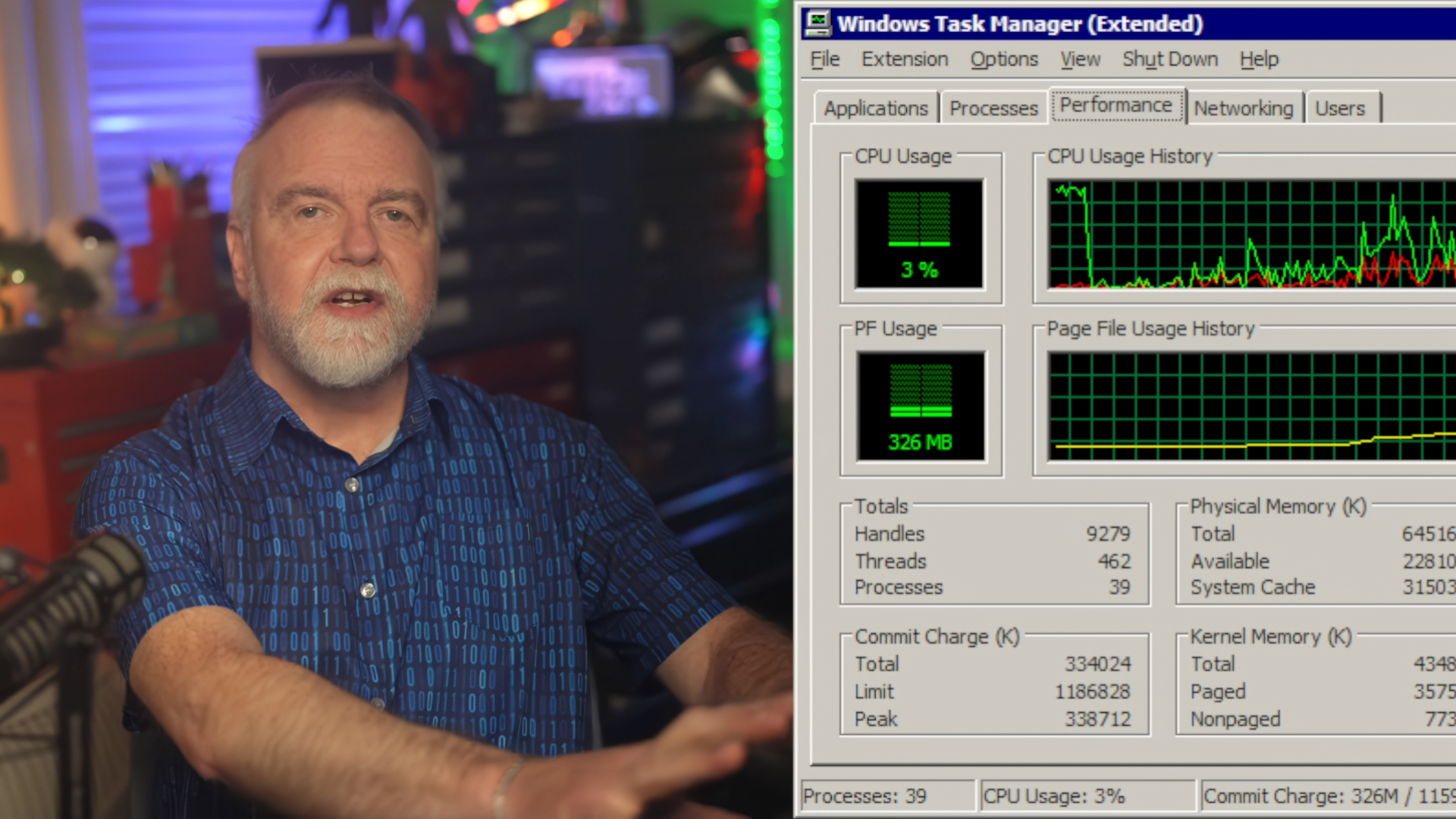
Dave Plummer, the engineer behind many of Windows iconic features like ZIP file support, shared how he built the Task Manager to be so efficient. According to his YouTube video, the current Windows Task Manager is about 4MB, but the original version that he built was just 80K. Plummer’s main concern when he built the Windows utility was that hardware during that time was so limited, and that the tool that was used to recover the PC after everything had failed still needs to feel crisp and responsive, even if everything else had hung.
“Every line has a cost; every allocation can leave footprints. Every dependency is a roommate that eats your food and never pays rent,” said Plummer. “And so, when I ended up writing Task Manager, I didn’t approach it like a modern utility where you start with a framework, add nine layers of comfort, six layers of futureproofing, and then act surprised when the thing eats 800MBs and a motivational speech to display just a few numbers.”
One of Plummer’s favorite features on the Task Manager is how it handles startup. Unlike other apps that just check if another instance of the app is already running and activates it if there’s already one, this Windows tool goes one step further. It checks if the already existing instance, if there is one, is not frozen by sending it a private message and waiting for a reply. If it gets a positive response, then it’s a sign that the other Task Manager instance is fine and dandy, but if all it gets is silence, then it assumes that the other instance is also lost and would launch to help get you out of a rut.
Article continues below
Another thing that the engineer did was to load frequently used strings into globals once instead of fetching them over and over again, while rare functionalities, like ejecting a docked PC, are only loaded when needed. The process tree also saves resources by asking the kernel for the entire process table instead of querying programs one by one. This removes numerous API calls, and if its buffer is too small, it would resize the buffer and try again. Plummer also shared several tips and tricks that he used to ensure that Windows Task Manager did not take on more resources than necessary, allowing it to run smoothly on the limited computing power available at that time, even on systems that were already facing issues.
The processing and resource limitations of 90s computers forced Plummer to make the Windows Task Manager as lean as possible. “Task Manager came from a very different mindset. It came from a world where a page fault was something you felt, where low memory conditions had a weird smell, where if you made the wrong thing redraw too often, you could practically hear the guys in the offices moaning,” he said. “And while I absolutely do not want to go back to that old hardware, I do wish we had carried more of that taste. Not the suffering, the taste, the instinct to batch work, to cache the right things, to skip invisible work, to diff before repainting, to ask the kernel once instead of a hundred times, to load rare data rarely, to be suspicious of convenience when convenience sends a bill to the user.”

Follow Tom's Hardware on Google News, or add us as a preferred source, to get our latest news, analysis, & reviews in your feeds.





 English (US) ·