
Asus RT-BE92U: One-minute review
It may not have the built-like-a-tank design and ominous glowing lights that Asus uses in some of its eye-catching gaming routers, but the new RT-BE92U won’t take a backseat to any of its flashier rivals. It’s not much to look at, but beneath that unassuming design the RT-BE92U boasts the latest tri-band Wi-Fi 7, with support for the high-speed 6.0GHz frequency band that is sometimes omitted in less expensive Wi-Fi 7 routers.
It also provides high-speed wired connectivity for home or offices that have fibre broadband, and even provides a USB port that allows you to ‘tether’ the router to a smartphone or mobile device that supports 4G or 5G mobile broadband in case your normal broadband service is interrupted for some reason. And, above all else, it doesn’t constantly pester you to sign up for subscriptions for additional parental controls and security features, as some of its rivals do.
Asus RT-BE92U: Design and features
- Creates Guest, Kids and VPN networks
- USB tethering for 4G/5G mobile broadband
- Free parental controls
Swipe to scroll horizontally
Wi-Fi: | Tri-band Wi-Fi 7 (2.4GHz, 5.0GHz, 6.0GHz) |
Wi-Fi Speed: | 9.7Gbps |
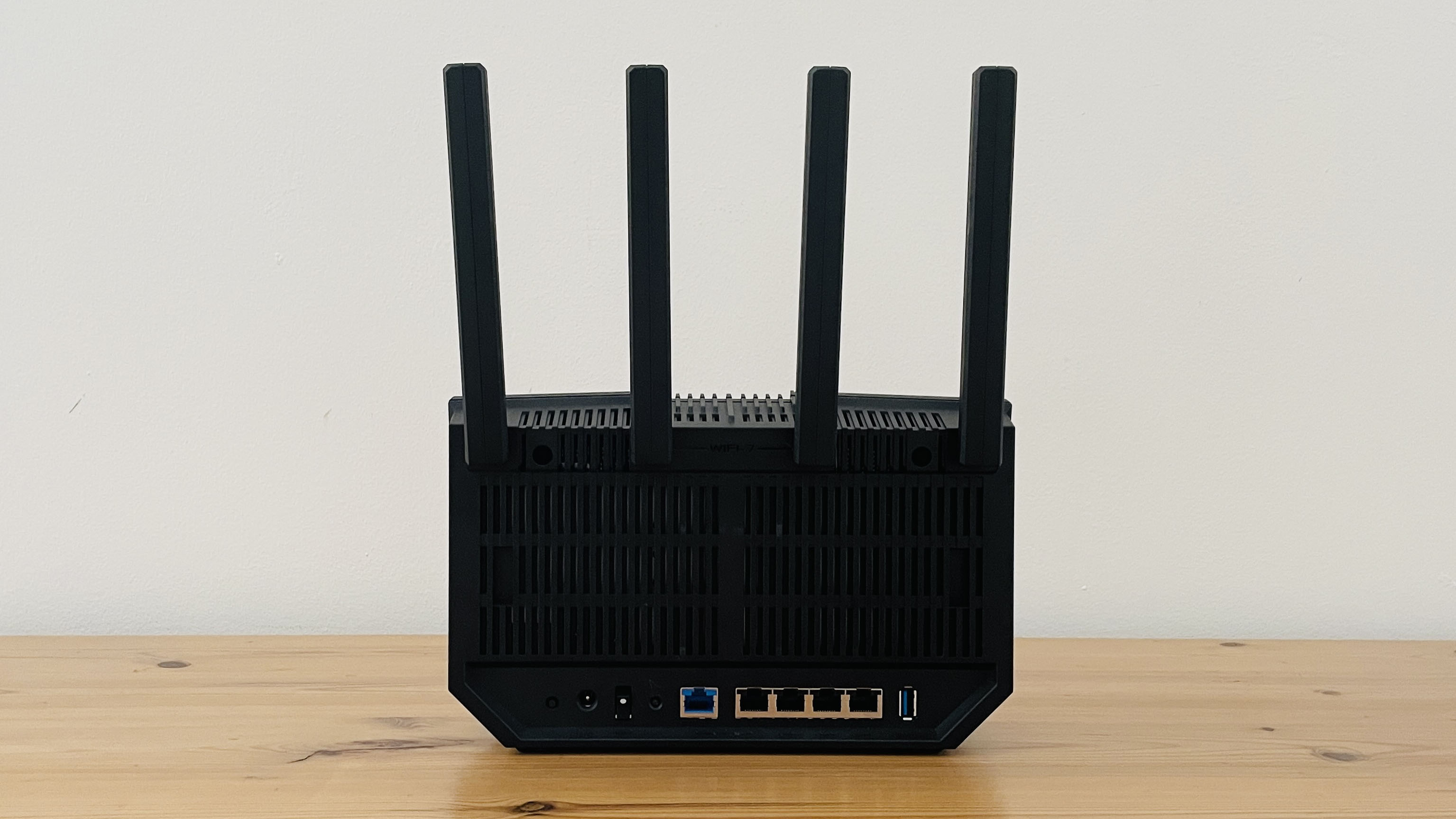
Ports: | 1x 10Gb Ethernet (WAN/LAN), 1x 2.5Gb Ethernet (WAN/LAN), 3x 2.5Gb Ethernet (LAN), 1x USB 3.2 |
Processor: | Quad-core @ 2.0GHz |
Memory: | 1GB DDR4 |
Storage: | 256MB Flash |
Dimensions: | 248 x 102 x 288mm |
Weight: | 1.1kg |
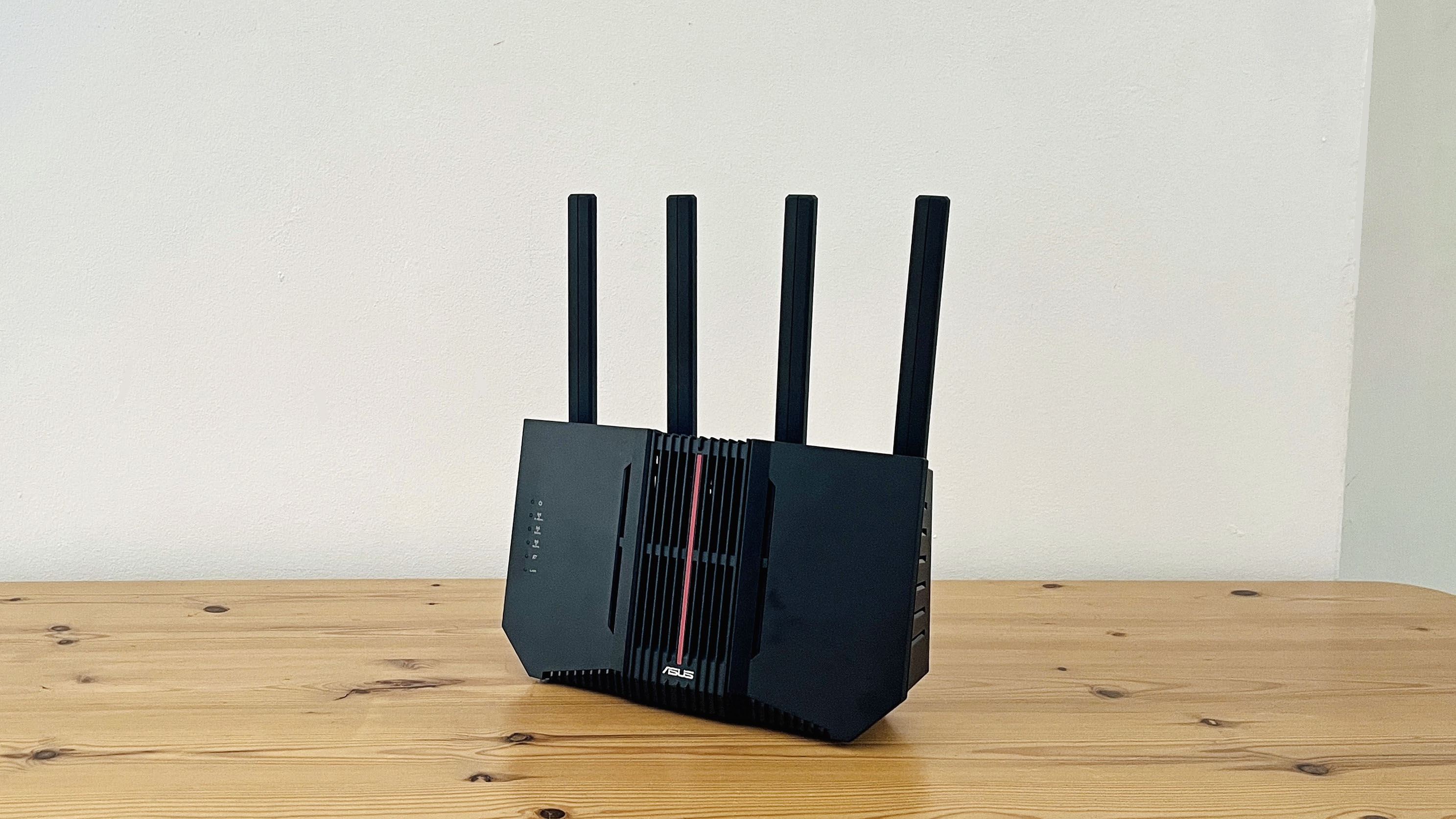
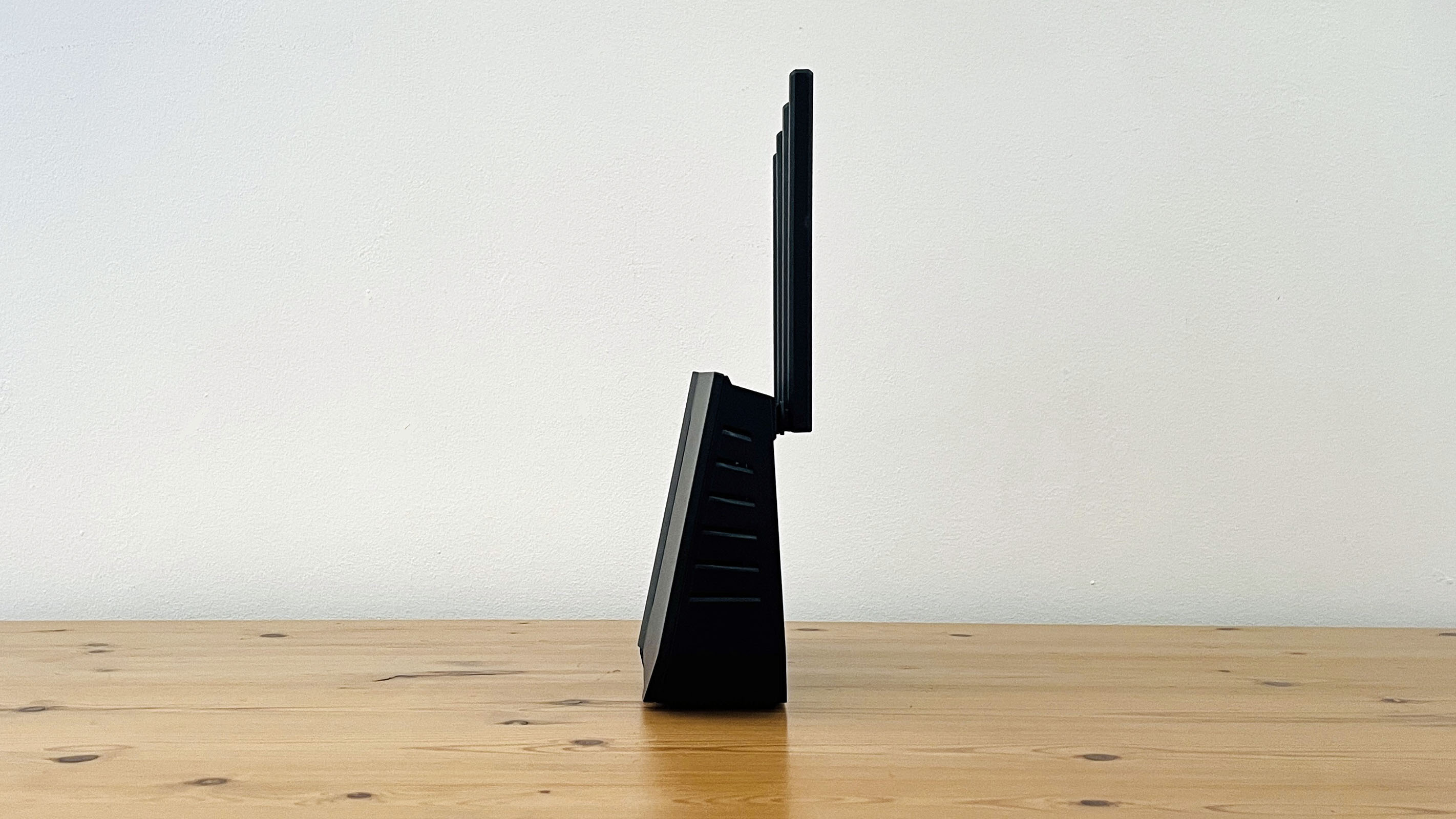
The design of the RT-BE92U is purely functional, consisting of little more than an upright slab of black plastic, with four antennae sticking up into the air (and a fifth antenna hidden inside the body of the router as well). It doesn’t cut corners on features, though, boasting tri-band Wi-Fi 7 with a top speed of 9.7Gbps (or 9,678Mbps if you want to be precise), and a super-fast 10 Gigabit Ethernet port that can double up to provide either a broadband (WAN) connection, or a wired connection (LAN) for a computer, games console or TV.
There’s a 2.5 Gigabit port that can also double up for either WAN or LAN connections, and three more 2.5G ports for wired connections only. Even the humble USB port on the back throws in some extra features too. As well as allowing you to connect a hard drive or solid-state drive that can be shared with other people on your network, the USB port can be used to charge a smartphone or other mobile devices, and can even be ‘tethered’ to your smartphone in order to use its 4G or 5G mobile broadband as an emergency backup in case something interrupts your normal broadband service.
The Asus Router app for iOS and Android also provides an impressive array of features, although it’s not always as straightforward to use as it could be. Somewhat oddly, the RT-BE92U initially creates a new network that doesn’t have any password protection, so you need to move through the set-up process quite swiftly in order to add a password and keep your new network safe. Fortunately, the app does allow you to scan a QR code in order to quickly connect to the RT-BE92U, and you are then prompted to create a new name and password for the new network.
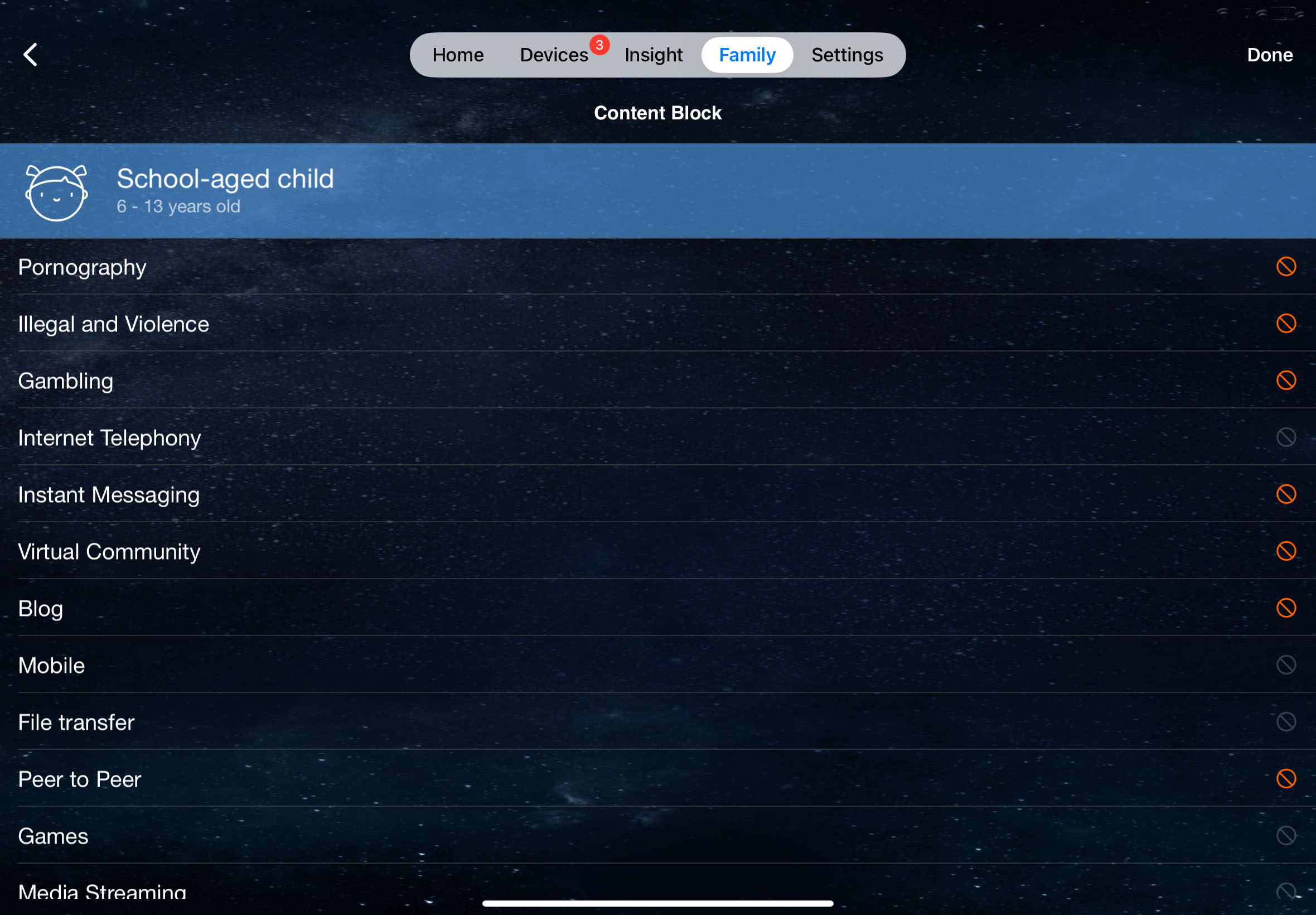
Once that’s done you have a variety of useful options available, including QoS – quality of service – that gives priority to specific activities, such as gaming or streaming video, that need maximum performance. Most routers will allow you to create a guest network, but the Router app also allows you to create a ‘Kid’s Network’ with a schedule to limit internet access to specific times, and a ‘VPN Network’ for use with popular VPN apps, such as NordVPN and SurfShark.
It even provides a good set of parental controls free of charge, with no need to sign up for an additional subscription. You can create profiles for children of different ages, which automatically block unsuitable content, such as pornography, violence or gambling. Most of Asus’ rivals charge additional subscriptions for parental controls, so the inclusion of all these features at no extra cost is very welcome. Our only complaint is that the Asus app buries many of these features within a maze of dense menus and sub-menus, so it could take a little while to actually find the features you want to use.
- Features: 5/5
Asus RT-BE92U: Performance
- Tri-band Wi-Fi 7 (9.7Gbps)
- 10 Gigabit Ethernet WAN/LAN
- 4x 2.5 Gigabit Ethernet
BENCHMARKS:
Ookla Speed Test – Single merged network (download/upload)
Within 5ft, no obstructions: 150Mbps/150Mbps
Within 30ft, three partition walls: 150Mbps/150Mbps
20GB Steam Download - Single merged network
Within 5ft, no obstructions: 150Mbps
Within 30ft, three partition walls: 150Mbps
The Asus app does at least keep things simple by merging its three frequency bands - 2.4GHz, 5.0GHz and 6.0GHz – into a single network and automatically connecting your devices to whichever band provides the best speed in each room or area within your home.
But, in order to test the faster 6.0GHz band separately, I ran our Ookla Speedtest and Steam download test on two different laptops – an older HP laptop that only supports the 2.4GHz and 5.0GHz bands, and a more recent Samsung laptop that supports 6.0GHz.
I began with the two laptops in the same room as the RT-BE92U, and wasn’t really surprised to find that both laptops breezed along at the maximum 150Mbps provided by my office broadband. The real test, though, came when I walked along a hallway – one laptop perched in the palm of each hand – to an office at the back of the building. My normal office router always struggles to reach this back office, but I was pleased to find that both laptops effortlessly maintained their 150Mbps speeds without even the slightest wobble.
Admittedly, that 9.7Gbps top speed will be overkill for many users, but it’s very good value at such a competitive price. And, with additional features such as USB tethering and free parental controls, the RT-BE92U will be an excellent upgrade for home users and office workers alike.
- Performance: 5/5
Should you buy the Asus RT-BE92U?
Swipe to scroll horizontally
Value | The RT-BE92U is competitively priced for a high-end tri-band router with Wi-Fi 7, and it’s also packed with useful features – that don’t require a subscription. | 5/5 |
Features | Great speed and connectivity are just the start. The RT-BE92U also includes good parental controls, network customisation, and USB tethering. | 5/5 |
Performance | It may be overkill for many people, but if you need speed then the RT-BE92U delivers the goods with blazing performance for both Wi-Fi and wired networks. | 5/5 |
Overall Score | What it lacks in eye-candy, the RT-BE92U makes up for with its sheer speed, impressive connectivity and additional features. | 5/5 |
Buy it if:
You have fibre broadband
Along with its high-speed Wi-Fi, the RT-BE92U also provides 10Gb Ethernet for the latest high-speed broadband connections.
You’re ready for Wi-Fi 7
Newer computers and mobile devices that support the high-speed 6.0GHz frequency band will get the most benefit from the tri-band RT-BE92U.
Don’t buy it if:
You’re still on Wi-Fi 5/6
Older devices that support Wi-Fi 5 or 6 won’t benefit from the sheer speed of the RT-BE92U, so there’s no need to pay for an expensive Wi-Fi 7 upgrade just yet.
You’re on a budget
The 9.7Gbps speed of the RT-BE92U will be total overkill for most home broadband services, so you can save money by opting for a more modest performer instead.
Also consider:
Swipe to scroll horizontally
Price (as reviewed) | $249.99/£219.99/AU$328.30 | $254.99/£180.00 | $129.99/£129.99/AU$259.00 |
Wi-Fi | Tri-band Wi-Fi 7 | Tri-band Wi-Fi 7 | dual-band Wi-Fi 7 |
Wi-Fi Speed | 9.7Gbps | 9.5Gbps | 3.6Gbps |
Connectivity | 1x 10Gb Ethernet (WAN/LAN), 1x 2.5Gb Ethernet (WAN/LAN), 3x 2.5Gb Ethernet (LAN), 1x USB 3.2 | 1x 2.5Gb Ethernet (WAN), 3x Gigabit Ethernet (LAN) | 1x 2.5Gb Ethernet (WAN), 4x Gigabit Ethernet (LAN) |
Processor | quad-core 2.0GHz | Not Specified | quad-core 2.0GHz |
Memory | 1GB RAM | Not Specified | 1GB RAM |
Storage | 256MB Flash | Not Specified | 512MB Flash |
Dimensions | 248 x 102 x 288mm | 220 x 238 x 207mm | 184 x 66 122mm |
D-Link Aquila Pro R95
Its design may look a bit gimmicky, but the R95 goes head to head with Asus, offering tri-band Wi-Fi 7 and a top-speed of 9.5Gbps. Asus wins on parental controls, but D-Link’s ease of use is better for beginners.
Netgear Nighthawk RS100
If you don’t need blazing fast Wi-Fi 7 then Netgear’s RS100 provides a more affordable alternative. It only supports dual-band Wi-Fi 7, but its top speed of 3.6Gbps is more than fast enough for most home broadband services.







 English (US) ·