
 5 days ago
13
5 days ago
13
You might recall that we put out a call for our readers to submit their PCs over on the forums recently, and many of you responded. With dozens of entries and configs to choose from, we whittled down the list to a dozen of the best-of-the-best to crown a winner in the inaugural Tom's Hardware Premium Rig Rundown. There was a bevy of entrants, spanning from dedicated wall-mounted OpenClaw setups, all the way to PC's with all the screens and RGB you could shake a stick at.
Our panel of staff has reviewed your submissions, and we're ready to show you the shortlist that had us in awe. So, thanks to the dedicated community of enthusiasts and PC modders who showed us that dedicated PC building and PC modding are still well and truly alive in 2026, despite the best efforts of AI companies and hyperscalers pricing us mere mortals out of NAND and RAM.
The PC Cruiser by MissMercedes
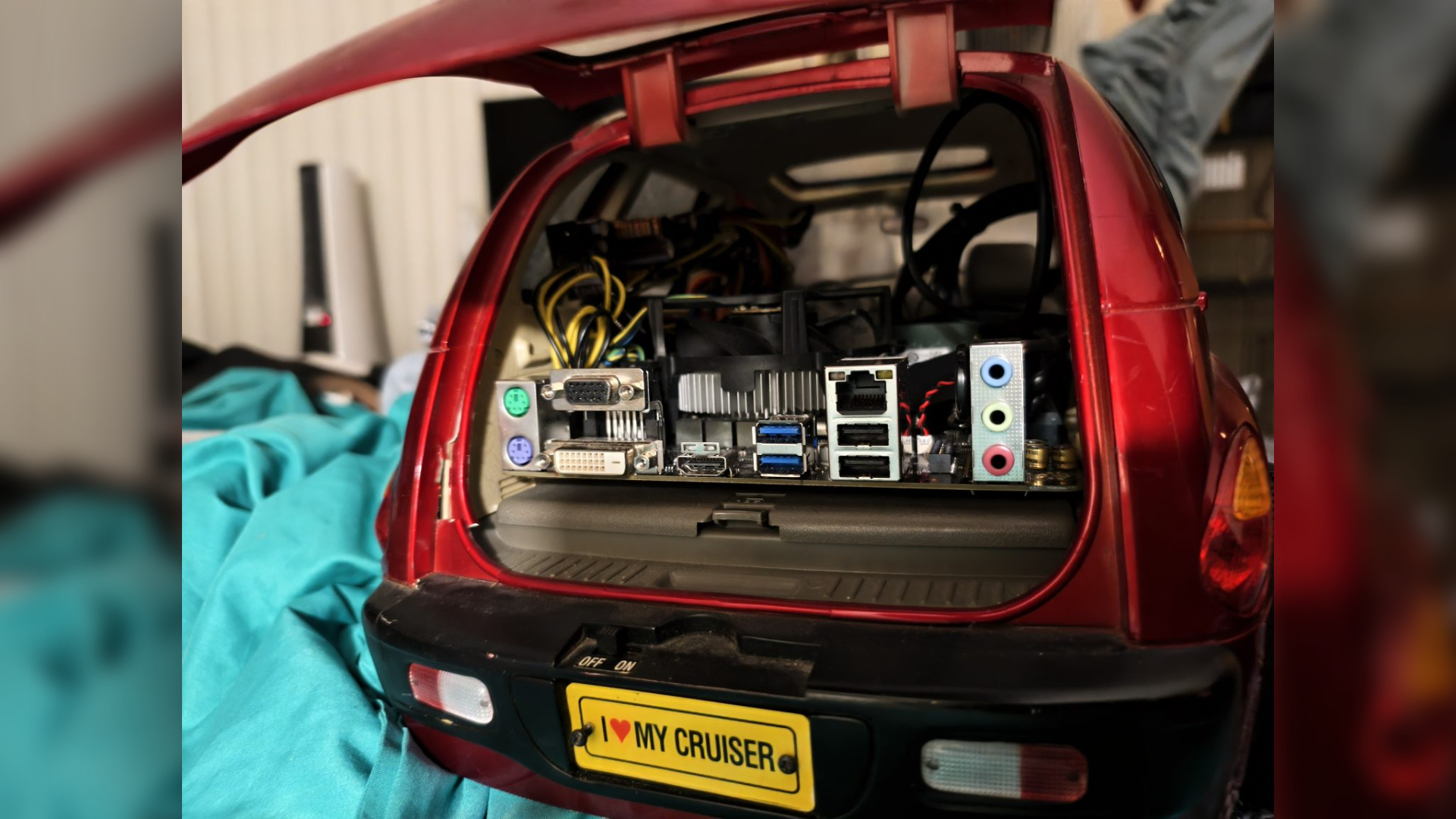

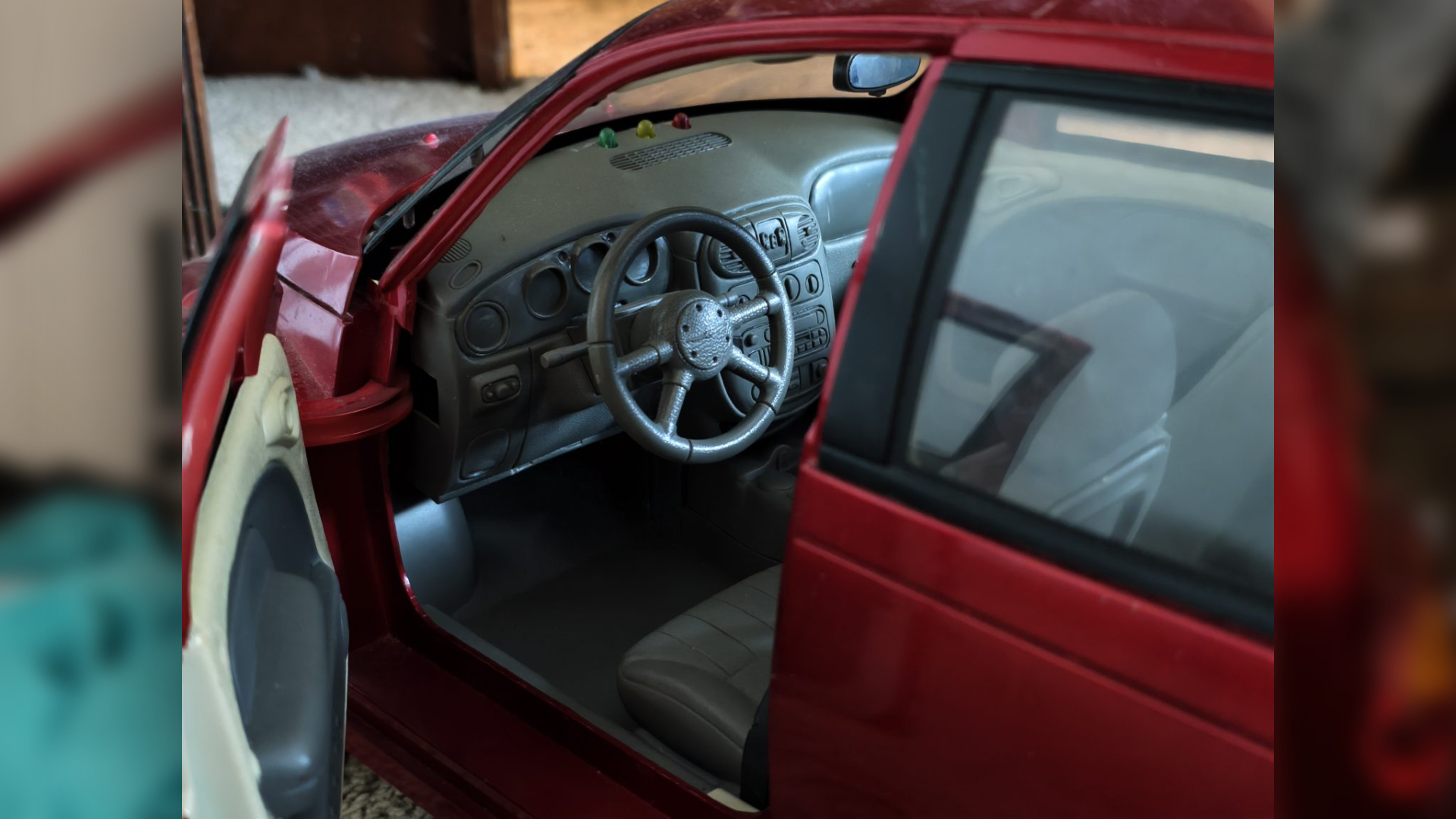
What do you do when you're a car expert and a PC enthusiast? Take an iconic Chrysler RC Car and turn it into a real, working computer, naturally. Car journalist MissMercedes did exactly that with the PC Cruiser.
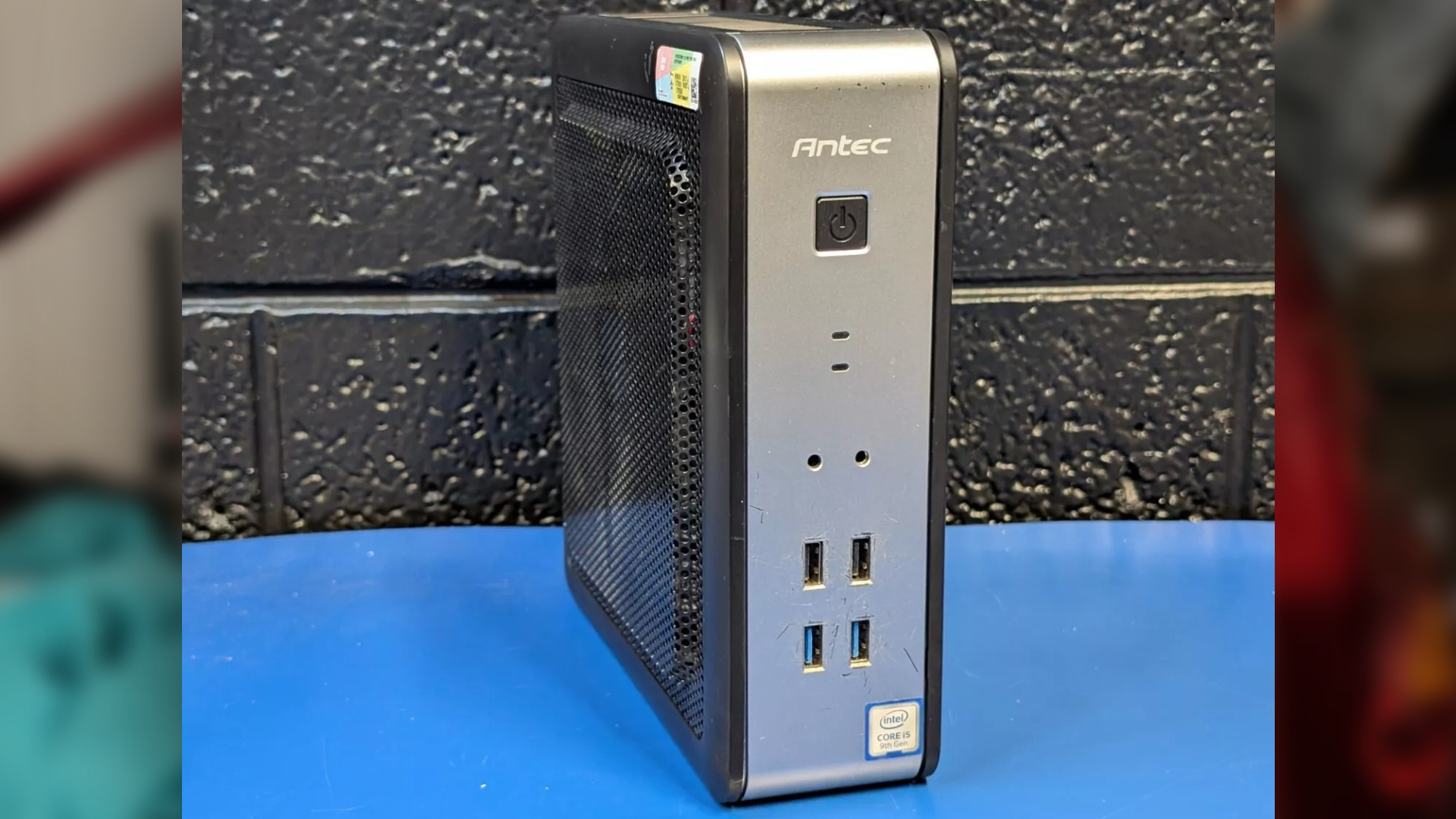
A 1:6 scale RC car turns the chassis into a case, but with the nominal amount of space inside, some deep modifications were required by removing the rear seats of the PT Cruiser model to ensure that everything could fit inside. The next challenge was to find the components to actually fit inside. With a budget build in mind, MissMercedes found an Antec H310N ITX PC, sporting an Intel Core i5-9400, and 16GB of (presumably some kind of DDR4) RAM.
MissMercedes wanted to boast that the V8 moniker would also stand true for the number of cores inside, and so the CPU was later upgraded to an Intel Core i7-9700, with the motherboard supporting Wi-Fi and Bluetooth. After tossing in an NVMe SSD, it was off to the races.
One problem remained: the 90W power supply couldn't quite handle the heft of the upgraded CPU, and so MissMercedes locked the clock speed to 3 GHz. For a budget work computer, relying on integrated graphics is more than fine enough for a journalist (ask me how I know), so this build is designed for aesthetics, not pure computing heft.
Builder MissMercedes also has designs on upgrades in the future; Cooler Master's V-series coolers have an engine-like look, but were not yet available to purchase. Other potential additions include small speakers and a healthy dose of RGB. But, the most eyebrow-raising addition is the potential to add a battery, as the RC parts of the PT Crusiser chassis are still fully functional.
Our thoughts: The PC Cruiser
Andrew Freedman: I love seeing motherboards fit in unexpected chassis without requiring modification. That's my dream. I'm so glad that this exists for the sake of it, and that lots of other people could now go and just do it after seeing this.
Matthew Safford: This build gets points for its name alone! Not sure I'd love having to pop the hatchback every time I wanted to plug something into the rear ports, though. Can't wait to see what you do whenever Cooler Master gets around to releasing its new V-Series CPU coolers!
Stewart Bendle: This is awesome. Adding a personal touch by modding your PC in line with your hobby/career.
Joe Shields: Unique build for sure! Creativity is a '10' on this one. That said, I would have picked a different car for an even better 'cool' factor, but getting everything inside that little PT Cruiser RC car without any obvious modifications is an absolute win. Well done.
Brandon Hill: That's probably the coolest PT Cruiser that has ever existed. The battery upgrade would be a great addition to this rig.
Sayem Ahmed: Now, this is the exact kind of build that I wanted to see on Rig Rundown. Not everything has to have the best, newest, top-of-the-line specs, or have a set of Lian-Li's glowing power cables. Taking a lower-powered PC and stuffing the chassis into a pretty iconic car is great fun for a build. I love it. I don't think my aunt's old PT Cruiser was this cool.
The Master Center by DronePilot
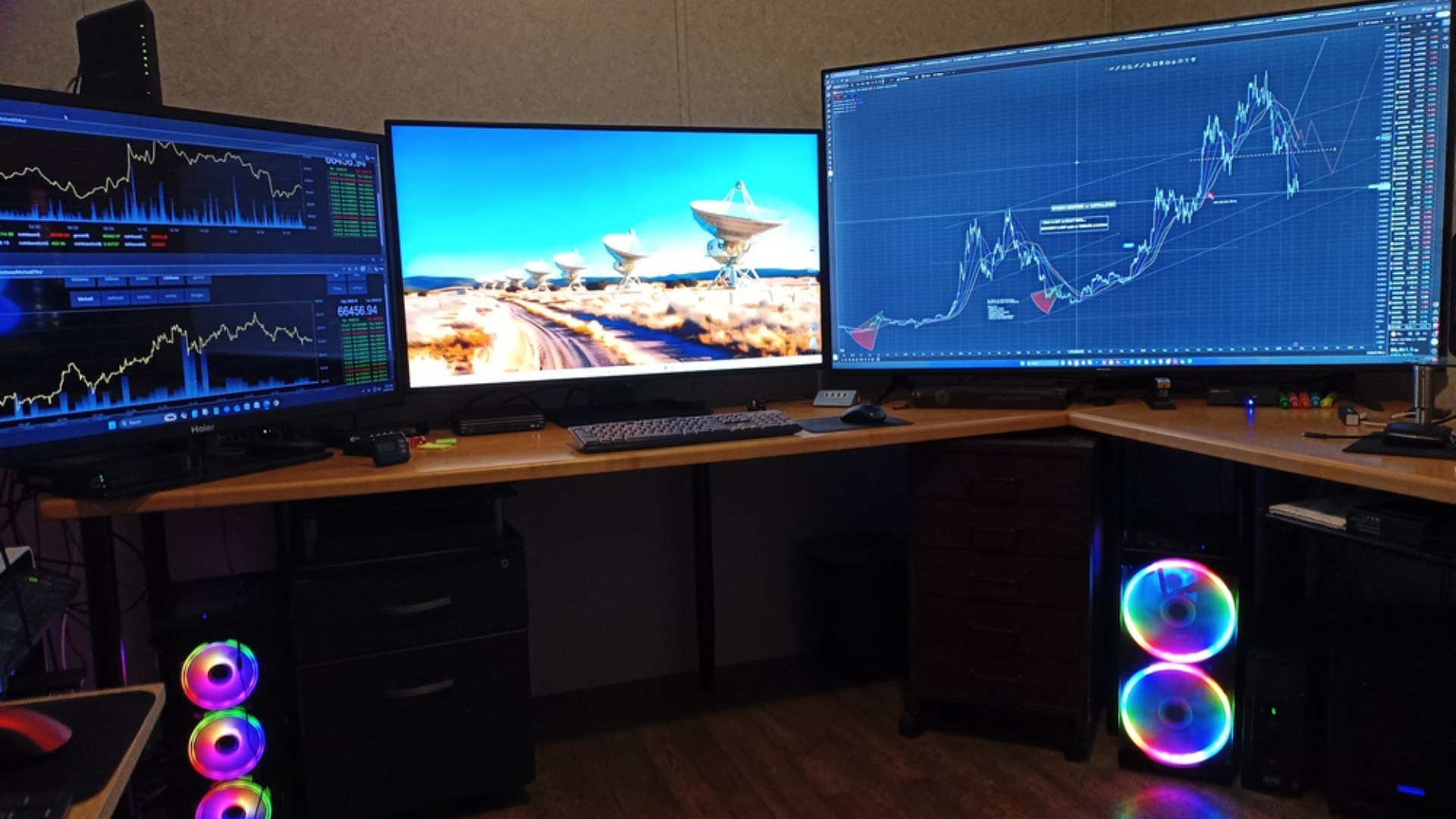
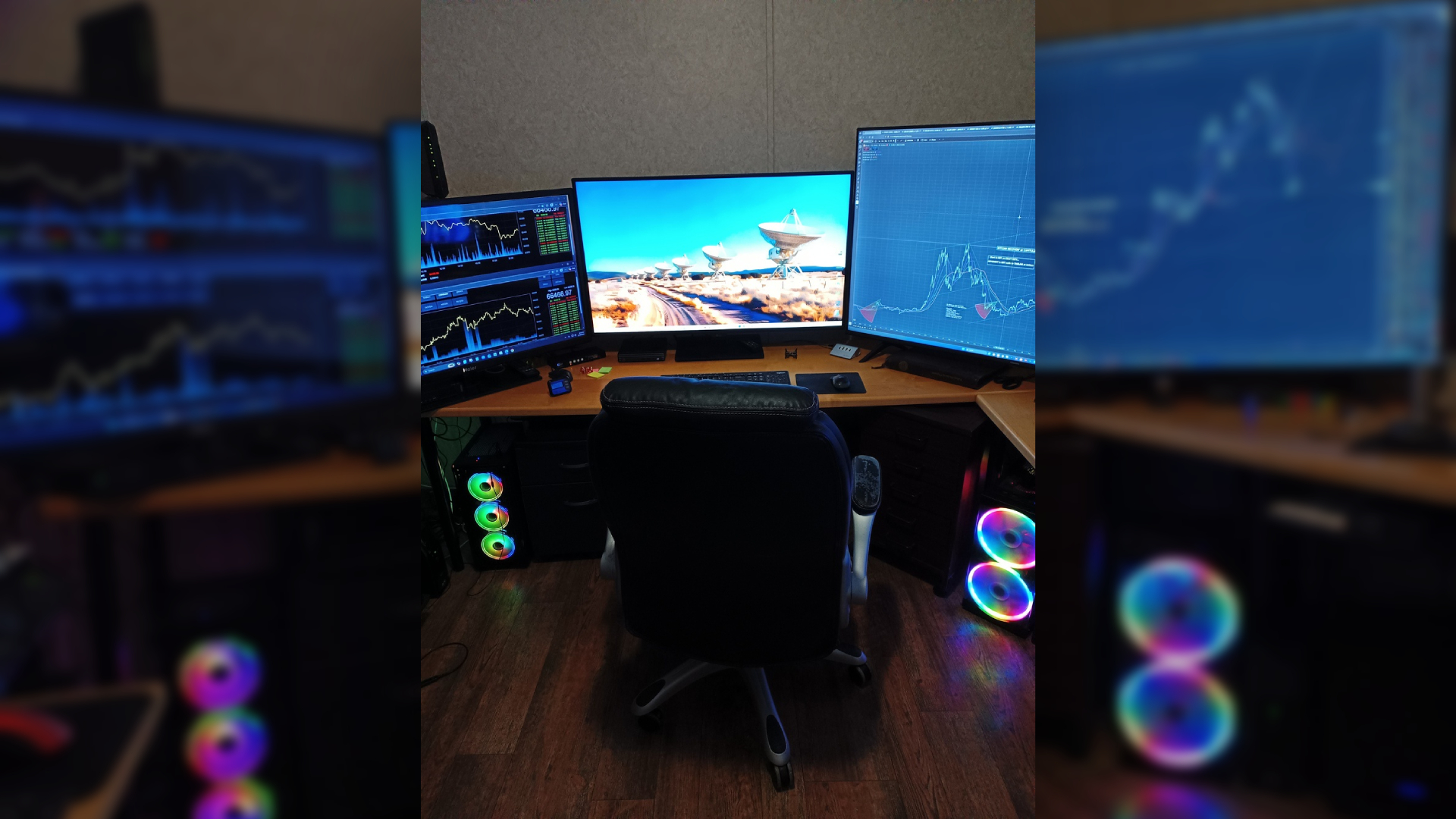
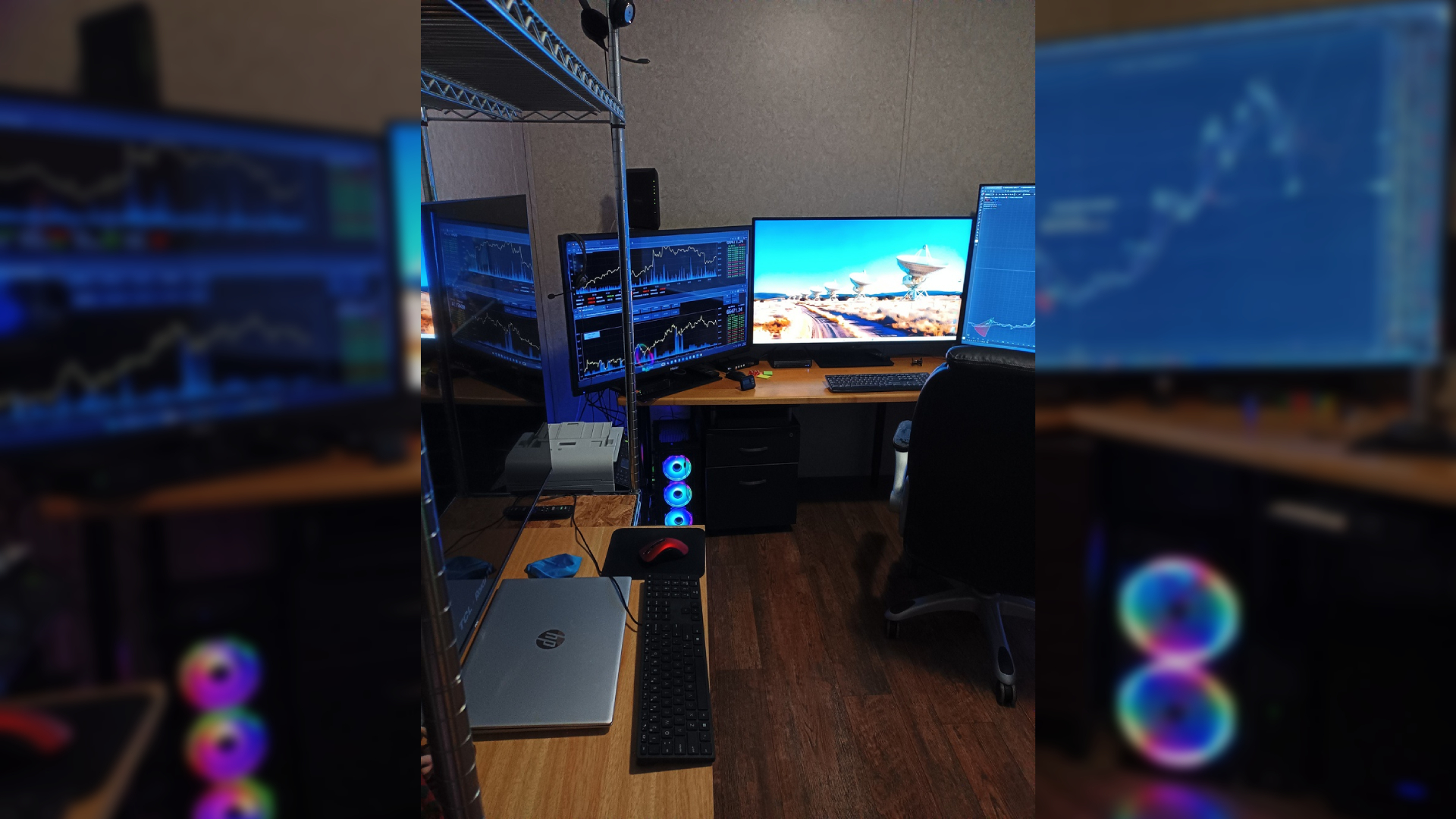
DronePilot's setup is almost dizzying to get your head around. From the sheer number of screens, to simply imagining how to set this all up in the first place. Regardless, this is less of a rig and more of a command center. Sporting a 12th Gen PC, a Lenovo Legion Go, a Haswell-based Mini-PC, a 13th Gen Intel Laptop, and a 13th Gen HP ProDesk Mini all in one place, and to have it all work exactly the way you want it to, takes an astonishing amount of work.
It's not all about the PCs, though, as the setup also features a $500 speaker setup, a bevy of ports, full Cat5, routed through switches, and, indeed, runs underneath the house itself, offering you pretty much everything within arm's reach.
The setup also functions as a real-world call center and includes a KVM to manage the sheer number of systems (and the number of TVs and displays!) this rig offers. It's an appropriately complex setup that goes beyond the scope of many of our humble desks at Tom's Hardware.
The amount of effort that's gone into the Master Center is immediately apparent, which is why it made our shortlist.
Our thoughts: The Master Center
Paul Alcorn: I am a fan of huge monitors for productivity use cases; this is an awesome setup.
Matthew Safford: Love to see a TH reader who also uses a 55-inch TV as their main monitor. And there is plenty else to be impressed with here.
Is that an Intel 4th Gen Haswell Mini PC you've got running Windows 11? If so, kudos to your abilities, and for keeping a PC that is still useful out of the trash heap! If it does what you need it to do, it's still useful.
Joe Shields: I'm on the other side of large TVs for monitors... depends on the use case. High DPI or bust when you're sitting that close.
A mid-range system feels curious, but if it works for his purpose, it works! No need to overspend! Looks like you have command of darn near everything and the ability to easily access all systems. Well done!
Stewart Bendle: Definitely a fan of the command center. The warmest room in Winter.
Sayem Ahmed: DronePilot's Setup is mighty impressive. Everything from the frankly ludicrous number of screens, to the actual layout of the room itself is super-well considered. Special shout to the speaker setup too, it's a point that often goes missed in a lot of setups, but not this one.
The Wall-mounted masterpiece by SilenceIsGolden
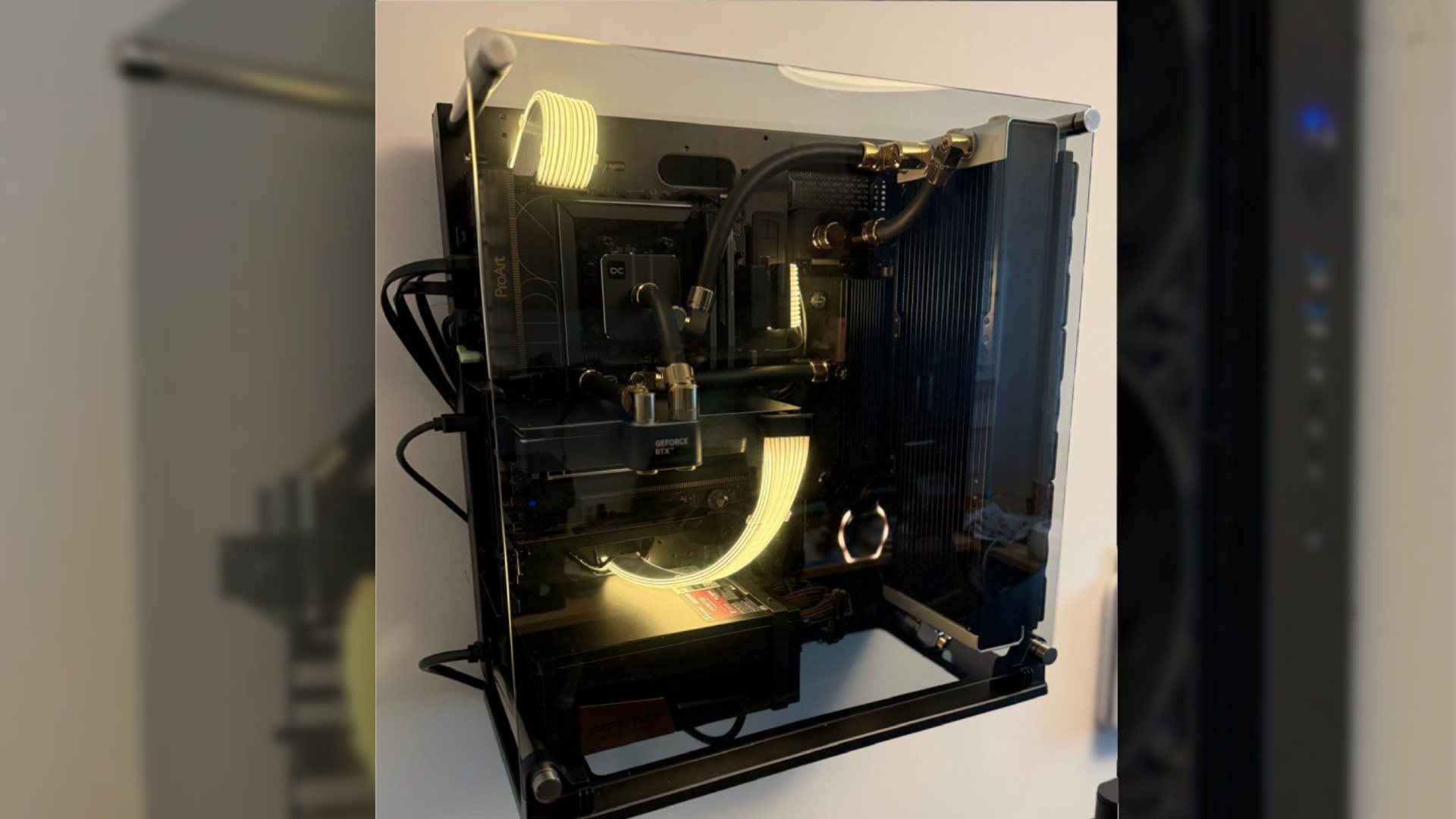
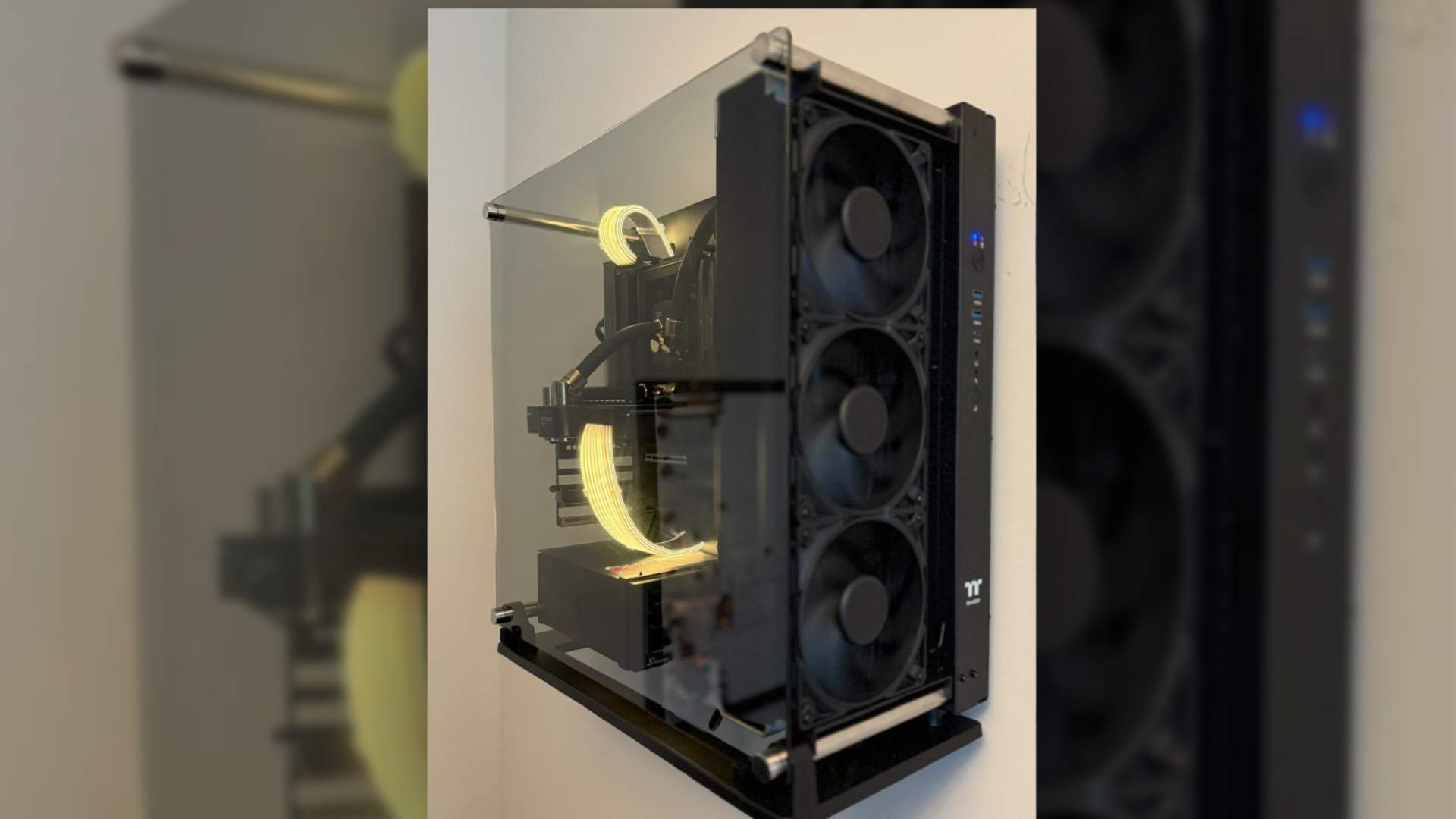
When a lot of people make their PCs, they want them to stand the test of time. But, as technology moves on, it becomes inevitable that one day, you'll have to replace your beloved build. But, for SilenceIsGolden, who told their wife that this would be the only PC built in the next decade, they pulled out all of the stops.
The results are nothing less than beautiful, blacked-out and wall-mounted Antec Core P3 Pro in black serves as the ultimate commitment to a computer, designed to weather the storms of time itself. Featuring 96 GB of RAM, 8 TB of total NVMe storage, including a curious Intel Optane 900p 480GB drive, a rip-roaring 9950X3D, and RTX 4090, the computer is indeed no slouch.
Even more impressively, the entire system is custom-looped and water-cooled with a suite of AlphaCool waterblocks, covering the CPU, GPU, SSDs, EK Fittings, and D5 Next pump. This was complemented with a customized Thermaltake Core Pacific DP100 distro plate, which was painted black, with some custom heatsinks thrown on for aesthetics. Alongside a handful of finishing touches, like Lian-Li's light-up Strimer RGB power cables and Alienware AW3425DW OLED display to drive it all.
SilenceIsGolden's goal of building a silent, custom-looped build certainly looks the part, but they are still looking for a way to silence the Seasonic x Noctua Prime TX-1600's PSU coil whine. When fully mounted to the wall, and with the smart-looking RGB, this build certainly looks lovely and heavy.
Our thoughts: The Wall-mounted masterpiece
Sayem Ahmed: Silence is indeed Golden for this slick wall-mounted build. The blacked-out look is very nice, but it must be pretty hard to dust a semi-open-air case like this. I appreciate the dedication to water cooling here, too. While a lot of folks buy the glowing power cables to put some awful animation over it, this actually looks really nice. I would love to do something like this, but I would also live in fear of the PC falling and cleaning it. My only real worry is for the plaster on your walls.
Stewart Bendle: These dust magnets look very cool in a clean, minimalist room. The RGB and color choices work well.
Matthew Safford: It's great to see Intel's still impressive Optane 900p drive in a modern, powerful build. And I hope you picked up all 8.5TB of solid-state storage before prices started climbing last year!
Andrew Freedman: I've never been in love with the look of a Strimer, but I quite like the RGB on this one. It looks like the electricity is flowing out of the walls and through the rig.
Joe Shields: Wall-mounted builds always get the nod in my book. This one takes it to the next level with the matching water cooling ecosystem and overall clean appearance. The high-end hardware complements the build well.
The Home Arcade by Destruk
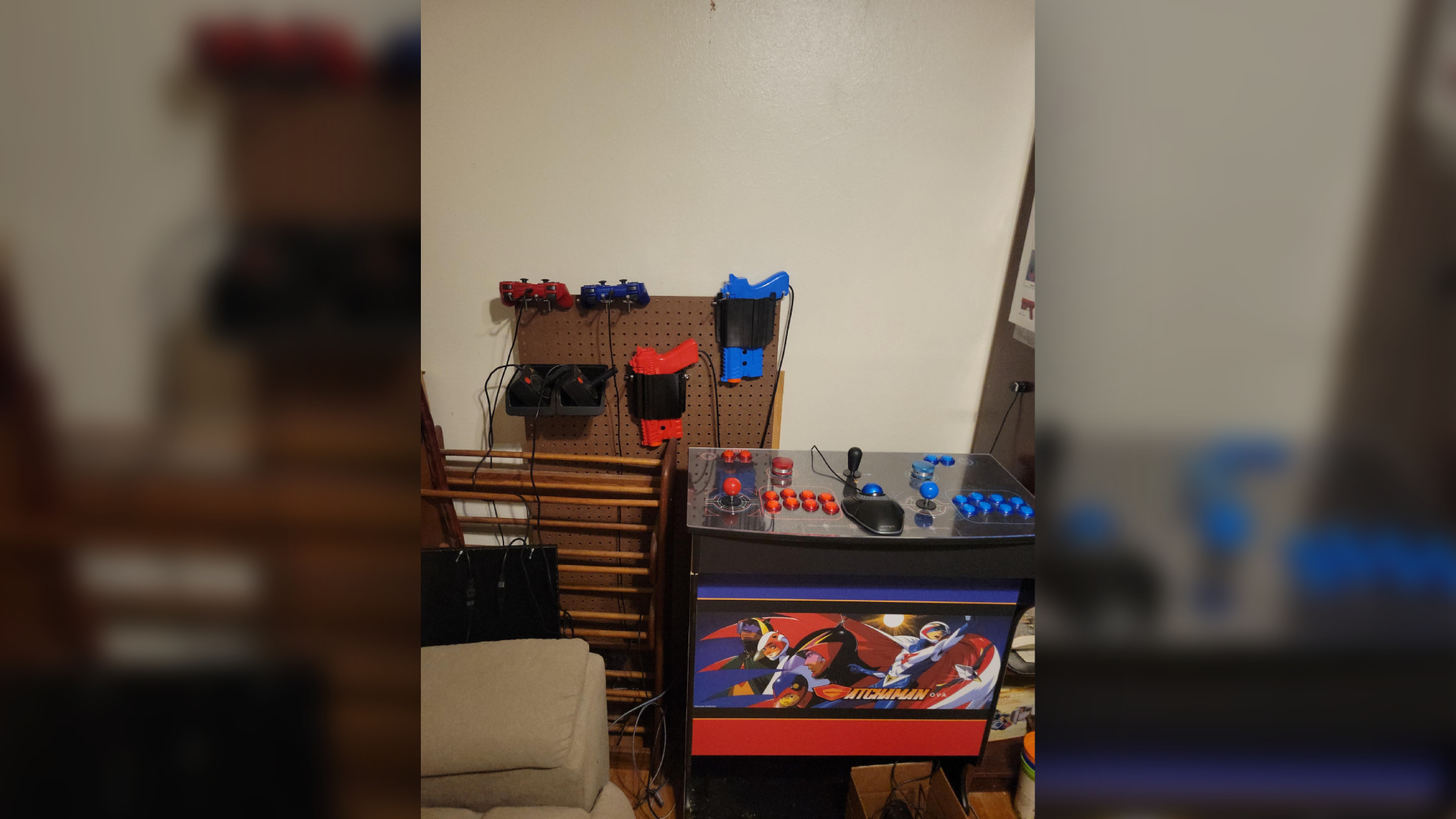
Who hasn't dreamed of reliving the glory days of gaming with a dedicated at-home arcade setup? Modern emulation has gotten to the point where it is a reality, and with a bit of love and effort, you can get your own arcade-perfect setup at home. Destruk's home arcade gaming machine sets out to do just that.
Sporting an Intel Core i7-14700K, 32GB of DDR5 RAM, a staggering 10TB in NVMe SSD storage, alongside a total 72TB in HDD storage, this setup is an arcade archivist's dream. Powering all the graphical heft of emulating MAME and CPS3 is an RTX 4060, which should do that job without so much as breaking a sweat. But the real beauty in this arcade setup is in the peripherals, of course.
A pair of Sinden Lightguns can emulate the arcade shooters of old, in addition to dual Atari Sixer joysticks, running through a serial to USB interface, two Atari Paddle controllers, two DualShock 3's, A Kensington Orbit Trackball, a Quickshot 2 joystick powering all the 90s action, in adition to two spinners, and two eight-button traditonal Noir Arcade layouts, complimented by a pair of eight-way joysticks and buttons, Skylanders Portal, and a Commodore 1541 disk drive. The arcade unit by GameRoomSolutions is wrapped in Gatchaman artwork, a nod to the classic anime, and whose cast features in the 2008 arcade fighter Tatsunoko vs Capcom.
This is all seemingly organized chaos, and it looks excellent. With the setup powered by a staggering 65-inch Roku TV, Destruk explains that the total cost of this setup came to less than $4,000, built before the RAMpocalypse. Somehow, Destruk still has three USB ports left and is planning to add a racing wheel and pedals.
Our thoughts: Home Arcade
Joe Shields: Yes, please. I always wanted a stand-up arcade game in my basement. The standup console with the buttons and the accessories on the wall is impressive.
Andrew Freedman: Do you have 'The Simpsons'? Can I come over and play 'The Simpsons'?
This system is prepared for everything. Lightguns? Atari joysticks? PS3 controllers (my least favorite PlayStation controller, but hey, not my rig!)? The Skylanders Portal of Power? That's dedication to playing games the way the developers intended.
Stewart Bendle: Everyone should have a home arcade. It should be mandatory. This is a sweet little construction that would certainly keep me entertained for days.
Sayem Ahmed: I have a real soft spot for emulation machines, and this feels like the natural conclusion of what I would want to achieve. It's great to see that the arcade spirit is alive and kicking, with a pair of Sinden Lightguns at the ready if you ever want to run through Point Blank or any other number of arcade classics at home. The mention of attaching a racing setup to this is interesting. I could use a bit of Outrun in my life. I'm also not sure how it's possible to work on 900 Pinball games, but if you can run Black Knight 2000 on there, I'll be at your door in a flash.
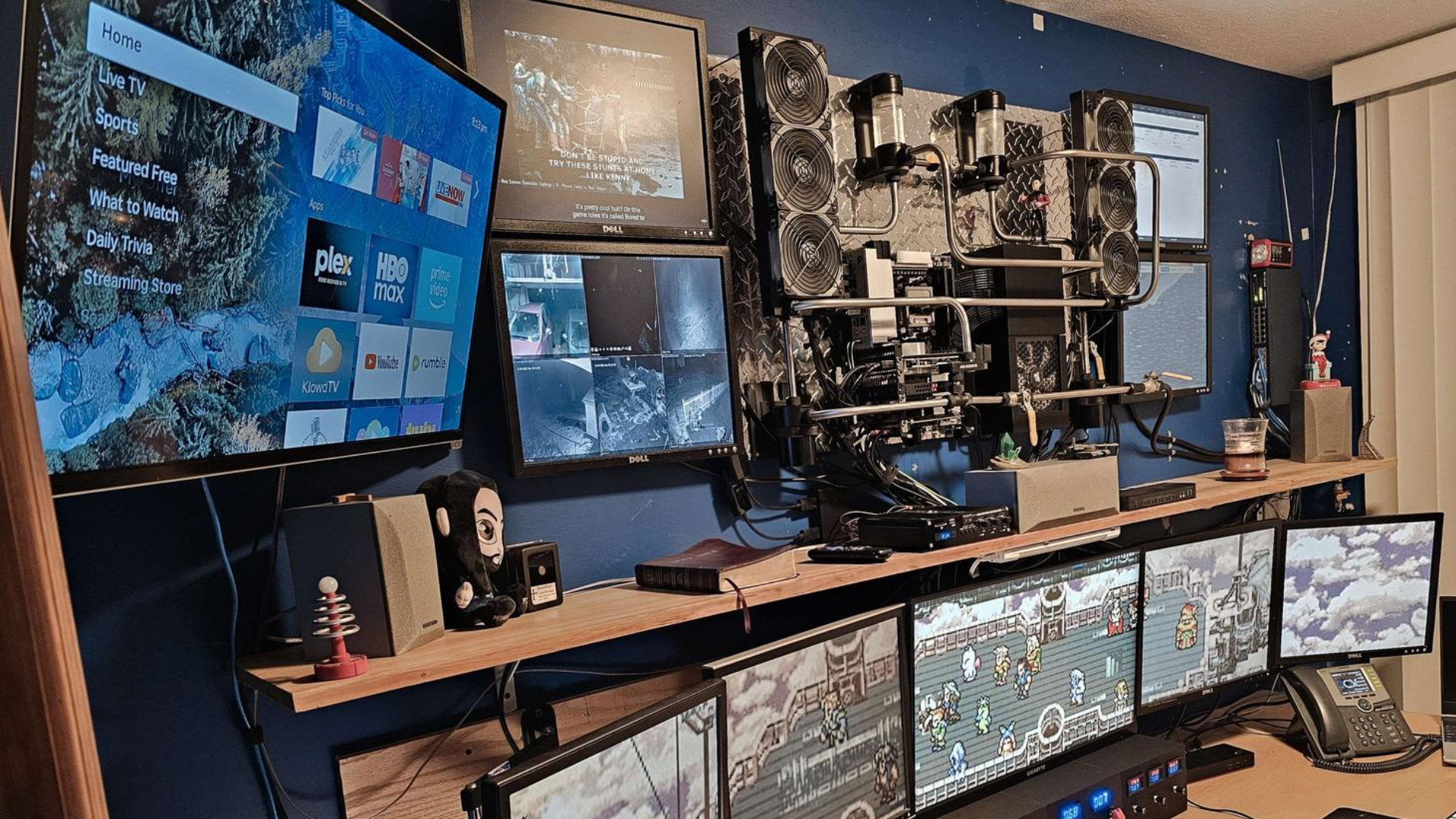
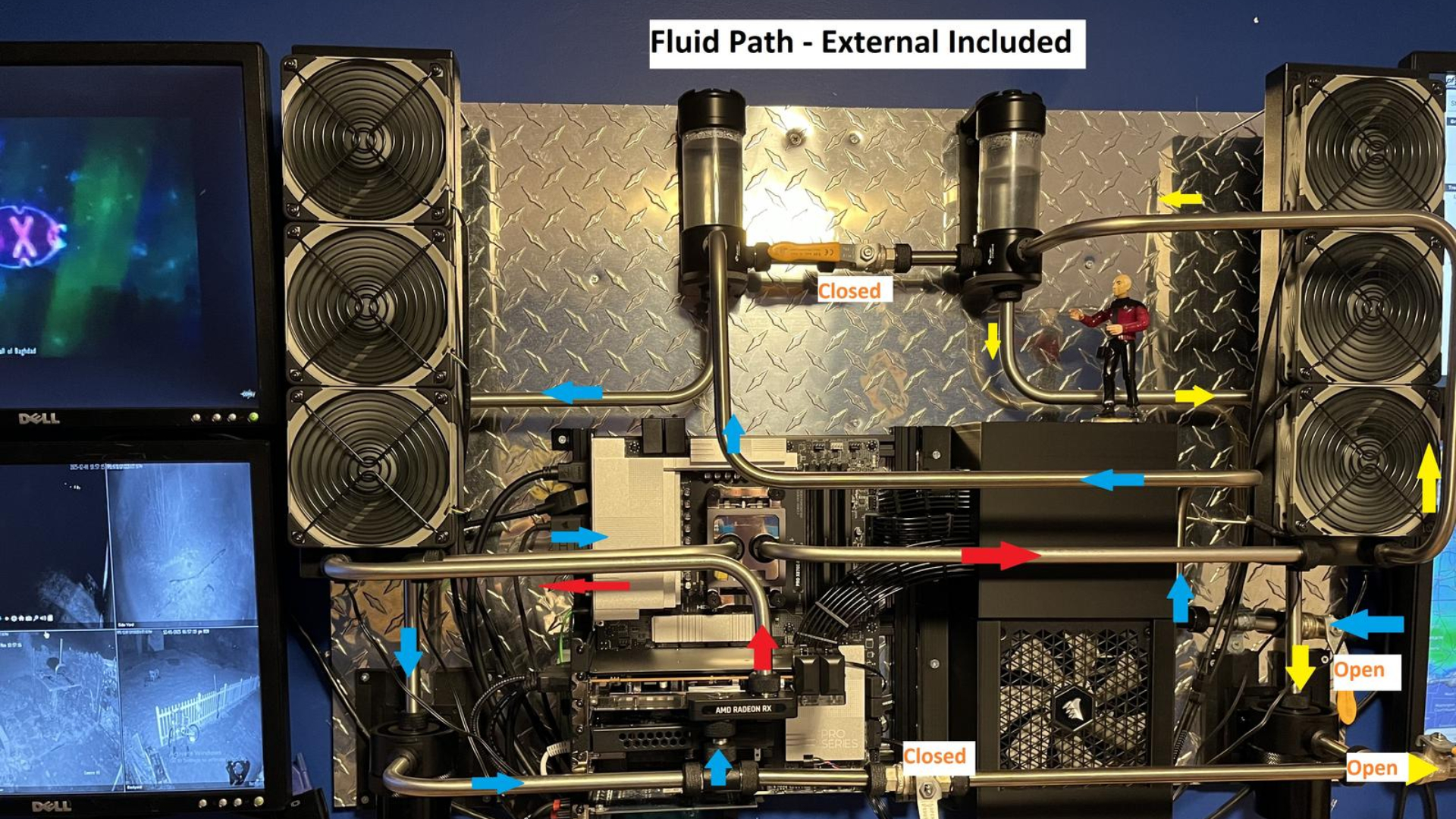
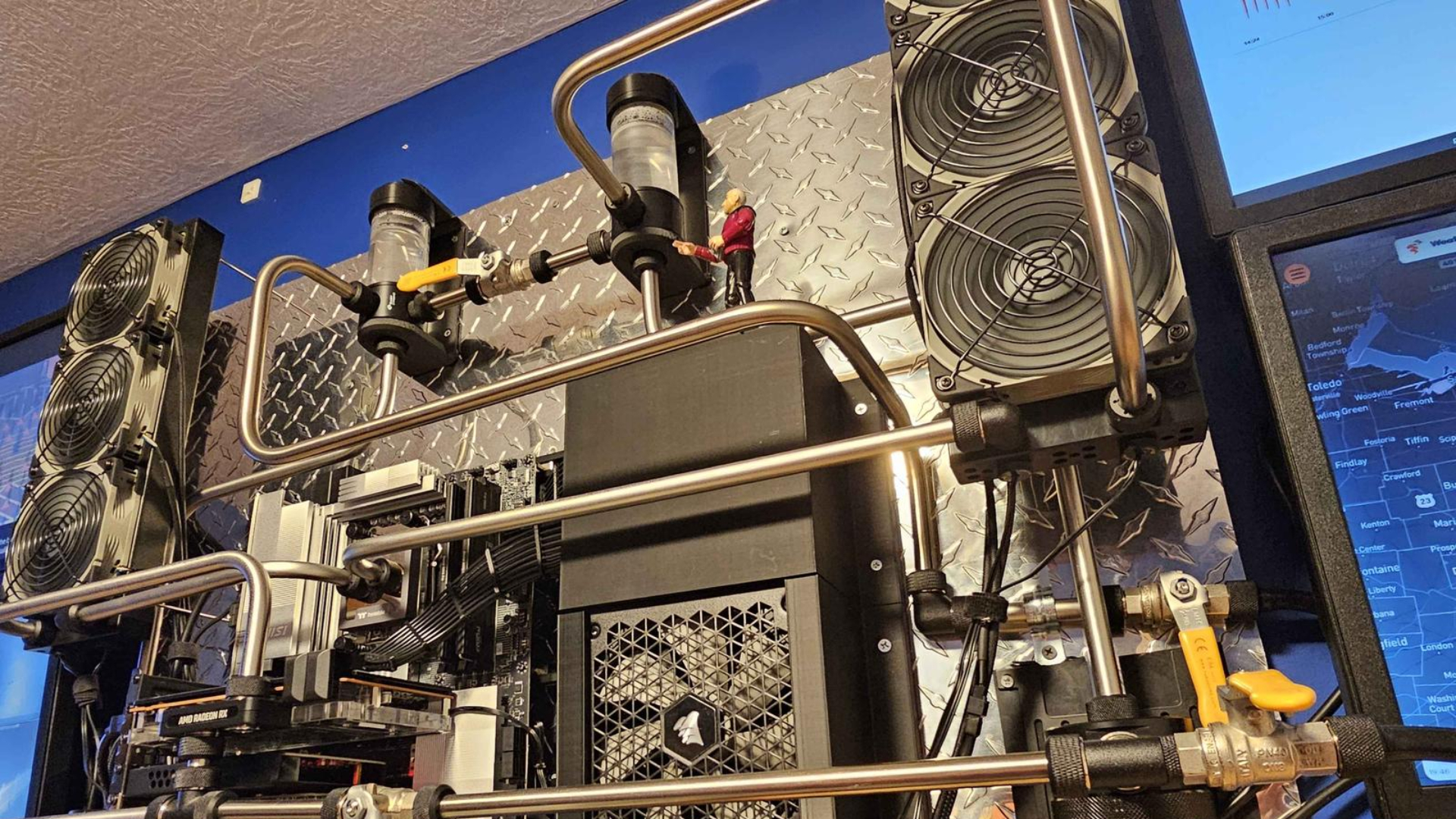
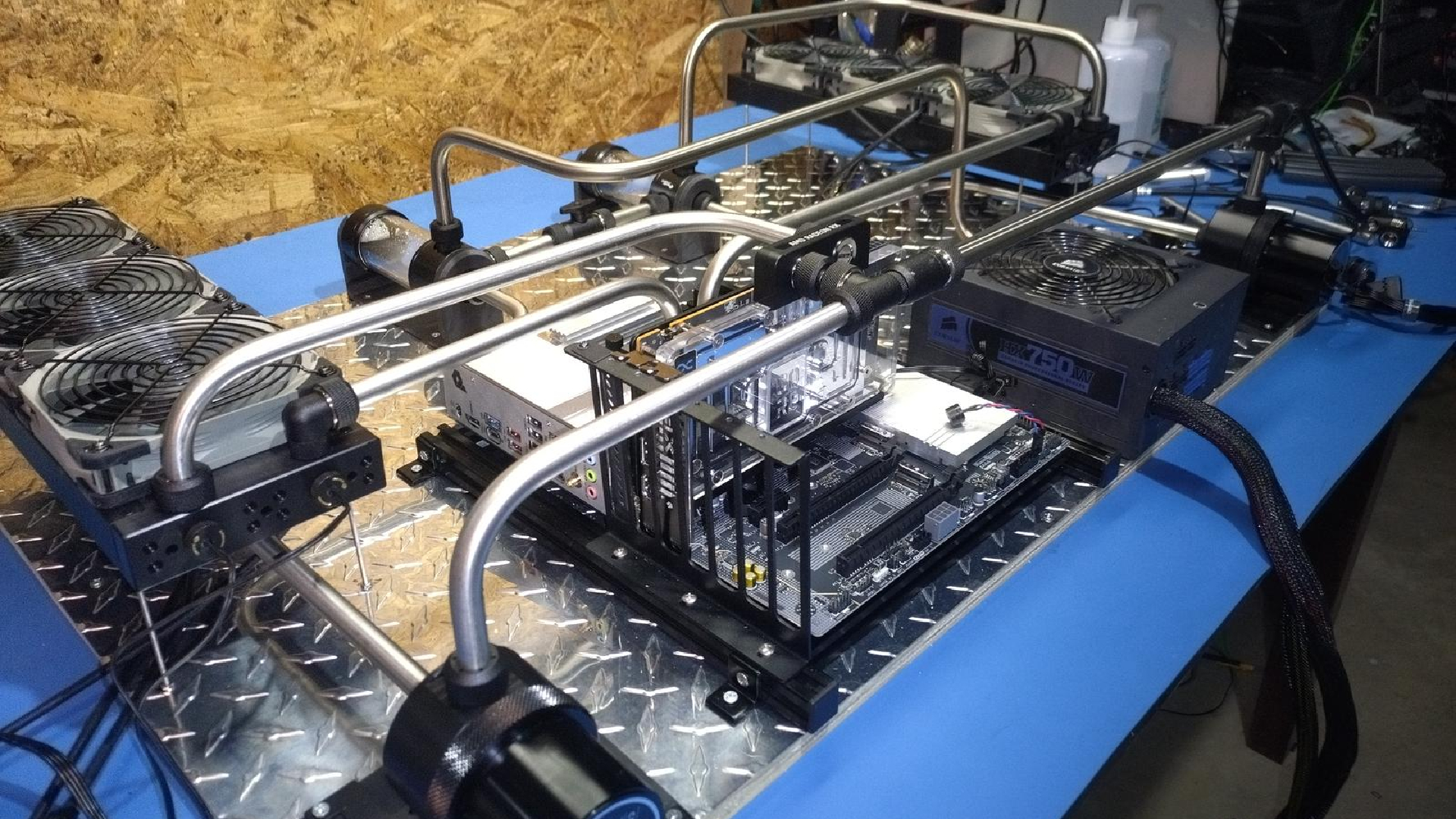
Manual Metal by Edman565 might be one of the wildest PC builds that we've ever seen at Tom's Hardware. Edman545's dedication to building the ultimate hard-lined, custom-looped build has collectively floored us.
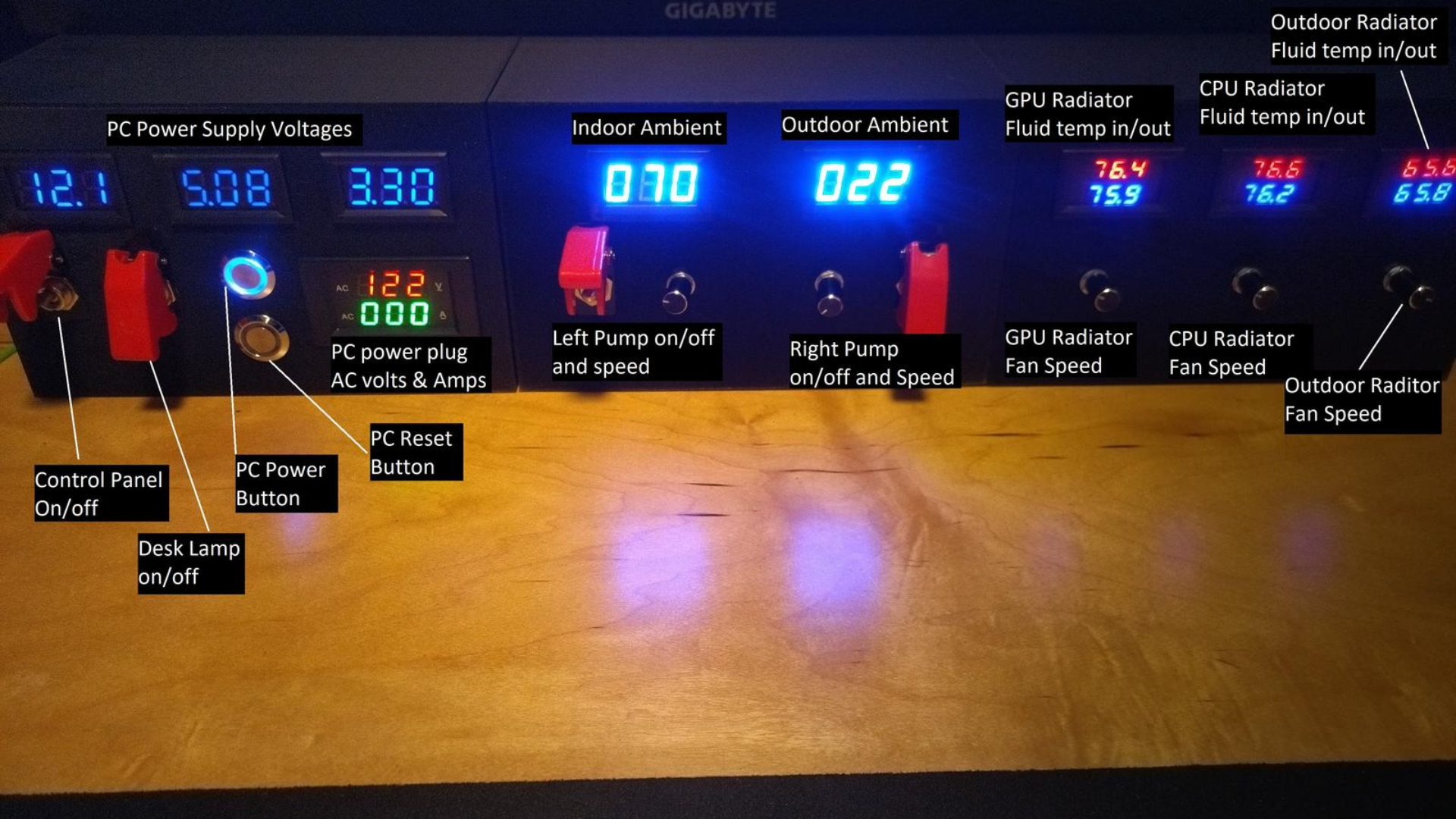
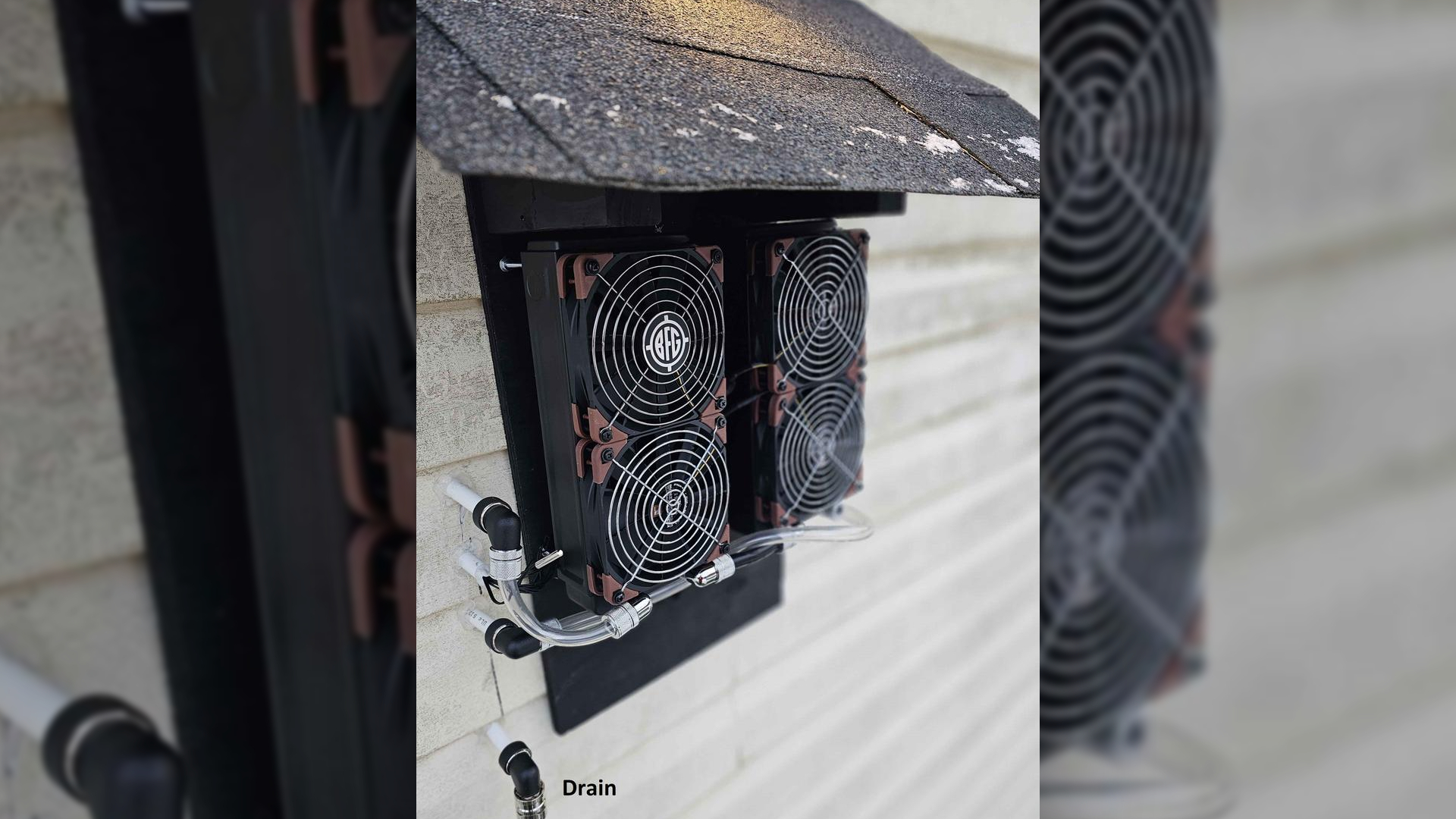
From the images alone, we can see a total of 11 displays, and multiple devices powering Manual Metal, which has been named appropriately, as the build seeks to evoke the same feeling as tuning a manual car, with appropriate styling for the hard-lined steel pipes, and controlled via a custom built panel, with all of the switches and knobs you could want. Furthermore, the system has two radiators placed outdoors, for that extra cooling boon.
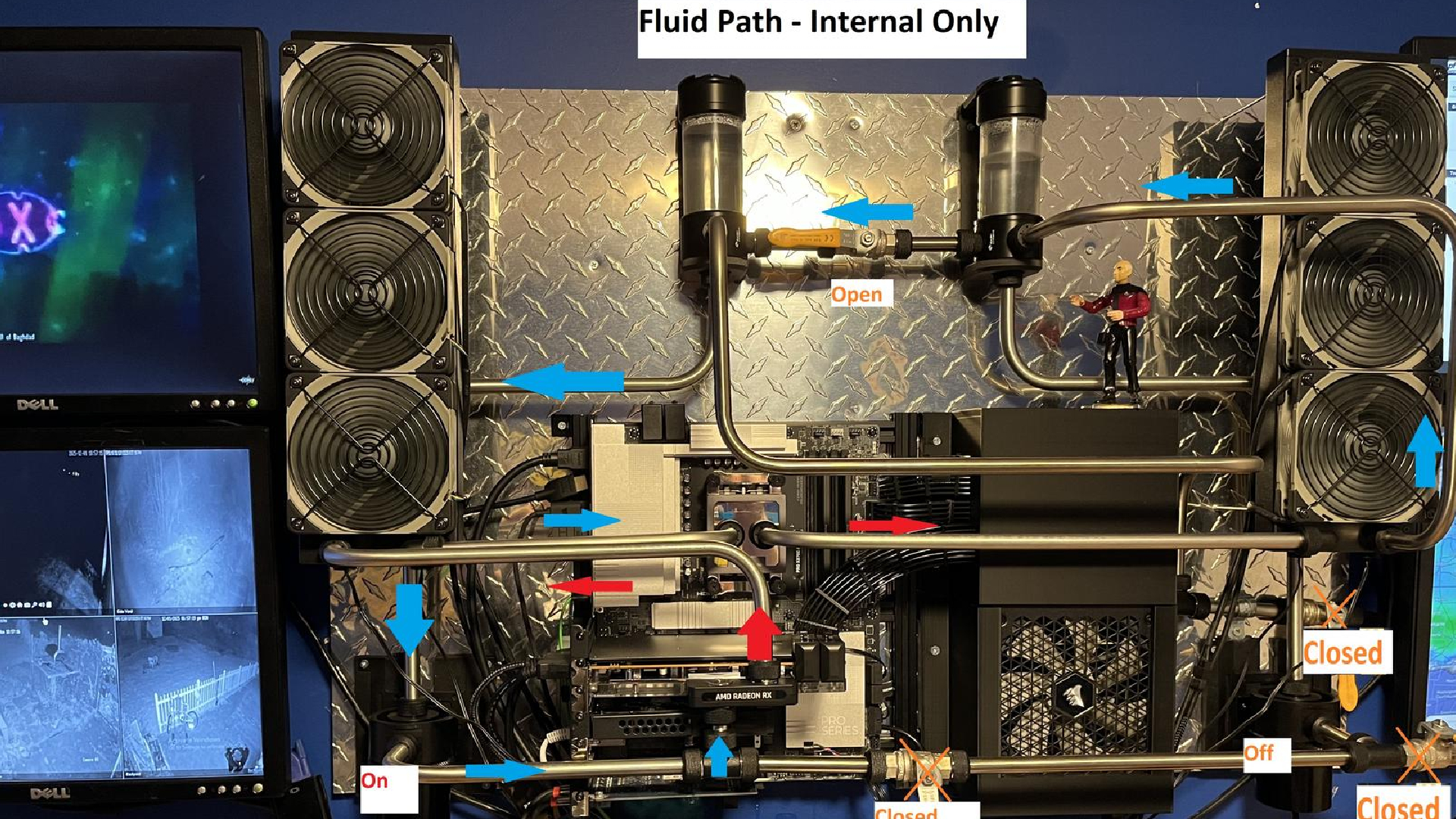
To get to the meat and potatoes of the build itself, we're looking at a Ryzen 9 9950X3D, alongside an AMD Radeon RX 9070 XT, 128 GB of DDR5 RAM, and a total of 3.5 TB of NVMe storage. But, the more impressive part of all this is the cooling setup, which is powered by a total of ten Noctua Industrial F12 fans, two PrimoChill radiators, a Thermaltake Pacific W8 on the CPU, an AlphaCool Core Swift on the GPU, dual-looped Bykski PWM pumps and reservoirs, and custom stainless steel tubing and valves.
Aside from the dizzying number of displays, there's enterprise-grade networking involved here too, with an Intel X550-T2 Dual 10GB/s PCIe adapter, a dedicated Creative Sound Blaster, and a Game Capture card too.
The cooling setup here is by far one of the most impressive things about this build: "I commissioned a custom mount for the reservoirs. I used two so that it can be configured as two loops, depending on which valves are open. Being the only clear part of this system, I can tell the water is flowing by the vortex created when the pumps are cranking," said Edman565.
They also noted that one pump could easily power the system, but installing two allowed for manual adjustment of the flow rate for the outdoor loop. Even more impressive, the custom control panel evokes a classic fighter-jet feeling, which was entirely custom-made just for Manual Metal. It's pretty astonishing and resulted in a near-unanimous win for our panel.
Our thoughts: Manual Metal
Matthew Safford: Love seeing those old Dell 4:3 monitors (which I remember using in my college's library) put to good use! There's so much impressive customization going on here, I don't even know where to begin.
Andrew Freedman: Sometimes, you just have to drop your hands in admiration that someone has done something that you will never have the skills, space, or insurance coverage to do. The PC is incredible, but I'm wowed by the home improvement work.
Joe Shields: Wow. This is. Wow. If I wasn't married with two kids, it's how I would do it. Custom controller, outside cooling, 3D printed parts. Absolutely amazing setup, even if some of the screens are 4:3.
Sayem Ahmed: I think we have our winner, folks. This is really one of the most impressive systems that I've seen to date. The control panel not only looks cool, but serves as an excellent way to measure things in an analog-like way without resorting to a screen, which is frankly, more boring, and way less cool than this.
I cannot imagine the number of man-hours that it took to build Manual Metal. Everything from the fluid paths to the cable management and sheer amount of effort and love radiating from this system is everything an enthusiast should aspire to.
DIY forever.
Well done to Edman565 for winning Rig Rundown with the astonishing Manual Metal build. We'll be in contact with you shortly.





 English (US) ·