
 4 hours ago
1
4 hours ago
1
There has long been a grand concept in the digital camera world to have a device that takes great photos and is constantly connected to the internet. This would allow for powerful on-device editing and the convenience of sharing your content immediately. Many attempts have been made to bring the creativity that a larger sensor and interchangeable lenses offer, but have it connected to your favorite apps and social media outlets. These have all failed.
Smartphones have become the ubiquitous solution to this dilemma, but they still leave something to be desired in the creative photography department. Now, many manufacturers have attempted to marry a camera unit to a smartphone to make this dream come true, but the success rate has been dismal at best.
Camera Intelligence — which used to be known as Alice Camera — is a small team of passionate engineers who are trying to realize this concept in a better way with the the Caira camera, but the path has been fraught with difficulty.
In order to facilitate a more dynamic user experience, the Caira camera connects directly to the Google Nano Banana generative AI servers. Originally, the camera offered prompt-based image editing requests that were basically unchained and unlimited in any way. The push back to this unfettered use of generative AI in a photographic tool was swift and fierce, and in response, Camera Intelligence pulled back the implementation to a heavily curated selection of AI effects instead.
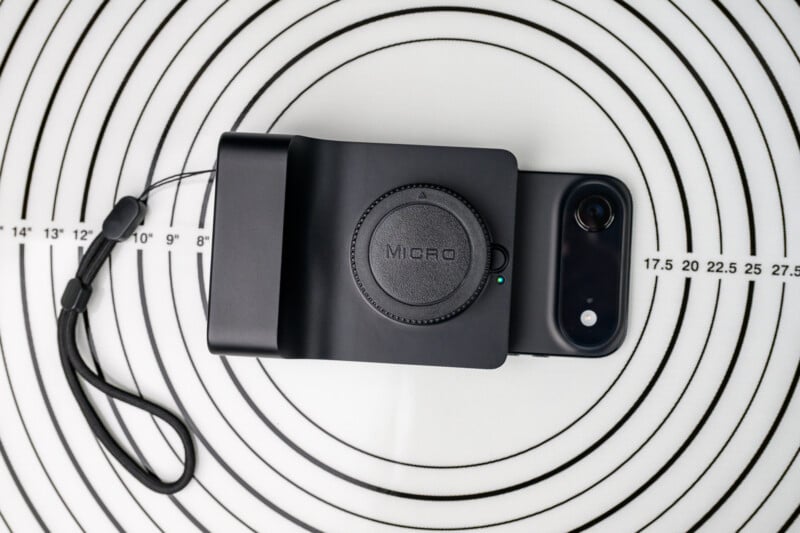 The Caira by Camera Intelligence is certainly a unique product on the market.
These effects are still provided by Nano Banana, but the Caira seeks to do more of the creative heavy-lifting now on-device using computational image stacking and neural networks within the image pipeline. It is this latest version of the now production Caira camera that we are evaluating here.
Caira Camera Review: How It Feels
The $995 Caira camera consists of a fairly basic aluminum housing with a sharp, but surprisingly comfortable, grip and a 12-megapixel sensor within — the same one found in the Panasonic Lumix GH5S camera.
In front of the sensor is an electronically coupled Micro Four Thirds lens mount, and the camera will take almost all Micro Four Thirds lenses. There is a non-removable 5000mAh battery and 64GB of internal storage. You should get a full day of use out of one full charge, but that will depend on your use of the power save options.
Everything is charged and accessed through a USB-C port, and you won’t find much else in terms of controls. The shutter mechanism is about the only button on the camera, other than the on/off switch, but it is a two-stage release and is actually quite responsive. There is a tripod screw on the bottom, a cold mounting shoe on top, and a very obvious MagSafe attachment point on the back of the camera.
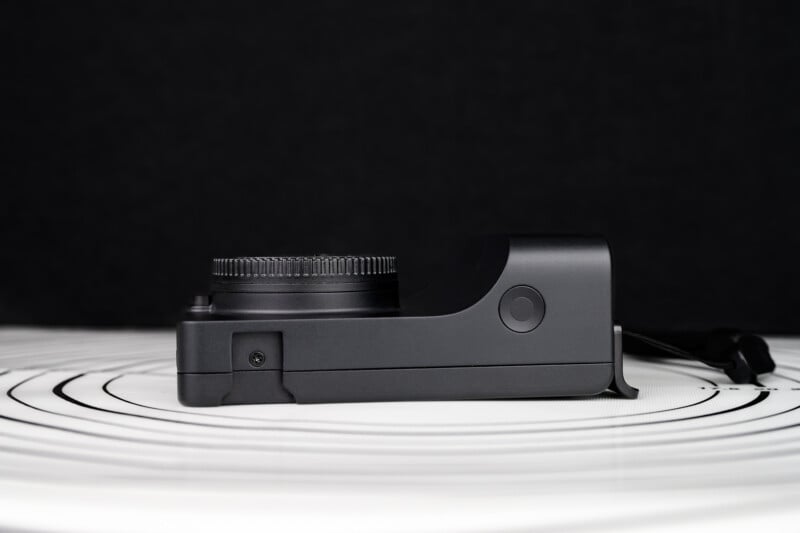 The housing is basically an aluminum brick with a built-in battery and onboard storage.
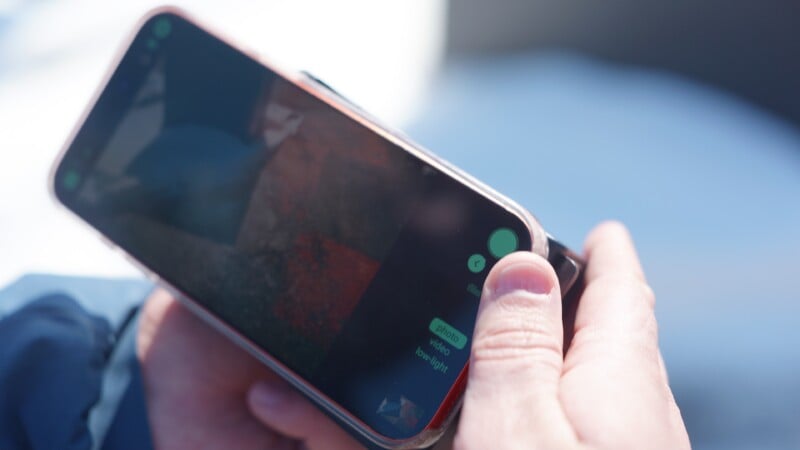 My larger iPhone 17 Pro Max didn’t leave any space for the thumb rest.
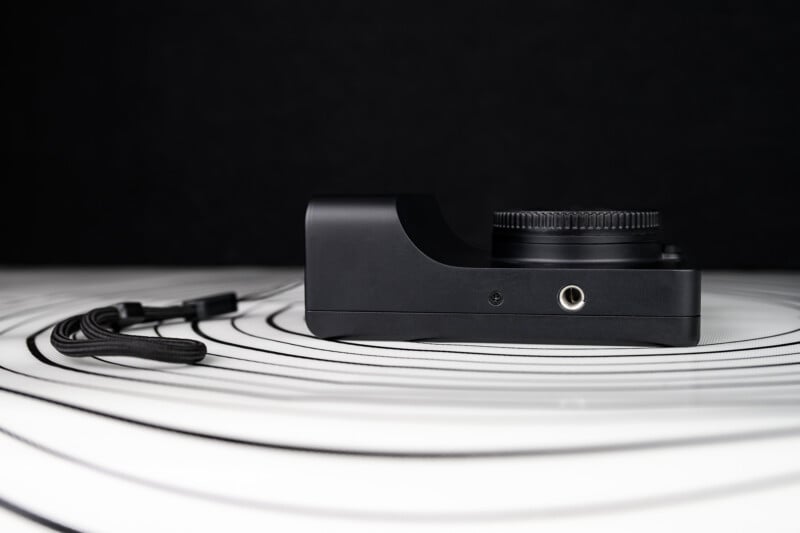 There is a tripod screw on the bottom of the camera.
This MagSafe point only works to physically bond the camera and iPhone together rather than offering any charging or connectivity. Additionally, this camera only works with iPhones.
Once the camera is turned on, the Caira automatically engages its own WiFi connection, and I found the interface to be easy to connect to and stable. The Caira will handle all the shooting and image processing, and the phone operates independently as the user interface and connection to the generative AI tools. You can shoot both JPEGs and RAW DNG files, and both the Caira and iPhone will act as storage. Photos and videos are automatically transferred to the phone for sharing and cloud backup purposes. Because the camera unit is so basic in its functionality, the control structure is entirely handled by the Caira app on the iPhone.
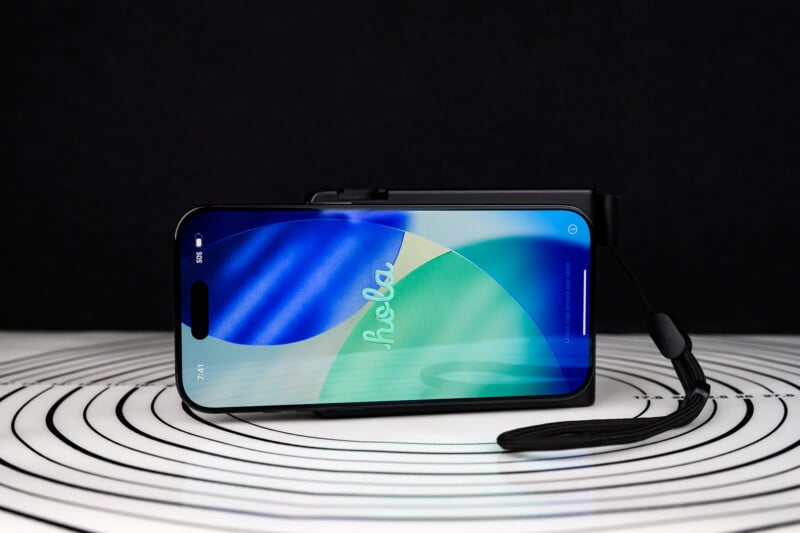 An iPhone clips on the back via MagSafe, but the connection is wobbly and awkward.
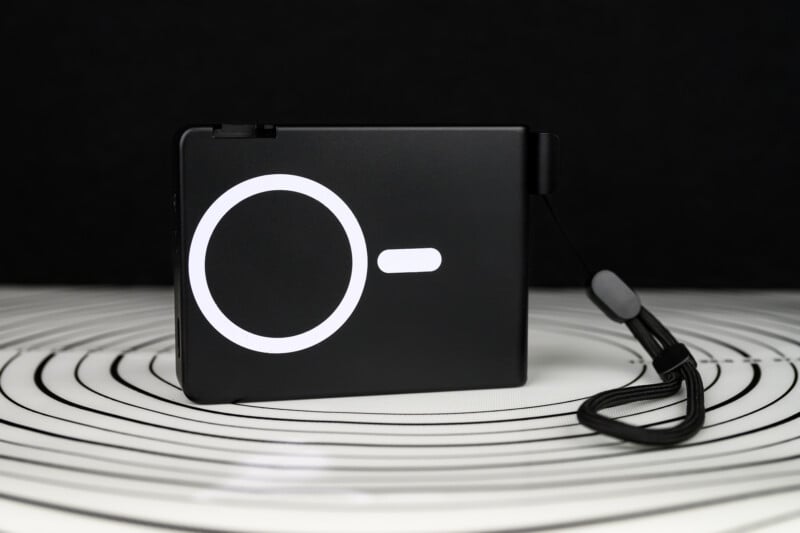 The whole back panel of the camera is dedicated to the magnetic attachment.
The Caira app allows for triggering the camera via the touchscreen and has some exposure controls that can be set for either manual or automatic functionality. You can also choose from some rather nice color presets. I particularly liked the gold and black-and-white modes, and I think users who want to avoid editing shots afterward would be perfectly pleased with these.
There is a very simple and effective creative wheel alongside the presets that lets you choose more or less contrast as well as a cold or warm tone overall. This function worked great and had just the right amount of subtlety. The manual controls allow for the adjustment of shutter speed, aperture, and gain as a replacement for ISO. You can also go further into the menu to adjust color tone, lens distortion, saturation, and white balance.
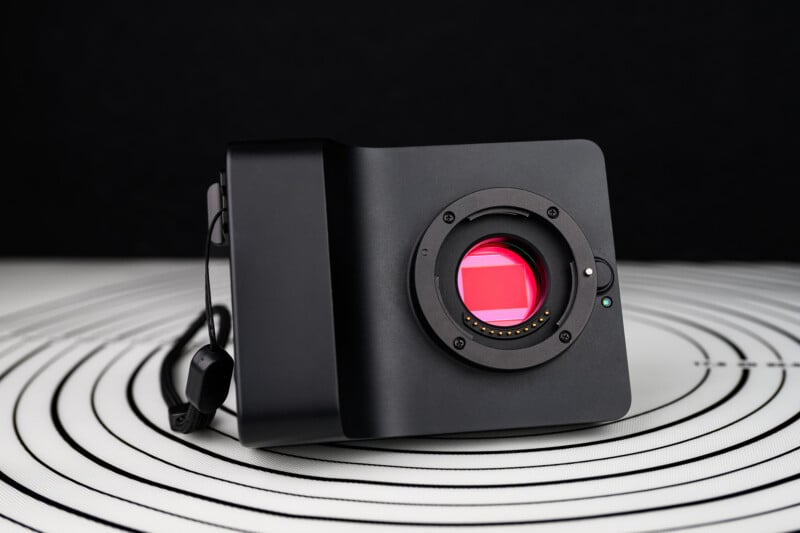 At the heart of the camera lies the older GH5S sensor. It takes all Micro43 lenses.
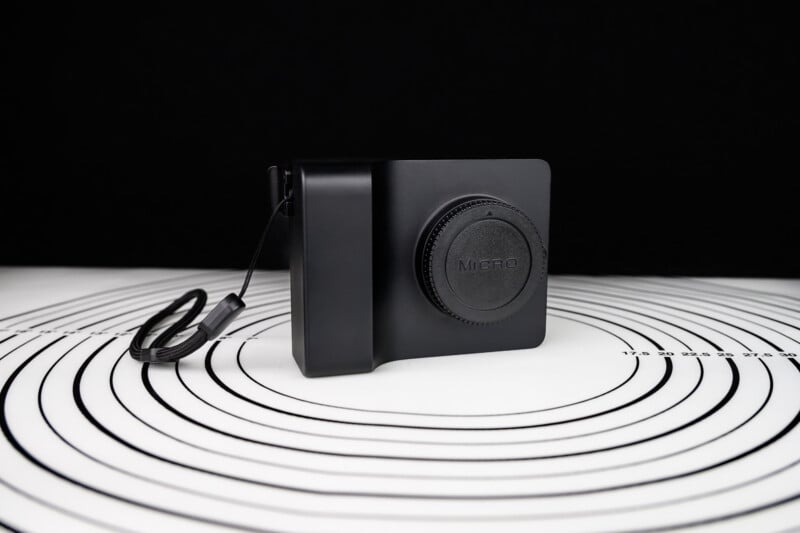 The camera body of the Caira is understated and modern.
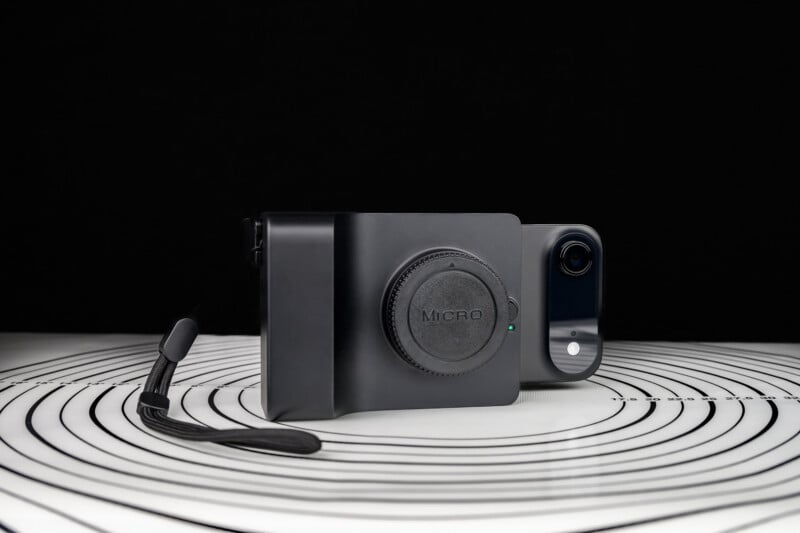 To facilitate mounting an iPhone, the Caira must be physically tall and wide to work.
Caira AI Camera Review: How It Shoots
In order to evaluate the Caira camera in a shooting situation, you have to evaluate it as a pairing with your phone stuck on the back. This represents some real issues, though, and in the case of the larger iPhone 17 Pro Max that I have, the interface is poor. The phone is too big for the device and completely blocks the thumb grip built into the Caira chassis. This means that I could not safely or comfortably hold the whole contraption with one hand while walking around.
Consider also that an iPhone will add significant weight to the whole affair. The phone is constantly shifting and rotating on the MagSafe mount, and I half-expected my phone to get knocked off at any moment, although to its credit, it never did.
The one cool thing about the MagSafe design is that I can remove my phone and use it as a separate viewfinder and interface from the camera, since the actual controls are all wireless and not dependent on physical connection. This was very useful for getting low-angle shots or in a studio situation where the camera can be in one place and the phone in another. The WiFi connection is stable for pretty much any scenario, and I can remotely do anything I need to from the phone.
 Holding the whole package is ungainly and wobbly.


But overall, I found the handling characteristics of the Caira system to be less than ideal, and I did not enjoy street shooting with it very much. However, there are some plus points.
The lens compatibility was quite impressive; I tried the Caira with both Olympus/OM System and Panasonic Lumix lenses and found no issues. Autofocus is not blisteringly fast, but it was reasonable for most situations and the shutter is very responsive. I also found that lens-based image stabilization was supported, and the Caira benefited from the extra stability.
I do wish that the autofocus was more sophisticated, and I expect that we will have to wait for further updates to really see further advancements there. Focusing is only a single point right now and cannot track moving subjects. I also noticed the Caira trying to detect and lock on people’s eyes, but I got a lot of nose tips or eyelashes in focus rather than the iris itself. While this could change in the future, I don’t recommend buying a product based on promises, only what is offered right now — and right now, autofocus is imperfect.
There is a stunningly good manual focus assist, though, where I get a split-prism rangefinder patch and I can set the screen to magnify the area as well with a shutter half-press. It worked great, and I wish other camera manufacturers used a similar setup.
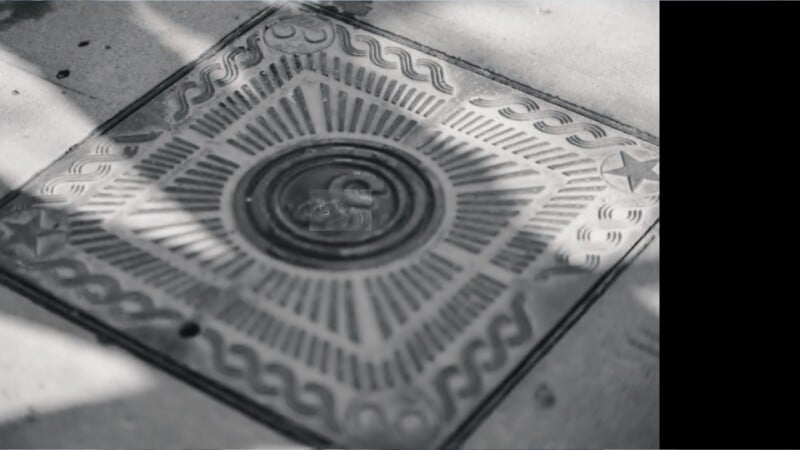 The rangefinder and manual focus aids are excellent.


The camera has a prominently delayed on/off cycle, and I found myself just leaving the camera on while walking around because the delay is so long. This was harder on both the camera and my phone’s battery, but it was the only way to be able to grab shots quickly on the streets.
I did enjoy using some of the manual controls, but this also brought up some other issues. Often, the touchscreen buttons would fail to register a touch, so I found myself having to take a stab at the buttons a second or third time. There is also no exposure compensation, which is to say that although I can change depth of field or shutter speed effects, I can’t go brighter or darker than what the meter suggests unless I go into full manual and set everything myself. This isn’t the end of the world, but I did find that I would often want to change my exposure from what I was seeing on the screen, and it was a little frustrating to do so.
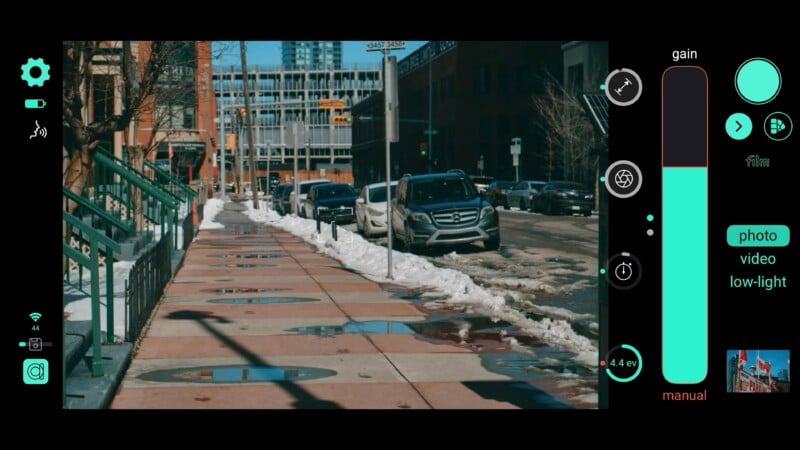 Changing manual controls is a little fiddly but doable.


What I absolutely valued about the whole Caira experience is the ability to see the character and optical performance of different lenses. Smartphone lenses do not really show different character, but with the Caira, I can make sunstars or show off unique bokeh. Certainly, the larger sensor also gives more room to push and pull my RAW exposures beyond what a typical smartphone sensor can do. It’s not a big difference, but it is there. The photo resolution being limited to about 11 megapixels when shooting the 3:2 aspect ratio is not amazing, but it is plenty for the main target audience, who are likely satisfied with just posting on social media.
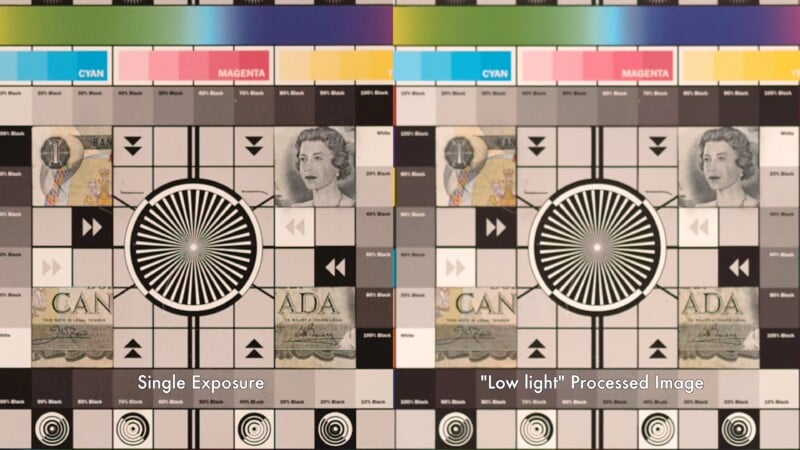 Shooting with the stacked low-light mode gives better noise results but a noticeable loss of detail as well.


I like the quality of the images I can get out of the Caira, but let’s put this all into context. Did I enjoy the actual user experience of the Caira? No.
Would I get better images and a more fun shooting experience from pretty much any other contemporary Micro43 camera system? Yes.
Could I relatively quickly and easily send images from those contemporary Micro Four Thirds cameras to my phone via an app? Yes.
Camera intelligence is claiming that there is an audience which desires the smartphone experience with a larger sensor and better lenses, but doesn’t want to learn how to download photos or use Lightroom to edit their images. I would argue that learning about different lenses and the manual controls to actually make them creatively useful is already going to require a fair amount of time and energy invested. If they were really interested in convenience above all else, they wouldn’t enjoy the clunky size of the whole contraption and the somewhat fiddly interface. They would simply stick with the smartphone experience as it is, and they would be right to do so.
 Autofocus is quick enough but didn’t always hit on target.
 I pushed this shot up from very dark shadows and it had plenty of dynamic range to give.
 Being able to remove the phone from the camera really helped with low-angle shots.
Caira AI Camera Review: A Load of (Nano) Bananas
One of the major changes to the latest Caira firmware is the pullback on full prompt-based AI generation. Instead, there is now a series of curated filters for lack of a better word. Some of these functions, like cleaning up distractions in the background or putting a product into a clean white studio background, are legitimately useful.
 The Golden Hour AI filter was quite effective and created a realistic look.
Others, such as redirecting a person’s eyes to look right at the camera, often venture into uncanny valley territory. I didn’t want to play much with making my composition look wider-angle or with a fisheye effect, but I feel the results are fairly innocuous. Lastly, there are some handy filter effects like switching the scene to a golden hour look or adding anamorphic lens effects, making photos look like they are film shots from the 1920s or VHS frame grabs from the 80s. Most of these effects are very similar to what modern smartphones are now doing, and I don’t find these results to be overly egregious. They are a far cry from the creative bastardization that can be done with the full Nano Banana suite.
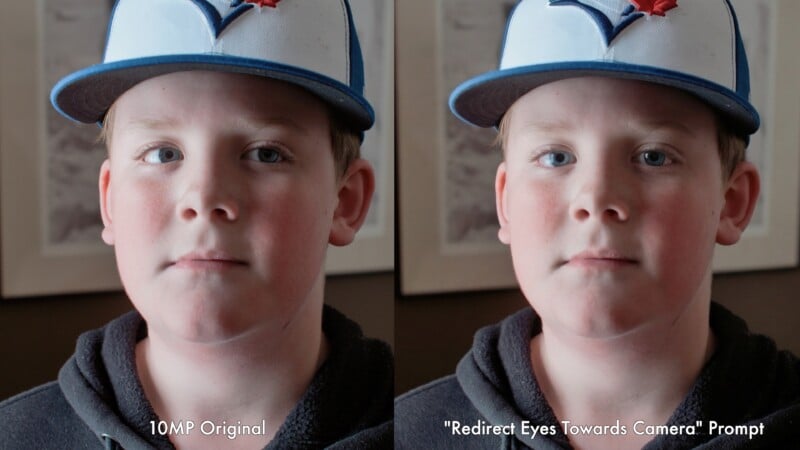 The effect of redirecting eyes towards the camera is slightly unnerving.
However, these different filters were very slow to use, often taking thirty seconds or more to apply the change, and the resolution will not exceed about four megapixels right now. There is no way to change opacity or tone the strengths of these effects either, and if you are unhappy with the result, you have to try again with another significant wait time.
And make no mistake, I do not want the prompt-based generative AI anywhere near my photography. But I have to say that having access to the full force of the AI suite was kinda the only thing making this product unique. Again, I hate it, but I feel like the assumed target audience of the Caira camera is going to feel a little short-changed by the more limited curated effects that are present now. Let’s also remember that anyone can get a subscription and upload images from any camera into Nano Banana at any point, so then what really makes the Caira stand out?
 Background removal worked well without needing specific prompts.
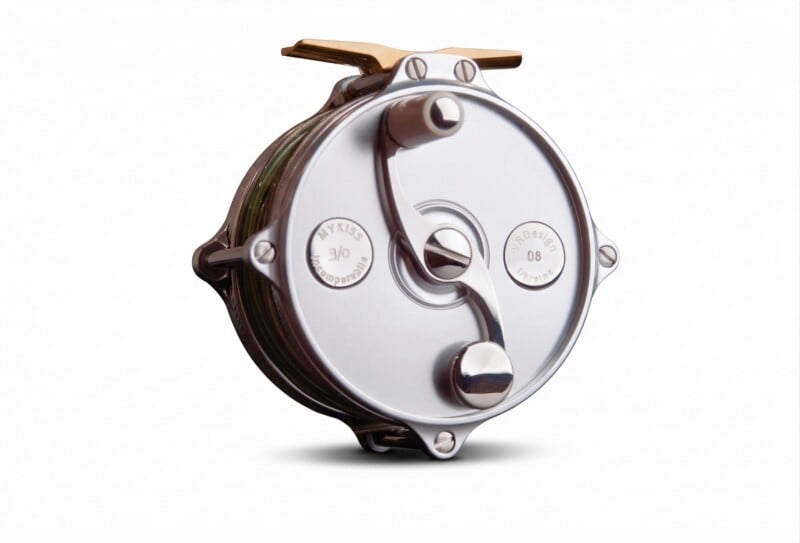 Placing objects into a studio lighting box with clean white background could be very useful in a retail environment.
Camera Intelligence has also added a feature that takes multiple photos and computationally stacks images together under the guise of a low-light mode. The Caira can stack up to 16 shots just like a smartphone does, and this can deliver better dynamic range and low-light performance. This is still in its infancy, but I did notice less noise in the shadows using the stacked mode.
However, I also noticed a decent loss of detail and sharpness. As it is now, this is not a very useful function and is way behind what Panasonic and especially OM System have been doing for years. Camera Intelligence does have plans to add more functions in the future to quadruple resolution, for example, so only time will tell how and when these features come to be.
 I do love being able to get the character out of different lenses with the Caira.
The Caira Camera Feels Like It’s Made for No One
I’m left with a concern about who would actually enjoy using the now $995 Caira camera.
Advanced photographers will not enjoy the problematic handling, the generative AI features, and the fiddly control scheme, but this camera was never intended for them anyway.
I worry that casual crowds will not appreciate the benefits of buying, carrying, and learning about interchangeable lenses, and see much benefit in the purchase of this product over their smartphones.
Content creators might want to dabble with the different optics and some manual controls, plus they will find the separate functionality of the phone apart from the camera useful, but they generally already have DJI Pocket Osmo or Sony ZV cameras with mobile apps.
About the only audience that I could really see enjoying this product is small business owners who want to get interesting product shots and put them on social media right away. I could see an employee clicking an iPhone onto the Caira, setting it up in front of a product and then using the color filters and generative AI to clean up the shot and put it on a clean studio backdrop. From there, it is an easy task to upload it to the website and move on to the next shot. Want to show the store under beautiful golden hour light? No problem. Take a shot at the sales floor and remove unwanted customers and distractions? No problem. Still, the list of potential users is thin in my opinion.
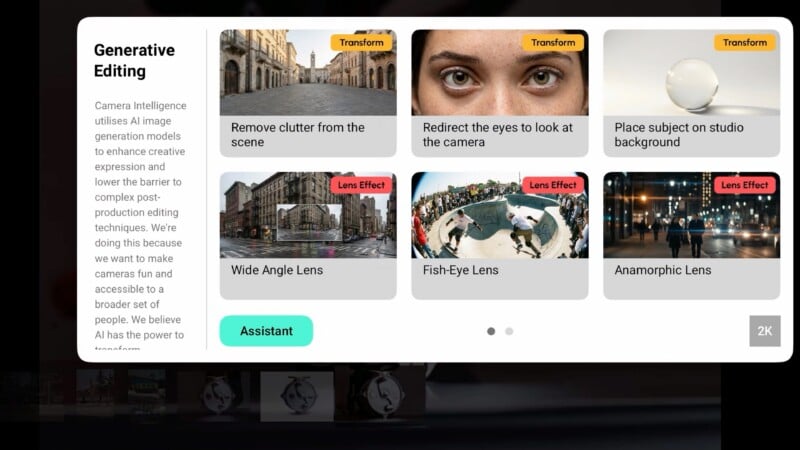 The generative AI panel is now just a series of curated effects.
Are There Alternatives?
I’ll give the Caira this: No one else is really making anything like it. However, I personally found the Xiaomi 17 Ultra with an additional camera grip to create more beautiful images, with more stunning color filter effects, and still have enough manual control and creative oversight to please a more advanced photographer. A modern smartphone with a camera grip would give me access to all the same conveniences without the extra bulk. I would miss only the interchangeable lens capability.
Should You Buy It?
No. The $995 Caira camera is not as convenient to use as marketed and the benefits are only going to appeal to a niche user. I’m not the target audience, but I do know a less-than-desirable camera experience when I see one, and the Caira has a long way to go to be enjoyable to use.








 English (US) ·