
 5 days ago
17
5 days ago
17
To start this off as clearly and plainly as possible, this review is of a $350, 27-inch OLED gaming monitor with Quantum Dot color, 240 Hz, Adaptive-Sync, HDR10 and QHD 2560x1440 resolution. If you’ve been paying attention to the gaming monitor market, you might want to stop reading right here and go buy one on those specs and pricing alone. The Alienware AW2726DM is far more than an incremental price drop for the category; the $500 barrier hasn’t been smashed, it’s been erased.
But please read on, because below you’ll find my full battery of test results, with comparisons to more expensive monitors with higher refresh rates. Let’s take a look.
Alienware AW2726DM Specs
Swipe to scroll horizontally
Panel Type / Backlight | Quantum Dot Light Emitting Diode (QD-OLED) |
Screen Size / Aspect Ratio | 27 inches / 16:9 |
Max Resolution and Refresh Rate | 2560x1440 @ 240 Hz FreeSync and G-Sync Compatible |
Native Color Depth and Gamut | 10-bit / DCI-P3+ HDR10 |
Response Time (mfr) | 0.03ms |
Brightness (mfr) | 200 nits SDR 400 nits HDR |
Contrast | Unmeasurable |
Speakers | None |
Video Inputs | 1x DisplayPort 1.4 w/DSC 2x HDMI 2.1 |
Audio | 3.5mm headphone output |
USB | None |
Power Consumption | 21.6w, brightness @ 200 nits |
Panel Dimensions WxHxD w/base | 24 x 15.5-20.7 x 9.2 inches (610 x 394-526 x 234mm) |
Panel Thickness | 0.12-1.65 inches (3-42mm) |
Bezel Width | Top: 0.31 inch (8mm) Sides: 0.44 inch (11mm) Bottom: 0.65 inch (17mm) |
Weight | 13 pounds (5.9kg) |
Warranty | 3 years |
| Row 17 - Cell 0 | Row 17 - Cell 1 |
For this price, you’d expect the AW2726DM to be stripped down to bare essentials. But while it isn’t festooned with features, this display isn’t a barebones proposition, either. You get a 27-inch QHD OLED panel with Quantum Dot color that fills over 111% of the DCI-P3 gamut, which is a tick higher than average. Accuracy is decent out of the box, with even better image fidelity after a quick calibration. The only thing missing on the color front is an sRGB mode, which isn’t a big deal for gaming.
There are plenty of other picture modes though, 11 for SDR and another three for HDR10 content. Brightness is one thing that is sacrificed on the altar of value. While I measured 400-nit peaks in HDR mode, SDR topped out at around 200 nits. You still get OLED’s perfect blacks, though. Like all its more expensive competitors, contrast is so good that it can’t be measured.
There are no sacrifices when it comes to gaming performance here. You get a 240 Hz refresh rate with Adaptive-Sync. That’s more than enough to eliminate motion blur, and coupled with the QHD resolution, speedy frame rates are easy enough to achieve. There’s no black frame insertion, AKA ELMB/ULMB, but it’s not needed unless you pair the AW2726DM with a slower gaming rig.
Less important omissions include internal speakers, USB ports, and LED lighting. And the stand is simply designed, though it has full ergonomics. Build quality is up to par with any Alienware display I’ve worked with, and long-term reliability is backed by a three-year warranty that includes burn-in. And that can be staved off with the pixel refresh you’ll find in the OSD.
Small misses aside, the AW2726DM is going to be hard to fault given its $350 price tag. The last few 27-inch QHD OLEDs I reviewed all had prices north of $500. Let’s see what the instruments reveal.
Assembly and Accessories
The AW2726DM’s carton is unassuming, and aside from a small line of text announcing the model number, 240 Hz and QD-OLED; you’ll have to open it up to experience the incredible bang-for-the-buck that it offers. The base and upright mate with a captive bolt and you’ll need to find the four screws and included tool to attach the panel. There is no snap on fitting here. The mount is 100mm VESA compatible, so aftermarket arms are easy to employ. The power supply is internal, so there’s an IEC cord plus cables for HDMI and DisplayPort.
Product 360
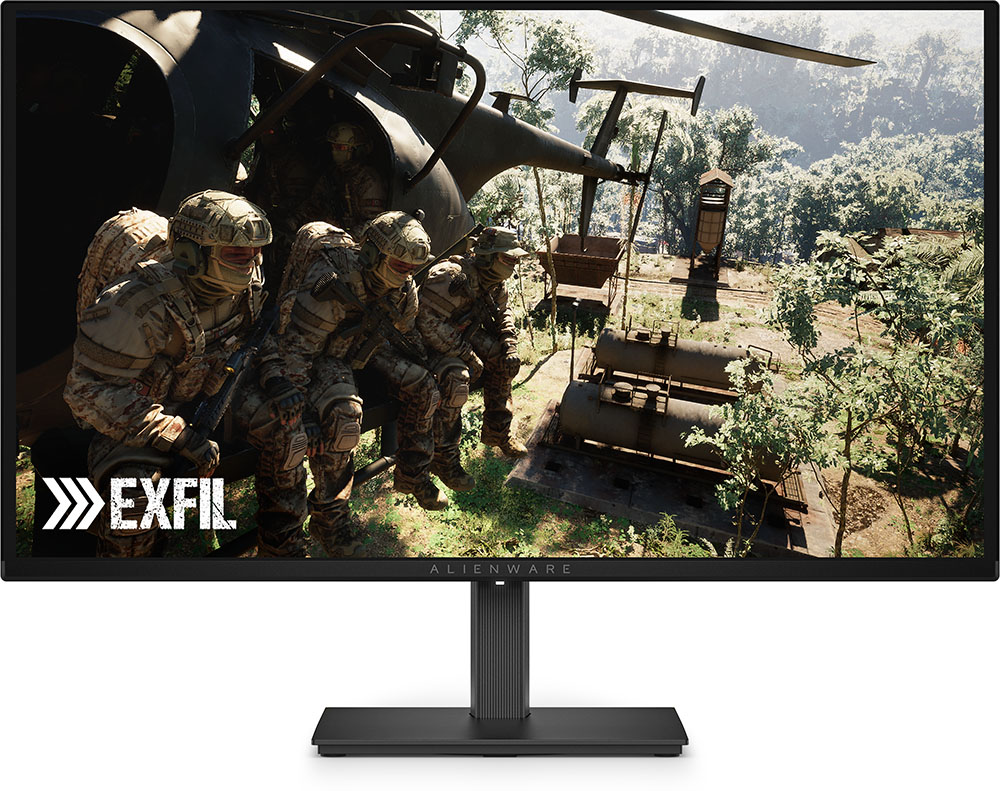
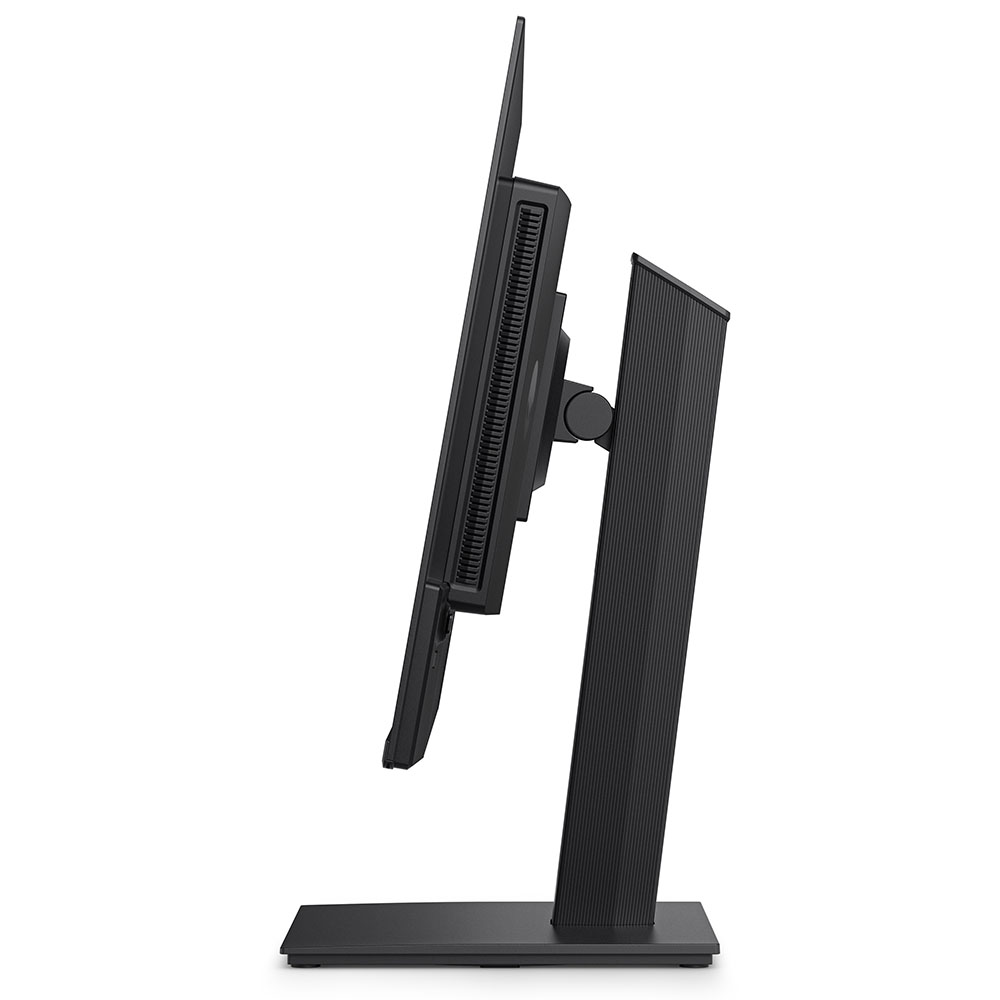
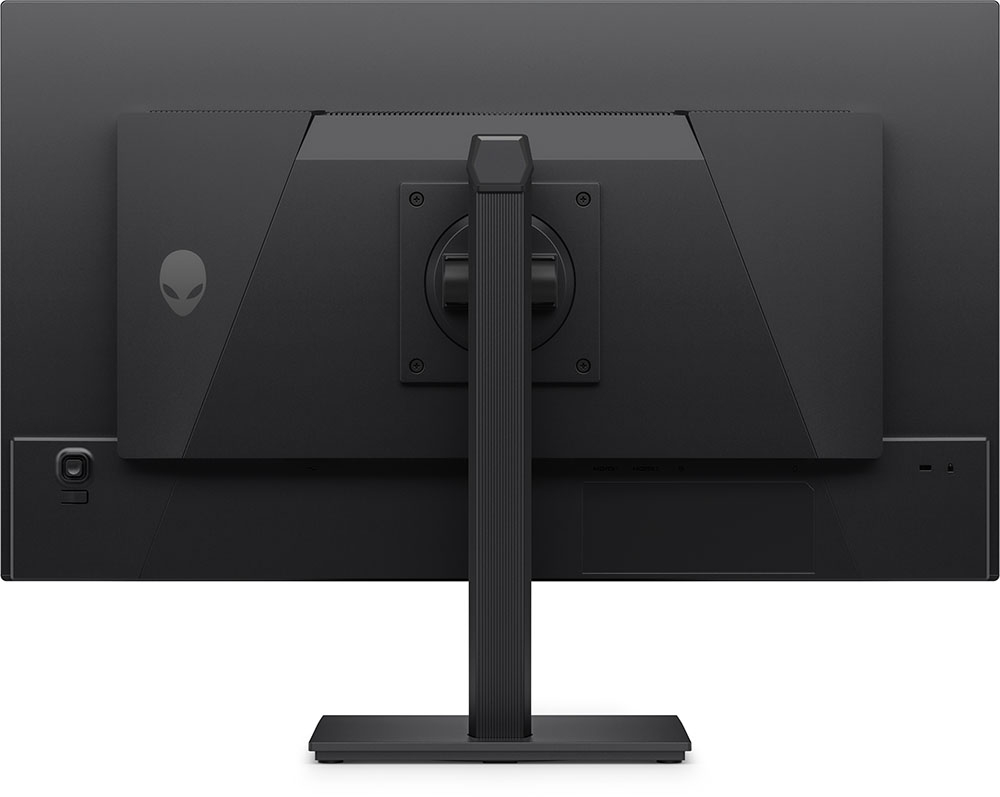
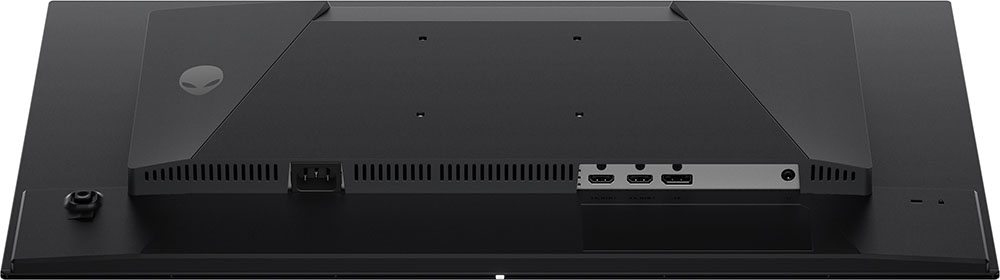
Styling is minimalistic thanks to the all-screen look Alienware is going for. The front bezel is flush and narrow, with a strip at the bottom just wide enough for an Alienware logo. Moving around the side, you can see the two-part design that many OLEDs feature. The panel is among the thinnest I’ve seen at just three millimeters deep. The component housing takes the total thickness to just 1.65 inches. And if you don’t use the included stand, the back is completely smooth. The AW2726DM is one of the slimmest displays you’ll find in any size.
The back features just a small Alienware head and the OSD joystick. A Kensington lock is provided too. There’s plenty of ventilation on top of the bulge, and the screen is further shielded from heat by a graphite layer. There are no internal fans.
The stand is reasonably solid, with full ergonomics that include 5.2 inches of height range, a 90-degree portrait mode, and 5/21 degrees tilt. Swivel is a full 360 degrees, thanks to a bearing ring in the base that allows the entire package to turn smoothly.
The input panel is up and under and is made up of a DisplayPort 1.4 with Display Stream Compression (DSC) and two HDMI 2.1 ports. They support consoles with VRR up to 120 Hz. For the full 240 Hz, you’ll need to use DisplayPort. You also get a 3.5mm headphone jack.
OSD Features
The AW2726DM includes a tiny joystick around the back right as its only control. Pressing it brings up a quick menu, and an up-click opens the full OSD.
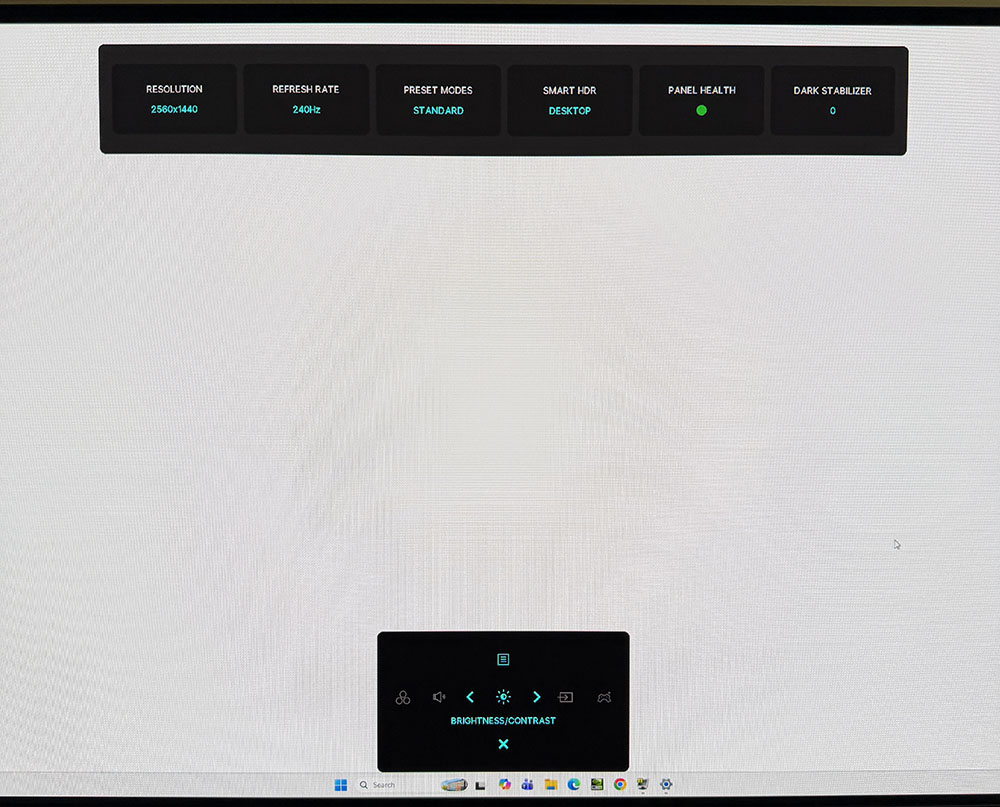
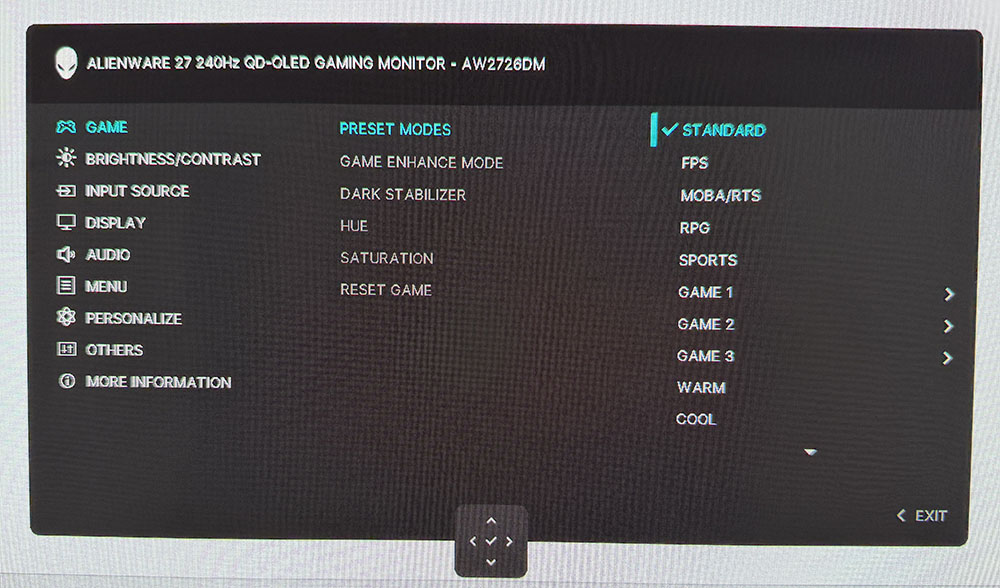
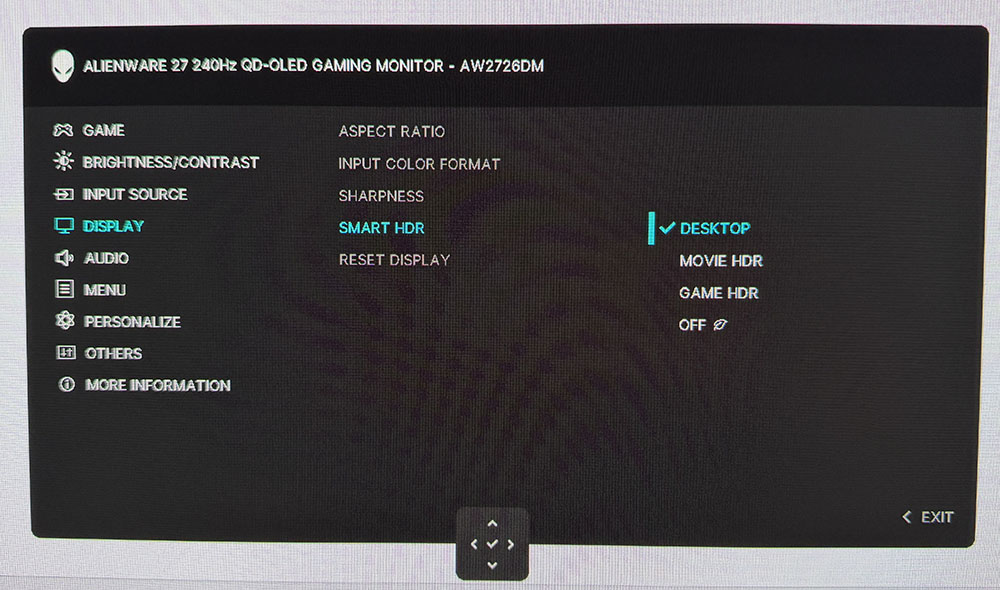
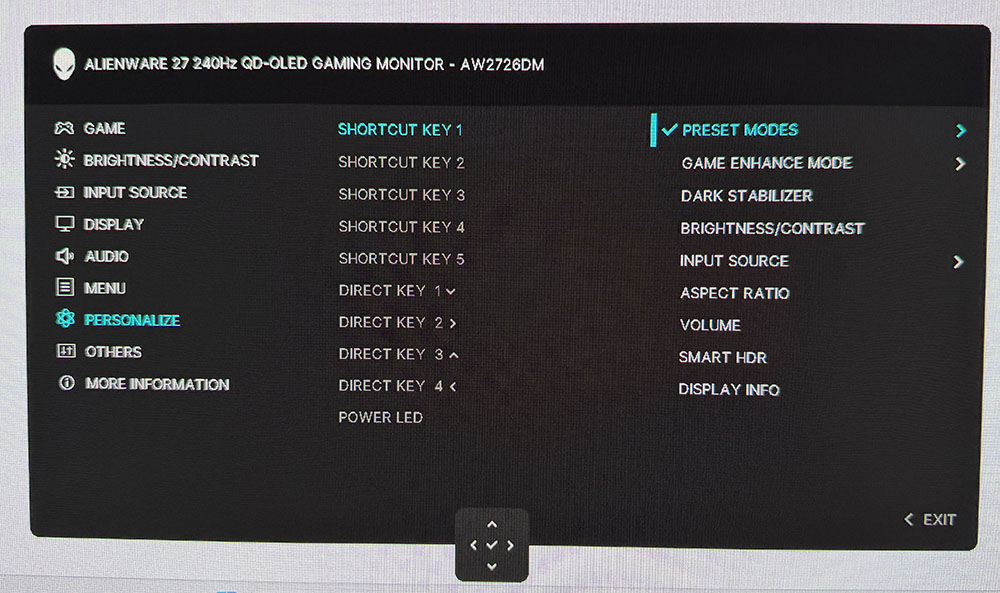
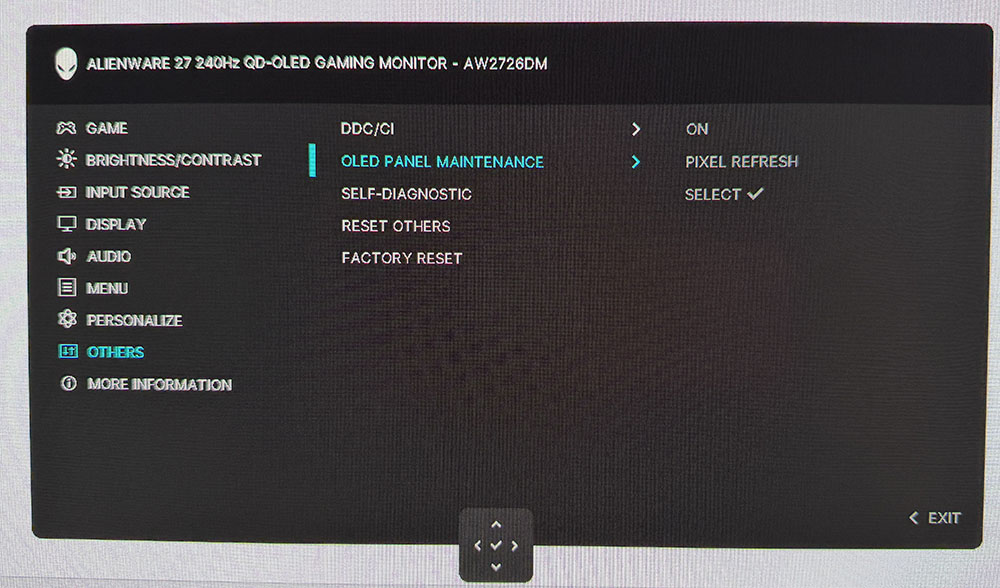
The quick menu has five icons that can be programmed for easy access to commonly used features like picture modes or game enhancements. At the top of the screen is a signal status bar that shows the input resolution, refresh rate, picture preset, HDR status, panel health, and the dark stabilizer setting. When panel health turns red, you can run the pixel refresh routine found in the Others sub-menu.
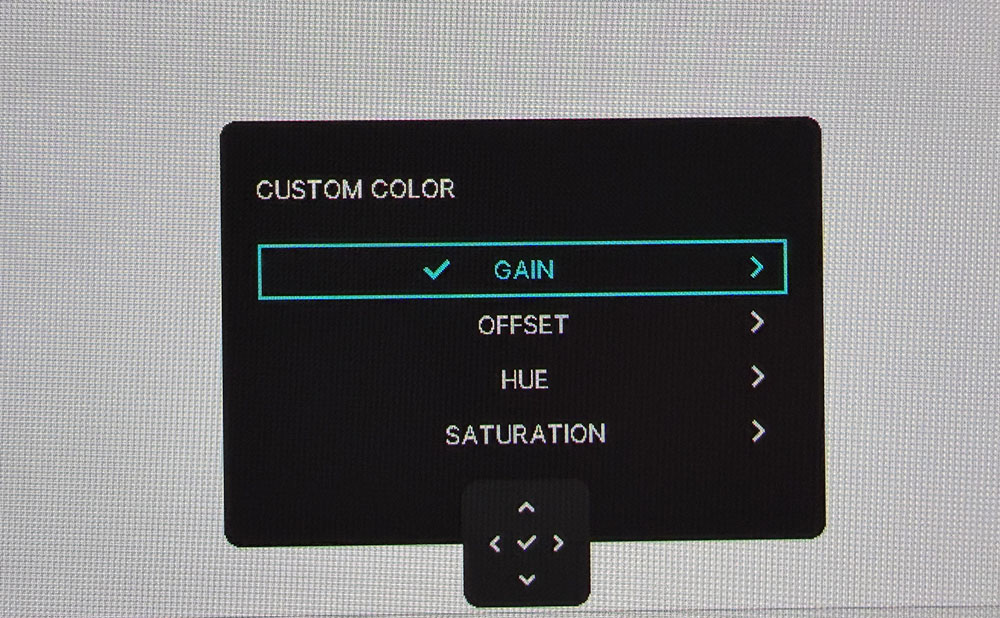
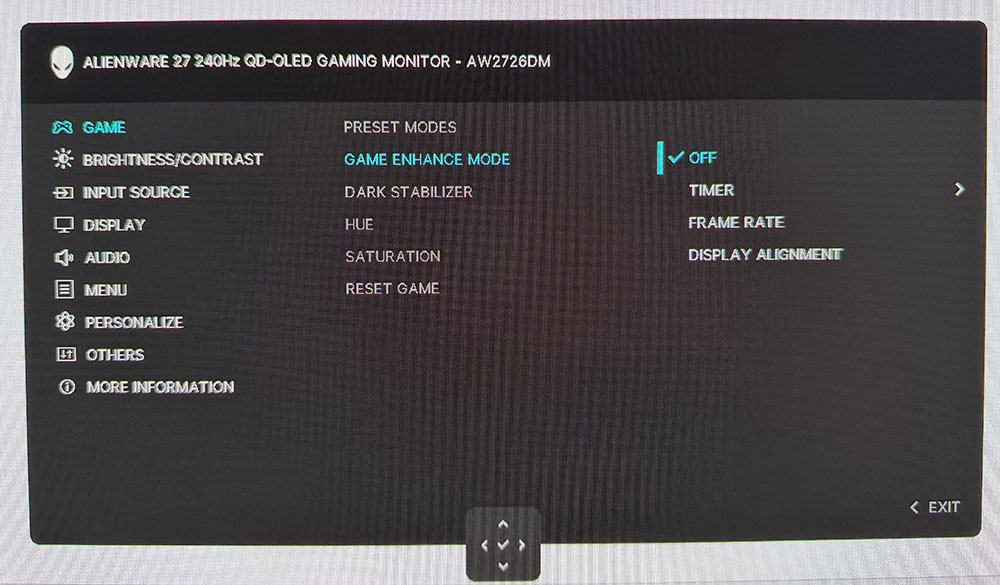
The Game menu has 11 picture modes for different game types, a color temp (warm or cool) preference, or Custom Color where you’ll find a two-point white balance control plus color management. There are no gamma presets, but the AW2726DM sticks close to the 2.2 reference for SDR and ST.2084 for HDR. Game Enhance refers to the available timers and frame counter. You also get alignment marks, but there are no aiming points or sniper modes.
HDR10 signals get three of their own modes. Display is the default and best choice there. I observed very obvious edge enhancement in the Movie and Game presets, but Display was free of artifacts.
There are many ways to customize the operation of the AW2726DM. Shortcut Key refers to the five icons in the quick menu. You can scroll left or right through the available settings and make them convenient things like input selection or picture mode. The four joystick directions can be programmed as well, for a total of nine options.
The AW2726DM’s only panel maintenance feature is a pixel refresher. I have never seen burn-in on any OLED display, and that includes the monitor I’m currently writing this review on and my nearly six-year-old LG television. Both have gotten by on pixel refresh alone with no need for orbiters or logo protection. And Alienware includes a three-year burn-in warranty if you’re still concerned.
Acer Predator X27 X1 Calibration Settings
My AW2726DM review unit wasn’t quite perfect out of the box in the Standard picture mode. It looked slightly green in tone when viewing grayscale test patterns, so I went for the Custom Color mode and its two-point RGB controls. That got me to reference level. There are no gamma options, but the monitor sticks close to the 2.2 power spec for SDR. Color is very saturated thanks to the Quantum Dot layer. It covers over 111% of DCI-P3. There is no sRGB option, so you’ll be seeing that extra color for all SDR and HDR content. I doubt anyone will consider that a bad thing. When I ran the initial measurements, brightness peaked at around 204 nits, but after calibration, it dropped to 185 nits. There is no variable brightness for SDR. To dial in your AW2726DM, try the settings shown below.
HDR signals get three of their own modes, with no options for adjustment. I found color and luminance to be nearly spot-on, which is a good thing. You can read more about that on page five.
Swipe to scroll horizontally
Picture Mode | Custom Color |
Brightness 185 nits | 100 |
Brightness 120 nits | 54 |
Brightness 100 nits | 43 |
Brightness 80 nits | 31 |
Brightness 50 nits | 14 (min. 27 nits) |
Contrast | 75 |
Color Temp User | Gain – Red 96, Green 95, Blue 100 |
Gaming and Hands-on
The AW2726DM is a 27-inch OLED for $350, so it’s really hard to fault. But in practice, it gives nothing away to more expensive displays. The picture looks gorgeous, even though it doesn’t quite have the measured brightness of others. But it is bright enough once set up. I learned during testing that it peaks around 185 nits after calibration, which was plenty of output for my moderately bright office with one sunny window opposite the test bench. The screen’s anti-glare layer was effective in this situation.
The picture is as stunning as any premium OLED, with deep blacks and lush color. The Quantum Dot tech is used to full effect here, with the AW2726DM covering over 111% of DCI-P3 in my tests. I had to calibrate for the best picture, but it wasn’t difficult to get to reference level.
The gaming experience was no different from other OLEDs either. The 240 Hz rating is a reliable and honest one, with no hiccups or artifacts to spoil the fun. Input lag is extremely low, as you’ll see on the next page. The AW2726DM punches well above its weight class, not only on price but also on speed. It’s just as quick or quicker than monitors with higher refresh rates. While a 500 Hz screen is great, you won’t see much need for it next to this one. I had no trouble mowing through alien monsters with precision and proliferation. My aim was true, and my defensive moves were exactly as planned. There was no motion blur and no breakup of finely detailed textures as I whipped about the virtual environment.
For everyday tasks, I was completely satisfied with the monitor as well, except for the missing sRGB mode. Most tasks are fine with extra colo,r but when working on graphics, it’s nice to at least do a reality check using the correct SDR gamut. Most users won’t have an issue, as the AW2726DM is very colorful in a good way. But it’s always nice to have options. The picture was super sharp and smooth though. 27-inch QHD has an ideal 109ppi pixel density, which is enough to hide the dot structure beyond a two-foot viewing distance.
The only things this screen gives to the competition are a few bells and whistles. It’s not difficult to live without USB ports, internal speakers, or LED lights. And getting a monitor with those extras and the AW2726DM’s performance will cost a lot more money.
Takeaway: The AW2726DM performs on par with premium OLED displays in every area that affects gameplay. It’s quick and smooth with very low input lag, so functionally, it is no different. You won’t have a significantly better experience with a 360 or 500 Hz monitor. It also has equal or better image quality than any Quantum Dot monitor. The only thing it gives up is peak brightness, which is a bit lower than pricier competition. For my needs and desires, though, I would be happy to use this screen every day.
MORE: Best Gaming Monitors
MORE: How We Test PC Monitors
MORE: How to Buy a PC Monitor




 English (US) ·