
 2 hours ago
7
2 hours ago
7
Faster speeds are great, but diminishing returns start to creep in.
ANDRANIK HAKOBYAN/Shutterstock
Having fast internet at home involves more than just the plan you get from your ISP; you should understand what options your router provides to get the best possible performance. Part of that is knowing which Ethernet ports to use on your router, with one of the available choices potentially being 2.5G Ethernet.
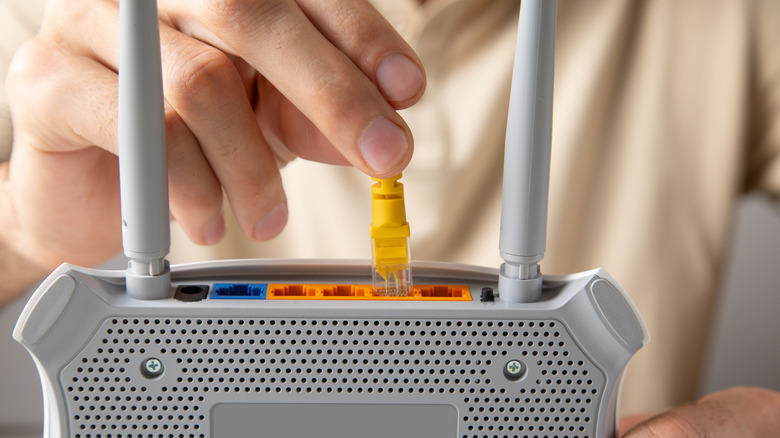
A standard Ethernet port, which may be marked as LAN or have no label, typically maxes out at a speed of 1 Gbps. Meanwhile, a 2.5G port can provide speeds of up to 2.5 Gbps. These will be marked accordingly on your router, with a label in the vein of 2.5G or 2.5GbE. Ports capable of those zippier speeds might also use a different color than the basic ones.
When to use the 2.5G Ethernet port
There are a couple of requirements for being able to take advantage of a 2.5 Gbps port. In addition to your router needing this, your computer or other connected device must also have a 2.5 Gbps port. You'll also need a compatible Ethernet cable; Cat5e and anything newer are all equipped to deliver 2.5Gbps speeds. Anything limited to an older standard will become a bottleneck.
To fully take advantage of the faster speed in most practical uses, your internet plan also needs to be at least 2.5 Gbps. Otherwise, downloading and uploading data from the internet will be capped at the level of your ISP plan. However, even with slower internet, you can still take advantage of the faster speeds with devices on your local network. For example, backing up files to a NAS can run at the full 2.5 Gbps if all devices are compatible.
Otherwise, the main benefit of 2.5Gbps is obviously the increased speed. With a connection that's 2.5 times faster than what standard Ethernet ports offer, expect quick loading and downloading times when using that connection. For most people, multi-gig internet speeds are a nice-to-have rather than a must-have, with diminishing returns above 1 Gbps. But if you regularly perform tasks that tax your bandwidth, more than doubling your speed on those devices could make a difference.
It's a big help when conducting large file transfers or cloud backups, but it's not going to make Netflix run any smoother or improve your online game performance unless the rest of your network is extremely busy. Those activities don't require much bandwidth to begin with.








 English (US) ·