
Despite its “home” branding, Vonage for Home remains a reliable and affordable VoIP service that appeals to both residential users and small business owners.
Originally designed to replace traditional home phone lines, Vonage for Home has evolved into a capable communication solution for freelancers, sole traders, and small businesses that want professional-grade call quality without hefty enterprise fees.
While the Vonage Business Cloud caters to larger organizations with complex CRM and collaboration integrations, Vonage for Home strikes an impressive balance between cost, simplicity, and robust telephony features.
Vonage for Home: Plans and pricing
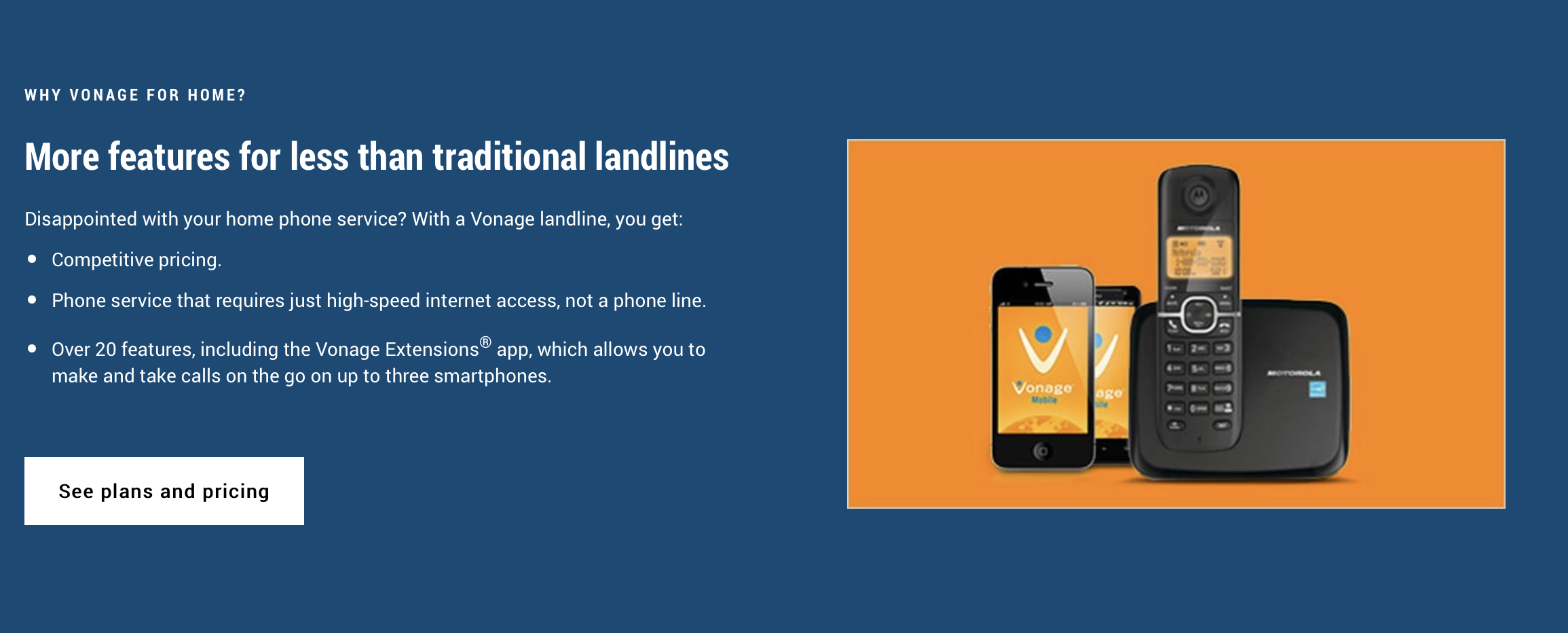
Vonage for Home offers straightforward, contract-free pricing plans suitable for different calling needs.
The Vonage North America Plan typically ranges between $9.99 and $14.99 per month, offering unlimited calls to the U.S., Canada, Puerto Rico, and Mexico, along with competitive international per-minute rates.
For users who frequently make global calls, the Vonage World Prime Plan, priced around $19.99 per month, expands unlimited calling to more than 60 countries, including many landlines and select mobile numbers.
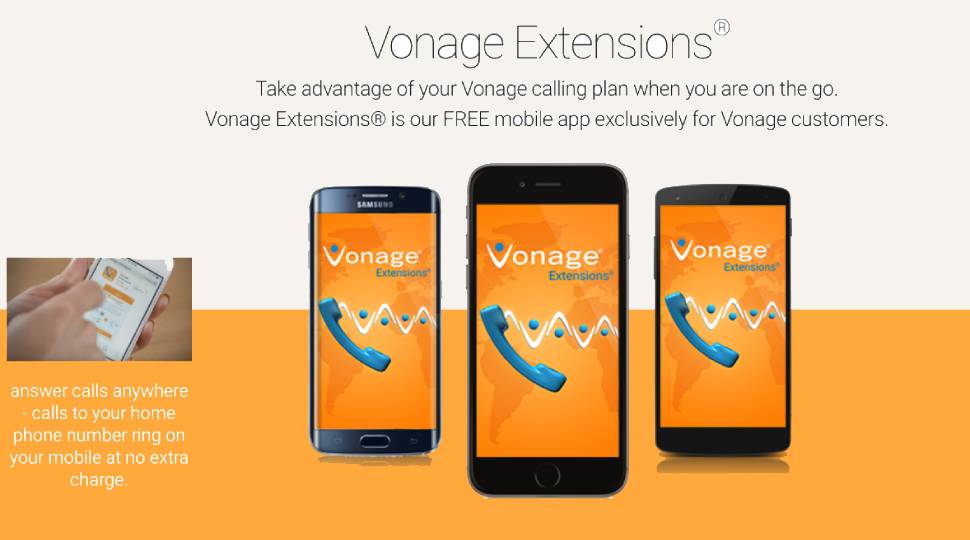
All plans come with over 20 standard calling features and access to the Vonage Extensions app, which lets users make and receive calls on smartphones using their home number.
Promotional deals often include free shipping, no activation fees, and a 30-day money-back guarantee. Vonage requires a high-speed broadband internet connection, and emergency 911 calls are routed differently from traditional landlines, requiring users to provide their physical location for accurate emergency responses.
Vonage for Home: Basic features
Despite being marketed for households, Vonage for Home includes an impressive feature suite that makes it a suitable option for small businesses.
Some of the most widely used tools include Voicemail Plus, which lets users access voicemail via phone, email, or an online dashboard, and Caller Display, which shows detailed caller information.
Other helpful features, such as Call Divert and Call Forwarding, allow incoming calls to be redirected to different numbers, while International Call Barring prevents unauthorized international dialing.
Additional capabilities like Do Not Disturb, Anonymous Call Blocking, and SimulRing — which makes multiple phones ring simultaneously to reduce missed opportunities — elevate Vonage for Home above basic VoIP services. These features empower small businesses to manage calls more effectively and maintain a professional image without investing in a high-cost commercial system.
Vonage for Home also includes several advanced capabilities useful for business owners and distributed teams. Three-Way Calling enables quick conferencing between multiple parties, ideal for small businesses adopting hybrid work models. Call Hunt and Ring Lists intelligently distribute incoming calls across multiple lines, ensuring no customer is left waiting. For organizations that still rely on fax, there is an option to add a dedicated fax line.
Although Vonage for Home does not include CRM integrations or the deep business analytics available in Vonage Business Cloud, it delivers the core reliability and control most small organizations need. This focus on simplicity ensures that essential communication functionality remains accessible to users without requiring complex IT infrastructure.
Vonage for Home: Installation and setup
Setting up Vonage for Home is quick, simple, and user-friendly.
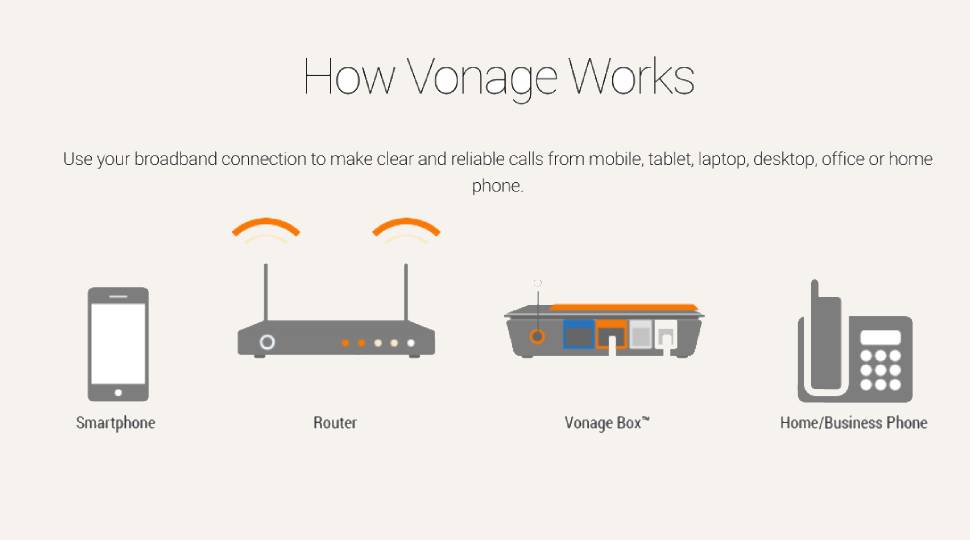
Users only need to activate their Vonage account, connect the Vonage Box to their router, and plug an existing phone into the device. No technician visits or special wiring are required, and users can transfer their existing numbers at no additional cost.
Once connected, users can immediately start making and receiving calls from landlines, softphones, or the mobile app. The Vonage Extensions mobile app also allows calls to be placed over Wi-Fi or mobile data, providing convenient access for remote workers and traveling professionals.
This easy plug-and-play setup and high portability make Vonage an excellent fit for modern hybrid and home-based work environments.
Vonage for Home: Security
Vonage employs several protective measures to secure communications and maintain user privacy.
All VoIP traffic is transported over encrypted connections and secure routing protocols, protecting against interception and unauthorized access. The company follows industry-standard data handling practices in line with U.S. privacy regulations, including the requirement for registered E911 address information to ensure emergency response accuracy.
While Vonage for Home may not be tailored for heavily regulated sectors such as healthcare or finance, its security framework is more than adequate for most small businesses and home-office users. The combination of encryption and dependable infrastructure provides peace of mind for those seeking affordable yet trustworthy communication services.
Vonage for Home: Support
Vonage provides around-the-clock customer support through multiple channels, including live chat, phone service, and a comprehensive online knowledge base. Its support portal features tutorials, setup videos, troubleshooting guides, and community forums that help users resolve issues quickly.
Customer feedback highlights the responsiveness of Vonage’s technical and customer care teams, especially during account activation and device setup. While the service does not include dedicated account management for small-business users, the available support resources are well-suited to the platform’s target market.
Vonage for Home: The competition
Vonage for Home faces competition from several top-rated VoIP providers that serve both individuals and small teams.
Services such as Zoom Phone, 8x8 X Series, RingCentral MVP, Aircall, and Dialpad each deliver unique benefits. Zoom is favored by businesses that frequently rely on video meetings, while 8x8 provides integrated team messaging across global locations.
RingCentral stands out for its CRM and workflow integrations; Aircall offers simplicity for customer support teams; and Dialpad leads with AI-driven features such as live call transcription and analytics.
Compared to these, Vonage for Home stands out for its low price point, robust feature set, and straightforward setup. It may lack some advanced analytics or app integrations, but its overall cost efficiency makes it particularly appealing to independent professionals and microbusinesses.
Vonage for Home: Final verdict
Don’t let the name fool you, Vonage for Home is a great VoIP option for small businesses. With its affordable rates, simple installation, and impressive list of features, SMBs across the UK and world will find a VoIP platform that ticks all the boxes. The free mobile apps and Vonage Extensions are also a nice bonus, allowing companies to take calls on the go, wherever they are.








 English (US) ·