
 16 hours ago
13
16 hours ago
13
Microsoft's promises of a better Windows are moving one small step closer to fruition, starting with the Windows Insider Program. In a blog post authored by Microsoft product manager Alec Oot, the company promised a simpler channel structure and more control over which features Insiders get to try.
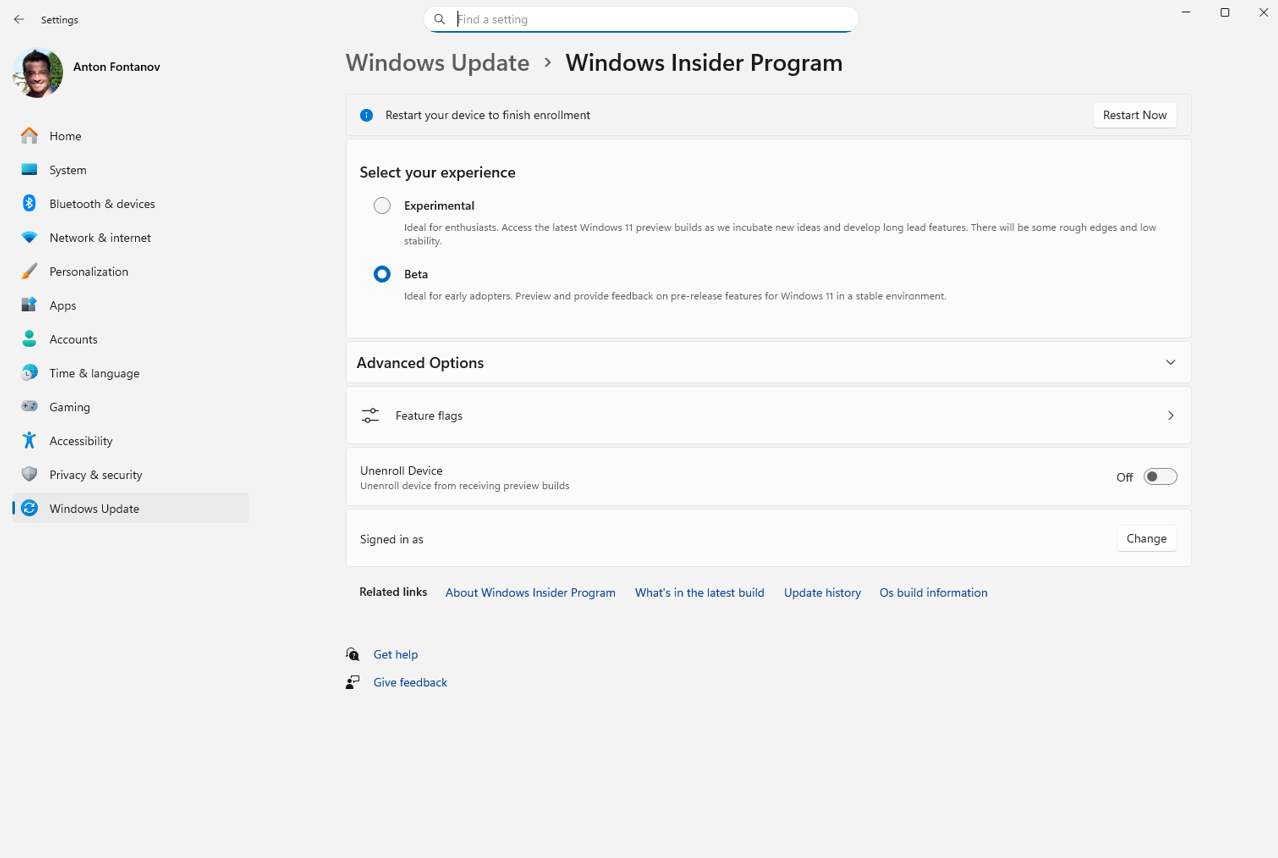
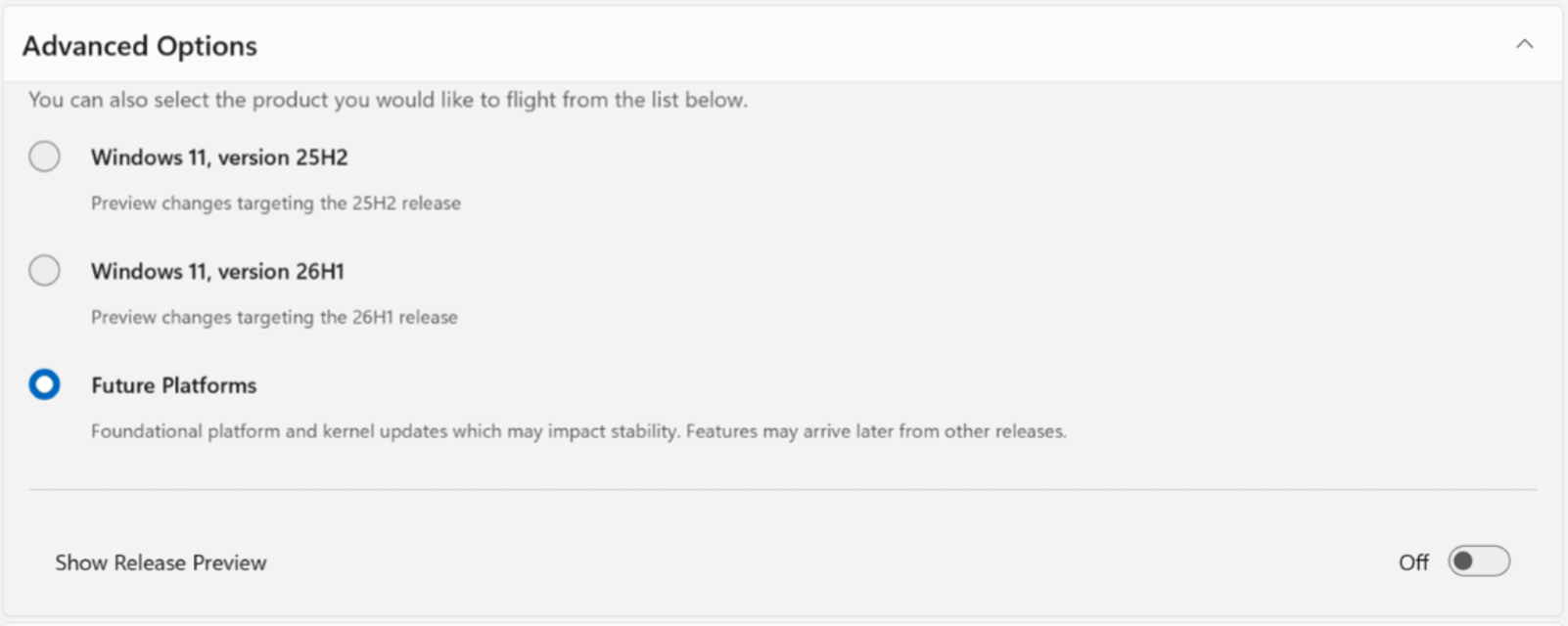
If you're in the existing Canary Channel, things will get slightly more complicated, with 29500-series builds going to Experimental (Future Platforms), while 28000-series builds will transition to Experimental (26H1). Future Platforms will be the earliest preview build you can get, and one Oot writes that it is "not aligned to a retail version of Windows."
Article continues below
Features and gradual rollouts
On the Beta channel, there's another big quality of life change for Insiders. Microsoft is stopping gradual feature rollouts. If Microsoft announces a feature and you download the update, you'll get it. This differs from the previous practice of gradual rollouts. While the company says the gradual rollouts are designed to assess how features perform before releasing widely, they acknowledge that it made the program "unpredictable," and it could mean that "you don't get the new features that motivated many of you to join the Insider program to begin with."
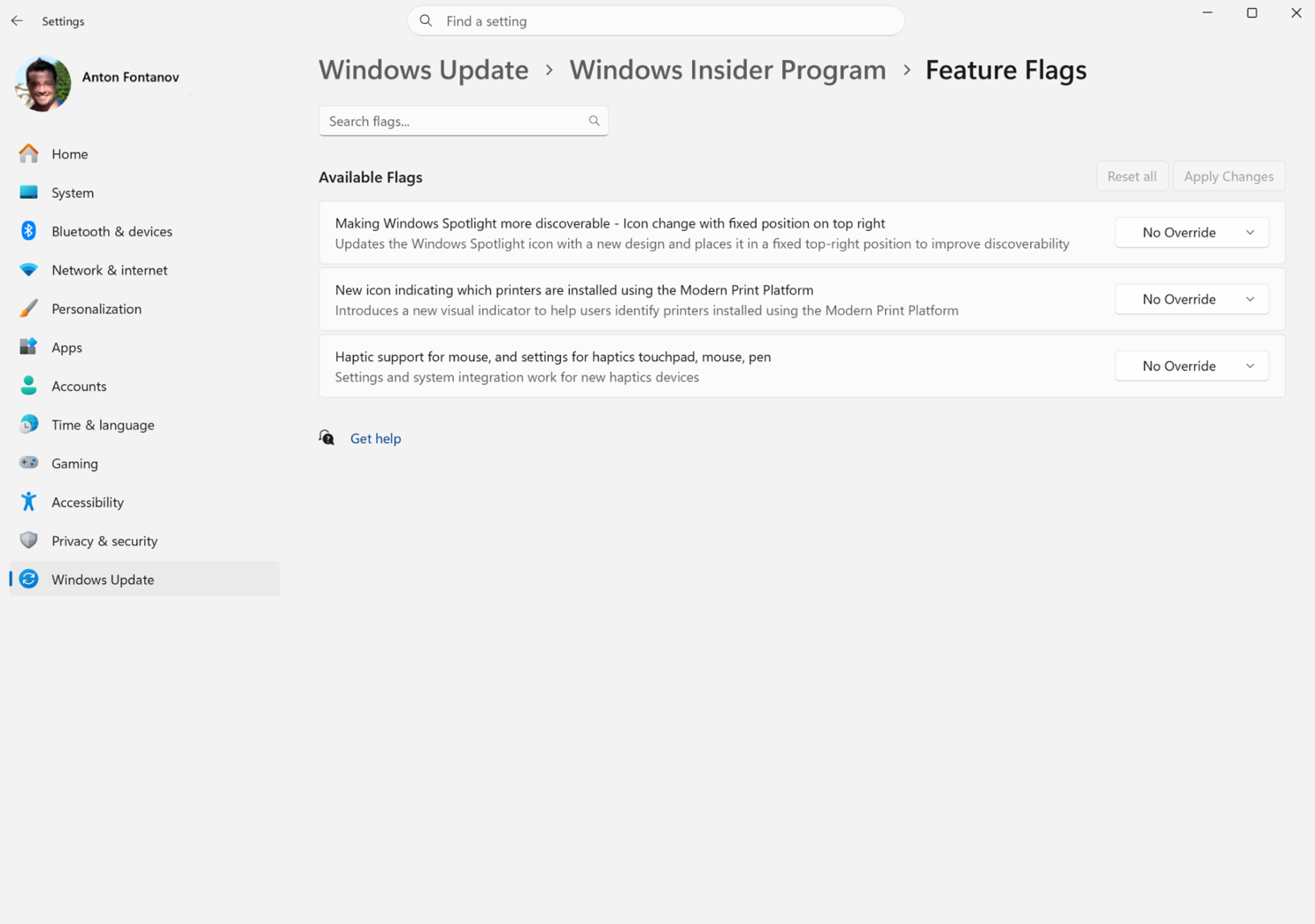
For the Experimental channel, there will be flags for new features, so Insiders can enable the ones they want to try and disable those they don't.
Windows Insider for Business will see the same changes as the consumer program, while the Windows Server version will continue unchanged. Release Preview will hang around as an advanced option for those who want to try production builds shortly prior to their general release.
Upgrading in place
Go deeper with TH Premium: Memory
Moving between Windows Insider channels or leaving the program has been historically different, with very few points to stop and get off the ride without needing to wipe your PC and clean install Windows.
Microsoft now says it is working on the ability to hop between versions without losing all of your software and settings.
"This will allow, in most cases, Insiders to move between Experimental, Beta, and Release Preview on the same Windows core version, or leave the program without a clean install," Oot writes. "An [in-place upgrade] takes a bit more time than your normal update but migrates your apps, settings, and data in-place."
The Experimental (Future Platforms) build will still require a clean install, as it doesn't line up with any retail production builds of Windows.
Oot writes that these changes are set to begin in "the coming weeks."
Last month, Microsoft promised a slew of features to improve Windows 11, including a more flexible taskbar, a less aggressive Windows Update, improvements with RAM issues, and a better File Explorer. To assess upcoming fixes, Microsoft will need its slew of Insiders. Hopefully, a streamlined program makes it easier for enthusiasts to join the program and leave feedback before changes come to everyone else.

Follow Tom's Hardware on Google News, or add us as a preferred source, to get our latest news, analysis, & reviews in your feeds.





 English (US) ·