
 1 hour ago
4
1 hour ago
4
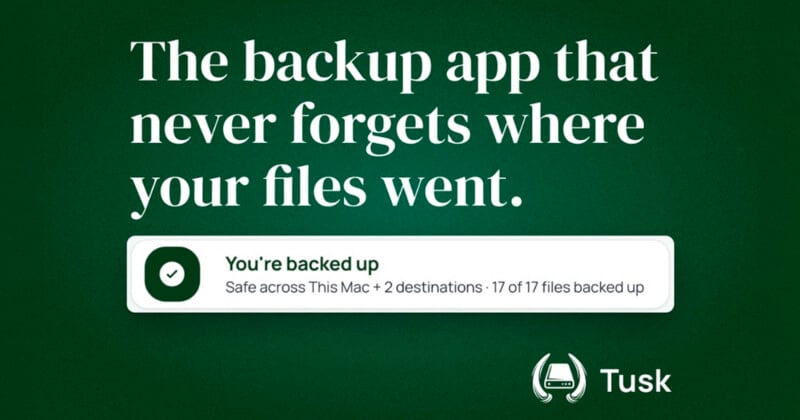
Keeping track of photo and video files across multiple hard drives, memory cards, and cloud services can become difficult as projects accumulate. A new Mac application called Tusk is designed to give photographers and video creators a way to track those files while also handling parts of the backup and offload process.
Tusk has now launched following a two-month beta period. The application catalogs project files across storage devices, including drives that are not currently connected to the computer, and uses BLAKE3 checksums to verify transfers. It can also copy footage from an SD card to multiple destinations simultaneously and check backup copies before allowing local files to be deleted.
Keeping Track of Files Across Drives
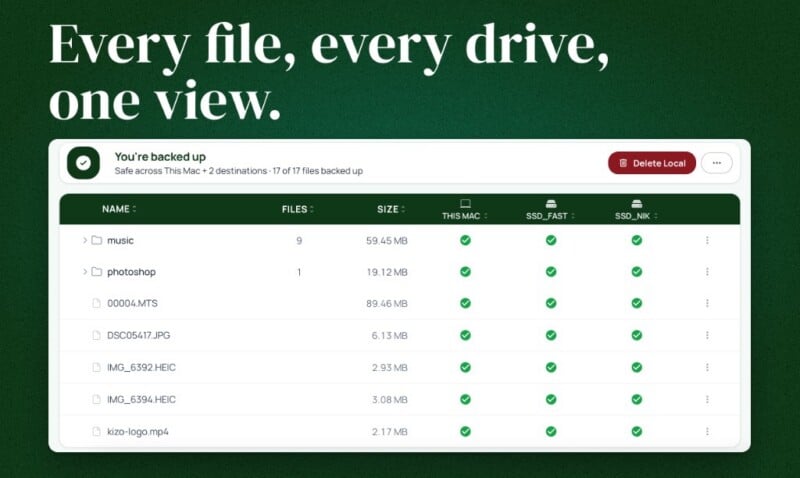
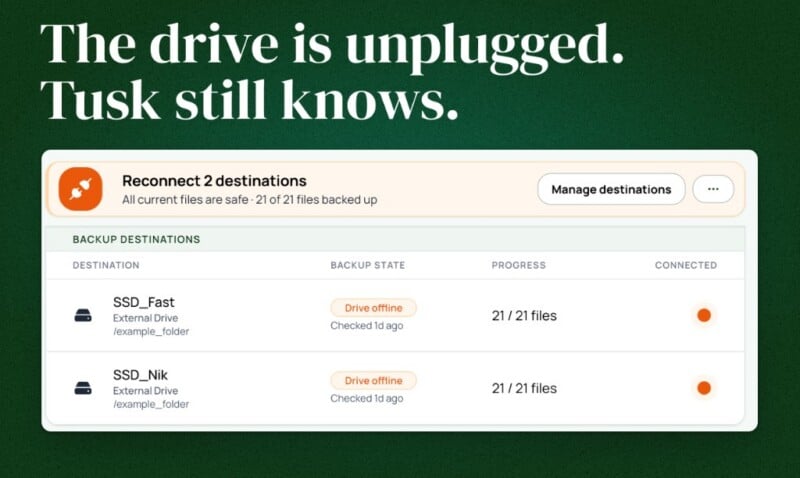
Tusk is built around the idea that knowing a file has been backed up is not necessarily the same as knowing where that backup is located. The application maintains a local catalog of project files and their locations, allowing users to see information about files stored on external drives even when those drives are disconnected.
The software uses BLAKE3 checksums when cataloging and transferring files. The developer says this allows Tusk to verify that files were copied successfully rather than relying solely on file names or folder structures.
Existing drives can also be added to the catalog. Users can select folders on a drive they already own and have Tusk index them without first copying the files to another location. The drive can then be disconnected while its contents remain visible in the application’s catalog.
Purpose Built
Tusk was created by Niklas Fischer, a software engineer and programming educator. Fischer says the idea came from his own experience managing footage from programming courses and YouTube projects, where files were spread across external drives and became difficult to track. He is also the founding engineer at cleverklagen, has previously worked as a data scientist at DAZN and FC Barcelona, and has taught programming through coding bootcamps and online courses published through Udemy, Packt, and O’Reilly.
“I spent a few years recording programming courses and tutorials, and I’d just drag and drop the footage and screen recordings to my external drives. At some point I had no idea anymore which files were already backed up and where,” founder Niklas Fischer says.
Designed for Photo and Video Projects
Rather than functioning as a general-purpose disk catalog, Tusk organizes files around projects. The developer describes a project as a folder, with the application tracking the files within it across different storage destinations.
That approach is intended for workflows where original media may move from an SD card to a working drive and eventually to additional archive drives or cloud storage. The application can show those locations without requiring each drive to remain connected.
Multiple Copies From an SD Card
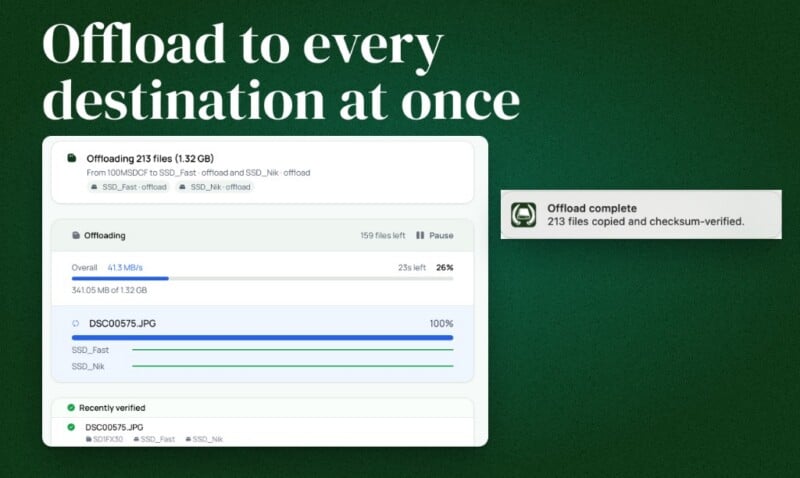
Tusk also includes an SD card offload feature that can send the contents of a card to multiple destinations. According to the developer, the card only needs to be read once, and the files do not have to be copied to the Mac’s internal storage before being sent to the selected destinations.
This is aimed primarily at on-location workflows where photographers and filmmakers may want to create multiple copies of their media before formatting a card. It could also be useful for large video projects where temporarily storing another complete copy on a Mac’s internal drive would consume significant storage.
Checks Before Local Deletion
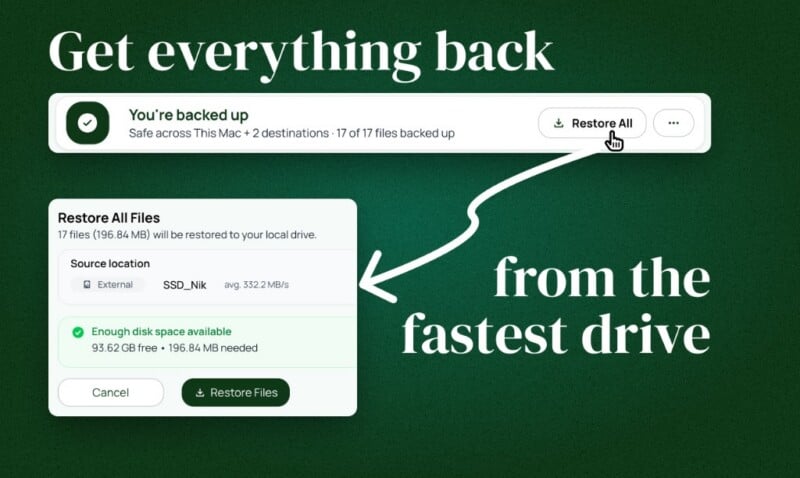
Another part of Tusk’s workflow is designed around deleting files from a working drive after they have been backed up. Before allowing a local copy to be removed, the application checks connected destinations to determine whether the relevant backup exists and has been verified.
The developer says the feature was created in response to the uncertainty that can come with clearing storage after a shoot.
“The fear was never really about losing a drive, it was the offload anxiety: have I already backed this up, does it exist in at least two places before I delete it locally? I wanted to open one app and know exactly where a project actually lived, instead of plugging in drives one by one to check,” the founder says.
Files can subsequently be restored from an available backup source through the application.
The application uses a local SQLite catalog and does not require users to create a Tusk account. The developer says file contents are not sent to the company’s servers.
Not a Replacement for Traditional Backup Software
Tusk is not intended to replace every type of backup application. It does not create bootable disk clones, provide continuous cloud backup for the whole Mac, or maintain historical snapshots and version history.
The developer instead positions it as a tool that can work alongside applications such as Carbon Copy Cloner, SuperDuper, Backblaze, and Time Machine. It also differs from dedicated disk cataloging applications such as NeoFinder and DiskCatalogMaker, which are designed to index more general collections of files and disks.
Tusk’s focus is narrower, combining file location tracking with project backups and media offloading.
Pricing and Availability
Tusk is now available following its two-month beta period and includes a 14-day free trial. The first 100 licenses are priced at $49, after which the price will increase to $79.
The application is currently available for Mac, with Apple Silicon supported at launch and an Intel version in testing.
Image creditsTusk
Affiliate Disclosure PetaPixel articles may include affiliate links; we may earn a commission if you buy through one.




 English (US) ·