
 4 weeks ago
15
4 weeks ago
15
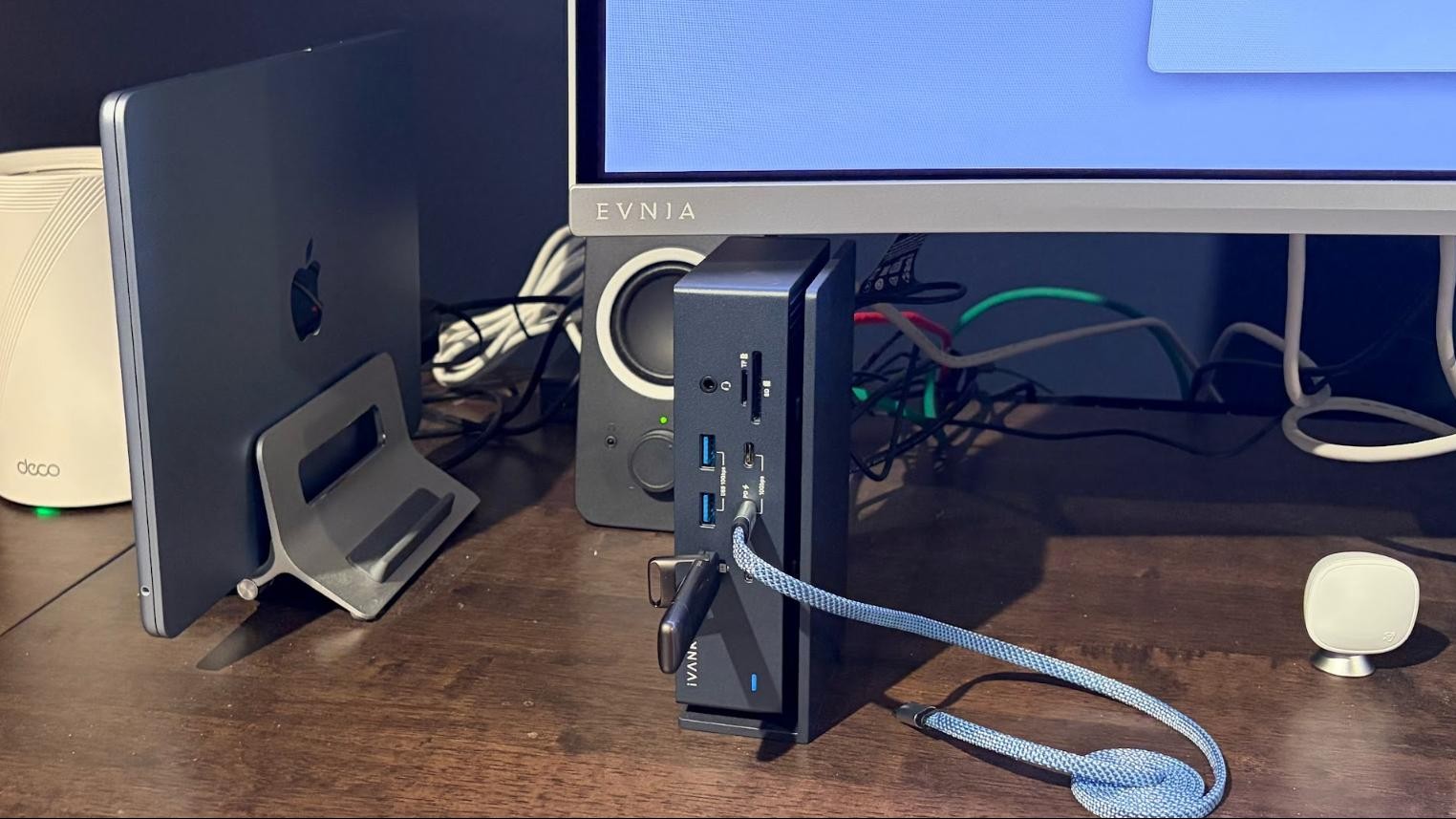
Although I work on PCs every single day, I also use Macs for both work and play. My go-to work machine is a MacBook Air (M4), which I love because it’s powerful, lightweight, and the battery easily lasts through the workday when I’m away from a power outlet. I also use a Mac Mini (M4) at home as our Plex Media Server, which runs 24-7-365.
However, Macs (especially the MacBook Air) aren’t known for their abundance of versatile ports, so I use Thunderbolt 4 docks with both systems at my desk. With this setup, I can add a wealth of connectivity options to my Macs using Thunderbolt 4. In my case, I leverage the Ivanky FusionDock Max 1 and the Amazon Basics Thunderbolt 4 Pro Dock. And while I use these docks with Macs, there are plenty of Intel-based Windows laptops with Thunderbolt 4 ports that can use compatible Thunderbolt 4 docks.
MacBook Air – Ivanky FusionDock Max 1
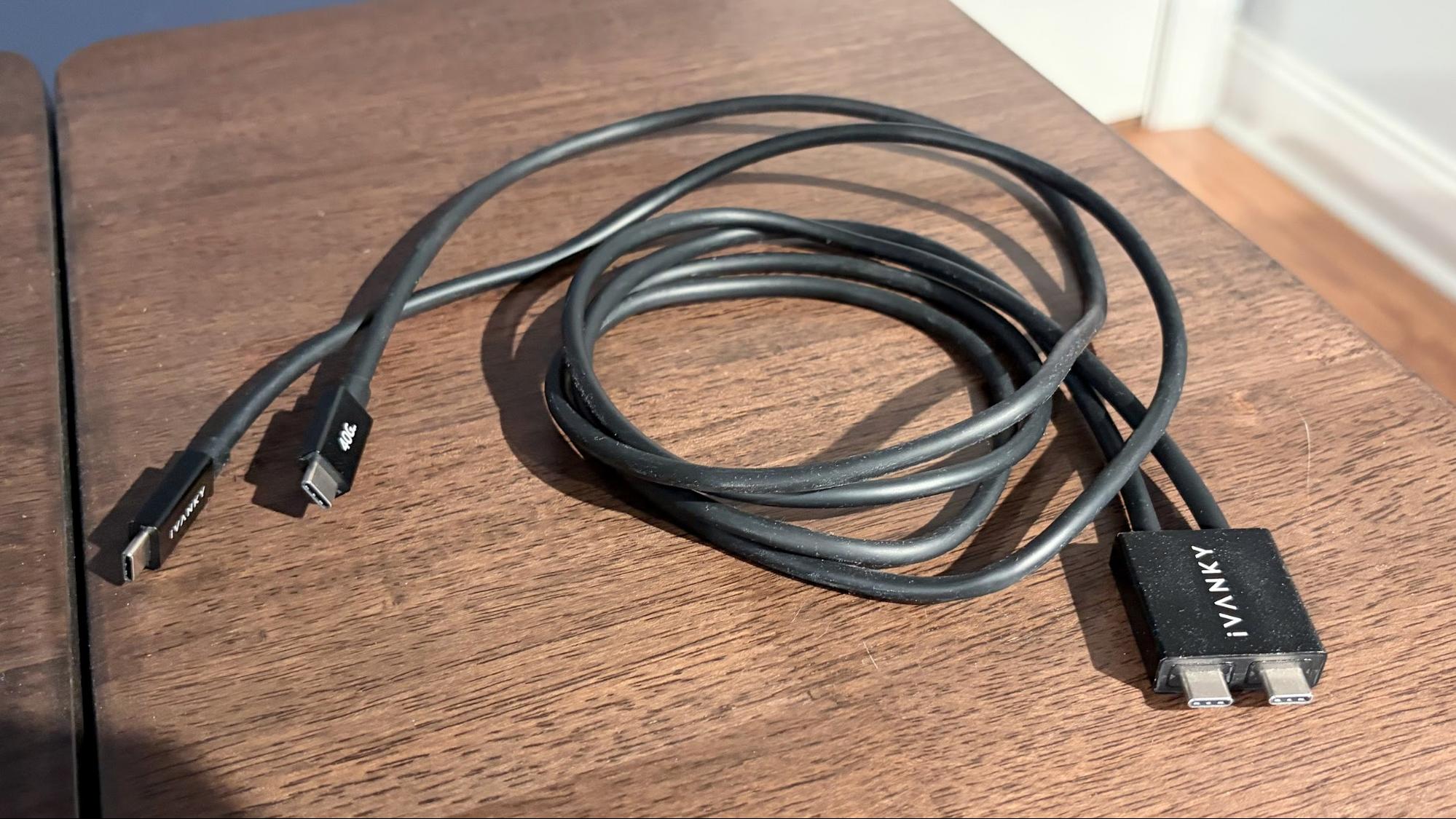
The FusionDock Max 1 is different from most Thunderbolt 4 docks on the market, as it uses dual Thunderbolt 4 cables to connect to a host system rather than a single one. The reason for this is that the FusionDock Max 1 uses two Thunderbolt 3 chips onboard, allowing it to offer a staggering number of ports.
However, this trick design limits compatibility. The FusionDock Max 1 is only compatible with Macs, as the spacing between the two-port USB-C-style connector on the cables that connect the dock to the Mac only works with Apple’s standard port spacing. Further limiting its compatibility is that the FusionDock Max 1 only works with Apple Silicon Macs. However, Apple Silicon Macs have been around since late 2020, and anyone looking for a Thunderbolt 4 dock for a Mac will be running a compatible system.
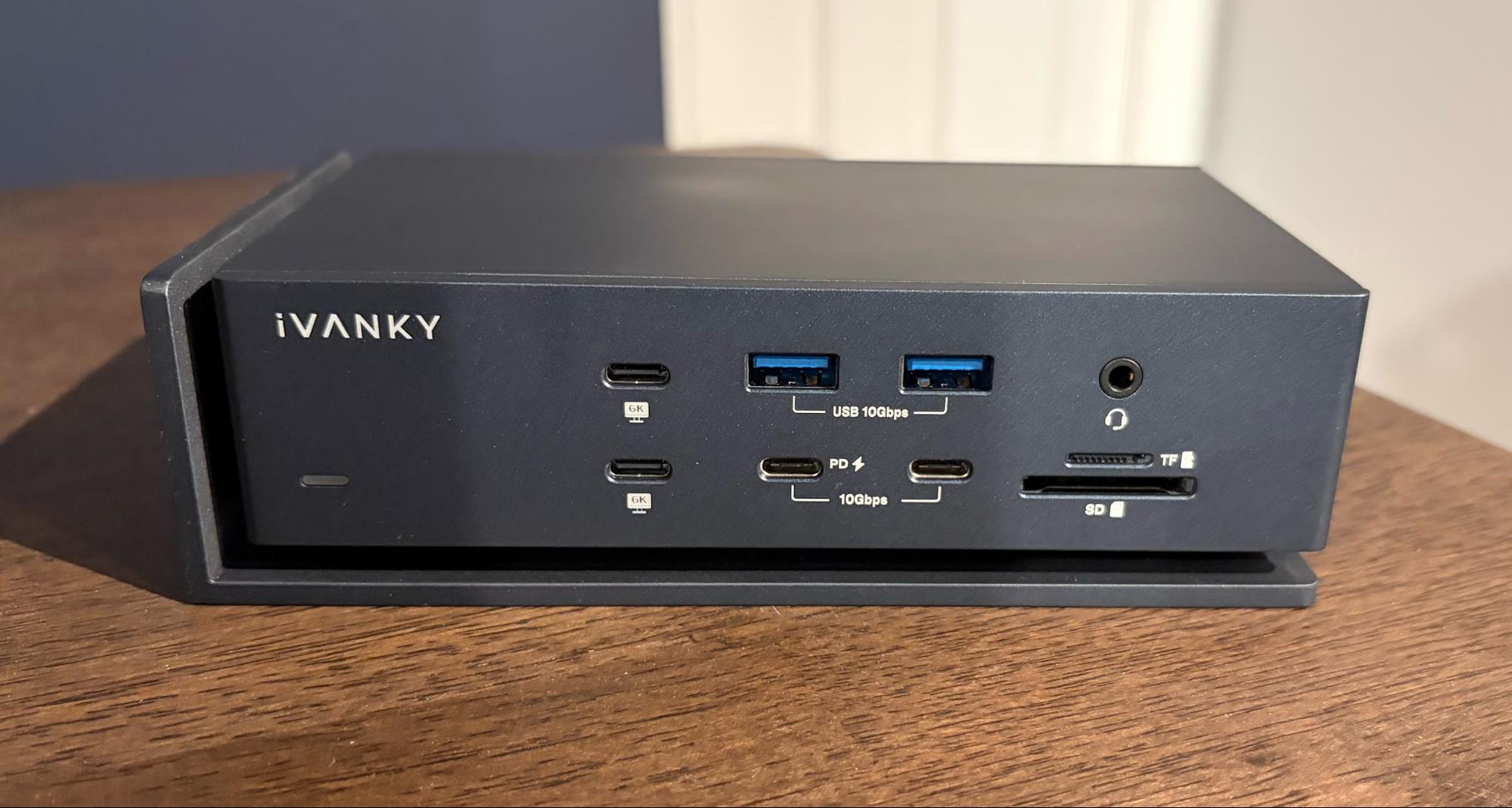
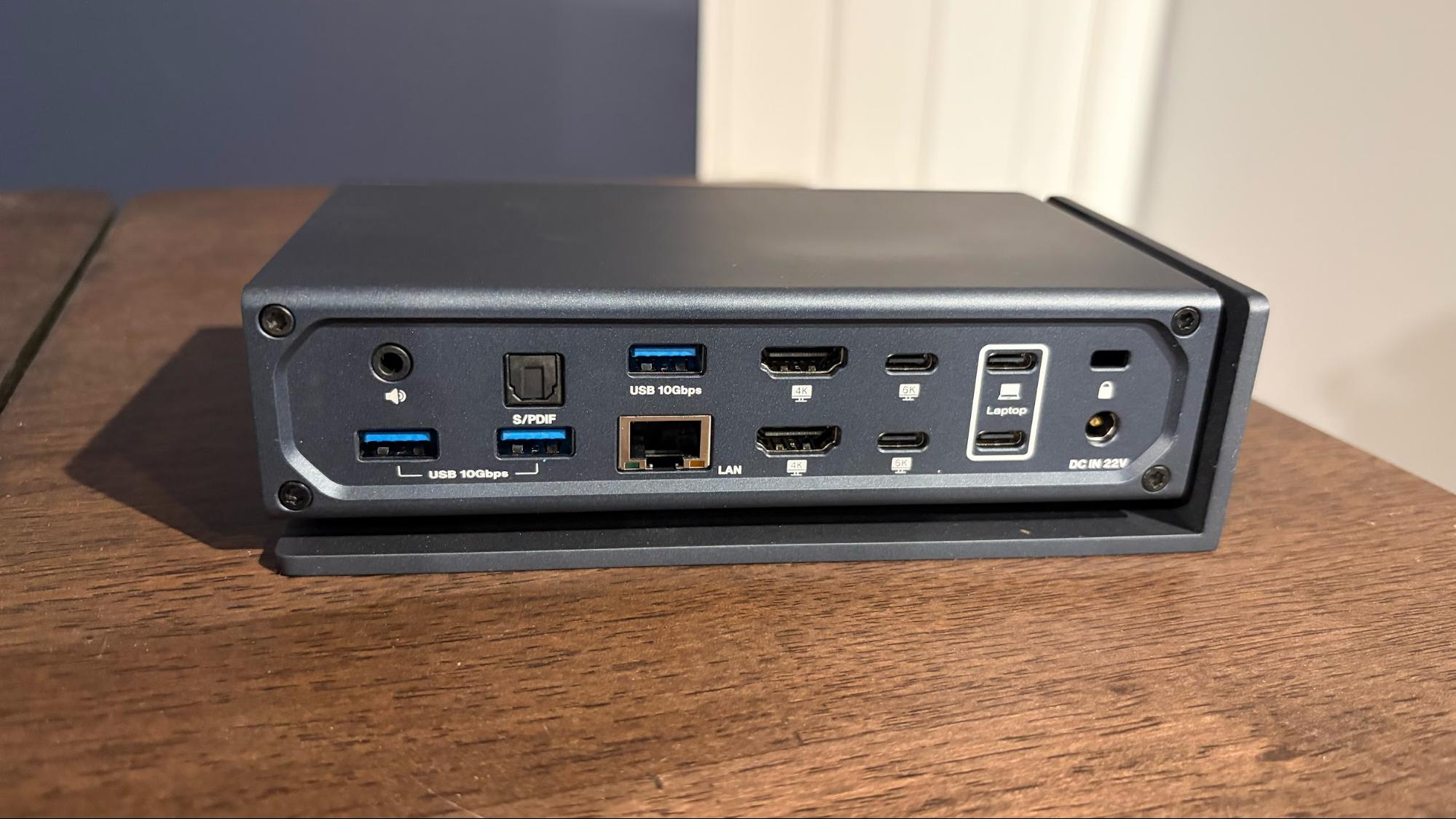
As I mentioned, the FusionDock Max 1 has plenty of ports. You'll find:
- 2x Upstream USB-C
- 4x Downstream USB-C (40 Gbps)
- 1x USB-C (10 Gbps, 30W PD)
- 1x USB-C (10 Gbps)
- 5x USB-A (10 Gbps)
- 2x HDMI 2.0
- 1x SD 4.0 (UHS-II)
- 1x microSD 4.0 (UHS-II)
- 1x 2.5 Gigabit Ethernet
- 1x Front Audio In/Out (3.5mm)
- 1x Rear Audio Out (3.5mm)
- 1x Optical Audio
The FusionDock Max 1 features a well-constructed aluminum chassis, which Ivanky calls a “floating cooling design.” What this essentially means is that there’s an air gap between the stand and the components unit of the dock, whether it's oriented vertically or horizontally, to aid in cooling. Personally, I prefer to mount my dock vertically to save space on my desk.
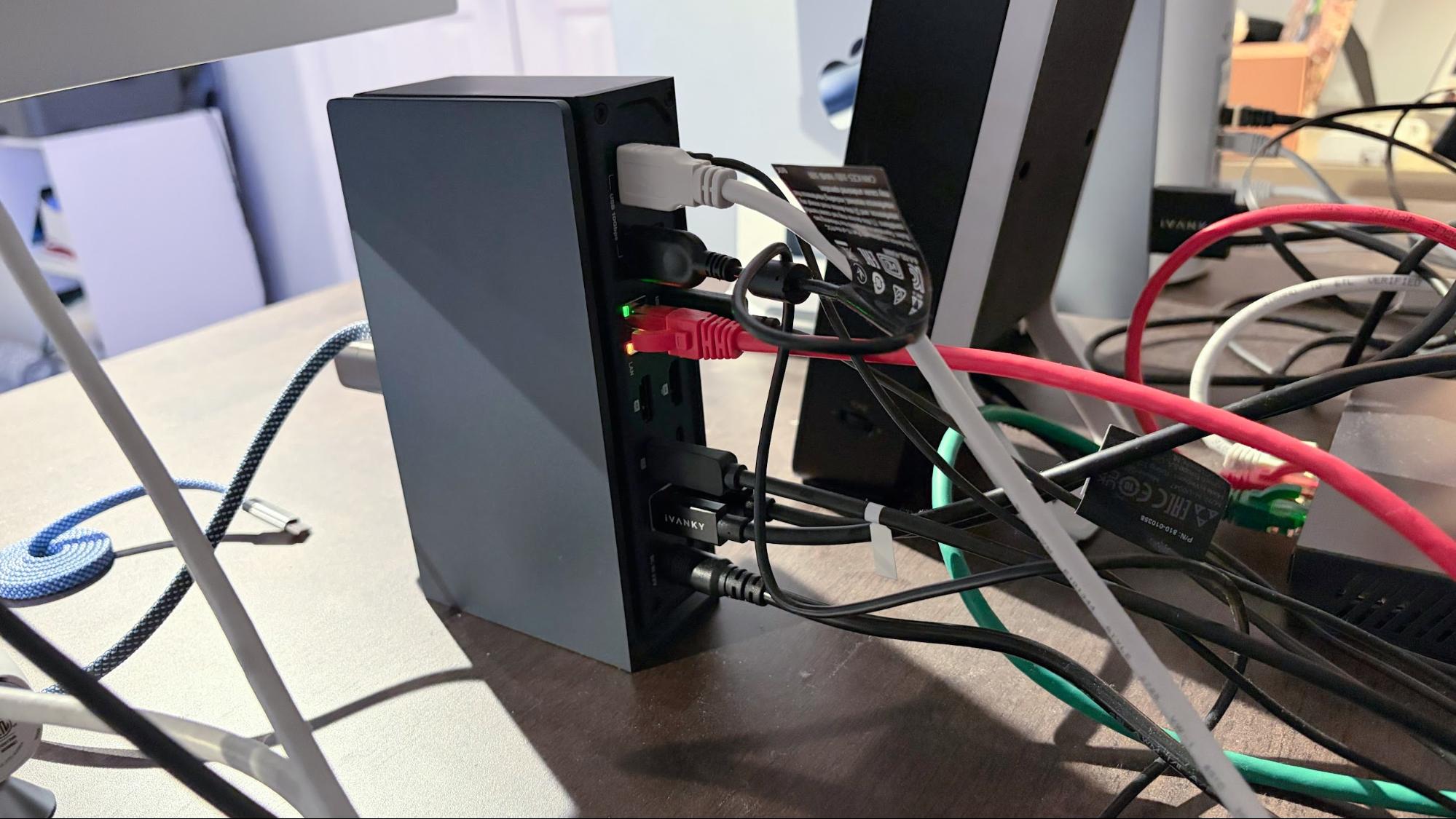
Using two cables (with conjoined USB-C connectors on the end that plugs into the Mac), my MacBook Air transforms from a paltry two USB-C ports to an absolute powerhouse on the connectivity front. What makes this setup so appealing to me is that once I set my MacBook Air down on its vertical desktop stand, I plug in the dual USB-C connectors, and that's it. My monitor springs to life. My Ethernet connection and speakers are activated, and power is supplied to charge my battery (96W charging supported).
My 49-inch Philips Evnia 49M2C8900 DQHD QD-OLED monitor is connected to the DisplayPort port on the back of the dock, running at its native 240 Hz refresh rate. The USB-B upstream for my monitor's onboard USB hub plugs into one of the rear USB-A (10 Gbps) ports, as does my 1080p Logitech webcam. The rear 3.5mm audio jack is used for my budget Logitech speakers.
Although I use the onboard Wi-Fi 6E on my MacBook Air when away from my desk, plugging the laptop into the dock automatically prioritizes the 2.5 GbE LAN port for network/internet connectivity. The LAN cable then connects to one of the 2.5 GbE ports on my TP-Link Deco BE63 Wi-Fi 7 mesh router, allowing me to leverage the full extent of my recently installed 2 Gbps fiber connection at home.
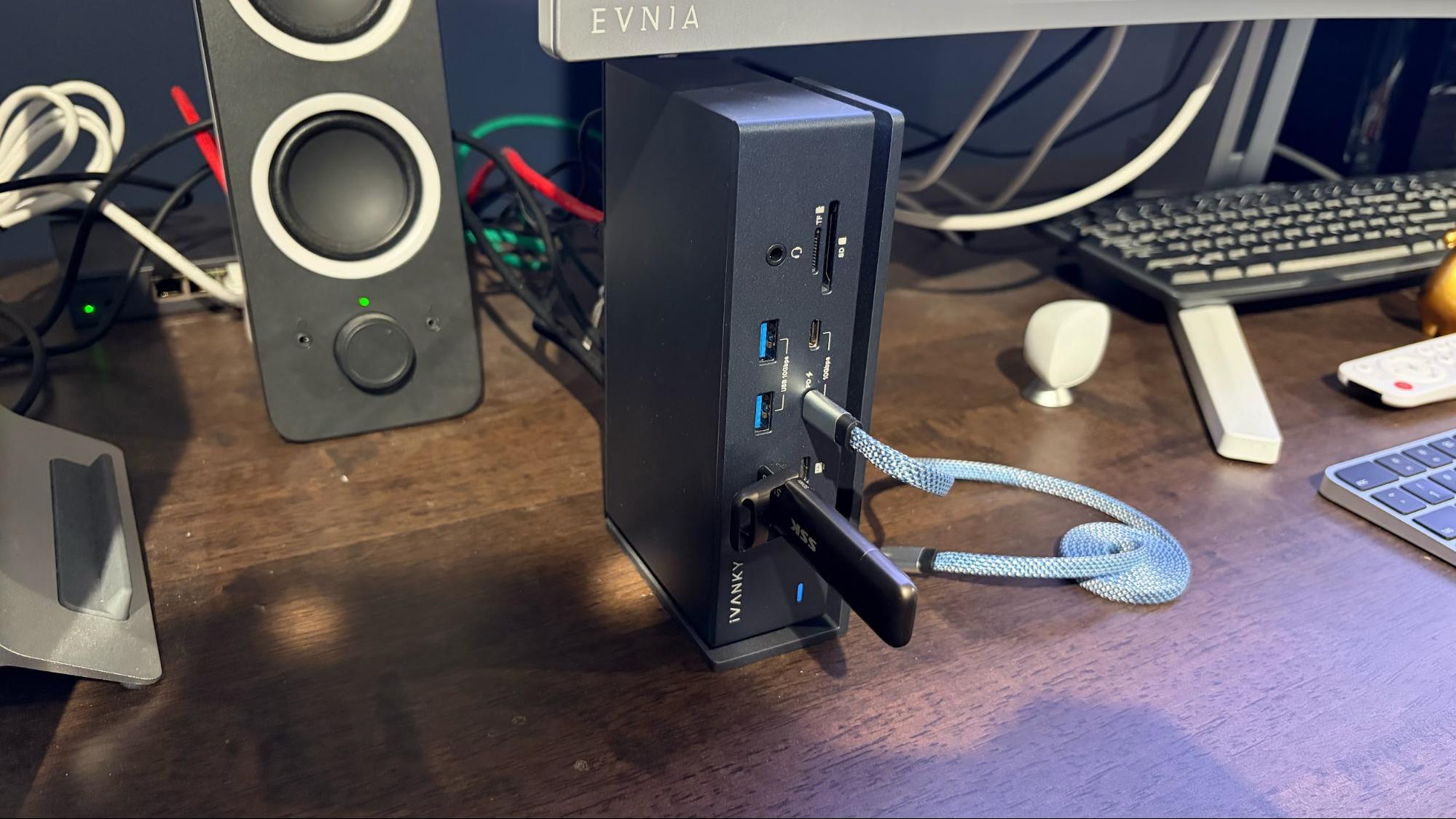
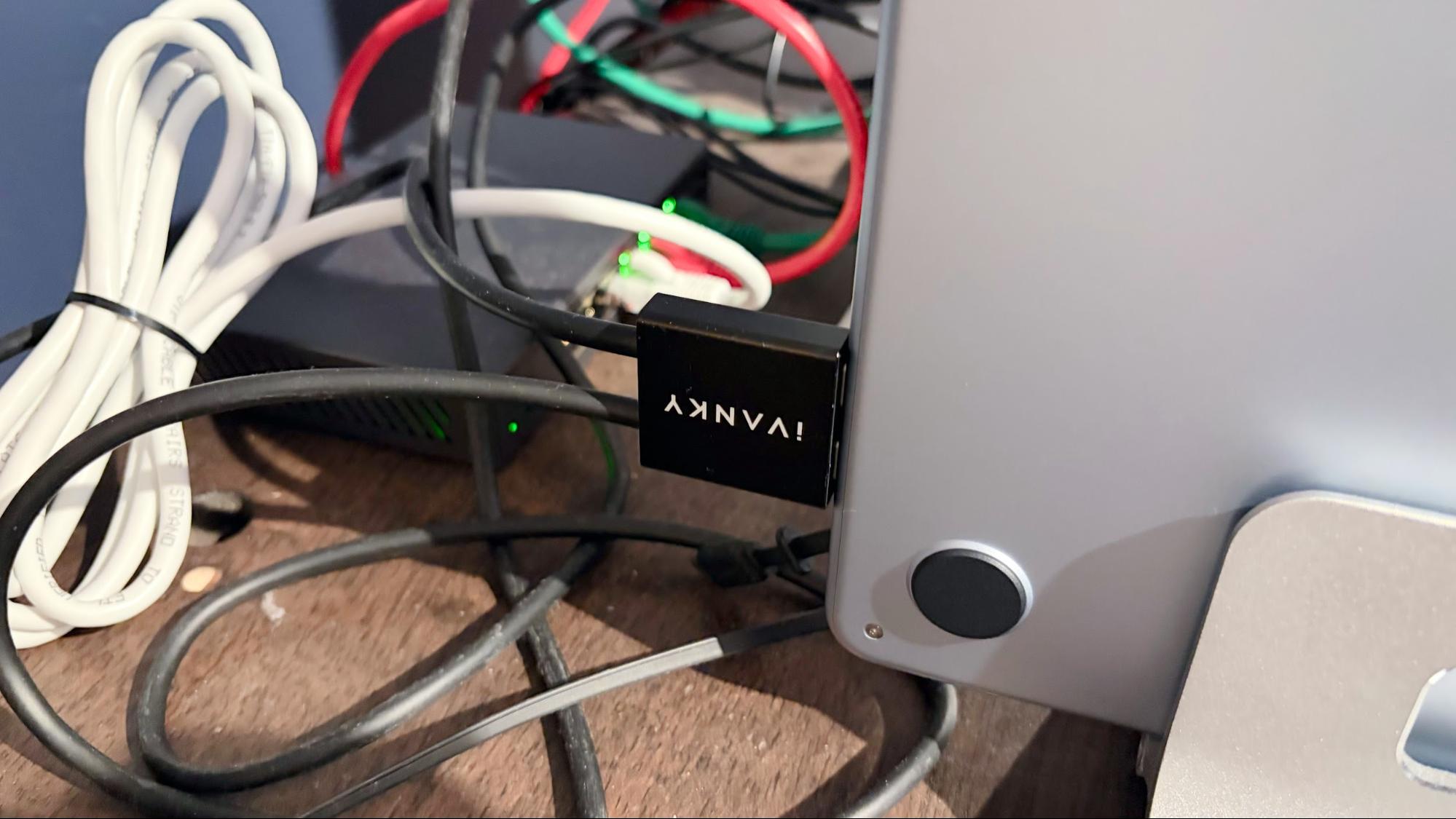
I also use the front ports, particularly the microSD 4.0 (UHS-II) slot, to transfer files to my 3D printer and photos/videos from my DJI Mavic Air 2 drone. I use the USB-C (10 Gbps, 30W PD) port for fast-charging my iPhone Air. One of the front-mounted USB-C (40 Gbps) ports serves as a home for my SSK 512GB USB-C thumb drive. The drive supports transfer speeds up to 550 Mbps, which the FusionDock Max 1 can easily accommodate.
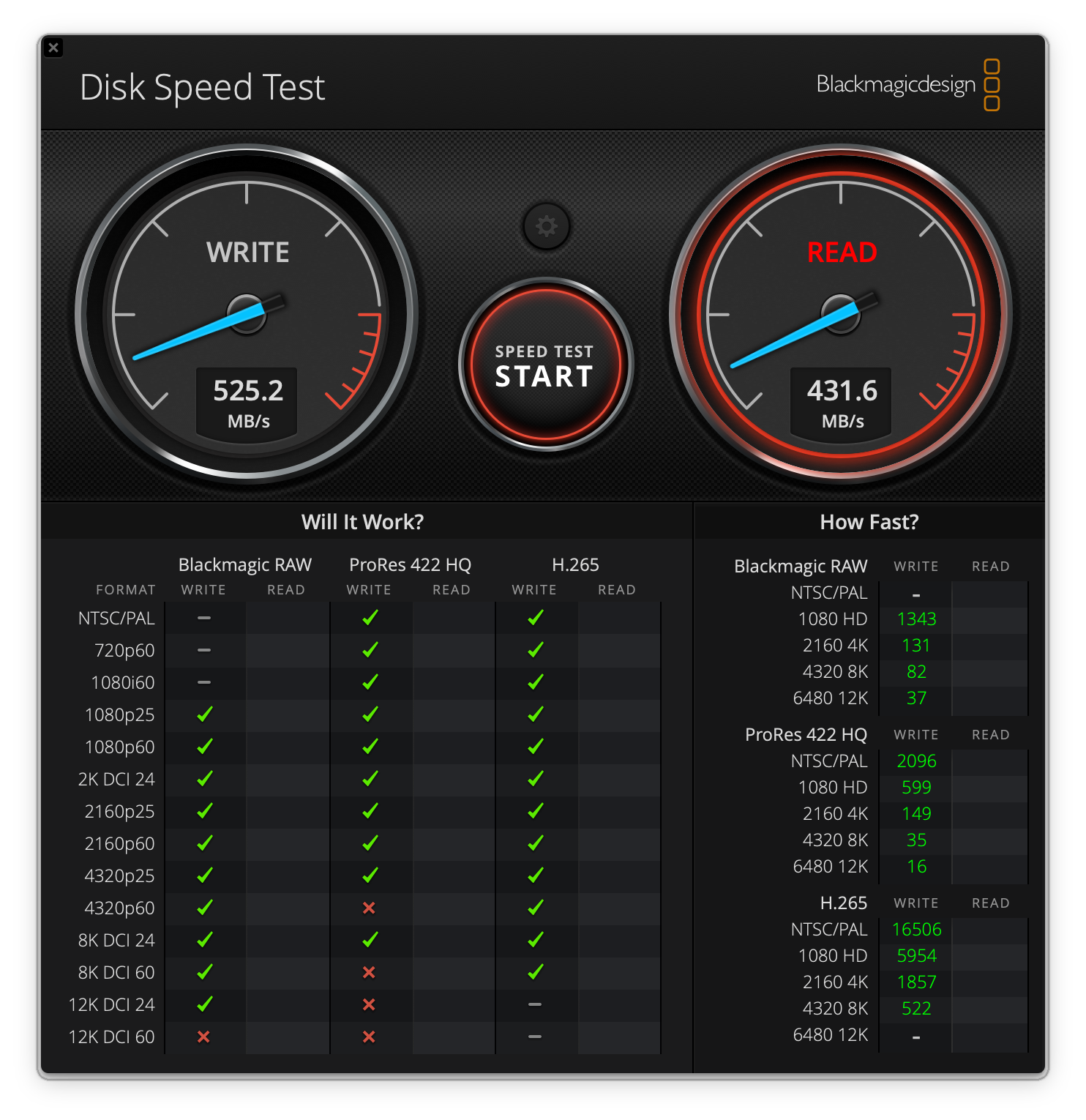
When connected via the dock, the SSK thumb drive delivers up to 512 Mbps write speeds and 432 Mbps read speeds. Connecting directly to the Thunderbolt 4 port on my MacBook Air, the speeds were similar.
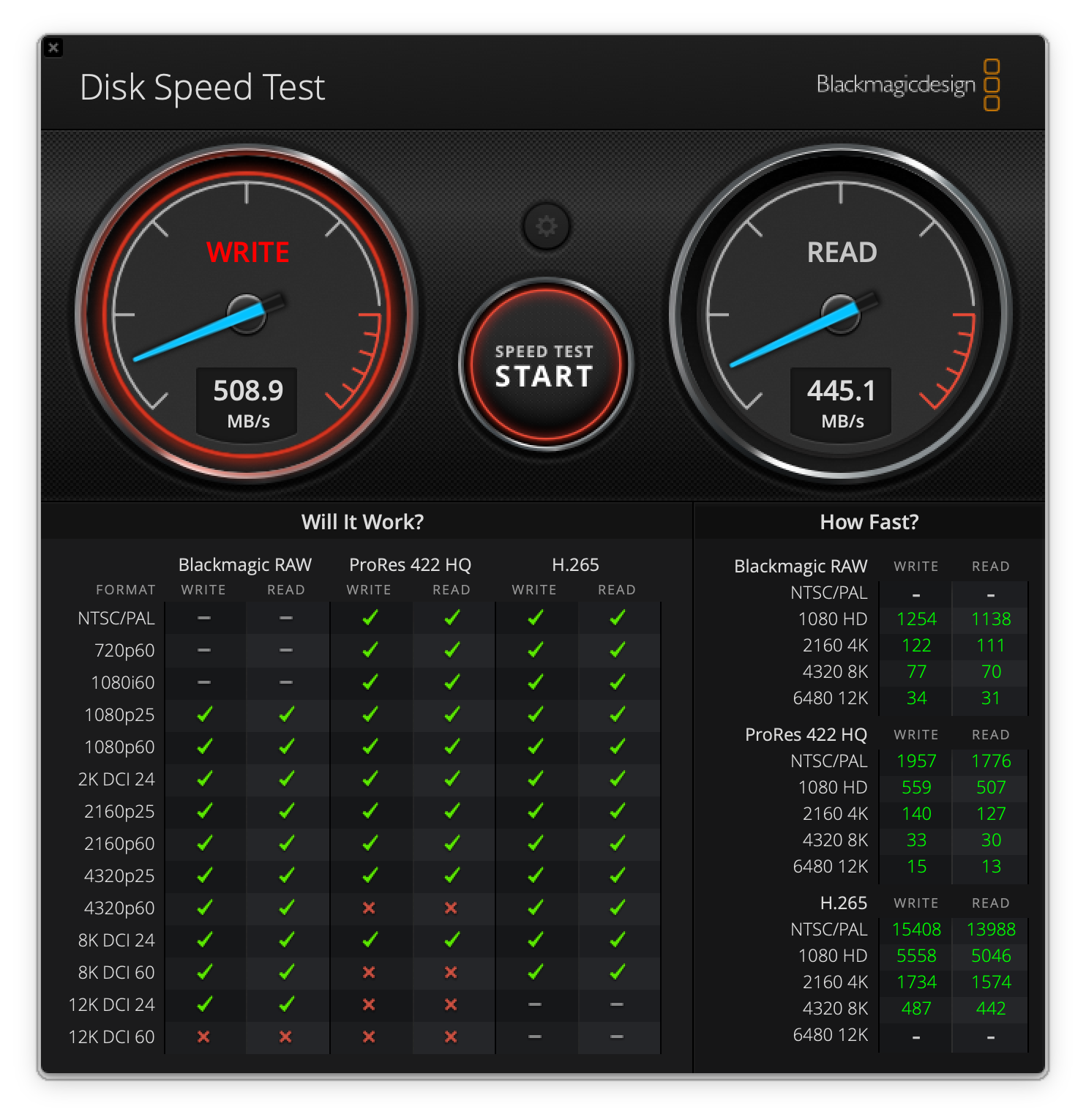
Although I only use my single 49-inch monitor at my desk (I don’t have room for anything else), the FusionDock Max 1 supports up to four monitors simultaneously: three 6K at 60Hz and one 4K at 60 Hz.
Thunderbolt docks, in general, aren’t cheap, and the Ivanky FusionDock Max 1 is no exception. It currently sells for $299 direct from Ivanky. However, I’m a cheapskate and bought my unit open-box for $177 on eBay.
Mac Mini – Amazon Basics Thunderbolt 4 Pro Dock
The dock that I use with my Mac Mini isn’t nearly as ambitious, but it gets the job done. It has just 10 ports, compared to the 20 on the FusionDock Max 1, and a plain, jet-black design with cooling fins to help dissipate heat.
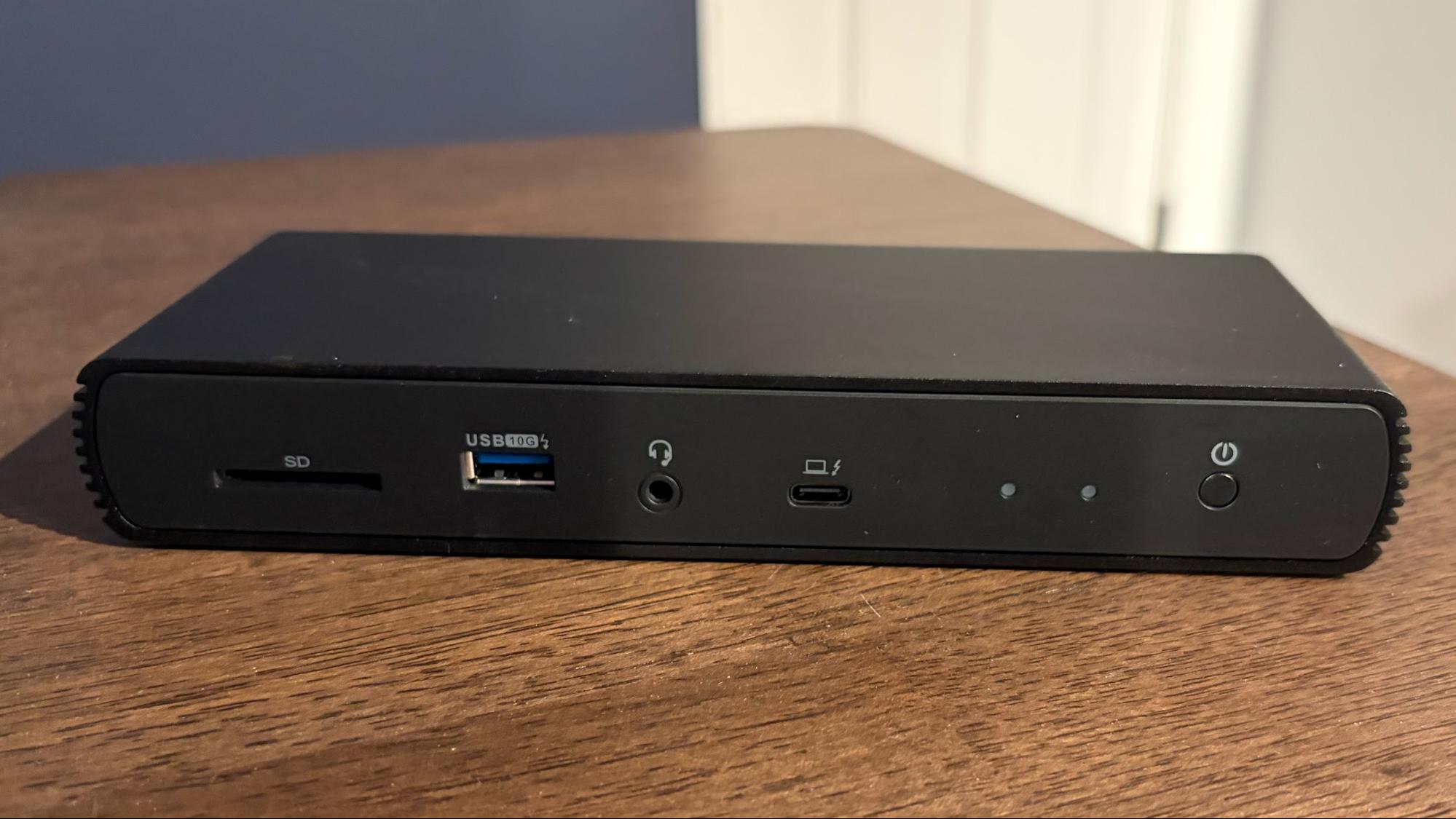
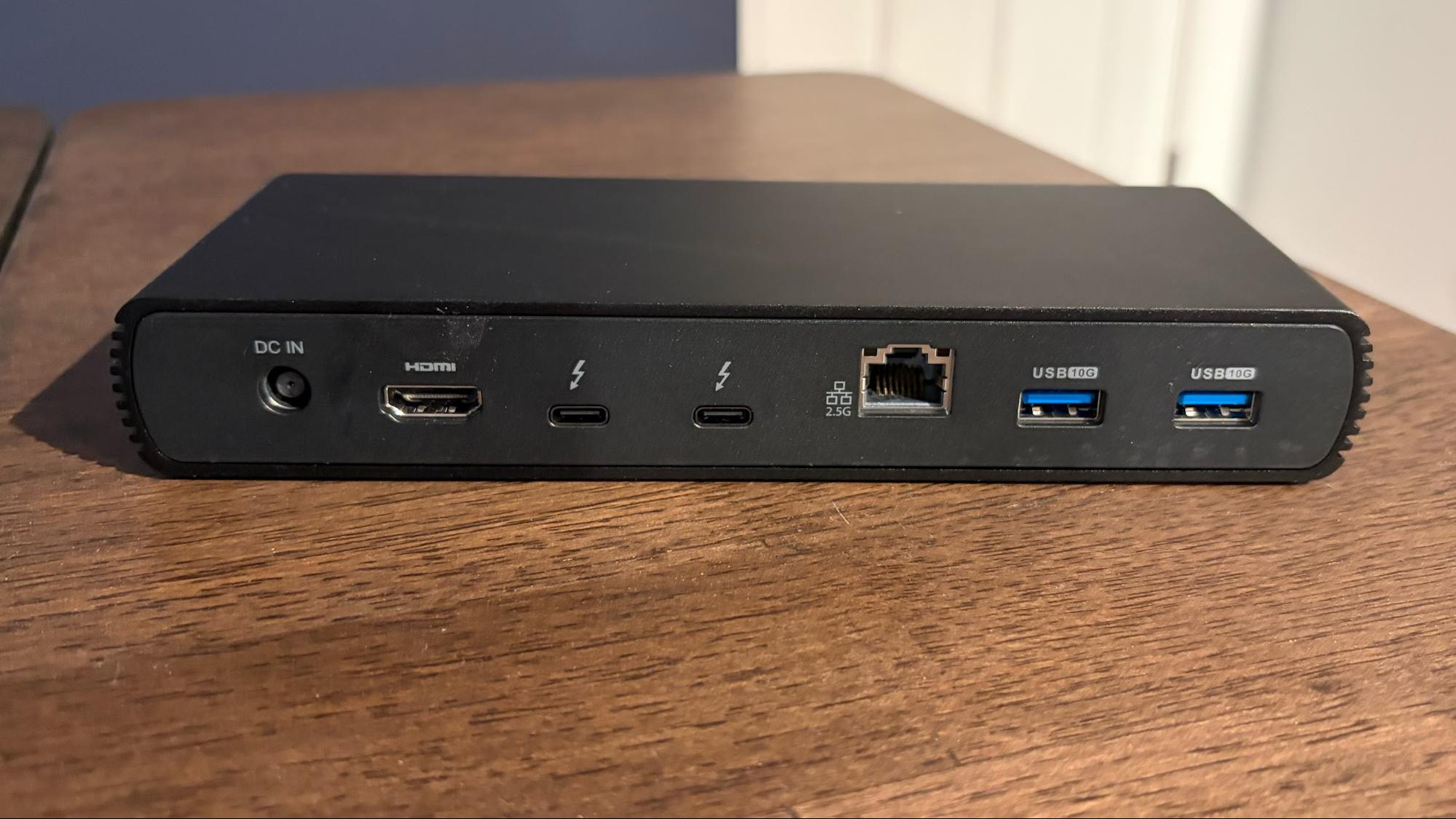
With this dock, you get:
- 2x Thunderbolt 4 (40 Gbps, 15W PD)
- 1x HDMI 2.1
- 3x USB-A (10Gbps)
- 1x 2.5 Gigabit Ethernet
- 1x SD 4.0 (UHS-II)
- 1x 3.5mm audio out
For charging your laptop, the Thunderbolt 4 Pro Dock supports Power Delivery 3.0, with up to 96 watts being supplied with the upstream Thunderbolt 4 port. The dock only supports a maximum of two 4K monitors at 60 Hz, or it can support up to an 8K monitor at 30 Hz. Unlike the FusionDock Max 1, it supports Macs (including non-Apple Silicon) and Windows systems.
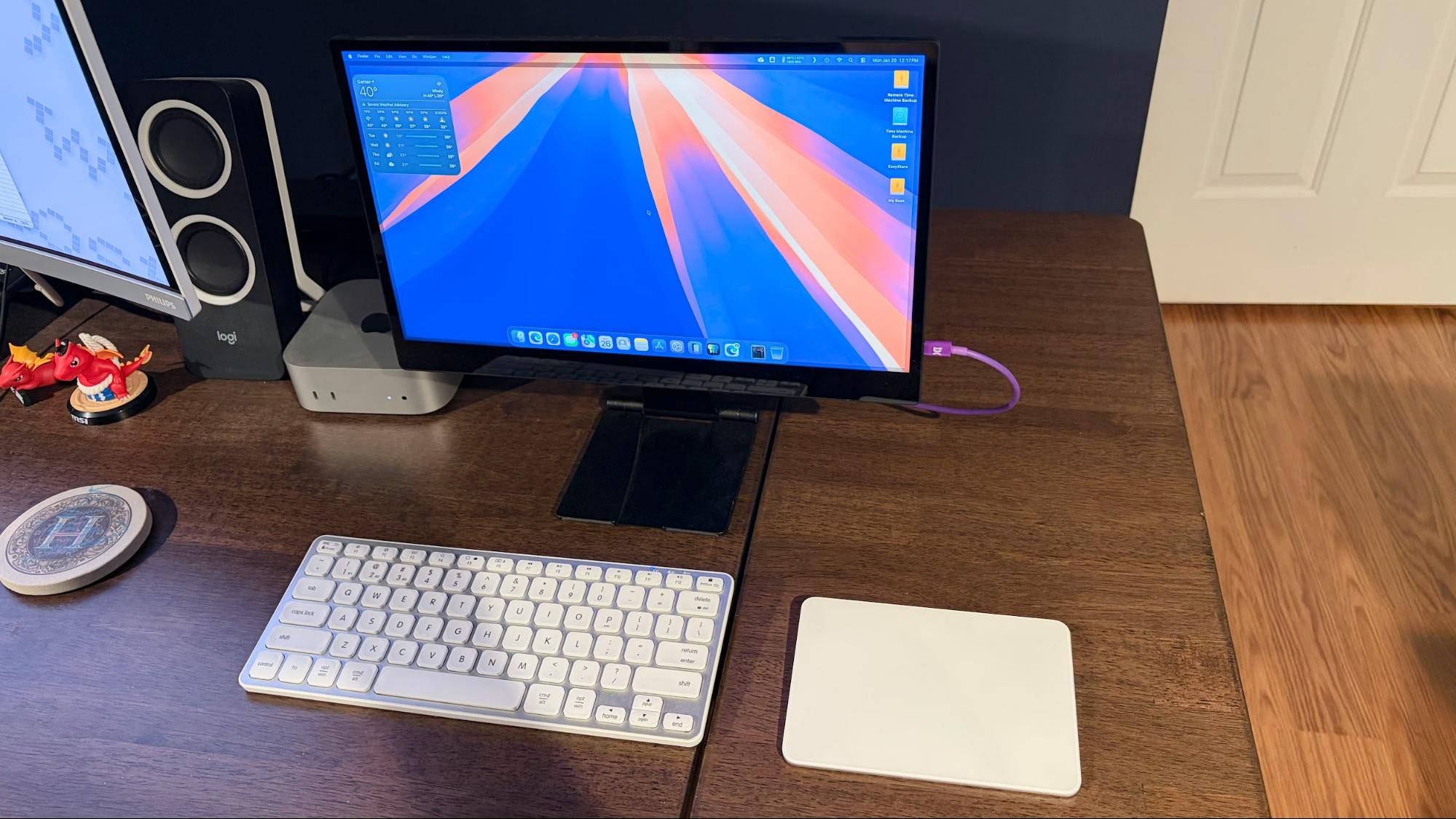
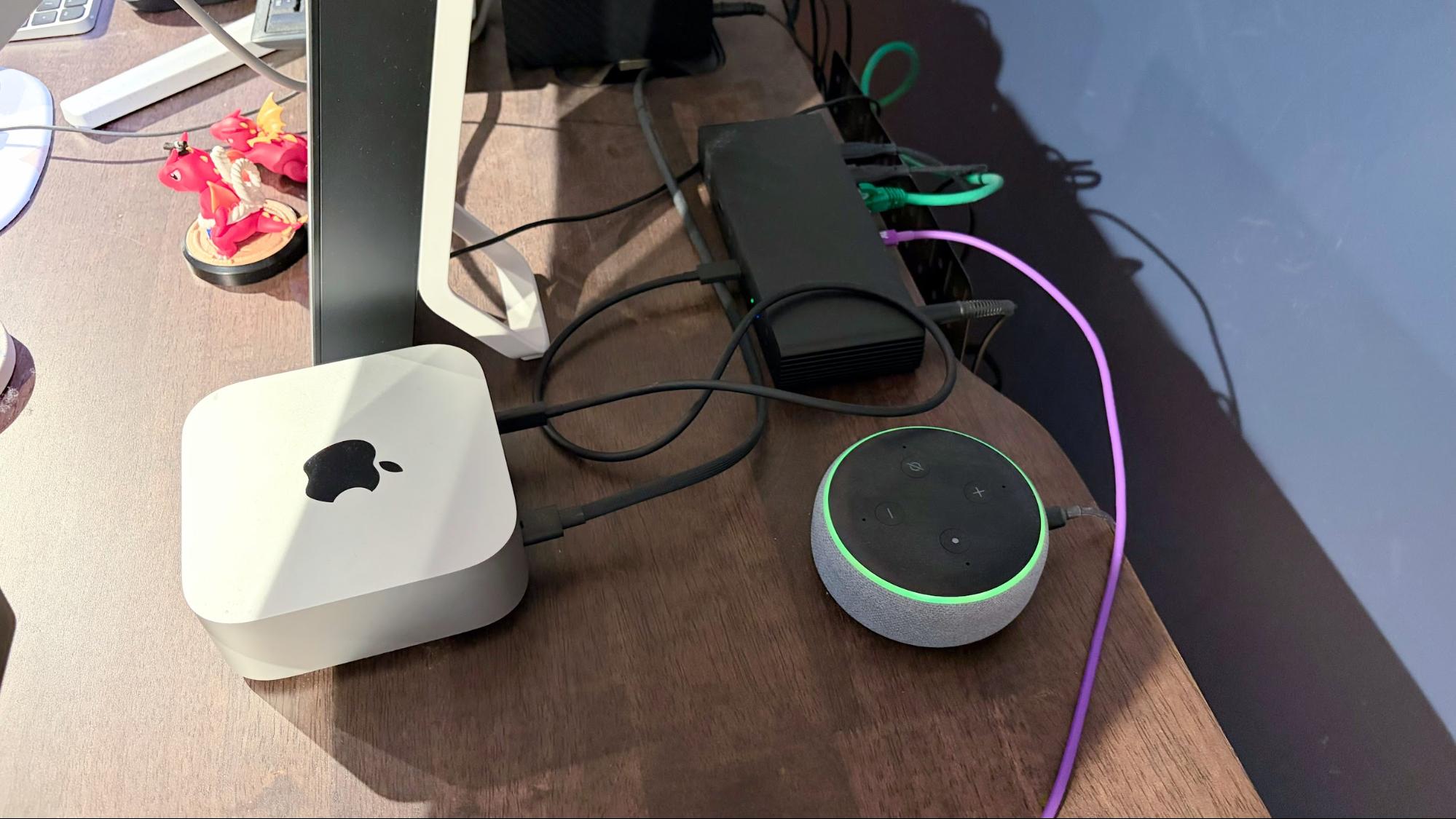
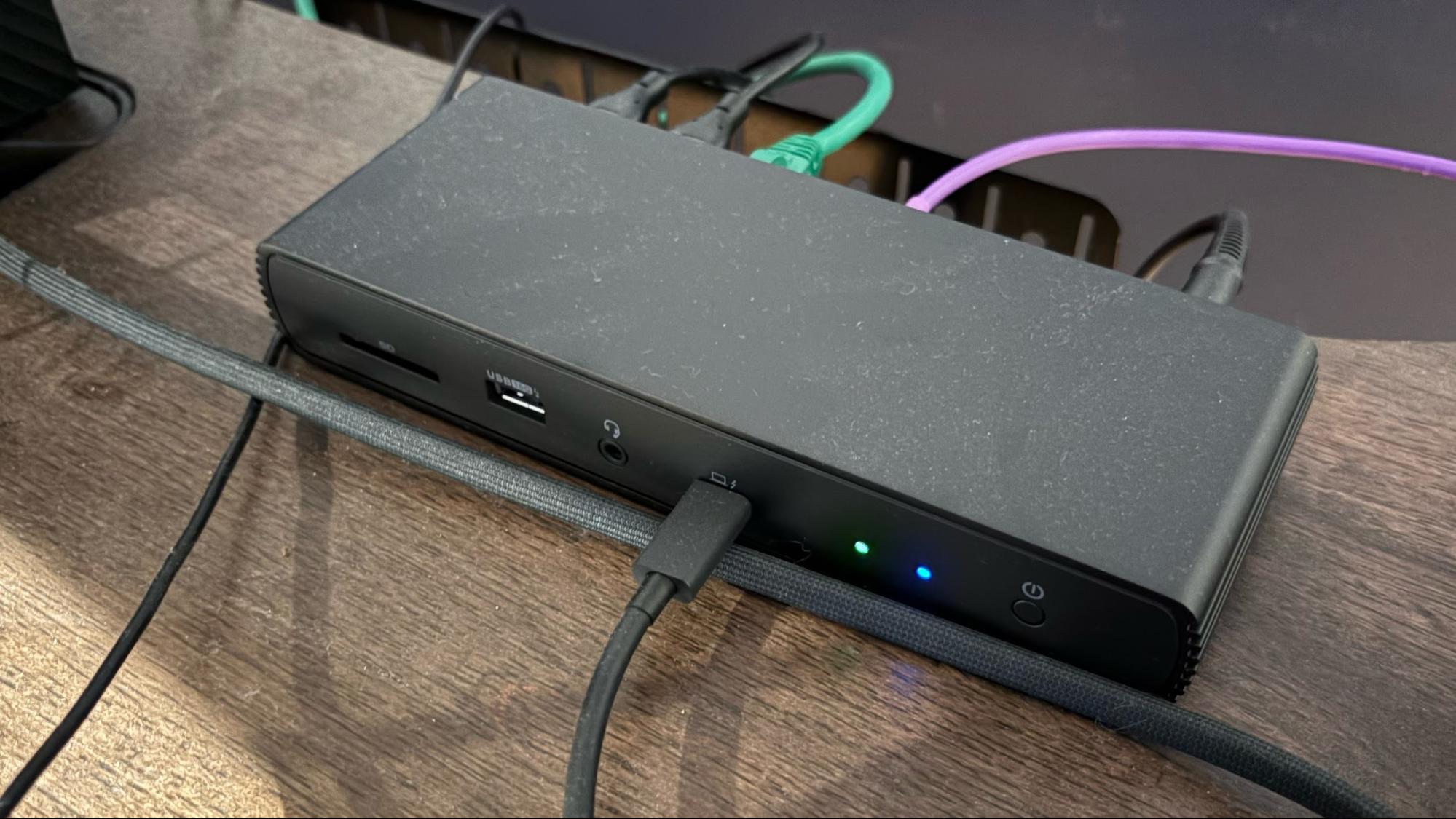
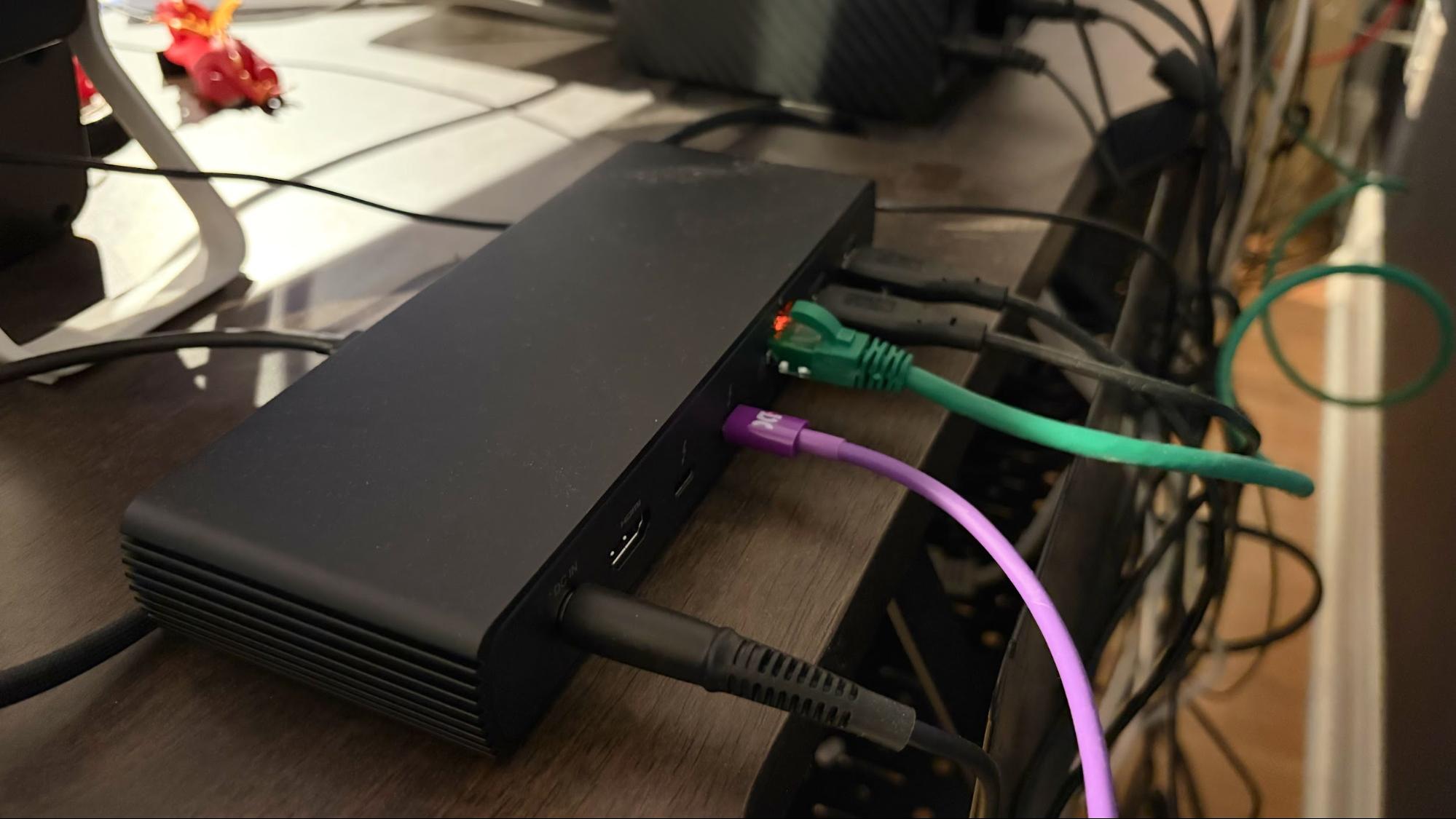
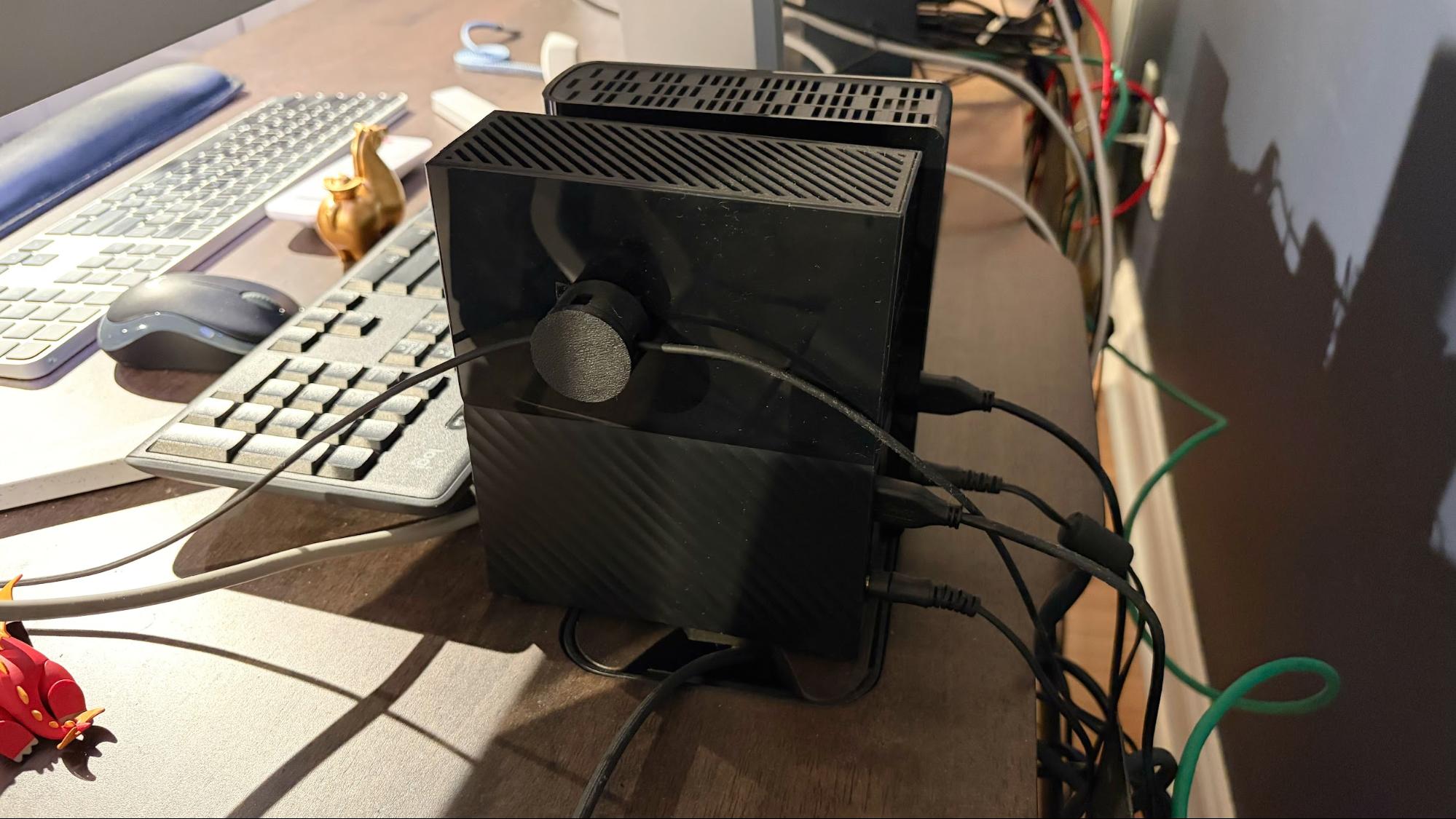
My connectivity needs with the Mac Mini aren’t as demanding, but I still make good use of the dock. I have just the single Thunderbolt 4 port plugged into the Mac Mini, allowing the dock to service a 4K USB-C monitor, a 4TB Seagate EasyStore USB-A HDD, and a 12TB Western Digital My Book USB-A HDD. My Mac Mini only has a Gigabit Ethernet port onboard, so I use the dock’s 2.5 GbE port to connect to my Deco BE63 to maximize my internet/network speeds. I occasionally use the front-mounted SD slot to transfer files/images to and from my Mac Mini, so it’s nice to have that functionality as well.
Transfer speeds with my SSK USB-C thumb drive were similar on the Thunderbolt 4 Pro Dock to what I saw on the FusionDock Max 1.
SSK USB-C thumb drive connected to Amazon Basics Thunderbolt 4 Pro Dock
SSK USB-C thumb drive connected natively to Mac Mini
Before I bought the Thunderbolt 4 Pro Dock, I used a mess of adapters to connect all of my devices. I used two USB-C-to-USB-A adapters for the external hard drives and a USB-C-to-2.5 GbE adapter for networking. And if I wanted to access my SD card, I had another USB-C-to-SD/microSD reader plugged into the Mac Mini's front USB-C port. While it worked, it wasn’t exactly a streamlined setup.
What sparked me to go with a Thunderbolt 4 dock was a sale at Woot.com, an Amazon subsidiary. Back in September 2025, they were selling the dock, new in box, for $34.99 with free shipping. At that price, I absolutely couldn’t pass on the deal. I have no idea why Woot was selling the docks for that cheap, and I don’t want to know why – I simply placed my order and had the item in my hands a few days later.
Now, however, if you’re looking to buy the same dock, Amazon is selling it for $134.99 – a $100 difference. However, that’s still on the lower end of the price spectrum for a versatile Thunderbolt 4 Dock these days.
Other Thunderbolt 4 and Thunderbolt 5 Docks to Consider
The Ivanky FusionDock Max 1 and the Amazon Basics Thunderbolt 4 Pro Dock aren't the only Thunderbolt 4 docks on the market. There are many others available in the $150 to $250 price range price range. Some additional options to include:
- UGREEN Thunderbolt 4 Dock – $169.99
- Plugable Thunderbolt 4 Dock – $199.95
- WAVLINK Thundebolt 4 Dock – $249.99
- Lenovo ThinkPad Universal Thunderbolt 4 Dock – $238.99
- Anker 778 Thunderbolt Docking Station – $229.99
And if you have any more demanding needs with multiple devices that crave bandwidth, there is a growing number of Thunderbolt 5 docks, albeit with even higher price tags:
- UGREEN Thunderbolt 5 Dock – $299.99
- Ivanky FusionDock Pro 3 Thunderbolt 5 Dock – $224.99
- Ivanky FusionDock Max 2 – $399.99
- Anker Prime Thunderbolt 5 Dock – $399.99
- Kensington SD50000T5 Thunderbolt 5 Dock – $209.99
- WAVLINK TB5 Thunderbolt 5 Dock – $299.99
- CalDigit E5 Thunderbolt 5 Dock – $249.99

Follow Tom's Hardware on Google News, or add us as a preferred source, to get our latest news, analysis, & reviews in your feeds.






 English (US) ·