
HyperX Origins 2 1800: One-minute review
The HyperX Origins 2 1800 is a full-size gaming keyboard with mechanical switches and plenty of hardware customizations available.
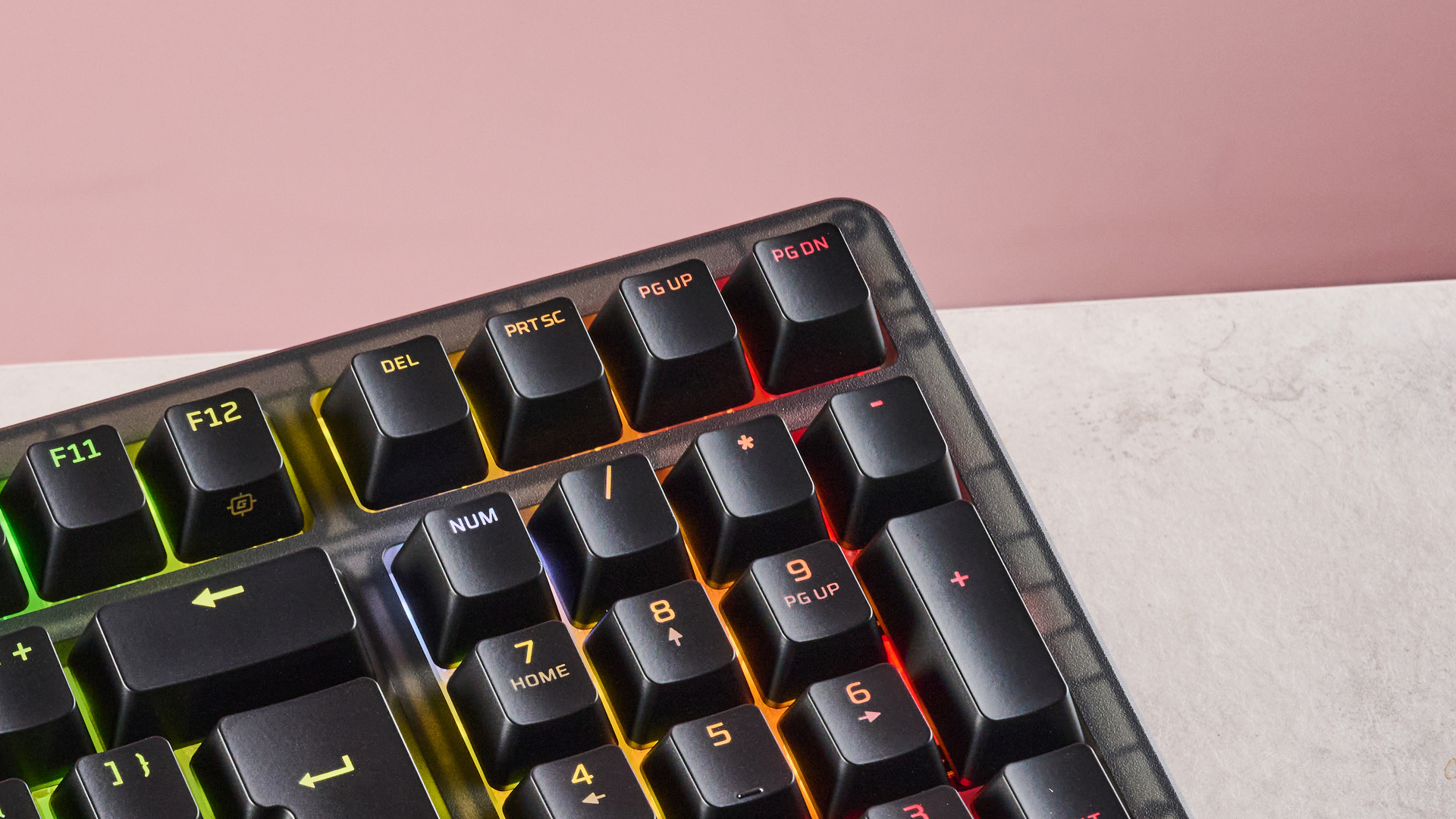
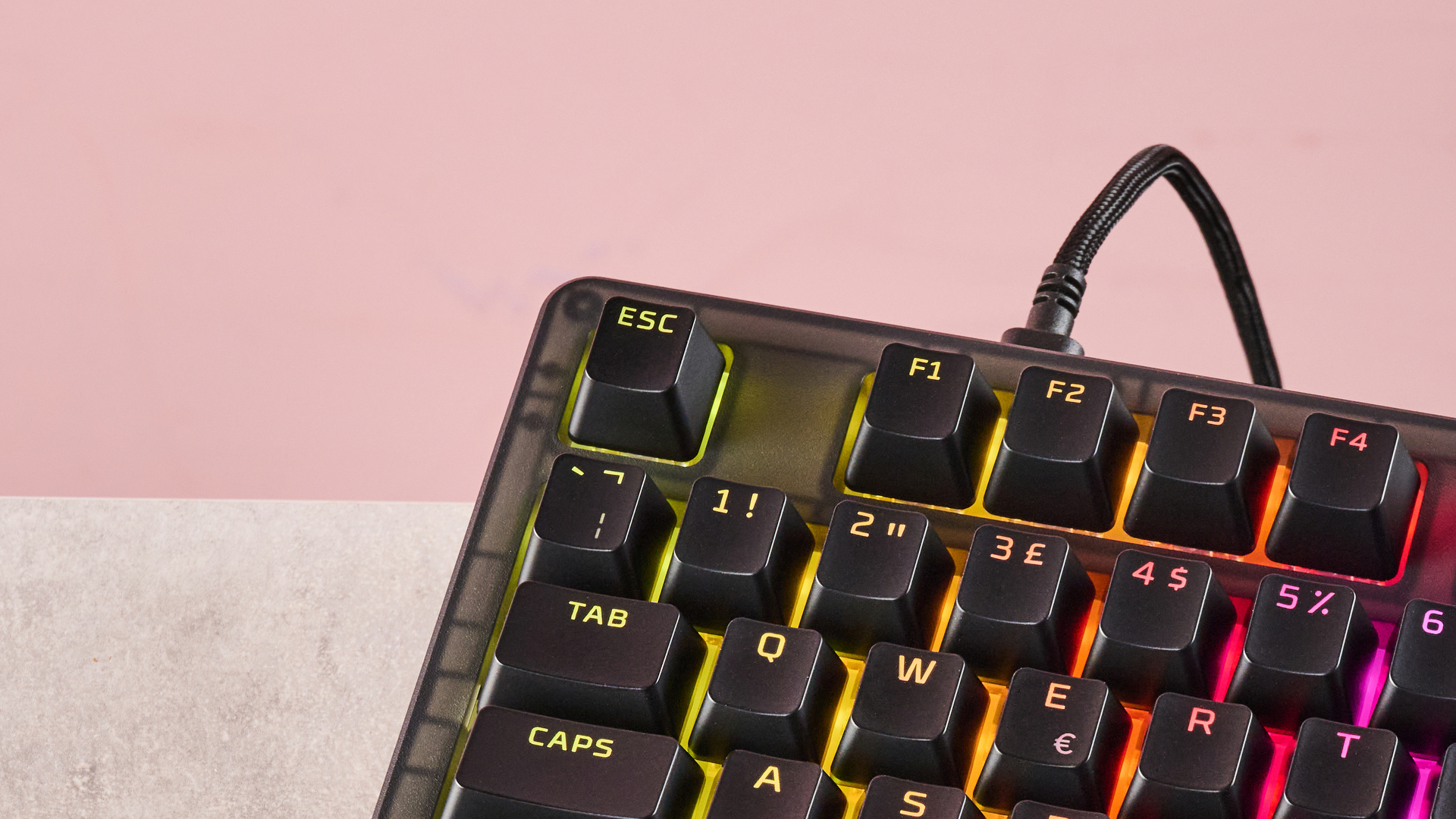
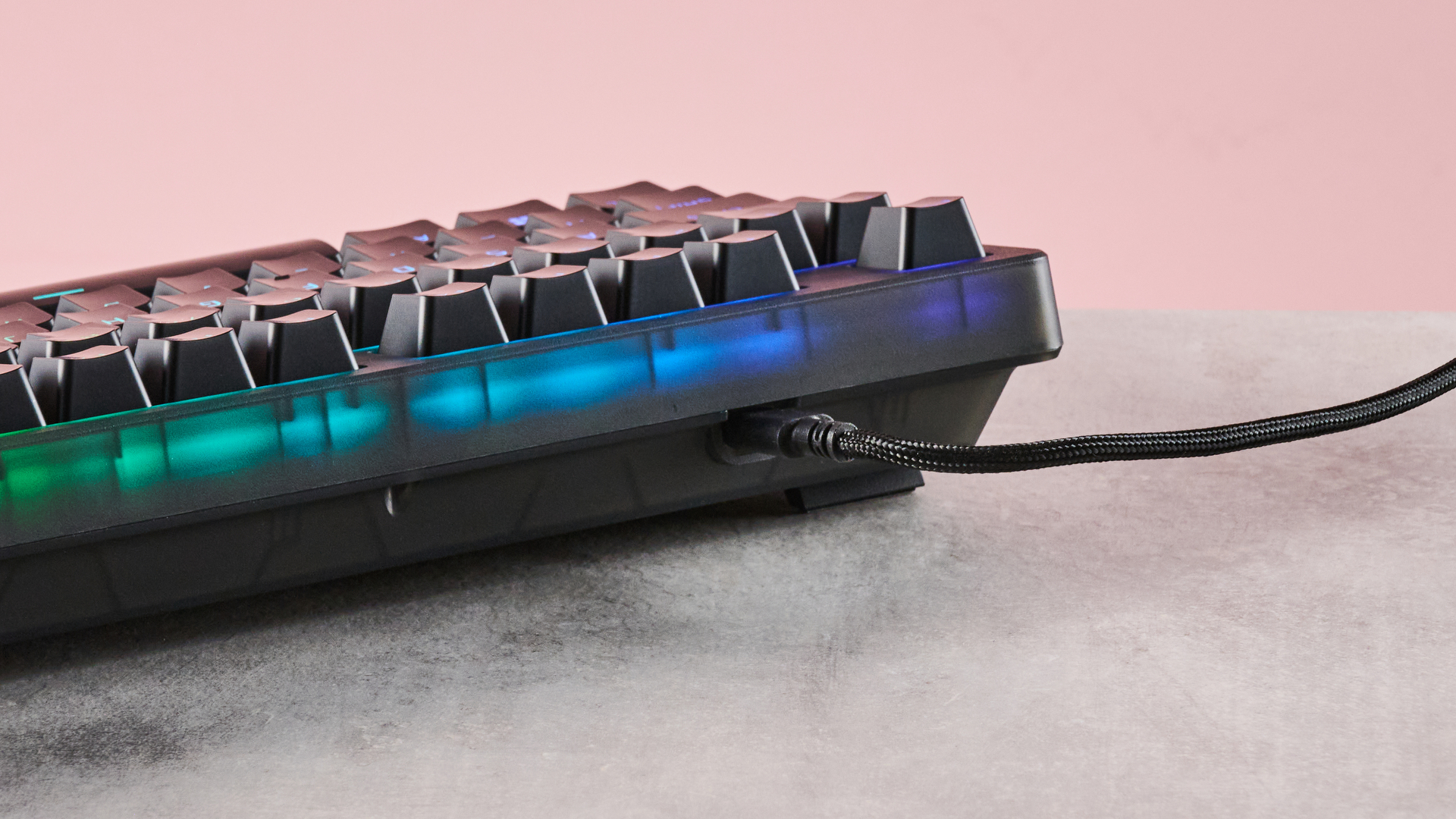
It adopts a fairly typical gaming keyboard aesthetic, although the translucent body does at least offer something a little different. This also allows the RGB lighting to shine through a little more than usual. And shine it does — this is probably the brightest RGB I’ve ever seen in a keyboard, and it helps the board to stand out among its peers.
Build quality is above average, with materials feeling smooth. However, unlike the best gaming keyboard constructions around, the body is made of plastic rather than aluminum. There’s also a fair amount of flex to it.
Latest Videos From

On the other hand, it’s very light as a result, despite its thickness. It’s also easy to replace the body if you want to personalize your Origins 2, thanks to the easy-access screws underneath.
A board this thick often poses an ergonomic problem, but given the generous tilt angle of the Origins 2, I found it comfortable to use, even with the feet stowed and the lack of wrist support. The dip in the middle row allowed for natural finger positioning, too.
There is software available for the Origins 2, although it’s disappointingly basic. It does have a generous selection of remapping options, but there are no advanced or pro-level tweaks available here.
Elite gamers will be more impressed with the performance of the Origins 2, though. The stock Linear switches are very snappy and responsive, with just enough dampening and travel to impart satisfying feedback.
The stock keycaps are also comfortable, with their prominent indents providing a secure WASD position. The space bar is also pleasing to hit, thanks to its slightly rounded top, and the aforementioned tilt of the entire board prevents you from hitting its edge. However, the sheer height of the keycaps can make typing difficult.
There’s no denying that the Origins 2 commands a premium price tag, but it is a premium gaming keyboard. The mechanical switches and hardware customizations are top-tier, and it still costs less than some of its rivals. The software is disappointing and typing is difficult with those stock keycaps, but for those who want a pure mechanical experience, the Origins 2 is hard to beat at this price.
HyperX Origins 2 1800 review: Price and availability
- $139.99 / £119.99 (about AU$200)
- Available now in one colorway
- Reasonable price for a mechanical keyboard
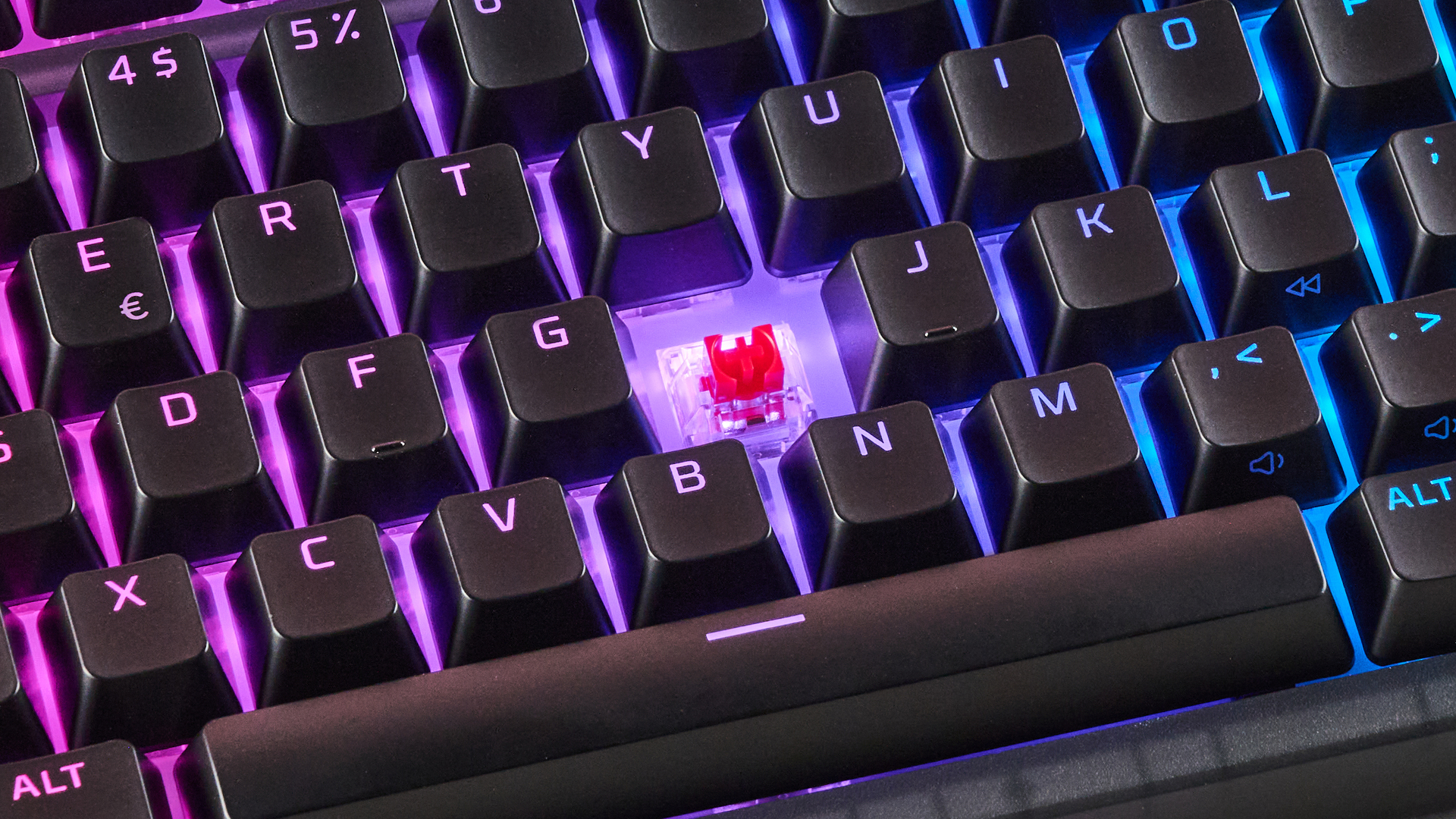
The HyperX Origins 2 1800 costs $139.99 / £119.99 (about AU$200) and is available now in black only. The keycaps, switches, and body can all be swapped out.
This is certainly an expensive board, especially one that’s wired. However, given the high-performing mechanical switches, build quality, and hot swapping capabilities, it’s not exactly surprising.
What’s more, other high-end boards are similarly expensive, if not more so. The Razer BlackWidow V4 Pro, for instance, has a slightly higher list price, although we have seen it on offer for considerably less than this. When I tested the wireless variant of this board, the Razer BlackWidow V4 Pro 75%, I found it to be among the best mechanical keyboards in terms of feel, performance, and build quality.
For a more budget mechanical option, you could try the Gamakay TK75 V2. This is considerably cheaper than the Origins 2, yet it still offers great key feel and respectable build quality.
- Value score: 4 / 5
HyperX Origins 2 1800 review: Specs
Swipe to scroll horizontally
Layout | Full-size |
Switch | Mechanical |
Programmable keys | Yes |
Dimensions | 15.3 x 5.5 x 1.8 inch / 388 x 140 x 46mm |
RGB or backlighting | Yes (customizable) |
HyperX Origins 2 1800 review: Design and features
- Hardware personalization options
- Thick but lightweight
- Premium feel as plastic constructions go
Aesthetically, the Origins 2 is hard to distinguish from many gaming keyboards. HyperX may call the color black but in reality it’s more of a dark grey, which departs somewhat from the sector’s obsidian dominance, albeit not by much.
Its translucent nature, though, is more original. What’s more, it allows the RGB backlighting to shine through. This lighting is brighter than many other instances I’ve seen, and really helps to liven up appearances. The keycap characters are fully transparent too, meaning these illuminate as well, which isn’t always a given on RGB keyboards.
The Origins 2 feels like a premium board. The base material, despite being plastic rather than metal, is of a high standard and the two panels are solidly put together. The unit is quite easy to flex by hand, but not to a concerning degree. This plastic also means the Origins 2 isn’t as heavy as it looks, given how thick it is. It’s also relatively easy to change the housing, requiring just a small crosshead screwdriver (not included) to disassemble and swap with another.
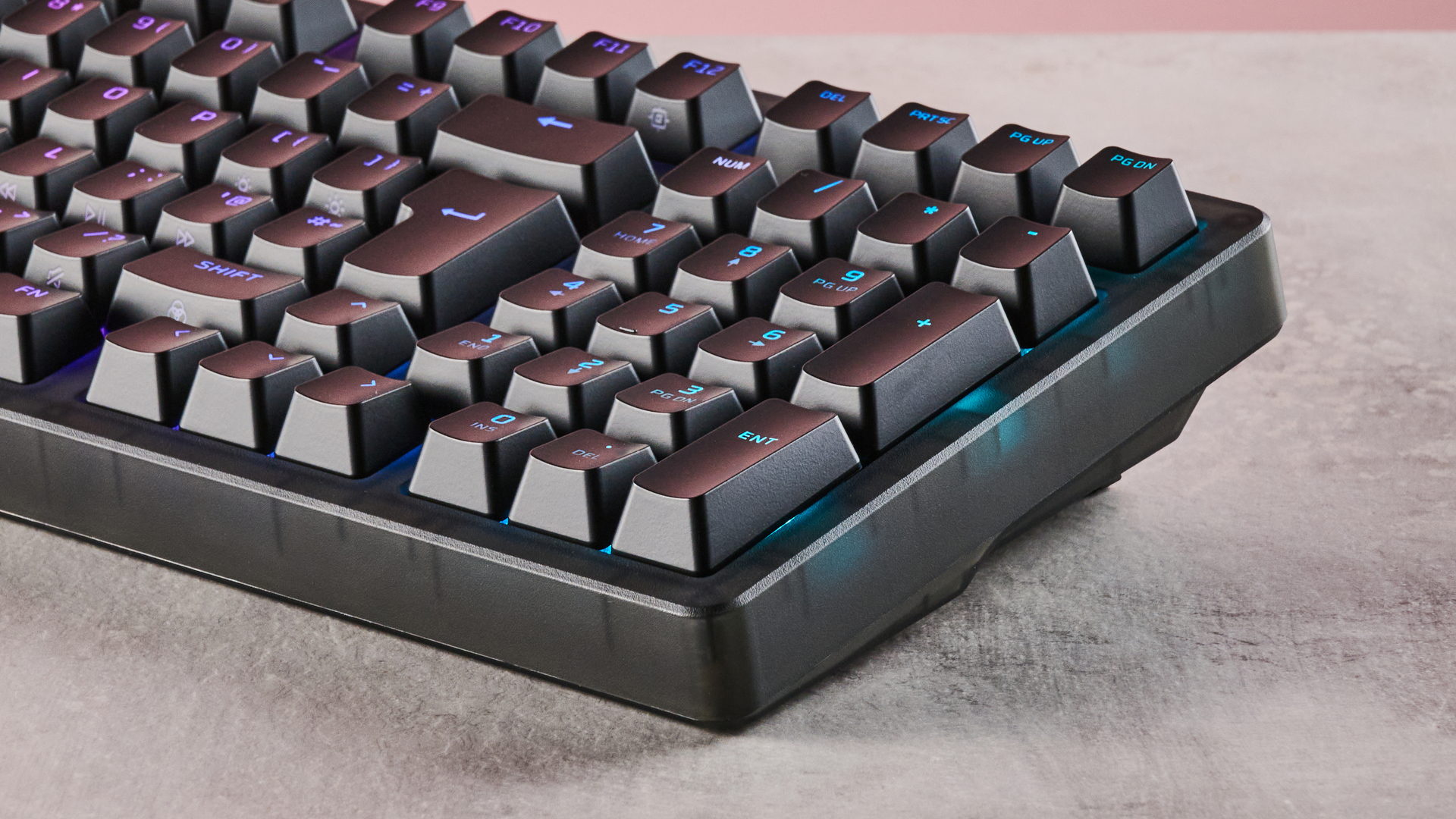
Its thickness isn’t much of a problem from an ergonomic perspective. There’s no wrist support included, but the forward tilt of the board makes for a comfortable hand position. The dip in the middle row, typical of many keyboards, also helps in this regard. There are folding feet that angle the board towards the user even more, but the difference isn’t as great as other examples.
The USB-C cable that comes with the Origins 2 is braided and quite light. This makes it easy to maneuver, although it’s not quite as light as those that come with the best gaming mice. Thankfully, drag isn’t exactly an issue when it comes to keyboards. Also, the cable seems a little stiffer and hardwearing than mice ones.
The latest version of HyperX’s Ngenuity software is required to customize the Origins 2. However, I couldn’t get this to work on my main gaming PC for some reason, with the app refusing to open once installed. Fortunately, I was able to install it on another Windows 11 machine.
However, the dearth of features available for the Origins 2 is disappointing. You can only adjust the RGB lighting, record macros, and rebind keys. There are plenty of options for the latter, with numerous system and media functions mappable, but there are no performance-related tweaks. Granted, a mechanical keyboard is never going to match the versatility of analog models on this front, but even more basic features, such as an SOCD function, are missing here, which might disappoint elite gamers.
- Design and features score: 3.5 / 5
HyperX Origins 2 1800 review: Performance
- Brilliant clicky mechanical switches
- Comfortable for WASD position
- Stock keycaps not great for typing
With its stock red Linear switches installed, the Origins 2 is a very clicky board. It produces a gratifying sound, although it’s a little louder than others. The keys are light but at the same time offer plenty of feedback, thanks to their minimal but effective dampening and generous travel distance. They rebound quickly, making them wonderfully snappy, and their actuation point is quite forgiving, which meant I didn’t suffer any mispresses.
Despite the thickness of the board, I found it comfortable to use in the WASD position, thanks to that slanted angle and central dip. Whether I had the feet up or down, I didn’t find myself wanting for wrist support, although I usually prefer a rest for long sessions.
I also found the space bar comfortable to hit, which is often a problem key for me. Its soft curve meant I rarely hit its edge. As for the other keycaps, their prominent indentations offered secure presses.
These aspects also make the Origins 2 comfortable when typing, but a bigger impediment here is the sheer height of the stock keycaps. I usually prefer low profiles as I find I can glide over them more easily. But here, I often caught their edges as I moved from key to key, which slowed me down and resulted in more errors.
- Performance score: 4 / 5
Should I buy the HyperX Origins 2 1800?
Scorecard
Swipe to scroll horizontally
Value | It’s expensive, but reasonably priced compared to the competition. | 4 / 5 |
Design and features | Thick but light and comfortable. There are plenty of hardware customizations, but not so many software ones. | 3.5 / 5 |
Performance | Fantastically clicky and snappy switches. Great for gaming, less so for typing. | 4 / 5 |
Overall rating | The Origins 2 is a great mechanical keyboard, slightly let down by the lack of performance tweaks. | 4 / 5 |
Buy it if…
You love a clicky board
The clickiness of the stock Linear switches feels and sounds great, although they are a little loud.
You want plenty of hardware customizations
You can swap out the switches, keycaps, and even the body, letting you personalize your Origins 2 to a large extent.
Don't buy it if…
You want plenty of software customizations
There are plenty of remapping options, but those looking for performance-related adjustments will be disappointed.
You’ll be typing a lot
While the indentations of the stock keycaps provide comfort and security, their height doesn’t exactly facilitate fast and smooth typing.
HyperX Origins 2 1800 review: Also consider
Razer BlackWidow V4 Pro
Another premium mechanical board, the BlackWidow is a fantastic performer, and unlike the Origins 2, it comes with a wrist rest — and it’s one of the plushest I’ve ever used. Upon its release, it was substantially more expensive than the Origins 2, but recently it’s had considerable discounts. Read our full Razer BlackWidow V4 Pro review.
Gamakay TK75 V2
If you want something cheaper than the Origins 2, but still want all that mechanical goodness, the TK75 V2 is a good choice. Not only does it perform very well, but it’s also built to a surprisingly high standard. Read our full Gamakay TK75 V2 review.
How I tested the HyperX Origins 2 1800

I tested the Origins 2 for several days, during which time I used it for gaming, working, and general browsing. I tested it on two PCs. As mentioned above, I was unable to get the Ngenuity software working on my main PC, but did on another, despite both running Windows 11 with x64 CPUs.
I’ve been PC gaming for over a decade, and have used numerous keyboards in that time. I’ve also reviewed a large number of them, across a range of price points, feature sets, and switch types.
- Read TechRadar’s reviews guarantee
- First reviewed: June 2026








 English (US) ·