
Razer Huntsman Signature Edition: Two-minute review
Razer has been all about anniversary products in 2026, with special edition variants of some of its most beloved devices with different physical touches, limited quantities and price tags you could wince at – the Razer Huntsman Signature Edition is the latest entry.
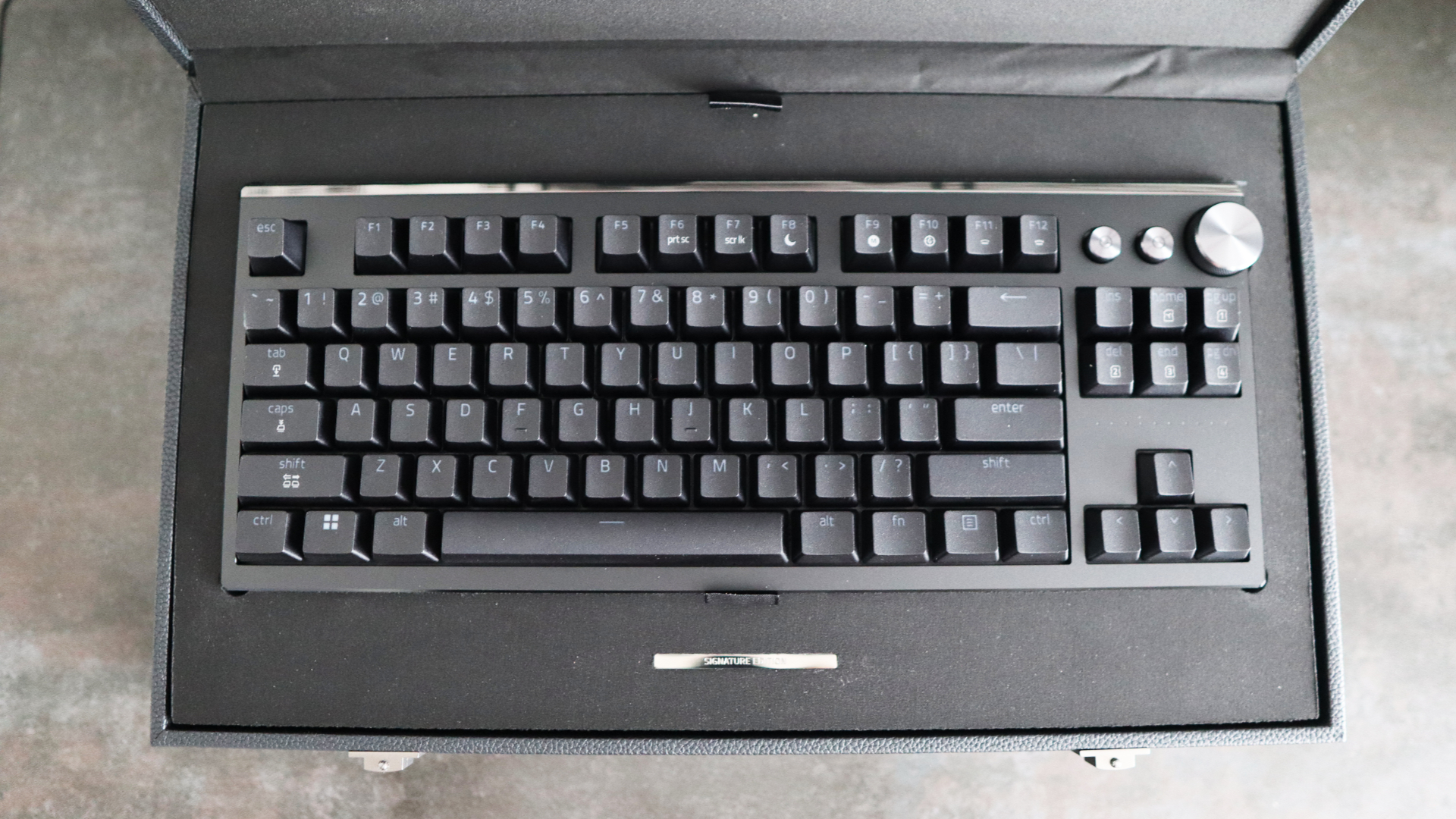
The fact is, though, that I like what's here. This Huntsman is built like a tank, and I'm a fan of all the little extras it comes with, such as its mirrored surfaces, the large leather-bound box, and the decent array of accessories on show. Gaming performance is also strong with its optical switches, 8000Hz polling rate, and more besides that keep inputs fast and responsive, plus there are extras such as analog capabilities for controller-like inputs and extensive software customisation to boot, so users can tinker until their hearts are content.
I just wince at that price tag, especially with competition such as the Corsair K70 Pro TKL and SteelSeries Apex Pro TKL Wireless Gen 3 offering similar features for half the cost.
Razer Huntsman Signature Edition: Price & release date
- $499.99/£499.99/AU$799.99
- Available only from Razer directly
- Top-end of the market
The Razer Huntsman Signature Edition is only available to purchase from Razer's website, and costs $499.99/£499.99/AU$799.99, putting it right at the top end of the gaming keyboard market. It's also limited to 1337 pieces, so you'll need to have been quick on the button to snag one when it went on sale on February 22, 2026.
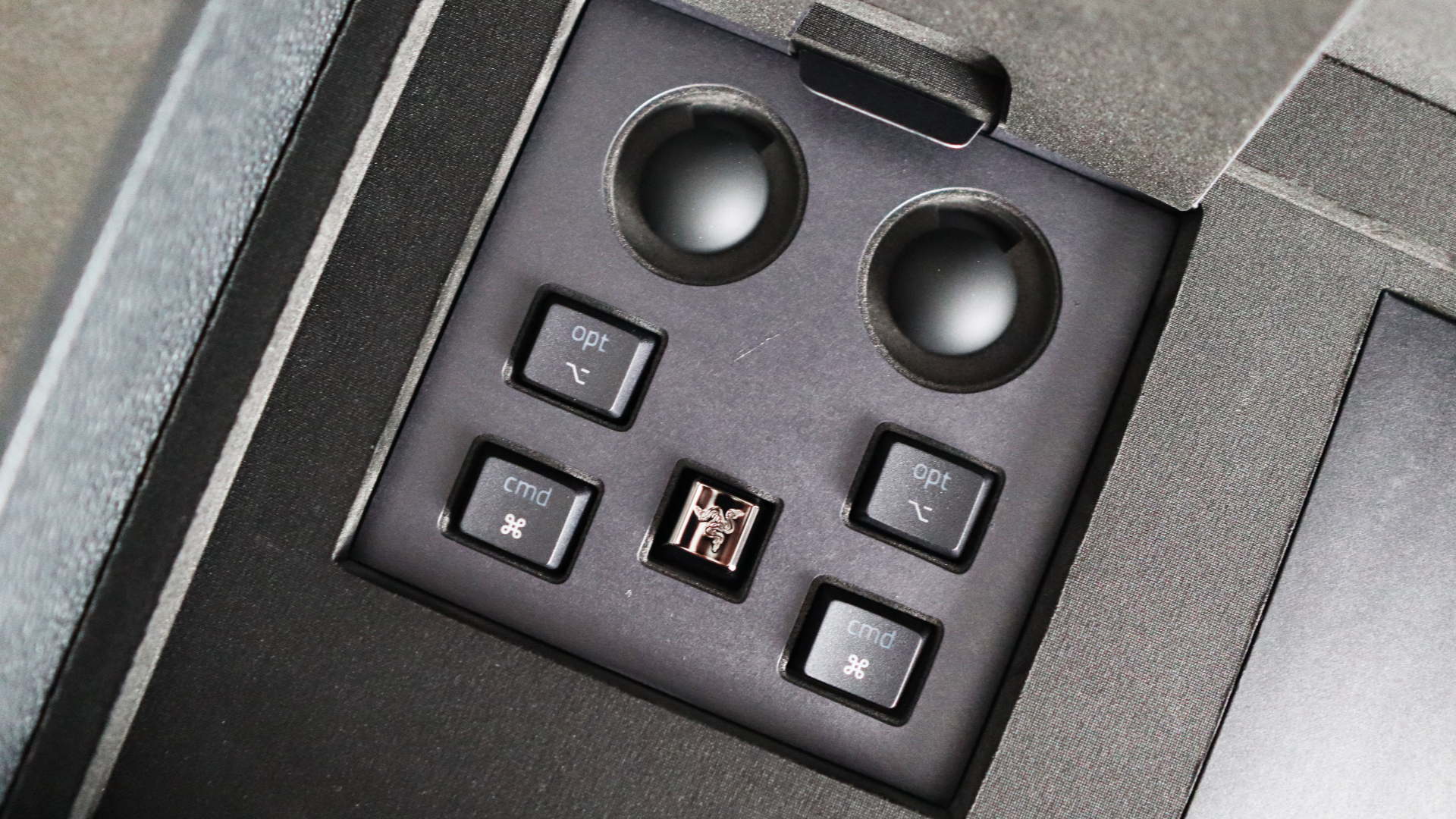
For the price, you get the keyboard itself alongside accessories including a keycap puller, a special-edition Razer keycap, swappable macOS command keycaps, a braided USB-C/USB-A cable and a leather sound-dampening mat. That all comes in a hefty leather-bound box with the Razer logo.
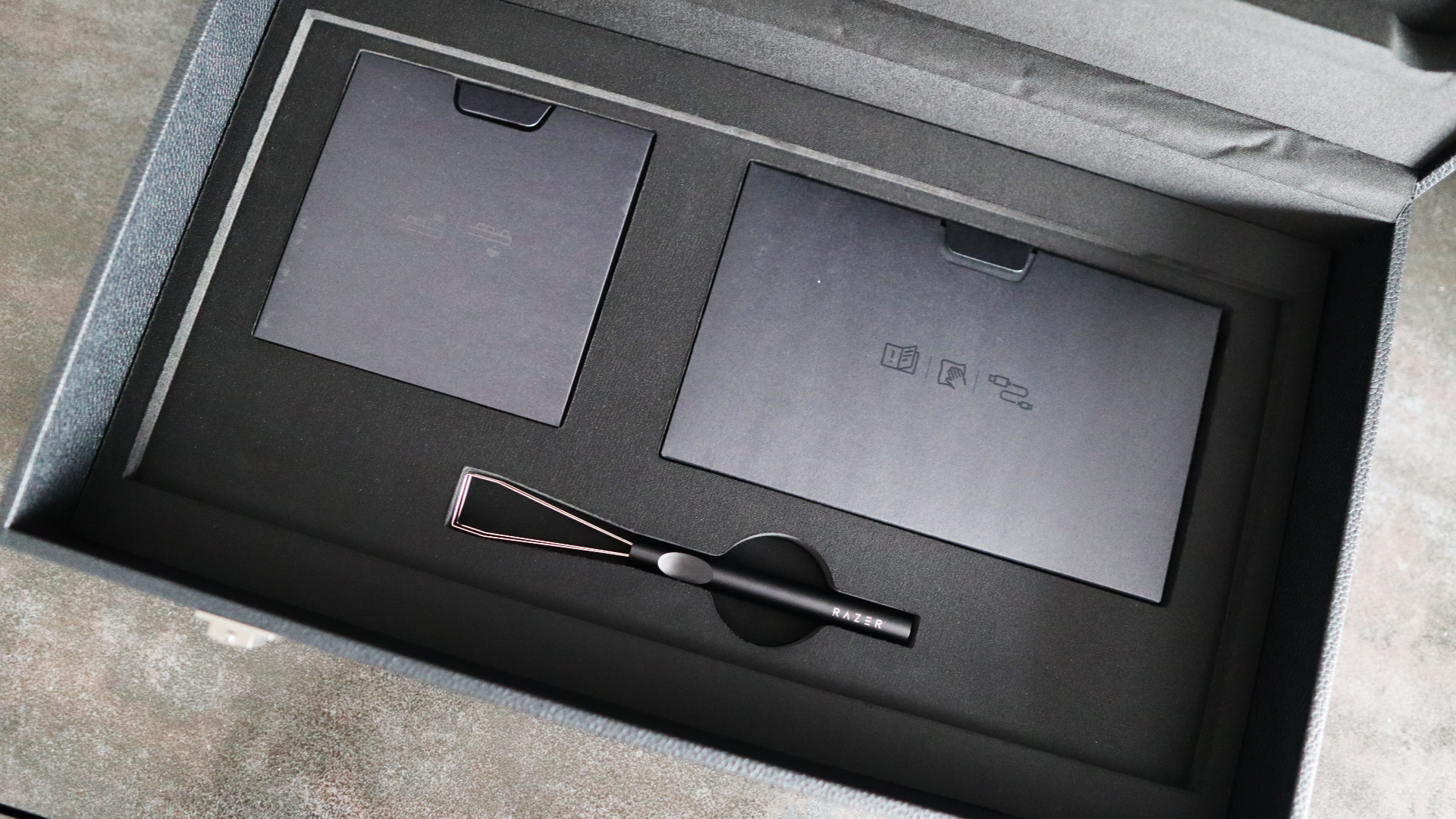
You can get premium gaming keyboards with a similar feature set for much less than the asking price, including the Corsair K70 Pro TKL and SteelSeries Apex Pro TKL Wireless Gen 3. The keyboard this is based on, the Razer Huntsman V3 Pro TKL, is also much more affordable, and provides an identical core experience to the Huntsman Signature Edition.
- Price score: 2/5
Razer Huntsman Signature Edition: Design and features
- Sturdy machined aluminum frame
- Lovely attention to detail
- Feature-rich software
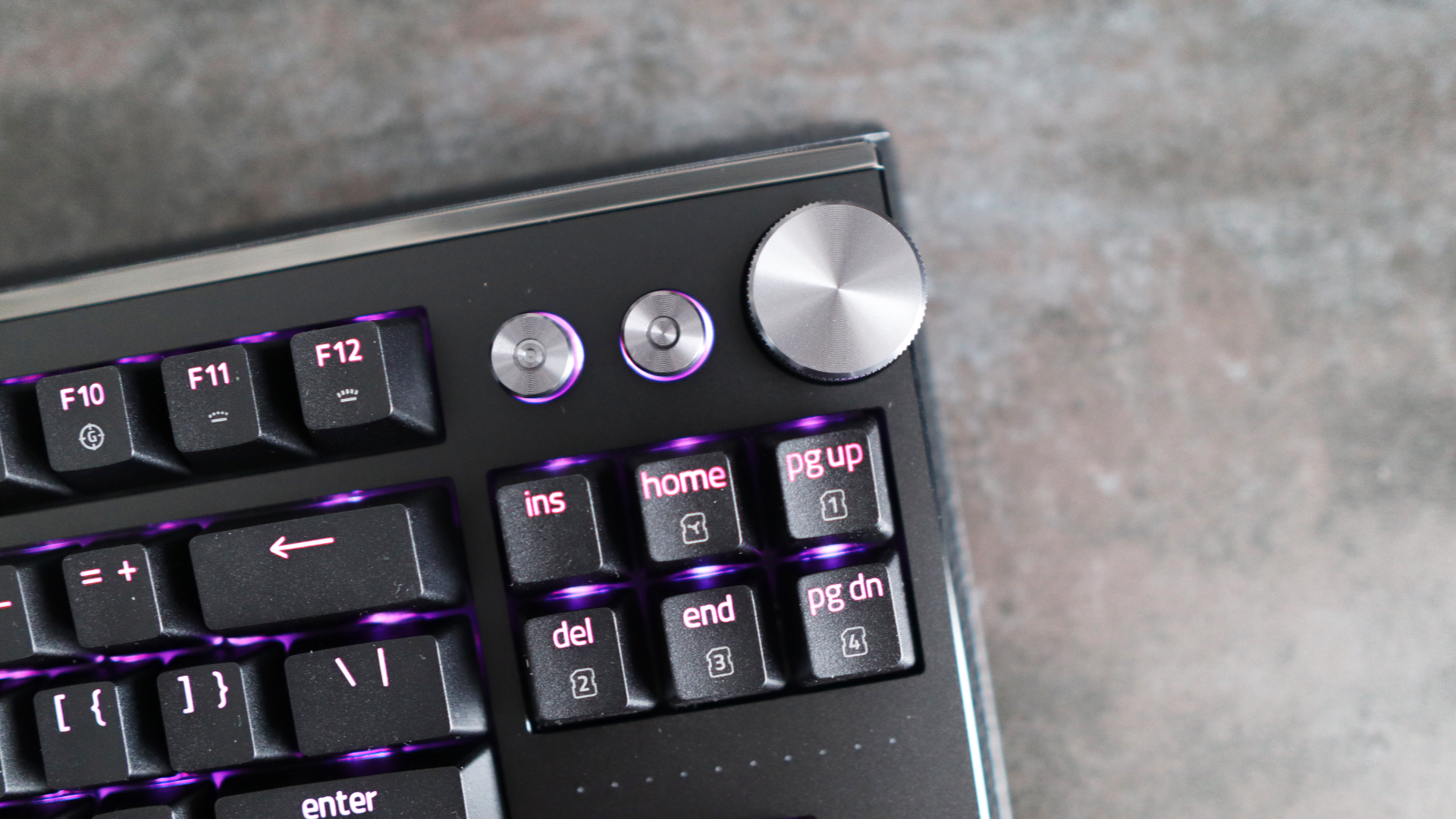
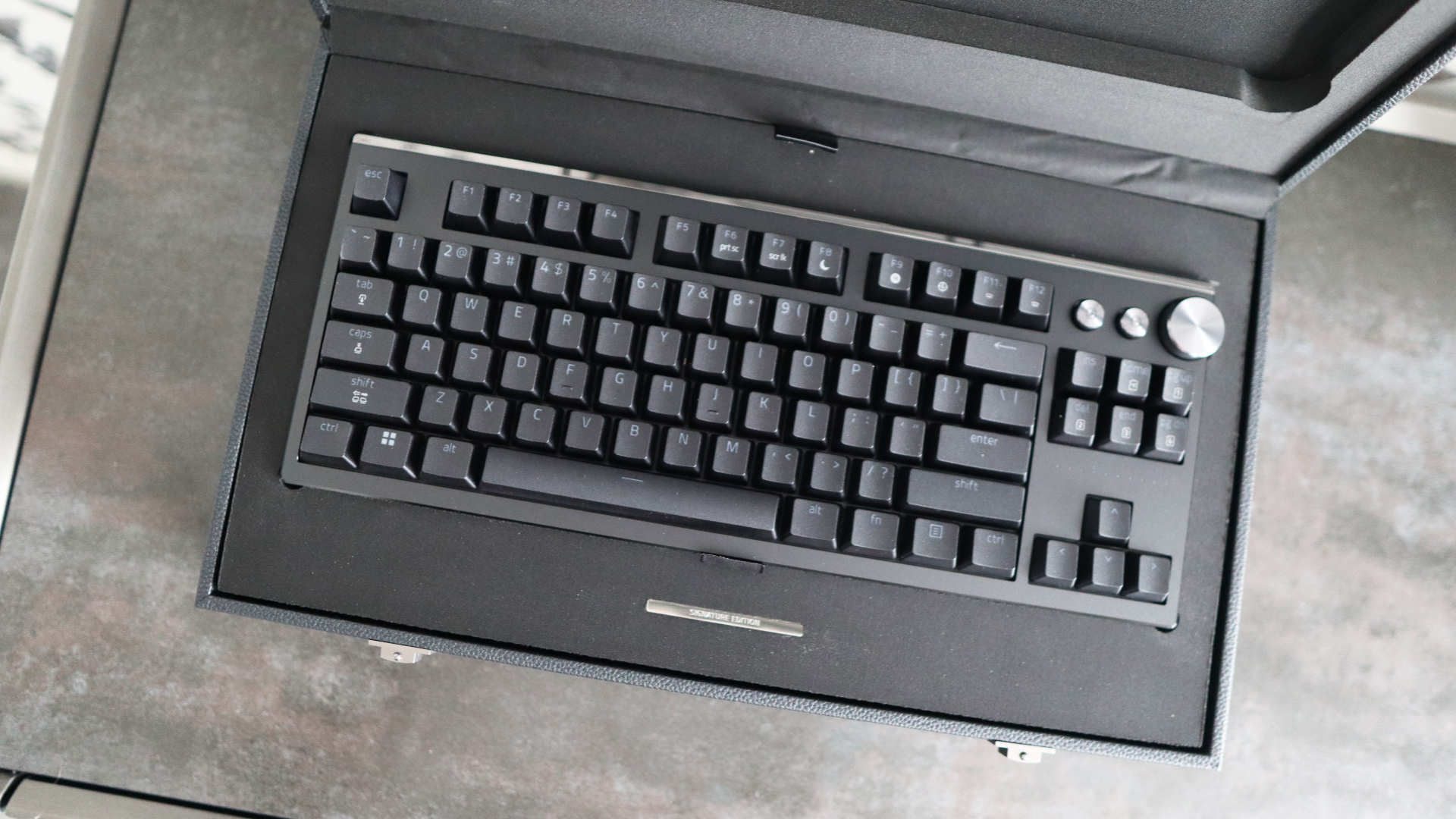
Razer has certainly attempted to make the Huntsman Signature Edition look and feel like a $500/£500 keyboard. It carries this premium and understated look that we've seen brands move towards more generally, and it looks fantastic, with a black machined aluminum chassis with touches of gray on the volume roller and macro buttons in the top-right corner.
One of the key upgrades over the standard Huntsman V3 Pro TKL that turns this into a 'Signature Edition' is the decision to CNC-mill the entire chassis in 6063 aluminum, giving it this wonderful heft and thickness. It certainly means this keyboard isn't going to go anywhere when it's put down on your desk.
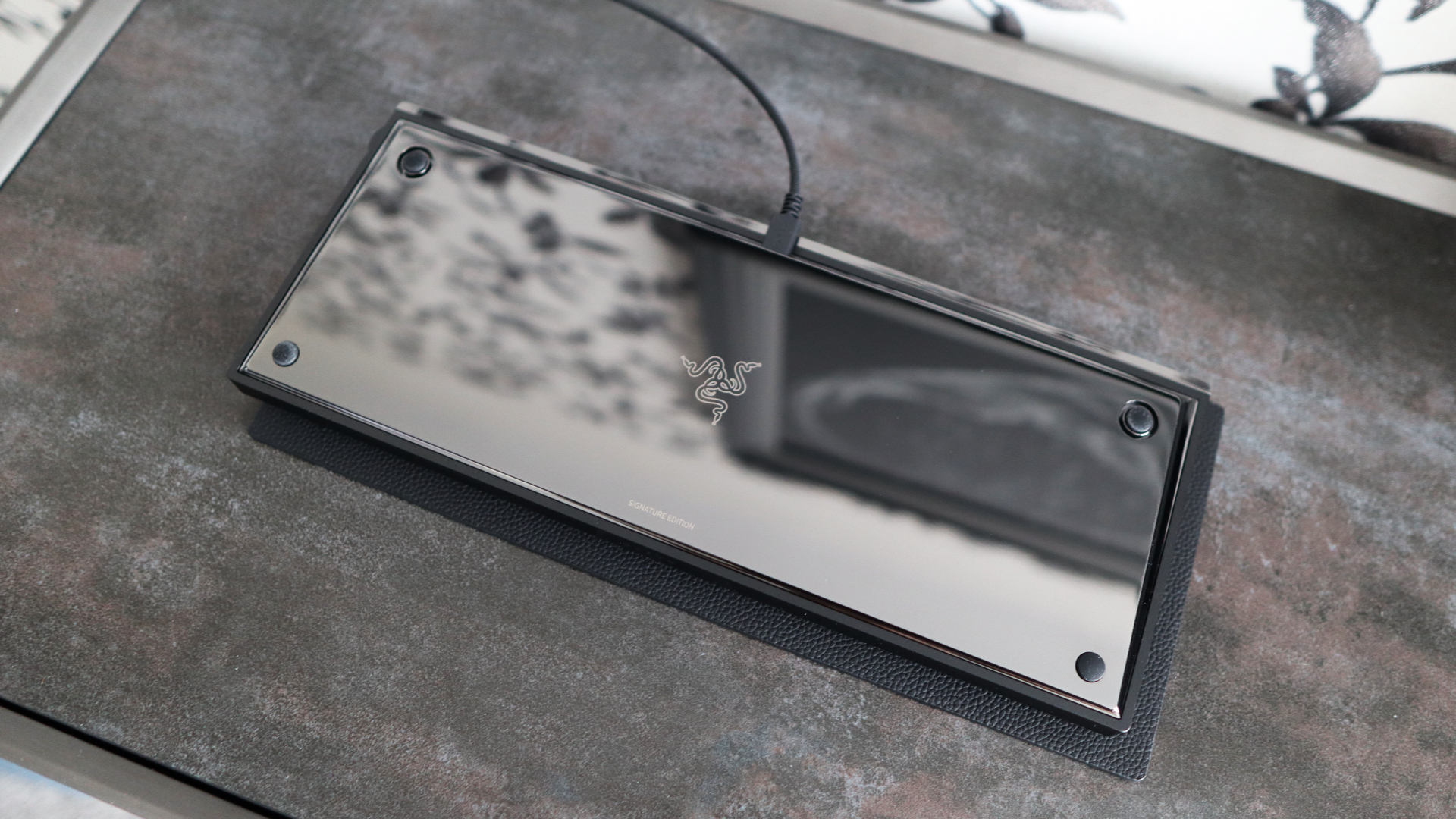
The rear side and underside of the Huntsman Signature Edition have been PVD surface-treated and hand-polished to achieve a mirror-like finish, giving the keyboard an extra extravagant feel. Granted, you won't be able to see it while you use it, but it shows a keen eye for detail on Razer's side.
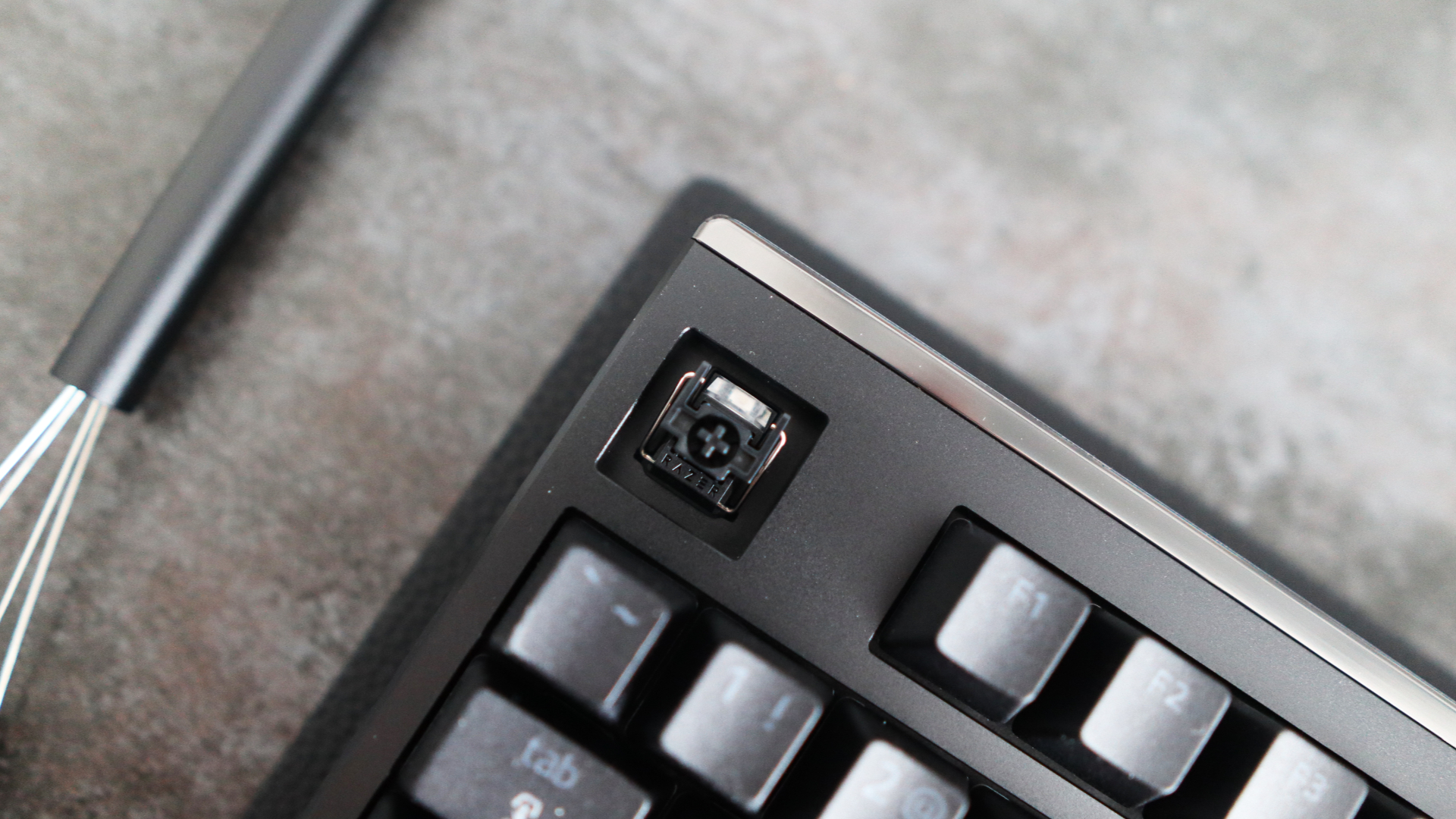
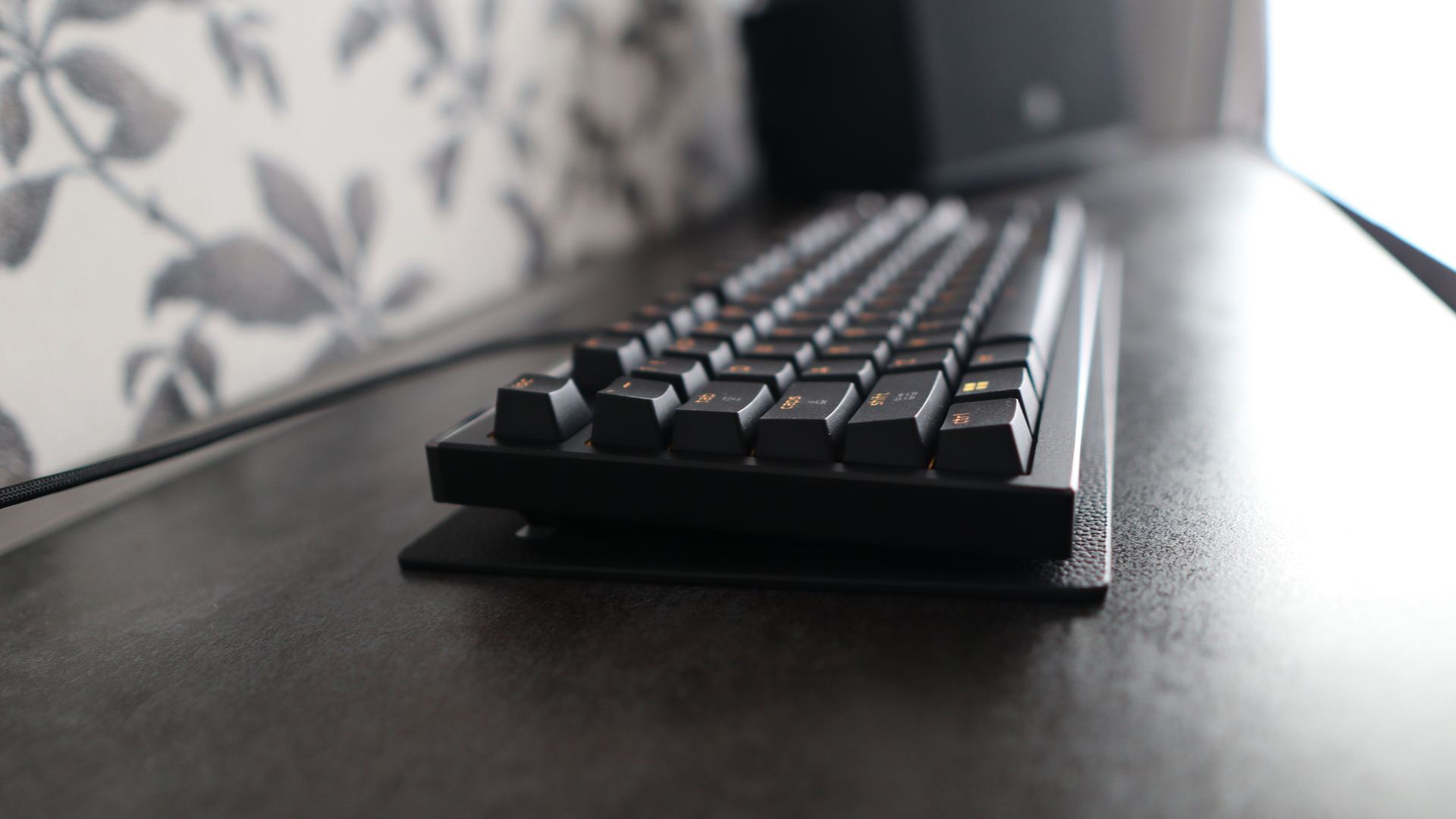
I'm also a fan of the fact that this keyboard opts for a closed housing over the more common open, skeletal-feeling frames that are a lot more common on gaming-grade keyboards. It gives this product more of an enthusiast's feel, and also helps prevent ingress of dust or unwanted crud between the switches.
The lovely fit and finish of the Huntsman Signature Edition also extends to its textured PBT keycaps that feel great under finger. Razer also bundles a special Razer accent keycap in the box alongside ones for the bottom row for macOS functions, and a keycap puller so you can change them out if you wish. The lack of a wristrest for more optimal ergonomics is a bit of a shame, though, as some rivals come with one, including Razer's own Huntsman V3 Pro TKL.
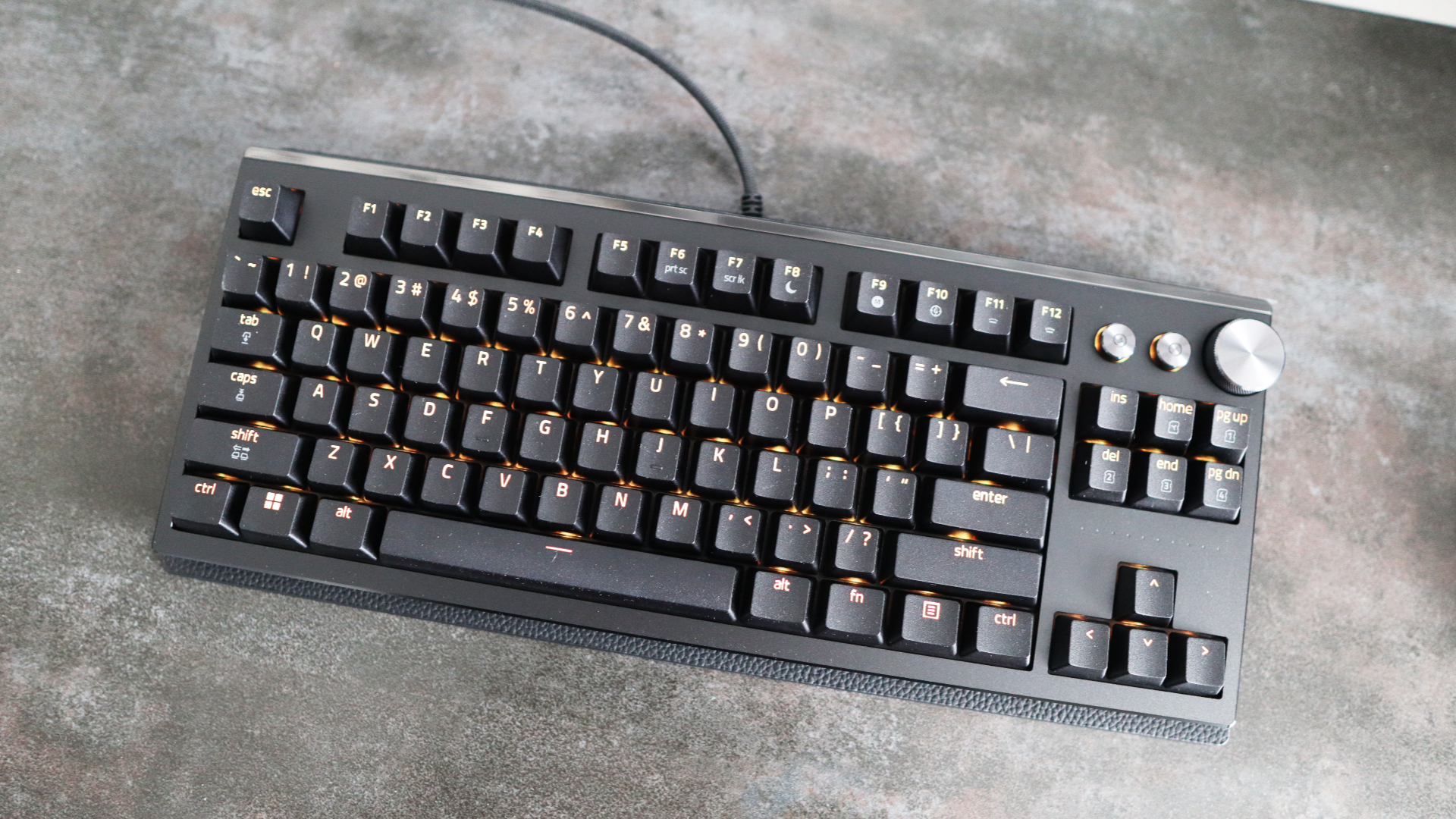
The TKL (or tenkeyless) layout on offer is convenient and doesn't sacrifice much on overall functionality for the gains in desk space, only chopping off the number pad. You otherwise get a nav cluster with arrow keys, a feature-rich function row, and the usual alphanumeric set. Unlike other, more drastic space-saving layouts, it's easy to use.
In spite of not having an OLED screen, unlike rivals from other manufacturers, the Huntsman Signature Edition has some functions baked into its function row, including backlighting brightness, macro recording, and global adjustment of the actuation and reset points of the optical analog keyswitches. The tactile dial in the top right corner controls system volume by default.
Software control is handled by Razer Synapse, as with the brand's other peripherals, and the experience is familiar. It's a versatile piece of kit, offering means of controlling the actuation and reset points of switches individually, plus dealing with things such as analog, SOCD and rapid trigger functionality for the switches, and configuring the sharp RGB lighting
If you don't want to deal with sorting actuation and reset points on a per-key basis, then you can also select from a range of presets based on game genre, such as FPS or Racing, to optimise the keyboard's settings in one fell swoop.
- Design and features score: 4/5
Razer Huntsman Signature Edition: Specs
Swipe to scroll horizontally
Layout: | TKL |
Switch: | Razer Analog Optical Gen 2 |
Programmable keys: | Yes |
Dimensions: | 14.3 x 5.48 x 1.54 inches / 363 x 139 x 39mm |
RGB or backlighting: | Yes (customisable) |
Razer Huntsman Signature Edition: Performance
- Very potent optical switches
- Rapid trigger and analog settings for lots of configuration
- Solely wired connectivity, although with 8000Hz polling rate
The internals of the Huntsman Signature Edition haven't changed much from the V3 Pro TKL model, meaning it comes with the same switches – that's the brand's own Analog Optical Switches Gen-2 – which actuate with light gates for immense precision and bring handy extras such as rapid trigger for instant inputs and analog powers for controller-like progressive keypresses.
In a general sense, these optical switches are snappy under finger with a linear keypress, while a 40g weighting keeps them light enough for serious gaming. The switches aren't lubricated, unlike their Hall effect brethren, but feel smooth enough by default that I enjoyed using them for both gaming and general work. In addition, thanks to a stack of sound-dampening material inside the keyboard, the acoustics are excellent with no case rattle or ping.
Sometimes non-standard switches such as these can tend to feel quite hollow and lifeless under finger, but I didn't necessarily feel that way about them during general use for work, writing articles and such for hours on end.
The lack of traditional mechanisms also lends them to being immensely configurable, with the actuation and reset point able to be set anywhere along the travel from 0.1mm to 4mm. This allows for brisk inputs where you'd only need to essentially breathe on the switch before it actuates, before it instantly resets.
This is rapid trigger in action, and it can be very useful in quick draw scenarios in FPS titles. I use Counter-Strike 2 as proving grounds for any gaming keyboard I test, and with the Huntsman Signature Edition, I chose to bind the WASD and weapon selection keys as rapid triggers, which meant movement takes much less effort than a traditional keyboard, and things felt especially responsive.
However, this is only one side of these switches, as they are also analog switches, too – and are a newer version of the ones you'll find in the Razer Huntsman V2 Analog to boot. This means they can offer controller-like inputs with a more progressive scale, which is handy because you can now use a keyboard in titles where you may normally use a controller.
Razer makes it easy to map inputs in its software, and using the default 'Racing' preset in the Synapse software, it maps the WASD keys to left analog stick movement and right and left triggers. I tested it in both BeamNG Drive and in Forza Horizon 5 in races and freeroam, and it felt responsive.
There is a little bit of a learning curve in mastering the power of those analog inputs if you’re used to the more standard on/off nature of mechanical keyswitches, but it is seriously clever, and one of the most underrated features on these switches.
Razer provides its own flavour of SOCD tech with the Huntsman Signature Edition, known here as Snap Tap. This allows you to activate one key while holding down the other for especially quick actions. In this instance, it works based on the most recent one pressed; for instance, if mapped to the A and D keys, it can allow for unnaturally quick side-to-side movement. It's very clever, although not something you'll probably use too much in online games, given Valve wields the ban hammer for anyone who uses it in online Counter-Strike 2 games.
The software controls also open up the power of dual actuation, where you can set two inputs to different parts of a switch's travel, such as pushing it down slightly to walk, before going all the way down to run, or crouch. It's a handy addition for FPS games, although is as far as these switches go. Rival devices offer even more versatility, such as four inputs per key, and other derivatives of the SOCD (Snap Tap) tech, if you wanted even more functionality.
Connectivity with the Huntsman Signature Edition is strictly wired, with no Bluetooth or 2.4GHz wireless choices available. Over this wired connection, you also get an 8000Hz polling rate for more frequent reporting of inputs than more 'standard' gaming keyboards, which can lead to more responsive inputs. This isn't necessarily something that mere mortals can feel, although for the pros, where every millisecond counts, it's a useful addition.
- Performance score: 4/5
Should I buy the Razer Huntsman Signature Edition?
Swipe to scroll horizontally
Attribute | Notes | Score |
Value | The Huntsman Signature Edition costs a lot as a limited edition, ultra-premium gaming keyboard, and sits above a lot of the competition for similar features. | 2/5 |
Design and features | The Signature Edition boosts its fit and finish with a milled aluminium case, plenty of heft and a premium feel. The lack of a wristrest in the scope of accessories is a sore miss, though. | 4/5 |
Performance | The Huntsman Signature Edition is a very responsive gaming keyboard with its smooth, optical switches that support rapid trigger and analog inputs. It is lacking more advanced customisation and wireless connectivity, though. | 4/5 |
Overall rating | The Huntsman Signature Edition is a stylish and powerful gaming keyboard with some very versatile switches and handy software, plus immense build quality and handy extras to make this a top-tier product. An obscene price tag stops this from being a wholehearted recommendation, though. | 4/5 |
Buy it if…
You want an ultra-premium gaming keyboard
The Huntsman Signature Edition's price tag means it isn't for the faint-hearted, but if you've been after a keyboard that screams premium and luxury in virtually every way, this does it.
You want very versatile switches
The second-gen analog optical switches that this keyboard comes with offer a lot in the way of speed and precision, plus the fact that they have rapid trigger and analog powers make this is a very clever keyboard.
Don’t buy it if…
You're on a budget
The Huntsman Signature Edition's main downfall is the hideous price tag that puts it above and beyond many other rival devices, and plenty of other pared-back mechanical keyboards that will be much kinder to your wallet.
You want some more advanced customisation
While the switches here can do rapid trigger and analog, rival devices can provide even more customisation, such as dynamic keystroke and mod tap to get even more out of the switches.
Razer Huntsman Signature Edition: Also consider
SteelSeries Apex Pro TKL Wireless Gen 3
This SteelSeries choice mirrors the Huntsman Signature Edition in a lot of ways, with beefy switches (albeit with no analog powers), but fast rapid trigger inputs plus extensive software customisation and wireless connectivity. It's also much less expensive. Read our SteelSeries Apex Pro TKL Wireless review.
Razer BlackWidow V4 Pro 75%
This BlackWidow choice trades some of its gaming power for mechanical versatility with hot-swappable Gen-3 Tactile switches and such, although it retains the classic Razer styling, comes with a wristrest and offers wireless connectivity. Again, it is also cheaper than the Huntsman Signature Edition by some margin. Read our Razer BlackWidow V4 Pro 75% review.
How I tested the Razer Huntsman Signature Edition
- Tested for around two weeks
- Used for gaming and productivity across Windows and macOS
- A decade of experience as a journalist and mechanical keyboard hobbyist
I tested the Huntsman Signature Edition for around two weeks, using it as my main keyboard for work and play during this time with both Windows and macOS.
I played various games, including Counter-Strike 2 and Forza Horizon 5, to best gauge its optical switches for speed, precision, and the benefit of its analog powers. I also made sure to use Razer's Synapse software to test every facet of the keyboard.
I've been a journalist for the best part of a decade, and have reviewed plenty of keyboards in that time from brands big and small. I'm also a mechanical keyboard enthusiast, so I have a keen eye for peripherals, and have been involved with the hobby before it hit the mainstream.
- Read TechRadar’s reviews guarantee
- First reviewed: March 2026







 English (US) ·