
 5 hours ago
19
5 hours ago
19
If you’ve been paying close attention over the past year and change, you’ll quickly learn that while PC gaming is clearly struggling from apocalyptic component pricing, players are slowly looking to alternative platforms and operating systems to play games on. Valve’s Steam Deck is a primary cause for this success and has spawned a breed of x86-based handheld devices over the past few years. While Sony is reportedly developing its own handheld, Valve has been hard at work developing its own hardware ecosystem, or at least trying to, no thanks to the ongoing DRAM and NAND pricing devastation.
Valve’s upcoming Steam Frame will make use of an ARM-based Snapdragon 8 Gen 3 chip, notably differing from the x86-based chips inside the now four-year-old Steam Deck and the upcoming Steam Machine. Alongside choosing an Arm-based chip for its upcoming VR headset, the company has been quietly contributing to a translation layer named FEX.
What is FEX?
FEX or FEX-Emu, translates raw x86 instructions into ARM64 instructions, with Proton handling the software and OS-level translations from Windows into something that can be understood by Linux. When FEX and Proton work in tandem, it means that Arm-based chips could very well run many “full-fat” games stored in your Steam Library.
Article continues below
Valve has been funding the development of FEX for years, which is, in itself, open source. As such, over the past year or so, development has started on getting FEX up and running on Android-based devices. One such example is GameNative, a slick open-source app that can tap into your Steam Library and allow you to make use of FEX (and Proton) to run games. There are additional apps that perform similar functions, such as GameSir’s Gamehub, which is a closed-source alternative that, in late 2025, came under fire for its capture of sensitive user telemetry data. So, be sure to research these options wisely if you want to try something like this out for yourself.
So, with that all in mind, let’s try to push current Android hardware to its limits and see just how well FEX is shaping up.
Setup
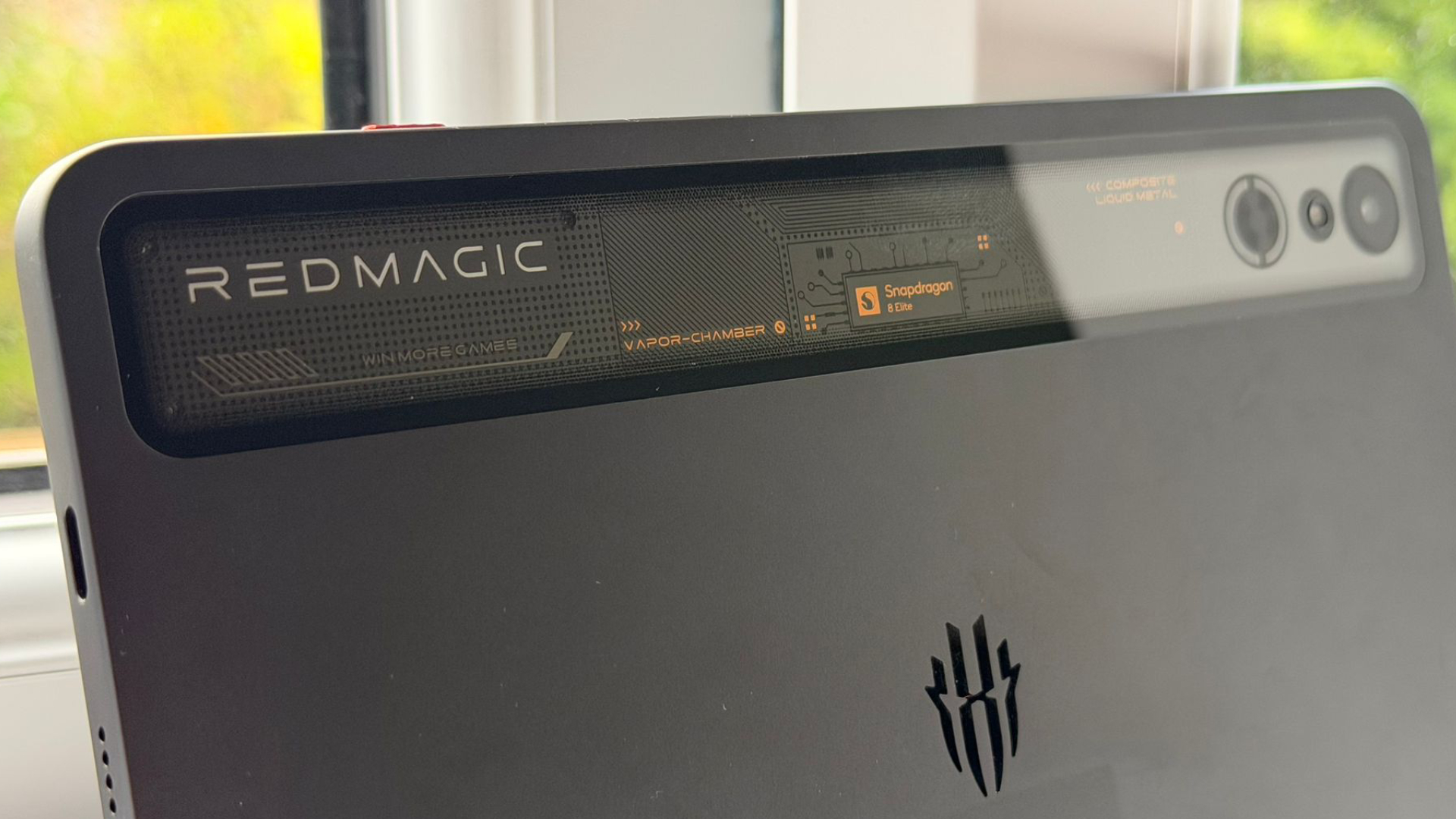
Of course, many Android devices might not be up to the task of running AAA, x86-based games. As it happens, I was shopping for a new Android tablet, and lucked out finding a deal on a used RedMagic Astra Gaming tablet, which is equipped with a Qualcomm Snapdragon 8 Elite Gen 4 SoC, Adreno 830 GPU, and 24 GB of LPDDR5T RAM. The device is also equipped with active cooling, which is a rarity in smaller Android tablets.
It should be noted that Snapdragon 8 Elite Gen 5 chips are rolling out in the Android ecosystem, but availability remains limited in the U.S. With a decently powerful Android device in hand, it’ll serve as a good testbed to see exactly how (and if) current hardware on portable ARM-based devices is capable of running demanding games.
GameNative’s APK is available directly from their GitHub repository, and installation was simple: Once the app was installed, all I had to do was log into my Steam account, and voila, my entire library was available to choose from. The gamepad-friendly interface allows you to select from “Compatible” titles, and with that flicked on, I was able to view exactly which titles might play nicely with the RedMagic Astra.
For this test, I wanted to test a handful of AAA gaming titles to see how well they might run and to get a good understanding of how these titles can perform on modern hardware. For a baseline, Cyberpunk 2077 (RED Engine), Clair Obscur: Expedition 33 (Unreal Engine 5), and Resident Evil 3 (RE Engine) all serve as solid showcases to see how well these games might run. Resident Evil 3’s remake is an older RE Engine title, but given my Steam Library's lack of newer Capcom titles, it’ll just have to do.
Stalled boot
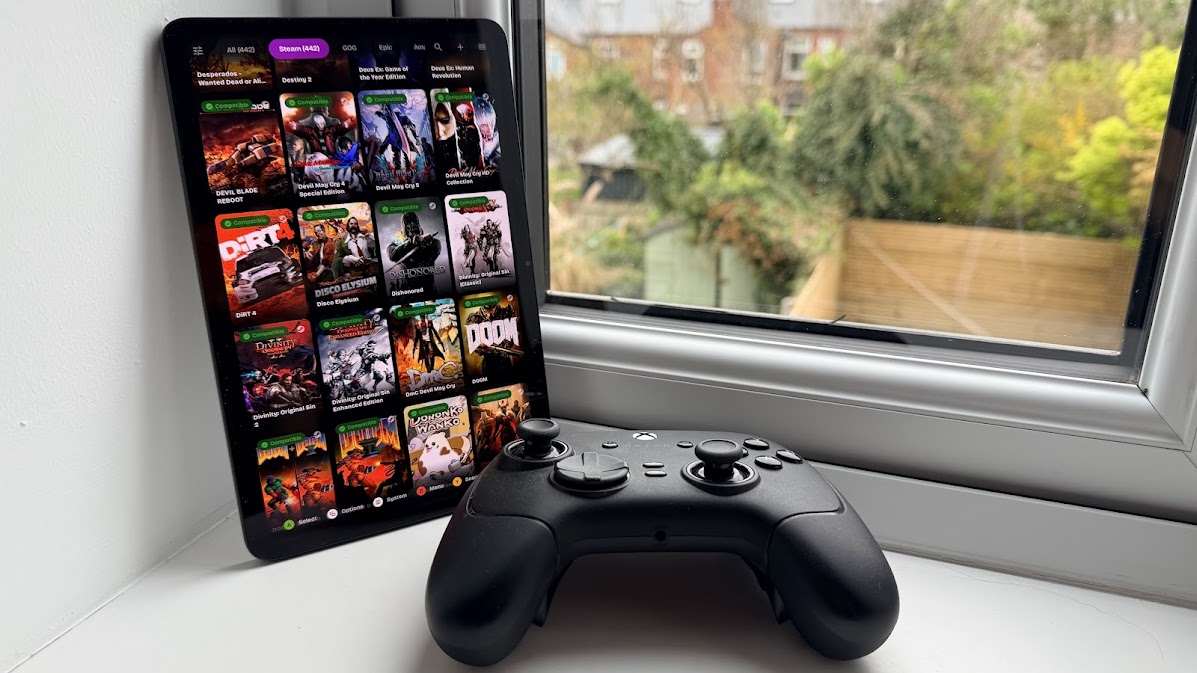
With Cyberpunk 2077 installed on the device, GameNative automatically chooses the best configurations for you and then pulls all of your Steam Cloud data to sync things up. This part of the process took a while, which is (what I presume to be) the sheer number of save files on my particular Steam Cloud variant. But it dutifully whittled away at downloading all of the required files to get Cyberpunk off the ground. And then… Nothing. Cyberpunk 2077 crashed to a halt. It took some tinkering with graphics drivers and Proton versions, then running a driver test to see if everything lined up.
Afterwards, I managed to finally load Cyberpunk 2077. Given that we want to run this as more of a proof-of-concept, rather than testing the silicon to its limits from the start, I immediately went to the settings menu and put everything on low, with FSR 2 off. After loading a save in a dense urban area, the game hangs, and seemingly nothing I did managed to solve that particular problem. Onwards, I pushed to the next title, undeterred.
Playable perfomance
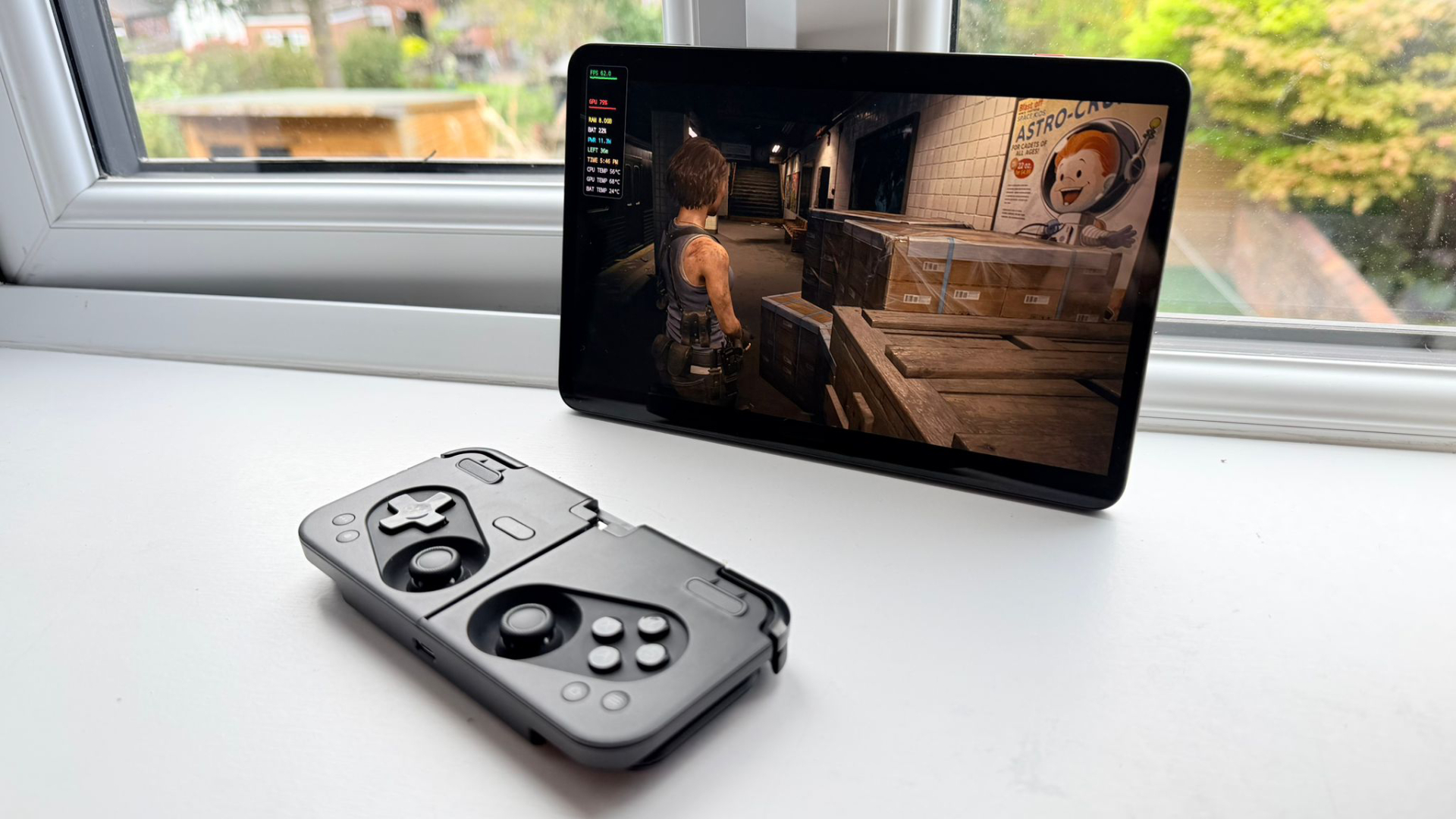
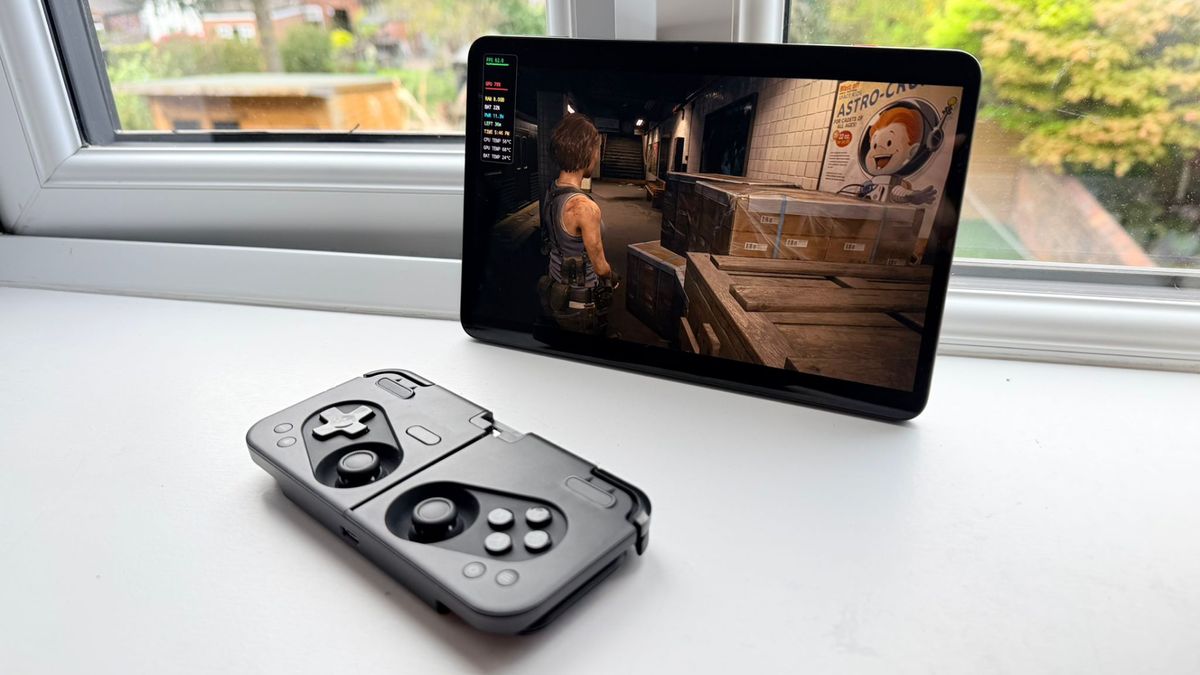
Resident Evil 3, by contrast, offered a much smoother experience when running the title at 720p. With settings locked in and the application allowed to access the large RAM pool of the RedMagic Astra, I was able to play the introductory segments of the title with little to no issue. That should come as little surprise to anyone who knows that Capcom’s RE Engine scales incredibly well with lower-end devices, especially if they are limited in scope, such as Resident Evil 3 – I wouldn’t chance running a heavier, open-map title like Monster Hunter: Wilds on here so soon.
With the game up and running, I then pushed the image quality with settings set to prefer performance, with no upscaling. Resident Evil 3 stayed at a steady 40- 60 FPS for most of the introductory segment, and only when dealing with more challenging scenes with multiple light sources and particle effects did our frames begin to drop to lows of around 27 FPS. That’s still playable, though not quite offering a perfect experience, and some subjectivity comes into play. Following this, testing the ‘Prefer Graphics’ preset with no upscaling, we reached a range of 25-42 FPS, which is again, more than playable enough for a single-player title. While you’re not going to get that ideal 60 FPS target, the game also doesn’t look like you’re playing it through a vaseline filter, which is a plus.

With Resident Evil 3 producing solid results, I marched on to Clair Obscur: Expedition 33. This Unreal Engine 5-based title was a tricky one to get up and running. Firstly, I had to set the lowest possible internal resolution, then select the correct drivers to get things set up. Following that, we were in the game. But there was one glaring issue: Image quality. The selected graphics driver (nor any other combination) actually yielded anything that remotely looked like Clair Obscur, with textures going haywire and environments missing some textures entirely. This one was a total, unplayable mess; even measuring its performance would have been a waste of time. So, what’s going on under the hood, and why is performance so variable between titles?
Fractured configurations
To understand why individual titles run so differently is to understand that each game runs a wholly different engine. CD Projekt Red’s RED Engine has proven to scale to systems like the Steam Deck and Switch 2, but performance in-game on the RedMagic Astra has yet to match either a Steam Deck or a Nintendo Switch 2 in image quality.
For Expedition 33’s Unreal Engine 5, this is a complicated nightmare. The CPU translation layer, in addition to DirectX12’s VKD3D translation, is what’s causing things to not load correctly, such as DX12’s mesh shaders. To put things simply, there’s a complex stack of operations required to run things smoothly, and when those graphical pipelines get as complex as a modern title, like Clair Obscur, the house of cards begins to fall down.
This isn’t a problem for Resident Evil 3’s RE Engine, which uses a lighter and cleaner implementation of DirectX12, especially when compared to Unreal Engine 5. You also have the option to launch with the DirectX 11-based DXVK, which, in itself, is much easier for a translation layer to handle than the more complicated VKD3D. The caveat here is that you’ll have to access a different legacy beta branch to enable that, as the main branch of the title forces DirectX 12.
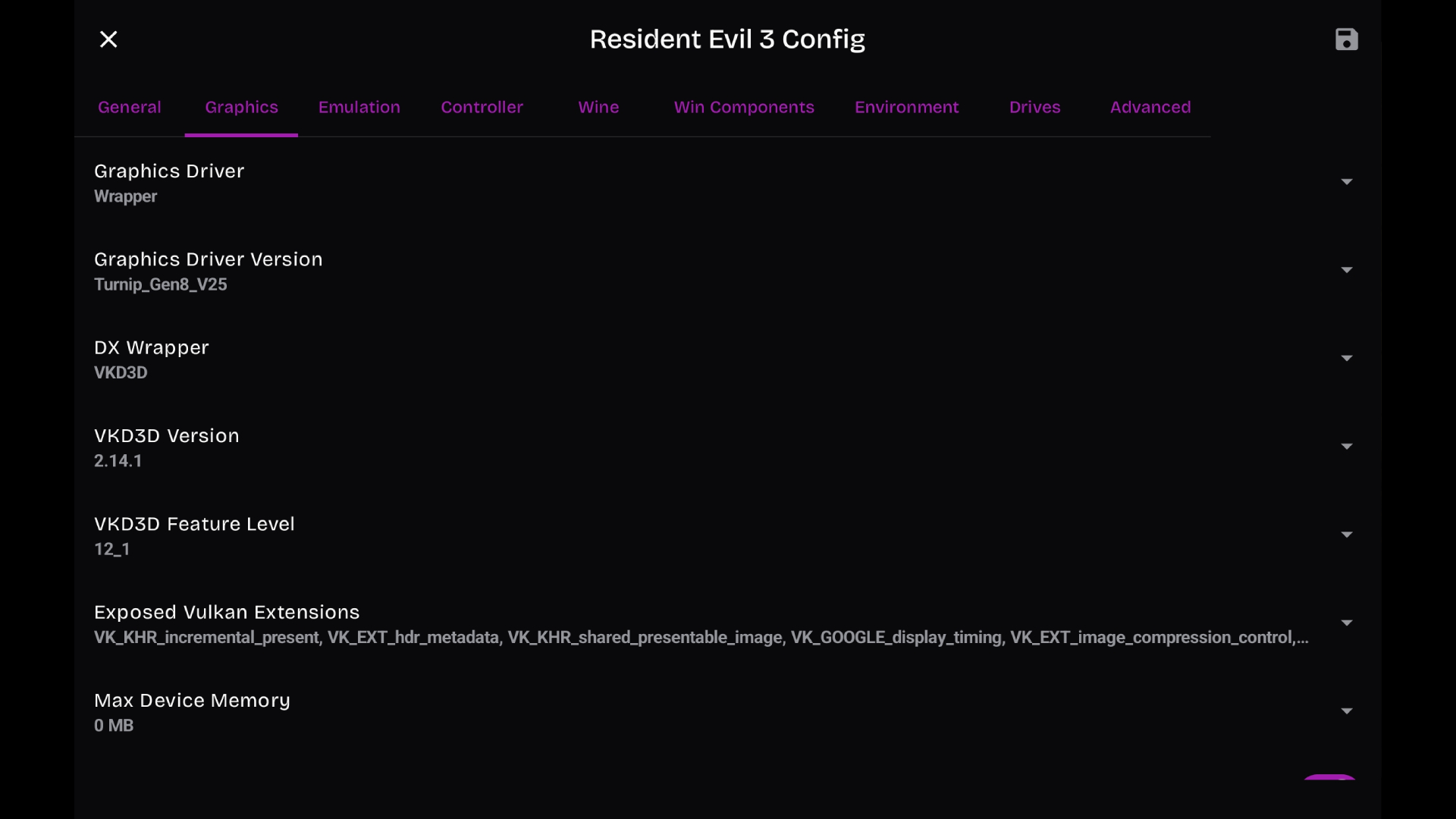
Worsening things is the fact that so much of this support relies on community-developed graphics drivers, most notably, custom “Turnip” drivers, based on the open-source Linux Mesa project, which patches Vulkan extensions that are actively still being reverse-engineered by the developers. These optimizations get missed by the official Qualcomm system drivers, which are closed-source. Therefore, as demonstrated in Clair Obscur: Expedition 33, when Turnip drivers are met with complex shader pipelines from UE5, the GPU driver can fail to render geometry correctly, even if the title boots.
Many titles that do not require the usage of such demanding graphical pipelines can work without breaking much of a sweat: So, if you’re missing out on Slay the Spire, or Hollow Knight: Silksong, those titles are demonstrably stable using FEX and emulator apps like GameNative. For our tests, we wanted to see how FEX handled complex shaders, graphics, and modern “big-budget” experiences.
Where does this leave FEX?
In and of itself, FEX is an ongoing project, and we’re not going to see major miracles happen overnight when it comes to elements out of the project’s scope, such as Qualcomm’s development of official drivers that officially support mainstream games.
Qualcomm’s mobile chips were built strictly to run mobile apps and games, meaning that adding the wrinkle of supporting elements like desktop-level Vulkan instructions is a use case they simply never really considered supporting before. If the company wants to capitalize on the work being done by the FEX team, Qualcomm-based chips must also come with similar levels of support as desktop graphics drivers, and the likelihood of that happening is quite slim indeed. As of the time of writing, community drivers for specific titles can enhance the experience of some titles, if you're willing to go to those lengths.
While the efforts of FEX-Emu and its complex, layered translation to get things running are indeed impressive, you’re not about to be able to take your whole Steam Library with you anywhere, until there’s more maturation of these applications and the community-made drivers (potentially with the help of a company like Valve) to create workarounds, or dedicated drivers. For now, it’s still too early to start throwing FEX out as a feature in a mainstream product until all of those rougher edges, like driver support, are smoothed off for end-users. Anyway, my tablet’s back to being relegated to being a very fancy comic-book reader again until the entire software pipeline has matured.






 English (US) ·