
SteelSeries Arctis Nova 7P Gen 2: two-minute review
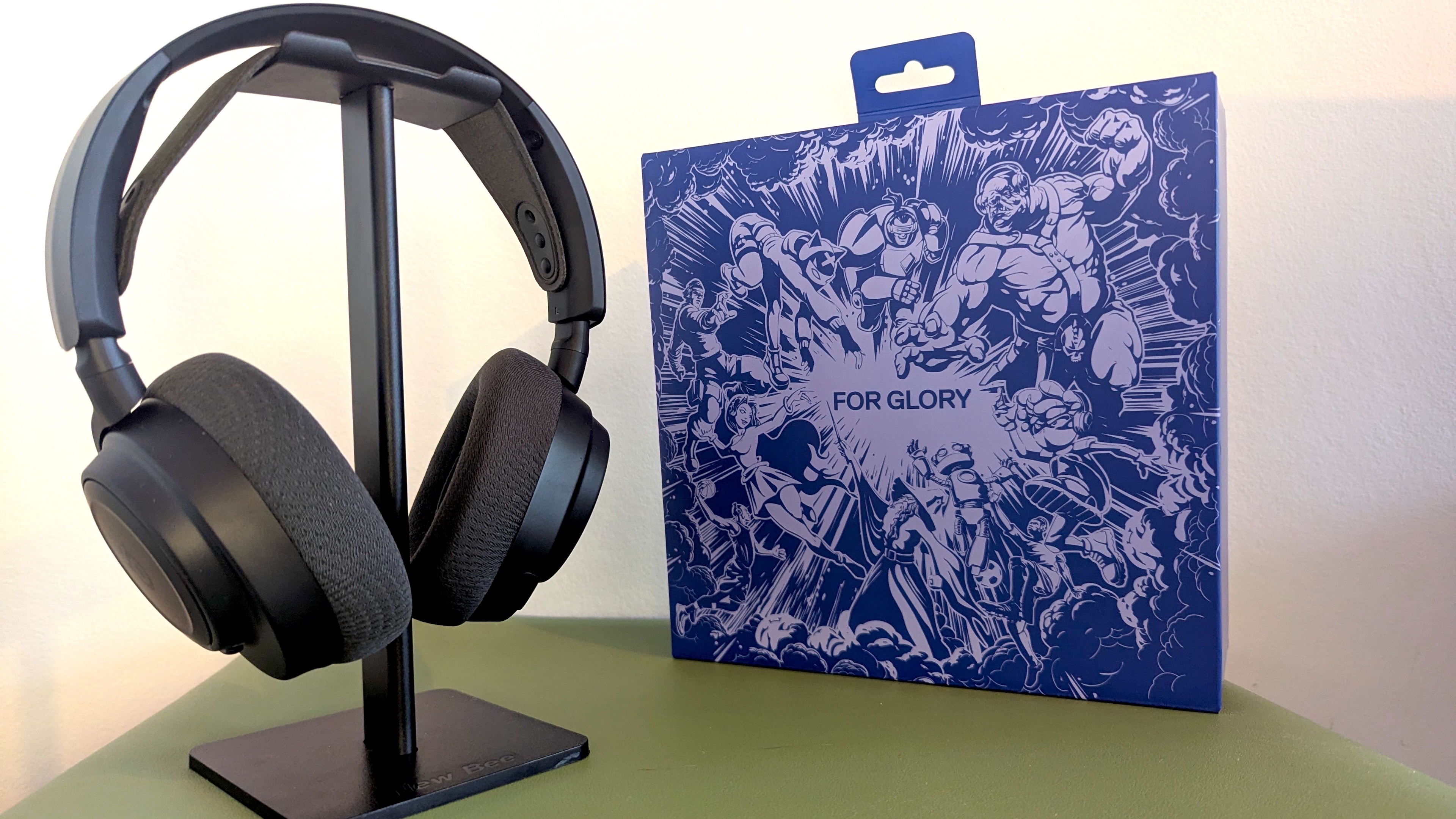
If you’re looking for a PS5 headset that boasts unrivaled customization options, the SteelSeries Arctis Nova 7P Gen 2 is an endlessly versatile wireless gaming headset option. And while it is indeed a tweaked version of the multiplatform model, one that swaps out the control wheel on the right earcup for one that dials in sidetone, this headset can be used on a whole host of platforms to great effect.
After using the headset for 100 hours, I’ve found myself keeping it on for music listening and work calls throughout the day. It’s a Gen 2 version of an existing headset, with a larger battery that I’ve found to be good for just over 50 hours, and a few extras in terms of software compatibility. Having also used a SteelSeries Arctis Nova 5 review, I can say with confidence that this is a big step up in terms of user experience and comfort.
All in all, the SteelSeries Arctis Nova 7P offers everything I want from a PS5 headset, and I’ve been impressed by the custom audio profiles for games like Fortnite and Alan Wake 2. While the Arctis app is easy to use on mobile, some features, like creating custom EQ profiles, are locked to the desktop app. I’d love to see full functionality on the mobile app, as having to jump between devices to use the full suite of features is a little frustrating. Similarly, you have to use the desktop app to update firmware.
Audio quality for the SteelSeries Arctis Nova 7P is great across the board and has held up while I’ve been testing the headset with gaming, work calls, and music listening sessions.
There’s a handful of music EQ profiles to play around with, and they offer the usual Bright, Heavy, Bass Boost options you’ll find on most EQing programmes these days. I love the fact that Side Tone is controlled via a wheel on the right ear cup, as it allows me to dial it up for online, voice-chat heavy games, and then back down for when I’m playing a single player title.
Battery life was pretty much bang on the 54 hours claimed by the manufacturer (my estimate was 52 hours following a full charge), though I did find that the battery drained a little quicker when using both the Bluetooth and 2.4Ghz functions simultaneously. As such, I never actually ran out of battery (besides the testing for battery life), as a quick charge at the end of the day would boost the headset up enough to last comfortably more than the following day’s usage.
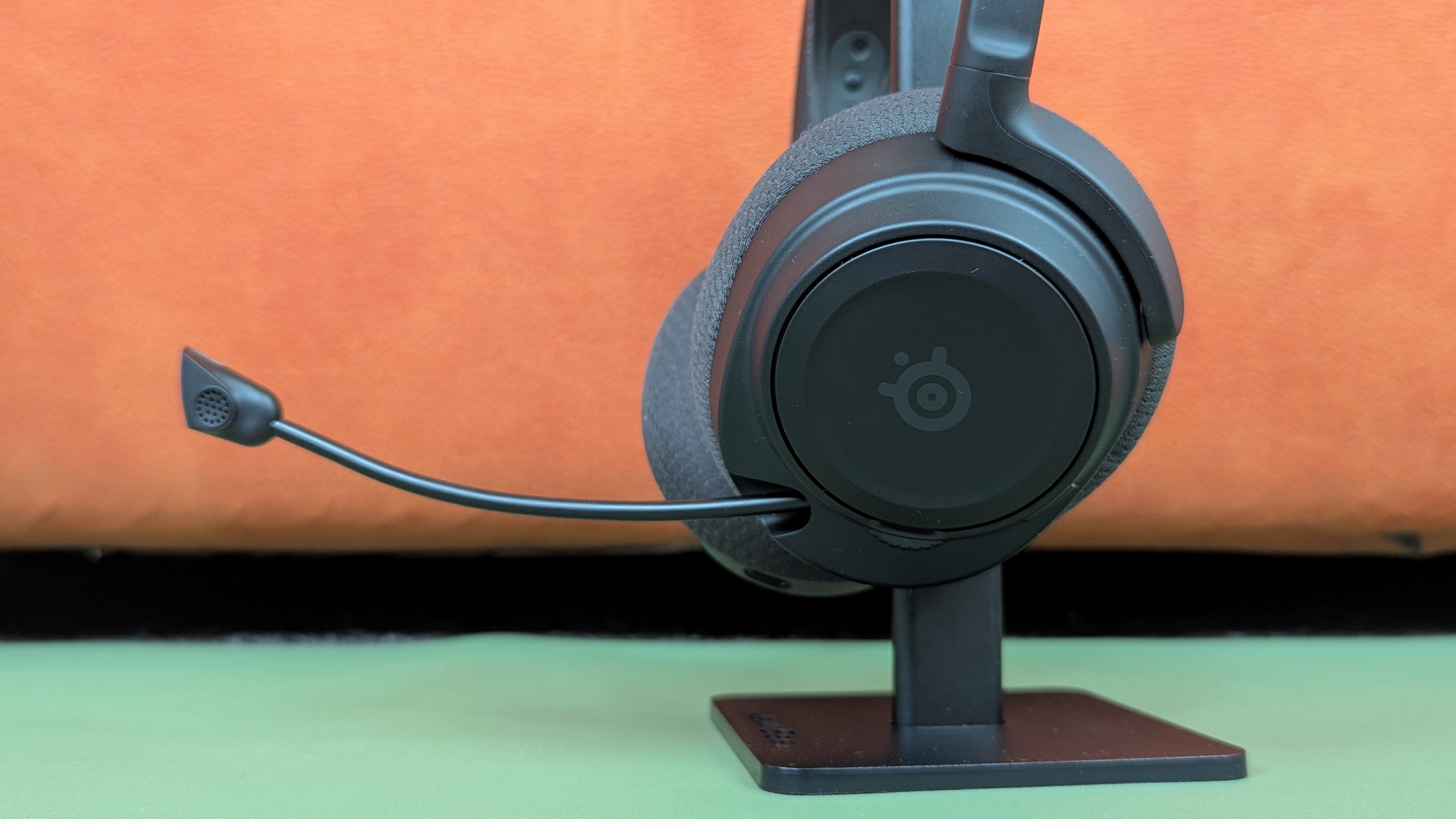
Retractable microphones are my preference in a gaming headset, and I’ve really appreciated being able to neatly slot away the microphone while I’m using the headset for music or single-player games. Other gaming headsets I’ve owned have had detachable microphones, and sooner or later, they get misplaced, rendering the device useless for certain kinds of games. The red light that indicates muting is a nice touch too, giving me a clear signal that, yes, I am indeed muted on a call once again.
I’ve unfortunately also had two instances requiring me to hard-reset the device. This seems to happen due to an endless cycling of the Bluetooth pairing when connecting and reconnecting between multiple devices. To reset the headset, you have to remove the foam from one of the earcups and then use a pin to poke down into a very tiny hole.
This isn’t ideal, and particularly frustrating when you don’t have the right tool on hand to initiate the fix. I’ve kept the headset’s firmware updated throughout this review, so for now, I’m unable to say whether this issue is something that’s prevalent and planned to be fixed.
SteelSeries Arctis Nova 7P Gen 2: price and availability
- List price: $199 / £179.99 / AU$399
- More expensive than the Gen 1 version at launch, which was $179.99 / £174.99 (about AU$310)
- Competitive pricing with a great feature set that matches rivals
The SteelSeries Arctis Nova 7P launched in October 2025. It’s positioned somewhere in the middle of the mid-range premium gaming headsets in terms of cost, and it’s in-line, though slightly more expensive than the Gen 1 version due to its refreshed and updated feature set.
At $199 / £179.99 / AU$399, the headset has a number of competitors like the Turtle Beach Stealth 700 Gen 3. It’s exactly the same price as the Stealth 700 Gen 3, and shares many of the same features, though the Turtle Beach has the SteelSeries beat on battery life by a considerable margin.
Then there’s the Razer Kraken V4, a cheaper alternative ($179 / £179 / AU$329) to the SteelSeries Arctis Nova 7P. You get a little less battery life and THX Spatial Audio, which really improves the audio experience. Unfortunately, this THX Spatial Audio is only available on PC, so if you’re a console gamer, you may find the SteelSeries Arctis Nova 7P’s suite of software features a lot more useful in your setup.
For the price, the SteelSeries Arctis Nova 7P does offer great value for money in terms of build quality and features. It doesn’t have Active Noise Control (ANC), though you can’t find another headset that does in this price range. In fact, ANC is very uncommon in the gaming space as of yet, so for now at least, the SteelSeries Arctis Nova 7P feels fully featured.
It’s also worth mentioning that, despite having launched in October of this year, there have already been deals and discounts for Black Friday that brought the headset down by $20 on average. Even if you can’t find a deal on the SteelSeries Arctis Nova 7P headset, it’s still great value for money for what you’re getting.
SteelSeries Arctis Nova 7P Gen 2: specs
Swipe to scroll horizontally
| Row 0 - Cell 0 | SteelSeries Arctis Nova 7P Gen 3 |
Price | $199 / £179.99 / AU$399 |
Weight | 11.5oz / 326g |
Drivers | 40mm carbon fiber with brass surround |
Compatibility | PS5, PS4, Nintendo Switch 2, Nintendo Switch, PC, Mac, Mobile |
Connection type | Wireless (2.4Ghz via dongle), Wired (audio jack), Bluetooth |
Battery life | 54 hours |
Features | Retractable boom noise-cancelling microphone, Simultaneous wireless and Bluetooth audio, AirWeave memory foam ear cup material, Fast Charge (6 hours in 15 minutes). |
Software | SteelSeries GG/Sonar, SteelSeries Arctis Companion App (iOS & Android) |
SteelSeries Arctis Nova 7P Gen 2: design and features
- Comfortable and lightweight design that feels sleek and unobstructive
- Simultaneous 2.4Ghz wireless and Bluetooth audio is a real winner
- Three cleanly designed colorways
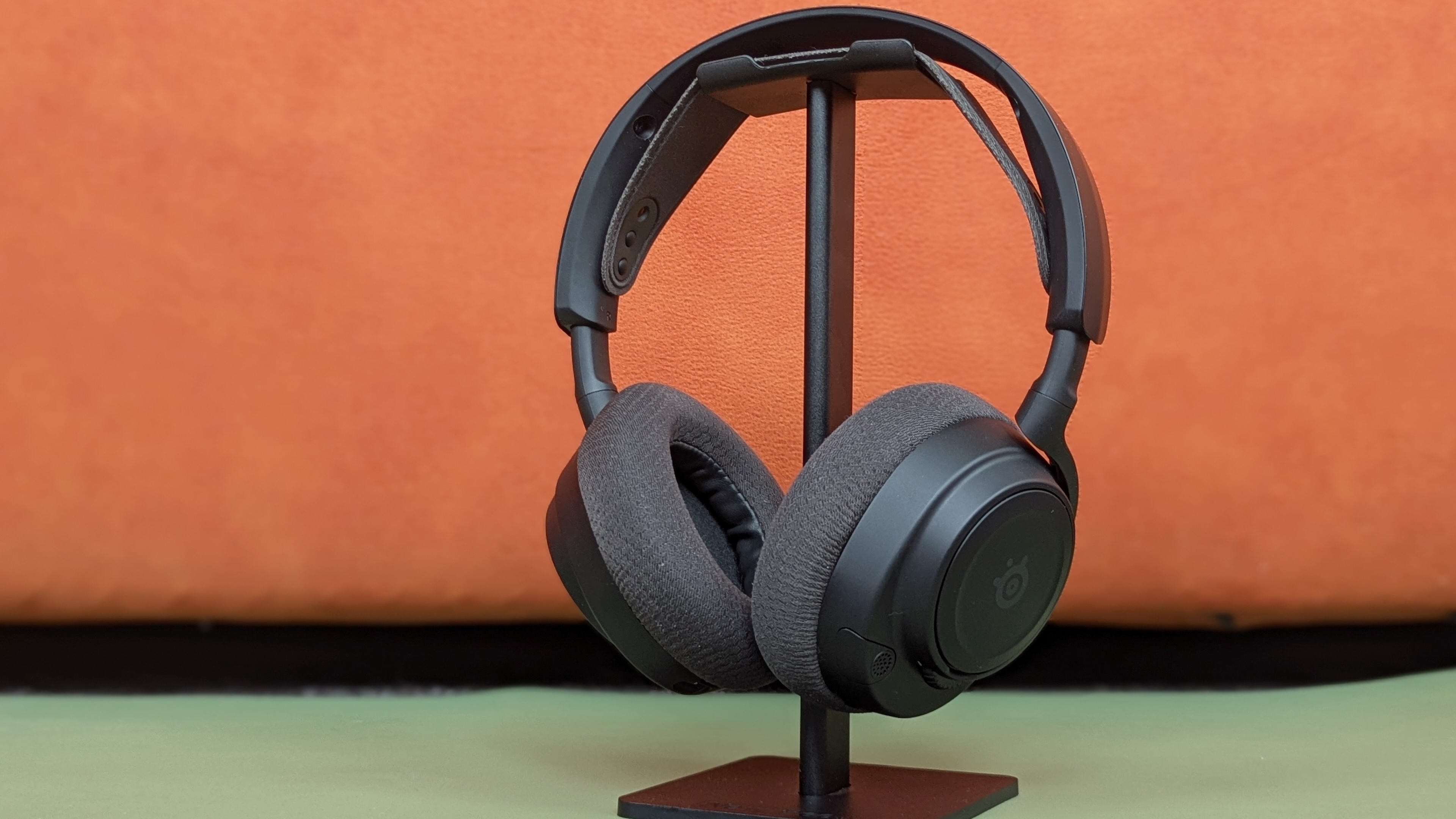
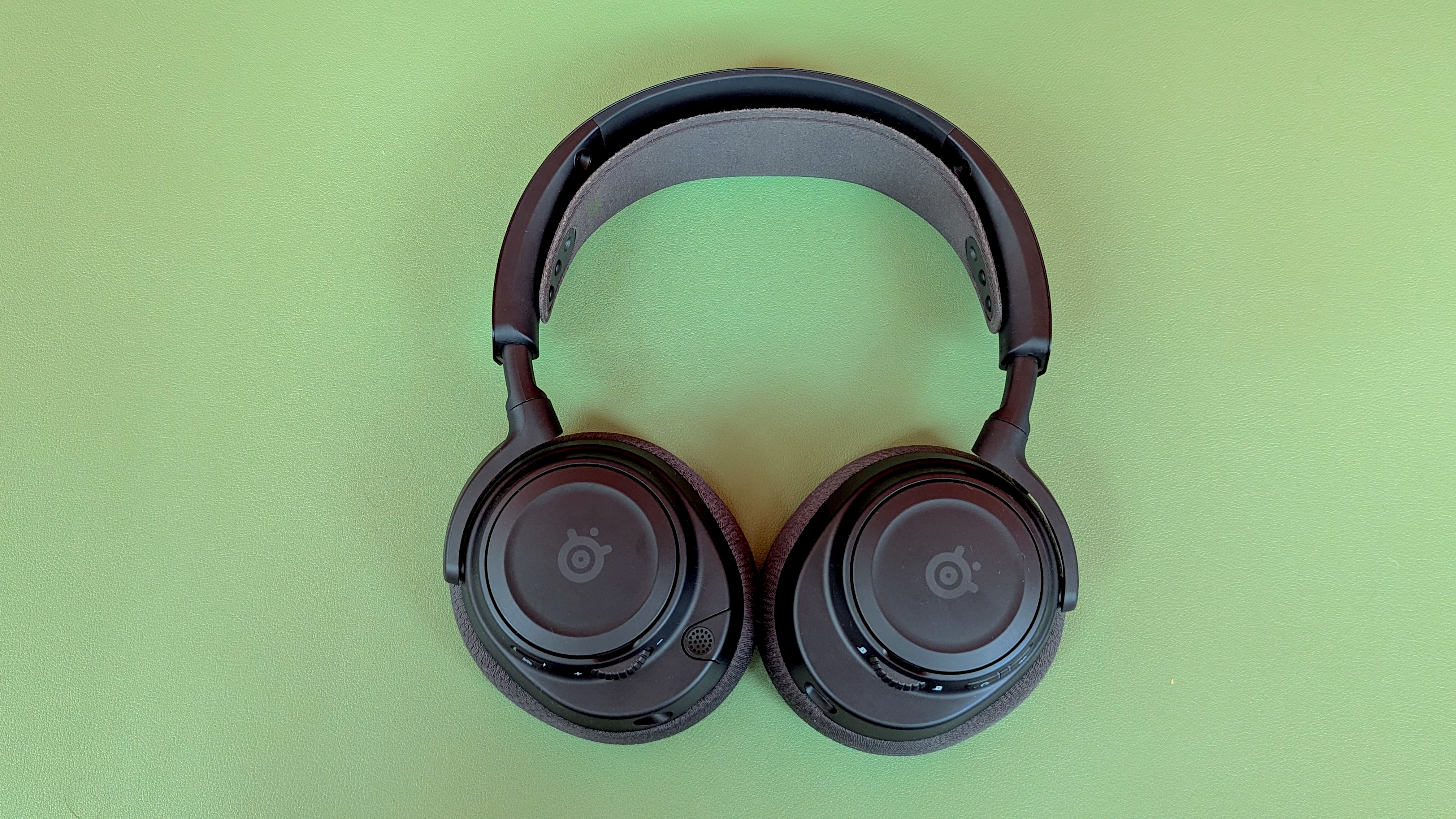
The SteelSeries Arctis Nova 7P comes in three colors: Black, White, and Pink, though the design largely follows the same of other Arctis Nova headsets. Comparing it to my own SteelSeries Arctis Nova 5, the 7P is noticeably improved in build quality. It’s slightly heavier, and the headband is a PVD (Physical Vapour Deposition)-coated steel that’s much more sturdy. At a glance, however, this is the same design we’ve seen from other SteelSeries gaming headsets, just a little bit more premium-feeling.
In comparison to the weight of competitors like the Turtle Beach Stealth 700 (14.3oz / 408g) and the Kraken V4 (12.3oz / 397g), the SteelSeries Arctis Nova 7P is noticeably lighter (11.3oz / 326g). I often find gaming headsets too bulky and heavy for extended use, though the SteelSeries Arctis Nova 7P has been superbly comfortable to wear all day. I was given the Black color variant for review, and it’s a big upgrade on the White model I’ve used for the SteelSeries Arctis Nova 5 (which discolored and yellowed a little after a few months of use).
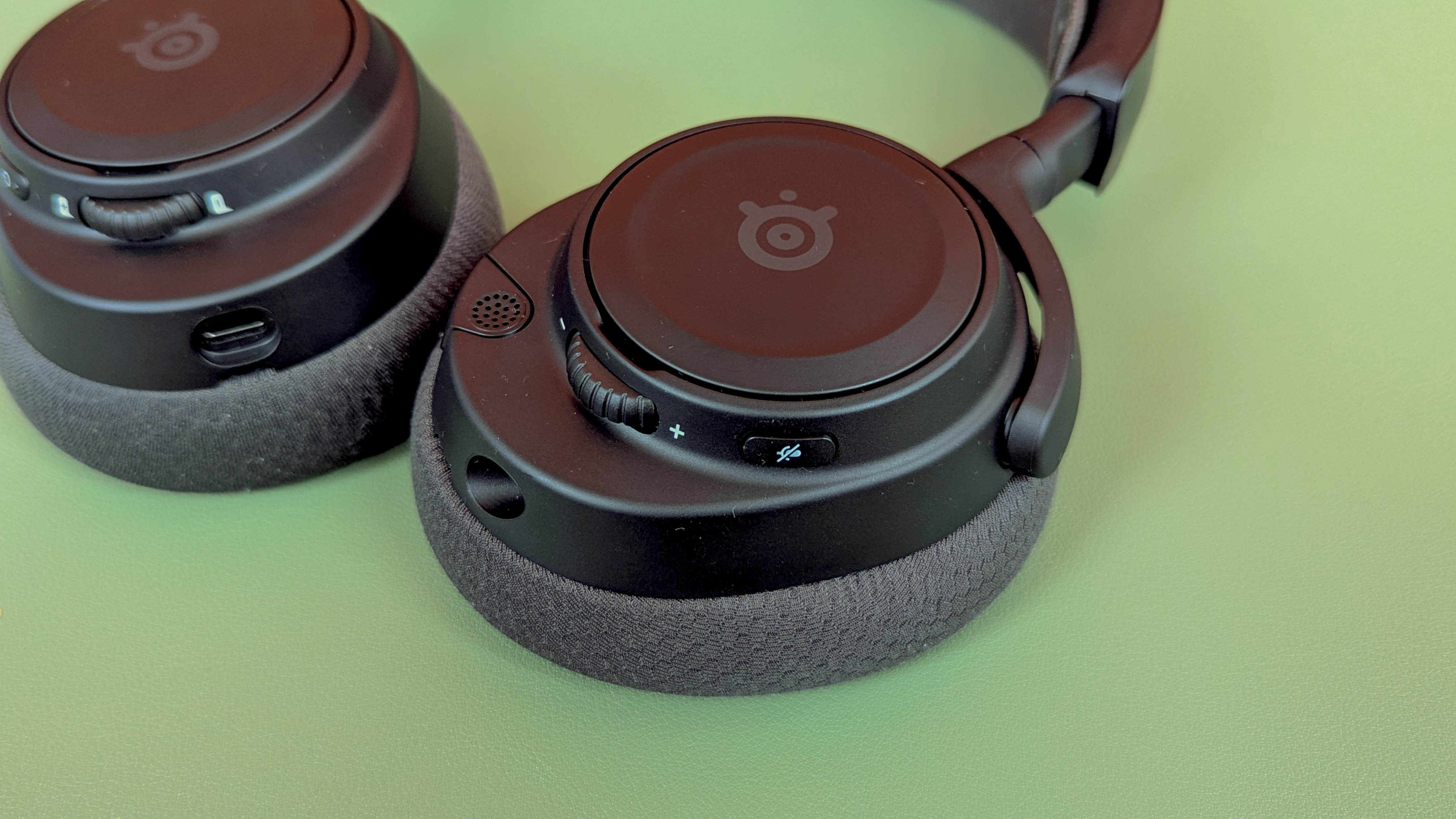
Another thing I like about this headset is the retractable microphone. It slots neatly into the left earcup and can be pulled out and replaced smoothly. There’s even a small red LED on the tip of the microphone to indicate when the device is muted. Personally, I need a little bit of Side Tone in my gaming headsets, which usually plays back a bit of my speech audio into the headset while using the microphone. The 7P version here has an adjustable dial on the right earcup to adjust Side Tone, a nice feature that’s exclusive to the PlayStation-centric version I’ve been testing
There’s a mute button, a volume wheel, and two pairing buttons that activate Bluetooth and 2.4GHz connections, respectively. These all feel solid, though there’s nothing particularly interesting to report about them. Other headsets might use a click here and there on their volume wheels, but I can’t say I was left wanting with the SteelSeries Arctis Nova 7P’s more straightforward offering.
This 7P variant is multiplatform across PC, mobile, Mac, PS5, PS4, Nintendo Switch 2, Meta Quest 2 and Quest 3, and Nintendo Switch, as are the 7 and 7X variants. The difference between the models is that in the 7, the right ear cup has a chatmix volume wheel (tailored for PC functionality), rather than the 7P and the 7X’s Side Tone wheel. The PS5 doesn’t use chatmix, so the Side Tone wheel is more useful if you’re primarily playing on PlayStation. If you want proper Xbox compatibility, the 7X is the headset that’ll connect to Xbox devices. The 7 and 7P will not.
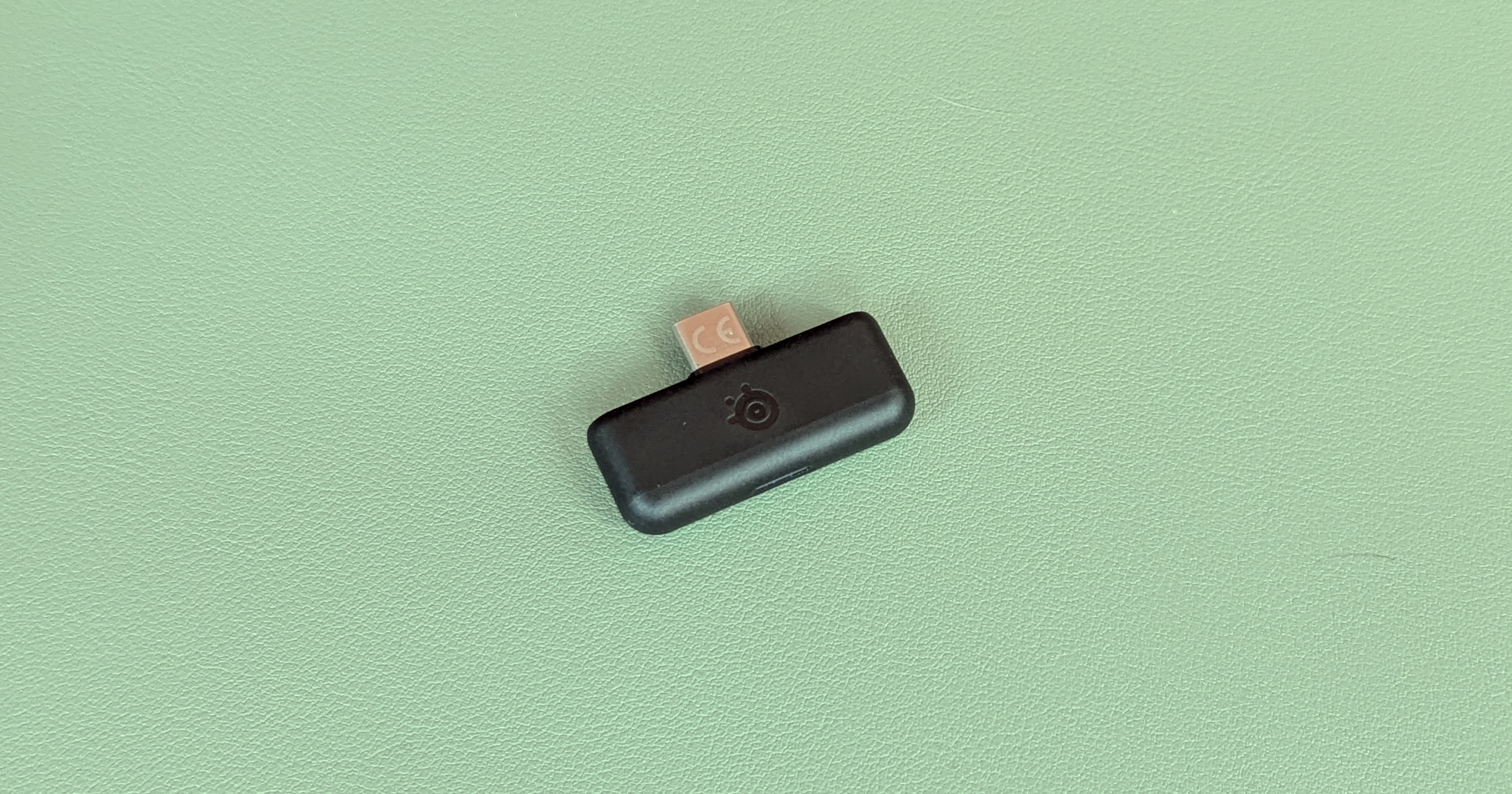
Having separate buttons for each connection type works like a charm, and they even have slightly different sound effects upon activation. This streamlines a potentially finicky process that can often crop up with simultaneous connectivity devices like this.

SteelSeries Arctis Nova 7P Gen 2: performance
- Fantastic sound across gaming, music, and work calls
- Arctis app’s custom game profiles truly make a difference
- Comfortable and versatile enough to become a daily driver
The SteelSeries Arctis 7P excels in audio quality, mostly leaning on the Arctis app to offer a deep level of customization in how your in-game audio is mixed. I’ve played hundreds of hours of online games like Fortnite, Battlefield 6 and Arc Raiders using the headset, and found in-game audio to rise to the occasion, regardless of what I’m playing. I often chose to use the headset without the companion app, instead relying on default settings to play a whole host of games. I found the audio to be well-balanced and with adequate levels of bass without needing to tweak things in-game.
Similarly, the SteelSeries Arctis Nova 7P will perform great when streaming music, though it’s not really positioned as a music-first product, lacking noise cancelling and the clarity you’ll get from a dedicated set of more audio-focused headphones.
Generally, the headset features solid audio quality and performance in default settings, with very few issues with stuttering or streaming, whether connected to Bluetooth or 2.4Ghz signals. I had quite a few problems with the SteelSeries Arctis Nova 5 in this respect, frequently finding that my audio would glitch or cut out entirely from time to time. Whatever’s been finetuned for the 7P model has ironed out these issues completely, and I’ve had a very smooth experience switching between Bluetooth and 2.4Ghz modes so far.
A huge plus point of the SteelSeries Arctis Nova 7P is its compatibility with the companion Arctis app, which adds flexibility and features. You can download the Arctis app on your phone, and from there you can tweak the Bluetooth audio, the 2.4Ghz audio, and microphone profiles on the fly. It’s a robust app that has custom profiles for games like Battlefield 6, Kingdom Come Deliverance 2, and Fortnite.
In online competitive titles, enemy footsteps are bumped up in the EQ mix, and the difference is stark. Having spent around a hundred hours playing Arc Raiders on the headset with the “FPS Footsteps” custom profile enabled, I’ve been able to hear enemies sneaking up behind me, saving me from a potential ambush.
Unfortunately, custom EQ settings are locked to the desktop app, so if you want to make your own audio profiles, you’ll need to load up another device. I’d like to see this compatibility added to the mobile app, as having to open up my laptop and connect my headset to a separate platform really complicates what should be a simple process.
Microphone quality isn’t perfect out of the box, but after some tweaking in the Arctis app, it sounds great when playing online with other players. At this price point, the audio quality from the microphone is standard, but nothing to write home about, though I’ve had reports from my regular gaming group that the microphone sounds noticeably better than on my SteelSeries Arctis Nova 5.
All in all, however, I have very few gripes with how the Steel Series Arctis Nova 7P performs day to day. The simultaneous Bluetooth and 2.4Ghz connections have made the headset a staple for me, whether I’m gaming, working, or chatting to pals on Discord.

Should I buy the SteelSeries Arctis Nova 7P Gen 2?
Buy it if...
You want a comfortable and light gaming headset
The Steel Series Arctis Nova 7P is the most comfortable gaming headset I’ve reviewed so far. It’s noticeably lighter than its direct competitors, while still having great build quality and a sturdy headband.
You want custom audio profiles for games like Fortnite
Arctis offers custom audio profiles specifically tailored for a whole host of games. Some amplify enemy footsteps, while others bump up the high-end to do justice to soaring orchestral soundtracks.
You want to run two audio streams simultaneously
The SteelSeries Arctis Nova 7P offers simultaneous Bluetooth and 2.4GHz wireless audio streams. This means you can run your Discord chat over Bluetooth, and your game audio through 2.4Ghz. This is seamless and very easy to manage on the fly.
Don't buy it if...
You want to make your own EQ profiles easily
Unfortunately, you’ll need to use a desktop app to create and manage EQs you’ve made yourself. This is frustrating, as the mobile app has every other piece of functionality covered. Still, this is a niche issue, and most won’t need to open their desktop even once.
SteelSeries Arctis Nova 7P Gen 2: Also consider
Still not sold on the SteelSeries Arctis Nova 7P? Here are two competitors that might better fit your needs.
Swipe to scroll horizontally
| Row 0 - Cell 0 | SteelSeries Arctis Nova 7P Gen 3 | Turtle Beach Stealth 700 Gen 3 | Razer Kraken V4 |
Price | $199 / £179.99 / AU$399 | $199.99 / £179.99 / AU$399.95 | $179 / £179 / AU$329 |
Weight | 11.5oz / 326g | 14.3oz / 405g | 12.3oz / 350g |
Drivers | 40mm carbon fiber with brass surround | 60mm Eclipse™ Dual Drivers | Razer TriForce Titanium 40mm Drivers |
Compatibility | PS5, PS4, Nintendo Switch 2, Nintendo Switch, PC, Mac, Mobile | PC, Xbox, PlayStation, Nintendo Switch, Android, iOS | PC, PlayStation 5, PlayStation 4, Nintendo Switch, Steam Deck, Android, iOS |
Connection type | Wireless (2.4Ghz via dongle), Wired (audio jack), Bluetooth | Wired (USB-A), Wireless (2.4GHz, Bluetooth 5.2) | Wired (USB-A), Wireless (Bluetooth 5.3, 2.4GHz USB dongle) |
Battery life | 54 hours | 80 hours | Up to 50 hours |
Features | Retractable boom noise-cancelling microphone, Simultaneous wireless and Bluetooth audio, AirWeave memory foam ear cup material, Fast Charge (6 hours in 15 minutes). | Flip-to-mute mic with AI noise reduction, CrossPlay Dual transmitters, remappable Mode button, and wheel | Razer HyperSpeed Wireless technology, Retractable Razer HyperClear Super Wideband Mic, THX Spatial Audio |
Software | SteelSeries GG/Sonar, SteelSeries Arctis Companion App (iOS & Android) | Swarm 2 | Razer Synapse |
Turtle Beach Stealth 700 Gen 3 Wireless
The closest competitor to the SteelSeries Arctis Nova 7P is the Turtle Beach Stealth 700 Gen 3. It’s exactly the same price, but it does have more battery life. It’s also much heavier, however, and overall has a much more bulky design.
For more information, check out our full Turtle Beach Stealth 700 Gen 3 review.
Razer Kraken V4
The Kraken V4 is a slightly cheaper alternative here. It has more bespoke technology applied to its microphone and audio drivers, with particular care taken to ensure the microphone quality punches well above its weight. The battery life is only slightly less than the SteelSeries Arctis Nova 7P’s, and it similarly features a retractable design for its microphone.
For more information, check out our full Razer Kraken V4 review.

How I tested the SteelSeries Arctis Nova 7P Gen 2
- Tested daily for a month, between gaming and work sessions
- Used primarily on PS5 Pro, but also on my MacBook Air, and Google Pixel 7
- Compared directly to the Steel Series Arctis Nova 5, which I’ve now used daily for over a year
The SteelSeries Arctis Nova 7P has become my daily driver for the last month or so. I’ve been using it as my main gaming headset, playing Arc Raiders and Fortnite with pals online. I’ve also used the headset for work, joining meetings and presentations, and using the microphone to speak. I’ve regularly had both audio streams running simultaneously using the Bluetooth and 2.4Ghz wireless functions, especially while gaming.
On my PS5 Pro, I’ve tested the custom audio profiles in the Arctis app. Audio for Fortnite, Clair Obscur: Expedition 33, and Battlefield 6 all offered distinct differences when paired with their respective custom profiles. Primarily, I’ve played around 60 hours of Arc Raiders, a game where audio is particularly vital. The FPS Footsteps profile saved my life a bunch of times by lifting low-end audio and making enemy footsteps clear and pronounced.
On my MacBook Air, I used the SteelSeries Arctis Nova 7P to listen to music, and applied some of the dedicated music profiles from the Arctis app to test audio quality. During my testing, I was able to compare the headset to the SteelSeries Arctis Nova 5 and noted the upgrades offered by the newer version. I also paired the SteelSeries Arctis Nova 7P to my Google Pixel 7 to test calls, Discord Mobile audio, and to access the Arctis app’s full suite of features.
First reviewed October-December 2025




 English (US) ·