
 3 weeks ago
30
3 weeks ago
30
You’ve decided on a 27-inch flat screen for your gaming and day-to-day productivity needs. You’d really like an OLED but only have around $450 to spend on one of the best gaming monitors. What to do? HP has an idea: the new Omen 27qs G2. An upgrade to the 27qs from two years ago, it’s better in every way, starting with a 280 Hz refresh rate. A new IPS panel delivers an honest 1,200:1 contrast ratio, high brightness, and a wide color gamut. You also get Nvidia G-Sync certification and AMD FreeSync Premium. Let’s take a look.
HP Omen 27qs G2 Specs
Swipe to scroll horizontally
Panel Type / Backlight | IPS / W-LED, edge array |
| Row 1 - Cell 0 | 8 dimming zones |
Screen Size / Aspect Ratio | 27 inches / 16:9 |
Max Resolution and Refresh Rate | 2560x1440 @ 280 Hz |
| Row 4 - Cell 0 | FreeSync and G-Sync Compatible |
Native Color Depth and Gamut | 8-bit / DCI-P3 |
Response Time (GTG) | 1ms |
Brightness (mfr) | 400 nits |
Contrast (mfr) | 1,000:1 |
Speakers | 2x 3w |
Video Inputs | 1x DisplayPort 1.4 |
| Row 11 - Cell 0 | 2x HDMI 2.0 |
Audio | 3.5mm headphone output |
USB 3.2 | 1x up, 2x down |
Power Consumption | 32.5w, brightness @ 200 nits |
Panel Dimensions WxHxD w/base | 24.2 x 16.5-20.6 x 8.8 inches (615 x 419-523 x 224mm) |
Panel Thickness | 2.1 inches (53mm) |
Bezel Width | Top/sides: 0.3 inch (8mm) |
| Row 18 - Cell 0 | Bottom: 0.75 inch (19mm) |
Weight | 18.41 pounds (8.35kg) |
Warranty | 3 years |
OLED prices are slowly trending downward, but a 27-inch 280 Hz QHD model will still cost at least $600. The Omen 27qs G2 comes out of the gate at $450 and offers nearly the same video processing performance, along with wide-gamut color, decent contrast, and reference-level accuracy.
IPS averages around 1,000:1 contrast, so the Omen 27qs G2 ups that a bit, and that’s a difference you can see in a side-by-side comparison. HDR is even better with peaks of 470 nits and over 8,200:1 contrast as measured in my benchmarks. This is achieved through an eight-zone edge-dimming backlight design. I also found reference-level color accuracy after a few tweaks to white balance. The color gamut is wider than before and covers over 93% of DCI-P3 and a perfect 100% of sRGB, which makes the Omen 27qs G2 suitable for critical applications.
Video processing is top-notch with a precise five-level overdrive, Adaptive-Sync and MPRT backlight strobing. The latter works instead of AS and is one of the cleanest iterations of the technology I’ve yet seen. Most monitors introduce a phasing artifact when strobing, which looks a bit like double vision. But the Omen 27qs G2 eliminates this issue, making it a great choice for users with slower PCs. If you can keep frame rates over 200 fps, not too difficult at 2560x1440 pixels, Adaptive-Sync is the better option, but under that, strobing can eliminate all motion blur. This puts the video processing on par with many OLED displays.
There are enough extras to call the Omen 27qs G2 a premium monitor. You get USB ports, internal speakers, LED lighting and HP’s well-known high standard of build quality with smooth and understated styling. The speakers and headphone jack aren’t just afterthoughts here; they include quality sound and audio modes selectable in the OSD. A fully adjustable stand rounds out the package, along with a three-year warranty.
HP doesn’t offer the huge array of gaming screens that some other manufacturers do, but what it does deliver is solid quality and premium performance for a reasonable price. And any HP display you choose will have consistent specs and capabilities. The Omen 27qs G2 is another top-notch monitor from one of the OGs of computer tech.
Assembly and Accessories
The Omen 27qs G2 arrives in a clamshell-style carton with its contents packed in molded pulp. There’s no crumbly foam to get white bits on the floor. The stand assembles with a captive bolt, and the panel snaps on with a piece of trim to hide the 100mm VESA mount. Fasteners are included if you want to use an arm. Cables include IEC for the internal power supply, plus USB and DisplayPort.
Product 360
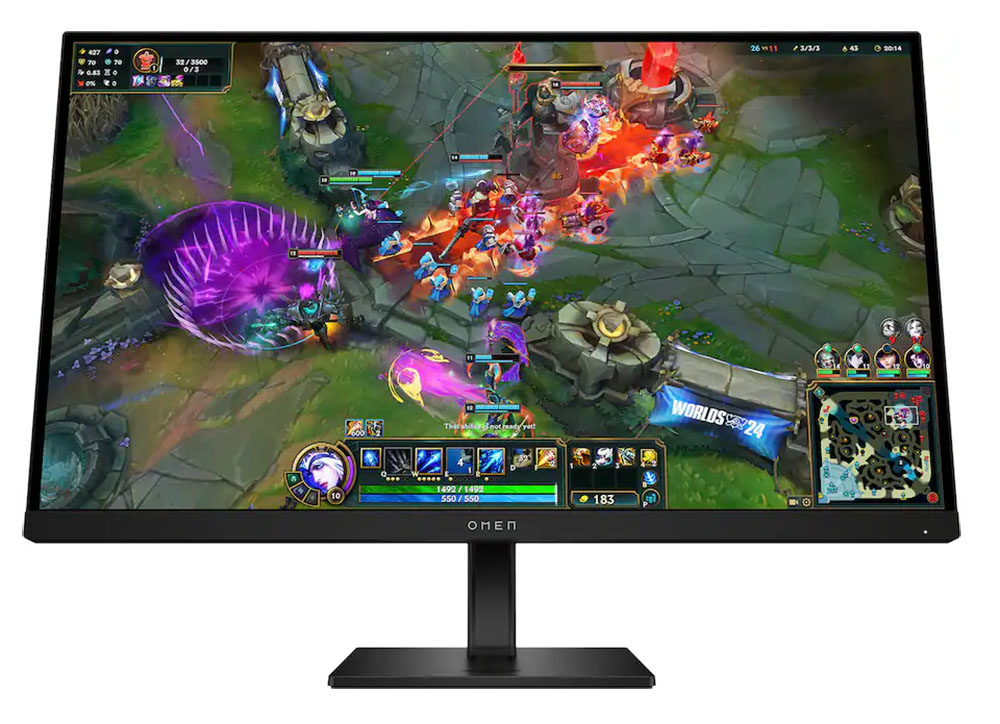
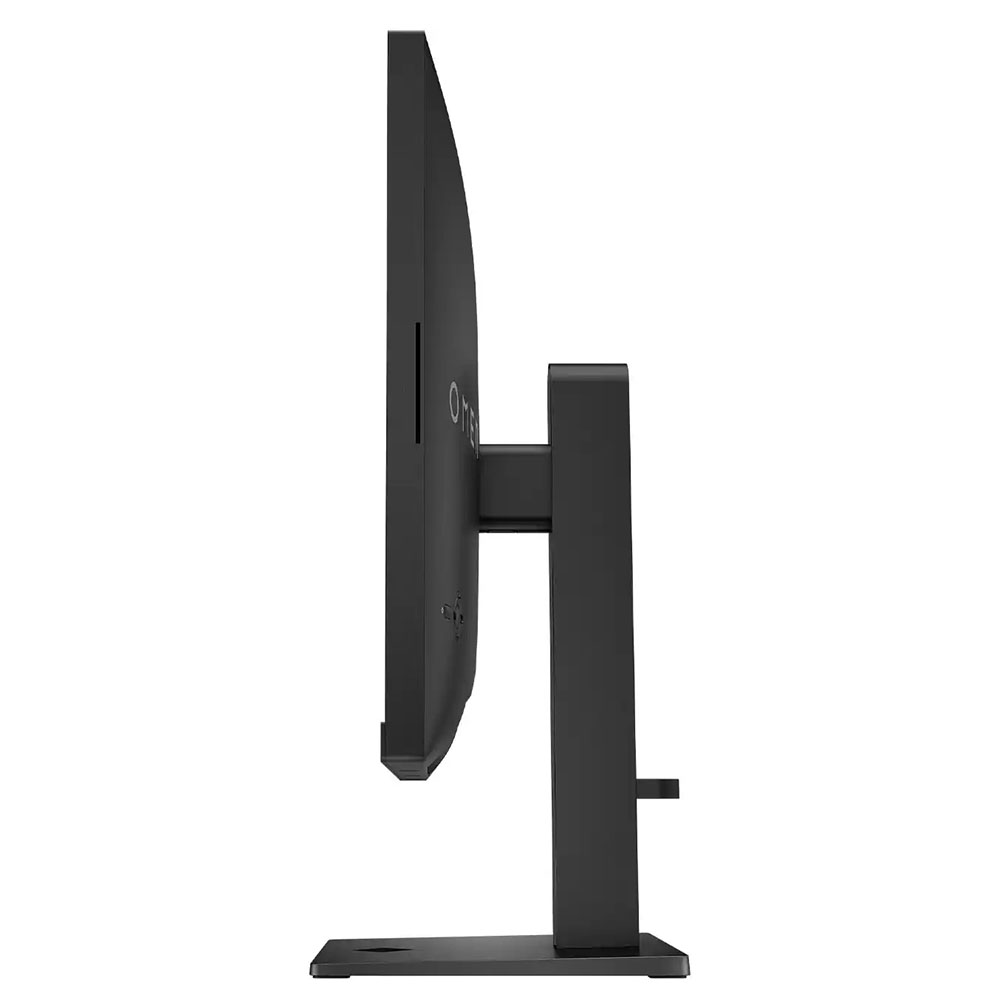
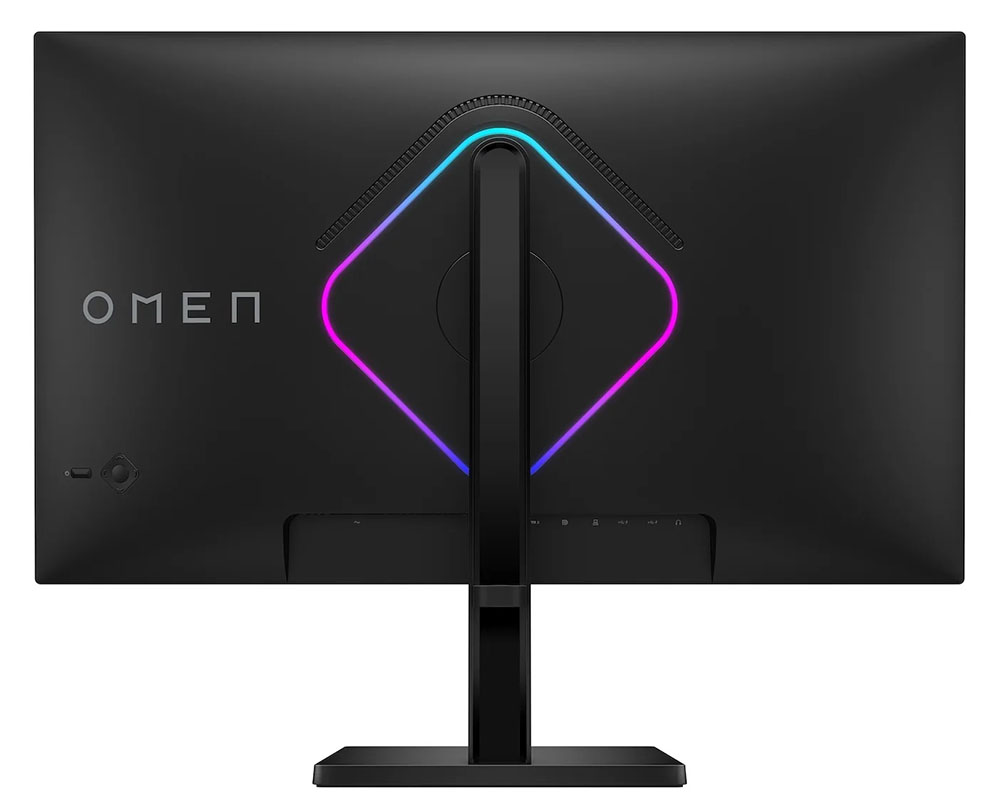
The Omen 27qs G2 sticks with HP’s minimalist aesthetic by using smooth surfaces, slightly rounded corners, and no parts that call attention to themselves. Omen is displayed on the front trim and in larger letters in the back. The LED light ring forms the familiar Omen diamond shape and can be any color, with a selection of effects available in the OSD. A small vent appears just above the LEDs to keep the internals cool. There are no fans needed.
Also in the back is a power toggle and the OSD nav pad. It clicks surely and makes setup a breeze thanks to an intuitive and logical menu system. The stand is a solid affair with 4.1 inches of height range, 5/20 degrees tilt, and a 90-degree portrait mode. There is no swivel, but the base has large felt pads underneath that make the Omen 27qs G2 easy to slide around, so you can turn it at your leisure. Movements are firm and exude the quality I would expect from any HP product.
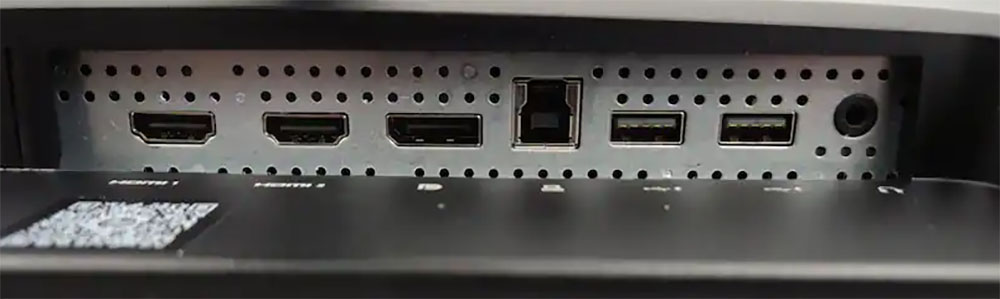
The input panel is underneath in the usual spot behind the upright and includes two HDMI 2.0 and a single DisplayPort 1.4. You also get 3.5mm headphone and USB 3.0 ports, one upstream and two downstream. If you’re concerned about the HDMI version, remember that QHD bandwidth doesn’t require the 48Gbps of HDMI 2.1. Here, HDMI is sufficient for consoles, given their 144 Hz limit. The DisplayPort runs at the full 280 Hz at QHD resolution with HDR and 8-bit color.
OSD Features
The Omen 27qs G2’s OSD appears when you press the nav pad. It’s simple and to the point, with a black screen and white lettering, free of graphics or flashy icons. It’s divided into nine sections.

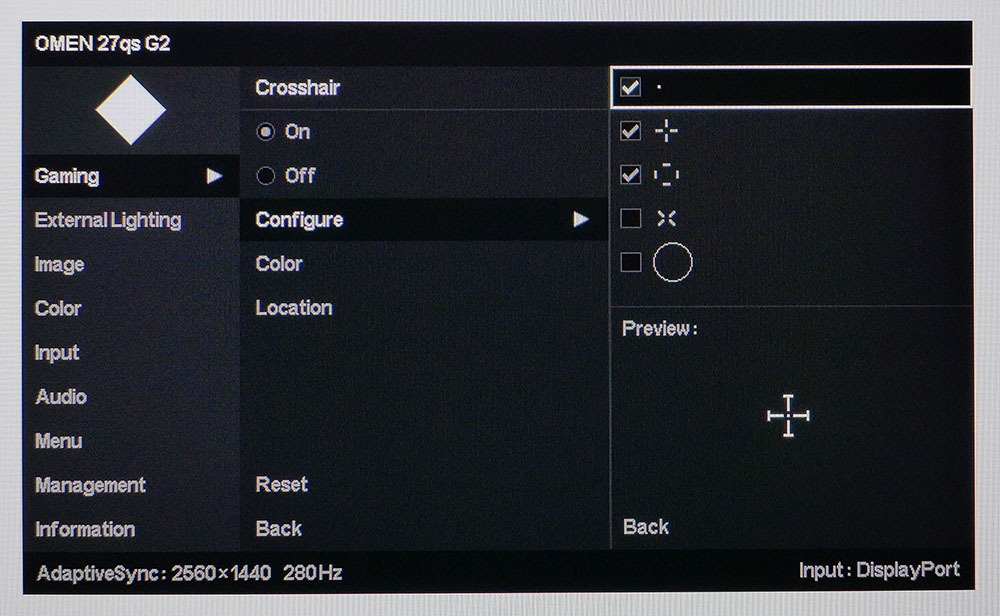

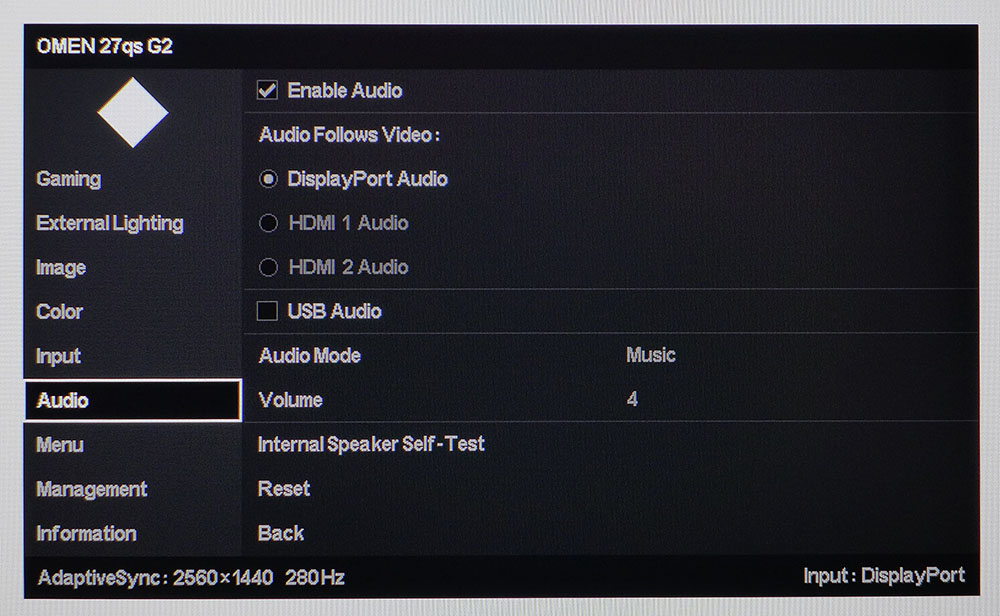
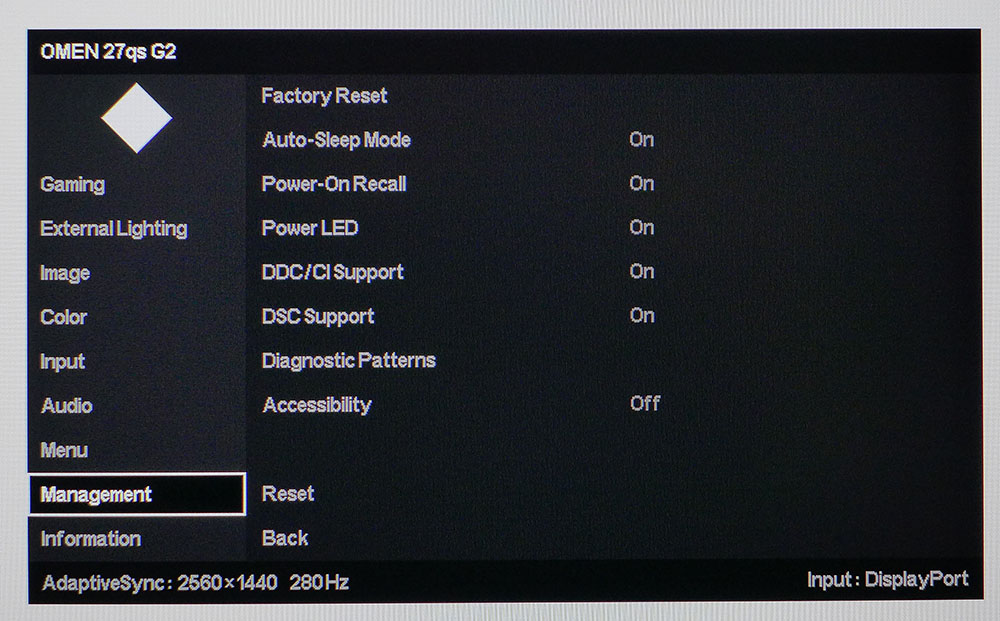
Gaming has all the Omen 27qs G2’s video processing and play aid options. You can toggle Adaptive-Sync, engage console mode and HDMI CEC, turn on MPRT, which has five pulse width levels, and set the overdrive, which also has five levels. A refresh rate indicator can be engaged, and you get a cool aiming point editor with five elements available to create your own reticle in any color and in any location.
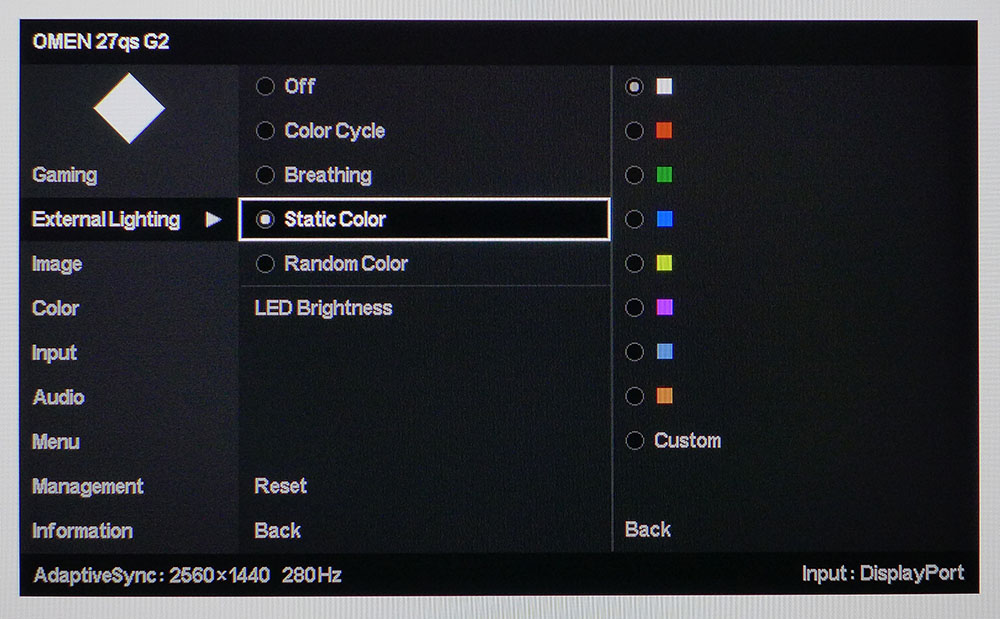
The LED lighting can show a static glow in any color or play cycling and breathing effects. The brightness is also adjustable, or you can turn it off altogether. In the Image menu you can adjust luminance and the aspect ratio. I noted that the Sharpness control defaulted to zero, which implies that edge enhancement is turned off but this is not the case. Zero is the middle of the slider’s range and it does show slight ringing in areas of high contrast. Set it to -1 for an artifact-free image.
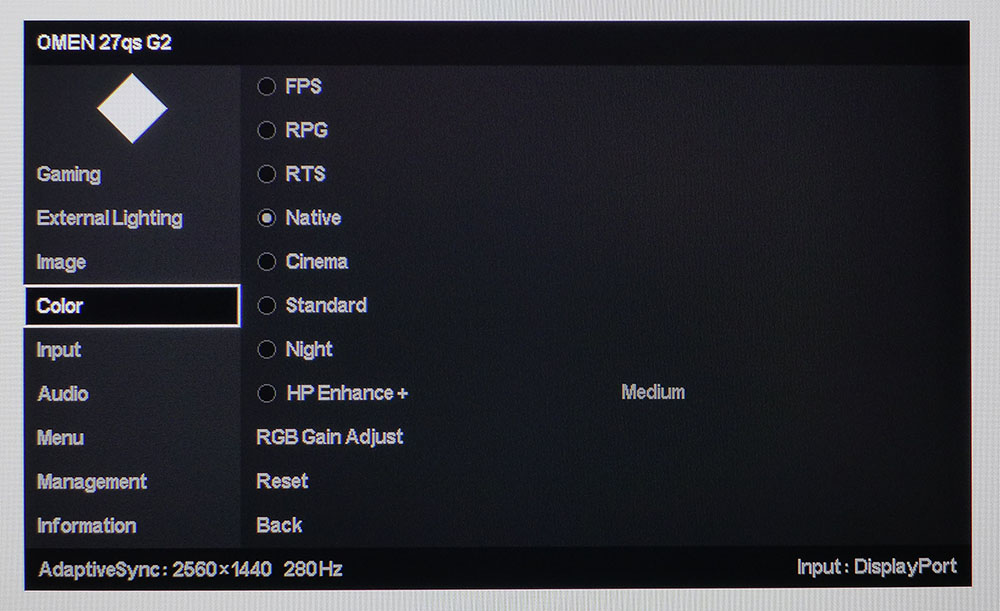
The Color menu has eight picture modes. Standard is the default, and it uses the sRGB gamut for SDR, which is the correct choice according to industry standards. But most users will likely prefer the wide gamut and if you are in that group, choose Native for over 93% coverage of DCI-P3. All the modes can be calibrated with the RGB Gain Adjust control at the bottom of the menu. I used it to achieve superb color accuracy.
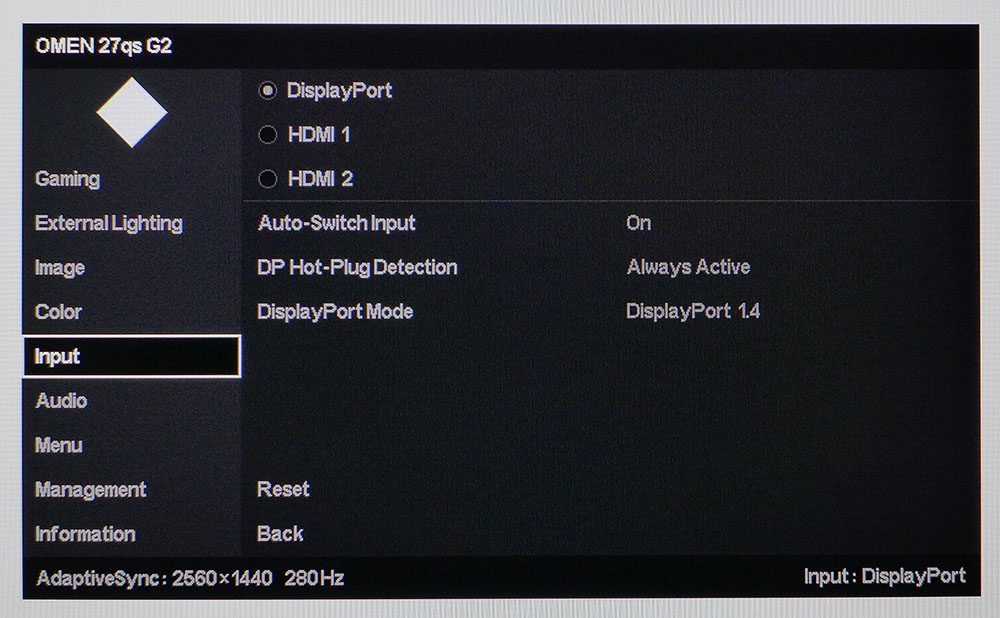
The Input selector also includes an auto switch option and a DisplayPort version toggle between 1.2 and 1.4 to ensure compatibility with older systems. In the Audio menu there are three modes tailored for dialog, music or video. They change the sound stage width from narrow to wide, respectively.
HP Omen 27qs G2 Calibration Settings
If you leave the Omen 27qs G2 in its default Standard mode, it uses sRGB for SDR content, which is technically correct but not typical of wide gamut monitors. Most users will likely prefer the full gamut for all content and for that, you’ll want to switch to Native, covering over 93% of DCI-P3. All the modes can be calibrated for grayscale with a precise set of RGB sliders. I did this and achieved reference level numbers for all parameters. There are no gamma presets, but the Omen 27qs G2 tracks very close to the 2.2 standard. My recommended settings are shown below. For HDR signals, there are no adjustments available, but accuracy is excellent with no need for tweaking. HDR also turns on dynamic contrast, which ups the ratio to around 8,200:1.
Swipe to scroll horizontally
Picture Mode | Native |
Brightness 200 nits | 41 |
Brightness 120 nits | 20 |
Brightness 100 nits | 14 |
Brightness 80 nits | 9 |
Brightness 50 nits | 2 (min. 46 nits) |
Contrast | 100 |
Sharpness | -1 |
Color Temp User | Red 255, Green 255, Blue 247 |
Gaming and Hands-on
My first impressions of the Omen 27qs G2 after a few hours of gameplay were enhanced by the superb sound coming from its internal speakers. It’s rare that computer monitors include decent audio, but HP has gone above and beyond here. The best part is that it works well at low levels. Yes, there’s plenty of distortion-free volume available, but if you want to play without disturbing others, you can do so while retaining all the clarity and impact of a good pair of external speakers. There’s just enough bass to fill out the range, and the sound stage is quite wide. The Music mode added a slight phasing effect which made the presentation more reverberant and dimensional.
The picture quality did not take second place to the audio. HDR games like Doom Eternal looked fantastic with saturated color and excellent contrast. Shadow detail rendered with a proper black and was clear in all areas. The edge dimming backlight was more effective than I would expect for an eight-zone array. Only a premium Mini LED could do better in the LCD realm. It helped that the Omen 27qs G2 tested extremely well in my HDR color benchmarks.
SDR gaming was also very impactful thanks to rich color. I could play in the correct sRGB gamut by choosing the Standard picture mode, but increased saturation was just a click away in the Native preset, which uses the monitor’s full 93% of DCI-P3 gamut. I expect most users will opt for this, and they won’t be disappointed.
Video processing is among the best I’ve seen, with a precise overdrive that effectively eliminates motion blur at frame rates over 200 fps. My GeForce RTX 4090 had no problem keeping the action at 280 fps. Trying out the MPRT backlight strobe was impressive, as it has none of the phasing artifacts that are so common with this tech. It is a perfect alternative to Adaptive-Sync if you must play below 200 fps. The Omen 27qs G2 is very flexible in this regard.
For video and productivity, the G2’s color accuracy came into play. It doesn’t need calibration for a great picture, but a few tweaks to the RGB controls take the image to reference-level. It’s easily a match for any pro monitor I’ve tested. When working with photos, sRGB and DCI-P3 gamuts can be switched by using Standard or Native modes, respectively. The only thing I wished for was a gamma selector. The Omen 27qs G2’s gamut is spot on 2.2, but that is the only choice.
Entertainment is definitely this monitor’s forte, not only for gaming but also for video. It makes an awesome personal television with a great picture and great sound. Whether you plug in headphones or listen to the internal speakers, you’ll enjoy immersive movies and shows. Just plug in your favorite streaming box and you’ll be happy.
Takeaway: The Omen 27qs G2 is an excellent gaming monitor that does everything else well. It has superb sound from its internal speakers and premium video processing that rivals a good OLED display. An edge zone dimming backlight and large color gamut produces impactful HDR that will satisfy gamers and TV watchers alike. It’s a great all-around screen for the money.
MORE: Best Gaming Monitors
MORE: How We Test PC Monitors
MORE: How to Buy a PC Monitor




 English (US) ·