
 3 hours ago
4
3 hours ago
4
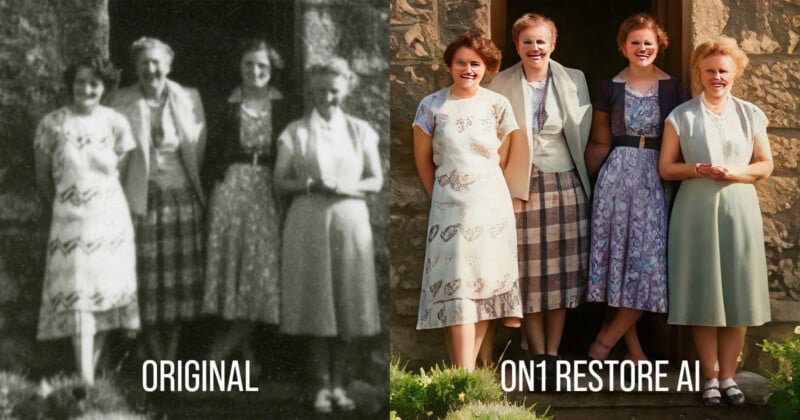
This week, ON1 announced Restore AI for its Photo RAW MAX software. The company says the goal is to give photographers the ability to restore old photos using a “powerful new AI photo restoration module,” but what it appears to do instead is dramatically change the photos into AI hallucinations.
“Nearly every family has them — boxes of aging photographs tucked away in closets, old albums passed down through generations, or stacks of prints slowly fading over time. These images carry personal history, but dust, scratches, wrinkles, fading color, and grain often make them difficult to view or share. Restore AI was designed to help recover and preserve those photographs,” ON1 says in a press release.
“Restore AI automatically repairs damaged photos, restores faded colors, enhances lost detail, and can even colorize black-and-white images—making it easier to recover photographs that time has worn down.”
That’s an honorable goal, but ON1’s results aren’t coming close to meeting the quality threshold required for family members to feel comfortable sharing these “restored” photos.
ON1 included a staggering 73 examples of its AI restoration tool’s handiwork in the press kit supplied to PetaPixel. The quality of this “restoration” is around the level of the first generative AI images showcased when the tools started to become available a couple of years ago.
“Many restoration tools rely on filters or limited AI models. Restore AI uses larger, cloud-based AI models capable of analyzing images more deeply and reconstructing missing detail,” ON1 claims.
Despite what ON1 says, what the tool appears to be doing is simply having an AI model redraw the input image as best as it can, and that means original details are either lost or completely changed.
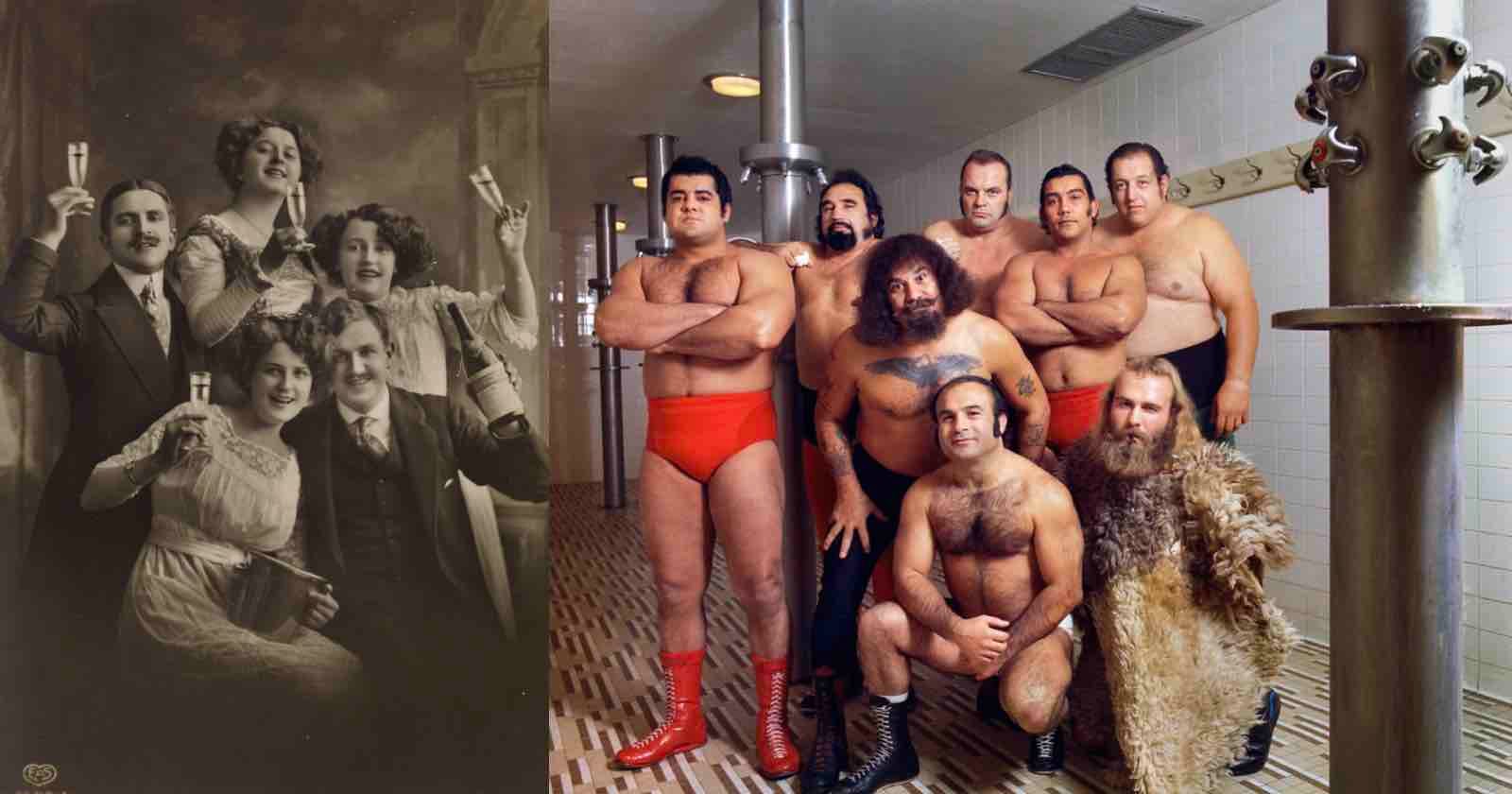
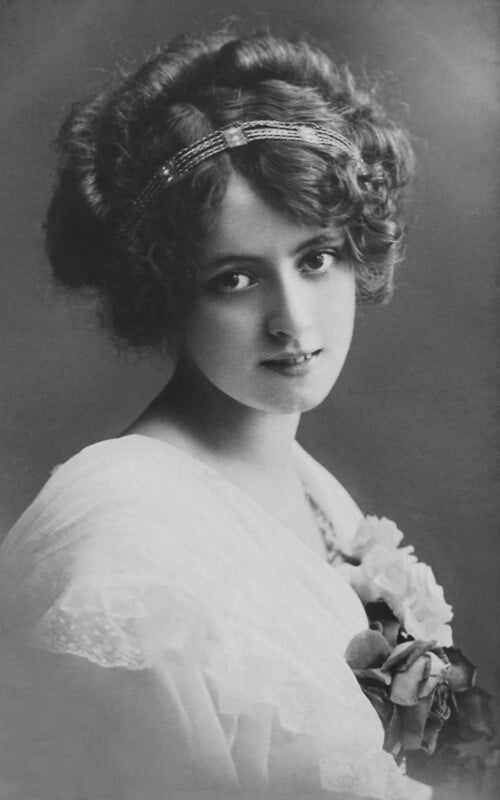 Original photo.
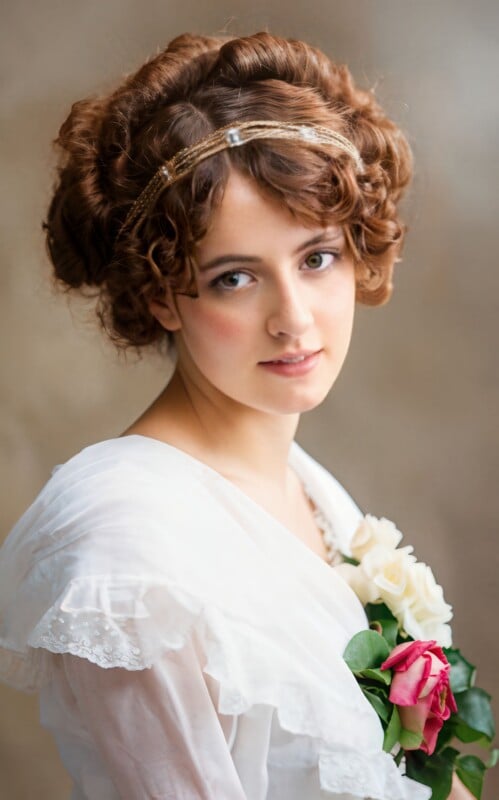 After using Restore AI. Note the teeth, the addition of makeup, and inconsistent depth of field.
“The result is a cleaner, sharper image — often significantly improving on the original scan. Restore AI can also rebuild texture and restore facial detail in soft or poorly digitized photographs,” ON1 claims.
It’s unlikely everyone who sees these results will agree.
The worst examples are human faces. If a face is the central subject of the image, the AI will redraw it with details and additions that weren’t present in the original photo. The AI appears to be trained on what it thinks an attractive human face looks like, and so it will add hair, apply makeup, and enhance facial features to achieve its final result.
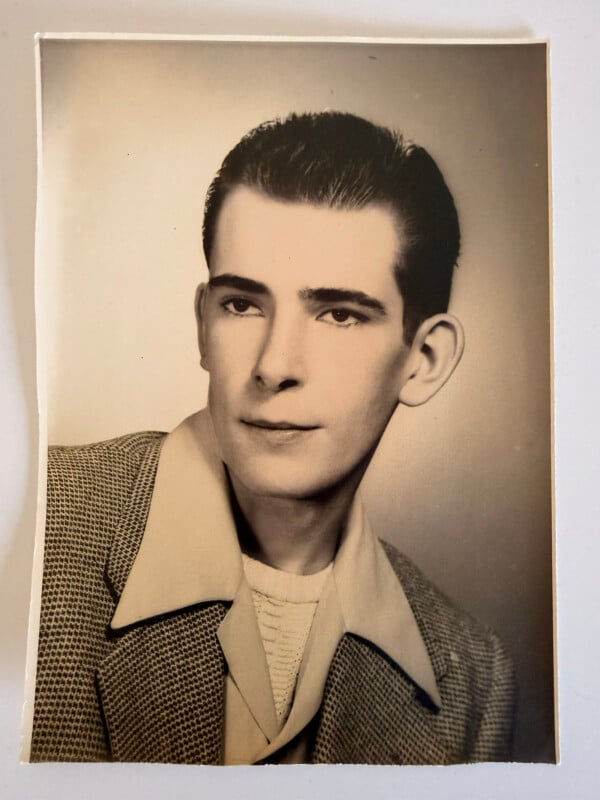 Original photo
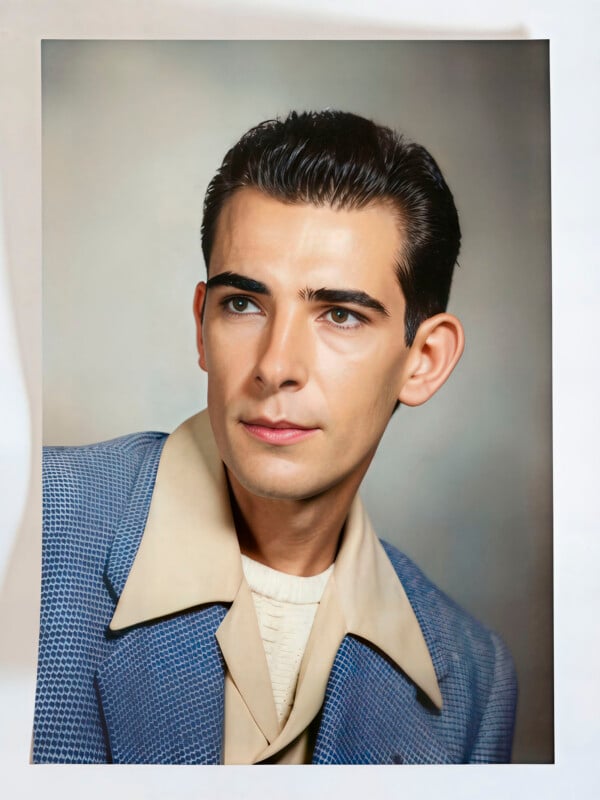 After using Restore AI.
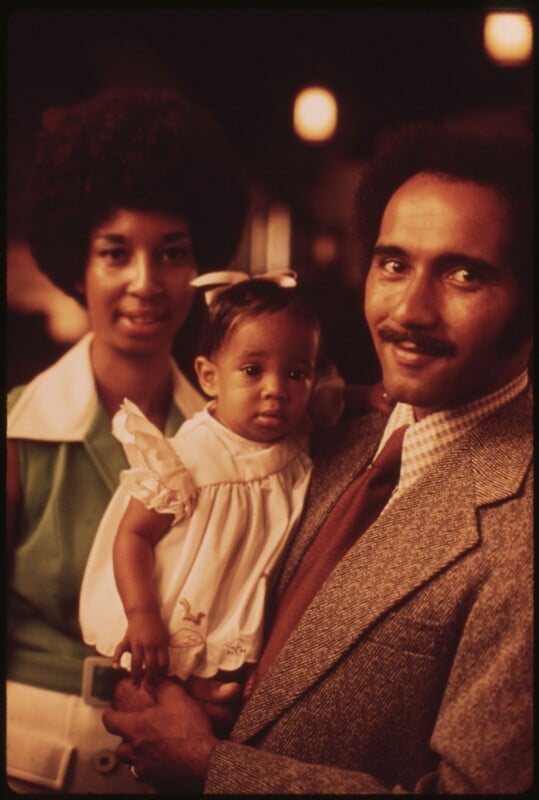 Original photo
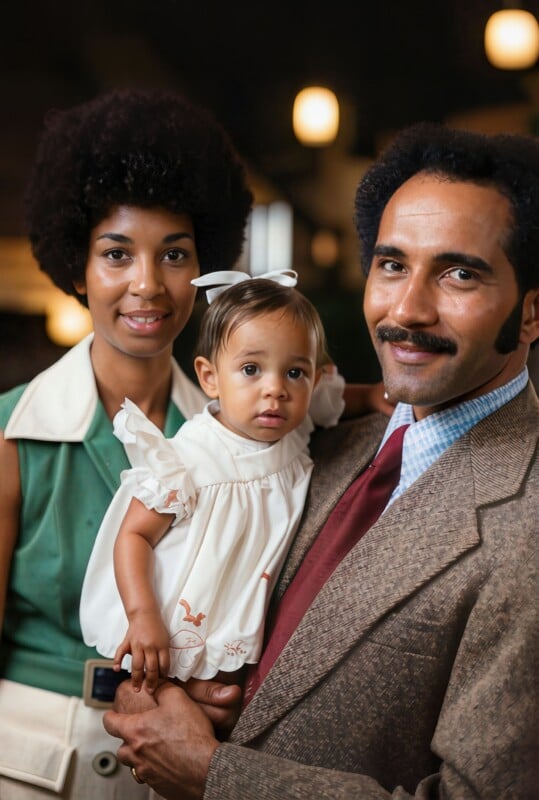 After using Restore AI.
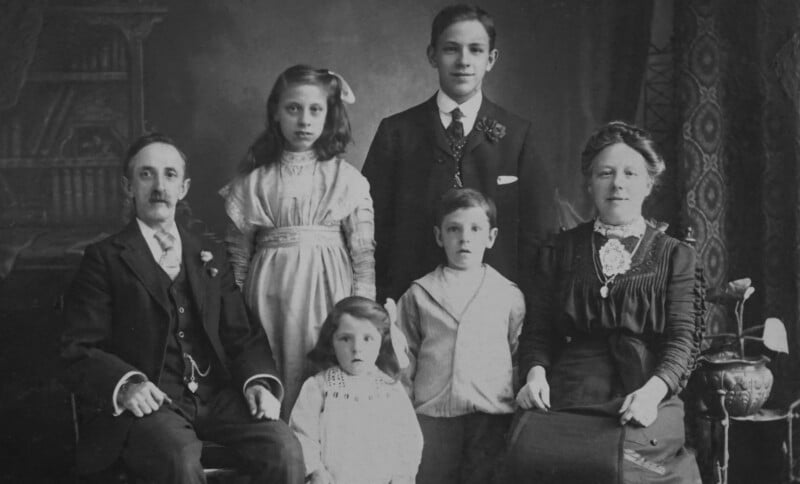 Original photo
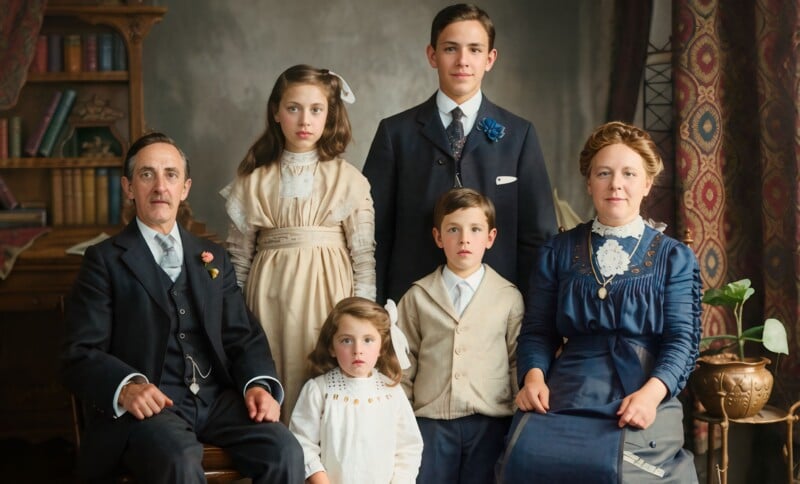 After using Restore AI.
Some might not find these particularly egregious, but when people become a smaller part of the overall image, the AI starts to head down a horror film path. As details become less visible, the AI will hallucinate and faces will become grotesque facsimiles.
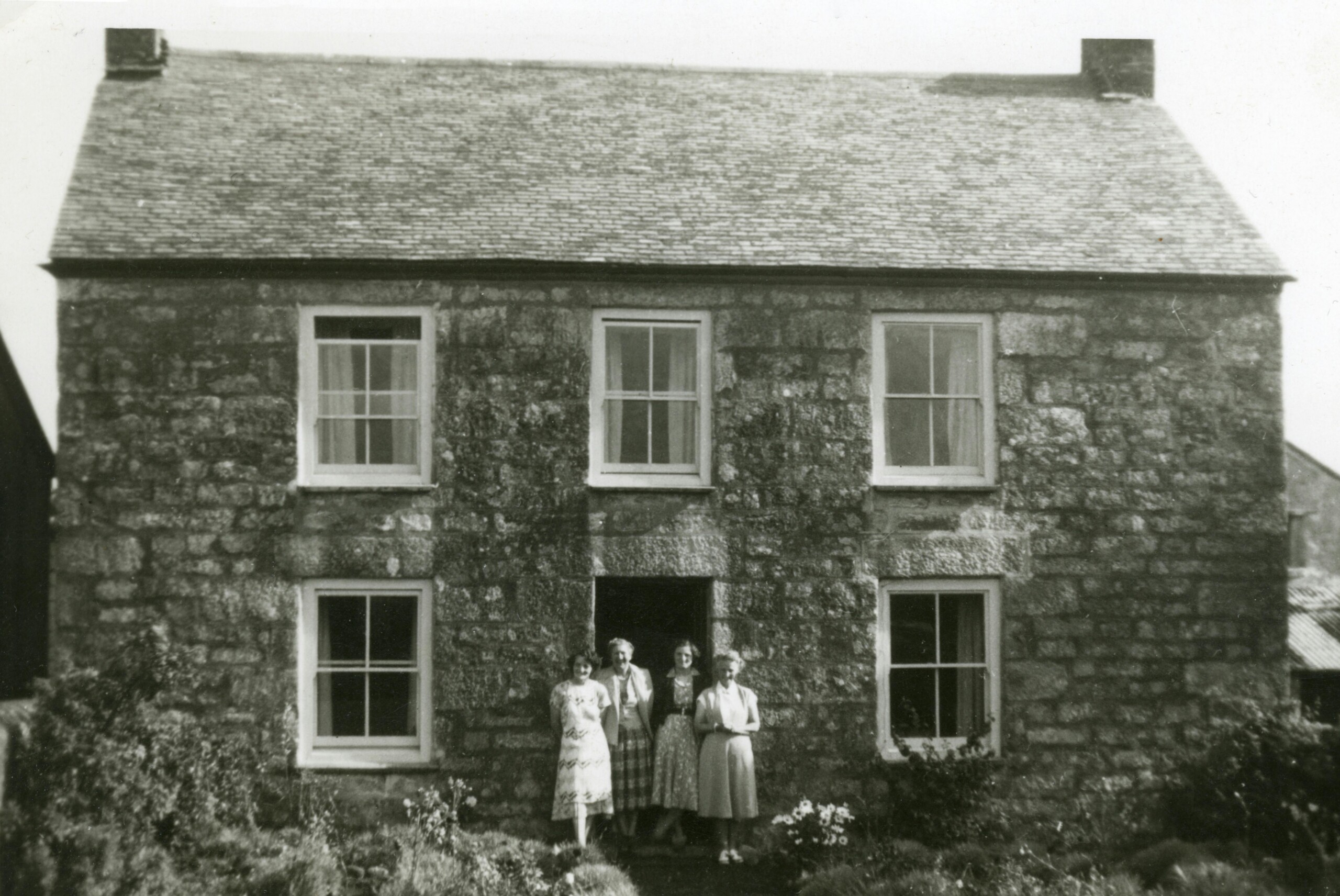 Original photo. Click to view larger.
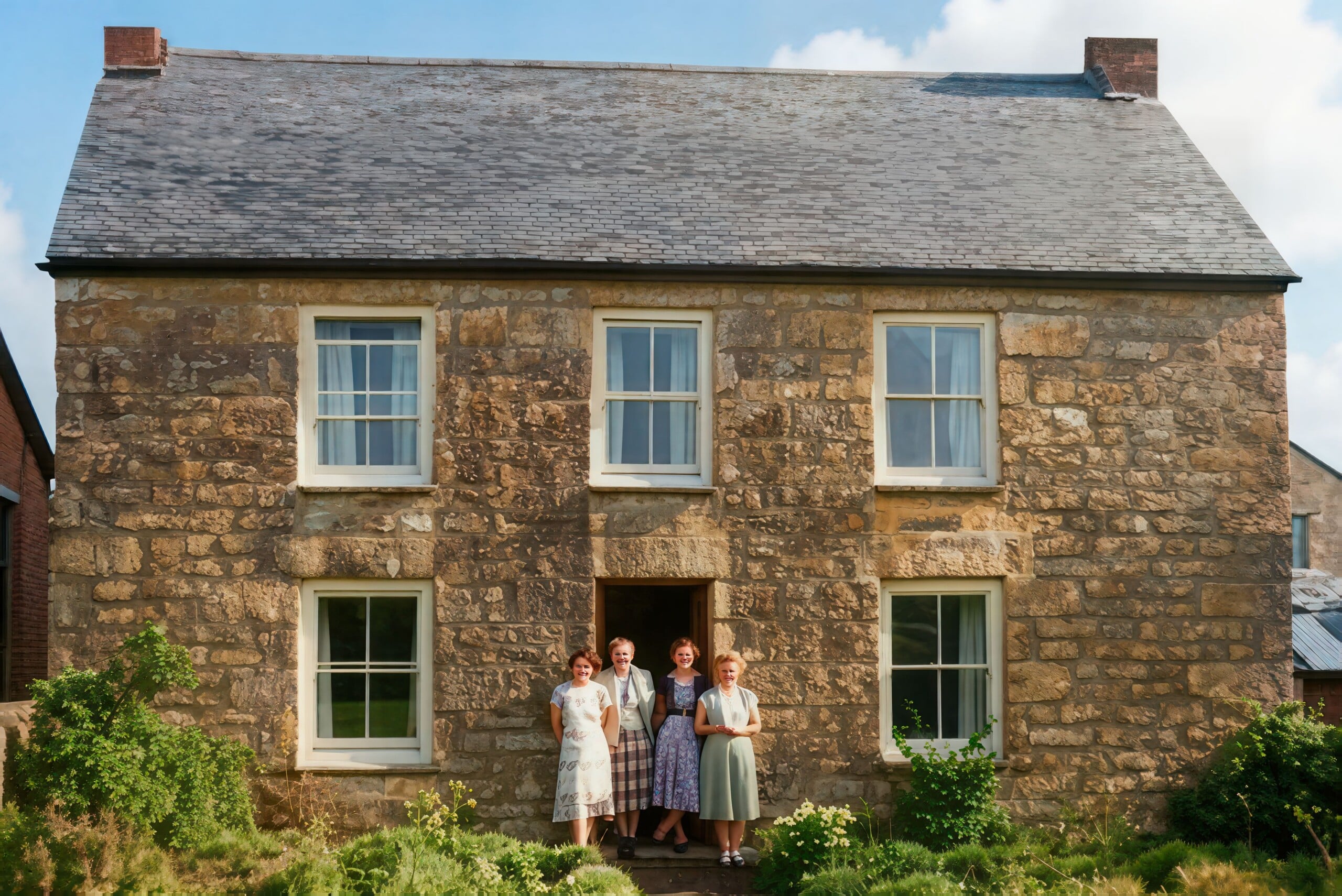 After using Restore AI. Click to view larger.
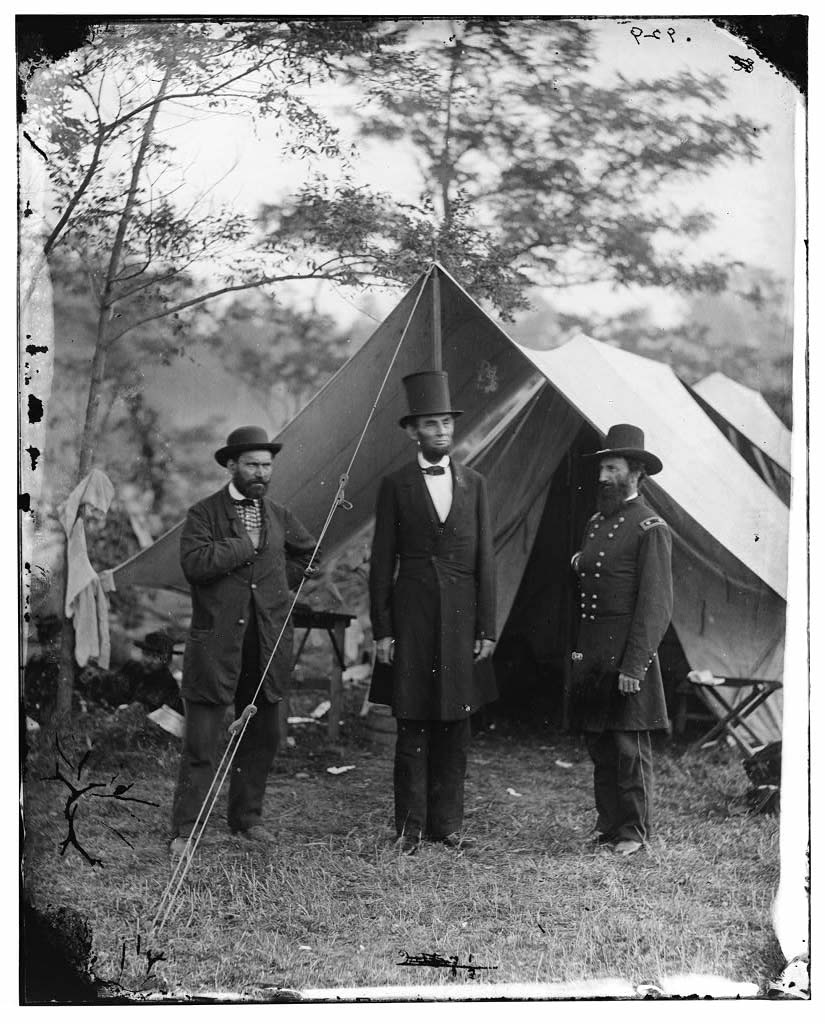 Original photo. Click to view larger.
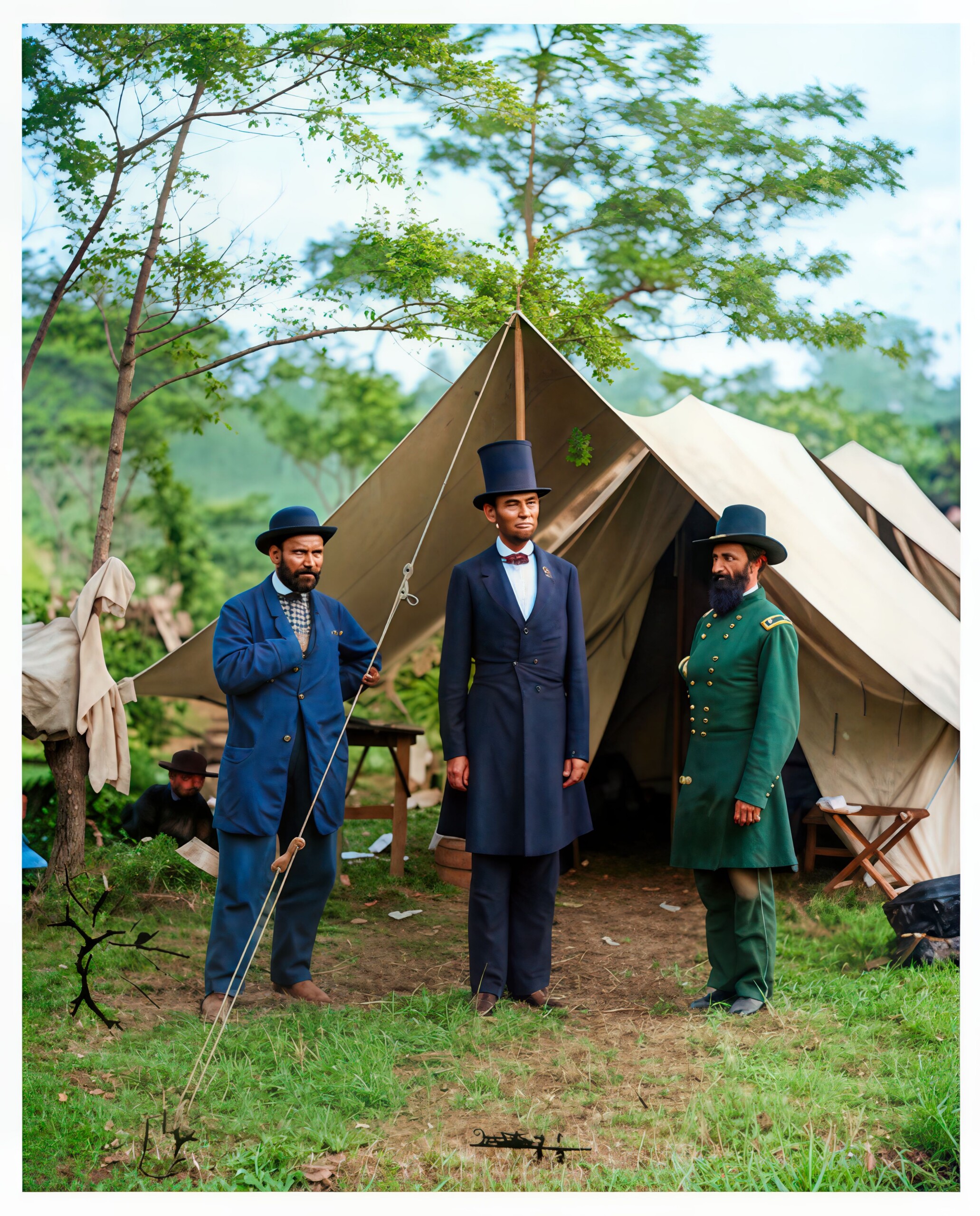 After using Restore AI. Click to view larger.
It is not uncommon for facial features to be completely distorted, with sharp inhuman lines, messy eyes, and terrible smiles.
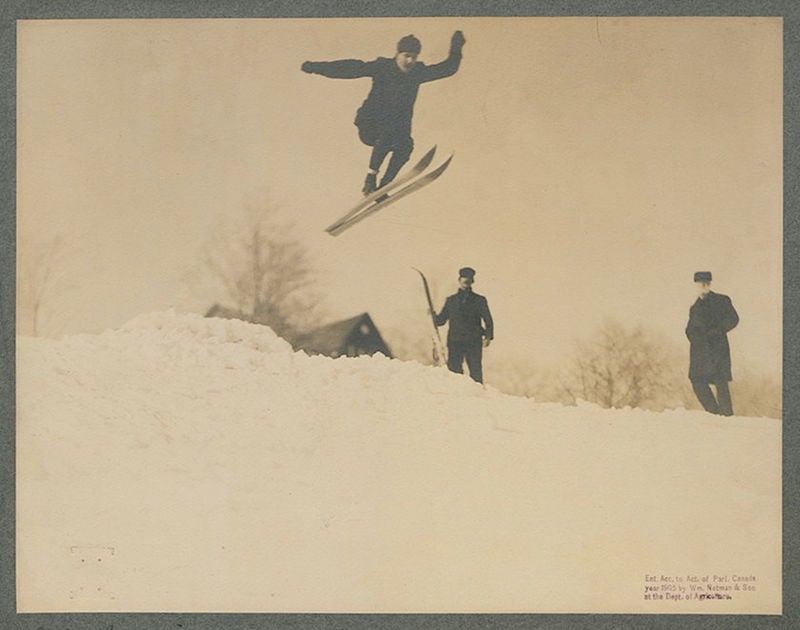 Original photo. Click to view larger.
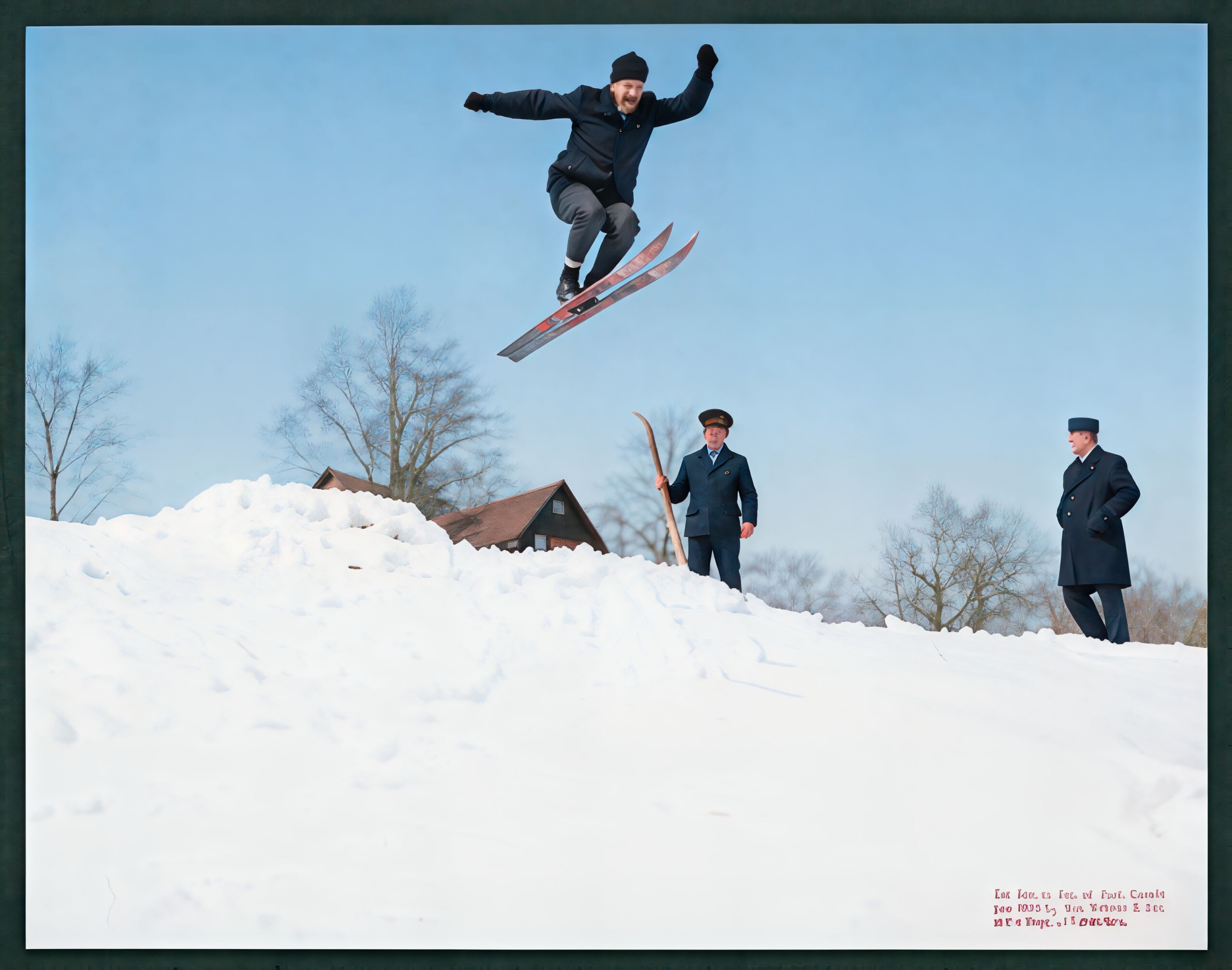 After using Restore AI. Click to view larger.
In every case, whether or not it gets the details right, the “restored” photos appear less photo-like than the originals, and take on a sort of vector-esque look that is indicative of early generative AI models. Looking at Adobe’s initial attempts in Firefly shows a striking similarity.
These results are less restorative and more re-imaginative, and that re-imagining not only quickly strays from the truth, it will often defy reality.
PetaPixel asked ON1 what model it is using to perform these restorations, and it says it’s a mix of those developed in-house and those that are open source.
“Restore AI uses a combination of models, some are open source, some are developed by ON1. The results we shared are early and we expect to make improvements to them,” Dan Harlacher, ON1’s Head of Product tells PetaPixel.
“They also have the face restoration applied universally, where the user will have control over them in the final version. Note that some faces, especially tiny and or blurry faces have little data to start with so creating a faithful representation is difficult and sometimes it is better to just turn it off. As you have seen with any other AI tool, the lower quality the input, the output suffers.”
ON1 adds that it recognizes that some of these results aren’t hitting the mark and is re-evaluating them, with the goal of refining the AI model and re-running the images before the launch in April.
It is worth noting that none of these restorations are performed on an editor’s device. ON1 says that Restore AI “uses very large AI models that require significant memory and compute power. These models are too large to run efficiently on most desktop GPUs.”
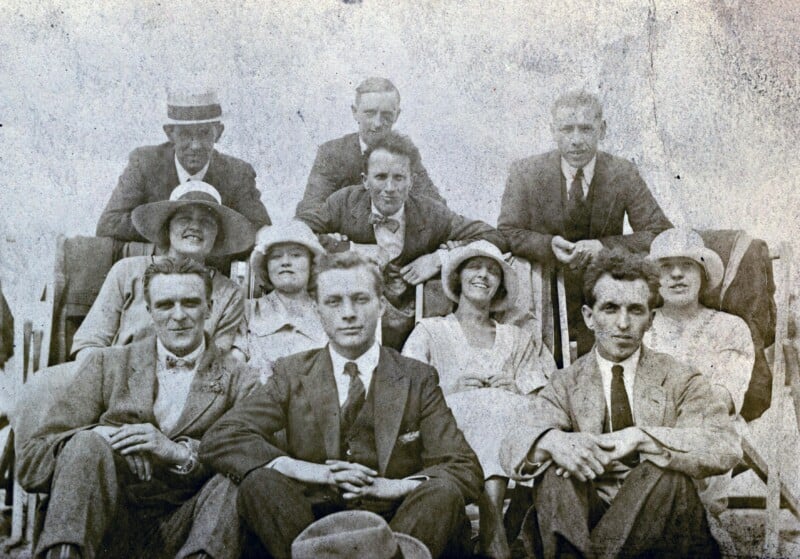 Original photo.
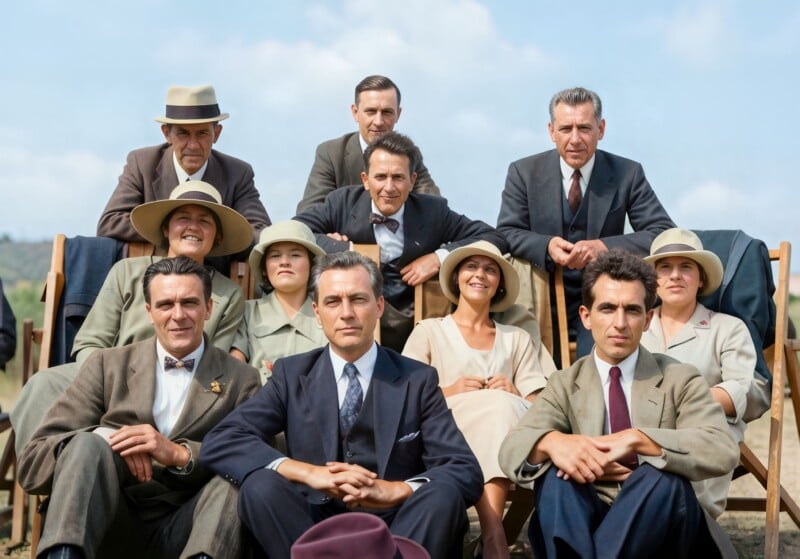 After using Restore AI. Faces and ages have been altered to the degree that it is unlikely they would be recognizable as family members.
For what it’s worth, ON1 says that this tool is still being refined and won’t launch fully until April.
“We are still fine-tuning it and it should continue getting much much better leading up to the official release in late April,” the company wrote in response to a skeptical comment on YouTube.
If that’s true and they do expect Restore AI to get a lot better in one month’s time, it’s odd that ON1 would showcase the tool now when it’s clearly not ready for scrutiny.
ON1 adds that it is currently investigating options to allow it to run these AI models locally, but “there is no confirmed timeline yet” for that. The company also says that nothing uploaded will be used to further train the AI.
 Original photo. Click to view larger.
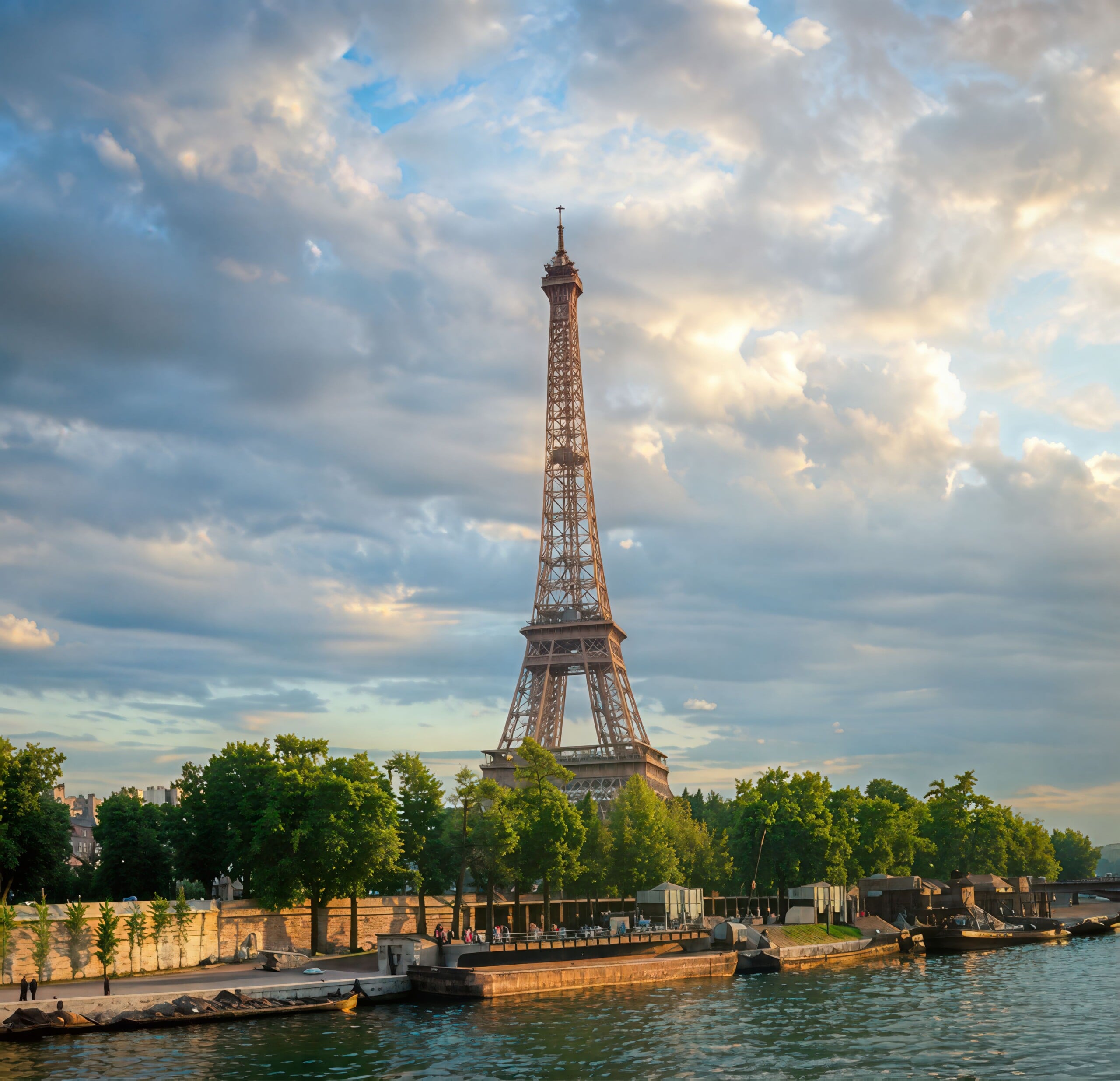 After using Restore AI. Click to view larger.
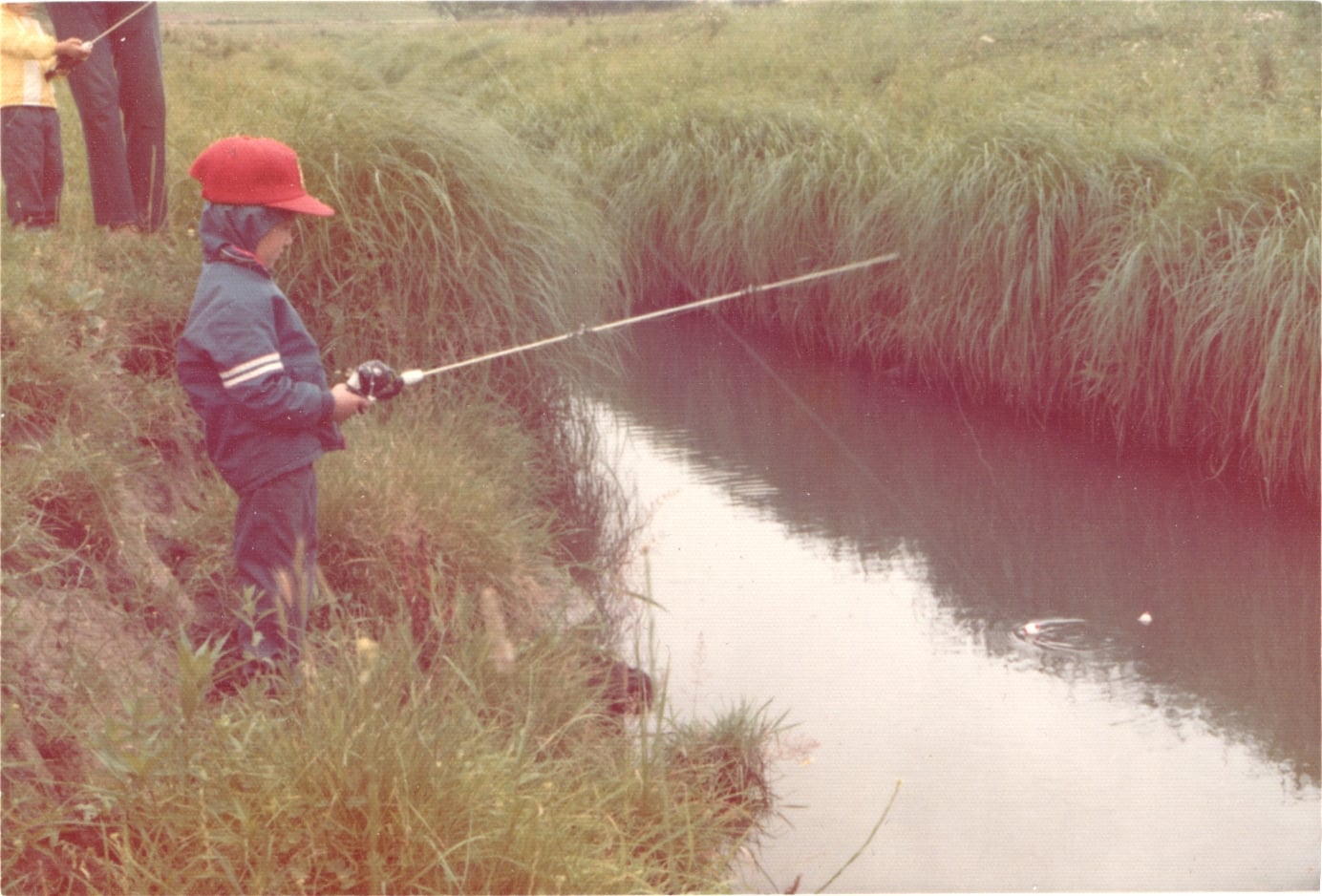 Original photo. Click to view larger.
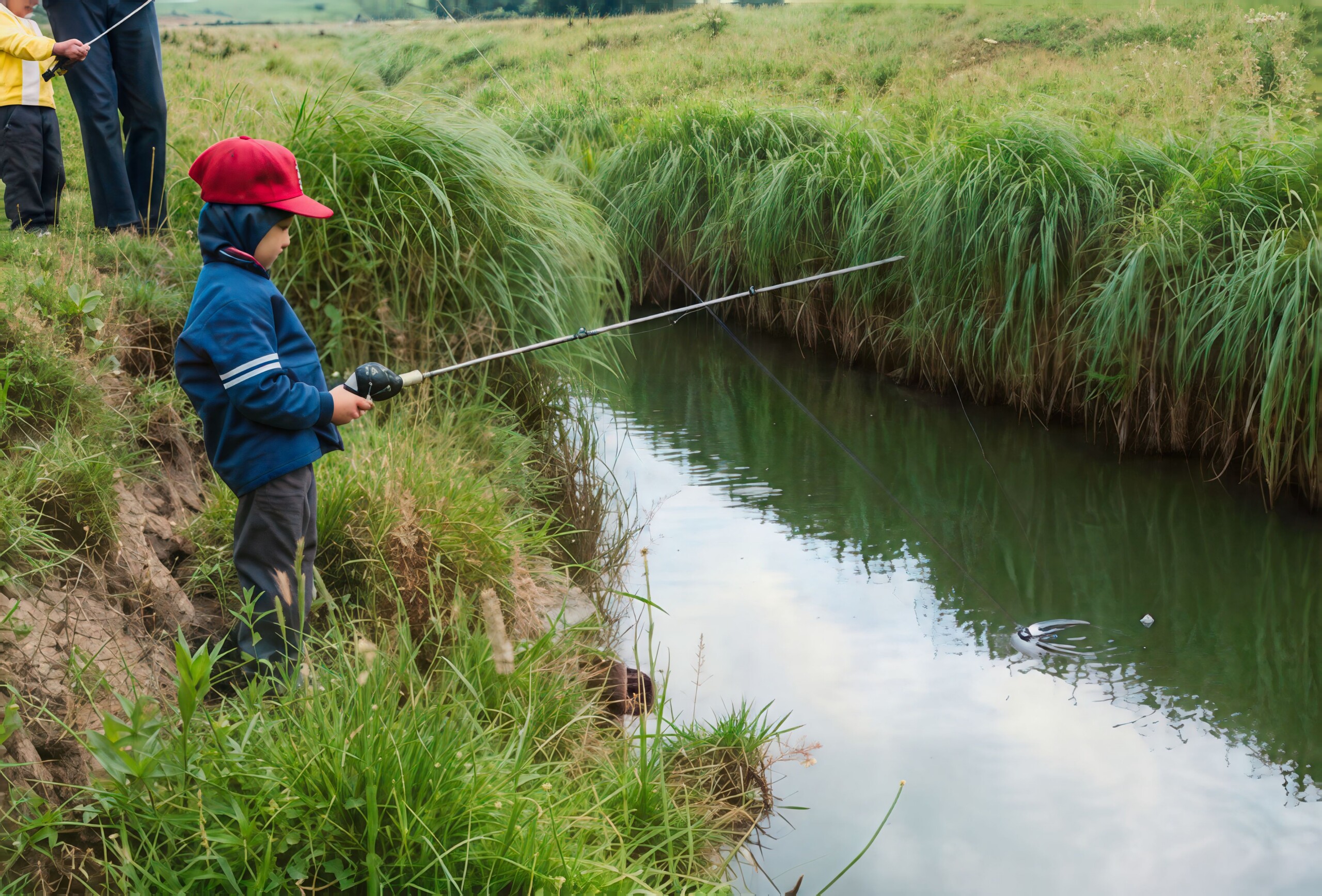 After using Restore AI. Click to view larger.
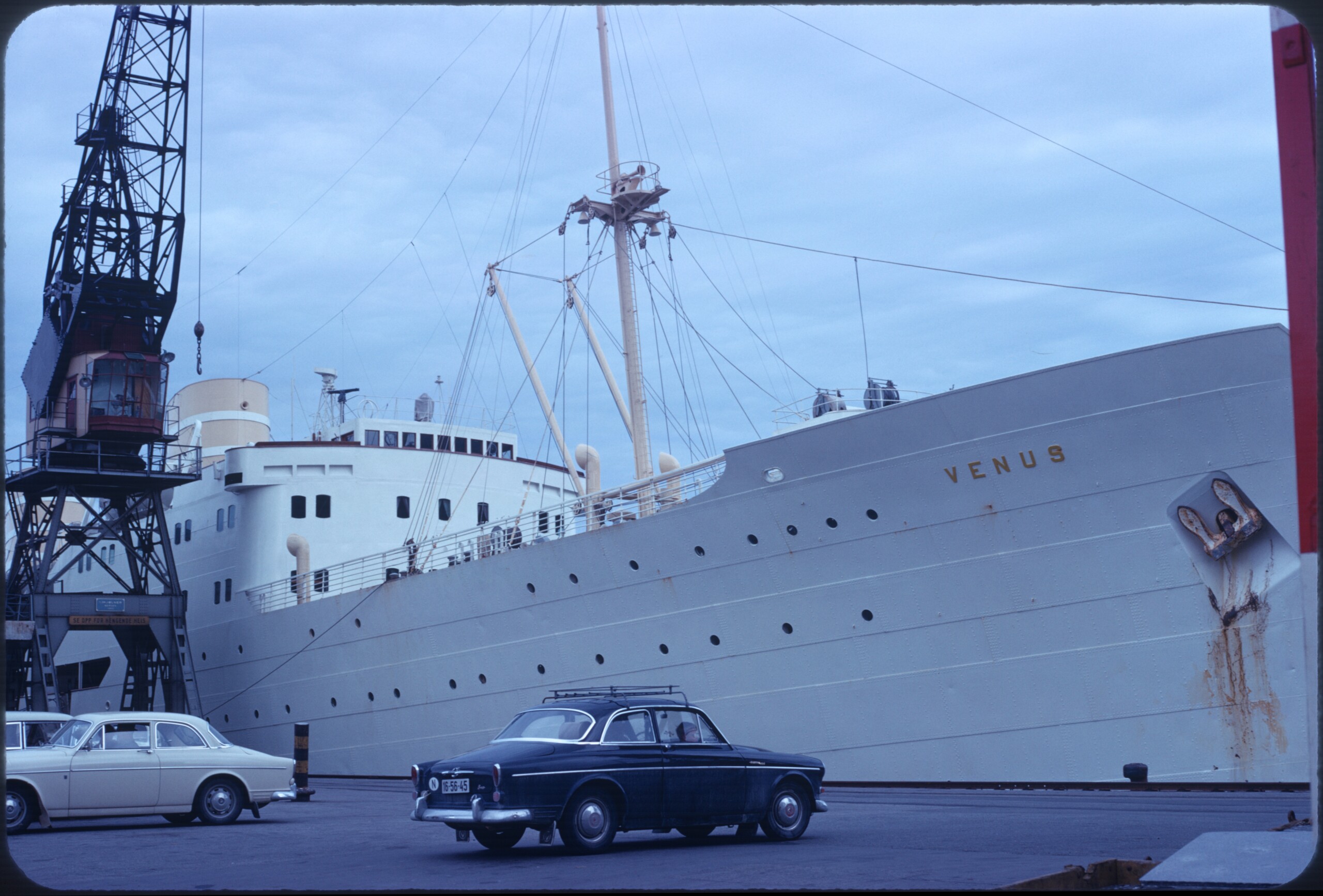 Original photo. Click to view larger.
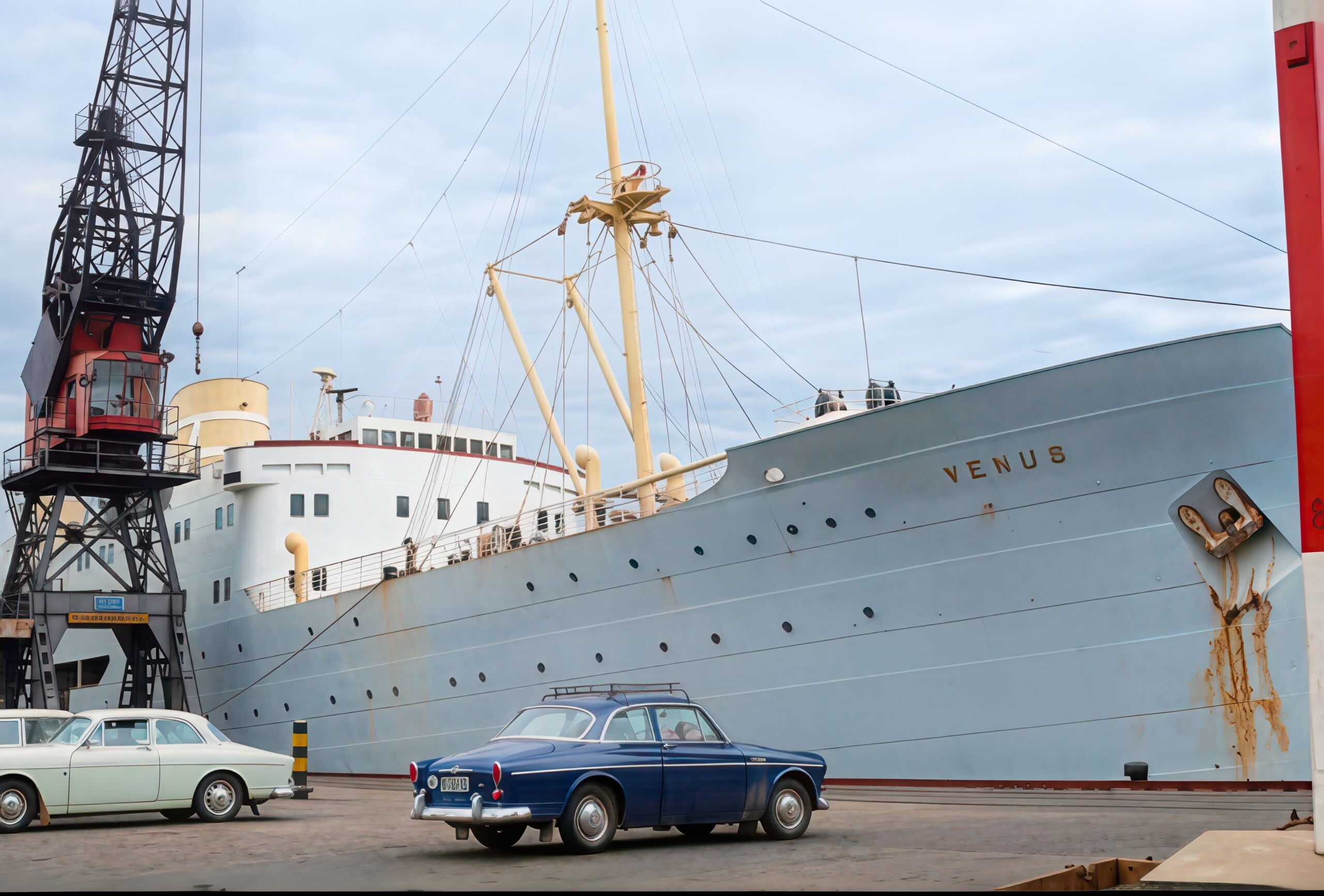 After using Restore AI. Just as was the case with early generative AI, the model ON1 is using struggles with text. Click to view larger.
“Photos processed through Restore AI are handled securely and are never used to train AI models or improve datasets. Images are processed only for the restoration task requested by the user and remain private.”
ON1 is including this AI tool only as part of its Photo RAW MAX bundle, which is available as a perpetual license or as a subscription. That does come with unlimited “restorations,” but those who purchase the perpetual license don’t get access to these cloud-based edits forever: only for one year. Subscribers retain access for as long as their subscription is active. A perpetual license that includes Restore AI costs $120 while a subscription is currently priced at $80 per year.
Image credits: Photos appear to be pulled from the public domain, while altered AI images were provided by ON1.


 English (US) ·