
 3 weeks ago
34
3 weeks ago
34
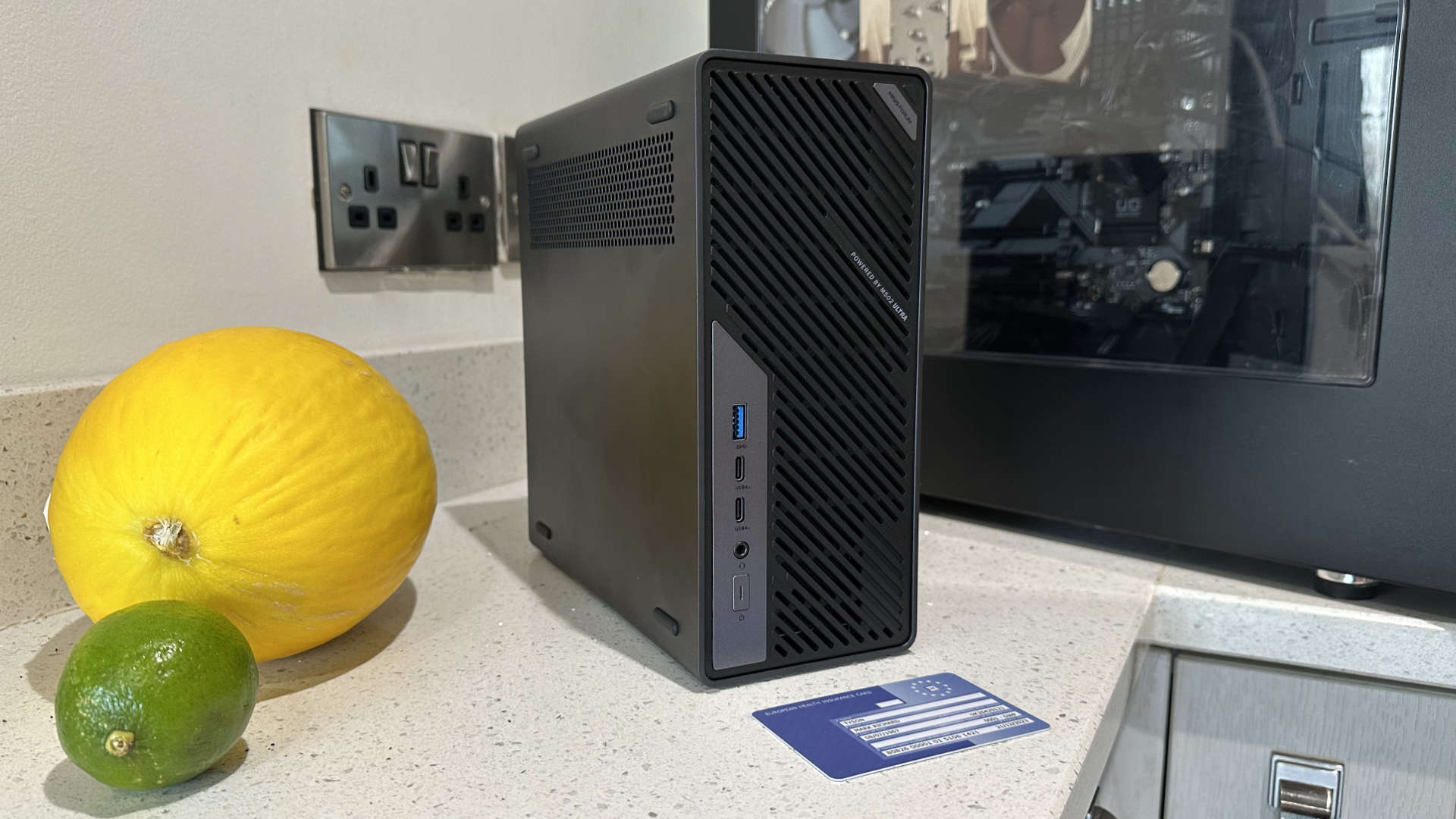
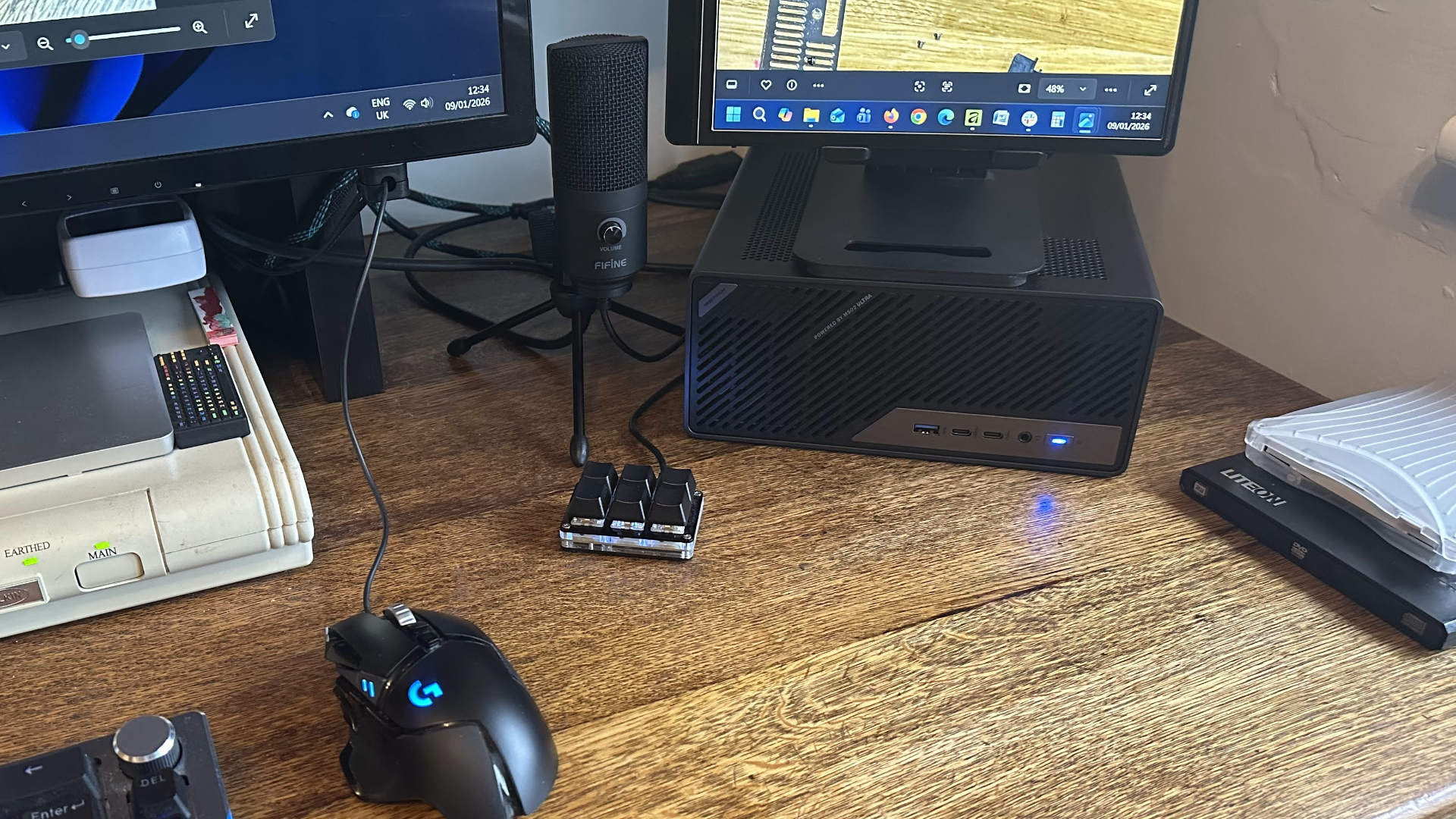
Minisforum let me go hands-on with its CES 2026 Innovation Award-winning Mini Workstation, so to get a grasp of what the diminutive new Minisforum MS-02 Ultra could offer, I decided to see if it could replace my aging but capable desktop PC.
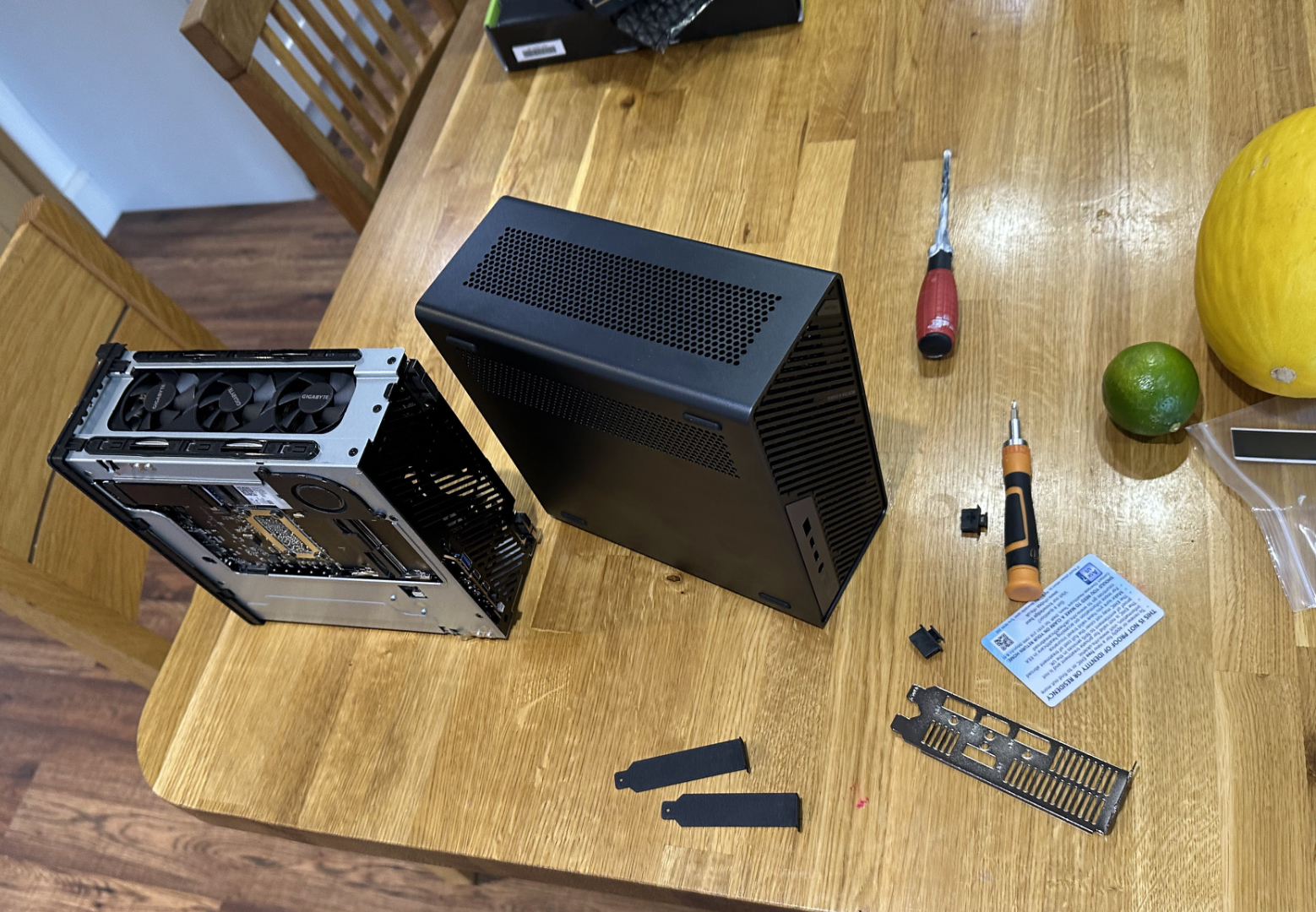
This is a true David vs Goliath battle, at least in terms of physical presence. The sub-5-liter MS-02 Ultra battles with my much larger desktop system packed into a 55-liter Fractal Define S PC case. However, the result of the clash wasn’t as clear-cut as I expected, making me wonder what kind of PC I should be using daily in 2026.
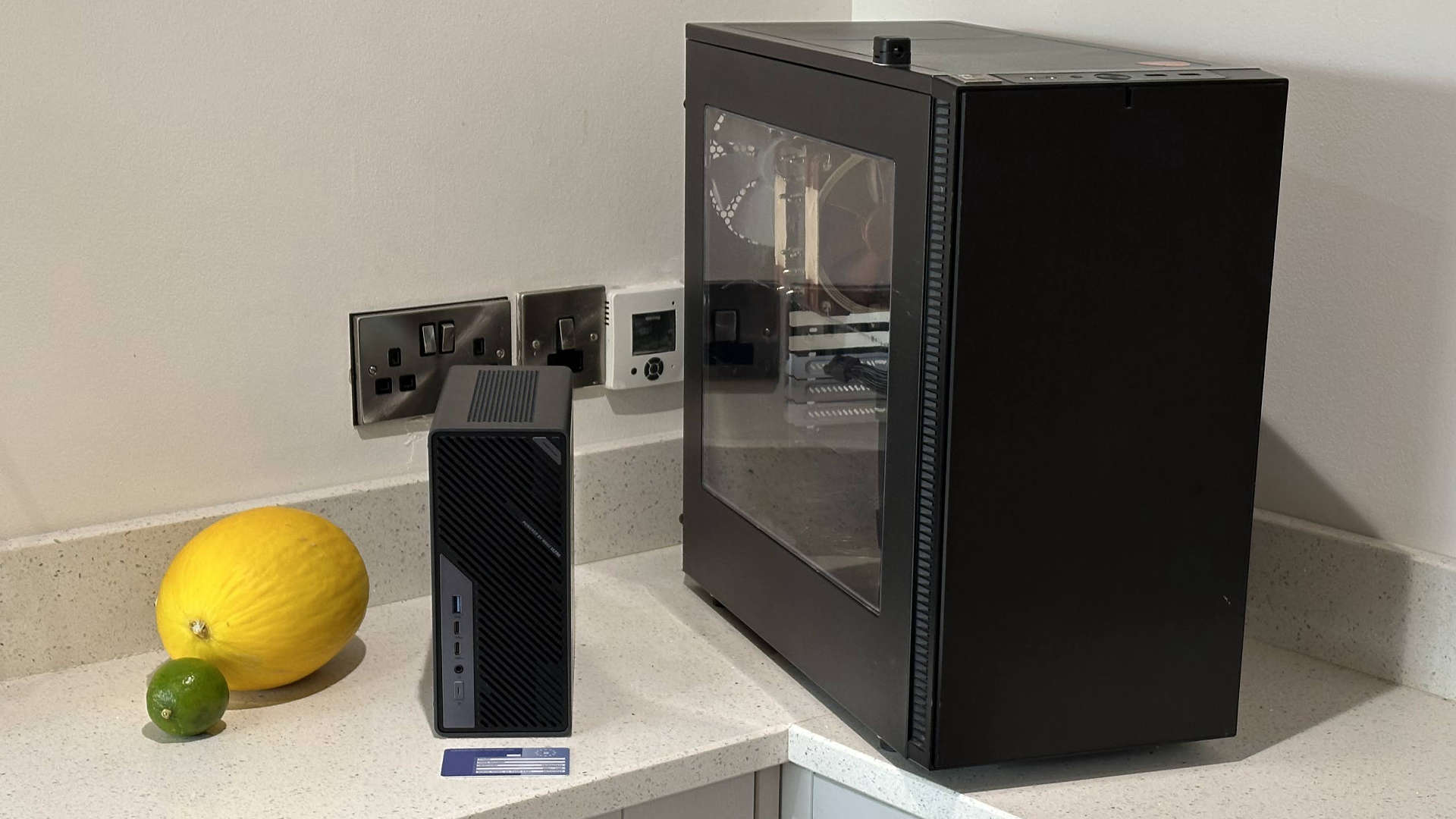
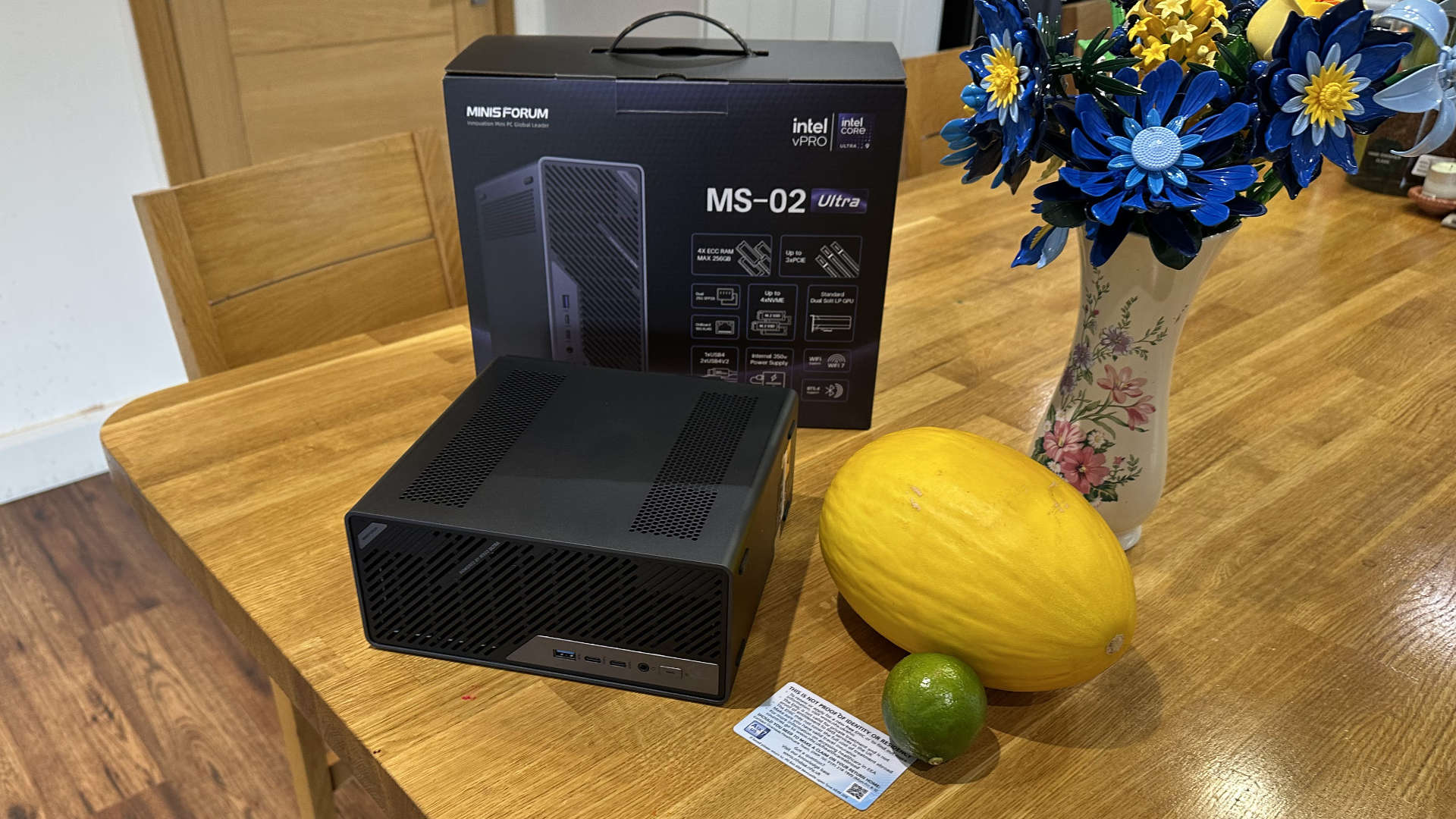
The table below makes clear the specs of the Minisforum MS-02 Ultra workstation against those of the system it will have to battle on my desk.
Swipe to scroll horizontally
Processor | Intel Core Ultra 9 285HX. Arrow Lake chip with 24C/24T runs at up to 5.5 GHz. | Intel Core i5-14400F. Raptor Lake Refresh with 10C/16T, up to 4.7 GHz. |
CPU cooling | 6-heatpipe cooling with 70 and 60mm fans and PCM | Noctua NH-U12A with 2x 120mm fans |
Discrete graphics | Nvidia GeForce RTX 5060 OC LP 8GB | AMD Radeon RX 9070 16GB |
RAM | 32GB at DDR5-4800 (4x SODIMM slots, ECC supported) | 32GB DDR4-3200 (4x DIMM slots) |
Storage | 1TB PCIe4x4 NVMe SSD (4x M.2 SSD slots) | 1TB PCIe4x4 NVMe SSD (2x M.2 slots), 500GB SATA SSD (4x SATA ports) |
Motherboard | Minisforum HM870 chipset. Soldered CPU | Gigabyte B760 DS3H DDR4, LGA 1700, full ATX |
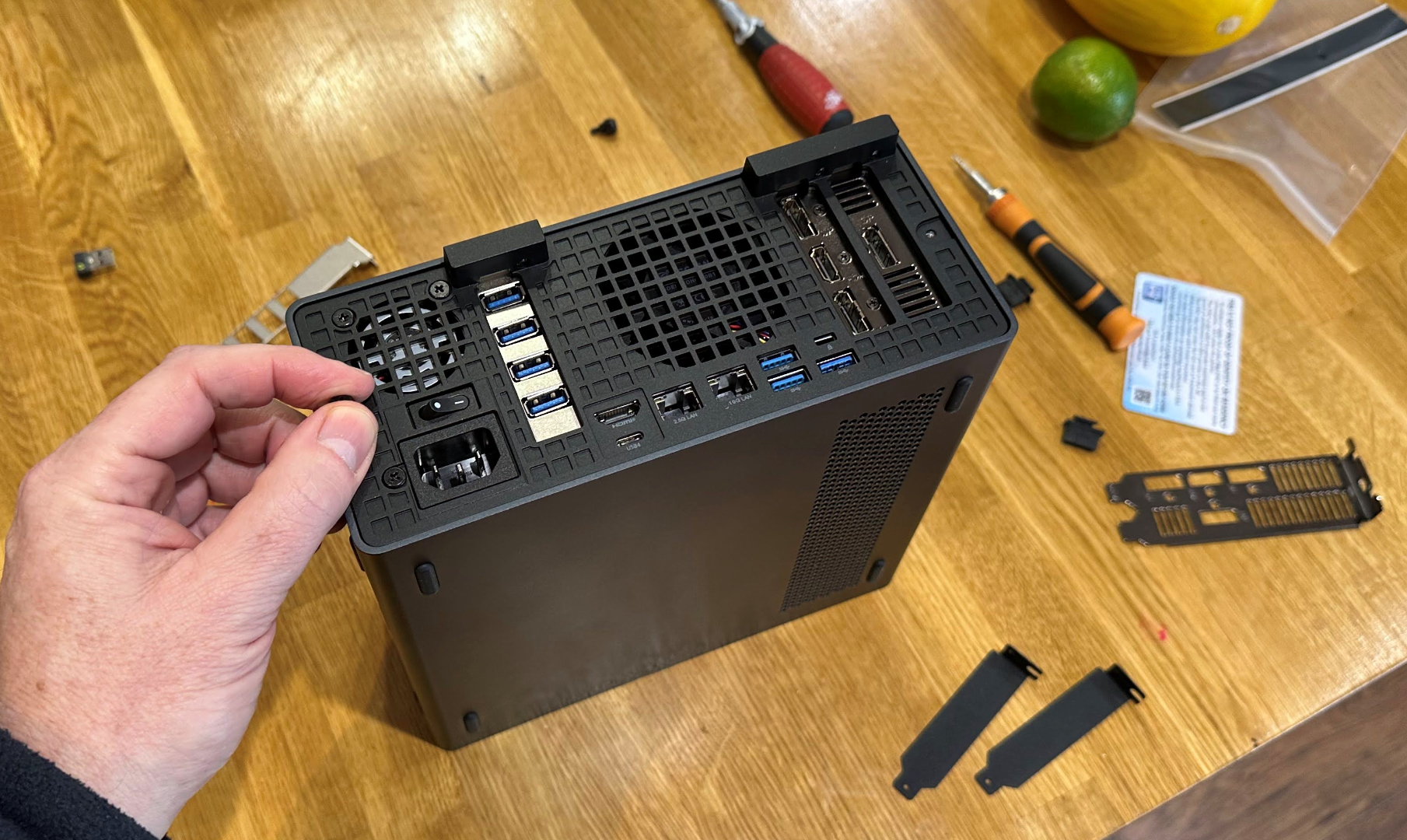
I/O | Rear: HDMI 2.1, USB4 Type-C with DP-Alt and PD, 3x USB 3.2 Gen 2. Front: 2 x USB4 v2 with DP-Alt, USB 3.2 Gen 2, 3.5mm combo audio | Rear: HDMI 2.1, DP, USB-C 20Gb/s, Type-A 2x USB 3.2 Gen 2, 2x USB 3.2 Gen 1, 4x USB 2, 1x PS/2 Combo, 3x 3.5mm audio. Front: 2x USB 3.0, 2x 3.5mm audio |
Networking | 10 GbE, 2.5 GbE, 2x 25 GbE, Wi-Fi 7, BT 5.4 | 1 GbE, Wi-Fi 6 via USB adapter |
PCIe slots | PCIe5.0 x16, PCIe4.0 x16, PCIe4.0 x4 (the 16x slots offer bifurcation options) | PCIe4.0 x16 slot, 4x PCIe3.0 x16 |
Physical | 221.5 x 225 x 79mm, 4.8 liters. 3.45kg without dGPU | 233 x 451 x 520mm, 54.6 liters. 8.5kg unpopulated |
OS | Windows 11 Pro | Windows 11 Pro |
CPU and GPU showdown
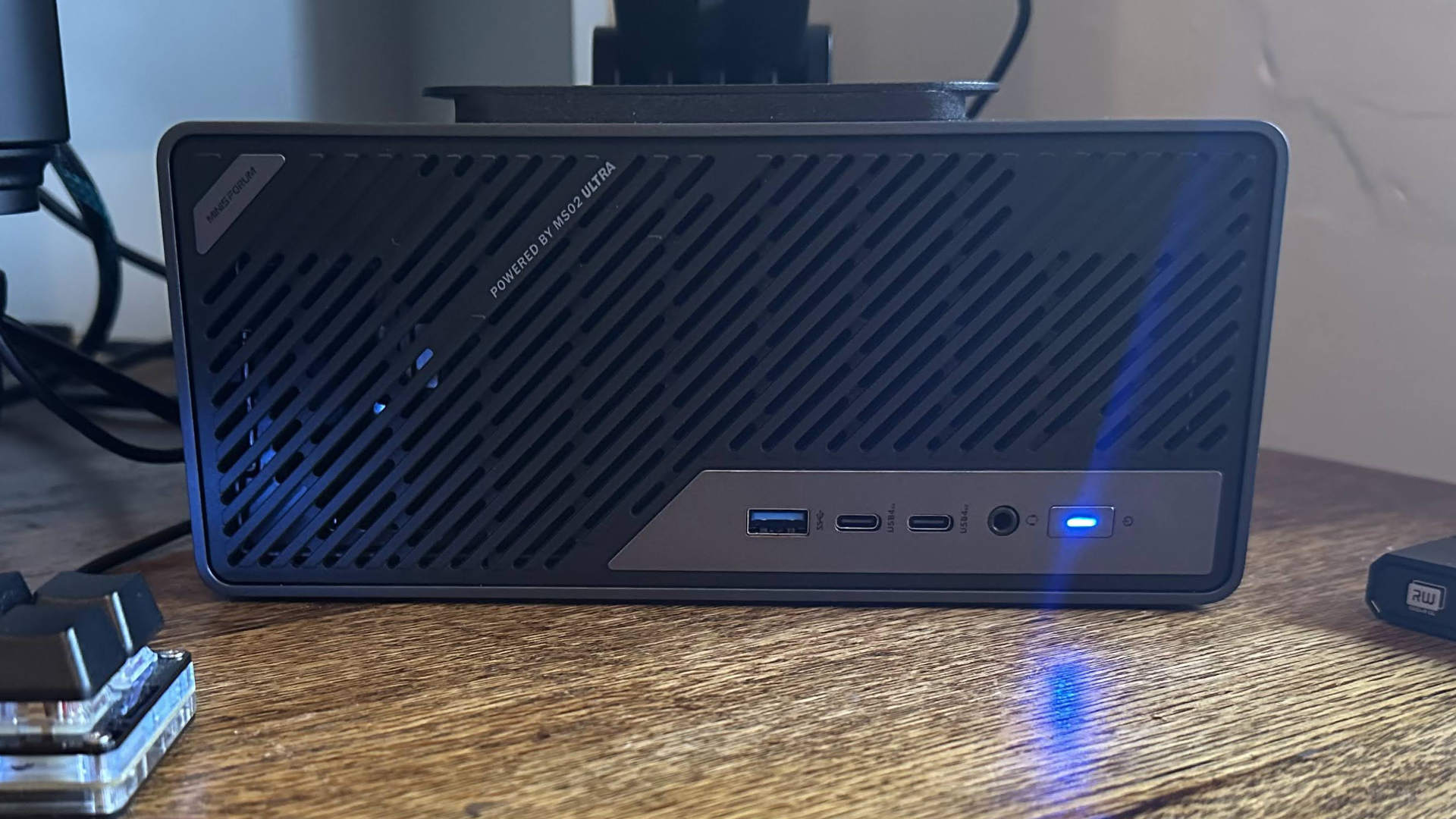
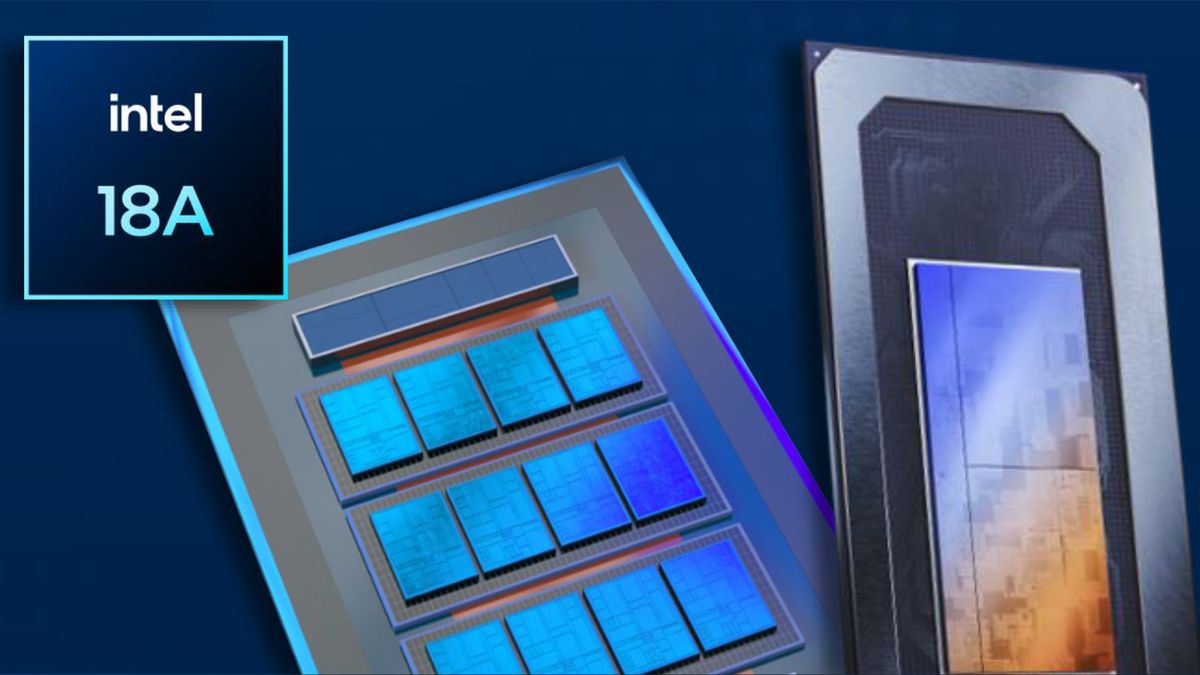
The Intel Core Ultra 9 285HX should be much more capable than the i5-14400F that I bought at Amazon for $115 last year. It tempts with the advantages of its modern Intel architecture, higher clock boost, and easily outguns my Raptor Lake Refresh chip on core count. Moreover, the new platform brings quite a lot of modern niceties. Particularly welcome, from my perspective, are the trio of really fast USB4 (including 2x USB4 v2) ports, all with DisplayPort capabilities.
A distinct advantage I expected in moving to the MS-02 Ultra was from the increased core count using Intel’s more modern architecture. Indeed, CPU-heavy benchmarks would show the new chip could convincingly eclipse the old mid-range Core i5-14400F in both single- and multicore workloads, given sufficient power supply and cooling capacity. But, we'll see how that translates to ‘Mark’s world’ of computing in the benchmarks section, below.
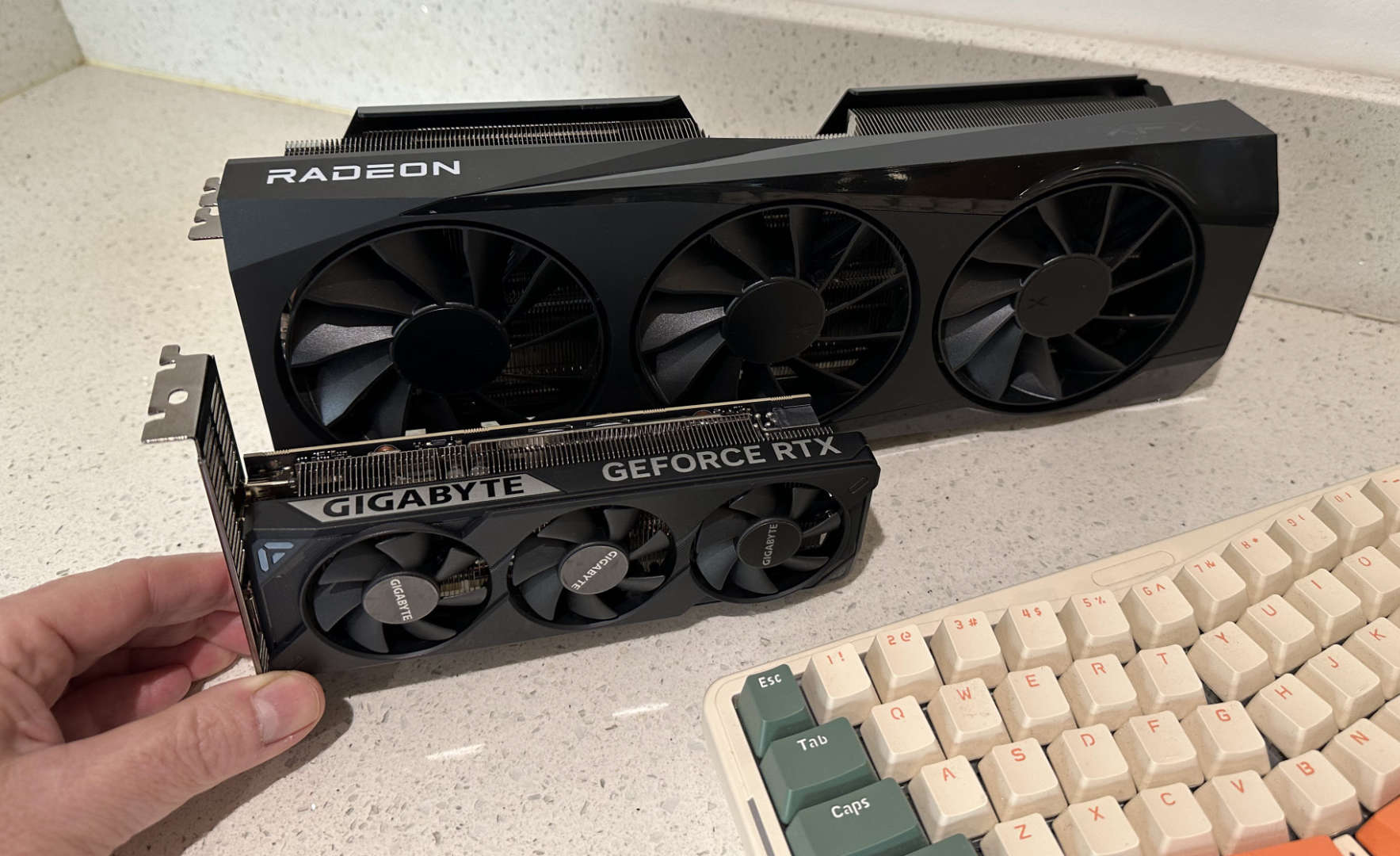
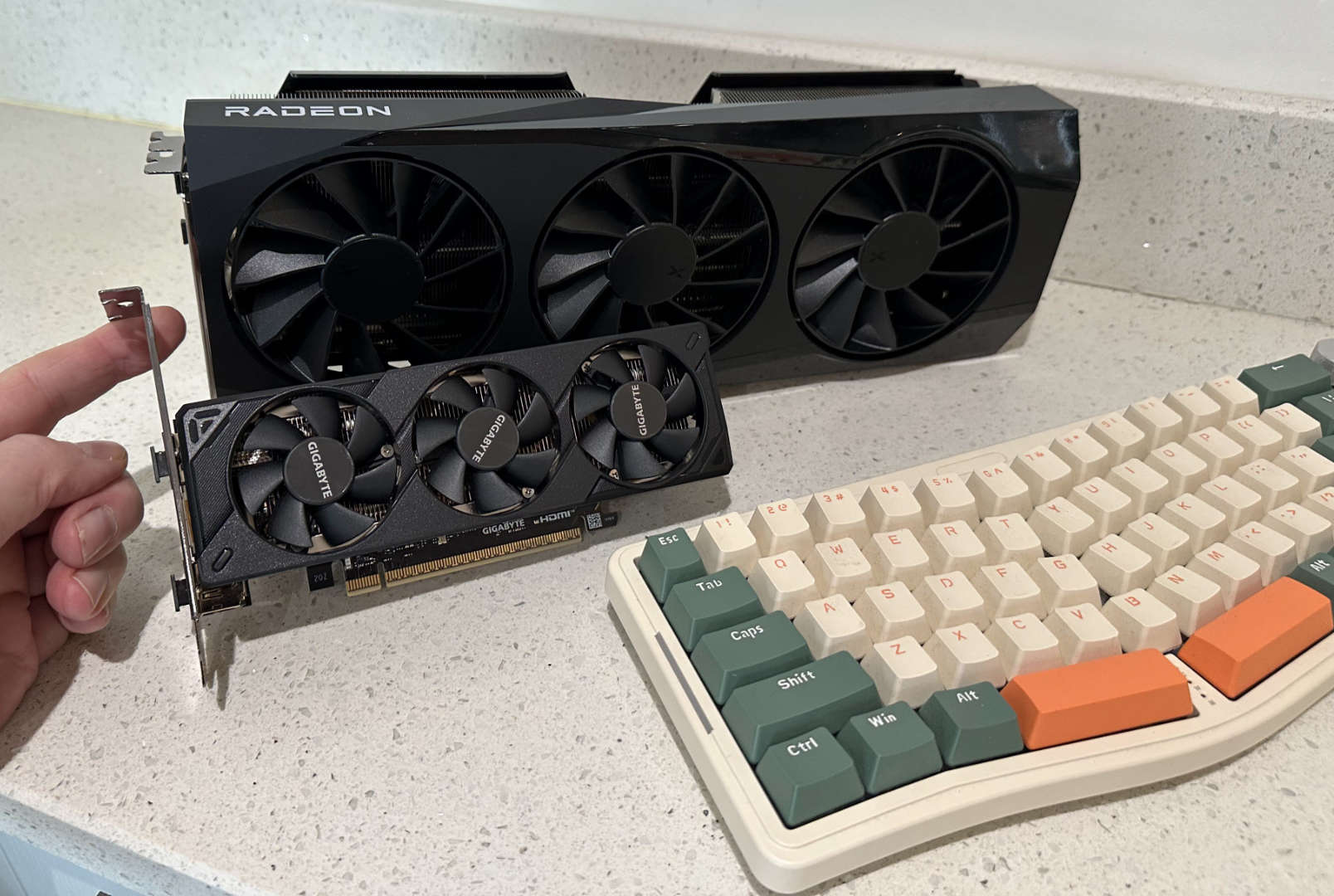
I’ll stress again that a brief check of the specs, ahead of any actual comparison testing, may suggest the little Minisforum would win hands-down in CPU-focused processing tasks, but the best consumer-grade GPU I could get to fit inside its sub-5-liter chassis would be crushed by the triple-fan behemoth in my ATX desktop. Indeed, that is sort of what happened. There are nuances, though, especially as I don’t really play any AAA or eSports PC games that launched in the 2020s, or dabble in local AI.
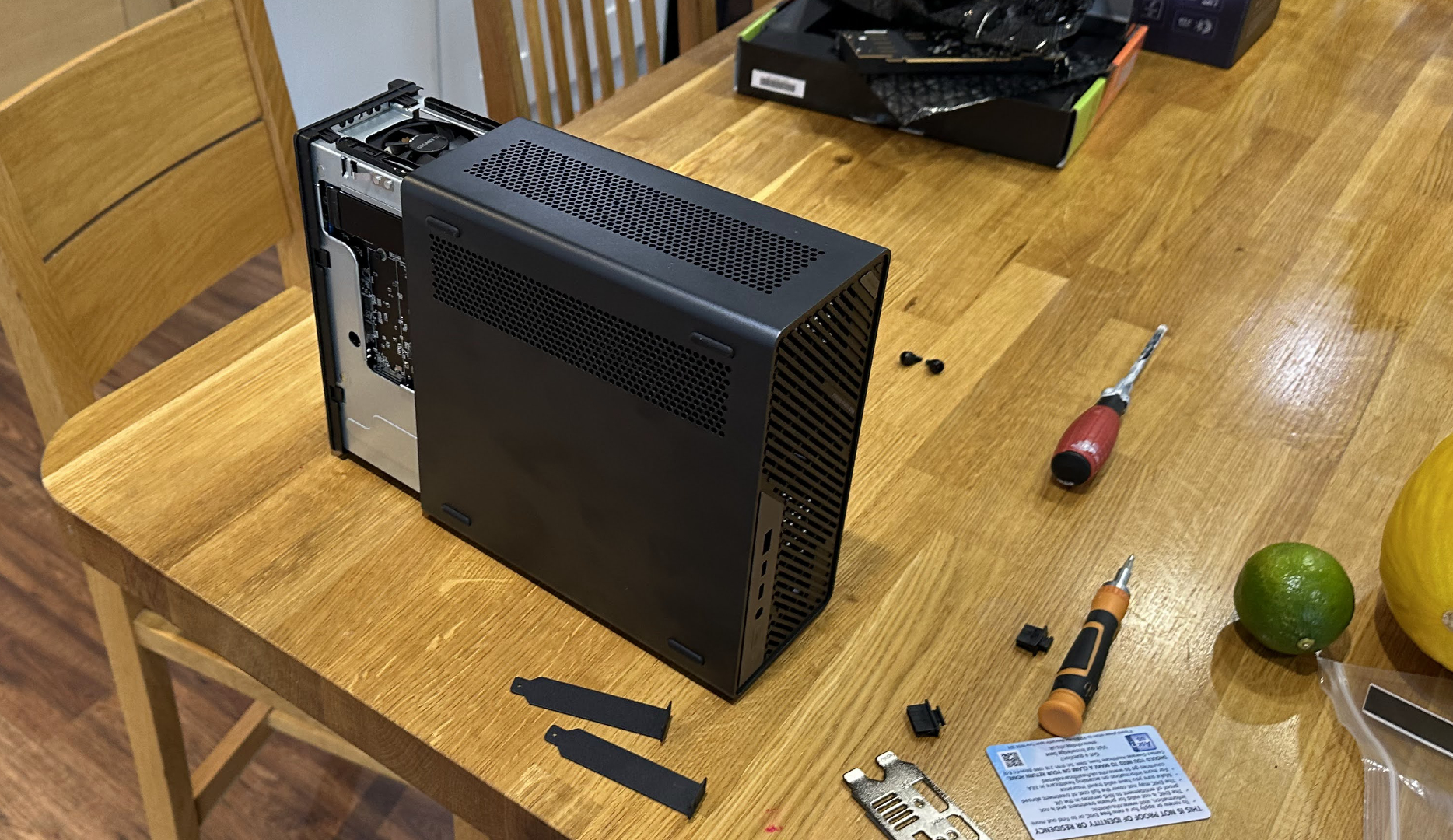
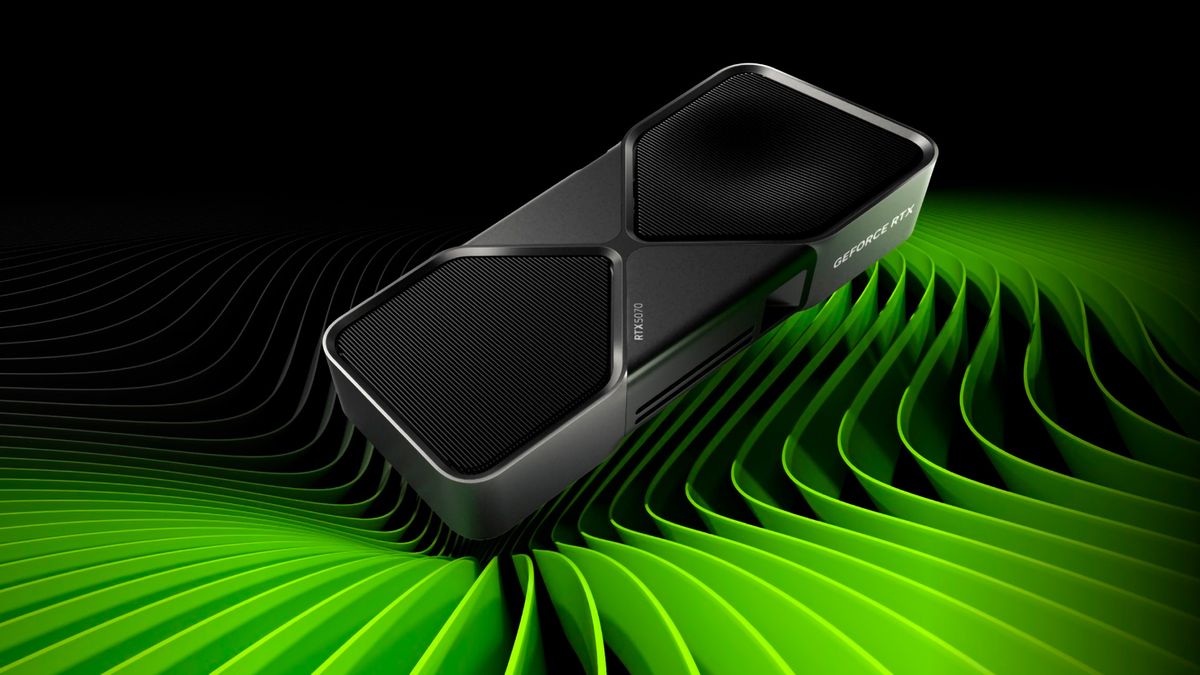
The MS-02 Ultra runs using the integrated graphics on the Core Ultra 9 285HX by. default. However, there’s a PCIe5.0 x16 slot, and incredibly, there’s room to install a two-slot low profile (LP) graphics card. This, plus the spare 8-pin connector from the built-in 350W PSU, allowed me to install a Gigabyte RTX 5060 OC LP GPU.
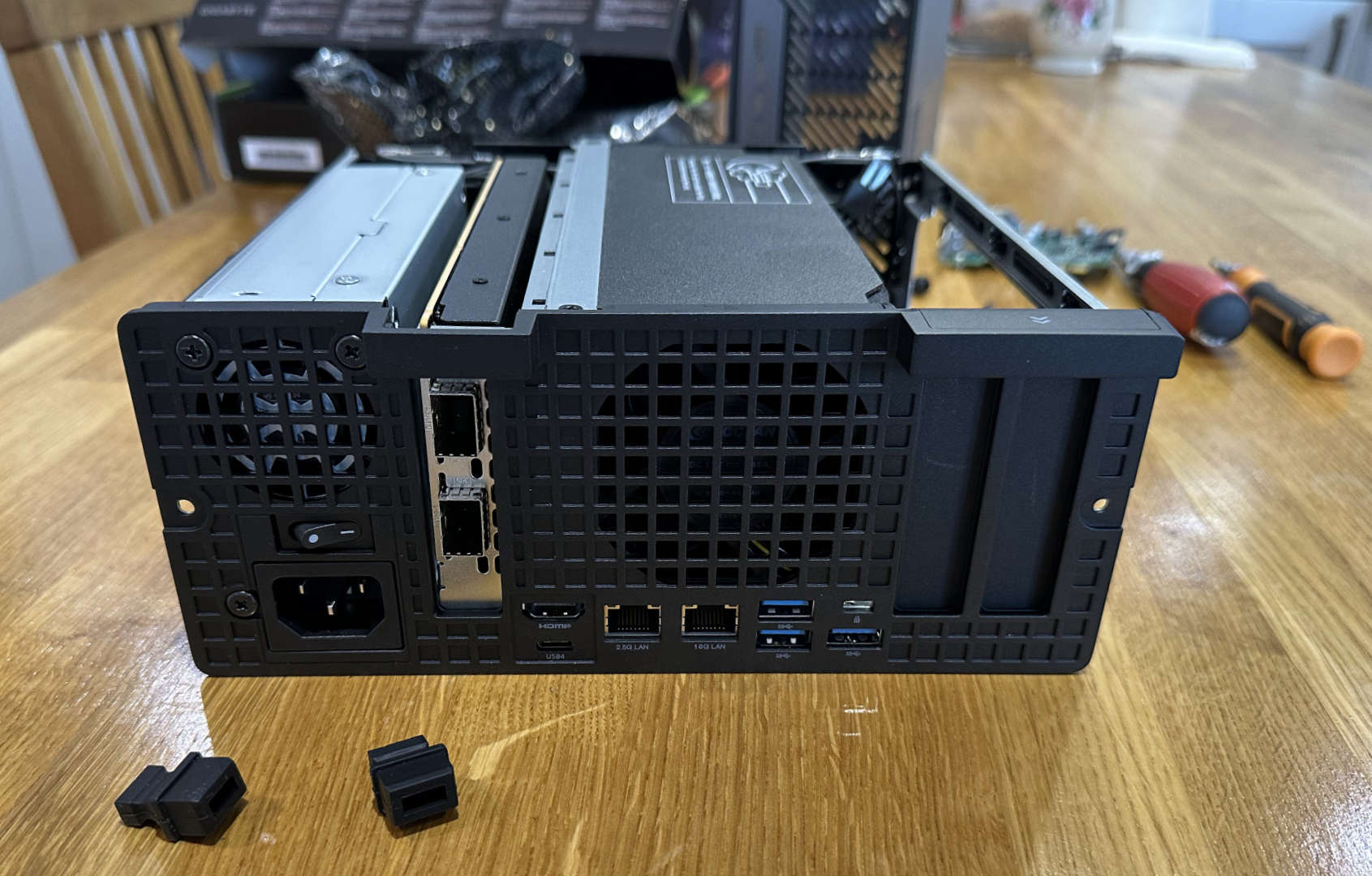
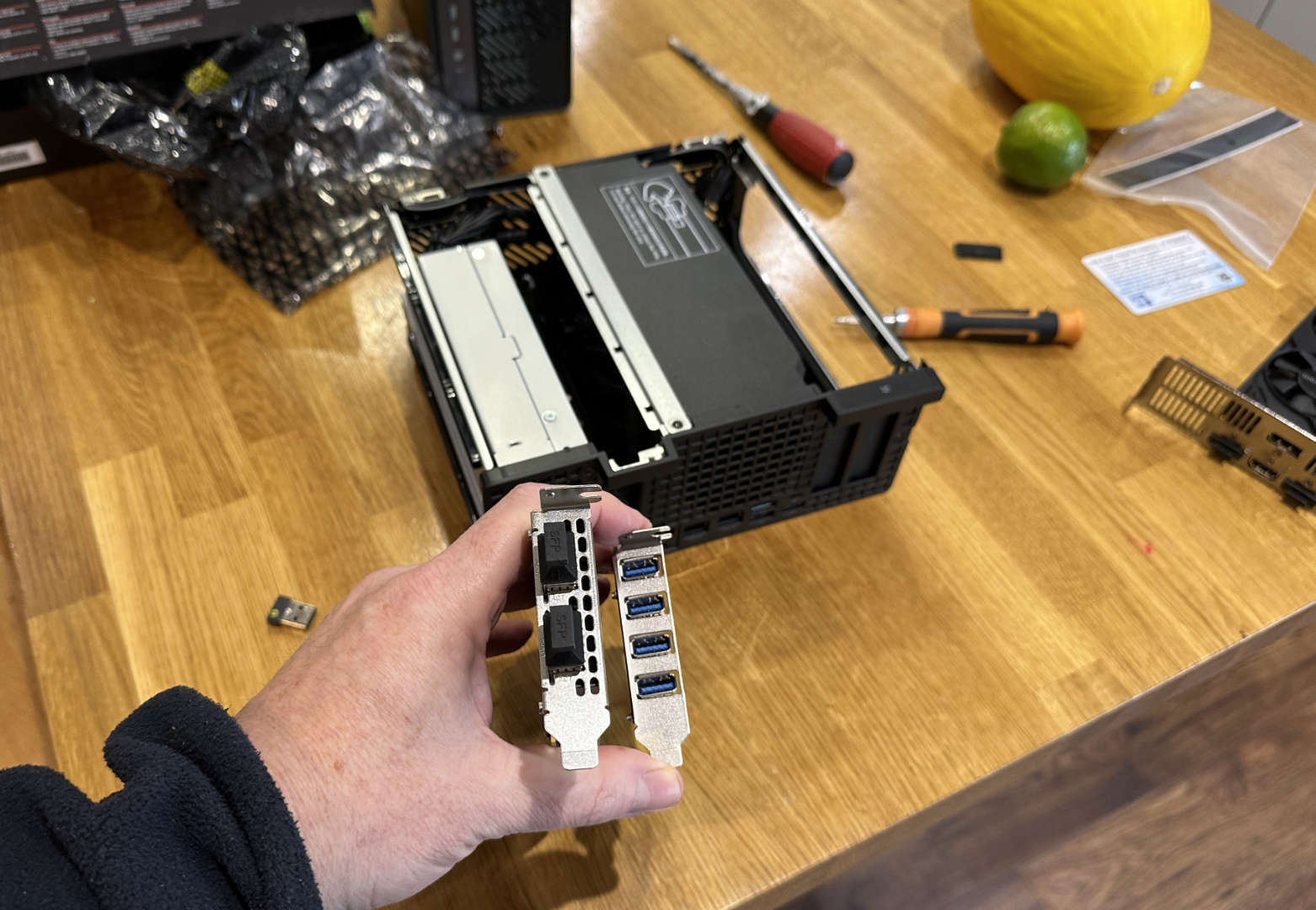
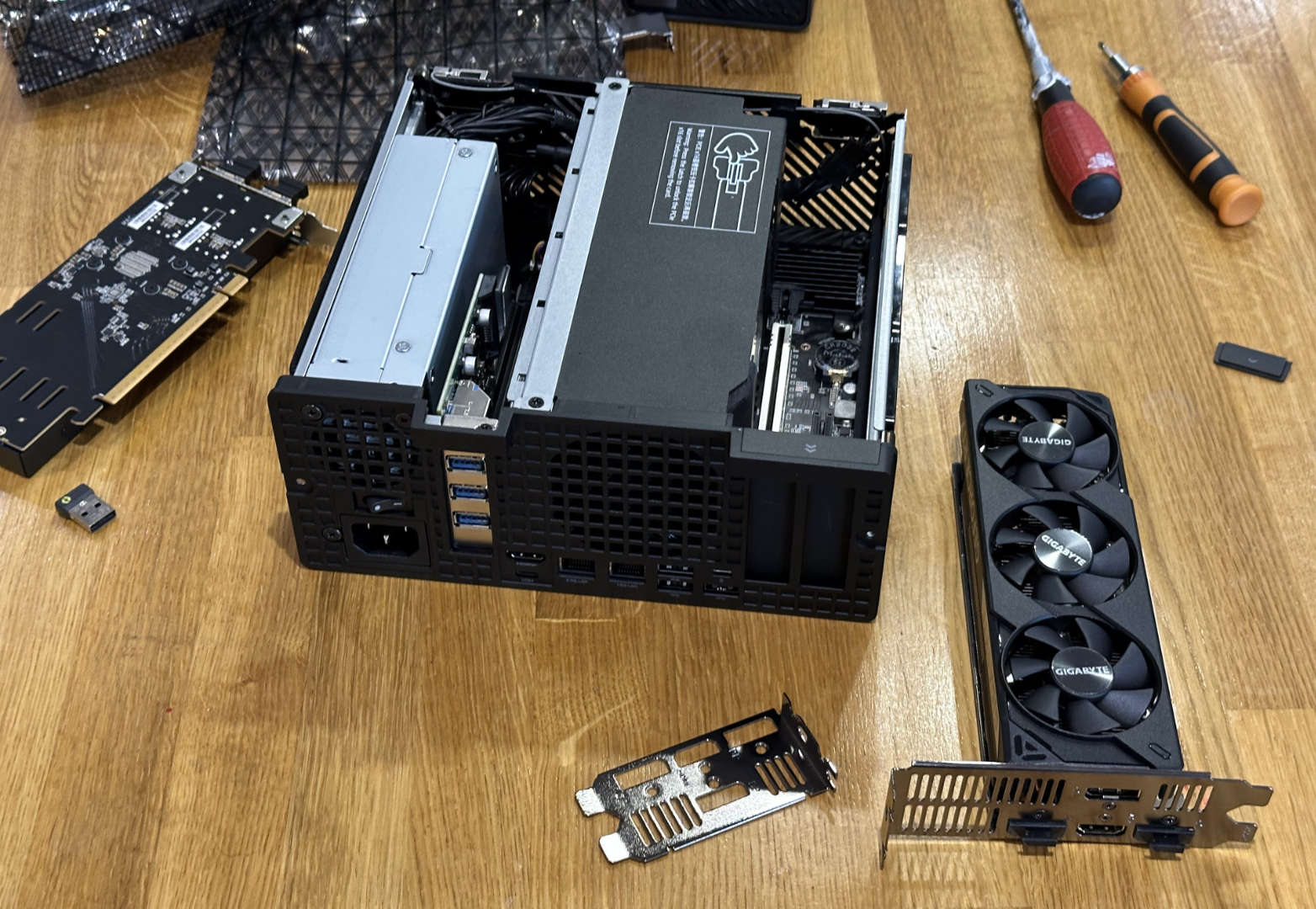
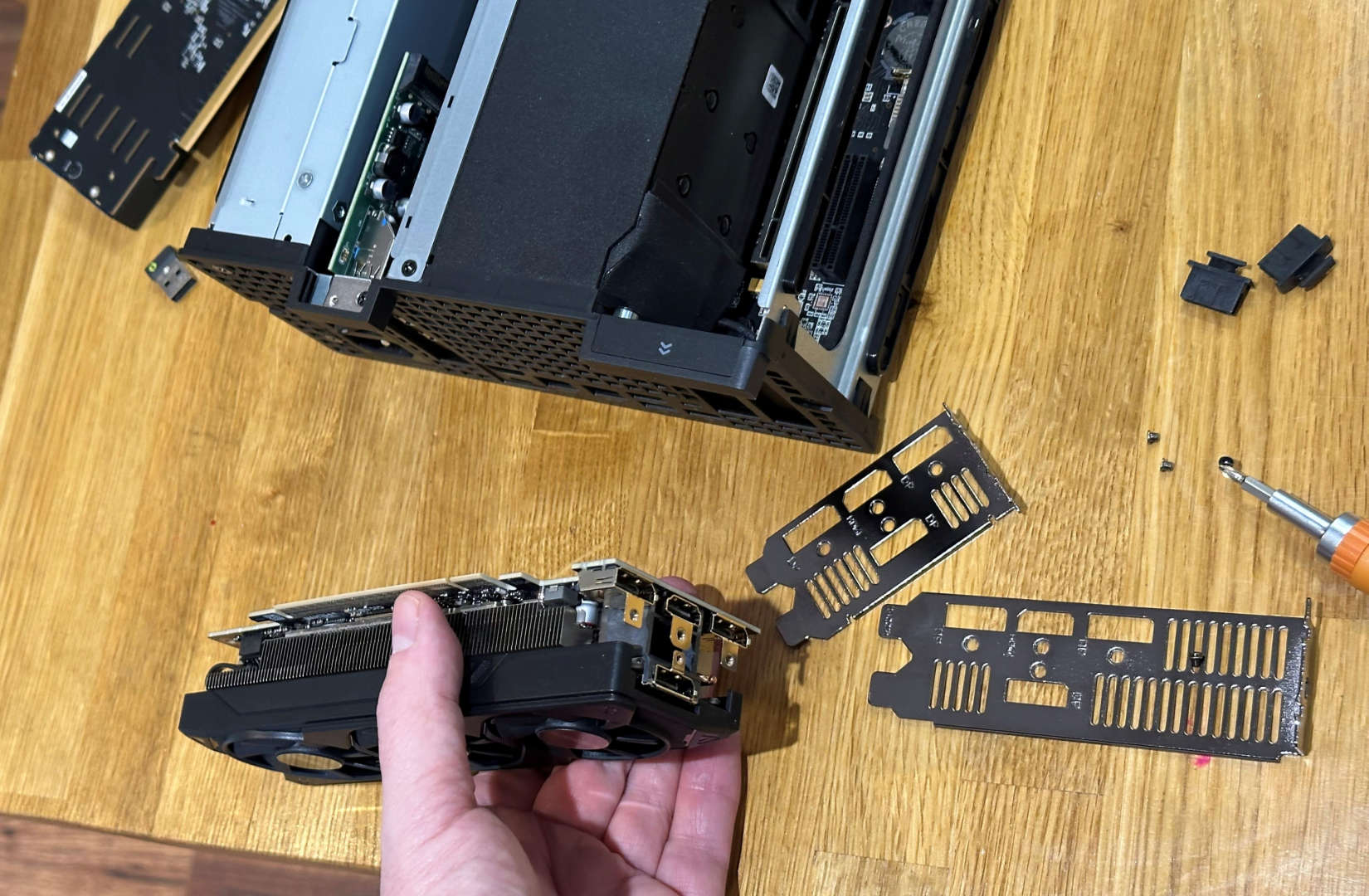
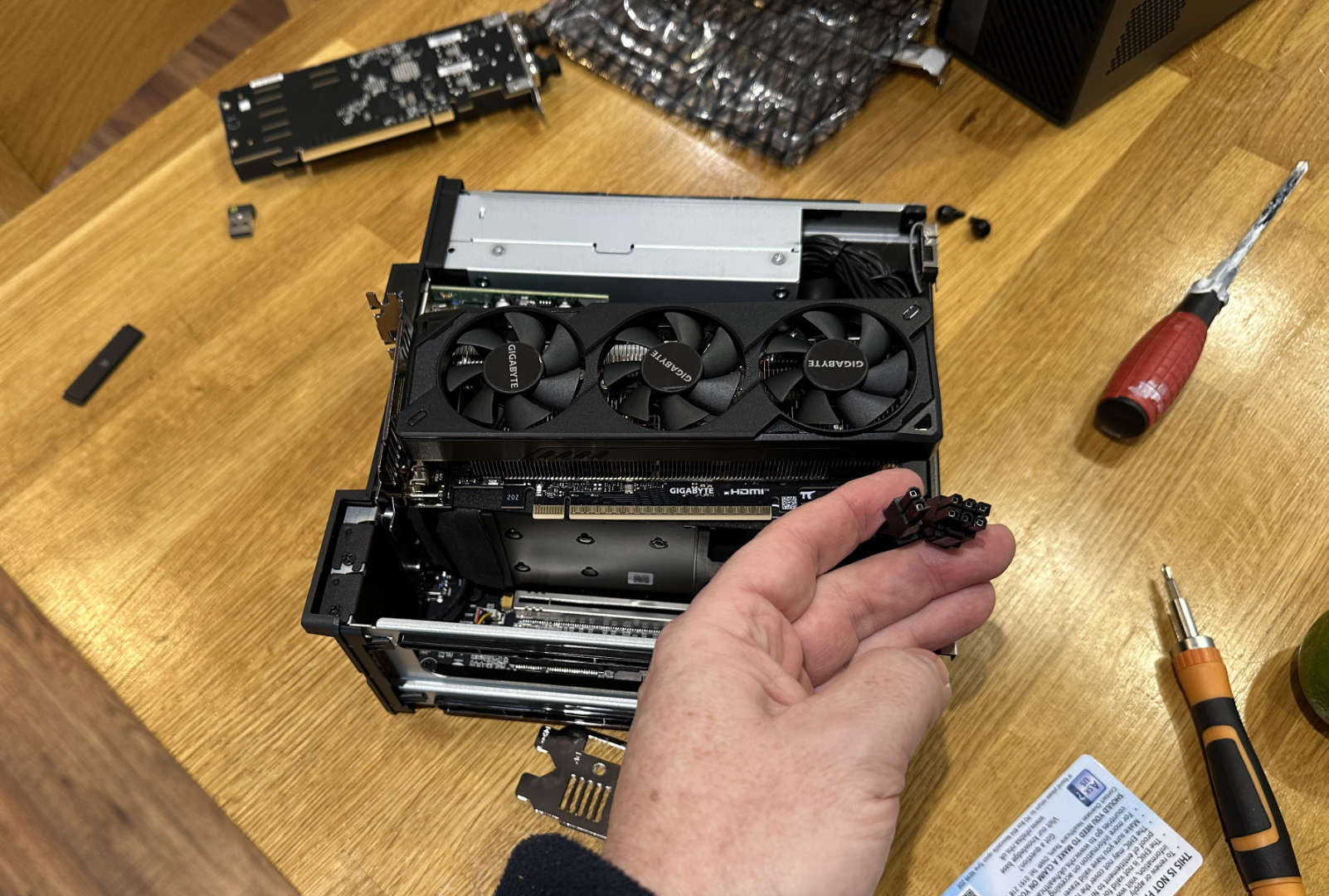
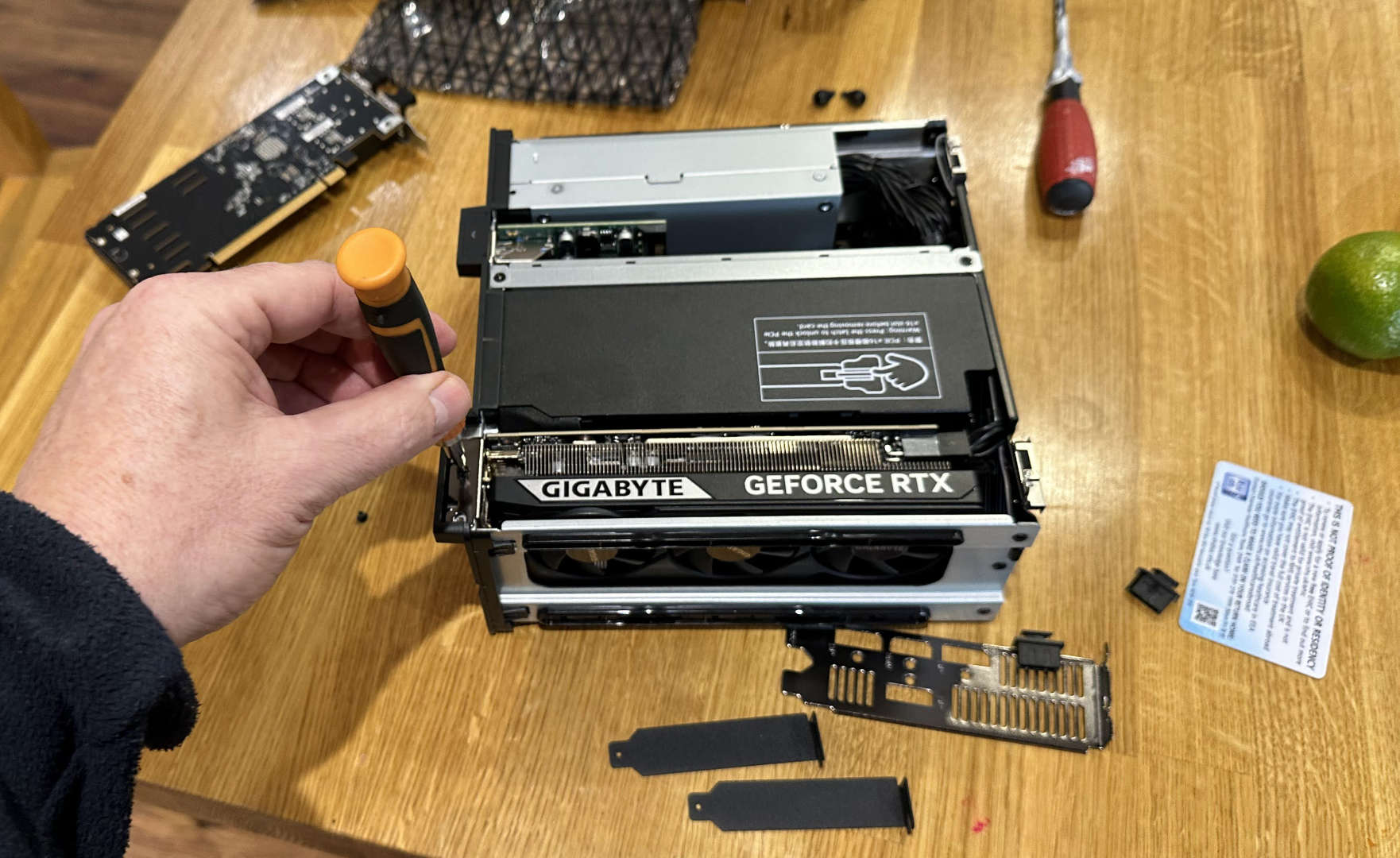
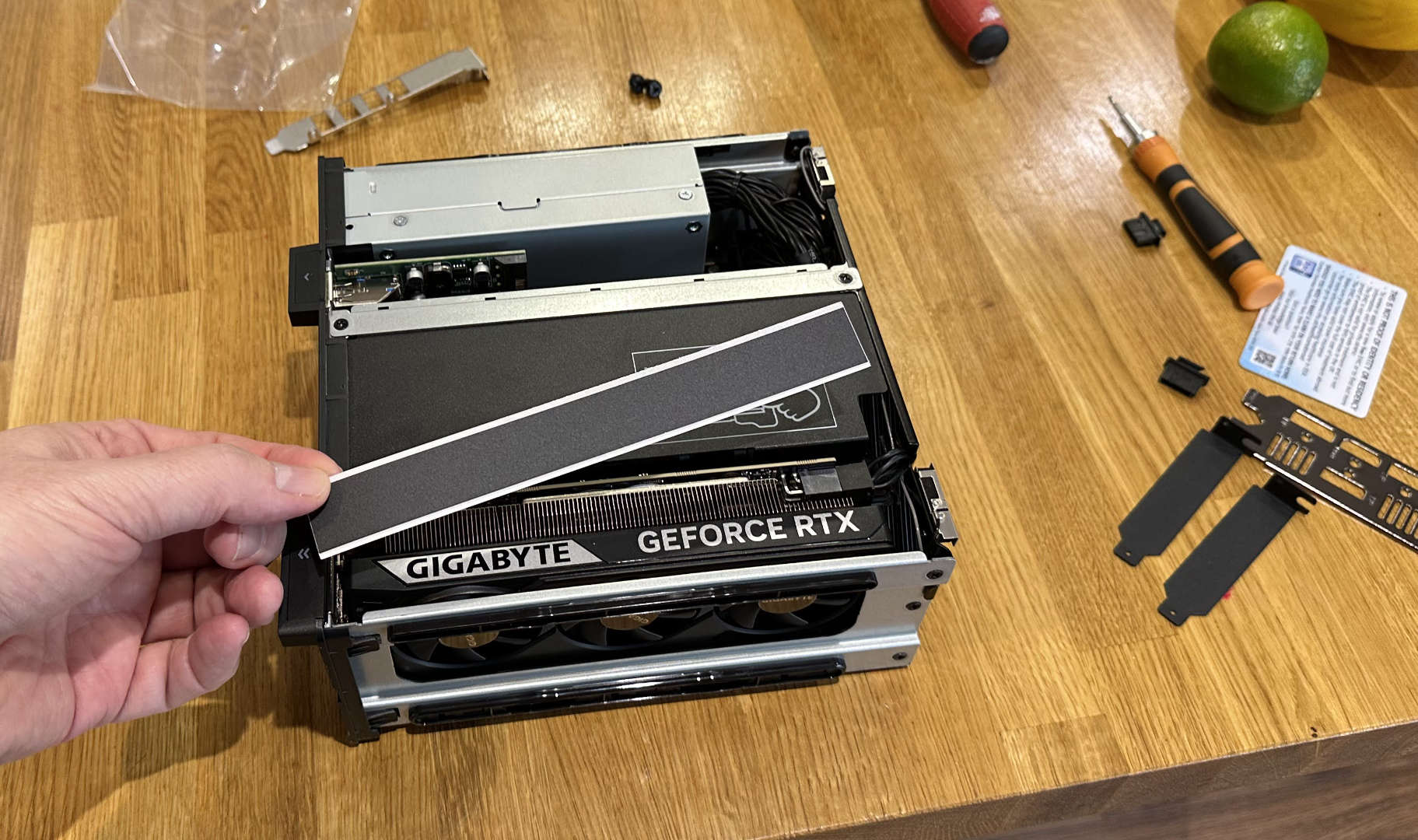
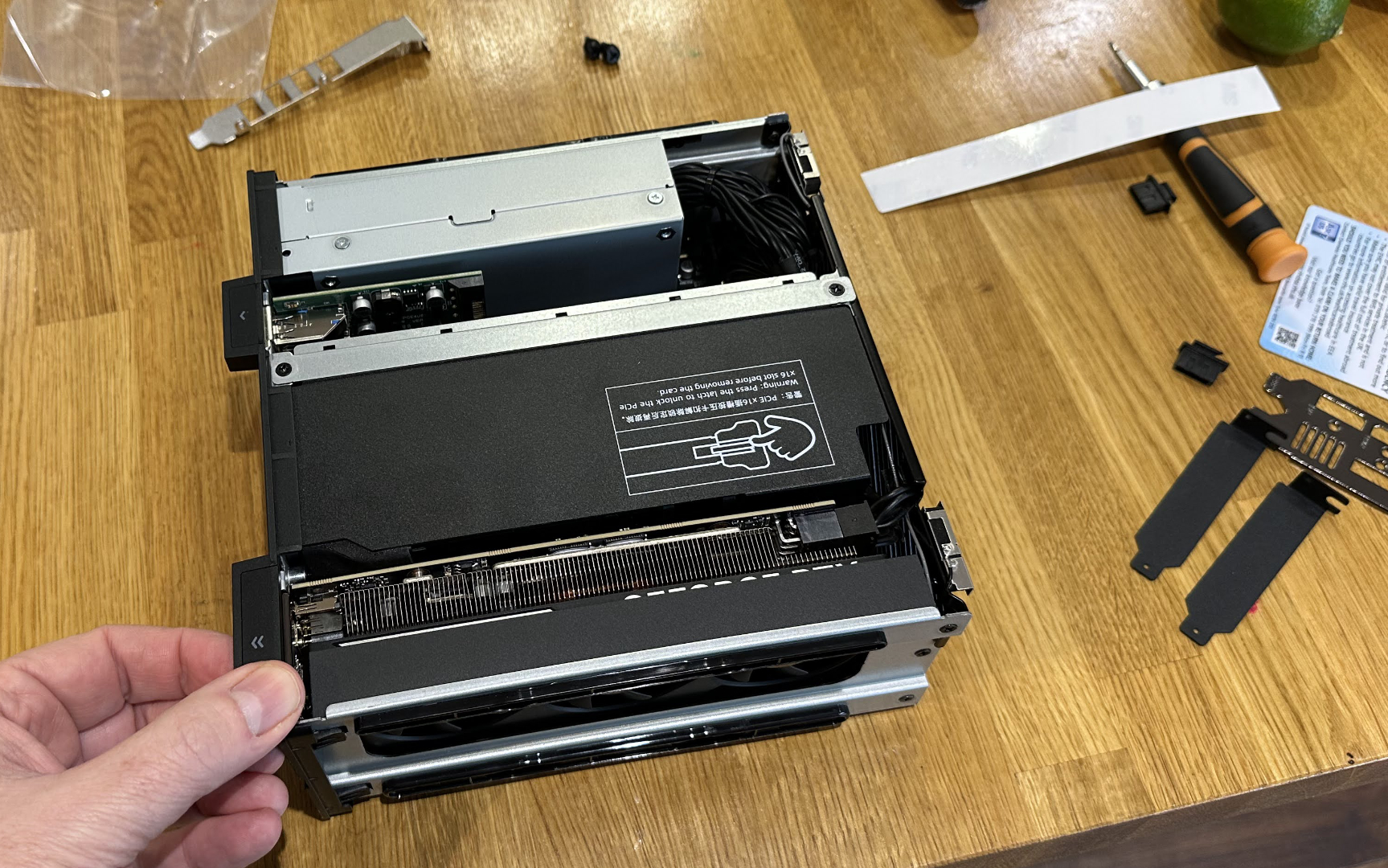
Nvidia’s RTX 5060 seemed to be the best graphics card choice for me, as a generalist/hobbyist PC user, though I’ve seen other early adopters of the MS-02 Ultra install cards like the Intel Arc Pro B50 (16GB), Nvidia RTX Pro 4000 Blackwell SFF (24GB), and the RTX 4000 SFF Ada (20GB). These offer far more VRAM but can cost a lot more, too. But thanks to this mini workstation allowing for GPU upgrades, perhaps the RTX 6060 or RTX 7060 will arrive one day with more than 8GB of VRAM on board, and in a low-profile form factor. Or maybe AMD will make a performant LP form factor card in the meantime.
More on specs
I chose my Fractal Define S-housed desktop's motherboard as it was one of the few B760 chipset boards with a USB-C 20 Gbps port as standard at the price point. So, getting three times more USB-C ports, with two of them supporting up to 80 Gbps as standard, on the compact MS-02 Ultra was a welcome platform boost. I’m sure there is potential here for some very useful docking or even eGPU use-cases.
I have a pair of Crucial X10 Pro 4TB devices for keeping games, TV, and movie libraries portable. My testing confirmed the USB4 v2 ports on the front work at full USB 3.2 Gen 2×2 (20 Gbps) speeds with the X10 Pro. Some USB4 controllers surprisingly don’t support Gen 2x2 and would fall back to 10 Gbps mode. My X10 Pros run about a third of the speed of the built-in M.2 SSD provided by Minisforum, but I feel they are good for external, highly portable units.
An extra two 25 GbE network ports and two of the available M.2 SSD slots are provided by a pre-installed low-profile card in the MS-02 Ultra’s PCIe 4.0 x16 slot. However, I chose to replace that with a cheap USB Type-A 3.0 card with four ports, as I really like to have lots of USB ports. My old desktop used a USB adaptor for Wi-Fi 6 and didn’t have Bluetooth. The MS-02 has built-in Intel BE200 Wi-Fi 7 and BT 5.4 card.
There are three PCIe slots in the MS-02 Ultra, but adding the GPU takes up the room where two single-slot add-in-cards would otherwise fit. That compares poorly with my Define S desktop, which has five slots. With a bulky GPU fitted in that ATX system, it was still possible to add another three single-slot PCIe cards. Again, I have one installed in there, bristling with extra USB ports.
Preparing for my personal benchmark battle
The most demanding things thrown at my PC are video editing and games like The Division 2 and Far Cry 5. The Cyberpunk 2077 benchmark is just there for an added reference point, (I bought it, but I’ve not actually got around to playing it yet.) The same goes for Shadow of the Tomb Raider. I also like playing in Borderlands GOTY Enhanced Edition, Command & Conquer Generals, and Amiga Forever – but those are so old and lightweight they weren’t worth testing for this performance comparison.
Most of the time, my computer will be used for little more than multiscreen word processing and browsing, communicating with work colleagues, and a touch of ancient Photoshop and Illustrator dabbling. These help me prepare artwork for here on Tom’s Hardware, some YouTube stuff, as well as laser cutting and engraving. Also, Photoshop has recently been replaced by the Affinity suite.
So, without further ado, let’s get into those benchmarks, which unashamedly revolve around my personal general-purpose computer use, with a few gaming classics thrown in. I’ve also included a ‘tweener’ system, where my large desktop was fitted with the incongruously tiny RTX 5060 LP card.
Minisforum MS-02 Ultra productivity performance
Swipe to scroll horizontally
Test | I5-14400F / RX 9070 | I5-14400F / RTX 5060 | Ultra 9 285HX / RTX 5060 |
Cinebench R23 Single Thread | 1780 | 1780 | 2263 |
Cinebench R23 Multi Thread | 14480 | 14510 | 34500 |
PassMark PT 11.1 | 9366 | 9350 | 5564 iGPU, 11078 |
Handbrake 4K | 2m, 35s | 2m, 33s | 2m, 12s |
7Zip rating | 85 GIPS | -- | 110 GIPS |
Procyon AI image gen Stable Diffusion 1.5: 16x images | 40.159s. ONNX for AMD | 55.729s. TensorRT | 55.611s. TensorRT |
The comparison table above doesn’t offer much in the way of surprises. The MS-02 Ultra with Intel’s Core Ultra 9 285HX does exceedingly well in CPU-intensive tests, particularly those that take advantage of the abundance of available threads. We see the 285HX is a star performer in Cinebench R23, with single-thread scores similar to desktop processors like the Core i9-14900K and Ryzen 9 9950X. For multicore, you are also good to compare with the Ryzen 9 7950X3D and i9‑14900F, but the unlocked i9‑14900K starts to pull ahead convincingly.
I also think the 7-Zip (de)compression benchmark shows the MS-02 mini workstation in a good light. Handbrake 4K transcoding wasn’t much better compared with my old 14400F, though. Meanwhile, PassMark Performance Test, a mix of CPU, graphics, memory, and disk tests, showed some worthwhile performance benefits from the Minisforum – when the RTX 5060 was installed.
Minisforum MS-02 Ultra gaming performance
Swipe to scroll horizontally
Test | I5-14400F / RX 9070 | I5-14400F / RTX 5060 | Ultra 9 285HX / RTX 5060 |
Cyberpunk 2077, high | 136.5 FPS | 78.3 FPS | 80.5 FPS |
Division 2, high | 182 FPS | 83 FPS | 83 FPS |
Shadow of the Tomb Raider, highest | 183 FPS | 120 FPS | 128 FPS |
Far Cry 5, ultra | 146 FPS | 137 FPS | 128 FPS |
Steel Nomad | 61 FPS | 32 FPS | 32 FPS |
Time Spy | GPU 27110, CPU 12680. Score 23155 | GPU 13580, CPU 12578. Score 13419 | GPU 13595, CPU 11999, Score 13329 |
It is almost moot to highlight that the Define S desktop with Radeon RX 9070 would dominate in 3D games and 3D benchmarks. Nevertheless, there were some interesting results showing that the Ultra 9 285HX / RTX 5060 didn’t always beat the i5-14400F / RTX 5060 due to titles simply being ‘GPU-limited.’ An interesting outlier was the crazy-town USA-set Far Cry 5, where Ubisoft’s Dunia Engine 2 (a modified CryEngine) seemed to prefer the desktop Raptor Lake Refresh under the hood. All the games were tested in 1440p, with no upscaling or frame-gen tech applied.
Minisforum MS-02 Ultra power consumption and noise
Now we move into an area of both strength and weakness for the Minisforum MS-02 Ultra. In my benchmarks table, above, I also included power and noise readings. Starting with the good news, the MS-02 requires less power while idling and doing light tasks – like writing this. It also uses about 120W less when gaming, and all the titles I enjoy play smoothly enough on the RTX 5060 system at high to ultra settings at 1440p without the use of any scaling or frame gen tech.
Swipe to scroll horizontally
Test | I5-14400F / RX 9070 | I5-14400F / RTX 5060 | Ultra 9 285HX / RTX 5060 |
Power | Idle 58W, Game 375W | Idle 57W, Game 255W | Idle 33W, Game 246W |
Max noise | 37dBA | 38dBA | 48dBA |
Some bad news for the mini workstation is that it is more audible when idling and under load, in my experience. Initially, I measured both systems from about arm’s length distance. My Define S desktop uses large Noctua fans and sits under the desk, and in the comparison results, you see that even using the tiny RTX 5060 didn’t increase the noticeable system noise – it is hard to be 100% confident about the 1dBA difference observed.
Having the MS-02 Ultra at arm's length from my seated position, but on the desk top, the noise level was quite high at 48 dBA under load, as per the above chart. However, sitting it under the desk, where the big DIY desktop PC was previously located, reduced the max noise level to 41 dBA. But it's a far smaller system, and when positioned in the space vacated by the Define S, the Minisforum front panel moves beyond arm's reach under the desk. It is necessary to bend quite low from the chair to reach the power button and front I/O, which isn't convenient. That's why I decided to keep it on the desk.
I also note that the Minisforum BIOS has various fan modes (quiet, balanced, and performance) and manual tweaking of the trio of system fans. I ran it at ‘Balanced,’ so there’s probably some tuning that could be done for better noise performance.
Bottom line
In some many ways, the Minisforum MS-02 Ultra held its own against my old home-built Goliath.. The pint-sized challenger does everything I need, and some more. There are clear advantages to be had in CPU-heavy workloads. In GPU-heavy tasks and gaming, there’s clearly enough juice for my particular needs today. If you think about the future, then unlike many other mini PCs, this one can get upgraded with a faster next-generation low-profile graphics card (and other compact PCIe cards) if and when they arrive at an affordable price.
I’ll continue to work on configuring the fans, with an eye on processor and memory temperatures, as the louder fans are the one aspect of the MS-02 Ultra that pokes me in the ribs. It may also be repositioned further back on the desk or under it to scale back its audible presence. The fan noise isn’t high-pitched, and I sometimes forget it, but less is more.
We must also talk about the price of the Minisforum MS-02 Ultra mini workstation. As of the this writing, the Intel Core Ultra 9 285HX model with 2x 25 GbE PCIe SFP+ NIC, 32GB DDR5, plus a 1TB M.2 PCIe4x4 SSD, and Windows 11 Pro is priced at $1,583.90 from Amazon.com. You can also go barebone (no RAM, SSD, or OS) for $1,229.90 using a $300 discount coupon on the page, which could be a great option if you have a spare DDR5 SO-DIMM, M.2 SSD, and can source your own OS. As with all PCs at this time, prices are very volatile.
The Gigabyte GeForce RTX 5060 OC LP 8G I bought to go in this system's PCIe 5.0 x16 slot is currently $359 at Newegg. This was a necessary extra to indulge in the type and quality of gaming fun that I am used to.
Thus, for the Minisforum MS-02 Ultra 32GB/1TB with RTX 5060 LP graphics card installed, as tested, today's total price would be $1,942.90. Things have gotten a little pricier since I began my tests in early January, but that's the way the PC market is going.
Swipe to scroll horizontally
Size | 233 x 451 x 520mm, ~54 liters | 221.5 x 225 x 79mm, ~4.8 liters |
Weight as sold | 8.5kg | 3.45kg |
Motherboard | Up to ATX size | Custom |
PSU | Any ATX PSU | 350W SFX installed |
PCIe slots | Up to 7 (5 on my mobo) | 3 |
We could talk about the comparison between the MS-02 Ultra build/cost and a desktop, with the latter offering much better value and expandability or upgradeability. However, getting something this performant yet compact, with this level of I/O spec and expandability, is going to be impossible with off-the-shelf parts. In this way, and especially for those with a use for the 2x 25 GbE PCIe SFP+ NIC, this mini workstation is a uniquely attractive package.

Follow Tom's Hardware on Google News, or add us as a preferred source, to get our latest news, analysis, & reviews in your feeds.





 English (US) ·