
I don’t mind comparing data plans before a trip. What I’d rather avoid is starting the whole setup process again just because my next destination is different.
That is what caught my attention with KnowRoaming. It's KR.One approach separates the eSIM I install from the travel package I buy. With this setup, I can still keep the profile and choose another plan for my next journey.
However, there is a vital distinction here. When you keep this eSIM, there’s no guarantee that your existing data will stay intact, unlike many of the best eSIMs for international travel we've tested. After the duration, your plan will expire. So, I wanted to find more details about Know Roaming eSIM plans and offers. Let’s get started.
Latest Videos FromTechRadar
KnowRoaming: Plans and pricing
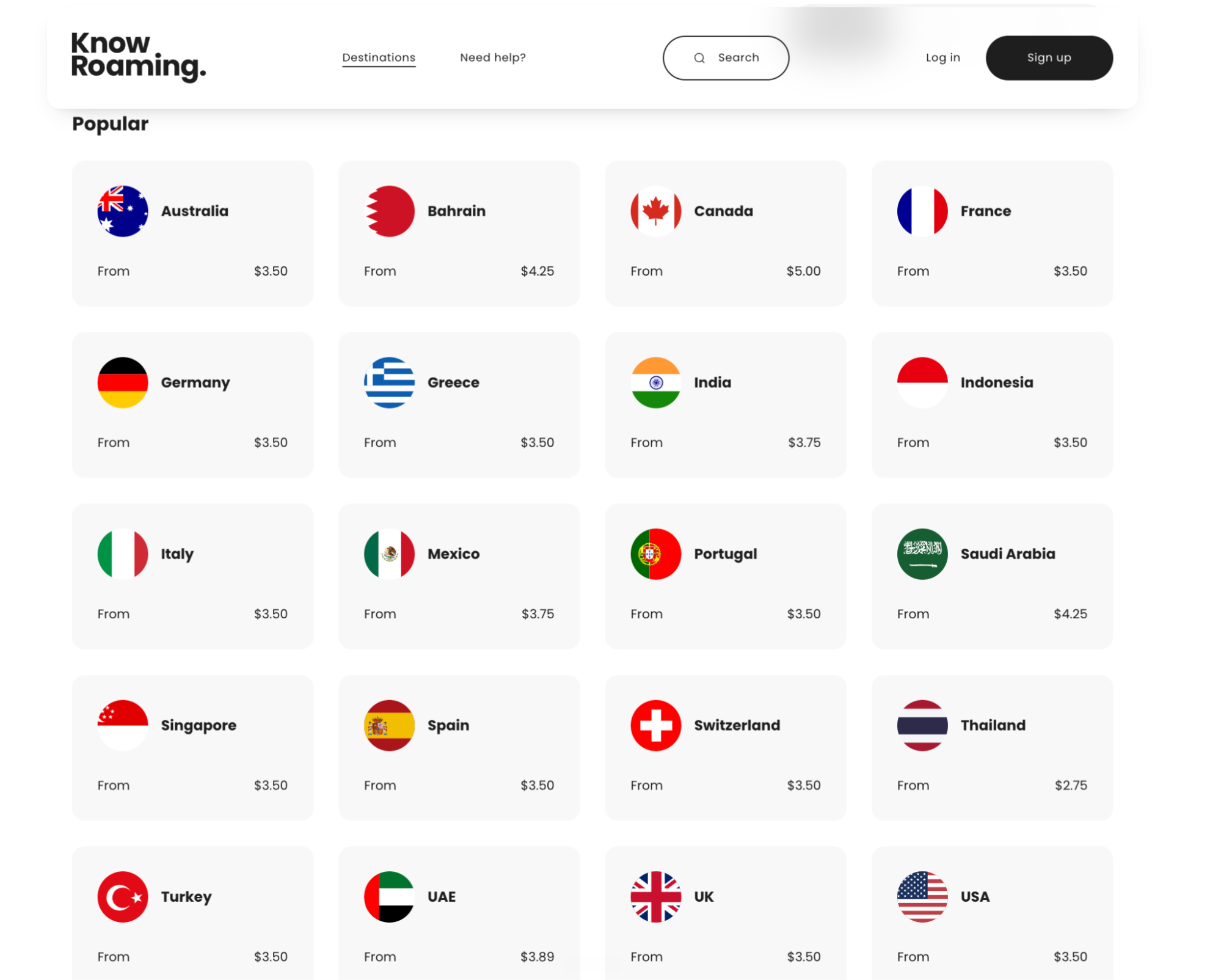
I’ve compared the 15-day unlimited plans below. For the country and regional options shown, the unlimited options include 5GB at full speed within 24 hours, followed by speeds of just up to 512Kbps.
Whereas the global plan includes 2GB at full speed every 24 hours, then only up to 256Kbps. In a nutshell, these high-speed allowances reset every 24 hours from the plan’s start time.
You can sign up to KnowRoaming by clicking here.
Swipe to scroll horizontally
Country or region |
Data |
Price |
Duration |
United Kingdom |
Unlimited |
$46.00 |
15 days |
France |
Unlimited |
$40.50 |
15 days |
Germany |
Unlimited |
$37.75 |
15 days |
Spain |
Unlimited |
$40.50 |
15 days |
Switzerland |
Unlimited |
$43.25 |
15 days |
United States |
Unlimited |
$46.00 |
15 days |
Mexico |
Unlimited |
$50.25 |
15 days |
Australia |
Unlimited |
$40.50 |
15 days |
Europe, 49 destinations |
Unlimited |
$46.00 |
15 days |
Asia, 28 destinations |
Unlimited |
$48.00 |
15 days |
North America, 3 destinations |
Unlimited |
$75.00 |
15 days |
Global, 166 destinations |
Unlimited |
$55.00* |
15 days |
Note: The global price is a limited-time promotional offer.
Out of all, I can vouch for Europe’s regional plan because it costs the same as the UK-only option. I’d consider it for a multi-country trip if the destinations match my itinerary. I find the global offers appealing too, but the tiny 2GB threshold for high-speed data over a 24-hour period makes me think twice.
Plus, the North America pricing seems a bit impractical here. It costs $20 more than the promotional global package, even though it covers fewer destinations. But I wouldn’t choose by country count alone. I’d be trading 5GB of daily high-speed data for 2GB with the global option. For maps and messaging, I’d consider that saving after checking my route is covered. For frequent hotspot use, the regional allowance could justify the extra spend.
KnowRoaming: Features and specs
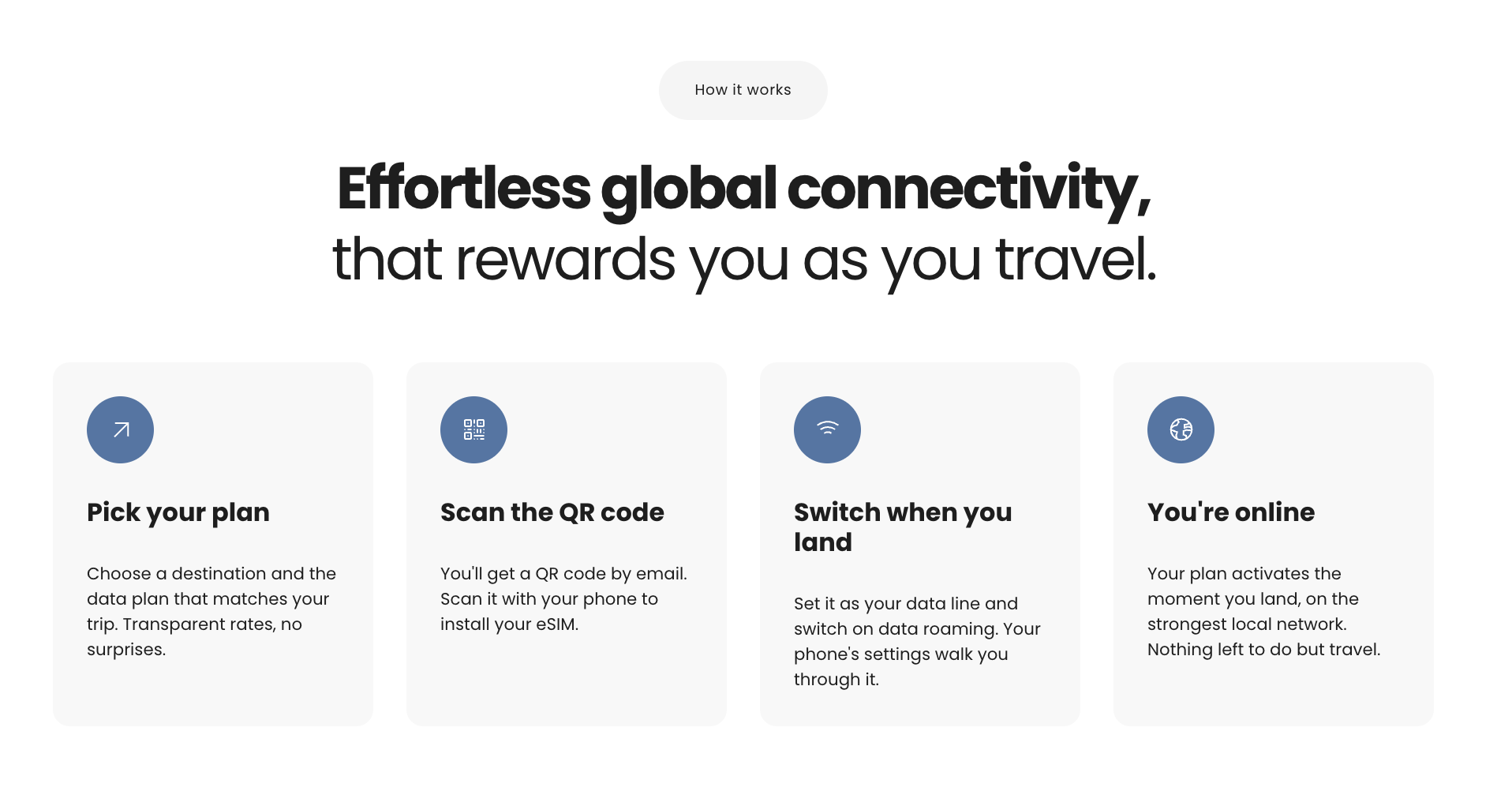
KR.One is the feature I’d pay most attention to. Using this, I can install it once, then add destination plans to the same profile. That removes the need for another QR code each trip. It doesn’t make active plans transferable between phones, so I’d install it on the device I actually intend to travel with.
The wider catalog covers more than 200 destinations, while the global option is advertised for 166 countries. Those are different figures. Regional choices include Europe, Asia, Africa, North America, Latin America, the Caribbean, Oceania, and the Middle East and North Africa. So, I’d check it with my complete route rather than treat “global” as everywhere.
Europe’s unlimited selector lists 49 destinations. The Middle East and North Africa package lists 15, including the UAE, Saudi Arabia, Egypt, Morocco and Turkey. I’d consider these for a trip with several stops.
KnowRoaming advertises more than 800 networks, with 4G and 5G depending on local availability.
For setup, I’d use the app’s My plans section, select my device, and add the package over Wi-Fi. Website purchases also provide a QR code, with manual setup available.
Once at the destination, you need to select KnowRoaming for mobile data and enable roaming on that line. Installing the profile doesn’t complete those phone settings automatically, which is worth remembering before assuming something has failed.
Your plan will show the remaining data and days, with top-ups available from the selected package. Here, Kreds provide credits toward future purchases too. Visa-linked rewards also require eligibility verification, so I don’t think every customer qualifies for this.
KnowRoaming: Customer support
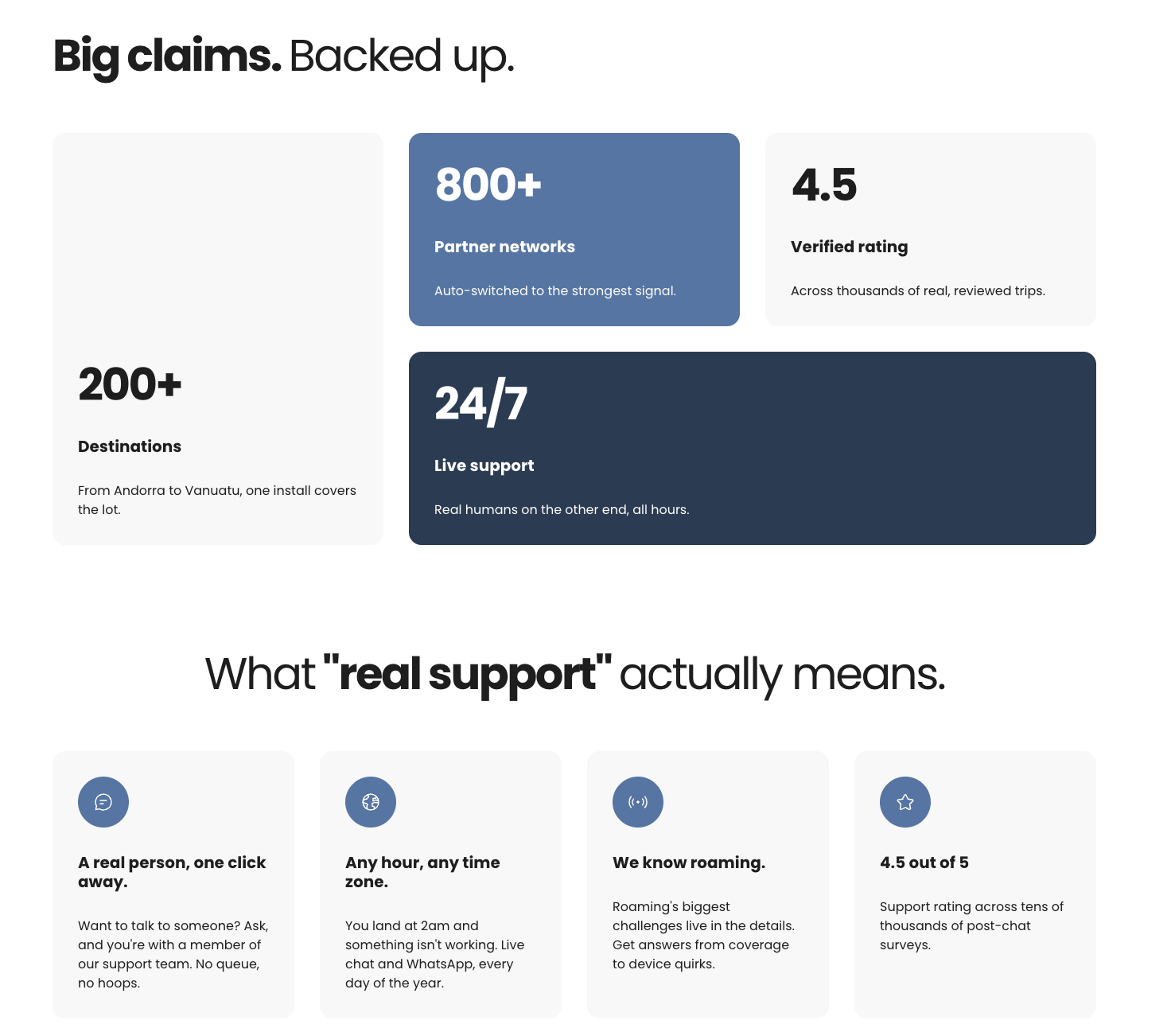
KnowRoaming advertises round-the-clock support, including WhatsApp, alongside installation and troubleshooting guides. Its support pages address practical problems such as no data after landing, manual network selection, and top-ups that haven’t appeared.
The refund policy allows requests for uninstalled eSIMs or plans that haven’t been activated. After activation, using less than 2% of the data or experiencing a KnowRoaming-related service issue may qualify for a full or partial refund, but approval is discretionary.
Requests must arrive within 90 days of purchase and before the plan expires. Ideally, you shouldn’t wait until returning home to report a failed package. KnowRoaming says it reviews requests within four working days and issues approved refunds within 15 calendar days, plus any bank processing.
Is KnowRoaming worth it?
I’d shortlist KnowRoaming for the convenience of reusing one eSIM while choosing a different package for each trip. Regional coverage and hotspot support are useful additions, particularly when my itinerary includes several countries.
My reservation is relying on the convenience claims without checking the conditions. I still need a suitable data allowance, the right country list, and another line for conventional calls. For ordinary travel connectivity, the offer makes sense to me. For essential work calls and sustained tethering, I’d keep a backup connection.
KnowRoaming: FAQs
Does KnowRoaming provide a phone number?
No, its general eSIM explainer mentions local numbers, but the product guidance explicitly says data-only, without calls or SMS. You should keep a separate line for those services.
Can I use KnowRoaming as a hotspot?
Yes, hotspot sharing is supported. Make sure to select the KnowRoaming line for mobile data before enabling it. Sharing with a laptop still uses the plan’s allowance, and an unlimited package’s daily high-speed threshold remains relevant when several devices share the connection.
When does my KnowRoaming plan start?
KnowRoaming’s plan validity begins when you connect it in a supported country, rather than at purchase. Keep in mind, you must activate your plan within 90 days of buying. Once running, the validity period continues, and unused data expires rather than rolling over.
Can I reuse or reinstall my KnowRoaming eSIM?
You can keep KR.One installed and add plans for later trips. Reuse isn’t the same as transferring it to another phone. KnowRoaming says active plans stay with the original device.









 English (US) ·