
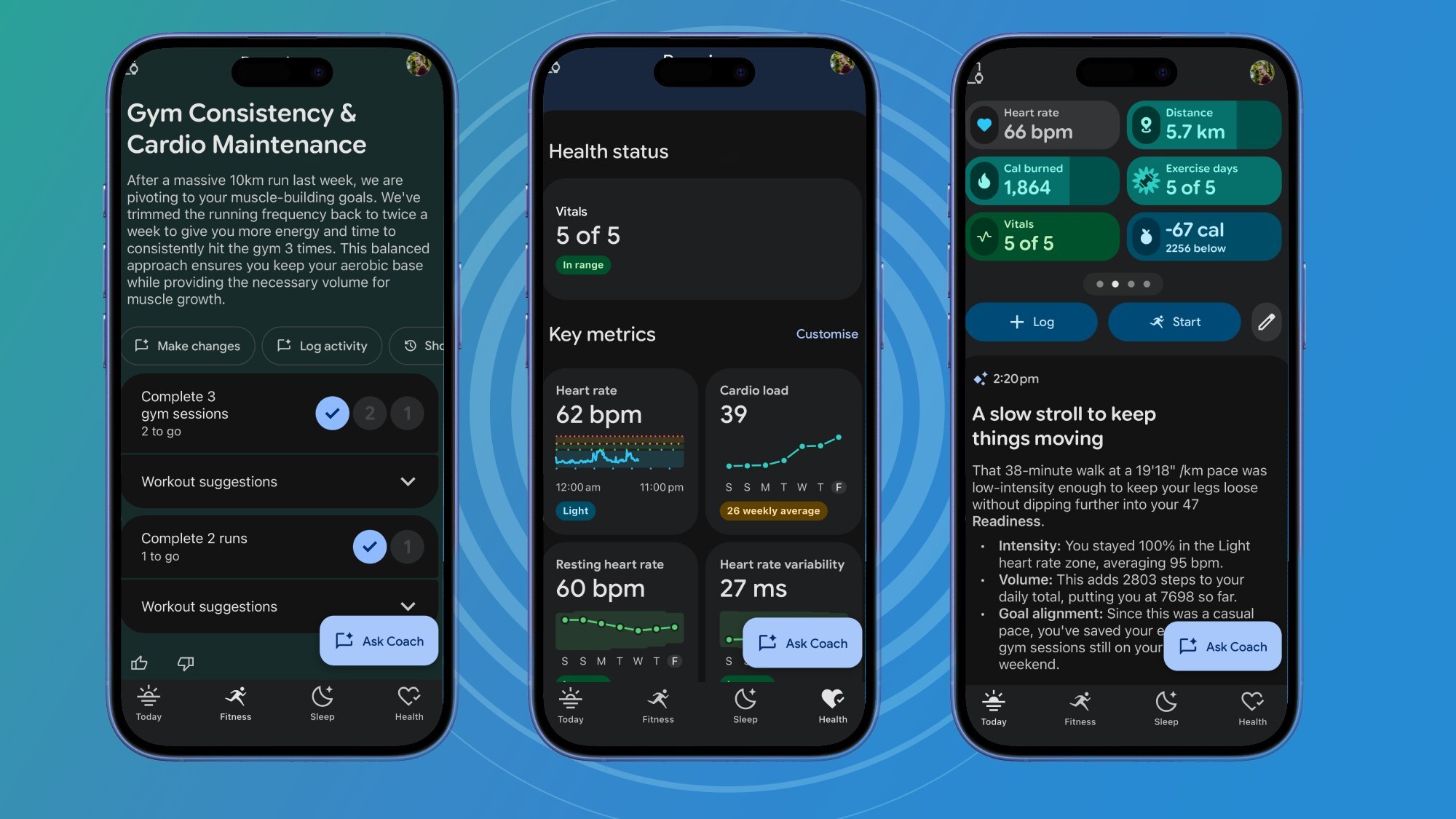
I've been reviewing the Google Fitbit Air this week, testing all its features in a bid to figure out where it sits among our lists of the best fitness trackers — and those features include the new Google Health app and its premium Google Health Coach service.
Fitbit users have been furious at the changes, and Google has rolled out a number of quality-of-life fixes, but there's no deviating from the nature of the app. Like it or not, Fitbit Premium has transformed into an AI-first service — and Samsung is apparently next.
When I began testing it, I was fully prepared to go all-in with my inherent dislike of chatting and interacting with AI via text. Outside of testing, I wasn't a regular Fitbit user, so I didn't have the rug-pull removal of community features, such as badges and challenges, factoring into my process. I was judging the app purely on its own merits.
But by the end of the testing period... I actually quite liked it. Below, I've outlined exactly why. There are things I disliked about the premium portion of Google's controversial new app — so for transparency's sake, I've outlined those too.
Google Health Coach: The pros
1. Flexibility
The base Google Health app has features spread across four tabs, and looking for features and metrics meant trawling through the entirety of the app, which I didn't love. It wasn't intuitive to use. Unlike apps like Whoop and Oura, there wasn't a 'tag' system to record extenuating factors like jet lag or illness.
This is where I actually enjoyed using the AI coach, by using it to compensate for this lackluster design. After a gym session, during which I noted my sets, reps and amount of weights lifted, I copied and pasted my notes into the Google Health Coach's 'Ask Coach' field and told it to log that session. Not only did it do so with the correct moves and amounts, but it also recommended a workout for me to do later in the week to hit alternating muscle groups.
I asked it to design three gym sessions for me based on a 5x5 set-rep structure, focusing on pushing, pulling and legs as my key muscle groups, and it did just that. I told the Coach I was feeling ill, and it incorporated this into future feedback on exercise and rest. You can use this one feature as a 'macro feature' to operate the rest of the app, and it's incredibly flexible.
2. Memory and context
While the coach is overzealous with the summaries it provides, hiding vital information in reams of text, it did at least provide useful content and context. When I logged a short 2.5K run, for example, the Coach said "this is a solid way to test your lungs after that cold", remembering that I had been ill and placing a shorter run in that context.
Anything you tell the Coach is logged and remembered, from your gym goals to asking it to dial down its sycophantic tone, and this is a useful tool for a fitness app when it comes to surfacing important context. If you failed to complete the prescribed bench press reps on set 3 of 5, for example, the Coach might point to your recent illness or low readiness score as the reason why.
3. Food Logging
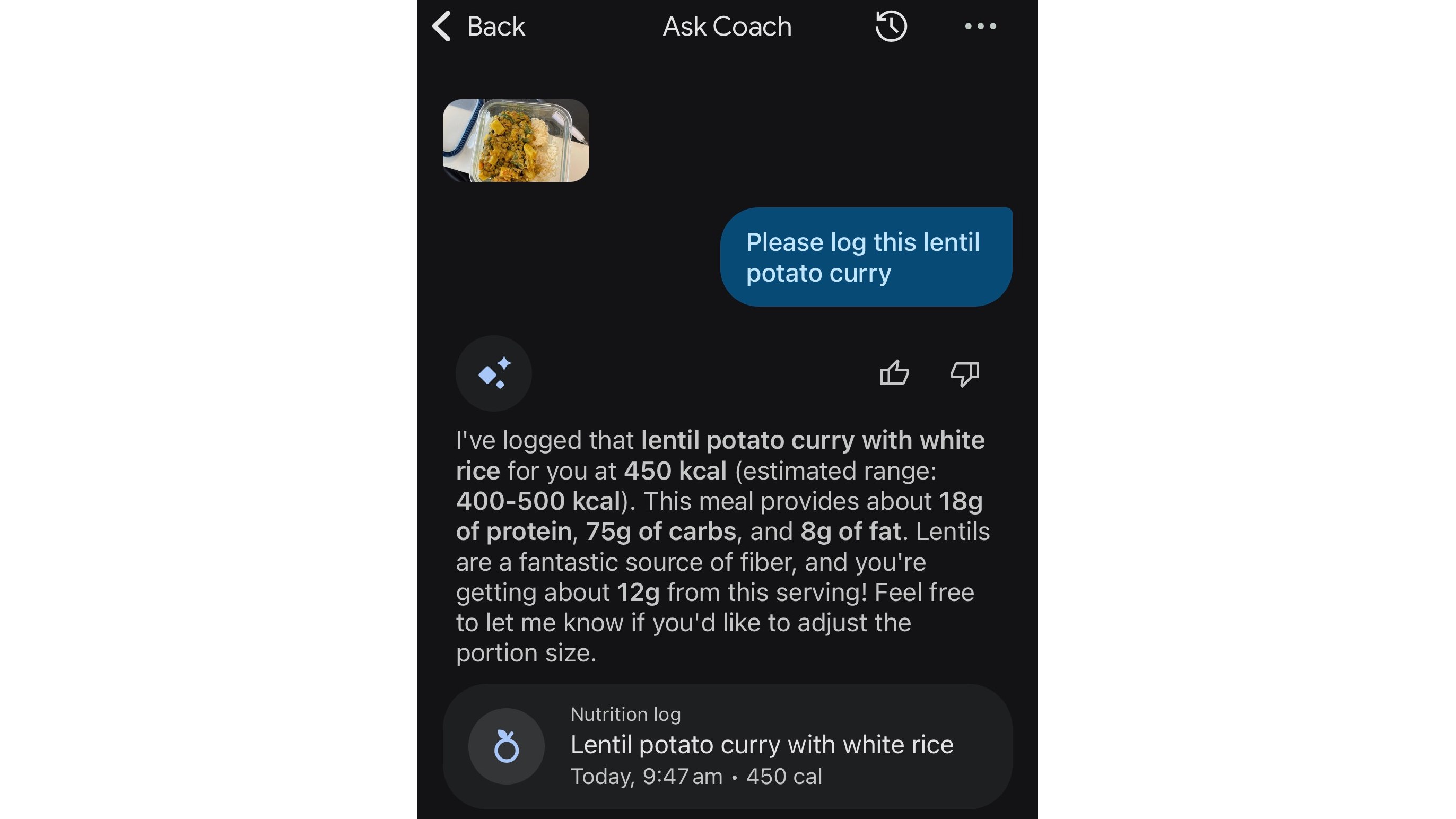
By simply snapping a photo of your food and uploading it to the AI, the Google Health Coach can log food and drink. The Google Health Coach provided exact measurements of packaged food that I photographed, including sugar, salt and fat content, with just a photo and the instruction 'log this'.
It also provided reasonable estimations of home-cooked meals, provided I added some context like "Log this lentil-potato curry", along with helpful information such as the average fiber content of lentils and macronutrient estimations for the meal. It's not going to be pinpoint-accurate when working off a photo, but if you're interested in losing or gaining weight, it's a useful baseline to go off. The more detail you can give it, such as weights or portion sizes, the better.
Google Health Coach: The cons
1. The sycophantic tone
An ever-present issue with chatbots is the sycophantic "Great job getting after it!" style of overly cheery yet somehow very corporate enthusiasm that rings hollow coming from a glorified predictive text machine, and it's no different here. The ersatz friendliness and desire to please you is everything I loathe about interacting with chatbots.
Fortunately, a simple request to the chatbot can remind it to be less encouraging and more neutral in tone, although this can take multiple tries before it gets the message.
2. The fact that it's Google
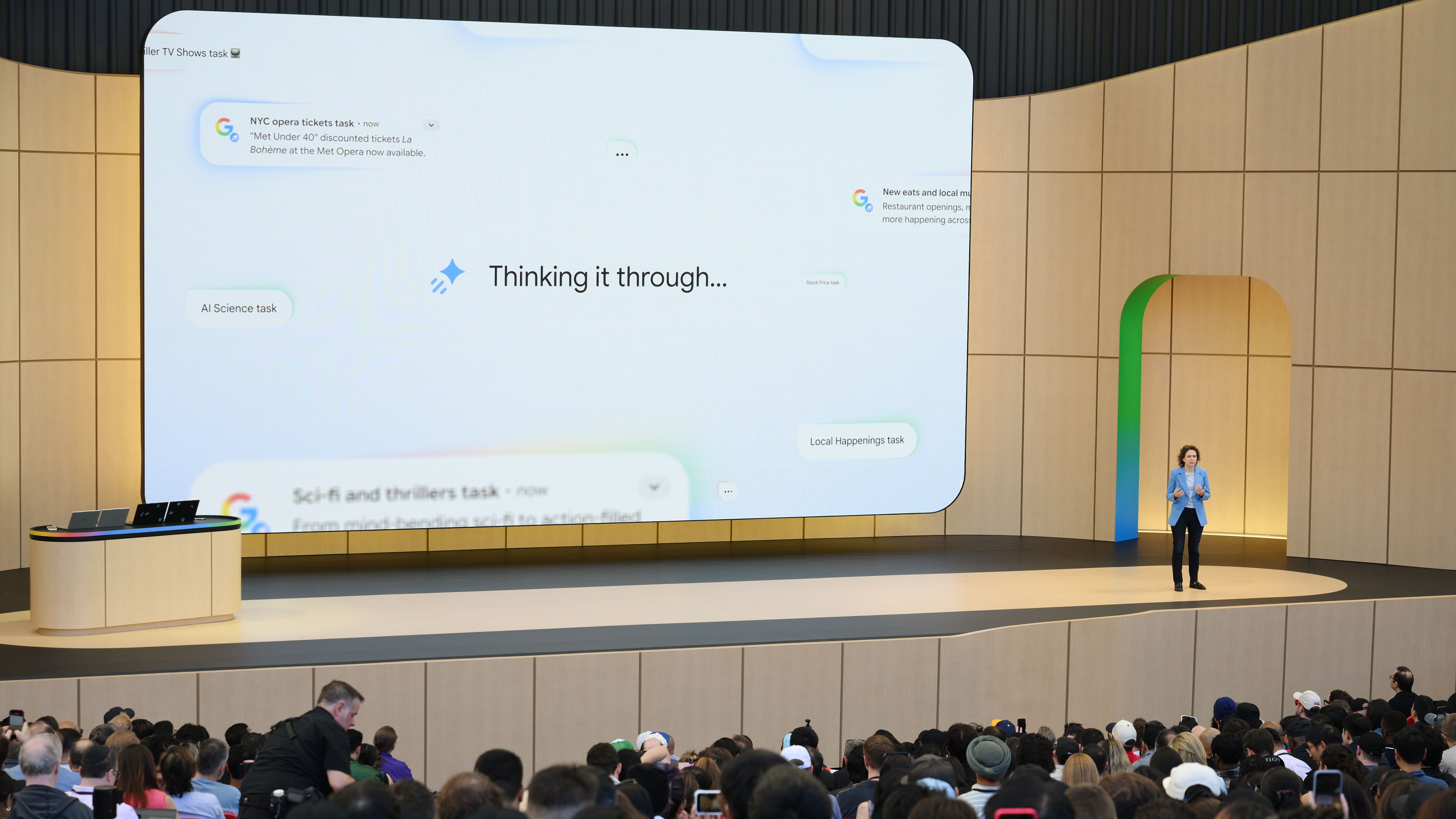
If I were being cynical, Google's decision to force former Fitbit Premium and current Google Health Premium subscribers to interact with an AI chatbot mirrors the decisions of its business as a whole. AI Mode is a constant in Google Chrome, while Google Search's AI summaries cannot be bypassed or turned off.
Google is a data and ad company that is now AI-first as a rule, with interactions going towards improving its AI services. Google has pledged not to use Fitbit data as part of its Google Ads service — but it's only done so because it was forced to by a European Union directive when it bought Fitbit in 2020, and those commitments are legally binding for 10 years. I think in a few short years, it's conceivable that our health data will be feeding Google's algorithms and helping to 'personalize' our new agentic internet. In short, to feed us ads.
That doesn't change the fact that the Google Health Coach is a good service in its current form, and the best health-focused AI assistant I've ever used. But do go into any such usage agreements with your eyes open, especially as Google is keen for you to upload medical records into the app.

Follow TechRadar on Google News and add us as a preferred source to get our expert news, reviews, and opinion in your feeds.






 English (US) ·