
 1 day ago
7
1 day ago
7
HAVN’s latest flagship PC case, the BF360 Flow, ditches RGB for a black aesthetic flanked with a stone-textured front panel. But its most notable feature is its unusual approach to airflow, incorporating a “scoop” at the bottom to direct air directly against the GPU.
Will this engineering choice result in performance that stands out enough to make our list of the best PC cases? Let’s take a look at the specifications and features of the case, then we’ll get to the design and features before wrapping up our review with thermal and acoustic benchmarks to see how well the case performs.
Product Specifications
Swipe to scroll horizontally
Motherboard Support | E-ATX (up to 277mm), ATX, M-ATX, Mini-ITX |
Color | Black or White |
Type | Mid-tower |
Case Dimensions (H x L x W) | 522.6 x 515 x 254 mm / 20.6 x 20.3 x 10 inches |
Storage Support | Two drive trays support either two 3.5” drives or four 2.5” drives. An additional drive bay tray (not included) can be installed, for a maximum of five 3.5” drives or ten 2.5” drives. |
PCI-E Expansion Slots | Seven |
Fan Support | Up to six fans |
Pre-Installed fans | 2x 180mm intake, 1x 140mm exhaust |
CPU Cooler Clearance | 195mm |
GPU Clearance | 410mm, 4.5 slots |
Vertical GPU Support | No |
PSU Length | ATX up to 200mm |
Radiator Support | Up to 360mm on the top |
MSRP | $189.99 |
Dust Filters | Front (Built-in), Top (Built-In), Bottom (removable) |
Other features | Stone-textured front panel, GPU anti-sag, air scoop design |
Warranty | 1 year |
Features of HAVN’s BF360 Flow
▶️ Solid black and stone-textured design, massive 180mm fans
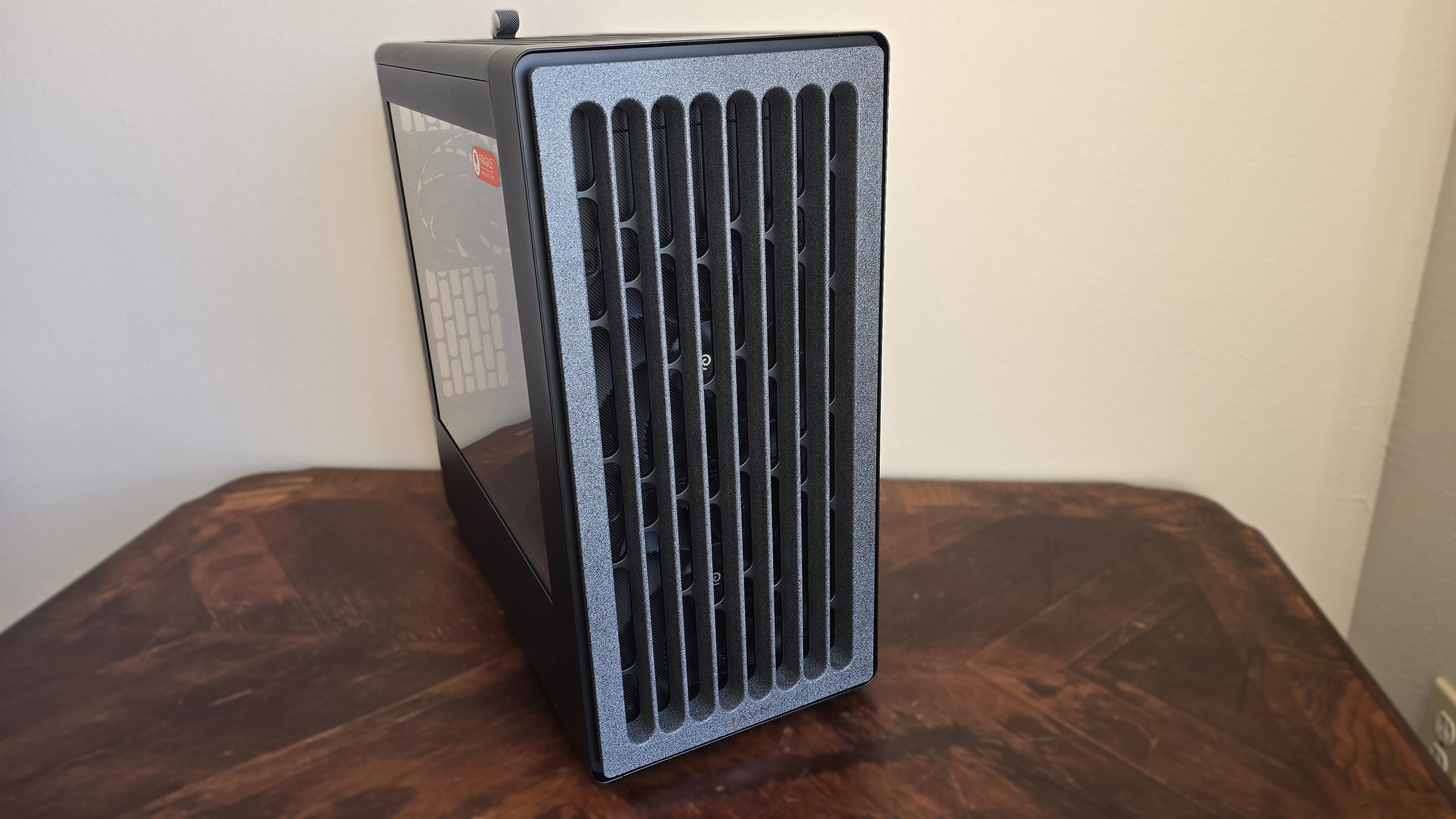
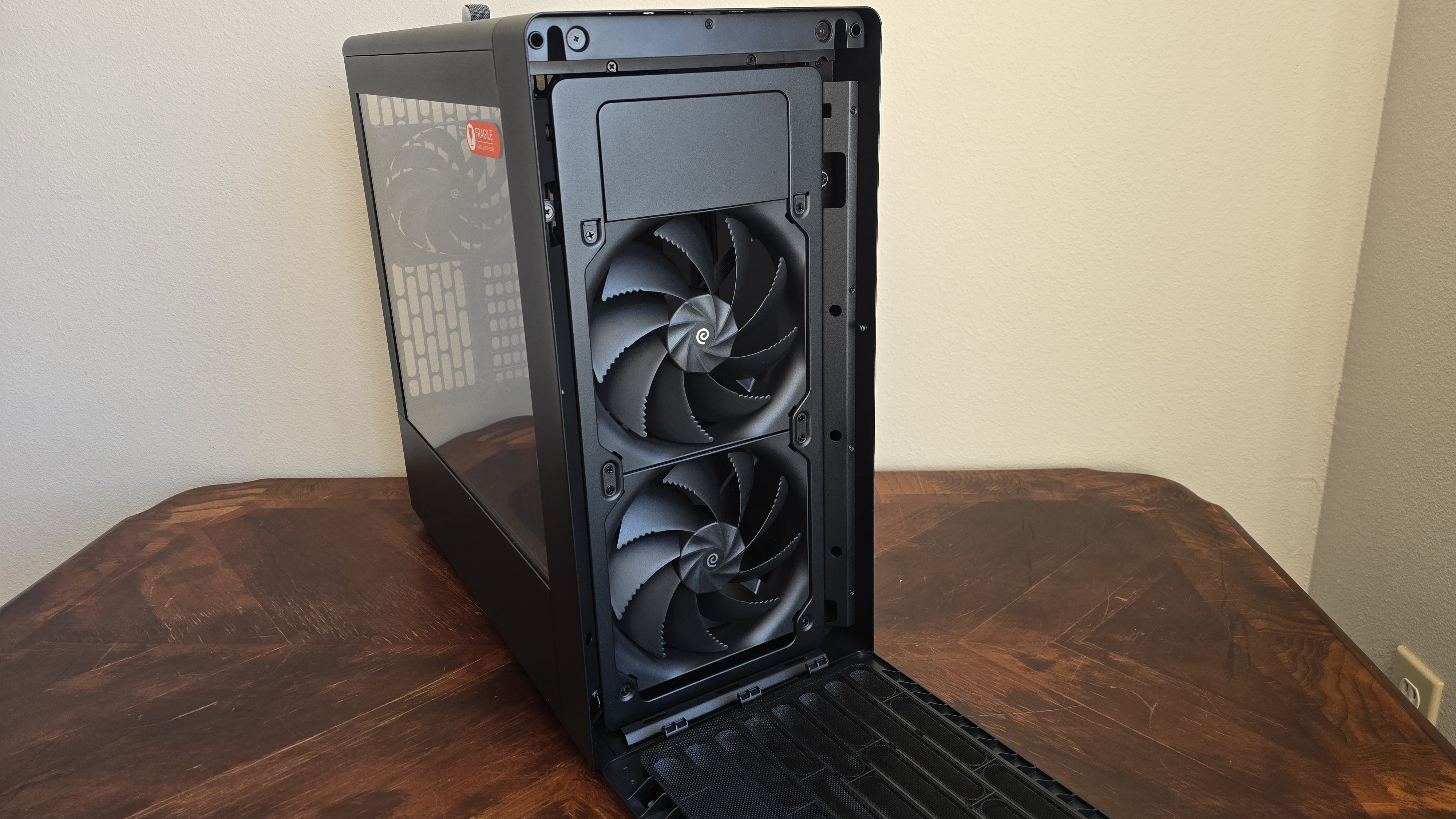
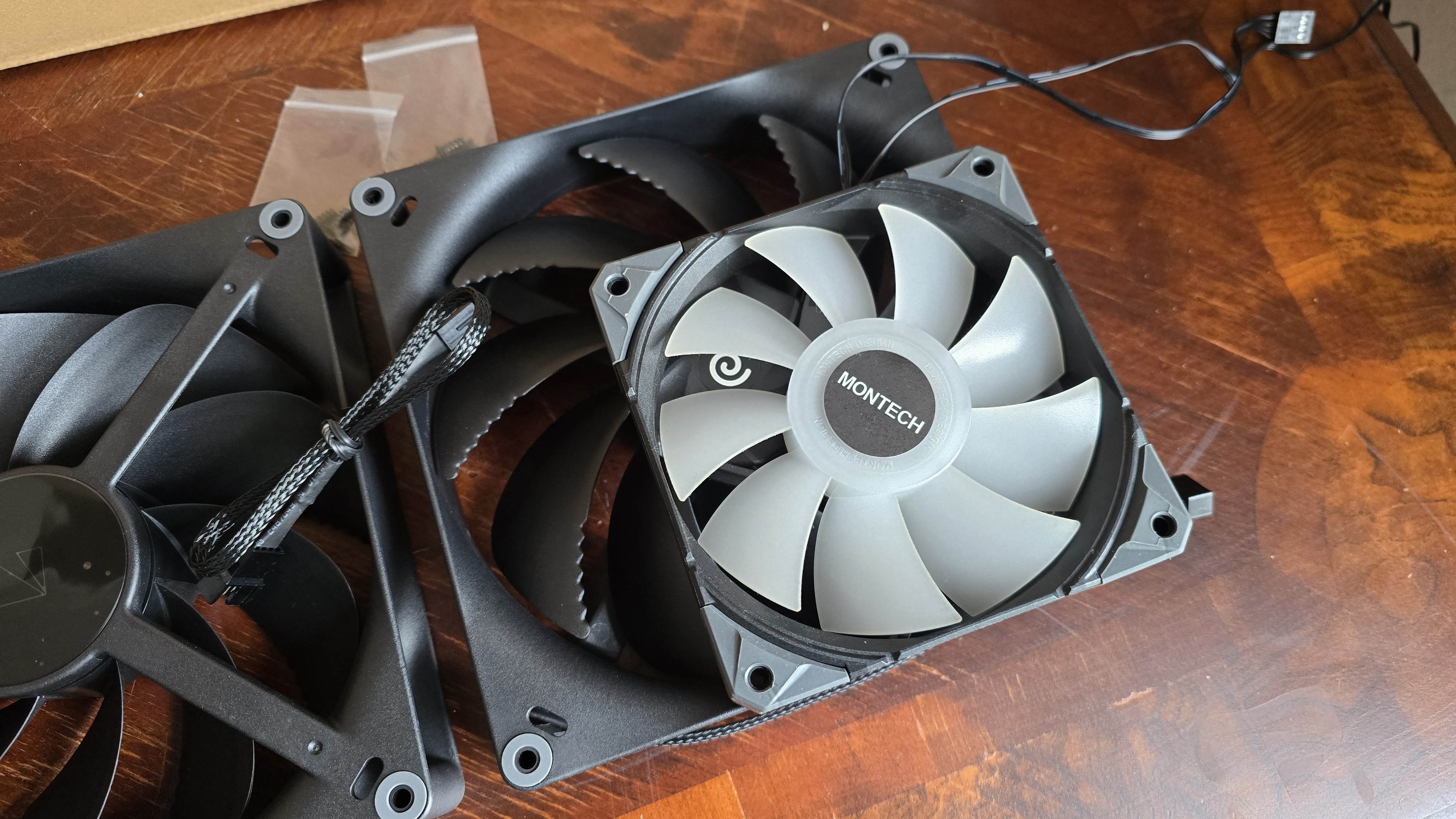
The stone-textured front panel covers two of HAVN’s enormous H18 (180mm) fans for air intake.
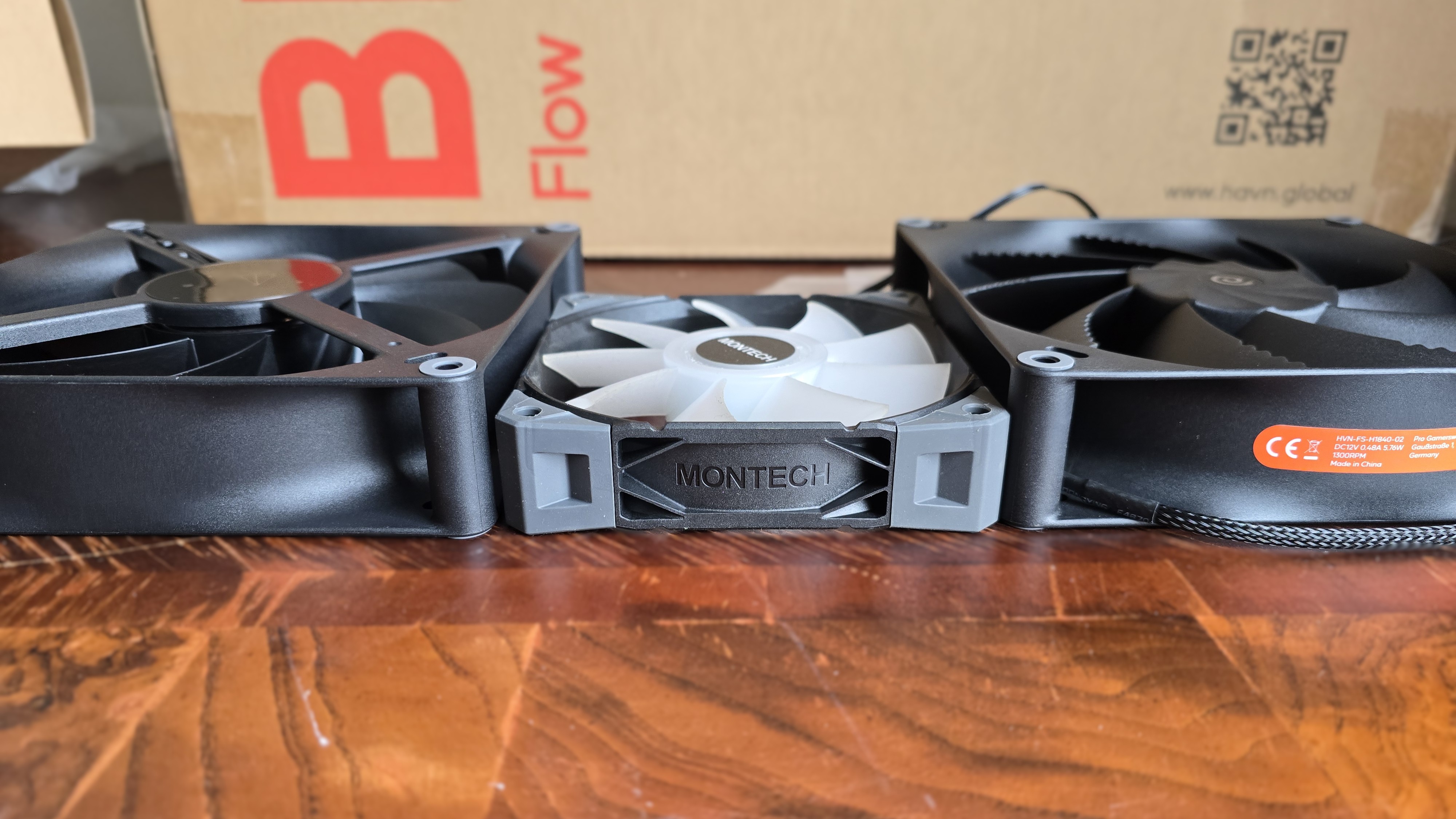
These fans are much larger than your typical PC parts. To give you a better idea of just how massive they are, here are a couple of photos with HAVN’s H18 placed next to Montech’s extra-thick E28 fan!
Swipe to scroll horizontally
Dimensions | 180 x 180 x 40mm |
Bearing | Fluid Dynamic Bearing |
Speed | 0 – 1300 RPM |
Airflow | 164.63 CFM |
Static Pressure | 2.19 mmH₂O |
MTTF | > 150,000 hours |
▶️ Air scoop for superior GPU cooling performance
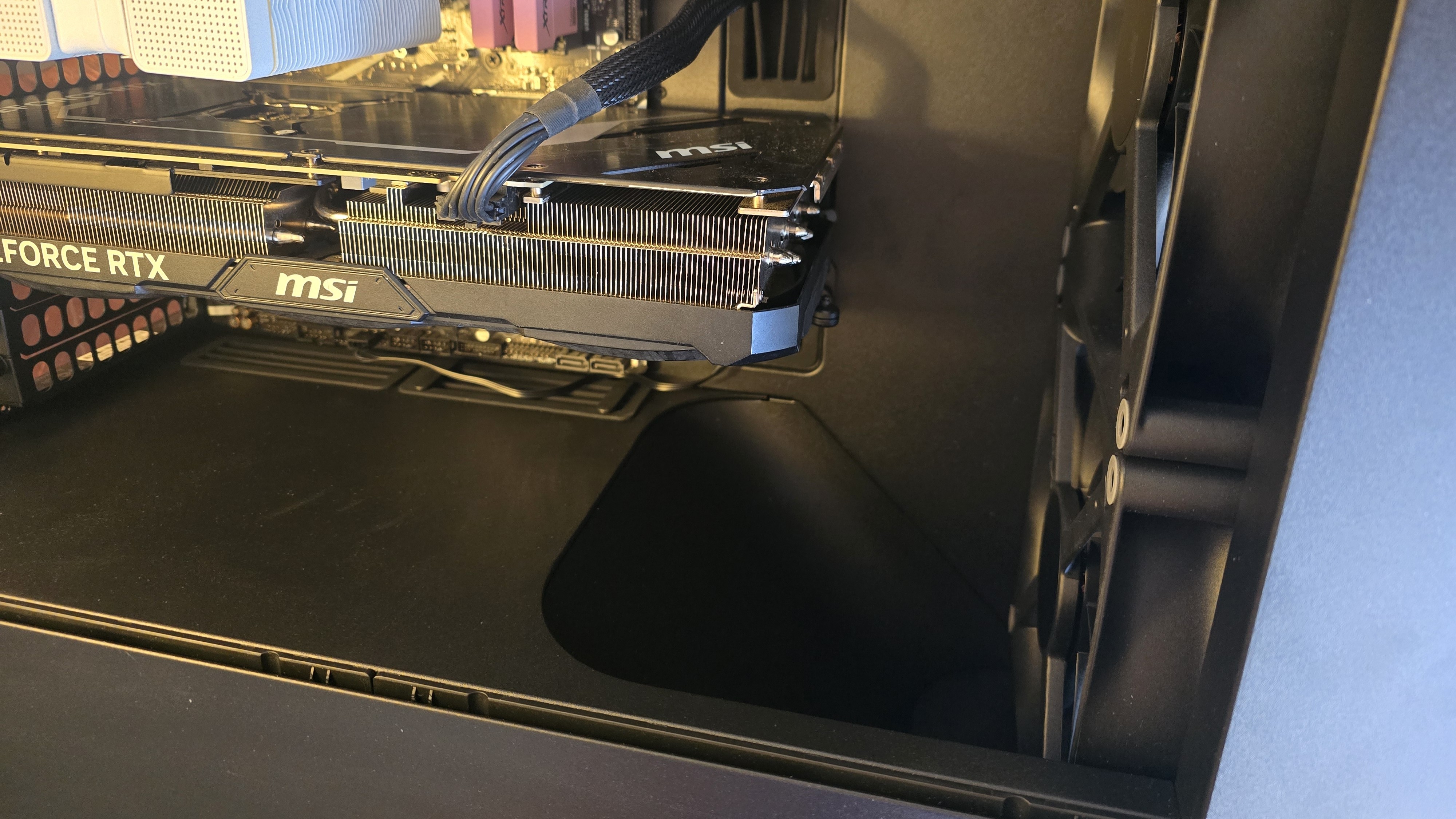
The BF360 Flow incorporates an air scoop, which directs the airflow of the bottom fan directly toward the GPU, resulting in some of the best GPU temperatures we’ve seen in any PC case.
▶️ GPU anti-sag support
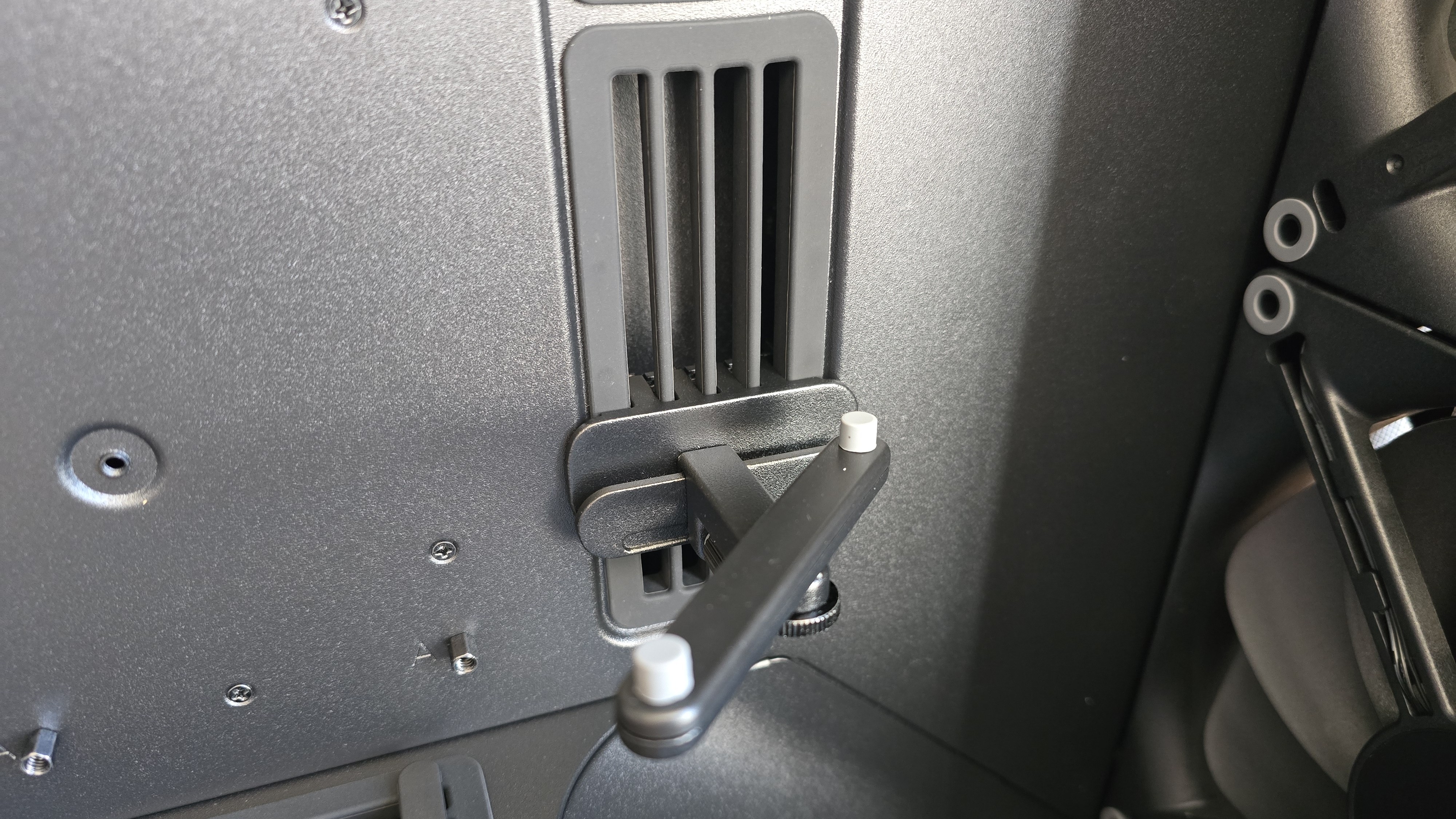
For lage GPUs, the case includes a highly adjustable anti-sag bracket that mounts on the motherboard tray area and can be slid up and down as well as swiveled out to best support your specific graphics card.
▶️ PWM hub
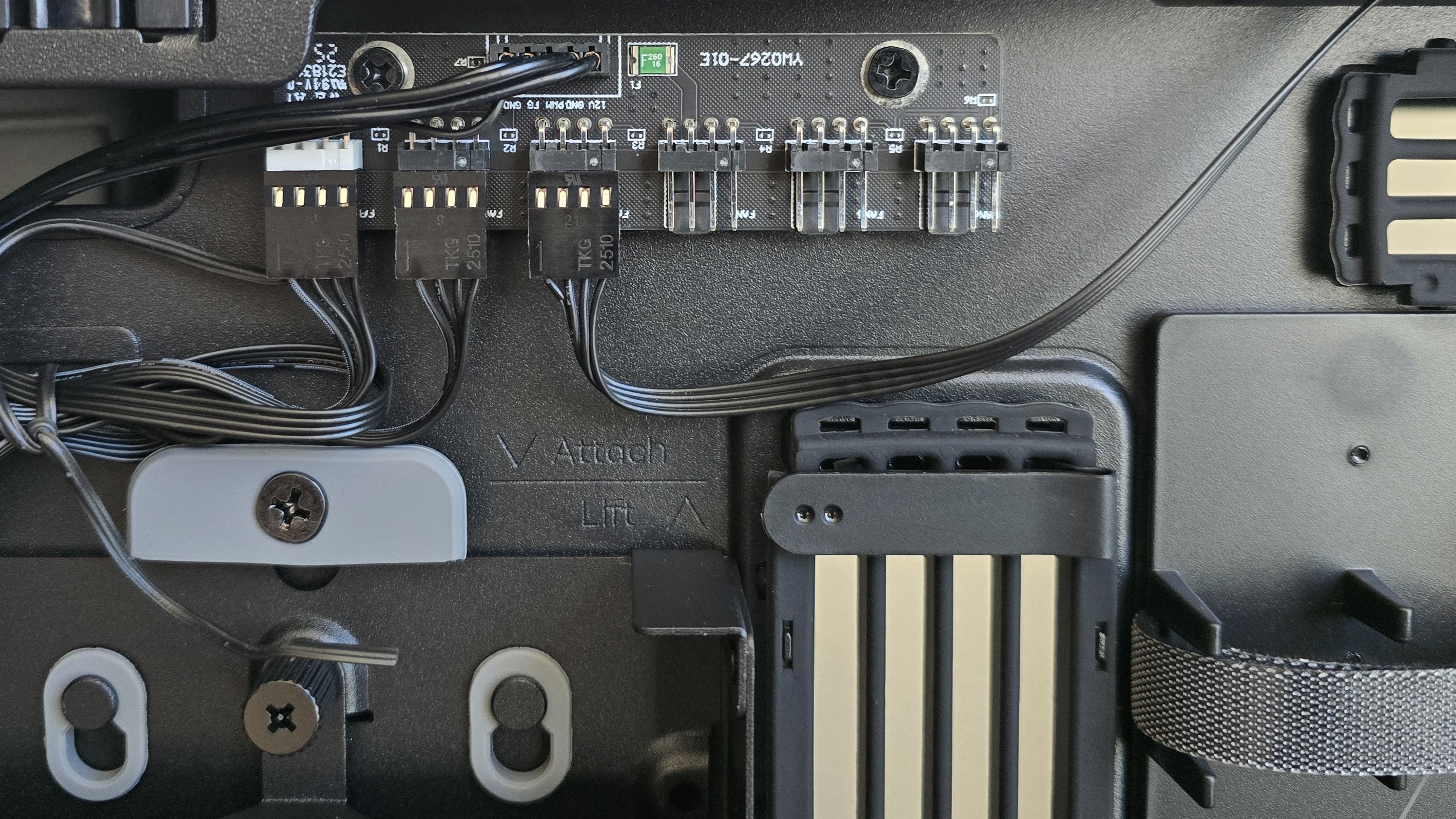
At the top of the case’s backside is a hardware PWM controller, supporting up to six fans (the maximum supported by this case).
Rear view, Storage support, cable management
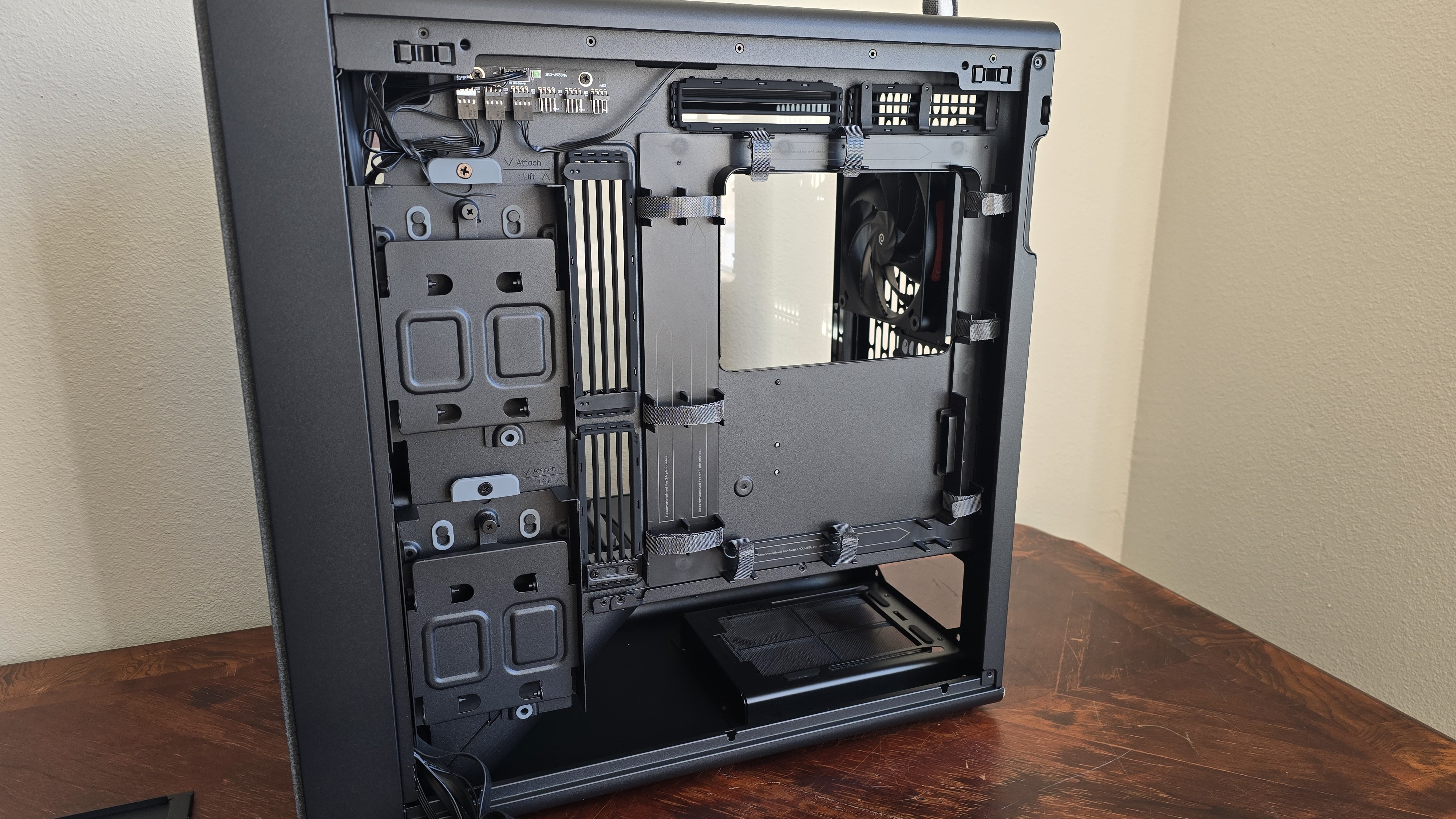
Starting at the top left corner, you’ll see the PWM hub. Below it are two drive trays, which can each support two 2.5-inch drives or a single 3.5-inch drive.
If you by chance need more storage, an additional tray (not included) can be installed next to the cable management routing path.
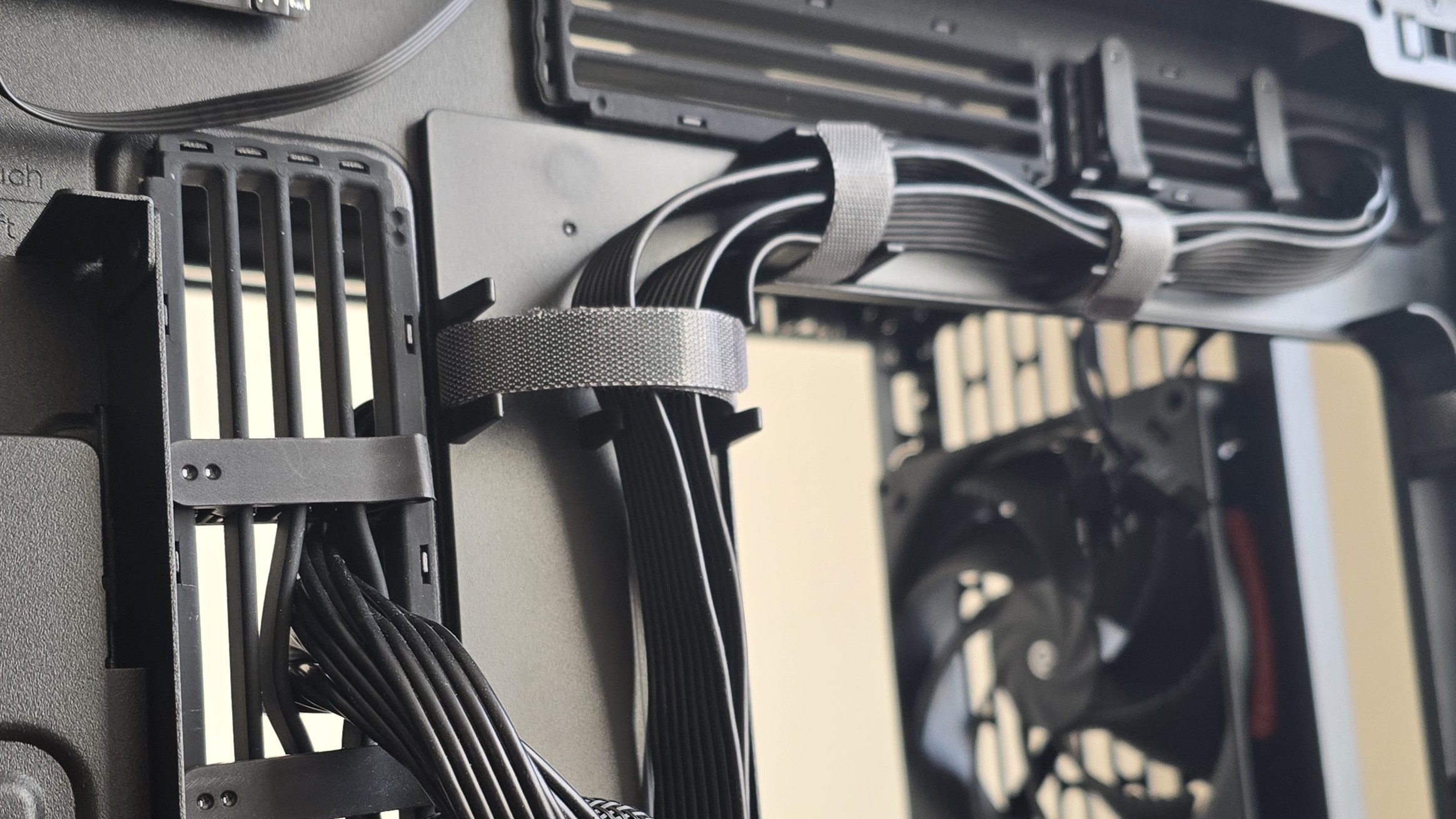
The cable management paths have velcro straps to secure the cables and keep things organized. The cable pass-through paths are lined with a flexible material, and have securing braces (shown above) that can be used to keep cables from moving.
▶️ IO panel
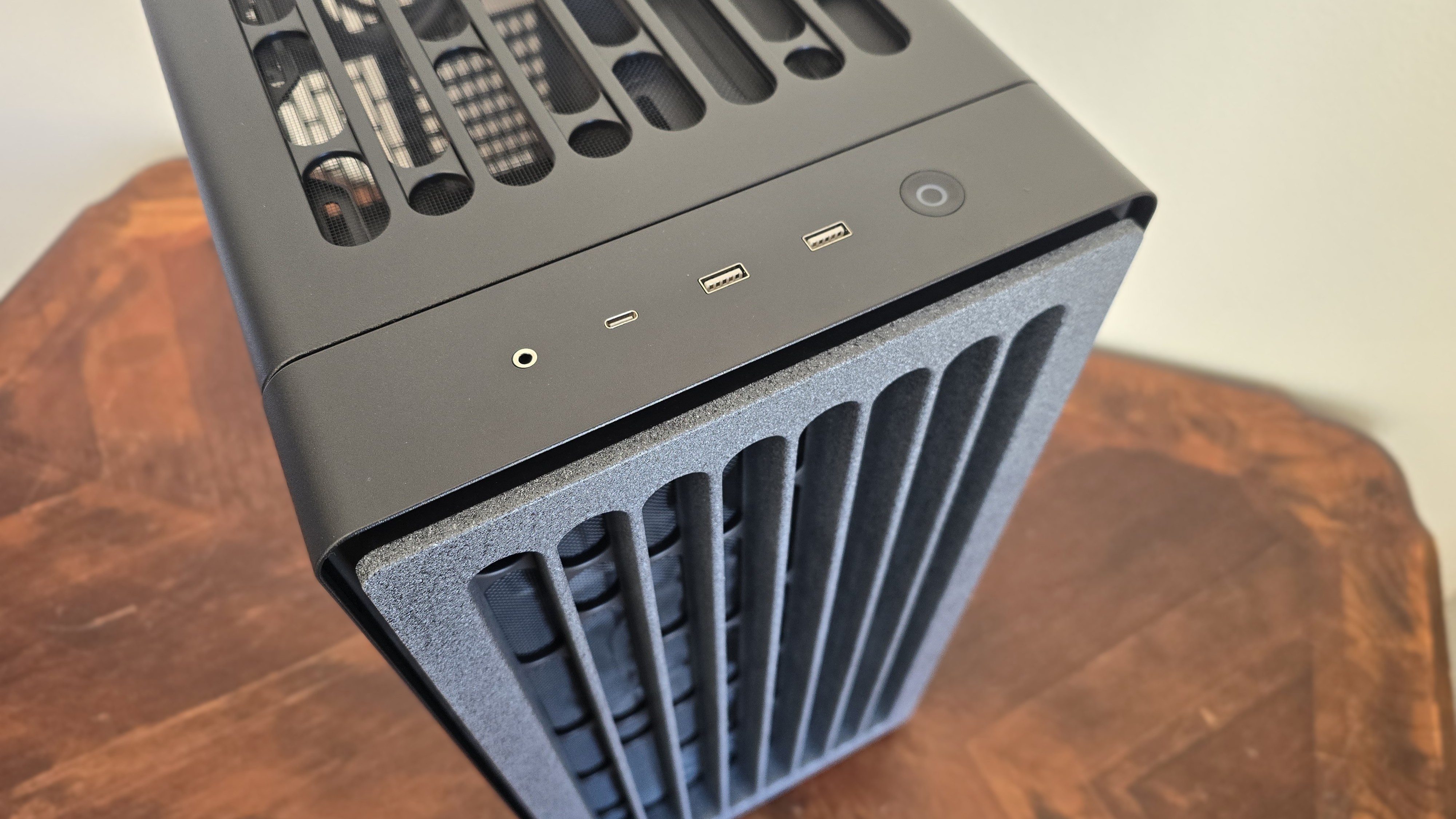
The IO panel is located at the front and top of the case. It features a lighted power button, two USB-A ports, one USB-C port, and an audio jack.
▶️ Dust filters
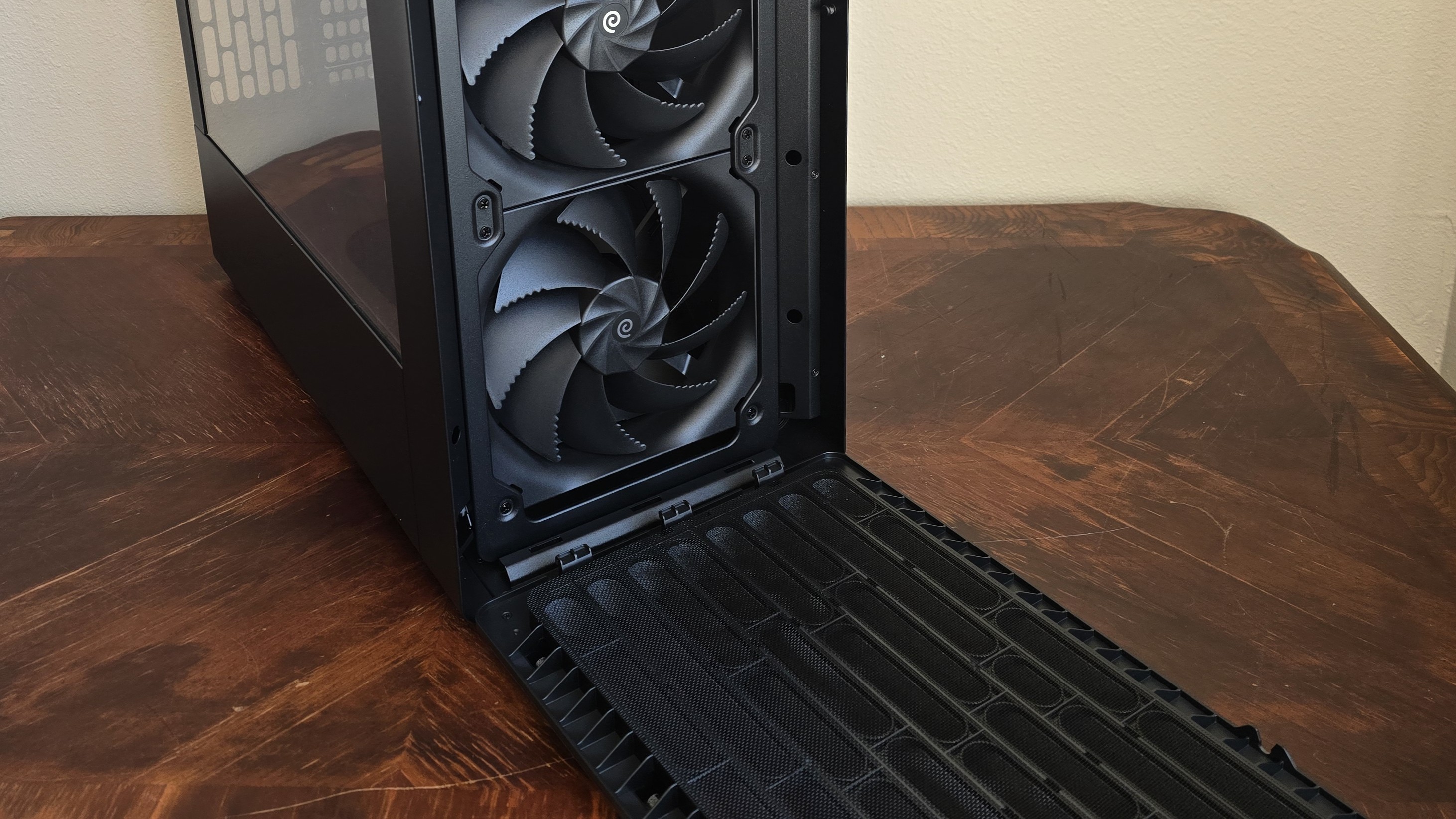
The BF360 Flow has three dust filters – located in the top (pictured below), front, and bottom (below the PSU).
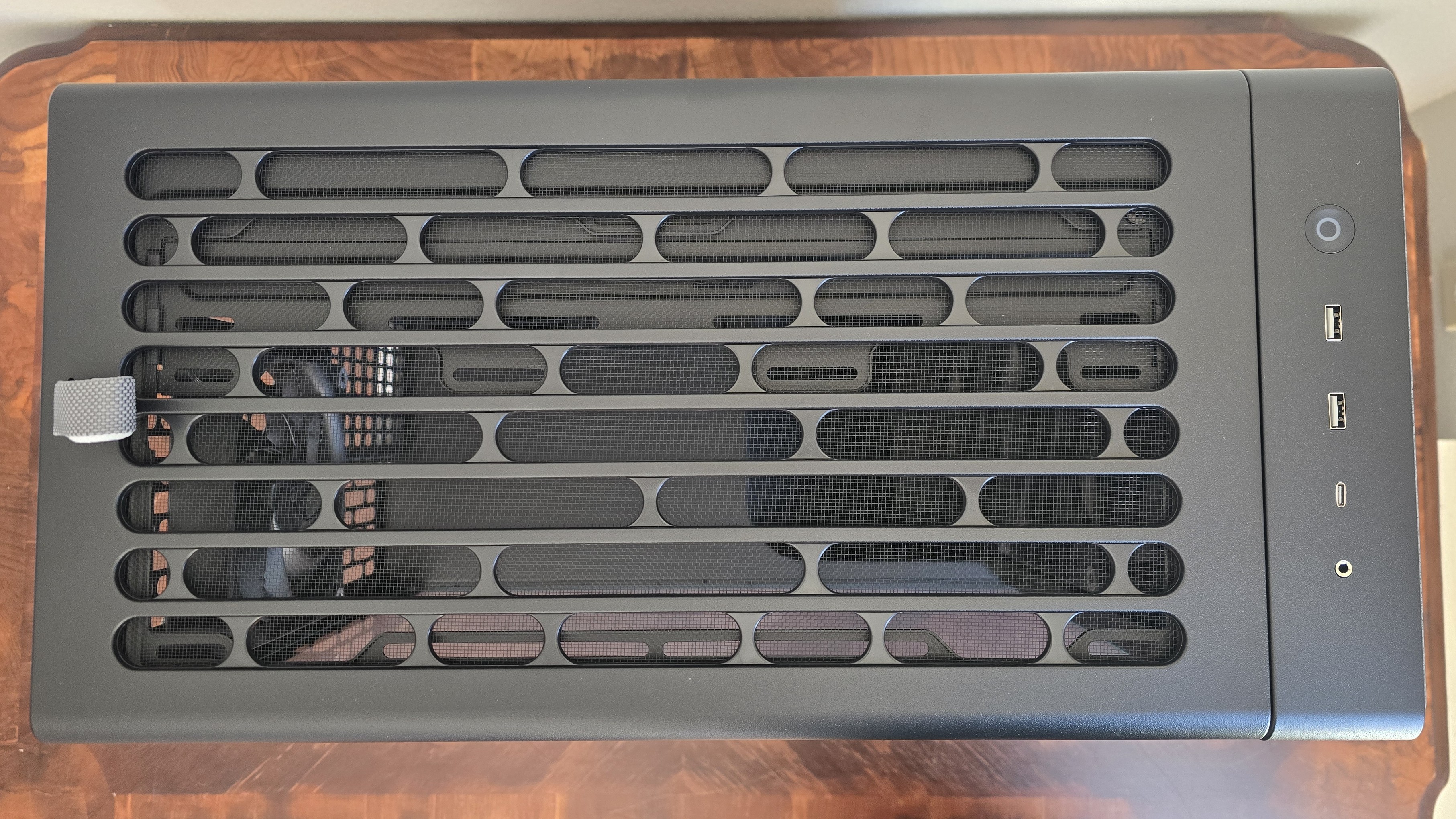
The dust filter on the bottom of the chassis is independent and easily removed. The other two filters are part of the top panel (shown above) and the stone-textured front panel (shown below), but are also easily removable.
▶️ Rear view
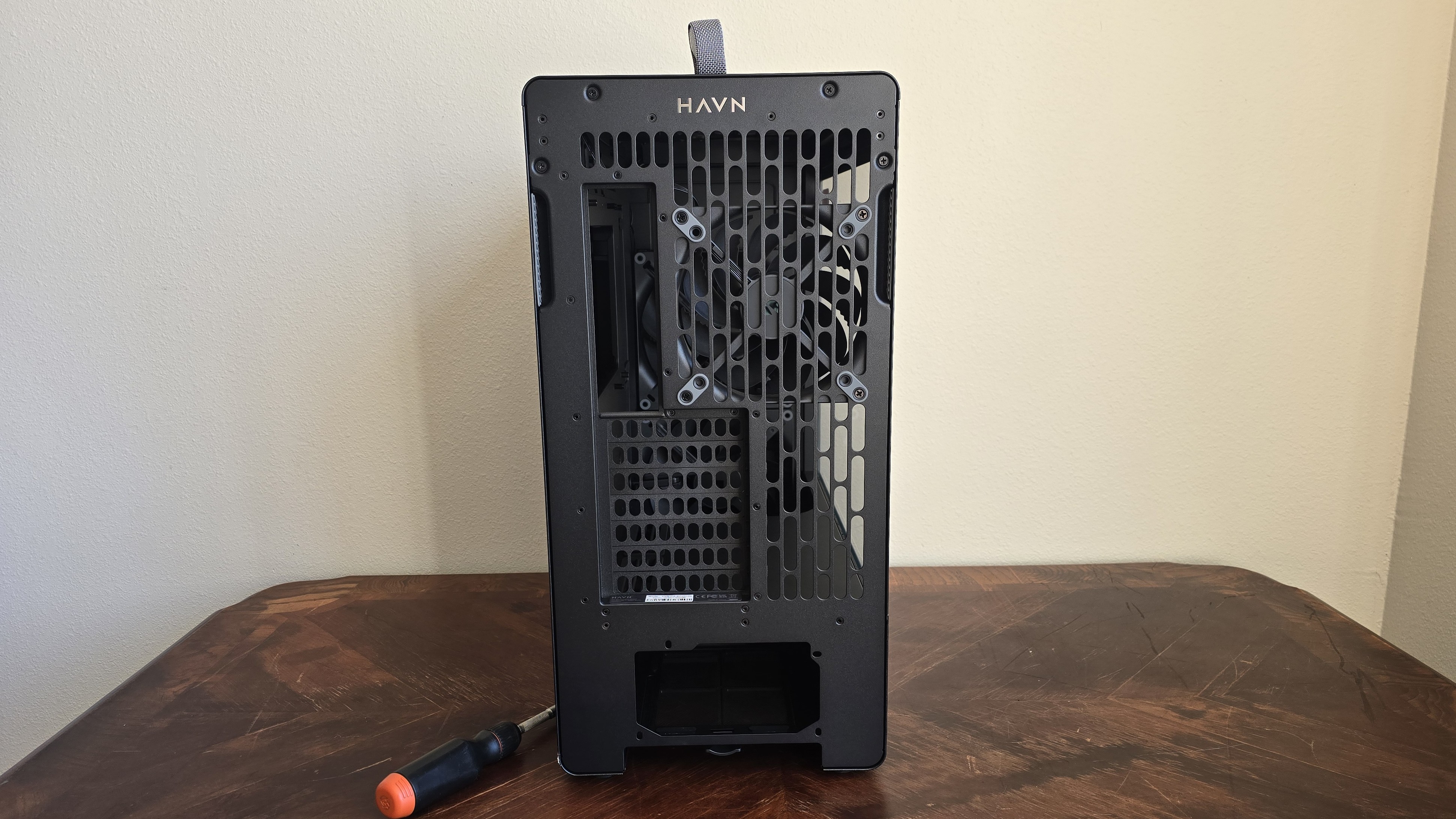
For the most part, if you’ve seen the back of one computer case – you’ve seen most. With this case, you have your standard seven PCI-e slots and exhaust fan, and the PSU slot at the bottom. What stands out in the BF360 Flow is the side panel cutouts or grips, which are used to remove the panels, and a pull tab at up top for removing that panel.
Thermal tests, test setup, and testing methodology
Swipe to scroll horizontally
I’ve benchmarked this case primarily to focus on the efficiency of its thermal transfer.
Our thermal tests are presented to give you more information about the product’s performance, but aren’t intended as the sole judgment of the chassis. The style, price, features, and noise levels of a case should also be considered, and we all have different preferences. What I might like in a case, you might not, and that’s OK. My goal with these reviews is to give everyone, no matter their preferences, enough information to decide whether or not a product is right for them.






 English (US) ·