
 4 hours ago
9
4 hours ago
9
Modos Tech sent me a couple of its latest e-paper monitors to take a closer look and enjoy some hands-on time with them. The first model was a pre-built version of the Modos Paper Monitor Dev Kit: a 13-inch monitor with a USB-C cable attached, currently available from Crowd Supply. I also got a chance to sample the newest Modos Flow monitor, a powerful sequel to the original offering that expands the feature set with touch and stylus compatibility, among other features. Both samples use color e-paper displays.
Modos Tech and its e-paper mission
Founders Alexander Soto and Wenting Zhang formed Modos Tech at the start of 2022. Inspiration came out of the pandemic, during which staring at the screen for extended periods led to “eyestrain, discomfort, and exhaustion.”
Modos is an open-source hardware and software company, determined to invigorate and democratize the use of e-paper displays in computing, and, as per our intro, is just about to launch its second cutting-edge project on Crowd Supply.
Article continues below
For quite some time, e-paper monitors have been an attractive option for folks who spend long hours staring at computer screens, but they haven’t broken through to the mainstream yet. This disconnect is quite a surprise given how many people enjoy great experiences with e-paper tech in the e-reader tablet segment, most famously dominated by the Amazon Kindle.
So, it is clear that e-paper’s key strengths are sunlight readability, reduced eye strain, and low energy consumption. In terms of usage, it fits best for reading text; it can also be a good choice for writing and suffices for other common/popular tasks that are text-heavy, like browsing the internet and everyday computing. Tasks like gaming, watching movies and TV shows, or photo and video editing are not strong points of this technology in 2026, even with the new color e-paper displays.
What companies pioneering e-paper screens for computers are now doing is chiseling away at the weaker aspects of this panel technology – color reproduction, refresh rate, responsiveness, and pricing. Thus, Modos Tech is helping push this technology while embracing non-proprietary hardware and open-source software.
OK, now let’s look at the two hardware samples that arrived at Tom’s Hardware towers. What first? Let’s start with the older Dev Kit screen.
Modos Paper Monitor Dev Kit
Modos sent along a dev kit model pre-assembled and encased in a wooden frame. Please note that the wood frame isn’t part of the kit, but was used here to demonstrate just one potential DIY case option. As per its Crowd Supply page, this $599 kit features a 13.3-inch e-paper display that works using a single USB Type-C cable. It also has a Mini HDMI port if you don’t have a computer that supports fully functional USB-C with DP-Alt and power delivery (PD). If you go the HDMI route, you will also have to use the lower USB-C port for power.
Other key features of the Modos Paper Monitor Dev Kit are its ease of use, built-in adjustable front lighting, and three-button interface. While the hardware supports up to a 75 Hz refresh rate, my sample came with a 41 Hz panel. The document supplied with this sample said that touch is not supported with this model, but it may be implemented in the future.
Modos Paper Monitor Dev Kit specifications
- 13.3-inch 2,200 x 1,648 pixels e-paper display panel using RGBW technology
- Frontlight with brightness and color temperature adjustments
- Glider Mega Adapter to support a wide range of panels (remember this is a configurable kit-style device)
- Xilinx Spartan-6 LX16 FPGA with a DDR3-800 framebuffer running the Caster gateware
- The open-source Caster supports binary, 4-level grayscale, and 16-level grayscale output modes
- Hardware Bayer dithering, blue-noise dithering, and error-diffusion dithering with no additional latency
- Very low processing delay (<20 µs)
- On-board STM32H750 microcontroller for USB communication, firmware upgrades, and standalone applications
- Processing rate up to 133 MP/s when error-diffusion dithering enabled and 200 MP/s when disabled
- Physical: 12.4 x 10.0 x 0.65-inches, 1.75 pounds
- 2x USB-C, 1x Mini HDMI, 3x buttons
- Linux, macOS, and Windows compatible
In use, I found the Modos Paper Monitor Dev Kit very easy to integrate into my setup. I used it with the single USB-C connector on both my laptop and desktop to check different scenarios. Modos Tech told me this model may feel a little sluggish, as the panel used in this kit build was 41 Hz. Nevertheless, I found it responsive enough for the second-screen text work I was most interested in using it for.
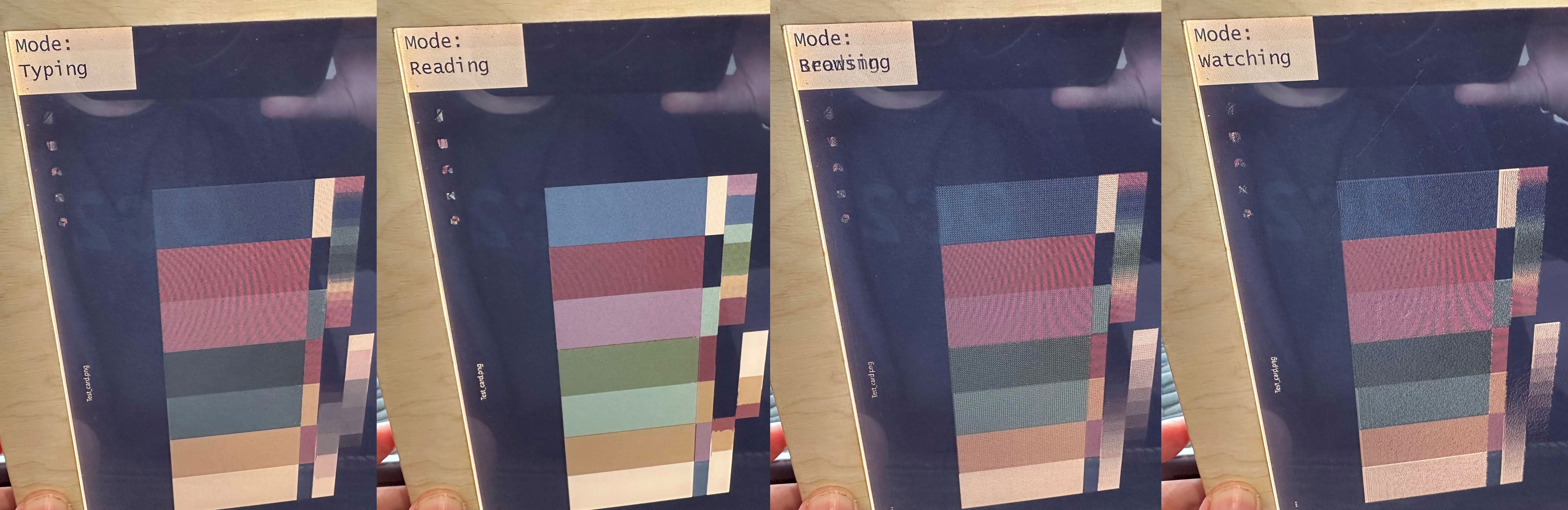
It is important to talk about the ‘special sauce’ from Modos now – the quad-mode selection, offering four sweet-spot tradeoffs between grayscale production and responsiveness. These one-click presets are the Reading Mode, Typing Mode, Watching Mode, and Browsing Mode. Rival e-paper monitor companies often have just three modes (text, graphics, video). Moreover, as the Modos Dev Kit is open source, developers can access a C programming API to directly control Caster modes for specific needs or preferences.
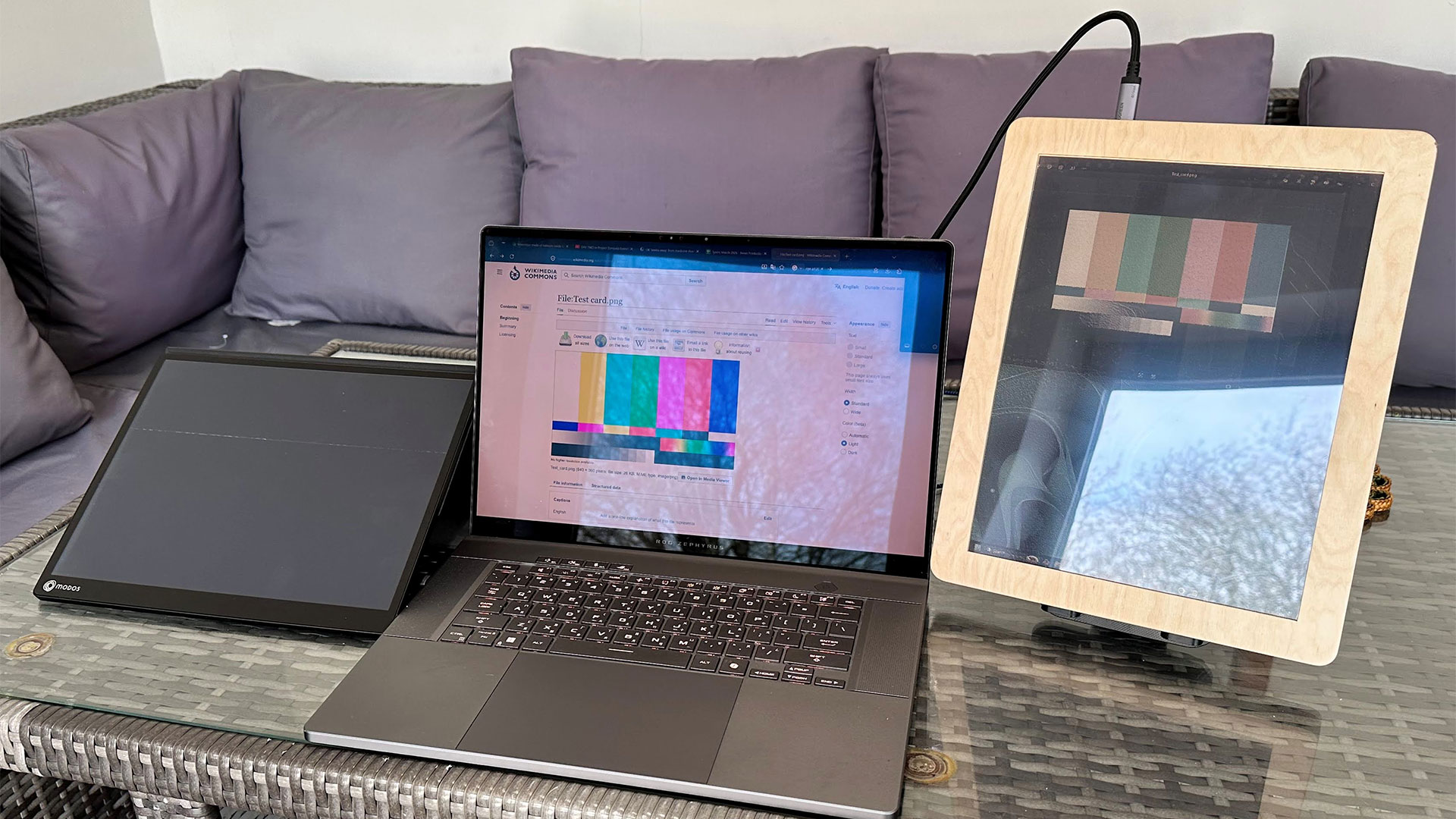
The Modos Flow (left, not powered up) and Dev Kit DIY model (right).
The lower two buttons (in landscape orientation) move up and down through the Modos mode presets. The third button (furthest from the USB-C video port) forces a screen refresh if needed. Holding the buttons changes backlight temperatures and intensities and can power the screen on or off. A good selection of warm and cool backlight intensities can be toggled through.
Importantly, this monitor works just like any other portable monitor you might have used; you can plug it in or detach it ‘hot’ with no worries. I wished it remembered the last-used settings (backlight intensity and warmth). Windows 11 remembered the orientation set.
Swipe to scroll horizontally
Browsing Mode | The sharpest text using edge detection tech, with most stable image (binary mode) |
Typing Mode | Tuned for responsive text editing, mixing sharp text with 4-level grayscale |
Watching Mode | Prioritizes speed where motion graphics are important |
Reading Mode | Prioritizes speed where motion graphics are important. Uses Floyd-Steinberg dithering |
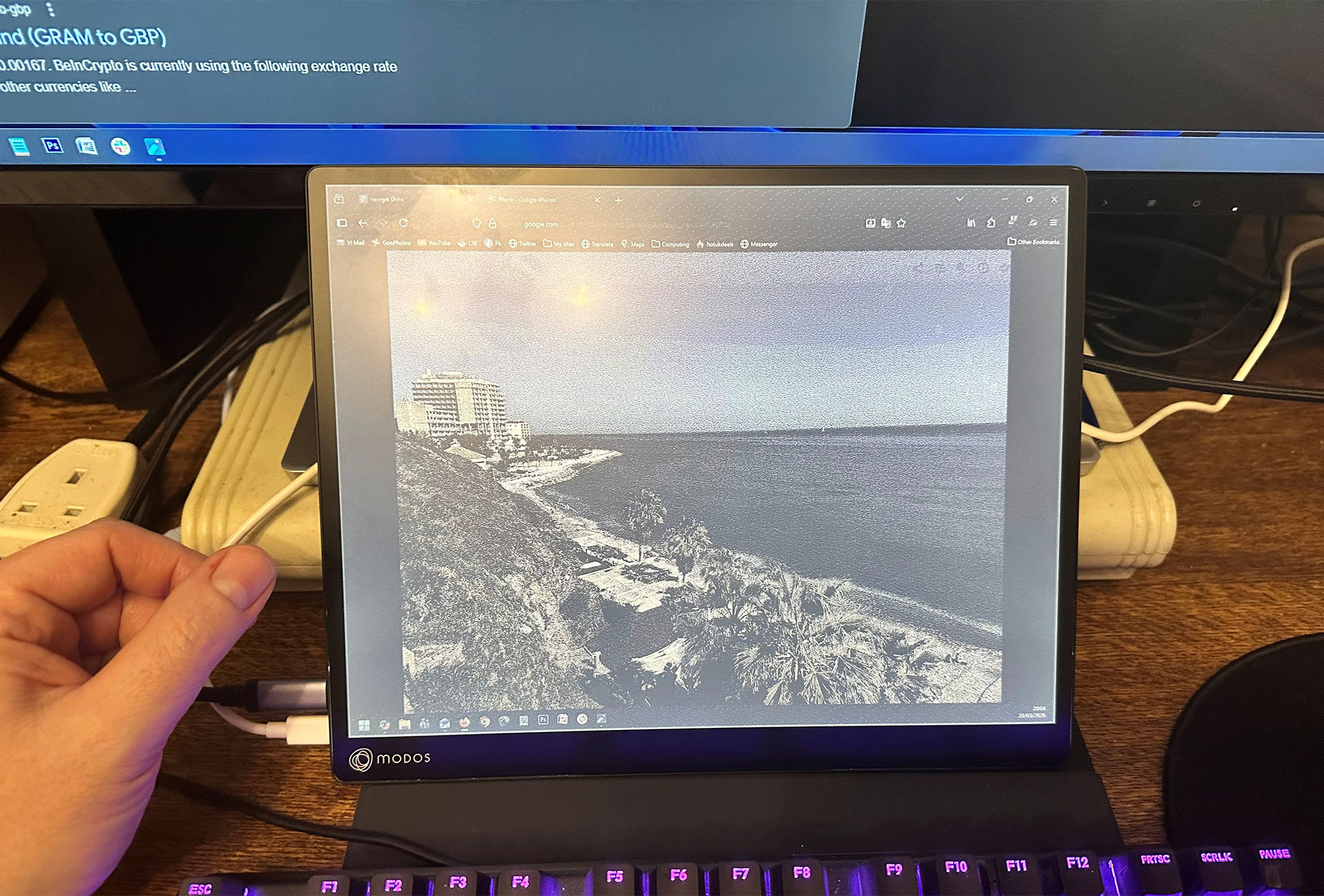
Pure black-and-white graphics can be rendered in half or a third of the time of 16-level grayscale images. On the other hand, grayscale modes introduce grainy patterning or noise. Dithering modes like Bayer or blue noise make photos on the screen look better, but can make the text a bit less sharp.
How I used the Modos Paper Monitor Dev Kit e-paper display
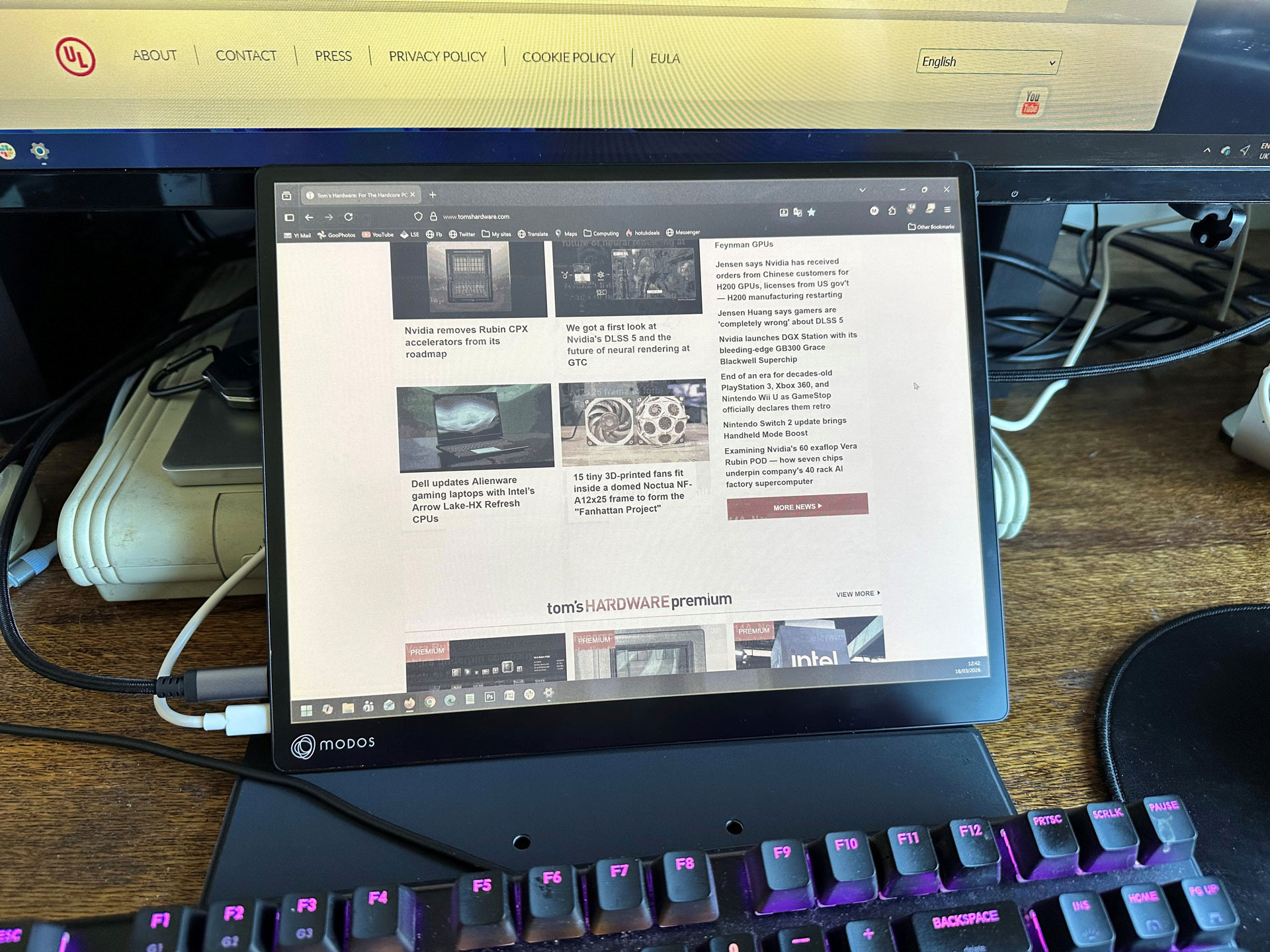
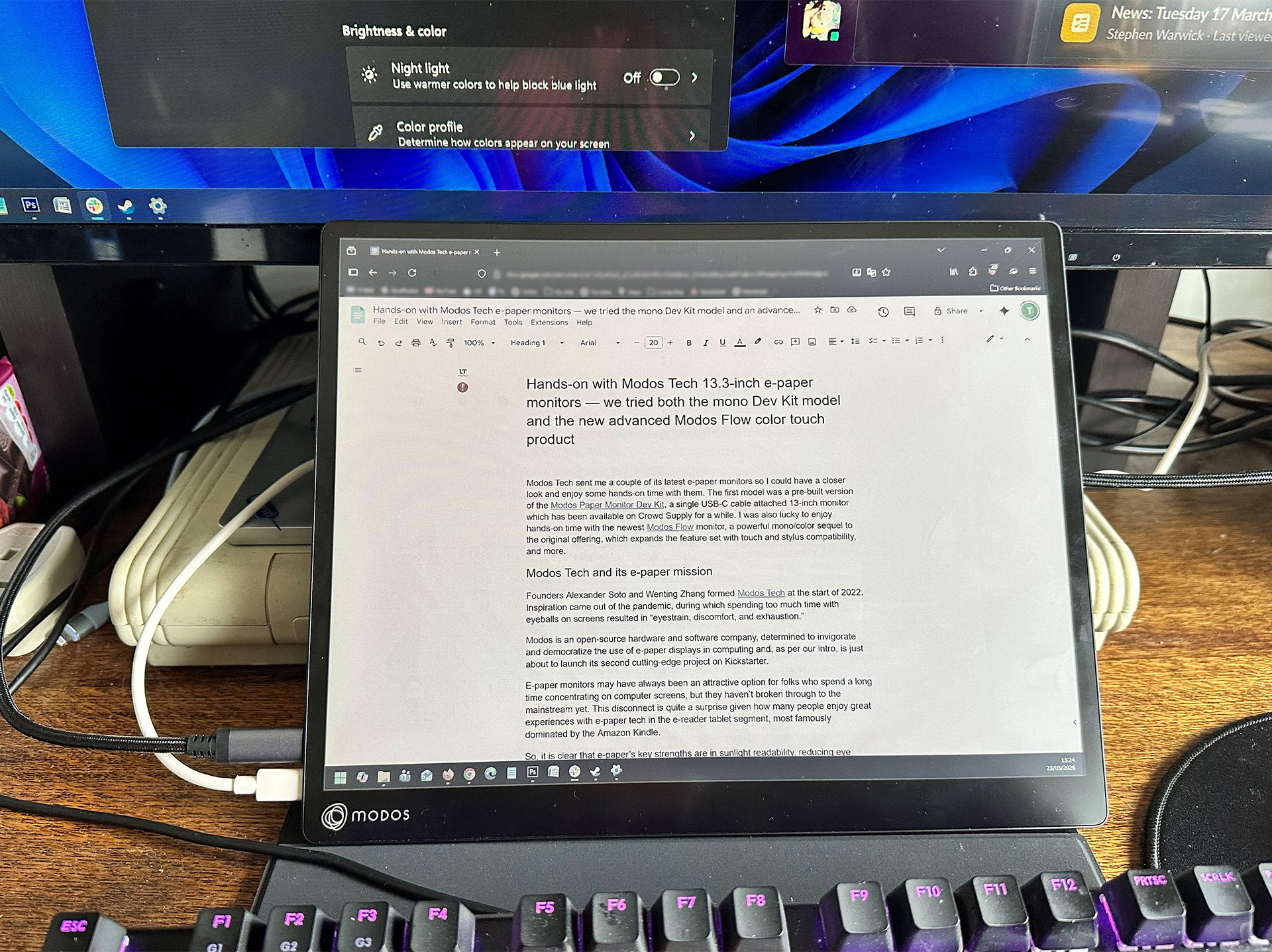
I did a little bit of research before trying to slot the e-paper monitor into my workspace in the best way possible. Traditionally, I positioned my portable IPS monitor in portrait mode directly to the right of my 32-inch main VA display. But to get the best from the Modos monitor, it needs more prominent usage, to save my eyes from nasty emissive displays. Thus, I decided to angle it neatly into the space between my keyboard and main monitor. With this arrangement, I could read source materials on the e-paper display, and occasionally glance up at the text editor above it, on the large main display.
Propping the monitor like this might seem like a ‘kludge,’ but I think the only improvement would be to raise it a little, which would require adjusting my 32-inch monitor to accommodate it. Since the main monitor isn’t height-adjustable, I’d have to upgrade the stand or shove something under the current fixed pedestal.
I’ve been pretty happy with this arrangement for workflow and ergonomics. As I don’t need to consume color imagery on the Modos display (it is a secondary screen), I nearly always stick to the typing mode. That’s the sweet spot for how I spend most of my computing time. I basically didn't like the image dithering 'noise' introduced in modes like Watching and Reading.
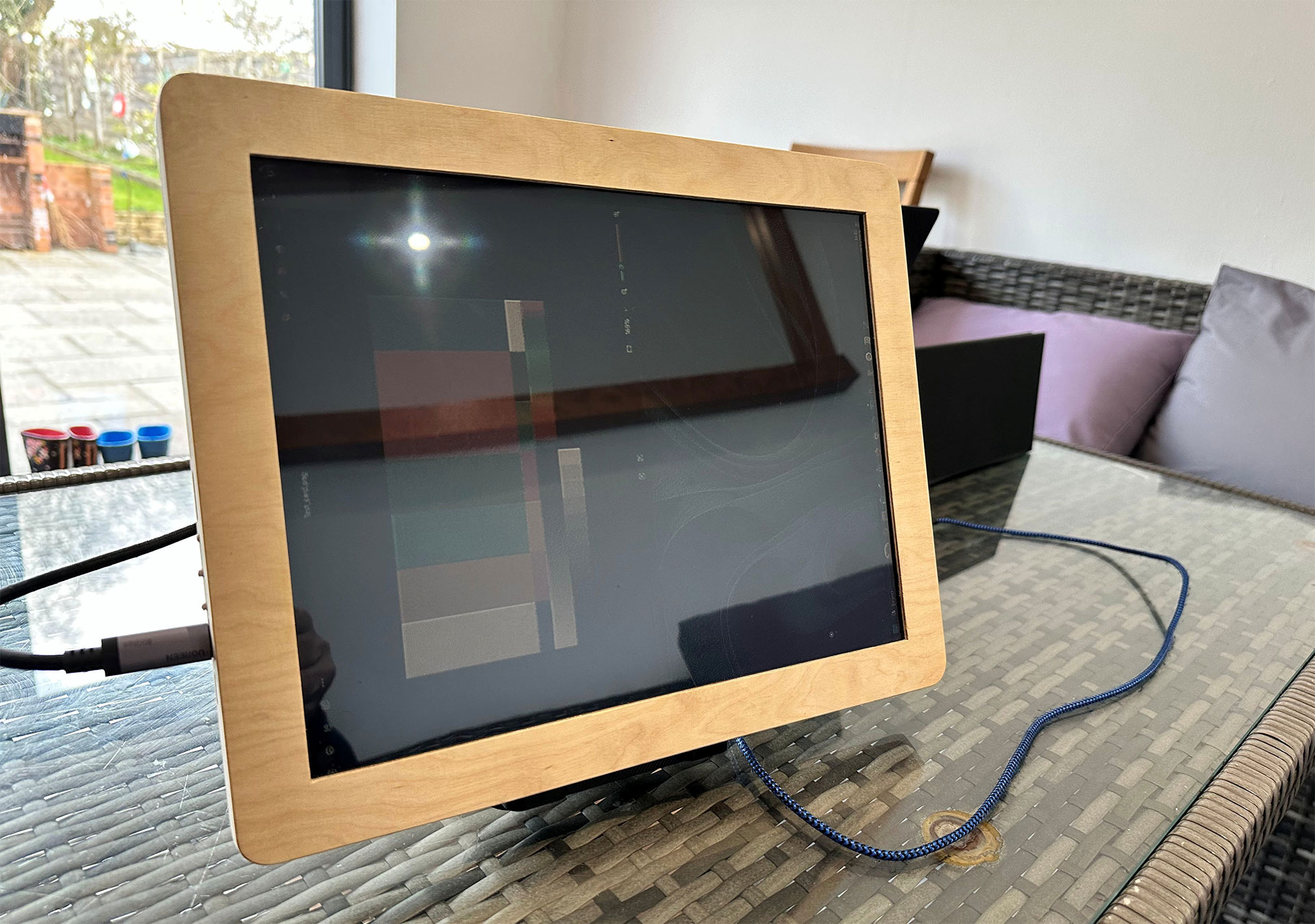
One other comment I’d make about the Dev Kit is that I don’t think the lighting is very even on my pre-made sample; it seems to come in stronger from the left side. This is something that may be tweakable in the making stage (or if I took it apart). To make the most of its strong-light readability, I think using a glossy screen here was a mistake. You can see the readability issues in my house in daylight, with a window facing the screens. It isn't much more readable than my laptop's OLED display at its max brightness.
As we mentioned in the intro, the 13.3-inch Modos Paper Monitor Dev Kit is available for $599 on Crowd Supply. It is now shipping, and the first wave of backers has begun receiving their units. There’s also a 6-inch kit at $199, which might appeal to folks looking for a compact second screen, an e-paper display for a maker project, or a way to reuse an existing screen from an old e-reader or similar device.
The Modos Flow monitor
Modos is currently busy preparing its second-gen product, dubbed the Modos Flow. This can be seen in the Kickstarter preview right now, but the project will actually launch on Crowd Supply. Modos Flow distinguishes itself from the Dev Kit by being a refined, finished consumer product with a full-metal chassis and an integrated, flexible protective cover/stand. Obviously, it targets people who want an off-the-peg yet flexible solution and don’t want to DIY anything to enjoy the benefits of e-paper.
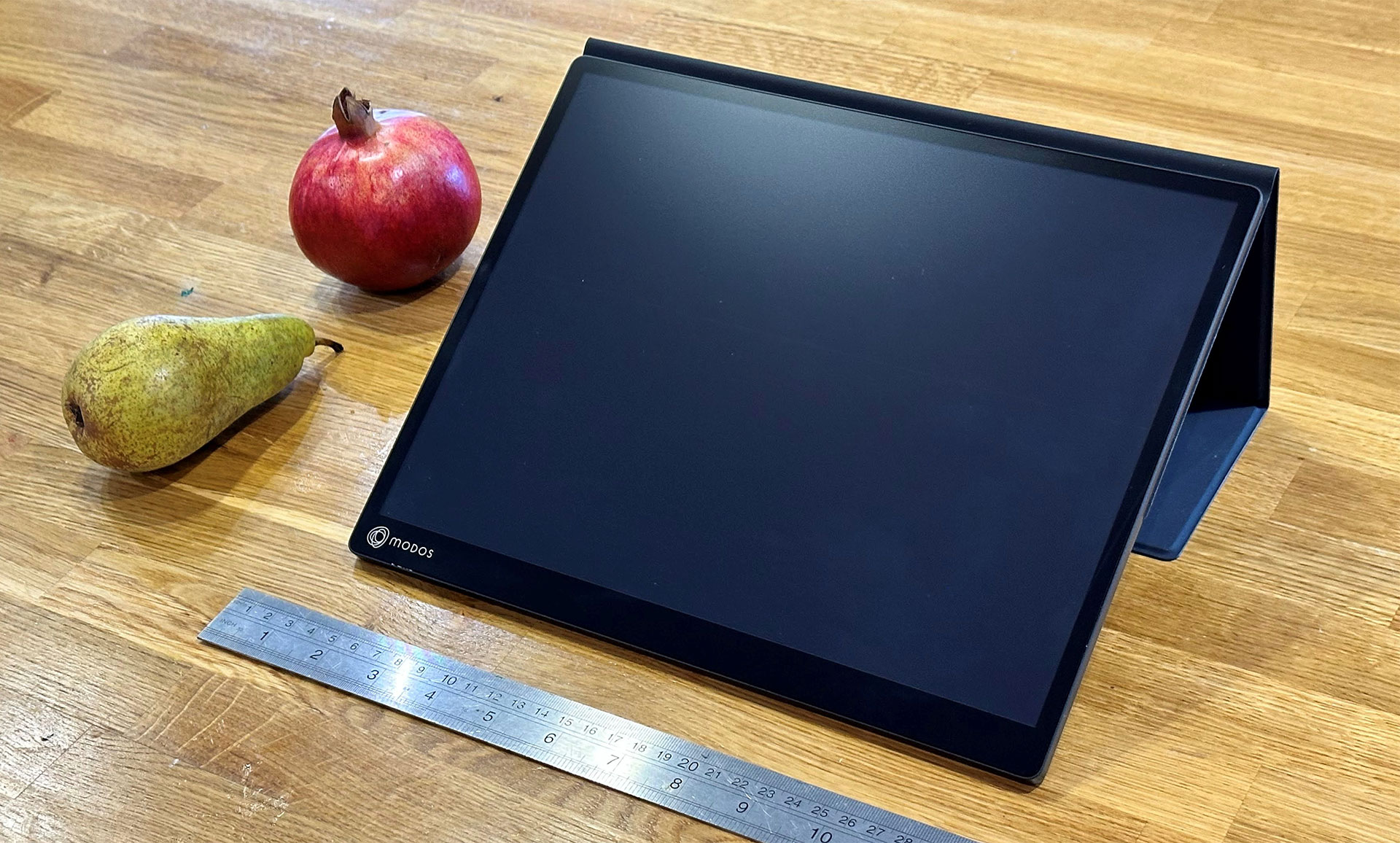
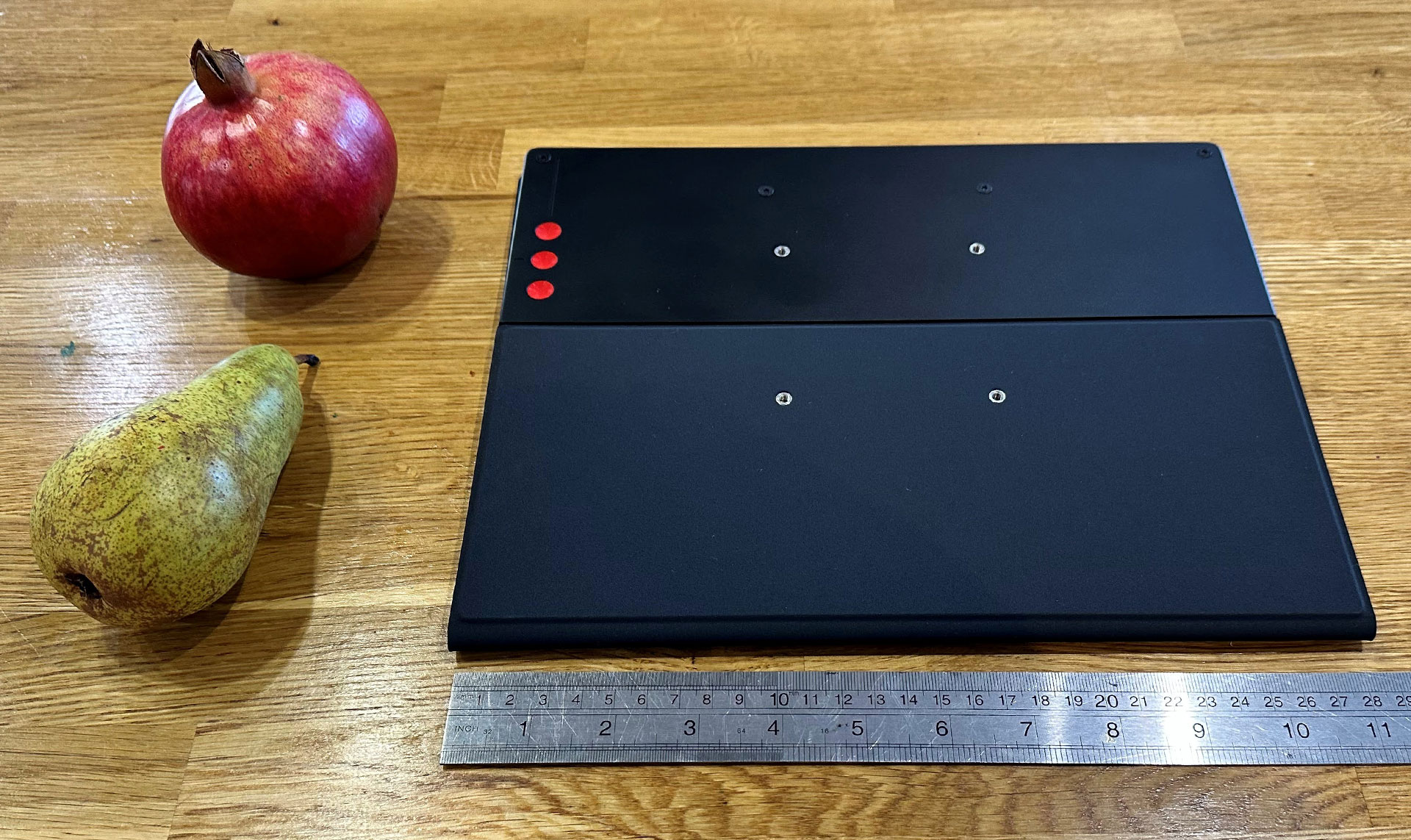
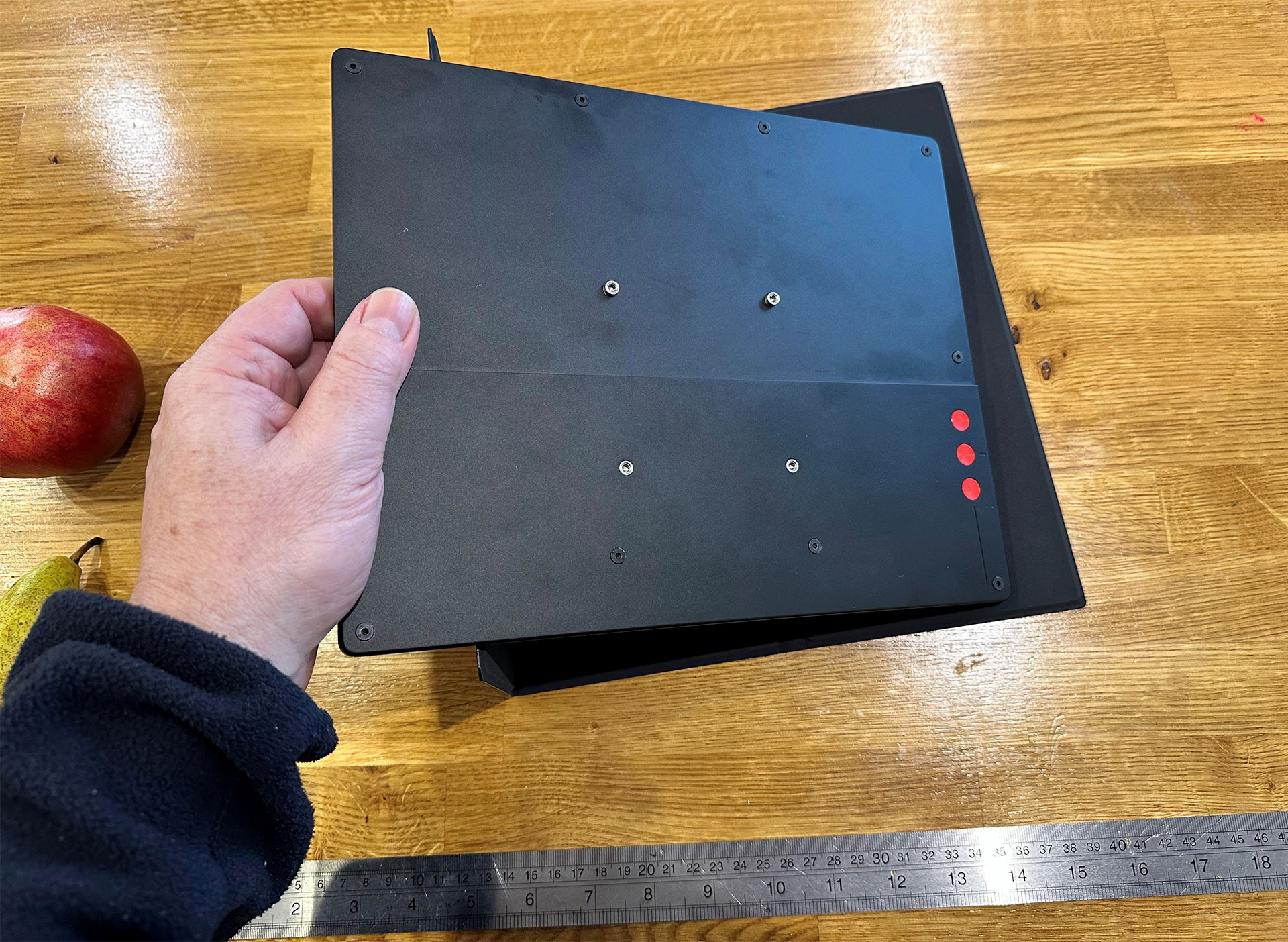
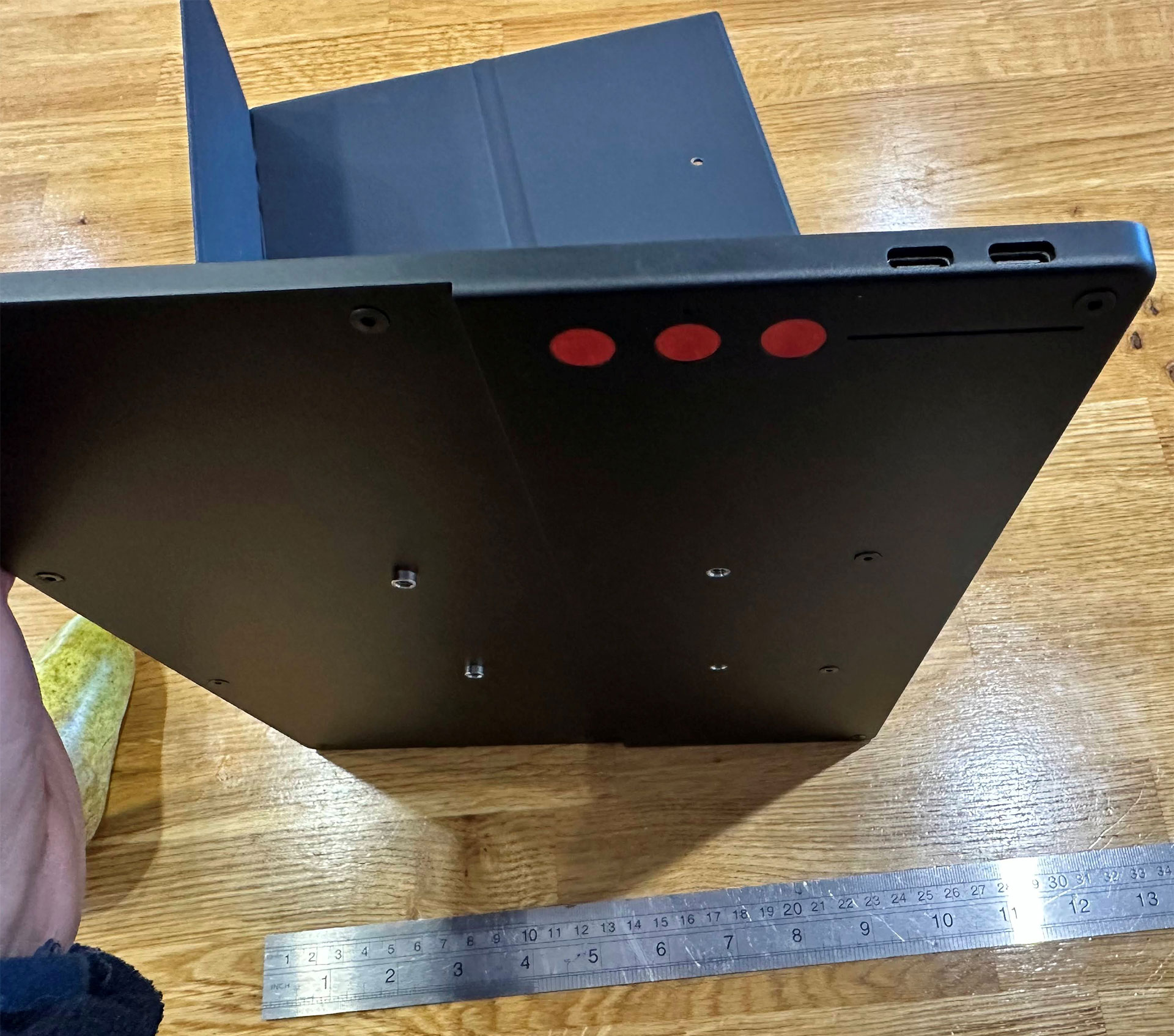
In essence, the Modos Flow is being pitched similarly to the Dev Kit, with talk of eye health and the reduction of screen-glow-induced fatigue. It also includes more features and better performance. This e-paper display refreshes at 60 Hz and offers sub-100 ms latency.
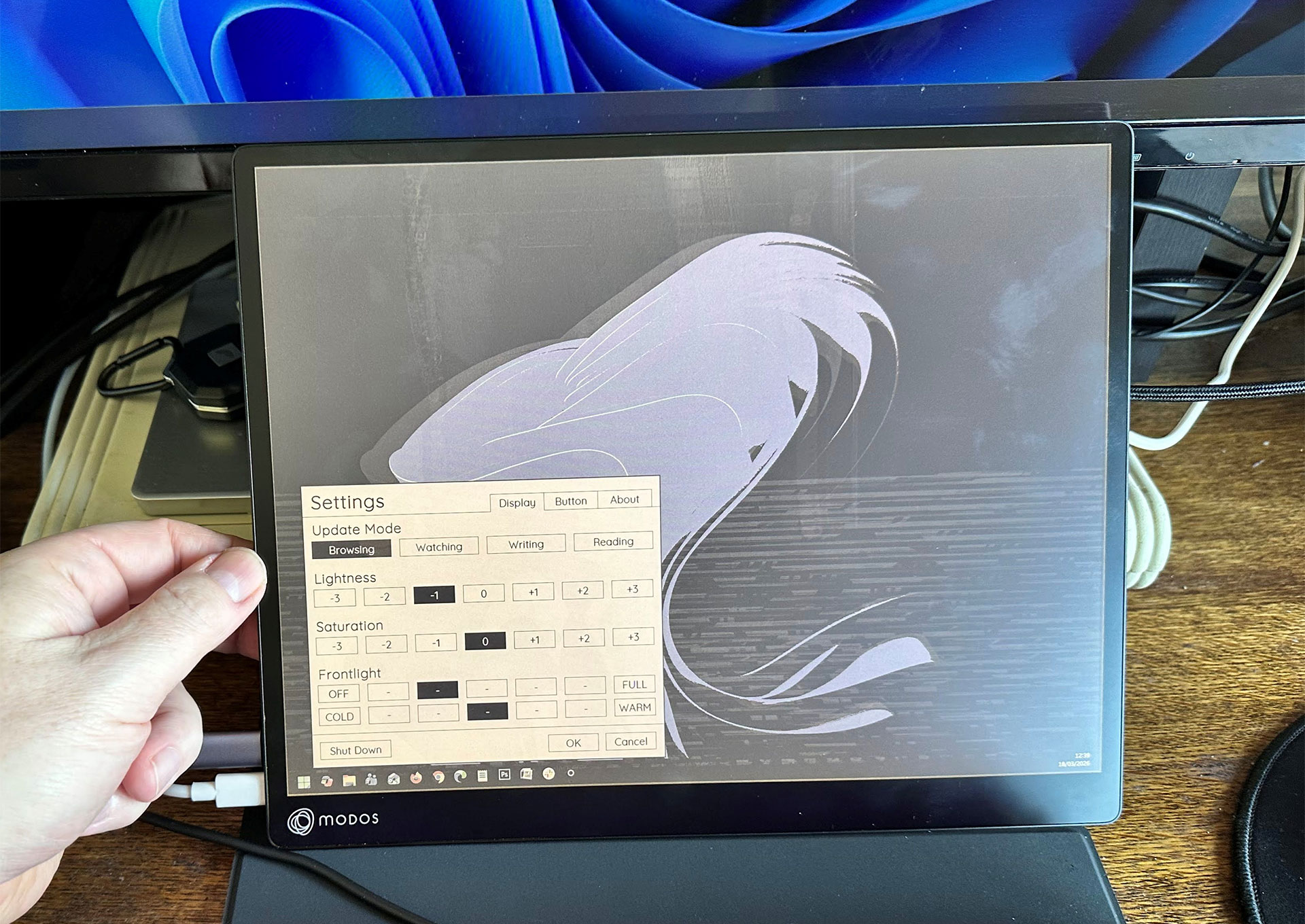
Again, this is a 13.3-inch monitor, but there are several upgrades, beyond the finished consumer-ready build. Most importantly, my sample has an improved color screen (mono also available) and touch/stylus support. The three button controls here can be used to make similar quick adjustments, as with the Dev Kit. But I also appreciated a new two-button combo which opens up an on-screen menu for mode selection, front lighting intensity, contrast, color temperature adjustment, and more.
Modos Flow specifications
- 13.3-inch E Ink screen (B/W or Color)
- 3,200 x 2,400 pixels resolution, 300 PPI
- 60 Hz refresh
- Next-gen powered controller
- USB-C DisplayPort Alt-Mode
- Sub-100 ms latency
- Works with Linux / macOS / Windows
- Touch and stylus support
- Front light with variable intensity and tone
- Multiple display modes
- VESA Monitor Mount
Before we get into some hands-on analysis, the Modos folks warned me that the Flow sample I received featured an “alpha version” of the new controller. This next-generation e-paper display driver board supports larger, higher-resolution, and even multiple e-paper screens. In the new Flow, it replaces Caster, which drives the Dev Kit I road-tested above.
How I used the Modos Flow e-paper display
I felt the build and finish of the Flow were markedly superior to the Dev Kit. The cool metal chassis gave it a rugged, premium feel. Sadly, though, if you intend to use this as a portable accessory, it is surprisingly dense. It is 1,188g (2.64 pounds) with the cover/stand attached. Naked, it is a more reasonable 699g (1.54 pounds). There's no internal battery to make it heavier; it must mainly be the chassis.
Getting ready to power it up, I bumped into the first alpha-test usability issue with the Flow. With the current firmware, you don’t just plug in the screen and turn on your computer. To reliably establish a connection, you must use two cables. First, plug in a USB-C power cable supporting at least 7.5W delivery. Secondly, while the device screen is ‘flashing’ (the next-gen controller is booting), you must connect the USB-C port for display.
This USB-C 'port dance' isn’t a one-off, unfortunately. I noticed I’d have to complete this double-disconnect-reconnect process if my computer screen went to sleep or I restarted the PC (Windows 11). The Modos Flow developers tell me that the ‘port dance’ is a known issue, and firmware is planned to fix it, as well as the sleep/restart wrinkles.
Another issue I faced was when trying to use the touch screen and/or stylus. In a dual-monitor setup, the touch/stylus contact point was misregistered. In other words, touch and pen interaction wasn’t accurate, sometimes wildly inaccurate. For example, interacting with the Modos Flow touch screen actually registered on my main display.
The visuals the monitor delivered were superior to the Dev Kit, though. It offers a more premium, faster, and more responsive panel with a better, more evenly lit appearance (when using the built-in adjustable front lighting). I set it up just like the Dev Kit model, between my keyboard and 32-inch main display.
In summary, the basics are good - build, matte panel, performance. However, it desperately needs bug fixes and quality-of-life updates to meet consumer expectations.
Modos answers questions about the 'alpha' Flow sample
I wrote to Modos about my Flow teething troubles and was assured that the points I raised were being addressed. For one, the dual-cable shenanigans may become a thing of the past, as the power requirements of the next-gen controller/panel combo are being optimized to reduce the total to under 5W. I understand that this will allow the monitor to work with a single-cable setup. There could also be a lower-resolution option (the Flow sample used a native 3,200 x 2,400-pixel panel), which cuts energy consumption to around 3W. That would make it far more useful for road warriors.
There is also work on the firmware to fix the glitches I saw with the touch and pen inputs. It is yet another known (major) issue. Modos hinted that this is not an issue they see on macOS. But they reasoned that, as Windows, Linux, and macOS handle external monitors and touch inputs differently, further cross-platform testing was essential. Moreover, they claimed to know how to implement a Windows fix for this touch issue, but work on it has not yet been completed.
I’d like to keep up with next-gen controller updates as the Modos Flow project Crowd Supply prepares for launch, and work is completed in the background to iron out wrinkles and add finesse. If I had access to a retail-ready sample, I would provide updates on this Flow 'alpha release' report in the comments, or perhaps in another article.
For me, the hands-on sample e-paper monitors weren't the silver bullet(s) I'd hoped for in terms of viewing comfort, eye strain, and eye health concerns. For example, these e-paper products had their own issues with readability in bright environments (Modos Paper Monitor Dev Kit) and bugs (Modos Flow).

Follow Tom's Hardware on Google News, or add us as a preferred source, to get our latest news, analysis, & reviews in your feeds.




 English (US) ·