Enthusiast ports Thermalright's LCD software for Windows to Linux — fully-fledged port supports a ton of models and enables RGB and LCD customization
3 weeks ago
23
(Image credit: Thermalright)
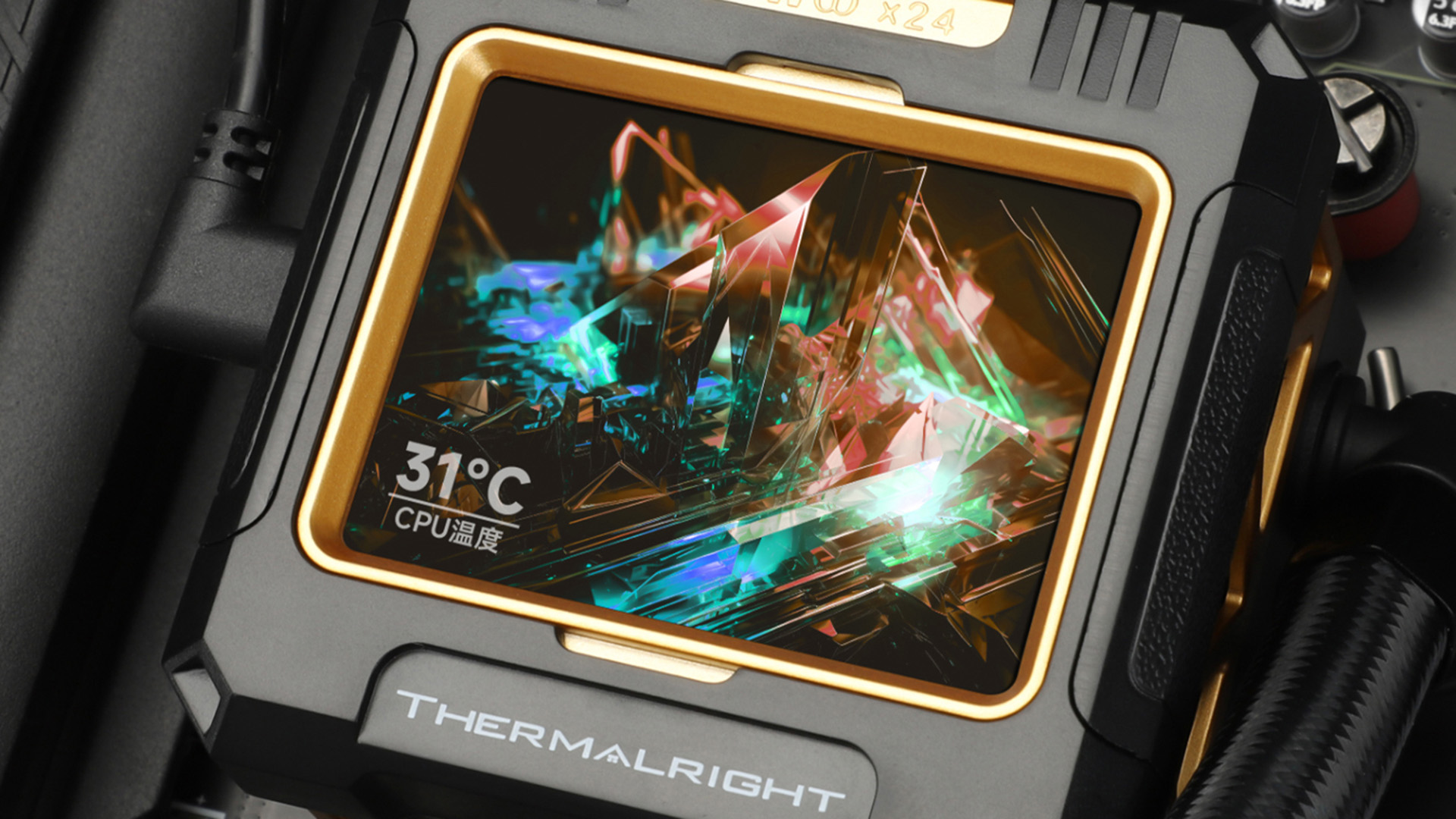
Lack of Linux support for internal PC build components, such as RGB lighting and internal LCD screens, is a big headache that Linux users normally have to get around by installing Windows just to install the control software for these devices to make them function. However, a Redditor has decided to fix this problem for his personal Thermalright LCD cooler and has built a full-fledged Linux port of the Thermalright Linux software all by himself. The Redditor's new Linux build of Thermalright's control center software can be found on GitHub.
The software is feature-complete and supports a wide variety of Thermalright coolers, including the Frozen Warframe/SE, Frozen Vision V2/Core Vision/Elite Vision, Frozen Horizon Pro/Magic Pro, LC1/LC2/LC3/LC5 AIO pump heads, AK120, AX120, PA120 Digital, and Wonder Vision CZTV.
This Linux version of the Thermalright app includes all the features necessary to fully utilize Thermalright's supported devices. It comes with a GUI copied from the Windows version "pixel-for-pixel", featuring local themes, and can download extra themes from the cloud. Video and GIF playback is also supported, with options for overlaying hardware information, such as CPU and GPU temperatures, on the screens of supported devices.
The Redditor who created the app has only tested his Linux version on Fedora so far, but states the app technically supports all Linux distros.
Linux's very low consumer population has made it practically invisible to most component manufacturers that build internal PC components that require dedicated software to customize or control. Most of these apps only support Windows and MacOS.
This problem has forced the Linux community to build its own third-party dedicated apps to rectify support issues on Linux. For instance, a well-known RGB application on Linux is OpenRGB, which can interface with lots of RGB devices, including motherboards, RAM, GPUs, fans, mice, and keyboards. With Linux support now present through a third party, Thermalright owners of the aforementioned supported coolers no longer need to have a secondary Windows installation on hand to control their coolers' screens. That said, this Linux version is not an official version supported by Thermalright, so there could be bugs.

 3 weeks ago
23
3 weeks ago
23






 English (US) ·