
 3 weeks ago
46
3 weeks ago
46
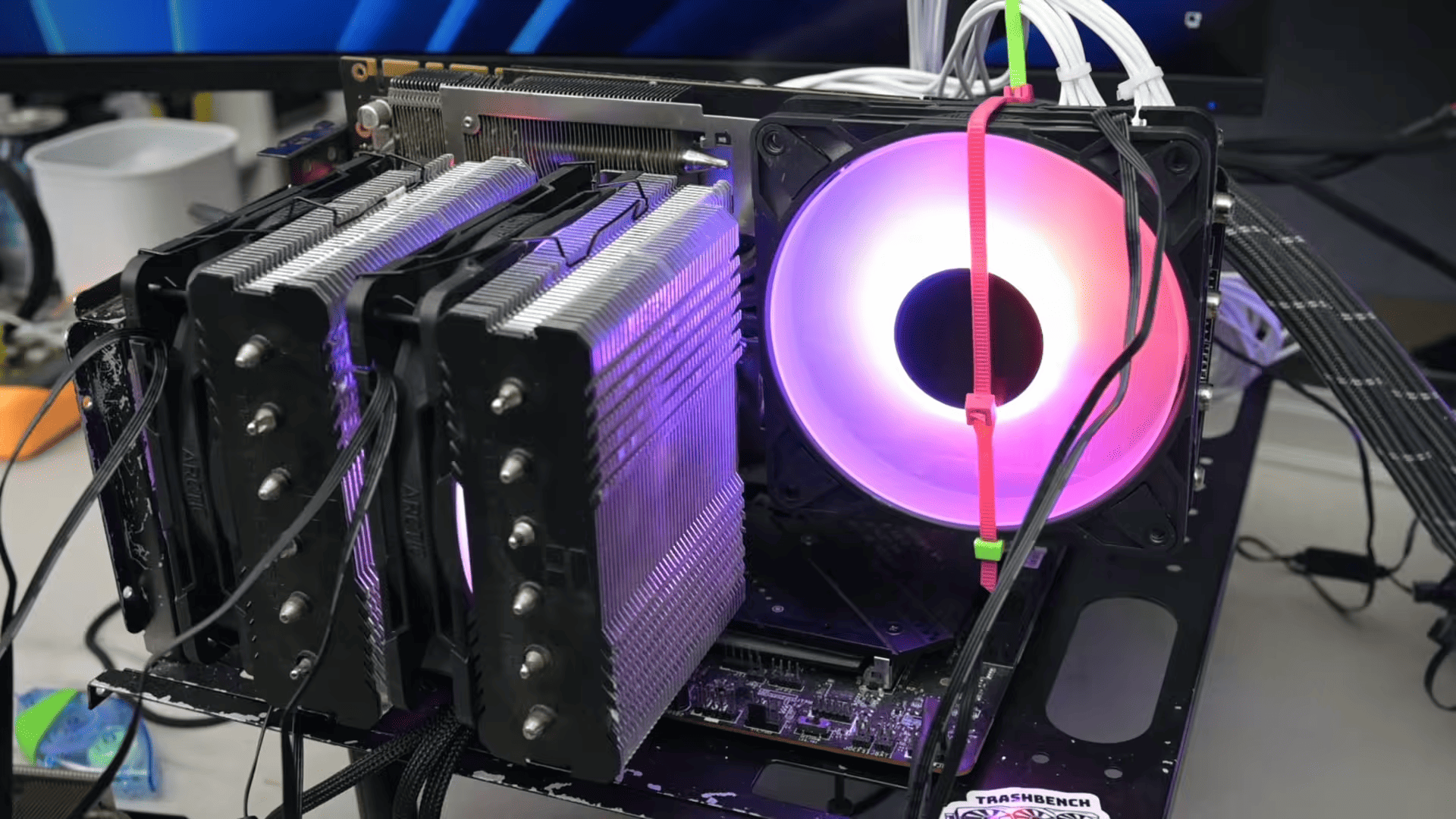
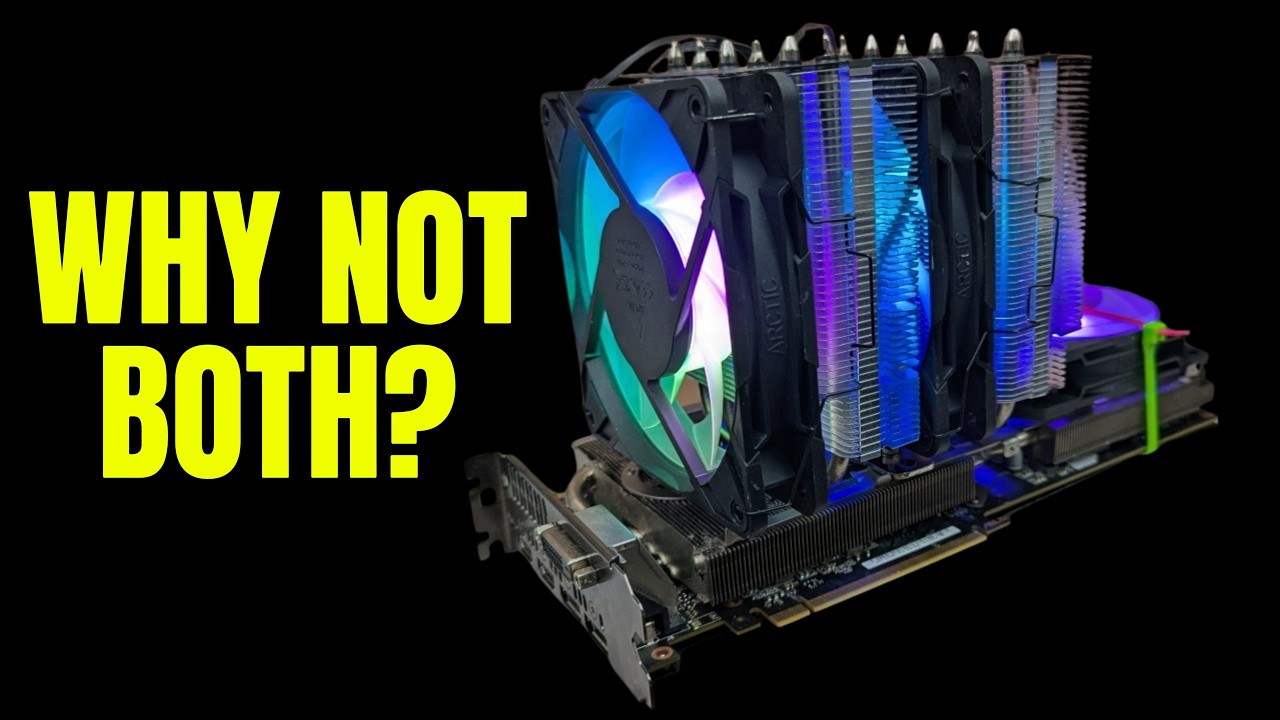
TrashBench is back with another project that might seem deranged at first, but it actually ended up working out pretty well. Taking a grinder to the stock cooler of an Nvidia GTX 1070, he attached a fully-fledged CPU cooler with RGB fans to see if that'd cool the die better than what came from the factory. Not only did it work for the 1070, but also the 1060 and the illustrious 1080 Ti. The modification resulted in higher FPS, higher clock speeds, lower temperatures, and even lower power consumption.
I Bolted a CPU Cooler Onto a GPU Cooler - YouTube
The sacrificial lamb for this project was the Asus Strix variant of a GTX 1070 that TrashBench actually mistook for a 1060 at first (since they both share the exact same cooler). The modder separated the cooler assembly from the shroud and proceeded to cut out a part of the finstack with an angle grinder. The goal was to expose the back of the metal plate touching the GPU core on the other side, so that a CPU cooler could be mounted there.

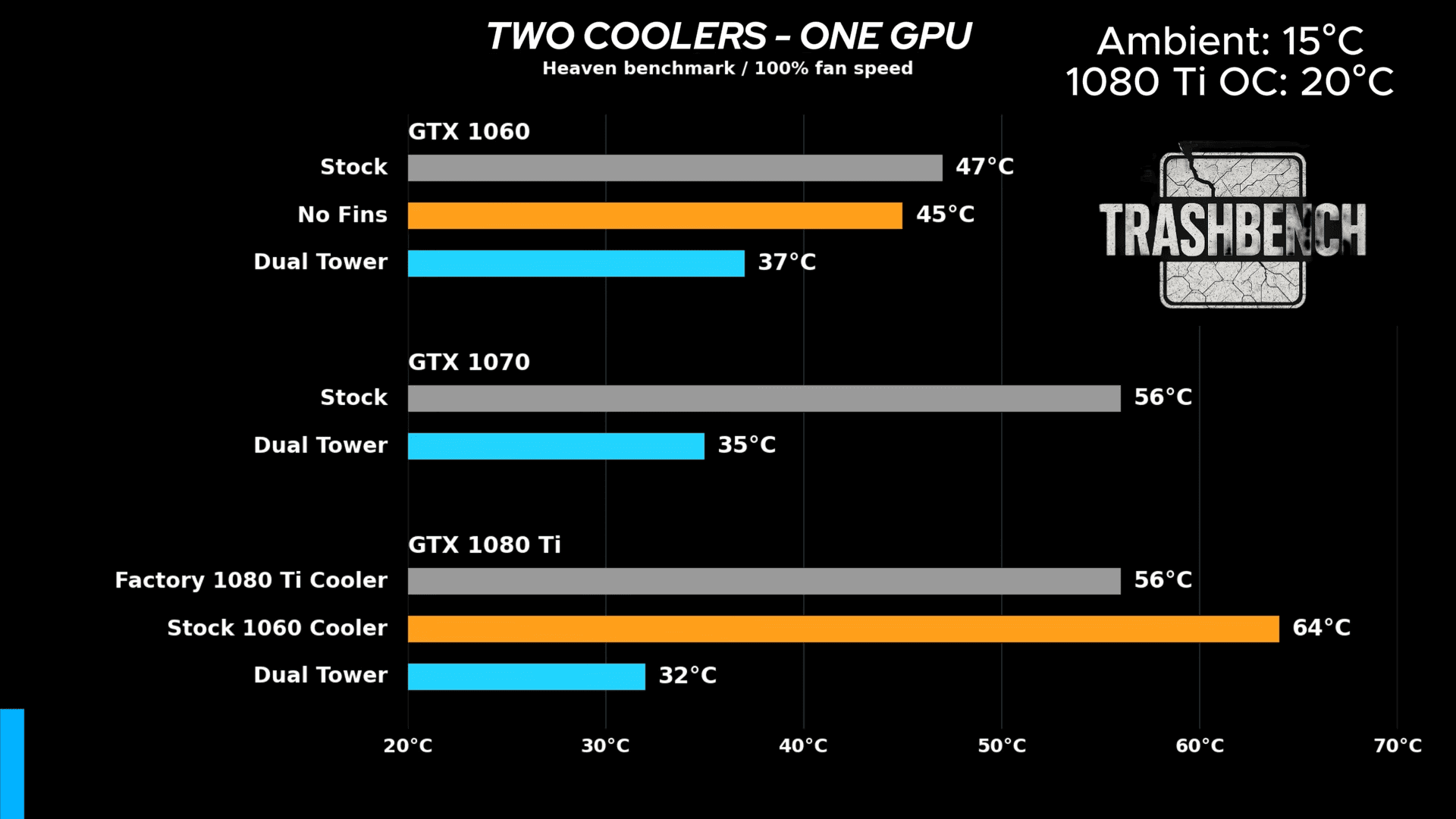
He attached the cooler to a 1060 with a 120mm fan zip-tied on, and despite missing a few fins, the temperature somehow dropped from 46°C to 45°C under load. TrashBench then drilled holes into the exposed metal plate and screwed a single-tower CPU cooler directly into it. The result was a graphics card 9°C cooler than before and with slightly better clocks.
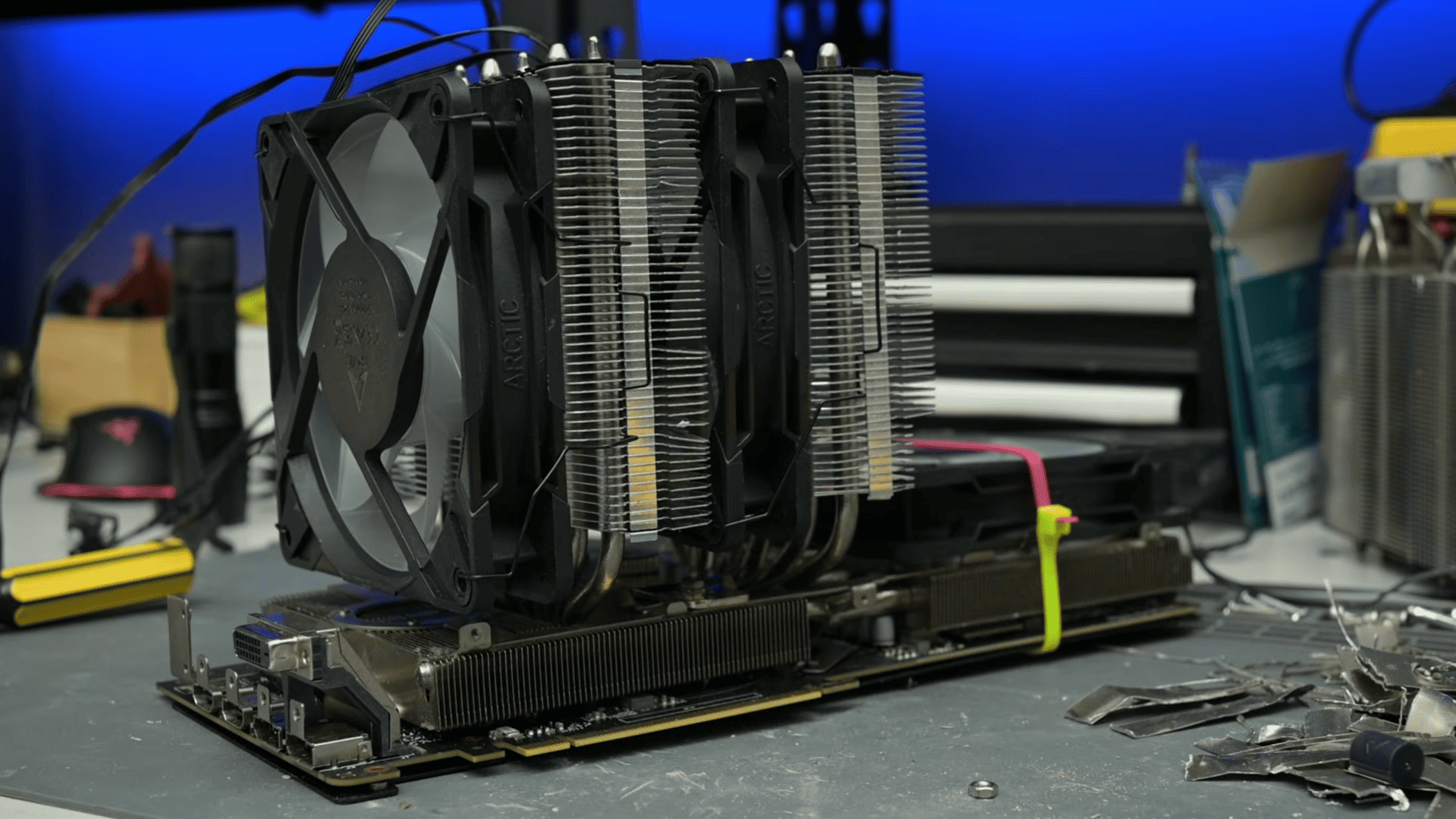
Moving on to the dual-tower cooler required a few more grinding modifications to the baseplate of the card. Once attached, the temperature dropped further by only one degree even though two fans were now dissipating the heat from those extra fins. Still, he overclocked the 1060 in this condition, and it netted 9% higher FPS in Shadow of the Tomb Raider compared to the stock cooler, while being 6°C cooler.
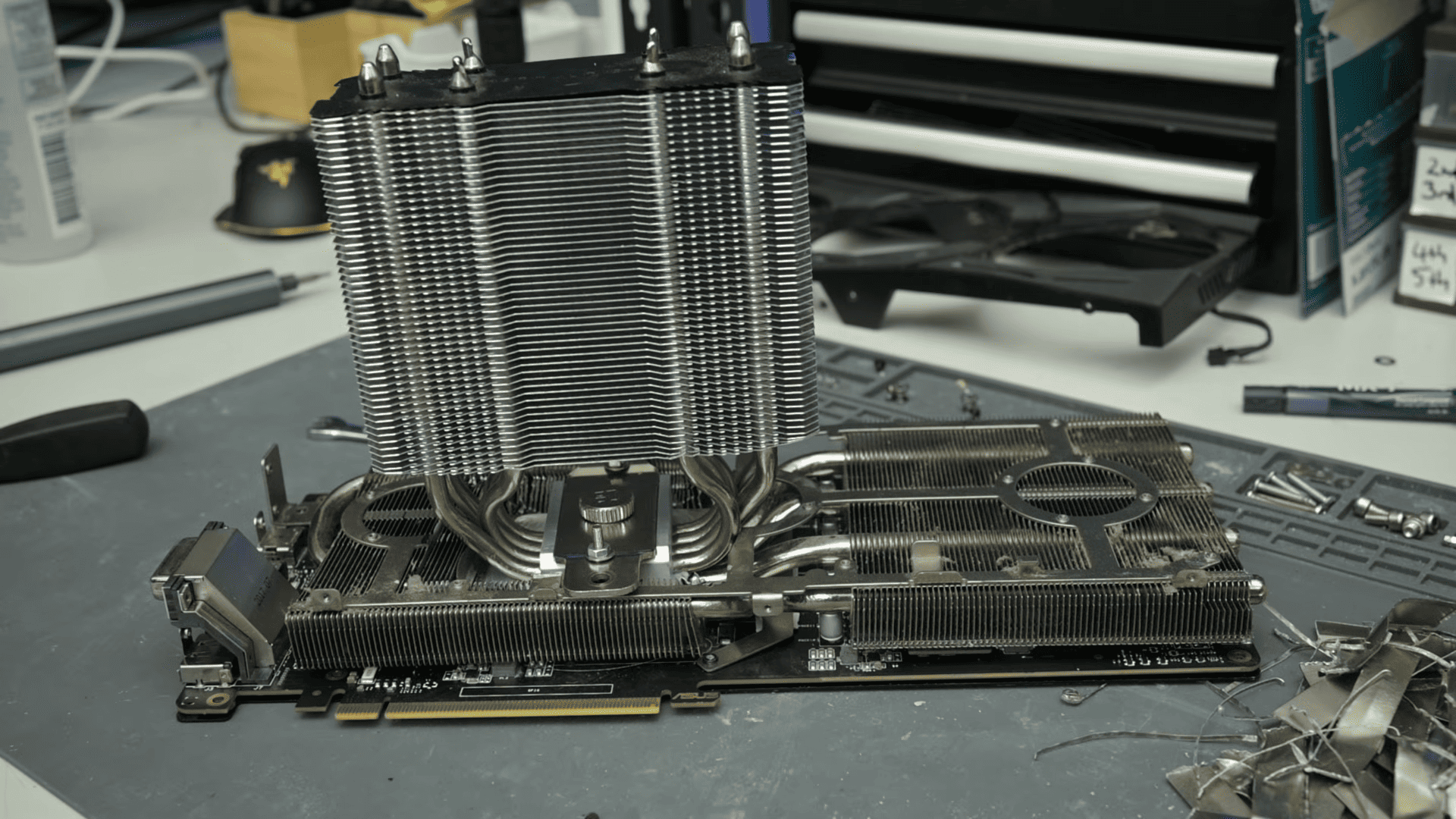
It was now time for the 1070 — the dual-tower CPU cooler ran a whole 20°C cooler than the stock configuration. It consumed 15W less and clocked higher during the test, which prompted TrashBench to push for a 2,200 MHz OC. Unfortunately, it wasn't stable at that; boosting to 2,177 MHz was the limit. That still resulted in almost 200 MHz higher clocks compared to stock and 7% more FPS in-game. The GTX 1070 was a raging success, especially impressive when you consider that the 1060 didn't elicit a large temperature differential.
Keep in mind that the GTX 1060 and GTX 1070 have identical coolers from the factory. The 1060 has a 120W TDP while the 1070 has a 150W TDP, so the same modded cooler can work wonders on either card. The GTX 1080 Ti up next is a huge leap at 250W, and it has a much beefier heatsink to keep up with that. Instead of just testing the card with that, TrashBench transplanted a stock 1060 cooler to make the comparison between all cards as fair as possible. The 1060 cooler on the 1080 Ti was already 8°C hotter under load.
Against this configuration, the dual-tower cooler ended up achieving the same clocks for 30W less, or about a 12% reduction in power consumption. The first run saw the stock 1060 cooler peg the card's hotspot at 72°C while the dual-tower cooler sat at just 42°C — that's 30°C cooler! In the second run, the difference was down to 23°C, which is still mighty impressive. Even after an overclock to 2,152 MHz, the modded cooler ran 19°C cooler than stock despite actually consuming more power this time.
Overall, the results speak for themselves, and this isn't even the first time TrashBench has done something like this. He's previously strapped a CPU cooler on a GTX 960, though with a lot more grace, and bolted a server AIO on an RTX 3080. As for this experiment, as long as you're rocking an open test bench and have too much time on your hands, then this wouldn't be the strangest TrashBench project to replicate.

Follow Tom's Hardware on Google News, or add us as a preferred source, to get our latest news, analysis, & reviews in your feeds.








 English (US) ·