
360 drone with 8K 60fps video recording, omnidirectional sensors and FPV and standard controller options.
Sub-250g 360 camera drone with FPV flight, 8K video up to 30fps, and front and down-facing object detection.
DJI's response wasn't long in coming. The Avata 360, launched in March 2026, is the drone giant's first purpose-built 360 flyer, and it takes a markedly different approach, being larger, heavier, faster, and with higher spec cameras. It also costs considerably less.
So which of these two pioneering drones is actually worth your money? I've put both through extensive real-world testing to find out.
1. Price and availability
- DJI Avata 360 starts at £409 / AU$799 (not officially available in US)
- Antigravity A1 starts at $1,599 / £1,219 / AU$2,199
The DJI Avata 360 is the considerably more affordable of the two 360 drones, no matter which package you choose — and given the relative specification of the two drones, I'm impressed that DJI has managed to keep the price so accessible. DJI's size as a company, and its position as the world's leading producer of consumer drones, seems to have allowed it to drastically undercut its competitor, despite the Avata 360 having significantly higher camera specs.
In the US, the Avata 360 is available from third-party retailers including Amazon and B&H Photo from approximately $549 for the drone alone – though it's worth noting that, like several recent DJI products, it isn't officially sold through DJI's own US channels. If you want to fly with FPV goggles and a motion controller, the Motion Fly More Combo comes in at around $999; the RC 2 Fly More Combo costs the same. In the UK, the drone-only option is priced at £409, with the RC 2 controller bundle at £639 and the two Fly More Combos at £829 each. Australian buyers can pick it up from AU$799.
The Antigravity A1, by contrast, comes as an all-in-one proposition. In other words, you can't buy the drone without the Vision Goggles and Grip controller, which means the $1,599 Standard Bundle is the entry point in the US. That's nearly three times the cost of the Avata 360's cheapest drone-only option. In the UK, the A1's Standard Bundle costs £1,219, with Explorer and Infinity Bundles at £1,399 and £1,499 respectively. In Australia, expect to pay AU$2,199 for the Standard Bundle, AU$2,799 for the Explorer and AU$2,899 for the Infinity.
2. Design and build quality
- DJI Avata 360 weighs 455g, has a flat cinewhoop-style design and is classed UK1 / C1
- Antigravity A1 weighs 249g, has a folding design and is classed C1 or Open A1
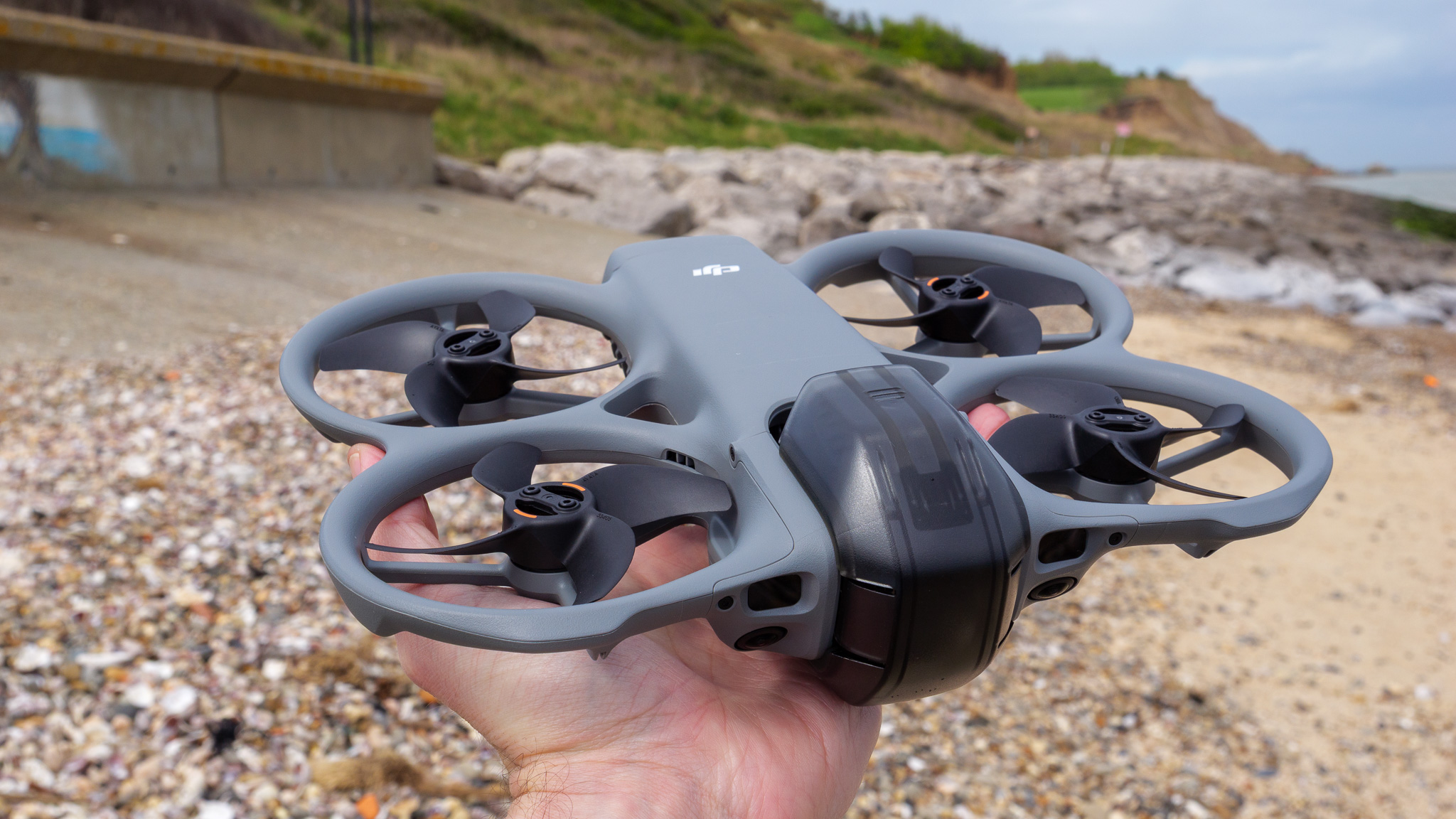
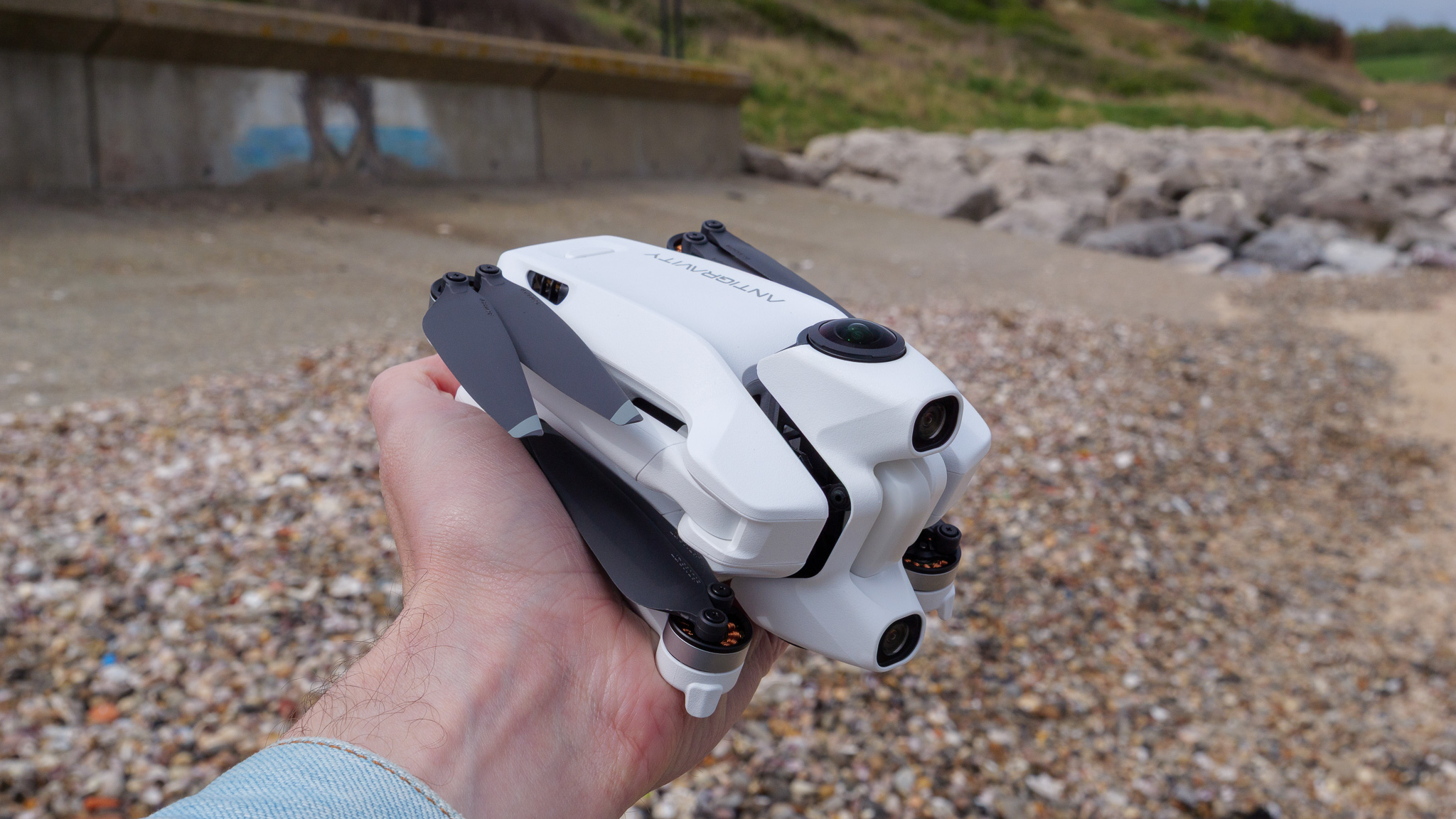
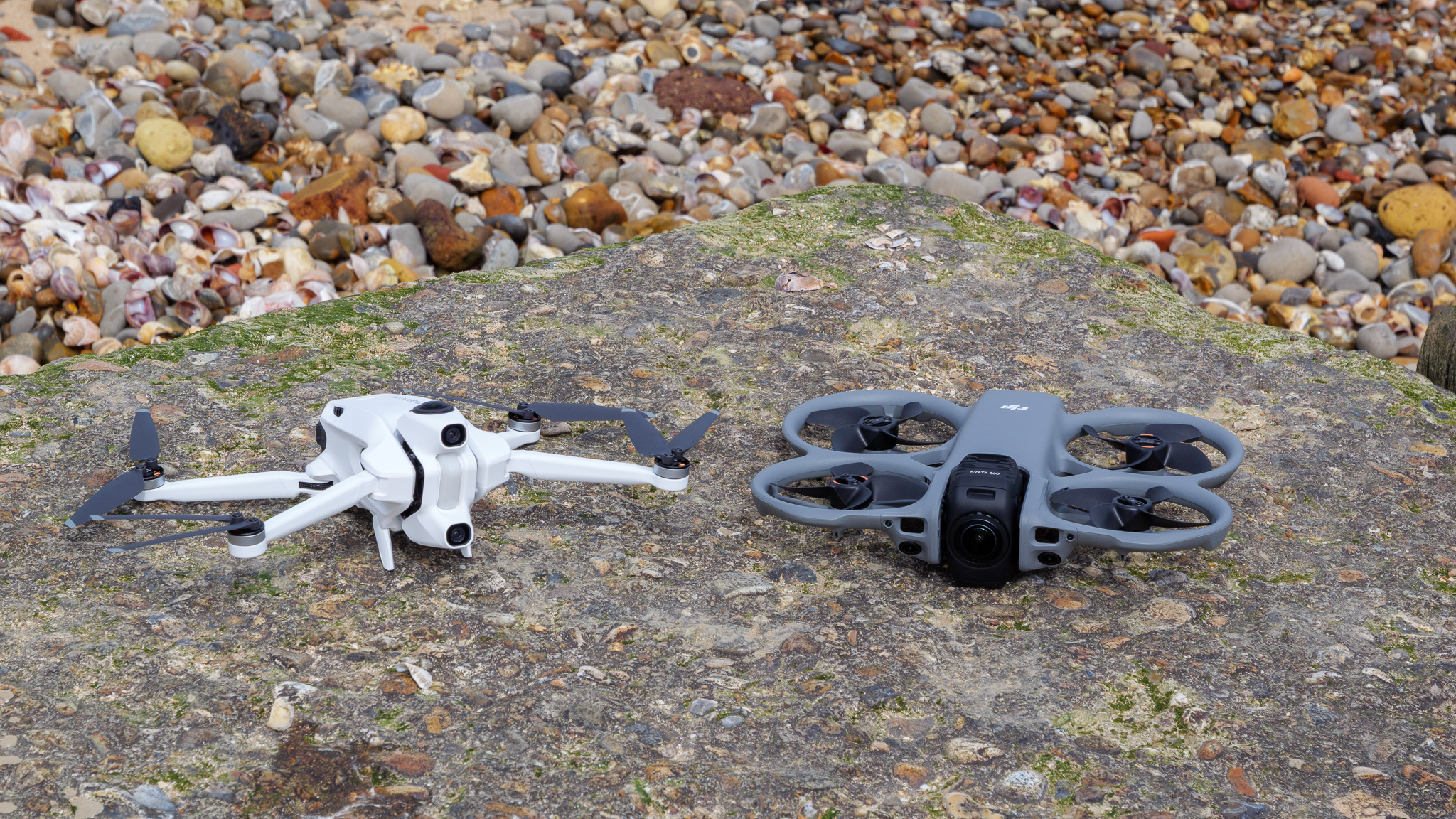
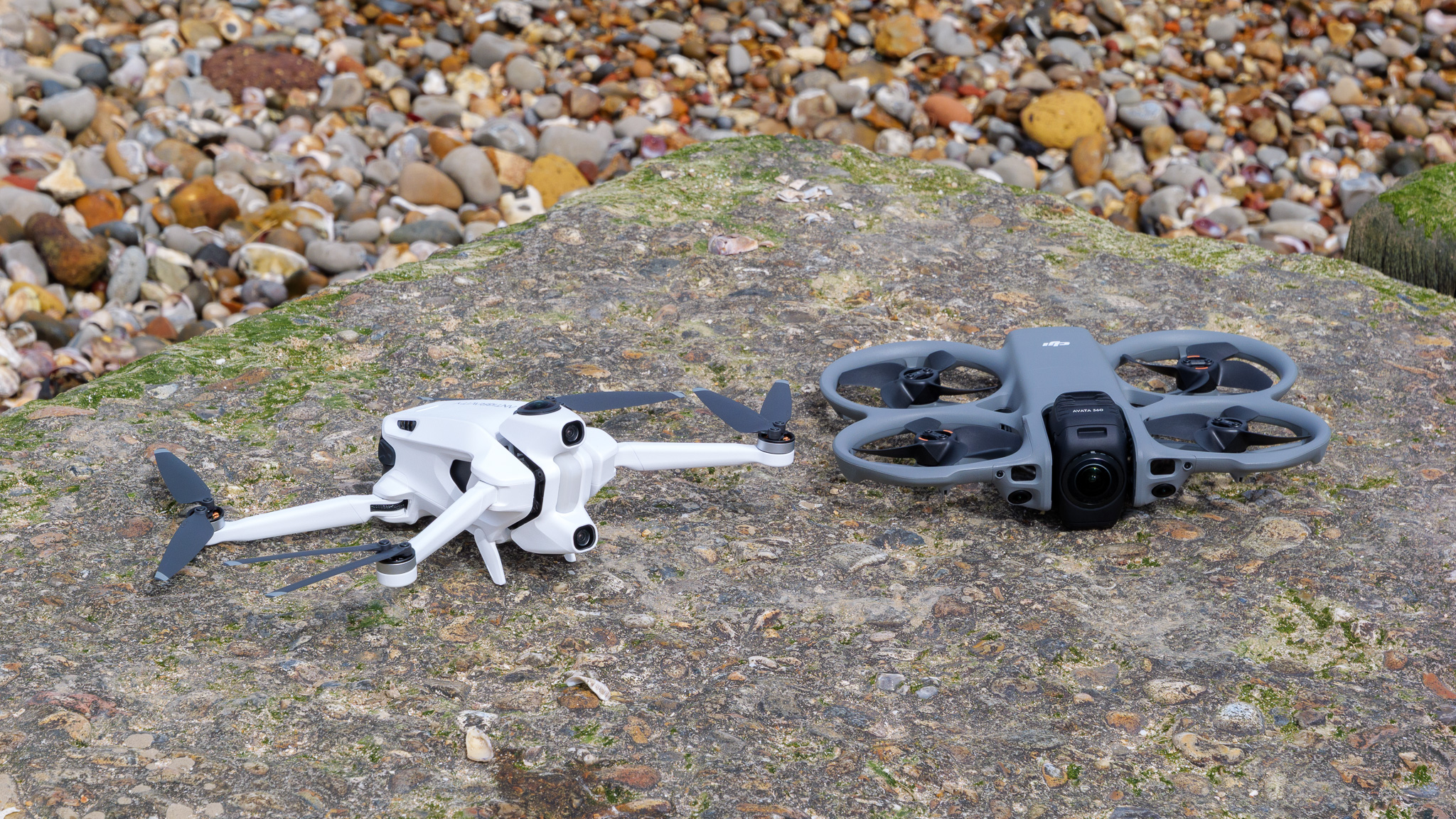
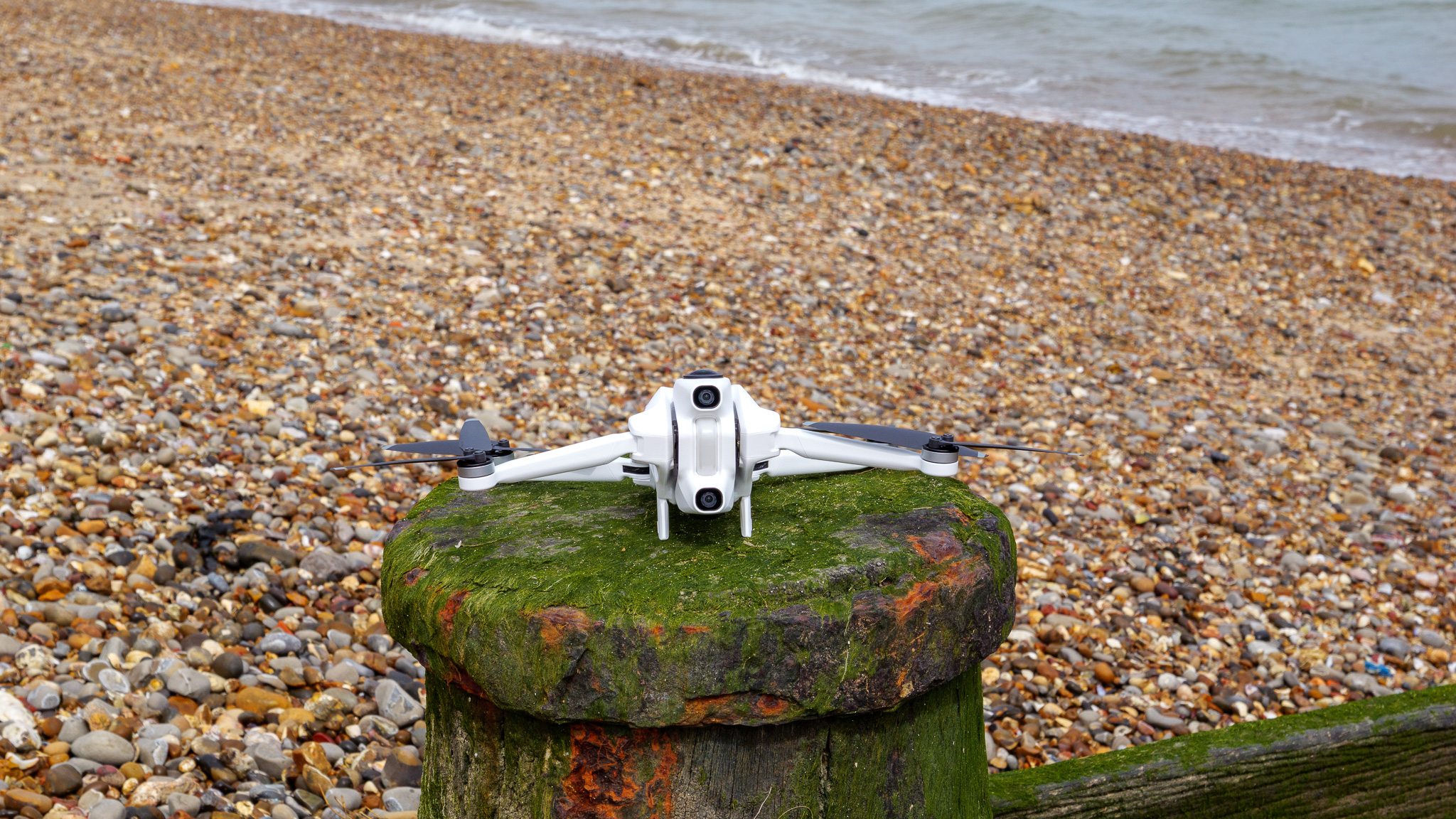
The A1 and Avata 360 are drastically different in size, shape and weight. Antigravity has concentrated on keeping the A1 as compact and lightweight as possible: its four prop arms fold in for easy transport (there's a nice hard-sided case to keep it in) and it weighs 249g, making it subject to few flight restrictions.
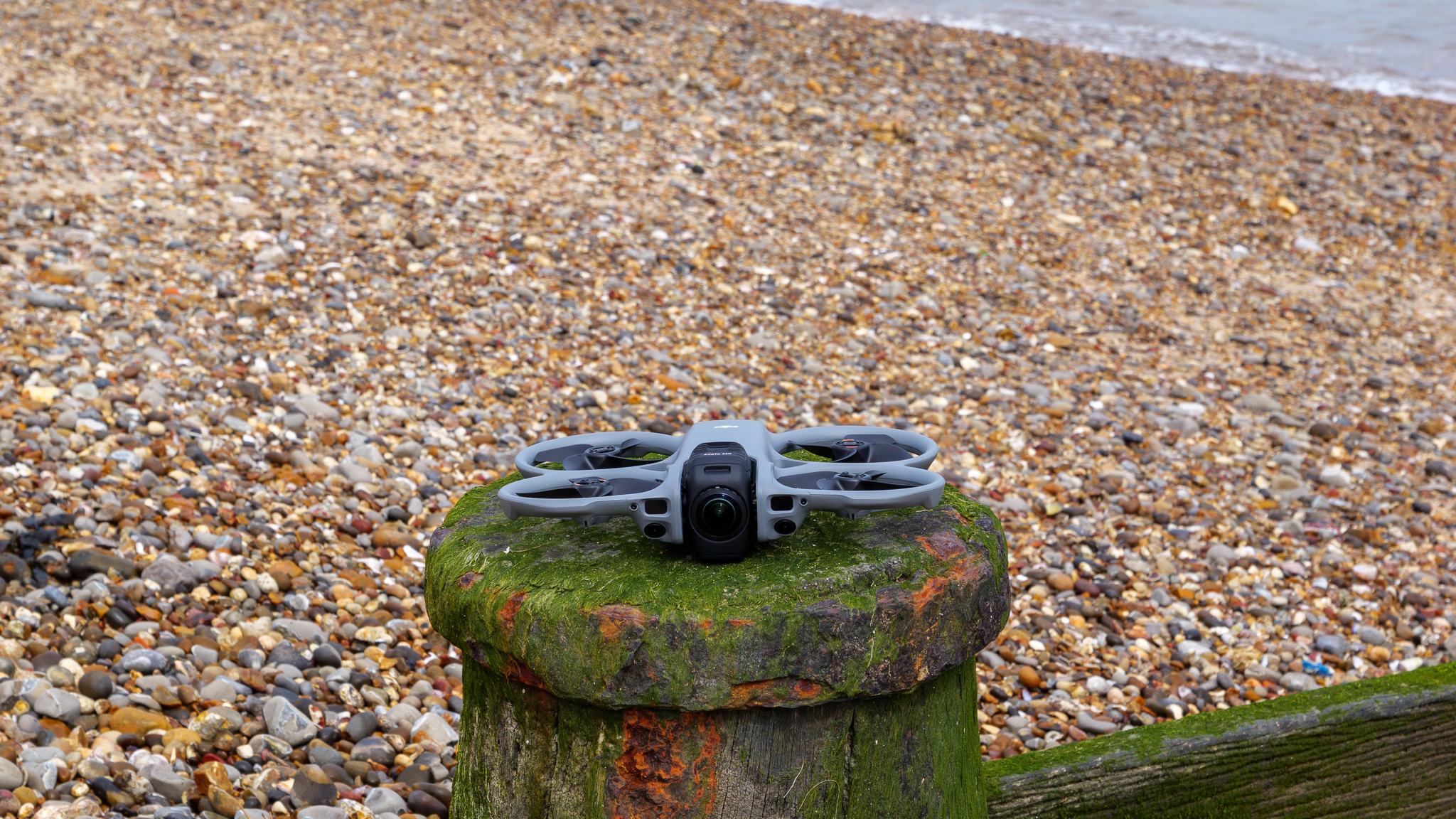
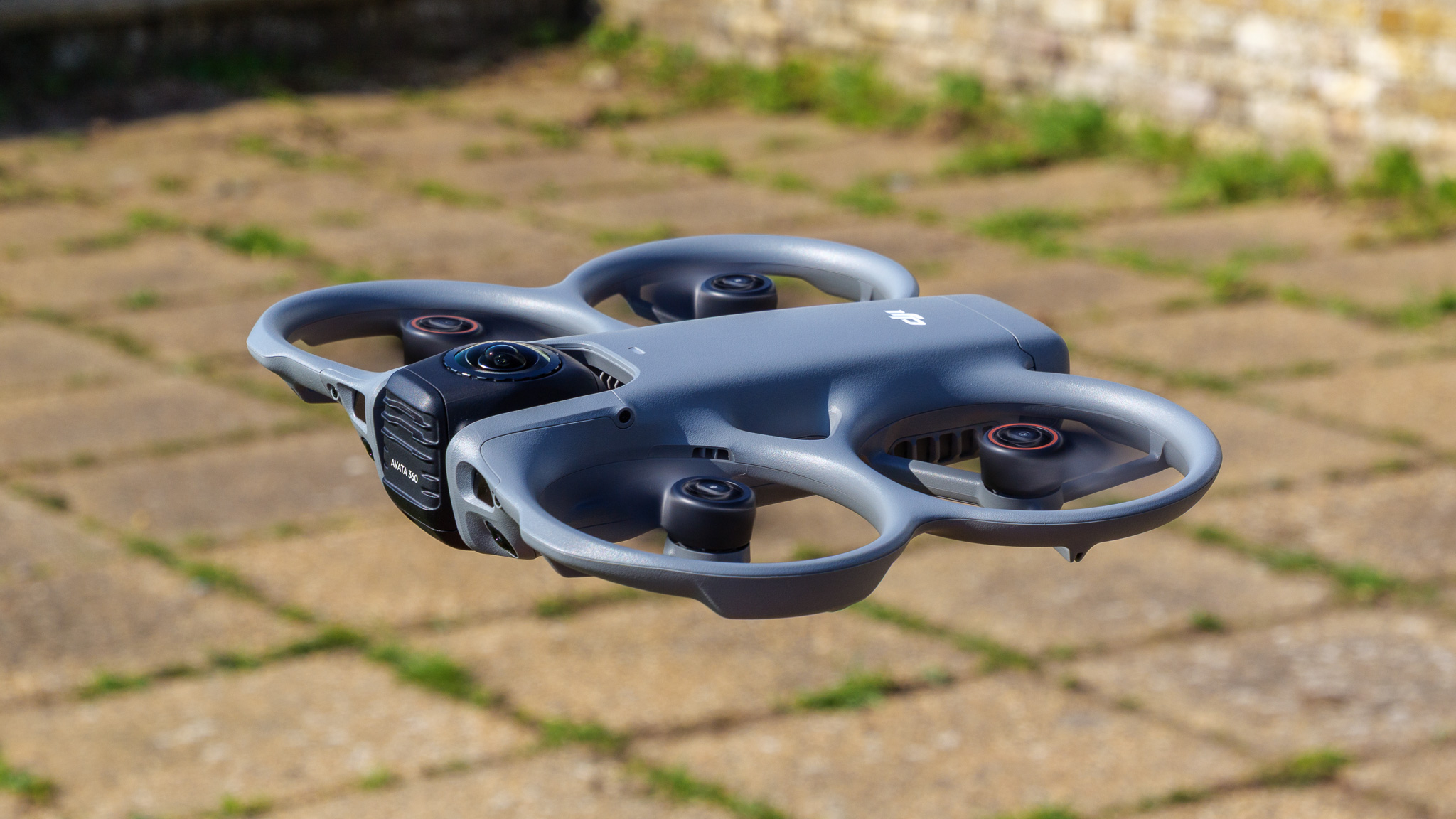
By contrast, the Avata 360 is a flat, non-folding drone that weighs almost twice as much – but thanks to falling into the UK's new UK1 category, I was thankfully able to fly it in exactly the same locations as the sub-250g A1 while testing. And, despite its inability to fold up, the design incorporates built-in prop guards and seems, to me at least, far more aerodynamic than the A1's. So there are some key boons to DJI's choices here.
Both drones are built solidly enough for safe flight, but the A1's lightweight design and lack of prop guards (as standard, anyway) means it feels a lot daintier than its rival. I'd back the Avata 360 to survive a minor collision with a tree pretty much unscathed; I couldn't confidently say the same about the A1.
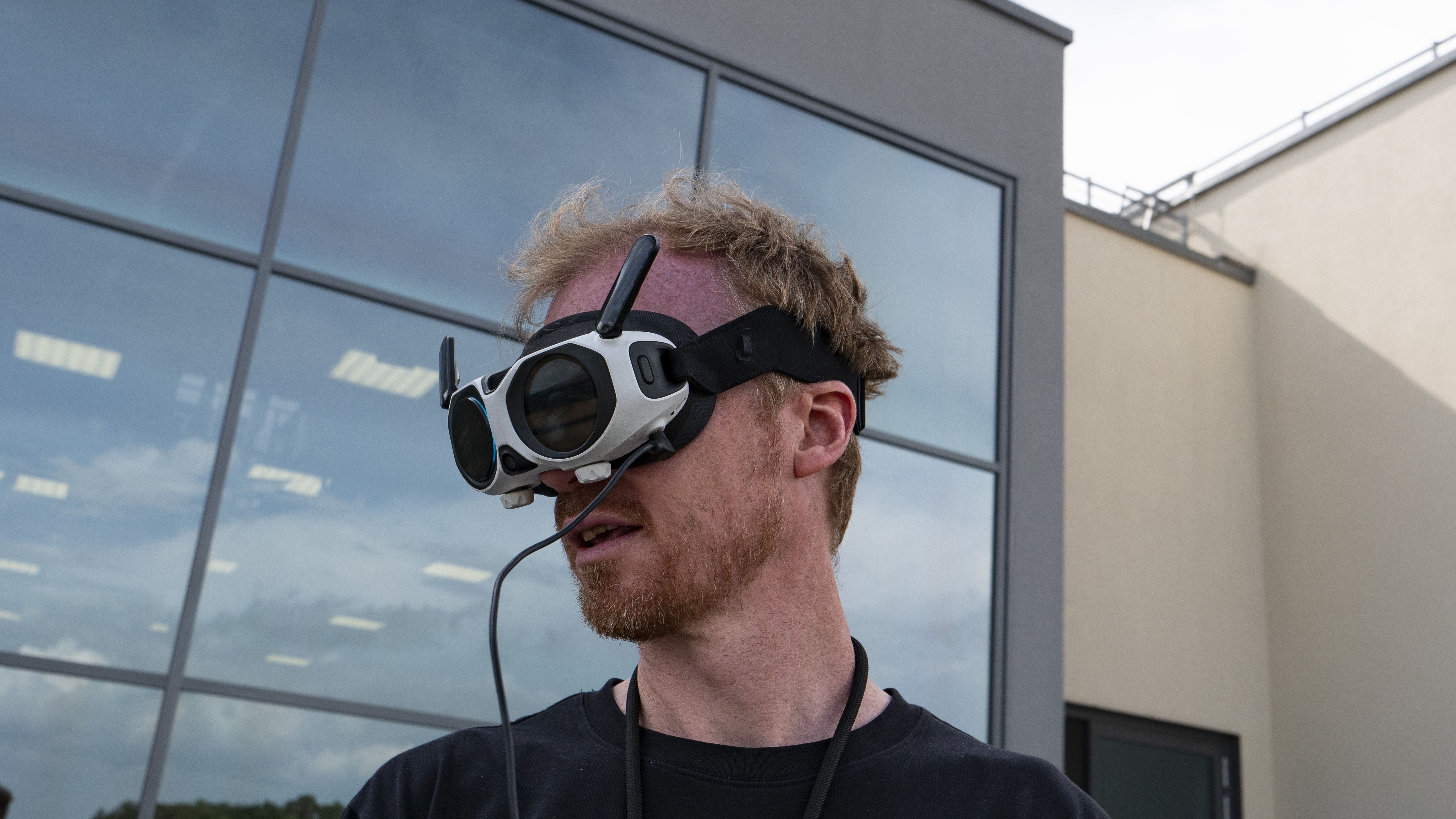
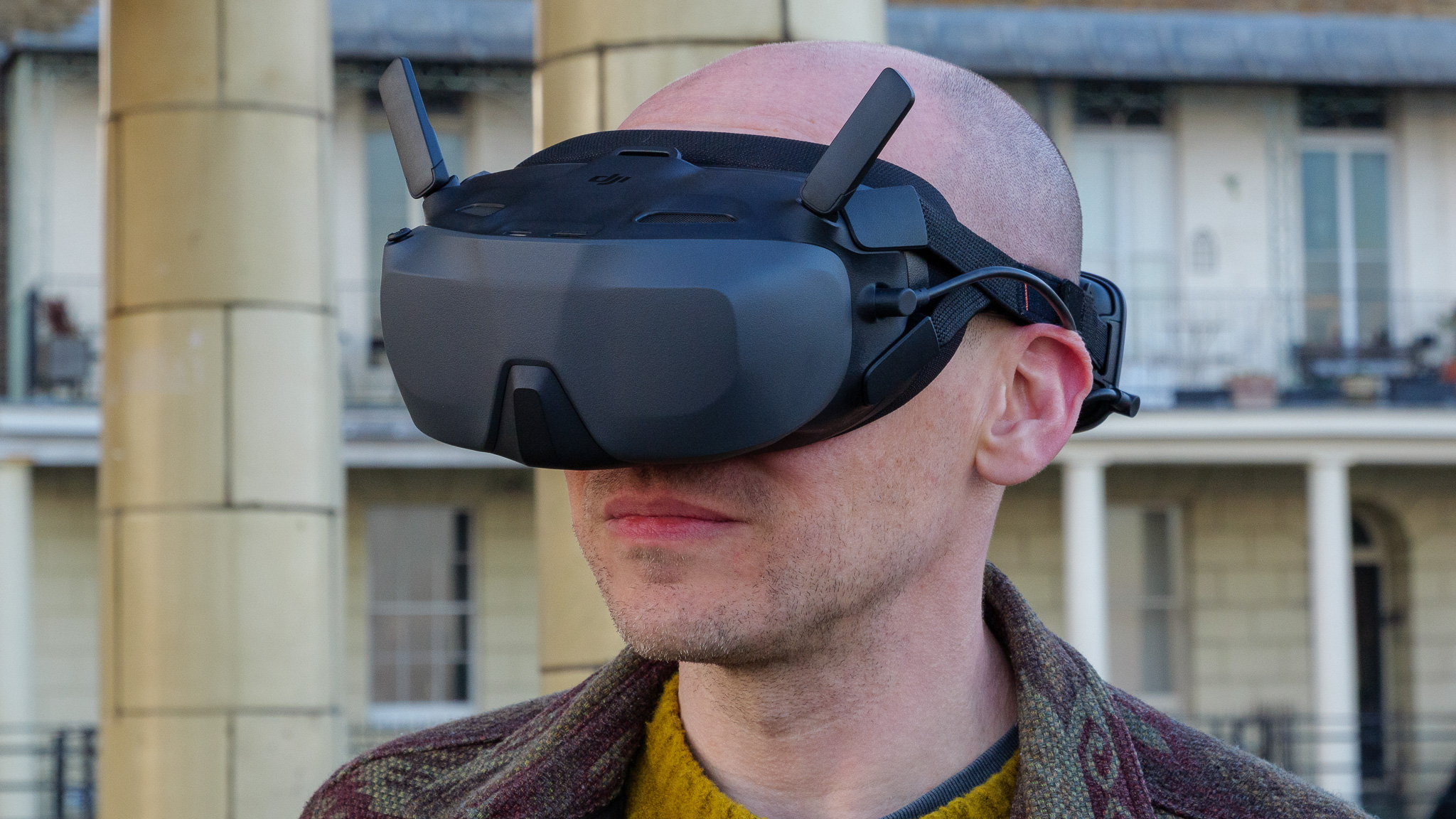
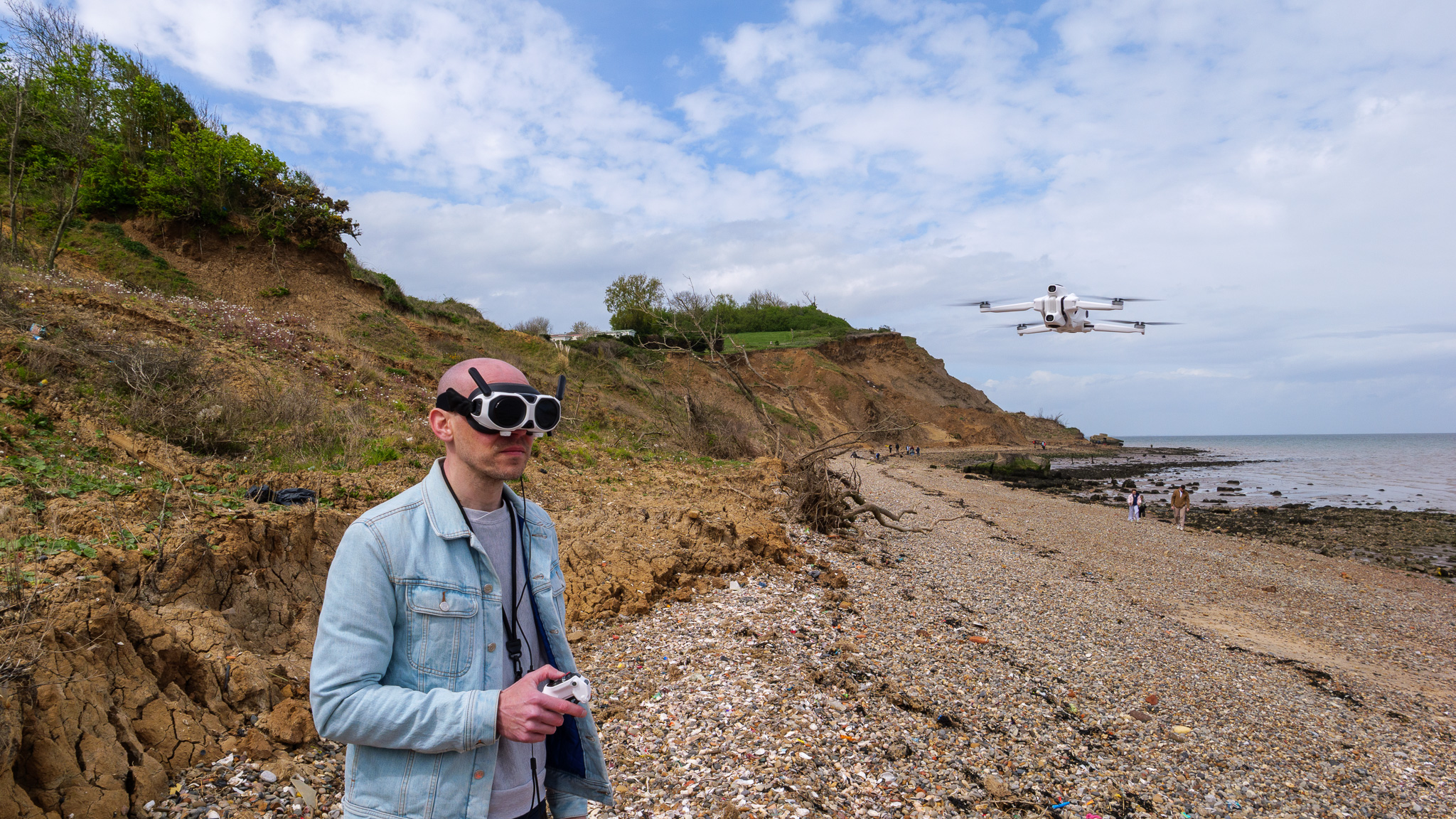
A quick word about the drones' respective FPV goggles. Both have internal lenses that can be adjusted for different eye distances and types, and both are nicely lightweight and comfortable to wear.
The A1's Vision Goggles are the smaller and more technically impressive of the two, with a useful exterior display that allows your spotter to follow the A1's live camera feed, plus an exterior camera enabling the wearer to "look through" to the outside world. However, I found the separate battery pack a pain to deal with, and the fact that I had to take my glasses off every time I put the goggles on even more annoying.
The DJI Goggles N3 that come in the Avata 360's FPV Fly More Combo are a much simpler affair, with no display and no front camera, but I found them much more practical due to their integrated battery pack (built into the headband) and the fact I could keep my specs on while wearing them. Sometimes these little touches are more important than cool features.
3. Camera performance
- DJI Avata: 2 x 1/1.1-inch sensor with 8K recording up to 60fps and D Log M color profile
- Antigravity A1: 2 x 1/1.28-inch sensor with 8K recording up to 30fps, standard color profile only
While both drones capture their 360 footage at 8K resolution, there's a marked difference between the results. You can watch the embedded videos below to see for yourself, but in my opinion the DJI Avata 360 offers much sharper, cleaner and smoother video than the Antigravity A1.
This shouldn't be a surprise, really: the Avata 360 camera's two sensors are 1/1.1-inch in size, while the A1's are smaller at 1/1.28-inch. This might not seem a huge difference, but there's a lot more noise visible in the A1's footage than the Avata 360's. The Avata 360 also supports 60fps recording at full 8K resolution, while the A1 is restricted to 30fps at 8K, and must drop to 5.2K in order to hit 60fps.
Additionally, the Avata 360 supports 10-bit recording and the flat D-Log M color profile, catering to the kind of user who's happiest color grading and correcting footage. The A1's 8- bit footage can be tweaked somewhat in the companion app, but currently there's no log color profile available. It also has Single Lens mode, allowing it to record 4K/60fps footage from just one front-facing camera, which effectively turns it into a "normal" camera drone, albeit one without a proper 3-axis gimbal.
To my eyes, the Avata 360 also seems to offer truly seamless stitching, while it's possible to see a slight "ripple" in the A1's footage where the two video hemispheres have been joined.
Both drones can take still photographs too, and while I didn't make much use of this feature on either (I find 360 drone photos underwhelming compared to video), the Avata 360 is again superior, both in terms of specs (120MP resolution versus the A1's 55MP) and real-world results.
Finally, a quick word on storage for photos and videos. Both drones have built-in storage (20GB on the A1, 42GB on the Avata 360), plus support for microSD cards of up to 1TB capacity. So, while the Avata 360 offers a little more space out of the both, the differences are quite small once you consider expandability.
4. Editing and apps
- DJI Avata 360 uses DJI Studio desktop and DJI Fly mobile apps for re-framing and editing videos
- Antigravity A1 uses Antigravity Studio desktop and Antigravity mobile apps for the same
Capturing 360 videos and photos is one thing – but the real magic arguably happens in the editing process, where the raw 360 files can be re-framed into "normal" video clips and photos for sharing with others.
Both Antigravity and DJI make impressive mobile and desktop apps dedicated to this process, and they each work in similar ways: you import your fresh 360 file, then choose viewpoints and set keyframes accordingly. The app then adds transitions between keyframes.
There are some differences between the DJI Studio and Antigravity Studio desktop apps, but in general I found them both to be nicely designed and intuitive to use.
On the mobile app side of things, both the DJI Fly and Antigravity apps offer AI-assisted auto-edits, which quickly create shareable videos from a selection of your clips, complete with filters, transitions and backing tracks. I wouldn't say it comes close to beating a human editor, and thankfully there's also full manual editing included in both apps, but it's a fun feature to play with.
5. Safety and flight features
- DJI Avata 360 features front-facing LiDAR plus all-round vision and IR sensors
- Antigravity A1 offers only front- and down-facing vision and IR sensors
If you're worried about crashing your 360 drone on your maiden flight, you can relax: both of these models come with some clever safety features that make collisions and accidents much more unlikely.
The A1 uses front- and down-facing vision sensors and a down-facing infrared sensor for obstacle detection, but the Avata 360 takes things a little further thanks to front-facing LiDAR alongside full 360-degree vision sensors, and downward infrared sensors. It also has built-in prop guards due to its design, while prop guards are an optional extra on the A1.
Overall, I'd be much happier flying the Avata 360 through tightly confined spaces than I would the A1 — although it's worth noting that both drones support user-replaceable lenses, so if you do scratch the camera while flying the repair is relatively cheap and painless.
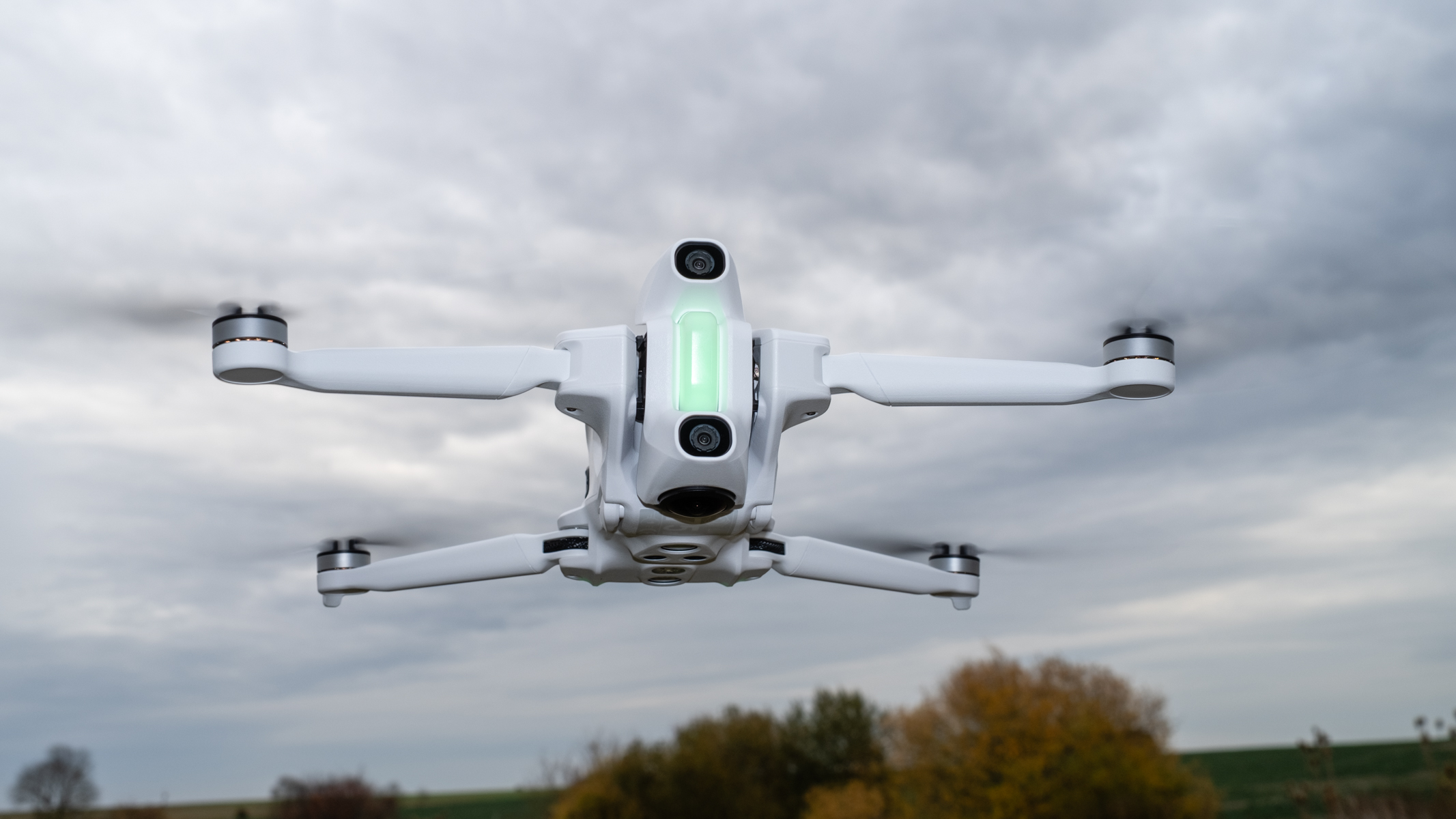
Both drones feature automatic take-off, landing and GPS-powered return-to-home, and the A1 also comes with a waypoint mode allowing you to set a flight path and have the drone automatically follow it. Something similar is reportedly coming to the Avata 360 via a firmware update, too.
The drones' battery lives are pretty much the same, at around 20 minutes of flight time on a fully charged battery.
6. Flight experience and controls
- DJI Avata 360 supports both FPV and standard controller flight
- Antigravity A1 supports only FPV flight
The DJI Avata 360 can be flown via two control methods: the RC 2 two-stick touchscreen controller or an RC Motion 3/Goggles FPV setup. That means you can fly it like any traditional camera drone, or like a motion-controlled FPV drone. You'll need to bring a spotter (yes, another person) along for FPV flight, but are free to use the RC 2 while on your own.
The Antigravity A1 is only controllable via FPV mode, using its Vision Goggles and motion-sensitive Grip; there's no twin-stick controller option at the time of writing. That means you'll need a companion with you at all times, should you want to fly within the law. That's a big minus point in my book, because it's not always easy to bring along a buddy. Sometimes you just want to go out and fly, and that's much easier to do with the Avata 360.
The first thing I noticed about the DJI Avata 360 in flight is that it's loud – more akin to a swarm of irate hornets than I would have expected given its size. While most wouldn't find this a deal-breaker when buying a drone, if discreet and unobtrusive flying is important to you, I can attest that the A1's rotor soundtrack is much less bothersome. Interestingly, the drones' official noise ratings are only six decibels apart — 81dB and 76dB for the Avata 360 and A1 respectively — but the real-world difference feels much greater.
Aside from that, though, the Avata 360 seems to me the more enjoyable drone to fly and the easier drone to control. The A1's somewhat woolly controls, slower air speed, lighter weight (and subsequent lesser wind resistance) and insistence on FPV and motion-controller flight make flying it a strangely sedate experience. It's quite relaxing, in fact, while the Avata 360 in FPV mode feels a lot nippier, more responsive and precise, and much more thrilling.
DJI Avata 360 vs Antigravity A1: Verdict
The Antigravity A1 may have been the world's first 360 camera drone, but with the arrival of the Avata 360, it's no longer the best. DJI's drone is more flexible, more enjoyable to fly, and delivers better image quality — and, to top it off, it's cheaper too.
I suspect Antigravity's next drone will take a lot of cues from the Avata 360 — probably offering an alternative control method to FPV and a more affordable price, at least — but for now, the DJI Avata 360 is the 360 drone I'd pick. Its only real issue in my mind is the amount of noise it makes, which I suspect is unlikely to put too many people off.
Follow TechRadar on Google News and add us as a preferred source to get our expert news, reviews, and opinion in your feeds. Make sure to click the Follow button!
And of course you can also follow TechRadar on TikTok for news, reviews, unboxings in video form, and get regular updates from us on WhatsApp too.




 English (US) ·