 2 hours ago
5
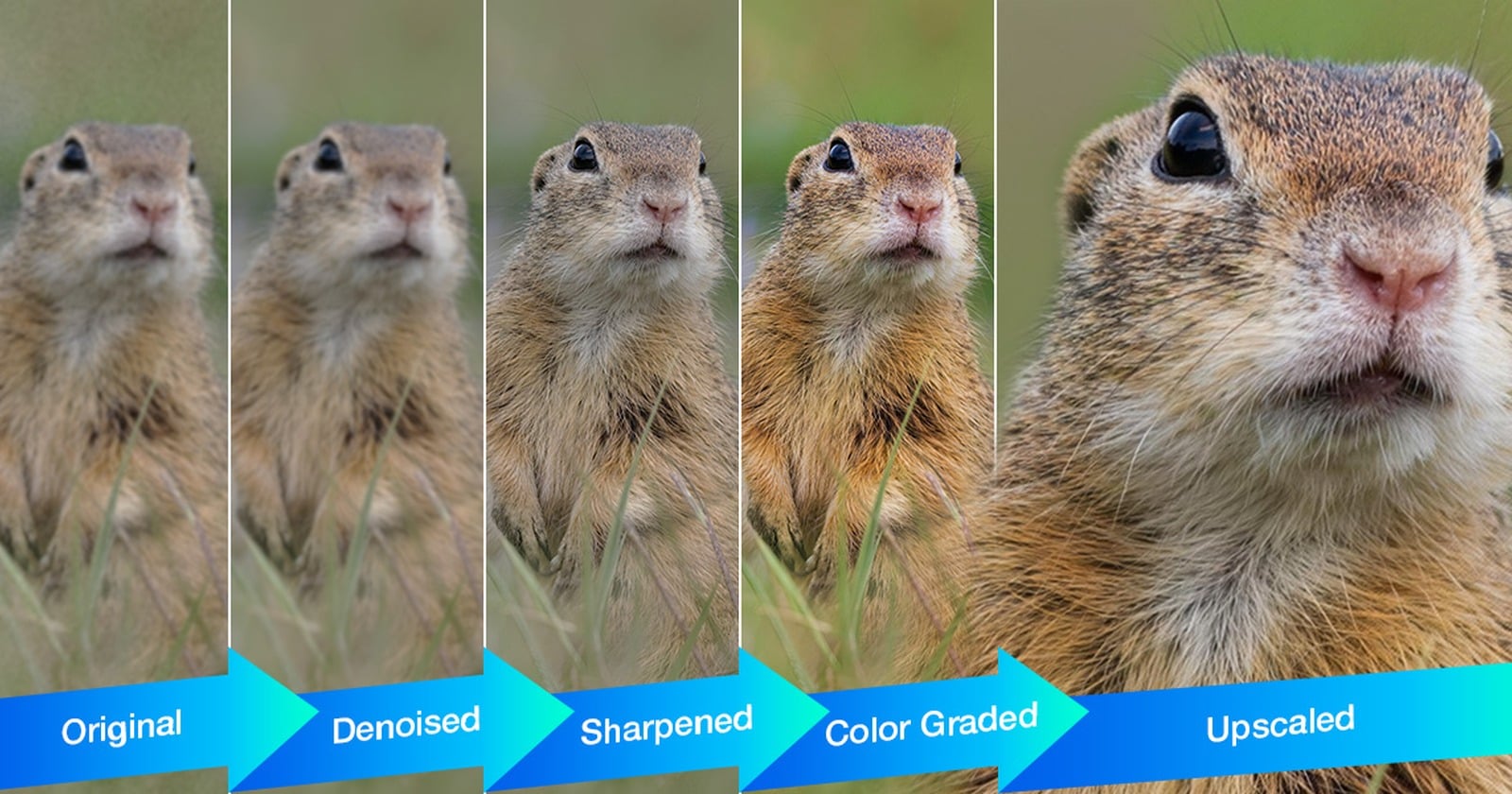
Wildlife photography often involves compromise. A distant subject, high ISO (the camera’s light-sensitivity setting, which adds grainy noise as it climbs), cropping, and less-than-ideal light can all leave a good photograph needing some careful refinement. A meerkat shot at ISO 3200 comes back speckled with grain. A bird’s eye lands a touch soft. A deer too far away has to be cropped, then enlarged. The trick is cleaning all of that up without the animal looking fake.
Full disclosureThis article was brought to you by Aiarty. Through December 4, the Aiarty Image Enhancer lifetime license is $79 instead of $155.
Sample photos: licensed stock images from Pexels, processed by the Aiarty team.
At a Glance
Aiarty Image Enhancer is designed for this stage of the workflow. Using AI models trained for different types of images and conditions, it helps photographers improve visible detail, reduce unwanted noise, and upscale an image for a larger output when needed. The aim is to make better use of the information already captured while keeping the result natural.
Aiarty is also running a Black Friday offer. Through December 4, the lifetime license is available for $79 instead of $155, a saving of $76 (49% off). It’s a one-time purchase with no recurring subscription. The lifetime license covers three Windows PCs or three Macs. License codes are tied to one platform, so you can’t mix the two. Buyers also get free one-year licenses for Aiarty’s All-in-One Video Toolkit and AI Image Matting, its background remover. Both gifts appear at checkout, not on the product page.
That suits a photographer with, say, an iMac at home and a MacBook in the field. Since Aiarty runs on your own computer, you can enhance photos offline, even in remote locations, once its AI models are downloaded.
User Interface and Workflow: Simple Controls, Flexible Results
The workflow is short. To enhance wildlife photos, import a photo or an entire folder, choose an AI model and an output scale, then preview the enhanced result before exporting.
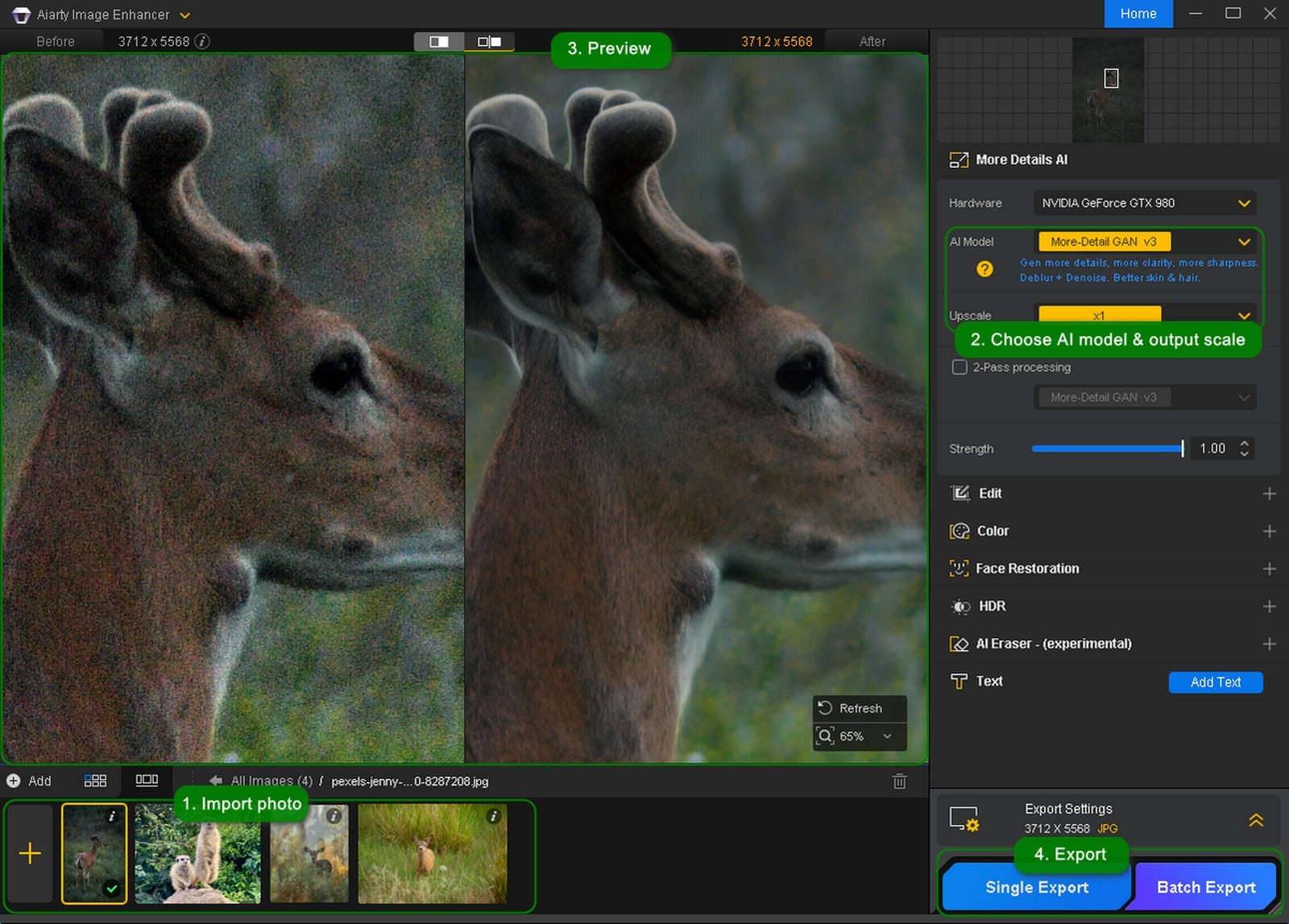 Aiarty Image Enhancer UI and workflow
The workspace brings the main controls together, with the original and enhanced images available for side-by-side comparison. You can also zoom in to inspect specific areas, which is particularly useful for checking fine textures such as fur, eyes, and other small details in wildlife photos.
For more control, photographers can adjust the enhancement Strength, compare different AI models, and choose between keeping the original resolution or enlarging the image. Single Export and Batch Export options also make it practical to work on individual shots or multiple photos in one session.
Fits Into a Lightroom Classic Workflow
Aiarty can be used as a standalone application or added to an existing Lightroom Classic workflow.
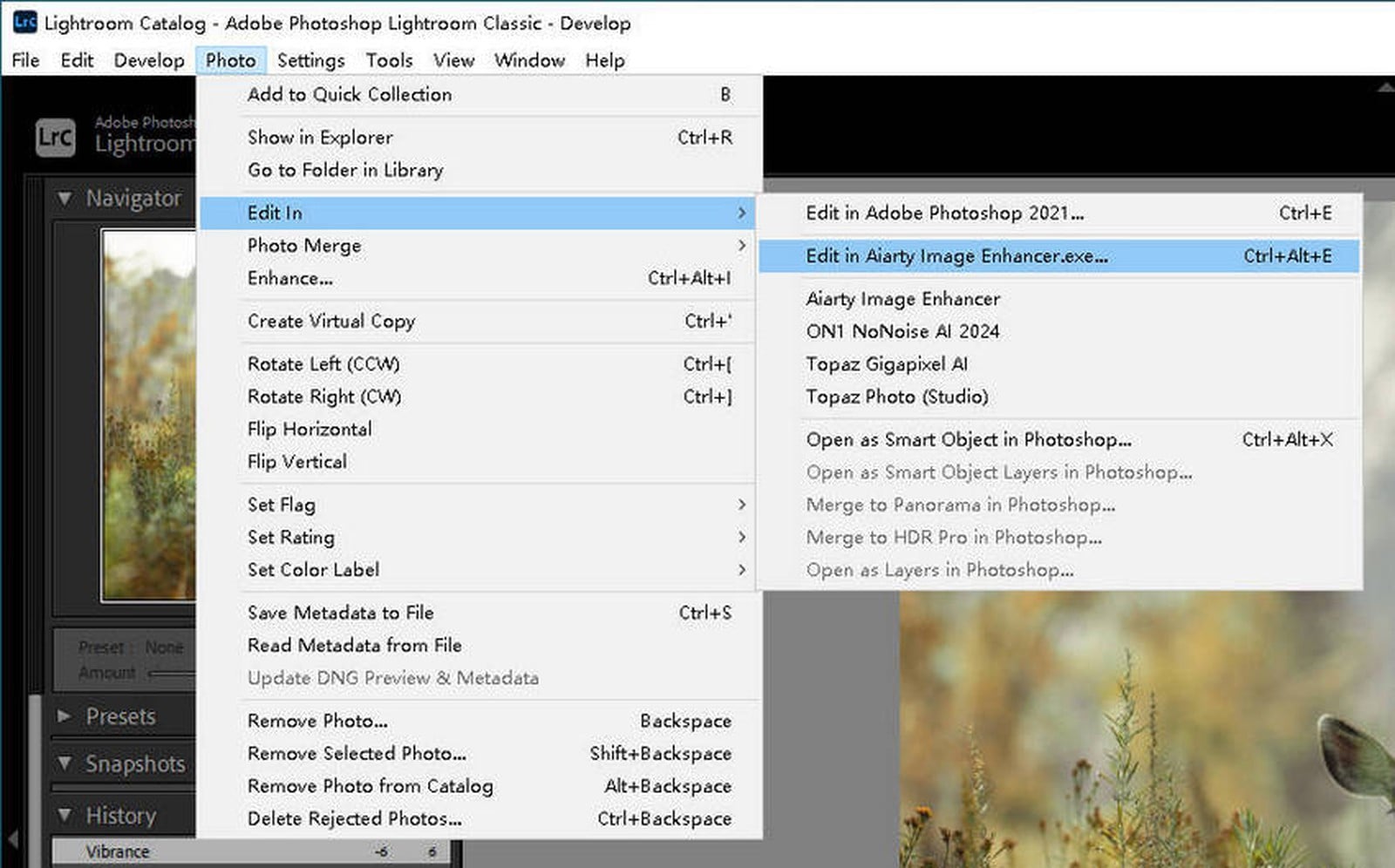 Send image from Lightroom to Aiarty through the Edit In workflow
After culling and making basic adjustments in Lightroom Classic, photographers can send a selected image to Aiarty through the Edit In workflow for further enhancement, then continue editing or exporting as needed.
Denoise: Clean Up High-ISO Images While Preserving Detail
Wildlife photography doesn’t always allow photographers to use their preferred ISO setting. This meerkat image, for example, was captured with a Panasonic LUMIX DC-GH6 at 350mm, f/5.9, 1/400 sec., and ISO 3200. The settings made it possible to capture the subject in the available light, but the higher ISO also left visible noise.
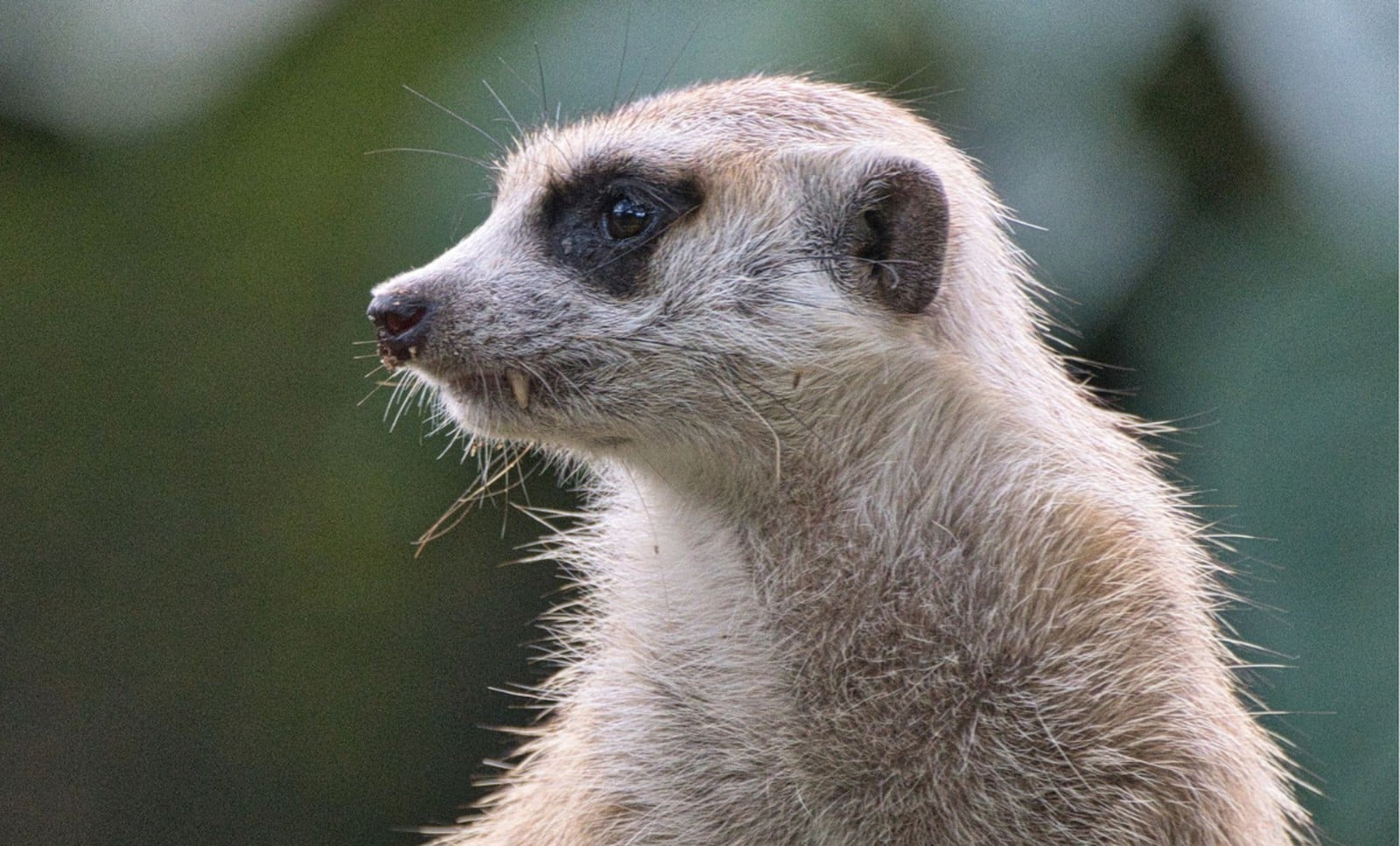 Before denoising
For this photo, we used Aiarty Image Enhancer with its More-Detail GAN v3 model (a generative AI model that rebuilds fine texture such as fur and feathers), processing the image at 1x to keep its original resolution.
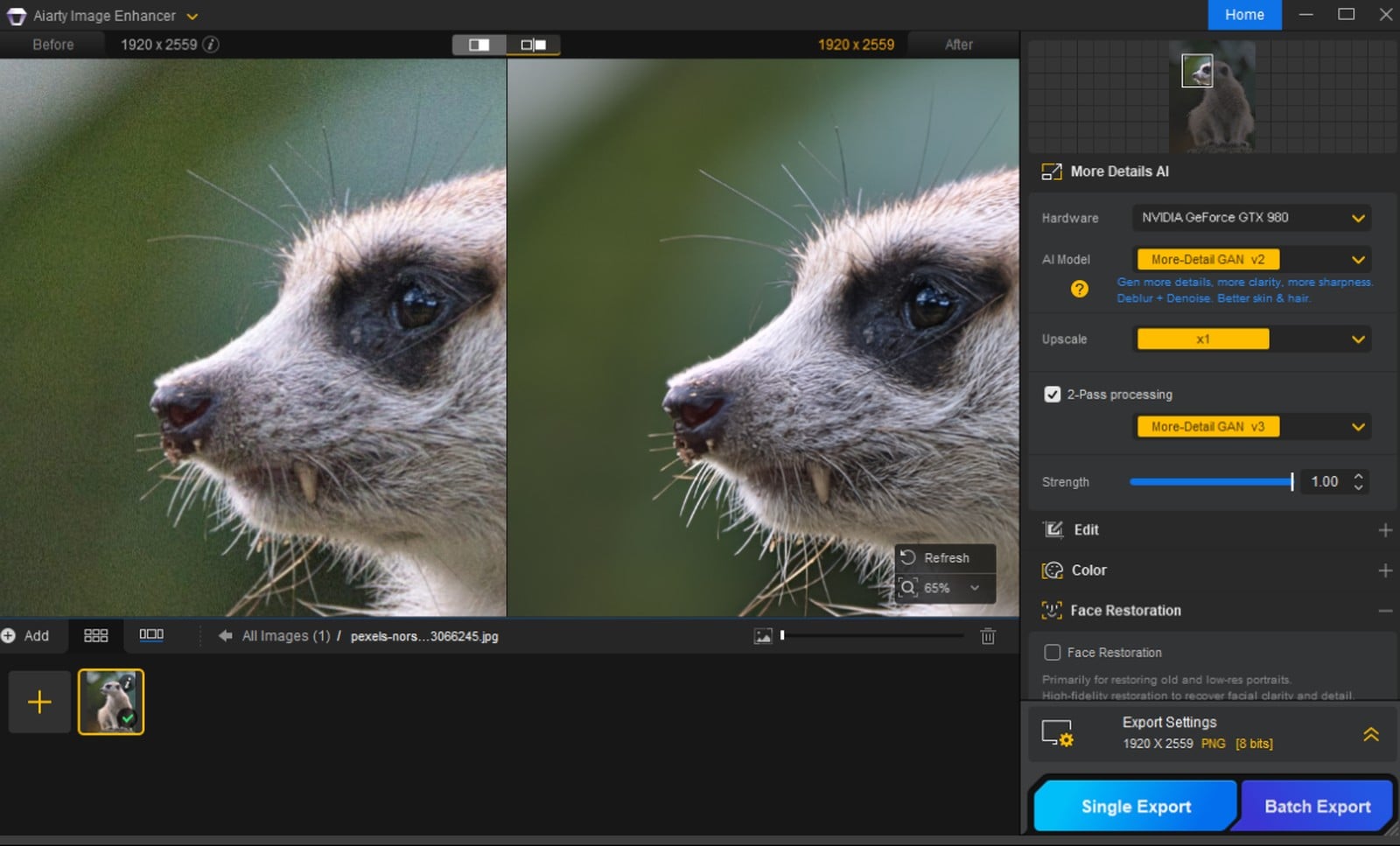 Denoise wildlife photo with Aiarty Image Enhancer
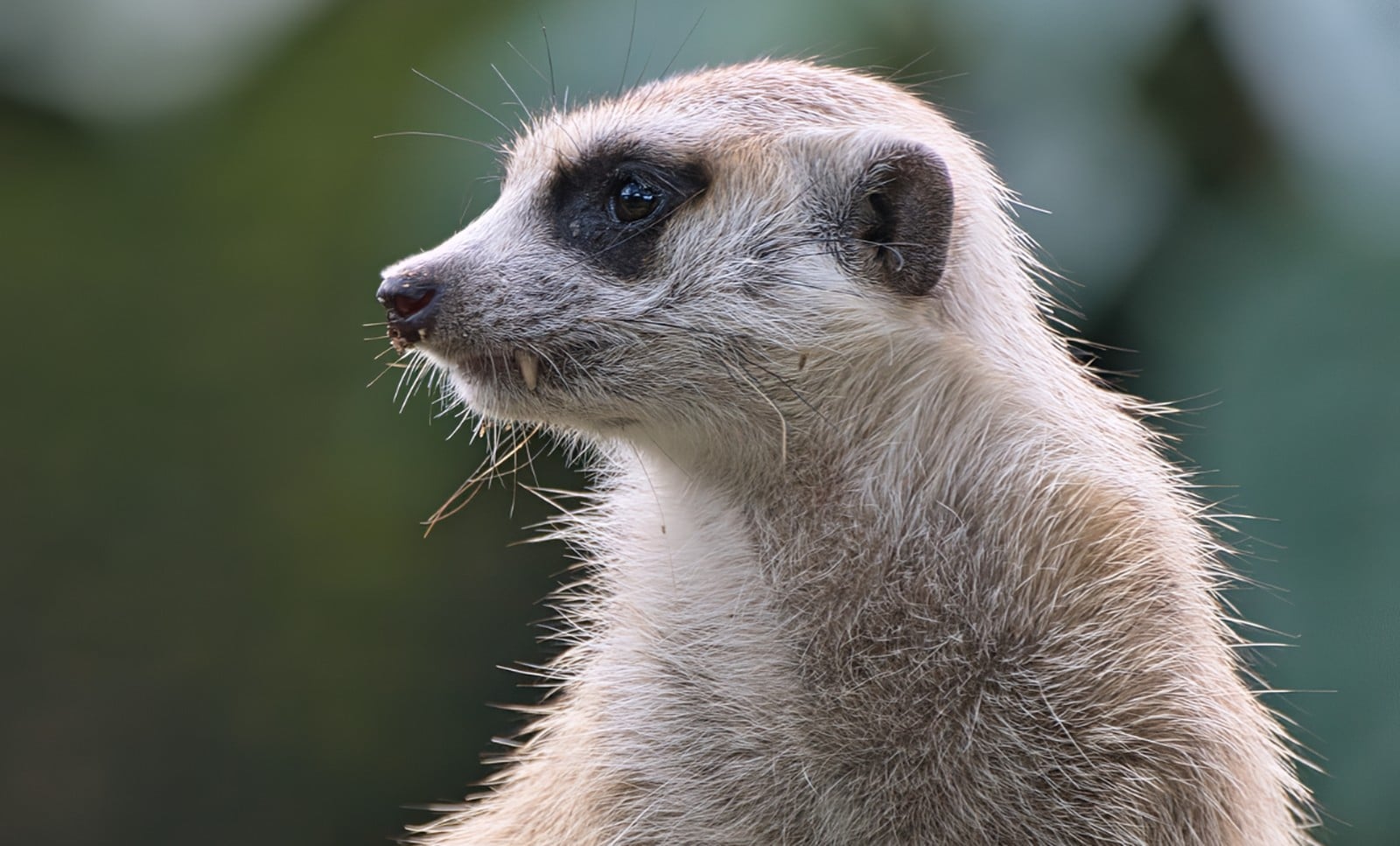 After denoising with Aiarty Image Enhancer
As the comparison shows, the enhanced result reduces the distracting grain while keeping the meerkat’s fur and the image background looking natural. Aiarty’s Black Friday offer brings the lifetime license to $79.
Deblur: Refine Slightly Soft Wildlife Photos
Even when the subject is captured at a good resolution, slight softness can make a wildlife photo look less defined.
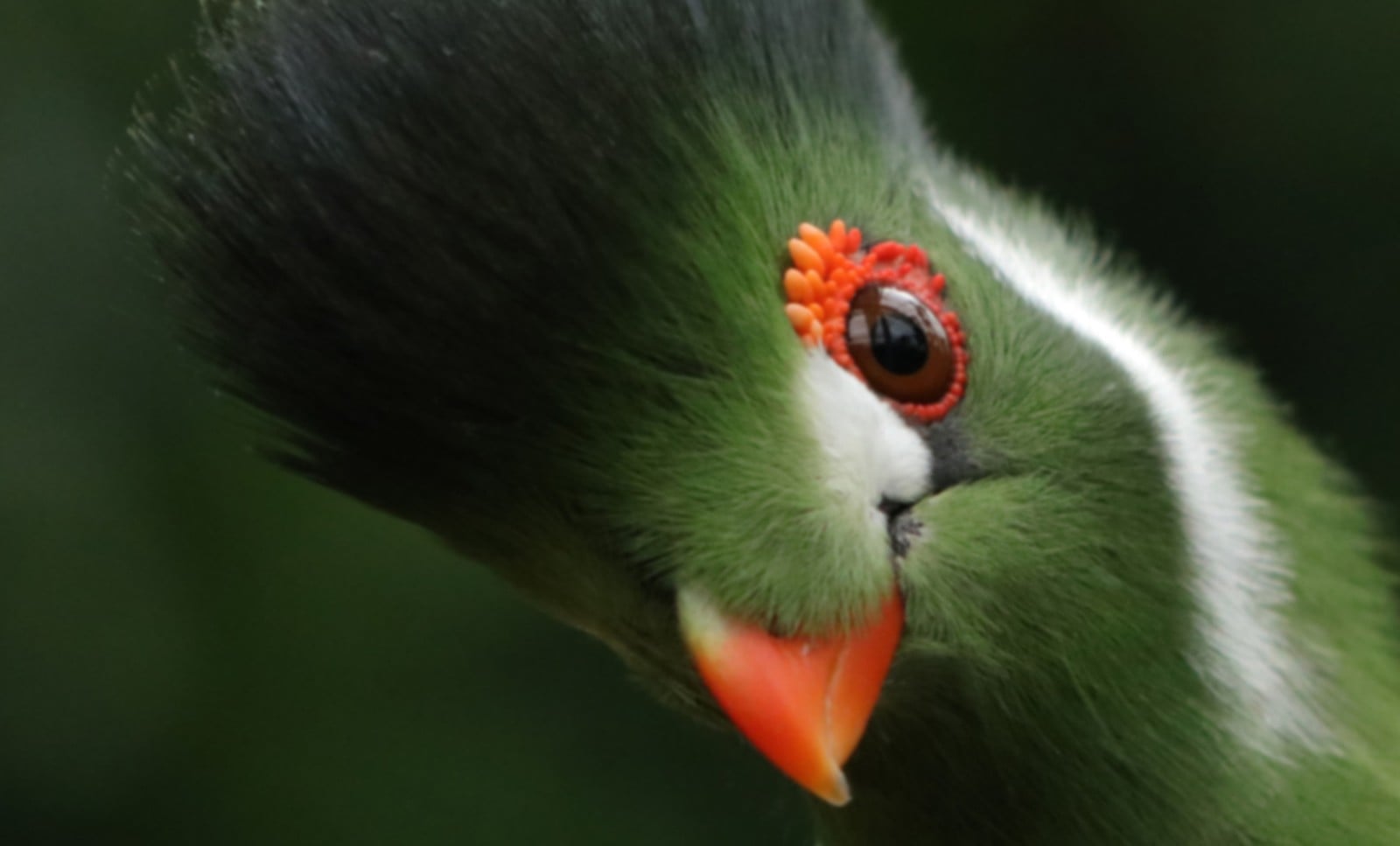 Before deblurring
For this white-cheeked turaco photo, we selected 1x processing to refine the slight softness while keeping the original resolution.
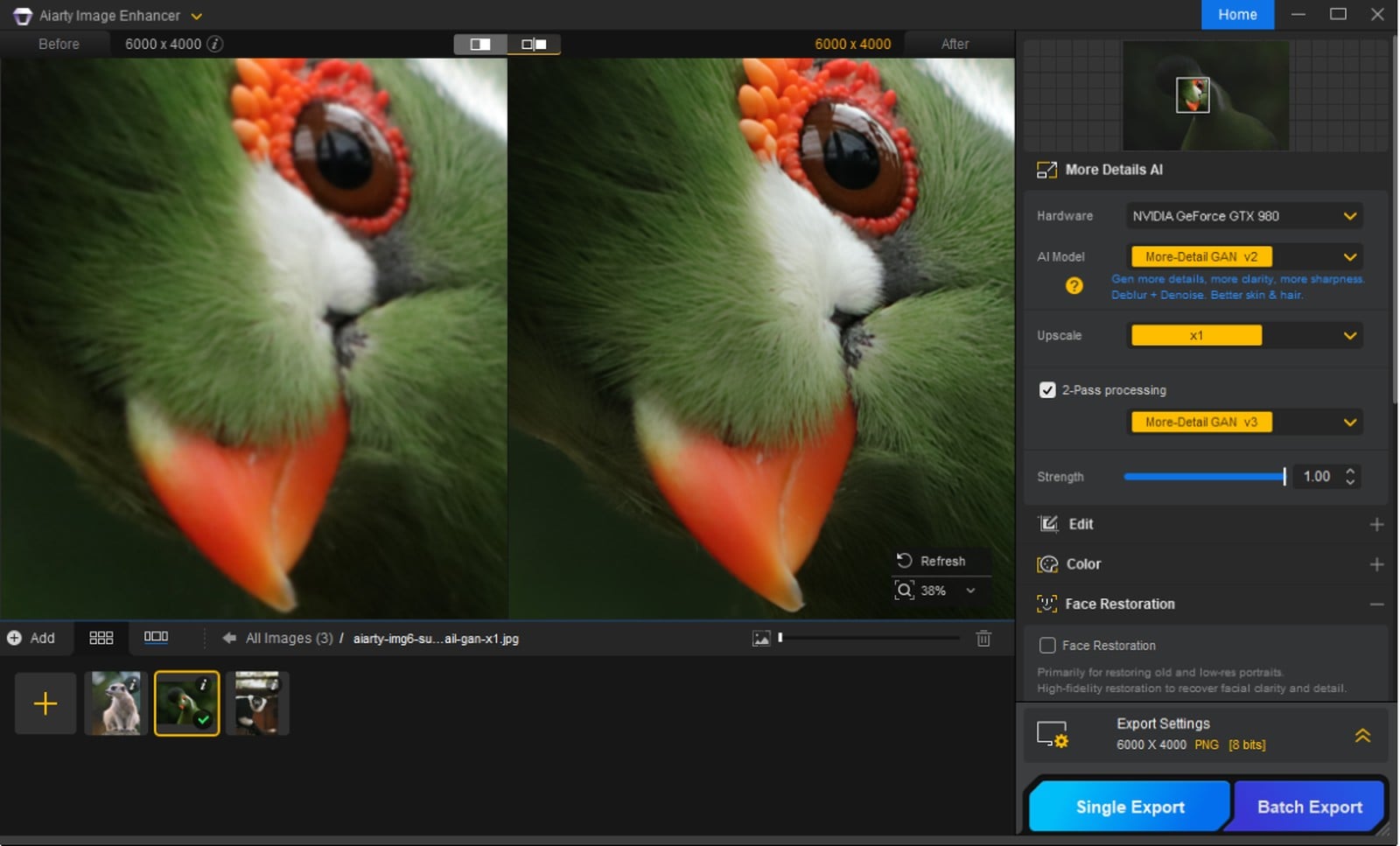 Deblur wildlife photo with Aiarty
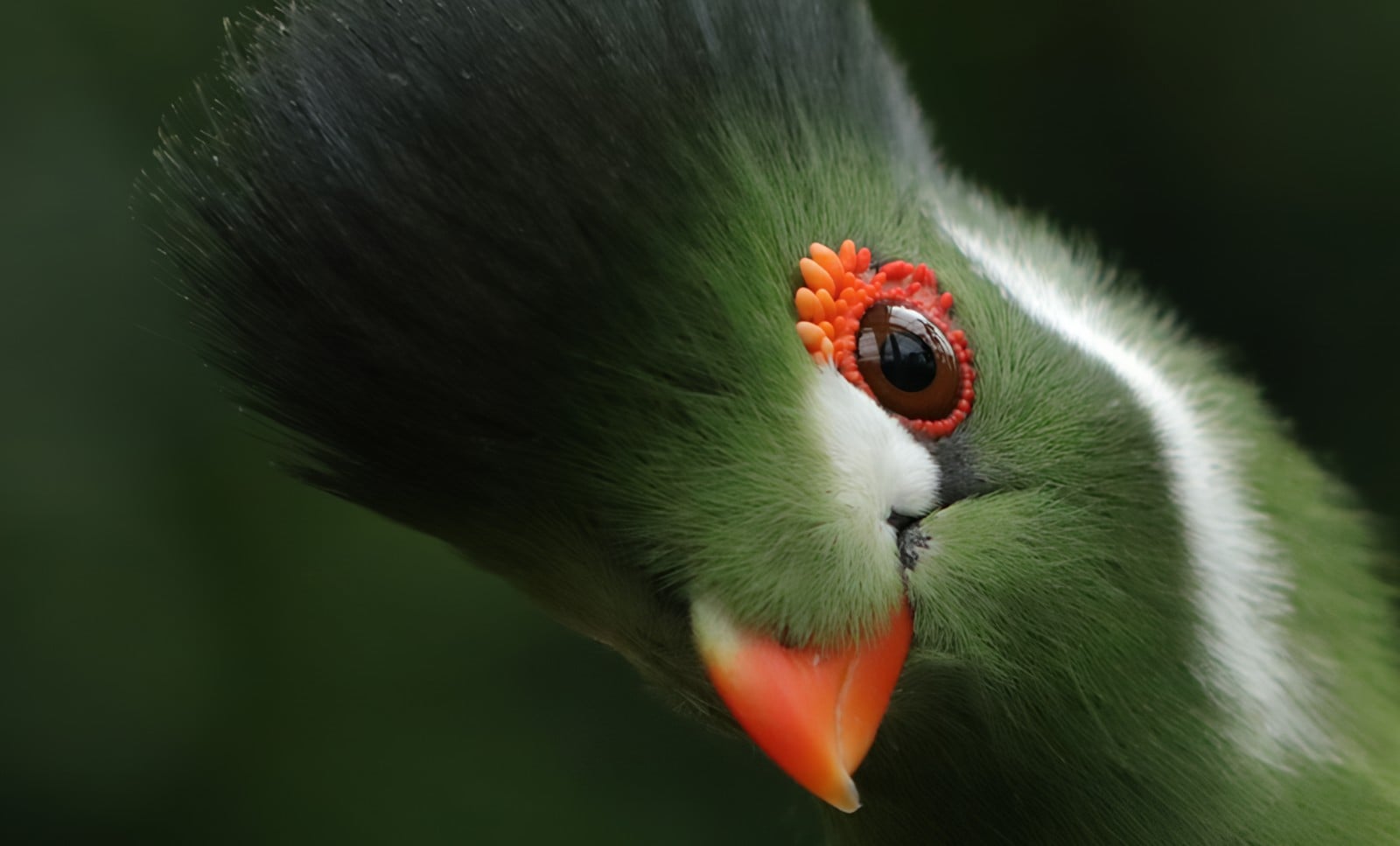 After deblurring with Aiarty Image Enhancer
The enhanced result brings out more definition in the white-cheeked turaco’s facial features and eye texture. Details around the eyes and beak appear sharper, and the image keeps its original dimensions.
Upscale: Enlarge Wildlife Photos With More Visible Detail
Wildlife subjects are not always close enough to fill the frame. When a photo needs to be cropped or prepared for a larger display, its original resolution may not provide enough detail, especially when the subject already appears somewhat soft.
 Before upscaling
For this deer photo, we used More-Detail GAN v3 and selected 2x upscaling. This increased the image resolution from 1920 x 1440 to 3840 x 2880.
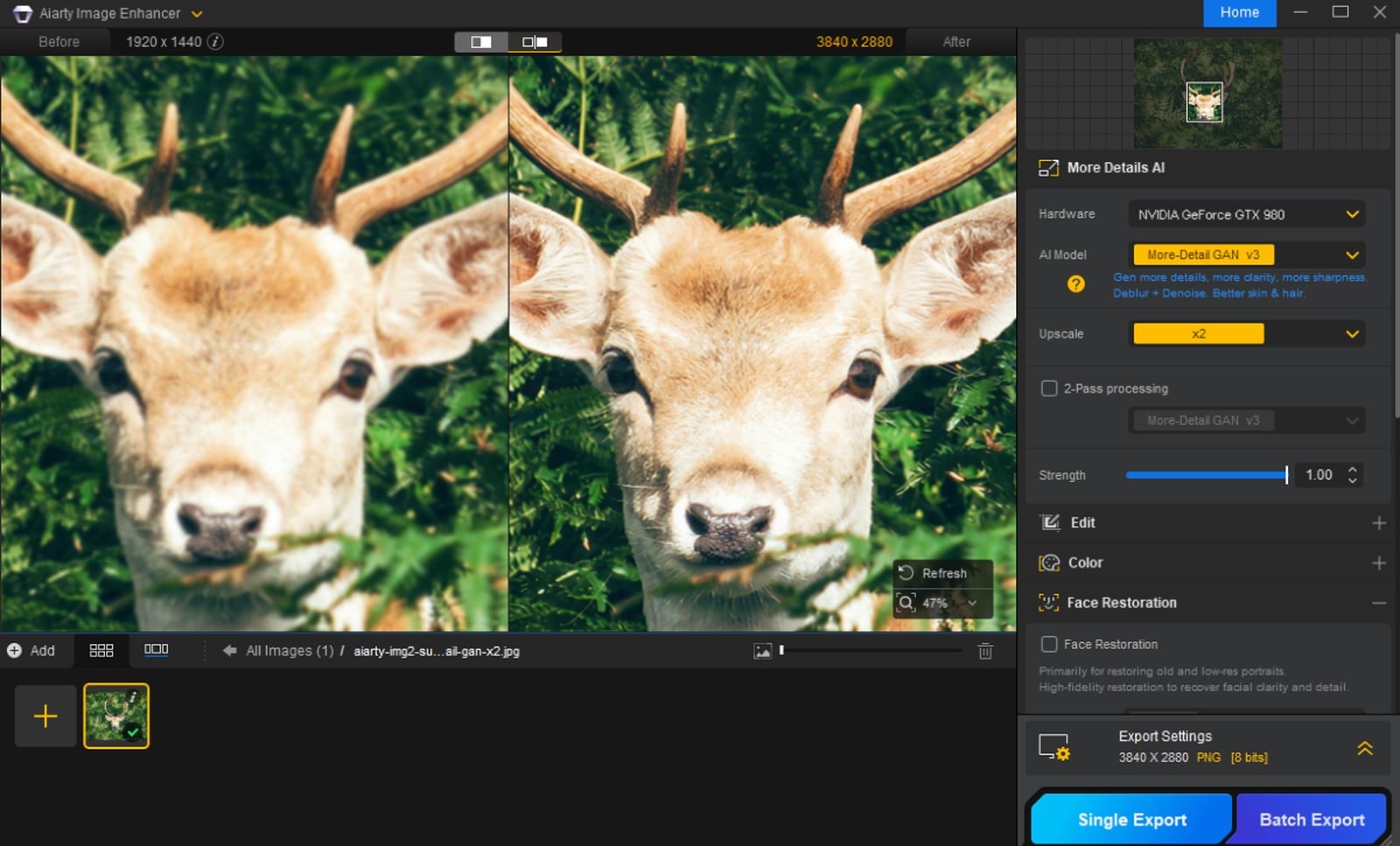 Upscale wildlife photo with Aiarty Image Enhancer
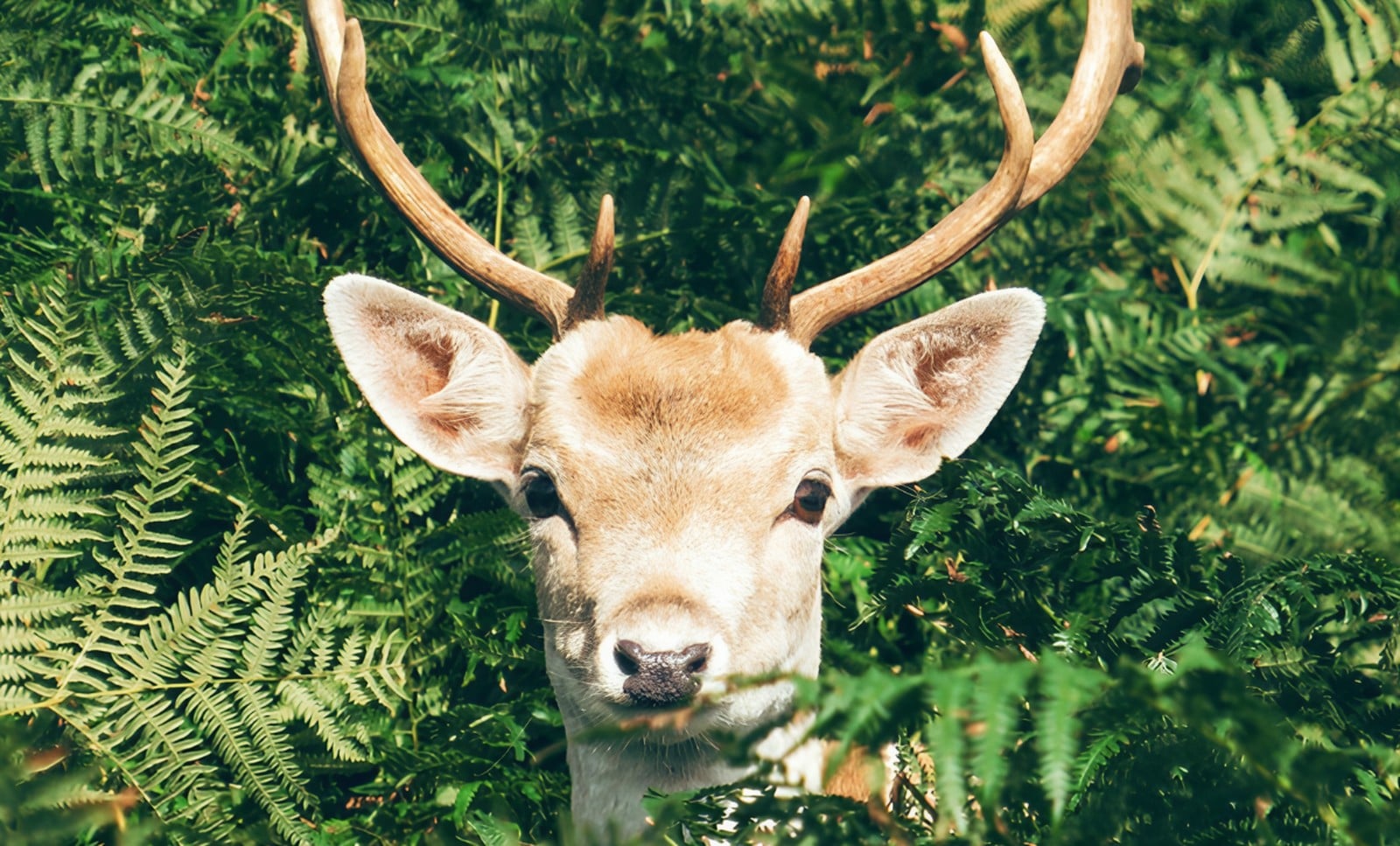 After 2x upscaling with Aiarty Image Enhancer
The 2x result brings out more definition in the deer’s eyes, ears, and fur, making the subject look clearer and more detailed at the larger resolution.
Restore Color: Refine Wildlife Photo Colors
Wildlife photos taken in challenging lighting conditions may have inaccurate colors, uneven exposure, or a lack of contrast.
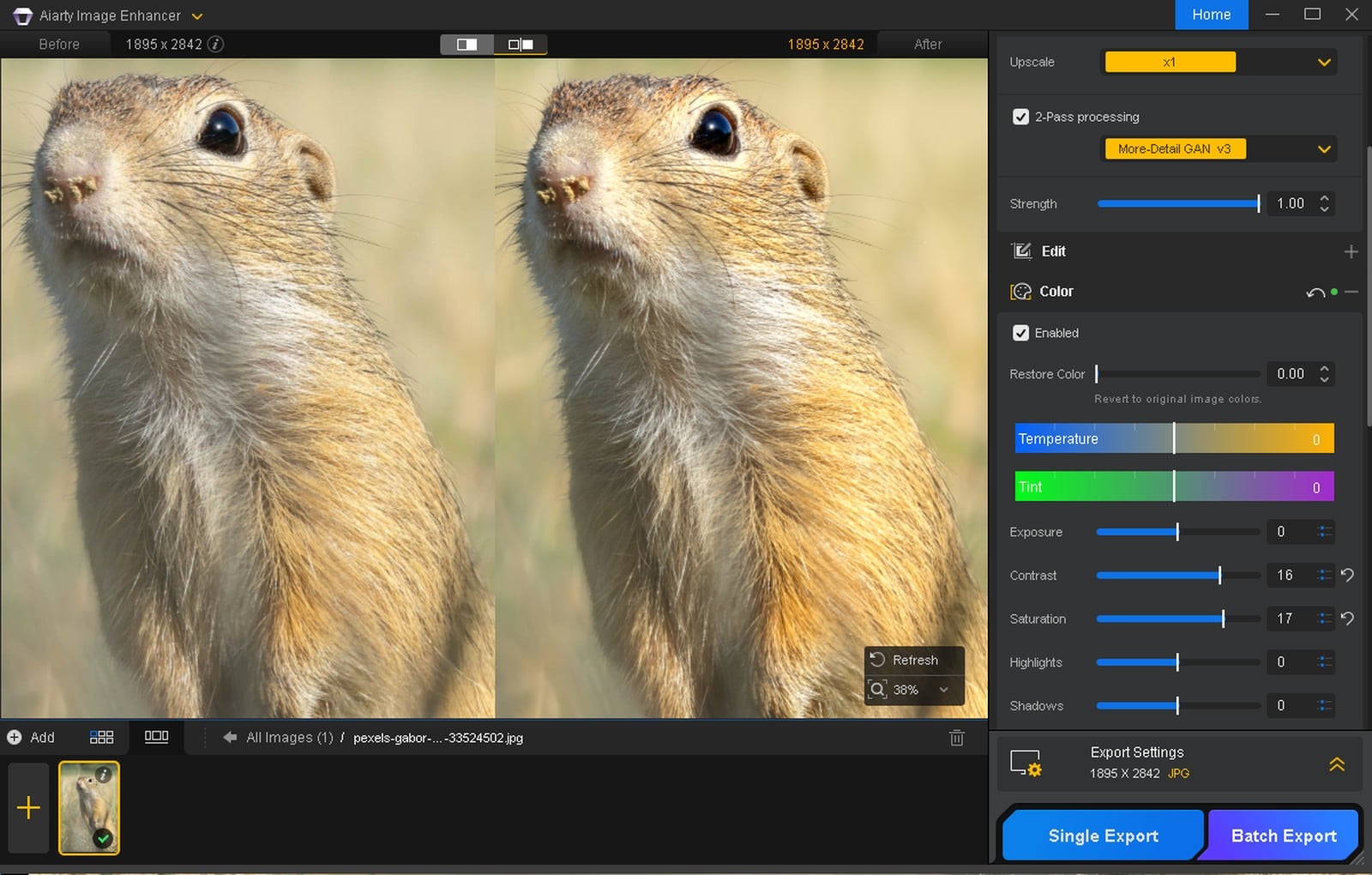 Adjust color with Aiarty
Aiarty lets you restore original image colors and fine-tune the overall look with adjustments for temperature, tint, exposure, contrast, saturation, highlights, and shadows.
A Useful Addition to a Wildlife Photography Workflow
From cleaning up high-ISO noise to refining soft details and preparing an image for a larger output, Aiarty Image Enhancer brings several image enhancement tasks into one desktop application.
Through December 4, the Black Friday lifetime license is $79 instead of $155 (49% off), a one-time purchase for three Windows PCs or three Macs, with free lifetime updates and a 30-day money-back guarantee.
Get the $79 Black Friday price on Aiarty’s offer page, and choose the Windows or Mac version before you buy.
Full disclosureThis article was brought to you by Aiarty. Through December 4, the Aiarty Image Enhancer lifetime license is $79 instead of $155.
Sample photos: licensed stock images from Pexels, processed by the Aiarty team.
Affiliate Disclosure PetaPixel articles may include affiliate links; we may earn a commission if you buy through one.






 English (US) ·