
 17 hours ago
93
17 hours ago
93
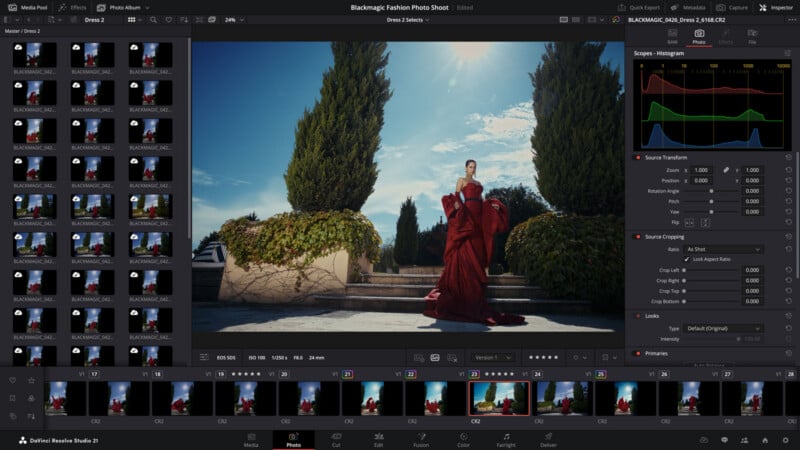
Blackmagic Design announced DaVinci Resolve 21, a major update to the company’s popular video editing platform. Despite being a video editor, one of DaVinci Resolve 21’s biggest new features is a brand-new Photo page that enables colorists and photographers to use Resolve to edit still photos.
DaVinci Resolve 21 Is Now a Photo Editor
Blackmagic says that Resolve’s “powerful post-production workflow now fully integrates photo image editing,” enabling the software’s color page and node-based grading on still photos.
“DaVinci Resolve’s powerful node based workflow can now be used on still images. It’s possible to add nodes in series or parallel to build complex grades, apply different corrections to different parts of an image simultaneously and use shared nodes to apply the same look across an entire album of photos at once,” the company explains.
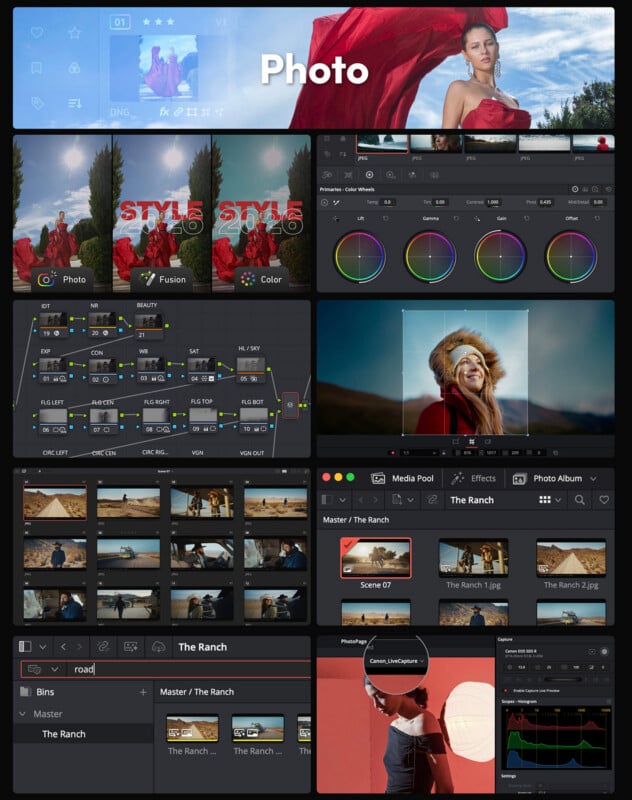
The new Photo page lets users reframe and crop images at their original resolution and aspect ratio, and every adjustment in Resolve 21 preserves the full quality of the original file, which sounds like non-destructive image editing. The software also supports RAW files, and Resolve FX and Open FX plug-ins can be used on still images from the new Photo page. The app’s LUT support for videos also carries over to still photos.
DaVinci Resolve 21’s native AI tools, including AI Magic Mask, work on photo files as well, enabling one-click masking of an object or person. Using these and manual selection tools, photographers can locally edit parts of a file. There’s also a new AI UltraSharpen feature to upscale low-resolution content, including videos and photos.
Beyond image editing and color grading tools, Resolve 21 includes a LightBox view that lets users browse an entire photo album, and it offers filters for edit status, star ratings, flags, and clip colors. Users can create photo albums based on shoot days, camera models, or other desired criteria. The app also supports importing Lightroom catalogs.
Further, Sony and Canon cameras can be directly connected and tethered inside DaVinci Resolve for live image capture. The app supports camera setting adjustments for compatible models, including ISO, exposure, and white balance. The Photo page also works with DaVinci Resolve’s robust multiuser collaboration workflow tools, including Blackmagic Cloud.
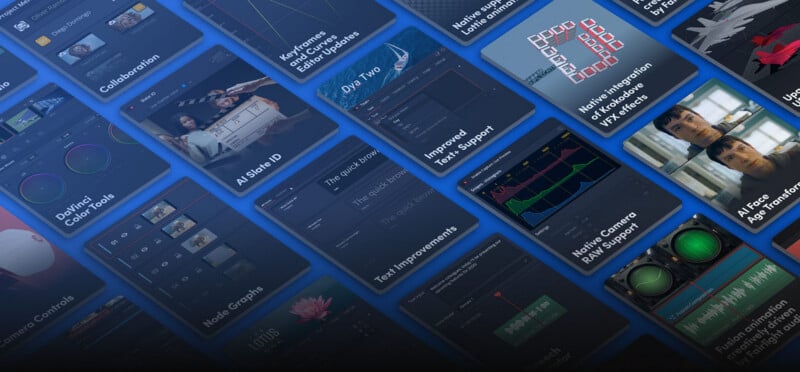
New Video Editing Features
There are many new features in DaVinci Resolve 21 for videographers, video editors, and colorists.
IntelliSearch is a new content search tool that uses AI to analyze media and find specific objects or keywords within dialog. It can also be used to locate specific people in clips.
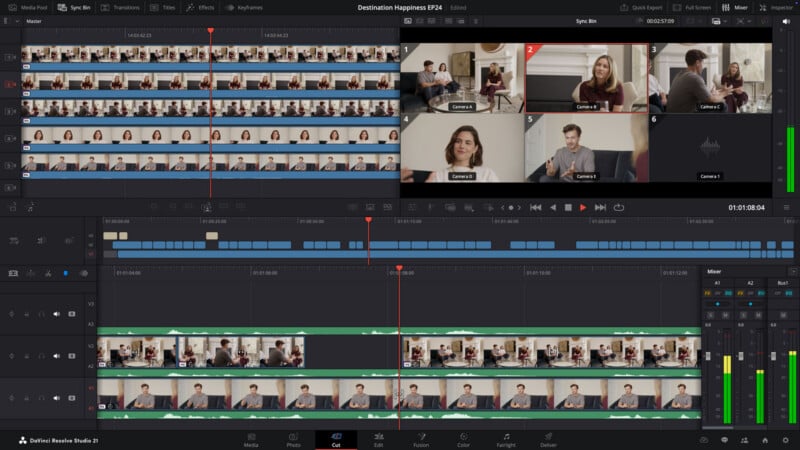
Users can generate speech from written text using one of Blackmagic’s built-in voice models or user-recorded audio clips.
A new AI CineFocus feature lets users click to focus on a specific area of a scene, then adjust the aperture and focal range to simulate depth-of-field effects. Manual controls let editors tweak the aperture shape and add optical effects. This feature also works with keyframe parameters, allowing users to simulate rack focus.
Although surely not everyone’s cup of tea, the new AI Face Age Transformer and AI Face Reshaper tools let users adjust a person’s visible age in a clip or change their facial features and shapes. Likewise, an AI Blemish Removal tool reduces the appearance of superficial skin imperfections, like acne, spots, and pores, while retaining natural skin texture.
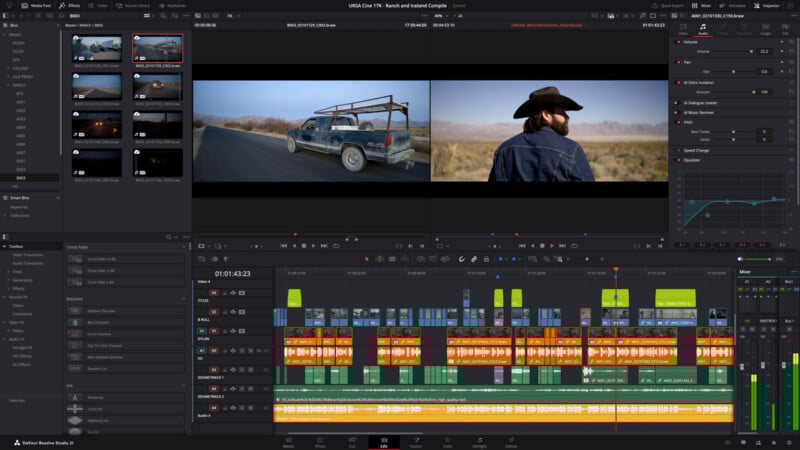
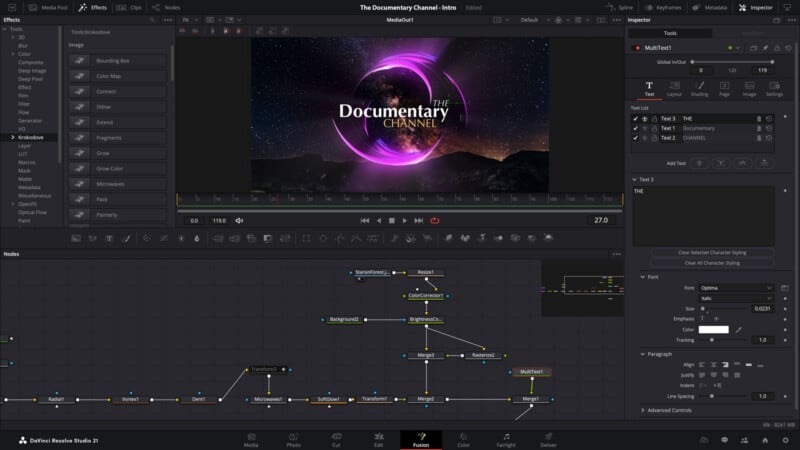
The aforementioned AI UltraSharpen tool can increase the apparent resolution of low-quality video, but it can also be used to correct or fix minor focus errors, according to Blackmagic Design. AI Motion Deblur aims to remove common blur artifacts, like streaks and softness.
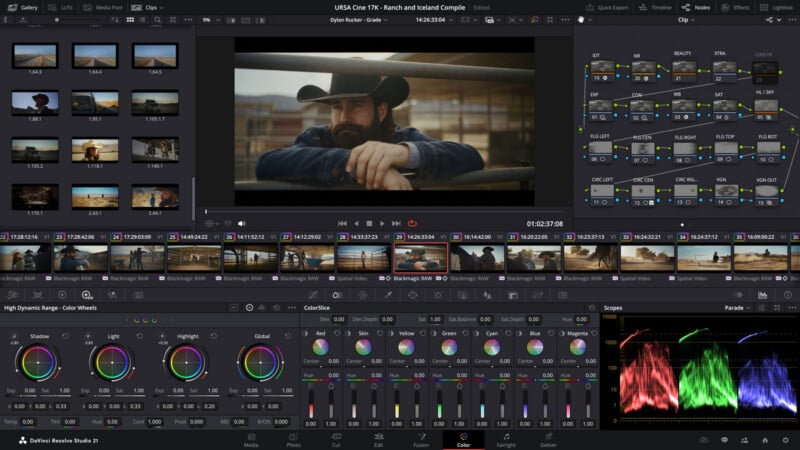
These are just a small number of the total number of new features and improvements. A more comprehensive list of changes are available on Blackmagic Design’s website.
Availability
The DaVinci Resolve 21 public beta is available to download now for free. As usual, there will be a free version of DaVinci Resolve 21. A fully-featured version will cost $295 when it is available.
Image credits: Blackmagic Design





 English (US) ·