
 4 days ago
10
4 days ago
10
The Vengeance RGB Custom Lab Cherry Blossom DDR5-6000 C36 is a peculiar offering from Corsair to compete with the best RAM. Corsair's decision to launch the Custom Lab platform in 2024 marks a bold step forward in enabling users to customize the brand's products, including gaming peripherals, external SSDs, and memory, with more options on the horizon. The online creator service enables consumers to choose from a variety of eye-catching, pre-designed options. The Vengeance RGB DDR5 series, currently the only memory kits available for customization, offers configurations ranging from 32GB (2x16GB) to 64GB (2x32GB), with data rates from DDR5-6000 to DDR5-6400. Corsair is likely just testing the waters with the Vengeance lineup. The company will likely expand its Custom Lab service to other memory lineups, such as the renowned Dominator series, if the brand receives positive customer feedback.
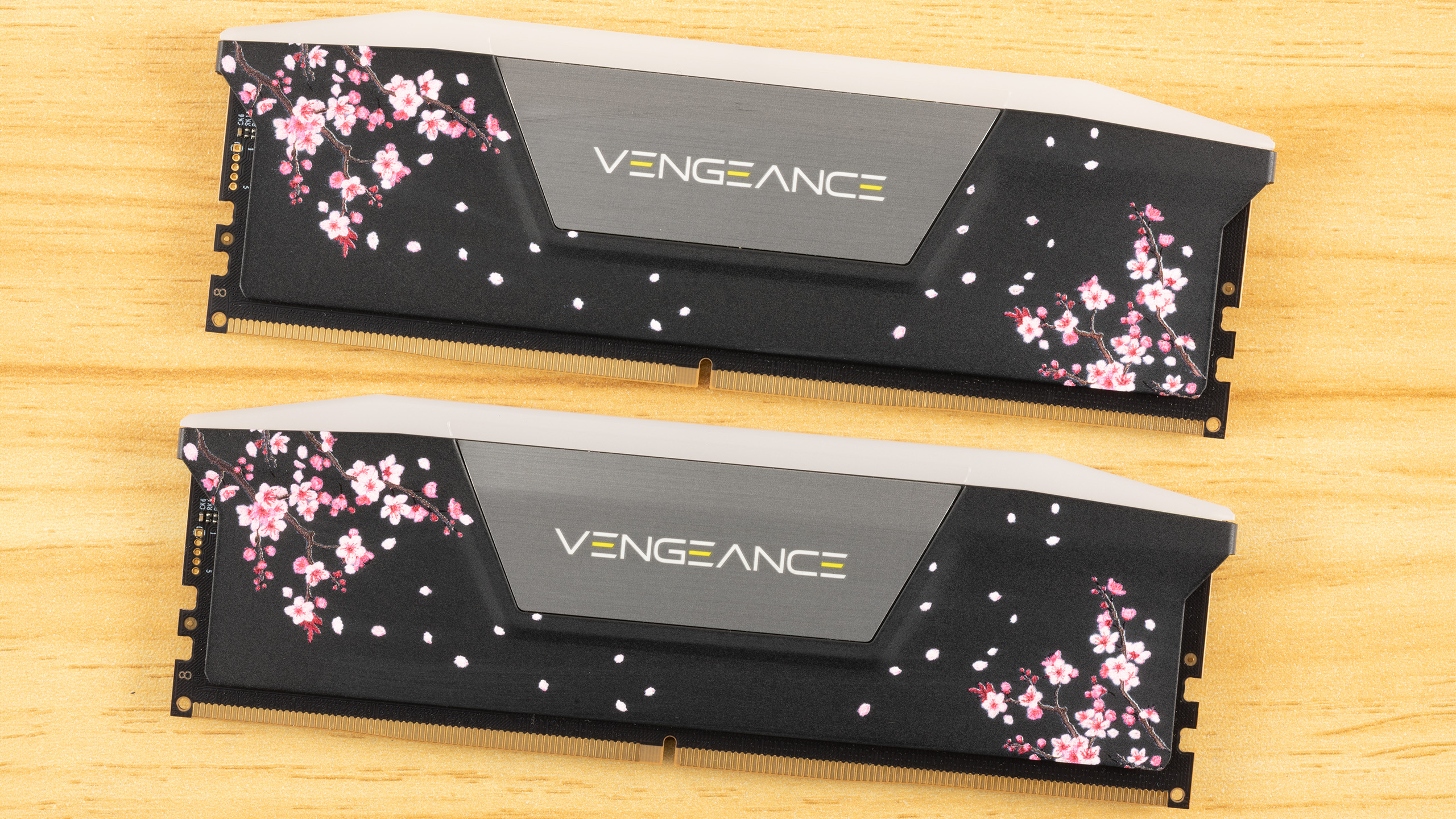
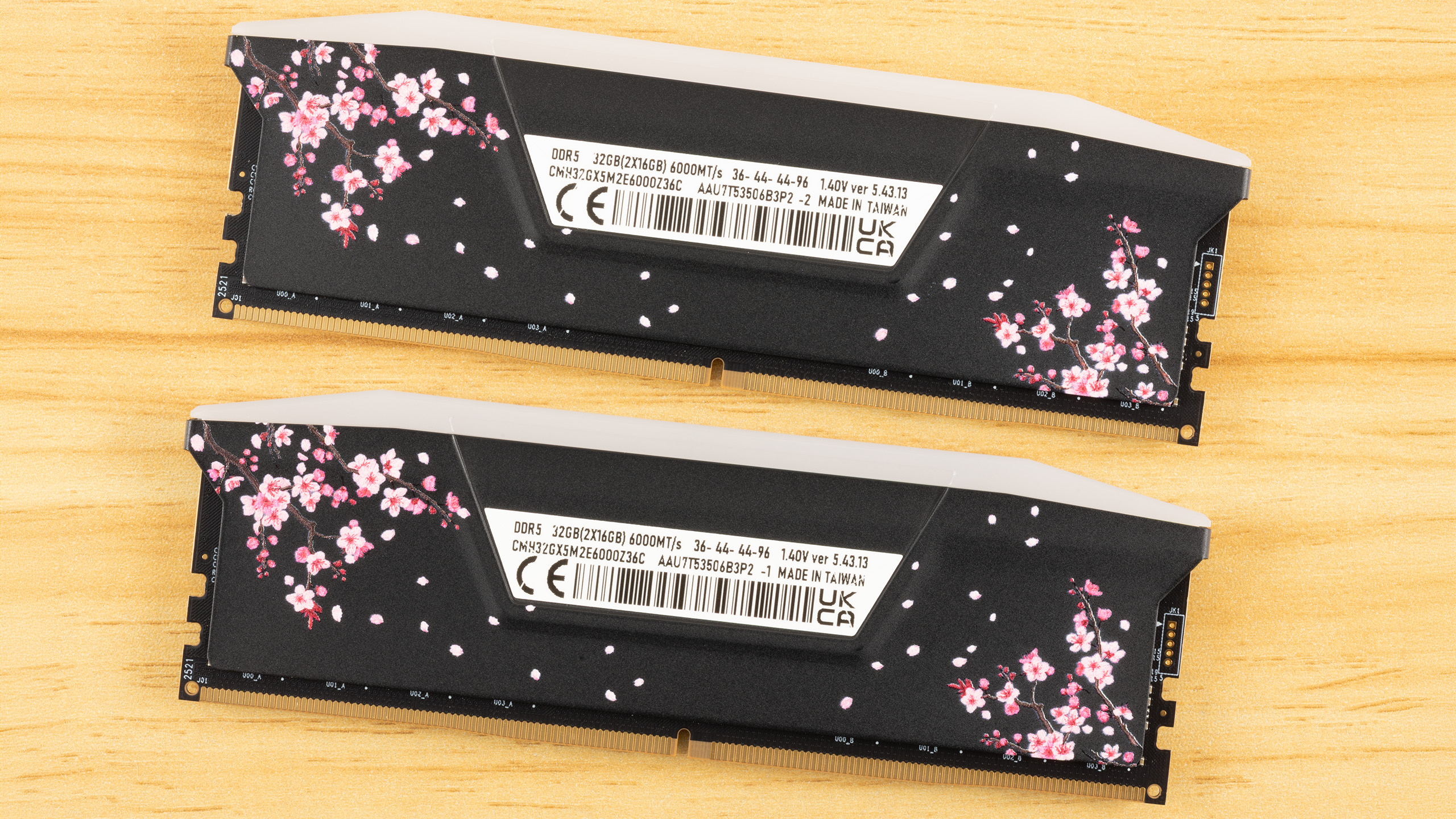
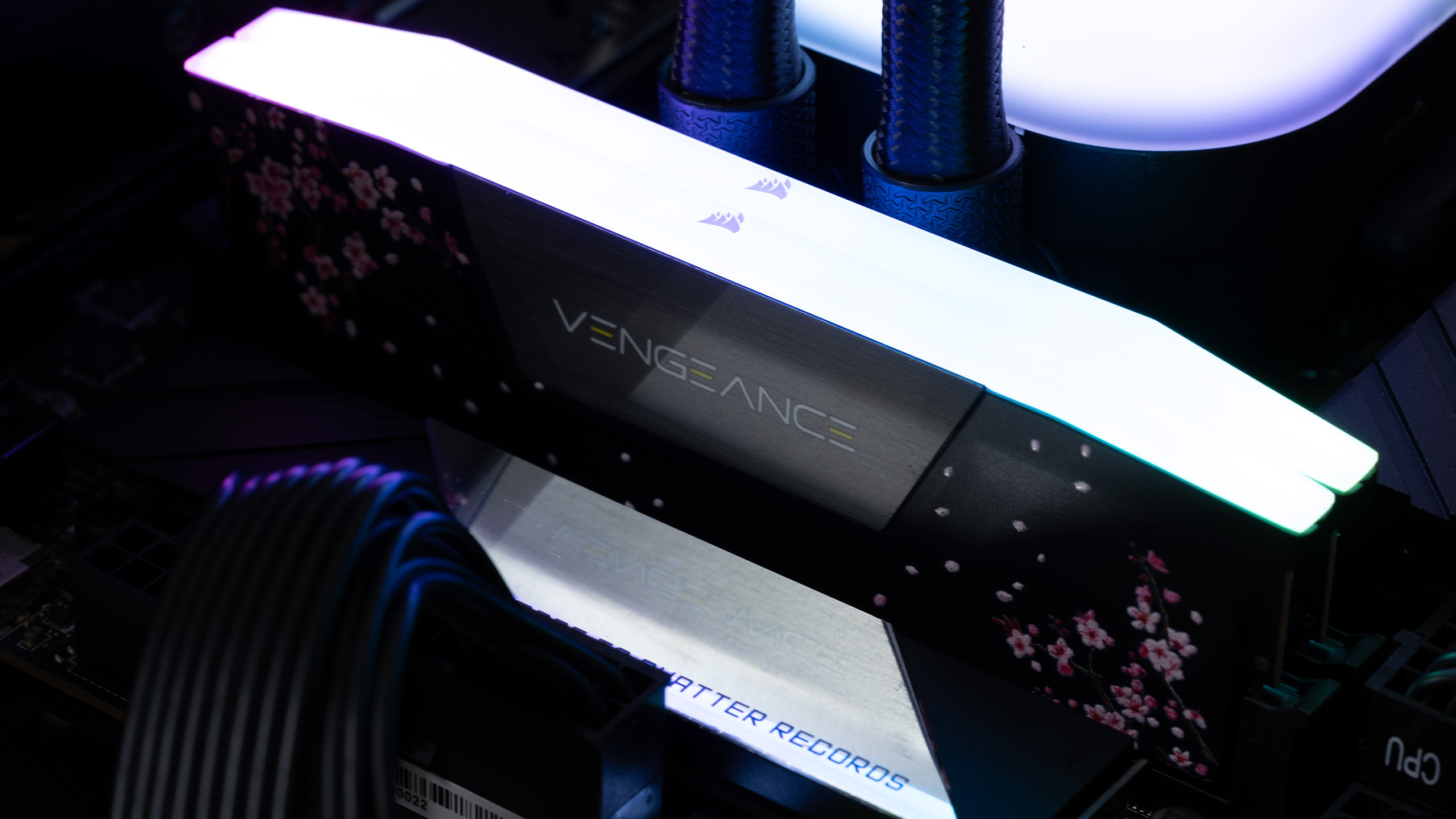
Corsair’s Custom Lab offers three distinct presets for customers to choose from: Cherry Blossom, Sci-fi, and Respawn. The Cherry Blossom and Sci-fi options come in both black and white, with Sci-fi also available in grey, giving enthusiasts a total of eight stylish combinations to match any build. They are similar to skins that you can apply to your video game's characters or weapons, but are applied to memory modules that come directly from Corsair's factory.
Beyond the customization, the Vengeance RGB Custom Lab Cherry Blossom retains all the Vengeance series' hallmark features. The memory modules are still 1.73 inches (44mm) tall and feature a brilliant ten-zone RGB lighting diffuser. Control is seamless with Corsair’s iCUE software, which now features exclusive profiles specifically designed to complement the Custom Lab aesthetics. In this instance, there's a specific Cherry Blossom profile for peripherals and memory that sport that theme.
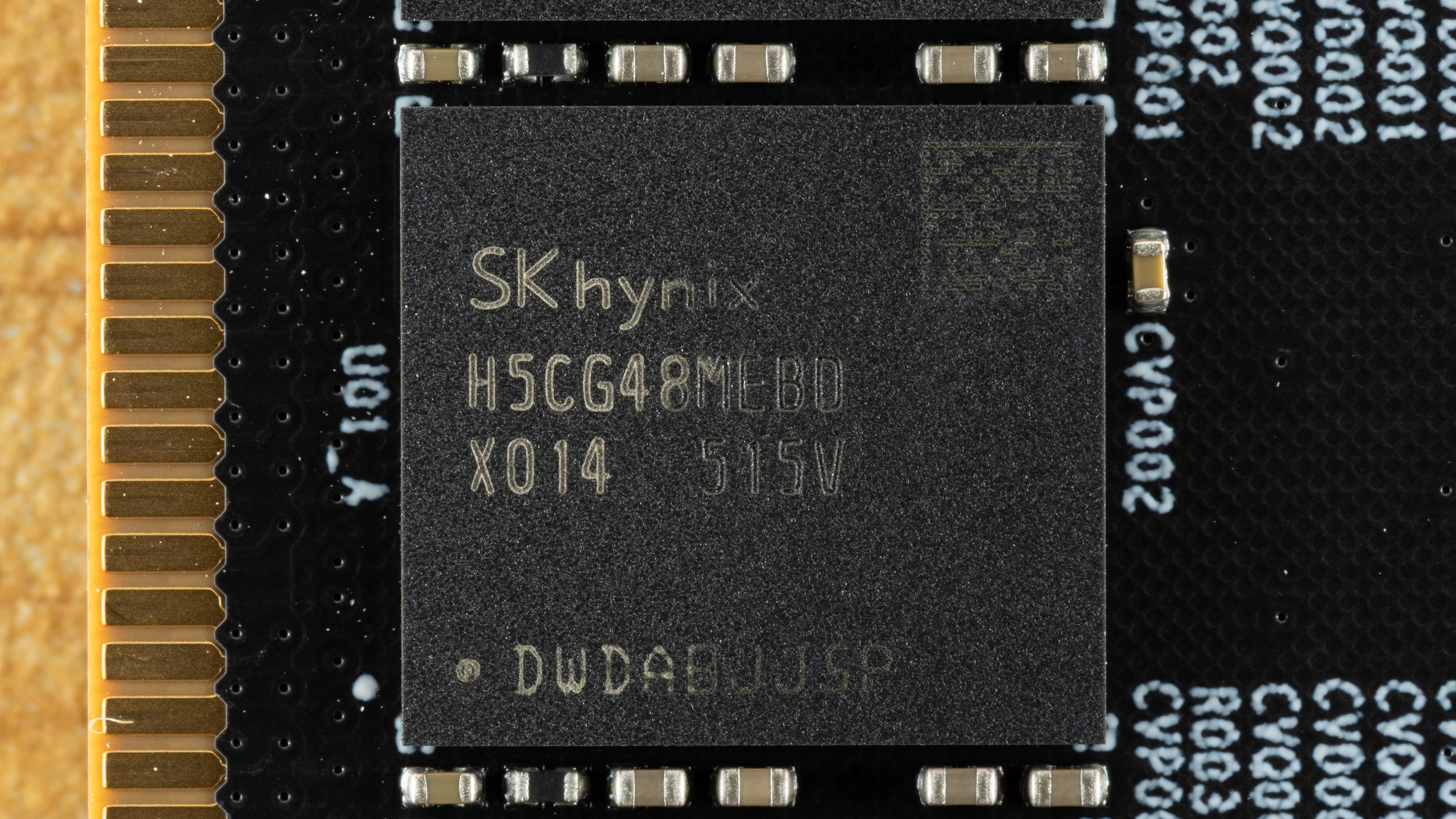
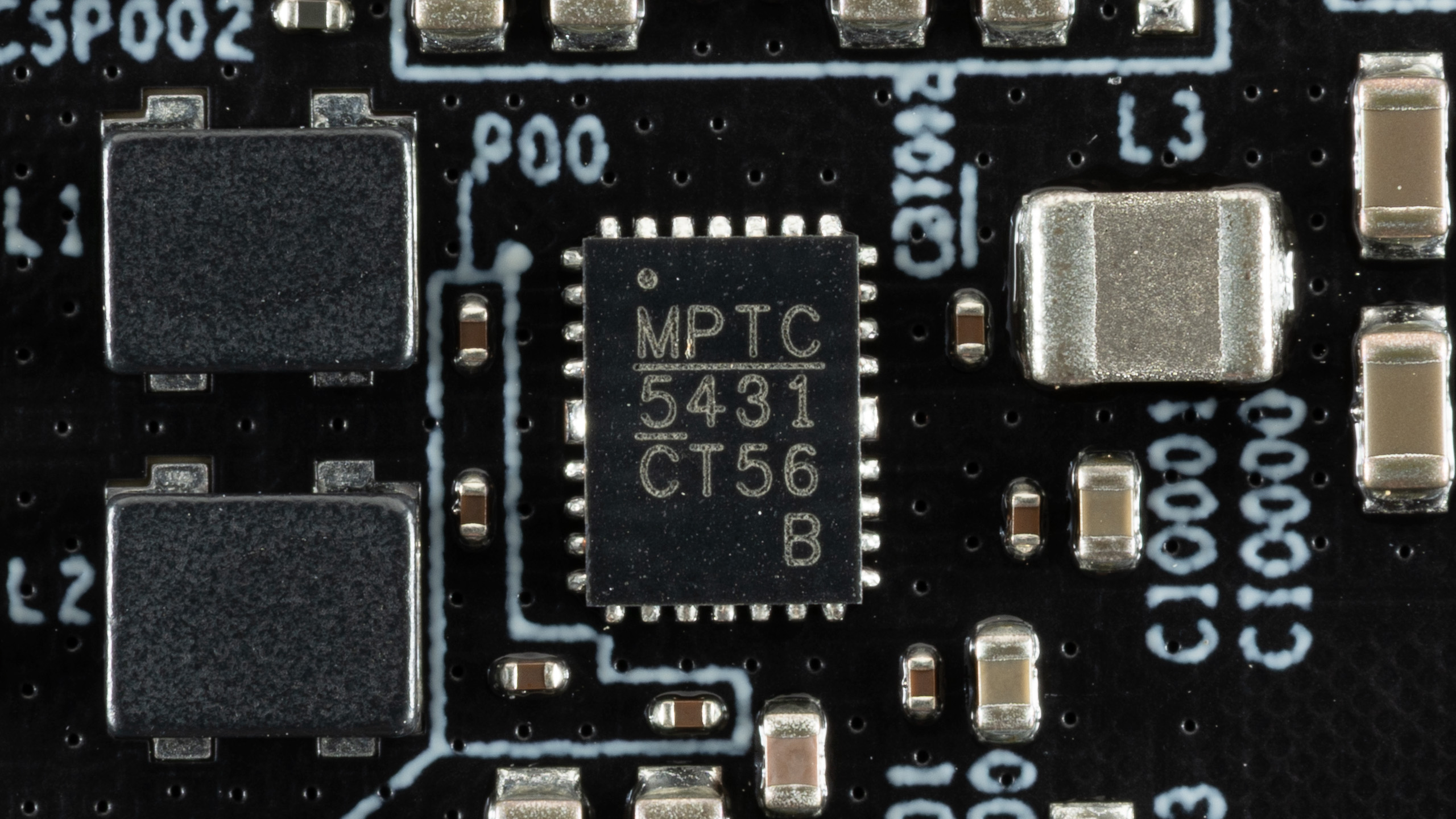
The memory modules feature a black PCB with a single-rank architecture. Each module offers 16GB of capacity, achieved by integrating eight 2GB SK hynix H5CG48MEBDX014 (M-die) integrated circuits. The specific M-die revision is known for its stability and decent overclocking potential, so it's popular among enthusiast-grade memory kits. Additionally, the modules include the MPTC5431CT56B power management integrated circuit (PMIC), which we've traced back to Monolithic Power Systems (MPS).
To ensure maximum compatibility, the memory modules operate at a JEDEC-baseline DDR5-4800 with conservative memory timings of 40-40-40-77. The memory modules support both Intel XMP 3.0 and AMD EXPO, so you can easily enable the overclocking profile that corresponds to your platform. Once the respective memory profile is activated, the memory modules automatically ramp up to DDR5-6000 and tighten the memory timings to 36-44-44-96. The DRAM voltage increases to 1.40V to support the newly-enabled data rate and memory timings. See our PC Memory 101 feature and How to Shop for RAM story for more timings and frequency considerations.
Comparison Hardware
Swipe to scroll horizontally
Corsair Vengeance RGB DDR5 | CMH32GX5M2B6000Z30 | 2 x 16GB | DDR5-6000 (EXPO) | 30-36-36-76 (2T) | 1.40 | Lifetime |
TeamGroup T-Force Vulcan Eco | FLESD532G6000HC30DC01 | 2 x 16GB | DDR5-6000 (XMP & EXPO) | 30-36-36-76 (2T) | 1.35 | Lifetime |
G.Skill Trident Z5 Neo RGB | F5-6000J3038F16GX2-TZ5NR | 2 x 16GB | DDR5-6000 (EXPO) | 30-38-38-96 (2T) | 1.35 | Lifetime |
G.Skill Ripjaws S5 | F5-6000J3238F16GX2-RS5K | 2 x 16GB | DDR5-6000 (XMP) | 32-38-38-96 (2T) | 1.35 | Lifetime |
Lexar Ares RGB | LD5FU016G-R6000GDGA | 2 x 16GB | DDR5-6000 (XMP & EXPO) | 34-38-38-76 (2T) | 1.30 | Lifetime |
G.Skill Trident Z5 RGB | F5-6000U3636E16GX2-TZ5RS | 2 x 16GB | DDR5-6000 (XMP) | 36-36-36-76 (2T) | 1.30 | Lifetime |
Corsair Vengeance RGB DDR5 | CMH32GX5M2D6000C36 | 2 x 16GB | DDR5-6000 (XMP) | 36-36-36-76 (2T) | 1.35 | Lifetime |
Crucial Pro Overclocking | CP2K16G60C36U5W | 2 x 16GB | DDR5-6000 (XMP & EXPO) | 36-38-38-80 (2T) | 1.35 | Lifetime |
Corsair Vengeance RGB Custom Lab Cherry Blossom | CMH32GX5M2E6000Z36C | 2 x 16GB | DDR5-6000 (XMP & EXPO) | 36-44-44-96 (2T) | 1.40 | Lifetime |
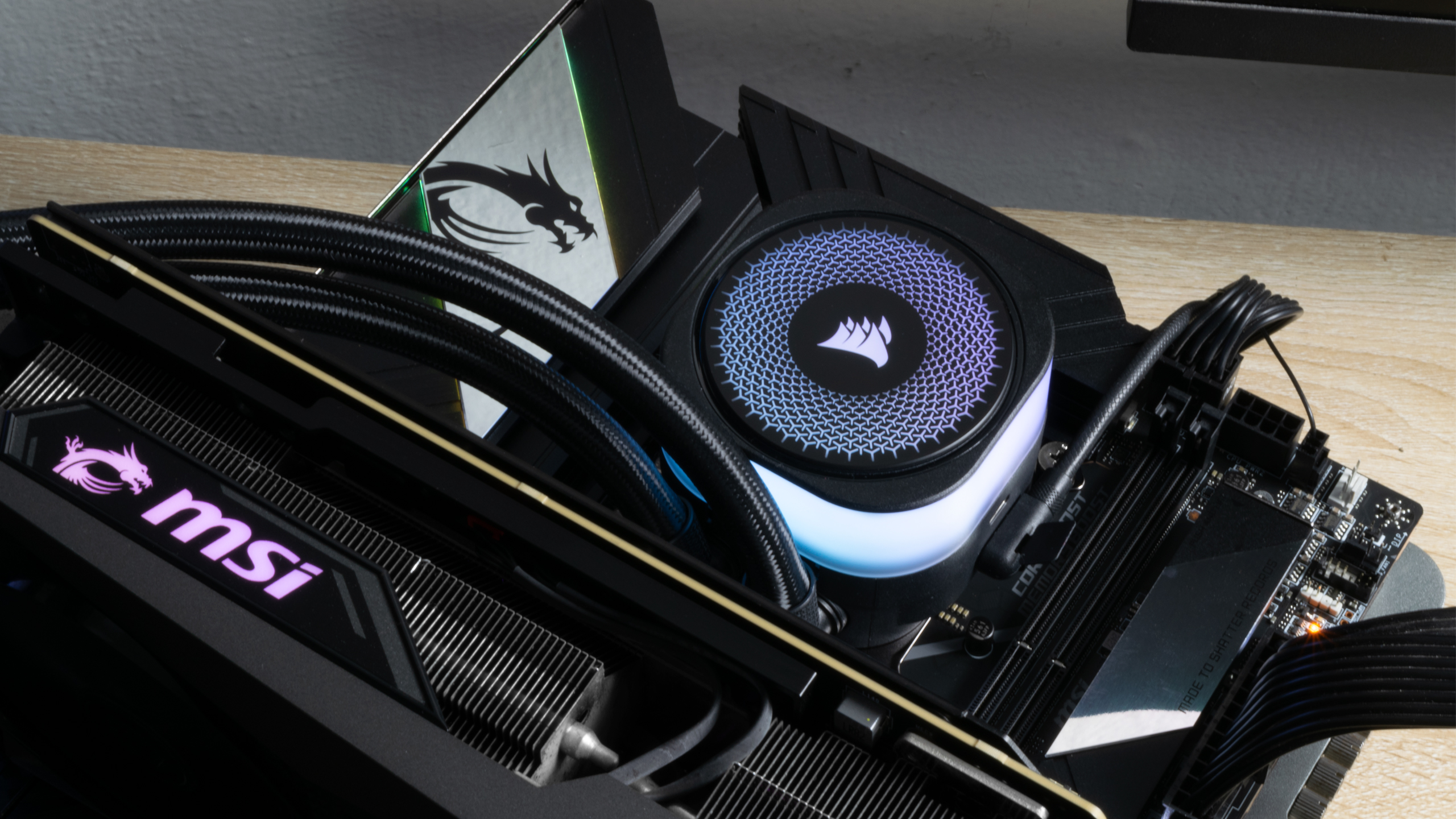
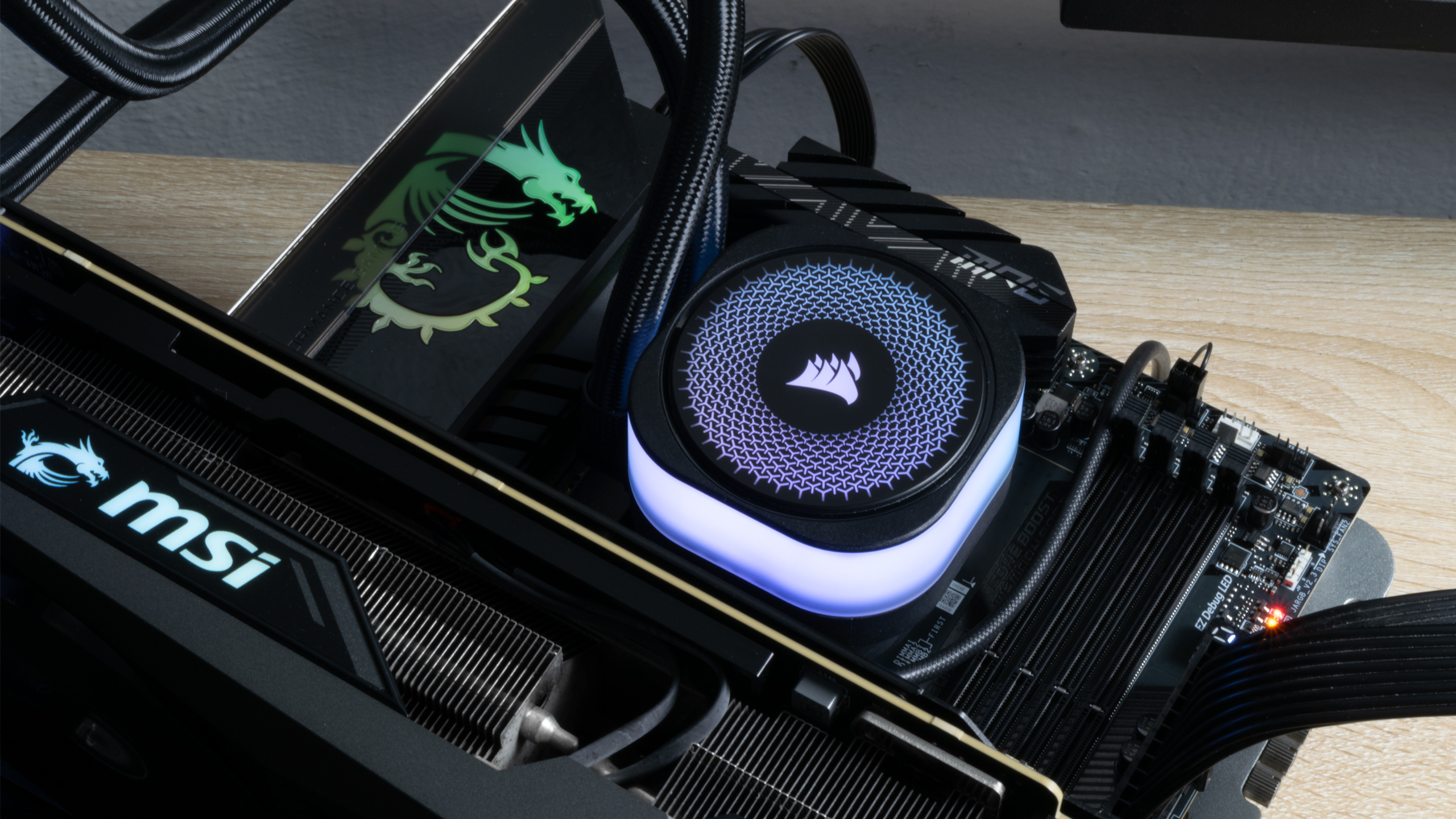
The Intel system features the Core Ultra 9 285K processor and the MSI MEG Z890 Unify-X motherboard with firmware version 7E20v1A60. Conversely, the AMD system utilizes the Ryzen 9 9900X processor and the MSI MPG X870E Carbon WiFi motherboard with firmware version 7E49v1A64. The Corsair iCUE Link Titan 360 RX LCD CPU liquid-cooling solution efficiently maintains optimal temperatures for both the Arrow Lake and Zen 5 processors, ensuring efficient thermal management across platforms.
The MSI GeForce RTX 4080 16GB Gaming X Trio efficiently handles demanding graphics workloads, preventing any bottlenecks during our gaming RAM benchmarks. The TeamGroup A440 Lite PCIe 4.0 SSD balances performance and capacity, delivering 2TB of ultra-fast storage with speeds up to 7,400 MB/s—perfect for Windows 11 24H2 installations, benchmarking software, and gaming applications.
The Corsair RM1000x Shift ATX 3.0 power supply delivers reliable and ample power to our test systems, directly supporting the GeForce RTX 4080 via its native 16-pin (12VHPWR) cable. The Streacom BC1 open-air test bench offers flexible, tool-free accommodation for all hardware components, streamlining assembly and component swaps.
Swipe to scroll horizontally
Processor | Intel Core Ultra 9 285K | AMD Ryzen 9 9900X |
Motherboard | MSI MEG Z890 Unify-X | MSI MPG X870E Carbon WiFi |
Graphics Card | MSI GeForce RTX 4080 16GB Gaming X Trio | MSI GeForce RTX 4080 16GB Gaming X Trio |
Storage | TeamGroup A440 Lite 2TB | TeamGroup A440 Lite 2TB |
Cooling | Corsair iCUE Link Titan 360 RX LCD | Corsair iCUE Link Titan 360 RX LCD |
Power Supply | Corsair RM1000x Shift | Corsair RM1000x Shift |
Case | Streacom BC1 | Streacom BC1 |
Intel Performance
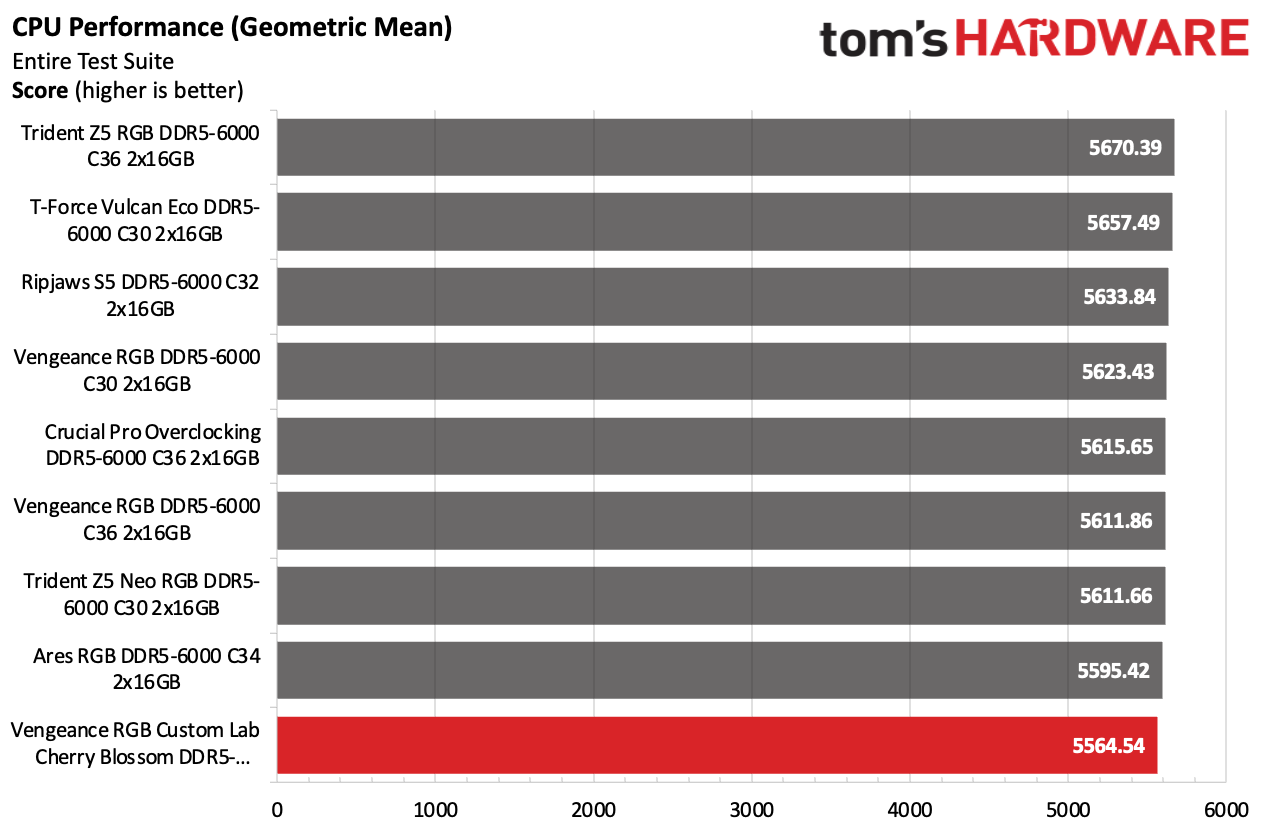
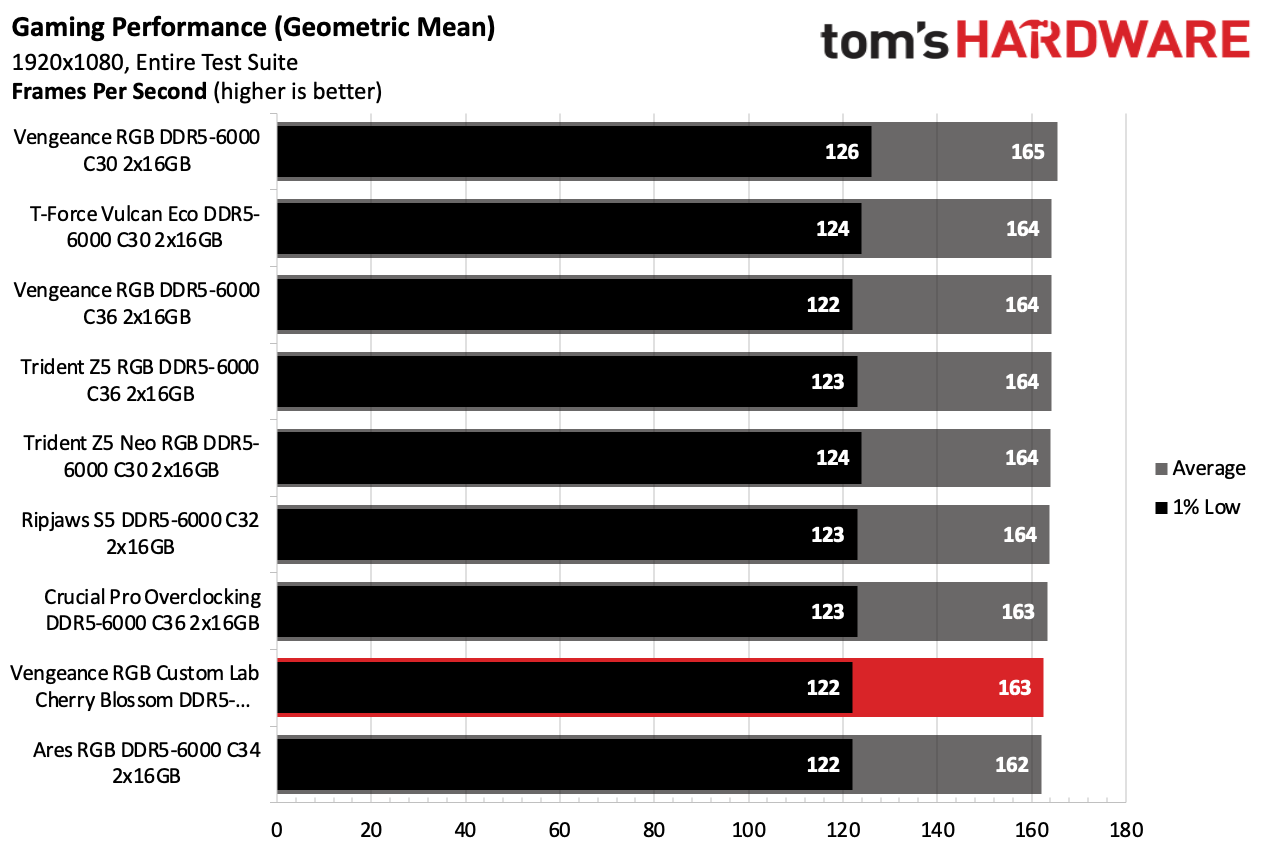
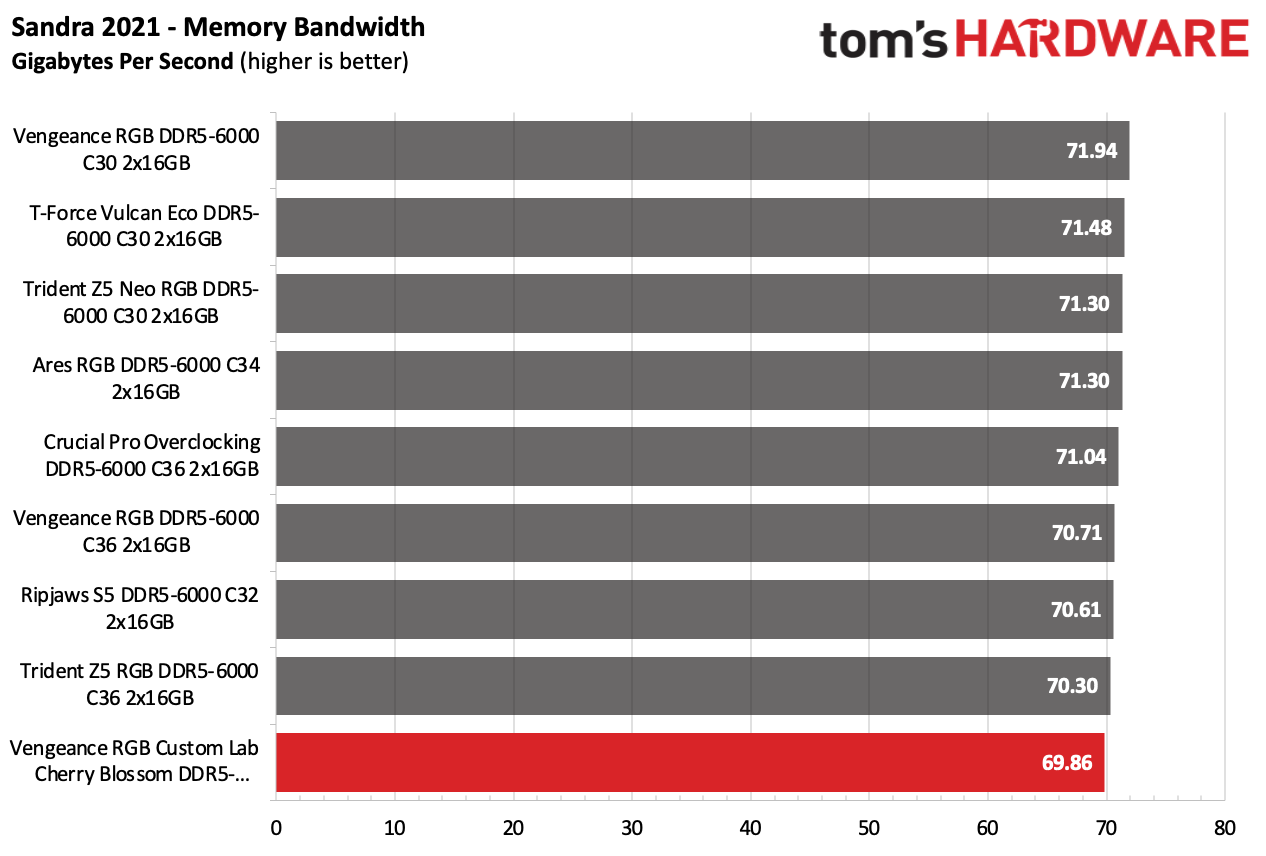
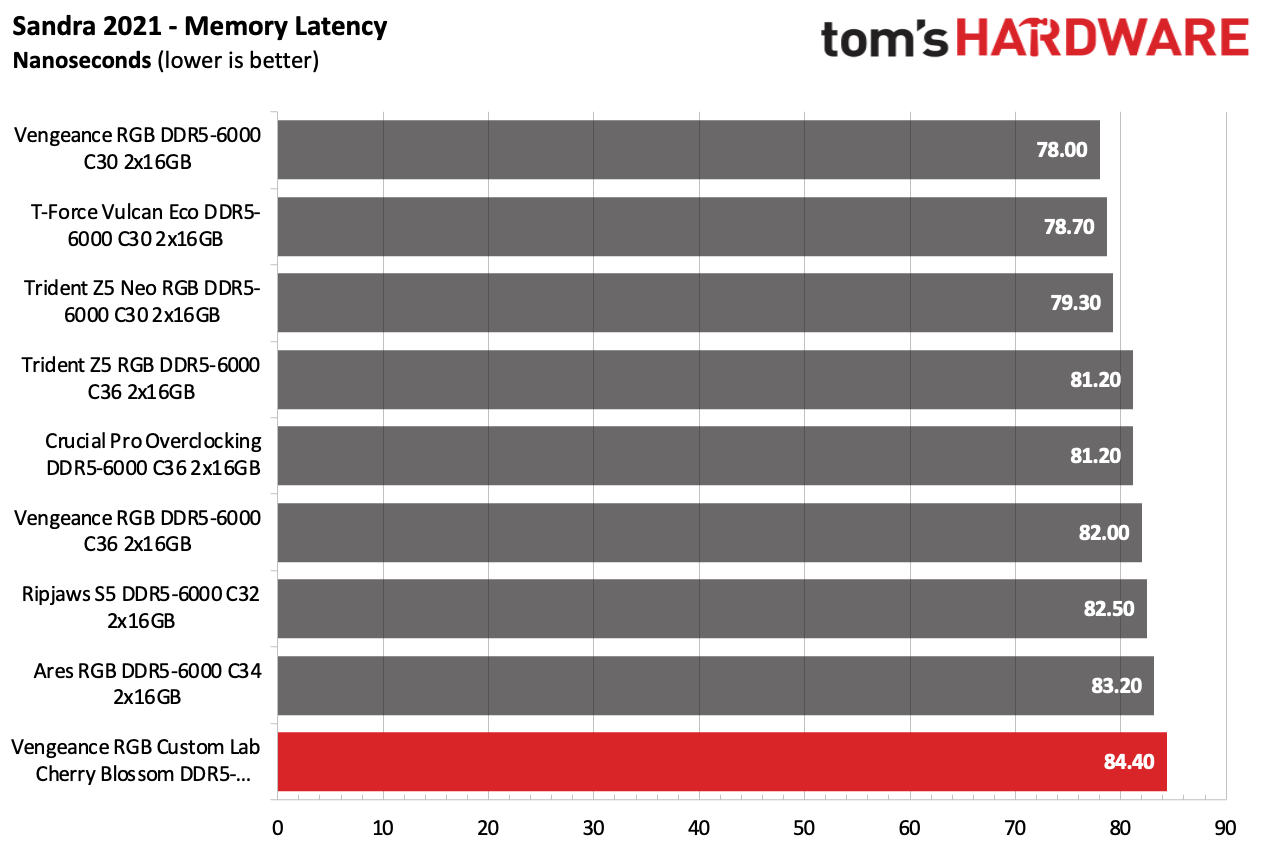
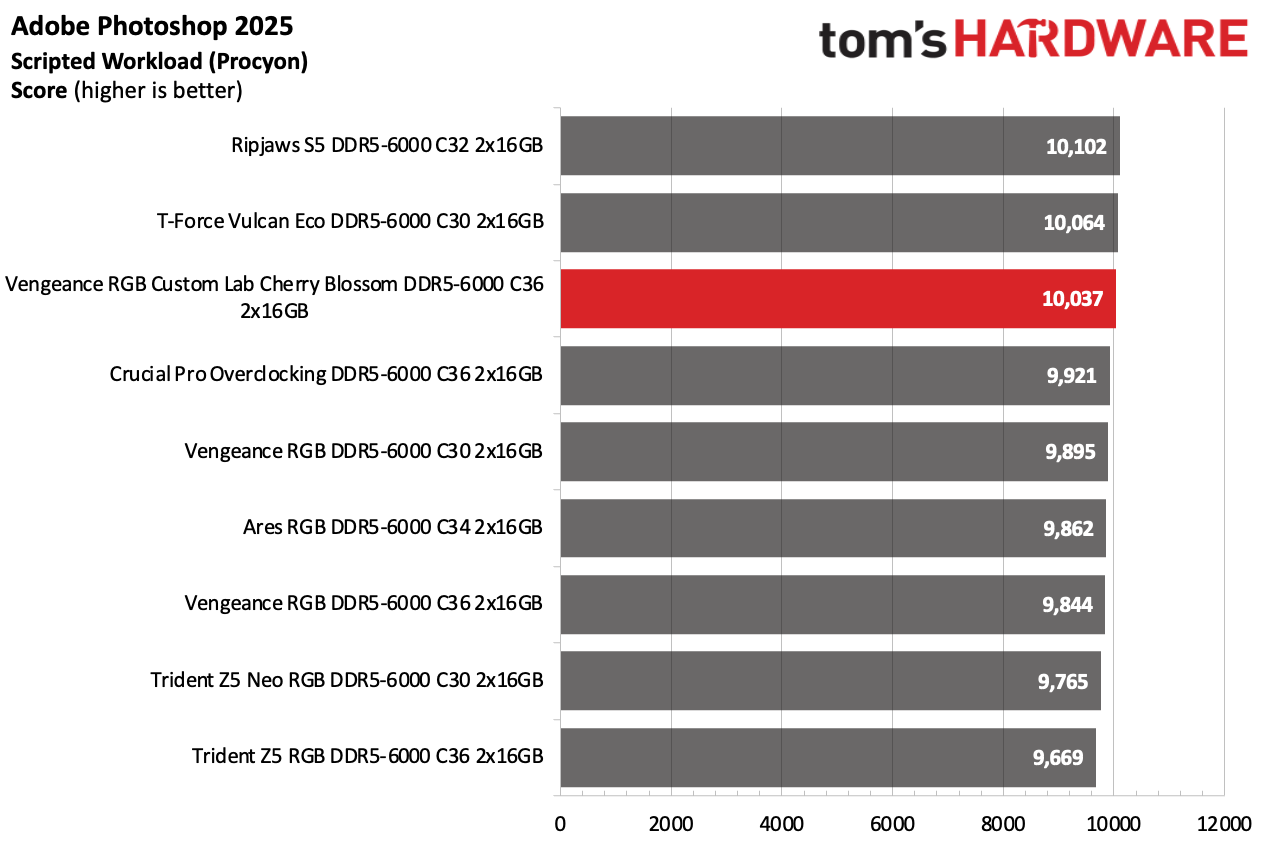
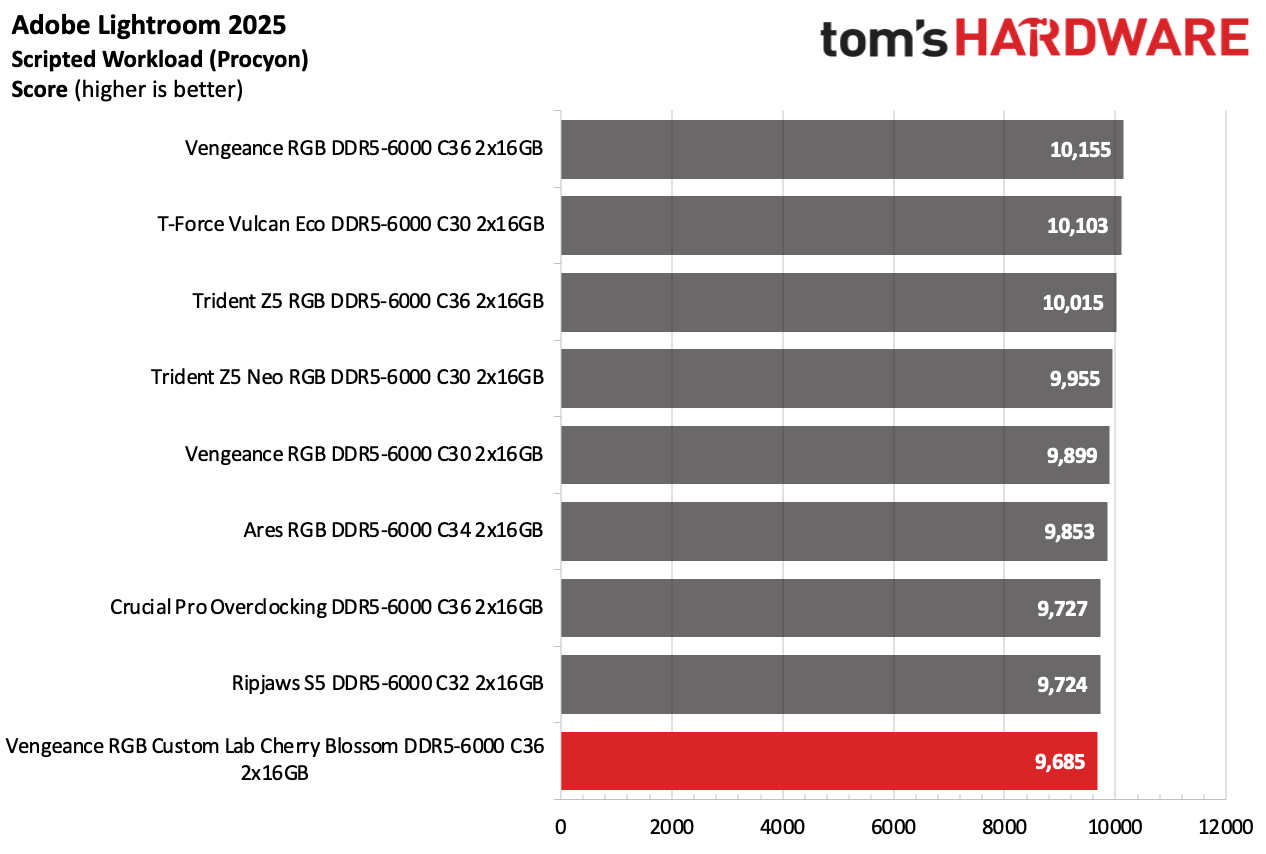
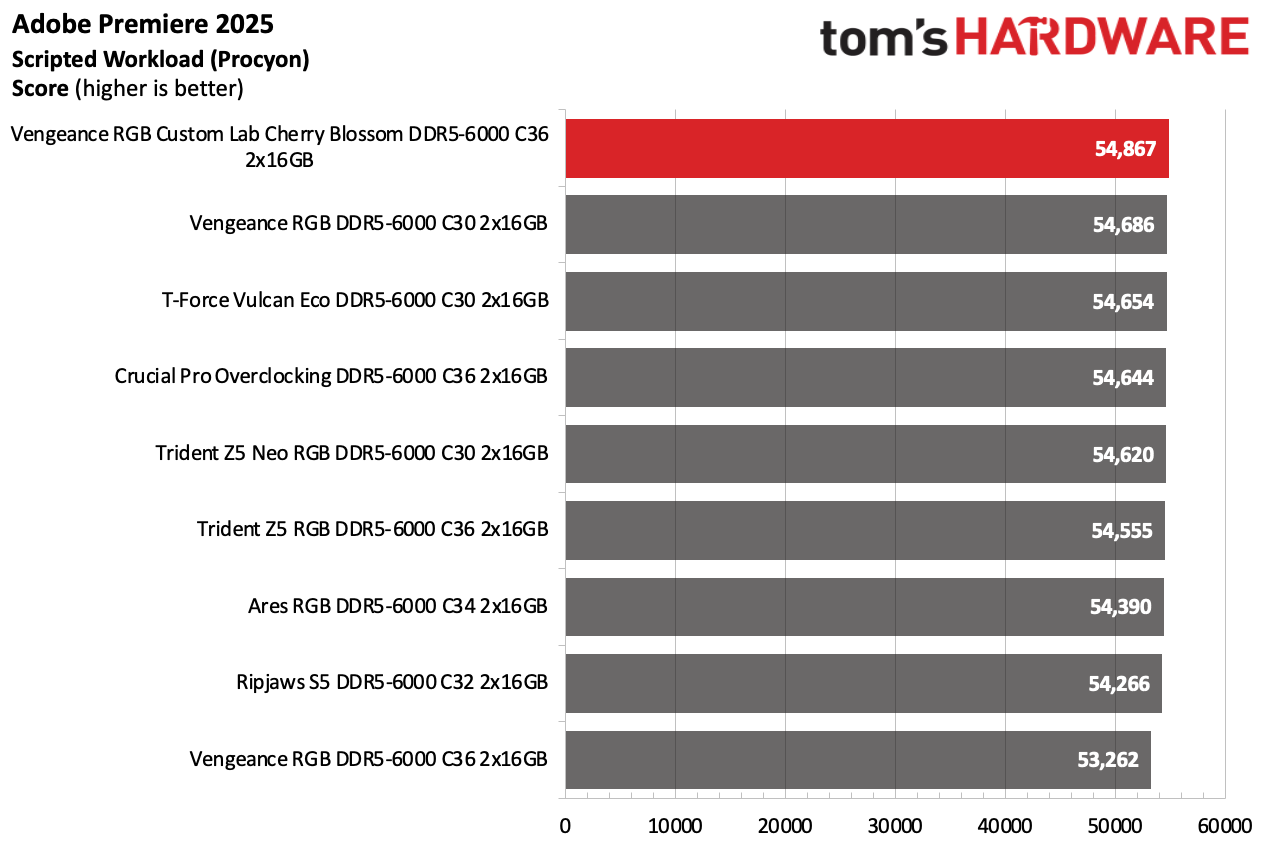
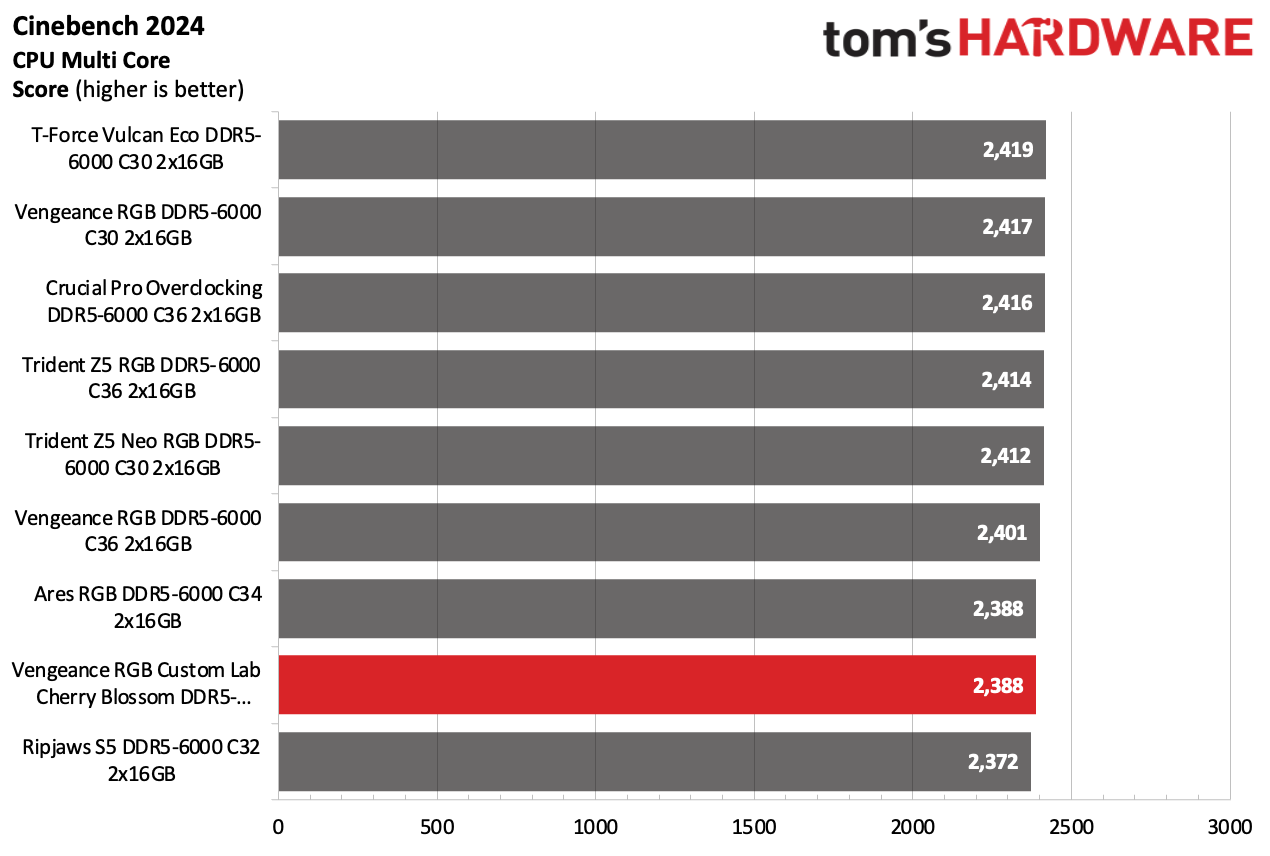
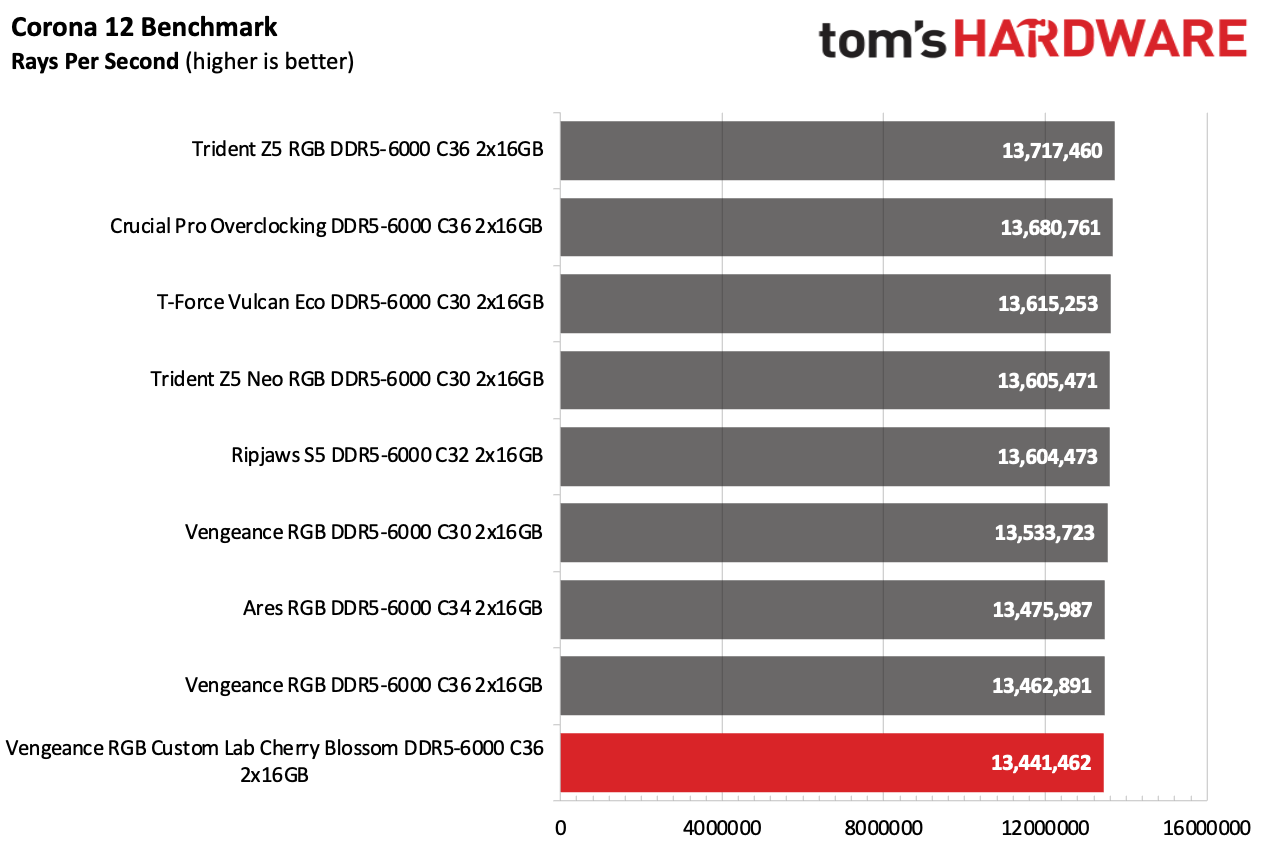
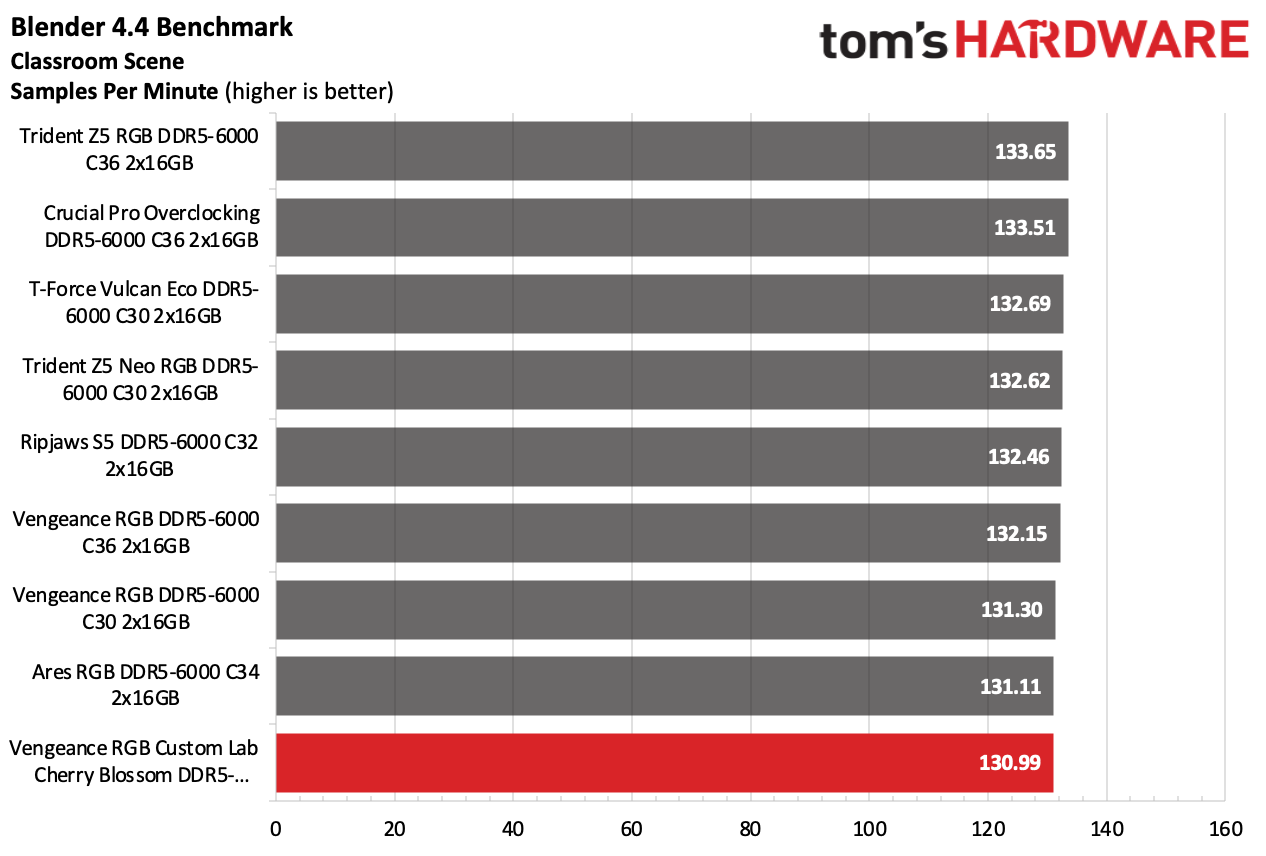
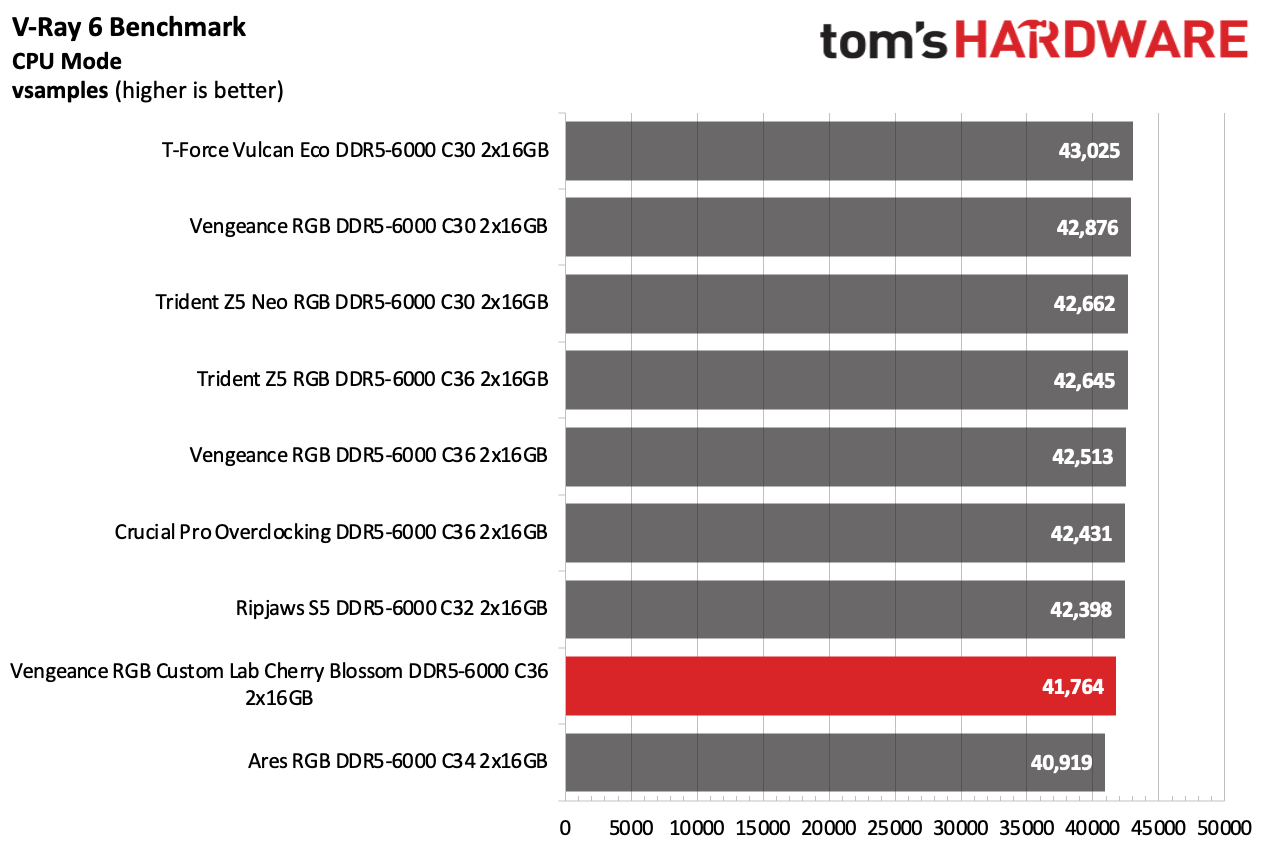
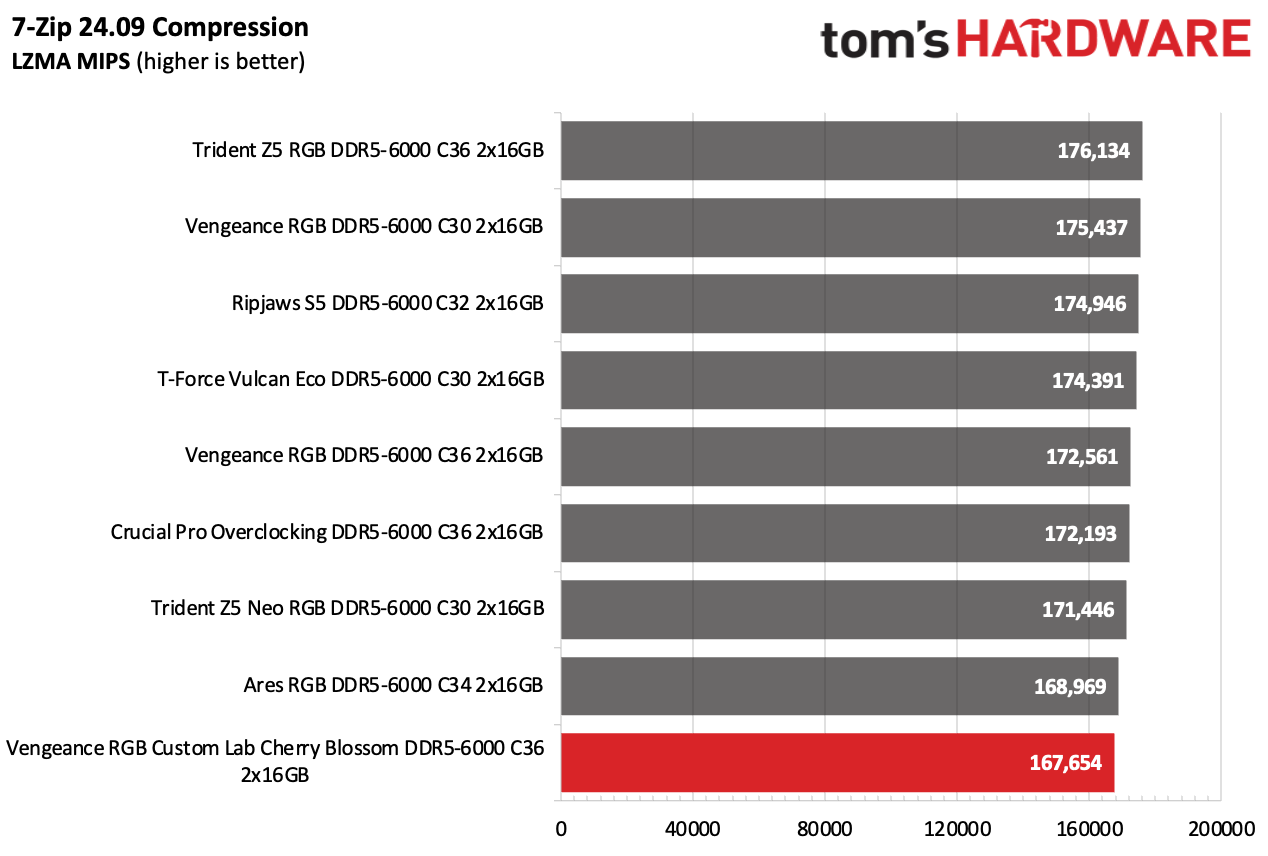
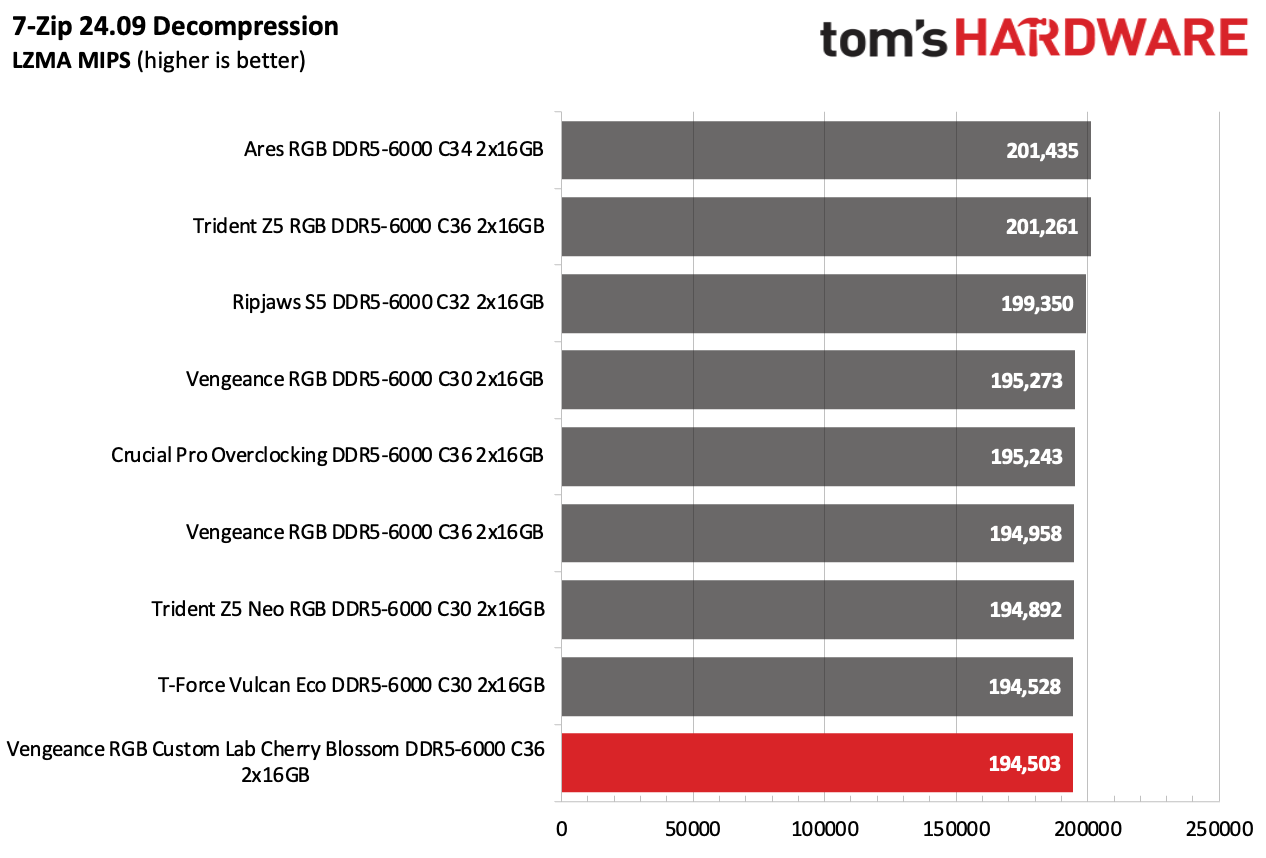
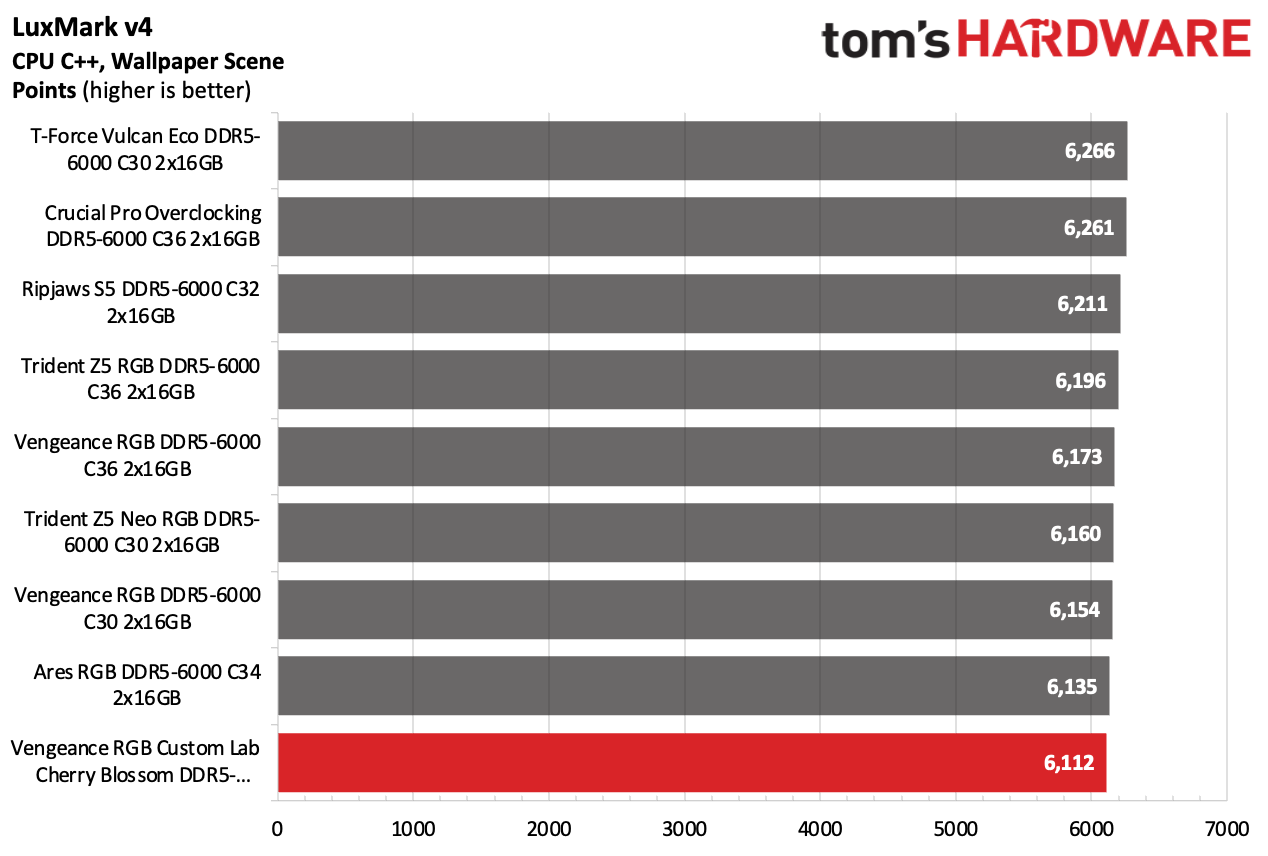
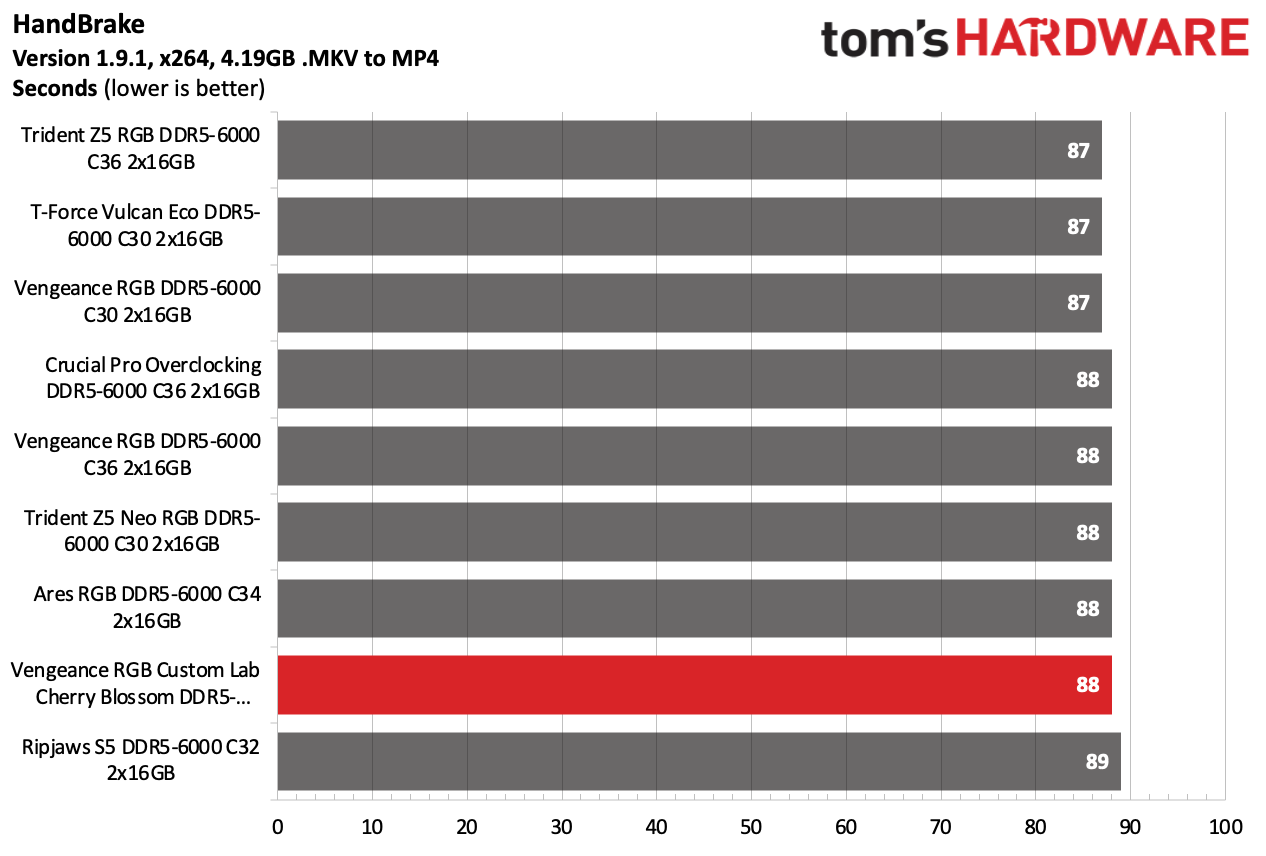
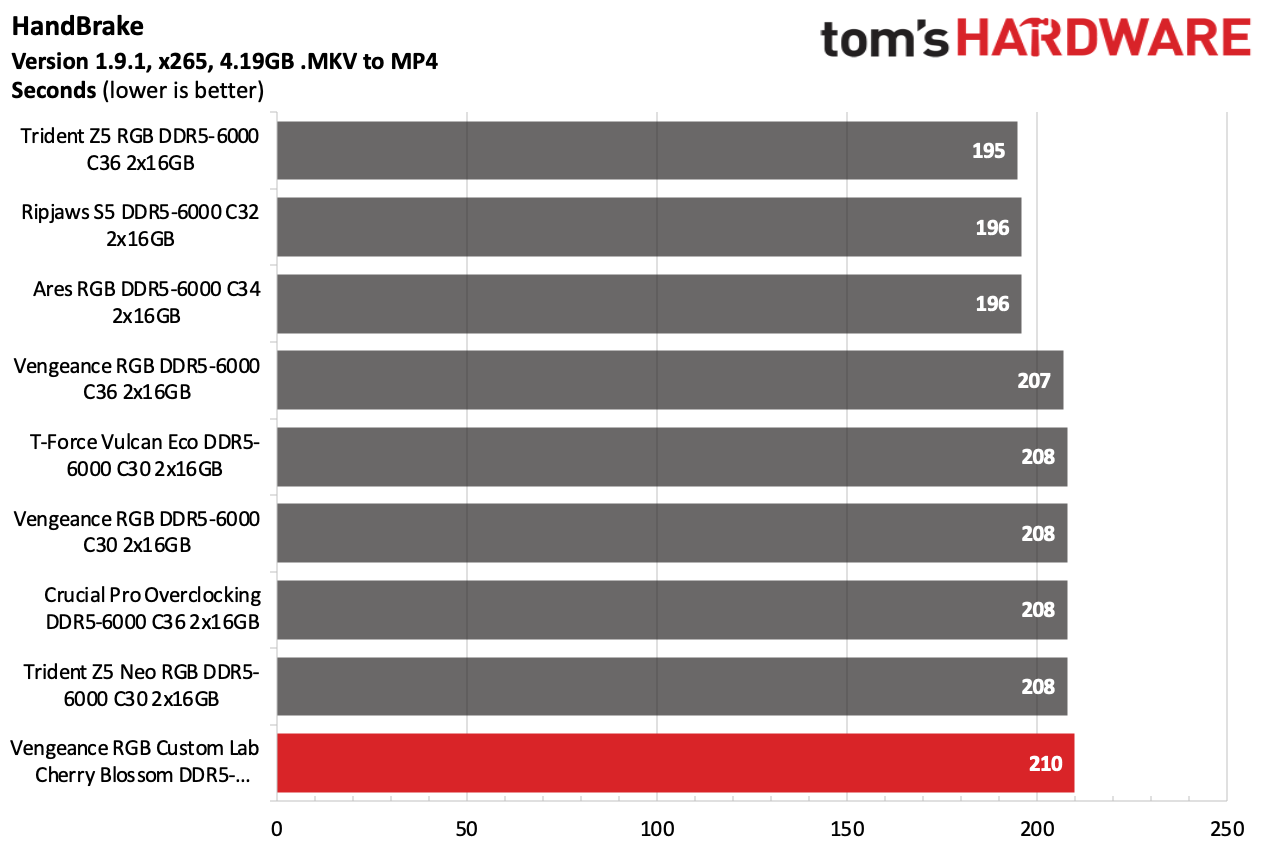
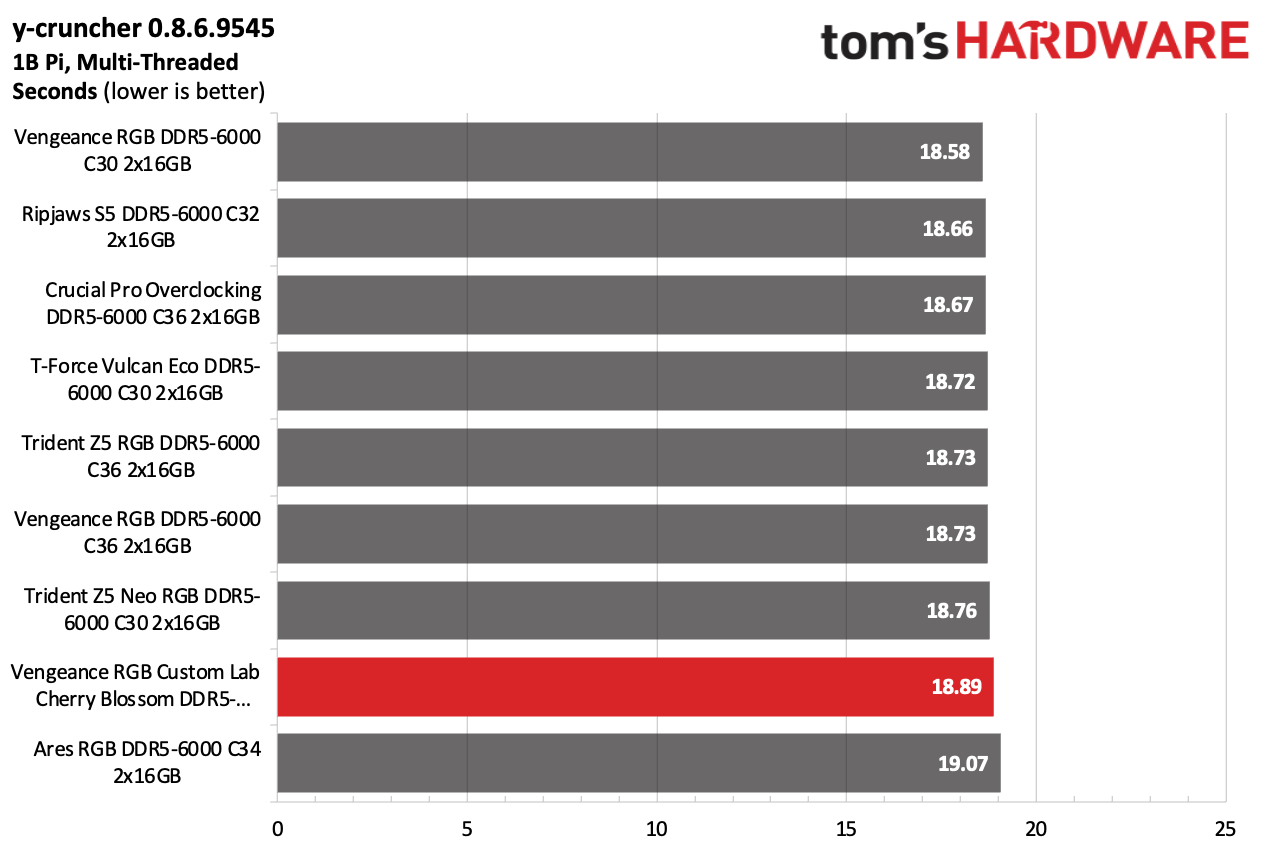
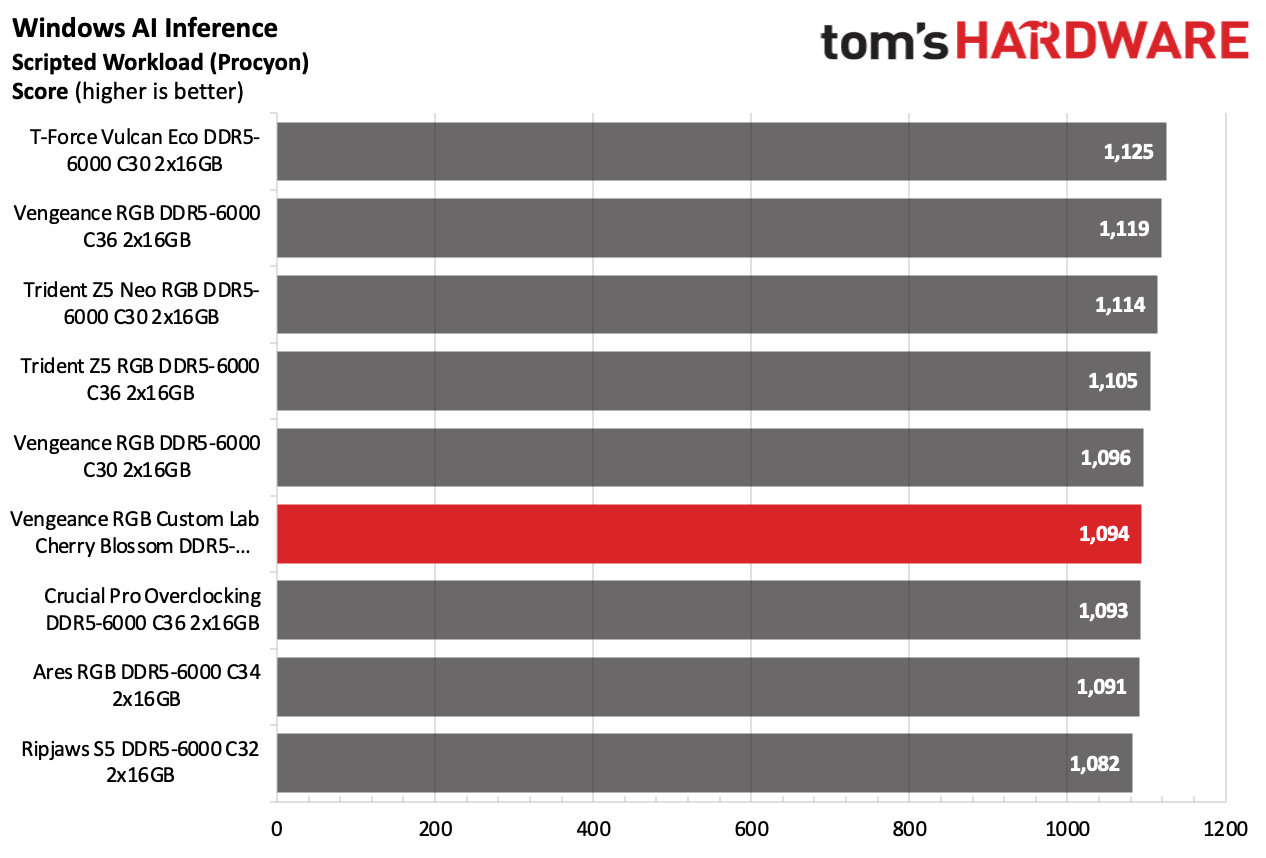
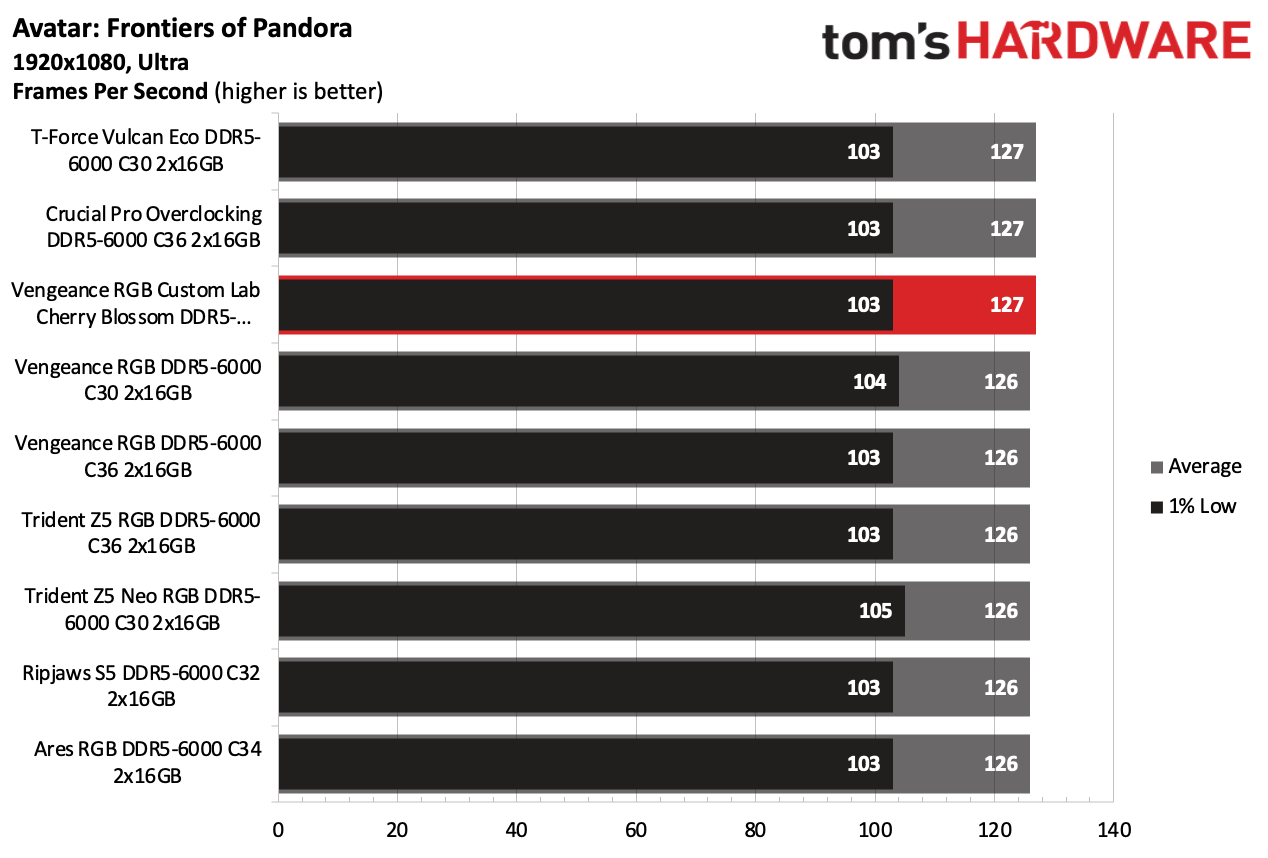
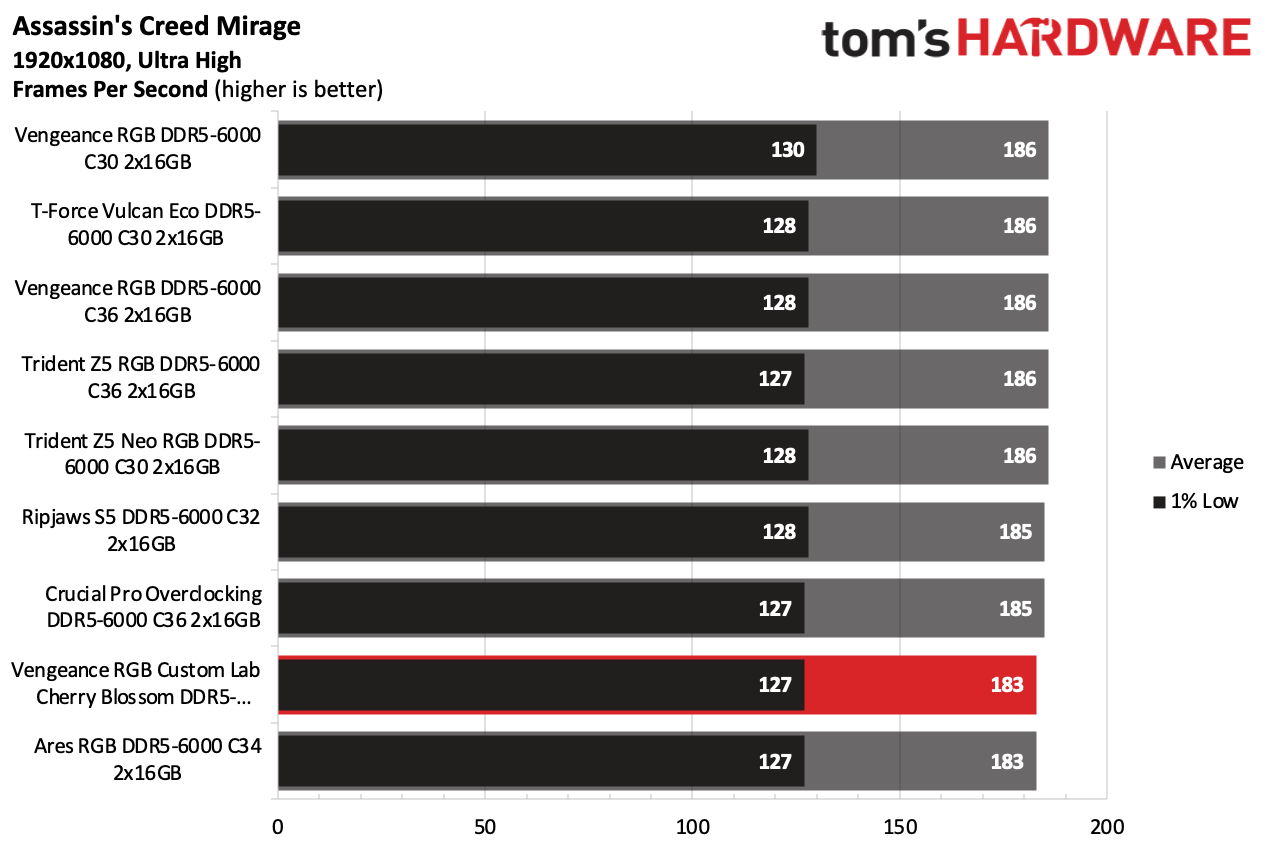
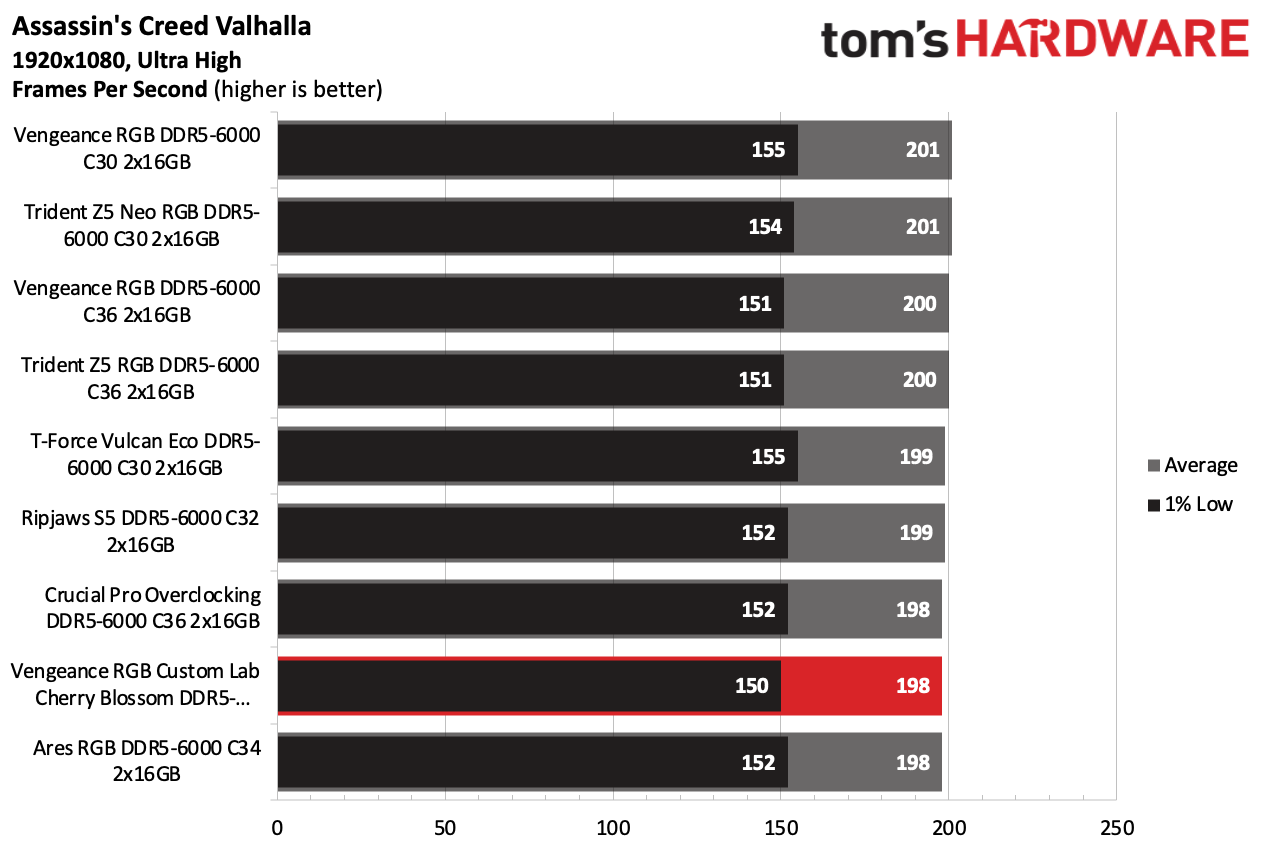
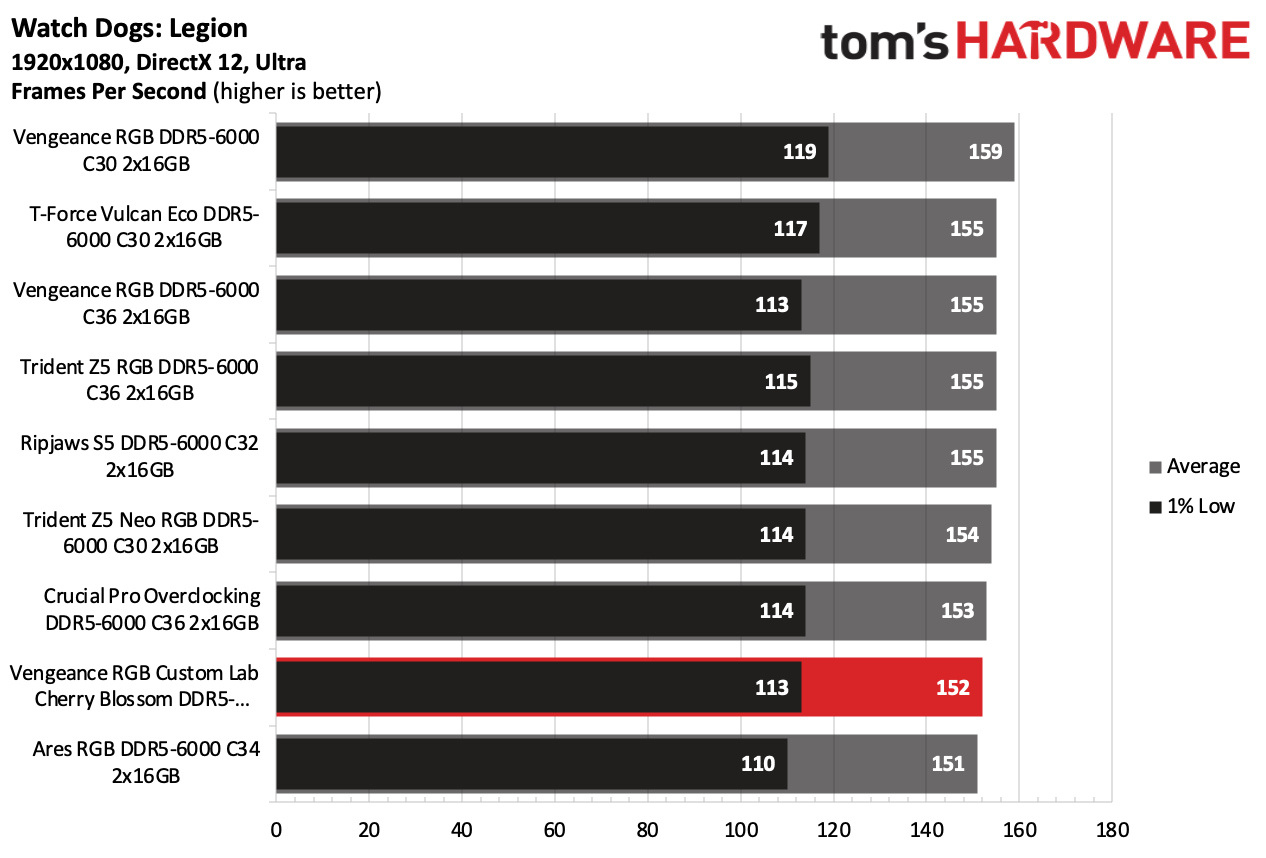
The Cherry Blossom memory kit, although operating at DDR5-6000, was held back by its relatively slow timings. This limitation prevented it from competing with rival memory kits that offer tighter timings. The memory kit was at the lower end of the performance charts. Nevertheless, the Cherry Blossom memory kit delivered its strongest performance in the Adobe Premiere benchmark, where it not only held its own but also outperformed all competing kits.
AMD Performance
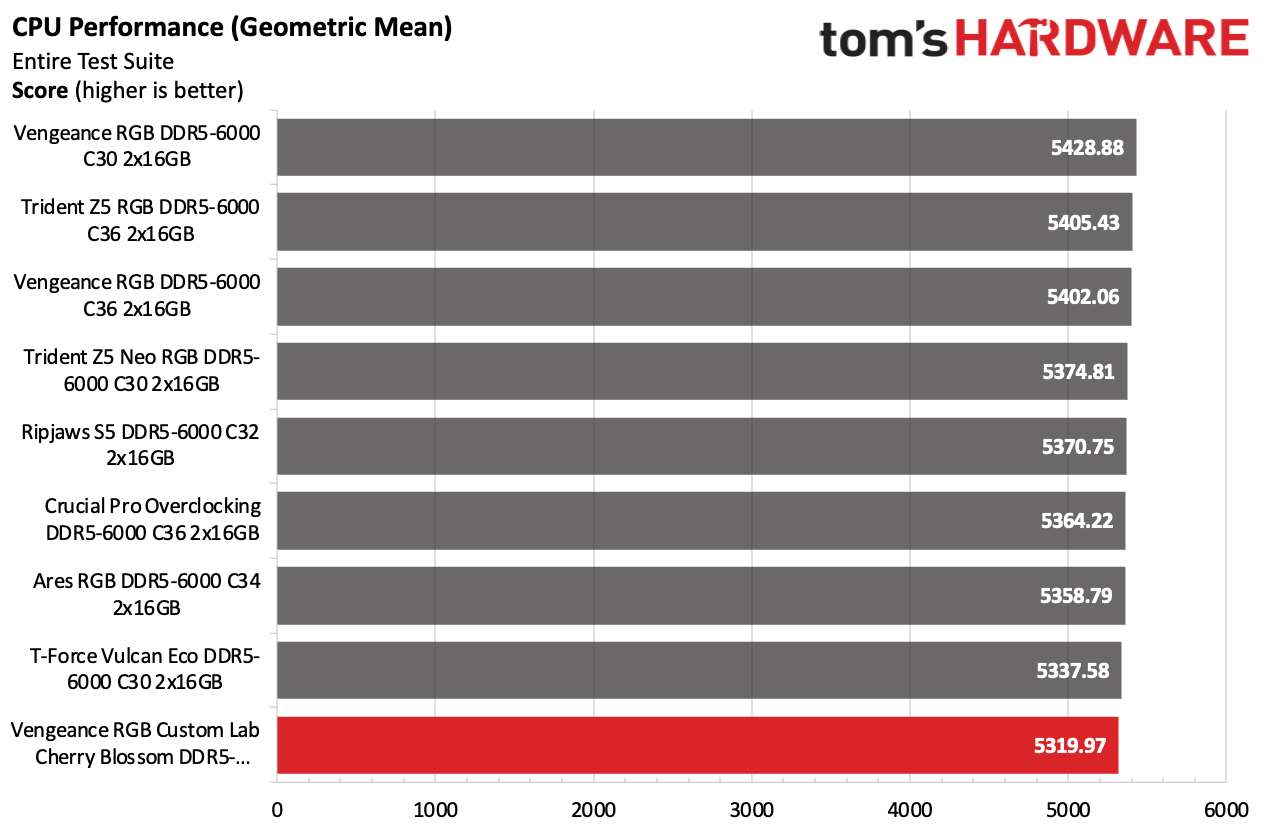
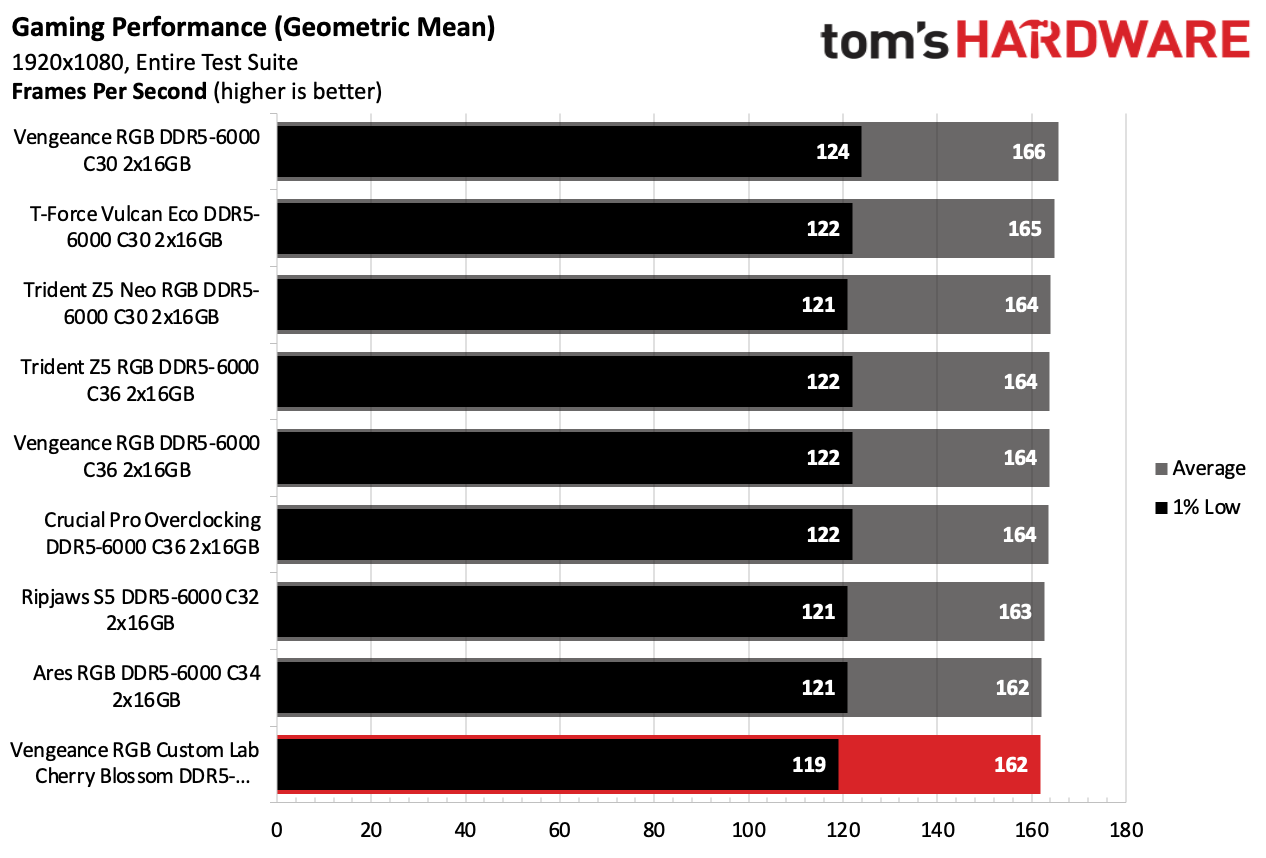
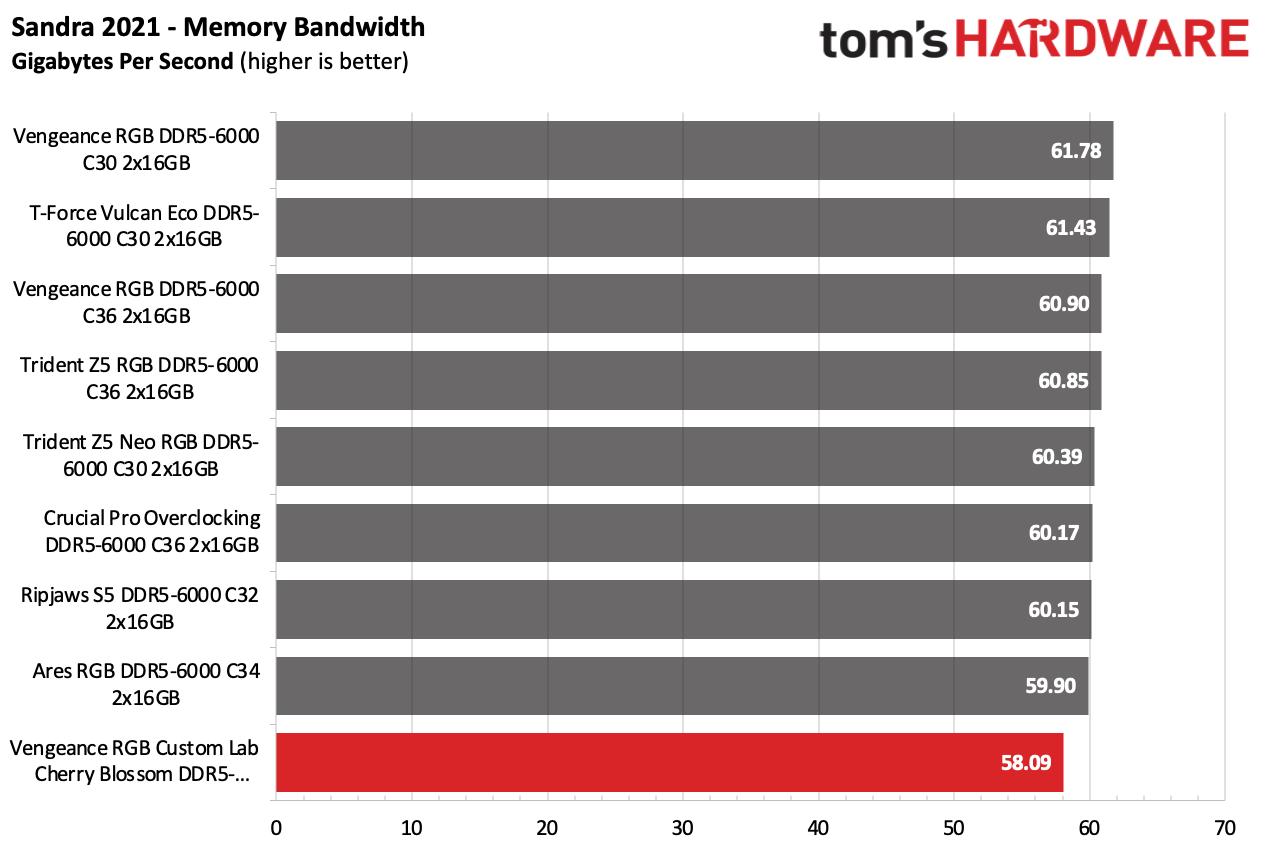
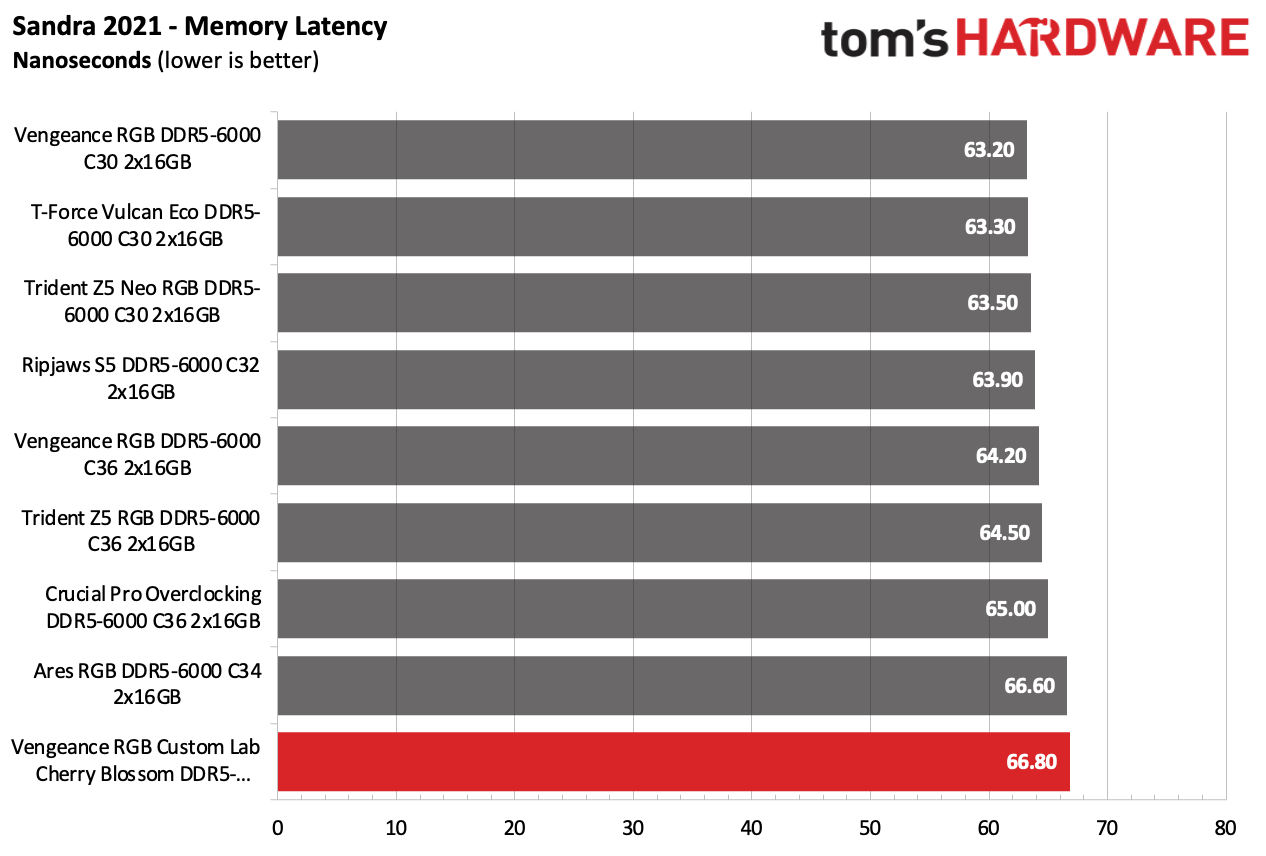
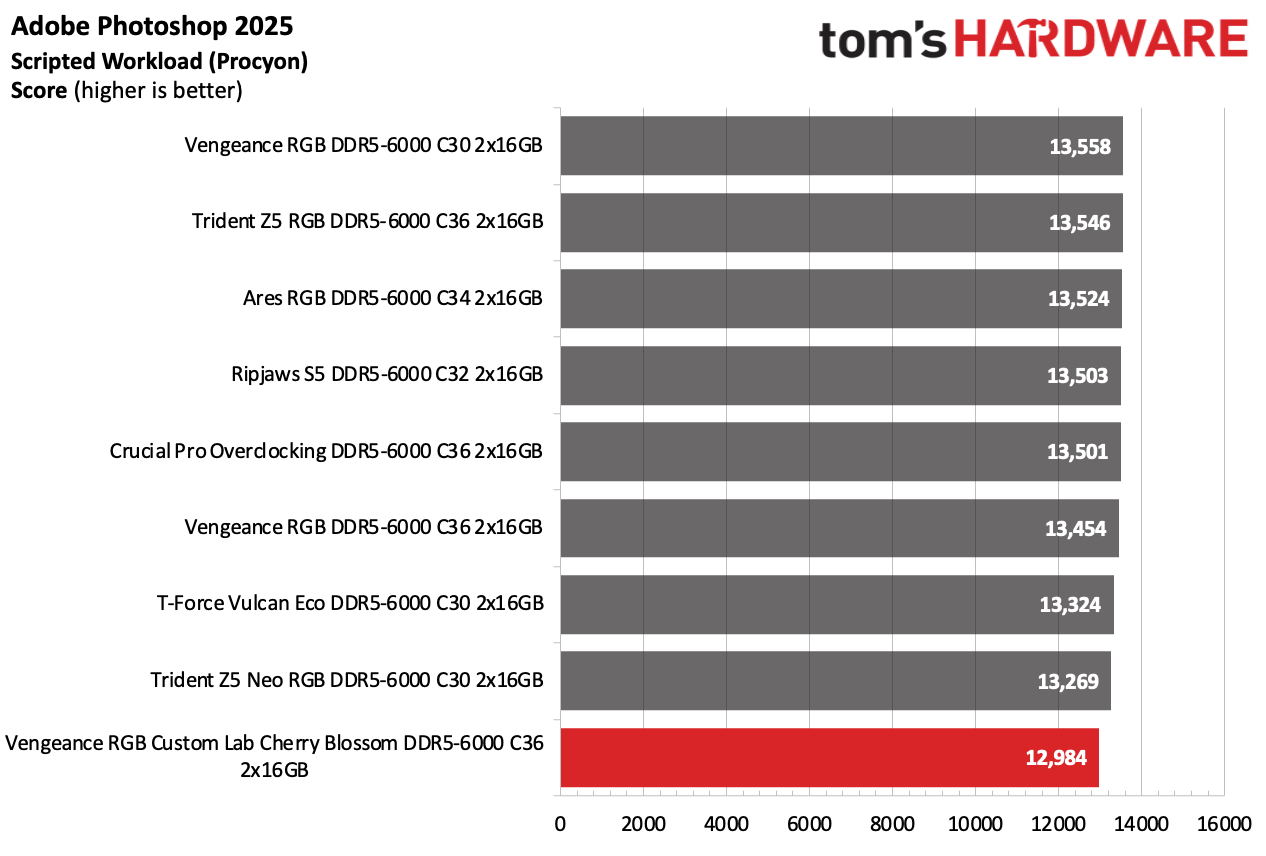
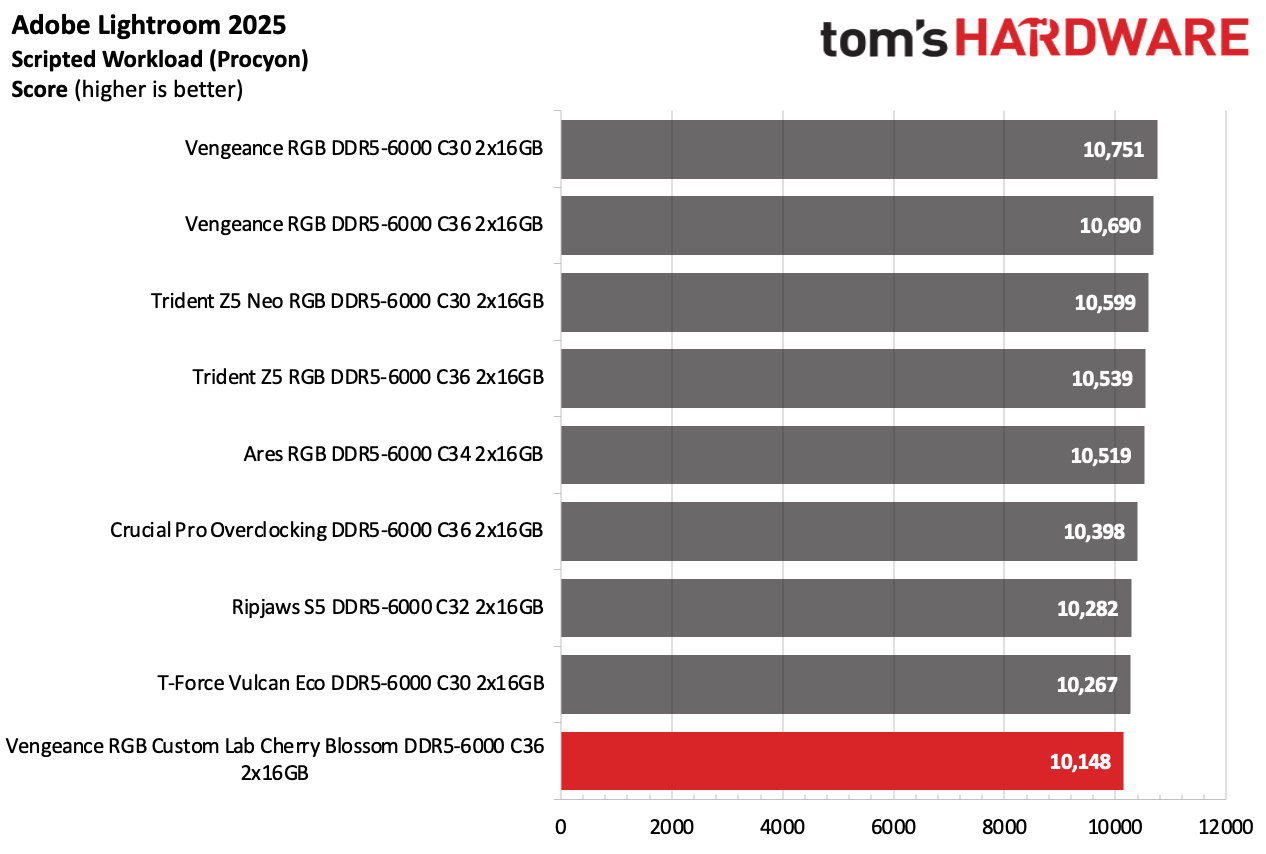
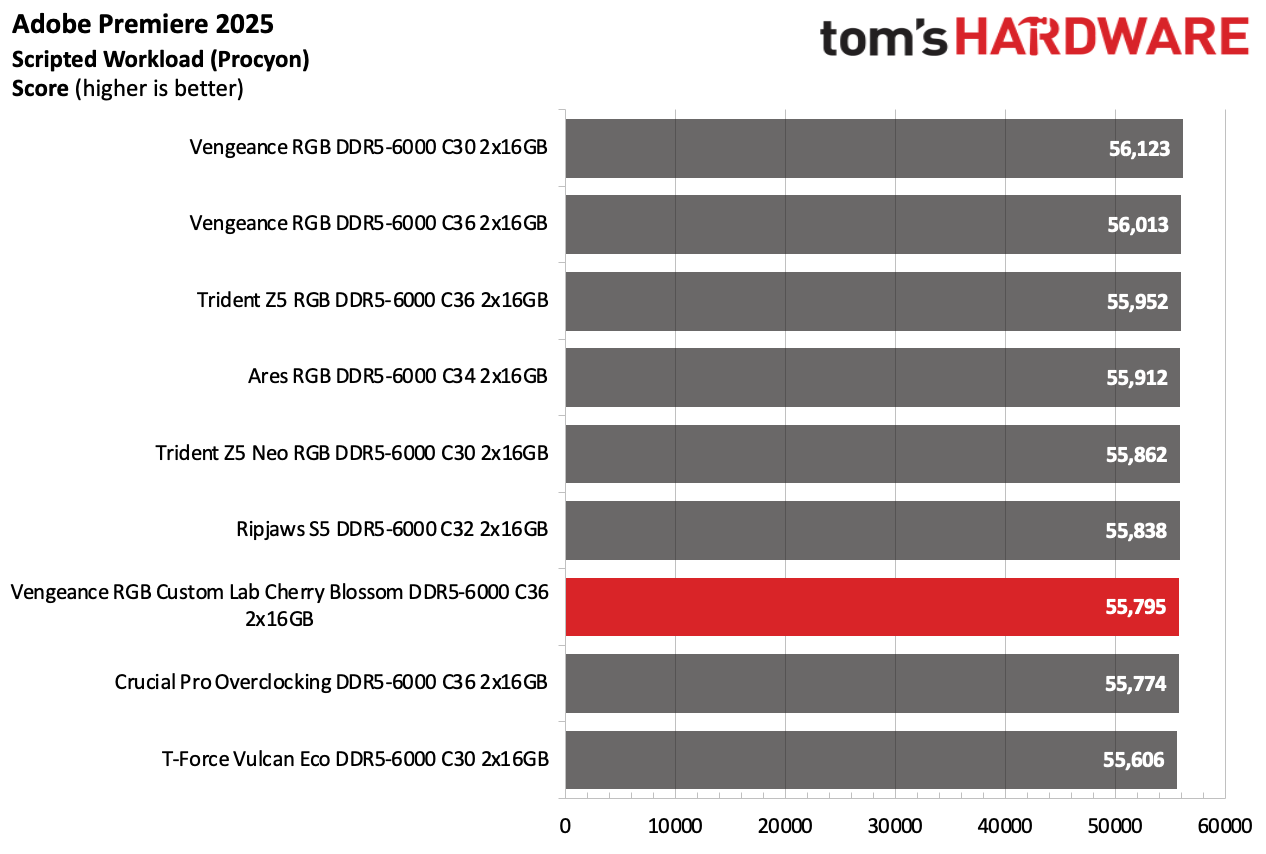
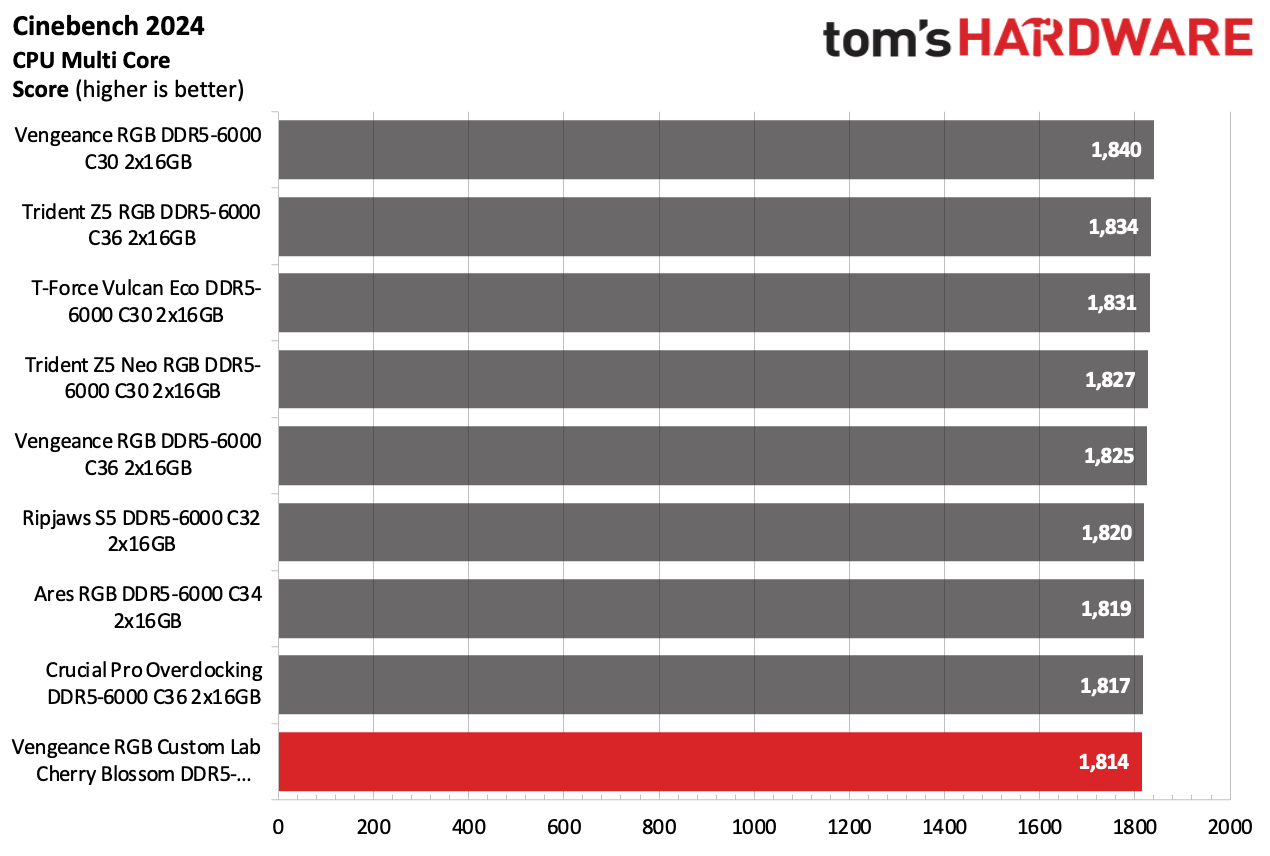
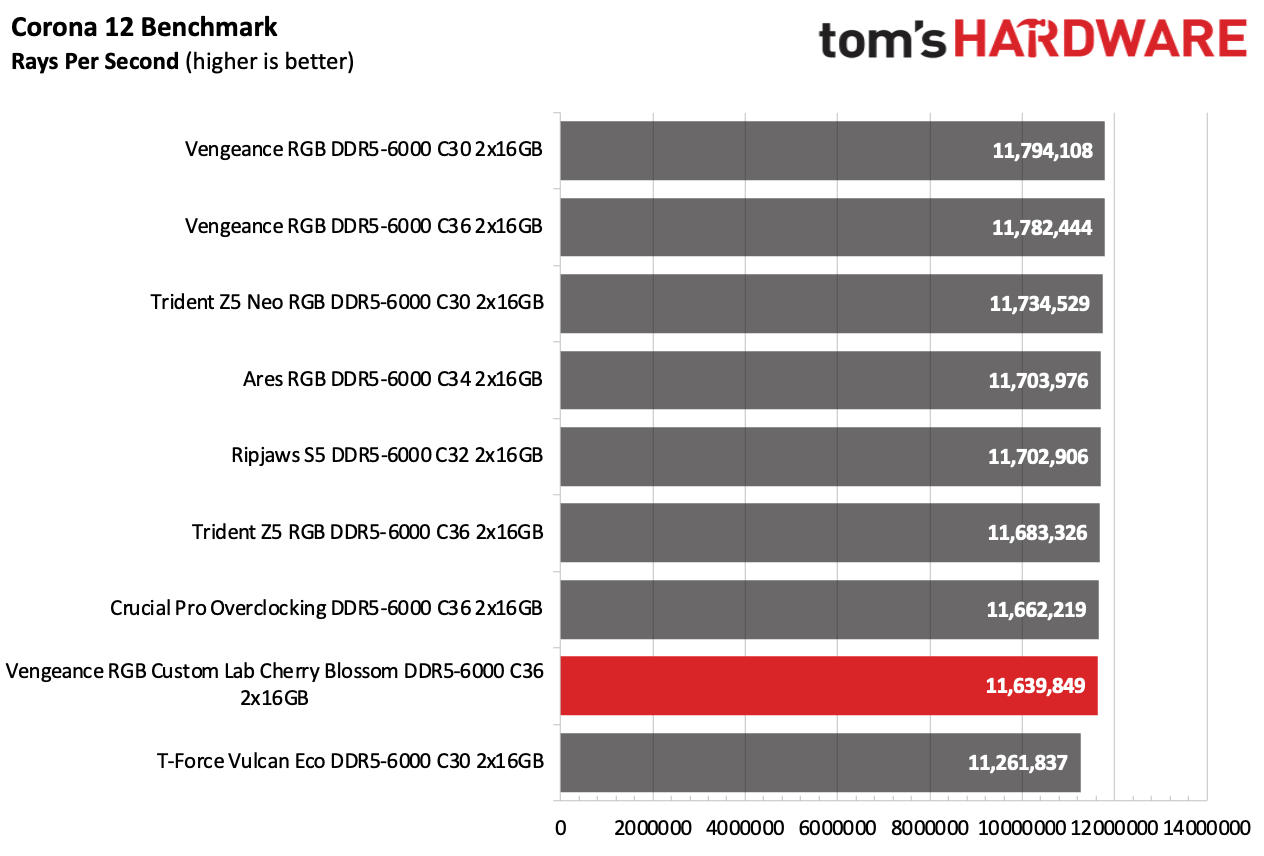
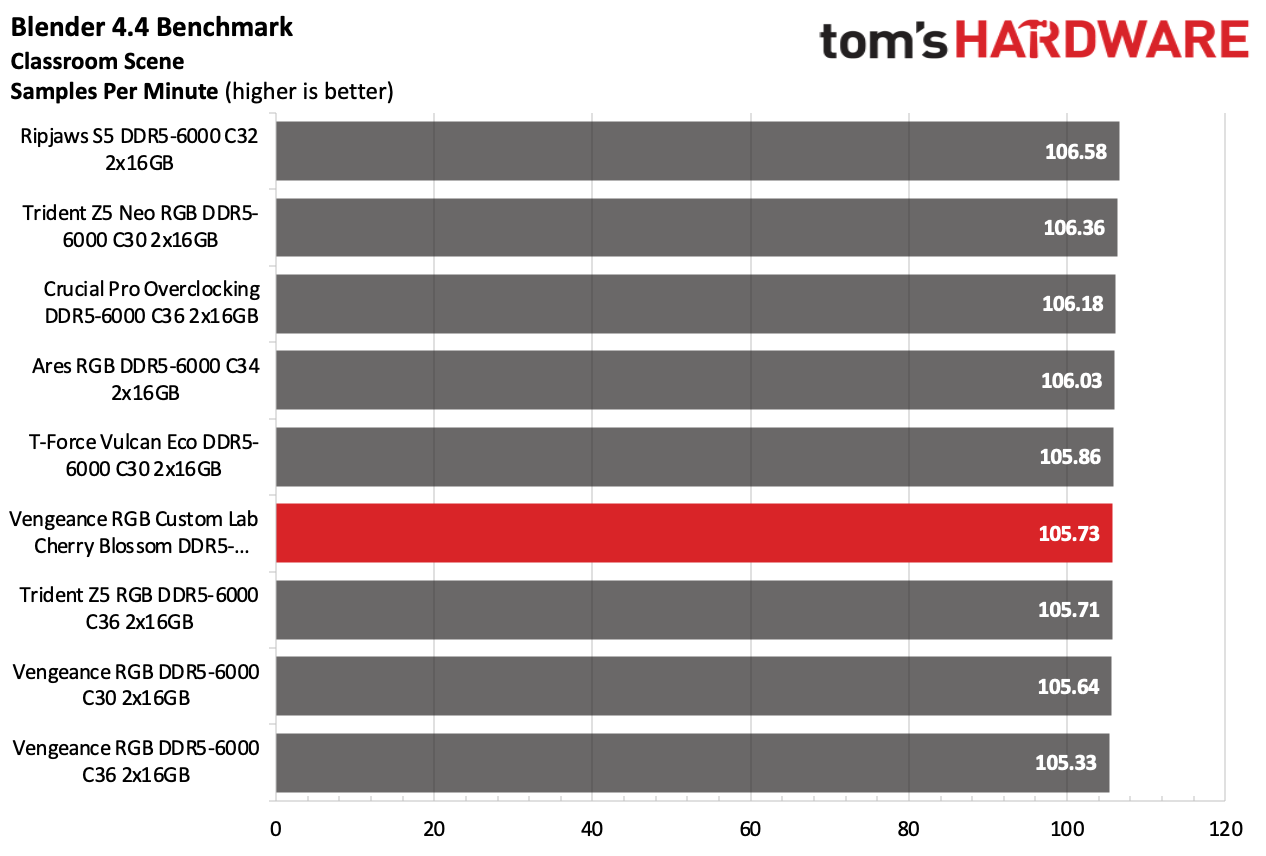
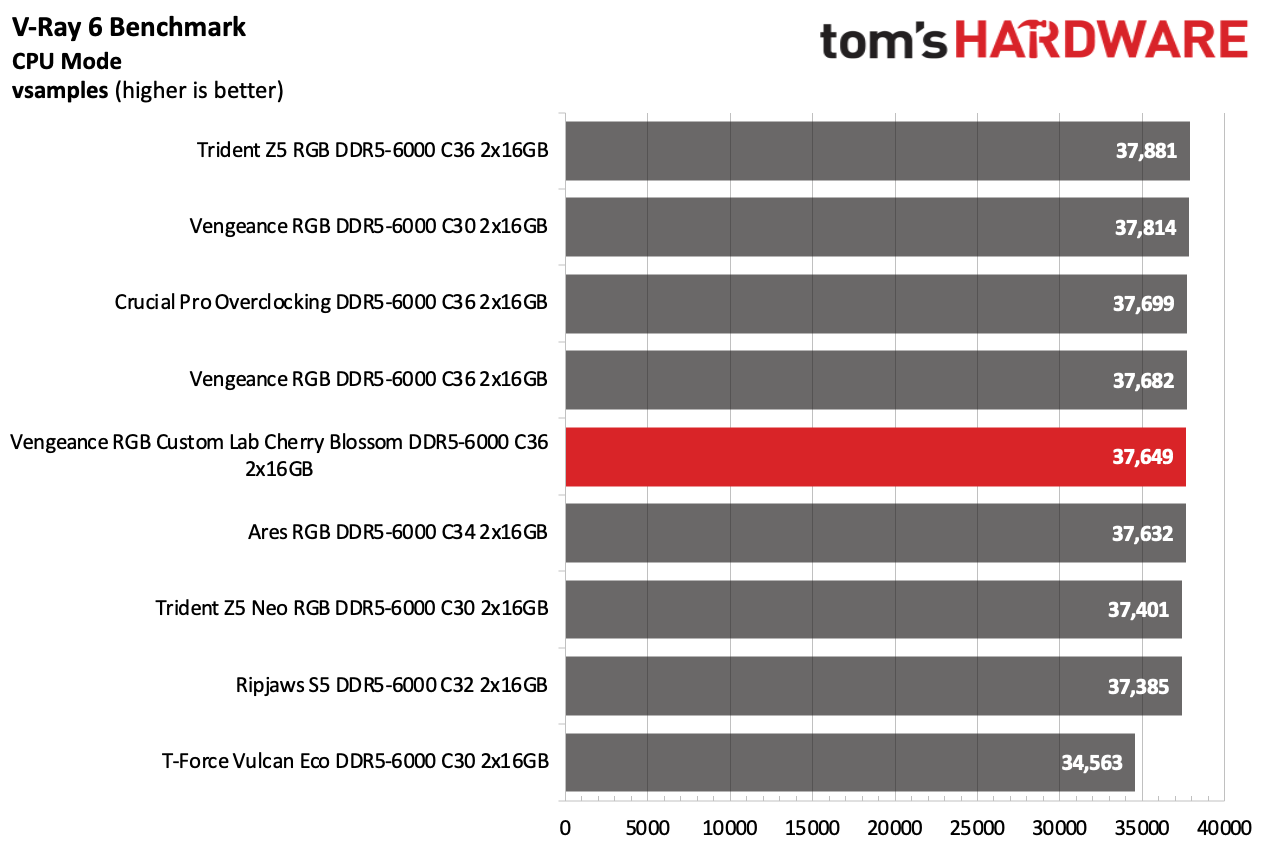
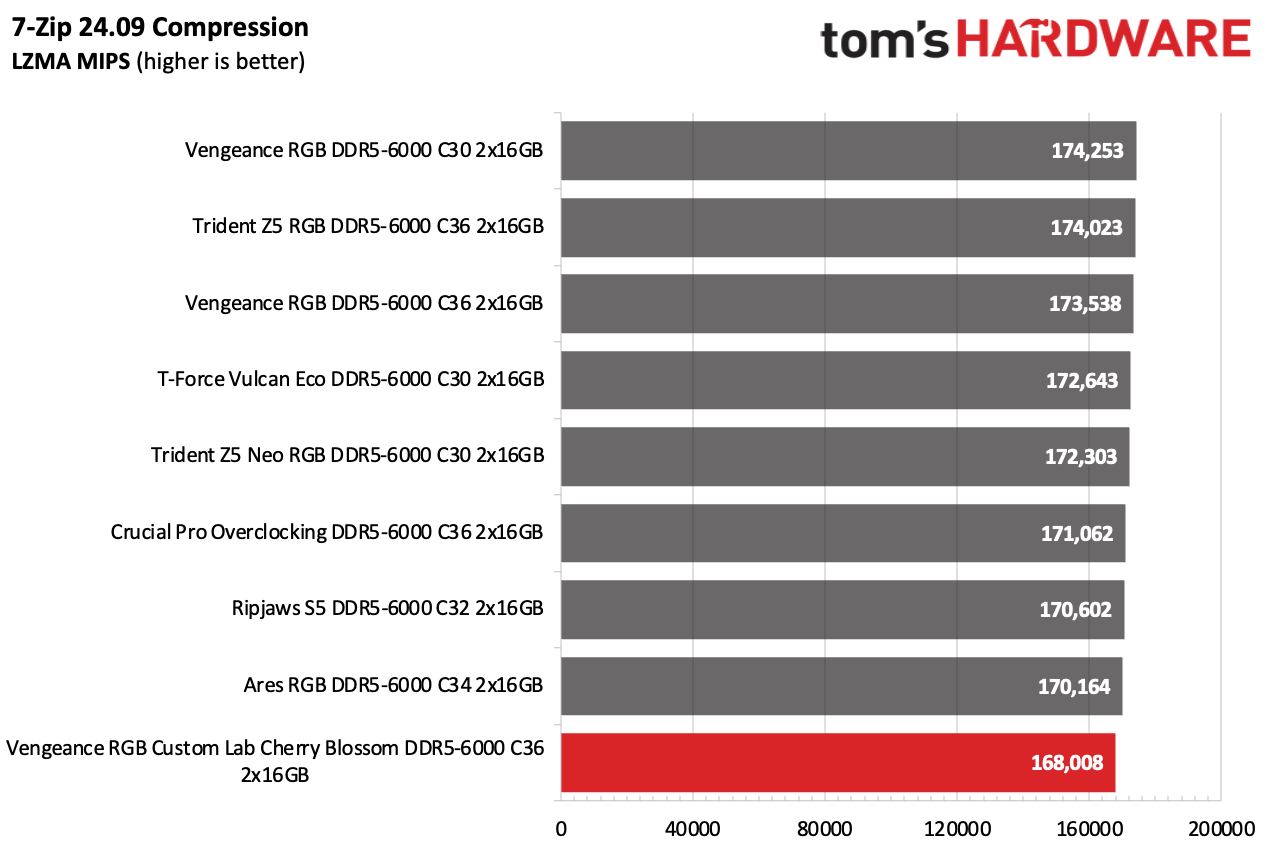
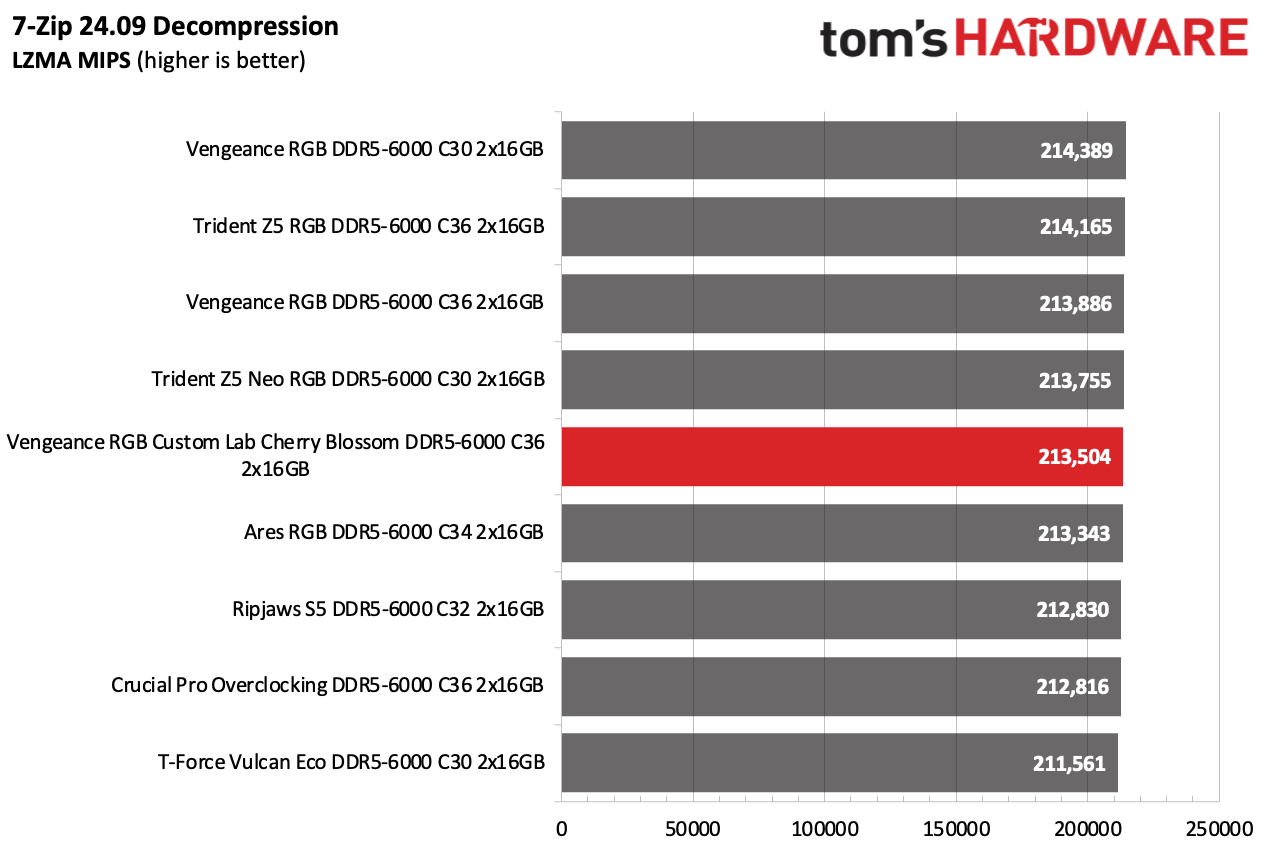
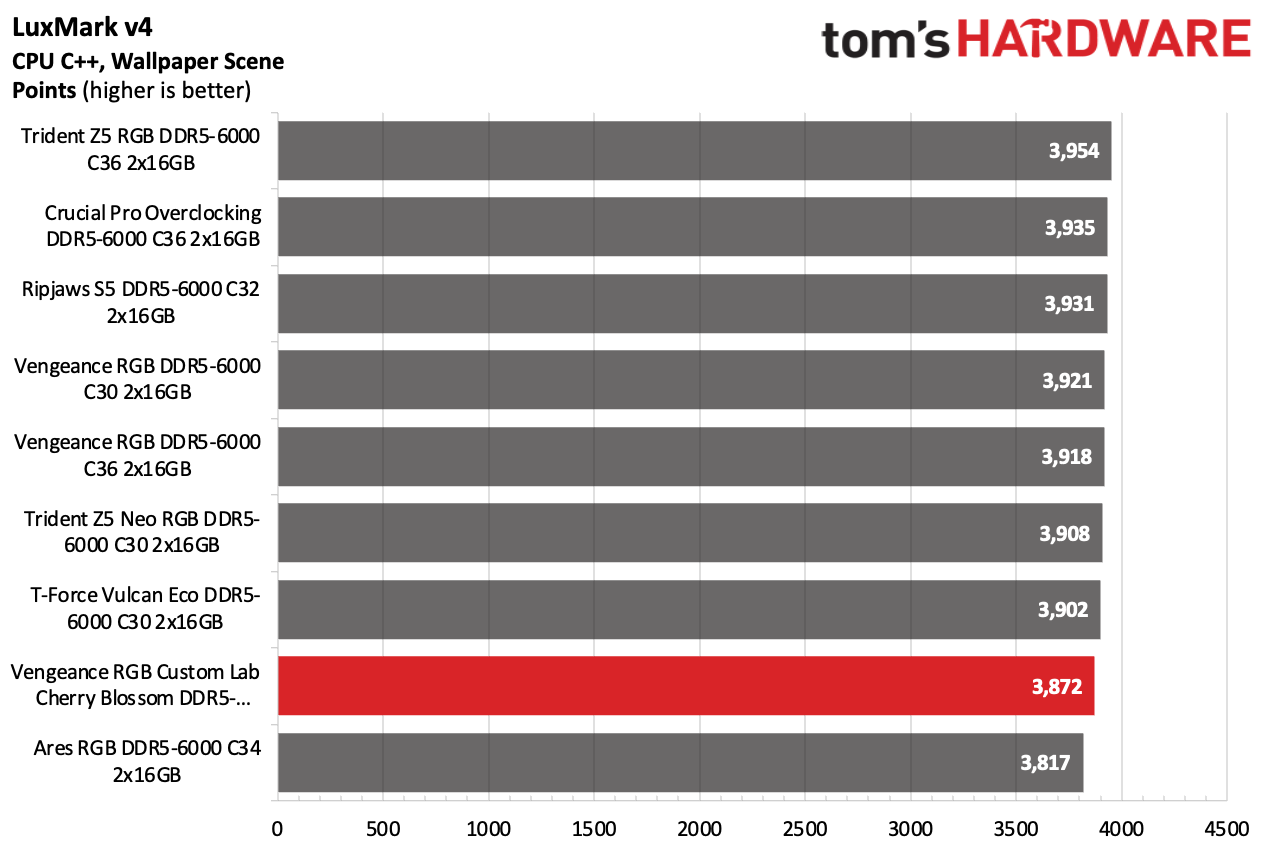
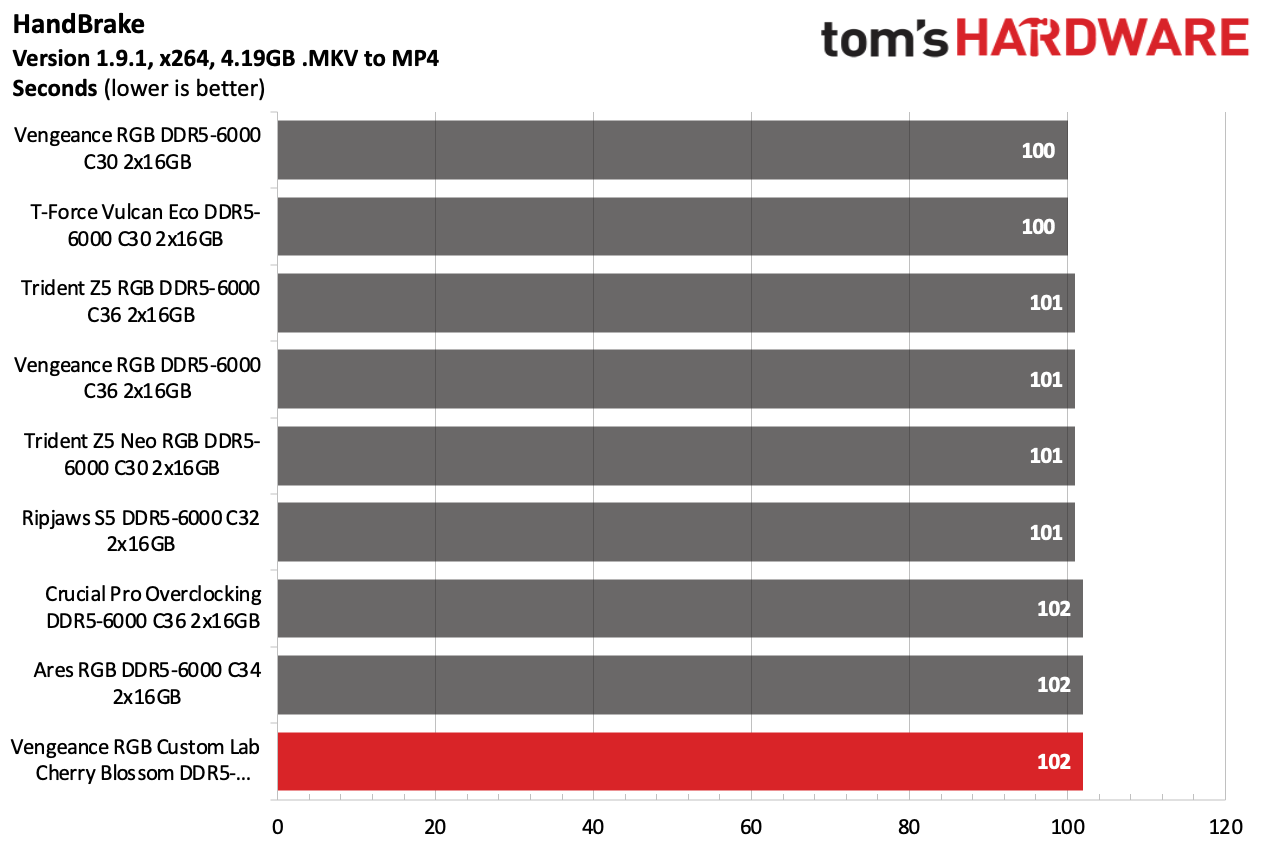
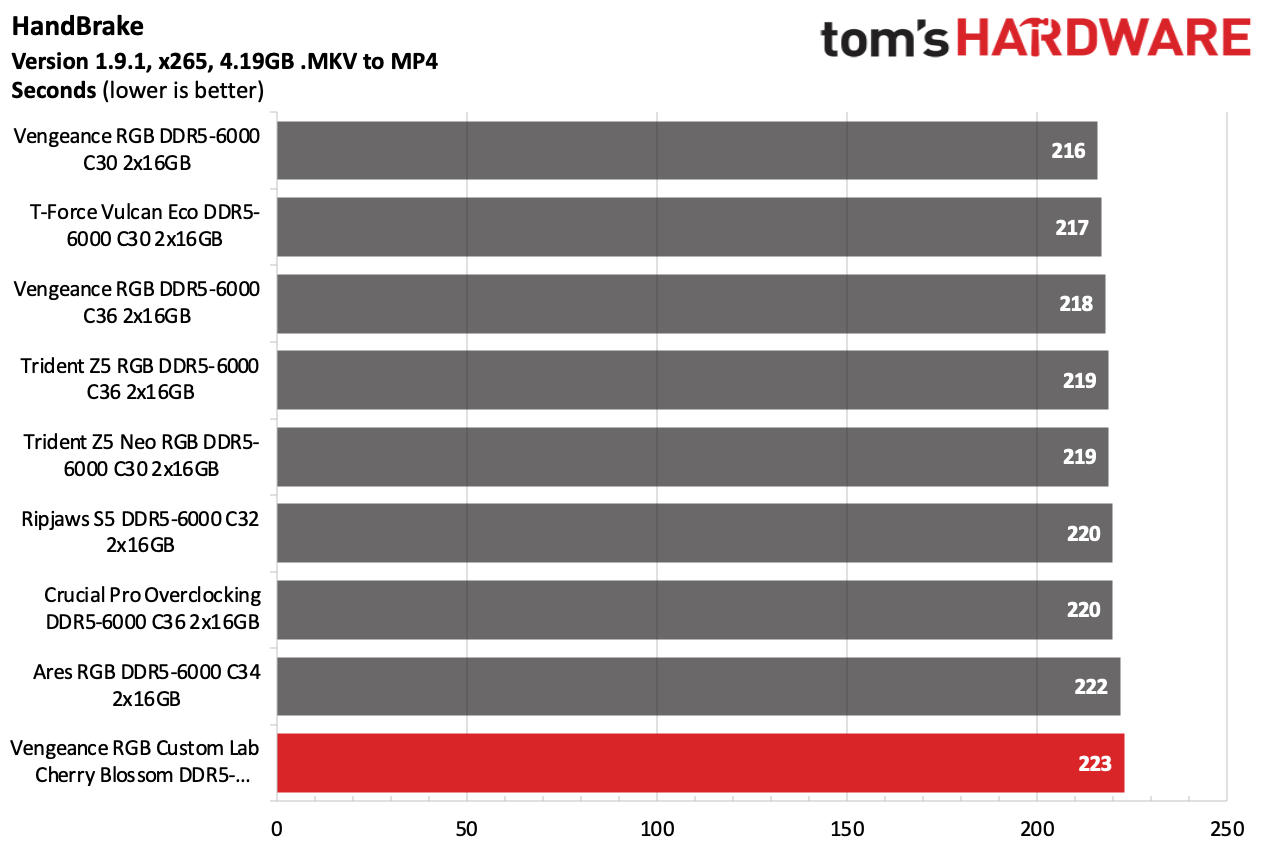
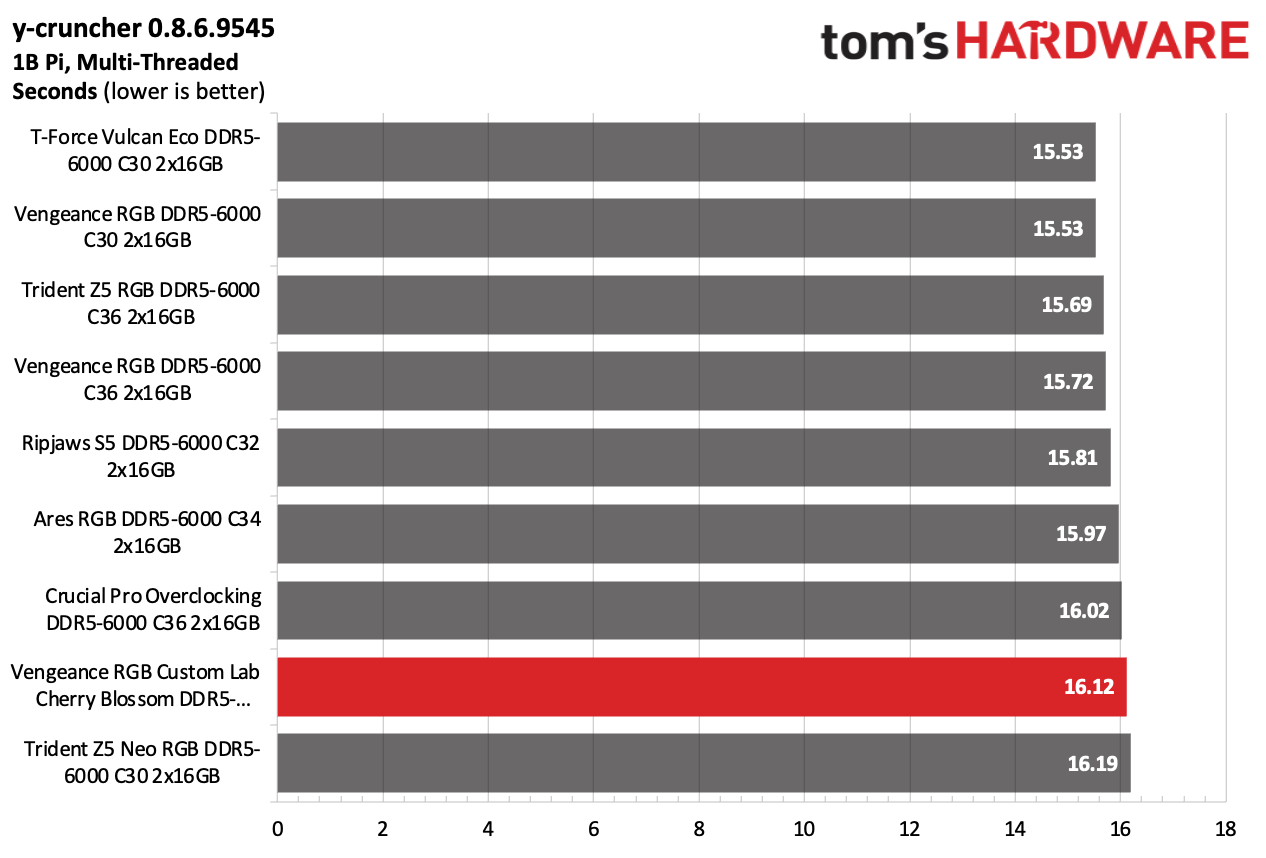
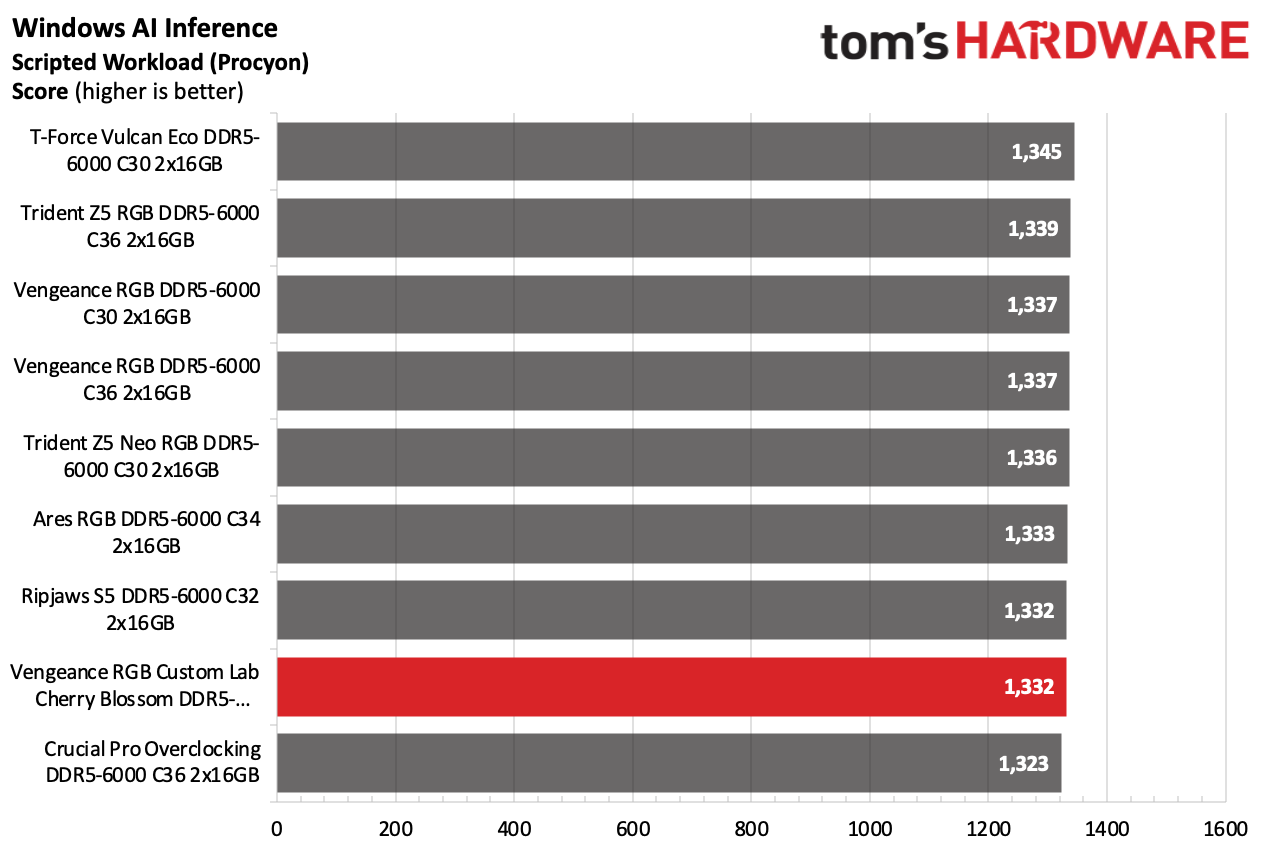
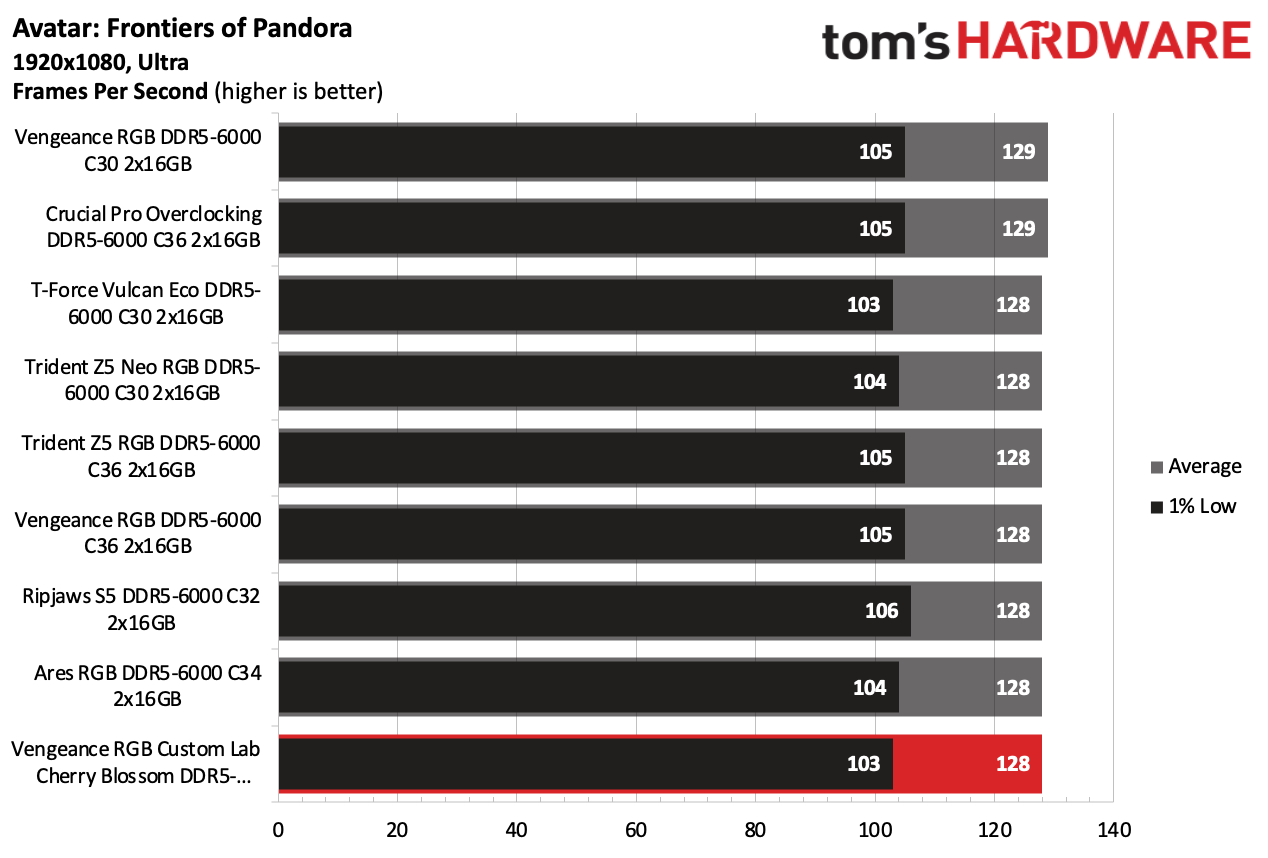
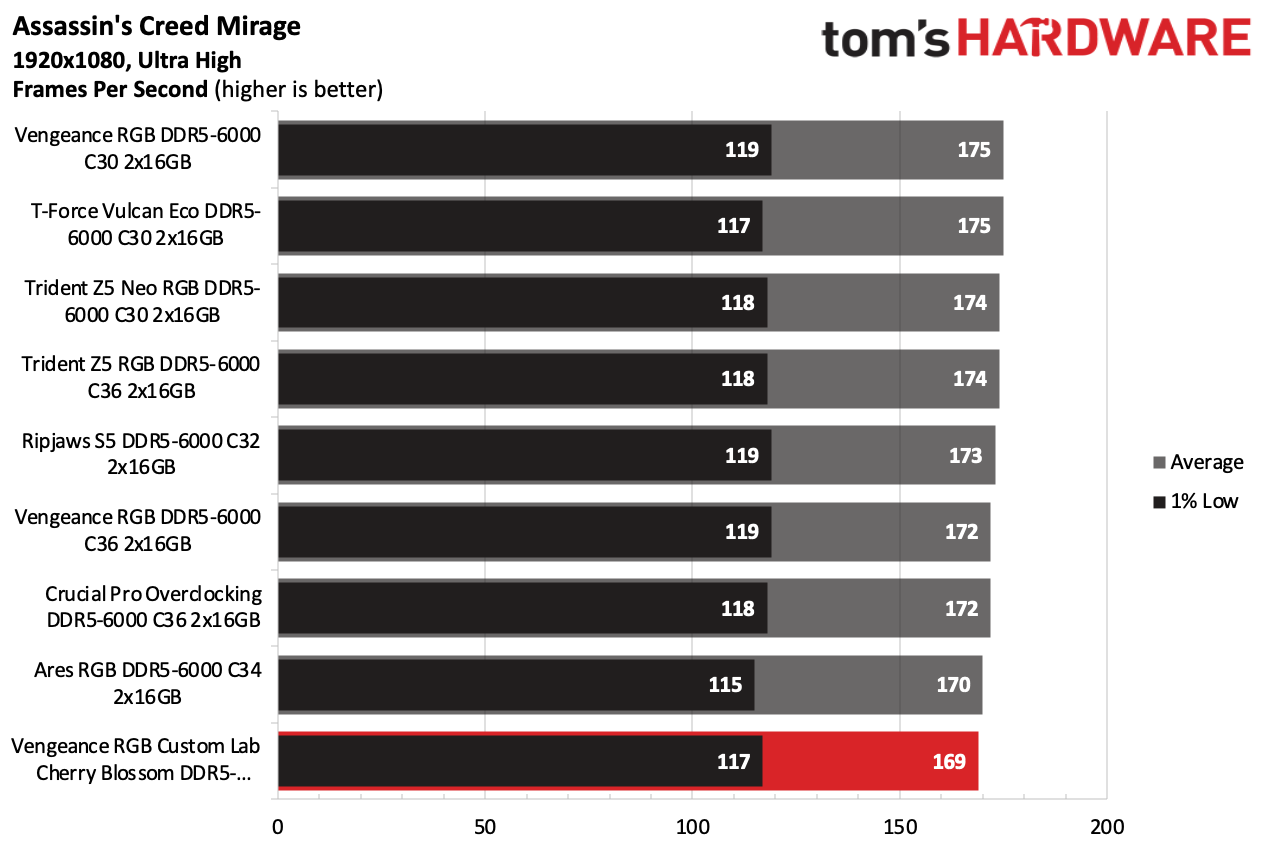
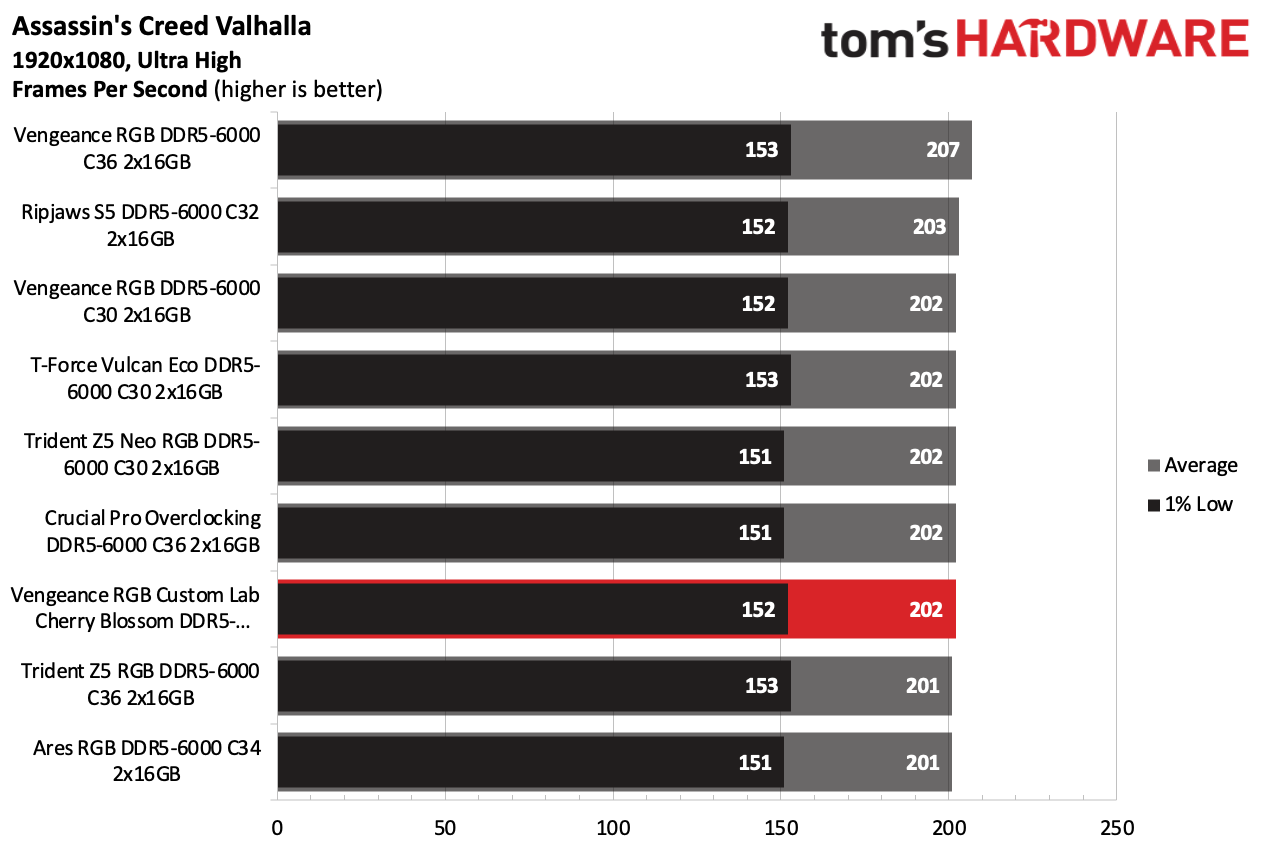
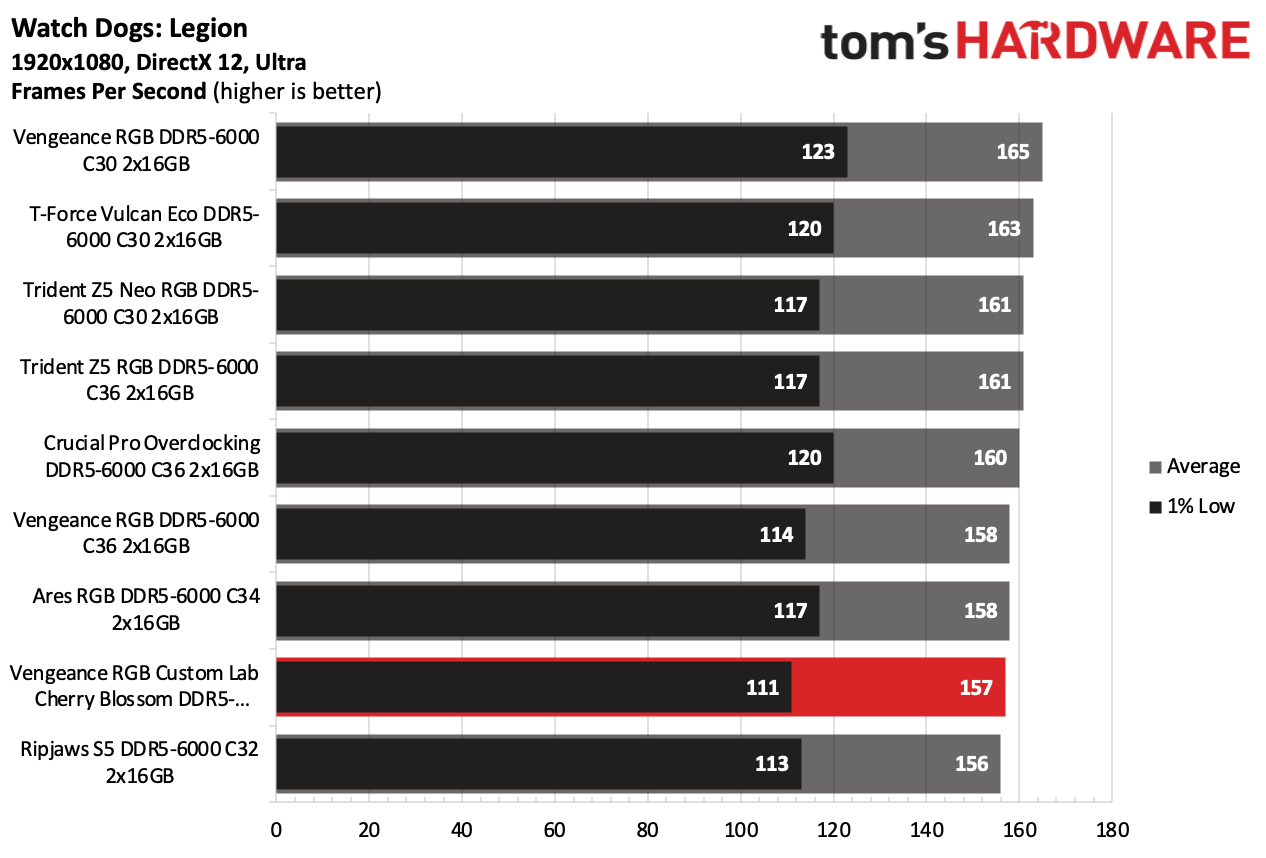
Sometimes, memory kits perform differently on alternative platforms. However, this was not the case for the Cherry Blossom. When evaluated alongside a Ryzen processor, the Cherry Blossom memory kit failed to demonstrate any noticeable gains or advantages over its results on the previous Intel platforms. It did not stand out in any of the benchmarks.
Overclocking and Latency Tuning
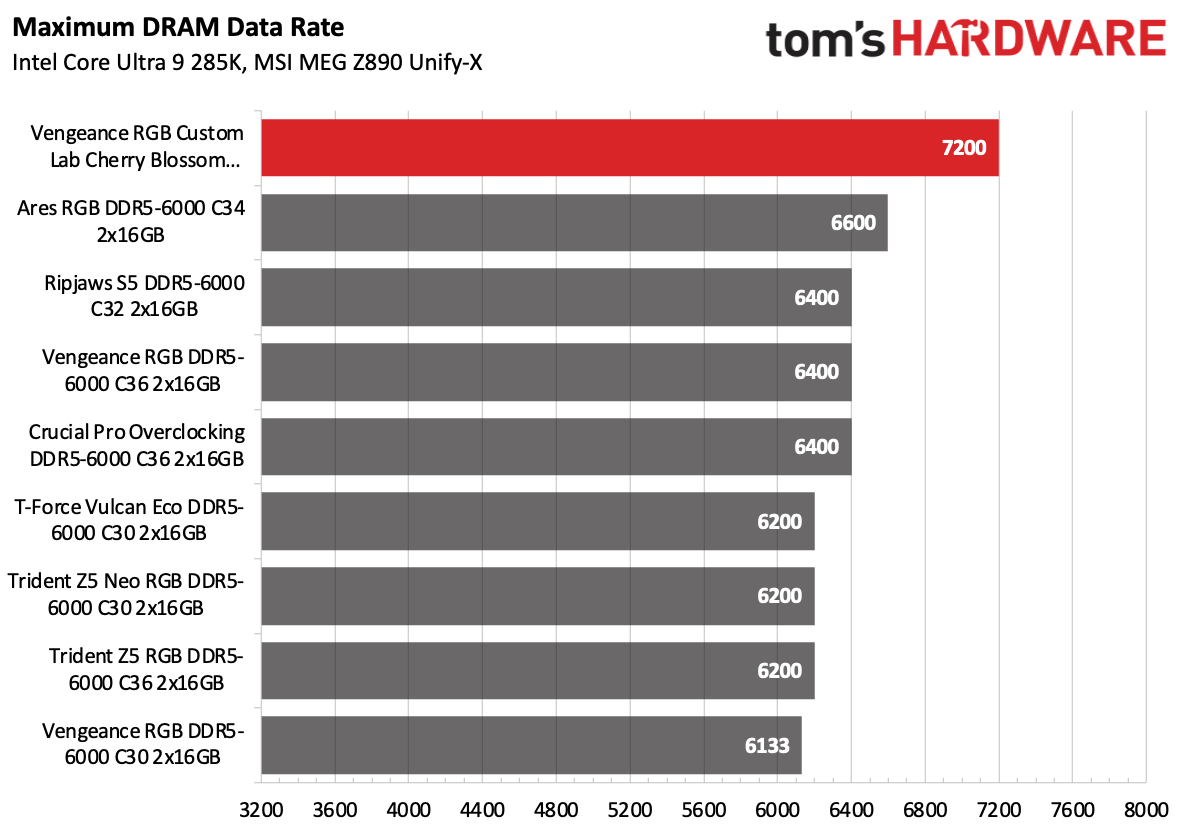
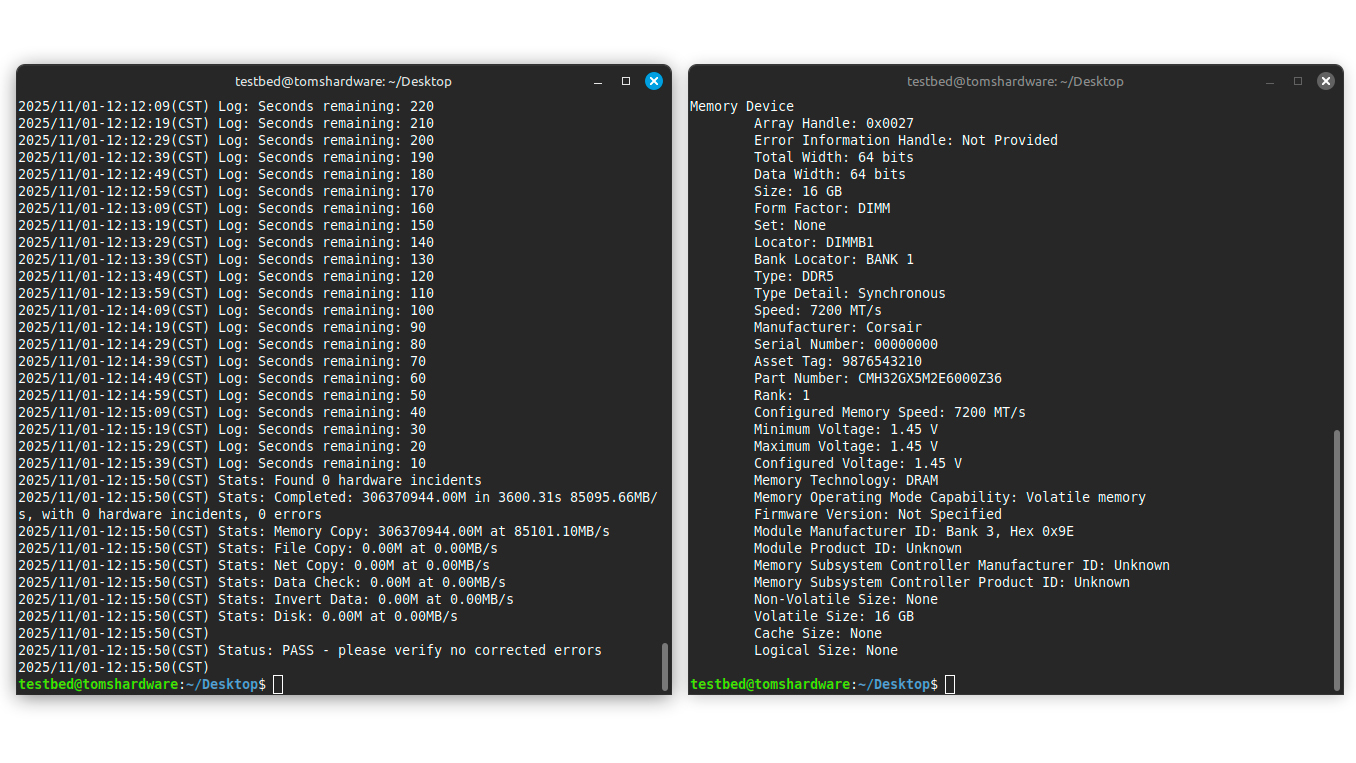
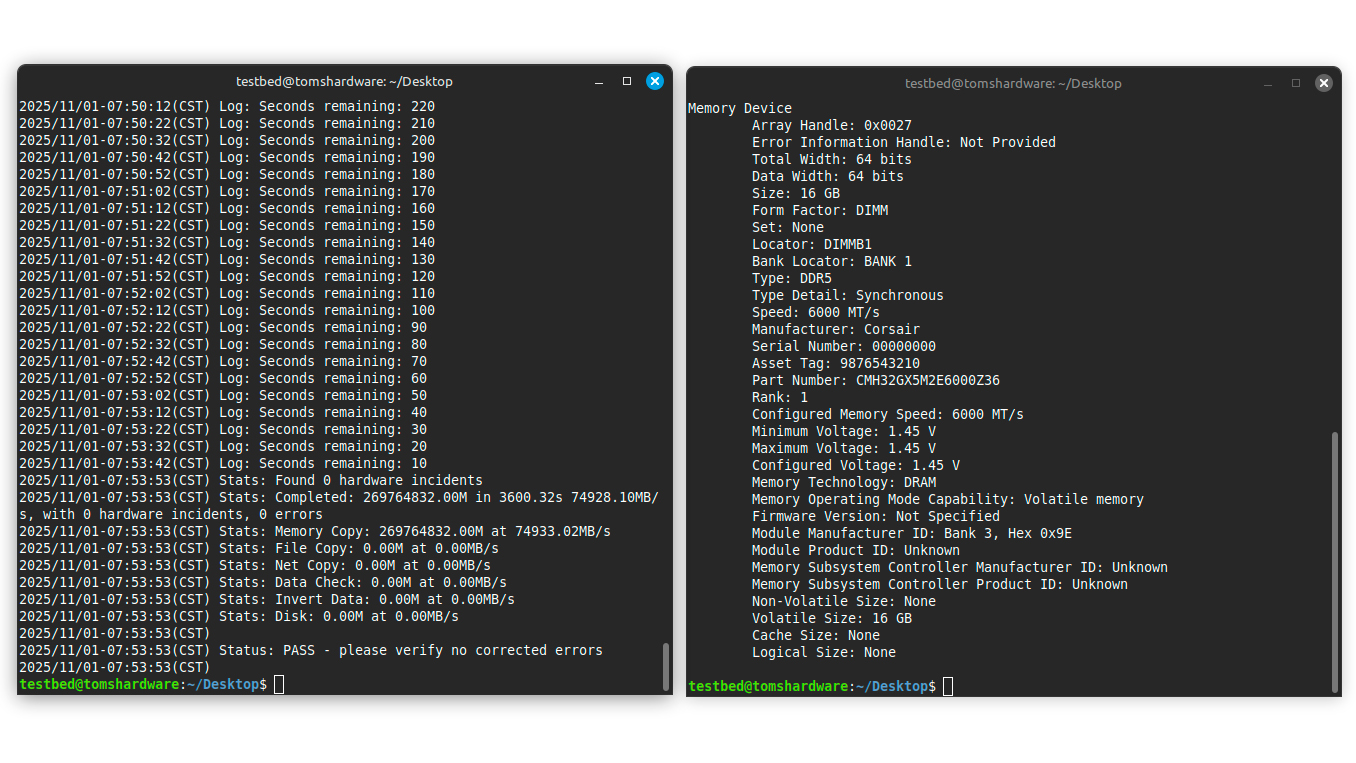
We were able to overclock the memory kit from DDR5-6000 to DDR5-7200 and retain the same timings easily. It's the highest we've reached with any DDR5-6000 memory kit. However, it's important to note memory modules ran at 1.4V by default so we had to raised it to 1.45V for any overclocking headroom, while the other memory kits were at 1.4V. The 0.05V extra gave the Cherry Blossom more room to stretch its legs.
Swipe to scroll horizontally
Corsair Vengeance RGB Custom Lab Cherry Blossom DDR5-6000 C36 | N/A | 34-36-36-76 (2T) | N/A | N/A | 36-44-44-96 (2T) |
Lexar Ares RGB DDR5-6000 C34 | 30-36-36-76 (2T) | N/A | N/A | 34-40-40-76 (2T) | N/A |
G.Skill Ripjaws S5 DDR5-6000 C32 | 28-34-34-74 (2T) | N/A | 32-38-38-96 (2T) | N/A | N/A |
Corsair Vengeance RGB DDR5-6000 C36 | 34-34-34-74 (2T) | N/A | 38-38-38-78 (2T) | N/A | N/A |
Crucial Pro Overclocking DDR5-6000 C36 | 36-36-36-80 (2T) | N/A | 36-36-36-80 (2T) | N/A | N/A |
With a 0.05V advantage over the other memory kits, it was possible to get some decent timings on the Cherry Blossom at DDR5-6000. We successfully lowered the timings from 36-44-44-96 to 34-36-36-76, putting the Cherry Blossom in the same alley as the competition but at the cost of 1.45V.
Bottom Line
Corsair's Custom Lab service offers a practical way to order custom memory kits that differ from standard offerings. Available options are limited at this early stage, as the platform is just taking shape. It would be awesome if Corsair expanded the service to allow user designs in addition to presets, so customers' personalities can really shine. The Vengeance RGB Custom Lab Cherry Blossom DDR5-6000 C36 looks great, and no one could argue about that. However, the performance is behind many DDR5-6000 memory kits with better-optimized memory timings.
You can order the Vengeance RGB Custom Lab Cherry Blossom DDR5-6000 C36 directly from Corsair for $126.99. That, of course, is the pre-shortage pricing. Nowadays, Corsair sells the same memory kit for $464.99, a testimony to how much DDR5 pricing has increased over the last few months. The company offers a lower-latency variant (C30) of the memory kit for $579.99 as well as a higher-clocked DDR5-6400 C32 version for $584.99.




 English (US) ·