
 3 weeks ago
30
3 weeks ago
30
Professional displays have always been regarded as tools for a specific task and nothing more. They are precise, accurate, and usually built to a rugged standard suitable for long-term use. However, they are often expensive. When you consider the basics – resolution, size, and speed – their bang-for-the-buck is low.
But that has changed of late in my experience. You’ll still pay a premium for a professional monitor, but you’ll get more than you used to. Many screens now have fast refresh, Adaptive-Sync, and features that make them suitable for gaming, entertainment, and daily productivity. One could say that they are a luxury category, and that’s where Asus’ new ProArt PA32UCDMR comes into focus. It’s a 32-inch Quantum Dot 4K OLED with 240 Hz, Adaptive-Sync, HDR10, HLG, and Dolby Vision. It also comes with a calibrator/controller combo and an all-metal chassis that features a slim and elegant design.
The PA32UCDMR’s price, as I write this, is around $1,900, so it still qualifies as expensive. But you can pay much more for a pro screen that doesn’t have fast refresh or Adaptive-Sync. Let’s take a look.
Latest Videos FromTom's Hardware
Asus ProArt PA32UCDMR Specs
Swipe to scroll horizontally
Panel Type / Backlight |
Quantum Dot Organic Light Emitting Diode (QD-OLED) |
Screen Size / Aspect Ratio |
32 inches / 16:9 |
Max Resolution and Refresh Rate |
3840x2160 @ 240 Hz |
| Row 3 - Cell 0 | FreeSync and G-Sync Compatible |
Native Color Depth and Gamut |
10-bit / DCI-P3+ |
| Row 5 - Cell 0 | HDR10, HLG, DisplayHDR 400, Dolby Vision |
Response Time (GTG) |
0.01ms |
Brightness (mfr) |
250 nits – full field |
| Row 8 - Cell 0 | 1,000 nits – 3% window |
Contrast |
Unmeasurable |
Speakers |
2x 3w |
Video Inputs |
1x DisplayPort 1.4 w/DSC |
| Row 12 - Cell 0 | 2x HDMI 2.1, 2x Thunderbolt 4 |
Headphone |
None |
USB 3.2 |
1x Type C, 1x Type A |
Power Consumption |
52.8w, brightness @ 200 nits |
Panel Dimensions WxHxD w/base |
28.2 x 18.3-23.5 x 9 inches (716 x 465-597 x 229mm) |
Panel Thickness |
1.7 inches (43mm) |
Bezel Width |
Top: 0.28 inch (7mm) |
| Row 19 - Cell 0 | Sides: 0.39inch (10mm) |
| Row 20 - Cell 0 | Bottom: 0.63 inch (16mm) |
Weight |
20.28 pounds (9.2kg) |
Warranty |
3 years (can be extended to 5 years with online registration) |
The PA32UCDMR is an upgrade from last year’s PA32UCDM. It has the same specs but adds a calibrator. It isn’t the built-in kind where a little sensor flips up from the bezel. Rather, Asus created a small puck that integrates the colorimeter and an OSD controller. Control is via Asus’ DisplayWidget Center and ProArt Calibration apps, which are free downloads. You can also use Calman or ColourSpace software. The puck is called CaliContrO, which is clever, but hereafter, I’m calling it The Puck. The good part is that the monitor generates its own test patterns and stores the calibrations in the firmware. You’ll need a PC connection to make it all work.
Pro features continue with a complete list of color modes that correspond to every standard in current use. The gamut choices range from sRGB to BT.2020, with everything in between, including Adobe RGB. You can bank on the accuracy of these modes right out of the box, according to my test results, which you can see in detail on pages four and five. HDR support is nearly complete with HDR10, Hybrid Log Gamma, and Dolby Vision. Only HDR10+ is absent. HDR10 includes multiple PQ curves and the choice of P3 or 2020 gamuts.
The panel tech is Quantum Dot OLED, meaning a wide color gamut that covers over 104% of DCI-P3. The PA32UCDMR is rated for VESA DisplayHDR 400, which I verified in testing. You can expect HDR peaks of around 1,000 nits for a 3% window pattern. I measured over 420 nits from a 25% window. You also get variable brightness for both SDR and HDR.
For game content creators or well-heeled gamers, the PA32UCDMR offers 4K resolution and a 240 Hz max refresh rate. You also get Adaptive-Sync, which works on both AMD and Nvidia platforms. My response and lag tests showed this to be one of the quickest 4K OLEDs you can buy. Those results are on page two.
Physical features, beyond the gorgeous all-metal chassis and slim styling, include plenty of video inputs. You get two HDMI 2.1 ports, a DisplayPort 1.4 with Display Stream Compression (DSC), and a Thunderbolt 4 port. A second Thunderbolt serves as an output for daisy-chaining. The main USB-C port supports 96 watts for charging, while additional USB-C and USB-A ports deliver up to 15 watts. You also get internal speakers, three watts apiece.
The PA32UCDMR handily meets the requirements for professionals and users who just want a really nice monitor. At $1,900, it isn’t a bargain, but it is less expensive than many other pro monitors that aren’t as capable.
Assembly and Accessories
The PA32UCDMR ships in a large clamshell box with cardboard forms protecting the contents. The panel, base and upright are separate and go together without tools. Also included is a rigid light-blocking hood made from hard plastic and lined with light-absorbing material. It attaches magnetically to the panel and can easily be removed when you wish. The Puck comes in its own little box with a simple set of instructions. It connects to your PC or laptop. I noted that it would control the OSD when hooked up to one of the monitor’s USB-C ports. For calibration, though, it needs to have that PC in the chain. The cable bundle includes IEC power, two USB-C ports, DisplayPort, and HDMI. You also get a nice microfiber cleaning cloth.
Product 360
Image 1 of 5
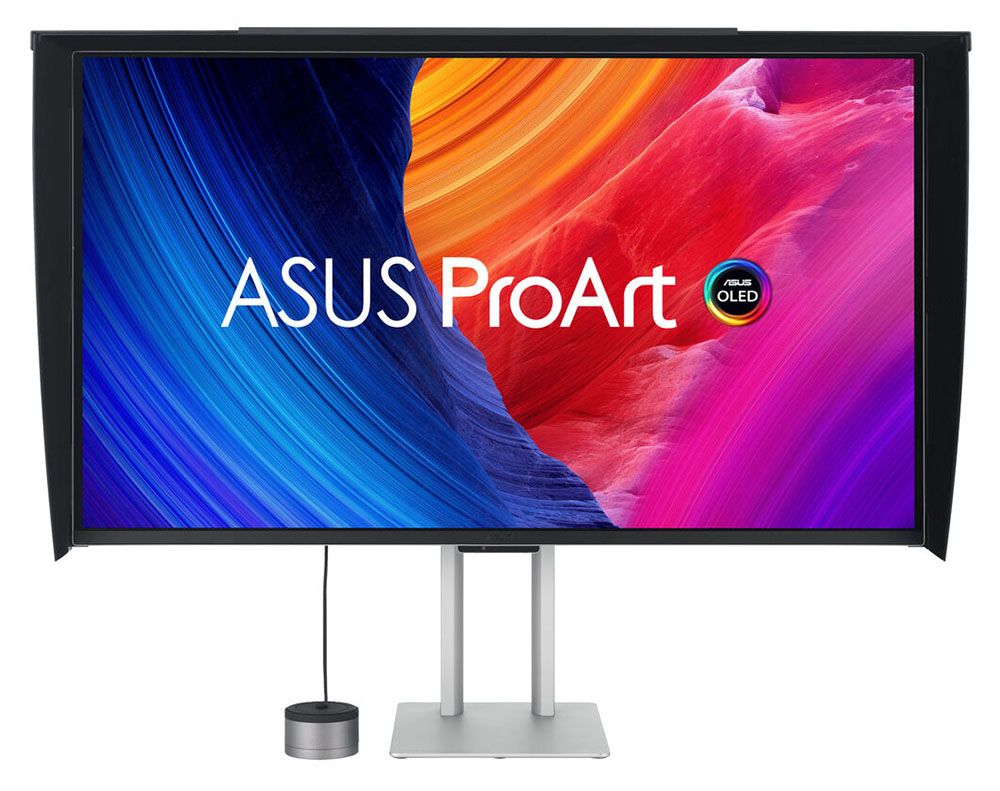
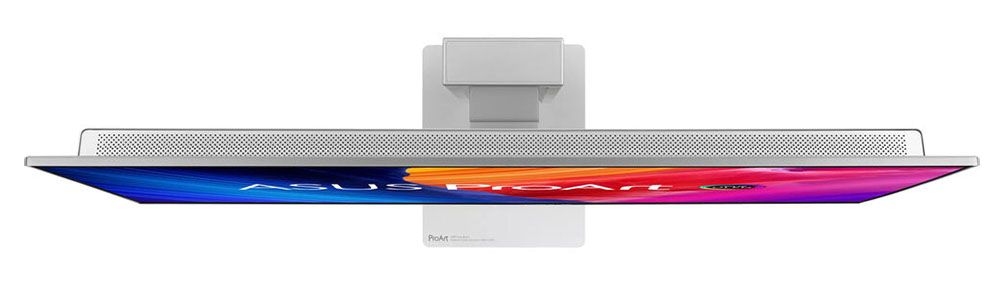
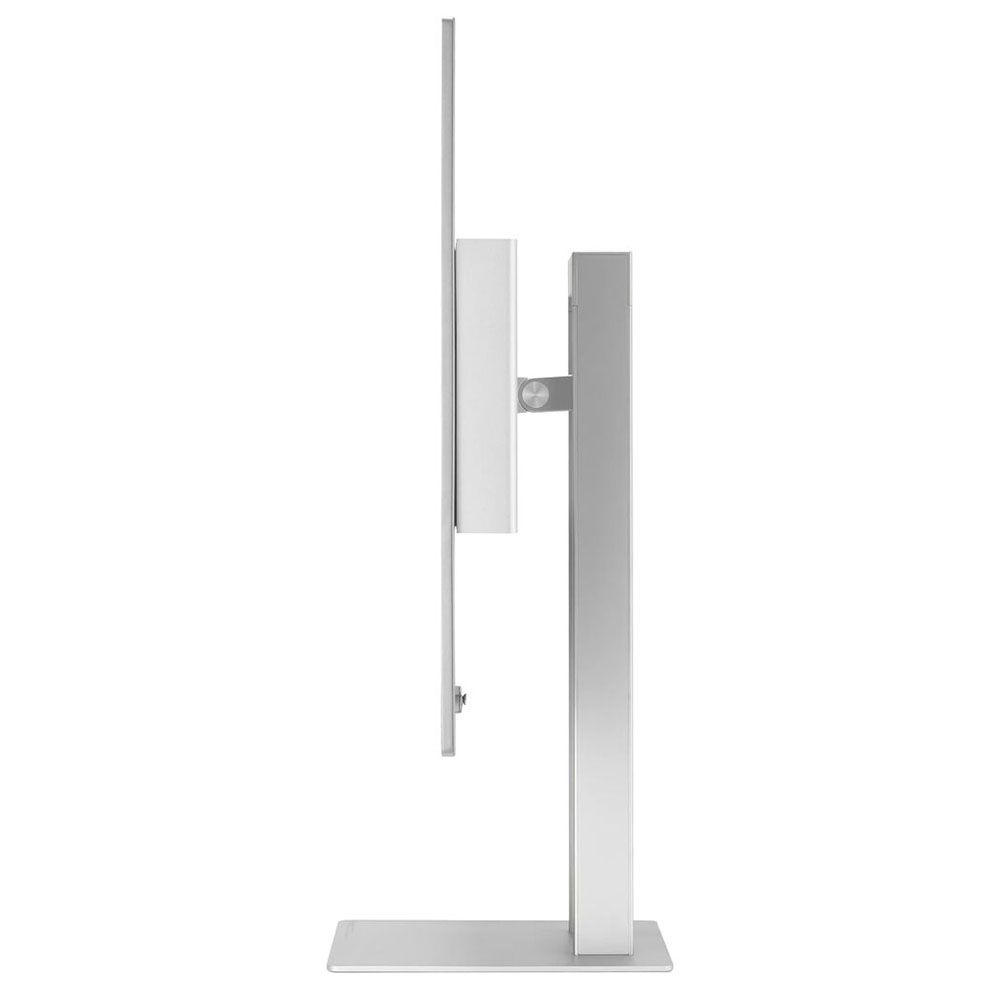
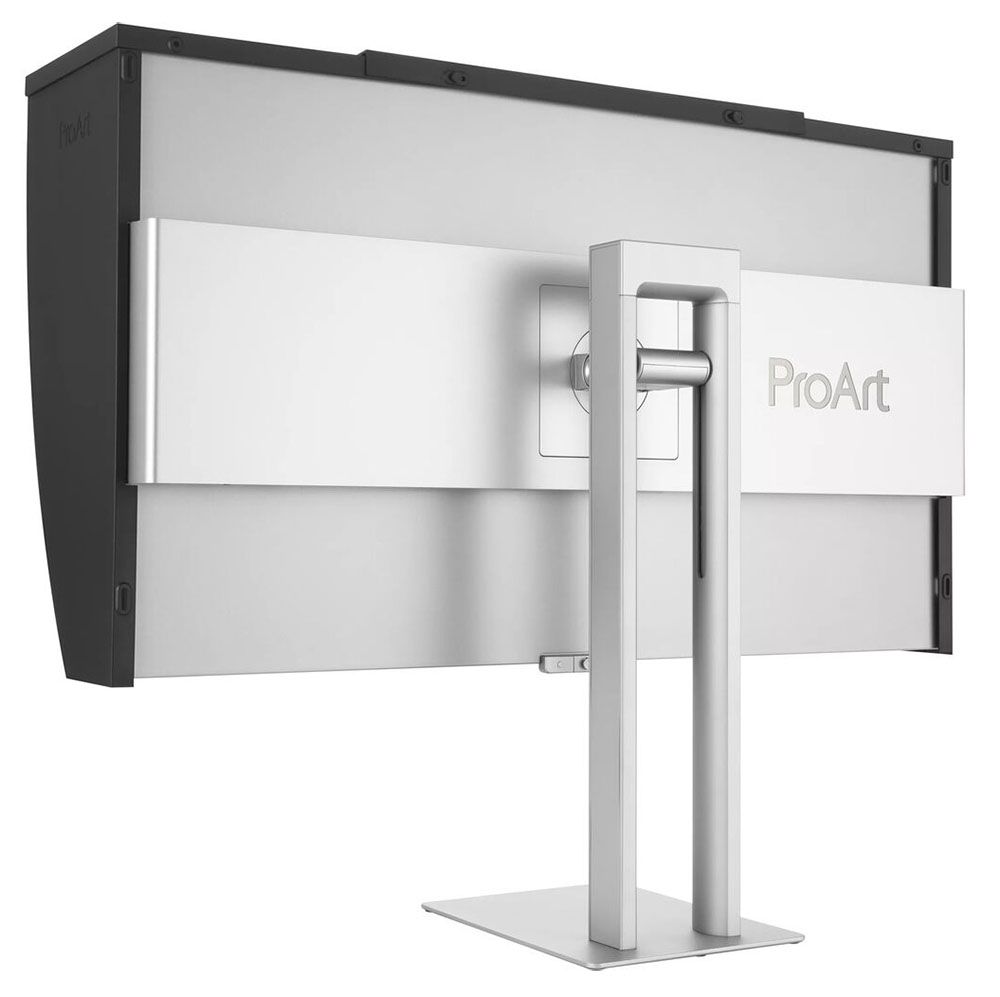
The PA32UCDMR’s styling is what I’d call “executive”. Though it would be massive overkill for someone just reading email and browsing the web, it’s one of those objects that makes your office or workspace look better. The silver parts you see in the photos are all aluminum with a smooth matte finish. That means the panel can be super slim, and it is indeed thinner than any other 32-inch OLED or LCD I’ve reviewed at just 1.7 inches. There is a flush bezel that disappears when the power’s off and only creates a thin frame of 7-16 millimeters. The screen is glossy, but a coating prevents reflections from washing out the image. If you want the best possible picture quality, a magnetic hood is available, made of rigid plastic and lined with light-absorbing material.
The stand is a twin-spire design with quality ergonomics. It has a small but stable base, which keeps the PA32UCDMR’s footprint efficient. Movements are firm and smooth and include a 5/20-degree tilt, a 90-degree portrait mode, and a 5.2-inch height range. There is no swivel. To control the OSD, reach behind the small protrusion at the center to find a tiny joystick and two buttons. One is a power toggle, while the other cancels whatever menu is currently active.
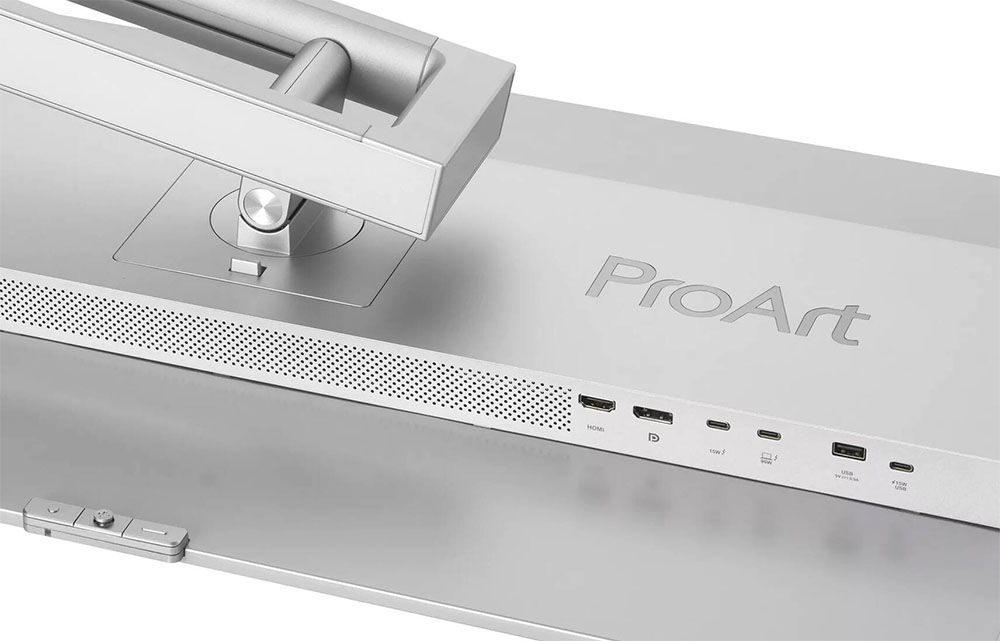
The input panel is up and under the right side of the component bulge in the back. It includes two HDMI 2.1 ports, a DisplayPort 1.4 with DSC, and a Thunderbolt 4 port. A second Thunderbolt port serves as an output for daisy-chaining a second monitor to the PC or Mac with a single cable. Two USB ports, one C and one A, provide support for peripherals. There is no headphone jack.
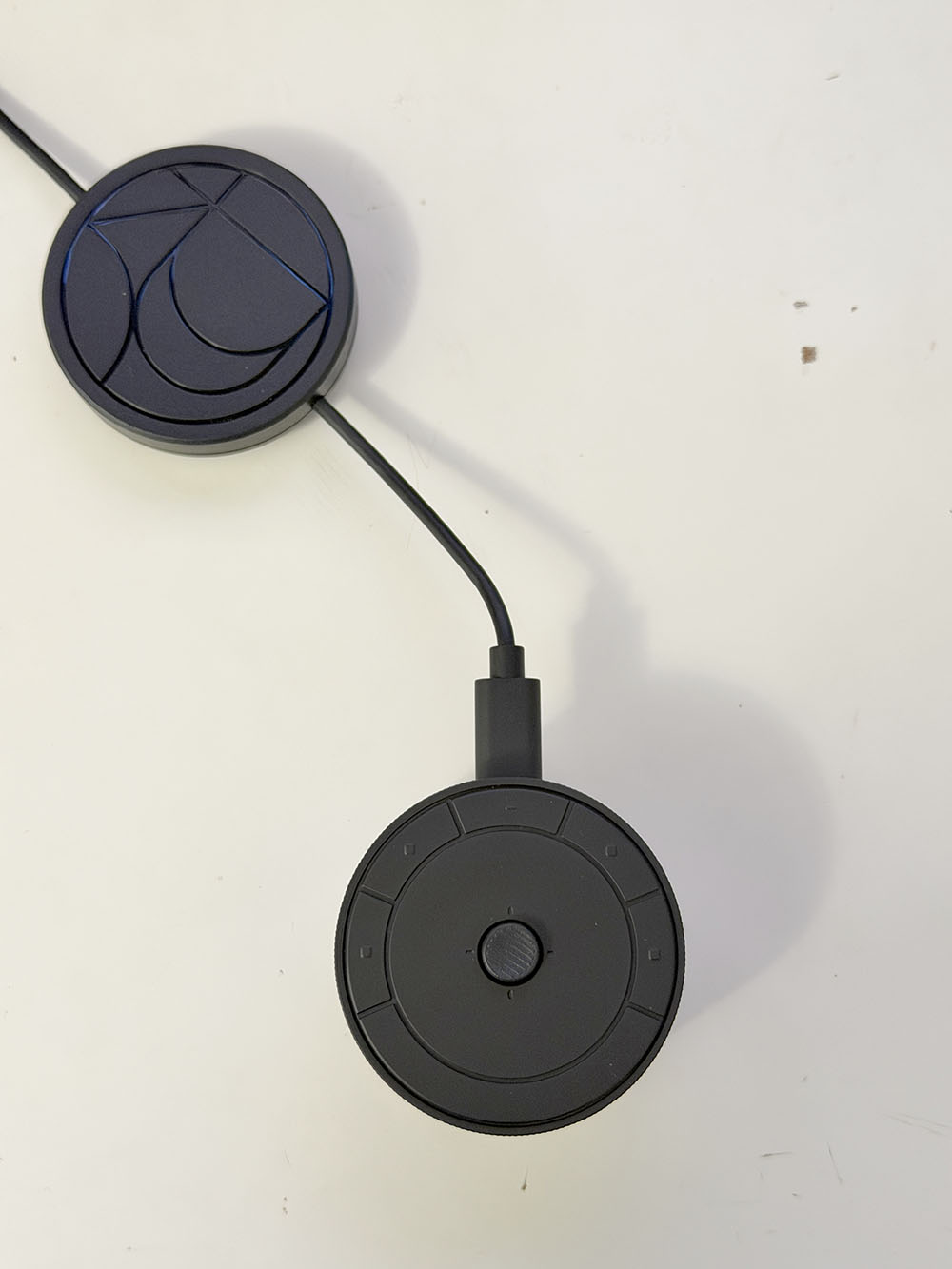
The calibrator, called CaliContrO, is a small puck with a cover for the lens. A weight slides along the cable so you can hang it from the top edge of the panel. At the top are a joystick and four touch-sensitive buttons. You can also slide your finger around the joystick, like the click wheel on an old iPod. These functions must be programmed in the DisplayWidget Center app. I’ll talk more about the calibration process in a moment.
OSD Features
The OSD is Asus ProArt standard, with a small, efficient menu that sits vertically in the lower-right corner of the screen, well away from test patterns. It appears when you press the joystick on the PA32UCDMR or on The Puck.
Image 1 of 7
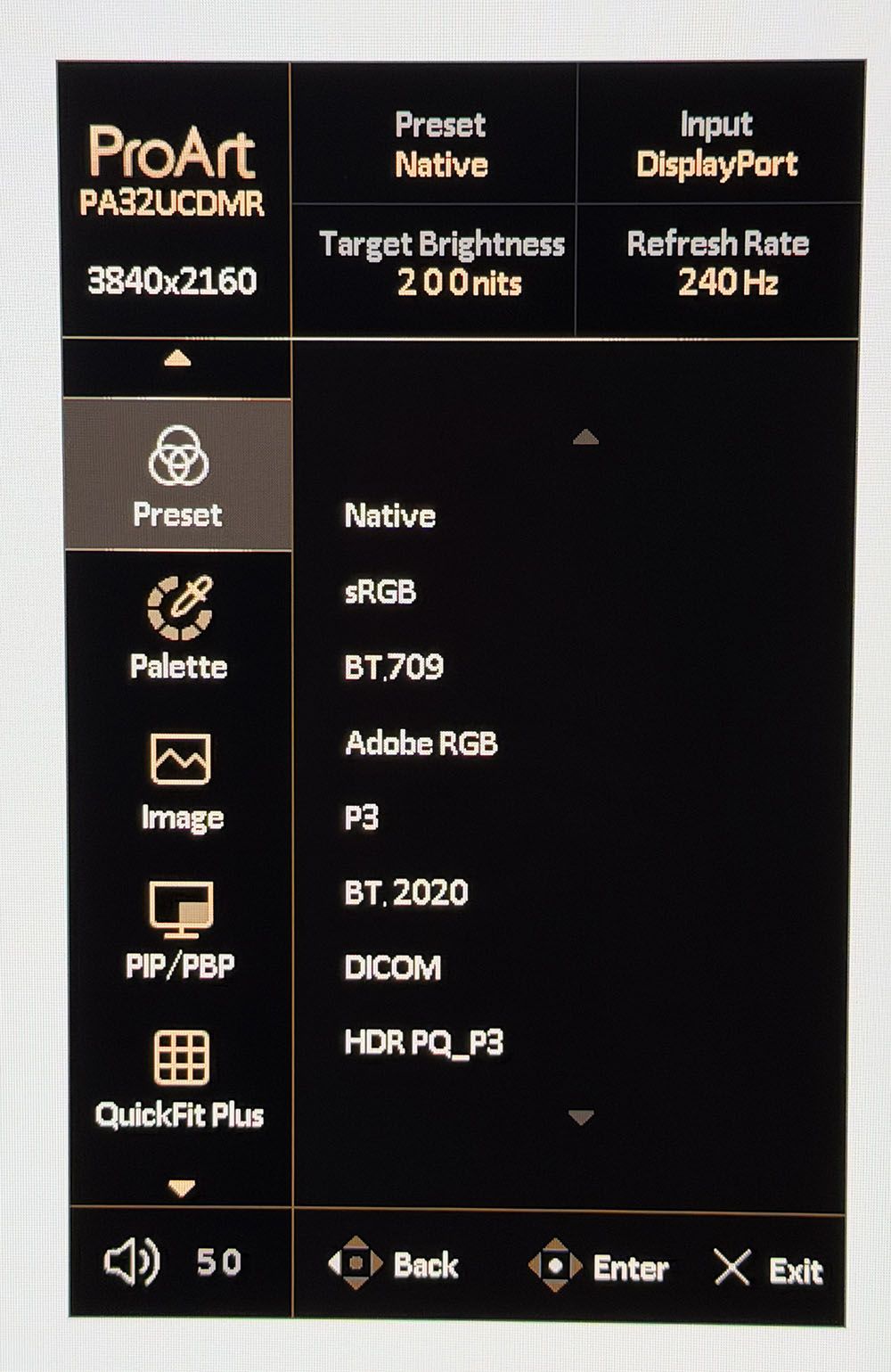
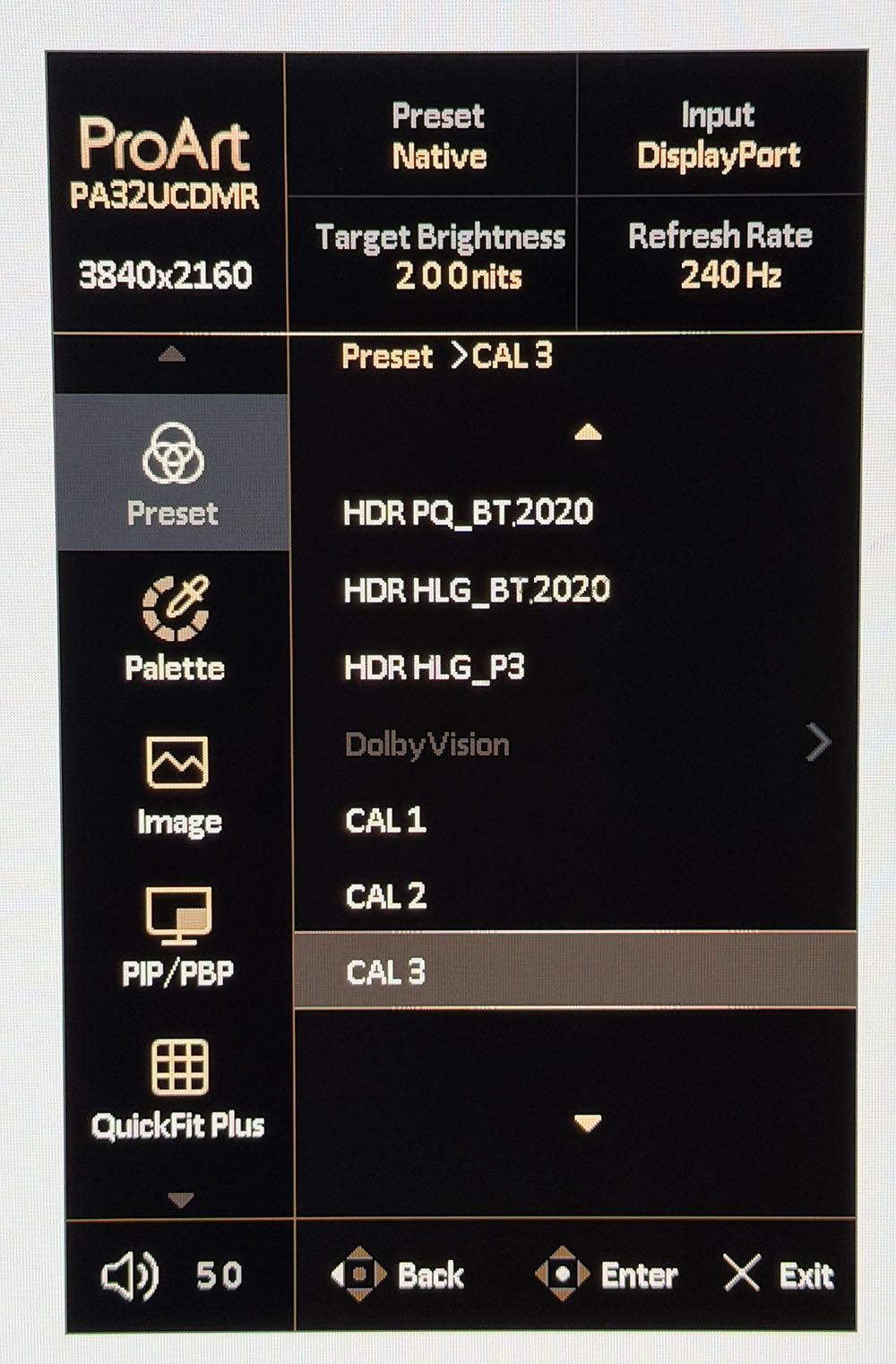
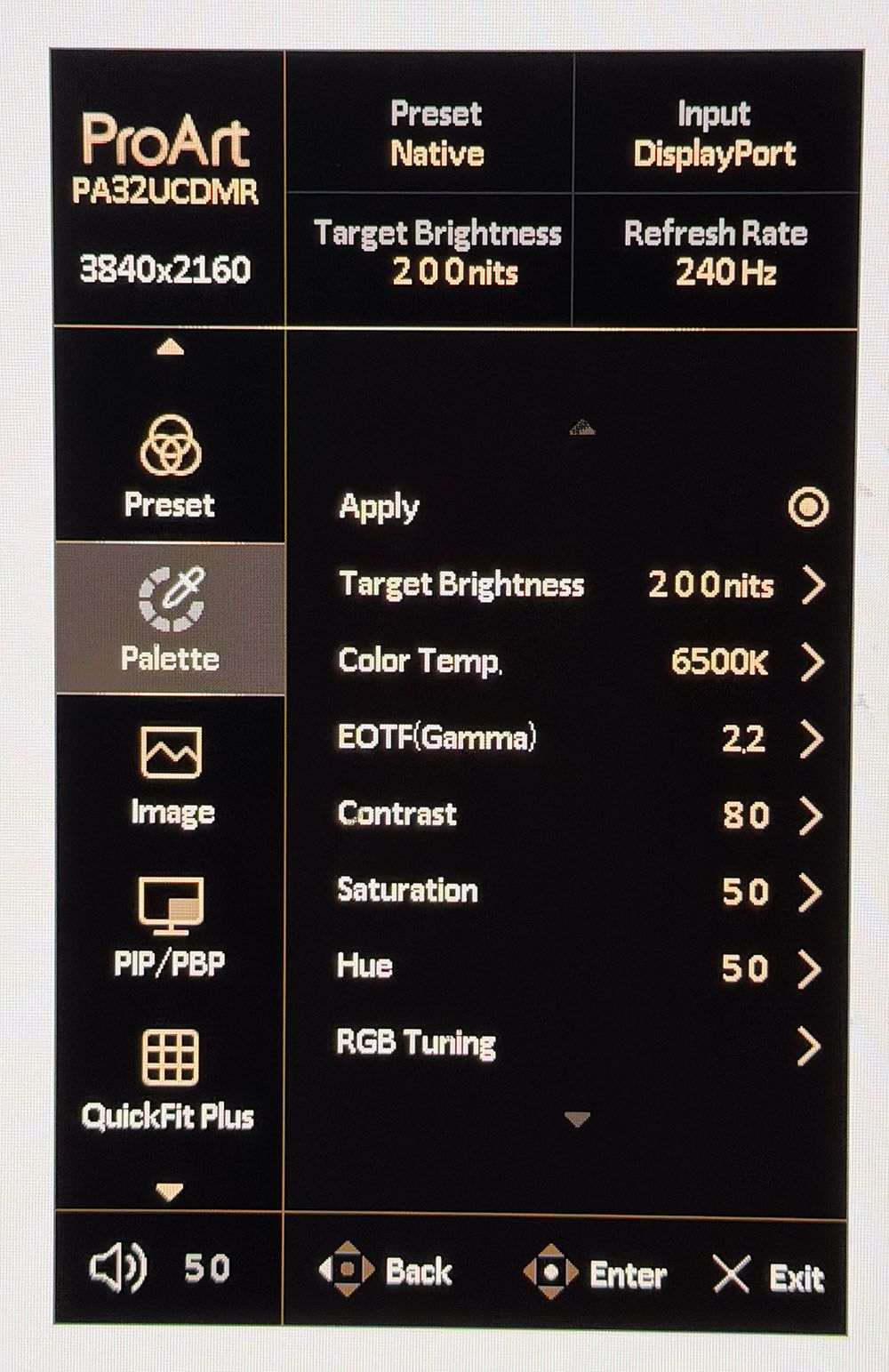
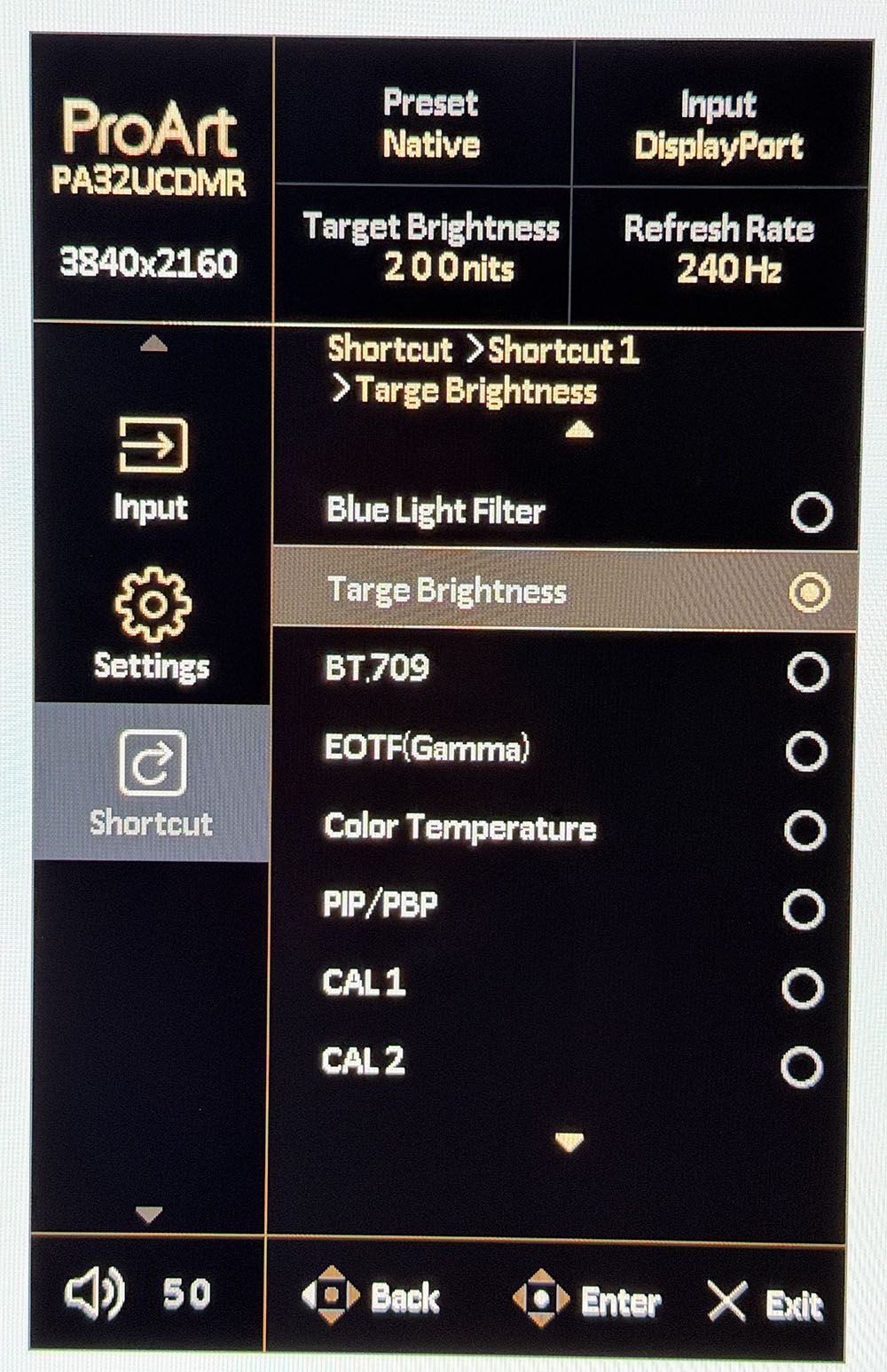
The PA32UCDMR is centered on its preset modes, which cover every standard currently in use. Native uses the monitor’s full color gamut, covering around 104% of DCI-P3. You also get sRGB, BT.709, Adobe RGB, P3 display and cinema, BT.2020, DICOM for medical equipment and multiple flavors of HDR10 and HLG. And there’s Dolby Vision, which is still a rarity on computer monitors. Three memory slots accommodate custom calibrations created by the ProArt Calibration app. Each preset can be tweaked in the OSD for gamma, color temp, and other parameters.
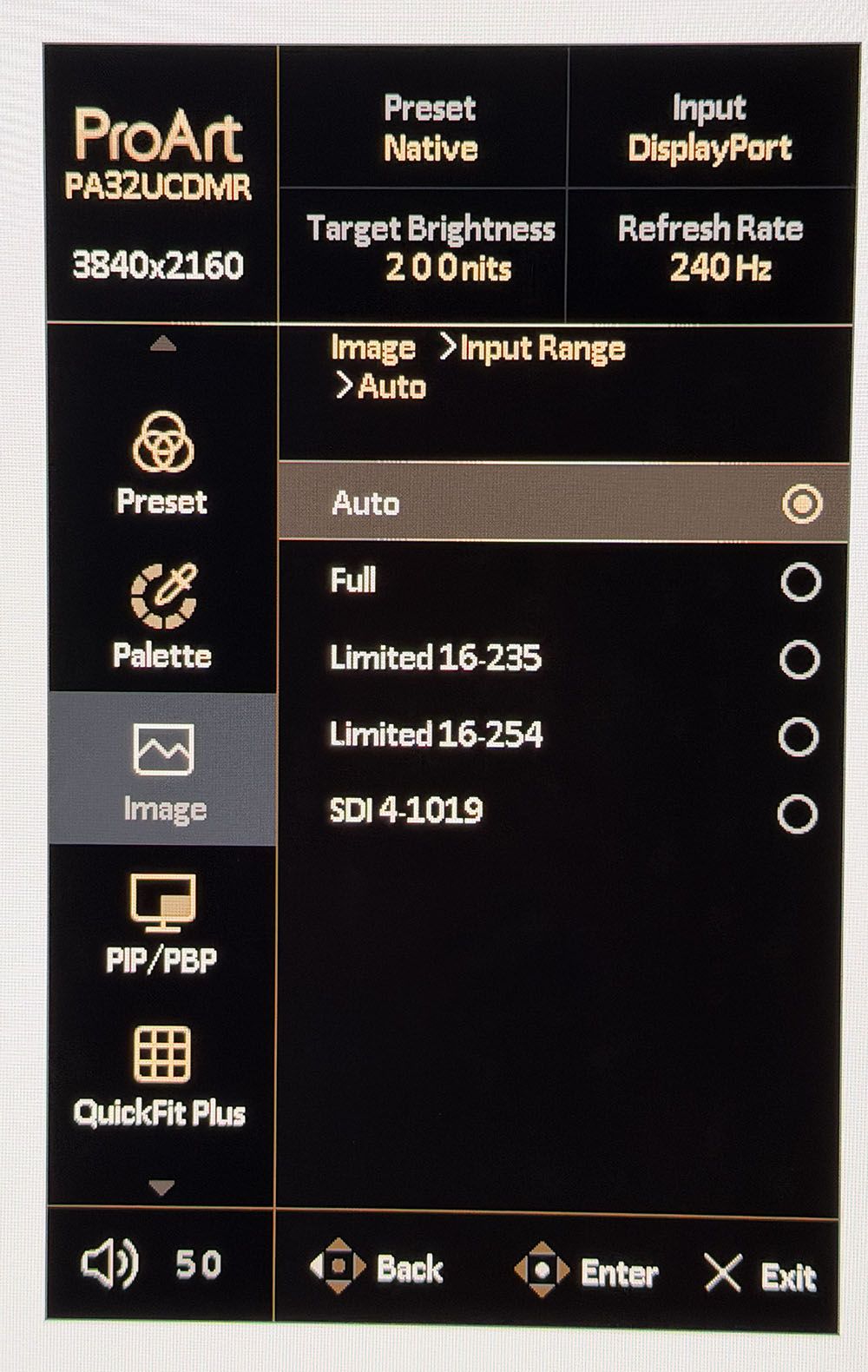
Signal range is an important setting when mastering different content types. Auto works in most cases, but you can specify the thresholds if you wish. Included here is SDI 4-1019, which is a 10-bit standard for commercial video applications. It maps image data from level 4 to 1019 while reserving 0-3 and 1020-1023 for audio and time codes.
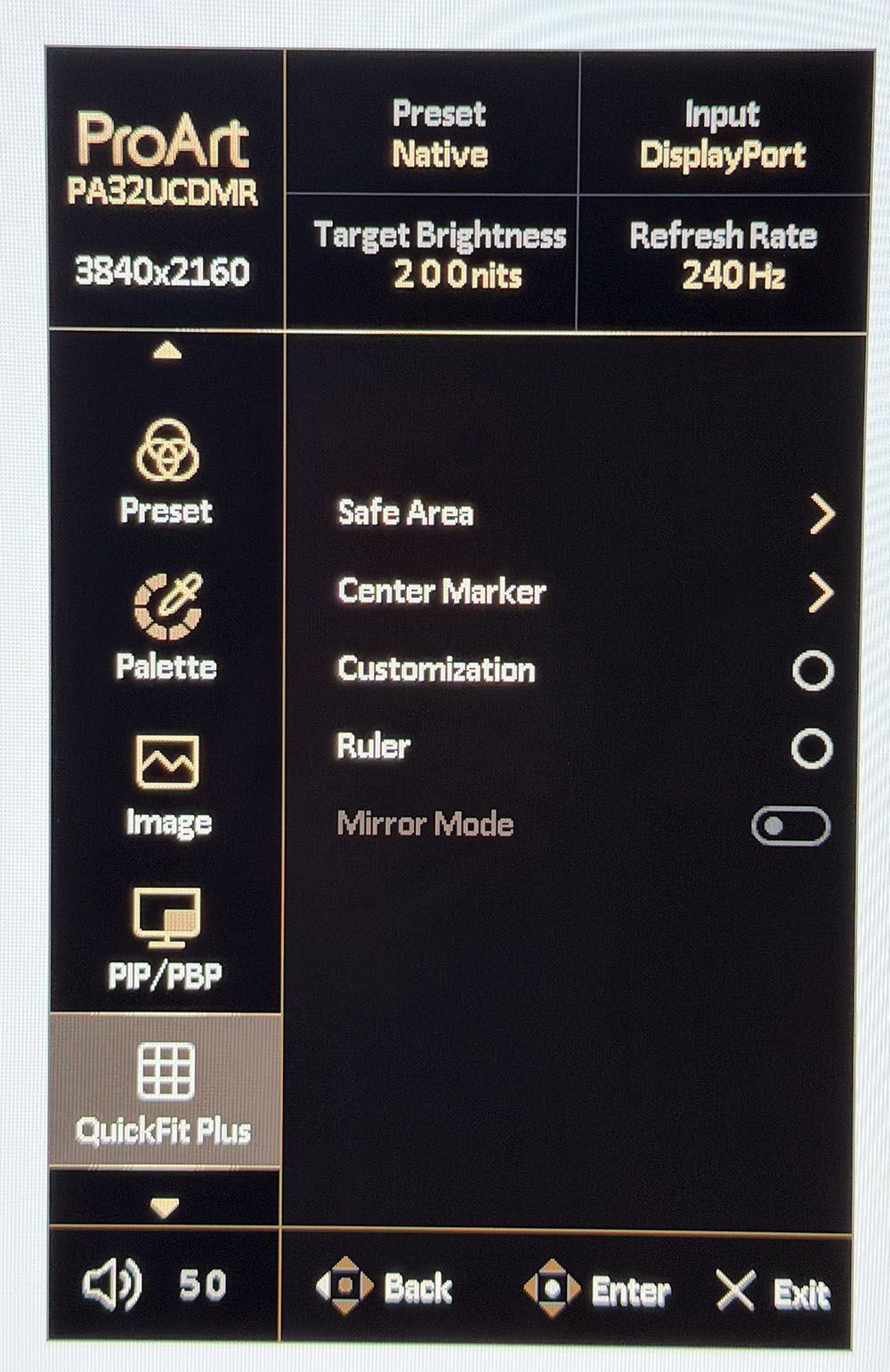
The PA32UCDMR has Asus’ QuickFit feature, which puts markers and frames on the screen to aid in composition. You can specify different aspect ratios and display rulers for help with scaling.
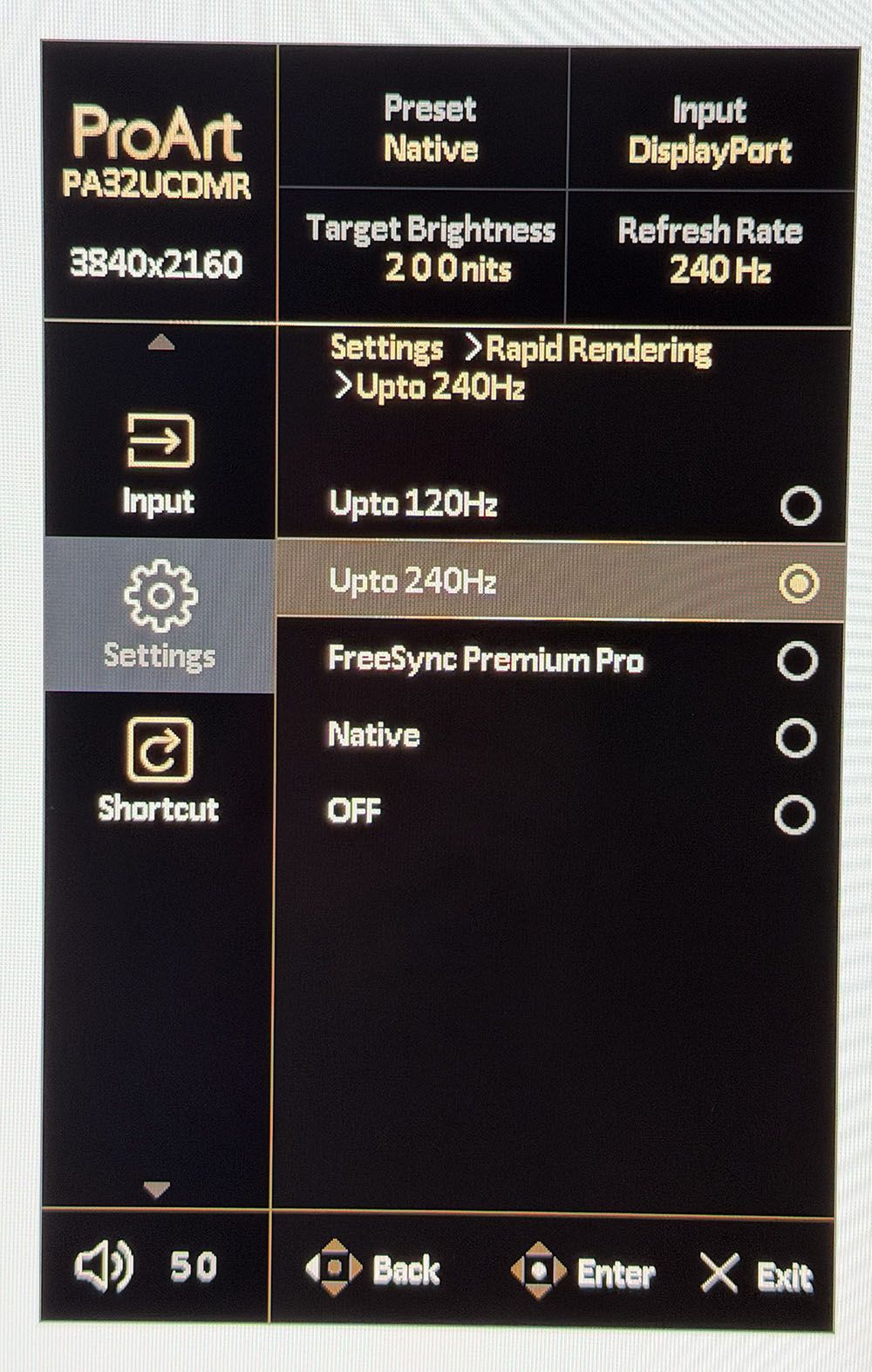
Rapid Rendering is an important sub-menu because it’s where you control the PA32UCDMR’s Adaptive-Sync. It’s turned off by default, so to enable G-Sync or FreeSync, select one of the four options. FreeSync Premium Pro only works up to 120 Hz. For the full 240 Hz, choose either Native or Upto 240 Hz. Once enabled, it worked for me without issue.
Finally, two of the quick menu options can be programmed for quick access to different functions like brightness or specific preset modes.
Asus ProArt PA32UCDMR Setup And Hands-on
The PA32UCDMR’s calibration procedure is a little different than what I’ve encountered from ProArt monitors with a built-in sensor. There is no calibration menu in the OSD. Instead, you must install DisplayWidget Center and ProArt Calibration on your PC or Mac. The Puck is then plugged into the computer, where it is controlled from the desktop.
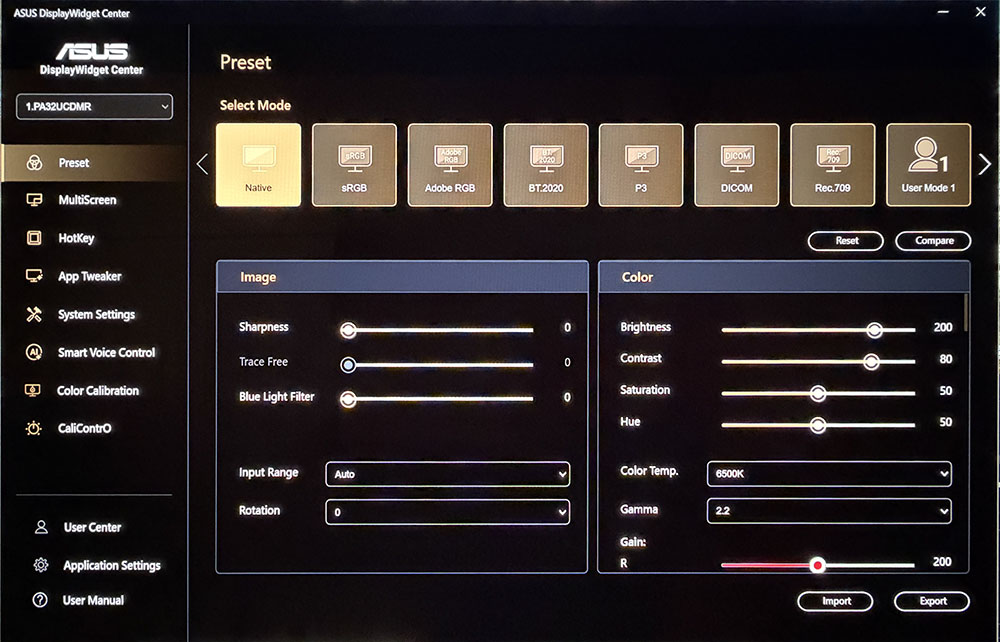
DisplayWidget Center fully mimics the OSD, so you can control everything from a Windows or Mac desktop. ProArt is a plugin that manages calibration and stores the results in the PA32UCDMR’s internal firmware. You can also use your own meters with Calman or ColourSpace if you wish. Calibrations can be scheduled to run while you’re away.
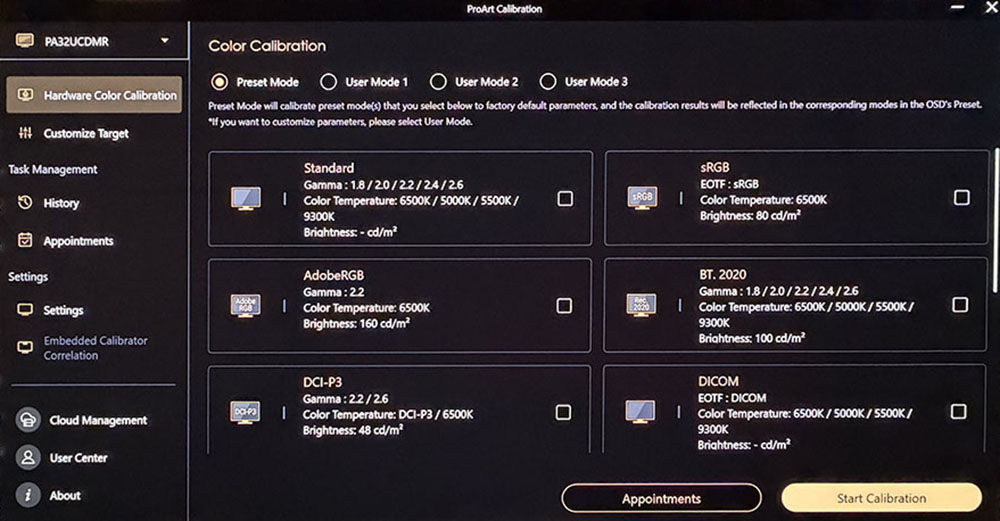
Any preset mode can be calibrated, or you can create up to three custom configurations with any combination of gamut, gamma, and color temp you wish. You can also calibrate the HDR modes with equal flexibility and precision. I noted that with the light hood in place, there was no place to run The Puck’s wire to hang it on the screen. Other Asus hoods I’ve seen include a little doggy door for the meter, but this one is completely solid. Fortunately, it’s easy to remove just the top piece when you need to.
For my purposes, I found the presets to be spot-on for color and grayscale and slightly off for gamma. You’ll see those results on pages four and five. In the HDR10 mode, there are three Perceptual Quantization (PQ) options, Clip, Basic and Optimized. Clip is the closest to standard.
The preset modes can be tweaked in the OSD, but their default settings are accurate to industry standards. Here is a quick reference that shows their default parameters.
Swipe to scroll horizontally
Mode |
Gamut |
Color Temp |
Gamma |
sRGB |
sRGB |
D65 |
2.2 power |
BT.709 |
BT.709 |
D65 |
2.4 power |
Adobe RGB |
Adobe RGB |
D65 |
2.2 power |
P3 |
P3 |
D63 or D65 |
2.2 or 2.6 power |
BT.2020 (SDR) |
P3 |
D65 |
2.4 power |
With imaging squared away, I turned to game setup. There aren’t any options like strobing or overdrive, but I did have to turn on Adaptive-Sync as it was off by default. That’s done in the Rapid Rendering menu where you get four options. To get AS at 240 Hz, select either Native or Upto 240 Hz. The other two top out at 120 Hz. For my GeForce RTX 4090-based PC, G-Sync worked perfectly at all frame rates. When I set a game like Doom Eternal to max detail, I see around 220 FPS in 4K resolution.
Gameplay for me generated no notes. I couldn’t find anything negative about the PA32UCDMR’s abilities as a frag-worthy tool. It’s one of the fastest OLEDs I’ve experienced with perfectly smooth motion and instant control response. Run-and-gun maneuvers were easy and intuitive. Aiming was always precise with most shots landing on target and minimal wasted ammo. Color and contrast, especially for HDR titles, was exemplary. Though I don’t expect a lot of users to shop the PA32UCDMR as a gaming display, it competes with the best I’ve seen.
For everyday productivity, the PA32UCDMR is complete overkill but on the other hand, it’s a really nice monitor with a gorgeous image. Does it matter that I wouldn’t use all its features just to play games, edit Word documents or prepare graphics in Photoshop? Not a bit when it’s so enjoyable to use, and so beautiful to look at. I likened it to a piece of high-end furniture. Yes, you can make a nice desk from a door and two filing cabinets (ask me how I know), but a sexy piece of glass supported by slim metal legs is way cooler. If you have that desk, the PA32UCDMR is the perfect complement.
The image is as stunning as any premium OLED I’ve experienced. Color is vibrant and saturated. I used the PA32UCDMR in its Native mode for most SDR applications. sRGB was handy for photo work and just a couple of clicks away. HDR looked even more impressive. And it was nice to have Dolby Vision available. There’s plenty of content on Netflix and Disney+ that looks better on the PA32UCDMR than anything outside a premium television.
Takeaway: I found no negatives during daily use of the PA32UCDMR. Whether creating content, text or graphics, or watching a TV show or playing a game, it brought pleasure to all activities. It is completely qualified for professional applications like video post-production or photography. Though a $1,900 monitor might seem indulgent, it is true that you never regret buying the best. For every use I can think of, the PA32UCDMR has few, if any, equals.
MORE: Best Gaming Monitors
MORE: How We Test PC Monitors
MORE: How to Buy a PC Monitor






 English (US) ·