
 3 weeks ago
27
3 weeks ago
27
Since the X870 chipset release in mid-2024, we’ve covered several ASRock boards for Intel and AMD, including the Taichi. That name was used solely for the company’s flagship model until recently, when it released the AM5-based Taichi OCF (designed for overclocking), and now the X870 Taichi Creator. The latest iteration of the Taichi, as its name implies, is designed for creators (think visual media, broadcasters, audio creators, streamers) and, as ASRock says, the board delivers precise performance, stable power, and advanced connectivity to empower workflows with reliability and style.
At $319.99, it’s decidedly a mid-range board and getting well into X870E territory. For the money, the Taichi Creator gives you dual LAN ports (10 and 5 GbE) and Wi-Fi 7, two full-length PCIe 5.0 slots (three total), 12 USB ports on the rear IO (two USB4/40 Gbps), capable power delivery, and a high-quality audio solution. On top of that, its all-black PCB and heatsinks feature a gold accent line, while clear plexi covers on the chipset and VRM heatsinks give it a unique color scheme and premium (though somewhat plain) appearance that’s sure to look good in any black chassis.
Specifications of the ASRock X870 Taichi Creator
Swipe to scroll horizontally
Socket | AM5 (LGA 1718) |
Chipset | X870E |
Form Factor | ATX |
Voltage Regulator | 21 Phase (18x 80A SPSMOSFETs for Vcore) |
Video Ports | (1) HDMI (v2.1) |
USB Ports | (2) USB 4.0 (40 Gbps) Type-C (4) USB 3.2 Gen 2 (10 Gbps) |
Network Jacks | (1) 10 GbE |
Audio Jacks | (2) Analog + SPDIF |
Legacy Ports/Jacks | ✗ |
Other Ports/Jack | ✗ |
PCIe x16 | (2) v5.0 (x16/x0, x8/x8) |
PCIe x8 | ✗ |
PCIe x4 | ✗ |
PCIe x1 | ✗ |
CrossFire/SLI | ?? |
DIMM Slots | (4) DDR5-8000(OC), 256GB Capacity |
M.2 Sockets | (2) PCIe 5.0 x4 (128 Gbps) / PCIe (up to 80mm) Supports RAID 0/1/10 |
SATA Ports | (4) SATA3 6 Gbps |
USB Headers | (1) USB v3.2 Gen 2x2 (20 Gbps) Type-C |
Fan/Pump Headers | (7) 4-Pin (Accepts PWM and DC) |
RGB Headers | (3) aRGB (3-pin) |
Diagnostics Panel | (1) 2-character Debug LED |
Internal Button/Switch | (1) Power button |
SATA Controllers | ASMedia ASM1164 |
Ethernet Controller(s) | (1) Marvell AQC113 (10 GbE) |
Wi-Fi / Bluetooth | Realtek 8922AE Wi-Fi 7, 160MHz, MLO, BT 5.4 |
USB Controllers | Asmedia ASM4242, ASM1074, ASM1164 |
HD Audio Codec | Realtek ALC4082 |
DDL/DTS | ✗ / ✗ |
Warranty | 3 Years |
Inside the Box
ASRock includes its typical mid-range accessories to help get you started. They include four SATA cables, an ARGB splitter cable, a thermistor cable (for additional temperature source/reading), and the Wi-Fi antenna. There’s nothing special. It’s not even worth a picture.
Design of the Taichi Creator
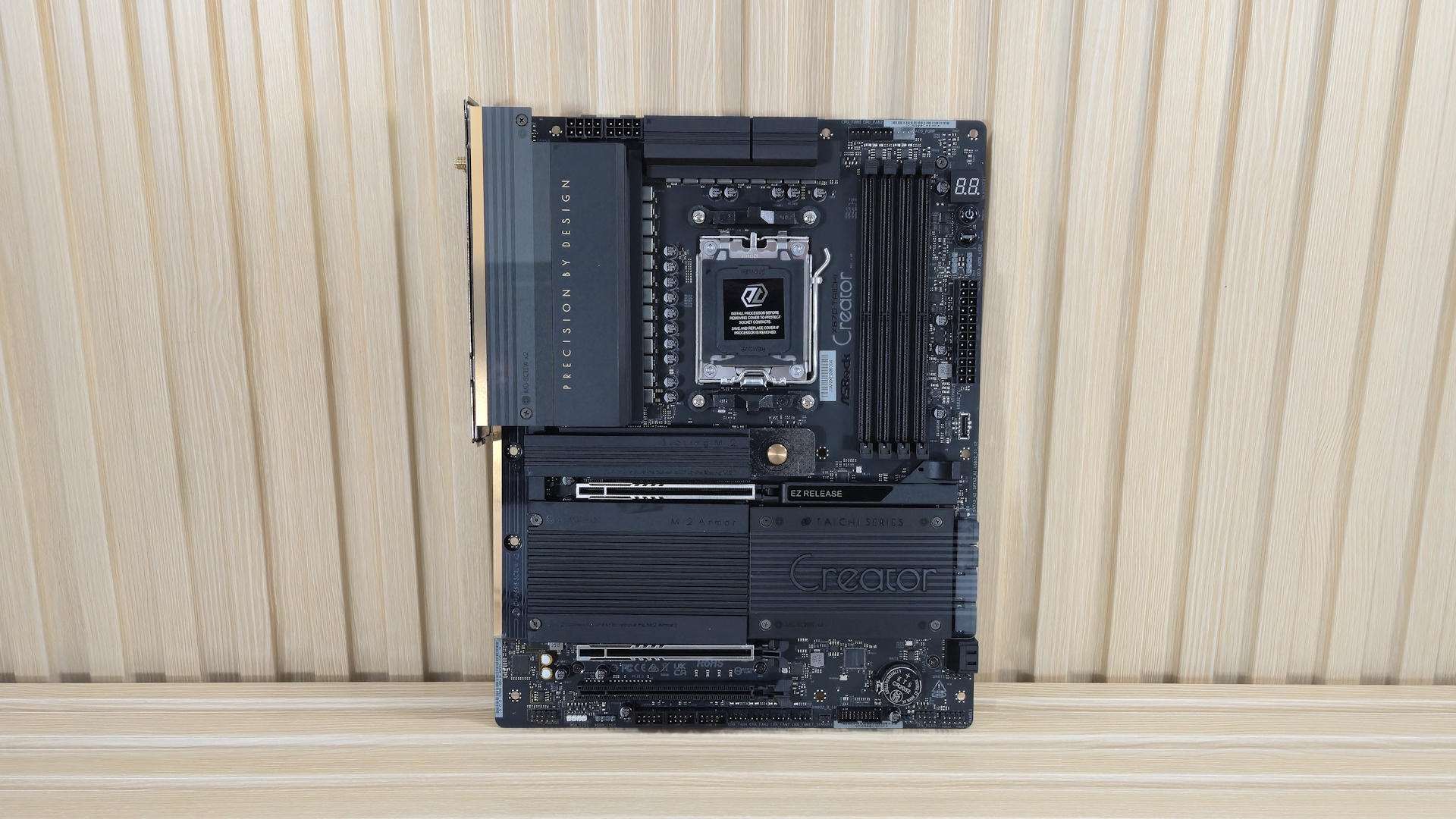
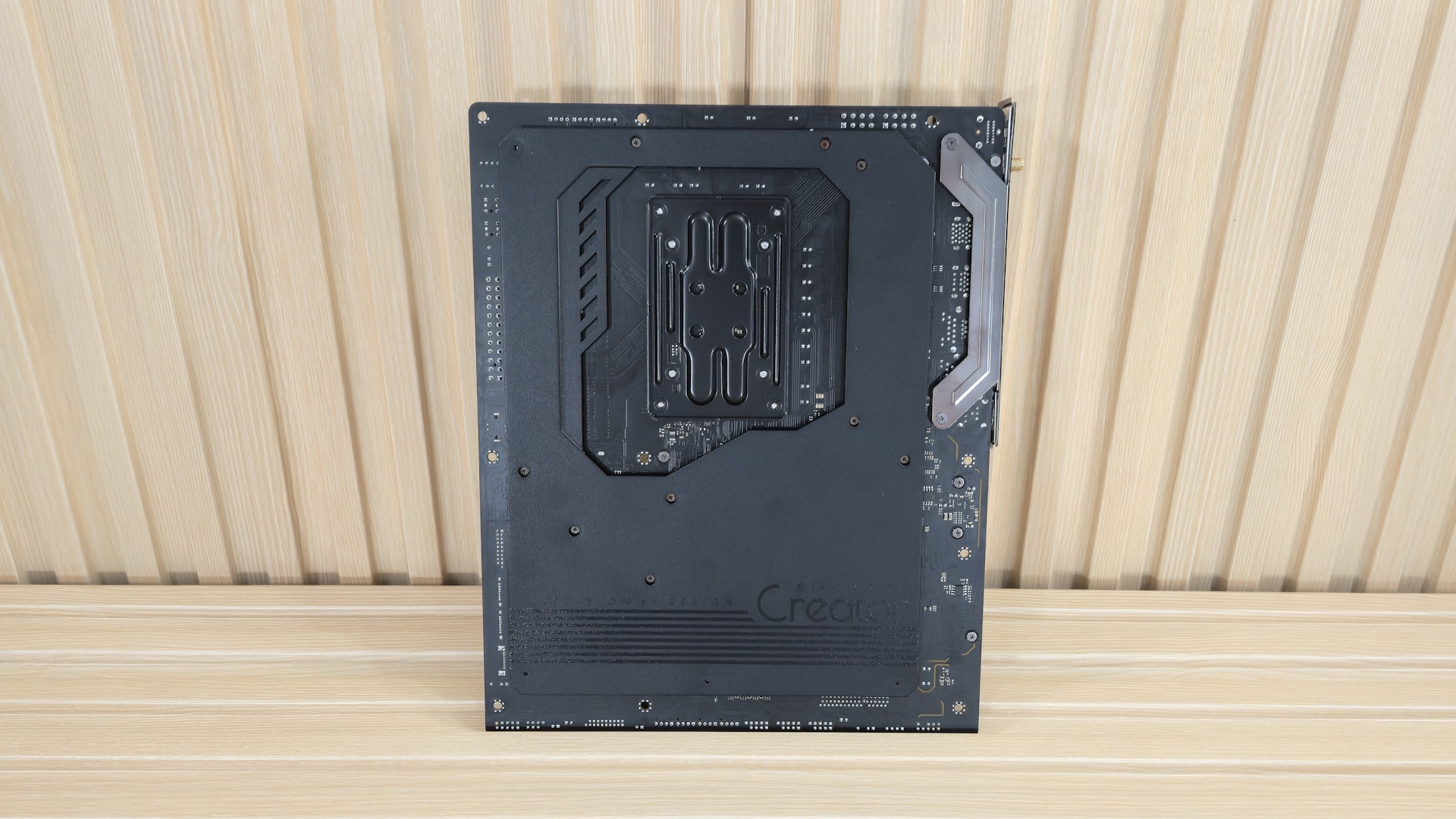
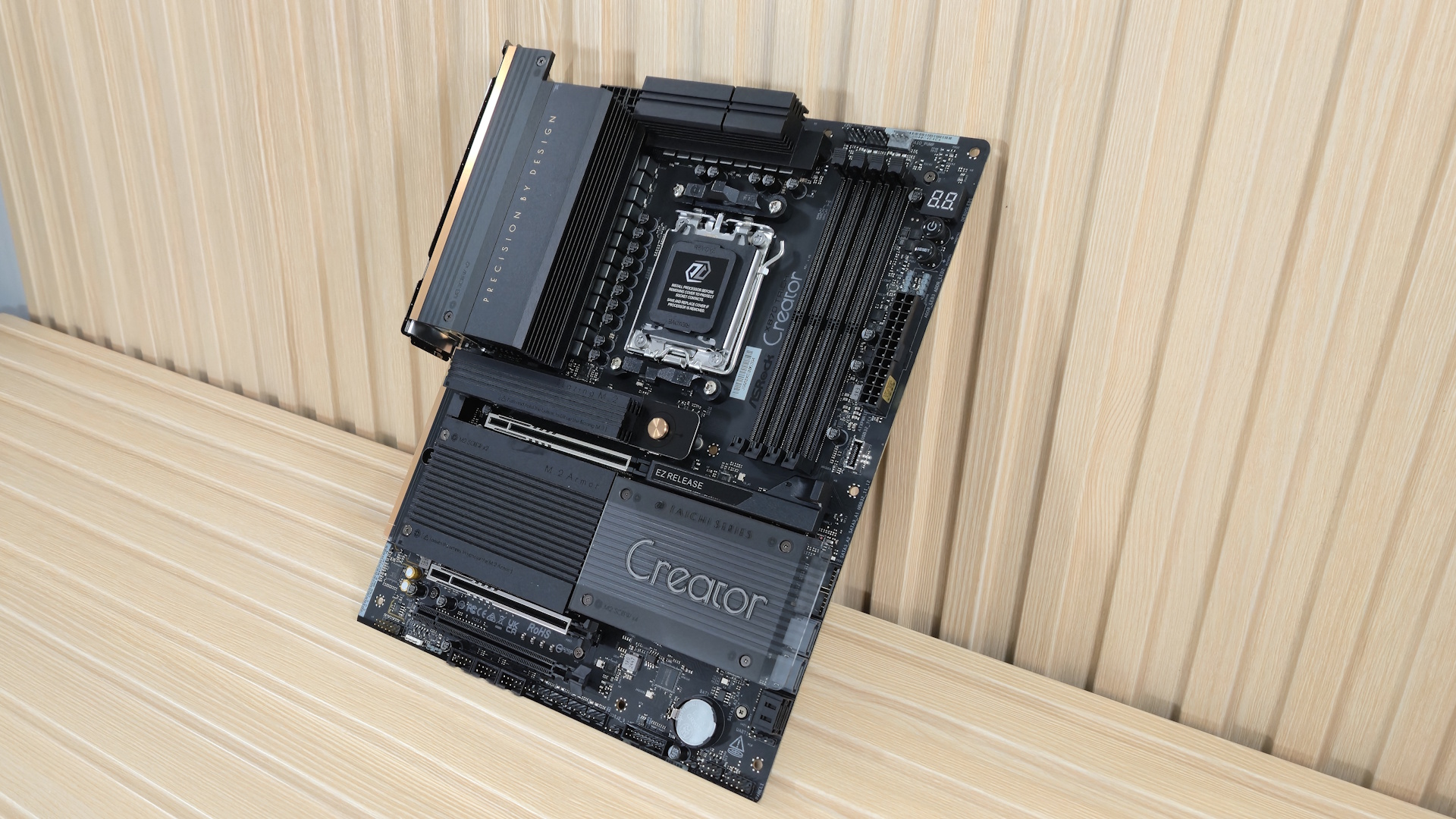
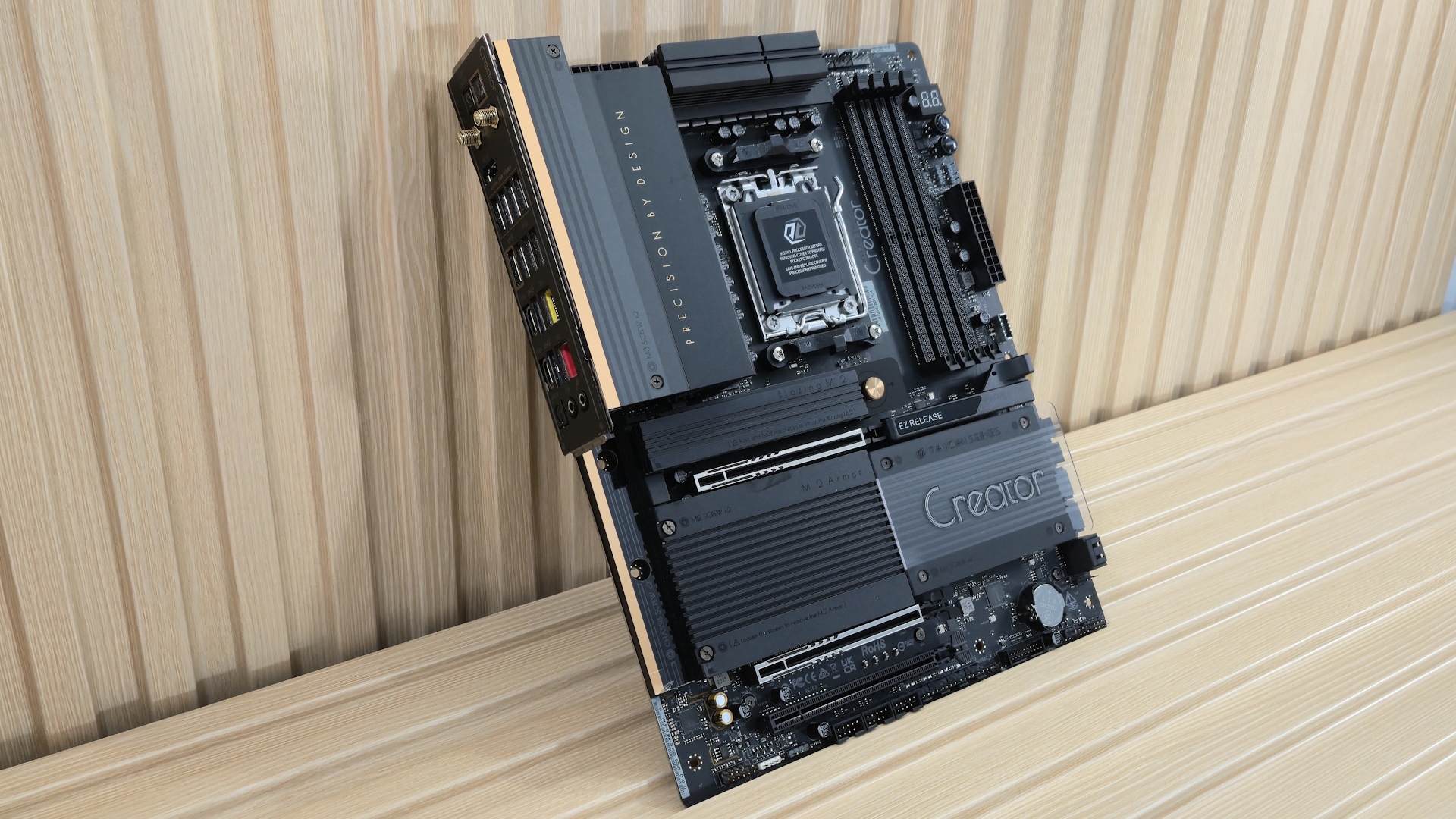
Design-wise, the all-black 8-layer PCB features black heatsinks around the board for a stealthy look. There’s a gold accent strip running vertically on the left side, while the heatsinks use a ribbed pattern for additional surface area and, of course, looks. Plexi coverings with Creator branding sit atop the chipset and the left portion of the VRM heatsink, creating a unique look. If you’re looking for RGB lighting, you’ll have to attach to one of the board’s multiple headers, as none are integrated.
The Taichi Creator's appearance is appealing overall, though a bit understated. This aesthetic aligns well with its target audience, where functionality is generally prioritized over elaborate design or "bling."
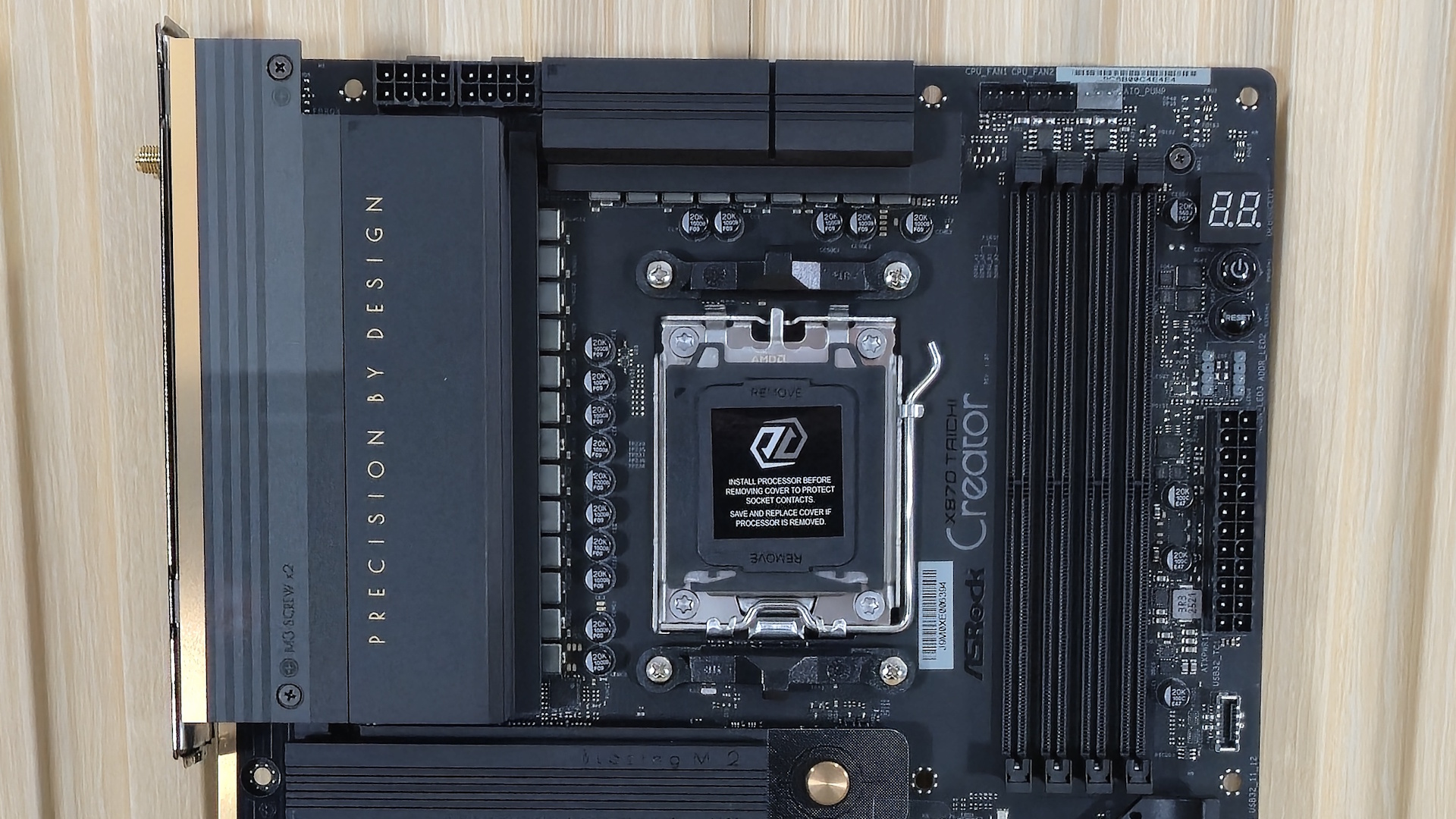
Focusing on the top half of the board, we get a better look at the large VRM heatsinks (not connected) and the plexi design piece (don’t worry, it didn’t seem to affect cooling), along with the Creator’s “precision by design” branding. Above that are the two 8-pin (4+4) EPS power connectors (one required) for the CPU.
Moving past the socket, we next run into the four DRAM slots, with a single locking mechanism located at the top. ASRock lists support up to DDR5-8000, which isn’t high, but is well past AMD’s sweetspot (around DDR5-6000-6400), so no worries there. We again had issues with our common Kingston kit, so we’d suggest sticking to the memory QVL list for assured compatibility.
Above the RAM slots are the first three (of seven) 4-pin fan headers. In this case, it’s the CPU_FAN1/2 and AIO_PUMP headers. Each header supports PWM and DC-controlled devices. Power output varies among the headers, with the CPU_FAN1 capable of 1A/12W, while the rest are 3A/36W. There’s plenty of power to go around. The BIOS or the FANTastic Tuning found in the A-Tune application controls any pumps or fans. On the right edge, working our way down, the first item is the 2-character Dr. Debug display, convenient power and reset buttons, two 3-pin ARGB headers (another and an RGB header are on the bottom edge), the 24-pin ATX power connector for the board, and finally, a front panel USB 3.2 Gen 2x2 (20 Gbps) Type-C header.
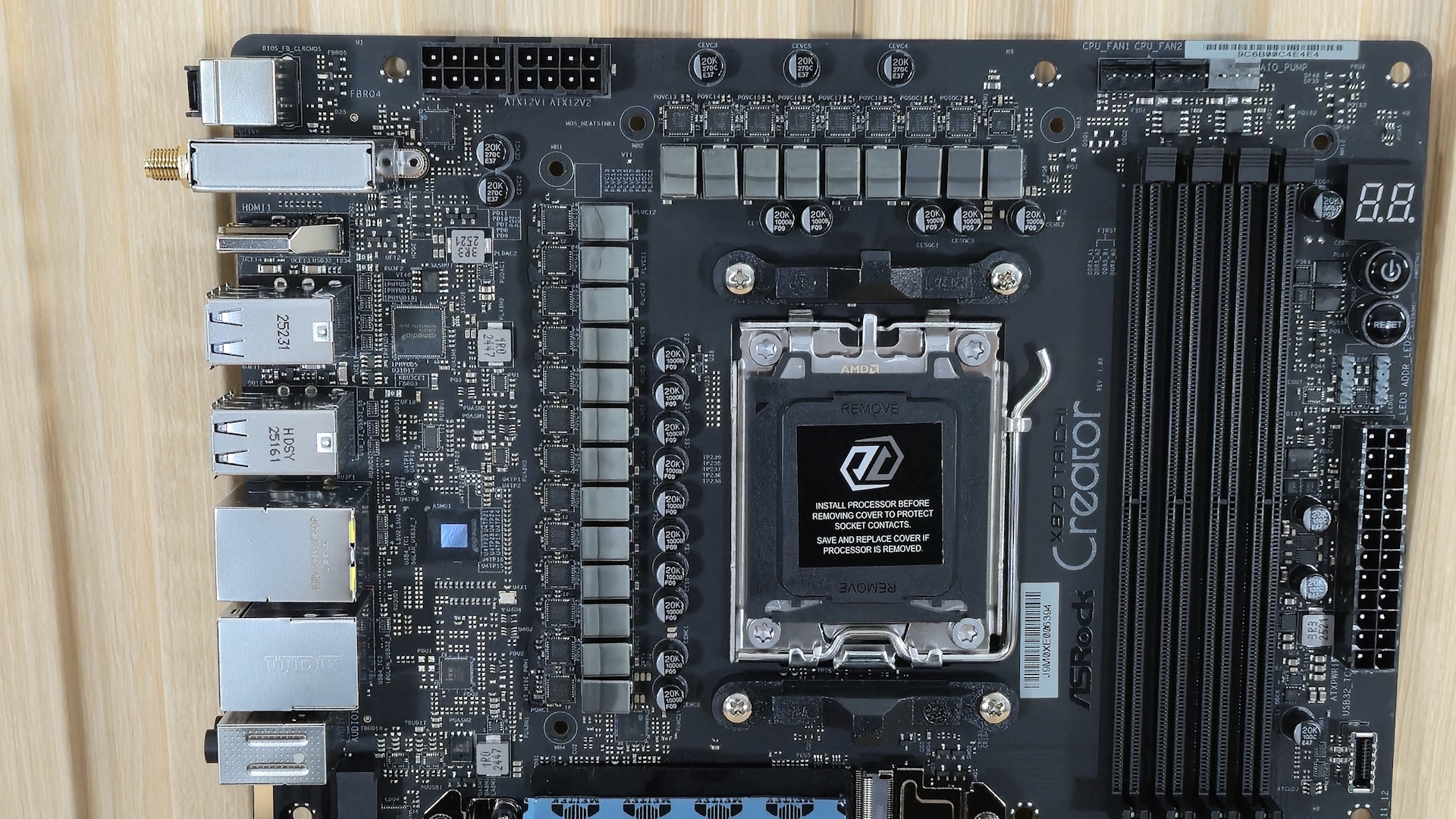
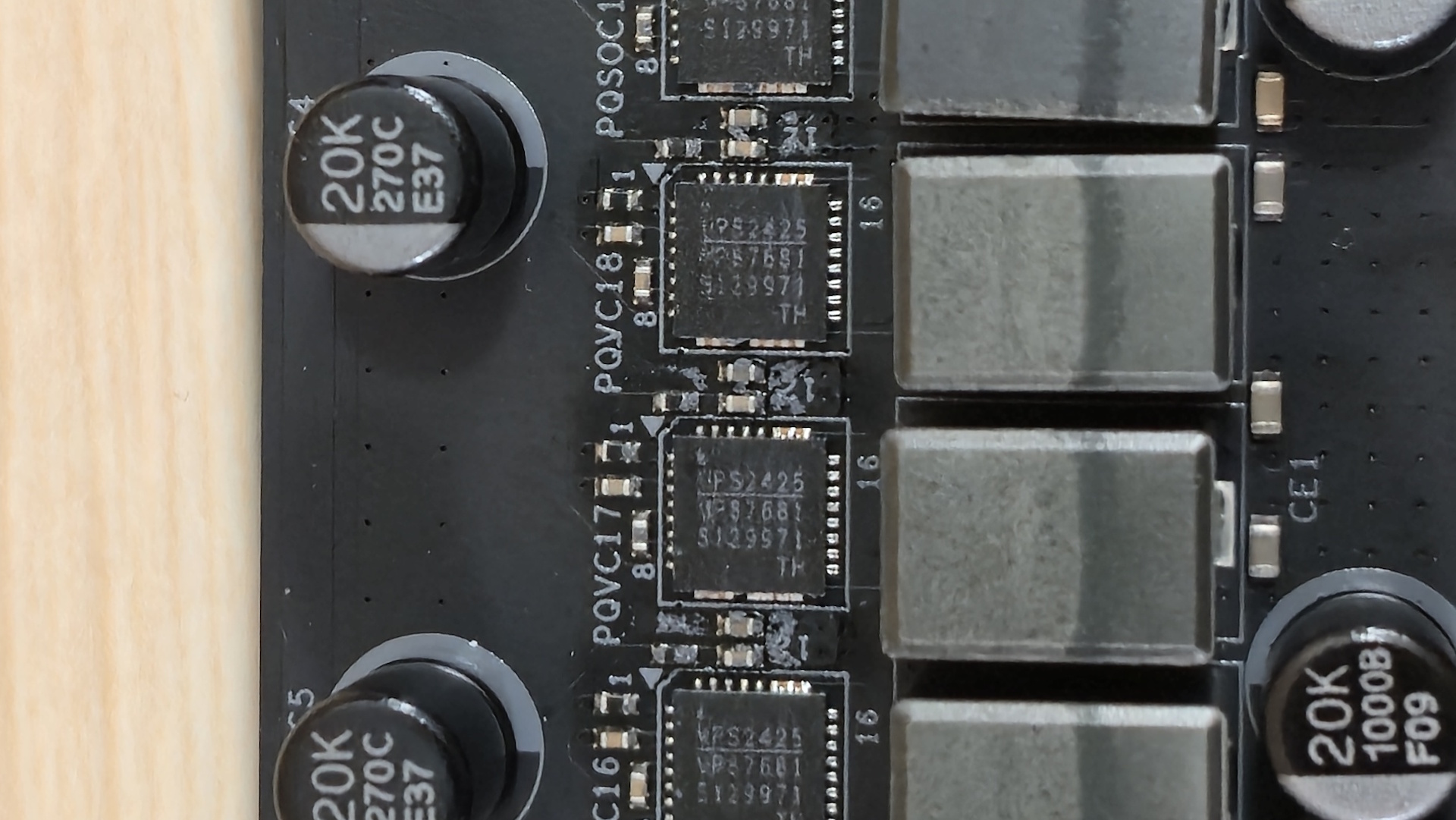
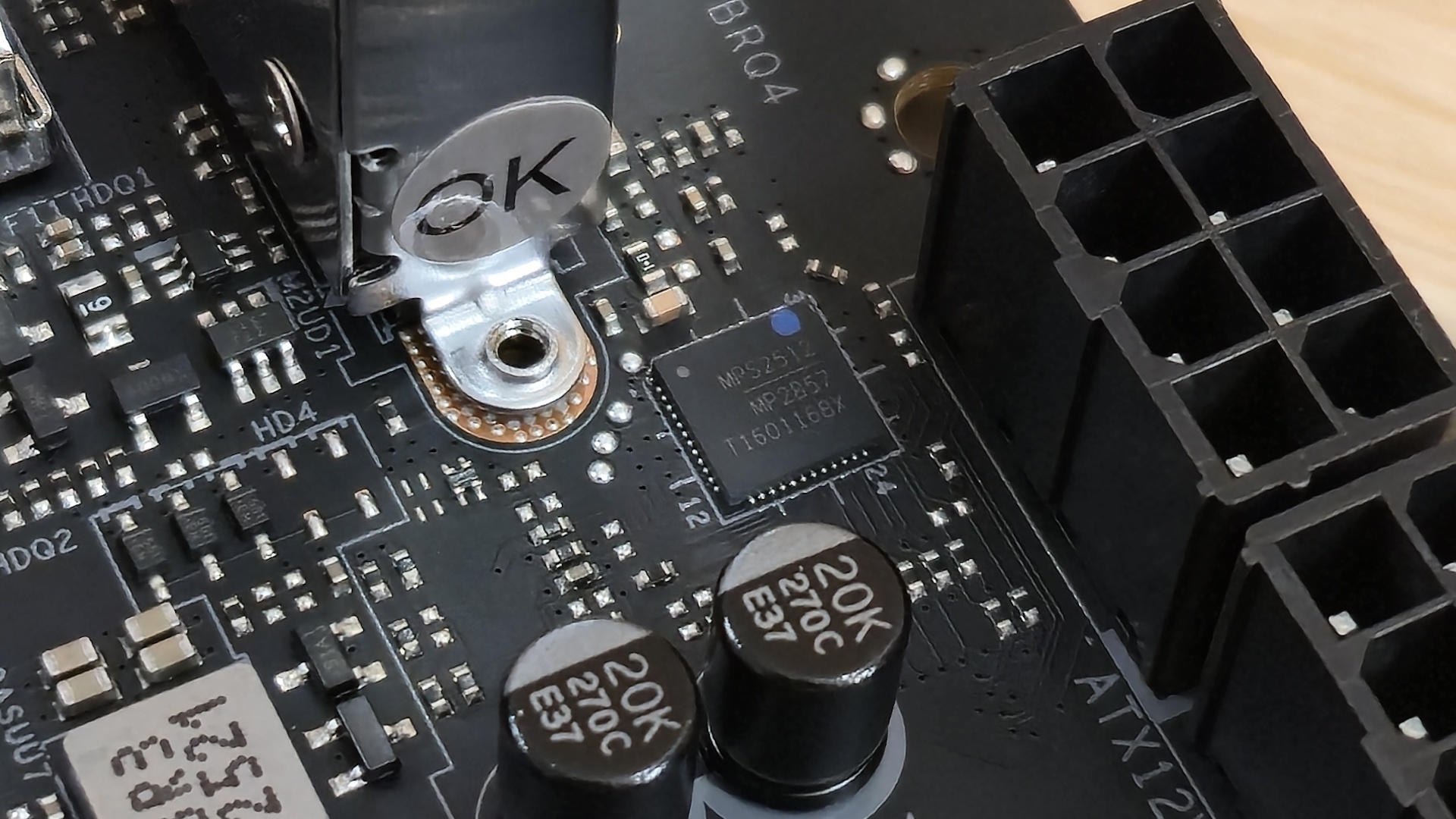
Power delivery on the Taichi Creator consists of 21 phases, 18 of which are dedicated to Vcore. Power is supplied via the 8-pin EPS connector(s) to a Monolithic Power Systems MPS2512 controller. From there, it moves to the 80A MPS2425 SPS MOSFETs. The 1,440A available is enough, even for the flagship Ryzen 9 7950X or 9950X.
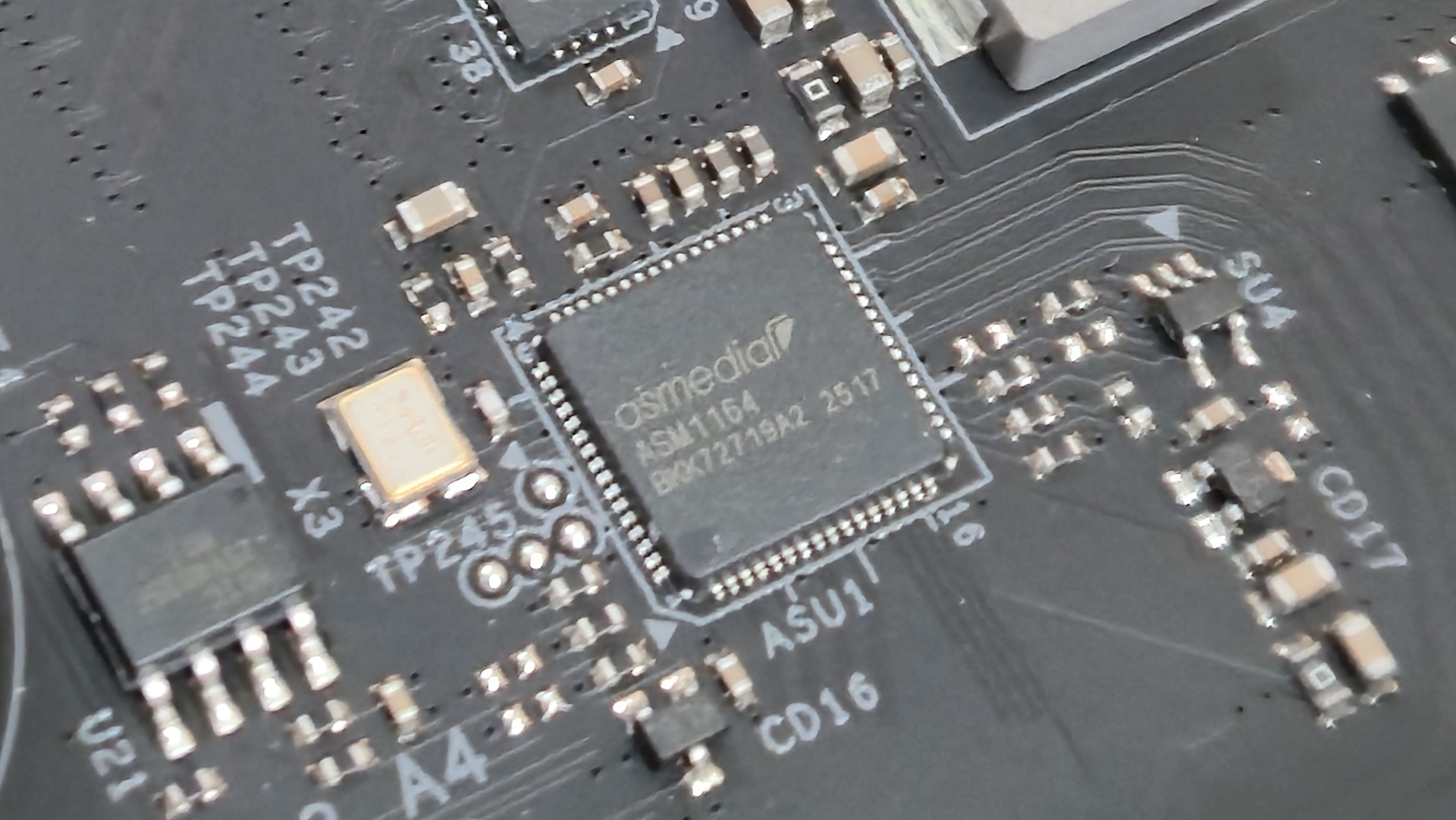
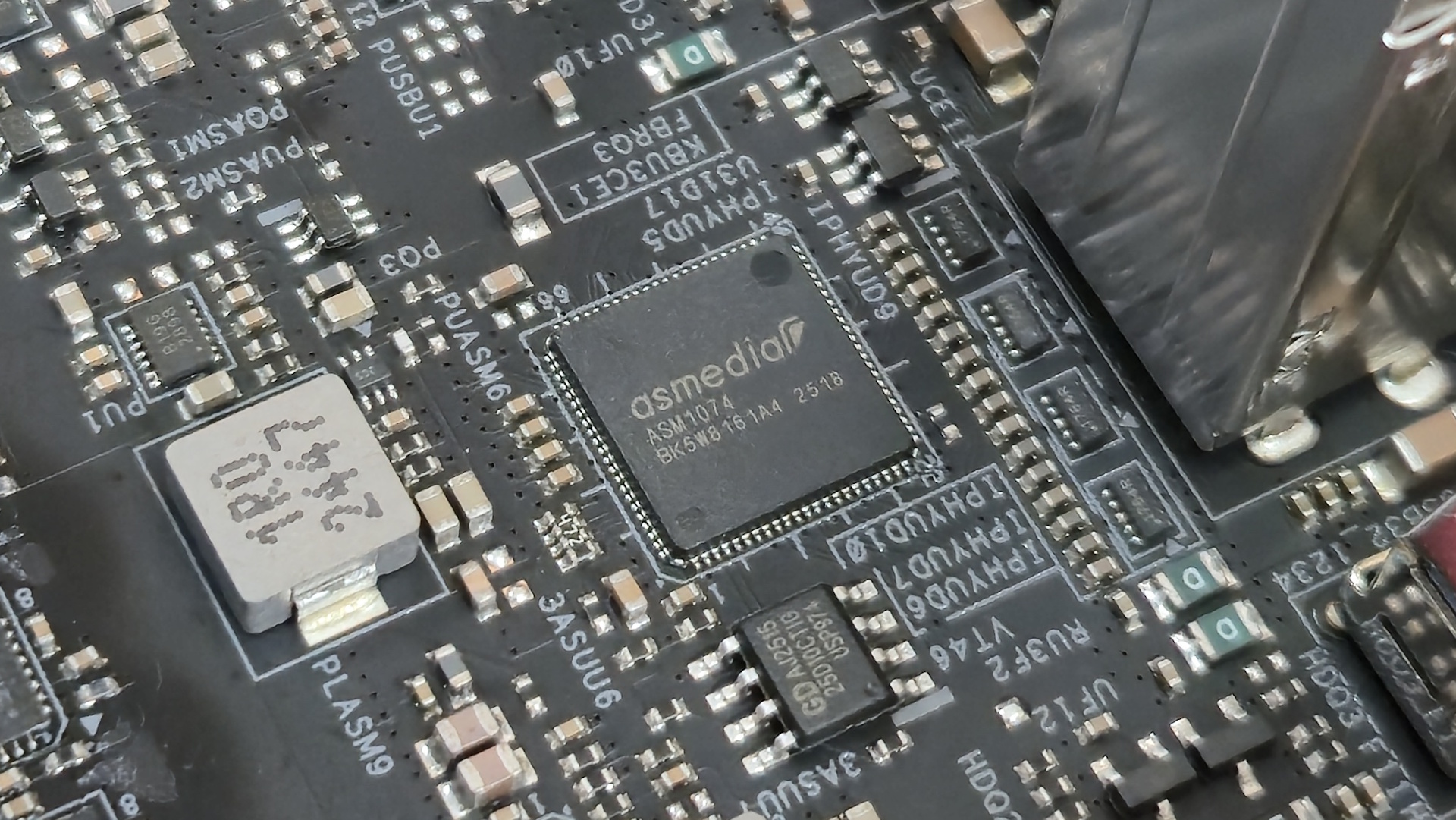
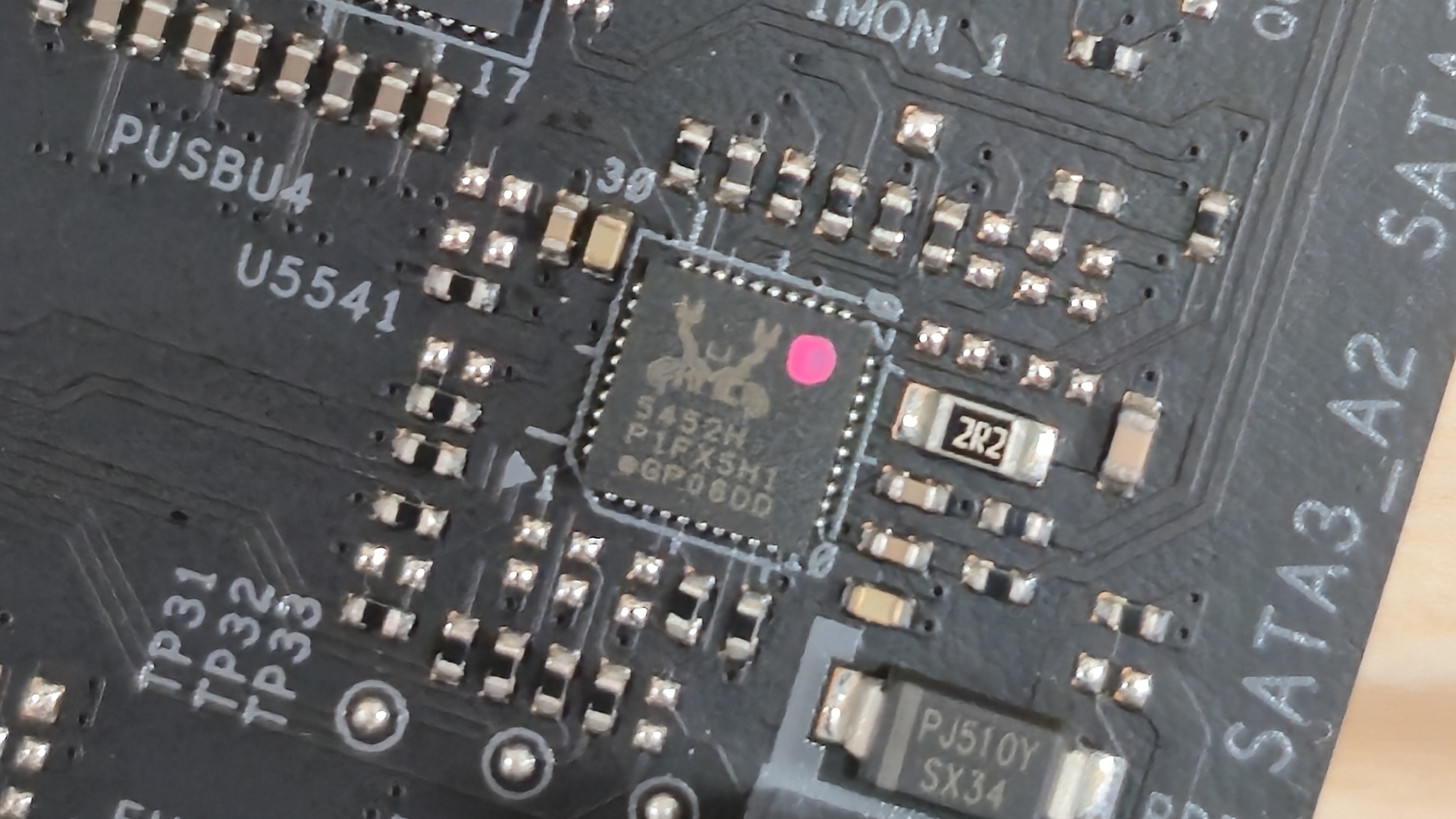
We've also included some pictures of the other controlling ICs on the board. This includes ASMedia ASM1074(x2 - USB 3.0), ASM1164 (PCIe to SATA controller), the Monolithic Power Systems VRMs, and the Realtek audio and power controller.
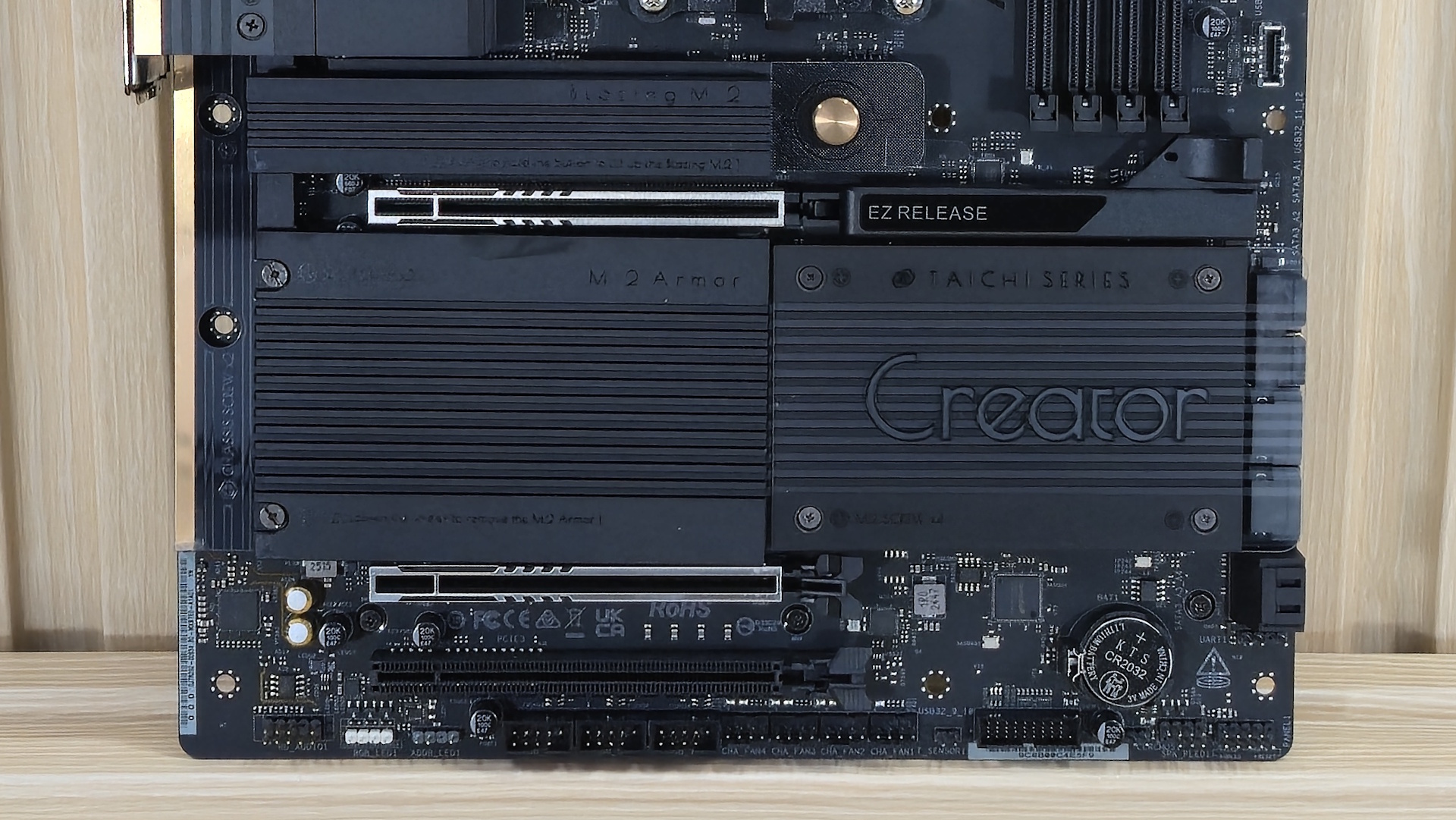
On the bottom half of the board, starting on the left, we see the audio solution, flagship Realtek ALC4082, a couple of dedicated audio caps, and the audio separation line. It doesn’t come with additional amplifiers or DACs, but it is the best codec available.
In the middle of the board are three full-length PCIe slots for graphics and expansion. The top two slots connect to the CPU, with the top-most running at PCIe 5.0 x16 and the bottom slot at x8. With both slots populated, they’ll run at x8/x8. The good news is, there’s plenty of room between the slots for a thick graphics card and other high-bandwidth add-in cards. The bottom slot connects through the chipset and runs at PCIe 3.0 x4 speeds.
In between the slots and around the PCIe slots are four M.2 sockets. The top M.2 socket, under the larger easy-release heatsink, is one of two CPU-connected PCIe 5.0 x4 (128 Gbps) sockets; the other is hidden under the plate heatsink. Also under the plate heatsink are two more M.2 sockets, though these are PCIe 4.0 x4 (64 Gbps). All M.2 sockets support devices up to 80mm.
As is common with X870 and B850, there is some lane-sharing between the sockets and the USB4 ports. If M2_2 is occupied, both rear USB4 Type-C ports and M2_2 downgrade to x2 mode. You can use x4 via a BIOS setting, but that disables those USB4 ports altogether. If M2_4 is occupied, PCIE3 (bottom slot) and M2_4 downgrade to x2 mode. Last on the bottom half, along the right edge, there isn’t much outside the four SATA ports and one 19-pin USB 3.2 Gen 1 connector.
Along the bottom edge are a slew of headers for additional connectivity. From left to right, you have the following:
- Front panel audio
- 3-pin RGB header
- 4-pin ARGB header
- (3) USB 2.0 headers
- (4) System fan headers
- 19-pin USB 3.2 Gen 1 connector
- 2-pin Clear CMOS jumper
- Front panel header
Before getting to the rear IO, we snapped a few pictures of the onboard ICs that control some of the board's features including ASMedia 1074 (two, USB 3.0), ASM1164 (PCIe to SATA controller), the Monolithic Power Systems VRMs (MPS2425) and controller (MPS2512), and some Realtek ICs for USB-C power and audio.


The rear IO on the Creator is busy, offering tons of USB connectivity. Starting on the left are two buttons: one to clear the CMOS and the other to perform a BIOS flashback. Next are the Wi-Fi 7 connectors and an HDMI (v2.1) output for integrated video. Next are 12 USB ports. You get 10 total Type-A ports: two 10 Gbps, six 5 Gbps, and two USB 2.0 ports. The two Type-C ports are 40 Gbps USB4. Above that are the two fast LAN ports at 5 and 10 GbE, respectively. Last but not least is the simple audio stack consisting of two 3.5mm jacks (mic, line out) and the SPDIF.

MORE: Best Motherboards
MORE: How To Choose A Motherboard
MORE: All Motherboard Content




 English (US) ·