
 2 weeks ago
26
2 weeks ago
26
In the enthusiast market, the most shopped-for monitor category is, without a doubt, 4K, specifically in the 27- and 32-inch sizes. The density of 3840x2160 pixels in these two screen formats is, put simply, where you stop seeing the dots. This makes anything look better, be it graphics, photos, documents, videos, or games. And once you’ve experienced it, you can’t go back to QHD or FHD.
The hurdle to resolution nirvana used to be price, but today there are plenty of 4K monitors available for less than $500. But for gamers, the question of frame rates remains. Yes, you can buy a fast 4K monitor, but how much will you have to spend on an equally fast video card? Moving 8.3 million pixels at 200fps is expensive. Luckily, there is a solution – the dual-mode display.
This is a fairly new trend where you get one of the best 4K gaming monitors that can switch to FHD and double its refresh rate with the push of a button. I’ve already reviewed a number of them, and here's AOC’s latest entry, the U27G4XM. It’s a 27-inch IPS screen with 160 Hz, 320 Hz in FHD, Adaptive-Sync, a full-array local-dimming Mini LED backlight with 1,152 zones, wide-gamut color, and DisplayHDR 1000. Let’s take a look.
Latest Videos From

AOC U27G4XM Specs
Swipe to scroll horizontally
Panel Type / Backlight | IPS / Mini LED |
| Row 1 - Cell 0 | Full Array Local Dimming |
| Row 2 - Cell 0 | 1,152 zones |
Screen Size / Aspect Ratio | 27 inches / 16:9 |
Max Resolution and Refresh Rate | 3840x2160 @ 160 Hz |
| Row 5 - Cell 0 | 1920x1080 @ 320 Hz |
| Row 6 - Cell 0 | FreeSync and G-Sync Compatible |
Native Color Depth and Gamut | 10-bit (8-bit+FRC) / DCI-P3+ |
| Row 8 - Cell 0 | HDR10, DisplayHDR 1000 |
Response Time (GTG) | 1ms |
Brightness (mfr) | 450 nits SDR |
| Row 11 - Cell 0 | 1,200 nits HDR |
Contrast (mfr) | 1,000:1 |
Speakers | None |
Video Inputs | 1x DisplayPort 1.4 w/DSC |
| Row 15 - Cell 0 | 2x HDMI 2.1 |
Audio | 3.5mm headphone output |
USB 3.2 | 1x up, 4x down |
Power Consumption | 33.9w, brightness @ 200 nits |
Panel Dimensions WxHxD w/base | 24.2 x 15-20.3 x 9.4 inches (615 x 381-516 x 239mm) |
Panel Thickness | 2.3 inches (58mm) |
Bezel Width | Top/sides: 0.3 inch (8mm) |
| Row 22 - Cell 0 | Bottom: 0.75 inch (19mm) |
Weight | 15.65 pounds (7.1kg) |
Warranty | 3 years |
The U27G4XM maximizes the nit-to-dollar ratio with a full-array Mini LED IPS panel that has 1,152 local dimming zones. There are three different settings that reduce the black level to increase contrast. This gets the monitor closer to the broad contrast delivered by an OLED at a lower cost, and with higher brightness. DisplayHDR 1000 means a 25% window pattern will exceed 1,000 nits peak, and the U27G4XM achieves this with over 1,100 nits measured from my review sample. Black levels can go all the way down to the backlight being turned off (unmeasurable), but with local dimming on medium, I saw just over 13,000:1.
There’s plenty of color saturation that covers a measured 109% of the DCI-P3 gamut, and that’s without the benefit of Quantum Dots. The U27G4XM is reasonably accurate out of the box, but a quick calibration takes it to reference-level. And there’s a spot-on sRGB mode that’s suitable for color-critical tasks.
The dual-mode feature is a one-button affair that switches between 4K/160 Hz and FHD/320 Hz. It’s great for systems without a high-end video card. To run 160 fps at a game’s max detail level in 4K will require a GeForce RTX 4090. But you can run 320 fps in FHD with a cheaper GeForce RTX 4070 Ti Super. So, what you save on the video card will buy you the U27G4XM with a few bucks left over for a nice mouse and keyboard.
At this writing, that price is $350, which gets you terrific performance and a bright, colorful image. It also includes aiming points, sniper modes, and a frame counter. There are plenty of image modes and HDR support, with four presets for HDR10 content. You even get side USB ports, which I haven’t seen in a long time. The only things missing are LED lights and internal speakers. But you get a 3.5mm headphone jack alongside the HDMI 2.1 and DisplayPort 1.4 inputs, all of which support Display Stream Compression (DSC). On paper, the U27G4XM is an impressive package. Let’s see how it performs.
Assembly and Accessories
The U27G4XM comes in fully recyclable packaging, with molded pulp that protects the contents. The panel, upright, and base assemble without tools into a lightweight setup that fits easily on the average desktop. The accessory bundle includes IEC for the internal power supply, plus nice HDMI and DisplayPort cables.
Product 360
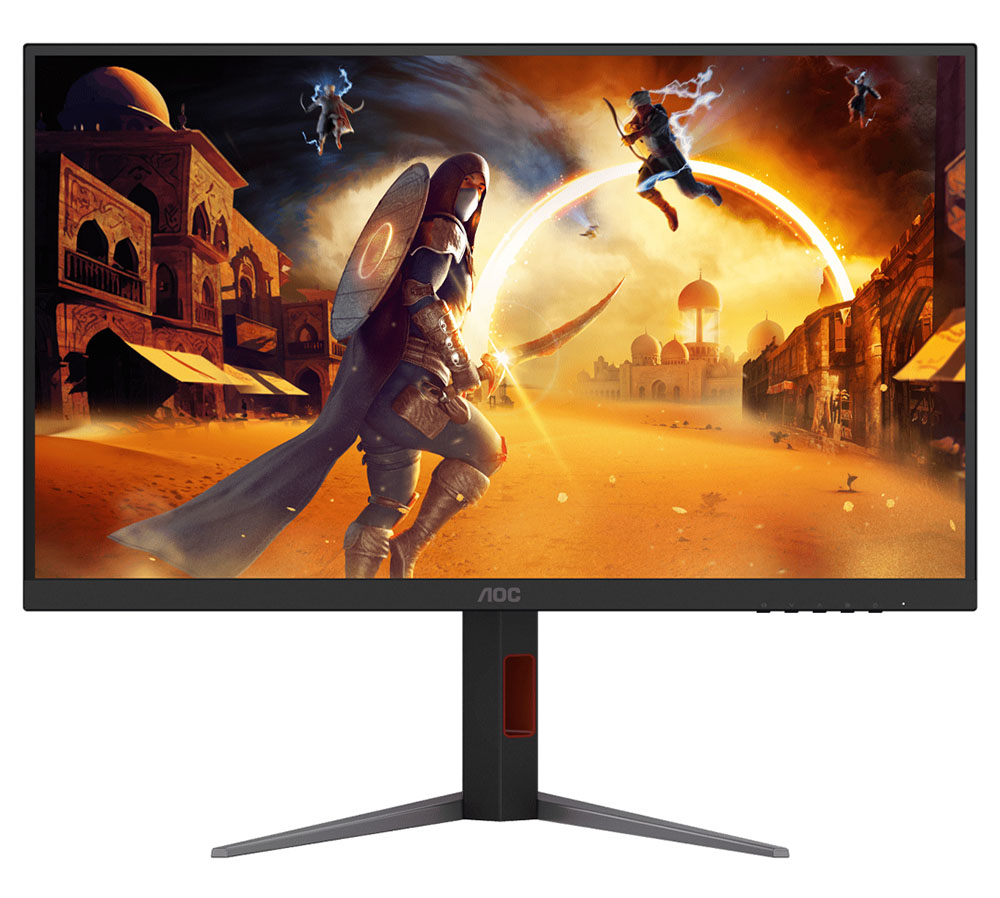
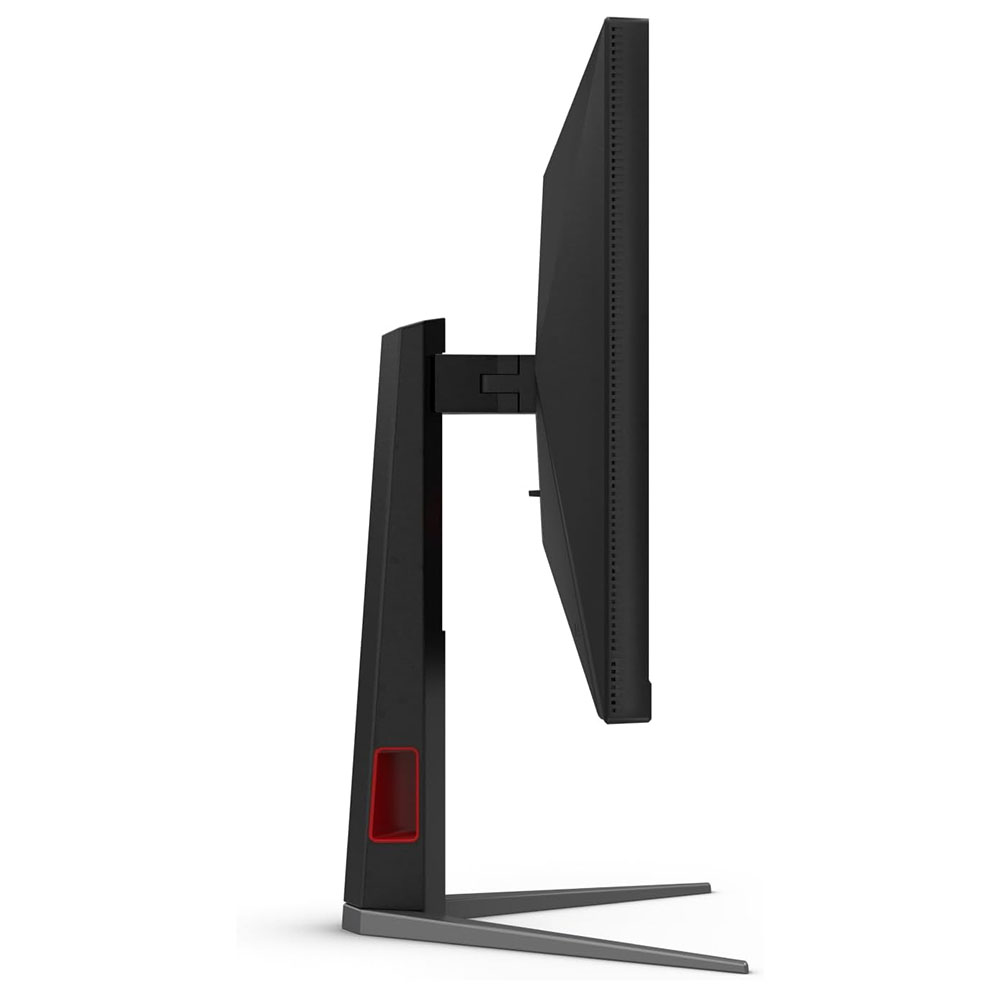
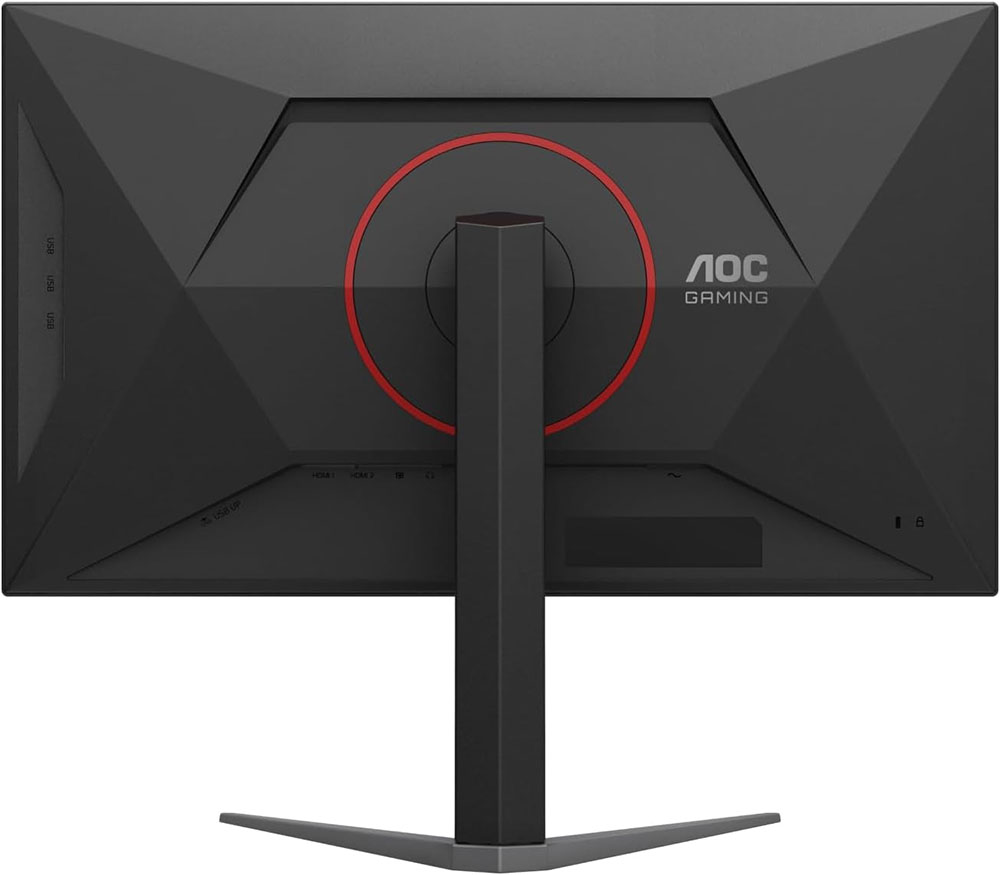
The U27G4XM goes for a chiseled look with flat, angular surfaces making up the back of the panel and an all-screen configuration in the front. Bits of red trim outline the stand’s fulcrum and the offset cable hole in the upright. This is unique in that it’s turned to the side, so you don’t see through it if you’re not using it. The base is cast aluminum with a wide stance and solid construction. The panel snaps on, and though the fulcrum looks large, it’s a little wobbly. It’s perfectly secure, but there is some play when you tilt or rotate the screen. Ergonomics include a 5/23-degree tilt, 20-degree swivel, a 90-degree portrait mode, and a 5.3-inch height range. If you want to use an arm, there’s a 100mm VESA mount with fasteners included.
The front bezel is thin and flush with just a small AOC logo at the bottom. The OSD is controlled by buttons rather than a joystick, a move that probably helped drop the price a tad. A tiny LED indicates power status with a soft glow. The anti-glare layer has a 3H hardness and is free of visible grain.
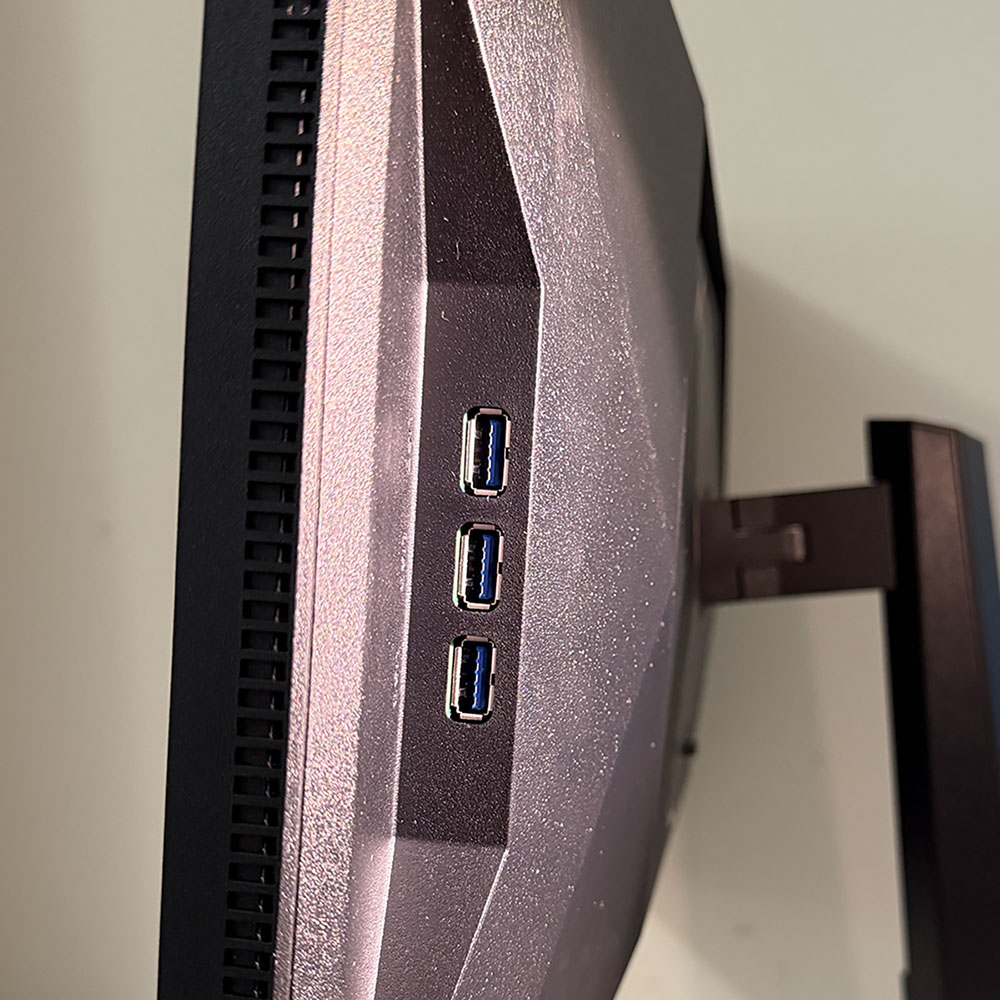
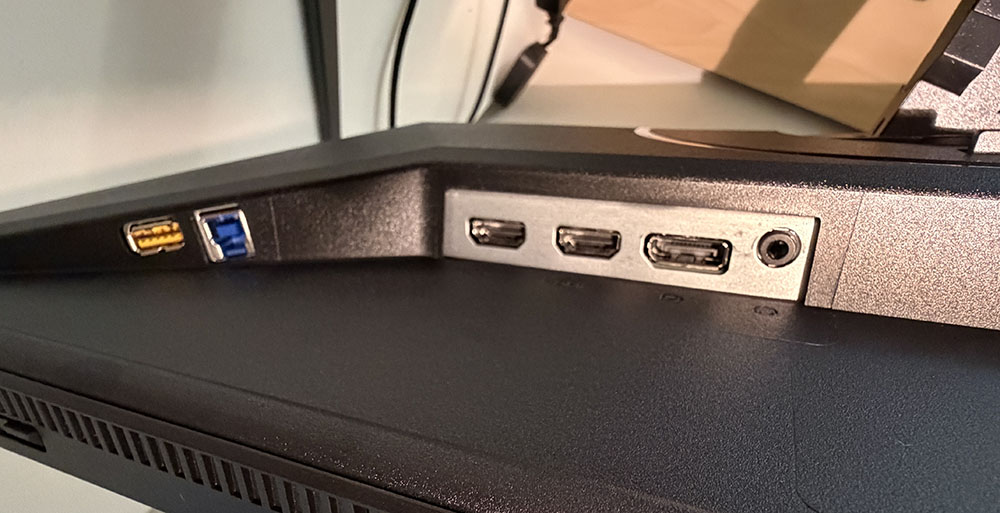
The input panel is up and under and features two HDMI 2.1 ports and a DisplayPort 1.4 hookup. All ports have DSC and work at full resolution and refresh. There are two USBs here, too, an upstream and a downstream. Three more downstreams grace the right side for easy access. This is a rarity nowadays, and I’m glad to see a nod to convenience from a budget display. There are no internal speakers, but you get a 3.5mm jack for headphones.
OSD Features
The U27G4XM’s OSD is controlled by a row of buttons, which, by modern standards, is a little old-school. But you get one-button access to the refresh mode switch, which is nice.
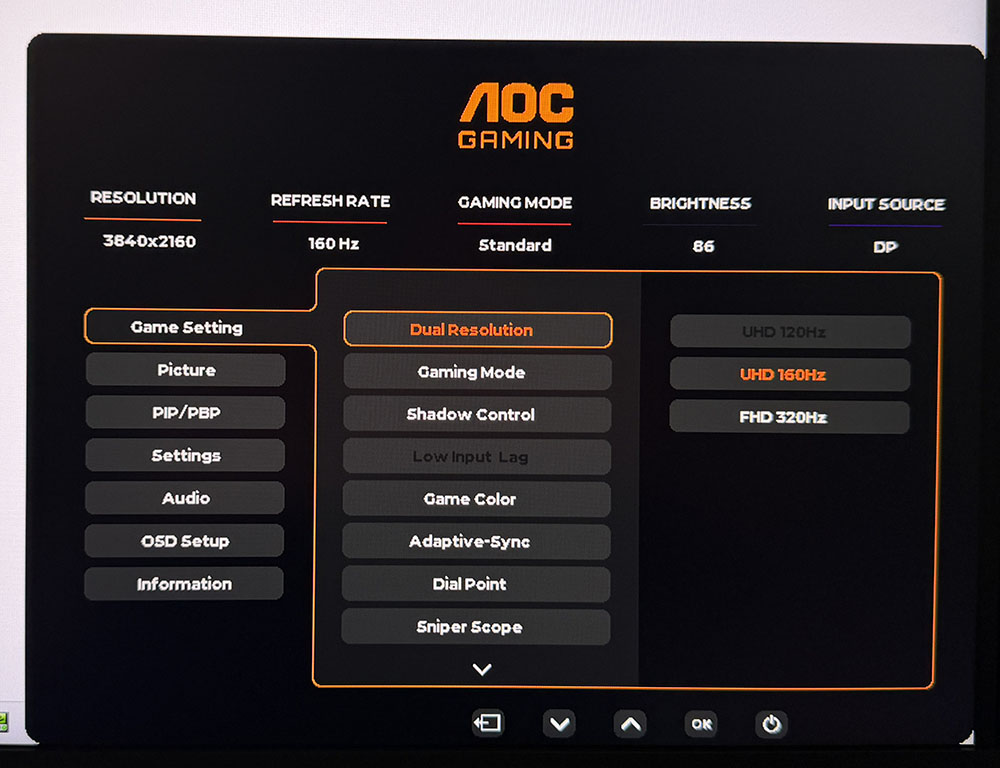
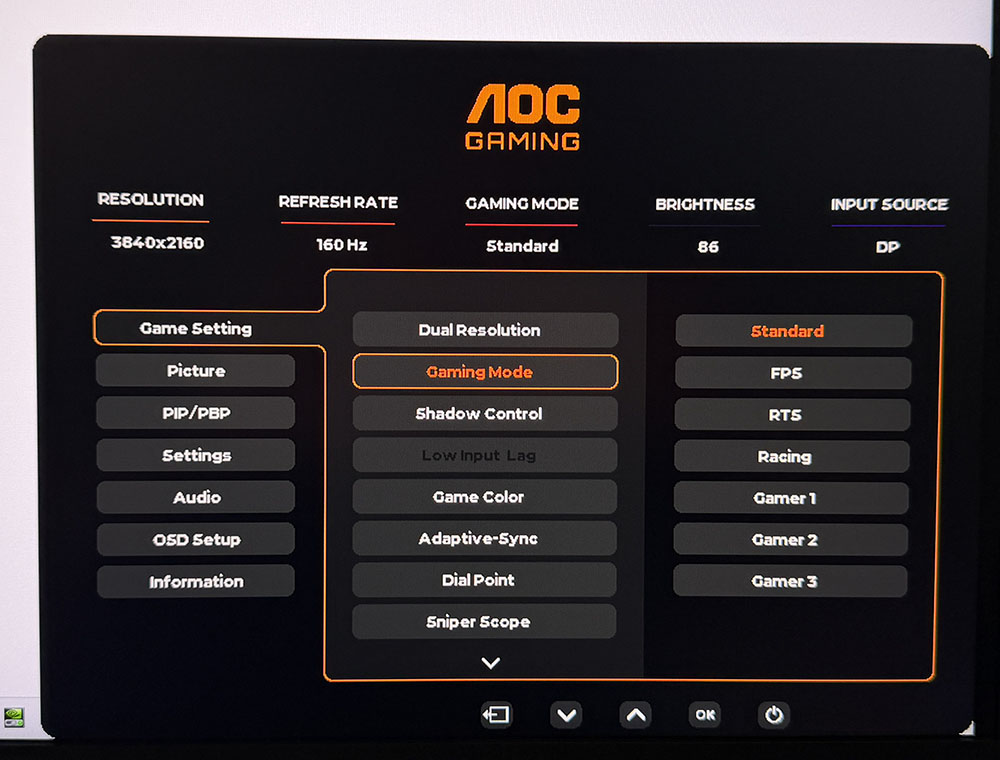
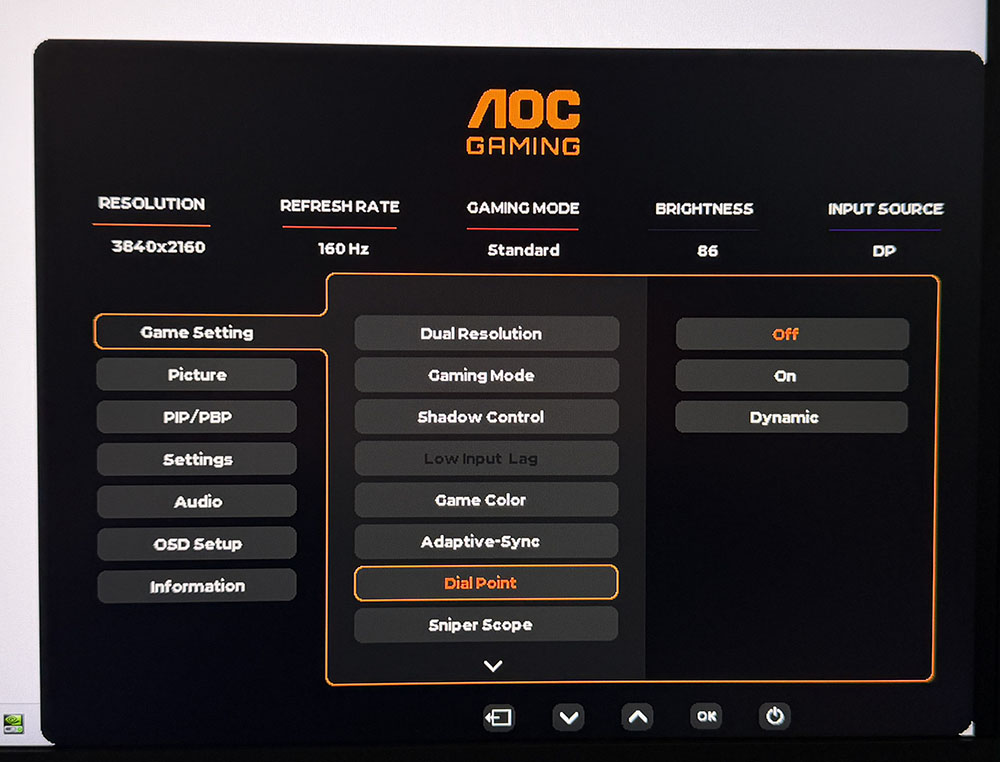
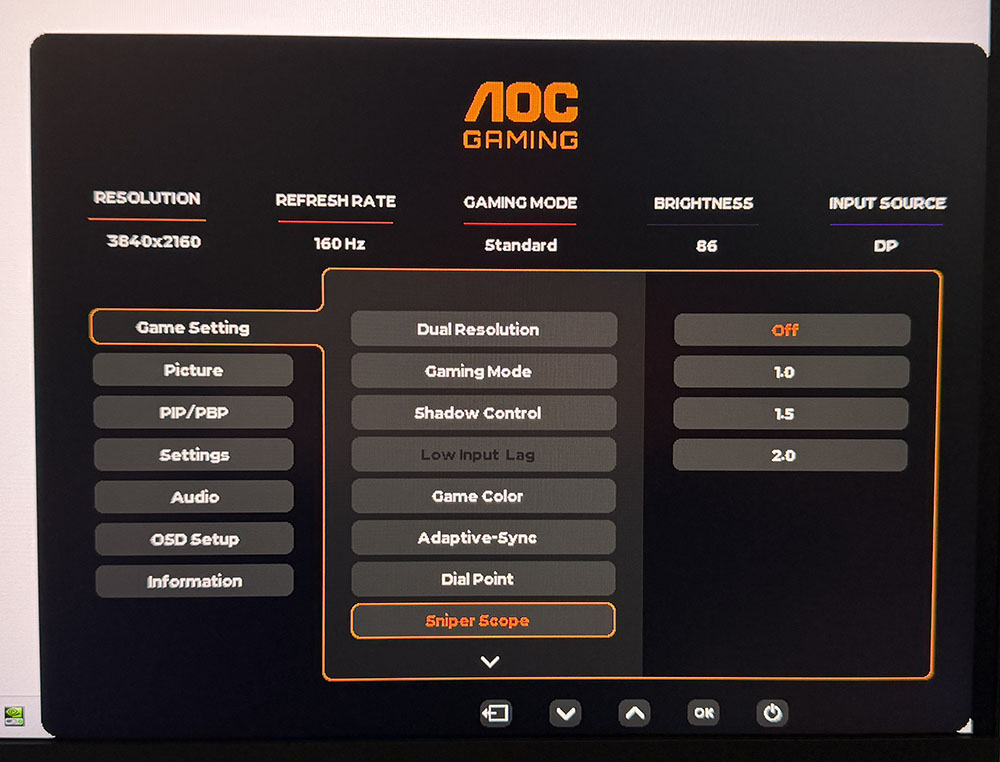
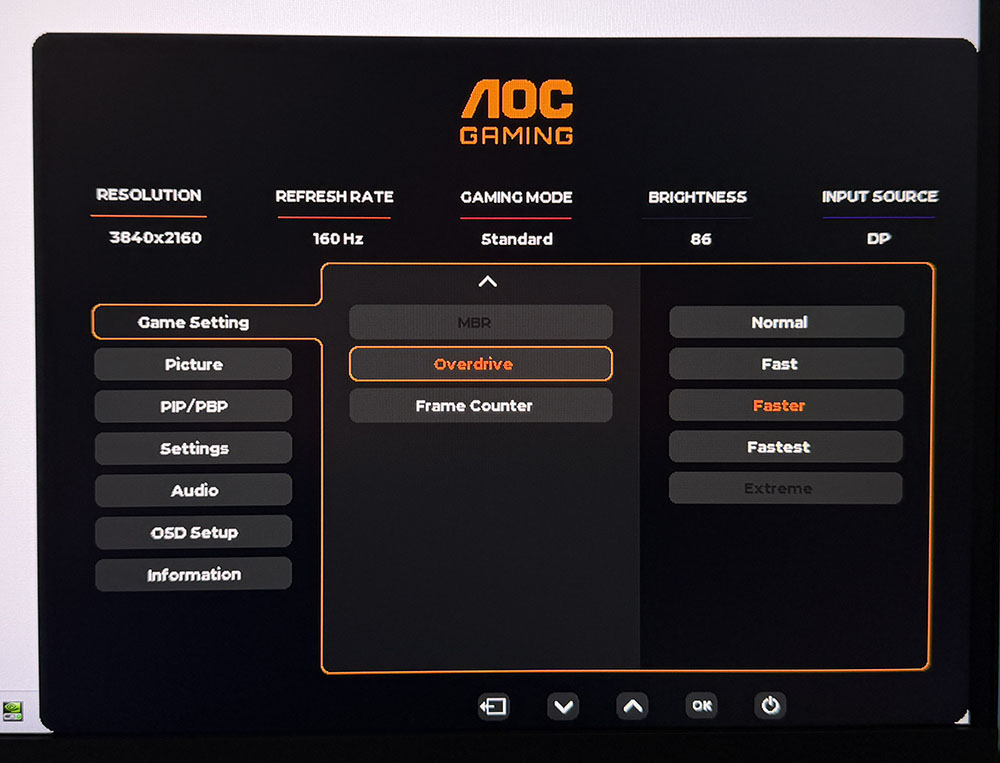
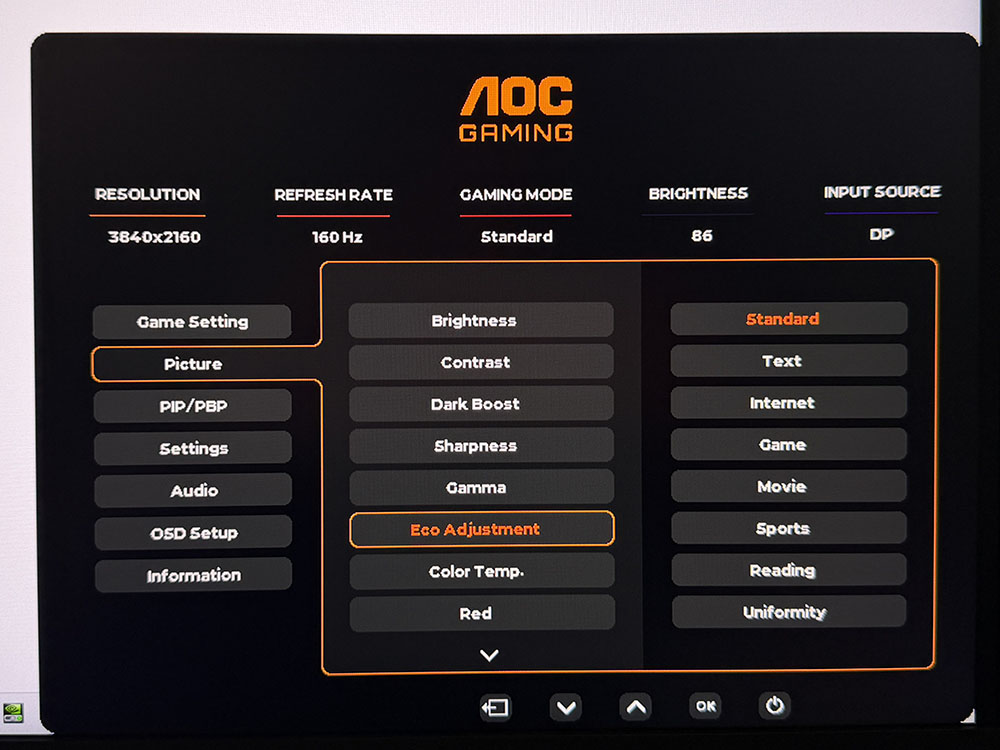
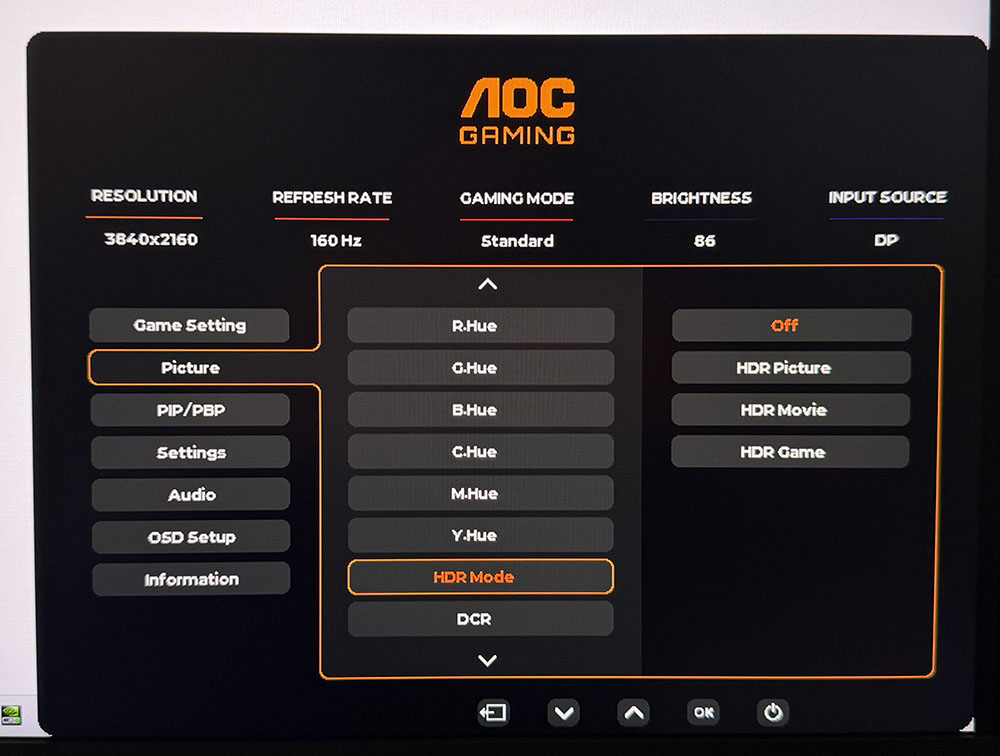
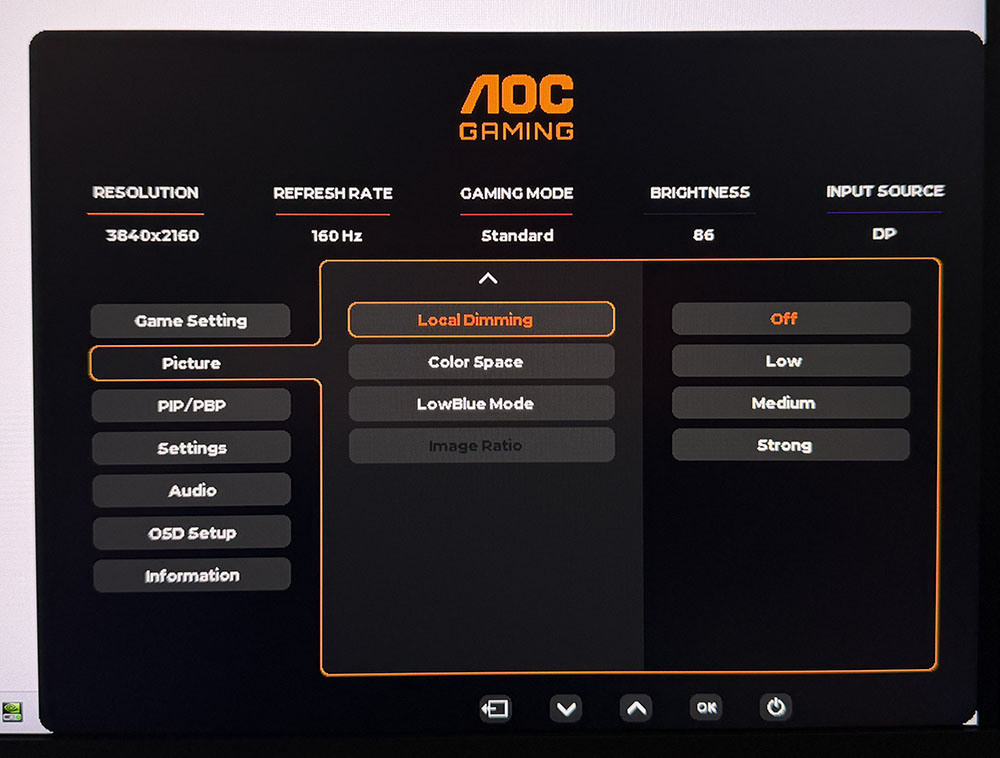
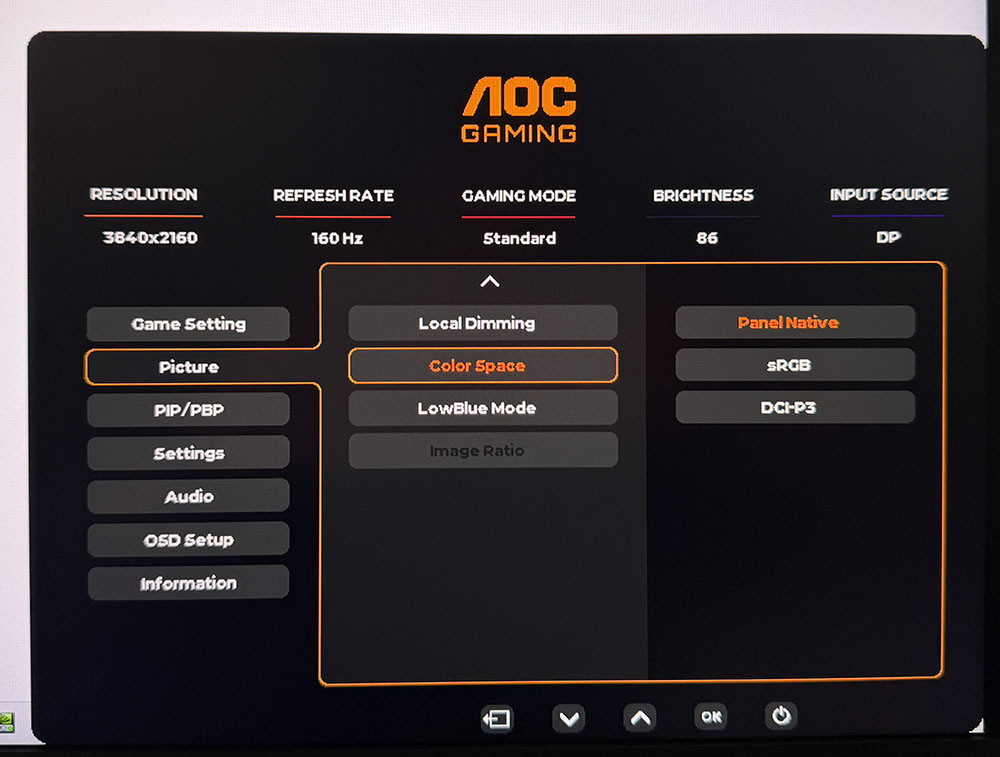
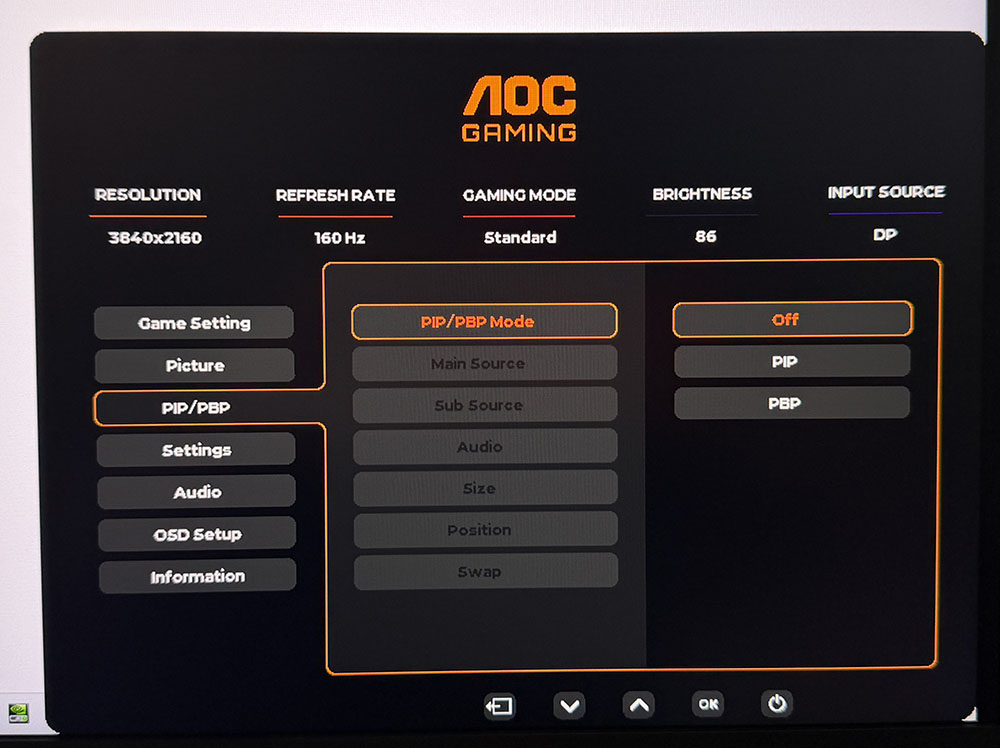
The dual-resolution feature is up first in the U27G4XM’s Game Setting menu. The easier way to do it is with the second control key, which pops up a little selector. The switch takes a few seconds once you’ve set it up in Nvidia or AMD’s control panel. Also, there are seven picture modes, Standard is the default and best. You also get shadow control to brighten up dark parts of the image, general color saturation, aiming points, sniper modes, a five-level overdrive and a frame counter.
The Picture menu has eight more image modes, which is a bit confusing since you can theoretically combine them with the Game modes for hundreds of combinations. I recommend sticking with Standard/Standard for all content. There are three gamma presets plus fixed color temps and RGB sliders. HDR gets four modes, three of which can be used as emulators for SDR content. HDR10 signals add a mode called Display HDR, which is fairly accurate for color and luminance tracking. Local Dimming gets three levels of aggressiveness. Each further lowers the black level while leaving peak brightness unchanged. Strong turns off the backlight completely under zero signal conditions. You can also choose the sRGB color space here. This mode is very accurate and can be used for critical applications. The U27G4XM also has a PIP/PBP feature for the viewing of two sources at once. The PIP window can be sized and moved.
AOC U27G4XM Calibration Settings
The U27G4XM can be used without calibration in its Standard picture mode. You can use local dimming for SDR and HDR content if you like. The medium setting increases the contrast ratio to around 13,000:1 for HDR and 1,600:1 for SDR content. I improved grayscale tracking to reference level with a few tweaks to the RGB sliders. I also noted that the sRGB mode is spot-on out of the box if you need the smaller gamut. The native color space covers just over 109% of DCI-P3. Local dimming does not change peak brightness, only black levels, so the brightness values below work in all dimming modes.
Swipe to scroll horizontally
Picture Mode | Standard |
Brightness 200 nits | 64 |
Brightness 120 nits | 34 |
Brightness 100 nits | 28 |
Brightness 80 nits | 20 |
Brightness 50 nits | 9 (min. 27 nits) |
Contrast | 48 |
Gamma | 2.2 |
Color Temp User | Red 52, Green 47, Blue 53 |
Gaming and Hands-on
After spending time with the U27G4XM playing games and getting through some work, I found that I only had two minor complaints. The stand, while secure, has a wobbly fulcrum where the panel attaches. This isn’t a big deal except when operating the OSD, which ties into my second nitpick. I am so spoiled by joysticks that on the rare occasion I get control buttons, I am sad. I realize that this is a budget monitor and at that vocation it excels. But pressing the arrow keys while the panel jiggles about is annoying.
These things aside, the U27G4XM is close to flawless. I’ve noticed that budget 4K screens have been getting quicker with each new model I review. This is the fastest one I’ve seen to date with extremely low input lag and smooth panel response from an excellent overdrive. Though 4K tops out at a mere 160fps, it is free of blur or phasing artifacts. In-game movement is precise with instantaneous reaction to control inputs. It seems counterintuitive to pair a $350 monitor with a $1,600 video card, but the U27G4XM qualifies as a competitor’s tool. It’s a frag master for sure.
The dual-refresh feature was seamless in operation once I set it up in the Nvidia Control Panel. I had to set the options for UHD and FHD just once, 160 and 320 Hz, respectively, then it worked every time. I noted that each mode retained its HDR status, on or off. So, if I was in HDR/160 Hz and switched to 320 Hz, it wouldn’t stay in HDR mode if I hadn’t set it that way previously; no complaint, but just to make you aware. Fortunately, I was fine with running at 160 fps in 4K, so I had no real need for 320 Hz. If you have a slower video card, though, it’s a great alternative to backlight strobing, which usually brings phasing artifacts.
The image is gorgeous in both SDR and HDR. The native color gamut covers over 109% of DCI-P3, so there were always vivid hues to enjoy. When I needed the correct color space for SDR, I could reach for the very accurate sRGB option. The U27G4XM is qualified for color-critical apps.
Work tasks were accomplished with a clear and bright picture that made small fonts and graphical details easy to see. I could sit as close as I liked thanks to the U27G4XM’s 163ppi pixel density. The local dimming worked well on its medium setting. It didn’t increase the peak output, which was nice because then there was no need to change the brightness setting. Rather, it lowered the black level, so contrast was increased with no clipping of detail.
Other things of note were the U27G4XM’s USB ports, three of which are on the right side of the panel. Many budget screens forgo USB ports entirely so to find them here at all is a bonus. I also made use of the gaming aids, aiming point, sniper mode and frame counter. The only thing missing is internal speakers. I had to use headphones to hear game sounds.
Takeaway: The U27G4XM is a superlative value. For $350, you get 4K, 160 Hz, dual-refresh flexibility and a bright, colorful picture. It’s accurate out of the box and calibrates to a high standard. Video processing is top-notch with smooth response and super low input lag. Aside from the OSD buttons and the stand wobble, I have no complaints.
MORE: Best Gaming Monitors
MORE: How We Test PC Monitors
MORE: How to Buy a PC Monitor








 English (US) ·