
The desktop resin printing market has seen machines across the board slowly developing with more product design and features that make dealing with the mess a little less troublesome. There’s also the natural progression of features such as higher resolution screens, slightly larger build volumes, and software improvements, most notably in support structures.
Recently, most of the leading manufacturers have started to really focus on their resin offerings, which are commonly side-lined for the more popular and less messy filament options. Having tested the best 3D printers, I’ve seen huge leaps forward from Creality and Elegoo, and now Anycubic has released the Anycubic Photon P1, which visually appears to be a completely new machine.
The Photon P1 is aimed at the higher-end enthusiast and as a budget machine in the pro market, and retails at present for a respectable $549 / £549. That pricing means that it is positioned slightly above the Photon Mono M7 Pro, which impressed me a couple of years ago, and in both specification and design, it’s actually a far greater leap forward than an initial look at the specs sheet would lead you to believe, borrowing components that are more commonly found in industrial equipment.
There’s also the interesting headline feature of the optional dual-material printing via a separate kit, although I didn’t get a chance to look at this during the review, it looks like a great option.
Before I go into the review, a safety note. Through this test, I was careful to adhere to the safety around these machines and at all times when working with the resin and prints, I ensured that I was wearing nitrile gloves, a mask, and always in a well-ventilated workspace with the windows open, which is why at this time of year I’m working in a relatively cold environment.
The reason for this is that the liquid resin is a skin and respiratory irritant, and the precautions that I have taken and you should consider if you’re looking at one of these machines are essential, whatever your experience.
Anycubic Photon P1: Price and Availability
The Anycubic Photon P1 is currently only available directly from Anycubic US and Anycubic UK stores, priced at a discount $549 / £549 right now. I'm also seeing it on both Amazon.com and Amazon.co.uk.
Anycubic Photon P1: Design
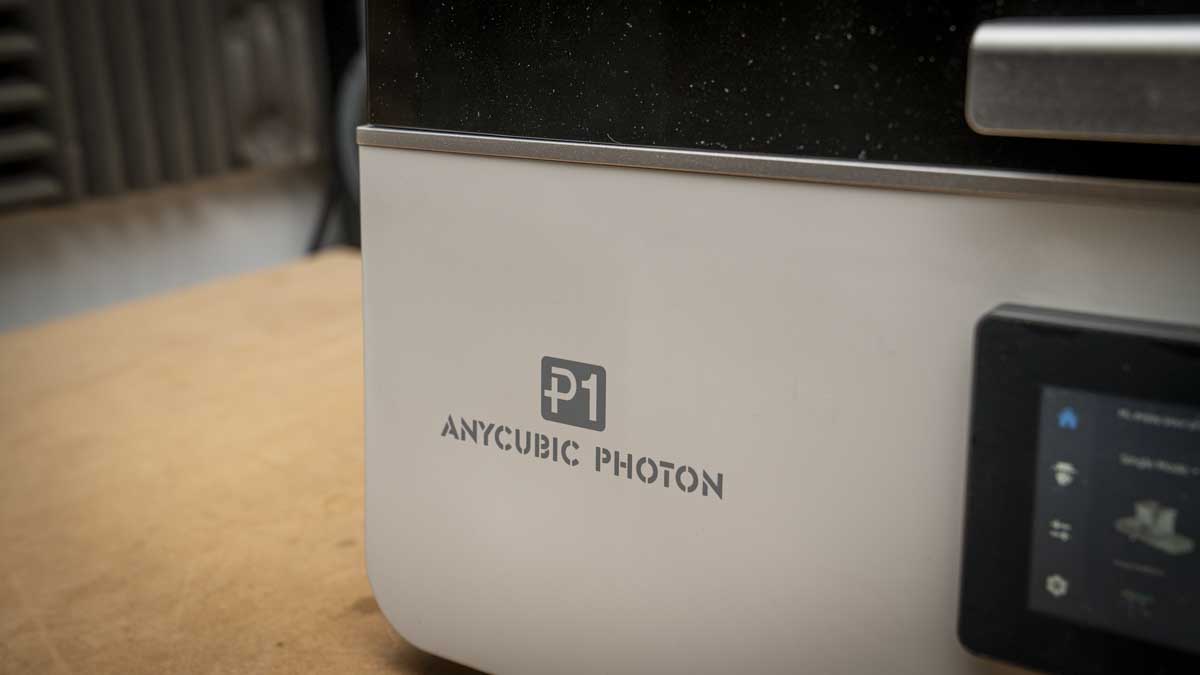
This is the first time that Anycubic has truly broken from the standard Photon design, discarding the lift-off lid and instead going for something much more refined, at least when it comes to the aesthetics. It looks altogether more professional and solid, and whilst their previous machines were able to turn out a decent print, the lid and bolt-down tank were looking dated compared with the competition.
That design is now all changed, and everything about the Photon P1 is of a high build quality and design standard. The machine itself, despite packing in plenty of advanced features, still only weighs in at 13.6kg and measures 366 x 338 x 539mm,making it easy to move around the workshop and position with the relatively small footprint. As ever, you’ll also need to factor in the space for a wash and cure machine.
From the moment the printer is placed on the work surface, there are two major design changes that really stand out: the hinged cover that replaces the previous lift-off lid and the large LCD screen with an updated interface.
The lid is well designed with a stepless hinge that essentially holds the lid at any angle over 45 degrees, and what I liked about this was that there’s a small handle that enables easy opening. The lid itself also seals well over the machine, stopping any UV exposure escaping while operating, and also helping to keep fumes inside and heat.
One of the major differences between this cover and previous Anycubic lids is that this is far less opaque. While this dark visor does block the view of the build area, if it increases UV protection, then that can only be a good thing.
The other big addition is the 4.5-inch resistive touchscreen, and while a touchscreen featured on previous models, this again feels of a far higher quality and follows the refined UI direction that we’ve seen with the Kobra X FDM range. In use, the navigation through the settings is fast and responsive, as well as being well organised, so it doesn’t take too long to navigate and find the settings that you want.
Considering the size of the print area and the fact that there’s a dual bed option, the footprint of 366 x 338mm enables it to easily sit on almost any workspace with plenty of room around it. The design of the mechanics has also seen an overhaul, and the new ball screw Z-axis is quiet, although checking the print times, and this more refined machine is slightly slower than the M7.
- Design: 4.5/5
Anycubic Photon P1: Features
Specs
Print Technology: MSLA (Masked Stereolithography)
Build Area: 223 x 126 x 230 mm (6.5 L)
Minimum Layer Resolution: 0.02 mm
Maximum Layer Resolution: 0.15 mm
X/Y Axis Resolution: 16.8 x 24.8 micron
LCD Screen: 10.1-inch Monochrome 14K
Light Source: COB + Fresnel + MASK
Light Intensity: 5,000 μW/cm²
Print Speed: 25–35 mm/h (0.05mm layer, standard resin)
Release Film: NFEP with Wave Release Technology
Resin Vat: Dynamic temperature-controlled, up to 1L, 20–40°C
Build Plate: Precision-milled steel (flatness tolerance < 80 μm)
Levelling: Auto-Levelling 3.0 with four-corner pressure feedback
Software: Photon Workshop 4.0 (also compatible: ChituBox, Lychee, Tango)
Operating Screen: 4.5-inch resistive touchscreen
Dimensions: 366 x 338 x 539 mm
Weight: 13.6 kg
The Photon P1's features build on previous Anycubic resin printers, and the company is keen to highlight that many of the new technologies that have been included in the P1 were previously only available in industrial models. This means that while this is a new Photon printer in many ways, it marks an entirely new line for the company.
Highlights include auto-Levelling 3.0, which is the first of the new features that impressed through the test, and actually saw a complete test period with no misprints or issues. The automatic self-check runs before each print, and while this does slow down the overall print times for individual prints in the long term, it saves time. How this works is to provide real-time pressure feedback across all four corners of the build plate, and if there are any issues, the machine will stop so that you can sort it out.
Through the test period, I poured in around 2kg of resin across more than 20 prints, and from the outset, the levelling proved effective with no hands-on adjustment. Really, getting started with the printer couldn’t have been easier.
Another of the new range of features is the Wave Release Technology, which is Anycubic's proprietary approach to the peel cycle. This uses a specialist NFEP film rather than standard FEP, and again it seems to work. This system is designed to reduce peel force by up to 60% versus traditional FEP, and as the machine ran through the prints, this was noticeable. Often, with some of the printers, the release from the FEP can make quite a noise, but here, the noise as the print was lifted was minimal, and this is one of the quietest printers of this type that I’ve used.
Through the entire test, including complex models with fine details and thin connectors, there were no failed prints. To be honest, this is an unusual result and previously was something that only the FormLab Form4 was able to claim. This dependability is no doubt due to the boost in technology and the combined effect of Wave Release, Dynamic Release 3.0, and the ball screw Z-axis working together.
Another of the technologies inside that helps with this dependability remains the Dynamic Release 3.0 monitors, which watch the real-time layer-separation forces and modulate lift height and speed accordingly, while Light-Off Compensation 3.0 calculates the resin flow-back rate and automatically adjusts light-off duration.
These are all technologies I can read about, and from the reliability angle, through the test, seem to do their job. Essentially, these and many other features are background operations which are invisible to you as the user, but they seem to work when compared to older models.
One feature I have seen on an increasing number of these resin printers is a dynamic, temperature-controlled resin vat. The change that this makes to print quality is the single most important feature and should be an essential part of any feature set for any resin printer.
As this test was carried out at the beginning of the year in the UK, ambient temperatures in the workshop are generally low, especially when testing resin printers, where I like to have all windows open. Therefore, the tests were performed in workshops at 5 to 10 degrees Celsius, these temperatures are at which most unheated resin printers fail or produce unreliable results, especially with supports.
The P1's vat reached operating temperature quickly, and print quality was exceptional throughout, with only a few weak support connectors for a couple of fine models. If you are working in a garage, workshop, or unheated studio, a heated tank is an essential and justifies the price premium of this model over lower-spec machines.
Another major feature of this printer is its wide resin compatibility. Through the test, I used both ABS-Like Resin 2.0 and standard resin, both of which produced excellent results with comparable print times. The machine is rated for resins up to 8,000 cps, enabling you to also print with engineering, flexible, and high-viscosity materials that would be beyond the range of many cheaper printers. I stuck to using Anycubic resins, but third-party resins can be used if you have the correct profile.
When it comes to getting models into the printer, there’s the Photon Workshop 4.0 slicer, but once again, if you want to use another choice of software, such as ChituBox, Lychee, and Tango, then that’s possible. The interface looks minimal on first use, but once you dig into the settings, there is quite a bit here to adjust. The ability to carefully adjust support connection options is particularly useful for complex models.
One feature not tested during this review is the Anycubic app's remote monitoring capability. This will be covered in a follow-up once the evaluation is complete.
- Features: 4.5/5
Anycubic Photon P1: Performance
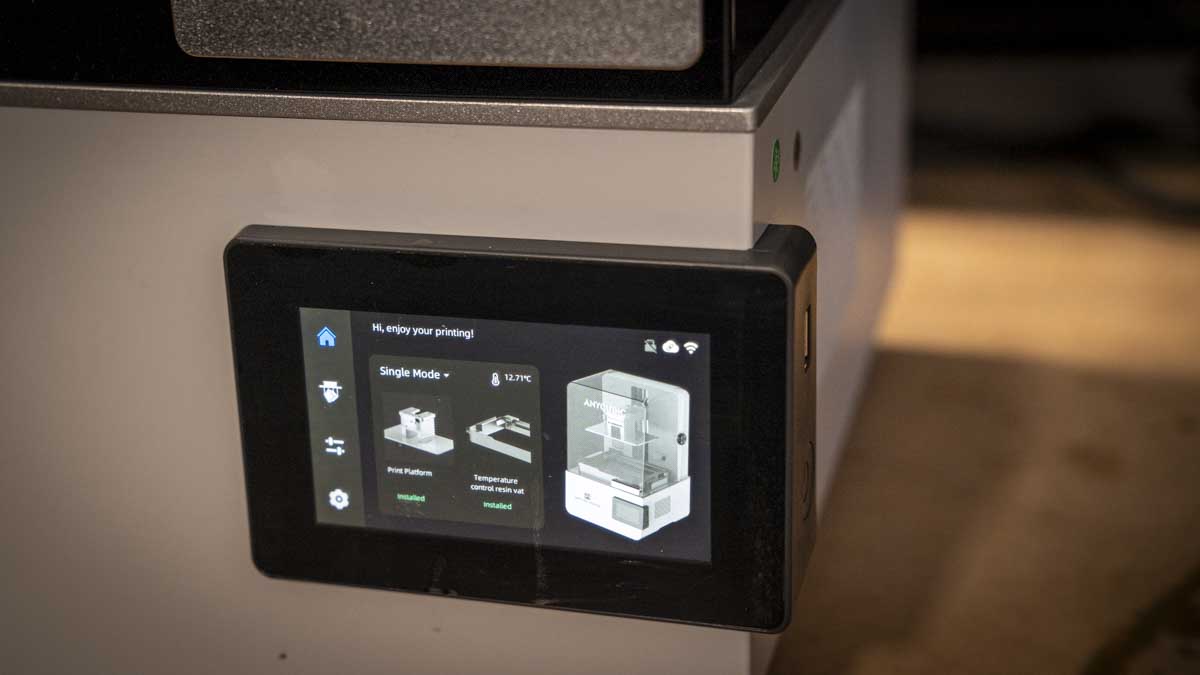
Print quality is where resin printers really come into their own, and this is especially true with the Photon P1. The 14K monochrome LCD with 16.8 x 24.8 micron XY resolution delivers an exceptionally fine level of detail, instantly visible on complex models.
Fingers, fabric patterns, surface textures, and fine structural elements are rendered with a level of definition that rivals that of other 14K machines I have used this year. The surface finish is outstanding, cured prints from the P1 are smooth, proof of both the screen quality and stable ball screw Z-axis movement.
I printed approximately 20 models over the test period, beginning with the test files supplied on the USB drive and then moving to my own library of models, the same files I use consistently when evaluating resin printers.
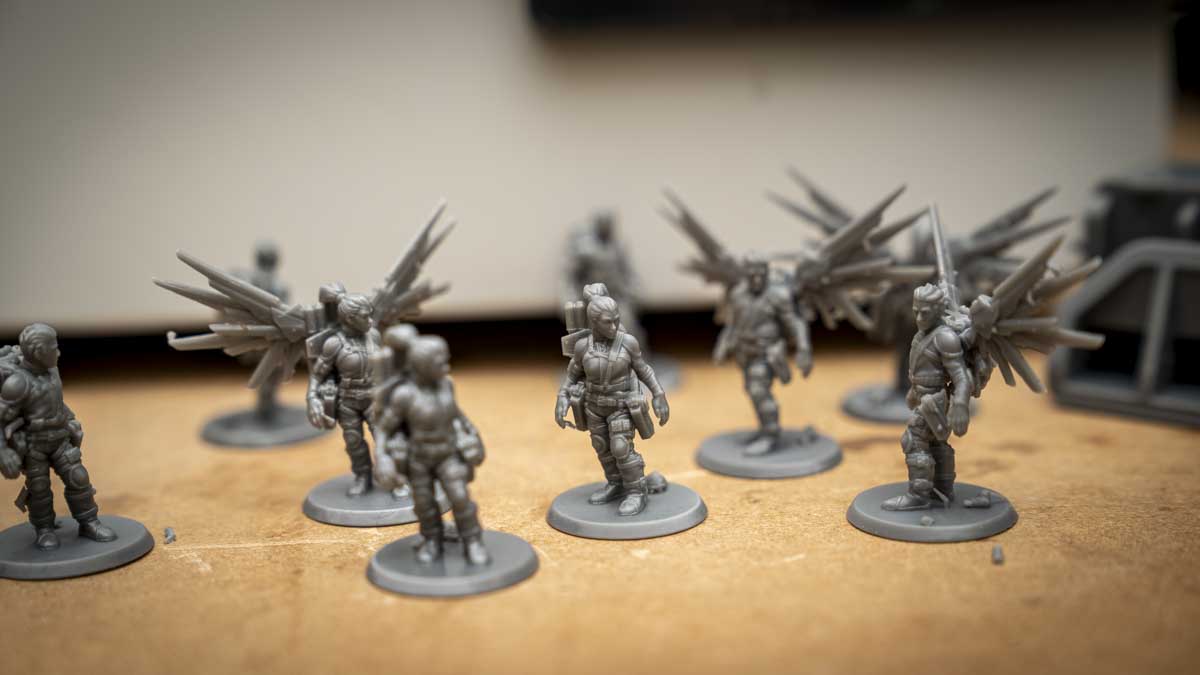
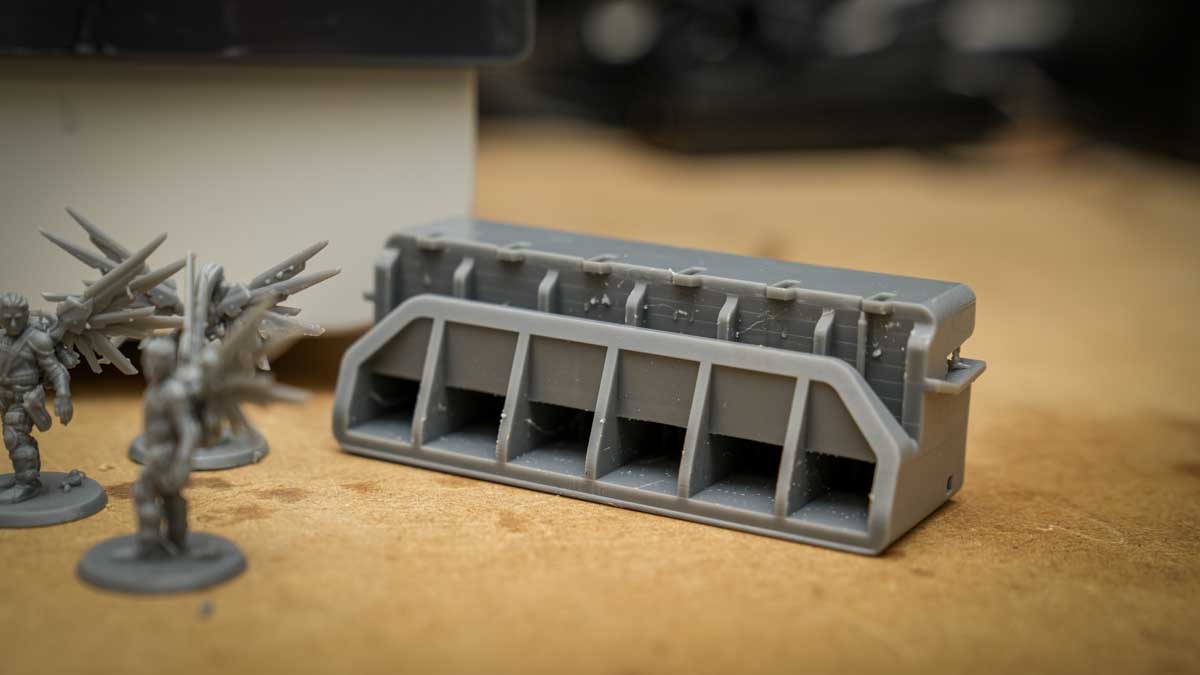
This includes a series of sci-fi figures with varying levels of fine detail, taller models to test Z-axis stability, basic ornaments for general surface-quality assessment, a tank model with drain holes to test support behaviour, and small engineering parts for dimensional accuracy. The human figures printed exceptionally well throughout.
One dog figure presented a challenge; the first file had particularly fine connectors to the base, which were below the threshold of practical durability, although they did hold, and those connectors eroded during washing. Once I adjusted the connector thickness in the slicer, the supports were a little more robust through the wash while remaining easy to remove.
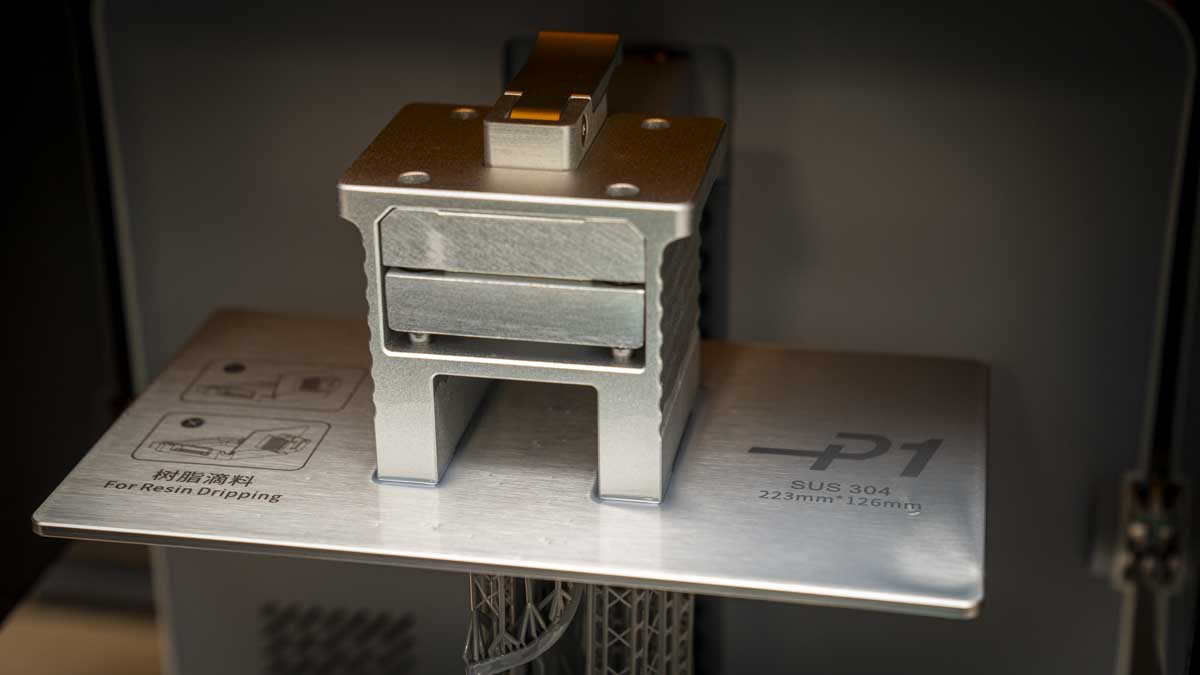
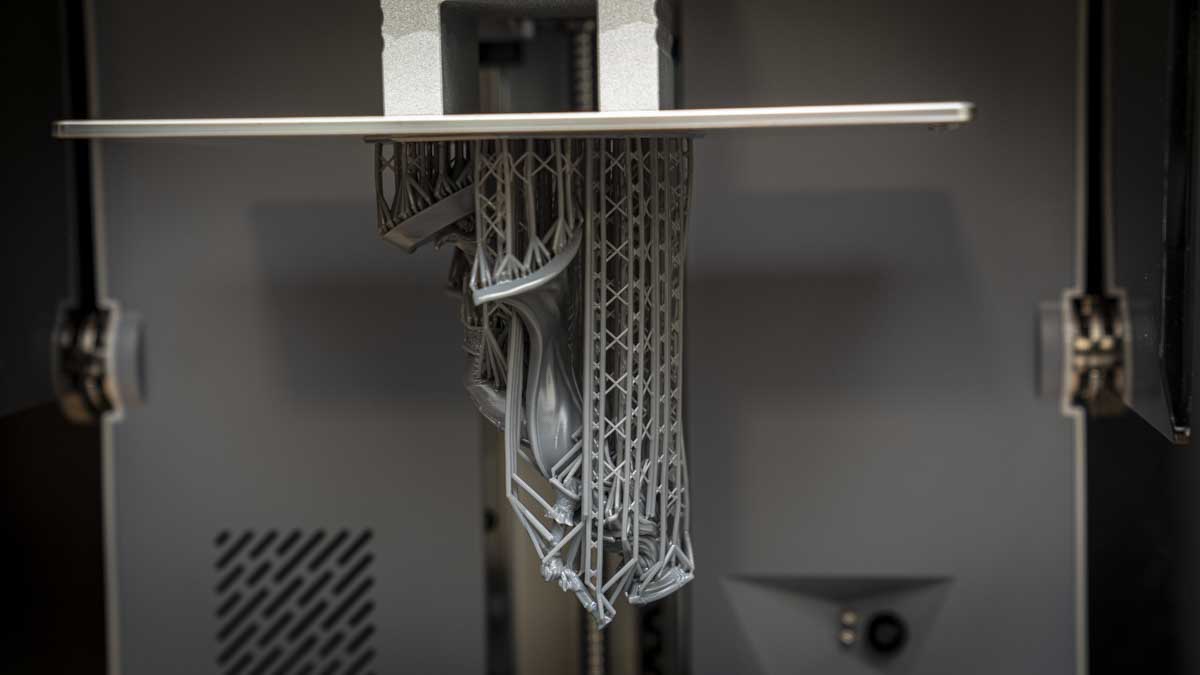
The tank model with drain holes added within the Photon Workshop, and full support structures printed well. The engineering parts were all produced with good dimensional accuracy, cleaning up neatly with minimal post-processing.
Across all 20+ prints, I recorded a 100% success rate, no failed prints, no delamination, no adhesion failures. In my experience with resin printers, this is unusual, even in the first ten prints, before particle build-up becomes a factor. The P1 maintained that reliability through the full test.
In terms of raw print speed, the Photon P1 is not the fastest machine on the market. At 25–35 mm/h with standard resin at 0.05mm layer height, it is noticeably slower than the Photon Mono M7 Pro, which can reach 130–170 mm/h with high-speed resin.
In practice, most models I produced with standard resin were completed within four to seven hours for relatively large prints standing 12cm in height, and with speed resin, a small figure that took one hour 38 minutes in standard resin came down to one hour 27 minutes. The P1 feels optimised for consistency rather than speed and the quality of the models reflects this.
Through the post-processing models were washed in IPA for between five and ten minutes, after which support structures were broken away. Surface imperfections were minimal and cleared easily by brushing with my finger, before a second, short wash and UV cure to fully harden the resin. The ABS-Like Resin 2.0 produced detailed results and, unlike standard resin, which becomes brittle relatively quickly with handling, showed noticeably better durability.
- Performance: 4.5 / 5
Anycubic Photon P1: Final verdict
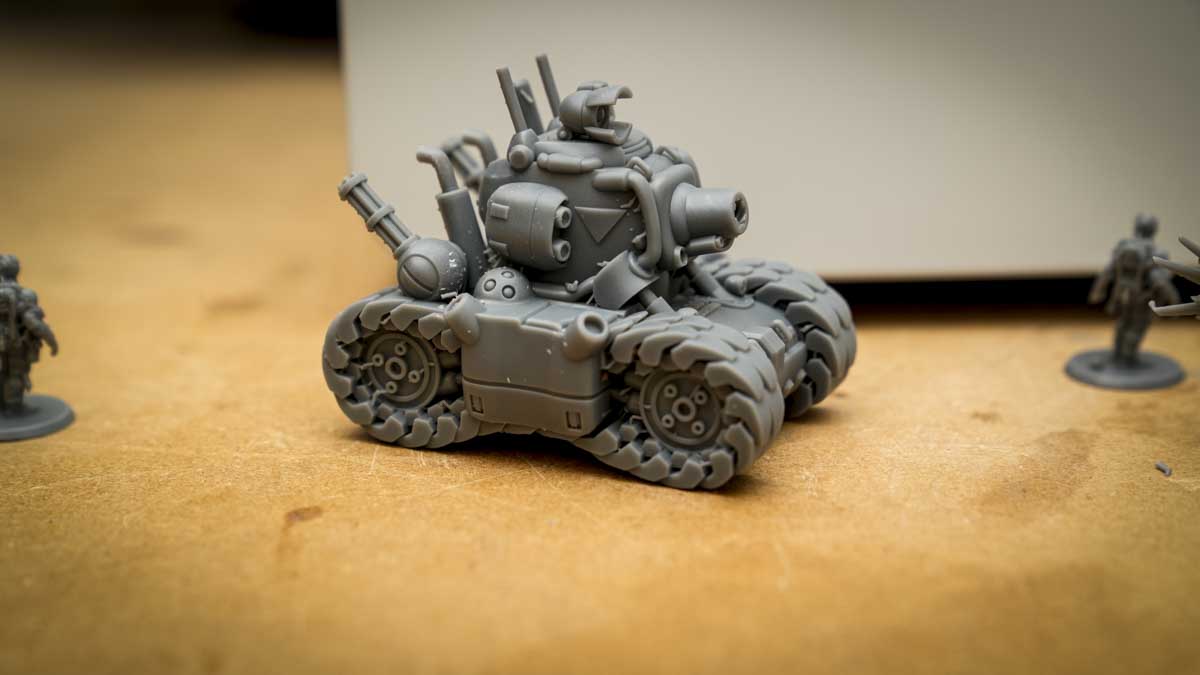
The Anycubic Photon P1 is a really decent machine and a good first step into prosumer resin printing. It’s not the fastest machine you can buy at this price, and the build plate lacks the quick-release mechanism that some competitors have introduced, but otherwise the features and performance are excellent.
For me, the impressive 100% print success across more than 20 prints, with the detail produced by the 14K screen and support of the heated vat in my presently sub-10°C workshop, all make this a great choice, as it overrides many of the usual resin challenges of lesser machines.
At $549 / £549, the Photon P1 is more than many of the other Anycubic machines, but it delivers far more. If you have been using an entry-level resin printer and are ready to step up from a hobby machine to something with near-industrial output without the cost, this is a great option. The optional dual-material kit is a genuinely interesting upgrade, and even without it, the base machine is still excellent.
Should you buy the Anycubic Photon P1?
Swipe to scroll horizontally
| Row 0 - Cell 0 | Row 0 - Cell 1 | Row 0 - Cell 2 |
Value: | You pay a premium over hobby machines, but it’s justified by the performance | 4 |
Design: | Prosumer step-up with hinged lid, remote monitoring, quiet operation and refined touchscreen. | 4 |
Features: | Well-specced with all the features you'd expect from a 3D printer of this price. The touchscreen is especially good. | 4.5 |
Performance: | Exceptional detail and 100% success rate; print speed is the only small issue. | 4 |
Total: | By far the best desktop resin printer Anycubic has produced to date. | 4.5 |
Buy it if...
You want reliable, detailed resin output.
Stepping up from a hobby printer? The Photon P1 delivers consistent results with minimal troubleshooting, making this an ideal machine for miniature painters, jewellery designers, and prototyping work.
You work in a cold or unheated space.
The heated vat is a genuinely useful feature for garage or workshop users. In testing at 5–10°C, the P1 performed without issue, something most unheated resin printers cannot match.
Don't buy it if...
Print speed is your priority.
At 25–35 mm/h, the P1 is slower than speed-focused competitors. If high output is your priority, look elsewhere; this machine is for precision rather than speed.
You are new to resin printing.
The P1 presumes familiarity with resin handling, support setup, and post-processing. New users would be better off starting with a lower-cost Photon Mono before stepping up.
For more crafting essentials, I've also tested out the best laser engravers



 English (US) ·