
Serving tech enthusiasts for over 25 years.
TechSpot means tech analysis and advice you can trust.
In brief: In a shocking turn of events, Microsoft is giving Windows 11 users a reason to celebrate. The company is finally allowing users to put an end to one recurring attempt to push them into backing up files with OneDrive by adding a button to permanently opt out of the prompt.
As reported by Windows Latest, Windows 11's full-screen backup prompt is now appearing with an "Opt out of backup" button.
The site encountered the revised screen on two PCs running stable Windows 11 25H2 builds. Neither machine had the OneDrive sync client installed, although Windows was configured to back up files, folders, settings, and credentials through Windows Backup.
Previously, users confronted by this screen were typically offered two choices: press Continue and risk enabling OneDrive backup, or select "Remind me in 3 days." During a fresh Windows installation, Microsoft used the friendlier "Skip for now," which was still only an escape rather than a permanent refusal.
The new button appears designed to record that the user really doesn't want Windows Backup pushing files into OneDrive. It doesn't uninstall OneDrive. A Microsoft support representative said selecting it would not delete existing OneDrive files or alter synchronization settings. That explanation appeared in a March 2025 Microsoft Community response to a confused user.
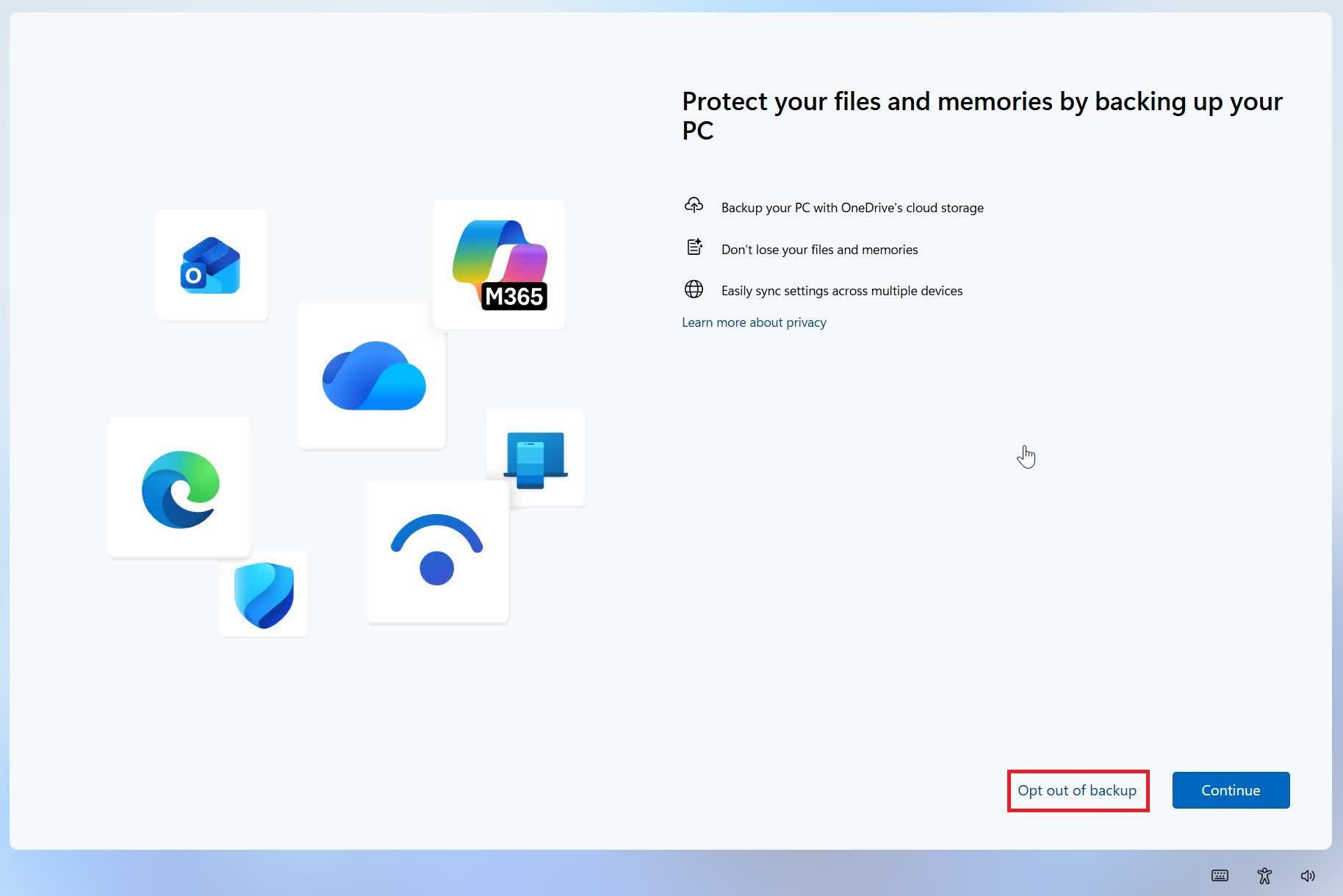
Courtesy of Windows Latest
In 2024, it was reported that Windows users could already uninstall OneDrive. However, Windows Latest encountered the new prompt on PCs without the sync client, showing that removing the app didn't silence Windows Backup's sales pitch. The new control dismisses that prompt. Although the option appeared on at least one system in 2025, the latest testing suggests it is now reaching more stable installations.
The change appears to be connected to the latest stable Windows 11 25H2 build, although Microsoft has not confirmed the rollout or identified an exact update responsible.
This is also separate from the less intrusive File Explorer reminder. Since 2025, users have been able to right-click the "Start backup" message in File Explorer's address bar and either snooze or turn it off. The newly reported control tackles the far more irritating full-screen interruption that could appear after an update or restart.
Microsoft says Windows Backup uses OneDrive to sync common folders, while also remembering app pins, settings, and Wi-Fi credentials to make restoration on another PC easier. But free Microsoft accounts receive only 5GB of cloud storage, shared with OneDrive files and Outlook.com attachments, and plenty of people already use external drives, NAS hardware, or rival cloud services.
Microsoft's August 27 update notes doesn't mention the button. The control may therefore be rolling out independently or as part of a server-side configuration. Even so, offering an actual "no" instead of an endlessly postponed "yes" is progress. Windows 11 users may finally be allowed to make a decision without Microsoft scheduling another opportunity to ask them again.








 English (US) ·