

- Rumor has it that Notepad is getting a new feature
- The Windows 11 app could enable users to embed images
- That might be useful for some, but others will be concerned about how much Microsoft is cramming into this 'lightweight' app
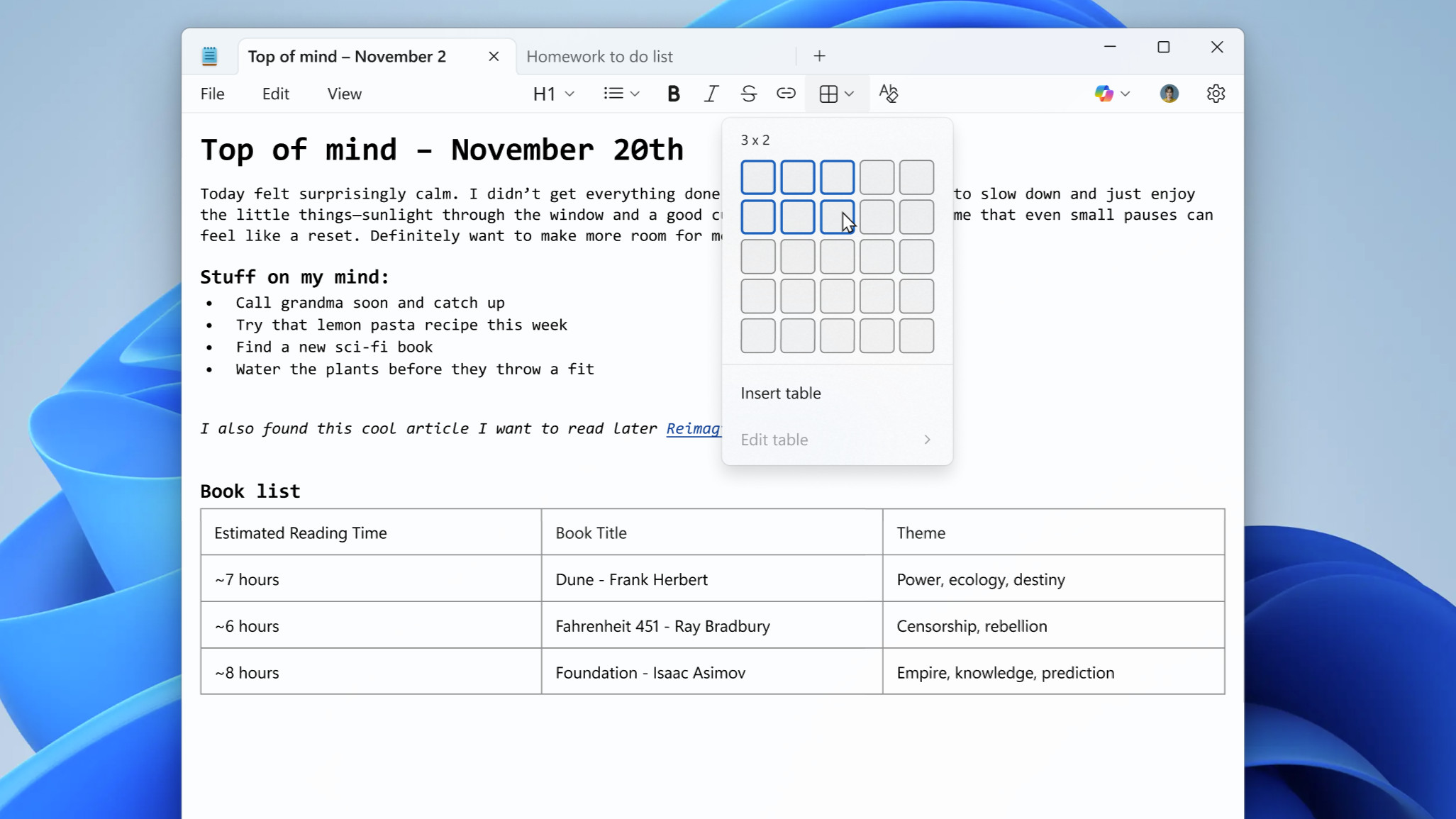
Windows 11's Notepad app is due for another feature addition based on what we're hearing from the rumor mill — and this time it's image support.
Windows Latest claims it has spoken to sources who say Microsoft will give Notepad users the ability to embed images (as seen in Word, of course).
On top of that, there's some evidence of this addition in the Windows Insiders program, where preview versions of Notepad are tested. Windows Latest points out that a new Notepad build shows an 'insert image' button in the app's toolbar, although this is in the 'what's new' panel for Notepad, not the actual software itself. However, it's clearly an indication that this capability is planned.
Apparently, the sources Windows Latest tapped think the feature has a "minimal impact" on performance in testing. Also, we're told that those who don't want this functionality will have the option to disable it in the settings for Notepad.
Analysis: a perilous path to tread?
Seemingly, this feature will be part of Notepad's 'markdown' support – a formatting syntax – which ushered in the expanded formatting options we've seen arrive in the app in recent times. That includes the likes of making bullet-point lists, bolding and italicizing text, as well as adding hyperlinks — with adding images now inbound.
The question is: how many more features is Microsoft going to cram into Notepad? Where will the company draw the line? Because many longtime users of Notepad love the simplicity of the app, and its barebones nature which means it's performant and slick — and they're becoming highly skeptical about its future due to this constant drip of features creeping into the app.
Fair enough, you can turn off some of these features, and we're told this one doesn't have any noticeable performance impact — but the trouble is, all these little things might eventually add up to hamper Notepad's overall responsiveness.
Beyond that concern, there are security worries, too, as highlighted by a recent incident. The mentioned markdown formatting system itself meant that a vulnerability was present in Notepad, and so expanding — or bloating, if you prefer — Notepad's capabilities can lead to unforeseen consequences in terms of exploits and hacking.
It's an odd situation all-round, really, when you consider that Microsoft ditched WordPad from Windows 11 — which was a middling option between the basic Notepad, and fully-fledged Word — and is now turning Notepad into something that looks increasingly like that middle-ground compromise.
Follow TechRadar on Google News and add us as a preferred source to get our expert news, reviews, and opinion in your feeds. Make sure to click the Follow button!
And of course, you can also follow TechRadar on YouTube and TikTok for news, reviews, unboxings in video form, and get regular updates from us on WhatsApp too.








 English (US) ·