
 7 hours ago
4
Mac Pros are becoming obsolete. Do they still have use?
Just dance/Shutterstock
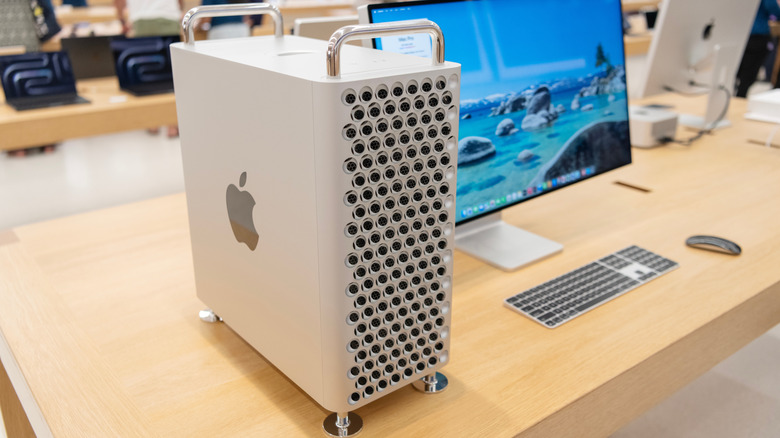
Earlier this year, Apple discontinued its Mac Pro desktop workstation, marking an end to one of the company's longest-running product lines. Starting at $5,999 for the entry-level 2019 model and costing tens of thousands of dollars when fully equipped, the Mac Pro was (and still is) a serious investment for most people and companies. Thankfully, even though Apple has stopped making new Mac Pros, your discontinued workstation is hardly worthless.
Whether you decide to sell your Mac Pro to finance an upgrade to a new Mac Studio, repurpose the existing hardware with a new operating system or simply continue to use the workstation for years to come, you have plenty of options. The secondhand market for Mac Pros remains strong, while the modular nature of the Mac Pro means that running alternative operating systems to keep the device current is easier than it is with newer Mac products. Plus, if it's in working condition, there's nothing stopping you from continuing to use it as intended, even if its hardware is showing its age. Regardless of what you're looking to do, here's everything you need to know about what comes next for your discontinued Mac Pro and how to get the most value out of it.
Why is Apple discontinuing the Mac Pro?
Apple discontinued the Mac Pro in March 2026 in order to prioritize the new Mac Studio line of workstations. With the move to Apple silicon, which uses a highly integrated system-on-a-chip (SoC) design, a modular desktop workstation like the Mac Pro no longer makes sense. Drop-in cards like GPUs aren't compatible with Apple's in-house silicon due to Apple's use of a unified memory architecture for the Apple M-series chips. This architecture shares memory resources across the CPU, GPU and other system components, and there simply isn't a good way to introduce some third-party components commonly used with the 2019 Mac Pro. The 2023 Mac Pro, meanwhile, uses the Apple M2 Ultra SoC and lacks the modularity of the 2019 model, so it's essentially a Mac Studio in a Mac Pro shell.
Apple is also streamlining macOS around its SoC design, something that developers for popular professional software like Adobe Premiere Pro are also doing. Since it would be too cumbersome to develop this kind of sophisticated software for two different kinds of Apple architectures, Apple and its partners are focusing on what's new rather than trying to continue supporting an increasingly obsolete architecture. Without sufficient software support, it makes little sense to continue producing the Mac Pro.
Can you still use your discontinued Mac Pro?
Justin Sullivan/Getty Images
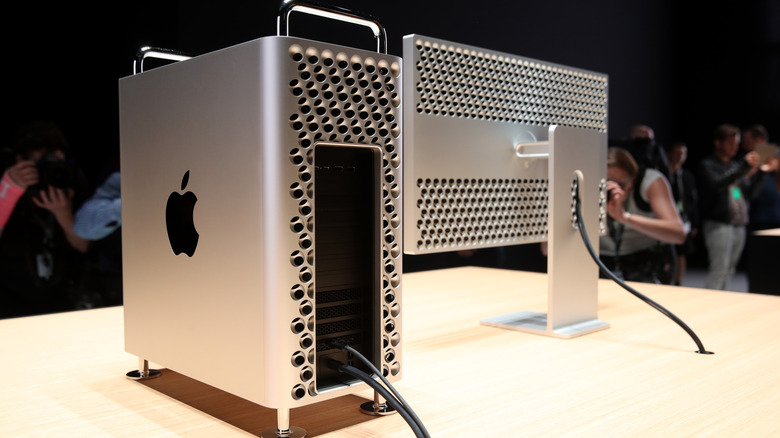
While Apple isn't producing new Mac Pros, that doesn't mean you have to get rid of yours. Developers are streamlining their apps for Apple M-series Macs, but some app support for Intel-based Macs will likely continue for another couple of years, like security updates and minor fixes. This support will vary between developers, though, and Apple's latest macOS 27 Golden Gate doesn't support the Intel-based Mac Pro.
If you have the 2023 Mac Pro, you don't have anything to worry about right now. It will be supported for years to come, and that support includes macOS 27 Golden Gate. Third-party apps will also support the 2023 Mac Pro for as long as they support the Apple M2 Ultra SoC.
If you're not getting the support you need from macOS on your old Mac Pro, you can install a new OS, either with a virtual machine or through a completely new installation. A guest OS doesn't get rid of macOS, and paid apps like Parallels make installing Ubuntu Linux and Windows 11 relatively painless. There are also free VM options that can help extend your discontinued Mac Pro's life.
Attempting a full install of a new OS might also be an option, but it's a complicated process and comes with some risk of bricking your Mac Pro for good. There are online resources to walk you through the process, but you'll need some technical know-how, so if you aren't comfortable with that, do not attempt it.
Are old Mac Pros worth anything?
If you're going to get rid of your old Mac Pro, don't just recycle it — plenty of people will be willing to buy it from you. Many professional workflows, like video editing or running a network server, require a lot of memory but don't necessarily need the fastest processors. Professionals and students in those fields might jump at the chance to pick up a working Mac Pro for relatively cheap. Online marketplaces are good places to start, but a handwritten bulletin board notice at your local university can work just as well.
If you have a 2019 Mac Pro, its internal components might also be worth selling individually. Memory and large-capacity storage drives are especially in-demand right now, so even though stripping your Mac Pro for parts might feel unseemly, if you can't find a buyer for the whole system, this might be the way to go. Some money is better than nothing.
If you plan on getting rid of your Mac Pro, make sure to do a few things beforehand. Read through this support page on Apple's website and follow the instructions for backing up your files, logging out of accounts and performing a factory reset. The last thing you want is to give someone all your sensitive data after saying goodbye to your old Mac Pro for good.






 English (US) ·