
OnePlus Pad Go 2: two-minute review
As the successor to 2023’s OnePlus Pad Go, the OnePlus Pad Go 2 is the latest mid-range tablet from OnePlus, sitting between the budget-friendly OnePlus Pad Lite and the premium-tier OnePlus Pad 3. As with any mid-range device, there’s always the expectation that one or two big compromises have been made to keep the price down, but with the OnePlus Pad Go 2, I’ve struggled to find one.
This is as good a mid-range tablet as I’ve tested yet, and it's emboldened by a handful of upgrades that give it far more in common with the more expensive OnePlus Pad 3 than its more affordable sibling. The jump to using the MediaTek Dimensity 7300-Ultra chipset is the biggest change of the bunch, as it doesn’t just pave the way for amazing gaming and everyday performance; it also allows for the inclusion of OnePlus’ excellent Open Canvas software, which is a big win for productivity users.
Having Open Canvas available in tandem with the now larger 12.1-inch display, which uses a 7:5 ratio, means the OnePlus Pad Go 2 is an instant win for students or buyers on a budget who want the productivity experience provided by the OnePlus Pad 3 without having to fork out such a substantial amount of cash.
In fact, with the inclusion of 5G connectivity (something which the Pad 3 does not have), there’s a case to be made that, until OnePlus’ more powerful tablet gets the same treatment, the Pad Go 2 might be more preferable by default for anyone who’s constantly on the move and can’t stay connected to a single Wi-Fi network for too long.
The battery in the OnePlus Pad Go 2 has also been beefed up, jumping from 8,000mAh to a whopping 10,050mAh cell, which means you can go for longer between charges (always helpful if there isn’t a power outlet in sight).
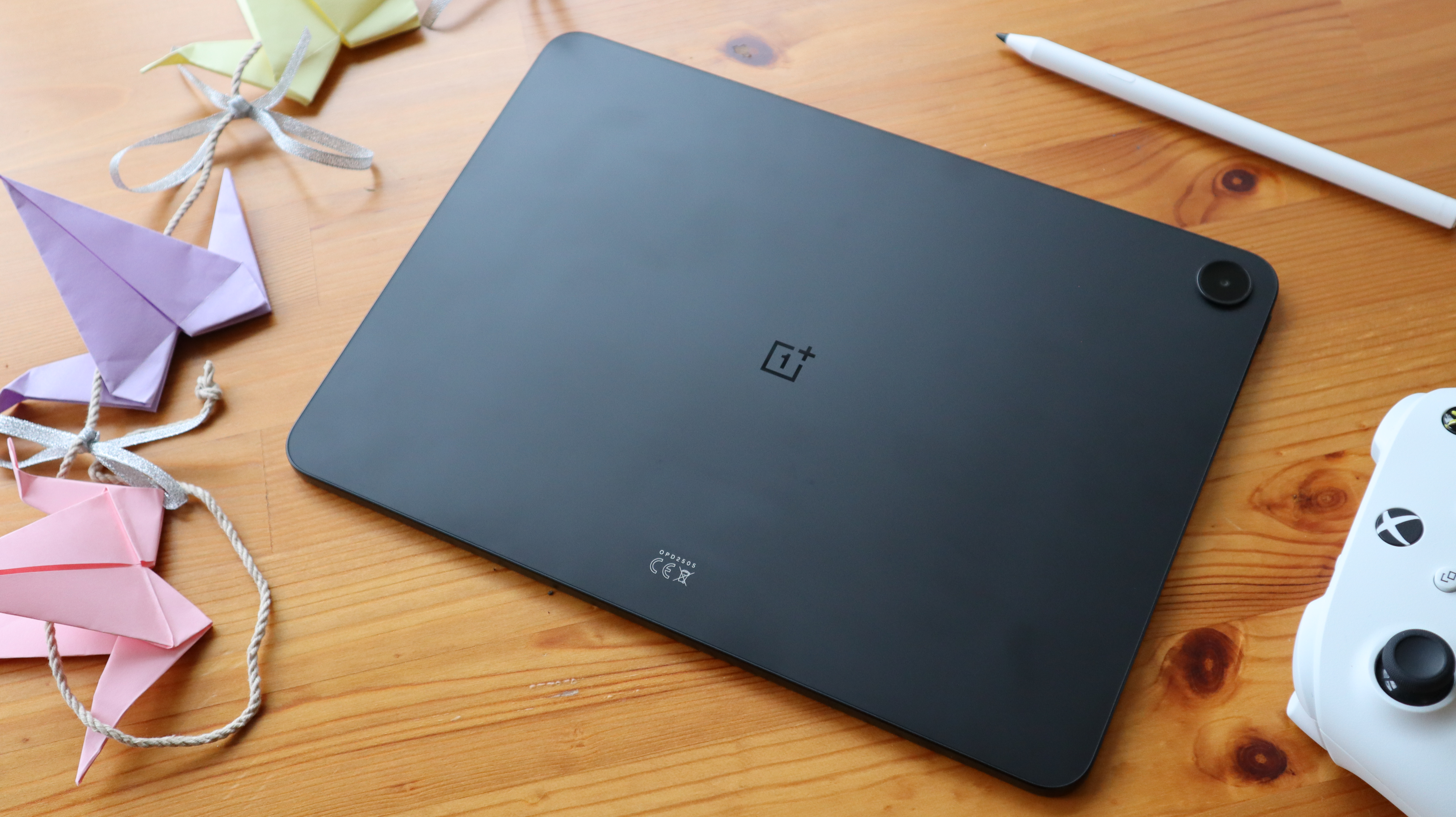
The only setback with the Pad Go 2 is that the design isn’t quite as striking as what we’ve had before, with the OnePlus moving away from the green colorway that made the original Pad Go stand out, and instead moving towards a subdued style that will feel familiar to anyone who’s seen the similarly redesigned OnePlus Nord 5.
Still, it’s a minor blemish on what is, overall, an outstanding tablet. The next time someone’s shopping on the mid-range market, I can’t imagine a world where the OnePlus Pad Go 2 isn’t immediately brought up as one of the first options to consider.
OnePlus Pad Go 2 review: price and availability
- Starts at $399.99 / £319 for 8GB of RAM and 128GB storage
- A more expensive 8GB RAM/256GB storage model is available in the UK, which comes with 5G connectivity
The OnePlus Pad Go 2 has a starting price of $399.99 / £319 for the 128GB Wi-Fi-only model, which then jumps up to £399 for the UK-exclusive 256GB, 5G-enabled variant. We're still waiting for confirmation of the tablet's availability in Australia.
For context, the OnePlus Pad Go cost £299/$299 at launch, making it something of a lower mid-range option designed to compete with the likes of Apple’s entry-level iPad at the time.
Even though there is a slight uptick over what the original Pad Go went for at launch, such a price increase is far from unexpected given the current state of the world economy. But it doesn’t derail the Pad Go 2’s value, which is the most important thing.
With that $399.99 / £319 starting price, the OnePlus Pad Go 2 is still $50 / £10 cheaper than the iPad 11-inch (2025), which is sure to make it a more tempting option for buyers who aren’t completely sold on Apple’s ecosystem.
- Value score: 4 / 5
OnePlus Pad Go 2 review: specs
As for the Pad Go 2's specs, there are quite a few upgrades this time around, the most notable of which have been applied to the display. With a larger 12.1-inch size, the screen also has a higher resolution and a faster refresh rate of 120Hz.
Although the Wi-Fi and 5G models of the OnePlus Pad Go 2 share a lot of key specs, the latter is ever-so slightly heavier at 599g (as opposed to 597g).
Here are the OnePlus Pad Go 2's specs in full:
Swipe to scroll horizontally
Starting price | £319 |
Operating system | OxygenOS 15.0.1 |
Chipset | MediaTek Dimensity 7300-Ultra |
RAM | 8GB |
Storage | 128GB/256GB |
Display | 12.1-inch 2800 x 1980 LCD, 120Hz |
Weight | 597g/599g |
Battery | 10,050mAh |
Charging | 33W wired charging |
Cameras | 8MP main, 8MP front |
OnePlus Pad Go 2 review: display
- A large 12.1-inch display that's brilliantly bright
- The 7:5 ratio is perfect for productivity
As much as I enjoyed testing the OnePlus Pad Lite for what it was (a budget buy) earlier this year, its lower-resolution screen made me realize just how good I had it when the OnePlus Pad 3 came in for testing. I was bracing myself for a similar compromise with the Go 2, but ended up being pleasantly surprised by what's on offer.
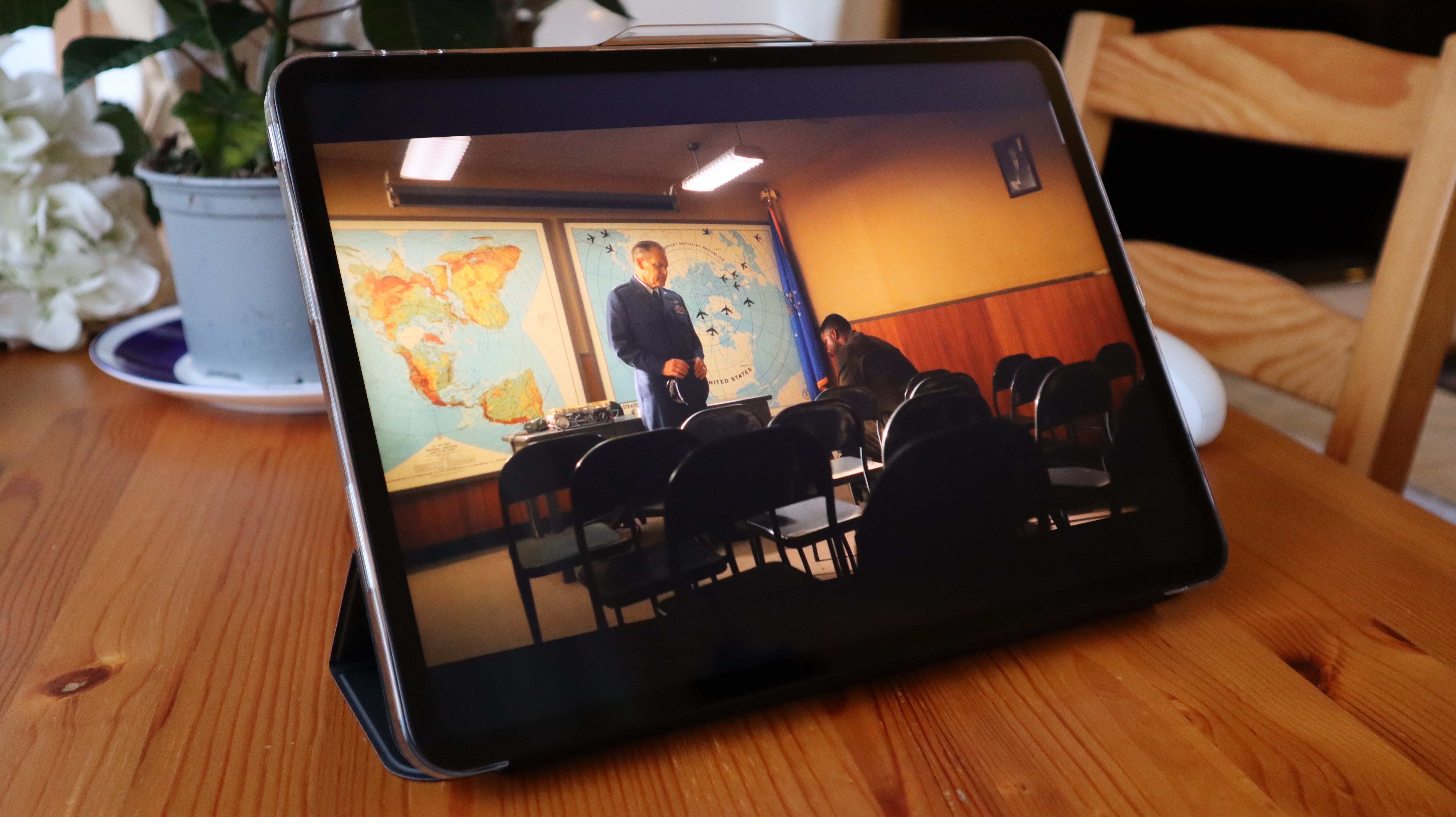
Instead of having a display that's a major step down from its more premium siblings, the Pad Go 2 has a gorgeous 12.1-inch display that's both larger than before (up from 11.35 inches) and brighter, at 600 nits. There's even a 2.8k resolution, which makes everything look crisp.
The viewing experience overall is fantastic, and I've been using the tablet to catch up on It: Welcome to Derry, being massively impressed with how well the screen conveys both the saturated colours of 1960s Derry and also the dark, foreboding sewers connected to Pennywise’s lair.
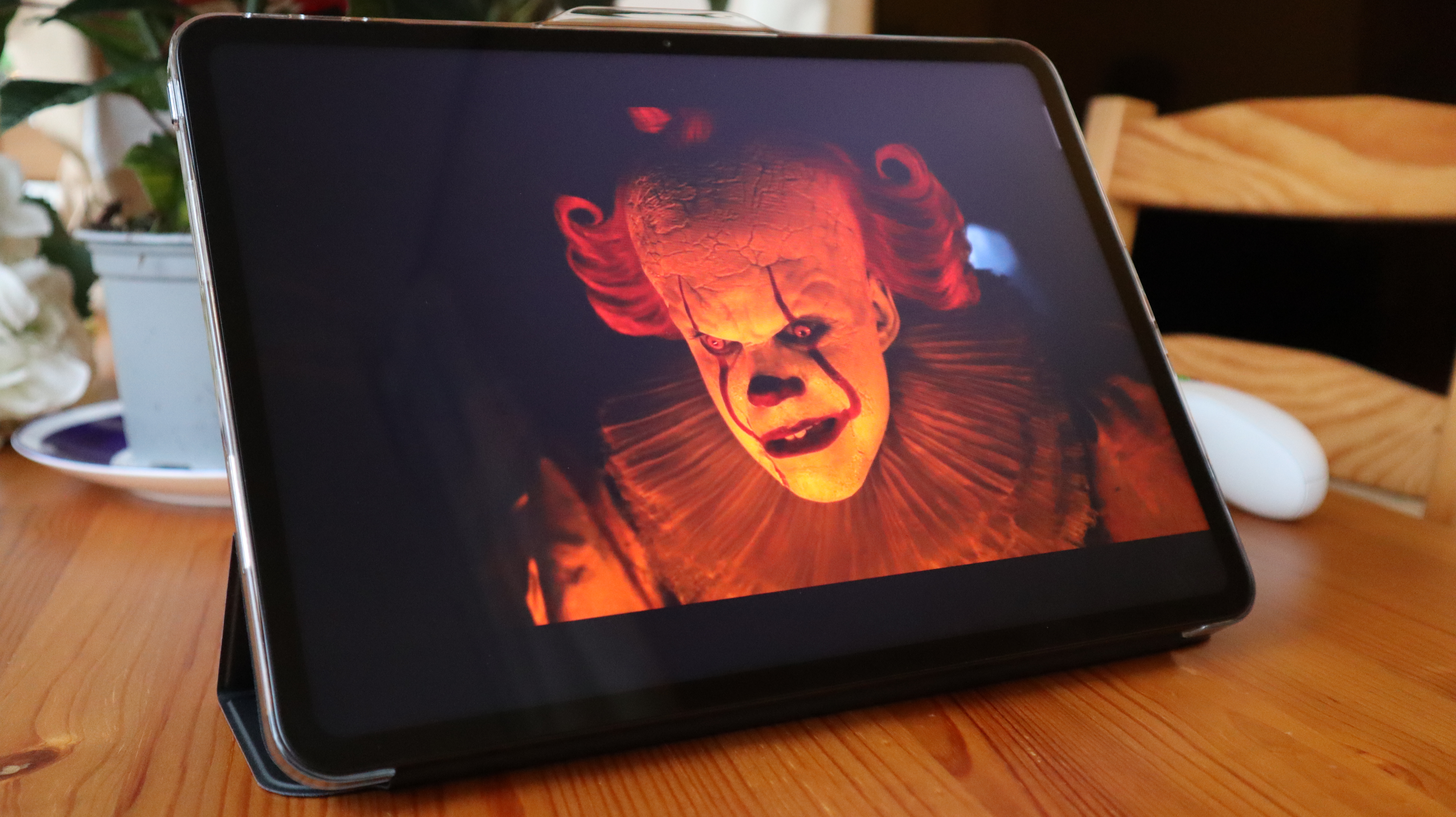
This alone would make it easy to recommend the OnePlus Pad Go 2 to users who just want a solid tablet to take with them on their next flight, but it's the use of a 7:5 ratio that allows it to double as a great productivity tablet.
With a more squat frame than the true wide-screen look of something like the Pad Lite, the Pad Go 2 is far more aligned with the Pad 3, offering plenty of space for multitasking with two apps sitting side by side. For when I'm studying a press release or testing notes for an article as I write, this is exactly the type of display I want – one that never asks me to squint to see what's right in front of me.
- Display score: 5 / 5
OnePlus Pad Go 2 review: design
- A bit more subdued than before
- It can pick up fingerprints quite quickly
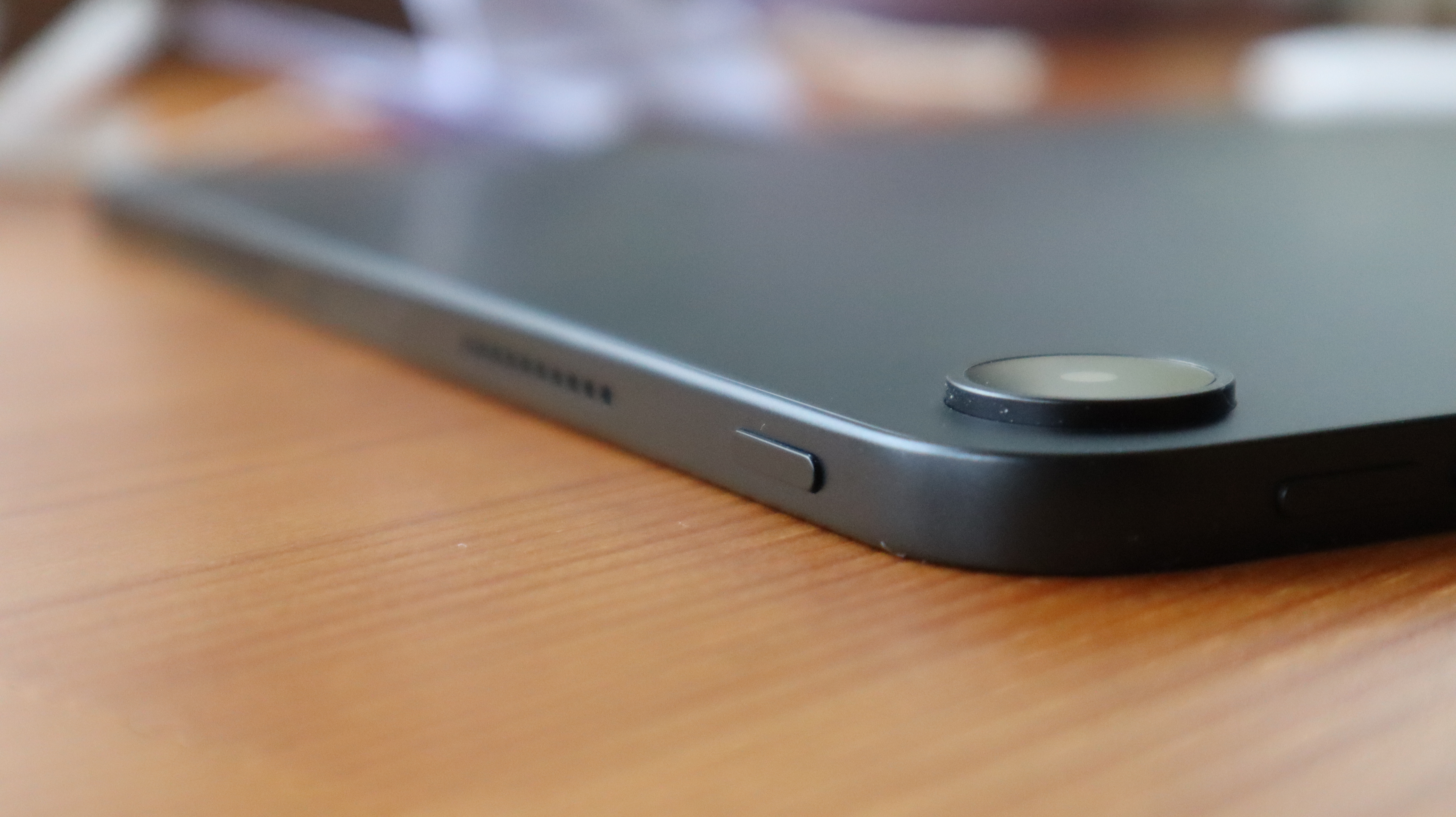
The OnePlus Pad Go 2 has undergone something of a design shift versus its predecessor, moving away from the green backing and center-facing rear camera of old and towards something that feels far more subdued – not too dissimilar to the changes implemented on the OnePlus Nord 5.
The Shadow Black variant that I had in for review feels particularly reminiscent of OnePlus’ mid-range phone, with a sleek albeit unexciting backing that’s designed to look confident rather than eye-catching. It’s also something of a fingerprint magnet, so you may want to put a case on the device before things get too smudgey. These sentiments don’t quite apply to the Lavender Drift alternative, but even that more colourful option is a world away from the head-turning pink of the 11th-gen iPad.
Before I run the risk of sounding overly negative, I want to point out that even though it’s less striking than before, I do like the design of the OnePlus Pad Go 2. As someone who regularly uses tablets for both productivity and entertainment, I appreciate having a device that can blend in as seamlessly as a laptop in my local cafe, and it’s now even easier to carry around in a backpack thanks to a slightly slimmed-down build.
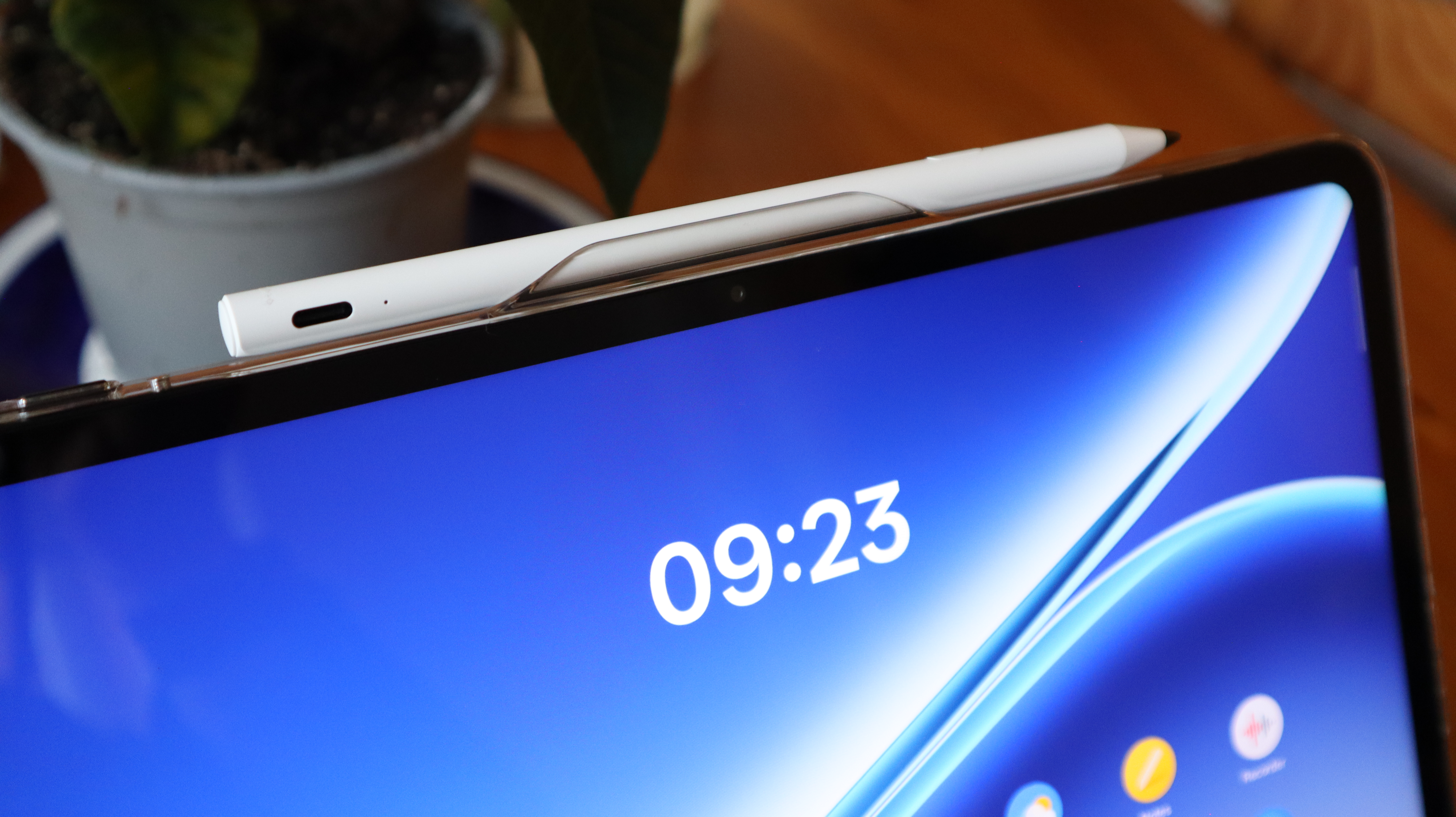
While the height and width of the tablet have increased, owing to the slightly larger display, OnePlus has managed to fit everything into a thinner chassis that rings in at just 6.83 inches. Not only does this mean it takes up less room in a bag (handy for someone like me who’s constantly carrying multiple devices), but it also makes the Pad Go 2 more comfortable to hold.
With the Wi-Fi and 5G models of the Pad Go 2 coming in at 597g and 599g, respectively, the Pad Go 2 is heavier than its predecessor, but that increase doesn't result in any negative change to the way it feels in the hand. On the contrary, there’s a nice bit of heft that complements the smooth backing of the Go 2, making it comfortable to hold for long periods of time.
Thanks to the more squat nature of the design, my hands were never at risk of covering the center-placed front-facing camera, so even if you are taking a call while holding the tablet vertically, you won’t have any issues there.
- Design score: 4 / 5
OnePlus Pad Go 2 review: software
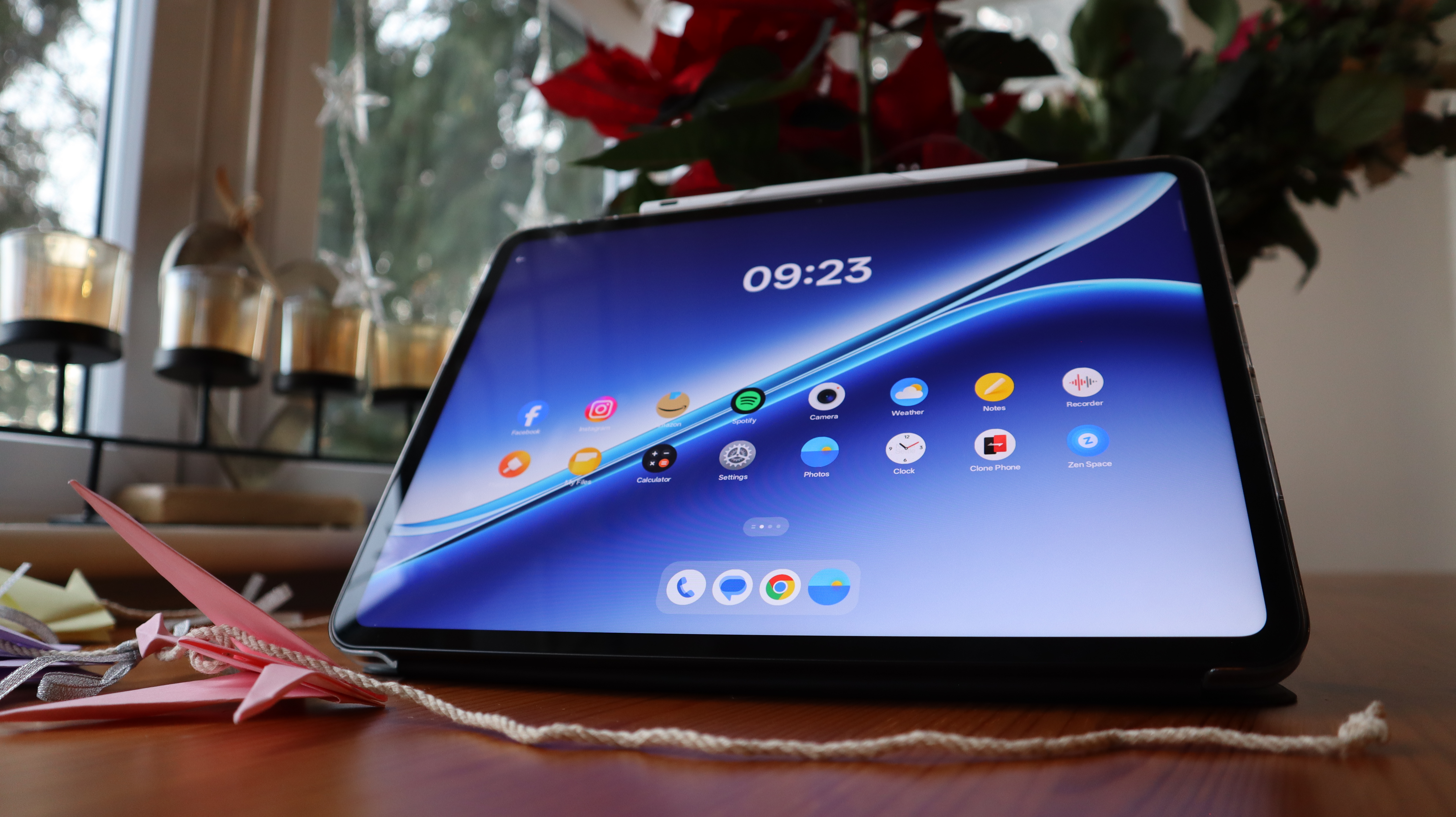
- A wonderfully uncluttered experience with next to no bloatware
- Having Open Canvas on board is a big win for productivity users
I've tested enough tablets now to know that OnePlus’ secret weapon is its software. OxygenOS is already a delight to use on the best OnePlus phones (which is why next year’s best phones really have their work cut out against the stellar OnePlus 15), but its value feels more palpable when it comes to tablets.
There's no denying that Apple has a comfortable lead above all Android competitors in this area. Everything just works in iPadOS, and it's exactly why the entry-level iPad 11 is such a great-value buy. But for my money, OxygenOS is the next best thing.
For starters, there really isn't any bloatware to speak of, which already sets OnePlus’ software apart. This was also the case with the OnePlus Lite, and nothing’s changed with the Pad Go 2. The only thing that could vaguely be considered bloatware is a handful of OnePlus’ own brand apps, but they’re fairly well designed. OnePlus’ Notes app in particular is a much sleeker alternative to Google Keep, so these apps are worth exploring to see if they can work for you.
It also helps that OxygenOS has a much nicer look than most Android overlays. With circular app icons and easy-to-navigate menus, it feels far more akin to what you’ll find in Google’s stock Android package, and you get a nice selection of wallpapers built in, including OnePlus’ signature mountain range collection.
What really separates the Pad Go 2 from the Pad Lite, however, is the inclusion of Open Canvas. Whether it’s been on the Pad 3 or the OpenPlus Open, I've loved my time with OnePlus’ multitasking software, as it makes the process of setting up apps side by side an easy one. As mentioned earlier, it works so well with the Pad Go 2’s 7:5 display that you could easily use this tablet for work, either as a student or a professional.
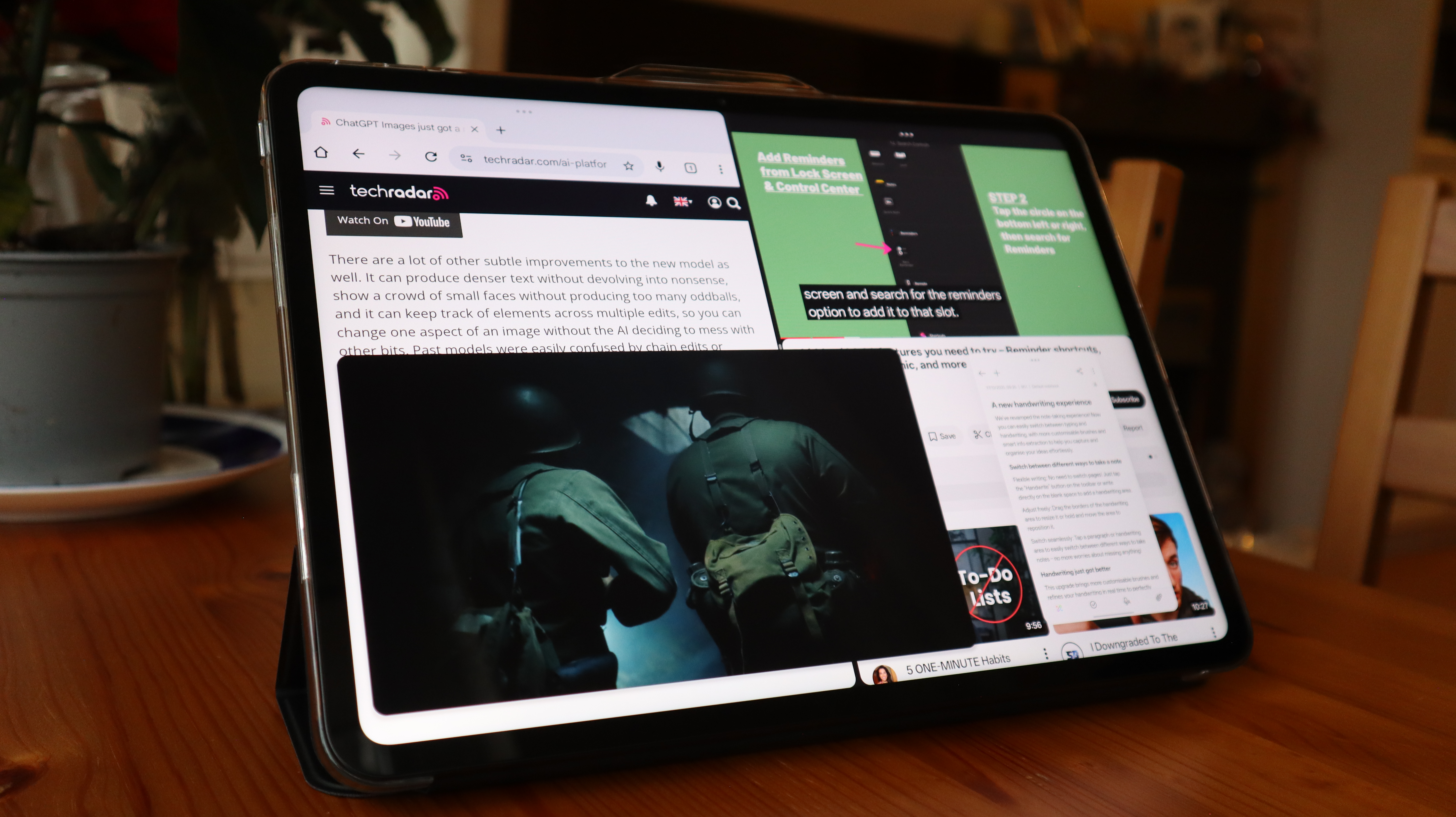
Of all the layout options available via Open Canvas, it’s the 90/10 split that I really enjoy using. As its name implies, this allows one app to take up the majority of the display while another is just peeking out from the side, but the latter can be brought out in a 50/50 split the moment you tap on it. Again, when I want to quickly check on my notes while writing a review like this one, it works incredibly well.
Another key difference here is that, unlike the Pad Lite, the Go 2 has OnePlus’ AI features built in. This may differ for some people, but personally, I can’t stand the way in which a big push in AI is being shipped as a viable alternative to new features in modern tech. Honor is guilty of this, as is Apple, but OnePlus has a fairly relaxed approach, which I appreciate.
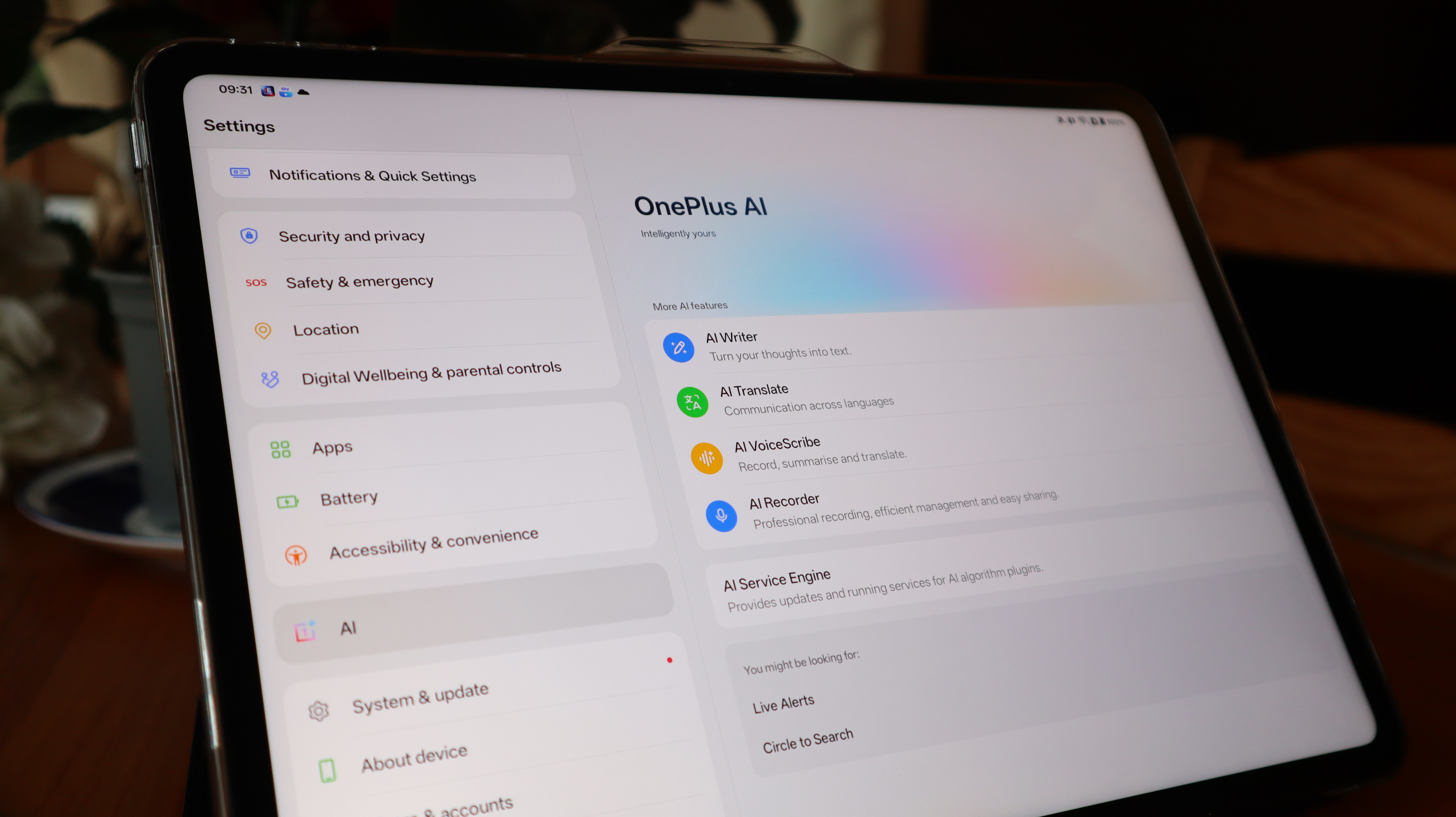
There are AI features onboard, like an AI writer as well as an AI summarizer for web pages, but neither of them is forced upon you and are fairly easy to miss if you’re not looking for them. While I don’t have much use for AI in general, I have appreciated OnePlus’ AI summarizer on occasion if I need to know more about a certain product but don’t have time to read a full breakdown, as it does a decent job of honing in on what’s important and getting that information to me in a concise way.
OnePlus has yet to confirm how long it will be supporting the OnePlus Pad Go 2, but this section will be updated once that information is made clear.
- Software score: 4.5 / 5
OnePlus Pad Go 2 review: performance
- The MediaTek Dimensity 7300-Ultra is a capable chipset
- The tablet doesn't buckle under heavy multitasking
Even though it was pitched as a more affordable tablet, the OnePlus Pad Go certainly wasn’t lacking in terms of performance for its price point. The MediaTek Helio G99 chip did a solid job of keeping day-to-day use feeling smooth, but now that the Go 2 has additional features like Open Canvas and AI integration to consider, a leap forward in performance was always going to be a necessity.
This time around, it’s the MediaTek Dimensity 7300-Ultra powering the show, which is built on a more efficient 4nm process. Almost by design now, I get a bit weary whenever I see a chipset listed that isn’t from Qualcomm (almost certainly a result of Snapdragon chips dominating the flagship market), but any concerns were quickly abated the moment I switched on the Go 2 and started using it.
Jumping between apps felt very smooth, and they would load quickly, too. Wanting to see how far I could push the CPU, I jumped into Open Canvas with Chrome and YouTube sitting side by side, but then had picture-in-picture video playing from Sky Go on top of it, whilst also bringing in OnePlus Notes as a floating window. With effectively four apps running at the same time, I waited to see if the Go 2 would buckle under the pressure of it all, but to my amazement, such a moment never came to pass. For the mid-range market, the Pad Go 2 is a real powerhouse.
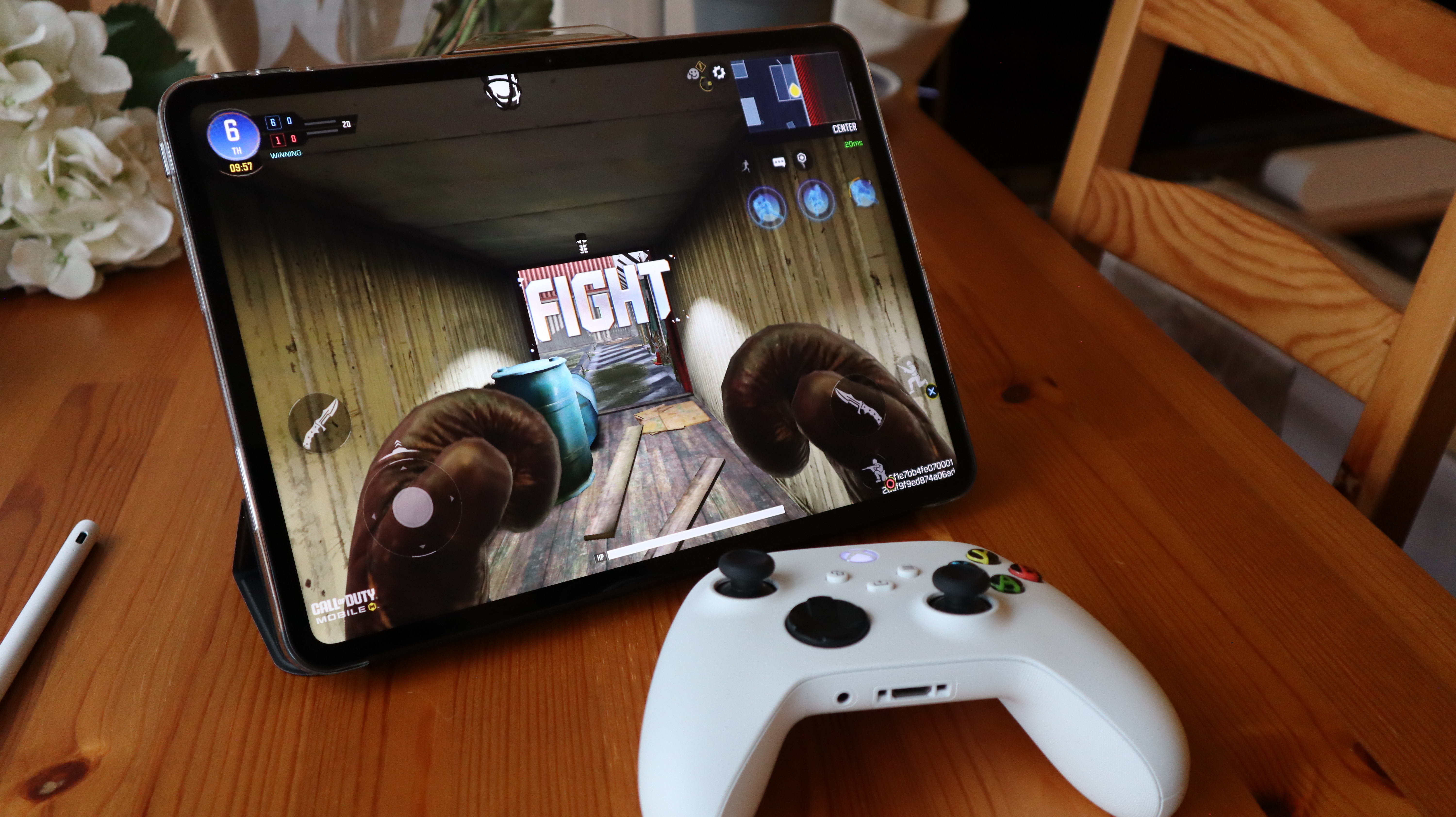
When swapping over to a bit of gaming, I connected a wireless Xbox controller over Bluetooth and dove into a match of Call of Duty: Mobile. As expected, based on my experience with the CPU up until that point, it all ran flawlessly (and I knew as much because I won the match, which is rarely a guarantee). Not only did the gameplay run smoothly without any lag or stuttering, but the colors came through tremendously, and I didn’t feel any disconnect between my actions on the controller and what was taking place onscreen.
Moving over to Honkai Star Rail – a more demanding title that can trip up a lot of lesser-powered tablets and phones, I’m glad to relay that the Pad Go 2 ran the game rather well. It didn't run quite as flawlessly as Call of Duty, with the odd frame rate dip when exploring the world of the game, but performance during battles was pretty solid, and even when performing special moves that can involve particle effects and more objects appearing onscreen, the tablet didn’t really budge under the pressure.
What helps the performance of the CPU in delivering a great entertainment experience is the jump to having a 120Hz refresh rate, which, as any gamer can attest, is a night and day difference, but the quad-speaker system that’s onboard is important, too. Even when using the speakers at a low volume, the Pad Go 2 does a great job at projecting its soundscape, so you won’t have to crank up the audio in order to hear anything.
The Pad Go 2 is also the first OnePlus tablet to feature 5G connectivity (in the UK at least), which, oddly enough, might make it a more tempting buy over the Pad 3 for productivity users who are constantly on the go. Even though the Pad 3 is more powerful overall, the ability to latch on to a 5G signal when you’re away from a trusted Wi-Fi network is a huge win.
Alongside my review unit of the tablet, OnePlus was kind enough to send over the OnePlus Pad Go 2 Stylo, which I’ve also put to use during this testing period. Admittedly, I’m not a digital artist (I only wish I had that talent), but I am someone who carries a Remarkable Paper Pro with me at all times for digital notetaking, and in that regard I found the Stylo to be quite handy. It’s a long way from the pen and paper feeling of the Remarkable and similar tablets like the Kindle Scribe (2024), but the Stylo itself is responsive and very comfortable to use, so I can see it being an instant buy alongside the tablet for some users.
- Performance score: 4.5 / 5
OnePlus Pad Go 2 review: battery
- A much larger 10,050mAh cell is included
- Reverse charging is now possible
- No charging brick included
One of my favourite aspects of the OnePlus Pad 3 is just how big the onboard battery is. The company’s flagship tablet packs a 12,140mAh cell, which can really go the distance, but what’s great to see is that the Pad Go 2 has been given such an upgrade in this department that it really isn’t all that far behind what’s achievable on its more powerful sibling.
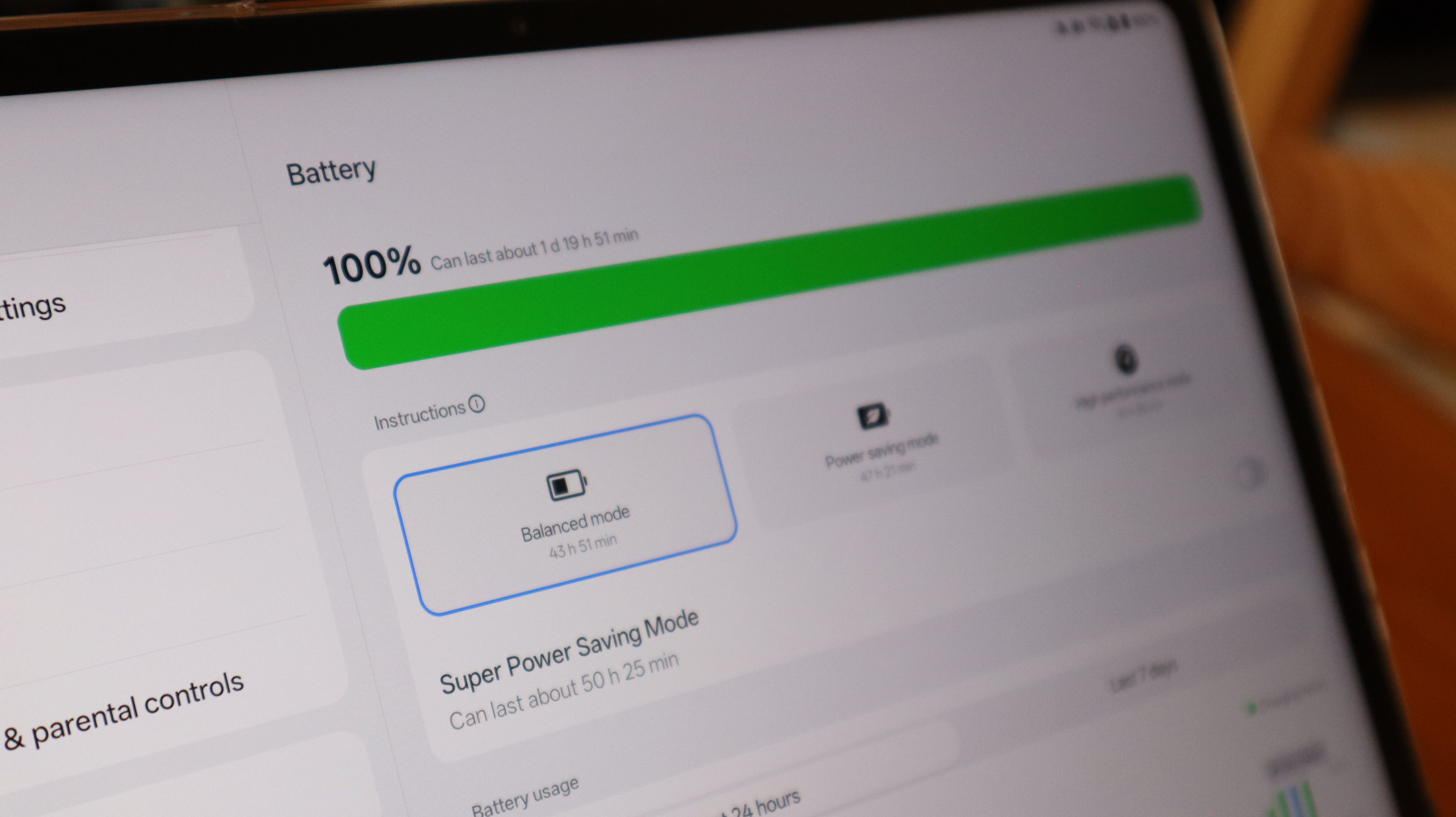
For the Go 2, OnePlus has leapt from an 8,000mAh battery to a massive 10,050mAh alternative, and it makes a huge difference. OnePlus claims that you can now get up to 15 hours of video streaming at a time, as well as 60 days of standby, which is a big win for anyone who’s always worried about getting to a charger in time.
When testing the tablet on my own terms, I was able to get through about an hour of streaming, half an hour of gaming (which involved online play and downloaded texture packs/content), and another half an hour of web browsing, all with the brightness turned up almost to the max, and the battery had only gone down from 100% to 82%.
Under typical use, I wouldn’t have the brightness anywhere near as high as I did, so I have no worries about getting much closer to OnePlus’ claims of longevity when using the Pad Go 2.
Things have stayed the same where charging is concerned, with 33W SUPERVOOC available on the Pad Go 2, but I don’t see this as a major issue. Of the two options, I would much rather have a larger battery than faster charging, and with the Go 2 now able to run for longer between charges, you won’t have to spend all that much time topping up the tablet anyway.
As an added benefit, the OnePlus Pad Go 2 now supports reverse charging, so if you do need to give your phone or earbuds a quick top-up and you don’t have a battery pack to hand, the Go 2 can step in to plug the gap.
- Battery score: 4.5 / 5
Should you buy the OnePlus Pad Go 2?
Swipe to scroll horizontally
Value | With only a minor uptick in price and a ton of upgrades, the Pad Go 2 is a mid-range bargain. | 4.5 / 5 |
Display | The increased resolution and brightness make for a better viewing experience overall. | 4.5 / 5 |
Design | While functional, the Pad Go 2 isn't as exciting as its predecessor, and it can catch fingerprints. | 4 / 5 |
Software | With Open Canvas and OnePlus' AI features being brought into the mid-range, there's now greater functionality. | 4.5 / 5 |
Performance | The newer chipset is capable of heavy-duty multitasking and solid gaming performance. | 4.5 / 5 |
Battery | With a big 10,050mAh cell, you'll struggle to drain the entire battery in a day. | 4.5 / 5 |
Buy it if…
You want a productivity tablet without spending too much
Thanks to its 7:5 aspect ratio and Open Canvas multitasking software, the OnePlus Pad Go 2 is perfect for users who want to work on the go.
You want a proper all-day battery life
With a massive 10,050mAh cell now under the hood, the Pad Go 2 is capable of going the distance over an intensive day of use.
You want a simple Android overlay free of clutter
With a hands-off approach to AI alongside next to no bloatware, OxygenOS is a joy to use.
Don’t buy it if…
You only need a tablet for entertainment
If all you want to do is stream films and TV shows, then the OnePlus Pad Lite fits the bill perfectly with a very affordable price tag.
You don’t plan on using 5G connectivity
Even with the Wi-Fi version available, you can save more money by opting for a tablet that doesn’t feature network connectivity.
You want super-fast charging
If you’re more concerned with having faster charging than a longer battery life, you may want to look elsewhere.
Also consider
Wondering whether or not the OnePlus Pad Go 2 is right for you? Here are some alternatives worth considering:
Swipe to scroll horizontally
Price | £319 / £399 | $349 / £329 | £199 / €229 |
Storage | 128GB/256GB | 128GB / 236GB / 512GB | 128GB |
Screen size | 12.1-inch 2800 x 1980 LCD, 120Hz | 11-inch Liquid Retina, 60Hz | 11-inch 1920 x 1200 LCD, 90Hz |
Chipset | MediaTek Dimensity 7300-Ultra | Apple A16 Bionic | MediaTek Helio G100 |
Battery | 10,050mAh | 28.93Wh | 9,340mAh |
Charging | 33W | 20W | 33W |
Cameras | 8MP main, 8MP front | 12MP main, 12MP front | 5MP main, 5MP front |
OS | OxygenOS 16 | iPadOS 18 | OxygenOS w/ Android 15 |
Apple iPad 11-inch (2025)
Apple’s entry-level iPad is a bargain, given that you’re getting access to almost all of the main features from iPadOS. Despite its low-level price tag, you can still use the tablet for productivity as well as entertainment, especially since the iPadOS 26 update, which allows apps to be windowed, much like how you’d see them on a Mac.
Read our full Apple iPad 11-inch (2025) review
OnePlus Pad Lite
Unless you’re dead set on having features like OpenCanvas and AI integration that make productivity feel more seamless, the OnePlus Pad Lite already has the entertainment side of things on lock. With a more portable build and a wide screen that’s perfect for cinematic viewing, the Pad Lite is a great device for on-the-go entertainment, and it’ll save you quite a bit at checkout as well.
Read our full OnePlus Pad Lite review
How I tested the OnePlus Pad Go 2
For the purpose of this review, the OnePlus Pad Go 2 was used over the course of a week to determine how well it functions as an everyday tablet for both productivity and entertainment needs.
Streaming was conducted via the Sky Go app, whlie Call of Duty Mobile and Honkai Star Rail were used to verify the tablet’s abilities as a gaming machine.
First reviewed December 2025





 English (US) ·