
UGREEN Maxidok 10-in-1: 30-second review
While docking stations aren’t glamorous, they can elevate a laptop or mini PC which has limited external ports. One cable in, everything on. That is the promise, and when it works, it can be transformative.
Ugreen has been steadily building its reputation in the docking station space. Its Revodok line has impressed across multiple price points. Now the company has moved upmarket with the Maxidok series, targeting users who want Thunderbolt 5 connectivity at a price that does not require a corporate expense account.
The 10-in-1 sits below the flagship 17-in-1 in the Maxidok range. It trades the M.2 NVMe storage slot, 2.5GbE networking and extra ports for a smaller chassis and a lower price. On paper, that sounds like a fair deal. In practice, whether it works for you depends heavily on one question: do you actually have a Thunderbolt 5 port?
That question matters more than it might seem. Thunderbolt 5 is not yet common. It is not even particularly close to common. Understanding what this dock can and cannot do for existing Thunderbolt 4 users is essential context before any purchase decision.
If you do this, the Maxidok 10-in-1 TB5 is something of a halfway house between a hub and a full dock, taking a single TB5 uplink and converting it into a 100W charging point with Thunderbolt downlinks, plenty of USB, LAN and a DisplayPort connection for a monitor.
What it lacks is any audio connections or native HDMI, though it does have a card reader that can take SD and Micro SD cards.
If I were deploying these for staff who often work at home, I’d recommend them for the home end of this equation, and they're 17-to-1 bigger brothers for when they come into the office.
It might not have the specifications of the best laptop docking station to feature TB5, but the asking price is remarkably competitive for those lucky enough to have Thunderbolt 5 or USB4v2 on their system.
UGREEN Maxidok 10-in-1: Price & availability
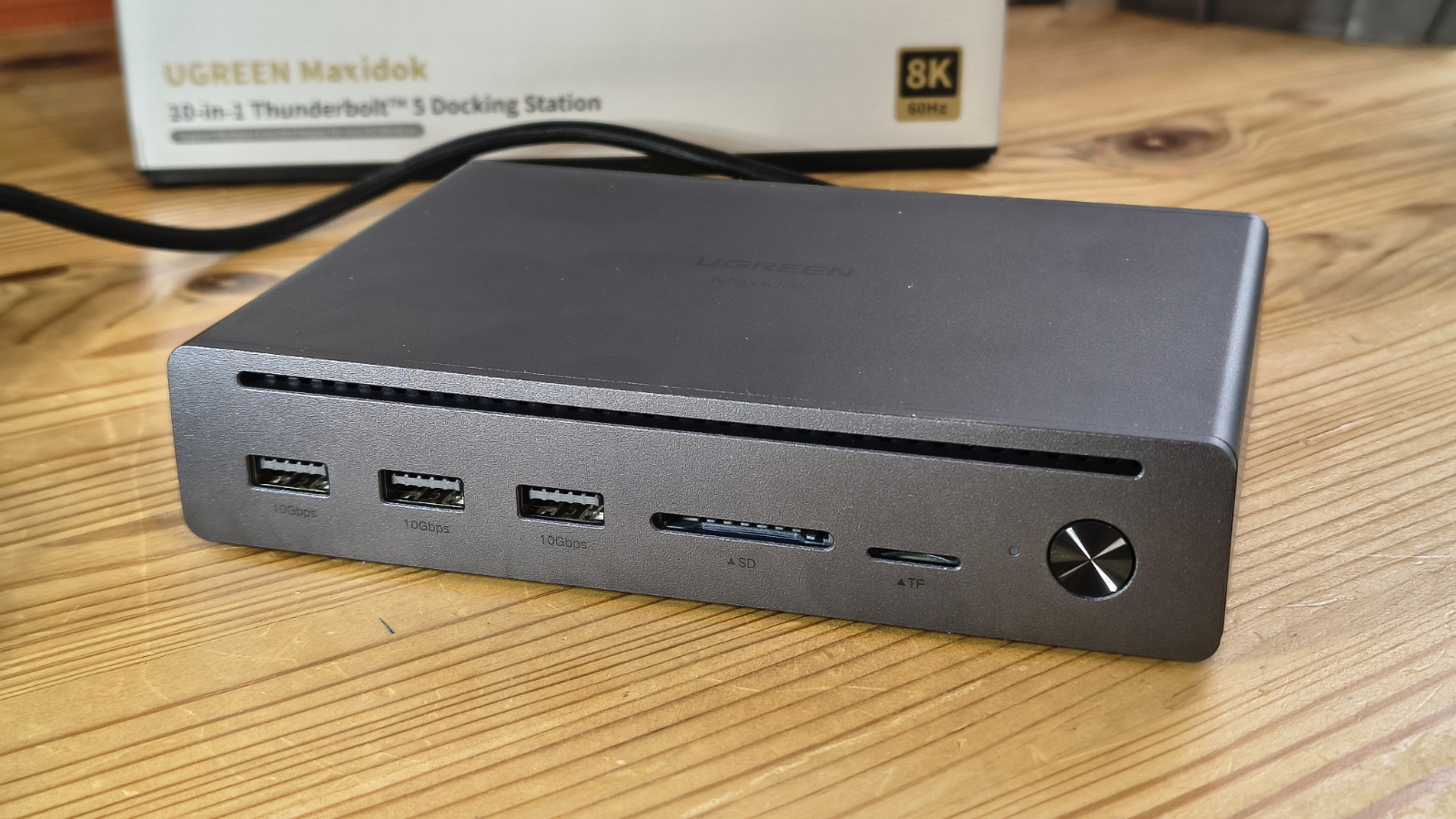
- How much does it cost? $250/£188/€240
- When is it out? Available now
- Where can you get it? Direct from Ugreen or via an online retailer
The dock is available direct from Ugreen's websites, where it's currently discounted down to $249.99 in the US, £187.49 in the UK, and €239.99 across Europe.
That's cheaper than the MSRP, which sits at $299.99 / £249.99. At this aggressive price-point, the Maxidok 10-in-1 is positioned as the accessible entry point into Thunderbolt 5 docking.
However, it can be found cheaper online, and I noticed that Amazon.com currently has it for $229.98 for US customers. UK Amazon pricing is the same as that directly from the makers.
The competitive landscape is interesting, since many makers still consider TB5 technology to be high-end rather than consumer products.
The CalDigit Element 5 Hub sits at $250/£250 but leans more towards being a hub than a full dock, with fewer ports. The StarTech Thunderbolt 5 Universal Docking Station lands at around $283/£238 and offers triple monitor support, which is a genuine advantage.
The CalDigit TS5 Plus climbs to $475/£470 but provides 10GbE, 20 ports and 330W power. A direct competitor to the Calidigit TS5 is UGREEN's own 17-in-1 flagship, which retails for $389.99/£356.99/€390.99.
Ugreen also makes a Thunderbolt 5 Dock exclusively for Apple Mac Mini users, but that’s beyond my experience envelope to rate.
Against that backdrop, the 10-in-1 occupies a reasonable position. It delivers genuine Thunderbolt 5 bandwidth at a price meaningfully below the established premium brands. The build quality and finish are strong. Ugreen has a good track record in this space.
However, there is a Thunderbolt 5 caveat to consider. Buying this dock with a Thunderbolt 4 machine means paying a premium for capabilities you cannot yet access. The hardware is forward-looking, but the investment only pays off when the host catches up.
If you aren’t planning to upgrade to a machine with Thunderbolt 5 technology, then this hardware's best feature will mostly go unused. It will work with Thunderbolt 4, but it won’t have the bandwidth or performance that it would with Thunderbolt 5.
- Value: 4.5 / 5
UGREEN Maxidok 10-in-1: Specs
Swipe to scroll horizontally
Feature | Specification |
Compatibility | Thunderbolt 5, Thunderbolt 4, USB4 (Windows 11 23H2+, macOS 15) |
Total Ports | 10-in-1 |
Thunderbolt 5 (upstream) | 1x TB5 host port (80Gbps / 120Gbps Bandwidth Boost) |
Thunderbolt 5 (downstream) | 2x TB5 ports |
USB-A ports | 3x USB-A 3.2 Gen2 (10Gbps) |
USB-C ports | N/A |
Video | DisplayPort (+ 2xTB5 ports with adapters) |
Power Delivery | Up to 100W on upstream |
| Row 9 - Cell 0 | 10W each on USB-A ports, 15W on TB5 downstream |
Storage Slot | N/A |
Card Readers | CF 3.0, UHS-II SDXC, UHS-II microSDXC (170MB/s) |
Network | 1x 1GbE Ethernet |
Audio | N/A |
Security | Kensington lock slot (cable lock sold separately) |
Thermal | Passive cooling |
Construction | Aluminium |
Size | 13.3 x 13.3 x 5.3 cm |
Weight | 1.09 kg |
UGREEN Maxidok 10-in-1: Design
- Milled aluminium construction
- Integrated uplink cable
- Idiosyncratic port selection
The Maxidok 10-in-1 is a compact unit. Its aluminium shell is finished in dark gunmetal grey, a finish that pairs well with modern MacBooks and some of the nicer mini PCs. The build feels solid, and as this system has passive cooling, much of that mass is designed to move the heat generated internally to the outside. The result is a dock that is completely silent in use, irrespective of what is plugged into it.
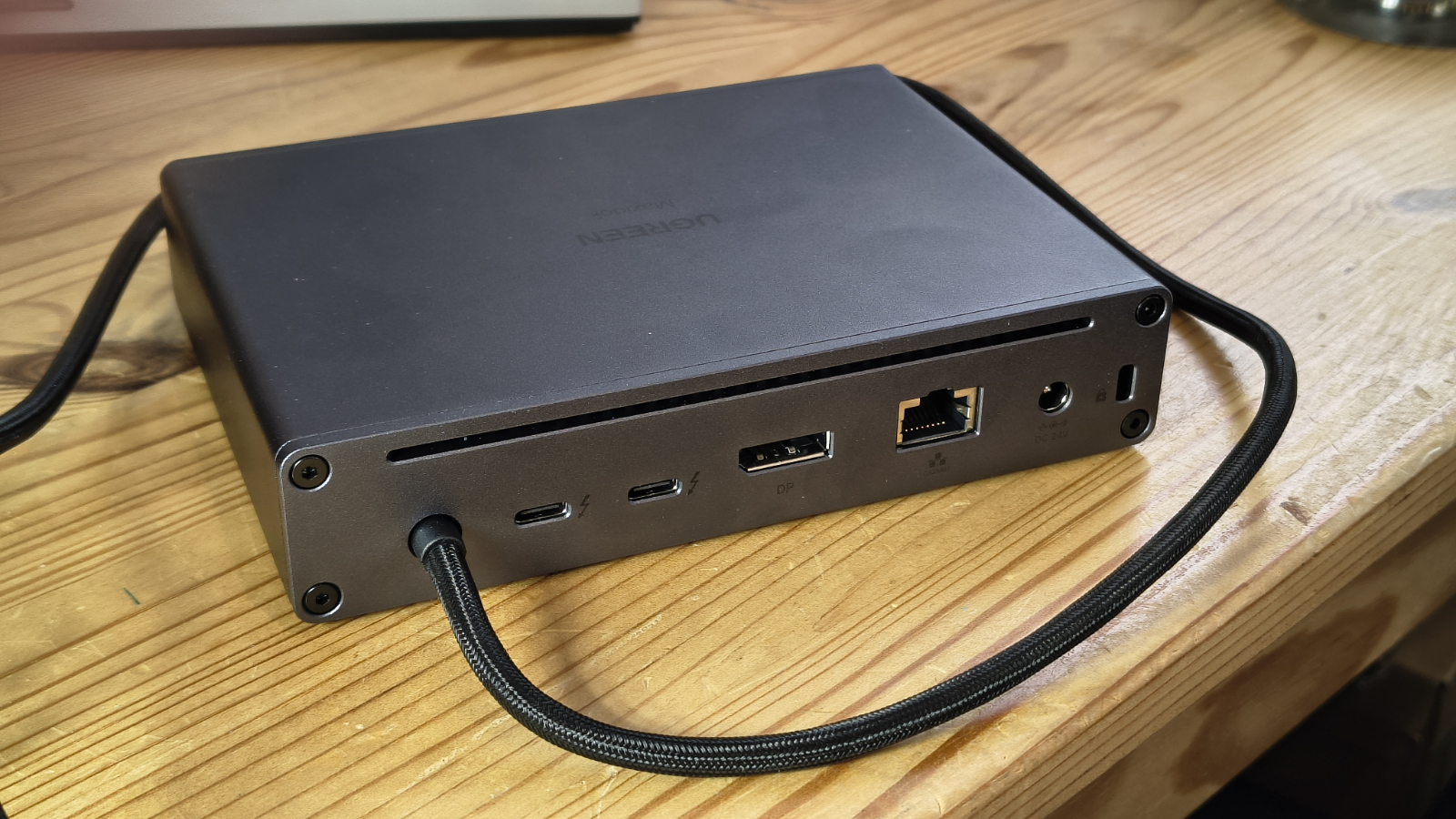
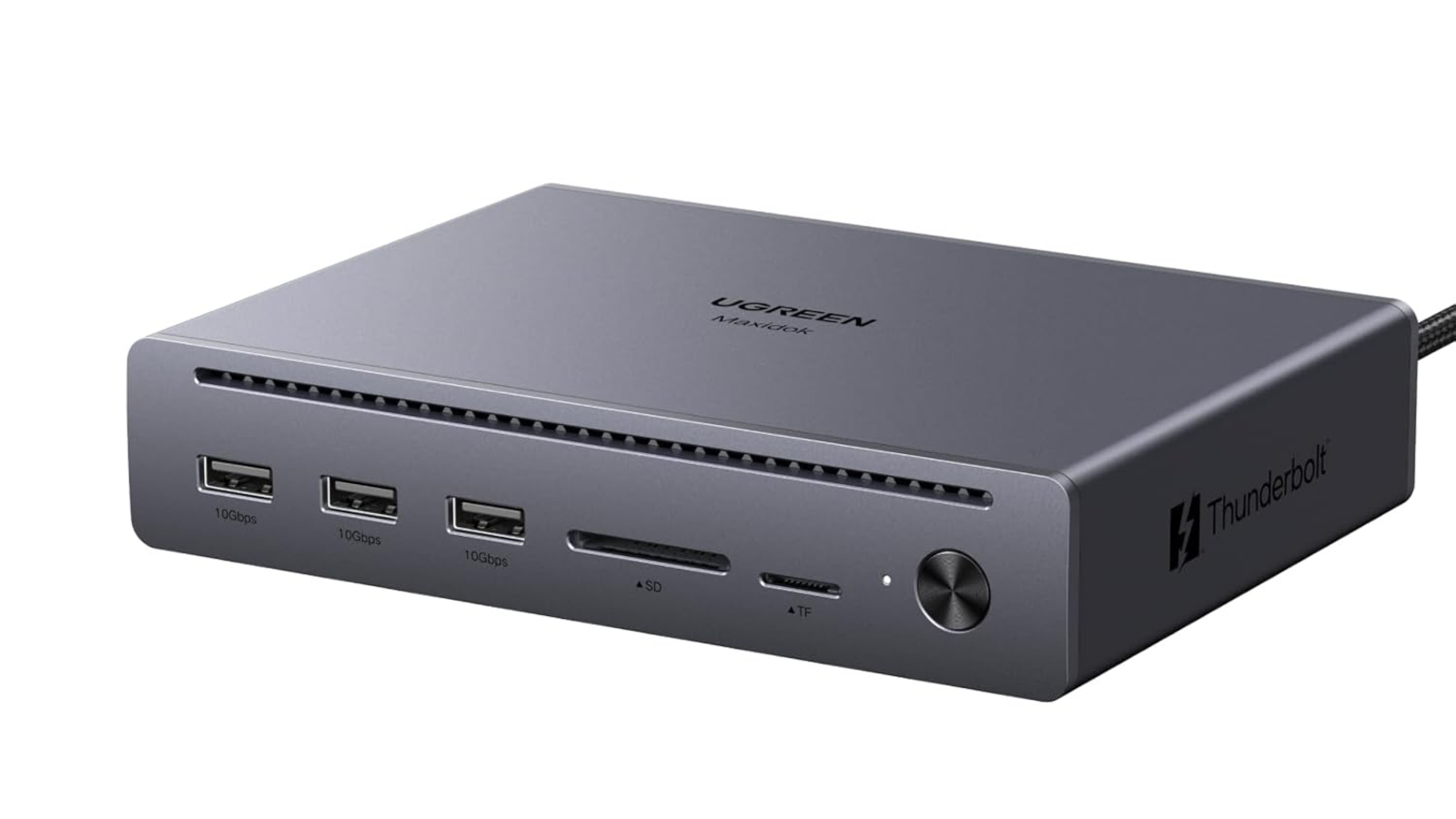
There is a narrow slot on the front and a corresponding one on the rear, so that air can flow across the internals.
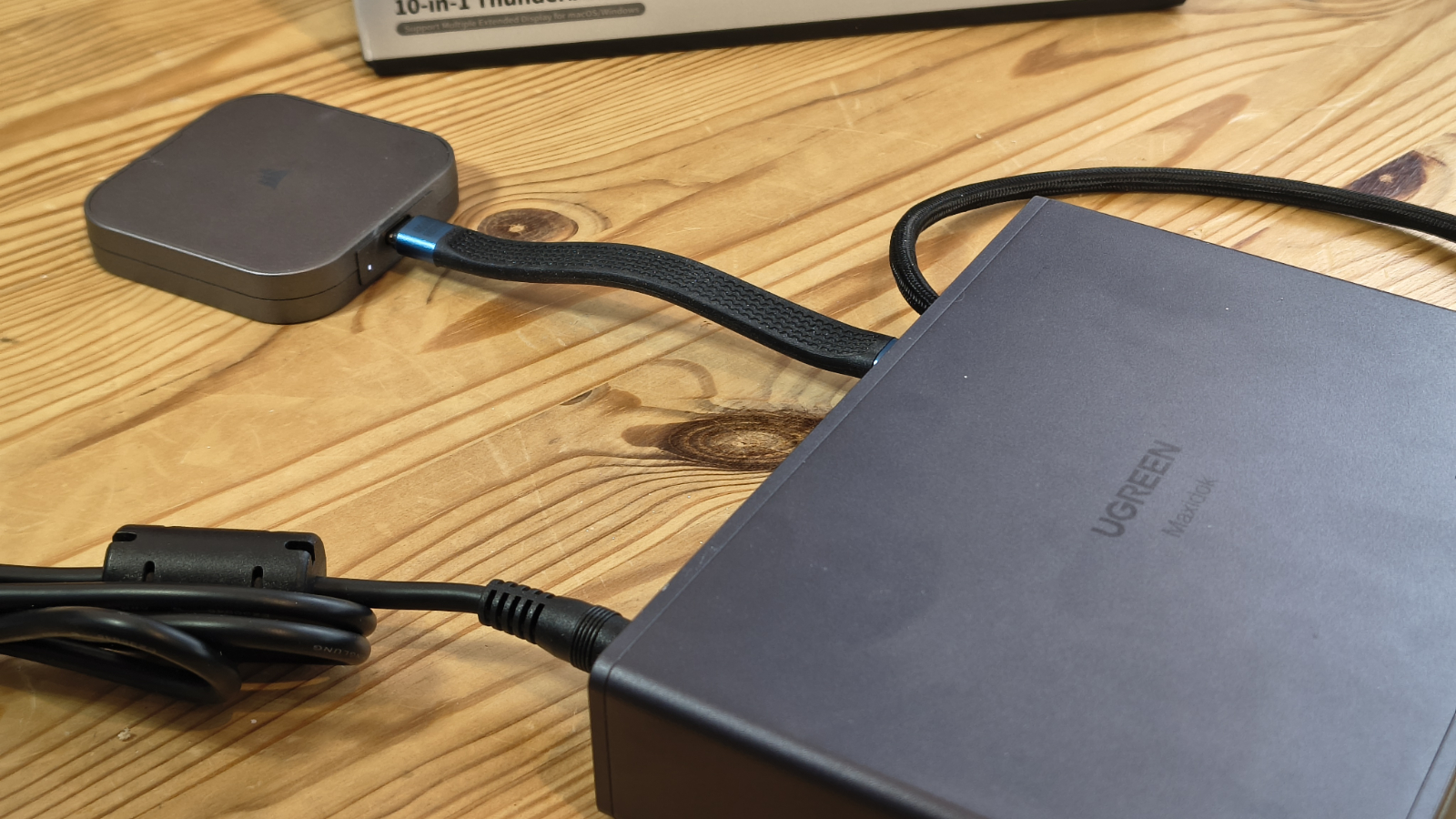
The upstream Thunderbolt 5 cable is integrated, braided, and runs to approximately 80cm. That is a sensible length for most desk configurations, but fixed cables are always a slight compromise, since you cannot replace them if they fail. Ugreen designers have taken the view that having a high-quality integrated cable that can’t be lost is more important than offering the owner longer alternatives.
For those wondering, the Thunderbolt ports on this device aren’t interchangeable, so you can’t decide to make one of the TB5 downlinks into the uplink.
The 10-in-1 provides sufficient connections for many dock users, with two Thunderbolt 5 downstream ports at the rear, along with one DisplayPort 2.1 output and a single 1GbE LAN port. The LAN port is one of the few significant weaknesses of this design, since there isn’t a good reason why it couldn’t have been a 2.5GbE port. I suspect that Ugreen wanted to keep that feature for its 17-to-1 model, so it was downgraded here to 1GbE.
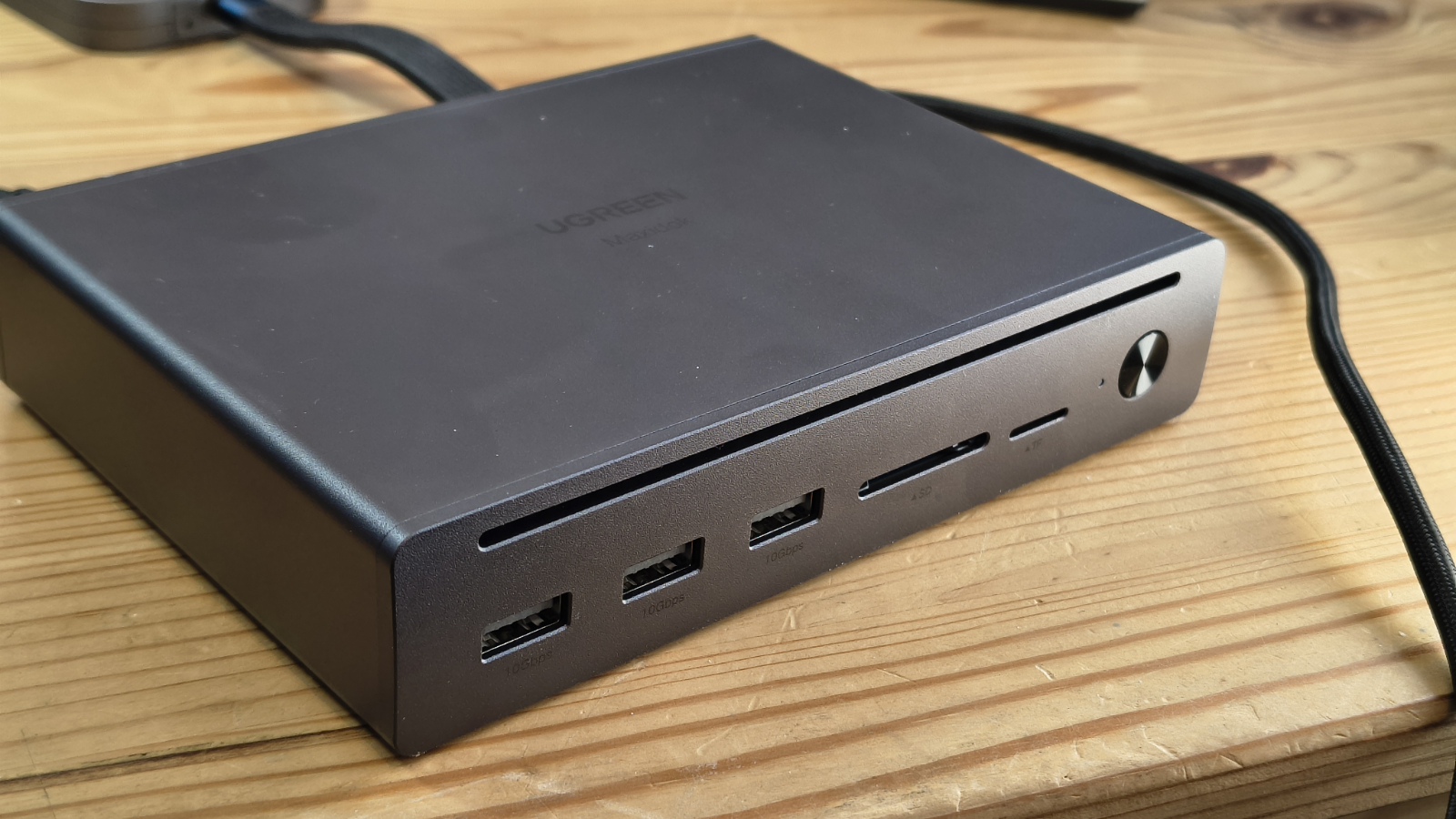
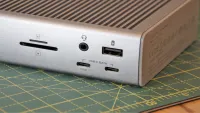
The front face has three USB-A 3.2 Gen 2 ports at 10Gbps, one SD card reader rated at 170MB/s, one microSD card reader, and an On/Off power button.
What’s missing here is an audio jack and a USB-C for charging phones. Both of these omissions can be addressed with adapters that connect to either USB-A ports or Thunderbolt 5 downstreams.
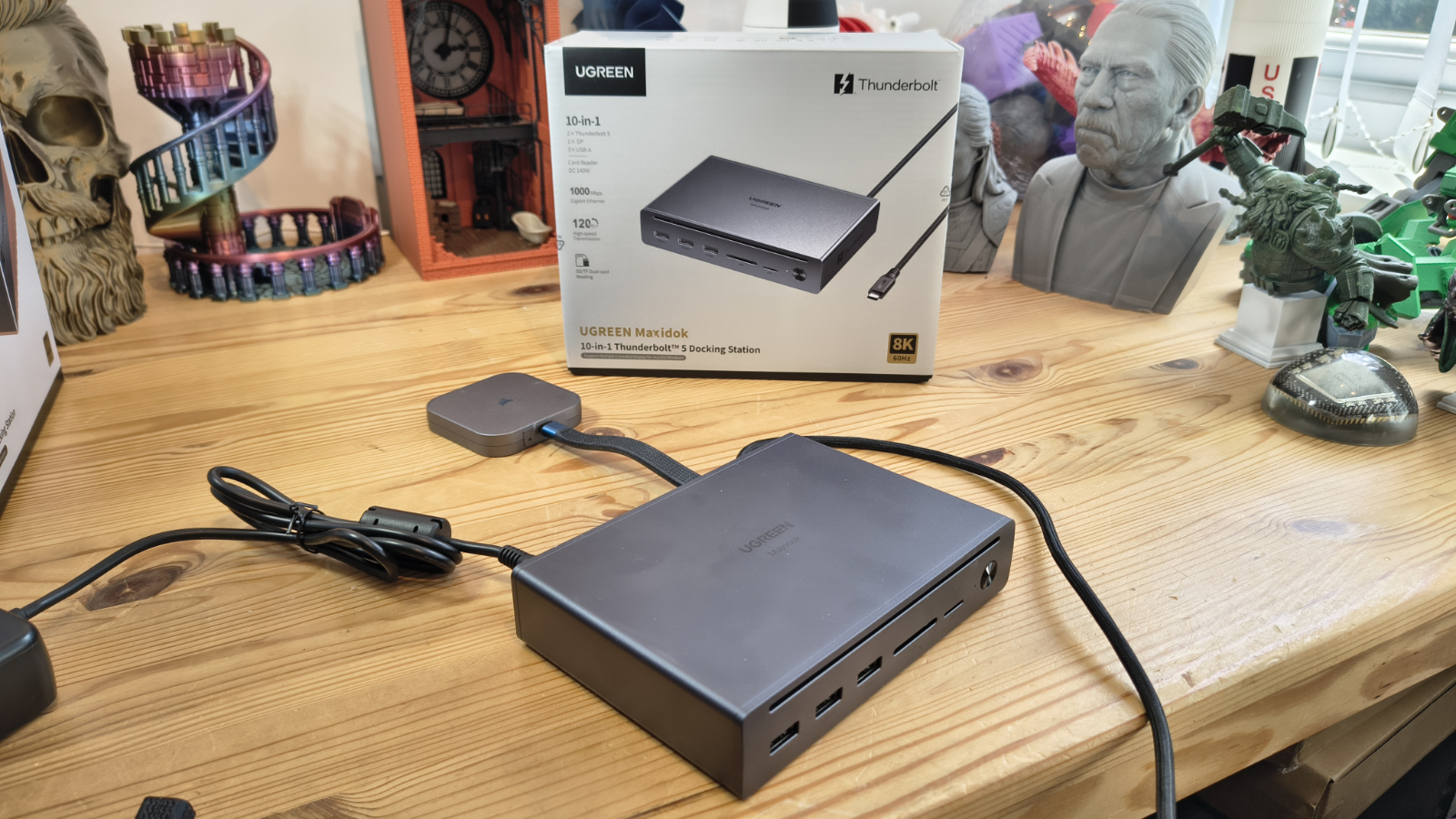
Power comes via a barrel-connector DC jack from the supplied 140W power brick.
The two Thunderbolt 5 downstream ports can handle display output and provide up to 15W of power delivery each. That is enough to top up a phone, but not much more.
The quoted downstream power for recharging a laptop is 100W, although when you consider what power each of the USB and Thunderbolt downstreams can consume, and the power overhead for the unit, that number might be reduced depending on what is connected.
Compared to the flagship 17-in-1 design, the compromises are clear. The M.2 NVMe SSD expansion slot is gone. Ethernet drops from 2.5GbE to standard Gigabit. The total power supply falls from 240W to 140W. That 140W brick is just about sufficient for the dock's needs, though there are reports of minor wattage fluctuations to the host when all ports are loaded simultaneously.
The absence of a front USB-C port is a real-world inconvenience. Most newer peripherals, phones and accessories use USB-C. The dock offers three USB-A ports for a format that is increasingly legacy. A single USB-A to USB-C swap would improve the experience meaningfully should Ugreen ever offer a second generation of this design.
These things said, as a functional dock for use with Thunderbolt 5, there is plenty to like here in both build quality and usability.
Power comes via a barrel-connector DC jack from the supplied 140W power brick.
The two Thunderbolt 5 downstream ports can handle display output and provide up to 15W of power delivery each. That is enough to top up a phone, but not much more.
The quoted downstream power for recharging a laptop is 100W, although when you consider the power each of the USB and Thunderbolt downstreams can consume, and the power overhead for the unit, that number might be reduced depending on what is connected.
Compared to the flagship 17-in-1 design, the compromises are clear. The M.2 NVMe SSD expansion slot is gone. Ethernet drops from 2.5GbE to standard Gigabit. The total power supply falls from 240W to 140W. That 140W brick is just about sufficient for the dock's needs, though there are reports of minor wattage fluctuations to the host when all ports are loaded simultaneously.
The absence of a front USB-C port is a real-world inconvenience. Most newer peripherals, phones and accessories use USB-C. The dock offers three USB-A ports for a format that is increasingly legacy. A single USB-A to USB-C swap would improve the experience meaningfully if Ugreen ever offers a second generation of this design.
These things said, as a functional dock for use with Thunderbolt 5, there is plenty to like here in both build quality and usability.
- Design: 4 / 5
UGREEN Maxidok 10-in-1: Features
- TB5 Bandwidth
- 8K monitors and DSC
- 100W charging
Thunderbolt 5 enables up to 120Gbps of bandwidth in boost mode. With a fast external NVMe enclosure, transfer speeds on Thunderbolt 5 hosts should dramatically exceed those of Thunderbolt 4.
However, those plugging it into a Thunderbolt 4 port will not notice any difference, since the system will effectively be degraded to that standard, and the total bandwidth will be pinned at 40 Gbps.
One important note is that this dock will not work with Thunderbolt 3 or USB-C; it’s exclusively for TB5, TB4 and USB4. I have no specific information on whether it will use the extra bandwidth of USB4v2, but since it's built on the same architecture as TB5, it should be able to use the 80Gbps baseline mode of those ports or the 120Gbps mode when connected displays are present.
But, I've had reports from others that some docks, when they encounter a USB4v2 host, will merely downgrade to USB4 40 Gbps.
There is another way this can go wrong for a user with a USB4 connector on their laptop. Early in the appearance of USB4, some brands decided to launch systems with USB4 ports that only have 20Gbps available.
These are effectively USB 3.2 Gen2x2 devices rebranded as USB4; therefore, it is worth checking whether you have one before investing in any dock hardware. USB4 at 20 Gbps isn’t capable of supporting dual monitors on this dock.
The dock supports dual 8K at 60Hz on Windows with a Thunderbolt 5 host. On macOS, it tops out at dual 6K, which corresponds to Apple's Pro Display XDR resolution. Single display operation at 8K is supported on both platforms.
If you are lucky enough to have an 8K monitor, you need to be aware of whether DSC (Display Stream Compression) needs to be enabled to support higher resolutions. And if you have a monitor that won’t work with DSC and you disable it for that hardware, it can use more bandwidth, preventing other displays from reaching their target resolutions.
As a rule, if supported, enable DSC on both the monitor and the host device.
The dock charges the connected host at up to 100W over the Thunderbolt upstream connection. The 140W power brick supplies the dock itself, leaving headroom for peripherals alongside laptop charging.
The snag is that each of the downstream Thunderbolt ports can use 15W, and the USB-A ports will typically allow for up to 7.5 Watts of power (5V at 1.5A), adding more. The ports alone could represent another 52.5W, and that doesn’t include the overhead of running the electronics in the dock.
- Features: 4 / 5
UGREEN Maxidok 10-in-1: Performance
- 80Gbps upstream bandwidth
- TB5 Bandwidth Boost for video
Evaluating the performance of docking stations is always a fraught exercise, mostly because we’re forced to make assumptions about the host system and its connectivity.
What I can say with some certainty is that this dock delivers what you might reasonably expect over Thunderbolt 5, and it also performs well over Thunderbolt 4 and USB4.
As part of these tests, I connected two external drives: the excellent Corsair EX400U USB4 2TB and a Ugreen 40 Gbps NVMe M.2 caddie with a Kioxia Exceria Plus G3 1 TB installed.
The purpose of this pairing was to determine how the extra bandwidth in the dock could be used to run both storage devices simultaneously.
When accessed separately, the Corsair managed 3909 MB/s reads and 3704 MB/s writes, while the Ugreen caddie delivered 3670 MB/s reads and 2155 MB/s writes.
Based on those numbers, I initiated a large file copy from the Ugreen to the Corsair, which peaked at about 1370MB/s. That result implied that the transfer was routed via the PC, which was connected by USB4, reducing the bandwidth by half.
I then tried to copy a pair of 20GB video files to each drive simultaneously, and the peak performance I observed was about 2000 MB/s, with around 1000 MB/s on each drive. Switching to Thunderbolt 5, drive-to-drive transfer performance should be effectively doubled. I suspect that if I had a Thunderbolt 5 external drive, a speed of between 4000 MB/s and 5000 MB/s would have been possible, but I didn’t have one to spare.
In my experience, the latest TB4 and TB5 docks get close to the directly connected speed of external drives, although some speed is lost in the relay. But, if you are using a TB5 dock with USB4 external SSD drives and a TB5 connection, you can get decent performance out of more than one drive being used at the same time.
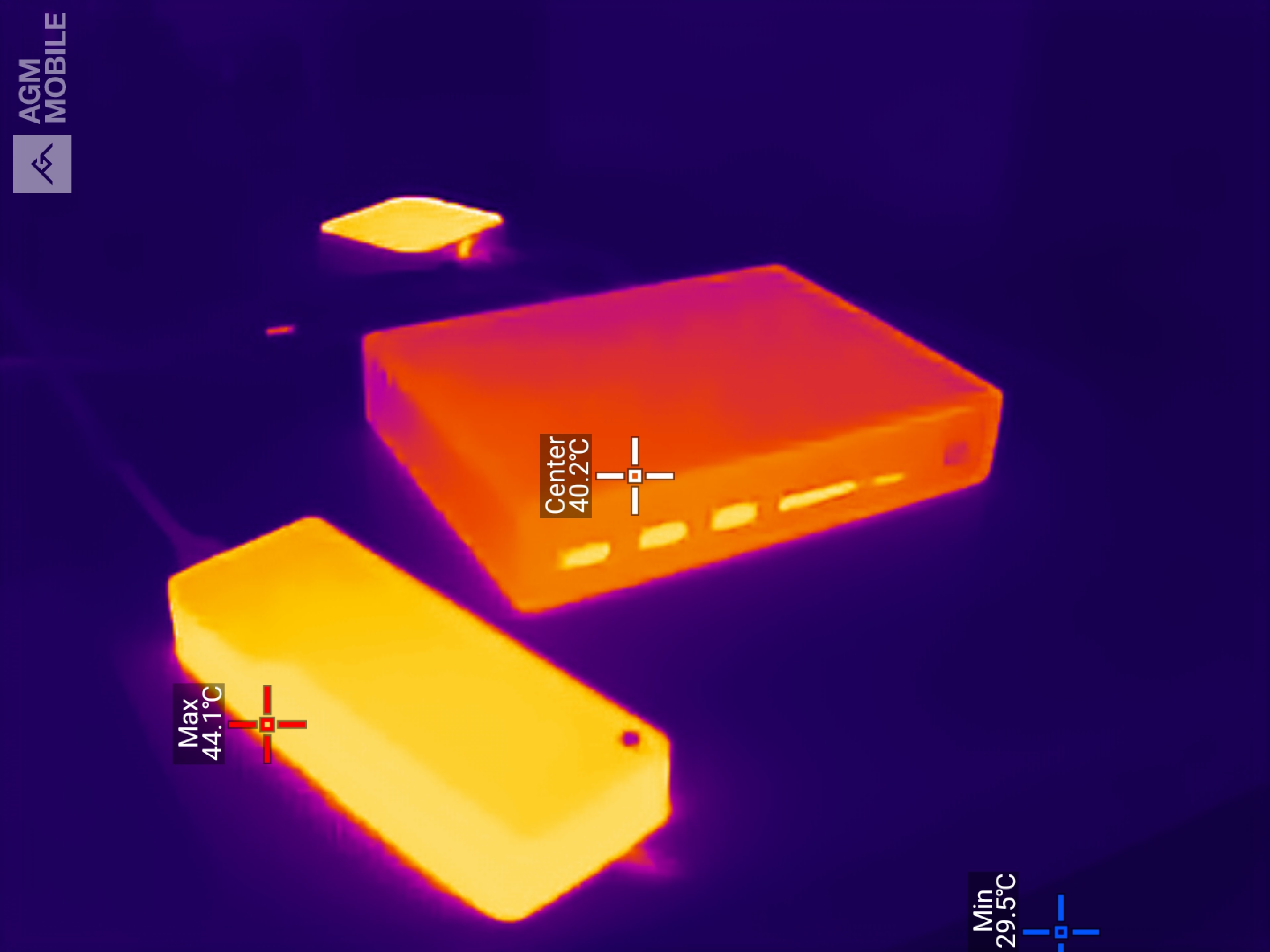
As this dock is passively cooled, I was curious how warm it would get while moving terabytes of data around, so I broke out the thermal camera to track the temperatures.
After extended use, the dock hit 40.2 °C, but interestingly, both external drives were hotter than the dock, with one reaching 44.1 °C. On this basis, it’s the peripherals that might have thermal issues before the dock throttles to reduce heat build-up.
If you want even more performance from storage on a dock, the only practical way to get it is to use one that mounts an internal Gen5 NVMe drive, like the Maxidok 17-to-1 model.
However, the maximum that can be allocated to a data transfer on Thunderbolt 5 is 80 Gbps, which works out at around 10000 MB/s, but due to the overheads of packaging the data, that is probably closer to 7000 MB/s in practical terms.
- Performance: 4 / 5
UGREEN Maxidok 10-in-1: Final verdict
The Ugreen Revodok Maxidok 10-in-1 arrives as one of the more accessible Thunderbolt 5 docks on the market. At $249.99, it undercuts much of the competition.
It brings the headline 120Gbps bandwidth of Thunderbolt 5, dual display support up to 8K on Windows or 6K on macOS, and a compact aluminium chassis that sits comfortably on a desk. It charges the host laptop at up to 100W, completing a solid package.
But Thunderbolt 5 remains a genuinely uncommon port. Buying this dock today means you are, to a real extent, buying for the machine you will own next. Thunderbolt 4 users will find that things work, but they will not get the full picture.
As USB4v2 is likely to be the more commonplace alternative to Thunderbolt 5, that’s the port Ugreen has pinned its hopes on.
For those who do have Thunderbolt 5, it becomes a choice between one of the other brands and the Ugreen 17-to-1 model.
The 10-to-1 dock drops the M.2 storage slot and 2.5GbE networking that the flagship 17-in-1 offers, which makes it a compromise at both ends. Still, for the person with a Thunderbolt 5 laptop who wants clean desk management without spending flagship money, it makes a reasonable case.
UGREEN Maxidok 10-in-1: Report card
Swipe to scroll horizontally
Value | For TB5 or USB4v2 dock, this is a bargain | 4.5 / 5 |
Design | A beautifully engineered passively cooled dock. | 4 / 5 |
Features | Works with TB5, TB4 and USB4, but not TB3. The 140W PSU gets stretched thin if every port is used. | 4 / 5 |
Performance | 80 Gbps data transfers if you have TB5 or USB4v2 | 4 / 5 |
Overall | Other than the 1GbE LAN port, the 10-to-1 is a affordable high-performance dock | 4 / 5 |
Should I buy a UGREEN Maxidok 10-in-1?
Buy it if...
You have Thunderbolt 5 or USB4v2
If you have the right ports, you can extract levels of performance from this dock that TB4 and USB4 could only dream. And, it can also handle dual 8K video, should you have the monitors to connect.
You are operating on a budget
The Ugreen 10-in-1 Thunderbolt 5 dock is easily one of the cheapest devices for this connection technology. There are cheaper TB4 docks and a few TB5 hubs, but it's cheaper than most TB5 docks from any brand.
Don't buy it if...
Your laptop has Thunderbolt 3
This dock won’t work with TB3, it requires TB4, TB5 or USB4. But equally, if you don’t have TB5 or USB4v2, then we’d avoid buying this hardware. It will work with TB4, but you don’t get the capabilities of the better connection technologies.
You need more than 100W charging
The maximum amount of power that the TB5 uplink port on this dock can deliver is 100W. If you need more than that, then you might need to connect a dedicated PSU to your laptop or find a more power-capable design, like the flagship 17-to-1 mode.
Also consider
Kensington SD5000T5 EQ
More of a hub than a dock, but overall, it is a well-specified dock for those planning to head down the TB5 rabbit hole. However, the lack of machines with this port and peripherals to connect does make it largely overkill at this point. But cheaper than the SD7100T5 EQ Pro.
Check out our Kensington SD5000T5 EQ review
CalDigit Thunderbolt Station 4
The CalDigit Thunderbolt Station 4, or TS4 as it is also known, is a full-featured Thunderbolt dock that works with Thunderbolt 4/3 and USB-C. It is not designed to be a portable dock but specifically to support a laptop user who comes to the office and wants a single cable connection to the network and a host of peripherals. To that objective, it has no less than 18 ports and can deliver up to 98W for charging a connected system. If you don't have TB5, then this is a good alternative.
Check out our CalDigit Thunderbolt Station 4 (TS4) review







 English (US) ·