
 1 hour ago
8
I must admit, I was mighty intrigued by the idea of a modern mouse (and all their high DPI machinations) with a screen slapped on the side, but I must also admit I thought we would be over the growing pains by now, what with screens being slammed into everything from cases to coolers to controllers.
Yet one look at the Turtle Beach Command Series MC7 suggests those growing pains are still being suffered. And using the mouse only confirms it.
But I get the idea in concept. I'm a big fan of my Stream Deck, and find myself regularly using its many controls. Being able to shove those into the side of the mouse with clarity to read what they're doing is intriguing. It's also particularly effective when it comes to swapping DPI, polling rate, and even checking the battery. Those are things that do benefit from a visual component. And yet a few weeks with the MC7 have convinced me I won't be making the swap full time.
Latest Videos FromPC Gamer
Buy if…
✅ You gotta have a large screen on your mouse: As far as I can see, this is the only gaming mouse with modern specs and a big screen from a reputable brand out there.
Don't buy if…
❌ You want a mouse for competitive gaming: The MC7 is simply not comfortable nor snappy enough for competitive gaming
❌ You don't need a large screen on your mouse: We've seen small OLED screens from the likes of SteelSeries and CoolerMaster if you're simply looking for something to display figures.
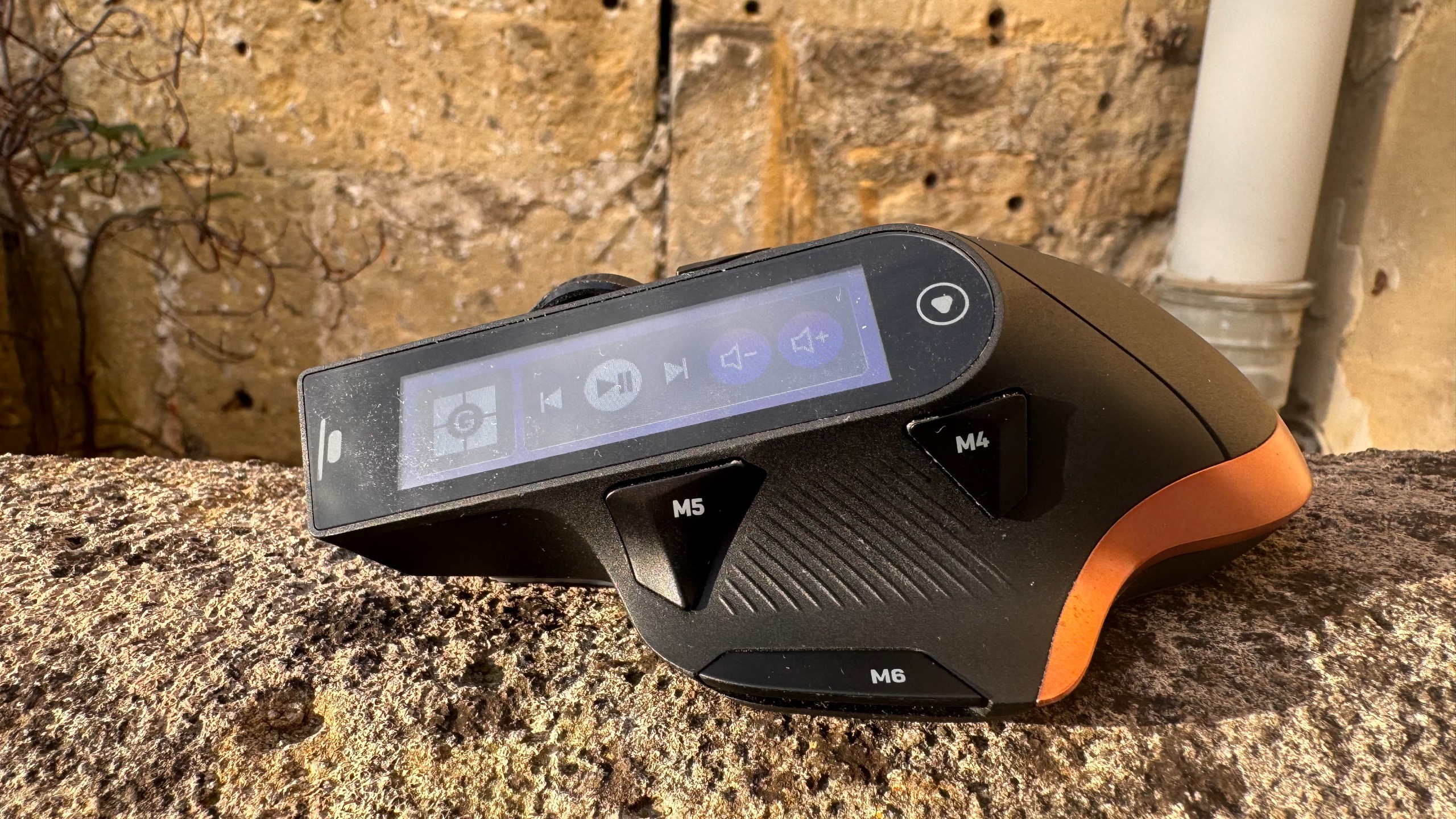
With a strong sensor, decent specs, and a smart hot-swappable battery system, I like pretty much everything about the MC7 other than the mouse itself, which is ugly, unwieldy, and not as comfortable as I'd like.
Features
Swipe to scroll horizontally
Buttons |
11 |
Connectivity |
Wired and wireless (2.4 GHz and Bluetooth) |
Sensor |
Owl-Eye Optical |
Switches |
Titan Optical switches |
Feet |
PTFE |
Max DPI |
30,000 |
Screen |
2.25-inch colour touch display |
Max acceleration |
70 g |
Max speed |
750 |
Polling rate |
Up to 8,000 Hz |
Battery life |
Up to 10 hours (hot-swappable) |
RGB |
On the bottom of the mouse |
Weight |
135 g |
Extras |
4D scroll wheel, hot-swappable batteries |
Price |
Internally, the MC7 has impressive stats. Its Owl-Eye Optical sensor goes all the way up to a max DPI of 30,000, and the polling rate of 8,000 Hz is competitive-level. That's so high, in fact, that the average person won't even see the benefit of it.
And the elephant in the room here: the 2.25-inch colour display is touch-sensitive too, which means you can flick through a couple of different screens depending on your use case. We have seen screens on gaming mice before, like the Cooler Master MM830 and SteelSeries Rival 710 (neither of which are touch screens), but as far as I can tell, the MC7 is the largest on a modern gaming mouse from a reputable brand. That makes it an oddity at the least.
Image 1 of 3
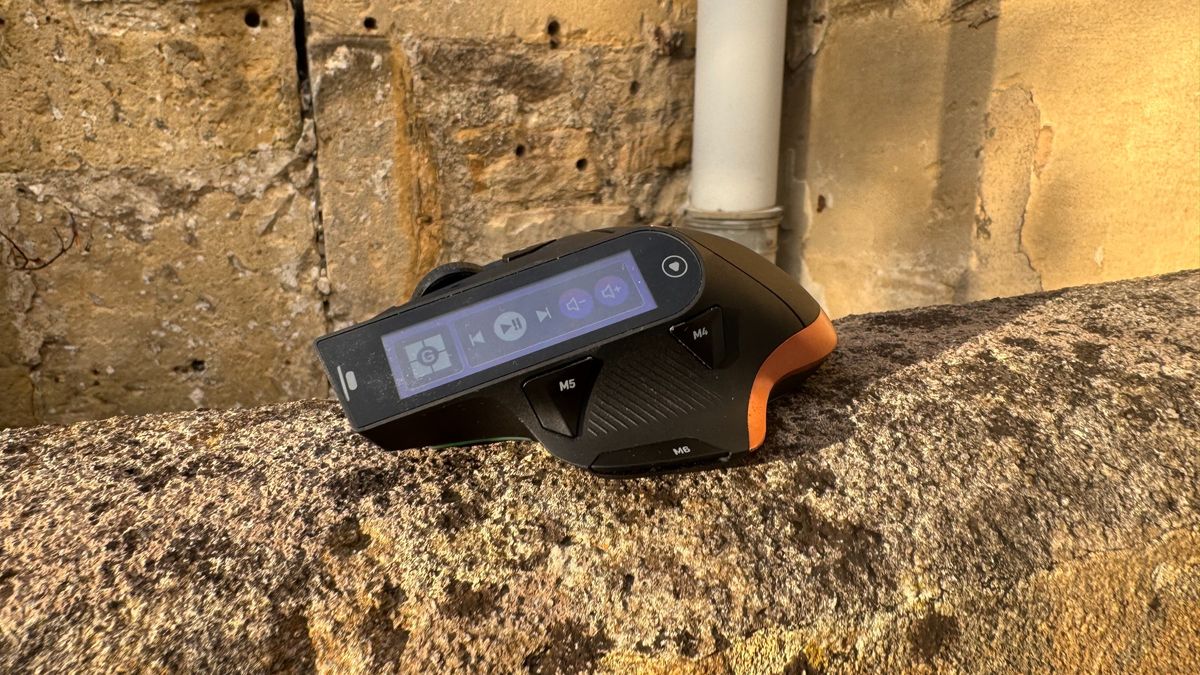
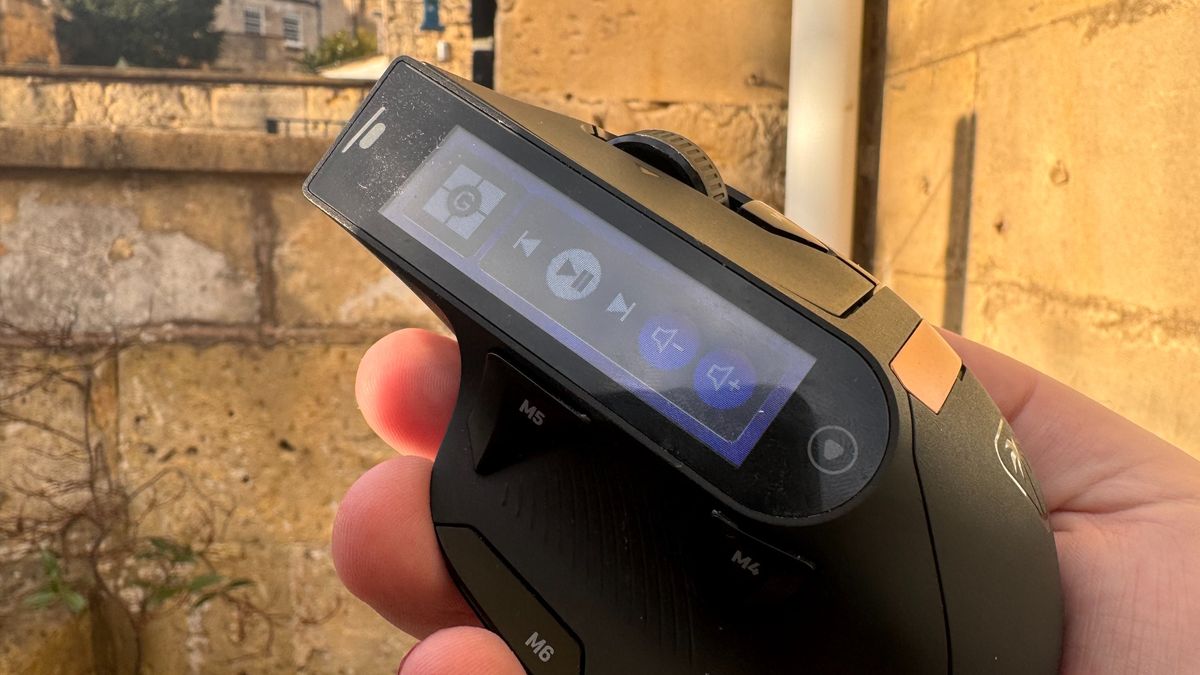
But that's not all the MC7 has going for it. The 4D scroll wheel means you can go up, down, left and right on a page with just the wheel, and you have extra buttons here, too. You have one at the bottom of the thumb rest, another next to the mouse wheel, plus two on the left-hand side, as well as your standard clicks.
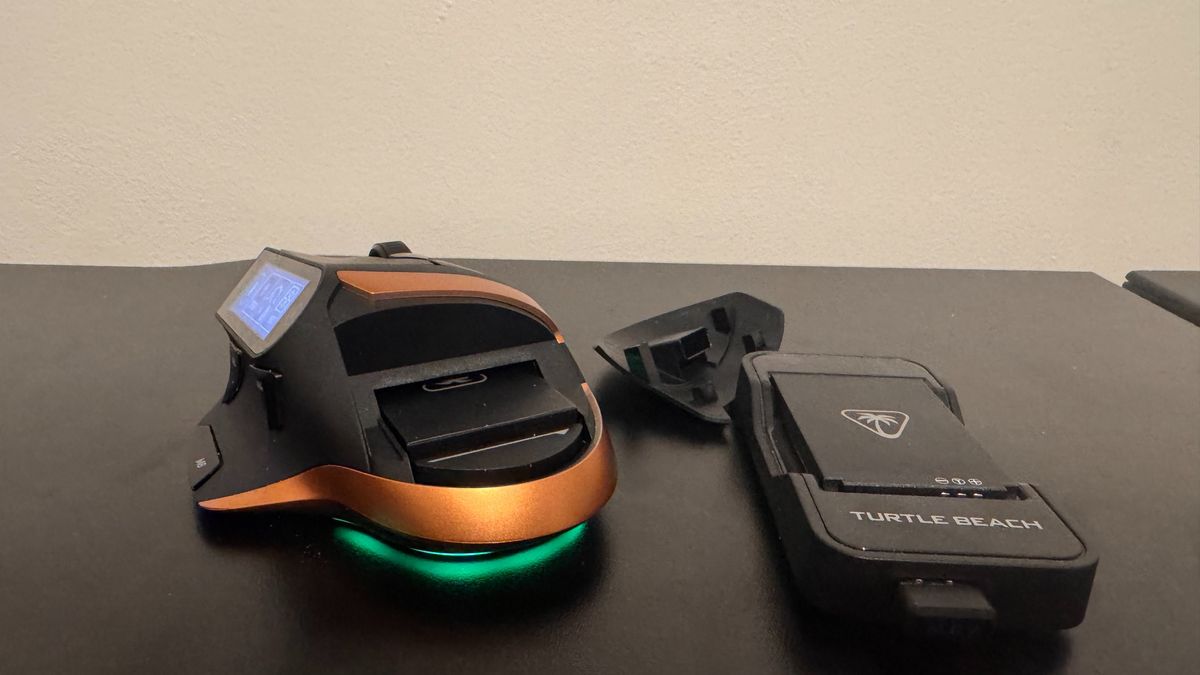
It's a wireless mouse, so it comes with a 2.4 GHz receiver, and it also has hot-swappable batteries. The battery charger has a spare USB Type-A port, which means your charger can also be the receiver. This is a sweet system, which makes the MC7 feel like it has infinite battery (as long as you are willing to spend twenty seconds swapping the battery every 10 or so hours).
Performance
The Owl-Eye sensor is great. It's consistent and smooth, and never posed any problems in any of the games I threw this mouse at. For everyday gaming, I don't have any complaints about how its internals performed. It's a slightly customised version of the PixArt PAW3950 sensor, and will be familiar to anyone who's used the Razer Deathadder V3 Pro, which previously had the exclusive use of PixArt's 30K sensor.
The mouse clicks are a tad loud for my liking, but they're plenty snappy. This bad boy is fitted with Titan Optical switches, and they are perfect under my fingertips. I have yet to hit a single double-click and find them to be very responsive.
However, the biggest problem with performance is how the MC7's weight is balanced and how it feels under the palms. At 135 g grams, it's a fairly heavy mouse (more so than the recent Naga V3 Pro and its mountain of buttons), but this wouldn't be too big of a problem if it could balance that weight in a comfortable way.
Image 1 of 3
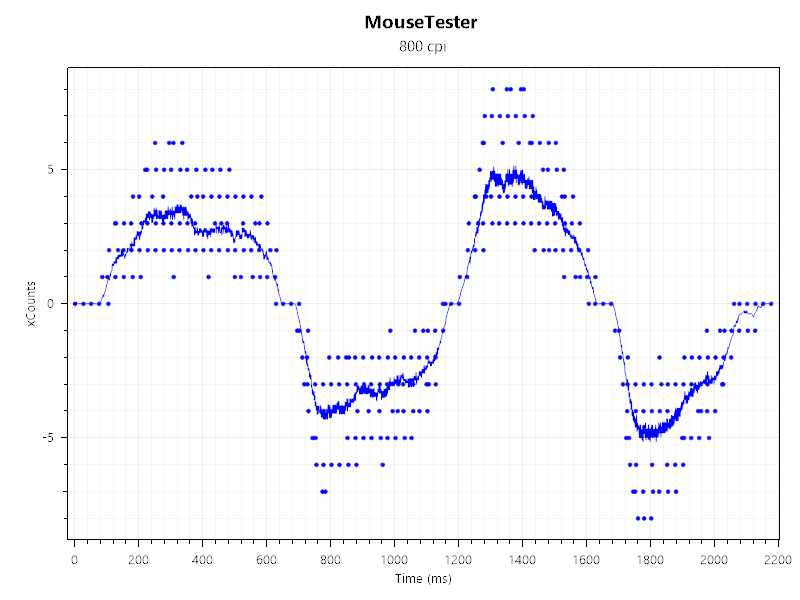
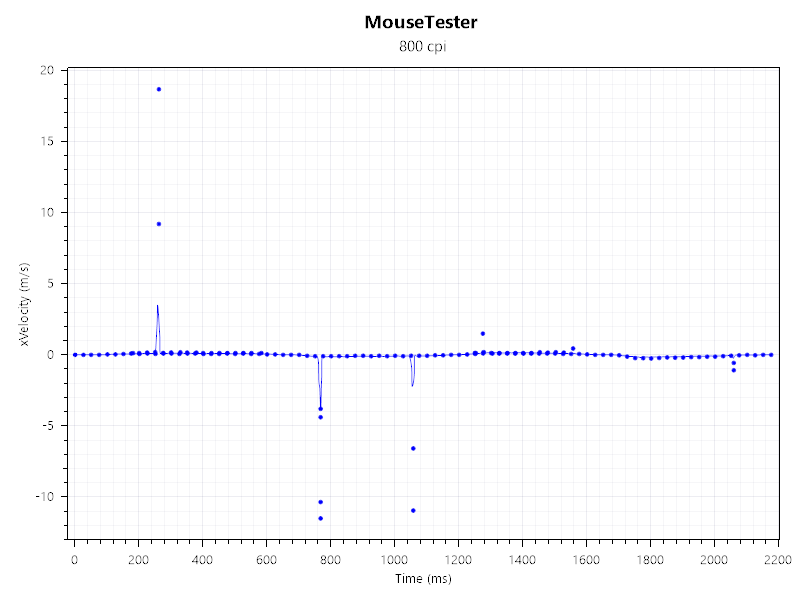
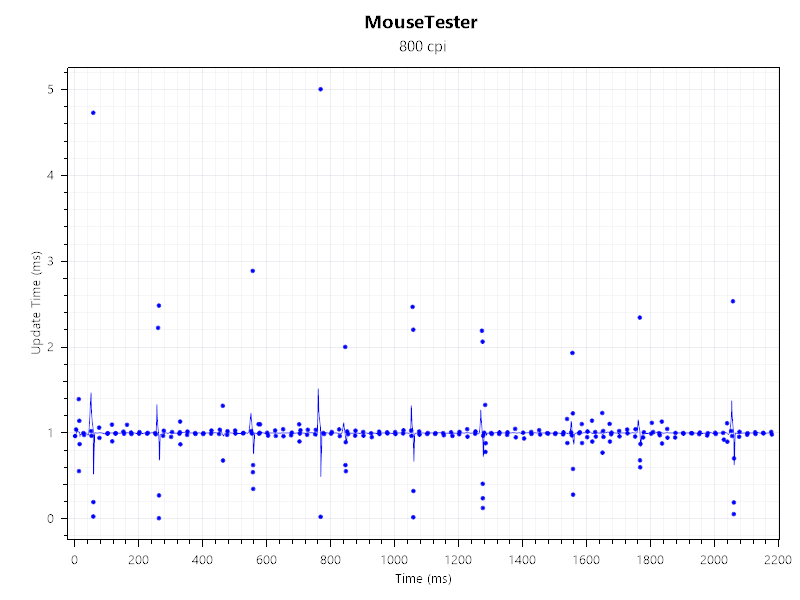
However, it feels clunky, and even has a slight rattle at high speeds. This all contributes to a mouse that feels a little lacking in competitive play, even though it's got the internal chops to handle everything on paper.
In use, the screen is rather peculiar. Via the Turtle Beach Swarm II software, you can flit between a few screens, which you customise with your own controls, and they are fairly snappy and responsive. However, having to arch my fingers to actually click on the screen means it's not intended for quick play. That makes it better as a micro function, or a way of displaying battery (but the device's lighting can already indicate battery life and DPI setting). It can display things like health and ammo in Counter-Strike 2, but its viewing angles are pretty poor, meaning it doesn't offer much of a tactical advantage.
Battery Life
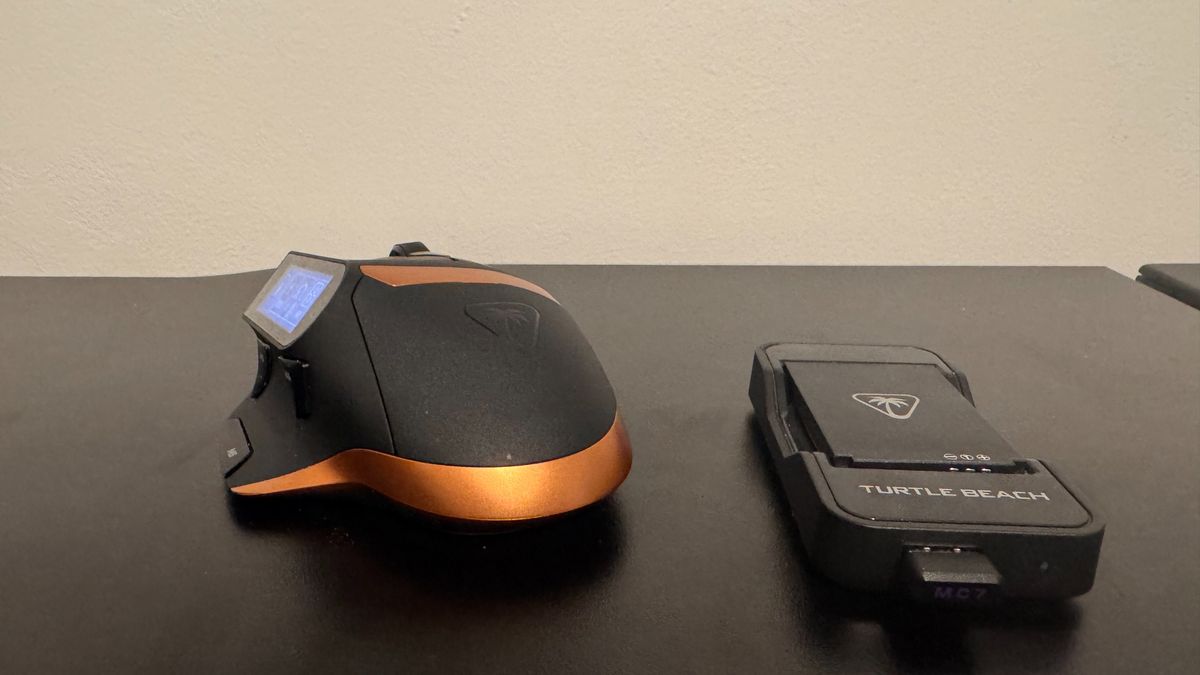
The MC7 comes with two 1000 mAh batteries, both of which are hot-swappable. They connect to a charger (which also has a USB port for your 2.4 GHz connector), and this means you technically only need one USB to do everything for your mouse. It's a great system.
To swap the batteries out, you simply take off a compartment where your palm rests, pull the battery out and put a new one in. The MC7's onboard battery is just big enough that I've never noticed the device dying while I'm changing batteries. It's pretty sweet, and with a little practice, it can be swapped in seconds. It's not quite as quick to swap as the Glorious Model O Eternal, with its open battery system, but it is a bit tidier.
Working on my PC every day, then gaming most nights, I found myself swapping out the battery every few days at 1,000 Hz polling, which is perfectly solid given how convenient swapping the batteries is.
Image 1 of 2
Ergonomics
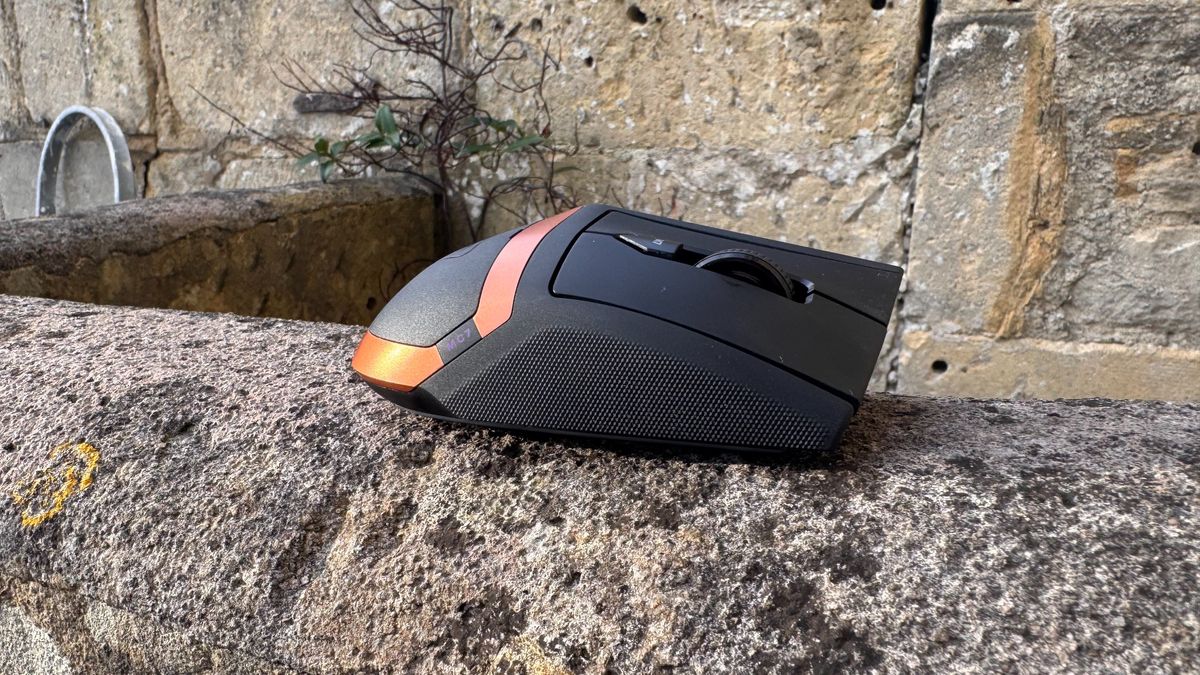
The MC7 is a very confusing mouse in regard to its ergonomics. The groove on the left-hand side for your thumb is comfortable and intuitive, yet the two buttons on either side of that groove are awkward to get to. My left thumb buttons on a mouse tend to be going forward and backwards on a page, and therefore I like to have instant access to them. I don't have that access here, and have to physically bend my thumb or extend it to get to each button. The groove also has a texture to it, which is clearly designed so the mouse doesn't slip, and that's also quite strange, as it feels like you aren't encouraged to move your thumb, and yet you have to in order to hit those two buttons.
The back of the mouse curves to my palm well, but the two mouse click buttons are quite curved in the centre. That means, if I hold my hand on the bottom of the mouse, there's air underneath the bottom of my fingers as I hold it, and if I put my palm forward, then there's air underneath my knuckles. I feel like, no matter what way I hold the mouse, I'm holding it just a little wrong.
Image 1 of 2
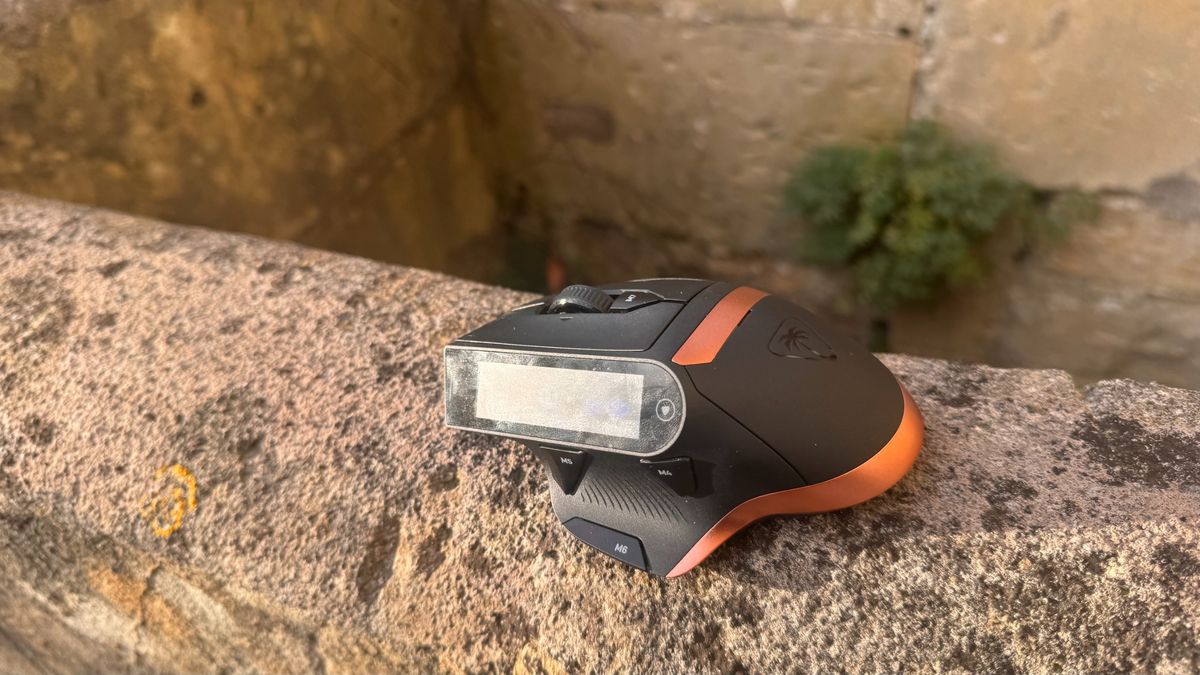
That's before getting to the screen, a panel that is too long to use all of it while on the go, and close enough to my fingers that I constantly change my DPI whenever I take my hand off the mouse and put it back on again. Perhaps the strangest element of this is that I couldn't seem to figure out a way to lock the screen, which would really make it much better for gaming.
For quickly changing a song or pausing a video, I actually found myself taking my left finger off the left click and wrapping it around the display instead. As far as I can tell, there just isn't a quick and comfortable way to get to all parts of the screen with ease, and I have quite large hands too.
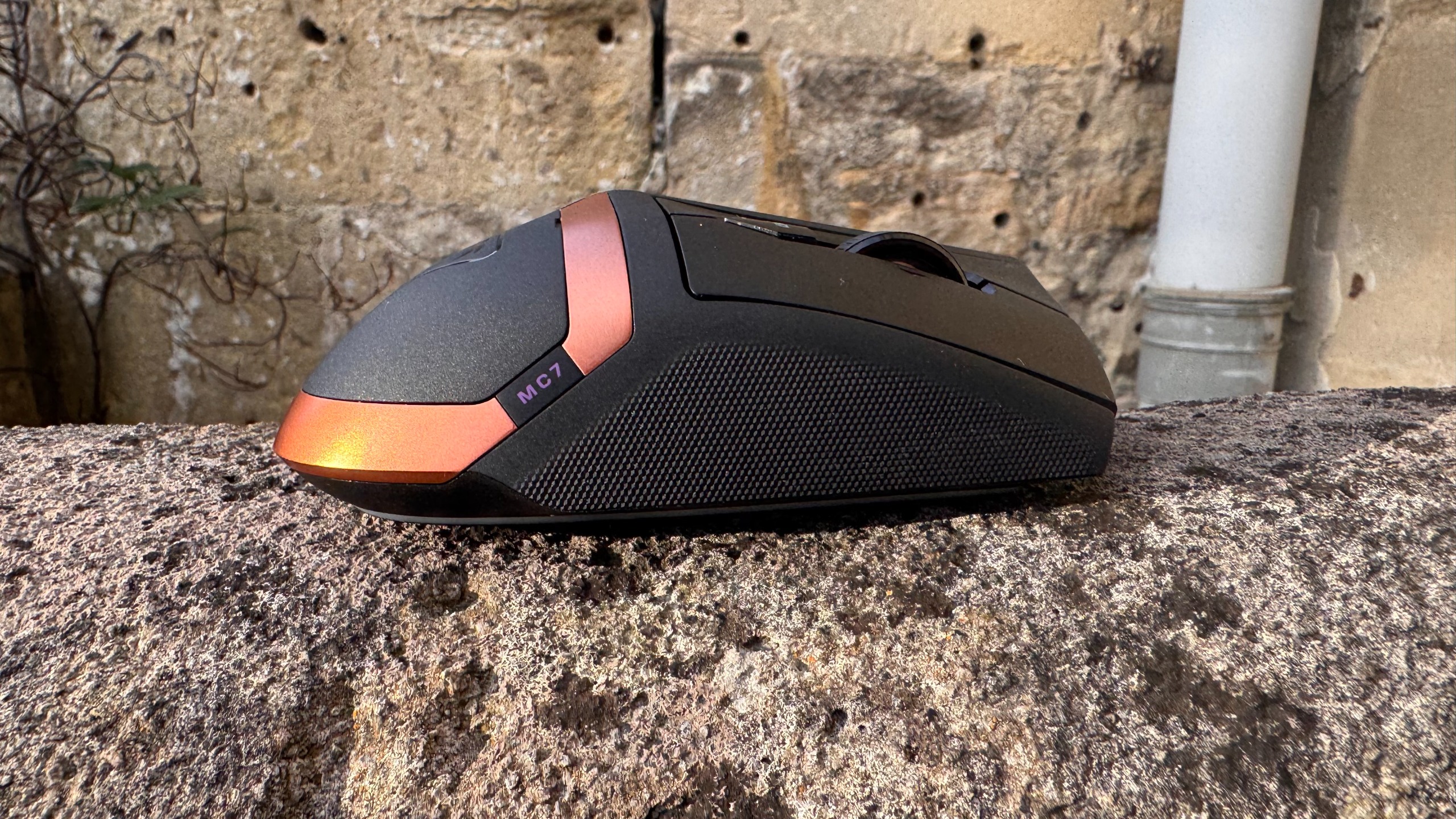
As far as build quality is concerned, the MC7 doesn't feel cheap under the palm, though I'm not a fan of the vibration you get when you click the screen. It just has a hollow feel and sound. The texture on the mouse is cool to the fingertips, and it handles fingerprints well. Despite the fact that you have to take the back cover off to pop the batteries in, I could never get it to come off accidentally either, which is always a plus.
There is a slight rattle if you pick up the mouse and shake it, and that rattle appears to be coming from the 4D mouse wheel. Generally, you don't tend to shake mice, but if you pick it up quickly to move it from one side of the mousepad to the other, it does produce the rattling sound.
One thing I do quite like is a button sunken into the left thumbgrip. I can hold that down and move the rather great-feeling scroll wheel to change volume in an instant, and this is handier and quicker than using the touch screen's volume icons.
Aesthetics
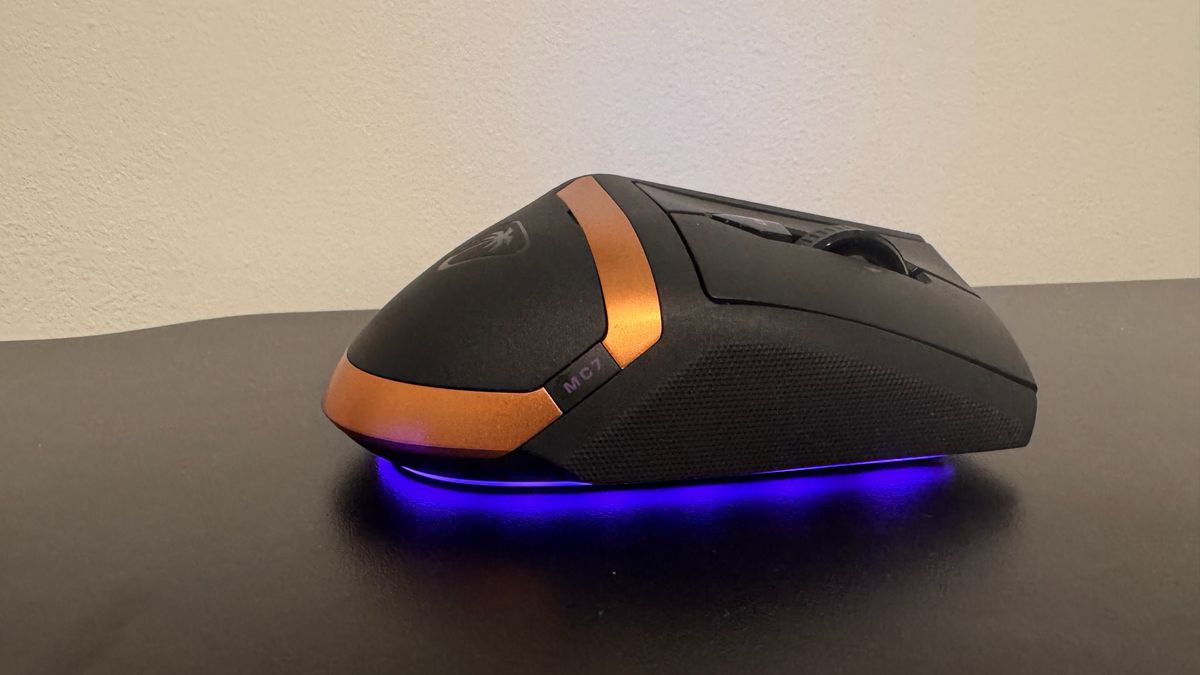
The MC7 is clearly intended to fit in alongside the likes of the Turtle Beach Stealth Pro II with its combination of copper and black, but it doesn't have the sleekness of its headset counterpart. Instead, it's more Cronenbergian, a collection of skewed angles and bumps, like the tech parts inside its shell are clamouring to get out and your hand is the thing holding them in. It's almost like two separate gaming mice have accidentally stepped inside the teleporter and what has come out is a wretched combination of both.
The right-hand side is relatively low to the ground and with little detailing, whereas the left side is angular, sharp and tall. This is naturally so tall because there's a screen slapped on the side, but it means the entire mouse has a slant going to the right.
Image 1 of 3
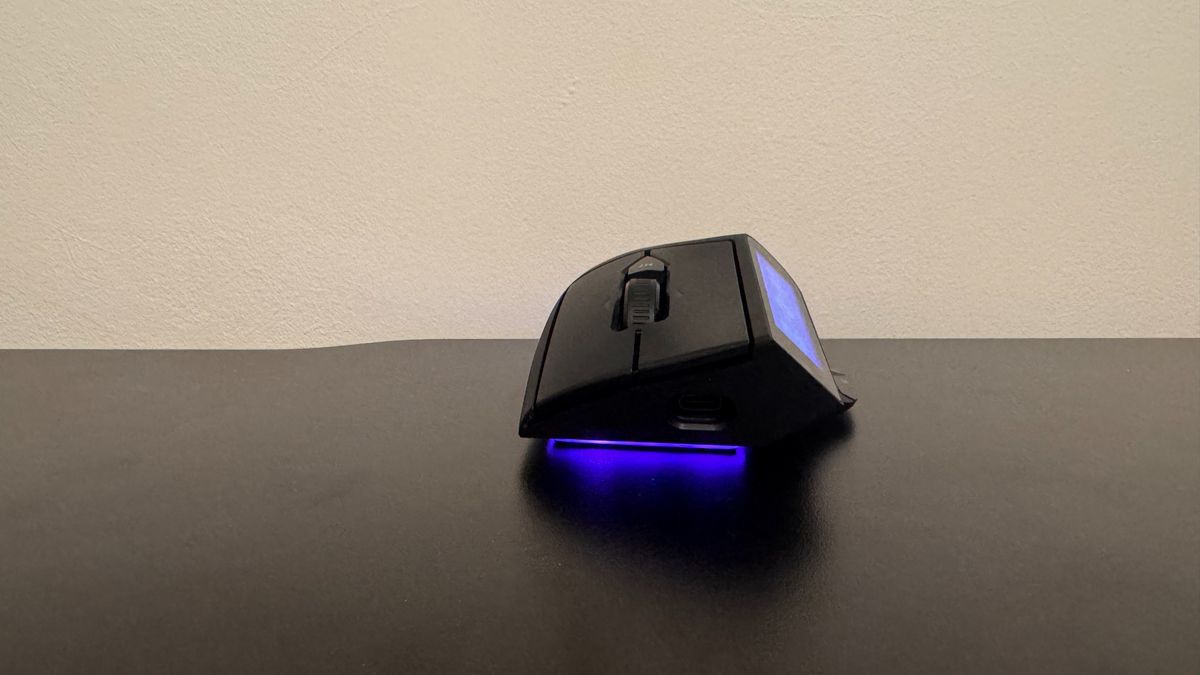
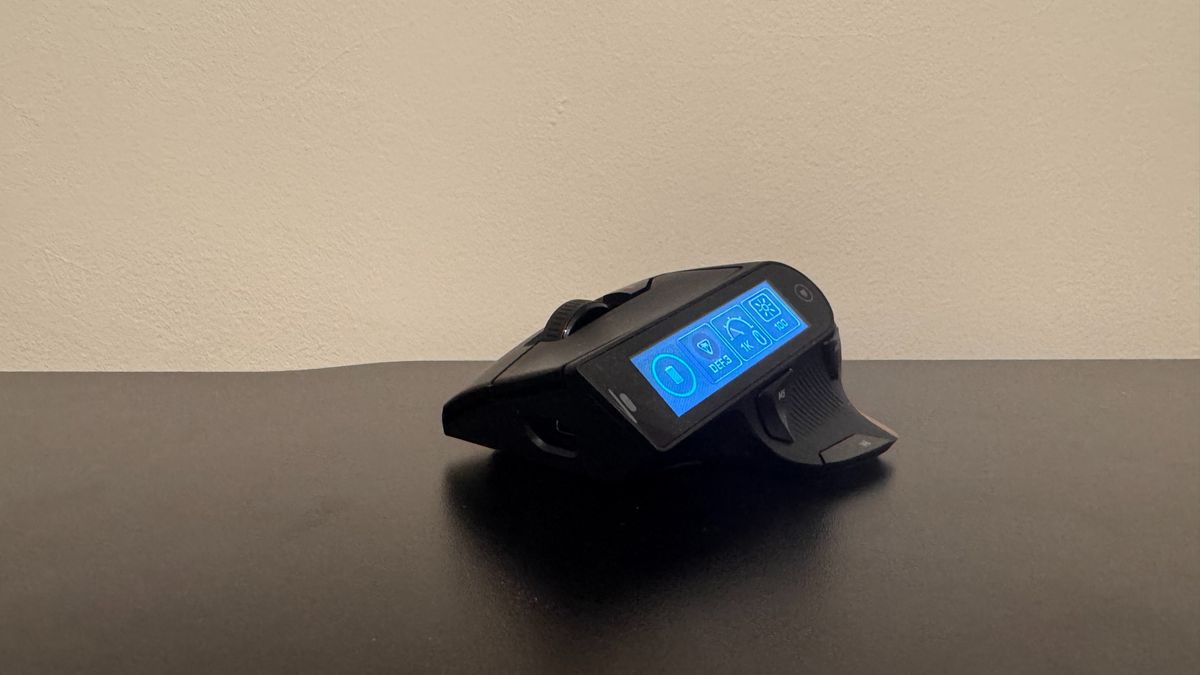
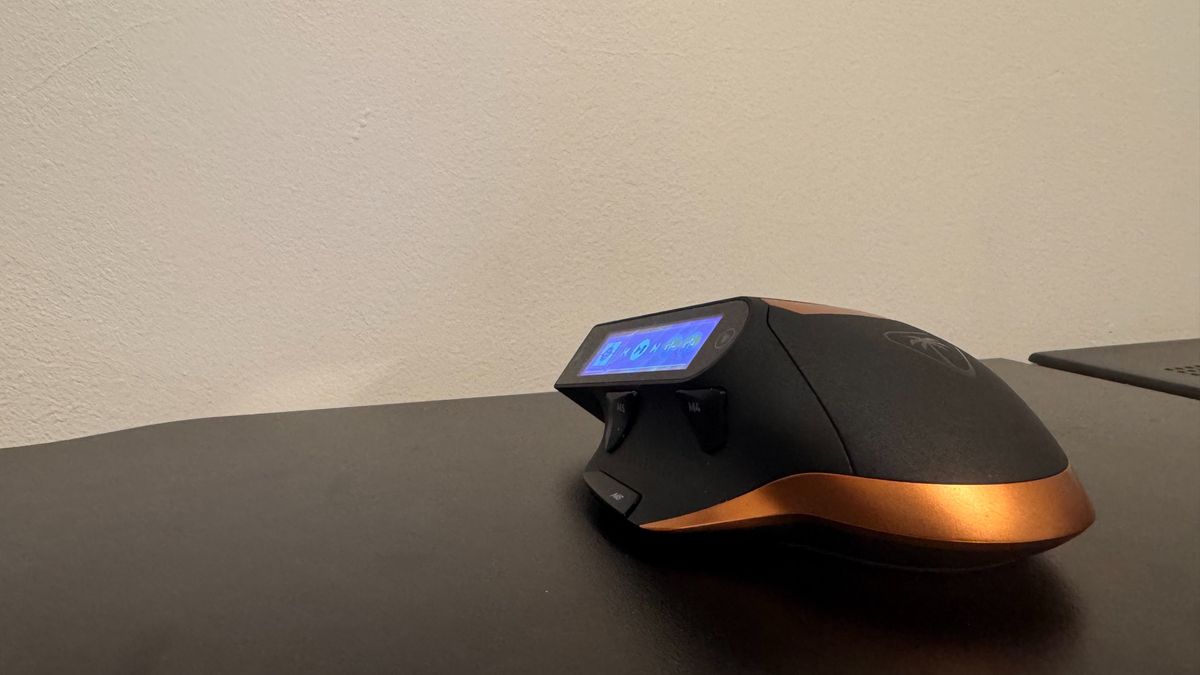
Despite this slant, the front is cut at quite a sharp angle too. The MC7 is kind of curvy, and kind of not. It's kind of angular, and also kind of not. It's a hard shape to make sense of and, to my eyes, pretty darn ugly on top of my desk.
One element I do like about the MC7's aesthetic is its choice of RGB. You get a sleek line of it just underneath the mouse, which is customizable, but it glows red when the battery is low, which is a good reminder when I've needed it. The screen also alerts you when your battery is low.
As far as the display is concerned, it has colour, which is a nice touch, but also has weirdly poor viewing angles. If I look at the screen from the position I'd usually game from, it can look washed out. It never looks so washed out that I can't roughly guess what its icons are (and with time, you learn their position anyway), but it makes it feel less quality than the black and copper might suggest.
Software
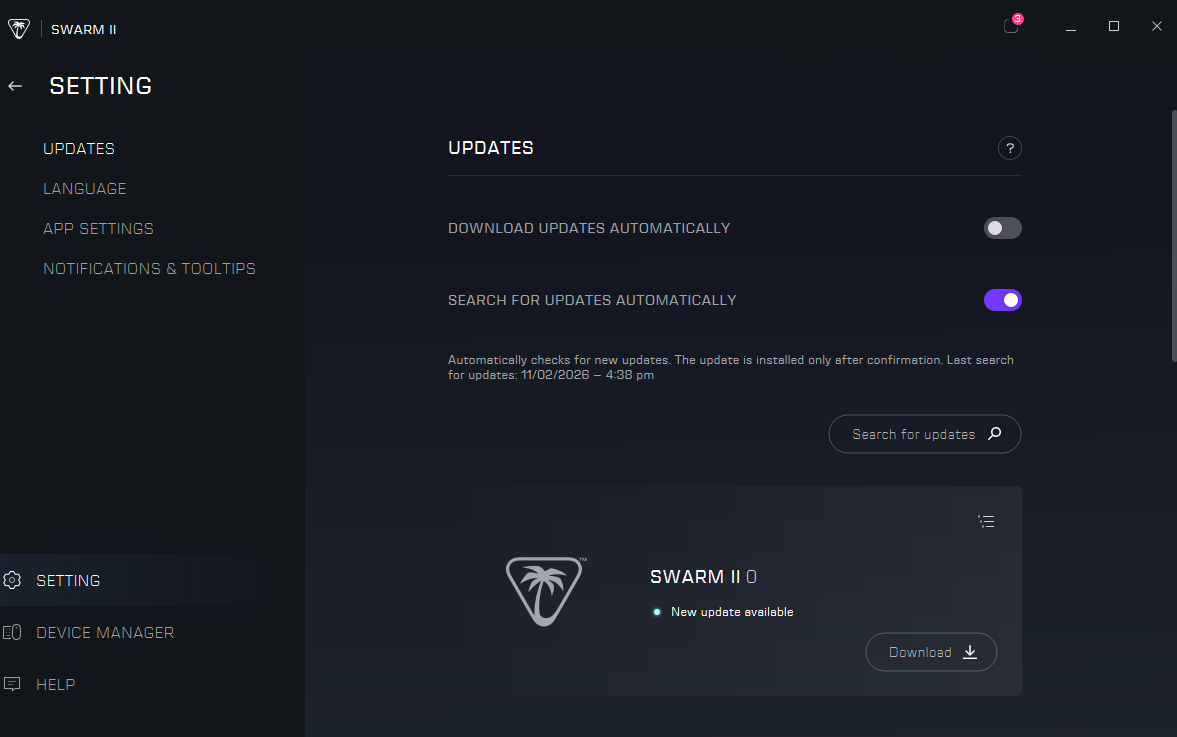
For the first few weeks with this mouse, I found Turtle Beach's Swarm II to be a mostly fine bit of software, though it could be a little slow. However, this week, the latest update, Software version 1.0.0.63 (which launched on November 2), has seemingly entirely broken on my PC. I can't get it to open, though it remains open in Task Manager. Given it only just launched, I could see this issue being fixed quickly, but it's a shame that so much software for hardware is not consistent.
It is also a necessary bit of software if you would like to customise the screen. With it downloaded, the screen is customizable much like a Stream Deck. Grab widgets from within the app, the mouse's onboard memory, or third-party apps, slap them on the screen, and now you have a new shortcut. Without it, there's not much you can do.
And, as far as I can tell, you can't set totally custom controls, as you can do with the Stream Deck, which limits your customisation a tad. But it's still pretty broad for the most part, and I've rarely found myself looking for a shortcut and not been able to find it.
Value
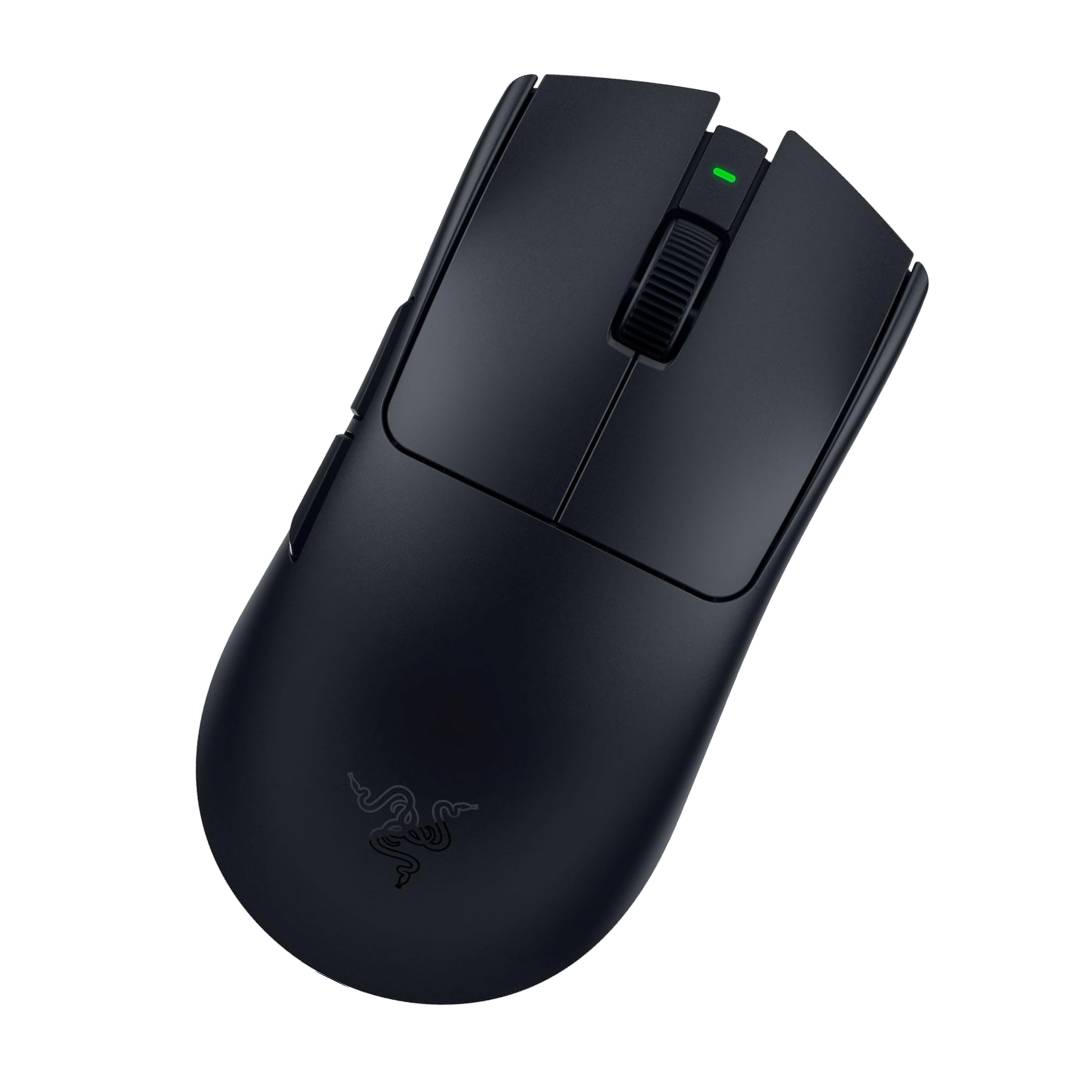
$160 is a lot of cash for a gaming mouse. It's so much money, in fact, that you can pick up the best gaming mouse out there, the Razer Viper V4 Pro, with its impeccable sensor, great battery life, and lightweight feel, for the same price.
As such, you can pick an overall better, lighter mouse for the same price, or go for the screen. The battery system is certainly neat, though there are other mice out there with hot-swappable batteries.
The MC7 doesn't detract from day-to-day gaming, but I'd much prefer a lower base polling rate if it meant a cheaper price point, as this isn't exactly a competitive-level mouse in function.
It is clear where the budget for this build goes. A large screen couldn't be cheap; the material feels good on the fingertips, and that's before mentioning the research and development costs associated with getting a touchscreen on a mouse. However, it's so much money that, to my palms, it only really feels like the first step for Turtle Beach. It's like a test run of what a touchscreen could be like, and for this price, I don't quite see the vision.









 English (US) ·