
 3 weeks ago
31
3 weeks ago
31
Earlier this year, we took a look at Netgear’s Nighthawk M7, which is a 5G mobile hotspot with Wi-Fi 7 connectivity. Today, I’m looking at another 5G mobile hotspot, this time from Travlfi. The formula is similar: combine a 5G cellular modem, a small display, and a battery, and put it all together in a compact enclosure.
The Travlfi JourneyGo 5G is lightweight and is low on added frills. The hotspot has 5G connectivity (with 4G LTE fallback), offers 24 hours of battery life, and can connect up to 16 devices simultaneously at a broadcast range of 75 to 100 feet. Its basic functionality is why it has a relatively low price of $299, compared to $499 for the Nighthawk M7.
Design of the Travlfi JourneyGo 5G
The JourneyGo 5G is quite thin and light, much more so than the Nighthawk M7. The former is just 0.49 inches thick and weighs 0.36 pounds compared to 0.67 inches and 0.57 pounds for the latter. With that said, the Travlfi JourneyGo 5G doesn’t feel as well put together as the Nighthawk M7 – it lacks the rigid, thick plastic and feels almost like the cheap casing that you’d find on a no-name smartphone battery bank.
Latest Videos From

With that said, the JourneyGo 5G manages to cram in a much larger internal battery (5,000 mAh versus 3,850 mAh) despite its thinner and lighter dimensions.
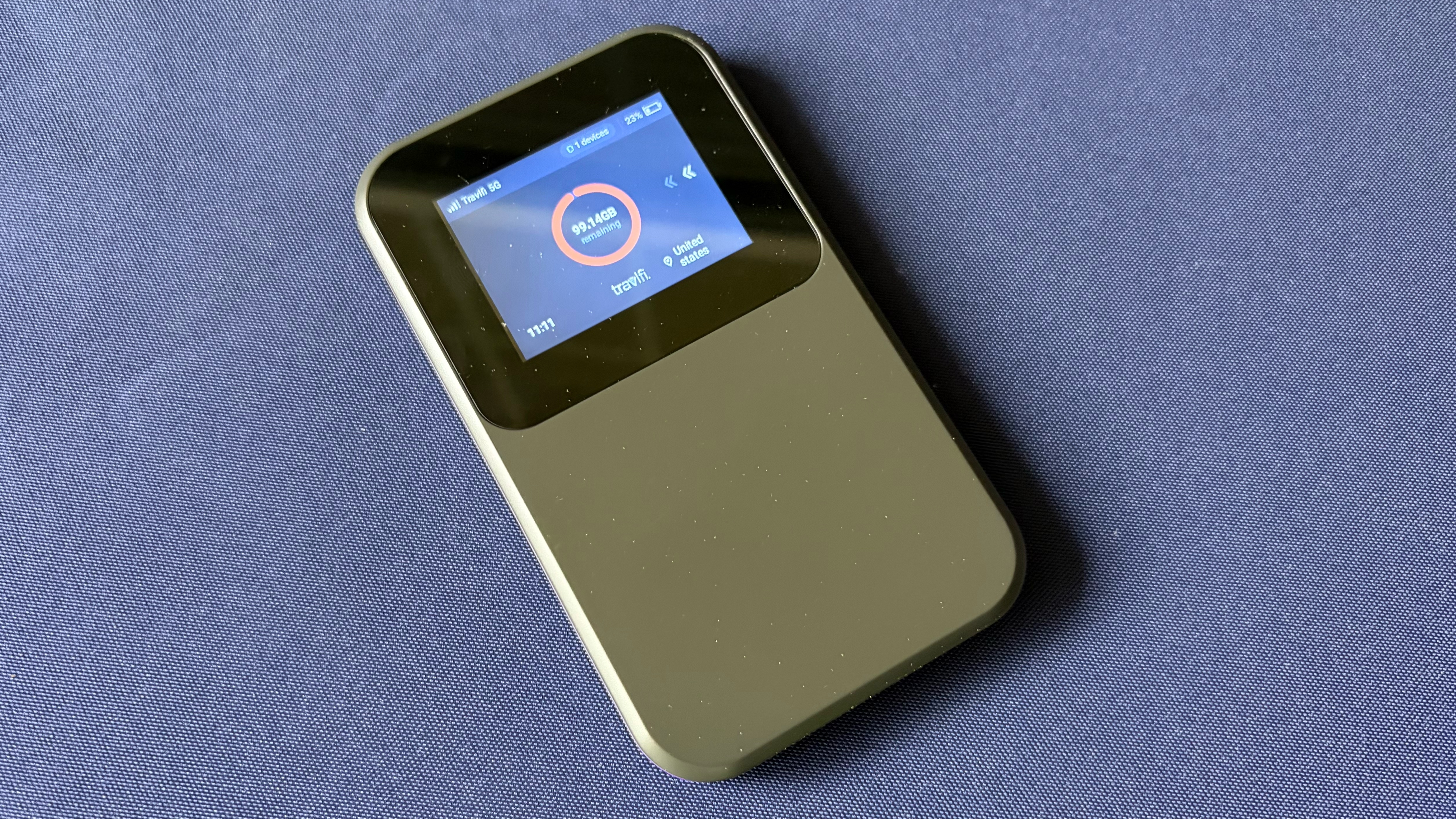
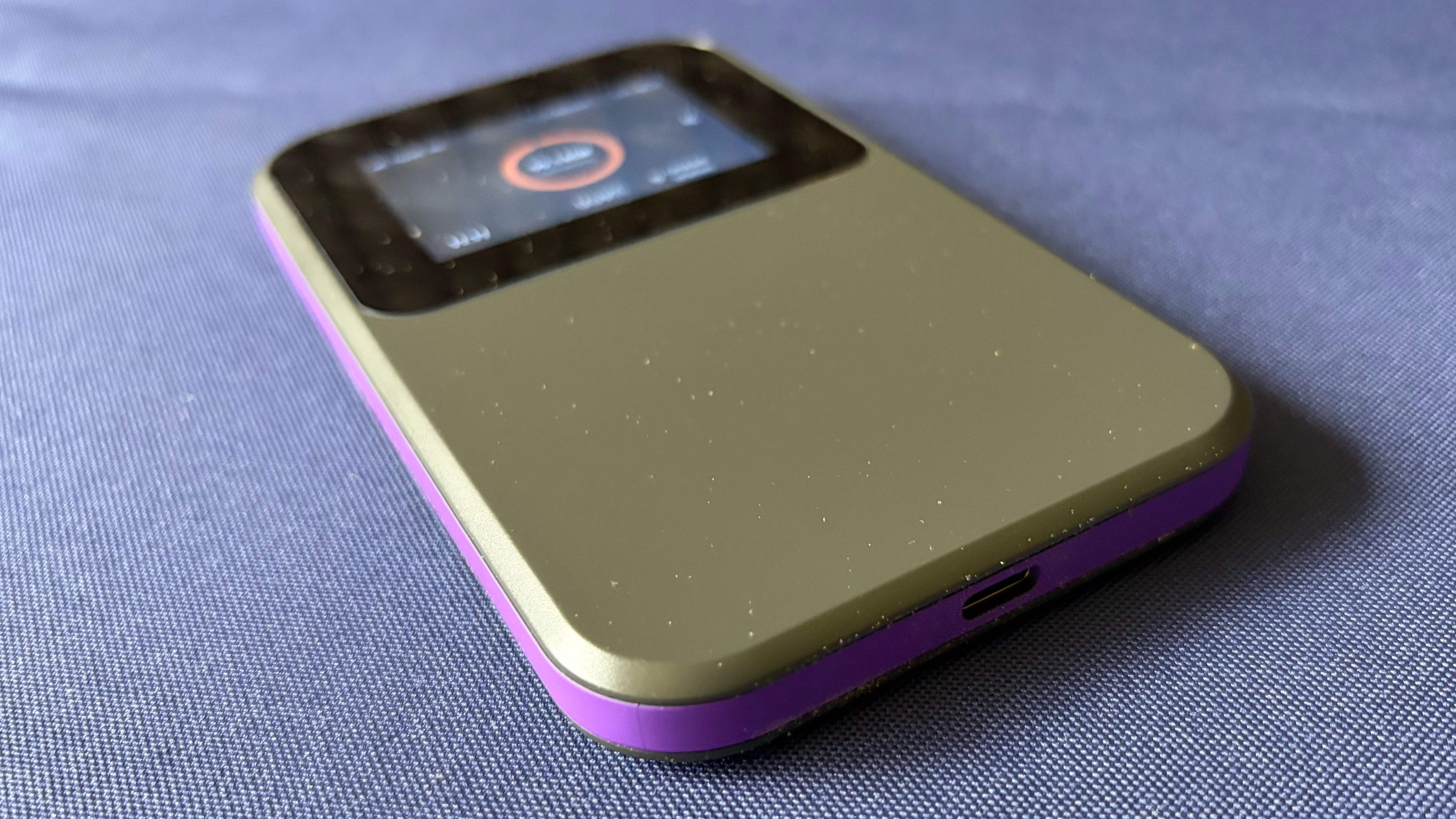
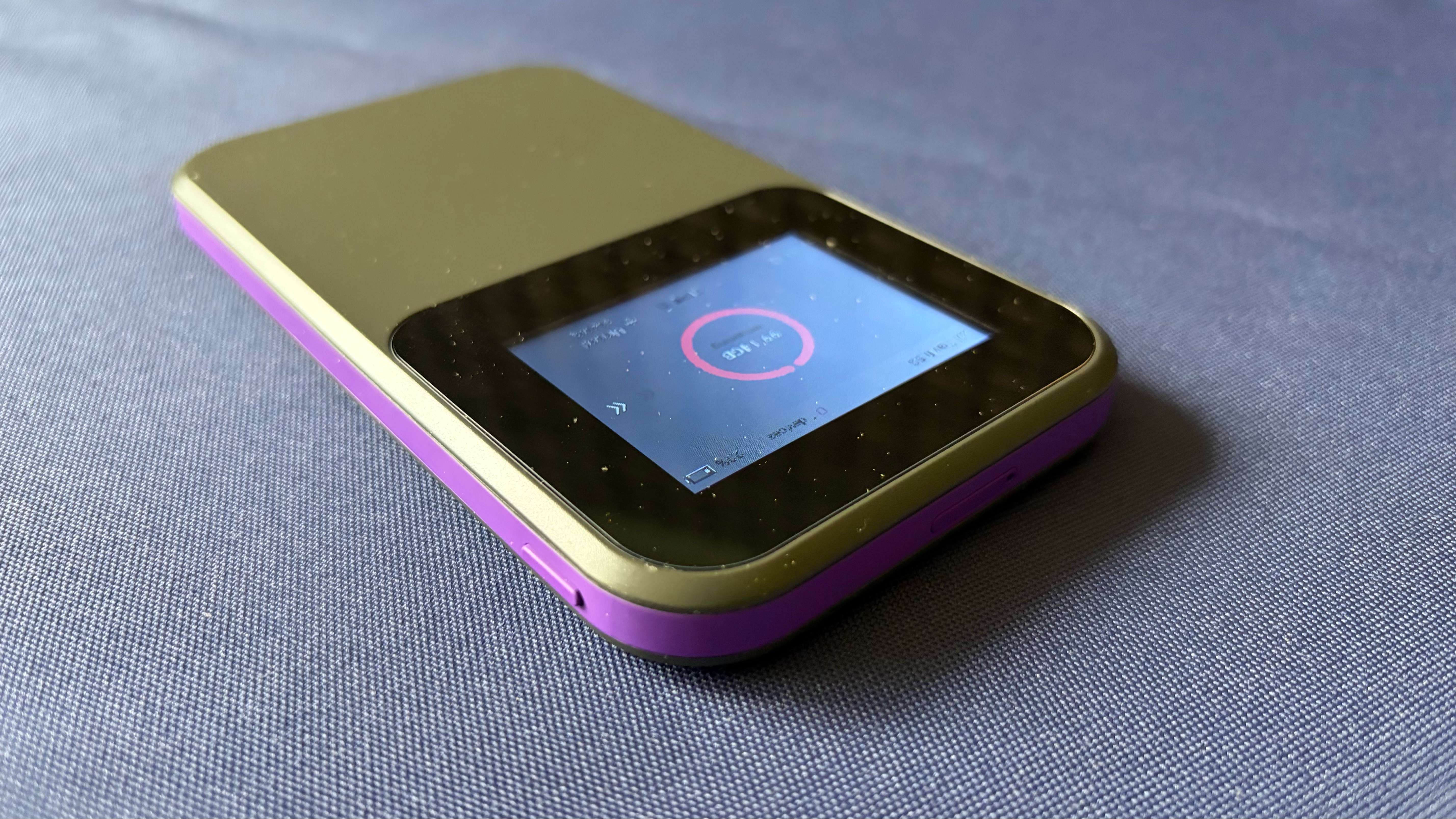
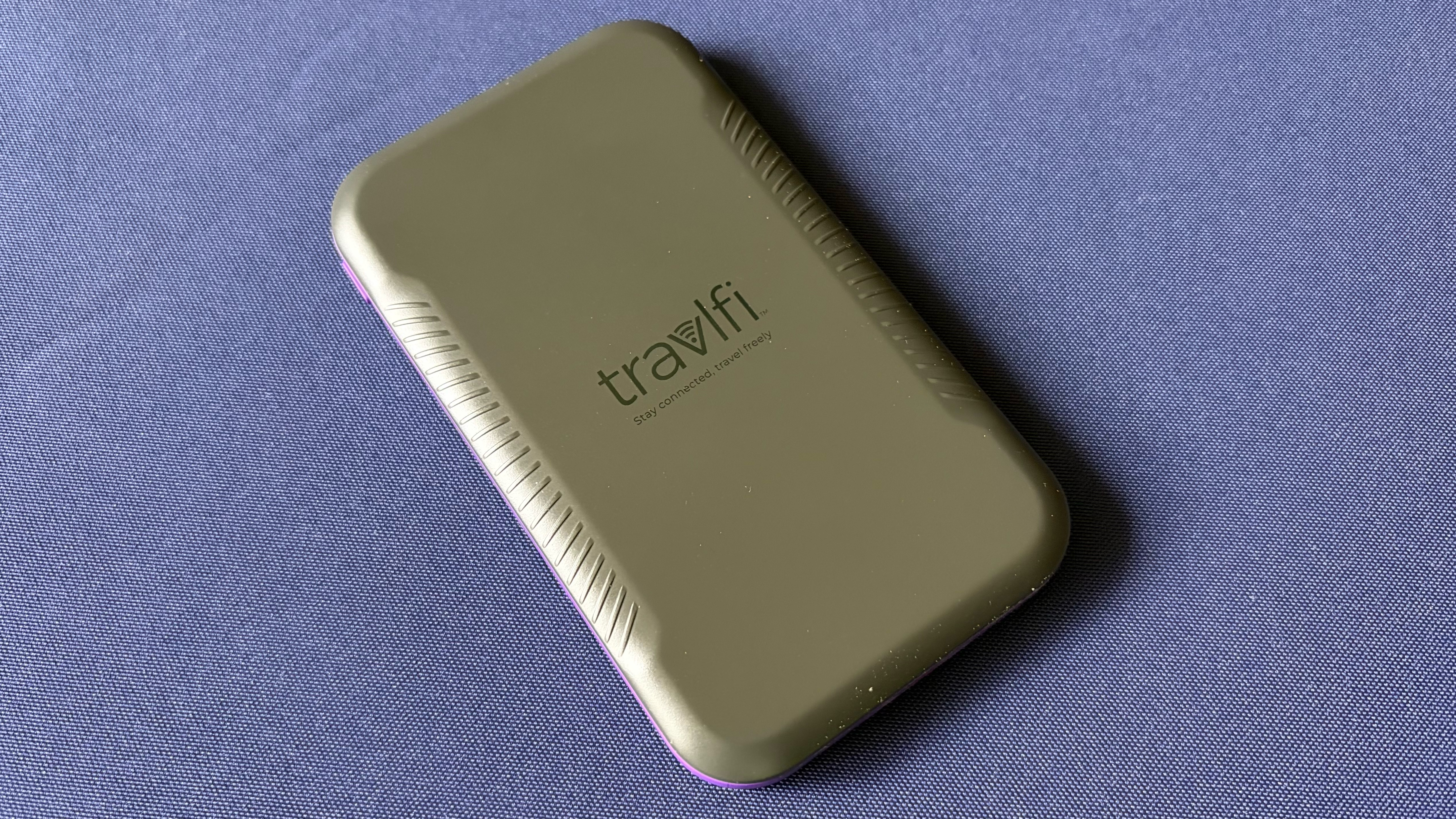
The JourneyGo 5G is controlled using the small 2.4-inch color touchscreen. You can tap and swipe to access various menus and settings. The included quick start guide for the hotspot says that you can download the Travlfi app for Android or iOS to configure the device, but as of this writing, the app is not available to download (at least from the iOS App Store).
The JourneyGo 5G has a nanoSIM for cellular connectivity located at the top of the unit. A power button is found on the right side, while a USB-C port is at the bottom (a USB-C to USB-C charging cable is included in the box).
Travlfi JourneyGo 5G Specifications
Swipe to scroll horizontally
Chipset | MediaTek MT8791 |
Cellular Connectivity | 5G (Sub-6) and 4G LTE (CAT20) |
Wireless | Dual-Band Wi-Fi 6 (5 GHz, 2.4 GHz) |
Number of Wireless Devices Supported | 16 |
SIM support | Nano SIM |
Display | 2.4-inch color touch screen (320 x 240) |
Battery | 5,000 mAh (up to 10 hours typical use) |
Dimensions | 5.37 x 3.1 x 0.49 inches |
Weight | 0.36 pounds |
Travlfi JourneyGo 5G Software and Controls
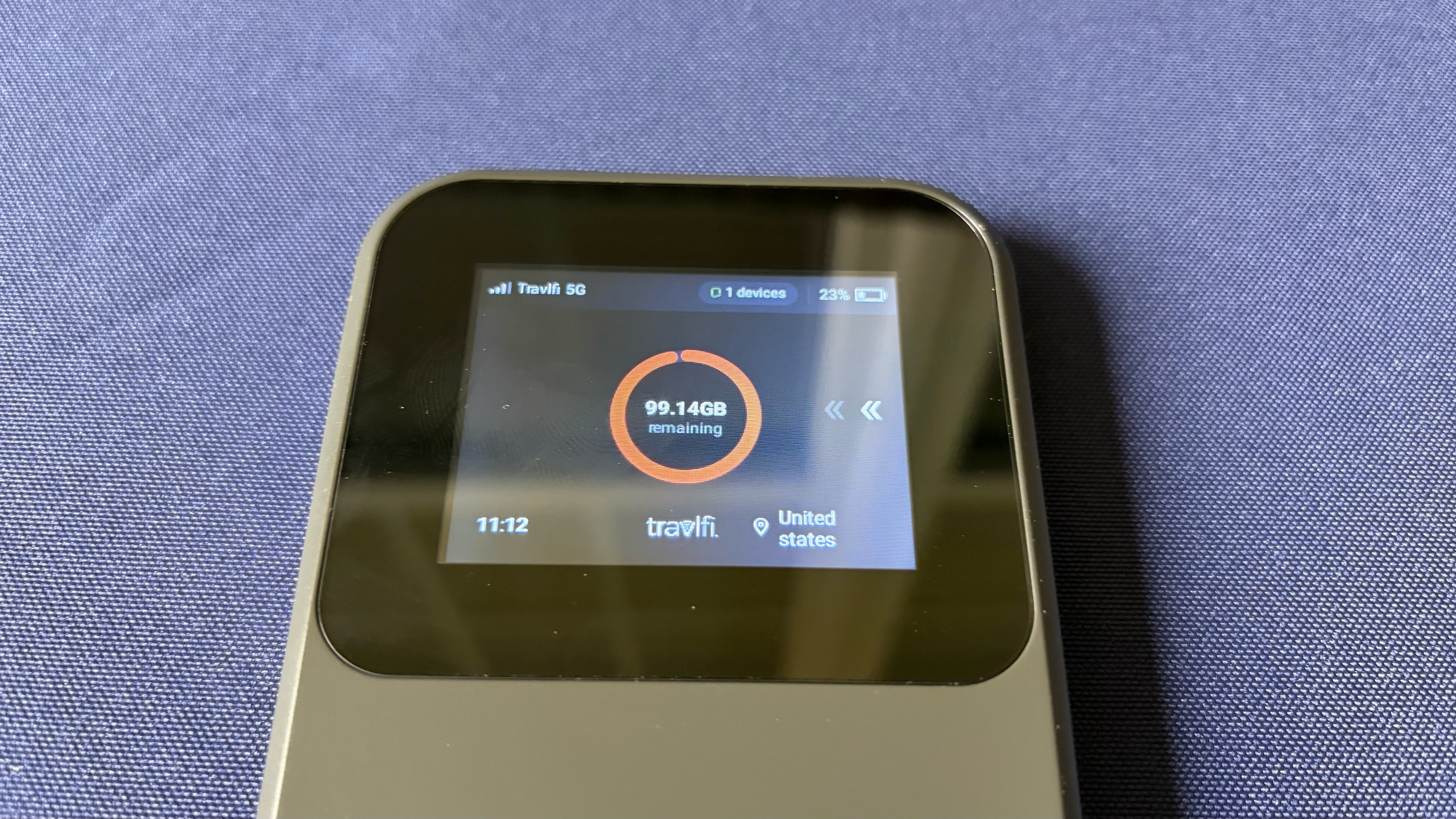
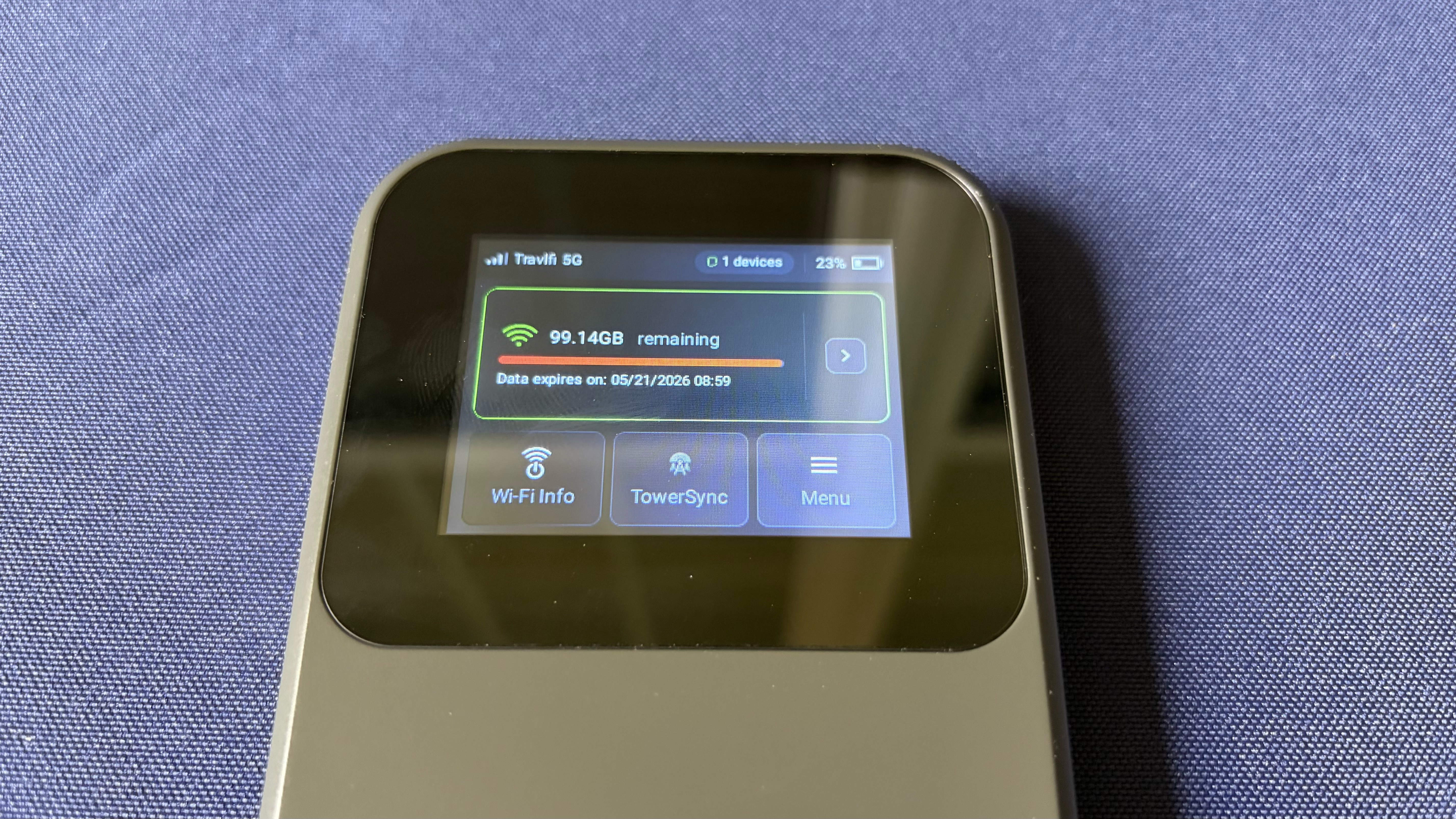
As I mentioned, controlling and configuring the JourneyGo 5G is done solely through the small touch screen (at least until the smartphone app becomes available). Interesting with such a small screen is rather cumbersome, but manageable. The main screen shows your current cellular signal strength, 5G or 4G connectivity, the number of connected devices, and battery status in the top menu bar. The amount of data you have available during your billing cycle is front and center, while your time and current location (country) appear at the bottom of the screen. If you swipe from right to left, you’ll find an expanded look at your remaining data allowance along with the date/time when your plan renews.
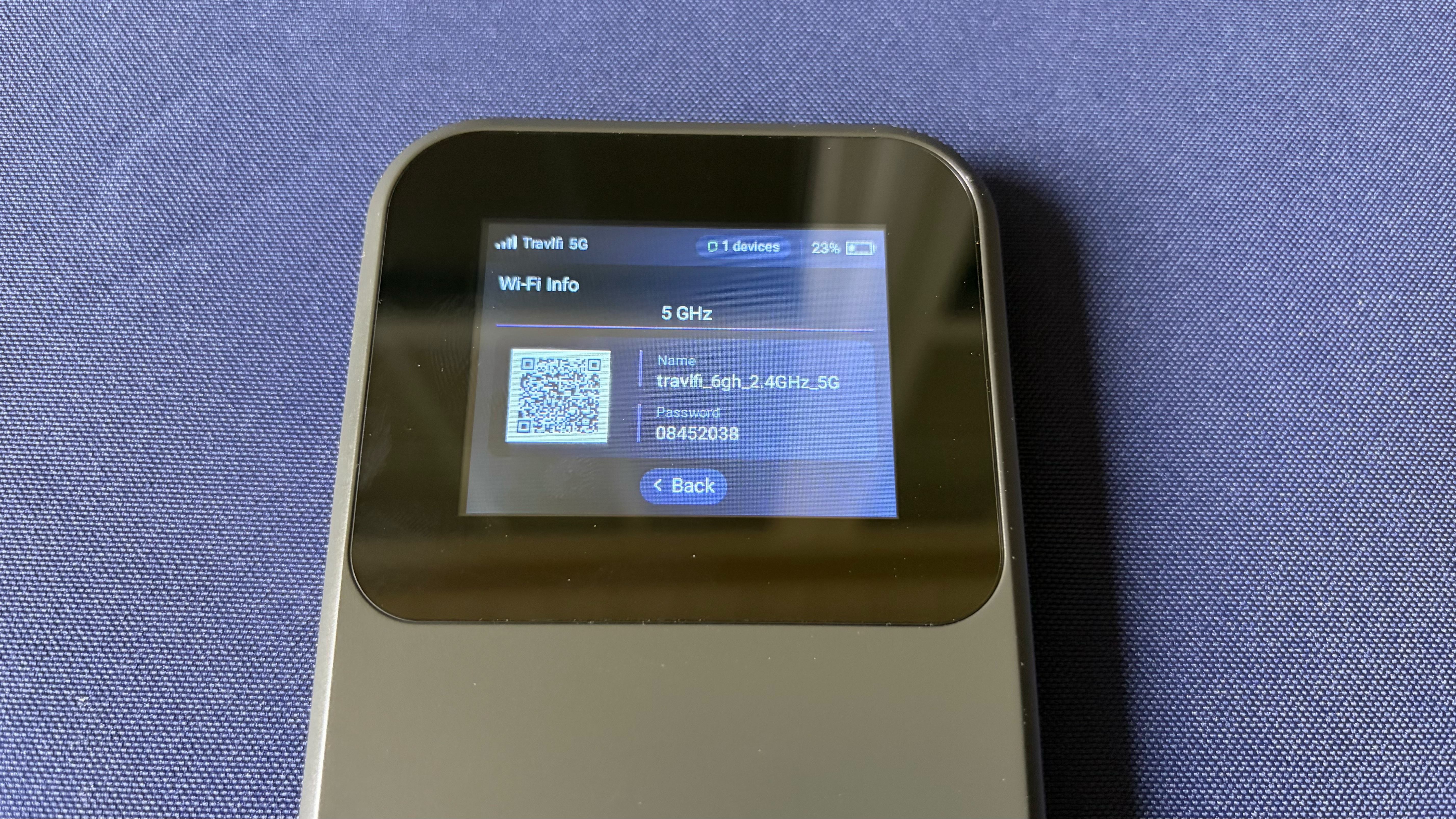
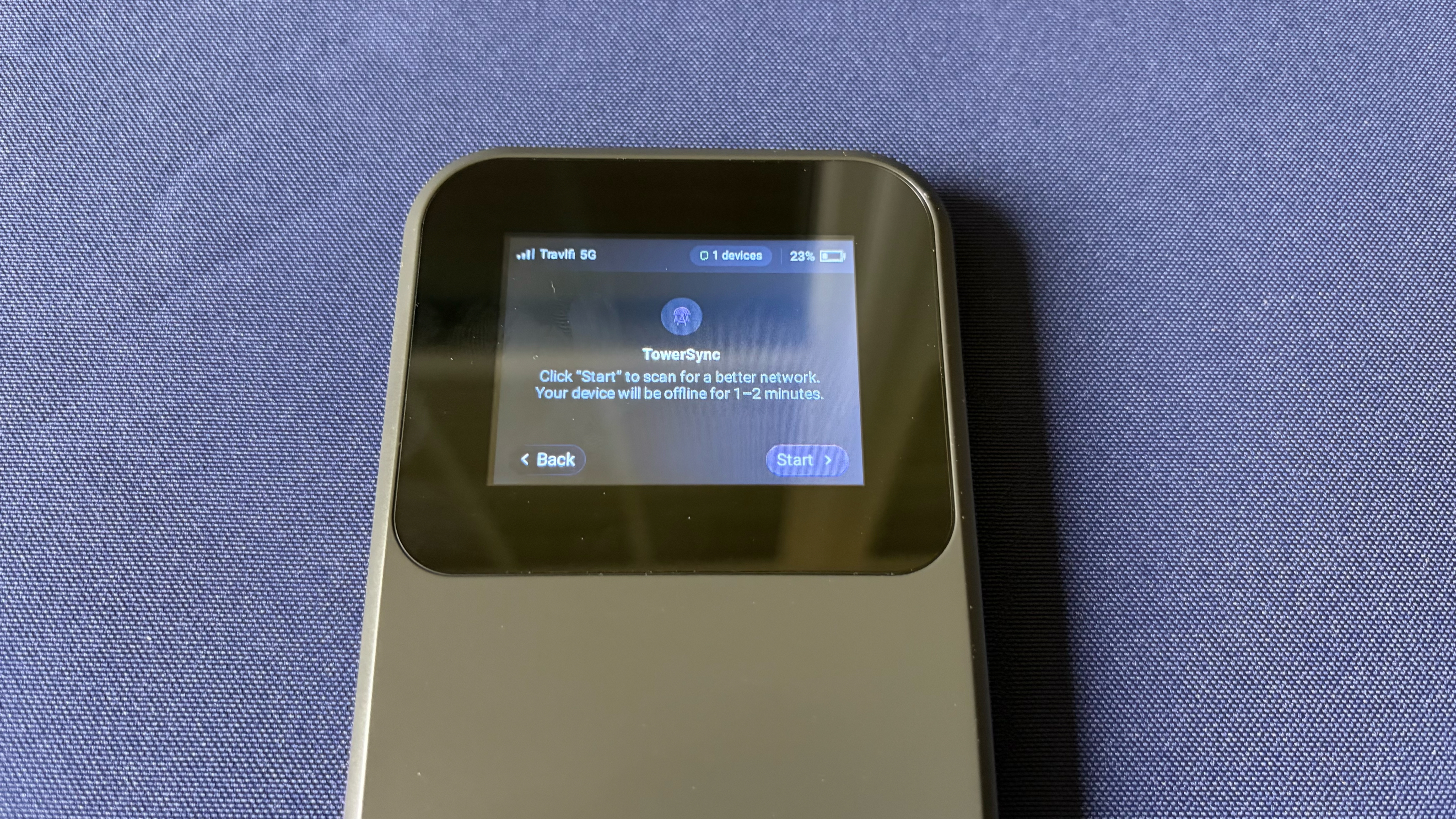
Below the data allowance windows, you’ll find Wi-Fi Info, where you’ll see your current Wi-Fi SSD and password. Next, you’ll see TowerSync, which allows the device to scan for a stronger signal from a nearby tower.
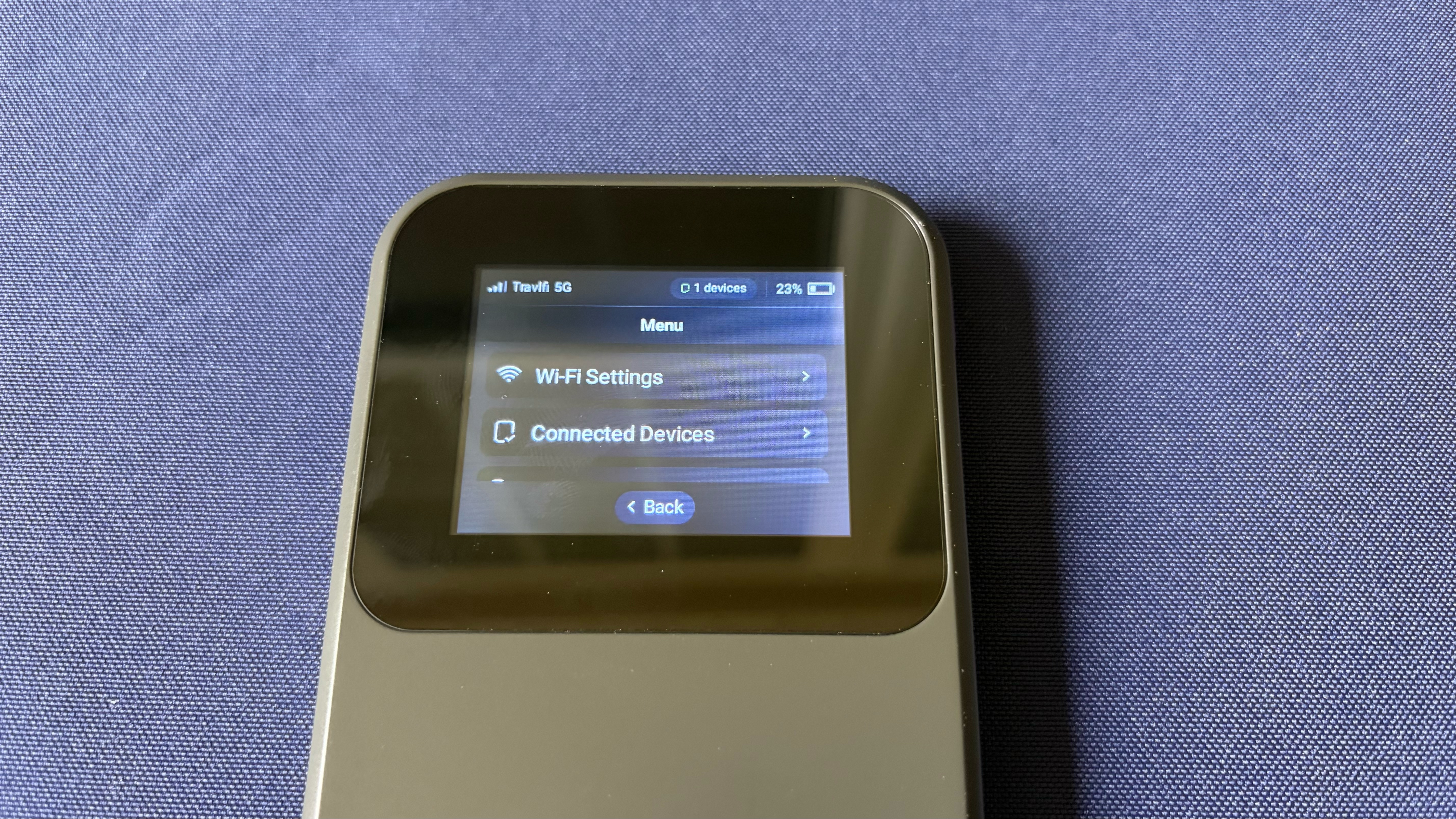
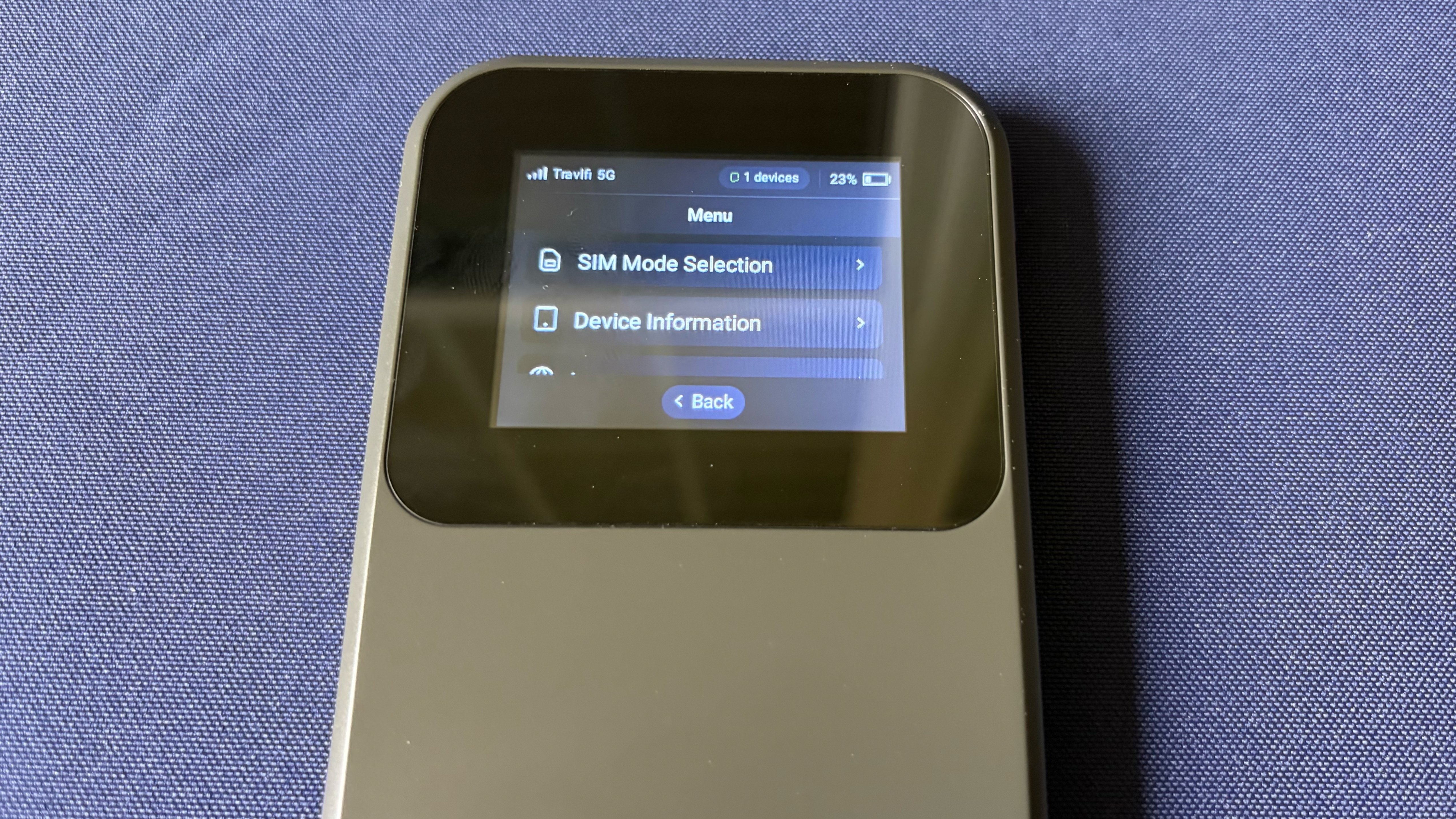
Finally, there’s the Menu windows, which give access to a wider range of settings. Wi-Fi Settings let you choose between the 2.4 GHz and 5 GHz bands. Surprisingly, you can’t enable both at the same time. You’ll also find a list of currently connected devices and the ability to switch from an eSIM to a physical nanoSIM (our review unit leveraged the eSIM). There are also more mundane settings, such as language, device information, time format, time zone, and screen brightness.
Despite the use of an eSIM, the JourneyGo 5G lacks an eSIM Marketplace, which is the true “killer app” for the Nighthawk M7. It remains to be seen if that type of functionality will arrive with the unreleased Travlfi smartphone app.
Our review unit came with the 100GB data plan, which costs $89 per month. However, if your mobile hotspot needs aren’t as data hungry, the 2GB plan costs $19 per month. Travlfi also offers an unlimited plan for $129/month, although it’s currently running a promotion that drops it to $99/month.
Travlfi JourneyGo 5G Performance
The JourneyGo 5G uses a MediaTek MT8791 SoC that incorporates two Arm Cortex-A78 cores, six Arm Cortex-A55 cores, an integrated 5G NR sub-6 GHz modem (4G CAT 18), and dual-band Wi-Fi 6. Our review unit is using its eSIM rather than the physical SIM onboard, which is connecting to T-Mobile’s wireless network.
Travlfi claims that the JourneyGo 5G offers typical download speeds of 25 to 150 Mbps with a peak of 180 Mbps using a 5G cellular connection. When connecting to a 4G network, typical download speeds range from 15 to 40 Mbps with peaks reaching 60 Mbps.
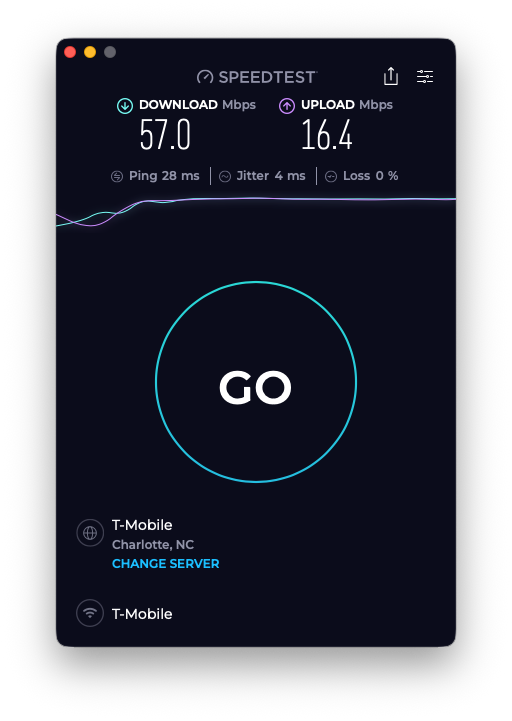
However, with a steady 5G connection and connected via the Wi-Fi 6 hotspot, I saw average download speeds of 57 Mbps and average upload speeds of 16 Mbps from my home office on the second floor. Moving outside to my backyard, average download and upload speeds increased to 67 Mbps and 20 Mbps, respectively. For comparison, the Nighthawk M7 averaged nearly 3x the download speeds and over 2x the upload speeds.
The JourneyGo 5G is supposed to support USB tethering directly to a device, but I couldn’t get it to work on a Mac or a Windows device. When plugging the hotspot into a computer using the included USB-C cable, the JourneyGo 5G would confirm that USB tethering was enabled and that a device was connected. However, neither the Mac nor the Windows device would recognize an active internet connection via USB.
It remains to be seen whether the forthcoming Travlfi smartphone app will address the tethering woes, although we can only go off what’s available right now. In addition, it’s frustrating that you can’t change the Wi-Fi SSID or password from the default provided by Travlfi. Again, this is something that could be easily addressed with an app, given the tiny display, which makes input challenging.
Bottom Line
When it comes to pricing, the Travlfi JourneyGo 5G definitely gets your attention at $299. That seems like an absolute steal compared to the Netgear Nighthawk M7's $499 price. And the fact that Travlfi was able to squeeze 20 hours of runtime out of this tiny device is quite amazing.
However, things quickly fall apart from there. All interactions must be performed with the small 2.4-inch touch screen; you cannot change the Wi-Fi SSID or password, and you can’t enable the 2.4 GHz and 5 GHz bands simultaneously. In addition, the promised smartphone app (mentioned in the user manual) is not available for download on iOS or Android. And from a functional standpoint, the USB tether mode didn’t even work. The final blow is that, despite a 5G connection, download speeds were roughly a third of what we saw with the Nighthawk M7.
In its current state, the JourneyGo 5G might be an impulse buy at $299, but it’s not a wise buy.





 English (US) ·