
Narwal Freo Z10 Ultra: two-minute review
The Narwal Freo Z10 Ultra is a feature-packed combination robot vacuum and mop, paired with a comprehensive base station. In theory, it should deliver an almost completely hands-off cleaning experience; everything you could want from one of the best robot vacuums. However, the performance was somewhat mixed during testing.
I tested the Narwal Freo Z10 Ultra over a couple of weeks, and when it comes to everyday vacuuming tasks, I was impressed. It did a solid job of clearing most particles – including dog fur, pine needles, and excessive amounts of crumbs – from both hard flooring and carpet in my home. However, edge vacuuming wasn't a strong suit (which was especially apparent under my kitchen cabinets) and it also struggled to clear larger spillages, even when using the highest suction level.
Mopping on the Narwal Freo Z10 Ultra was up there with the best I've seen. There's no water tank on the robot itself; instead, the two triangular, microfiber mops are loaded with hot water and detergent at the base before being sent out to clean. Admittedly, this made the cleaning longer and required the water tank to be refilled more often, but the results were worth it.
Beyond consistently mopping up mud puddles left by my dog and small food spills, the mops successfully cleaned a large, dried ketchup spill when using the wettest mopping level. With the Freo Z10 Ultra's edge-reaching technology, the mops even extended right up against walls, getting into places other robots often miss. The dock's mop maintenance features also worked extremely well.
I was equally impressed with the Narwal Freo Z10 Ultra's navigation and obstacle avoidance. Dual AI cameras and a LiDAR sensor enable it to avoid furniture, cables, shoes, and other clutter.
Unfortunately, the Freo Z10 Ultra is far from the most reliable bot to control. On many occasions, I would send the robot to complete a task, and it would either skip entire selected rooms or roll out of the base and return without doing anything at all. A "smart" AI cleaning mode, which should adjust cleaning settings based on dirt levels and floor type, only exacerbated the problems.
No matter which settings I used, I couldn't get the bot to auto-empty consistently. I suspect this issue is to do with a unique feature where both the onboard dustbin and the dust bag in the dock are dried to prevent bacterial growth. I'd argue this feature is unnecessary in the first place.
The Narwal Freo app isn't the most intuitive, either, due to the excessive number of settings and customizations. I've tested numerous robot vacuums, and still had to resort to Reddit on several occasions to figure out how to adjust certain settings, such as getting the robot to do basic things like vacuum carpets.
Clearly, not everything on the Narwal Freo Z10 Ultra is perfect, but when I got it to do what I wanted, the results were very solid. If you have the patience and experience, this robot vacuum is great for larger homes with average cleaning needs. Some flaws could even be overlooked if you're able to snag it on sale, which it often is.
Narwal Freo Z10 Ultra review: price & availability
- List price: $1,299.99 / £1,299 / AU $2,499
- Launch date: September 2025
- Availability: Widely, including US, UK, and Australia
The Narwal Freo Z10 Ultra launched in September 2025. It's available in the US, UK, and Australia, with a list price of $1,299.99, £1,299, or AU$2,499. While the initial price tag might seem eye-watering, I've never seen this robot vacuum available for full price, at least in the US. In fact, it's often $400 or more off. Unfortunately, I haven't seen these deals in the UK or Australia. Chances are good you'll find decent savings during seasonal sales like Black Friday or Amazon Prime Day.
Even with a discount, the Narwal Freo Z10 Ultra sits on the premium end of the robot vacuum market. However, with features including dual AI cameras and mops equipped with edge-reaching technology, plus a base station that self-empties and hot water washes the mops, its price aligns with other higher-end robot vacuums. Based on the feature list it seems like solid value for your money, but unfortunately not all those special features behave as they should in practice.
Beyond the robot vacuum, base station, and a couple of replacement parts that come in the box, Narwal also offers the option to purchase the "Advance Kit". For an additional $259.99, you'll receive all the accessories needed to use this vacuum for years, including an extra main brush roller, side brushes, mopping pads, floor detergent, dust bags, and more. It's not cheap, but buying these items separately can add up quickly, too (just two mopping pads will set you back $20, while the kit comes with six). The UK and Australia offer similar accessory packs for £119.99 or AU$399.99, respectively.
- Value for money score: 3.5 out of 5
Narwal Freo Z10 Ultra specs
Swipe to scroll horizontally
Max suction: | 18,000 Pa |
Robot size: | 14 x 13.8 in / 35.5 x 35 cm |
Robot height: | 4.3in / 11cm |
Dock dimensions (W x D x H): | 17 x 18.2 x 15.2in / 43.1 x 46.2 x 38.8cm |
Mop type: | Dual spinning triangular discs |
Max threshold clearance: | Not stated |
Dust bin volume (onboard): | 0.48L |
Dust bin volume (base): | 2.5L |
Water tank volume: | 4.5L (clean) / 4.1L (dirty) |
Base functions: | Charge, empty dust, wash mop pads with hot water, dry mop pads, dry dust bag |
Runtime: | ~2.5 hours (tested) |
Recharge time: | ~3 hours (tested) |
Sensors: | Dual AI Cameras, LiDAR 4.0, and side sensor |
Narwal Freo Z10 Ultra review: design
- Stylish but bulky base station with a wide range of features
- Spinning mop pads deliver up to 8N of pressure and extend to reach edges
- Anti-hair wrap technology on the main brush and side brushes
Like most robot vacuums with an auto-cleaning base station, the Narwal Freo Z10 Ultra arrived in a massive box that weighed over 44lbs (20kg); it's best to have an extra set of hands to help get it inside.
After lifting out all the box's contents, including the bulky base station, which had handles to make life easier, I found that there were absolutely no instructions aside from the plentiful stickers on the different components. I've set up my fair share of robot vacuums before, so it's second nature to me, but for those new to robot vacuums, it was a glaring omission. You can find instructions online, but it's still not ideal.
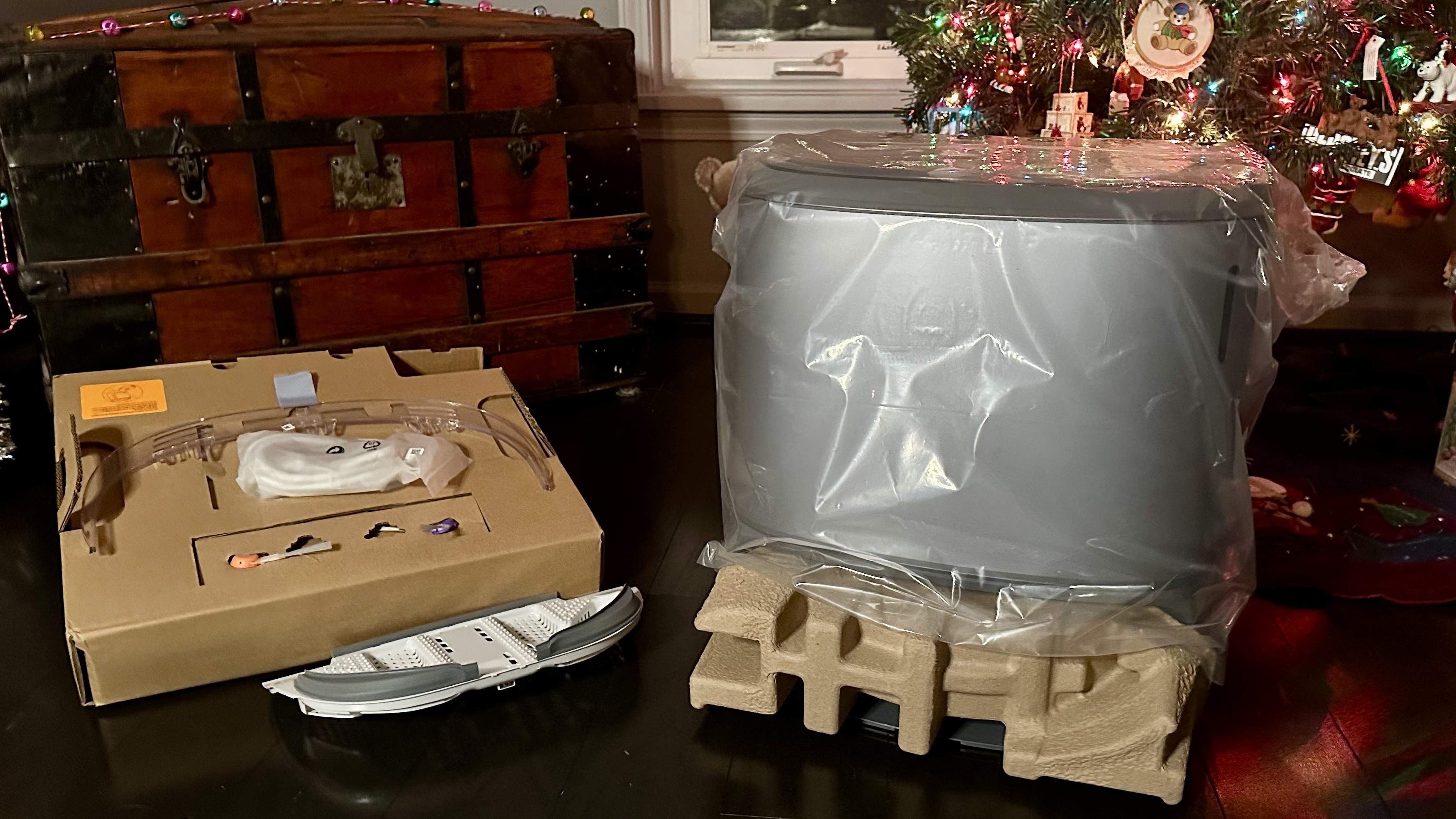
The lack of instructions aside, the setup was fairly straightforward. All I had to do was install the side brushes, add the included detergent for the mops, fill the clean water tank, and connect to Wi-Fi. Also, be sure to remove the cover on the front camera sensor of the robot vacuum. I missed this step, and as a result my floor map on the app wouldn't save. I eventually resorted to Reddit to figure out the problem. Again, physical instructions would've prevented this problem.
Robot design
Once I had everything together, I was impressed with how well this bot blended into my room. Most robovacs / docks come in white or black, but this model is a stylish gray. This was a nice change of pace and it happened to perfectly match the walls in the room.
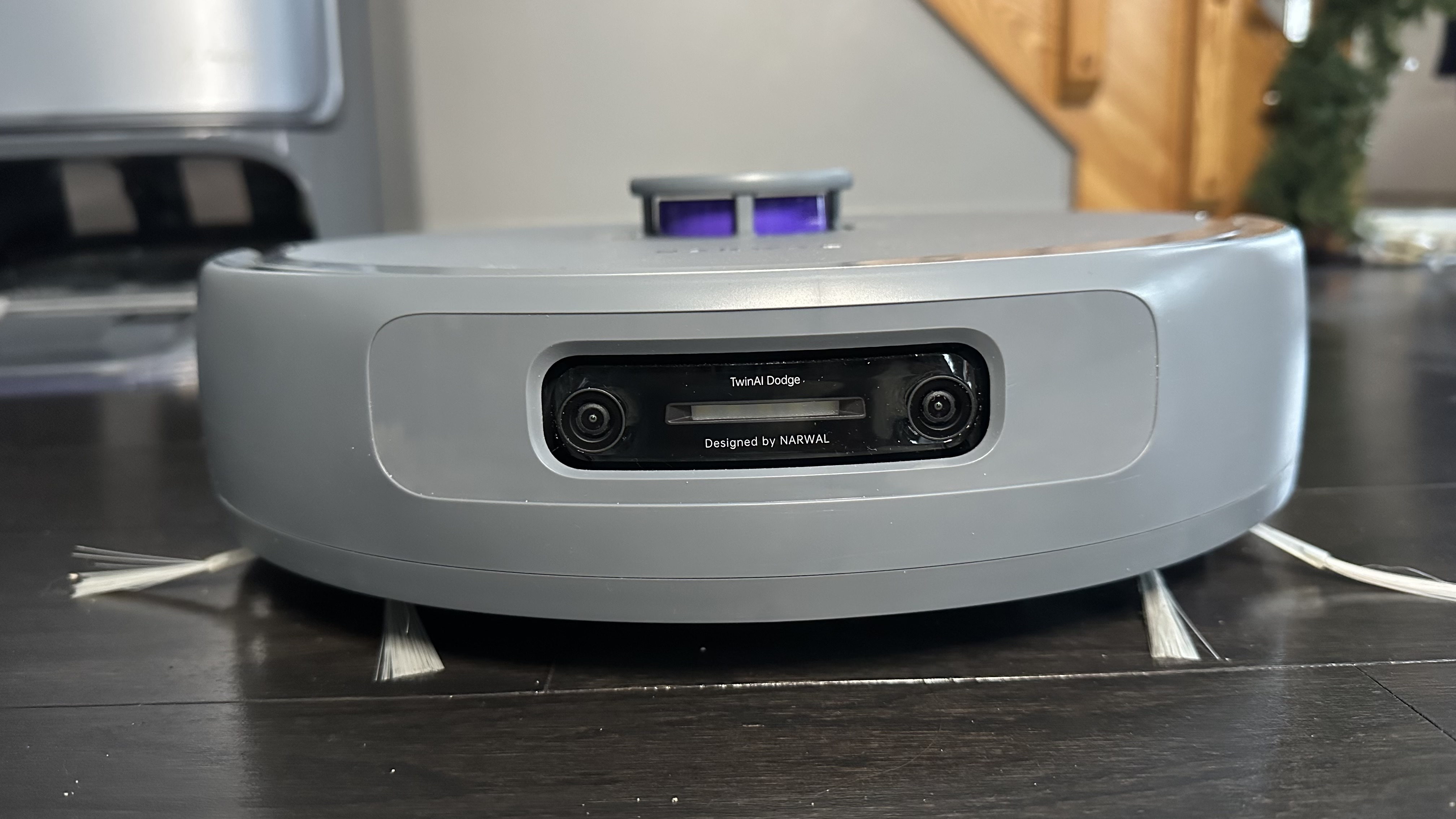
The circular design is typical of most robot vacuums, while on top is your traditional LiDAR puck, which spins inside its casing to help with mapping. Unfortunately, that sensor makes the robot vacuum a little too tall to fit under lower furniture, something other robot vacuums have addressed – models like the Roborock Qrevo Slim and Dreame X50 Ultra have retractable pucks that tuck in when the bot enters low-height areas. Within Narwal's own range, the higher-end Narwal Flow has its LiDAR module mounted within the body of the robot rather than sitting on top.
Other sensors include dual 136-degree cameras with dual AI chips, located at the front of the robot. These cameras also take pictures of obstacles or can be used to scan your space, similar to a security camera. The bot also comes kitted out with a bright light that automatically activates for navigation and obstacle avoidance in darker spaces. There's a further sensor on the side for even more assistance in navigating spaces.
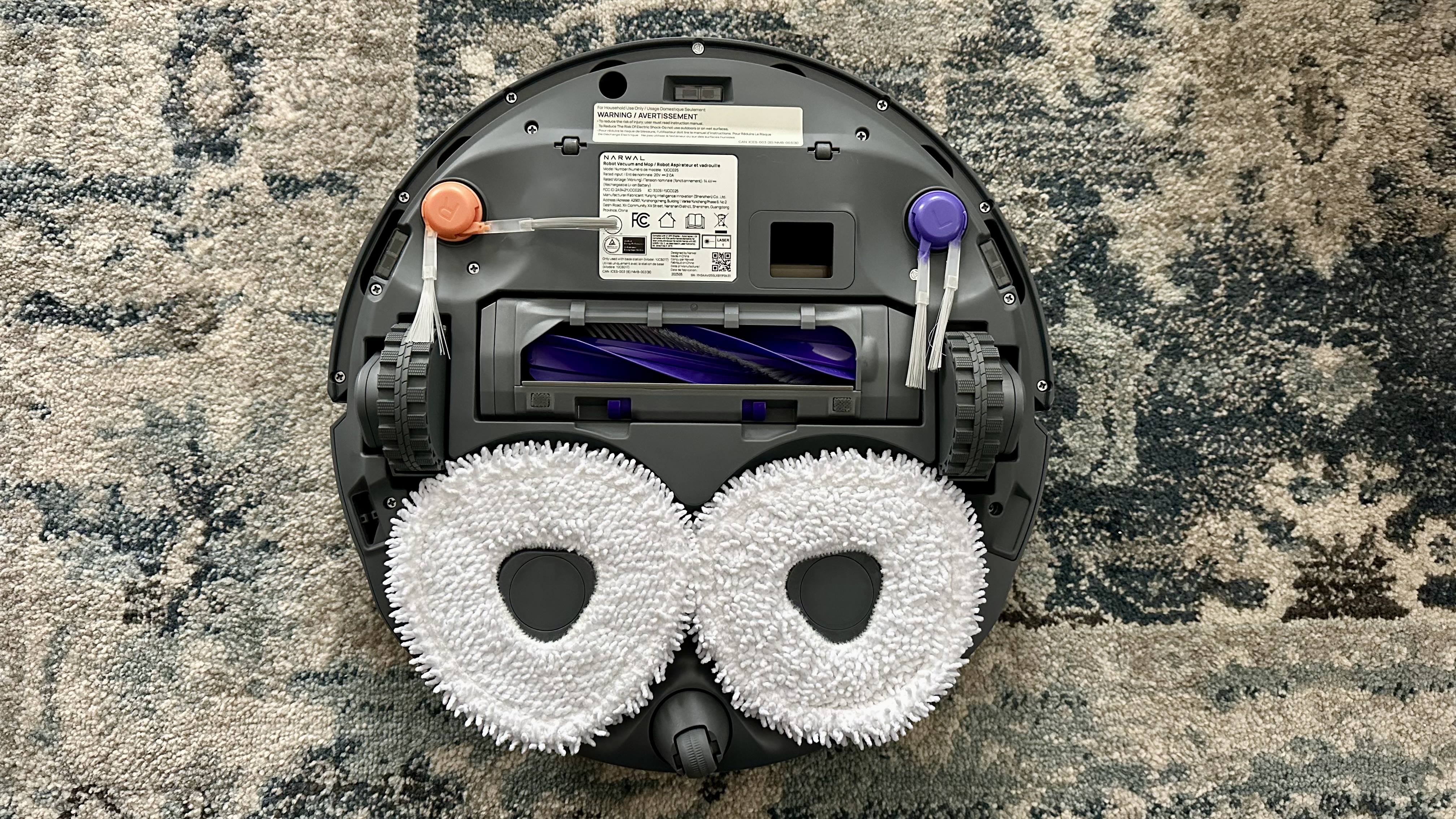
Flip the robovac over and you'll find the main roller, with rubber fins and short bristles suitable for both carpets and hard flooring. This also incorporates anti-hair wrap technology – given that I have a fluffy Keeshond constantly leaving clumps of hair around, this is a huge boon. The side brushes also feature detangling technology and have more movement than typical side brushes.
However, the most notable feature is the two triangular microfiber mops that velcro on. These mops spin at 180RPM, applying up to 8N of mopping pressure, and can also extend out to get into corners, edges, and hard-to-reach places.
Controls on the robot vacuum are minimal: on the top you'll find Start/stop and Return to dock buttons. Voice control can also be used to manage cleaning – Alexa, Siri, and Google Home are all supported. But like all robovacs, you'll probably be mainly controlling it using the Narwal app.
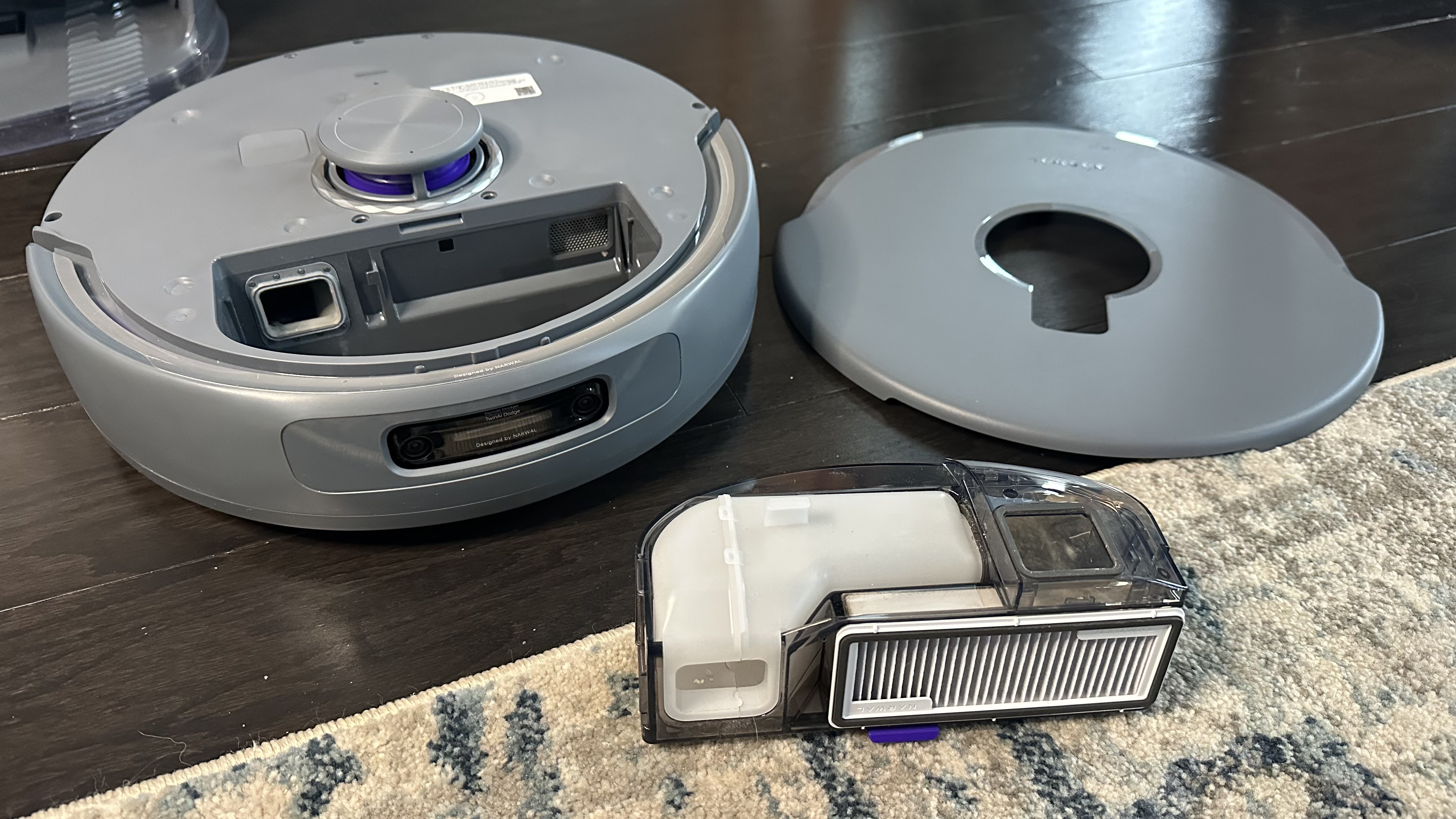
An easily liftable magnetic cover hides the onboard dustbin. This is an average size for robot vacuums and can easily be removed for manual emptying if required. Rather unusually, it features a special insert to separate wet and dry debris.
Also unusual is the fact that this robot vacuum doesn't have a water tank on board. Instead, the mops are loaded up with warm, soapy water at the base station, and a consistent amount of water is spread about the floor during the cleaning.
Base station design
Moving on to the base station. This is large, occupying a considerable amount of space, but I loved the space gray finish and soft, rounded edges. A special ionized water feature bubbles and illuminates a little bar when cleaning the mops, adding a nice space-age touch.
The Freo Z10 Ultra base station is packed with features. On top is a flip-to-open hinged lid featuring a tiny LCD that allows you to send the vacuum out without using your phone. It can turn the AI-powered "Freo Mind" mode on/off, recall, start/stop, and start mop washing/drying. However, I reviewed the Narwal Freo in 2023, and that older model's touchscreen was easier to use and allowed you to do far more. I was disappointed by the downgrade, but it's still a unique feature that I've only ever found on Narwal's robots.
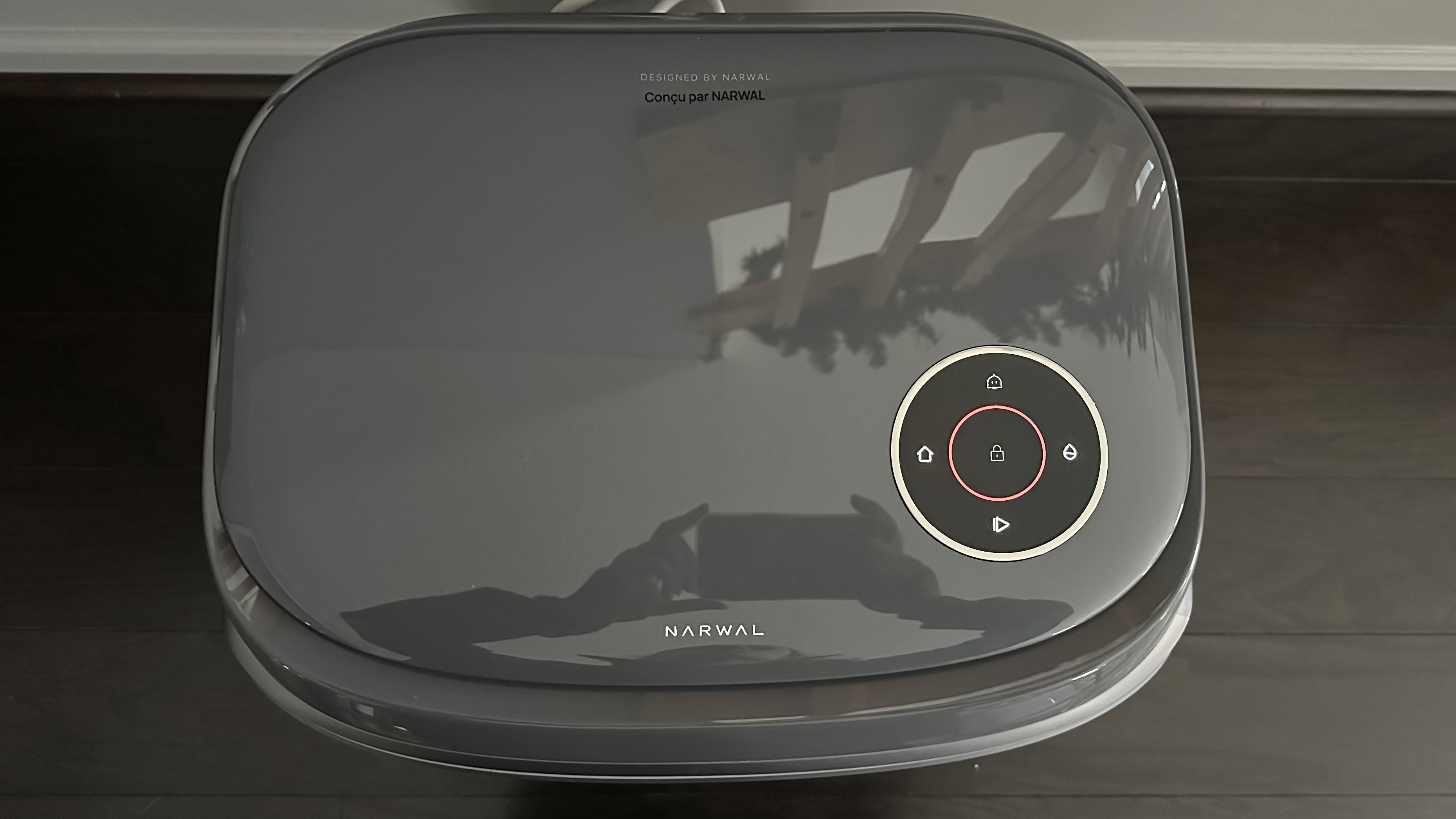
Once you open that lid, the clean and dirty water tanks with handles are revealed and simple to take out for filling or emptying. Around front is an easy-to-remove magnetic cover that reveals the dust bag and detergent mopping solution (you can still use the mops without the detergent installed).
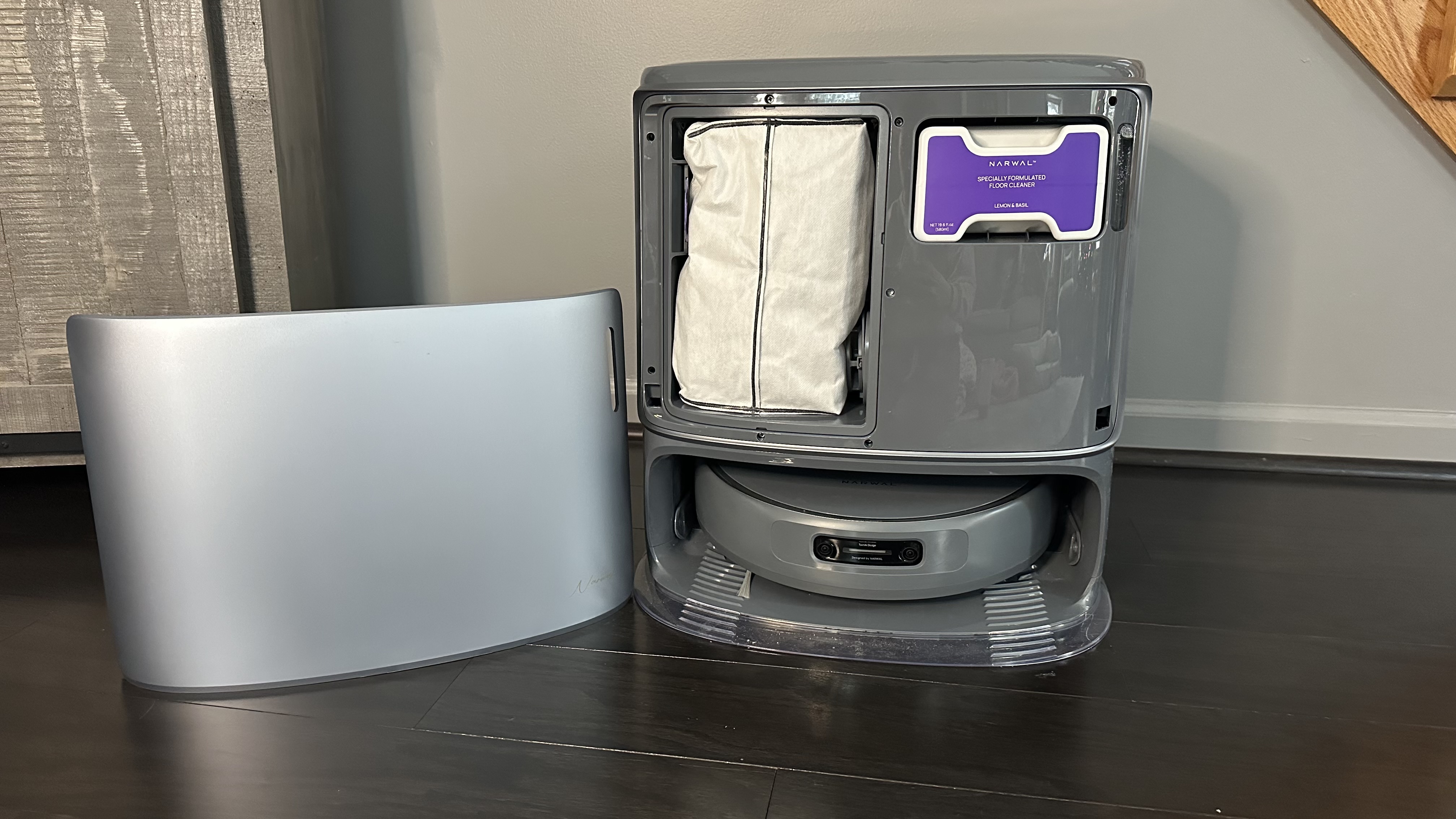
In the bottom compartment, where the robot vacuum resides and charges, is a mop washing station. AI detects the type of dirt on the mop and cleans it at different temperatures. After cleaning the mops, hot air drying helps prevent bacterial growth. Another unique feature is pre-drying, where the vacuum's dustbin content is dried before being emptied into the dust bag in the base station, preventing odors and bacterial growth. The dust bag in the dock can also be dried. It's a cool addition, but not a feature that I personally care about (or even think about) when it comes to my robot vacuums.
- Design score: 4 out of 5
Narwal Freo Z10 Ultra review: performance
- Sold vacuuming for everyday use, but struggles with large spills
- Excellent mopping but uses a lot of water
- Doesn't reliably follow instructions, and "smart" features make things worse
Similar to just about every robot vacuum I've tested, you must start by mapping your space. That means connecting to the Narwal Freo app and Wi-Fi. The app guided me through the connection process, and although it failed to connect on the first attempt, the robot was ready to proceed after the second try.
I sent it out to create a map of my space, and it took about 10 minutes. However, upon return, the map wouldn't save. It appeared to navigate my space with ease, avoiding furniture, obstacles, and even a step into the family room. I did the process over and over again. Eventually, resorting to a handful of problem-solving techniques, like restarting it, changing base station positions, and more.
Little did I know that a cover over the dual cameras with AI chips would prevent the map from saving. After finally coming to this realization (with some research help from Reddit), the robot vacuum went out for a final time; it took about 15 minutes, and the map was finally saved.
I was impressed by how accurate the map was. While it didn't divide all the rooms perfectly, almost every space in the lower floor of my home was included, noting some furniture, obstacles, and even floor types. It missed a small bathroom, but I believe that was due to a fluffy rug blocking its path. The family room was also not included, as a step down was required to access it. Luckily, you can save multiple maps, so in addition to the lower level, I created maps of the upper level of my home and the family room. To clean these spaces, I had to move the robot vacuum to a specified starting point since the base station was inaccessible.
I learned the hard way about an extremely frustrating setting regarding the maps: you must adjust settings to vacuum on carpeting and rugs. I failed to do this, and the robot would literally just go over the carpet or rugs during vacuuming tasks without vacuuming them. Even massive area rugs and the carpet that covers nearly the entirety of the upstairs would be ignored during vacuuming. I had to go through and individually change the settings on all the rugs and carpets on the app's map to actually get them vacuumed. This is not something I've experienced with any other robot vacuum.
The Narwal Freo app has a menu of different cleaning options: Mop, Vacuum, Mop & vacuum, or Mop then vacuum. With each of those cleaning options, it's possible to select a specific mode. "Freo Mind" intelligently adjusts the cleaning parameters based on the floor type and dirt levels, while "Customize" allows you to fine-tune suction levels, mopping water levels, coverage precision, and more myself. You can either select rooms or highlight zones for the robot to clean.
Navigation and obstacle avoidance
During my average, everyday cleanings, the Narwal Z10 Ultra easily navigated my space. The lower level of my house consists of hardwood, tile, and laminate flooring, along with numerous medium-pile rugs, as my dog is afraid to walk on hard flooring.
Even on rugs that were accidentally lifted, the robot managed to move around the obstacle and continue the task. Rescuing was only required a couple of times, which is impressive given the clutter in my home. The map on the app even noted the obstacles encountered during a cleaning, taking pictures of items in the way. I have shots of shoes, cables, and a few hilarious candids of my dog being a little too curious.
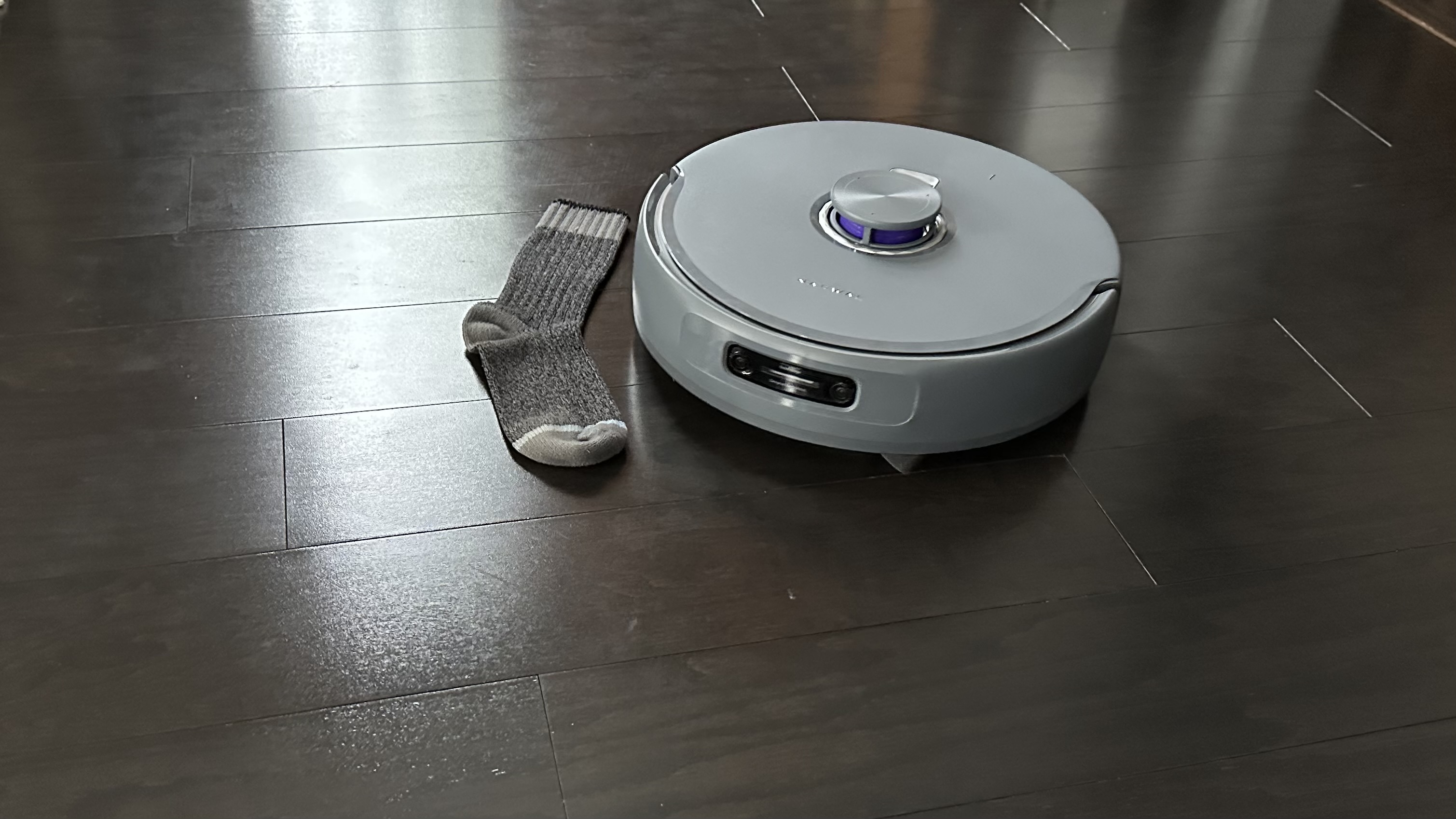
I also ran a special test for object avoidance. During these, the vacuum successfully went around a sock, but then managed to vacuum up a shoelace and a charging cable simultaneously, despite having already noted these obstacles on the map. I'm not sure what happened, and I was disappointed by the results.
This test was likely a fluke. I never had a problem during my regular cleaning tasks, during which the bot successfully avoided multiple shoes, cables, and a whole host of other items. The Freo Z10 Ultra also navigated around larger furniture and bigger obstacles like a champ.
In fact, my only real complaint about the obstacle avoidance was that it was sometimes a little too meticulous. Specifically, I had an issue with mopping around rugs. The robot consistently lifted its mops when going over a rug and never got any rugs wet, but it also left a large, unmopped margin around the perimeter of each rug. If two rugs were situated close together, it wouldn't mop the area between them at all.
Also, the robot struggled to detect when a rug had been removed. So even when I wanted it to mop an area where the rug used to be, it would still skip that spot and leave it uncleaned.
Mopping performance
Aside from being over-zealous about avoiding rugs, in general the mopping performance was surprisingly good, and especially effective when it came to tackling cleaning edges and corners. The lack of edge mopping was a notable issue on the Narwal Freo Z Ultra that TechRadar reviewed in 2024. However, the new extension feature managed to get into those harder-to-reach places, such as under kitchen cabinets.
Due to the lack of an on-robot water tank, the robot would frequently return to the base station for mop cleaning, adding to the total cleaning time. Luckily, the vacuum had an impressive battery runtime; it lasted nearly 2.5 hours before reaching 15% power and needing to return to the base station to recharge. That was plenty of time to vacuum & mop the bottom floor of my house. Recharging back to 100% only took about 3 hours, which is far faster than other robot vacuums I've tested.
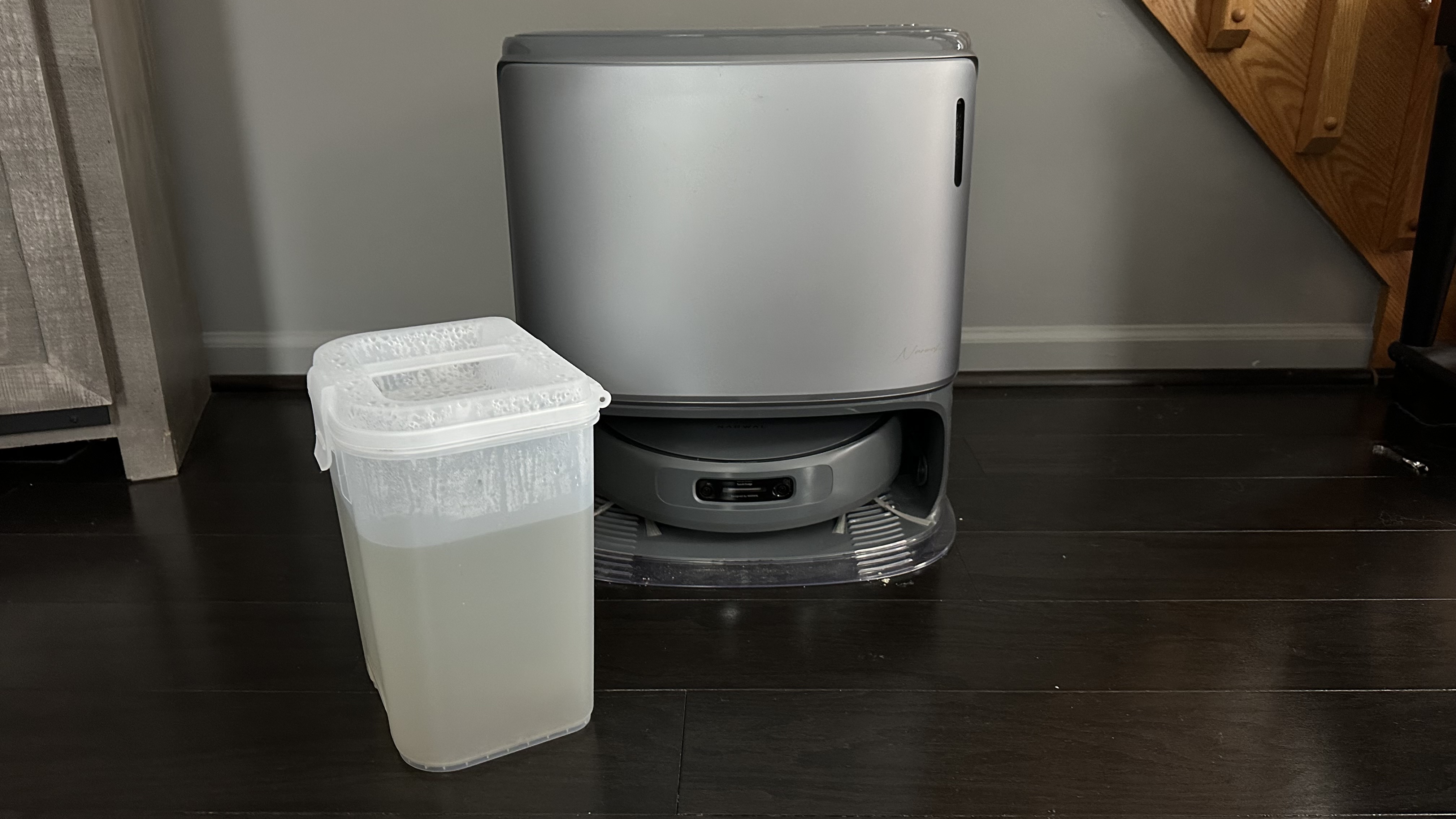
The mops really had their work cut out for them, too. During my review period it was snowy where I live in western New York, and my dog was constantly traipsing mud and snowballs all around the house. The mops easily picked up the muddy spots and wet puddles left in her wake. It also had no trouble tackling everyday messes including coffee drips, dried yogurt, and other smaller food spills. When emptying the dirty water tank on the robot, I could see just how well the mops were doing their job.
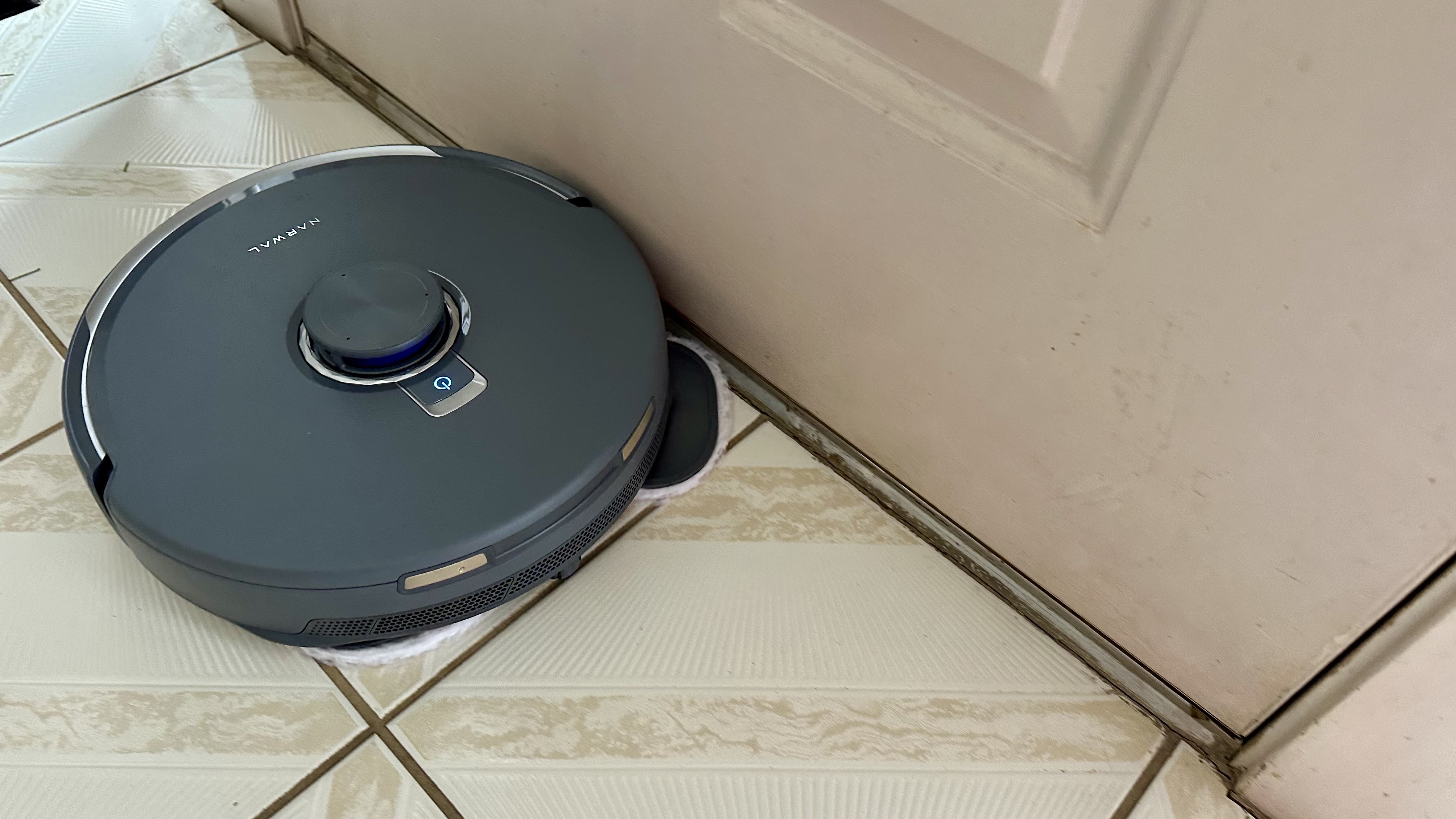
I also put the mops through more intensive testing. I poured a big puddle of water on the tile in my corridor, and sent the robot out to 'Vacuum & mop' that exact zone using the Freo Mind mode. Unfortunately, the robot didn't detect the water and simply ran right through the puddle, failing to activate the mops and instead spreading the water all around.
Sending the robot out to just 'Mop' rather yielded much better results, as the water was spread evenly around the floor, allowing the puddle to dry faster than it would have done. However, this wouldn't be ideal if the spillage had been, say, milk rather than water.
For a second test of the mops, I spread ketchup on the kitchen laminate and allowed it to dry. Using the Freo Mind and 'Mop' settings, I sent the vacuum out to clean up. While Freo Mind mode is meant to detect messes, analyze dirty water at the base station, and adjust accordingly, it didn't seem to notice the ketchup, mopping up only a small amount before calling it quits and returning to the base station after just one pass.
I sent the robot out a second time, but this time I used 'Customize' mode rather than Freo Mind, and selected the highest mopping level – 'Wet mopping'. The result was significantly better. Almost all the ketchup was removed in the first pass-through, while the second pass got the rest of the ketchup off the floor.
Vacuuming performance
After I'd figured out how to get the bot to actually clean my rugs, the Freo Z10 Ultra's everyday vacuuming performance was generally great. It did a solid job of clearing most light debris, such as dog hair, crumbs, and pine needles, from both hard floors and medium-pile rugs. Not every speck of dirt was gone every time, but it definitely performed better than some other robot vacuums I've tested.
The main brush and side brushes feature anti-tangle technology, and it worked wonderfully. All the brushes had virtually zero hair wrap at the end of my testing period. That's a huge feat considering my dog and my own long hair.
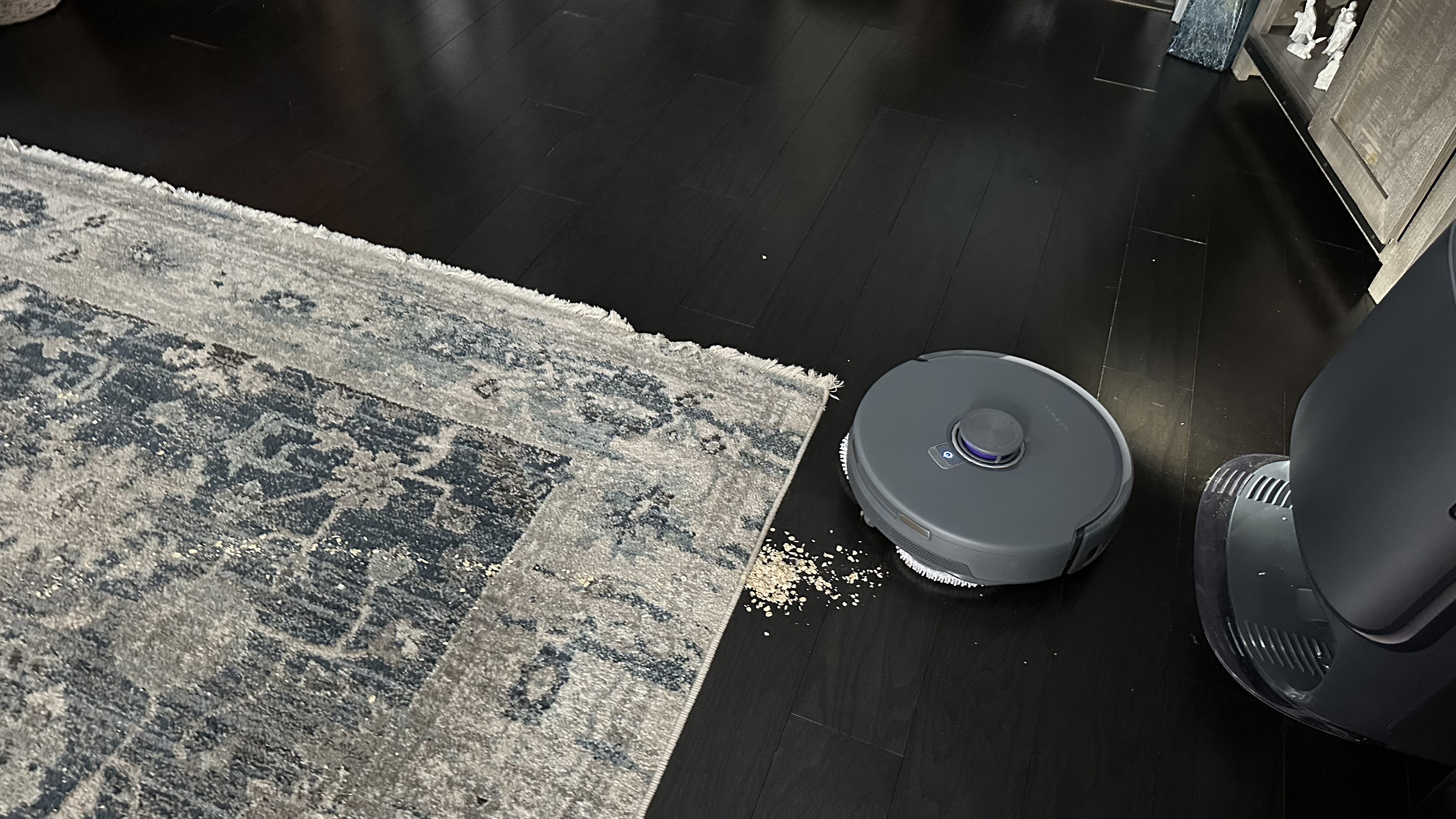
It's not quite perfect, though. When traversing rugs on its way back to the base station, the Freo Z10 Ultra would occasionally spit out some of the debris it'd just cleaned.
I also found it wasn't amazing at vacuuming the edges of rooms, especially around the kitchen cabinets, where the robot was just a little too tall to fit under the overhang. Those spots were still littered with crumbs and debris even after multiple cleanings.
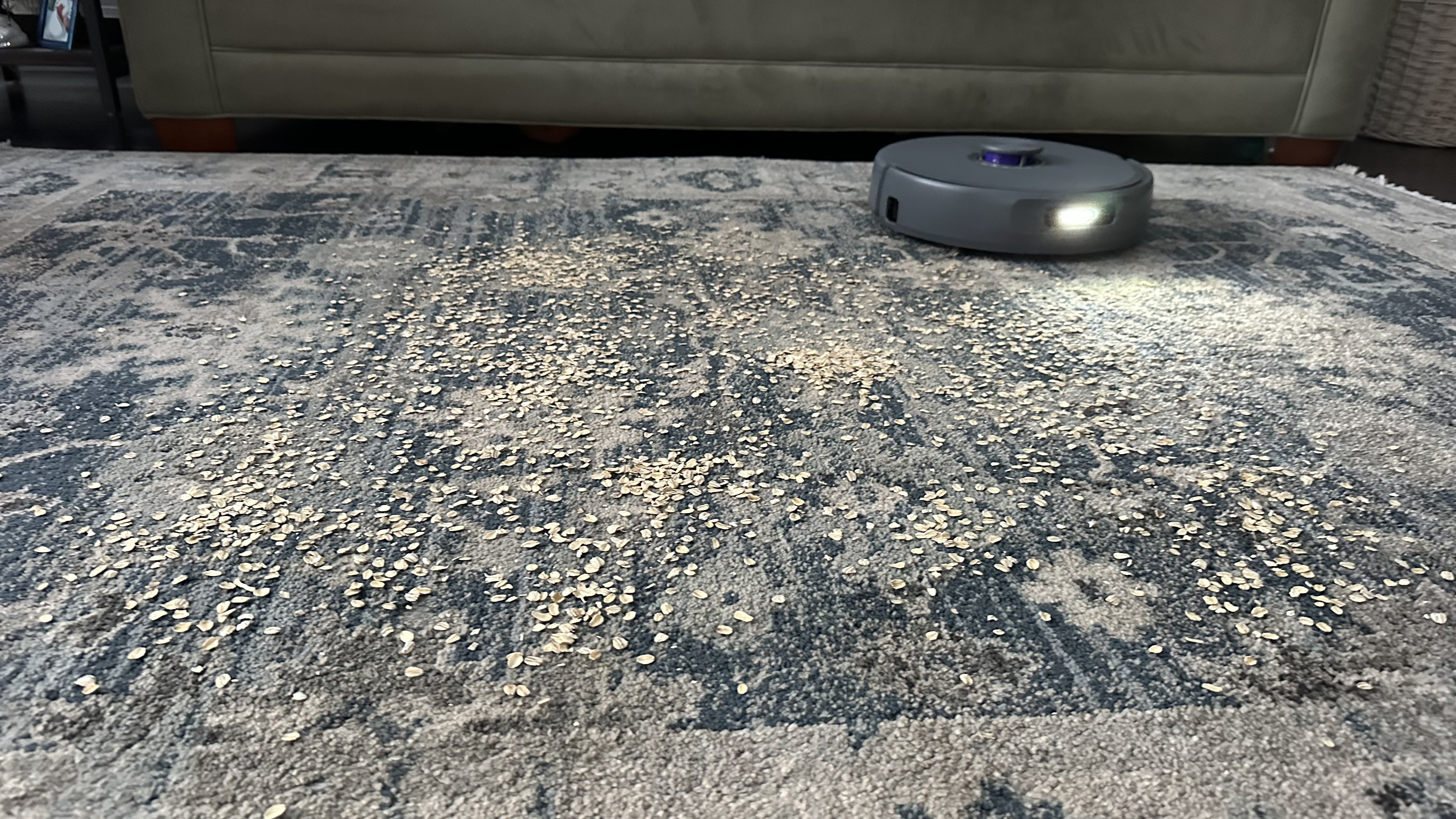
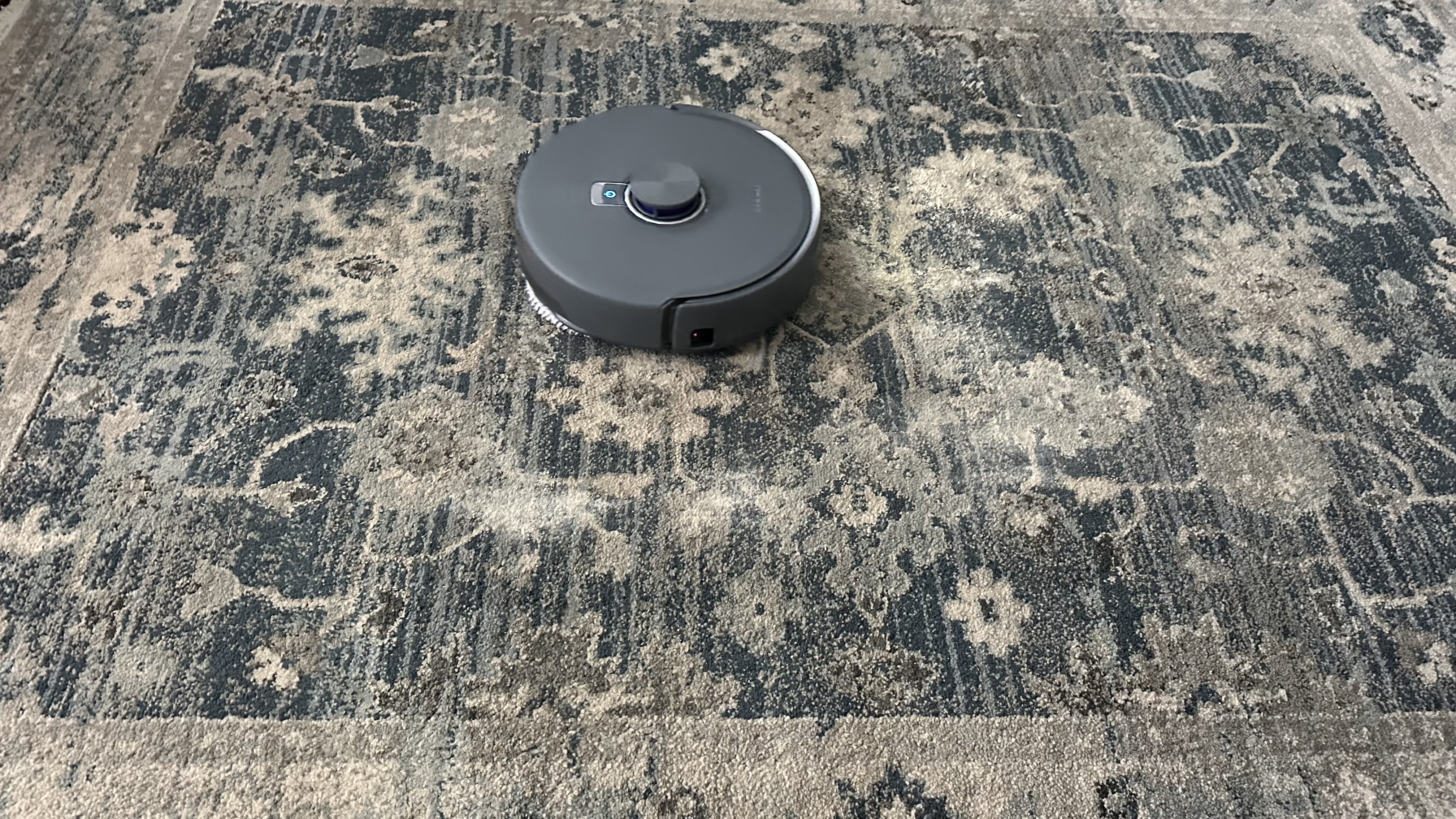
Just like the mops, I performed more intensive testing of the vacuum functionality. One test used a mix of ground-up biscuits and flour to represent dust and fine particles, and another used oats to represent larger debris. I spread the messes out in a one-meter area of the hard floor and on medium-pile carpet, setting each area as a 'zone' for the vacuum to clean using the app.
The vacuum struggled to pick up the biscuit and fine particle mess from the hard floor. At the lowest setting, 'Quiet', it picked up about half, and spread the rest of the mess around, causing it to end up well beyond my outlined cleaning area. Even with three passes using the highest setting ('Vortex'), the mess wasn't completely removed. That's not great – you don't need much suction to clean hard flooring.
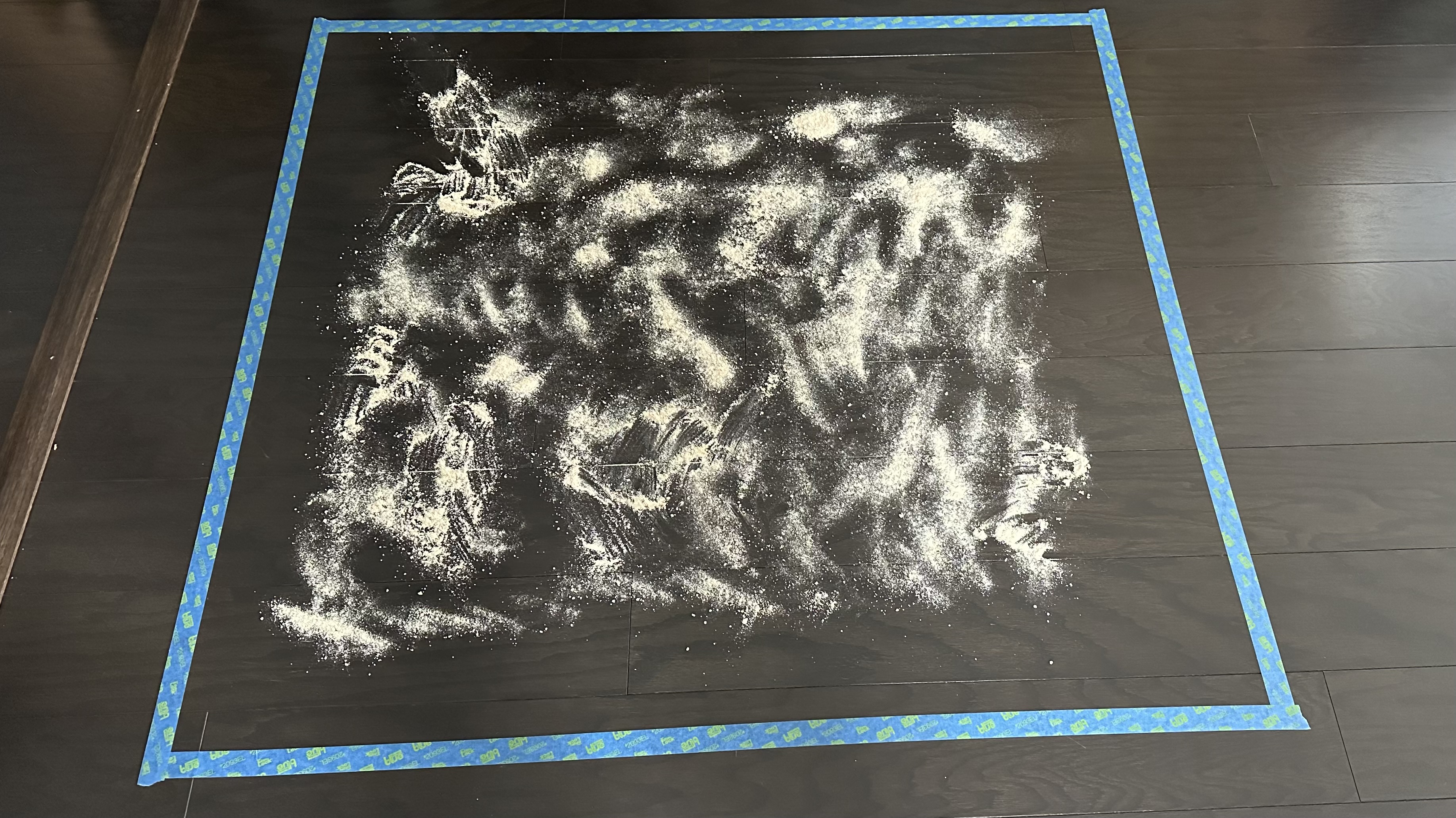
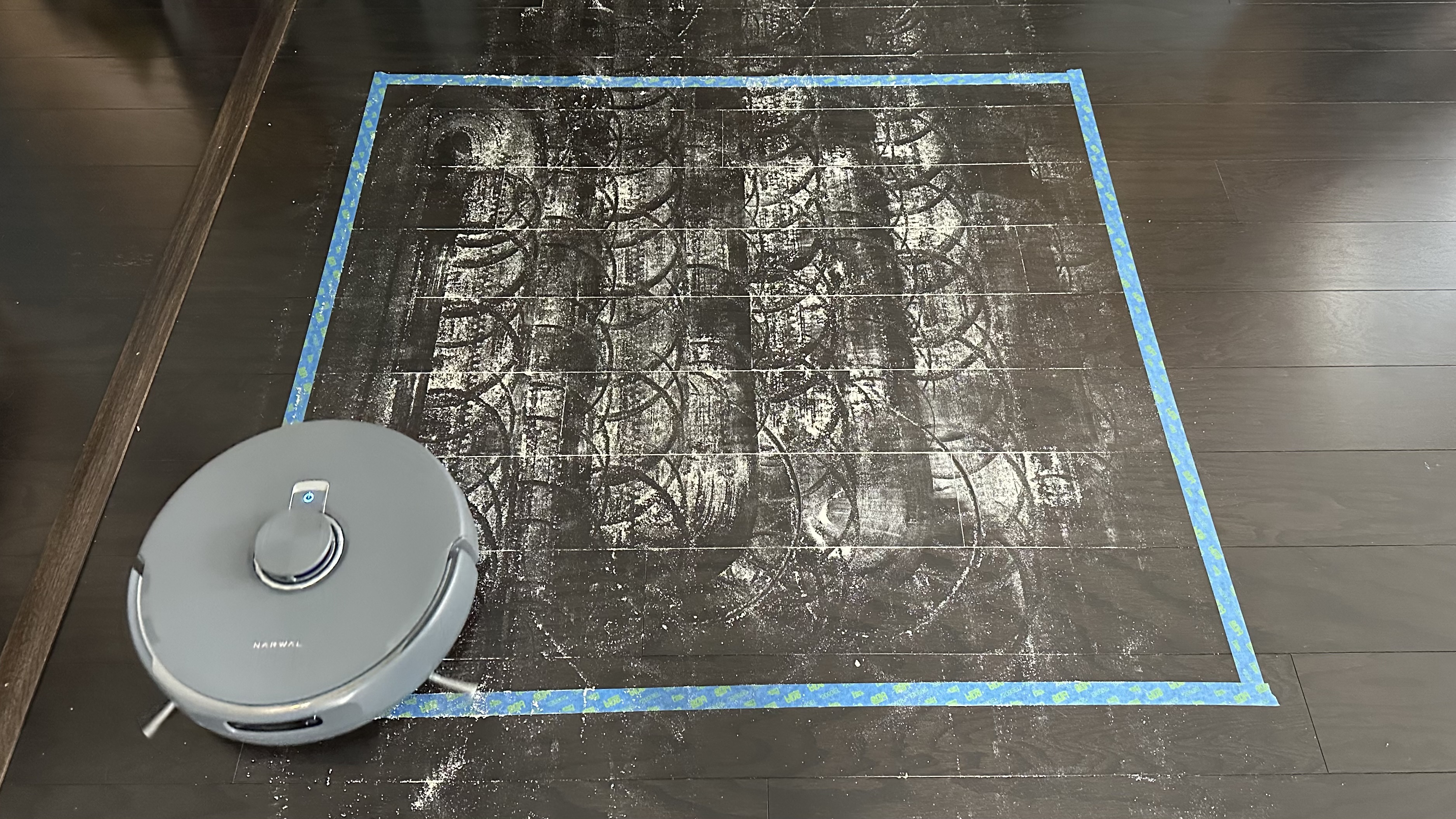
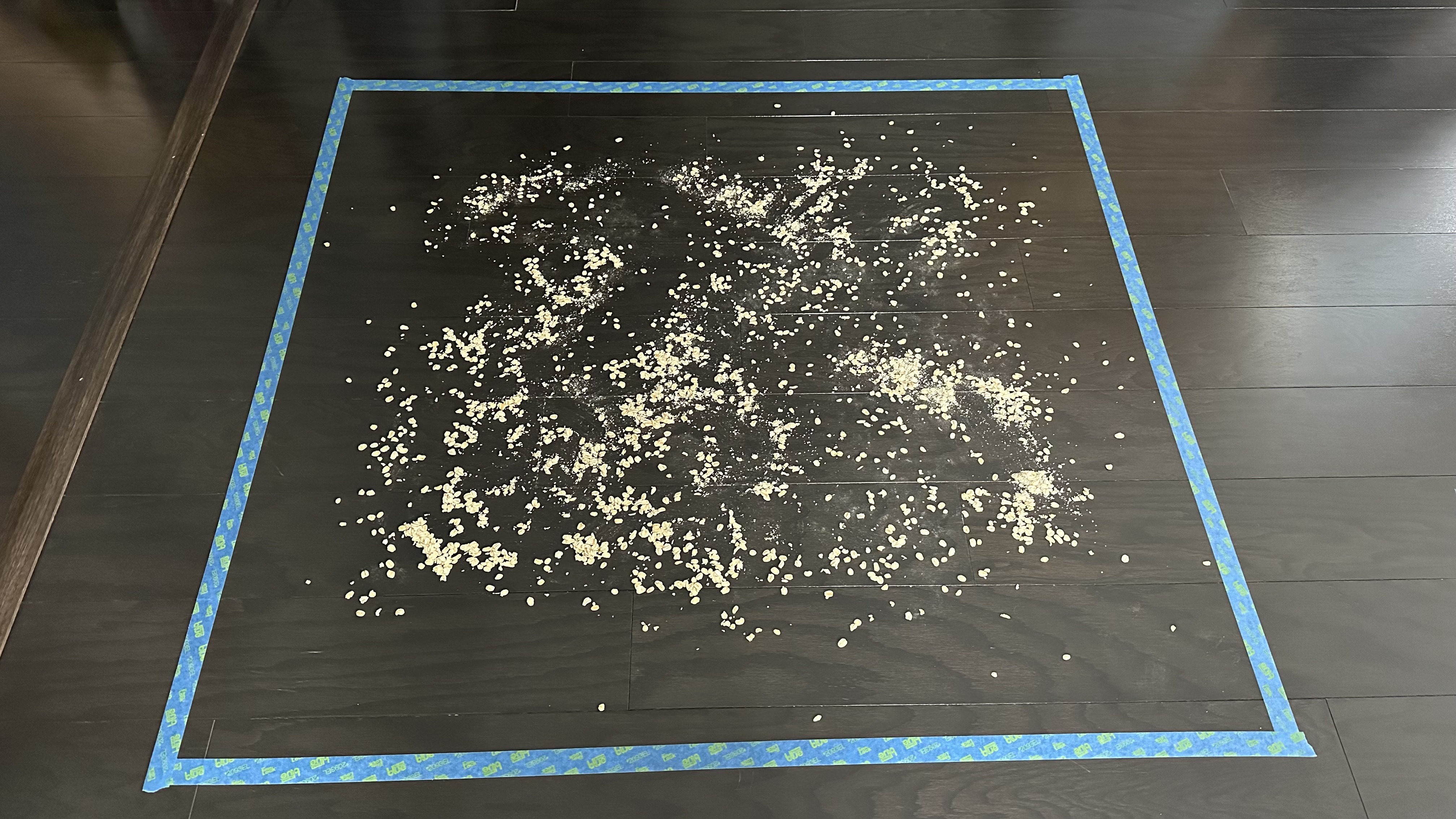
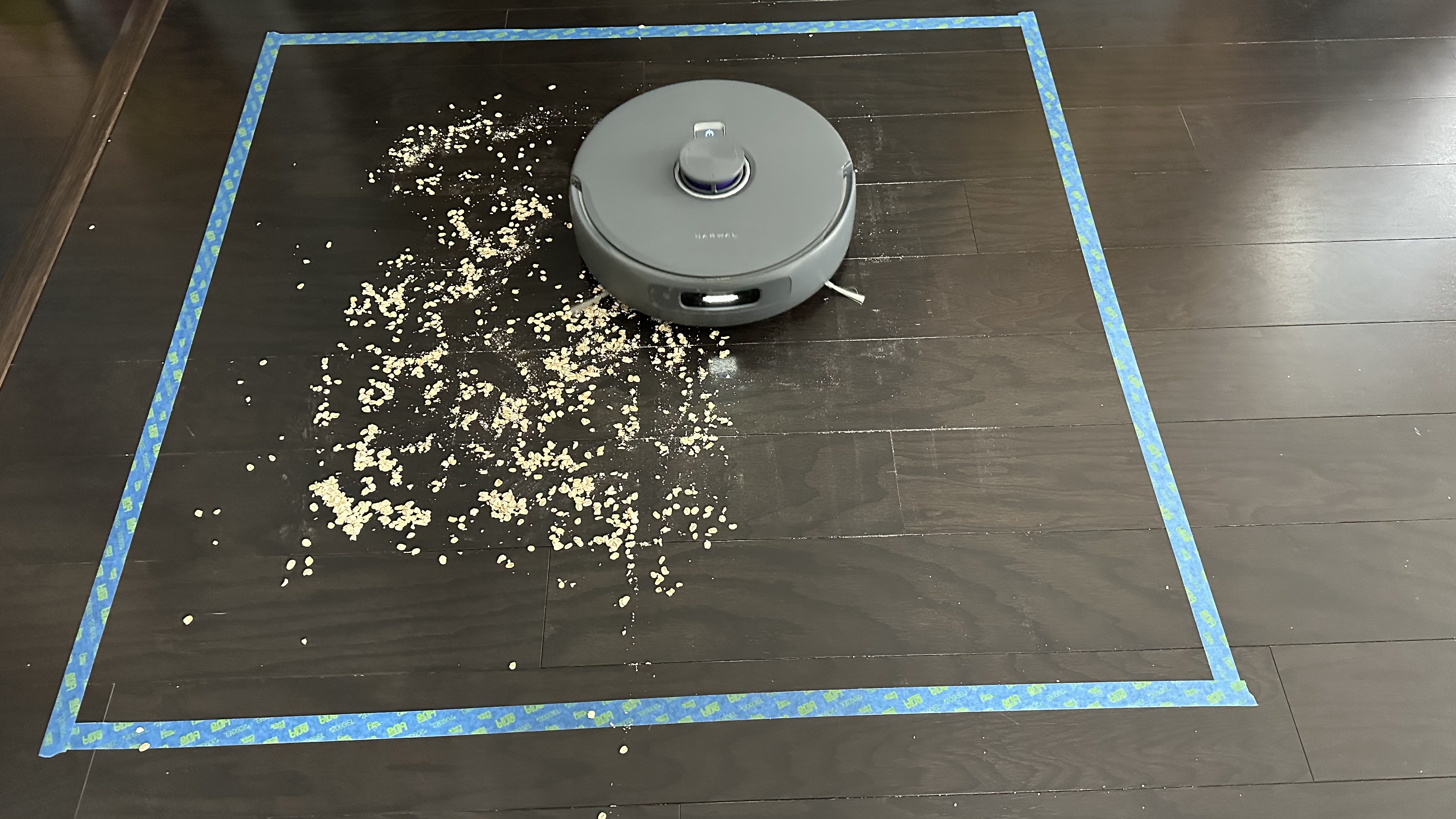
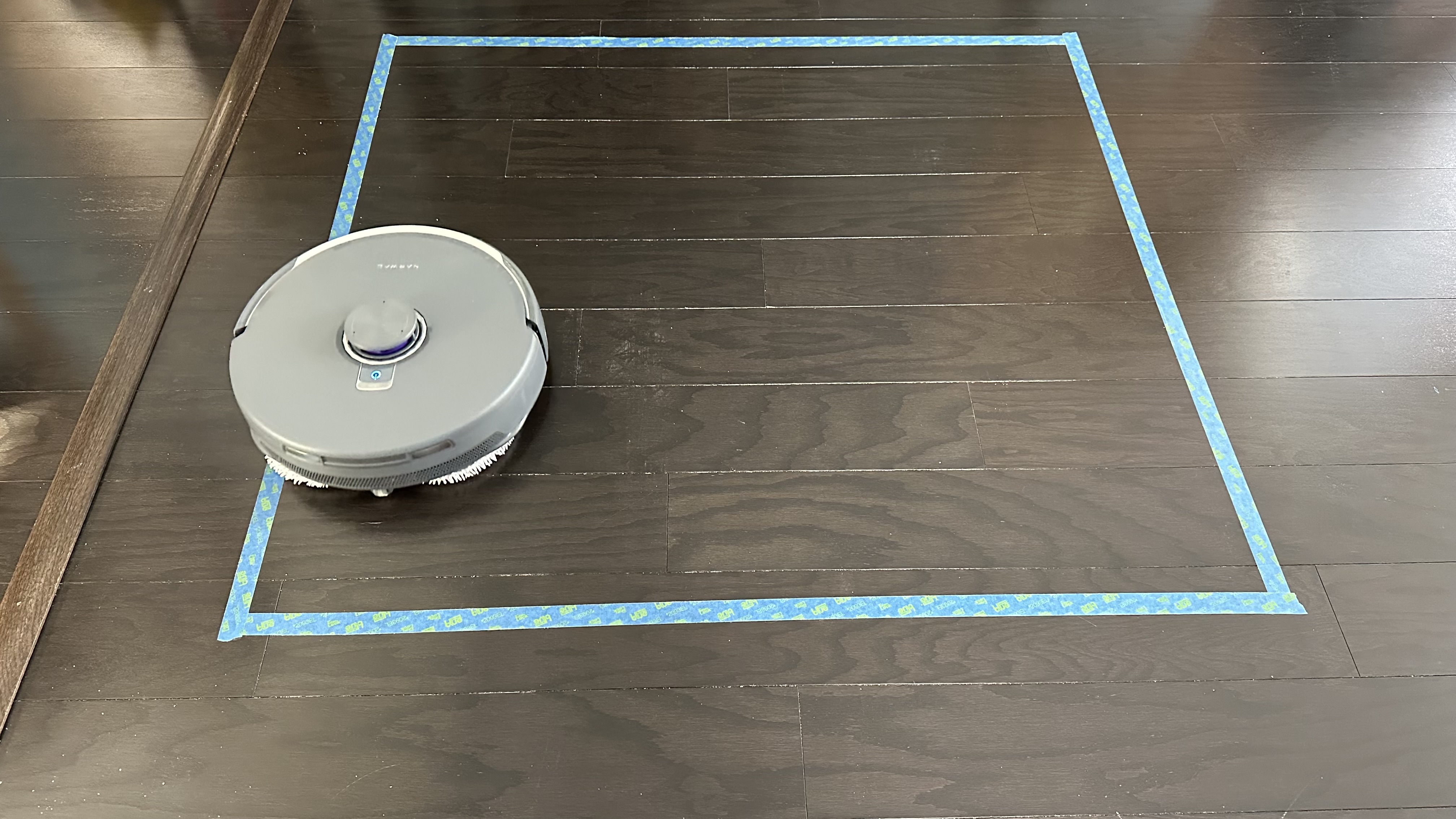
Luckily, the robot vacuum's performance with oats on hard flooring was much better – even in 'Quiet' mode, it picked up almost all the oats. I noticed that the side brushes weren't moving, which helped keep the mess contained. However, the smaller, dust-like oat particles weren't as easily cleaned up. Still, after deploying the most powerful suction level, nearly everything was cleared up.
These same tests yielded similar results on carpeted floor, except here the fine biscuit and flour mixture ended up ingrained into the rug. The side brushes also kicked the oats around more than they had on hard flooring, which was a surprise.
In the end, I had to grab my upright vacuum to clean up the mess on both types of floors. While these test results might not seem ideal, a robot vacuum would rarely be required to vacuum up such a concentrated level of debris. When it came to general vacuuming performance, I still found it to be above average for robot vacuums, particularly when cleaning rugs and carpeting.
Dock performance
When it comes to maintenance, upkeep is effortless. The base station washes and hot dries the mop to prevent bacteria and odor. Even after a couple of weeks of use, the mopping pads had no odor and looked almost as good as new. Just note that this base station appeared to guzzle water, and I regularly had to empty the dirty water tank and top up clean water.
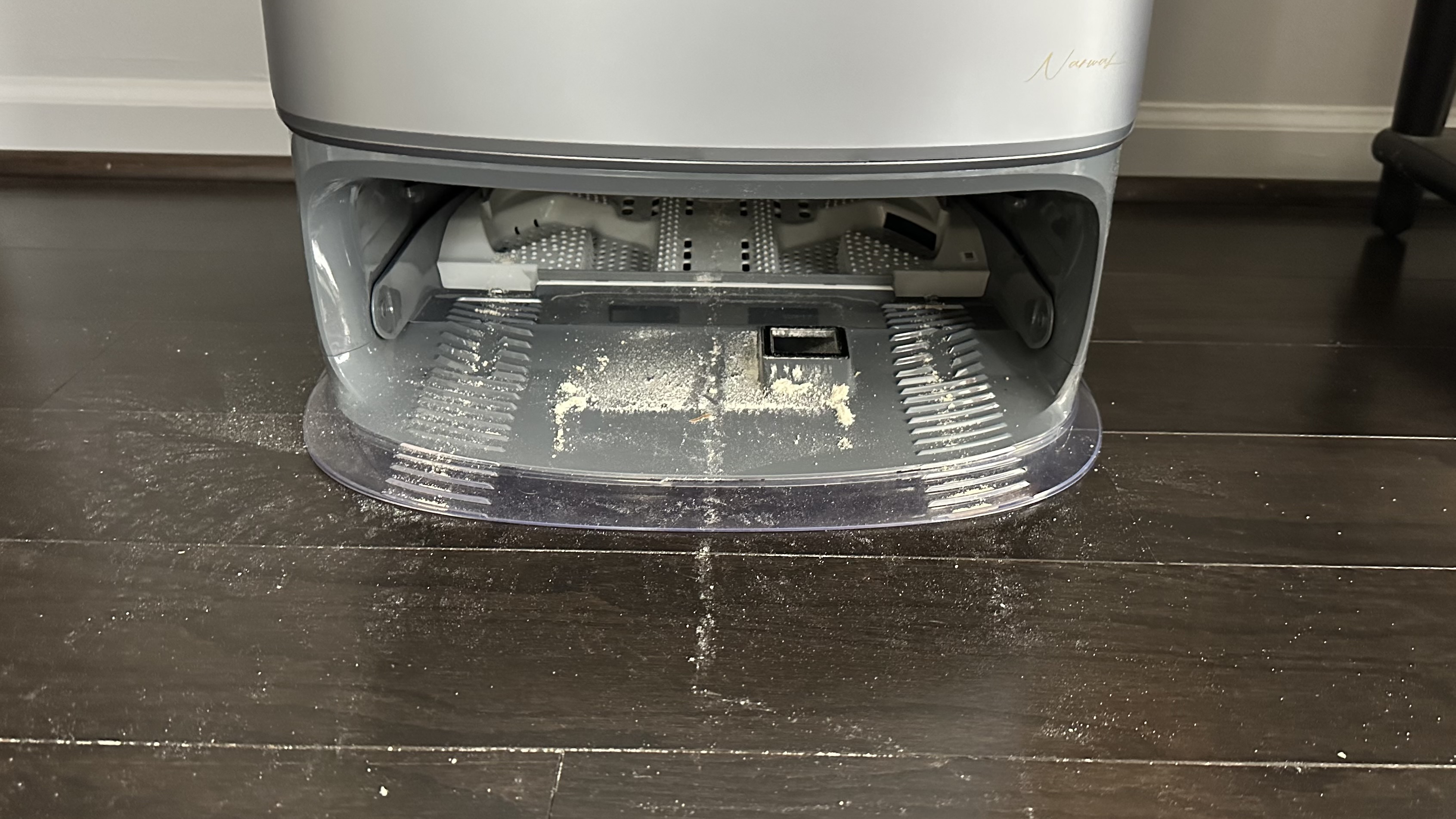
Like many robovacs, the Freo Z10 Ultra has the ability to auto-empty its onboard bin into a larger bag in the dock (which should hold around 120 days' worth of dust). To start with, I used the "Smart empty" mode where the robot should figure out when it needs to empty itself.
However, in practice the bot didn't always empty when it needed to. In fact, even after toggling settings in the app so it would empty after every clean, it remained hit-or-miss whether the auto-empty would kick in.
This could be due to the – in my opinion, unnecessary – dustbin/bag drying and disinfecting happening in the base station. Bacterial growth has never even been a concern when using robot vacuums, and this disinfecting process took more than five hours to complete. At least when the self-emptying did happen, it worked efficiently, with all the contents of the onboard bin being removed.
Smart feature performance
Overall, I've found the Freo Z10 Ultra's 'smart' features to be more of a hindrance than a help. Beyond the not-so-smart auto-emptying, the Freo Mind mode would often lead to entire rooms or zones being skipped during cleaning, even when I specifically selected to have these spaces mopped and/or vacuumed. I also found that bigger messes didn't get the extra attention required, even though this mode is designed specifically for that situation.
Even without Freo Mind mode activated, the vacuum would sometimes fail to complete tasks. On multiple occasions, I sent the vacuum to clean a room, and it would only clean a small area before returning and claiming the "task completed". Sometimes, it would just roll out of the base station and immediately return. It was extremely frustrating to deal with.
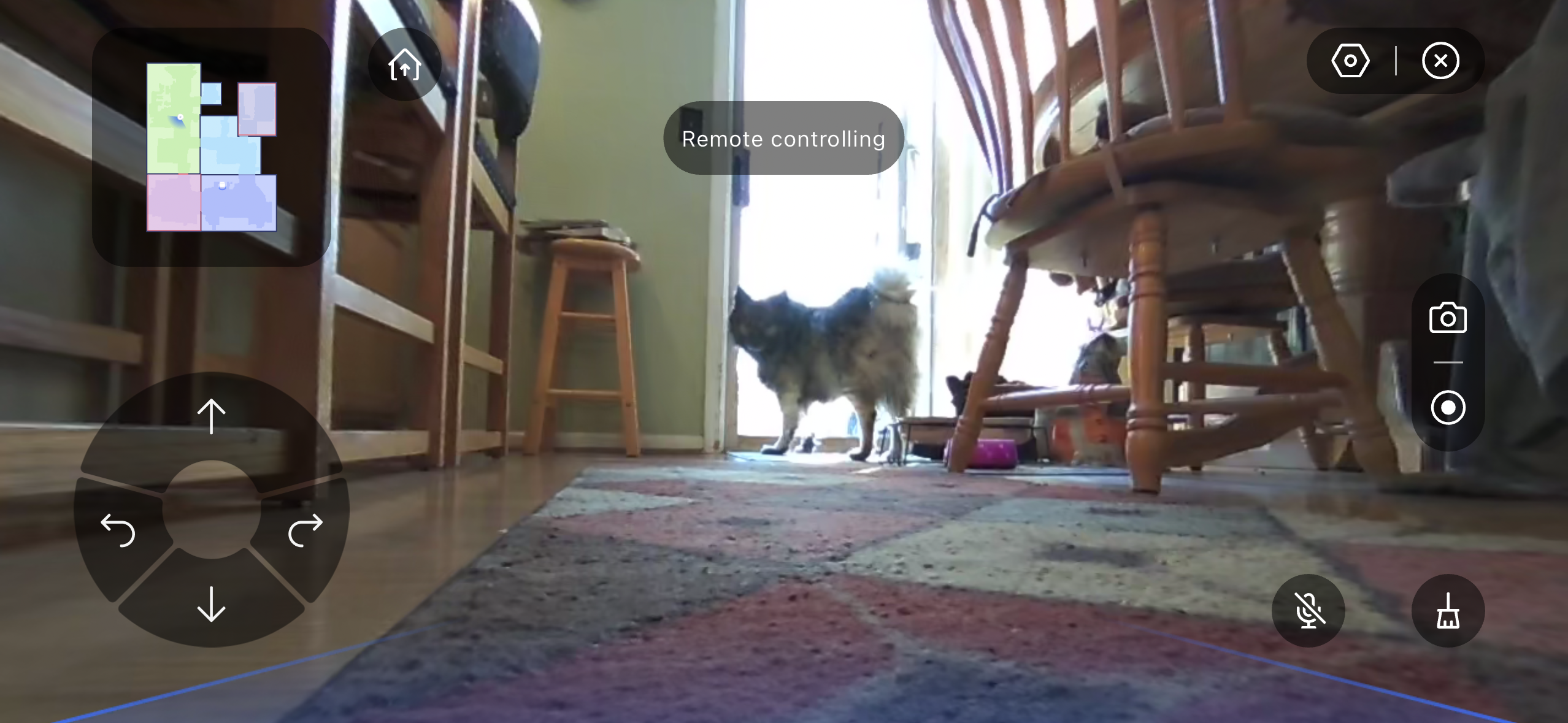
Not all the added features were flops. I appreciated the video mode that lets you use those dual AI cameras like a security camera. The robot vacuum can be controlled similarly to a remote control car, traversing your space, and allowing you to spy on your home. It was great for checking in on my dog when I was out of the house.
Noise levels
As someone sensitive to noise, I found the sound levels on the robot vacuum to be tolerable, averaging 60dB when vacuuming and mopping. It's significantly quieter than an upright vacuum, sounding more like a wall unit air conditioner. However, the base station's emptying is much louder and always surprised me when it happened, reaching nearly 80 dB. Luckily, when drying/cleaning the mops and dustbin/bag, the base station was extremely quiet, blending with other house noises.
- Performance score: 3 out of 5
Narwal Freo Z10 Ultra review: app
- Ample customization options can be overwhelming
- Some basic features are hard to find, even for an experienced user
- Saves multiple, easy-to-edit maps for multi-story homes
The Narwal Freo app has a lot to offer, but it isn't as intuitive as I would've liked. I found all the different functions, features, and customizations overwhelming – and I imagine even more so for robovac novices. Even after several years of testing robot vacuums, I still had to resort to Reddit to figure out how to change certain settings (like carpeting vacuuming) – some features are buried deep within the app and easy to miss.
As I noted, the combination of a LiDAR scanner and AI cameras on the vacuum created a decently accurate map of my space. Within the app, it's easy to merge rooms, split rooms, rename rooms, update floor material, set no-go zones, and more. Other furniture, rugs, and obstacles can be marked, but it's hard to get the position of these items 100% accurate – and not really necessary. A 3D map is available, but I've never found these maps useful. I also saved multiple maps for different levels of my home, a huge boon for those in multi-story houses.
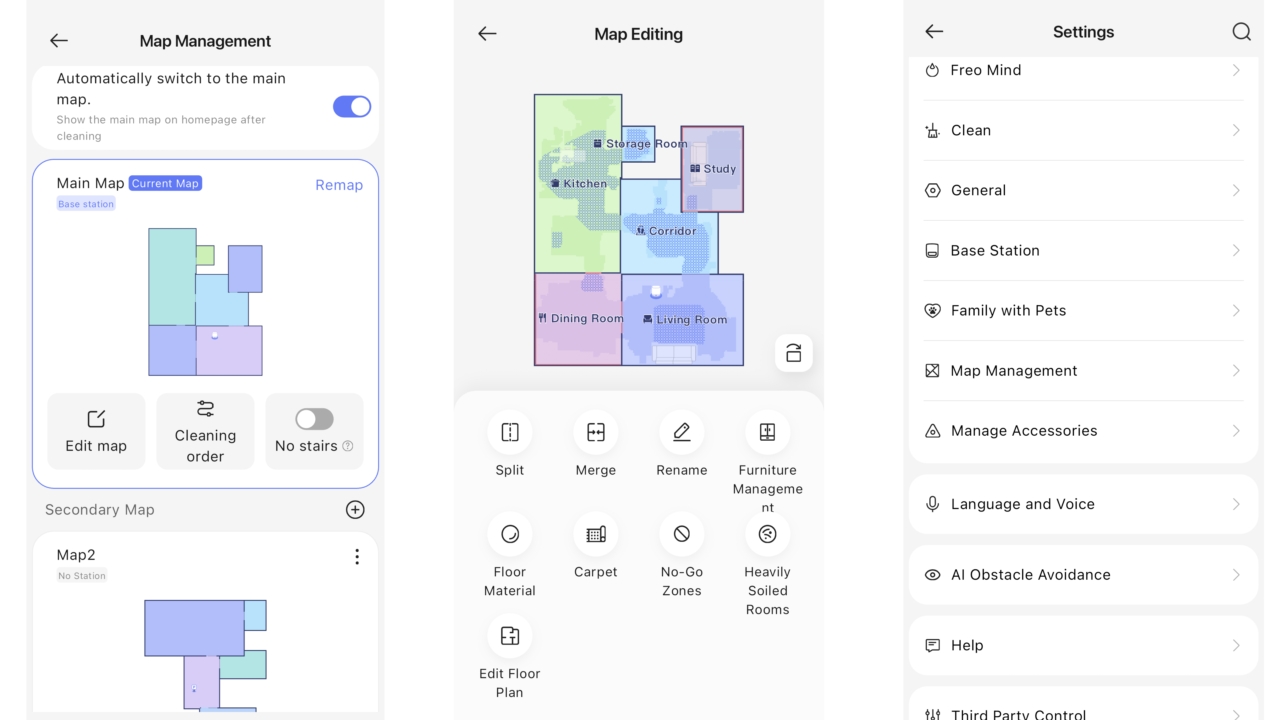
Adjustments to cleaning parameters, such as suction level, mopping humidity, coverage precision, and the number of passes, are all fairly straightforward. Theoretically, the Freo Mind mode should take care of making those decisions for you, but in testing, this mode didn't perform as expected, and I found manual selection was by far the best option.
It's possible to create cleaning schedules or provide shortcuts on the main homepage. I loved setting the cleaning sequence of rooms or specific zones to be cleaned – I could ask it to target the areas my dog likes to hang out in while we're out, and then focus on rooms like the study or dining room. During cleaning, the map on the app shows real-time updates of where the vacuum is in the cleaning process and notes obstacles in its path (with photos). It's even possible to receive phone notifications. Cleans are logged so you can check out the full cleaning history.
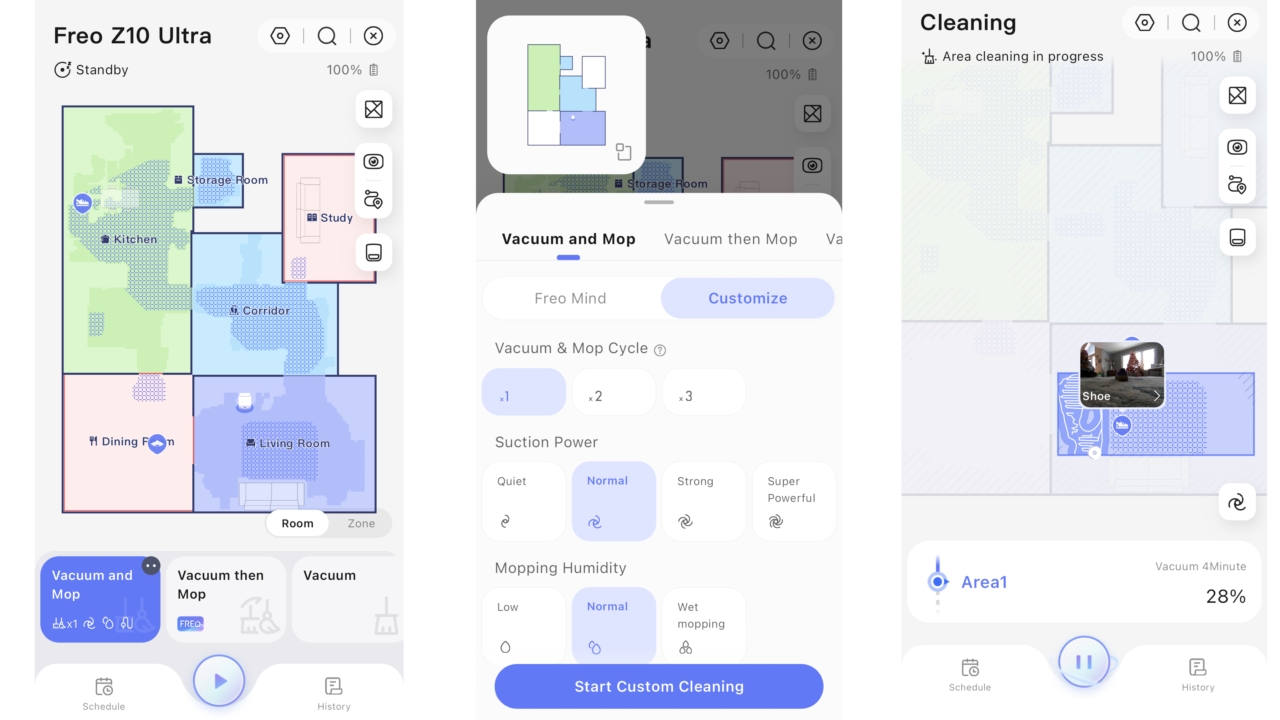
If you're looking for smart home integration, Siri, Google Home, and Amazon Alexa are all supported. The app features a dedicated 'Third-Party Controls' section to set the robot vacuum to respond to voice commands. There are plenty of other settings too, including accessory management, base station adjustments, and a 'Family with pets' toggle for extra caution when navigating, and that's just scratching the surface.
- App score: 3.5 out of 5
Should you buy the Narwal Freo Z10 Ultra?
Swipe to scroll horizontally
Value | Premium-tier, and packed with features to justify the higher price tag – although they don't all work as intended. Often significantly discounted. | 3.5 / 5 |
Design | Stylish yet bulky base station packed with features. Bot has extendable mopping pads, anti-hair wrap, and dual AI cameras. Strangely, no onboard water tank. | 4 / 5 |
Performance | Solid vacuuming, great (if water-intensive) mopping, and strong obstacle avoidance. However, often fails to do as it has been told, and the "smart" features make things worse. | 2.5 / 5 |
App | Overwhelming app filled with all the functions, settings, and customizations one could ever need or want. Allows for easy editing of multistory mapping. | 3 / 5 |
Buy it if...
You have mostly hard floors
The mopping here is a cut above average, with especially good edge cleaning. Beware, though, it does use a lot of water.
Your house is cluttered
This robot vacuum reliably avoided my dog, cables, furniture, shoes, and decor that were littered throughout my home during testing.
You spot a great deal
The unreliable behavior might be a deal-breaker, but if you spot a big discount you could potentially get a strong featureset for your money.
Don't buy it if...
Your home is mostly carpet
A highlight feature of the Narwal Freo Z10 Ultra is its mopping abilities, and you're paying for the impressive 8N pressure, edge reach technology, and hot mop washing base station. If you don't have many hard floors that require mopping, you'll get much better value from a vacuum-only robot.
You're a first-time robovac owner
This robot vacuum has numerous settings and customizations, making it a bit overwhelming. Additionally, certain features don't always work as intended or are difficult to adjust within the app. These quirks will be extremely frustrating.
You're tight on space
If you live in a smaller apartment or house, this robot vacuum will likely be overkill for your cleaning needs. The base station is also bulky, occupying a significant amount of valuable wall space.
How I tested the Narwal Freo Z10 Ultra
I tested the Narwal Freo Z10 in my family home for just over two weeks during the holiday season. It's a two-story home with a sunken family room and almost fully carpeted upstairs. Most of the testing was conducted on the bottom floor, which consists of hardwood floors, vinyl, tile, and tons of medium-pile rugs. A fluffy Keeshond also resides here, leading to excess amounts of fur, debris, and snow in my home.
Beyond sending the robovac out to do everyday vacuuming and mopping tasks, I put it through more rigorous tests. For the vacuum, I spread oats and a flour/biscuit in a one-meter area on both hard flooring and carpet, observing the pickup at different suction levels. To test the mops, I spread a generous amount of ketchup on the floor, letting it dry before sending the robot out to clean. I also observed the mop's ability to pick up a bigger water spill. As for obstacle avoidance, I placed a small charging cable, a floor-matching sock, and a sneaker in a room to observe how well the vacuum navigated around them.
I also experimented with the Narwal Freo app, adjusting settings on both the robot and base station. A decibel meter app on my phone was used to measure noise levels.
Read more about how we test robot vacuum cleaners
- First reviewed December 2025




 English (US) ·