
 4 weeks ago
14
4 weeks ago
14

As photographers know all too well, image libraries can be a lot to keep track of. Between internal storage and external drives, sometimes many of them, finding exactly the right photo or folder can be very frustrating. Photographer and cinematographer Paul Kothe agrees, so he built an app to solve the problem once and for all.
Kothe’s new macOS app, Offline Files, lets photographers and videographers track down any photo or video on any drive, whether it is plugged into the computer or not. The app indexes the contents of external drives and keeps them fully searchable, no matter where they are, whether on the desk, in a bag, or on a shelf.
“Photographers accumulate drives fast. RAW files from client shoots, personal projects, stock libraries, old Lightroom catalogs, exported TIFFs and PSDs, all spread across a growing collection of external SSDs and hard drives,” Kothe says. “At some point, finding a specific image means plugging in drives one by one and searching through Finder until you get lucky.”
Offline Files stores each volume once and then stores all necessary metadata locally, so external drives are fully searchable from then on. The app indexes filenames, file paths, file sizes, creation and modification dates, and file extensions. This means users can filter their searches by file type, size, or date.

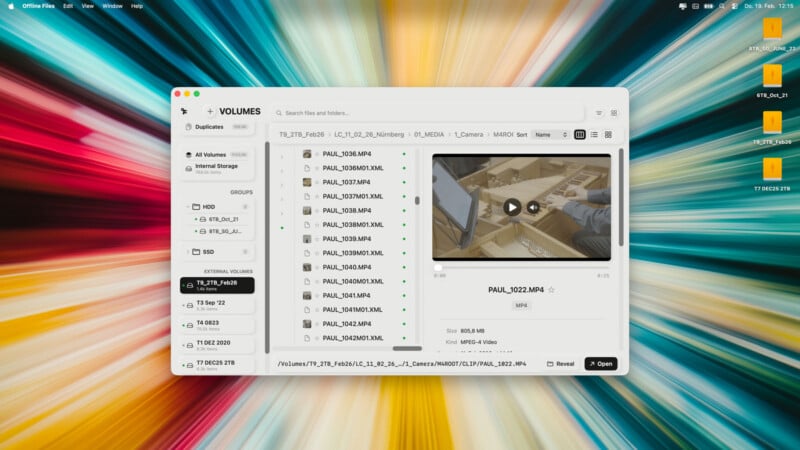 Screenshot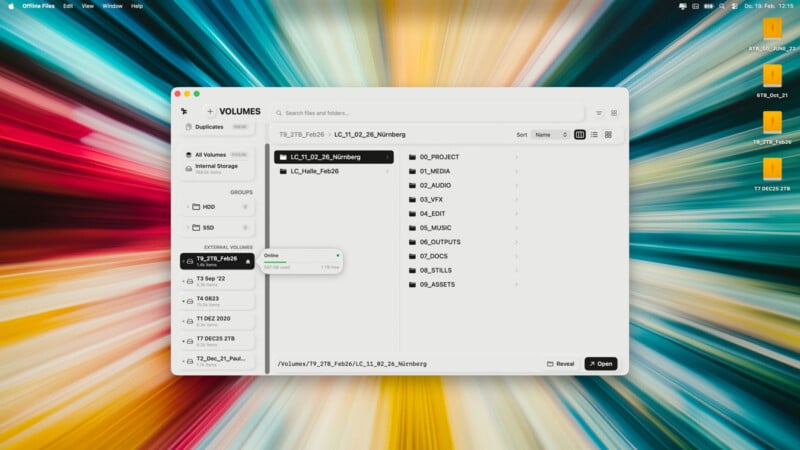
Kothe offers a typical use case:
“A client reaches out about reprinting images from a shoot two years ago. You don’t remember which drive has the RAW files. One search in Offline Files shows the volume name and full path. You pull that one drive off the shelf, done.”
Kothe is quick to note that Offline Files is purely a search-and-index tool designed to make it easier for photographers and other creatives to find specific files. It’s not a digital asset management (DAM) system or a Lightroom replacement. It doesn’t manage catalogs at all, and it also doesn’t generate previews for RAW files.
“It’s built for for photographers who manage their own drives and need a fast way to find what’s where,” Kothe says.
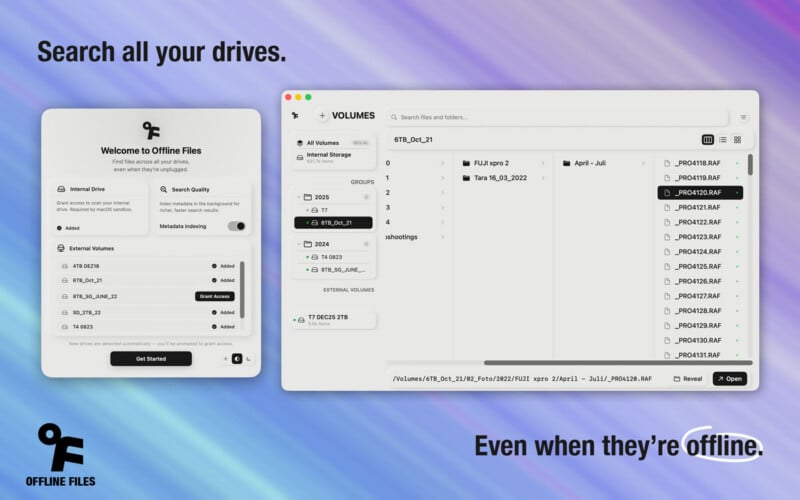
Offline Files can also bundle multiple drives into groups and help users detect duplicate files across all their drives, which is another challenge for those with large data collections.
“Plugging in drives one by one just to find a single file felt like something that shouldn’t still be a thing in 2026,” Kothe says. “I built Offline Files for myself first. Too many drives, no overview. Turns out a lot of people have the same shelf.”
Offline Files is available now on macOS for $7.99. It is a one-time purchase with no account required. It works entirely locally.
Image credits: Offline Files, Paul Kothe






 English (US) ·