
 1 day ago
5
1 day ago
5
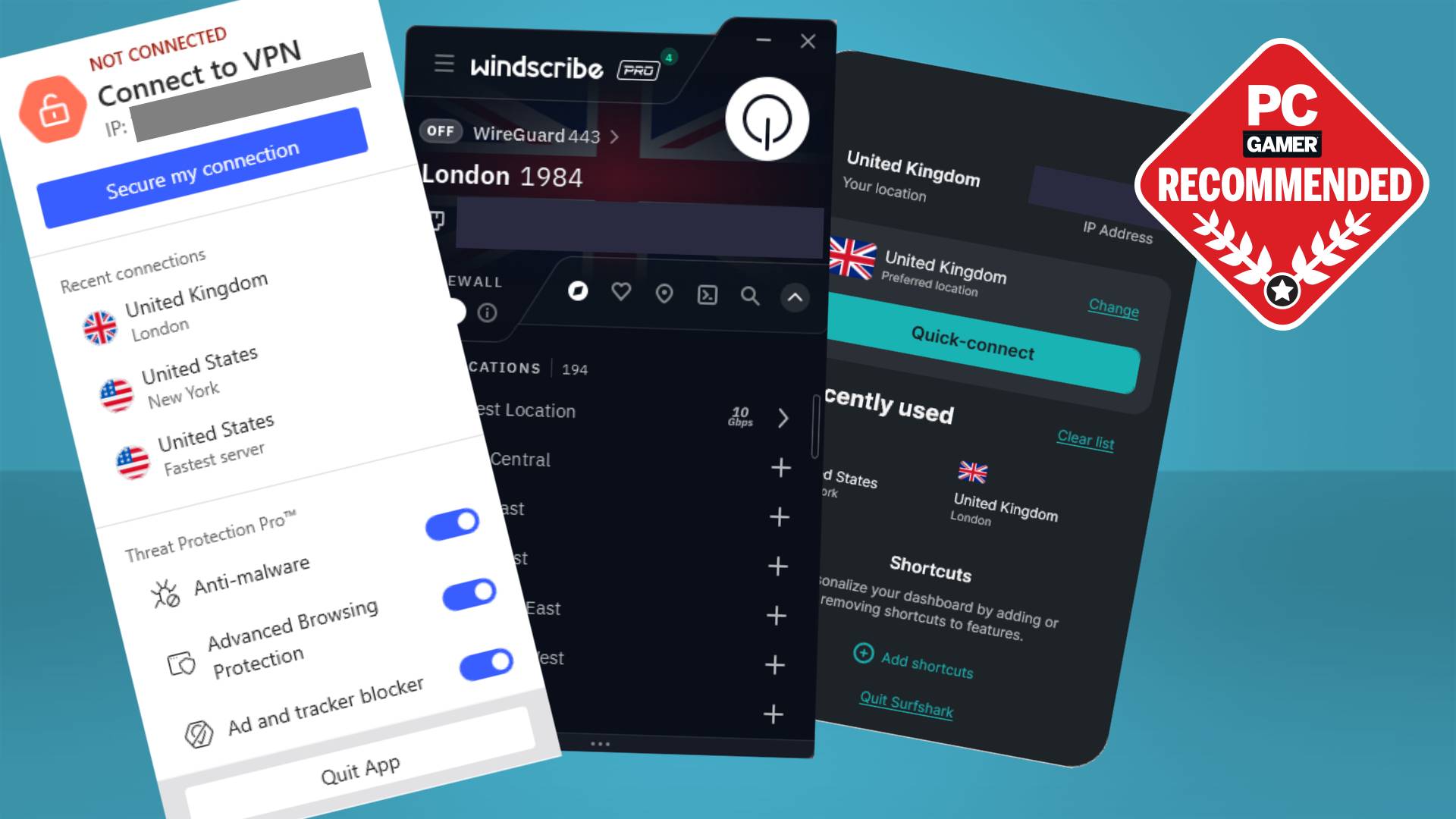
The best VPNs for gaming are ones that deliver not just a secure and private online experience but are also easy to use. It shouldn't take a computer science or cybersecurity degree to figure out, and perhaps most importantly, you should be able to get started browsing and gaming over a VPN with as little latency as possible.
There are obvious reasons to use a VPN for browsing and video streaming, such as preventing tracking, or bypassing geo-blocking measures by making it seem like you're connecting to a site or service from somewhere else (beware doing this in games as it could be a bannable offence). But there are reasons to use a VPN for gaming, too.
A note on trust
We only recommend VPNs that we would use ourselves and that we feel can be trusted with our data. That means no VPNs with known ties to governments or other state actors. It also means VPNs with no-logging policies or a good history of protecting user privacy.
For one, using a VPN for gaming means more peace of mind when you're playing online games with questionable teammates or enemies. It's just another layer of defence against any possible rage-induced 1337 hackerman attempts to track you down. That's a very niche case, though.
Much more relevant is that sometimes connecting over a good VPN can actually improve your network performance in online games, for instance if your ISP throttles gaming downloads or has worse routing in your home country than the VPN. Or maybe the VPN just happens to have a server that's right next to the game server. With my testing, for instance, I discovered that the fastest VPN for gaming, Windscribe, actually gives me slightly lower ping than playing without any VPN at all.
That doesn't mean it's the best VPN overall, though. That honour is reserved for NordVPN, because while Windscribe is fast and there are benefits to other VPNs on this list, nothing beats the full package that NordVPN offers, from server coverage to feature set, ease of use, performance, and everything in between. And if you want to save some money, Surfshark pips the competition there with its regular and consistently low sale prices.
Quick list


Best cheap VPN
3. Surfshark

Best for privacy
4. Mullvad
April 28, 2026: Completely overhauled this guide with new picks and new benchmarks. I spent a lot of time using different VPNs, putting them through their paces, and these are the absolute best ones for gaming based on this testing. I've explained why each of these VPNs is a good pick for different use cases, with NordVPN maintaining the crown, for now.
Curated by...

Jacob's not only been a lifelong software and networking tinkerer, but also a lifelong competitive online gamer. That means he not only has the technical know-how but also the first-hand feel for low latency in games. If a VPN causes the slightest lag spike, he'll notice it.
The best overall VPN for gaming
1. NordVPN
The best overall VPN for gaming
Countries: 211+ | Servers: 9,300+ | Compatibility: Windows, macOS, Linux, Android, iOS | Protocols: NordLynx (WireGuard-based), NordWhisper, OpenVPN TCP, OpenVPN UDP | Kill switch: Yes | Split tunnelling: Yes | Devices: 10 | Free version: No | Price from (p/m): $3.09 / £2.29
Easy to use
Solid performance
Tons of server coverage
Great game compatibility
Not open-source (except Linux app)
Device limit
Server pings not listed
VPN performance comparison
Local ping (Counter-Strike 2)
03.757.511.2515
Ping (ms)
| No VPN | 12.58 |
| NordVPN | 12.73 |
| Windscribe | 12.34 |

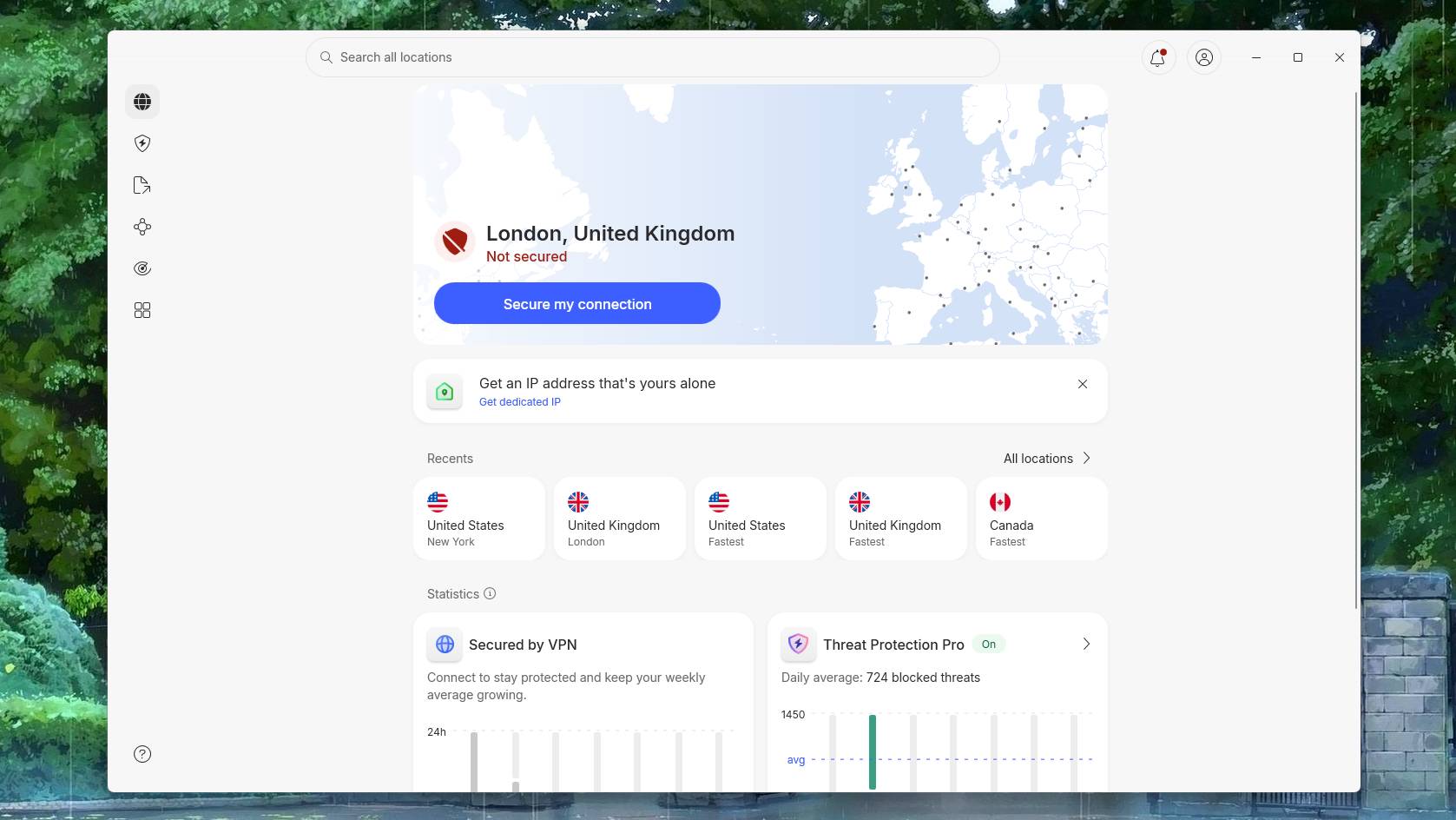
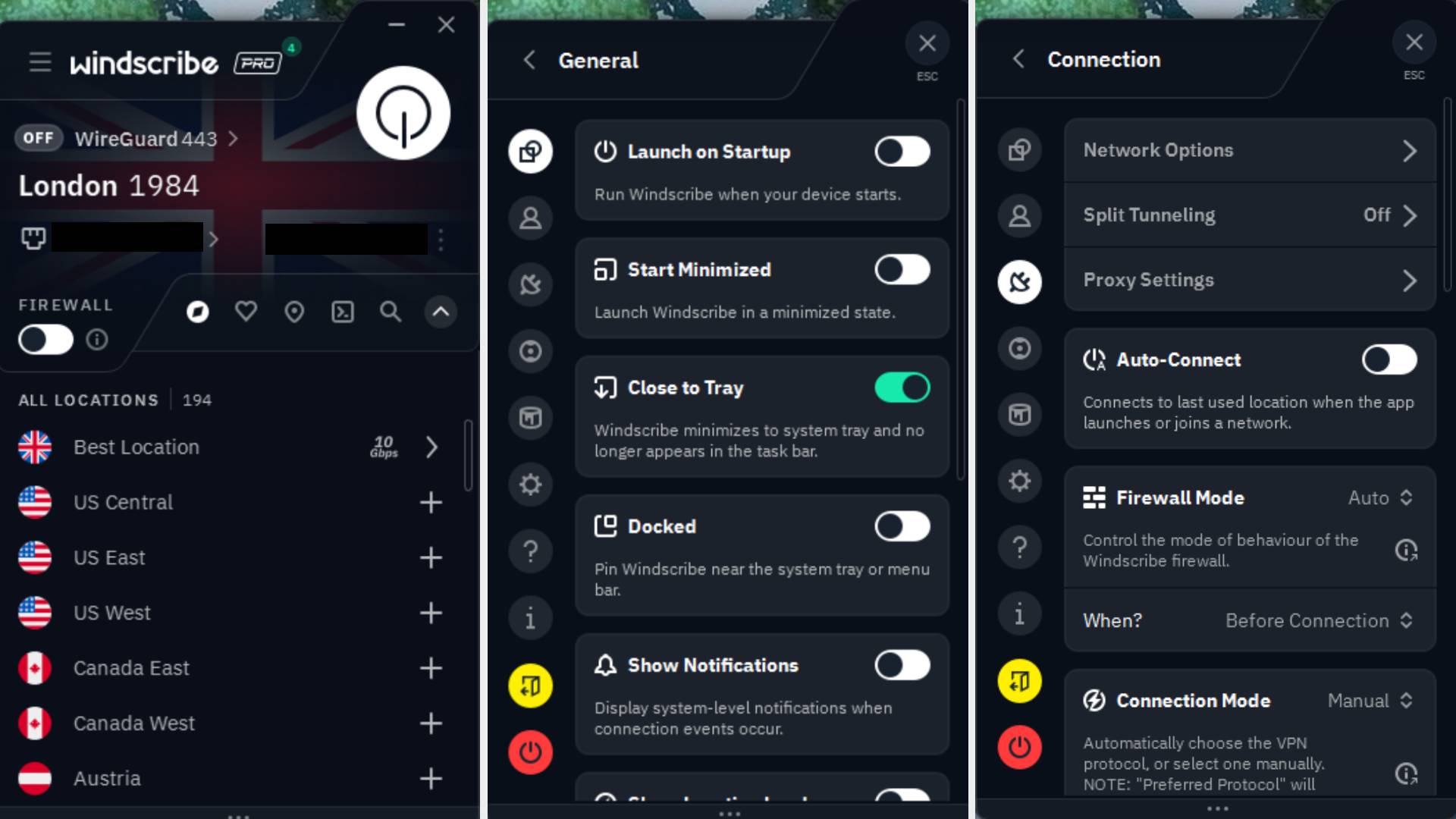
NordVPN is the best VPN for gaming primarily because it covers absolutely all bases and wraps its features up in a very easy-to-use package. Ease of use doesn't feel like a secondary thing for this VPN, rather its guiding principle in all areas of the desktop app. Selecting a location is easy and intuitive and general in-app navigation is a breeze.
Which isn't to say there's a limited feature-set, here. Far from it, as you're getting all the bells and whistles you might want, from split tunnelling to a kill switch, extra things like a password manager with the more expensive tier, and plenty of protocols to choose between.
That protocol list includes NordLynx, which is WireGuard-based and offers all the great performance you might expect from the latter protocol. In my testing, I found it to offer gaming performance pretty much on par with—okay, fractionally behind—my 500 Gb non-VPN connection. That's whether we're talking gaming performance, speed tests, or actual download times.
I'd also like to take a moment appreciate that the very first setting on the Settings page is your choice of Windows start-up behaviour. There's no hiding that setting away like you find in most apps.
Finally, despite how much love I have for smaller companies like Mullvad there's something to be said for NordVPN being a big brand. It being a bigger brand means you get a little extra peace of mind knowing the software should receive plenty of support, and you also get its widespread server coverage. It's probably therefore no surprise that, unlike some other VPNs I tested, Valorant let me actually use NordVPN. So its compatibility, too, is something that makes it the best overall VPN.
The best VPN for ping
2. Windscribe
The VPN with the lowest ping for gaming
Countries: 69+ | Servers: Unlisted | Compatibility: Windows, macOS, Linux, Android, iOS | Protocols: WireGuard, IKEV2, TCP, UDP, Stealth, WStunnel | Kill switch: Firewall method | Split tunnelling: Yes | Devices: Unlimited | Free version: Yes | Price from (p/m): $5.75 (£4.26 / €4.91 est)
Low ping
Shows server pings
Lots of privacy options
Few independent audits
Not compatible with all games
VPN performance comparison
Local ping (Counter-Strike 2)
03.757.511.2515
Ping (ms)
| No VPN | 12.58 |
| NordVPN | 12.73 |
| Windscribe | 12.34 |
If you want to keep your ping as low as possible in-game while using a VPN, Windscribe is where it's at. I found it to offer the lowest ping while playing Counter-Strike over multiple test runs, and this translated to gameplay that felt very snappy and smooth. This will, of course, depend on your location and the game server location, too, but if you're in a popular spot in the UK or US, for instance, you should be safe.
Apart from this, and in addition to offering all the usual features you might expect from a VPN such as split tunnelling, Windscribe also offers some pretty useful privacy features. For instance, it has the option to enable "decoy traffic" to throw off sniffers, and it even has a "circumvent censorship" option. The CEO seems to be pretty invested in privacy, too, for whatever public image is worth, and it's open-source, too. And while it doesn't seem to have had a large-scale independent audit that specifically verifies a no-logs policy, it has stuck by user privacy in actual court cases.
The app doesn't have a kill switch, but Windscribe says that's because its firewall is a superior solution because it blocks all connectivity outside of the VPN tunnel. So no kill switch needed.
The only downside I found to the VPN, other than its settings—or perhaps just how they're laid out—initially feeling a little overwhelming, is that it failed to work with Valorant. The game is a good one to test a VPN against because it's pretty strict and invasive with its kernel-level anti-cheat, and unfortunately in this case it wouldn't let me boot into the game at all while Windscribe was connected. So, game compatibility might not be 100% with this VPN.
In those games where it does work, however—and few games will be as strict as Valorant, with even CS2 working—my testing leads me to believe the connection should be great. For a low ping while gaming, Windscribe is the best.
The best cheap VPN for gaming
3. Surfshark
The best cheap VPN for gaming
Countries: 100 | Servers: 4,500+ | Compatibility: Windows, macOS, Linux, Android, iOS | Protocols: WireGuard, OpenVPN TCP, OpenVPN UDP | Kill switch: Yes | Split tunnelling: Yes | Devices: Unlimited | Free version: No | Price from (p/m): $1.78 / £1.28
Cheap
Easy-to-use app
Pretty fast
Not compatible with all games
VPN performance comparison
Local ping (Counter-Strike 2)
03.757.511.2515
Ping (ms)
| No VPN | 12.58 |
| Surfshark | 13.54 |
| NordVPN | 12.73 |
If you don't need the fastest of the fast or the most feature-crammed VPN on the market, and instead want something that's still pretty great but also very cheap, you should consider Surfshark. This VPN consistently goes on sale for cheaper than any other VPN I've looked at.
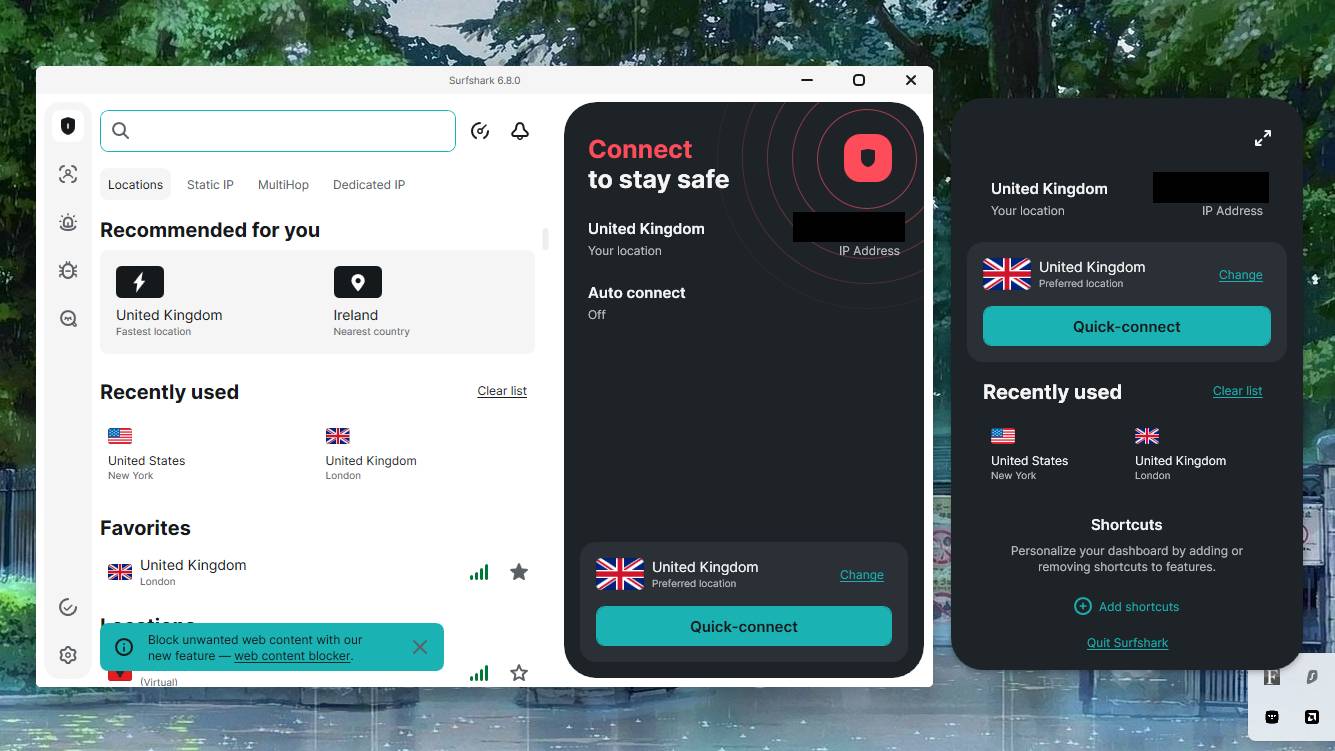
That doesn't mean it's missing a bunch of features, either. You're getting your fast WireGuard protocol, a big collection of servers to choose from, and some nice extras like ad blocking an an 'alternative ID' to sign into untrusted websites, too. You don't get quite the speed, feature list, or server selection as its parent company's other VPN, NordVPN, but it comes close. And for saving, many will consider the slight sacrifice worth it for the latter's smaller sibling.
The app itself is easy and intuitive to use, just like NordVPN, and even has a guided setup when you load it up for the first time, so you don't have to go rifling through all the settings manually after install. It also looks pretty sleek and modern, though aesthetics are of course subjective.
The only real downside is the same one that I found with Windscribe: unlike NordVPN, Surfshark failed the Valorant test. With Surfshark connected, Valorant failed to load, and after this failed loading, even Riot's in-browser website wouldn't let me connect as it claimed 'unusual activity.' So, stricter games and websites might cause a problem.
For the vast majority of games, apps, and sites, however, Surfshark should work fine, and you can always split tunnel the games that cause a problem. If you want to keep things as cheap as possible, Surfshark offers a heck of a lot for its diminutive price tag.
The best VPN for privacy
4. Mullvad
The best VPN for privacy
Countries: 50 | Servers: 578 | Compatibility: Windows, macOS, Linux, Android, iOS | Protocols: WireGuard | Kill switch: Yes | Split tunnelling: Yes | Devices: 5 | Free version: No | Price from (p/m): €5 (est. $5.90 / £4.36)
No account required
Can even pay cash
Clean and simple app
Only 5 devices
No recurring subscriptions
Limited server coverage
VPN performance comparison
Local ping (Counter-Strike 2)
03.757.511.2515
Ping (ms)
| No VPN | 12.58 |
| Mullvad | 12.55 |
| NordVPN | 12.73 |
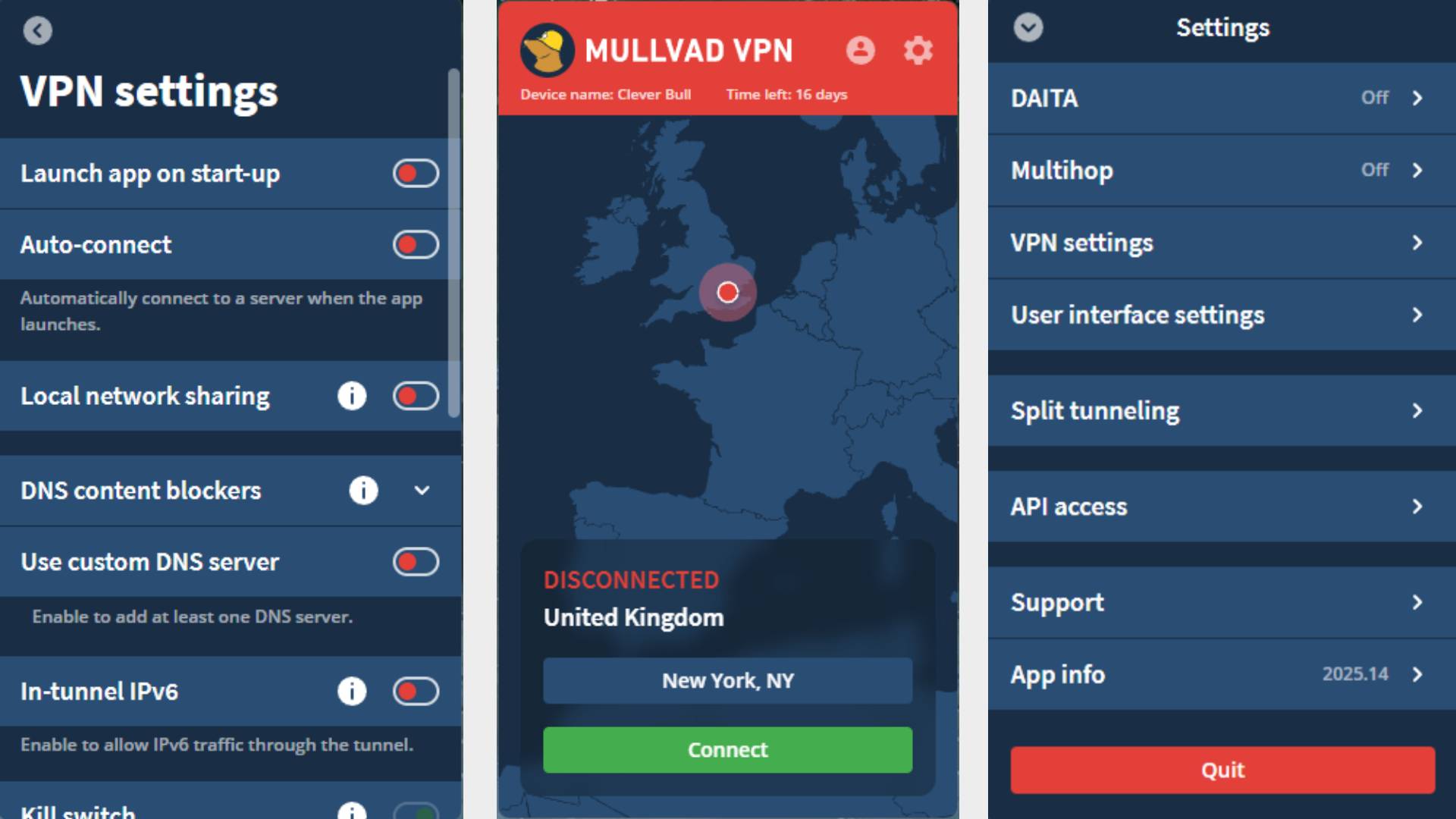
Mullvad is probably a name you've heard of if you care about privacy; it's known as the best VPN for privacy for good reason. The Swedish company takes privacy so seriously that it gives you an account number rather than having you use your email, and you can then top up your account with as much 'time' as you want, even paying in cash if you prefer, though recurring payments (ie, subscriptions) aren't allowed.
The VPN has had plenty of audits and has even had its office raided by officers that came up short because the customer data they were trying to seize simply "did not exist." That's what a solid no-logs policy gets you.
However, you do pay for this privacy, both in terms of actual cost, which is a bit more expensive than some other options, and also in terms of its overall feature offering. In particular, the 50-country, 578-server pool is much smaller than some other VPNs, and you don't get a bunch of extra features in addition to the VPN itself. You also only get the WireGuard protocol, though that is what you'd probably want to use anyway.
The app itself looks lovely—it's actually my favourite of the bunch in terms of simple usability—and performance is decent, too. It gave me slightly higher in-game ping than others when connected to a distant server (connecting to the US from the UK), but ping was as low as the rest when playing locally.
So, it's not the flashiest or the absolute fastest or brimming with features, but there's no VPN that seems to prioritise user privacy as much as Mullvad.
The best all-in-one VPN package
5. Proton
The best all-in-one VPN package
Countries: 130+ | Servers: 15,000+ | Compatibility: Windows, macOS, Linux, iOS, Android | Protocols: WireGuard UDP, WireGuard TCP, OpenVPN UDP, OpenVPN TCP, Stealth | Kill switch: Yes | Split tunnelling: Yes | Devices: 10 | Free version: Yes | Price from (p/m): $2.99 / £2.39
Google-rivalling ecosystem
Extensive server coverage
Swiss jurisdiction
Great app design
Slower for gaming
VPN performance comparison
Local ping (Counter-Strike 2)
03.757.511.2515
Ping (ms)
| No VPN | 12.58 |
| Proton | 13.8 |
| NordVPN | 12.73 |
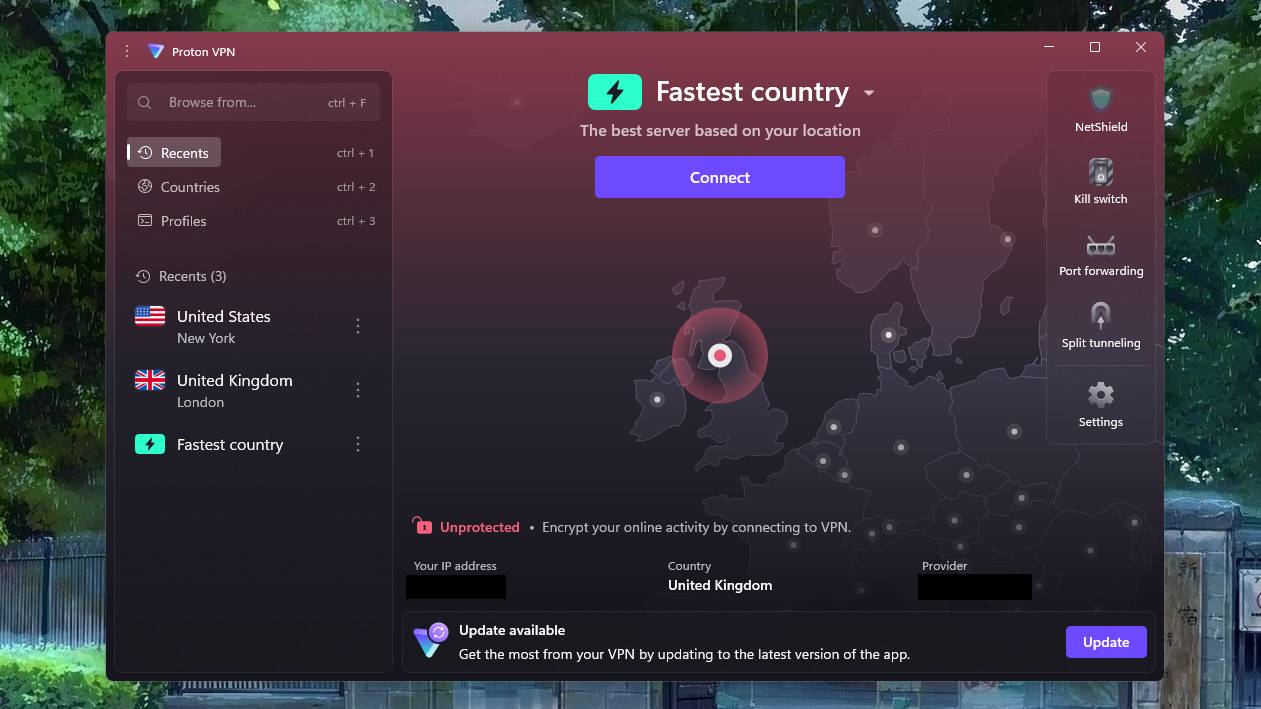
Proton VPN has the best all-in-one package of any that I've tested, and that's because it's designed to be part of the bigger Proton ecosystem. If you've ever thought 'I wish there was an alternative to the Google ecosystem', Proton is on its way there and might be worth a look.
If you set up a Proton account, you not only get access to its VPN (a very limited one if you opt for the free version) but also tons of other cloud-based things like a calendar, drive, email, and password manager. If you get a Proton subscription, you get more features and less restrictions with many of these things, so it's worth doing if you want to switch over to a new cloud ecosystem. The main benefit to doing this rather than getting a standalone VPN is that you have one less account to worry about, which keeps things simple.
You should also get great support thanks to it being a pretty big company, and that company is based in Switzerland, which tends to be preferred for privacy thanks to the country's laws. Its server coverage is vast, too.
The main downside appears when it comes to actual performance, because over multiple runs in CS2 I found Proton VPN to consistently give me slightly higher ping than other VPNs, and my speed tests showed higher jitter, too. So, if you want the ecosystem that Proton provides, it might be best to use that split tunnel and go no-VPN while gaming, using it only for browsing, downloading, and so on.
VPN benchmarks
VPN performance comparison
Local ping (Counter-Strike 2)
03.757.511.2515
Ping (ms)
| No VPN | 12.58 |
| NordVPN | 12.73 |
| Windscribe | 12.34 |
| Surfshark | 13.54 |
| Mullvad | 12.55 |
| Proton | 13.8 |
| ExpressVPN | 12.22 |
Test rig: Windows 11 | 500 Gb wired ethernet | AMD Ryzen 7 7800X3D | 32 GB DDR5-6000 | RX 9070 XT | 2 TB SSD.
How we test VPNs for gaming
All the VPNs on this list have been thoroughly tested in different games and for different uses such as browsing and downloading.
For gaming, in addition to simply using a VPN in some different online games to get used to how it performs, we also collect runs of ping data in Counter-Strike 2 using our bespoke ping capture app. We ensure that the game server, system, and other variables remain the same each time we connect, and we perform multiple runs to average our data.
For downloads, we time the same 15.3 GB Steam download with a stopwatch, ensuring we are connected to the same Steam server.
It's also important to get a feel for the app itself, so we make sure we spend some time poking around all the different areas of the app and trying its different features.
We test and review VPN services in the context of legal recreational uses. For example:
1. Accessing a service from another country (subject to the terms and conditions of that service).
2. Protecting your online security and strengthening your online privacy when abroad.
We do not support or condone the illegal or malicious use of VPN services. Consuming pirated content that is paid-for is neither endorsed nor approved by Future Publishing.







 English (US) ·