
 3 hours ago
8
3 hours ago
8
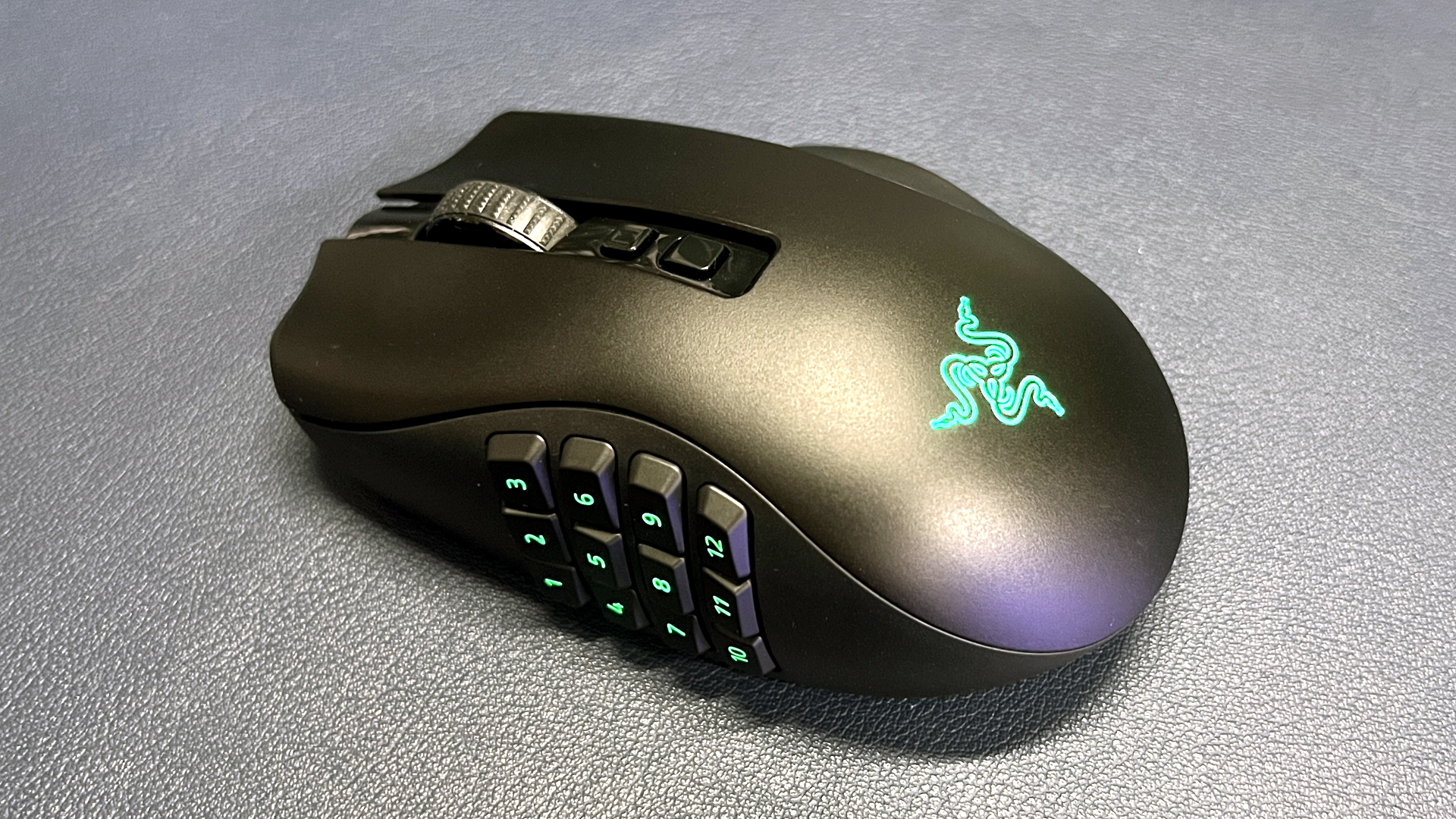
Dr. James Ries, the founder of Twenty Mile Medical, proudly proclaims that he’s a Razer Naga V2 Pro user. The most surprising thing about this tidbit is that he uses it while seeing patients remotely. Before you get your pitchforks out, no, the doctor isn’t playing World of Warcraft while evaluating a patient — instead, he uses it to simplify his and the rest of his team’s workflow. Dr. Ries mentioned this interesting piece of trivia during TextExpander’s interview with the healthcare provider, where he showed how he used the service to standardize patient care, reduce the cognitive burden on medical professionals, and quickly write more accurate clinical notes.
Doctor fatigue is one of the biggest issues that telehealth faces today. “Discharge instructions going out at 8 am from a fresh provider look nothing like the ones going out at 4 pm from the same provider after eight hours of visits,” TextExpander said. Dr. Ries said that he addressed this by using master Snippets (a snippet is a short text command, like “;sig” that would run a programmable command, like inserting your signature).
Instead of typing out a fixed phrase, sentence, or paragraph, which is what TextExpander is usually used for, the shortcuts he created bring up the relevant clinical scenario and give options to select appropriate responses as needed. He’d have snippets for general patient communication, sinus infections, psych refills, and more, and then there are check boxes that he can click in each master snippet to ask questions, add instructions, write prescriptions, and more.
Each master Snippet has its specific command, and this is where Dr. Riesa’s Razer Naga V2 Pro comes in. Instead of having to memorize the commands needed to launch the workflow, he assigned them to the customizable buttons that sit on his right thumb. He also assigned other buttons to insert his most commonly used typed paragraphs, like his intro paragraph and signature. You might think that this is excessive — after all, you’re only saving a few seconds by typing four characters instead of pressing one button. But even if that is true, you’ll save a lot of time if you use the shortcut often enough.
More than saving time, it also reduces the cognitive load on doctors. Decision fatigue is a real phenomenon across industries and professions, where people make bad calls not because they’re poorly trained or careless, but simply because they’re tired. Combining the text shortcut with the macro keypad on the mouse helps reduce this, as you don’t even have to lift your hand off the mouse to launch the master Snippet.
Dr. Ries says that the functionality isn’t limited to gaming mice — you can also use a macro pad like the Stream Deck Neo to assign commands and shortcuts, too. Nevertheless, he still prefers the Razer Naga V2 Pro because he doesn’t have to lift his hand off the peripheral to insert what he needs.
Watch the video below to see how the doctor uses his gaming mouse for productivity.

Follow Tom's Hardware on Google News, or add us as a preferred source, to get our latest news, analysis, & reviews in your feeds.



 English (US) ·