
Shockbyte is an Australian game server host founded in 2013. Minecraft remains its best-known product, but it now sells hosting for a long list of other games, including Rust, ARK: Survival Evolved, Project Zomboid, Palworld, and Valheim. Its appeal is straightforward: take the routine server administration out of the customer's hands without charging VPS-level prices.
That formula continues to work. Shockbyte is our best game server hosting for beginners and our best cheap game server host for simplicity. The new Shockbyte Panel strengthens that case, although the buying and setup journey is not quite as polished as the dashboard itself.
With that in mind, I bought the cheapest Minecraft plan and worked through provisioning, backups, server instances, plugins, files, support, and the self-service refund process.
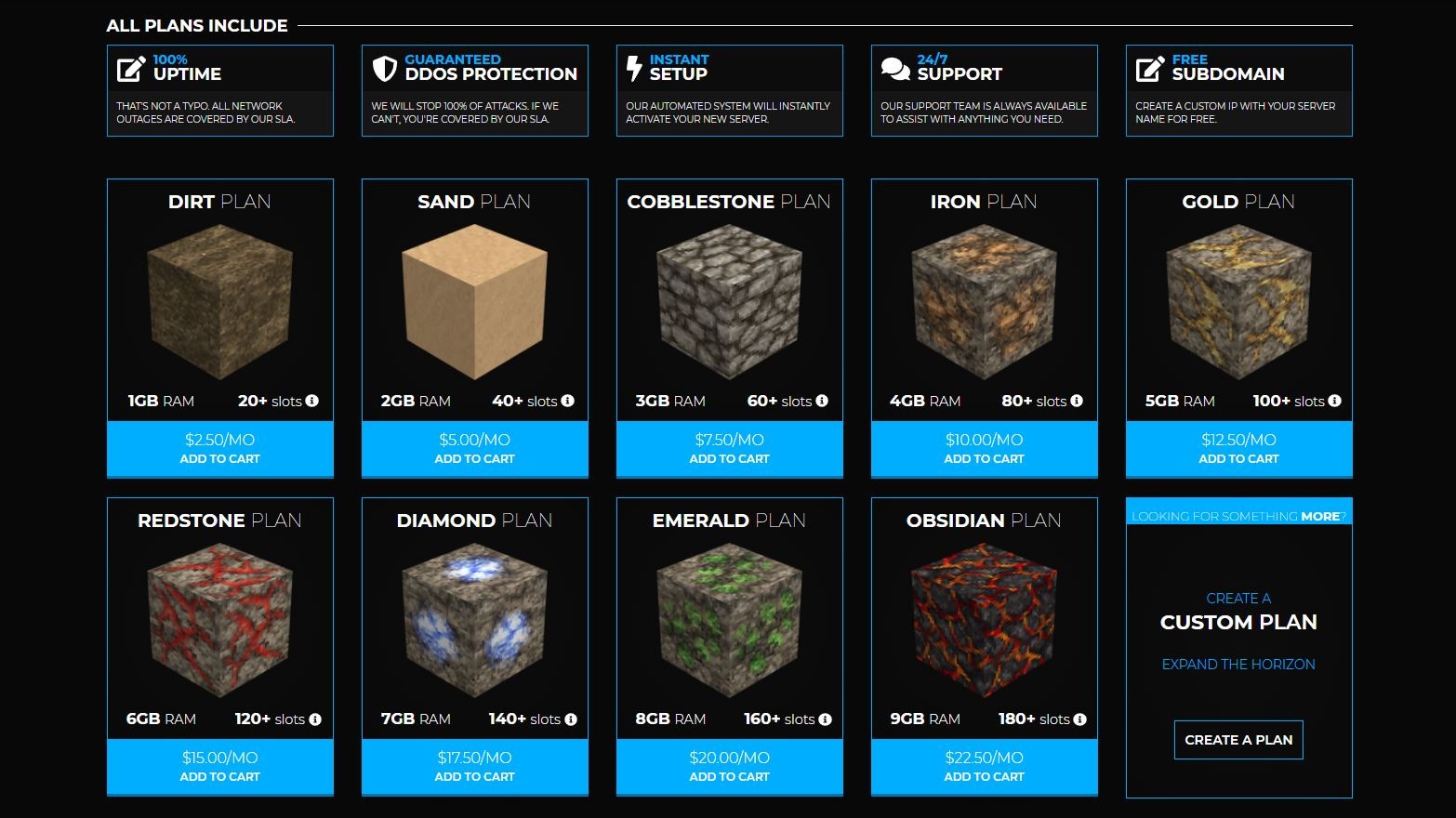
Shockbyte: Plans and pricing
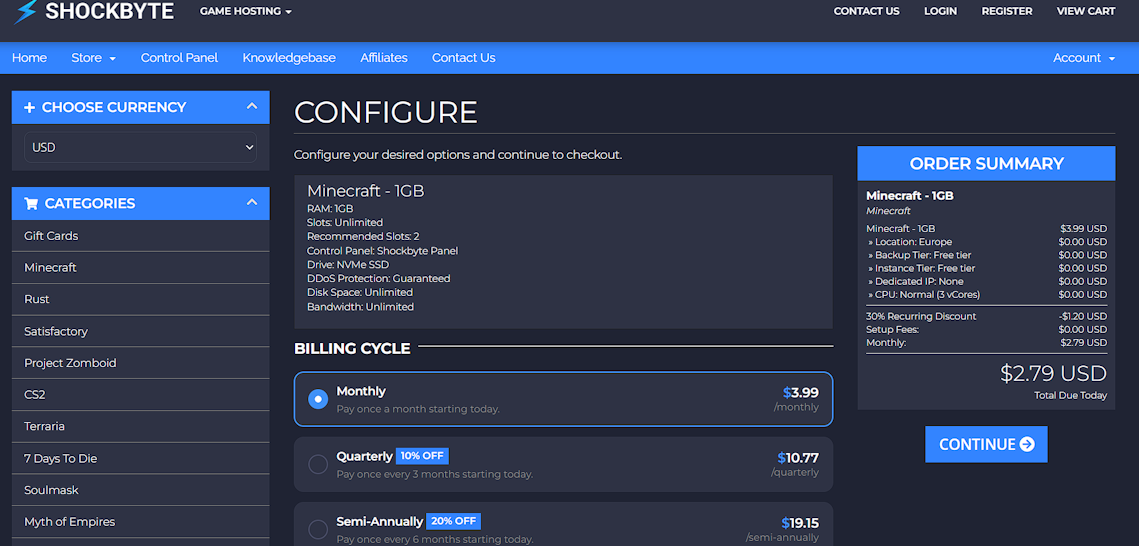
Shockbyte's Minecraft range starts with the Dirt plan, which includes 1GB RAM and is intended for a small, basic server. The standard month-to-month price shown at checkout was $3.99.
My order received a 30% recurring discount, reducing both the amount due immediately and the monthly charge to $2.79. Europe added nothing to the bill, and the order summary clearly separated the free backup and instance tiers from optional extras. That is unusually transparent for a low-cost hosting checkout.
The broader lineup scales through plans such as Cobblestone and Redstone to 16GB RAM at the top end. Current plans include NVMe storage, unlimited bandwidth, DDoS protection, a free subdomain, and access to the custom panel. Shockbyte advertises a 100% network uptime guarantee. The main purchasing decision is therefore how much memory the game, player count, and chosen mods need rather than which management features are unlocked.
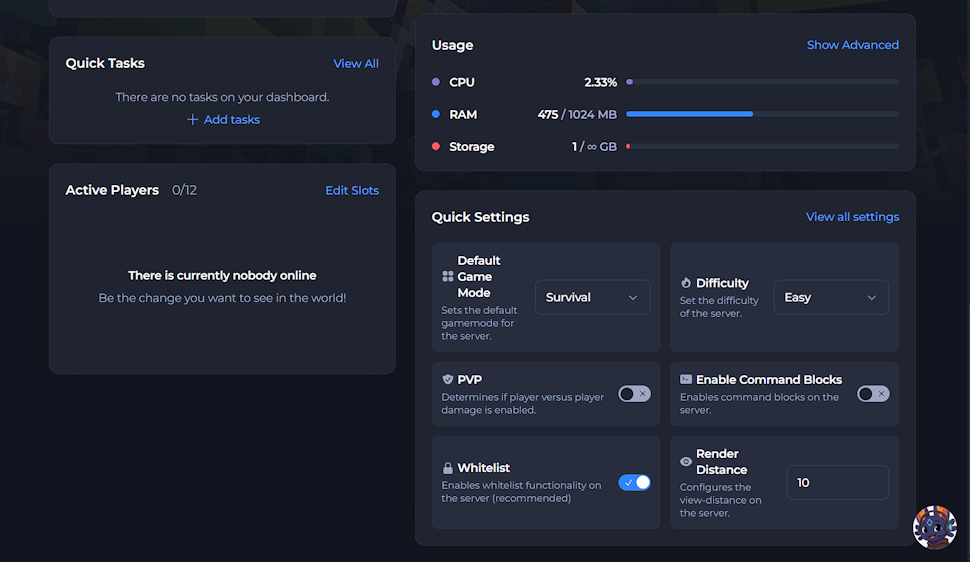
The cheapest plan is compelling for a lightly configured private world, but 1GB leaves little headroom. Shockbyte's own interface showed 475MB of the available 1GB in use while my new Vanilla server was idle. Heavier modpacks require a larger plan: for example, RLCraft's installation notes recommend 3GB to 4GB, despite the catalog presenting it with an Install button on my 1GB server. Buyers should size by the software they actually plan to run, not simply choose the lowest price.
The refund window remains only 72 hours, which is shorter than the guarantees offered by many general web hosts. The process itself is excellent. Manage plan showed that my server was eligible, explained that the refund would return to the original payment method within one to seven business days. It also handled the request without making me open a ticket. The plan was marked refunded and the server suspended immediately.
Shockbyte: Ease of use
The current setup experience is substantially different from Shockbyte's old two-login workflow. The order confirmation led into the same account and then a guided server wizard. I chose a private Minecraft server, Vanilla, the Stable release channel, version 26.3, and automatic Java selection. These choices were explained well enough that a first-time administrator would not need to know the differences before starting.
The operator and whitelist steps were less polished. The wizard would not let me leave the player field blank, even though an administrator may reasonably want to make that decision later. I removed the temporary entry from the console once the server was live.
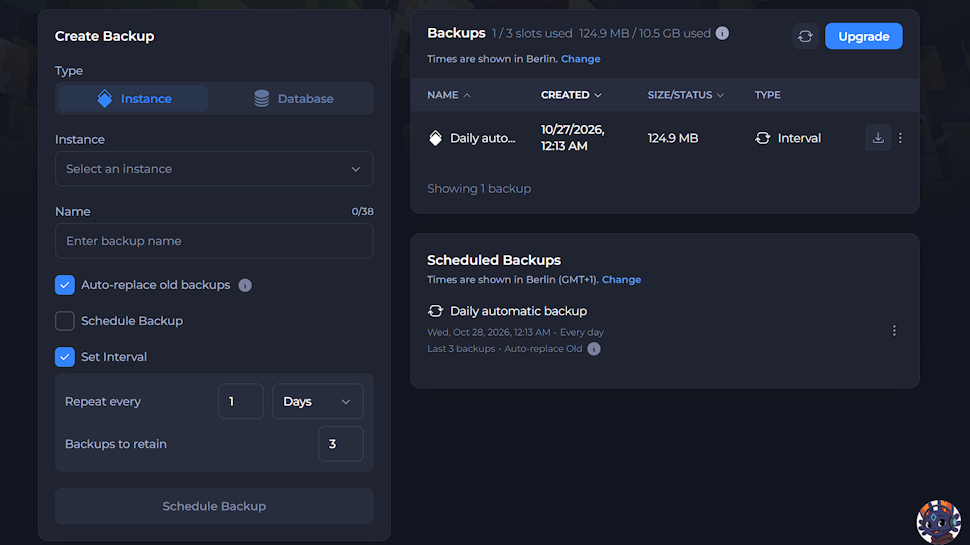
There was another small disconnect with backups: I enabled recurring backups in the wizard, but the setting did not carry into the finished server, so I created the schedule again from the Backups page.
The panel improves considerably after setup. Its overview places console output, CPU and RAM use, player count, and common game settings on one screen. The left navigation gives quick access to files, configuration, plugins, modpacks, instances, and backups without burying basic controls under an advanced-server vocabulary. I found it fast and easy to navigate, and the live console made it obvious when a change had completed successfully.
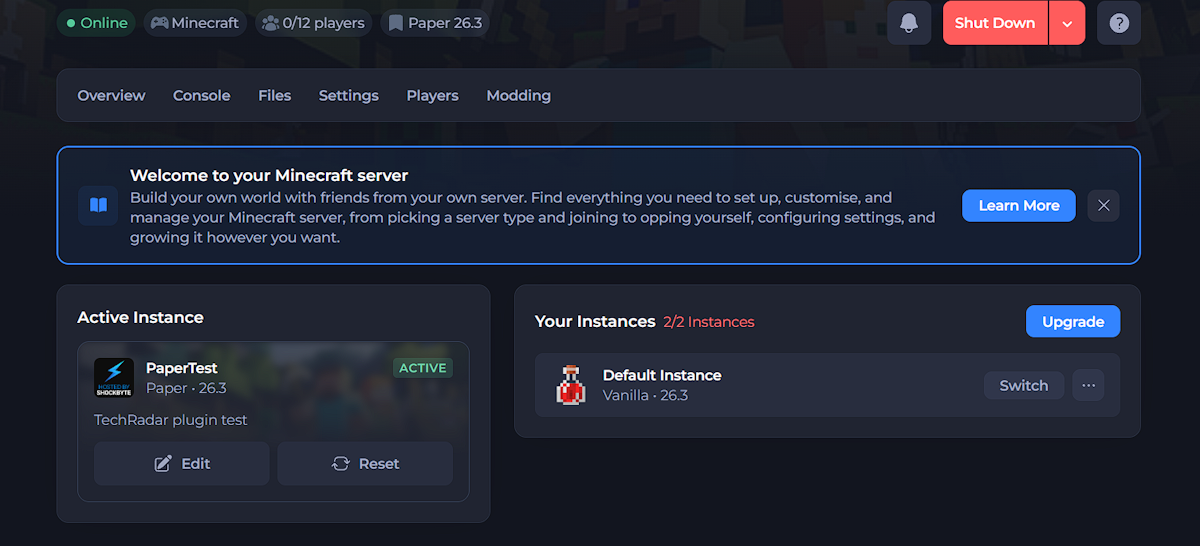
Shockbyte's server instances are particularly useful. The free tier allowed two configurations, so I added a Paper 26.3 instance alongside the original Vanilla server.
The panel warned that switching could take three to five minutes, but the whole change completed in about 15 seconds in my test. Only one instance runs at a time, which is sensible at this price, but being able to preserve separate setups makes experimentation much safer.
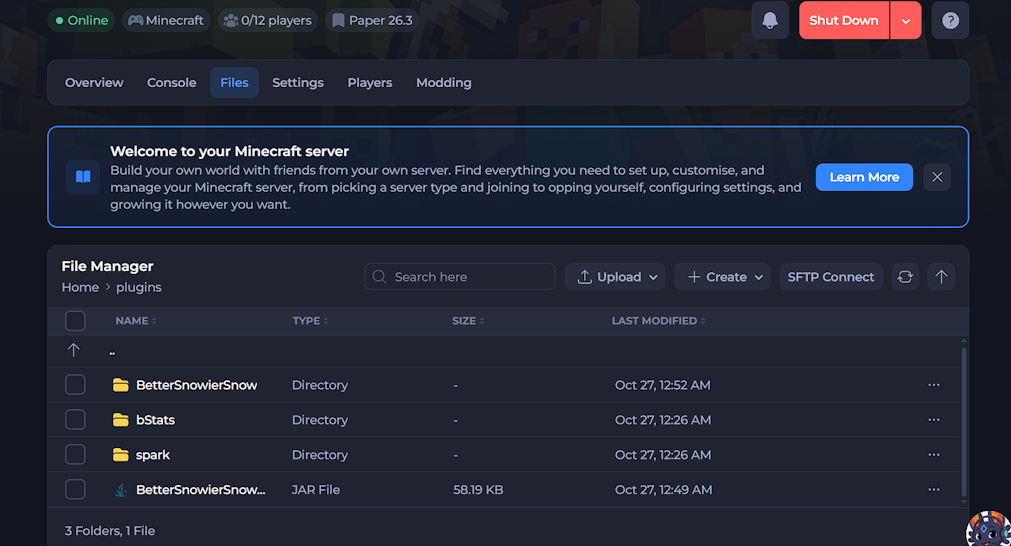
The modpack browser is broad and inviting, with search, filtering, curated listings, and URL, ZIP, or MRPACK imports. It is one of the strongest reasons to recommend Shockbyte to beginners, but it also exposes the main weakness in the plan guidance: demanding packs should display a clear RAM warning before installation, rather than relying on the customer to research requirements separately.
Shockbyte: Speed and experience
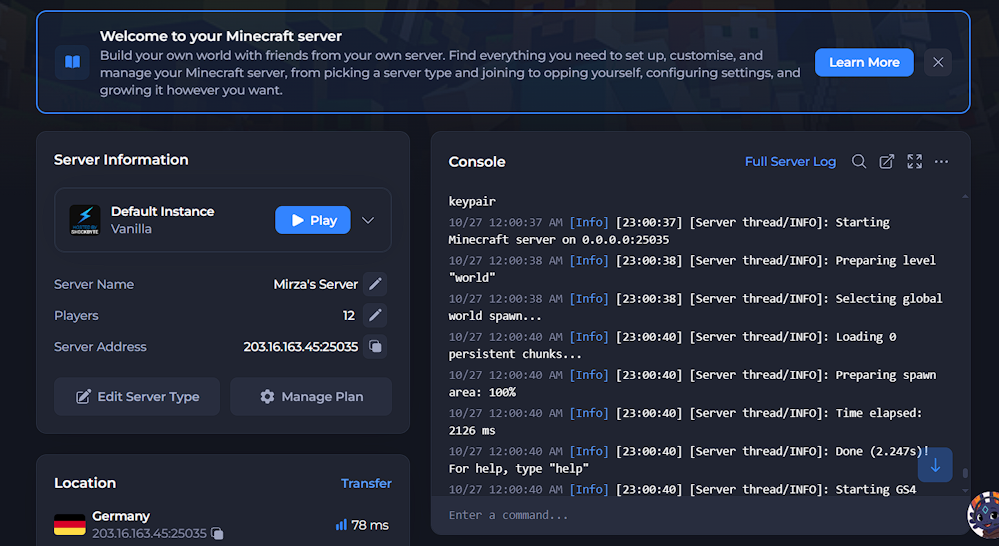
Shockbyte offers server regions across North America, Europe, Asia, and Australia. I selected Germany for the new server, and the panel displayed an estimated latency of 78ms from my connection.
The Vanilla process then reported that it had finished starting in 2.247 seconds. When I switched to Paper, the control panel and console completed the full change in roughly 15 seconds, far faster than the warning suggested.
Our gameplay testing on a European Minecraft server also produced a steady 30ms to 35ms ping, with no downtime or noticeable deterioration as more players joined. The experience remained stable for a standard Minecraft world, helped by sensible maintenance and avoiding more mods or plugins than the selected RAM could comfortably handle.
Those results support Shockbyte's reputation for dependable entry-level game hosting, while the current panel makes resource limits much easier to see than before.
Backups were quick once configured directly in the panel. The free tier provided three backup slots and 10.5GB of total storage, with the first backup guaranteed to fit. I set a daily schedule, retained the latest three copies, and enabled automatic replacement of the oldest backup.
The first 124.9MB backup completed in around 15 seconds. I liked the allowance and the clear retention controls; I simply wish the onboarding choice had survived the move into the live server.
Shockbyte: Support
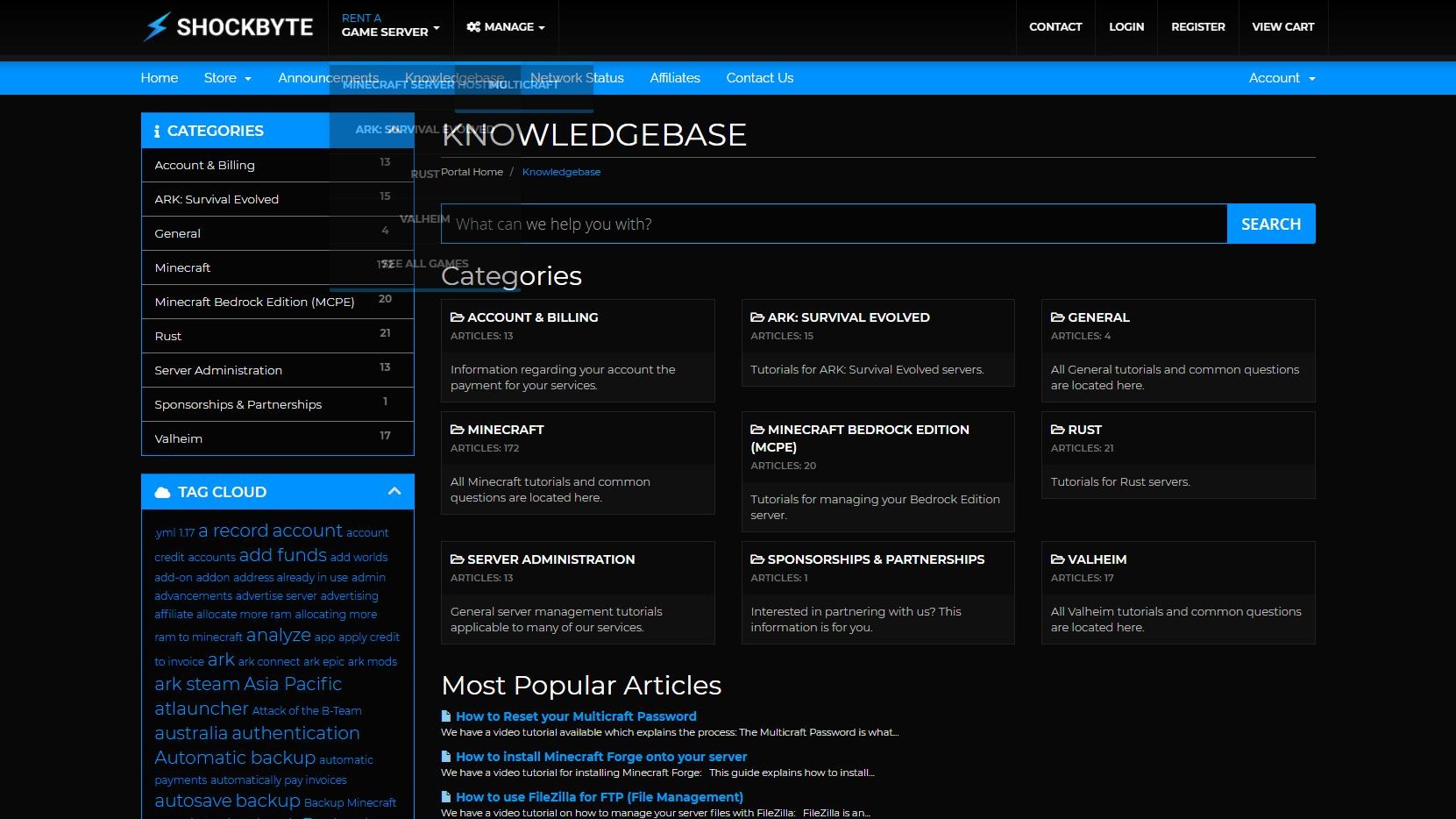
Shockbyte's strongest support resource remains its knowledge base. It covers setup, server types, files, plugins, backups, locations, common Minecraft problems, and advanced tasks in clear steps, while the company's YouTube library provides visual walkthroughs. The panel also links relevant guides from the feature being used, which is often faster than waiting for an agent.
Direct support is more uneven. The automated assistant responded immediately and correctly explained that the optional Server Management add-on covers hands-on installation work, while customers can still use the panel's Files, Backups, and Modpacks tools themselves.
However, it could not confirm whether the promotional discount recurs, whether Europe costs extra, or how the Dirt plan's free tiers apply, so it escalated the questions to billing. More than eight hours later, I still had no human answer; the checkout ultimately supplied the missing pricing details.
That experience matches the main reservation from our longer-term use: answers are generally useful once they arrive, but support speed can be inconsistent. There is no telephone support, so customers with urgent issues depend on the ticket queue. The extensive self-help material softens the problem for routine tasks, but it does not replace a prompt human response when a billing or account question falls outside the bot's documentation.
Shockbyte: Final verdict
Shockbyte is still an easy recommendation for beginners who want a Minecraft server without turning server administration into a second hobby.
The entry price is excellent, the new panel is far better than the old workflow, and routine jobs such as creating an instance, installing a plugin, browsing files, and scheduling backups are quick and understandable. That combination makes a convincing case for its place as our best game server host for beginners and one of the best cheap options for simplicity.
It is not completely frictionless. Mandatory player fields in the wizard are unnecessary, the backup setting selected during onboarding did not persist, and the modpack catalog should warn more clearly when a pack is too demanding for the purchased RAM. Support follow-up can also be slow.
These are real annoyances, but none cancels out the value of a $3.99 monthly starting price, a useful free backup tier, and a panel that handles complex tasks without making them feel complex.
Choose Shockbyte if you want low-cost, managed Minecraft hosting with room to experiment. More experienced administrators who want full operating-system control may be better served by a VPS, while large modpacks and busy communities should skip the 1GB tier and budget for more memory. For its intended audience, however, Shockbyte remains fast to set up, approachable to manage, and very hard to beat on price.






 English (US) ·