
 3 weeks ago
32
3 weeks ago
32
The Unibook is a weird entry-level laptop for people with patience.
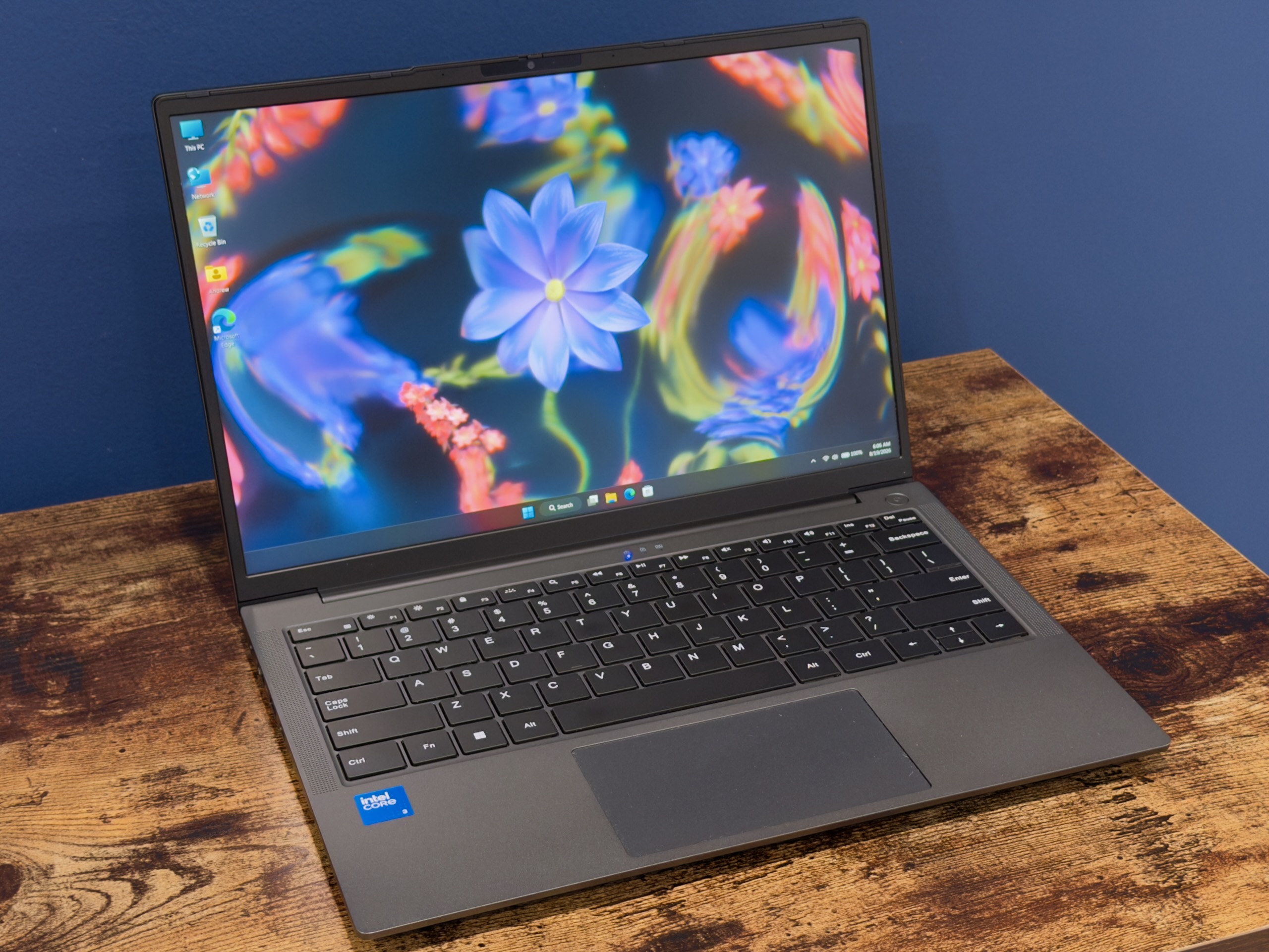
Chuwi's Unibook 304. Credit: Andrew Cunningham
Chuwi's Unibook 304. Credit: Andrew Cunningham
In another time, the MacBook Neo could have caused a substantial realignment of the lowish-end laptop business. Sure, it has shortcomings compared to the MacBook Air, but it could have at least encouraged PC makers to start shipping consistently decent keyboards, screens, and build quality in the Neo’s $599 price window.
The PC makers did start responding, thanks in part to Intel’s actually new non-Ultra Core Series 3 processors (codenamed Wildcat Lake). Intel has resisted its usual compunction to serve the budget market with aging, re-labeled silicon and has created a lower-end, lower-performance processor with the same building blocks (and the same manufacturing processes) as this year’s high-end, high-performance models.
The likes of Dell, Acer, Asus, and Lenovo began hopping on the Wildcat Lake train fairly quickly, announcing would-be Neo competitors. But it felt like most of them were having trouble matching the Neo’s barebones specs, let alone undercutting them. Dell’s XPS 13 started at $599, but only for students. It would be $699 for everyone else. Acer’s Swift Air 14 was announced at $699, too. Sure, sometimes these offered features the Neo didn’t have. But the point of the Neo is that it eschews frills and frippery in favor of nailing the basics.
But even the MacBook Neo ended up being too good to be true. Apple raised its price by $100 three months after introducing it.
Yes, if you want a laptop that feels good, looks good, and performs well here in The Year Of The Unforgettable Memory Crisis, it’s hard to find a good deal, even if you’re willing to settle for a middle-shelf processor, the bare minimum amount of RAM that a modern operating system and browser will reasonably run on, and a meager 256GB or inexcessive 512GB storage drive.
There was one US-announced Wildcat Lake system that has managed to undercut the MacBook Air and the rest of the industry, though. Chinese PC company Chuwi has put together the Unibook, a Wildcat Lake computer with 8GB of RAM and 256GB of storage that it’s selling for an introductory price of $449 (its “normal” price is listed at $569, but it’s not clear whether or when the price might go back up.)
On paper, that looks pretty good. And in practice, the Unibook isn’t completely without its charms. But “you get what you pay for” applies here in multiple ways, and it’s difficult to imagine recommending this machine to anyone other than a computer geek looking for a weird project PC.
Look and feel
The Unibook’s keyboard is pretty good, and its trackpad is pretty bad. Andrew Cunningham
The Unibook looks unassuming at first glance, somewhere in the neighborhood of an Asus Zenbook. It feels like a cop-out to describe something as “nondescript,” but this is a pretty down-the-middle clamshell PC design.
To begin with the good, the Unibook far outstrips the port offerings of the MacBook Neo or the new XPS 13. It offers a pair of USB-C ports, a full-size HDMI port, two 5Gbps USB 3 ports, one USB 2.0 port, a micro-SD card slot, a headphone jack, and even an Ethernet port. I’ve never loved the little folding-out design for Ethernet ports that some laptops use to save a little space—if and when the little hinge breaks, it will start flopping around and looking bad—but so many laptops use thin-and-lightness as an excuse to ship a bare-minimum allotment of ports that it’s nice to see a budget-minded laptop ship with a ton of connectivity options.
The Unibook’s M.2 2280 drive is also pretty easy to replace. Remove the 11 Philips-head screws on the bottom of the laptop, and its bottom pries up with a bit of pressure. If you want a larger drive or just one from a better-known company, it’s easy to put one in (the built-in SSD is made by “HOGE,” a name that means about as much to most North Americans as “Chuwi”). The Wi-Fi/Bluetooth module is also easily accessible; the battery is, too, if you can manage to find a replacement somehow.
Also in the “good” column is the laptop’s perfectly not-bad keyboard. The keys aren’t as firm or satisfying as those on the keyboards in the MacBook lineup or in Framework’s Laptop 12 or Laptop 13, but the typing feel is decent, and the backlight is nice and even. The computer is missing a fingerprint reader (there’s also no face-scanning camera, which means the Unibook has no biometric login option at all), but this is a corner that the MacBook Neo’s base model also cuts.
Judged by the standards of the category, the Unibook’s screen isn’t awful. It’s a 13-inch IPS display panel with a decent 1920 x 1200 resolution and 16:10 aspect ratio, a step up from the 16:9 1080p displays you’ll still find in some ultra-budget systems. But it’s also not very nice by the MacBook Neo’s standards: only 300-ish nits of maximum brightness, pretty noticeable backlight bleeding around the edges (at least on our unit), and around 59 percent coverage of the sRGB color gamut, according to my colorimeter. At that level, colors appear visibly faded or washed-out to the naked eye; I find it particularly noticeable with shades of red and purple.
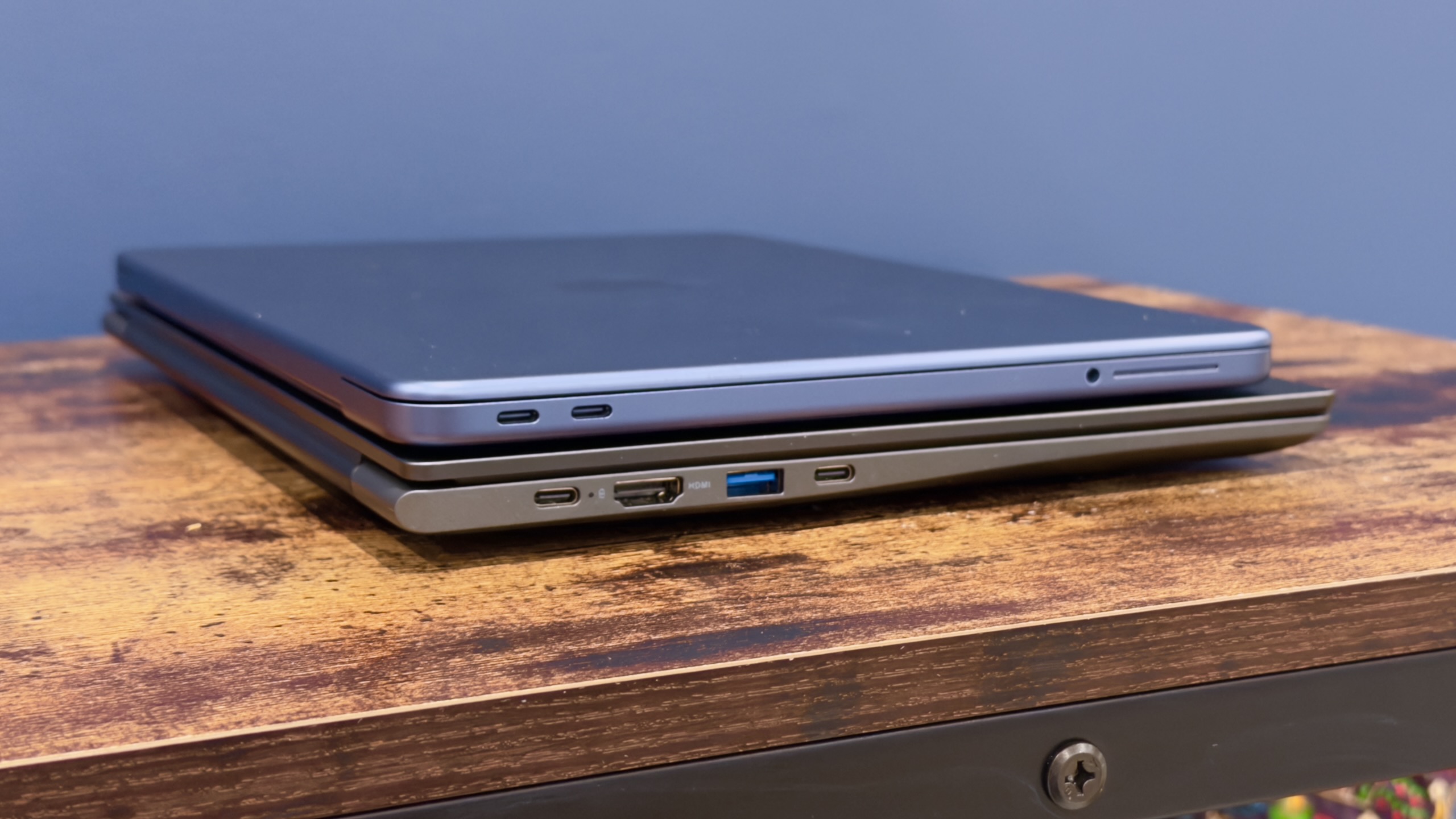
MacBook Neo on top, Chuwi Unibook on bottom.
Credit: Andrew Cunningham
MacBook Neo on top, Chuwi Unibook on bottom. Credit: Andrew Cunningham
The mediocre screen was an unpleasant surprise given that this thing advertised 100 percent sRGB gamut coverage when it was announced and on its product page for many weeks (the Internet Archive captures it here). But since then, the company has said that only a higher-specced Unibook 315 actually has a screen with 100 percent sRGB gamut coverage, in addition to an extra P-core on the CPU, 12GB of RAM instead of 8GB, and a 512GB SSD. You still can’t buy this version of the Unibook, though Chuwi says it “may” be available this month and it “may” cost $599.
I run out of nice things to say about the Unibook after the screen. The webcam is usable, insofar as it functions, but the image quality is fuzzy, and it has trouble with white balance. The speakers produce sound under some circumstances (more on that later).
The trackpad is probably the worst of the Unibook’s core features. The actual finger tracking is OK, one gift of the precision trackpad era that endures despite the hardware’s shortcomings. Aside from that, it’s awful—it’s stiff. It’s hard to click. It’s so, so loud. It’s a trackpad that makes you glad for tap-to-click. It’s almost bad enough to ruin the laptop all by itself, though it does have some other help.
Weird software
When you buy a no-name PC, part of what you have to assume is that you are essentially out in the cold with respect to aftermarket software support. Maybe you’ll get some driver and/or BIOS updates directly from the manufacturer, and maybe you won’t! But you should assume that you won’t, and you should assume that whatever driver support page exists might be busted or deleted at pretty much any time. The driver page for the Unibook has not worked even once at any point during the weeks I’ve been using it.
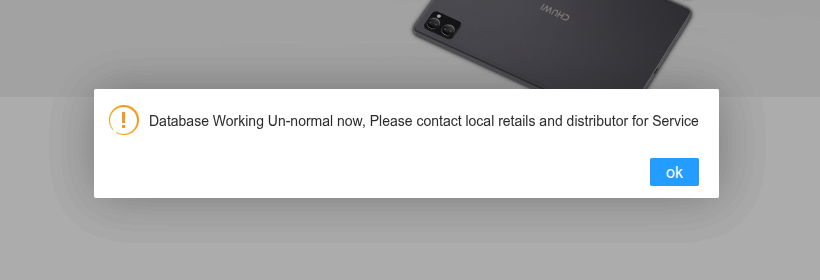
Sadly, Chuwi’s support database was “Working Un-normal” for the entire time I was using the Unibook.
Credit: Andrew Cunningham
Sadly, Chuwi’s support database was “Working Un-normal” for the entire time I was using the Unibook. Credit: Andrew Cunningham
Usually this means putting up with things that feel just a little off or downright weird, like a BIOS that seems to expose every possible setting whether it’s necessary or not, a shortcut to a Windows 7-era Control Panel applet sitting on the desktop by default for some reason, or the system’s pre-installed Microsoft Office 2024 suite.
If you think it’s odd that a $449 computer would come with Microsoft Office pre-installed or that it’s even more odd that Chuwi doesn’t advertise pre-installed Microsoft Office, you’re right. The copy installed on our review unit was definitely activated using a common activation script, something I verified by running the script and checking Office’s activation status.
Security-wise, the Windows install seems to check out, insofar as it meets Windows 11’s Security dashboard’s “enhanced security” baseline (at least, it did after a round of updates and a reboot). Chinese PC makers will occasionally ship a driver, inadvertently or otherwise, that comes with malware on board, so it’s something you need to watch for.
What the Unibook does ship with is all kinds of weird little Microsoft bits and bobs that don’t come with a clean-from-USB Windows 11 install, including a “mobile plans” app (the laptop has no modem, and the app opens to a blank window that does nothing), and the obscure “Microsoft PC Manager” app. The only page I can find for it on what is apparently Microsoft’s actual website is full of bizarre, possibly auto-translated sentence fragments like “Cleanup your system and free up spaces” and “Enhance the efficiency of computer use”). Some Chinese language packs are also preinstalled.
Windows re-installers beware
Normally, I’d treat this sort of PC the same as I’d treat most computers from most OEMs: Blow away the stock Windows installation and control my own destiny. Sure, a “clean” install of Windows 11 isn’t the cruft-removal magic wand that it used to be, but it’s still a good way to make sure you’re dealing mainly with Microsoft’s nonsense and not additional manufacturer-added nonsense on top of that.
For the Unibook, this wasn’t smooth sailing.
As you saw earlier in this review, Chuwi’s support site is currently suffering from an acute case of “Database Working Un-normal.” This made downloading drivers pretty difficult, partly because Wildcat Lake is new enough that Windows Update doesn’t seem to have drivers ready to go.
As a precaution, I replaced the Unibook’s drive with a spare 256GB SSD I had pulled from some other laptop at some point. When I ran into problems getting some of the hardware to work, I switched back to the old SSD and used Windows’ built-in DISM servicing tool to export every single third-party driver installed on the system.
If you need to reinstall drivers onto the Unibook without the benefit of a backup from the existing system, this patchwork also seemed to clear all the exclamation points from the Device Manager:
- Generic GPU and NPU drivers from Intel (Wildcat Lake uses the same drivers as Meteor Lake and other Core Ultra/Arc models)
- Various Intel chipset drivers (Management Engine, Software Integrated Package, etc.) from Dell’s support page for the XPS 13 DX13260, which is Dell’s similarly specced Wildcat Lake laptop.
- A Realtek 8852BE Wi-Fi driver from Windows Update.
- If you want a Bluetooth driver other than the generic built-in Windows one, I’ll offer my archived version that I extracted from the laptop—I couldn’t find a serviceable replacement.
But even with a nice, clean Device Manager, sound still wasn’t coming out of the Unibook’s speakers—it didn’t even see that an audio output was installed. By diving into the “System devices” section and selecting a generic audio controller driver, I was able to install an “Intel Smart Sound Technology Bus” device that finally seemed to make Windows recognize the remainder of the not-installed audio drivers, which got everything working again.
For your convenience, I am also including the pile of audio drivers I extracted from the Unibook’s default Windows install here.
The audio problem was also present in Linux, when I tried Kubuntu 26.04 LTS on the system. In addition, the laptop wouldn’t go to sleep when its lid was closed, which put a pretty good dent in the battery life. Some others have had some success getting this stuff working, but it wasn’t something I spent much time on for this review.
Good enough performance, outstanding battery life
Wildcat Lake is Intel’s first genuinely compelling low-end laptop processor in quite a while.
It used to be standard for lower-end laptop CPUs to be cut-down versions of high-end ones, based on the same architecture and manufacturing process. But as manufacturing improvements have gotten harder to do, Intel (and others) have turned to rebranded previous-generation chips to serve more budget-minded systems. Intel’s 12th- and 13th-generation Core processors weren’t especially impressive laptop chips in the first place (mediocre battery life; same GPU as 11th-generation), and getting warmed over and returned to market as the Core Series 1 and Core Series 2 families didn’t make them any better.
Wildcat Lake only has one or two P-cores (one for this version of the Unibook), four E-cores, and one or two GPU execution units. But they at least benefit from being built on the same architectures as the Panther Lake Core Ultra Series 3 processors, including the Intel 18A process for the main CPU die.
Objectively, performance is not impressive. But even a single P-core means a much faster and snappier-feeling computer than you’d get if you used one of Intel’s all-E-cores budget processors, and the Core 3 304 chip is perfectly serviceable for browsing, communicating, or streaming video. The comparison to Apple’s A18 Pro, the MacBook Neo’s chip, isn’t especially flattering for Intel—the Core 3 304 has one fewer P-core and higher power consumption, which means its performance-per-Watt for heavy tasks is pretty bad (it doesn’t use a ton of power, but it takes a very long time, so overall efficiency for these tasks isn’t great.) The Core 3 304’s single-core GPU also looks pretty bad next to the A18 Pro’s.
If you were hoping to play games or edit photos or video, the other blocker is the 8GB allotment of RAM, which was little enough that it kept benchmarks like Cinebench 2024, Cinebench 2026, or many GPU benchmarks from running entirely.
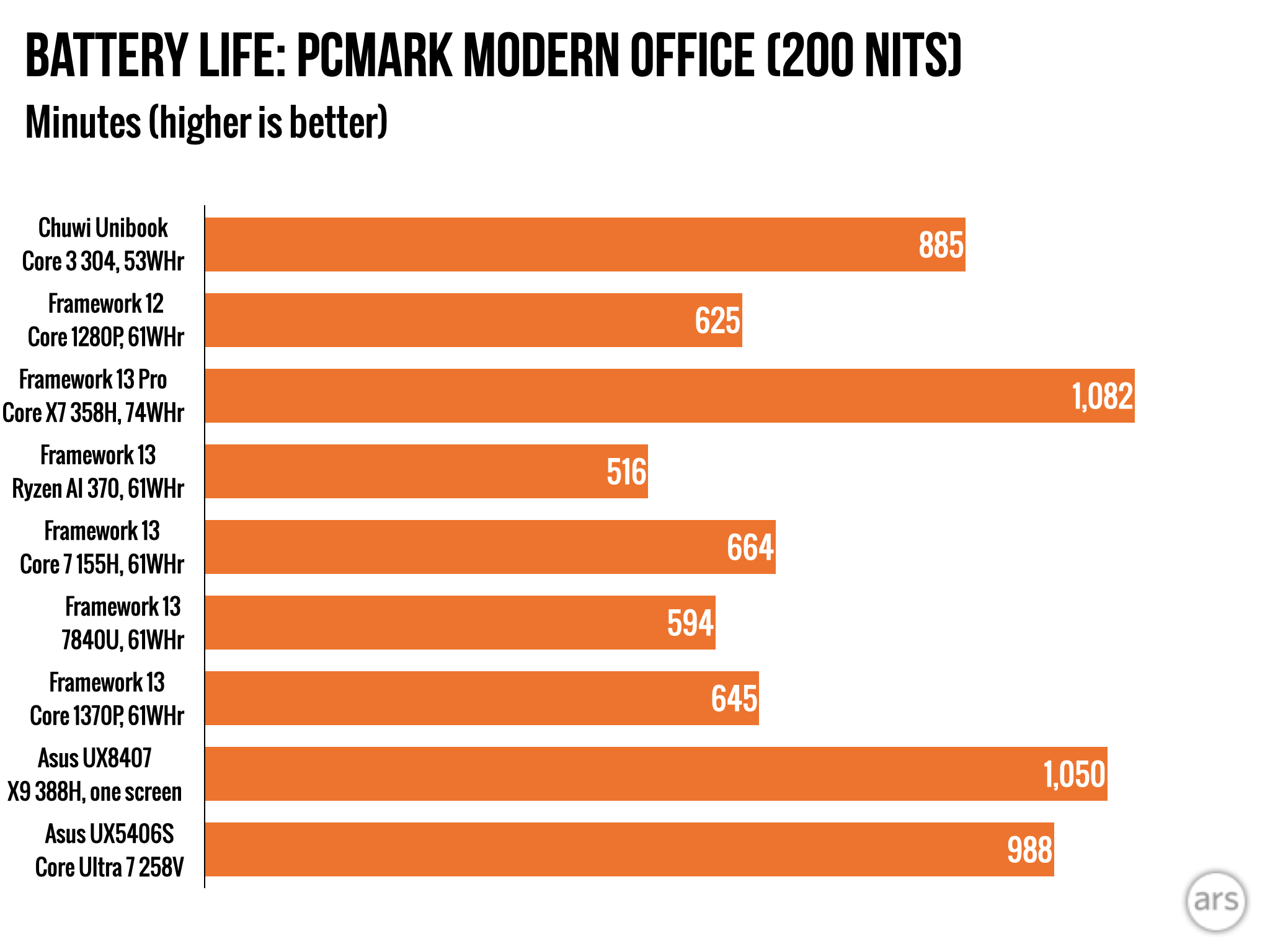
But its saving grace is its battery life—because it uses newer manufacturing tech, Wildcat Lake enables the Unibook’s 53 WHr battery to last for nearly 15 hours while running the PCMark Modern Office benchmark with the screen brightness set to 200 nits. That’s more than enough to make it through a full day away from an outlet.
I’m sorry, but no
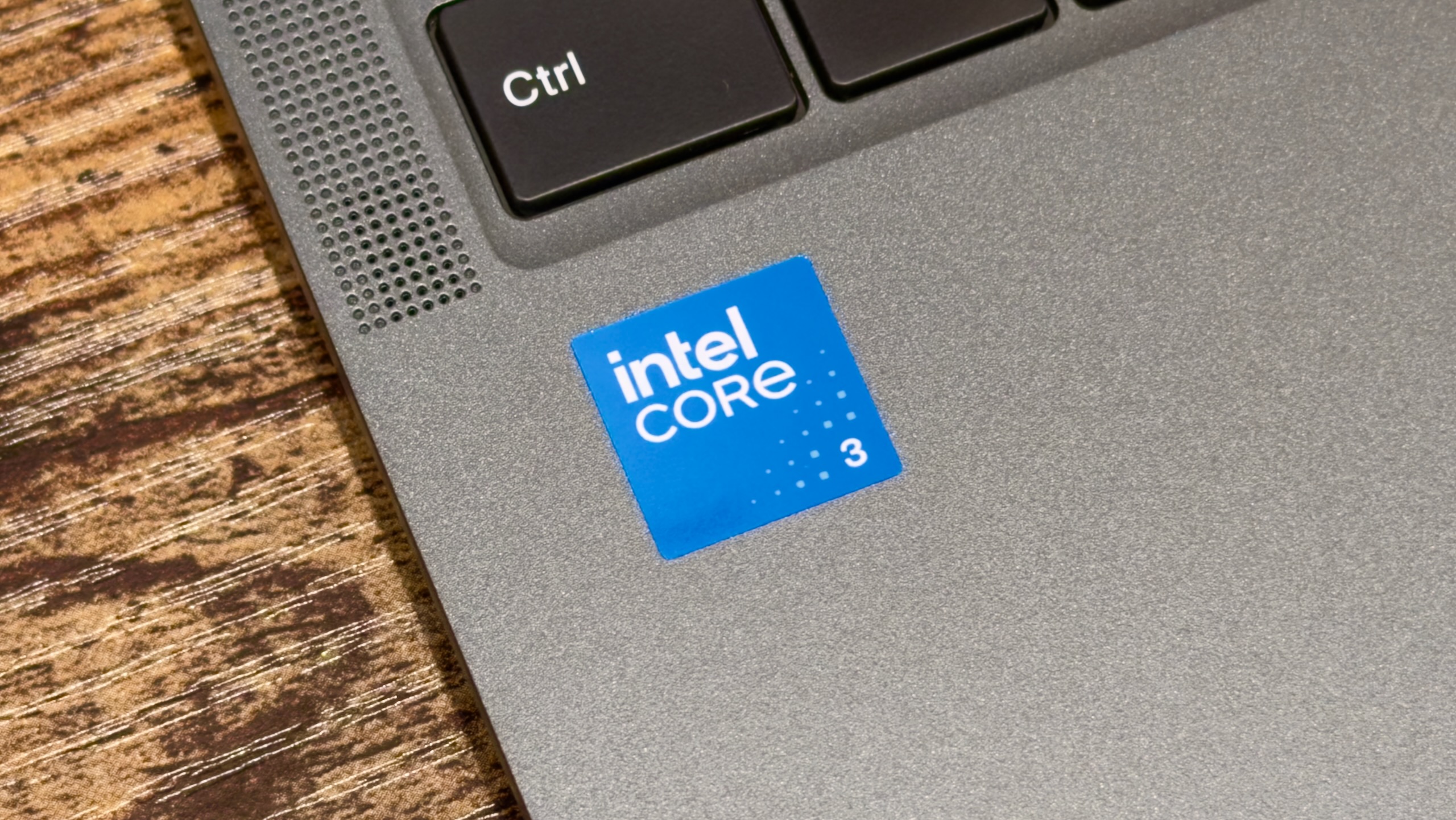
The Core Series 3 chip is generally decent, but too many other things about the laptop don’t clear that bar.
Credit: Andrew Cunningham
The Core Series 3 chip is generally decent, but too many other things about the laptop don’t clear that bar. Credit: Andrew Cunningham
If a computer’s price in 2026 seems too good to be true, it probably is—Chuwi’s Unibook is interesting, but I’d hesitate to recommend it as a primary laptop to pretty much anybody. Some of that comes down to the hardware—mainly the awful trackpad, but also the worse-than-expected screen—and some of it is that you’ll be mostly on your own for hardware and software support after you buy it. A MacBook Neo or even the new Dell XPS might be more expensive, but at least you’ll have someone to call if something goes wrong.
And that’s before you get to the actual specs. The Unibook is a decent showcase for Intel’s Core Series 3 processors, which offer pretty stellar battery life, along with performance that’s more than good enough for basic computing. But 8GB of RAM will severely limit the kinds of apps that run well (or run at all) on a PC, and trying to play anything other than basic 2D games on a laptop like this won’t go well.
The good
- Intel Core Series 3 chips (codenamed Wildcat Lake) offer good-enough performance and very good battery life.
- Lots of ports.
- Good screen size and resolution.
- A decent keyboard with a nice backlight.
The bad
- Screen is worse than originally promised, with way less than 100 percent sRGB color gamut coverage. 300 nits of peak brightness also isn’t great.
- No fingerprint reader or other biometric authentication options.
- Poor speakers and webcam quality.
- 8GB of RAM will slow the laptop down once you open too many apps or browser tabs, and some kinds of apps and games don’t want to run at all.
- Broken driver support page (and weird audio setup) makes a clean Windows (or Linux) install more difficult than it should be.
The ugly
- Awful, stiff, loud trackpad is a genuine displeasure to use.

Andrew is a Senior Technology Reporter at Ars Technica, with a focus on consumer tech including computer hardware and in-depth reviews of operating systems like Windows and macOS. Andrew lives in Philadelphia and co-hosts a weekly book podcast called Overdue.






 English (US) ·