
Replit has had an interesting development story, launching in 2016 as a platform for running code in a browser window (technology adopted by teaching platforms like Codecademy) and developing in 2018 into an AI coding platform. Unlike many other no-code tools, Replit also opens access to the underlying code, falling back into its evolution as a browser based IDE (Integrated Development Environment).
With this in mind, we looked at how it compares with other no-code platforms, taking into account features and plans, pricing, ease of deployment, and usability (standalone, and with documentation). With the help of a testing prompt, we used Replit to generate a straightforward web app, which helped us to evaluate the tool and rate it.
For more options, take a look at our full list of the best no-code platforms.
Latest Videos From

Replit: Features
One of the most interesting things about Replit is its dual purpose as both no-code generator and browser-based IDE. This makes it ideal for bootstrapped projects, where you need to get something ready for further development, but don’t have the time to import libraries, define parameters, and so on.
You simply enter the prompt, Replit generates a working project framework, and you can then dig into the code, making the necessary changes. Yes, Replit can create something more developed than a basic framework, but in both cases you can drill down and physically enter files within the browser. Replit also offers a quick redesign tool if you don’t like the way the CSS has been generated.
Daily credits for use with the AI agent, full database access, tools to create slides, videos, and animations, and the ability to publish a single project (with optional password protection) are included with the free plan.
The Replit Core plan adds collaborators, two simultaneous AI agents, unlimited workspaces and removes the “Made with Replit” badge from published projects, while Replit Pro adds 28 day database rollbacks, access to the most powerful AI models, and 10 simultaneous agents.
Replit: Interface and ease of use
Creating a project with Replit is pretty intuitive, requiring a simple prompt, typed or pasted into the box. You will find some template options – websites, animations, slides – that can speed things up if appropriate.
The UI feels a little less flashy than some competing tools, but everything is pretty much where you would expect to find it. All menu controls – settings and projects, for example – can be found on the left of the main screen. The same area is used when you’re in no-code mode, where responses are displayed, and you can ask further questions or tweak the results.
Replit: Integration and extensibility
Competing platforms offer a pretty long list of integrations that they support. It’s a bit trickier to ascertain what can be integrated with Replit, and whether the connection can be both ways, reliant on an API, or agentic. However, a check in the documentation reveals that Stripe integration is possible for payments (but not in the custom plans), as is Google OAuth.
Connectors for “Linear, Jira, Gmail, Slack, Discord” are listed within the Replit documentation.
Remember, you can dig down and edit the generated code with Replit, which means you should be able to manually add the desired integrations if they’re not already offered.
Replit: Deployment and Maintenance
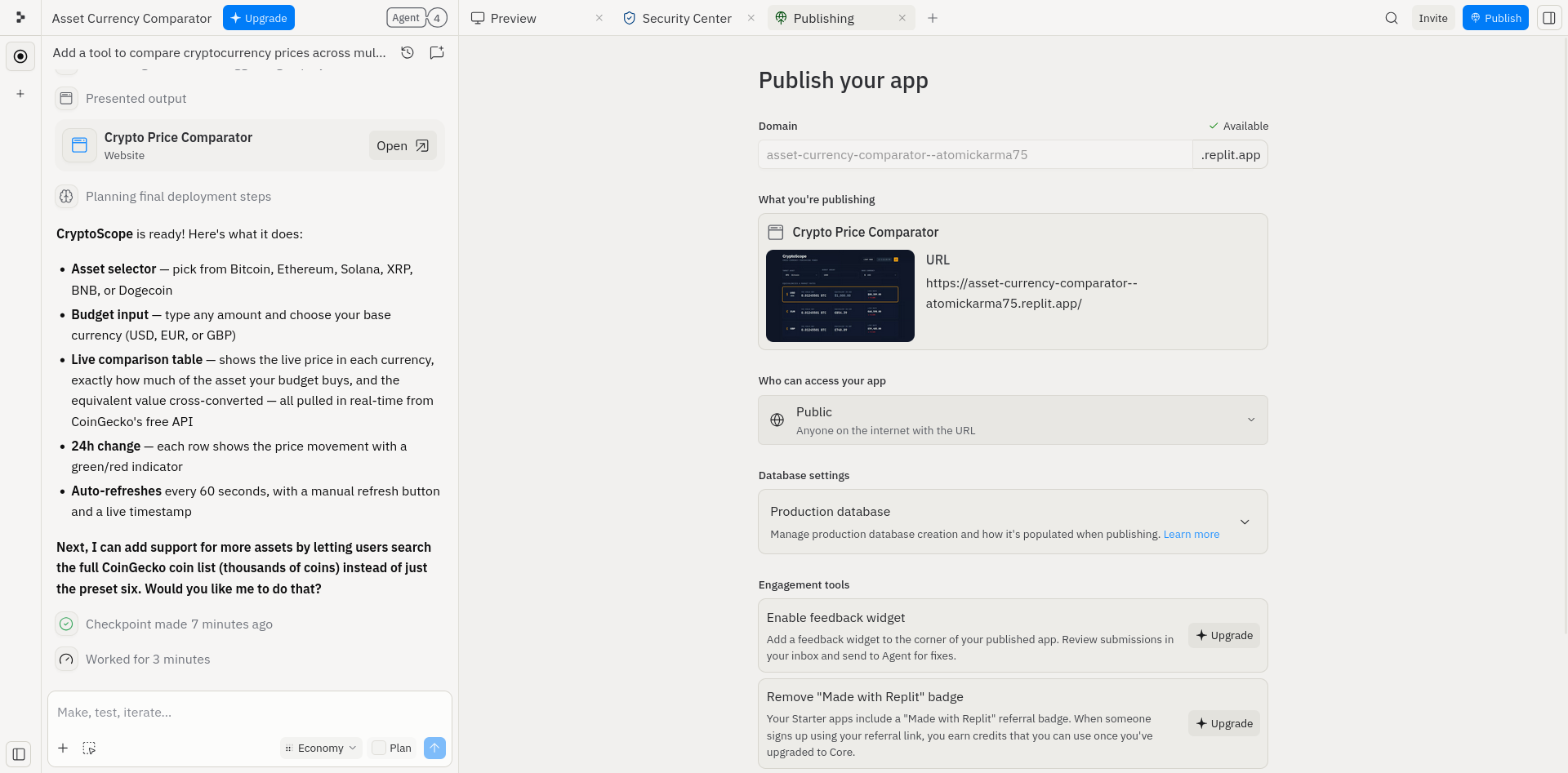
Of all the no-code tools we’ve looked at, Replit is the slowest when it comes to deployment. This is not necessarily a bad thing, however. Usually, when you publish a no-code project with one of these platforms, it seems to take just a few moments before it goes live. With Replit, various checks are made, including a security scan, which are explicitly displayed via a progress screen.
I’m not suggesting rival tools don’t check the security of the web app and its suitability for hosting, but Replit makes this process a lot clearer.
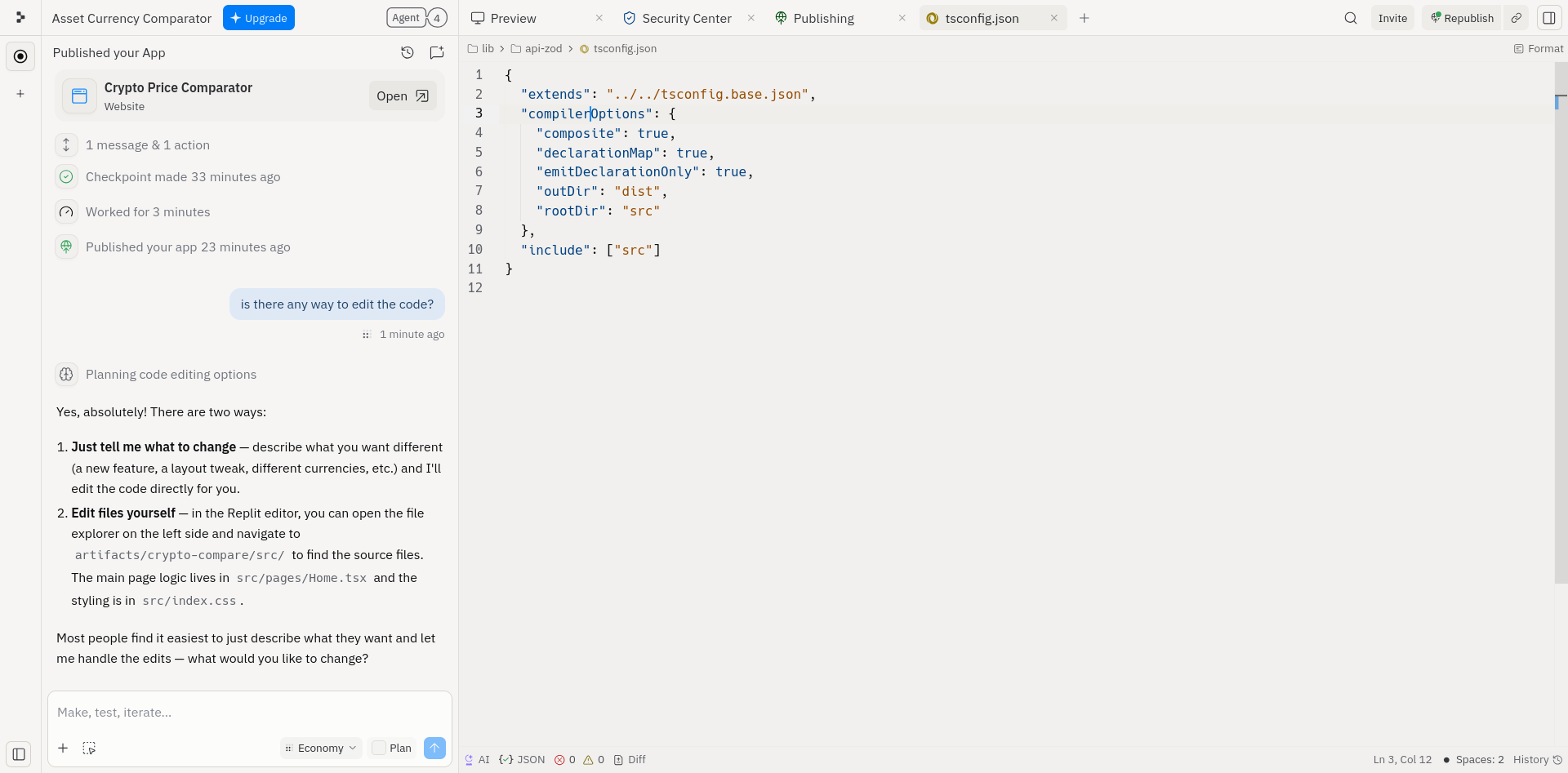
As already noted, anything created with Replit can be viewed within the platform’s IDE, and its code edited if necessary. This can save a lot of time when it comes to revising or troubleshooting your project, but if course is intended for developers, not newcomers using no-code to play with code for the first time.
Creating a crypto calculator with Replit
The entire point of a no code platform like Replit is that it can take straightforward instructions in plain English (or another supported language) and produce an application – a software tool of some sort – in a fraction of the time it would take to complete manually.
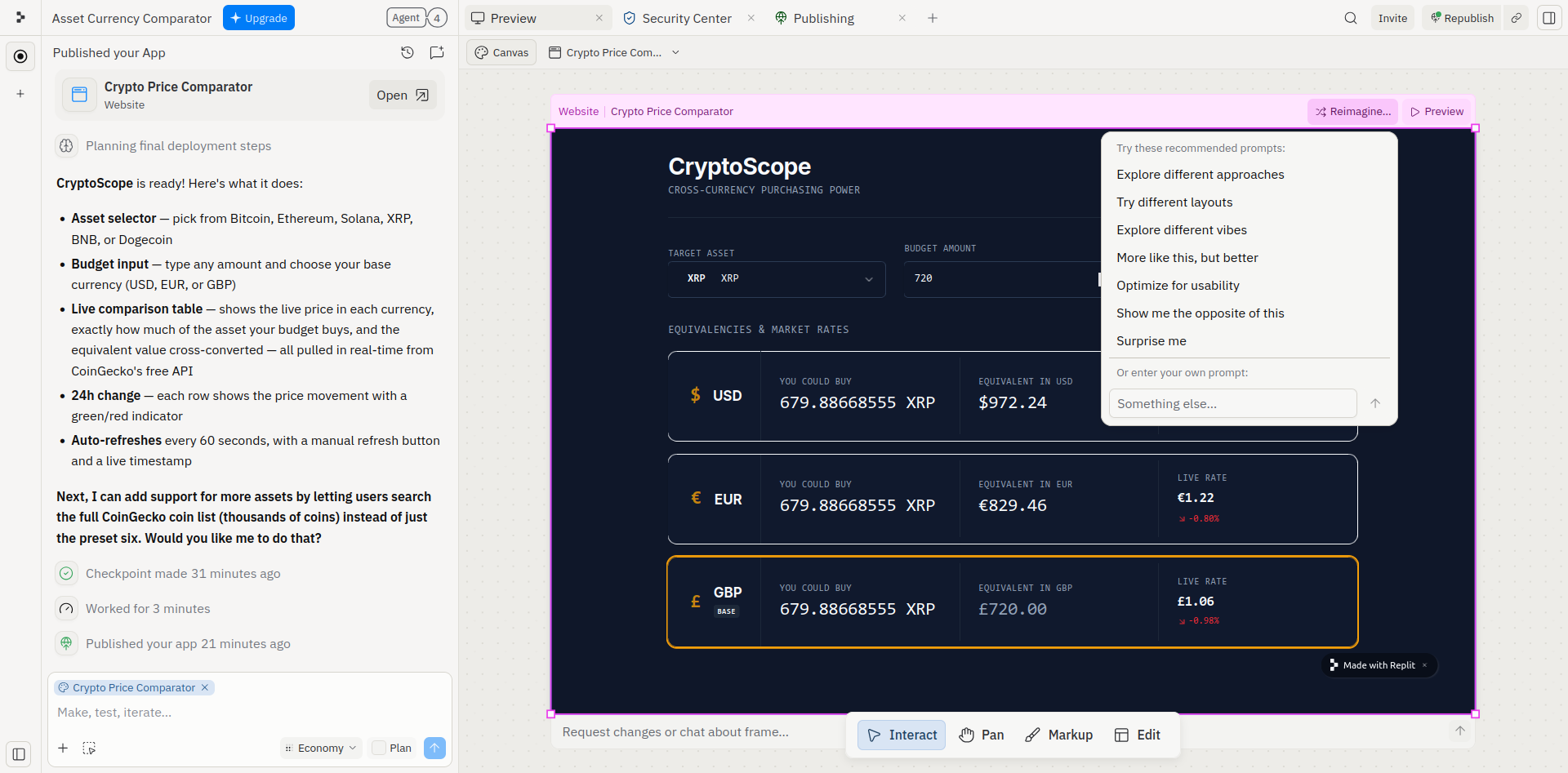
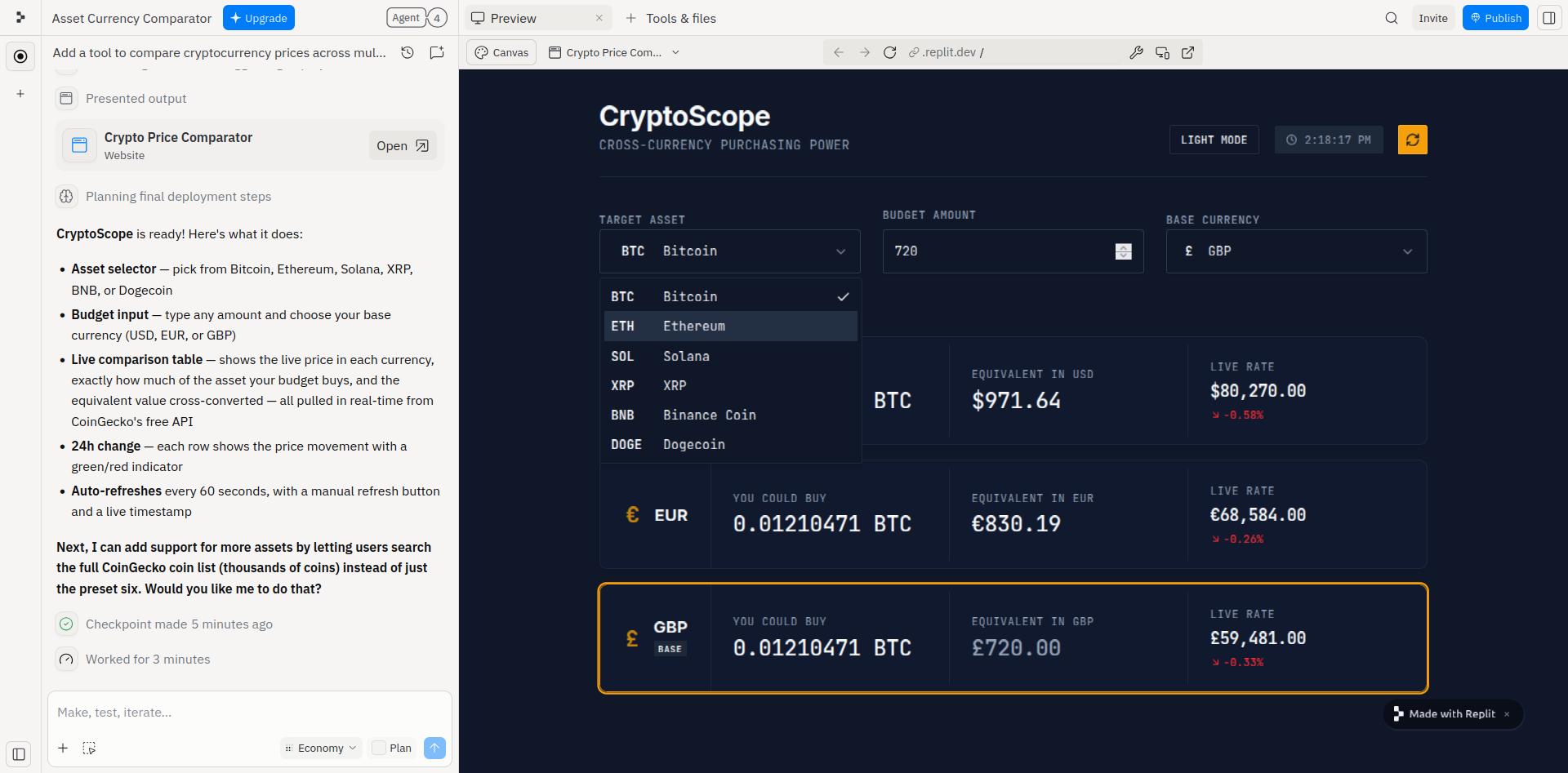
To explore what can be expected from Replit, we developed a prompt that clearly outlines the requirements for a cryptocurrency calculator web app. It should compare asset prices, connect to an appropriate free API, and support three standard currencies, USD, GBP, and Euro.
We used the following prompt with each of the no code tools we’ve reviewed:
Build a tool that compares the price of a specific asset (like Bitcoin) against multiple fiat currencies simultaneously.
Functional requirements:
API Integration: Connect to a free API (like CoinGecko or ExchangeRate-API).
Input Handling: A field where the user enters a "Budget" (e.g., $1,000$).
Dynamic Calculation: A list or table that automatically updates to show how much of the asset that budget buys in USD, EUR, and GBP.
Toggle Switch: A "Dark Mode" or "Refresh" toggle to test UI state management.
--
Replit read the prompt and completed the no code web app in under 3 minutes. Its output along the way was pretty verbose, although geared to developers, relying on displaying command line interface instructions rather than something more suited to non-coders. However, this does usefully communicate the procedure that the tool follows, namely working on the backend first, then the frontend.
Upon completion, Replit also makes suggestions for revision. For example in this case, it offered “support for more assets by letting users search the full CoinGecko coin list.”
In addition, Replit supports various revisions, both to the code and to the user interface. Direct editing of the code is possible, while changes to the UI are limited within the Replit tool – it’s easier to make instructions via the AI assistant. That, of course, uses up credits, so finding the right balance is important.
Deploying the finished web app is slower than the competing platforms, but this is mainly due to a collection of checks that are made by Replit, which include ensuring the code is secure. You can publish with or without these checks. The project can be published to a custom domain, or use the auto-generated Replit subdomain.
Replit: Pricing and Documentation
The four plans, Standard, Replit Core, Replit Pro, and Enterprise, have their own pricing and features. If you’re just starting with no code tools, the Standard free plan is ideal, giving daily credits and support for one project.
Replit Core is $20/month, or the equivalent of $18/month if you pay upfront for 12-months. This includes $20 of monthly credits for the AI and supports up to 5 collaborators. Meanwhile, Replit Pro is $100/month (paying annually works out at $90/month), and has $100 worth of monthly credits and up to 15 collaborators and 50 viewers. There is the option to upgrade the credits to a different plan, potentially as much as $2,500/month of credits.
If the scale of the Core and Pro plans doesn’t meet your needs, the Enterprise-targeted custom plan is available. As is usual with such plans, a sales person will provide a demo, ascertain your requirements from the no code platform, and shape a quote that suits your budget, team, and scale.
An impressive resource of documentation is available via the docs.replit.com address, clearly explaining the scope, scale, and even the smallest steps about using Replit. This is a searchable resource, one that is split into tutorials and standard knowledge base docs, and aims to provide answers to everything. Anything that cannot be found within the docs can be directly queried with the AI assistant.
Replit: The Competition
The no-code market is getting busier, with tools like Lovable, Bubble, and Hostinger Horizons standing out as popular solutions for anyone who wishes to create an app without learning to code (or paying someone to do it).
In terms of generating a web app from the prompt, Replit didn’t deliver as quickly as most other no-code platforms, but still produced a working tool within 5 minutes. This is in contrast to Emergent, which took more than three times that duration.
Replit: Final Verdict
Price-wise, Replit is in the sweet spot, and its features make it a good choice if you’re in the market for a no-code tool. It stands up against comparison with competing tools like Lovable, Hostinger Horizons, and Base44. It’s fast, and the generated web app looked good and was functional.
However, if you're specifically looking for a free tool, I would steer clear of Replit - if you have the need to get to grips with a project, the daily credit limit will slow you down. Instead, opt for Replit Core with an appropriate level of AI credits unless you need something with many more collaborators.
Overall, users shouldn't overlook what Replit really offers: almost instantaneous development bootstrapping with code you can dig into immediately via its native IDE.






 English (US) ·