
 3 weeks ago
44
3 weeks ago
44
Is this just a game to you?
Interactive mobile “gizmos” are easy to make, hard to share outside Meta’s platform.
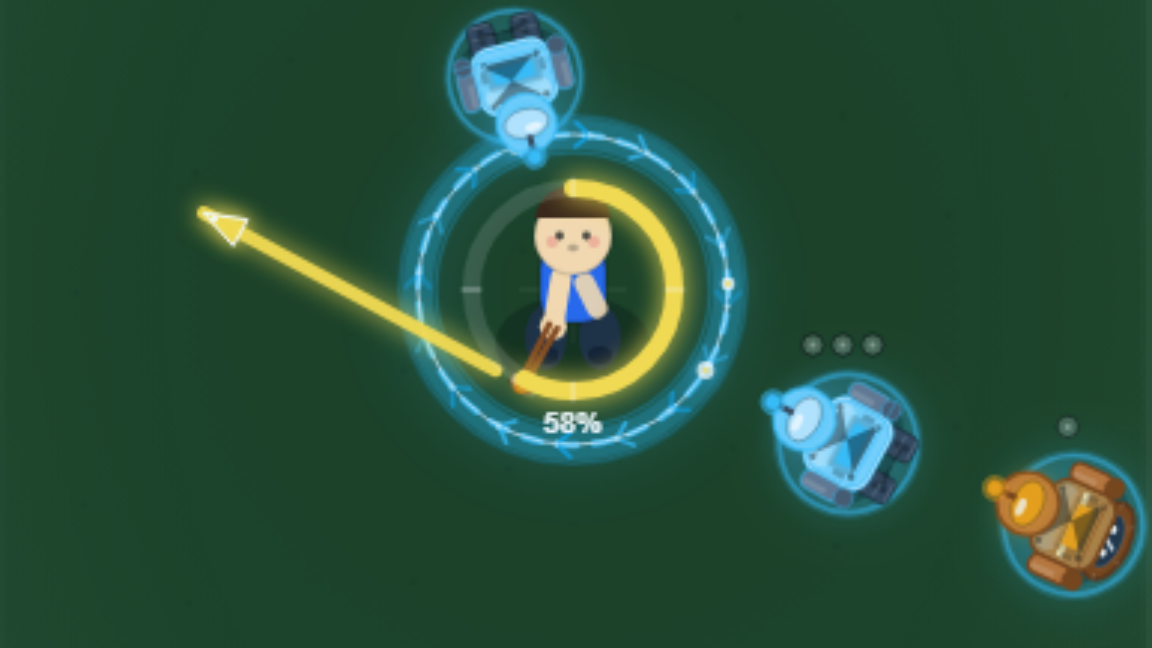
This brilliant example of game design prowess is technically eligible for awards show consideration Credit: Pocket / Kyle Orland
The relatively recent rise of AI-assisted coding tools and the whole concept of “vibe coding” have effectively upended entire software development workflows. While these tools have been available to novice coders willing to put in the work to set them up, those with little to no coding experience could still be a little put off by the CLIs, IDEs, and terminal-based tinkering needed to create a complex AI-coded project these days.
Meta’s latest AI-based project launch wants to make that kind of vibe coding as instantly accessible as posting on social media. Pocket—which launched in the US last Friday, August 21, after Meta acquired the staff behind the now-defunct vibe-coding app Gizmo in March—is a mobile app that lets users create fully functional interactive “gizmos” just by typing prompts into a text box, without even the option to look at a line of code. Those gizmos can then be shared with the world in a TikTok-style endless scroll complete with likes, comments, reposts, and all the other hallmarks of social media addiction.
After playing around with Pocket for the better part of a week, I found myself getting hooked on the simple process of quickly standing up functional, relatively feature-rich game prototypes simply by chatting with an LLM. But the result of all that time and AI effort is a couple of interactive toys that are effectively trapped in Meta’s new walled garden, without any real way to turn them into something separate.
Drawing me in
To start creating with Pocket, all you have to do is type into a large, friendly-looking text box labeled “Describe an idea…” After a few false starts, I centered my first real Pocket project on the idea of a game where you tap and hold the phone screen to spin up a sling, then release it to fling a tangential shot at encroaching hordes of enemies.
I tried to be at least somewhat detailed in my baseline “engine” prompt to Pocket:
“An overhead shot of a man in the center of the screen. When you tap and hold he rotates a sling around him in a circle. When you lift your finger the sling sends out a ball perpendicular to the sling. The longer you hold the faster the ball comes out.”
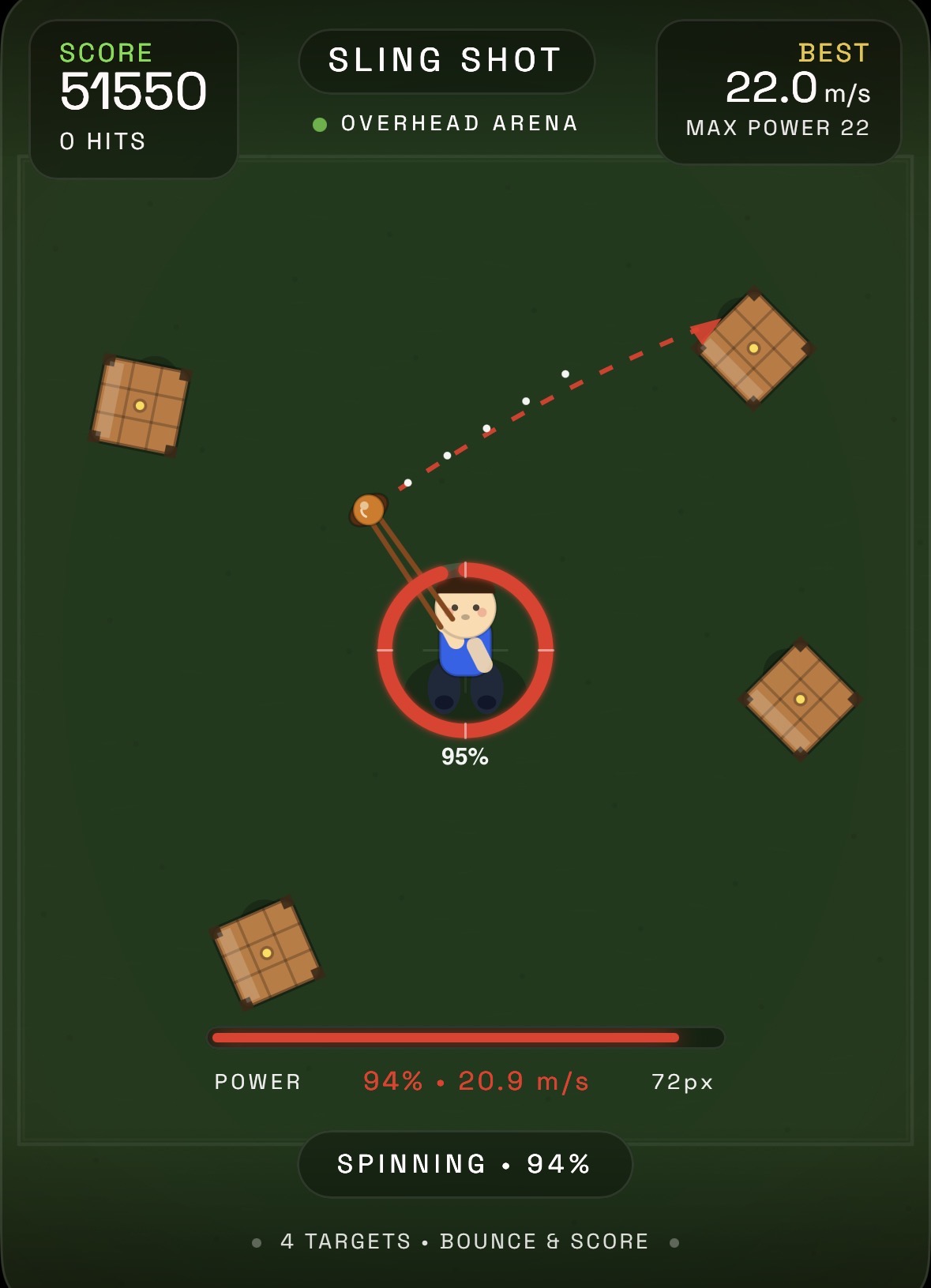
The initial AI-generated prototype of my Sling Shot game. I didn’t ask for the hay bales or the targeting arrow.
Credit: Pocket / Kyle Orland
The initial AI-generated prototype of my Sling Shot game. I didn’t ask for the hay bales or the targeting arrow. Credit: Pocket / Kyle Orland
After submitting the prompt and waiting nearly two minutes, I was surprised at how quickly and accurately Pocket had matched my general vision. What would have taken a novice lapsed coder like me hours of time struggling with physics models and code references was already in a functional, ready-to-test state with minimal effort. Pocket even added a few explodable hay bale targets that I hadn’t asked for, as well as fringe UI features like a score counter and on-screen power meter that I can only assume the model’s training data suggested were probably welcome additions.
With that initial prototype in hand, I dove into hours of vibe-coded tweaks. Over more than 100 prompts, I started refining the basic “sling shot” control idea into something more akin to a full game. I asked for robots to march in from the edge of the screen, then asked for new types of robots for variety. I asked for an ammo system, then asked for it to be removed in favor of a minimum “sling speed” that effectively prevents shot spamming. I asked for items and an electric fence around the player and endless small edits to the scoring system and sound effects and sling speed and enemy patterns and features large and small.
When that project was in decent shape, I found myself jonesing to keep creating using the AI. I started almost right away on a simple arcade-style juggling game, with colorful balls that you have to keep up by bouncing them off paddles controlled by your thumbs. Over a few more hours, I tinkered with adding an array of items, a complex score-multiplier system, and a set of end-of-game graphs to track progress.
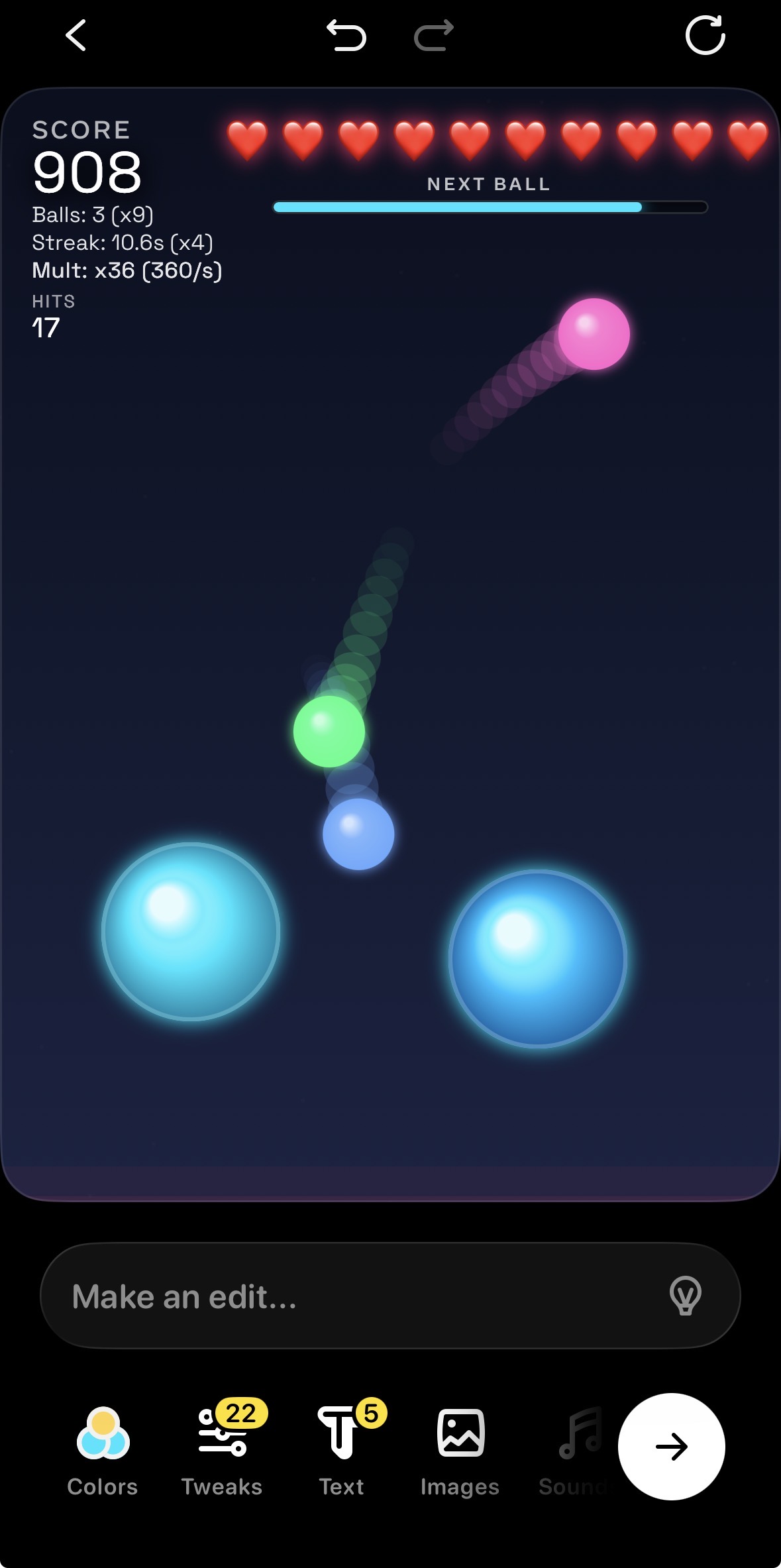
Keeping up one ball is easy, but three or more quickly becomes an exercise in chaos.
Credit: Pocket / Kyle Orland
Keeping up one ball is easy, but three or more quickly becomes an exercise in chaos. Credit: Pocket / Kyle Orland
At this point, I have vague memories of fighting to get even simple computer programs to do anything useful as I worked toward my college computer science degree. Compared to that, the process of making games with Pocket felt a bit magical. All I had to do was think of a new feature I’d like to test, and Pocket had a version of the game ready with that feature about a minute after I typed it in.
A majority of the time, the result of a prompt was exactly what I was hoping for, with no need for additional tweaks. A minority of the time, I needed to work through a few additional prompts to clarify what I meant or tweak the look or behavior of a feature that worked better in theory than in practice. Only a handful of prompts resulted in Pocket seeming to completely ignore my request or breaking the game entirely, in which case a single tap could revert to the last version and let me try again.
Sometimes I tried to be relatively detailed in my prompts, specifying exactly how I wanted a score multiplier to work or tweaking a percentage-based threshold for shot power, for instance. Other times I would leave my prompts relatively short and vague—“add collision detection to the small balls” or “add a bit of oomph to the lost ball sound effect,” for instance—and find that Pocket had interpreted what I meant with surprising acuity.
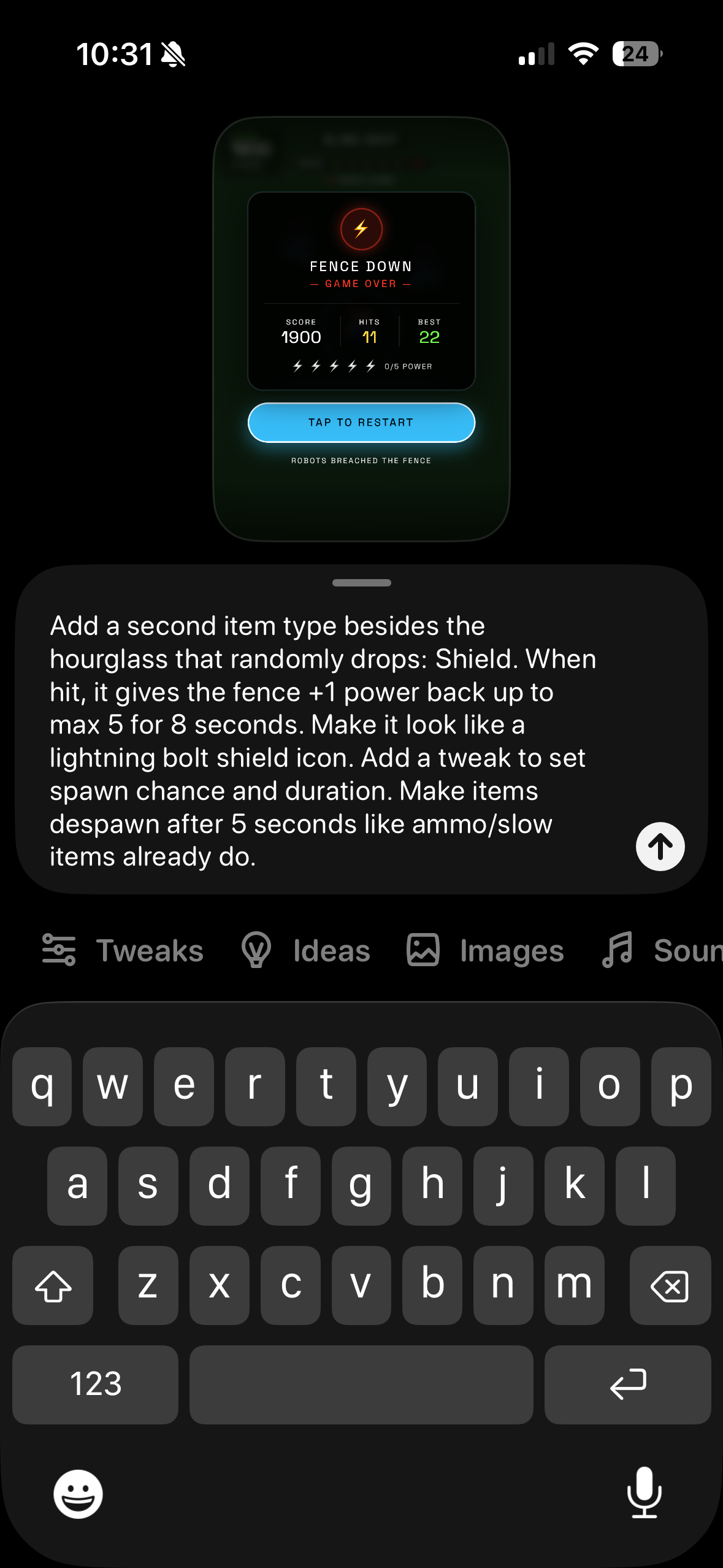
A sample of the kind of detailed tweak prompt I used during the creation of Sling Shot.
Credit: Pocket / Kyle Orland
A sample of the kind of detailed tweak prompt I used during the creation of Sling Shot. Credit: Pocket / Kyle Orland
Pocket also features an “Ideas” tab that can suggest prompts that add entire feature sets before you’ve even thought of them. These ideas were pretty hit or miss, with many that made no sense for the game I was making or that replicated features that were already part of the game (sometimes in a worse way). But some of Pocket’s ideas, like adding key presentational effects or fun new gameplay variations that I hadn’t even considered, led me to a bit of an existential crisis about how necessary I really was to this whole process at all.
Dude, where’s my code?
Creating simple games exclusively through AI prompts has its pitfalls. Something as simple as moving a UI element a few pixels to the right, for instance, requires a full prompt and a roughly minute-long wait as the AI completely rebuilds the app. In a hand-coded game, the same tweak would take mere seconds and not require what is surely a scandalous amount of AI token-burning behind the scenes.
Testing a Pocket can also be a bit of a headache. Without the ability to set up memory traces or put in execution stops, I sometimes had to rely on careful observation and on-screen displays to figure out why something wasn’t working quite as I wanted. Even then, I always had a nagging suspicion that there might be some hidden bug or weird edge case that I just hadn’t noticed. Without being able to see the code, it’s not something I’d trust enough for anything more than a simple toy project.
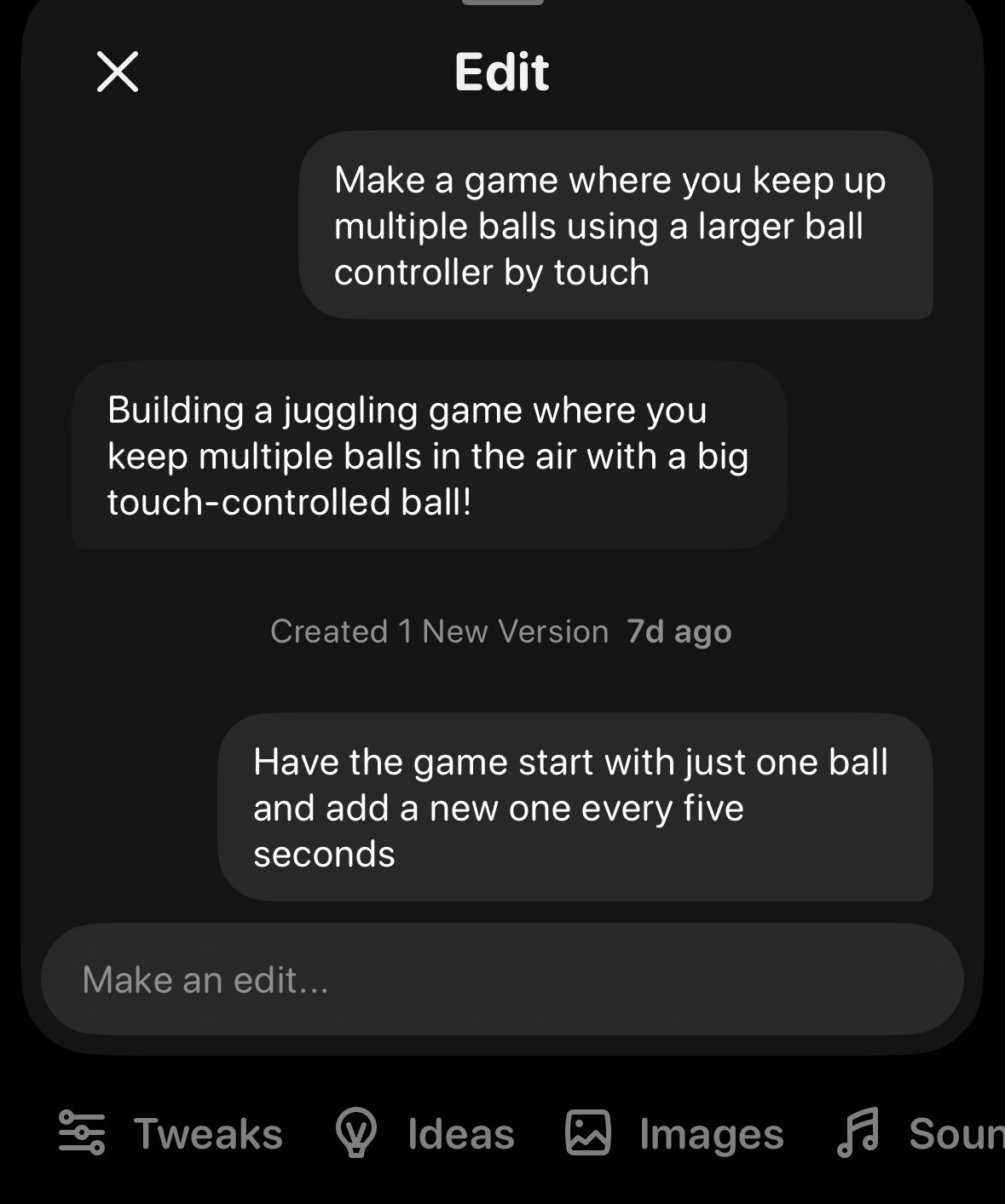
The initial “conversation” that launched my ball-juggling game project.
Credit: Pocket / Kyle Orland
The initial “conversation” that launched my ball-juggling game project. Credit: Pocket / Kyle Orland
There’s also something a bit lowest-common-denominator to the look and feel of the gizmos Pocket tends to generate. The system defaults to emojis or basic shapes for a lot of graphical elements, and the WebAudio sound effects tend toward the “beeps and boops” end of the scale. You can add your own recorded sounds or ask Pocket to generate graphics based on AI prompts to fix this problem a little bit, but the baseline “generic” feeling of everything it generates can be hard to overcome.
Despite these minor issues, I found myself reliant on Pocket’s conversational “ask for a feature and test the result” loop. There’s a seductive thrill to letting an AI coding agent do all the heavy lifting behind the scenes while you simply mull ideas, without a care in the world about the vagaries of physics engines or code trees or syntax errors. I’d find myself brainstorming new game design ideas even as Pocket worked on implementing my last one, eager to feed my concepts into the game-making machine as fast as I could come up with them. And the whole process was simple and streamlined enough that I could do it all while giving half my focus to a baseball game blaring on the TV in the background.
The gizmo feed
As magical as Pocket’s game-creation process feels, the limited way Pocket lets you share those games with the world feels the opposite. The only way to let other people experience your Pocket creation is by sharing it as a Post, pairing your little interactive gizmo with a small caption and a cover photo.
You can share a link to that post anywhere you’d usually share links online, and those following the link can even play an HTML5 “preview” version of your gizmo in their browser without having to download the Pocket app. This can even work on desktop browsers, as long as your app doesn’t rely on mobile-focused inputs like multitouch or tilt-sensing.
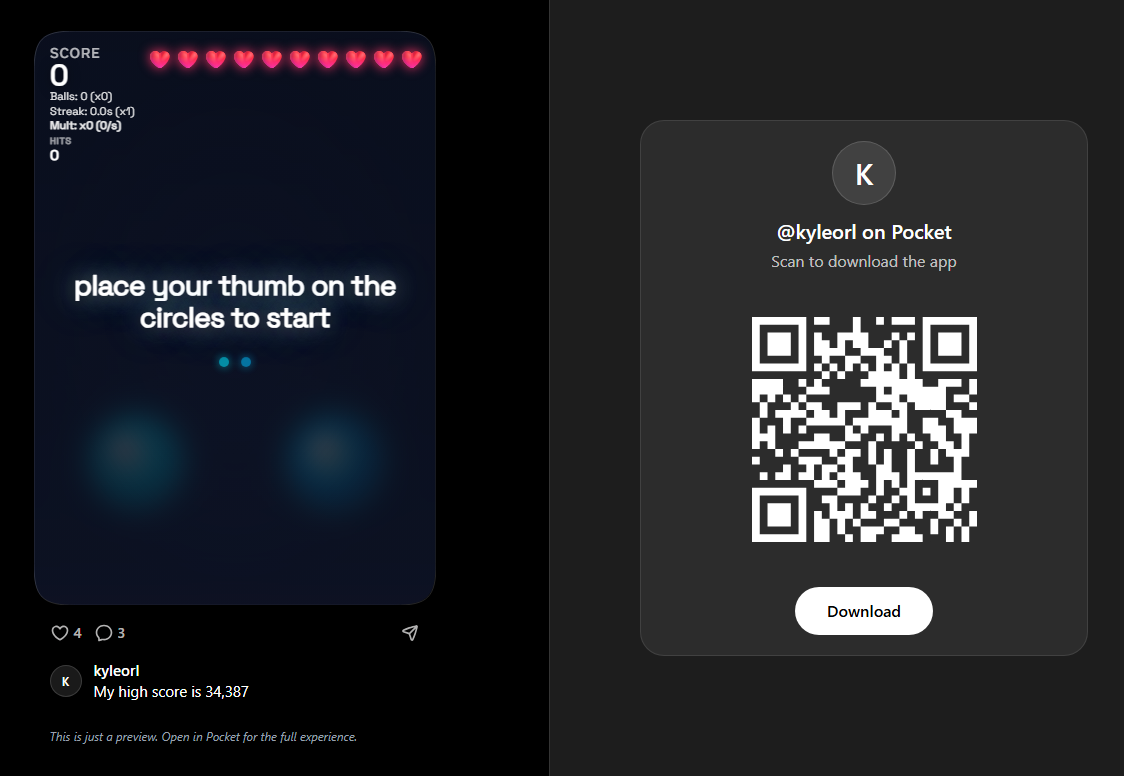
How one of my Pocket creations looks when a “preview” is opened on a desktop web browser.
How one of my Pocket creations looks when a “preview” is opened on a desktop web browser. Credit: Pocket
The main method for people to discover your gizmos, though, is Pocket’s algorithmic feed, which lets you swipe through the full spectrum of Pocket creations in a semi-randomized endless scroll. Skimming through this feed provides the kind of Skinner box roulette that’s familiar to any social media user—a mix of lowest-common-denominator fluff, nonsensical inside jokes from pre-teens, and the occasional well-executed quality idea.
Swiping through a selection of Pocket gizmos just now, I went from an interesting pinball/Breakout hybrid to a confusing ersatz WhatsApp-styled bot conversation to a bare-bones, badly implemented Flappy Bird clone to a gizmo that does nothing but make a low-poly, ice-blue seal flop around when I tap the screen (below a giant banner declaring “Seal!”).
You can follow favorite creators or curators who repost quality gizmos to separate the wheat from the chaff a bit. But even the best Pocket gizmos don’t seem designed to be played for more than a minute or two. Like TikTok, the easy ability to instantly swipe to something new rewards flashy, quick-hit content that can grab a user in just a few seconds, rather than deep, long-lasting experiences. I’ve also seen multiple gizmos reappear on my feed during just an hour or so of idle scrolling, which suggests Pocket also currently has a problem with gizmo quantity on top of inconsistent quality.
Who’s in control?
Despite these issues, some people seem to be finding at least some semi-viral success for their gizmos, if the dozens of comments and hundreds of likes on the most popular posts are any indication. Unfortunately, the two gizmos I spent a few hours tinkering with are not among those viral success stories, amassing just a few hundred “views” and a handful of likes between them in the little time they’ve been available.
That’s OK. I didn’t go into this expecting to achieve instant fame and success by letting an AI craft my brilliant game design ideas (though I do think the ball-juggling game ended up being somewhat compelling). The real problem is that, even if my gizmos were a success, that success would be completely trapped on the Pocket platform. There’s no way to export the code Pocket generates and post it to my own webpage or develop it into a fully realized mobile app, for instance. There isn’t even any way to look at whatever code Pocket has generated, as far as I can tell.
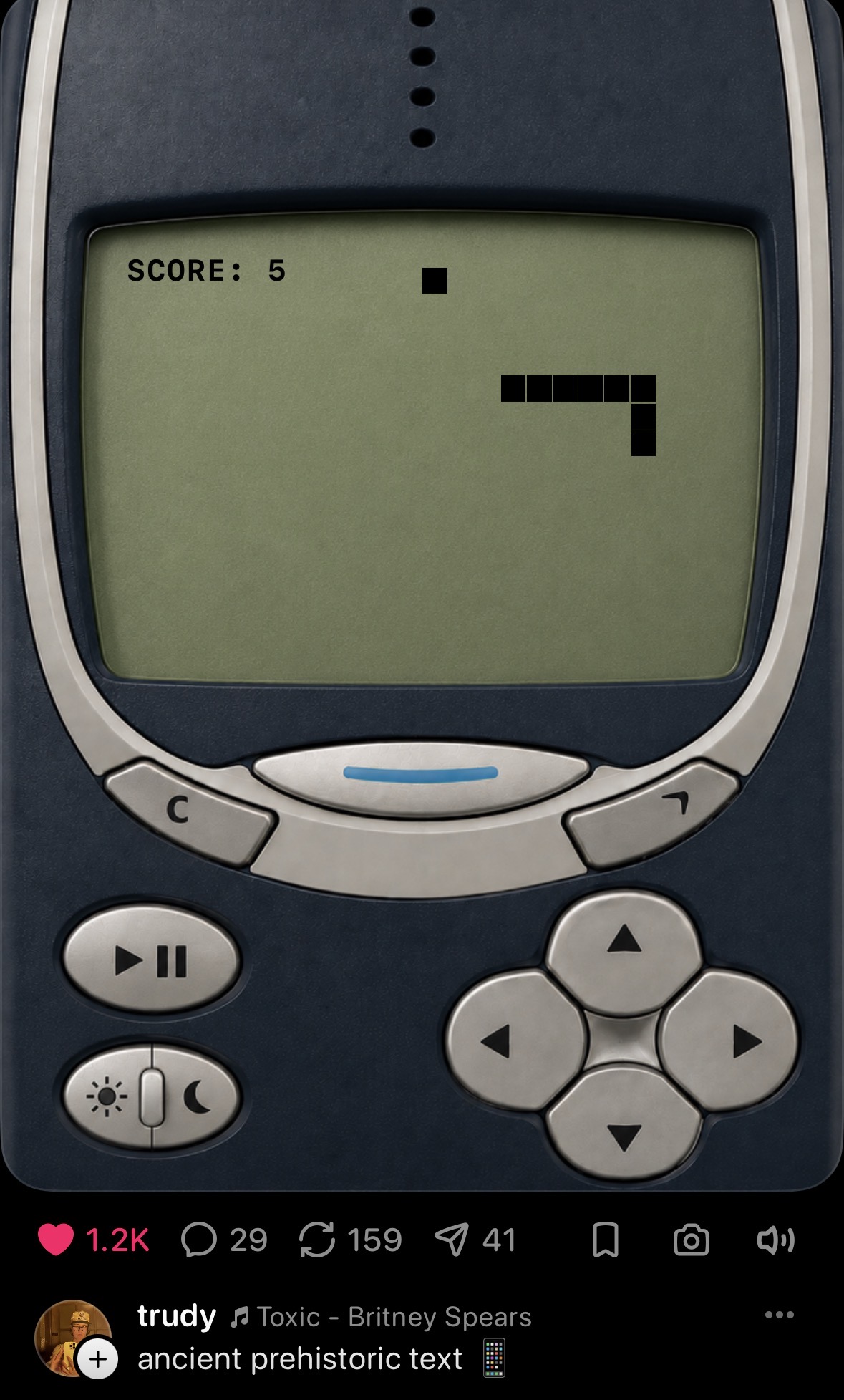
Pocket’s target audience seems to have a soft spot for Nokia’s version of Snake, based on the social media sharing numbers.
Credit: Pocket / trudy
Pocket’s target audience seems to have a soft spot for Nokia’s version of Snake, based on the social media sharing numbers. Credit: Pocket / trudy
This creates a pretty big gap between Pocket and other social media apps. If I make a video for TikTok, I can also post it to YouTube or Facebook or send it directly in a text to my closest friends. If I post a photo on Instagram, I can also post it on X or my own semi-private Google Photos album. On many of those platforms, I can also share in any ad revenue generated by my post.
If I make a gizmo on Pocket, on the other hand, it is, and always will be, stuck on Pocket. That platform exclusivity seems key to the bargain Meta is implicitly striking with Pocket users. You can use our powerful AI coding tools for free, but in exchange, whatever you create will be under our complete control and used to enrich and promote our social media platform alone (though, without ads or any kind of subscriptions, it’s unclear to me how Pocket itself pays for the no-doubt significant AI model costs powering the app).
Maybe there’s a future where Pocket gets popular enough that the prospect of getting an AI creation noticed by its massive audience is reason enough to commit to its specific flavor of powerful, AI-assisted mini-game coding. For now, though, Pocket has helped convince me of both the value of AI-powered coding agents and the value of having full control of the output those agents can generate.

Kyle Orland has been the Senior Gaming Editor at Ars Technica since 2012, writing primarily about the business, tech, and culture behind video games. He has journalism and computer science degrees from University of Maryland. He once wrote a whole book about Minesweeper.








 English (US) ·