
 3 hours ago
5
3 hours ago
5
A PC gamer has created and demonstrated a handy Steam Game Cartridge system. Over on PCMR, Jibril-sama introduced the system, which blends the old-school console convenience of cartridges with Steam’s awesome and agreeably flexible games library. Ingeniously, it upcycles a bundle of old SATA SSDs into Steam-ready game cartridges using a disk mount detect and execute script on the software side and a SATA dock on the hardware side. Icing on this already tasty cake is provided by Jibril-sama’s colorfully encased and custom-labeled Steam Game Cartridges. Nice.
“Got a couple of used 2.5" SSDs for cheap so I decided to make a Game Cartridge system,” the Redditor casually informs the PCMR masses in the post embedded above. “Games are actually on those SSDs with a script to auto-navigate Steam to the game's page. Auto-starting the game right away is also possible.”
Further comments by the OP explain that all the drives bought for this project were 128GB in capacity, and €7 a piece ($8). That’s not bad in the current RAM and NAND crunch, and keeps these files off your built-in primary storage. As many readers will know, PC game libraries can easily grow to hog a lot of storage.
We reached out to Jibril-sama for some more background info about how the Steam Game Cartridge system is designed to work with as little user friction as possible. They informed us that the system in the video runs Linux and Valve’s Steam URL Protocol is leveraged to navigate to the game's page or launch the game.
“All it needs is a systemd template to check for a script on the SSD and launch it. And a udev rule to trigger the system,” Jibril-sama told Tom’s Hardware. “So basically: Plug in SSD -> udev rule sees the event -> triggers the systemd daemon -> systemd daemon looks into the SSD and finds the script -> execute the script.”
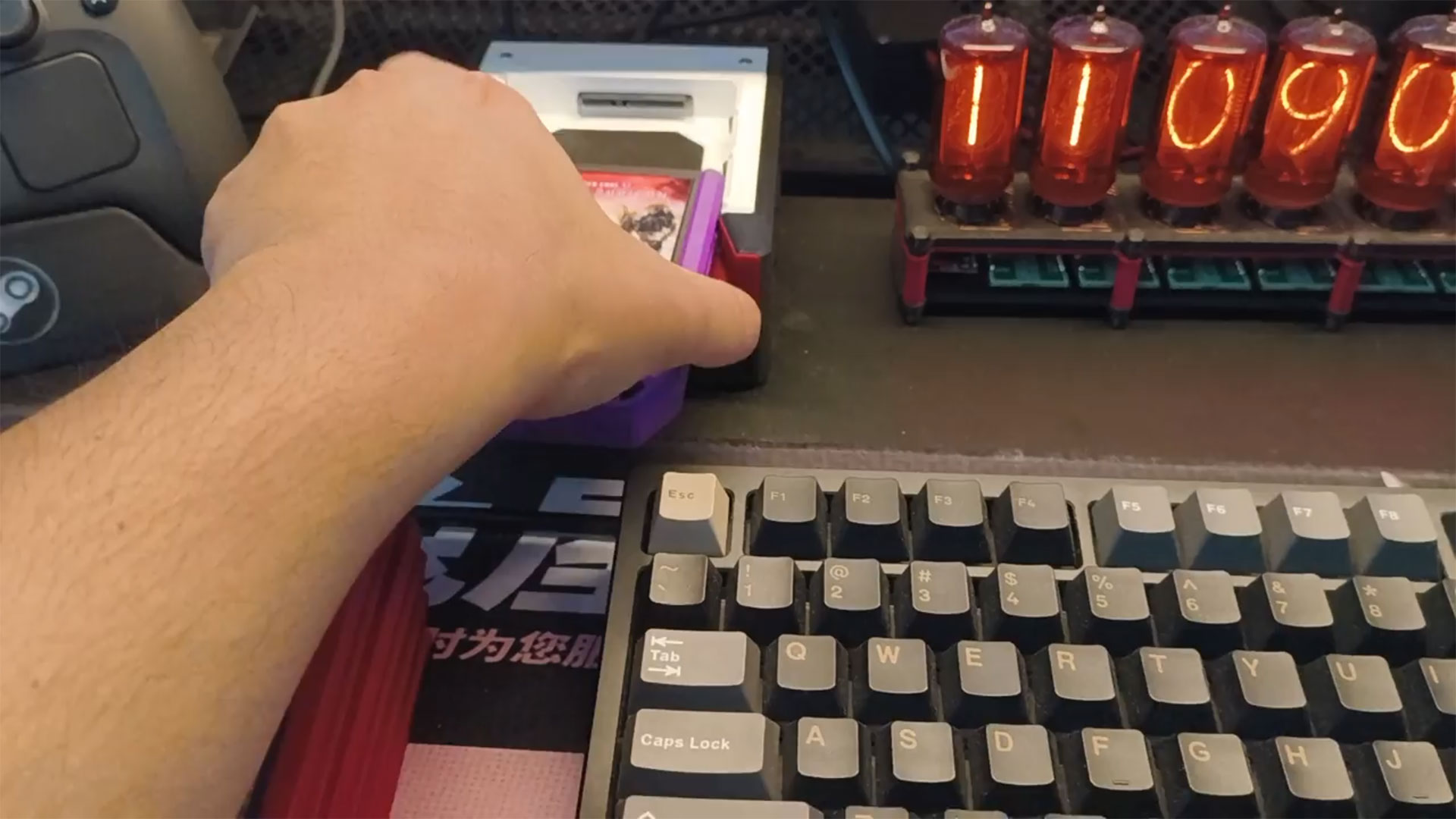
Commenters on PCMR have overwhelmingly welcomed the Steam Game Cartridge future teased by this system. Some want to see the system extended to include GOG game libraries. Others query how the system handles the inevitable hefty multi-gigabyte updates that are pushed (even to older games) from time to time. Jibril-sama told Tom’s Hardware that they didn’t plan to deal with updates often, as they didn’t use cartridges for ‘live service’ titles, and they are mostly used for the “games that I want to replay once in a while.” If and when updates have been flagged, “I just let Steam handle the updates and wait a bit before I can play,” they added.
I’ve had repeated firsthand experience with Steam Games libraries being fussy when moving across different PCs, so stretching the library system this way could reveal cracks and wrinkles as more games are tested. We shall see.
Hopefully, fuller implementation guides, scripts, and resources to help others purchase or 3D print their own Steam Game Cartridge shells will be shared in due course.

Follow Tom's Hardware on Google News, or add us as a preferred source, to get our latest news, analysis, & reviews in your feeds.







 English (US) ·