
Specs
Type: Thermal label printer
Connectivity: Bluetooth, USB
Max print speed: 72 labels/min
Max paper size: 4-inch
Print quality: 203 dpi
Apple AirPrint: no
Consumables included: 20 4x6-inch labels; 40 dual-color labels
Dimensions: 8.19 x 3.54 x 2.95 in / 208 x 90 x 75 mm (WxDxH)
Weight: 1.49 lbs / 676g
An inkless label printer that can print color? Well, sort of. Thermal printing works by heating special thermal media so there’s no ink, making it ideal for portable printing. The downside is it can only make black marks on thermal paper — until now.
Munbyn’s latest printer is compatible with dual-color thermal paper which adds either blue or red, but not not both. You have to choose between red/black or blue/black media, so it’s not like Hollywood discovering Technicolor, but dual-color labels are certainly more impactful and allow some cute creativity.
The other potential advantage of the Munbyn RealWriter 405B, is its readily replaceable printhead. With no ink cartridges to consider, and relatively few moving parts, this is probably the most cost effective way to print shipping labels, box stickers and price tags.
How does the RW405B compare to the best label printers? I took tested it out to see how it stacks up.
Munbyn RealWriter 405B: Design and build
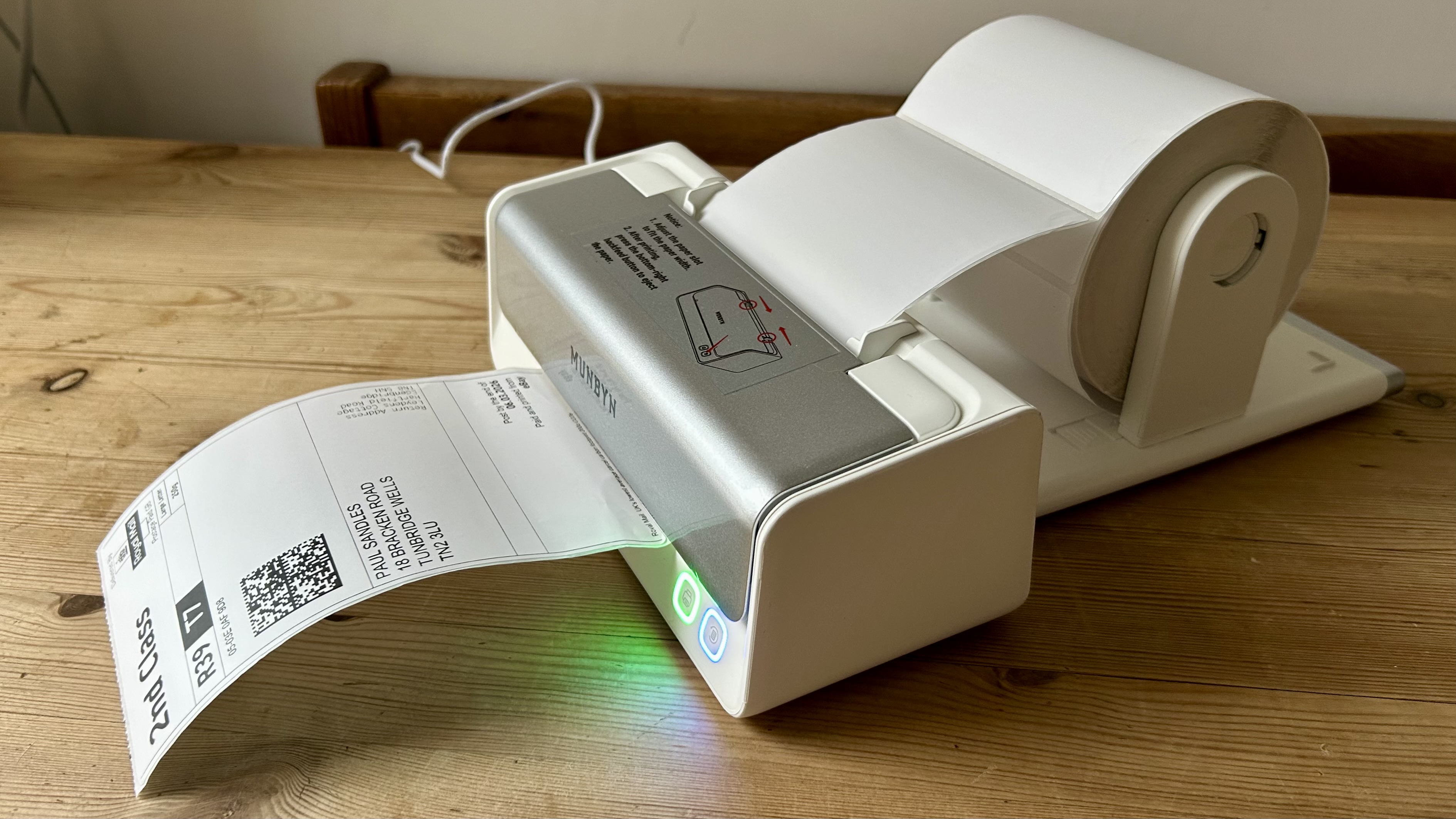
This is a portable desktop label printer rather than a handheld, so it’s small enough to pack up and carry, but not in your pocket. Like the simpler Munbyn RealWriter 403B I reviewed, you feed paper through its intake rather than loading rolls of paper inside the printer.
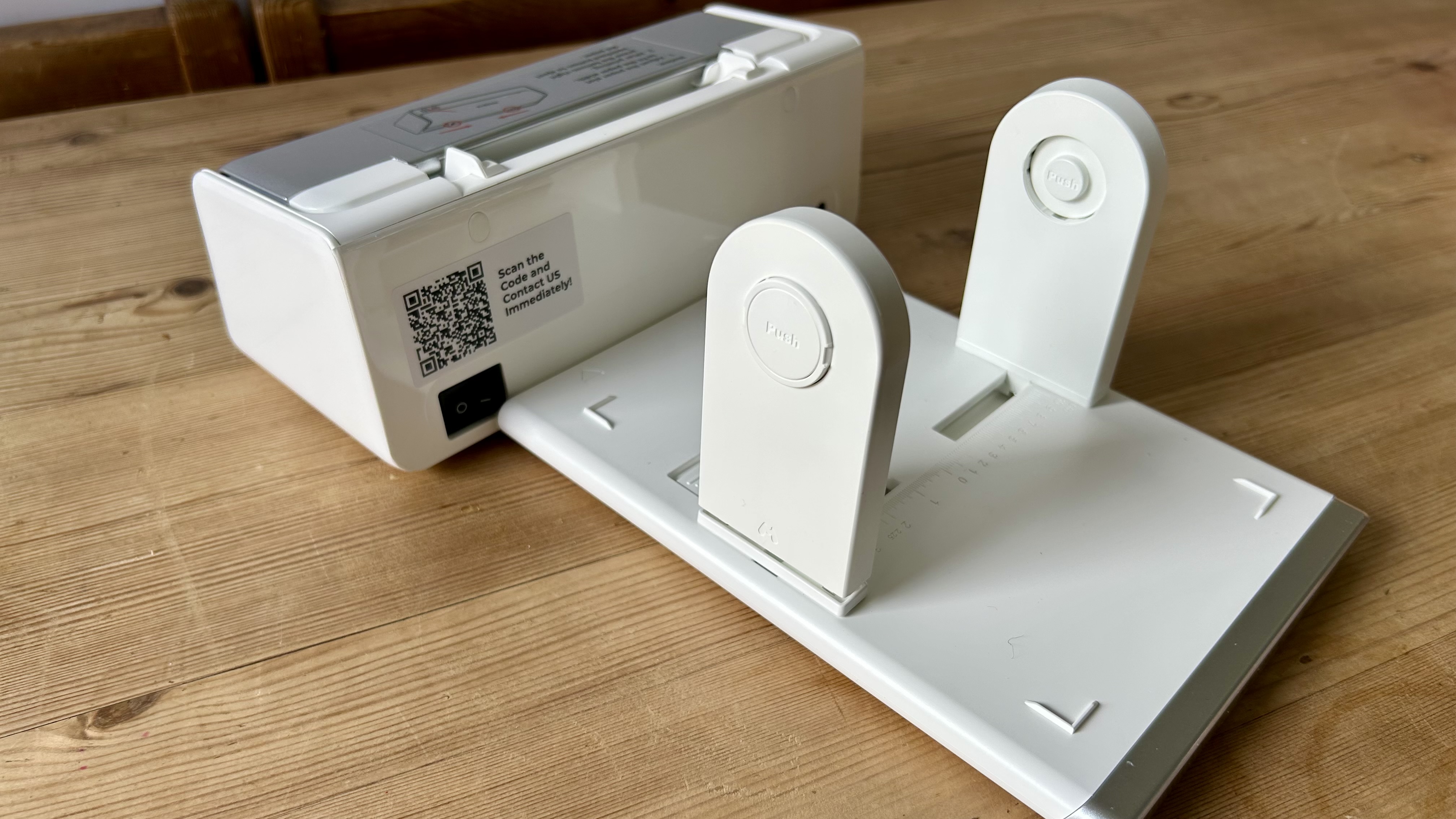
But with this step-up model, you are getting the crucial roll dispenser that attaches to the printer. That doubles the footprint, although it’s still very easy to separate and store the whole assembly in a drawer whenever you want to clear your desk. It also has the advantage of ensuring your labels feed through smoothly so fewer are wasted through misalignment.
The smooth white and silver plastic looks good and feels sturdy enough when you lift the panel. Unlike the previous model, the printhead on this one unclips so you can clean or replace it more easily. There are just three buttons: paper feed, reverse feed and power.
Munbyn RealWriter 405B: Features & specifications
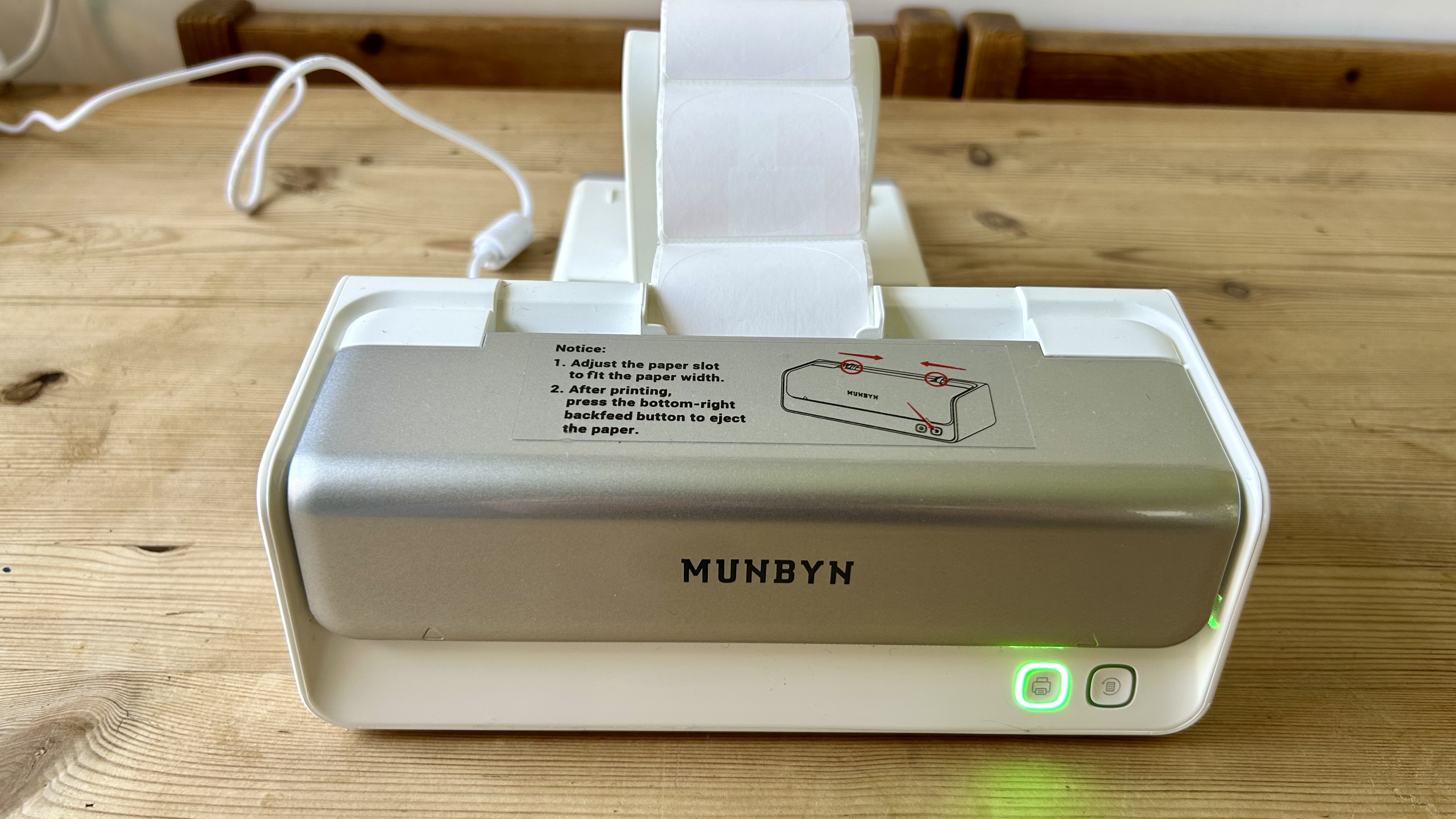
The Munbyn RealWriter 405B can print on a wide range of thermal media from large 6x4 inch panel labels down to one-inch round price tags. And now the list includes dual-color labels.
These look just like regular white stickers, but embedded in the white thermal paper is either blue dye or red dye, depending on which roll you choose. In other words, Munbyn’s color innovation has nothing to do with hardware and everything to do with software and paper. I expect the black and white Munbyn RealWriter 403B will be updated to dual-color compatibility at some point.
Auto-calibration is another key feature that allows this printer to line up each label with surprising accuracy. So long as you load the paper roll with some care to keep the feed straight rather than diagonal, the leading edge will always be automatically lined up just right. That’s an important point for a label printer without internally loaded paper.
With no display of its own, the Munbyn RealWriter 405B is best controlled by the free Munbyn Print app designed for MacOS, Windows, iOS or Android. I found the software quite convoluted, but with it you can design your own dual-color labels and choose from a wide selection of templates and graphic elements.
In the box with your printer and roll holder are some blank thermal media to get you started. These include 4x6-inch fan-fold labels, a standard size for parcel labels, and some red/black and blue/black 1-inch round stickers.
Munbyn RealWriter 405B: Setup and operation
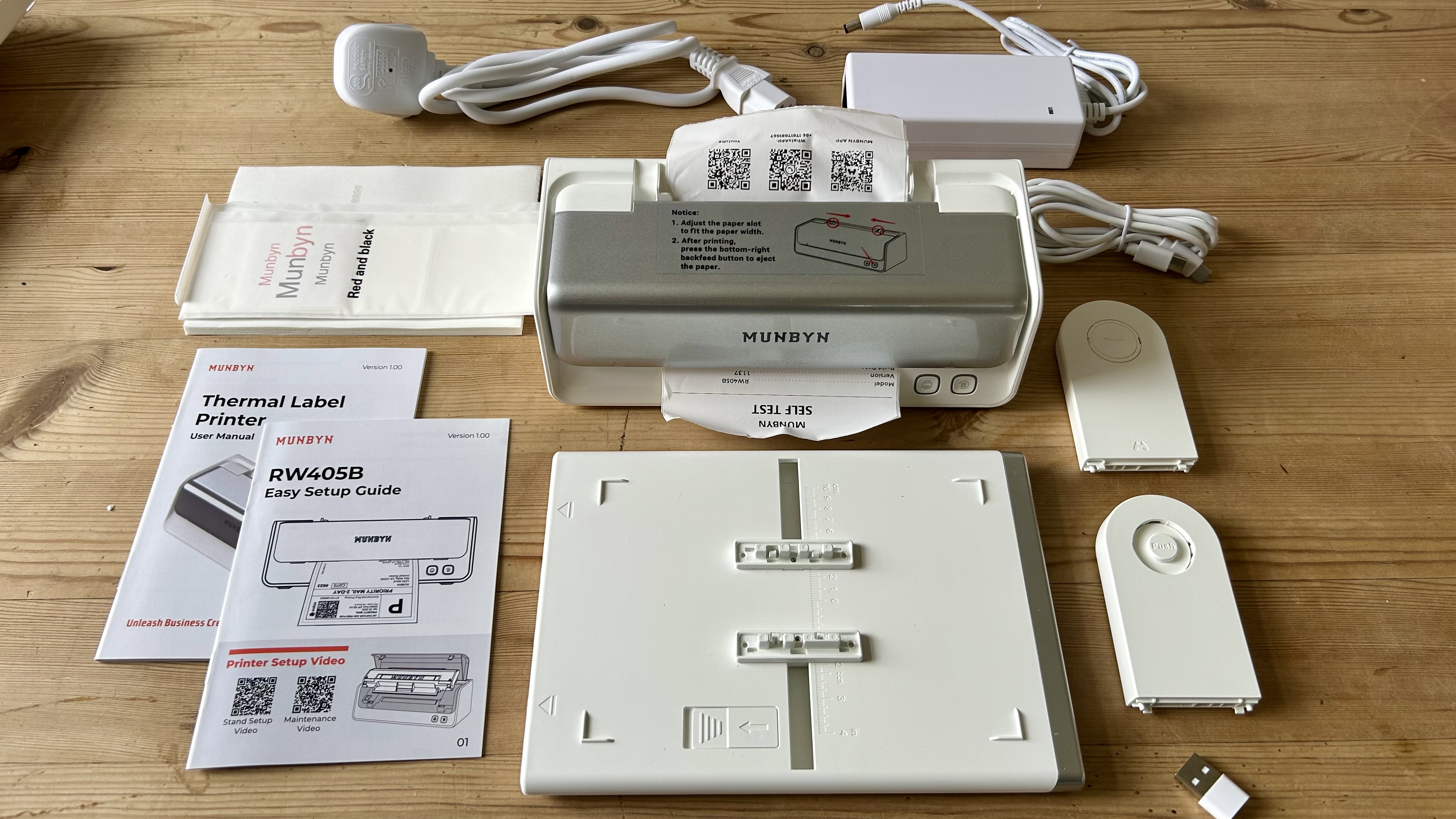
This is a true plug and play device. With no ink to install or Wi-Fi to connect to, it’s a simple case of connecting the power cable, downloading the Munbyn Print app to your phone and connecting the two devices via Bluetooth.
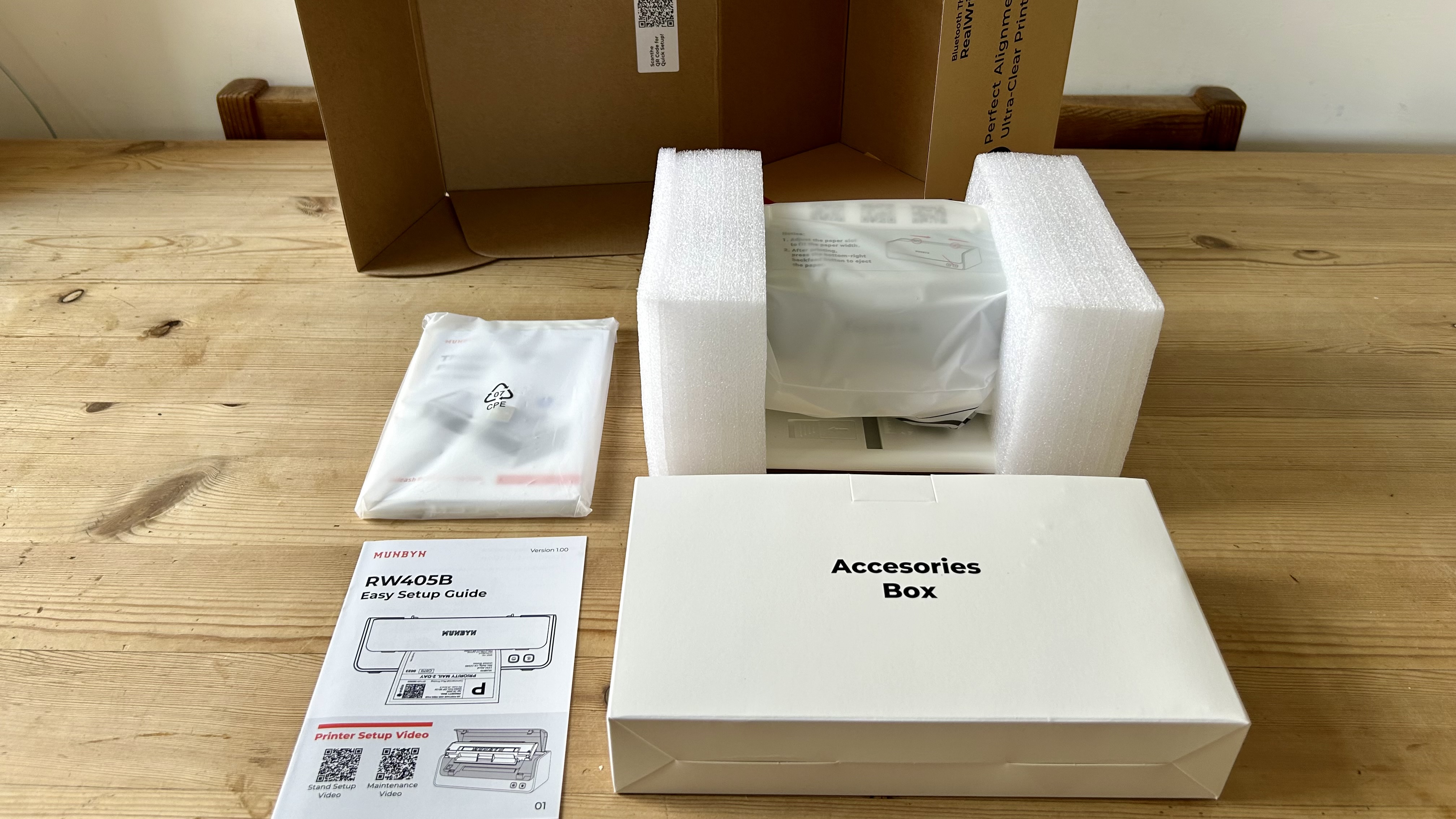
The label holder is easy to assemble with its three plastic parts, so you probably won’t need the printed quick-start guide at all. It’s actually quite fun to use.
Munbyn RealWriter 405B: Performance
The Munbyn RealWriter 405B printed quickly and reliably throughout the test, with no misprints or jams. The image quality is very good for a thermal printer, which is to say that it’s nowhere near as sharp as an inkjet or laser, but it achieves a darker and more consistent imprint than a lot of inkless solutions. Munbyn’s claim of “crystal clear prints every time” is optimistic.
The 203dpi print resolution is pretty low, but it’s good enough to print readable bar codes and QR codes. There is a limit though. Print your postage label too small, as I did experimentally, and it won’t scan. Always print at the correct size and you may never again have to wait in line at the post office.
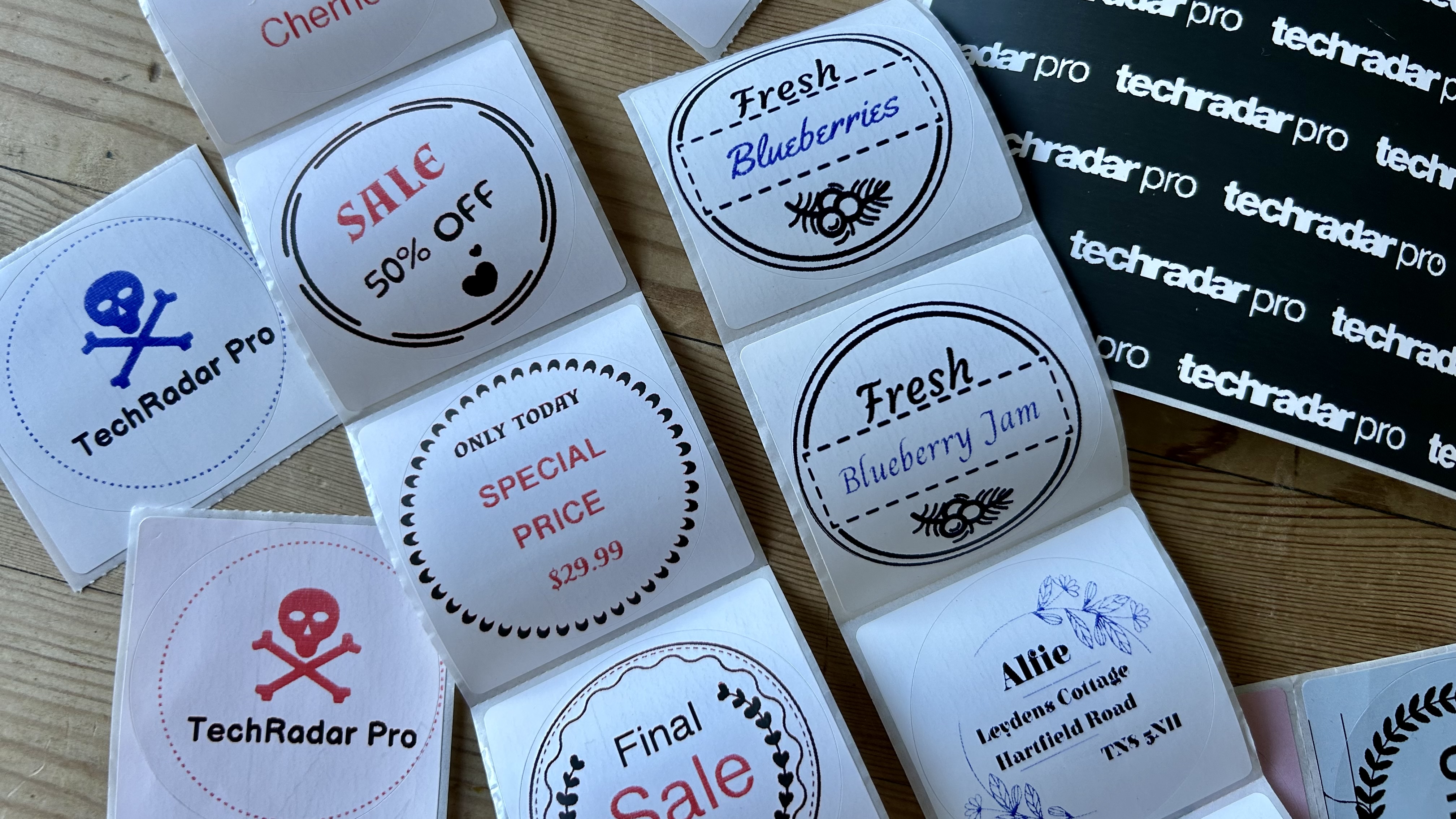
Black imprints appear nice and dark, on the whole, with the quality being on par with the Munbyn RealWriter 403B, but there are times when the thermal process leaves a less than bold black finish. Take a closer look at my test stickers to see what I mean.
Feed in some dual-color labels, and the advantage of the Munbyn RealWriter 405B is revealed. Adding red, or blue to the design can make your stickers way more impactful. With just these colors, you might be able to print your brand logo or highlight a keyword in a label.
On the downside, there are limitations to which design elements you can color and the dual-color paper itself lets some ghostly red or blue show through unintentionally, so it’s not perfect.
Munbyn RealWriter 405B: Consumables
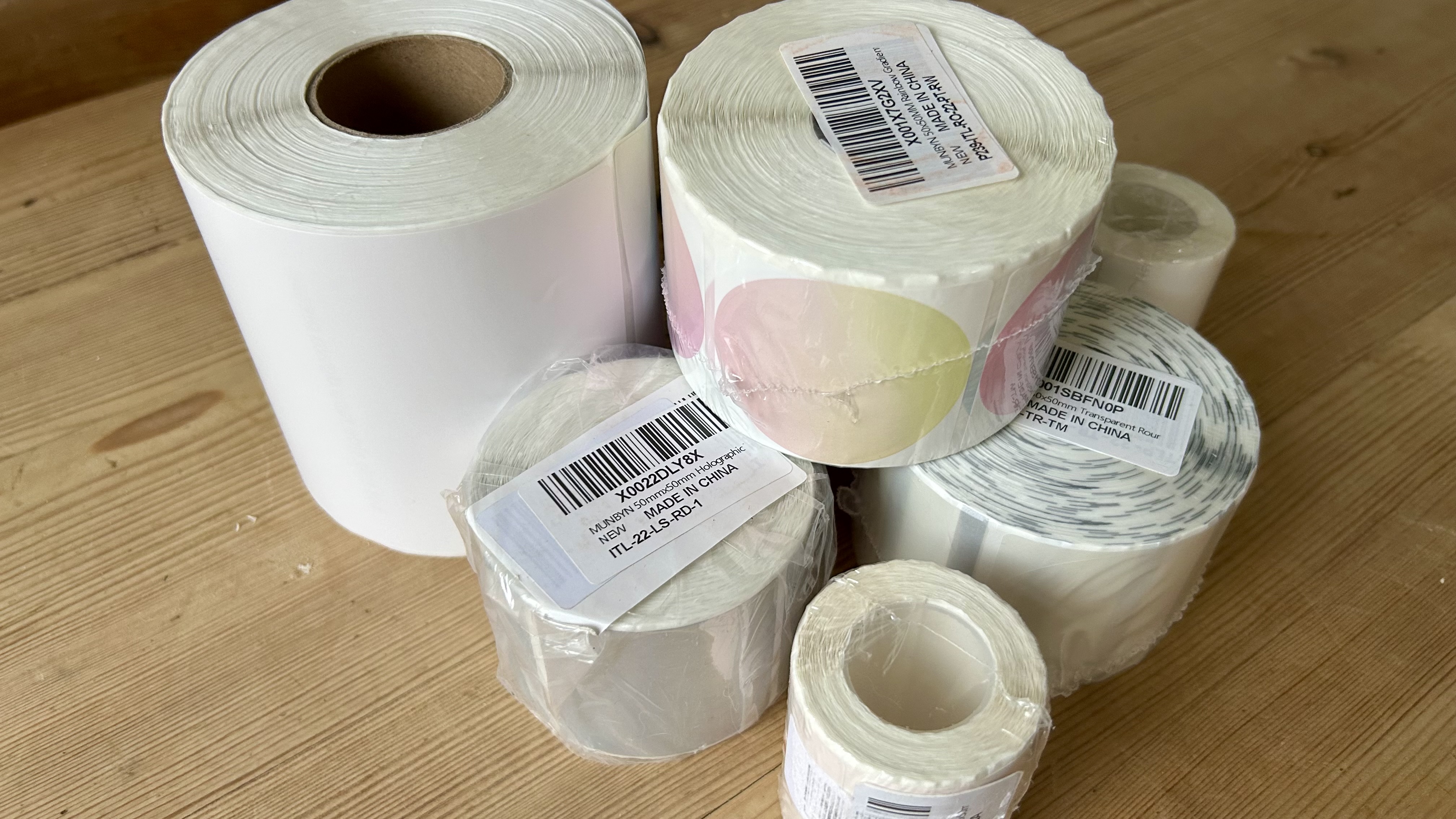
With no ink to think about, your only consumables cost is the thermal paper. It comes in the form of rolls, or fan-folds, or stickers and naturally, thermal stickers are more expensive than regular ones.
And dual-color thermal stickers are more expensive again, but on the whole, ink is more expensive than paper, so thermal printing will usually work out as the more cost effective way of labelling. Munbyn suggests a figure of 3 cents per label.
The RealWriter 405B comes with some dual-color two-inch round stickers and some 6x4-inch labels in the box. When you come to buy more, you’ll discover a pretty broad range of compatible stickers in varying shapes and colors.
Munbyn RealWriter 405B: Maintenance
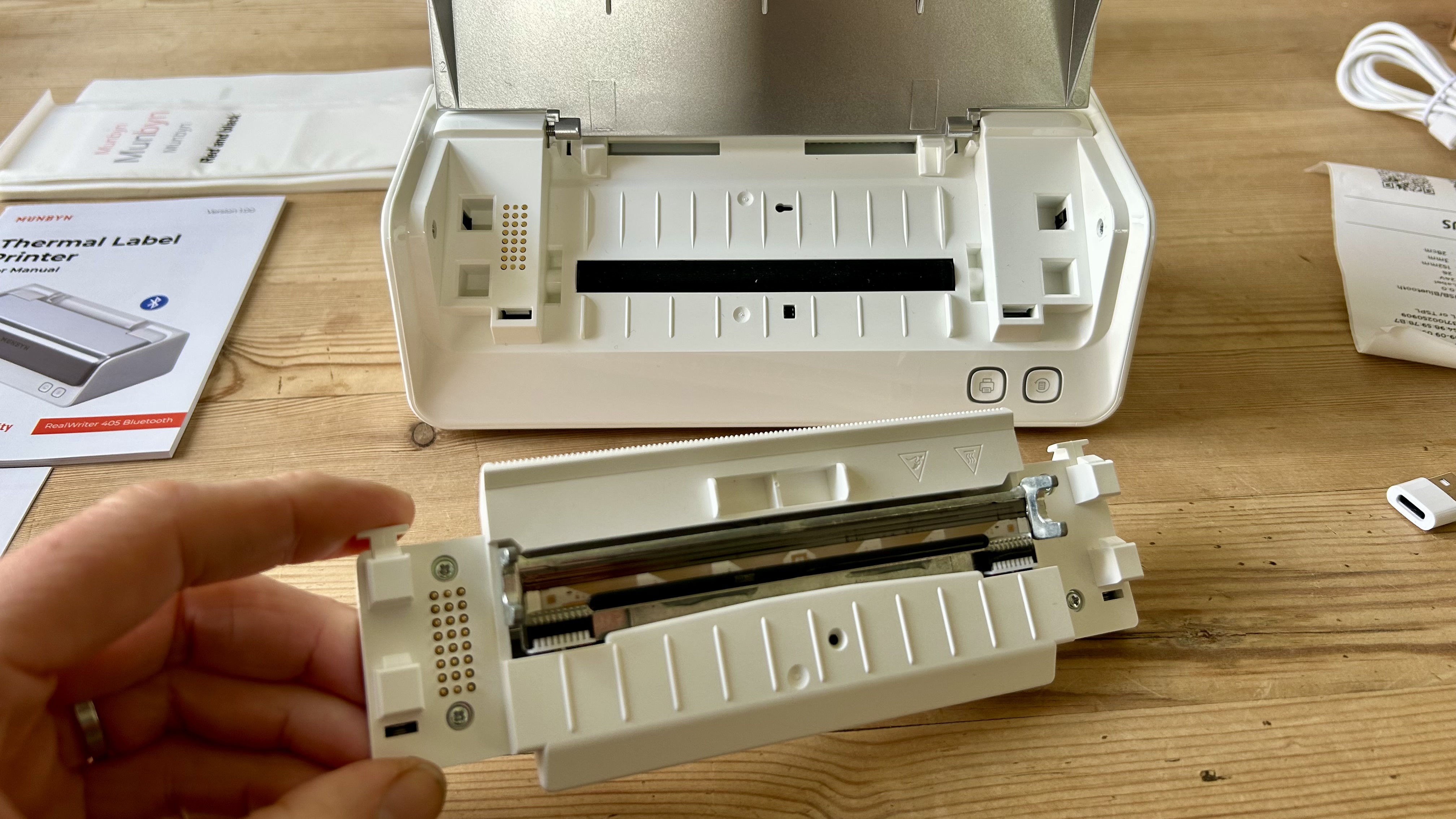
The only maintenance this little printer needs is an occasional wipe with a dry cloth along its print head to keep it clean. The print head detaches easily, which is good news as it’s the only component of a thermal printer that’s likely to need replacing. Munbyn says it should last around six times longer than rival printers and won’t need replacing for at least 970,000 labels.
Munbyn RealWriter 405B: Final verdict
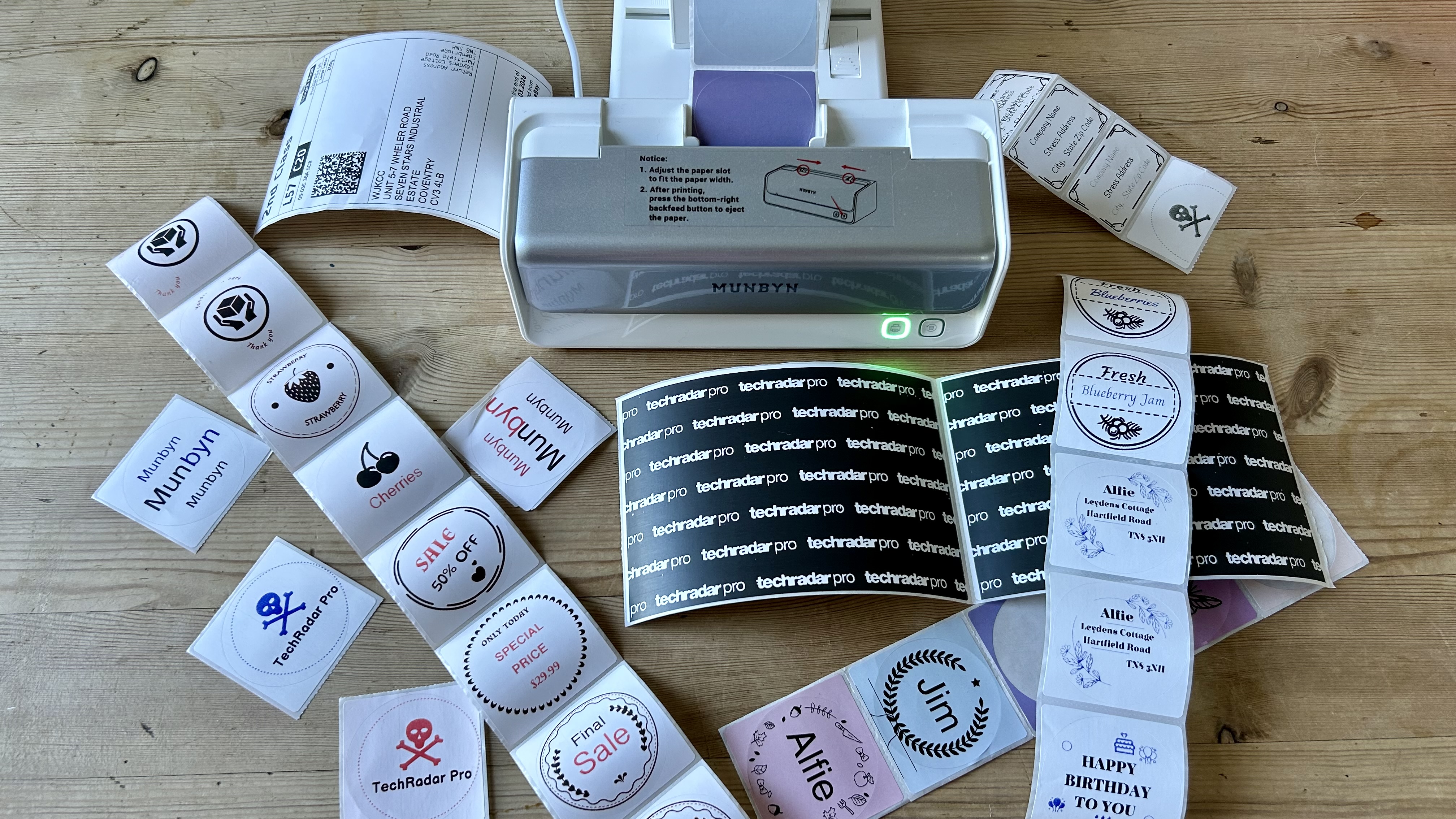
There’s no denying the convenience of a dedicated label printer and this practical application of thermal print tech is a perfect example. For me, the Munbyn RealWriter 405B turned out crisp parcel labels that scanned reliably every time and made it possible to print a very wide range of stickers.
Could the accompanying Munbyn software be improved? Definitely. The app makes it possible to print all kinds of great stickers with plenty of graphic elements to play with - and now that includes red/blue dual-color designs too. I found the app unintuitive and frustrating, but for simply printing parcel labels or plain tags, it’s a pleasure to use.
As a reliable, low maintenance, and low cost labeller, the Munbyn RealWriter 405B is hard to beat.
For more, I've tested out the best home printers and the best small business printers.







 English (US) ·