
 4 weeks ago
220
4 weeks ago
220
The MSI Crosshair 16 Max HX E2W is in many ways the polar opposite of the other MSI laptop I recently tested, the Stealth 16 AI+ B3W. The latter is an ultra-expensive, sleek and subtle machine that limits its power for the sake of thermals, efficiency, and form factor. Not so with the Crosshair: it's a gaming laptop, and it knows it.
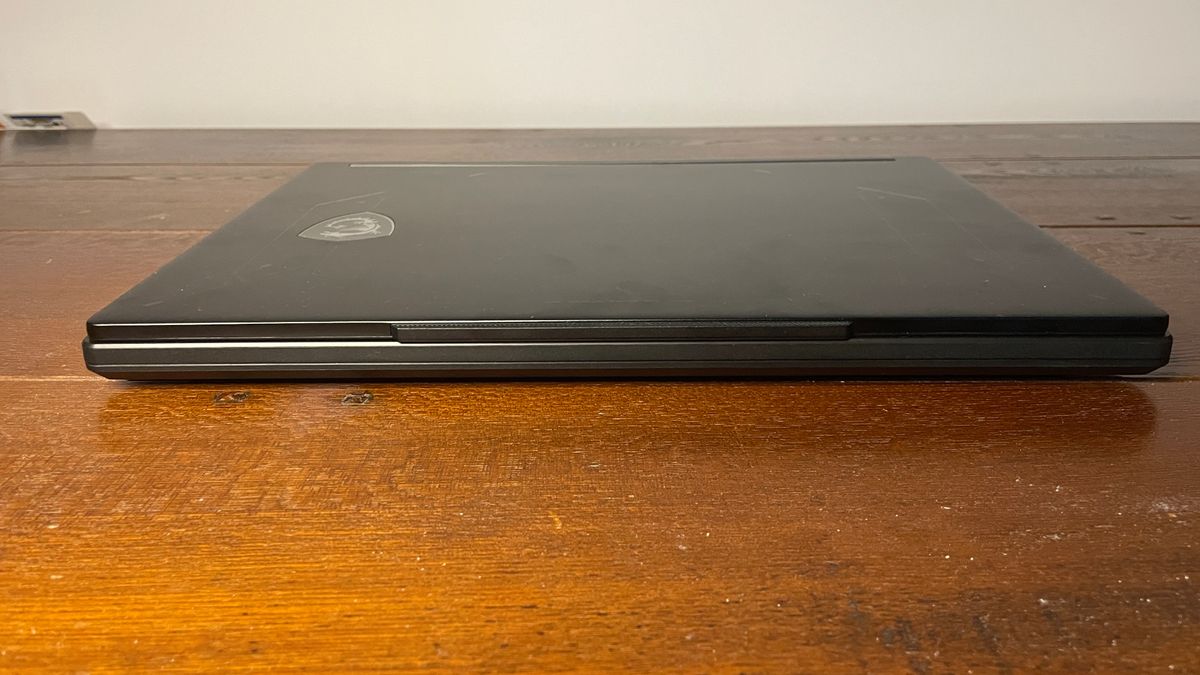
I could tell as much as soon as I unboxed it, thanks to its glossy—and I would later discover, RGB-lit—embossed MSI logo on the lid, plus the general thickness, key styling and so on. It's not particularly obnoxious and still has some subtlety to it, but it's not hiding the fact that it's a gaming laptop.
Nor does it hide this fact when it comes to performance, eking as much as it can out of the RTX 5070 GPU and Core Ultra 7 251HX processor, saying to hell with thermals and battery life. I can certainly respect that, but it has to deliver in other respects, too, including price. And in other respects this laptop is not quite so pretty.
Latest Videos FromPC Gamer
Buy if...
✅ You want great all-round performance: MSI really has designed this thing to eke out as much performance as possible from the mid-range components.
✅ Punchy visuals are important to you: This laptop has a gorgeous OLED panel that does indeed make visuals pop.
Do not buy if...
❌ You want snappy audio: The audio from this laptop suffers from latency issues, and I couldn't seem to resolve them even after quite a bit of tinkering.
❌ You want to take this out and about: Not only does this laptop have poor battery life, it also doesn't look particularly appealing aesthetically for use in public.
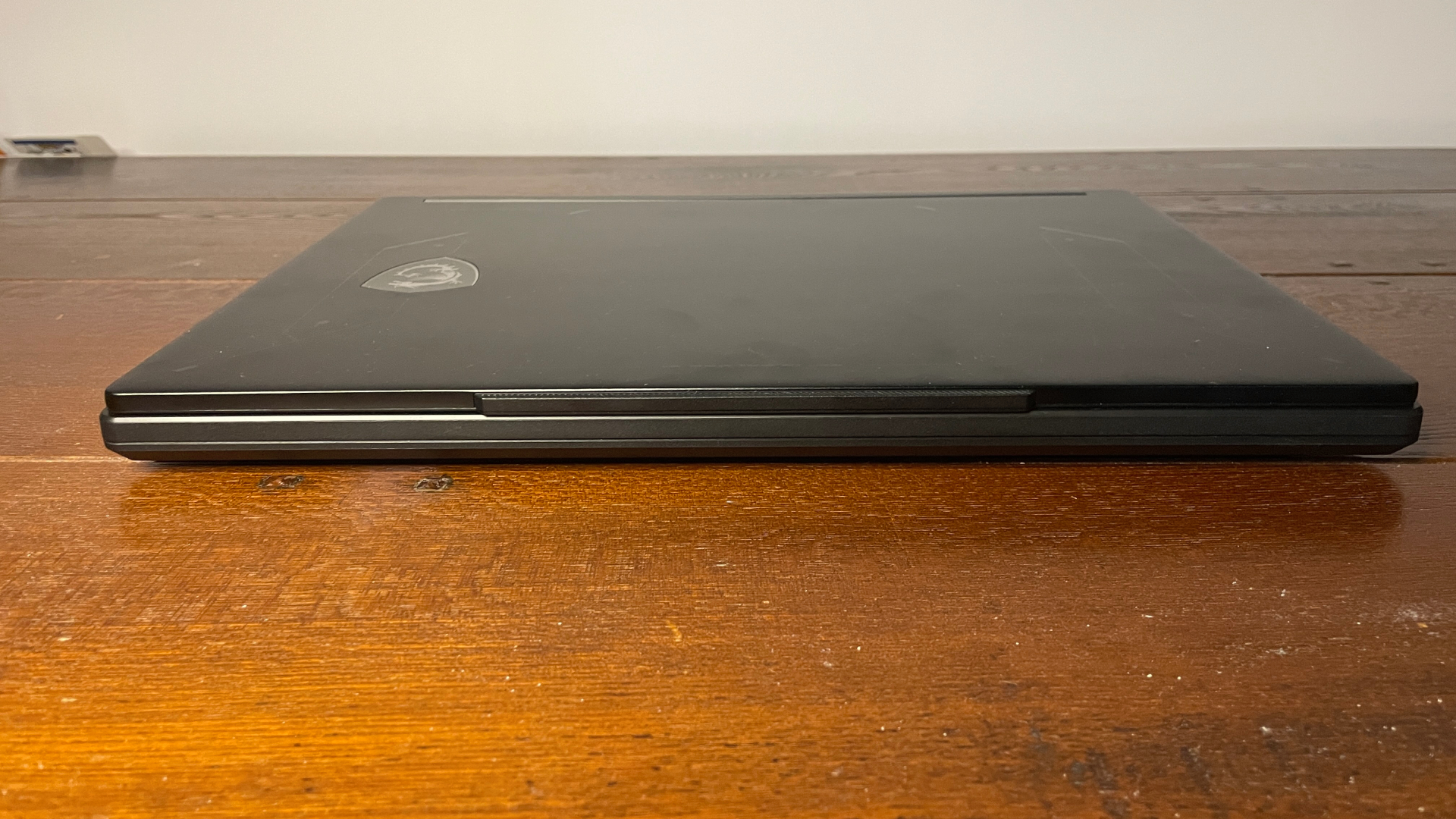
This laptop leans all-in on maxing out as much performance as it can from its RTX 5070 and Intel processor, and it does so with great success. But this comes with a thermal and battery life cost that, when combined with its audio latency problems and its somewhat confused aesthetic, makes it not particularly appealing for the price.
MSI Crosshair 16 Max HX E2W features
Swipe to scroll horizontally
CPU |
Intel Core Ultra 7 251HX |
NPU |
30 TOPS |
Graphics |
RTX 5070 mobile (115 W) |
Memory |
16 GB DDR5-6400 |
Storage |
1 TB SSD |
Screen size |
16-inch |
Screen type |
OLED |
Resolution |
2560 x 1600 |
Refresh rate |
165 Hz |
Ports |
1x RJ45, 1x Thunderbolt 4, 1x USB Type-C, 3x USB Type-A 3.2 Gen2, 1x HDMI 2.1 |
Wireless connectivity |
Wi-Fi 6E |
Battery |
80 Whr (4-cell) |
Dimensions |
363 x 269.7 x 21.95–23.85 mm |
Weight |
2.2 kg |
Price |
$2,600 (32 GB ver., US only) |
The particular Crosshair 16 Max HX E2W that I tested came with an Intel Core Ultra 7 251HX, RTX 5070, and 16 GB of DDR5 RAM, but there are different versions. The ones I can currently spot online have a more powerful Core Ultra 9 290HX with 32 GB of DDR5, or the same 251HX CPU but an RTX 5060 and 32 GB of DDR5. All of those come with 1 TB of storage.
In the case of the 16 GB of RAM in the version I have, it is at least 2x8 GB of fast 6,400 MT/s memory, rather than a single stick of slow RAM. This presumably helps a bunch with CPU-intensive tasks, as I found the laptop to perform even better than some others with 'better' CPUs.
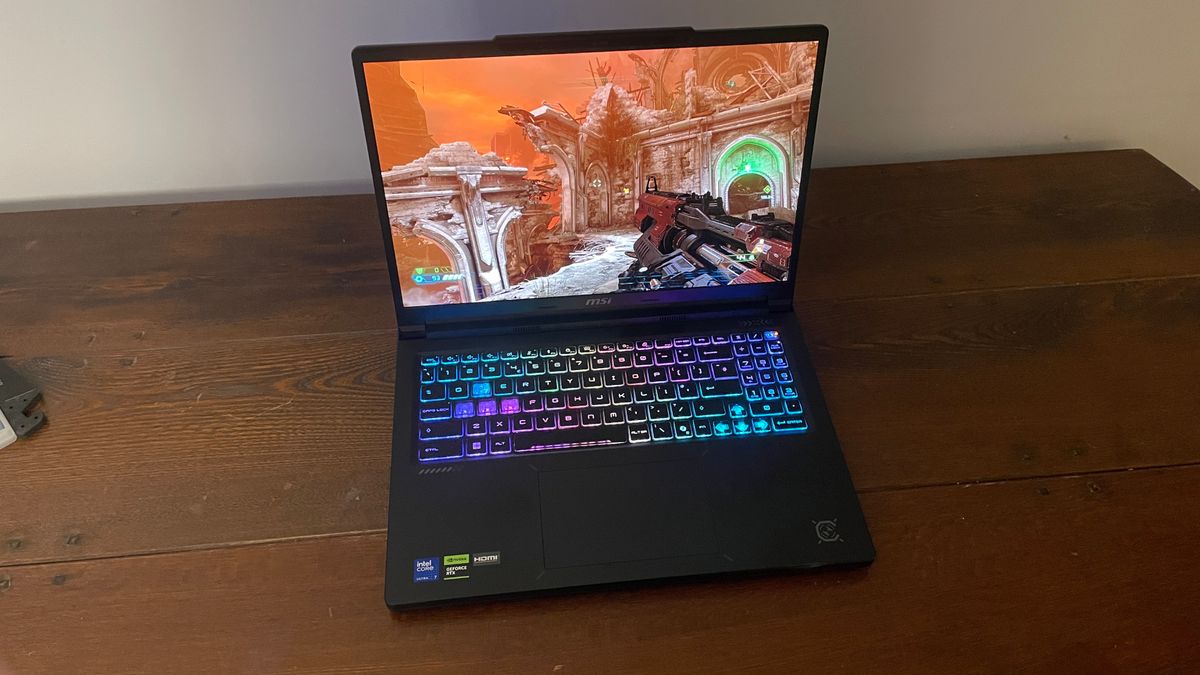
A big draw here is also the OLED panel, which is gorgeous. I'm not used to seeing OLEDs on such gamer-y gaming laptops, as I've only really seen them on gaming laptops that are going for 'sleek and refined', so it's a nice surprise to see such a great panel here. It's only 165 Hz, but it's a perfect match for the RTX 5070 mobile GPU inside the Crosshair.
Image 1 of 3
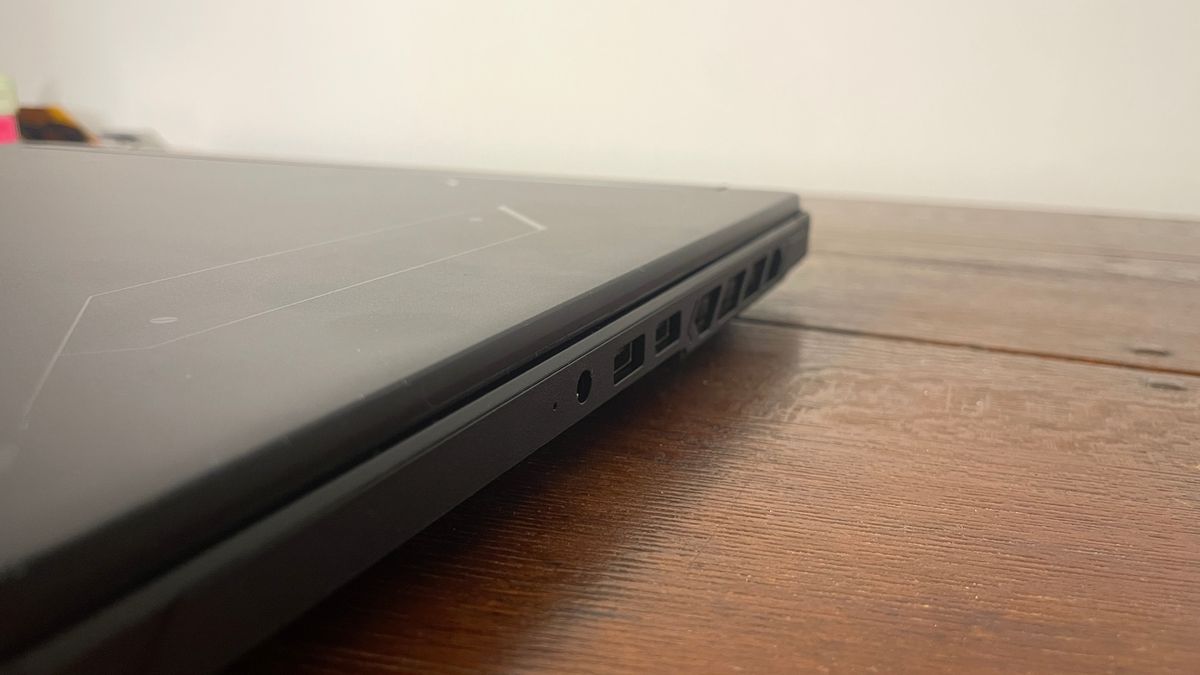
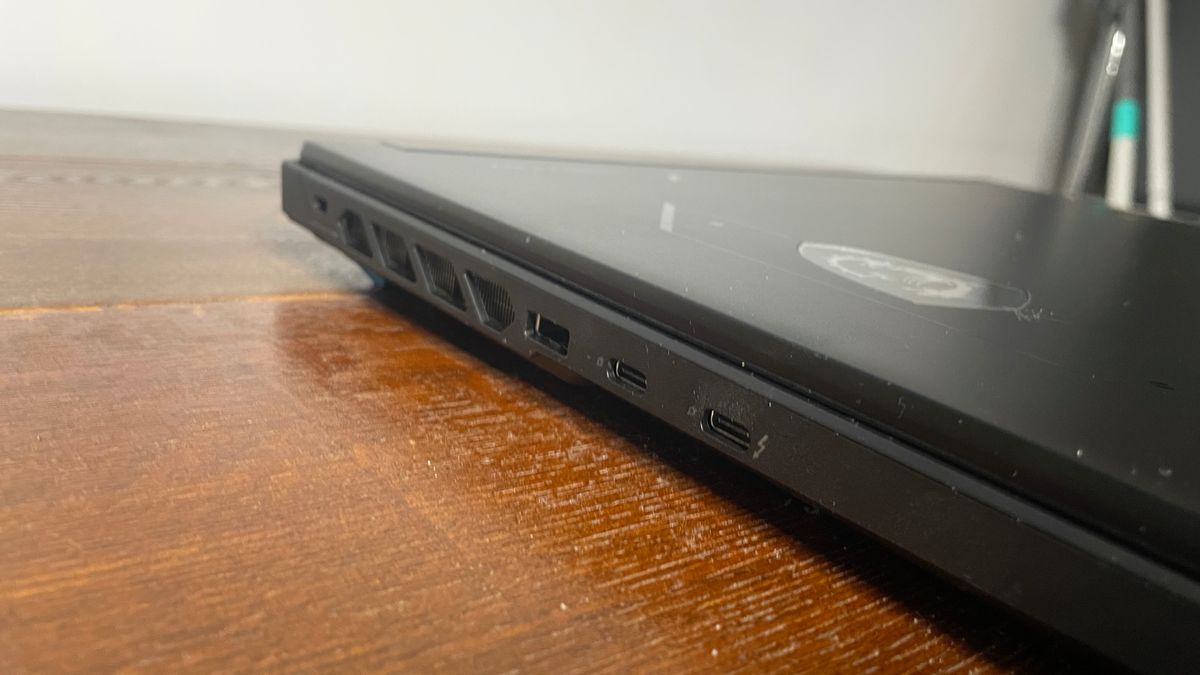
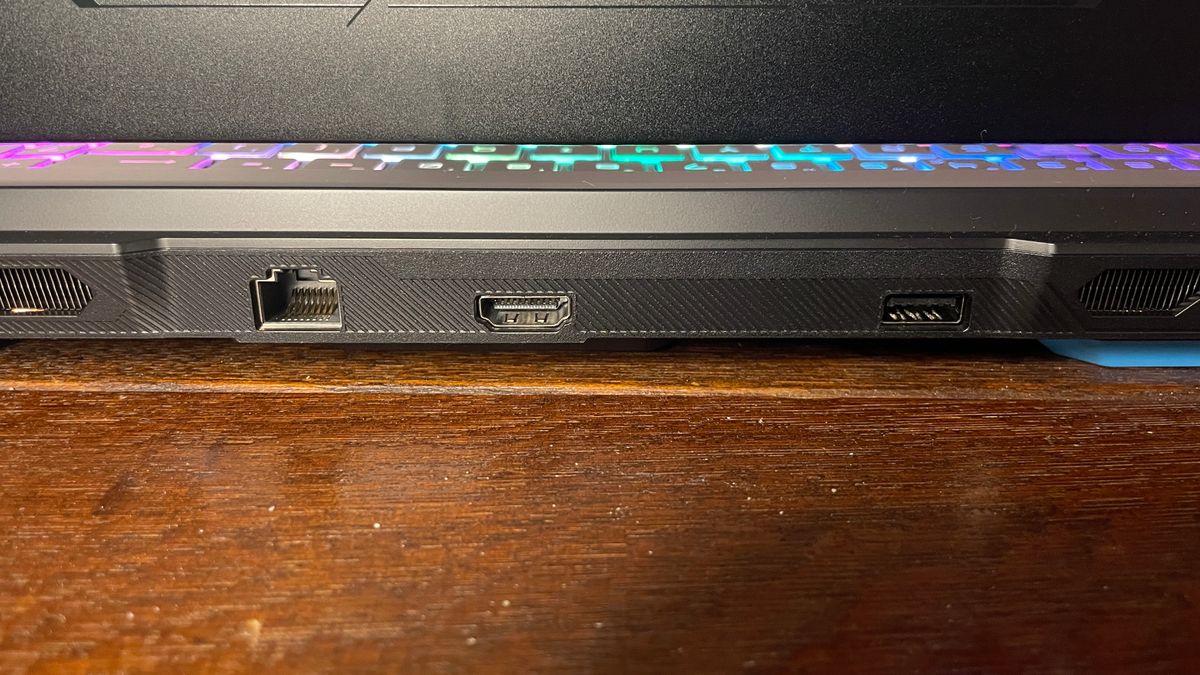
At first I thought there weren't many ports on this laptop, but before long I found the rest hidden on the rear side and breathed a sigh of relief. I particularly like the inclusion of a Thunderbolt 4 port as well as a port for an Ethernet connection.
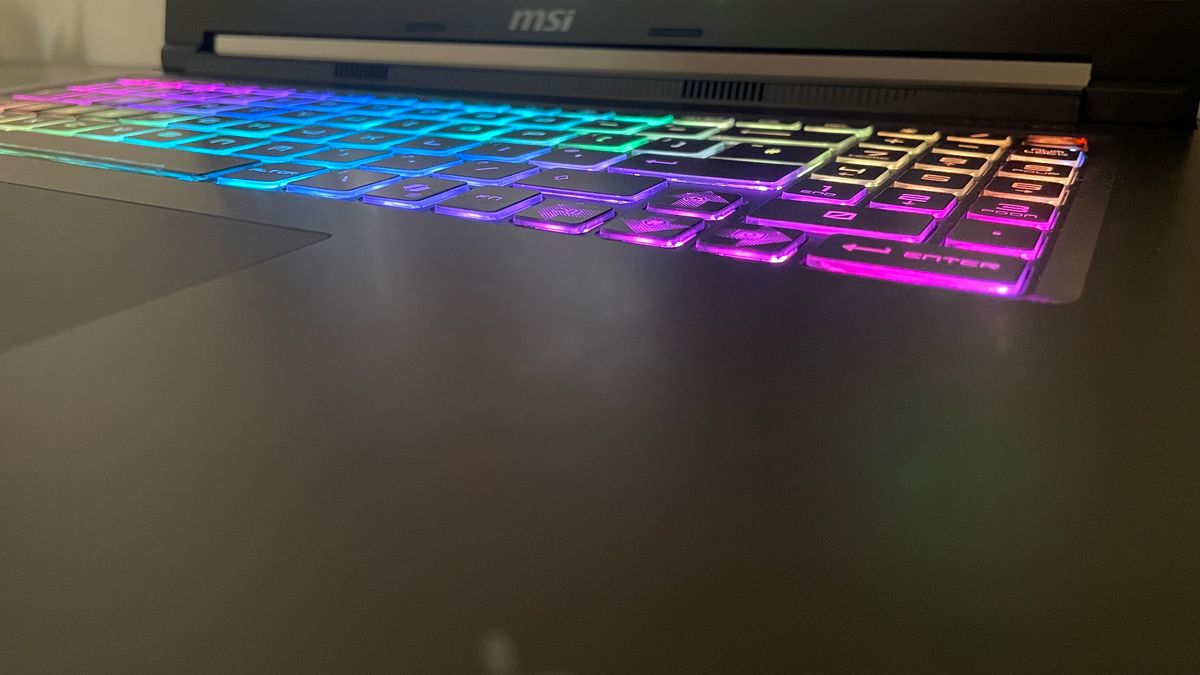
Getting to how it is to actually use the laptop, I don't have any real complaints but equally no specific praises. It's no behemoth, but it's hardly a slimline laptop, either, and its keys feel simply… fine. WASD keys are translucent and there is 24-zone RGB, again signalling to the world 'I am definitely a gaming laptop'. I do wish MSI had foregone the numpad to make things a little less cramped, though. The trackpad is quite small, but it is at least central, which is the correct choice (fight me).
The big downside is audio, just as was the case with the Stealth. However, in this case it's even worse. There's definite (but not catastrophically high) latency over the default audio device, but unlike with the Stealth I tested, this wasn't resolved by switching to a different USB-connected audio device.
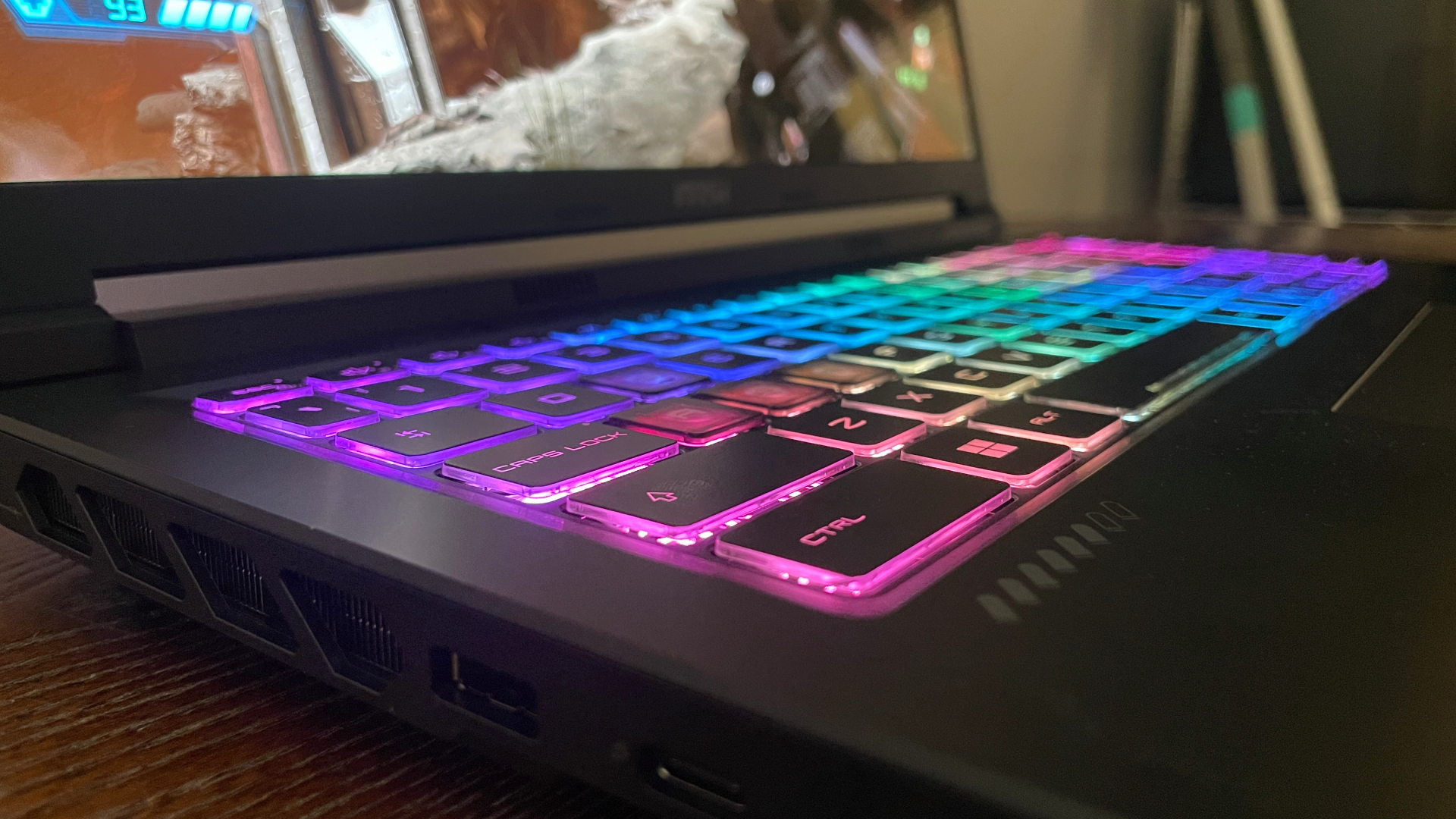
As such, if you play games that really benefit from snappy and responsive audio such as shooters, and especially sensitive to a little audio delay, I'd steer clear unless and until MSI discovers what the problem is and how to fix it (the company is investigating). I tried disabling/uninstalling Nahimic as well as Norton antivirus to see if that helped, but doing the former proved difficult and the latter didn't resolve it.
The speakers themselves are nothing to write home about anyway. They're not the worst I've heard, but they've definitely got a little bit of that tinniness in them that you expect out of a lot of laptops or cheaper Bluetooth speakers.
MSI Crosshair 16 Max HX E2W performance
The Crosshair 16 Max HX E2W performs very well for an RTX 5070 laptop, often beating other similar lappies. MSI has clearly opted for a performance-oriented machine here, and it shows.
1080p gaming performance
This chart shows average and 1% low frame rate results in various tested games at 1080p resolution.
MSI Crosshair 16 Max (E2W) | RTX 5070
MSI Crosshair 16 HX (AI) | RTX 5070 (115 W)
Gigabyte Aero X16 Copilot | RTX 5070 (85 W)
Lenovo LOQ 15 Gen10 | Nvidia RTX 5060 (115 W)
MSI Stealth 16 AI+| RTX 5080 (125 W)
| MSI Crosshair 16 Max (E2W) | RTX 5070 | 46 Avg FPS, 33 1% Low FPS |
| MSI Crosshair 16 HX (AI) | RTX 5070 (115 W) | 34 Avg FPS, 24 1% Low FPS |
| Gigabyte Aero X16 Copilot | RTX 5070 (85 W) | 32 Avg FPS, 20 1% Low FPS |
| Framework 16 | RTX 5070 | 43 Avg FPS, 33 1% Low FPS |
| Lenovo LOQ 15 Gen10 | Nvidia RTX 5060 (115 W) | 36 Avg FPS, 24 1% Low FPS |
| MSI Stealth 16 AI+| RTX 5080 (125 W) | 55 Avg FPS, 32 1% Low FPS |
The MSI Crosshair 16 Max performs incredibly well at 1080p, often beating other RTX 5070 laptops and almost keeping up with an (admittedly power-limited) RTX 5080 laptop.

1600p (native) gaming performance
This chart shows average and 1% low frame rate results in various tested games at 1600p (native) resolution
MSI Crosshair 16 Max (E2W) | RTX 5070 (115 W)
MSI Crosshair 16 HX (AI) | RTX 5070 (115 W)
Gigabyte Aero X16 Copilot | RTX 5070 (85 W)
MSI Stealth 16 AI+ | RTX 5080 (125 W)
| MSI Crosshair 16 Max (E2W) | RTX 5070 (115 W) | 26 Avg FPS, 19 1% Low FPS |
| MSI Crosshair 16 HX (AI) | RTX 5070 (115 W) | 9 Avg FPS, 2 1% Low FPS |
| Framework 16 | RTX 5070 | 18 Avg FPS, 8 1% Low FPS |
| Gigabyte Aero X16 Copilot | RTX 5070 (85 W) | 12 Avg FPS, 5 1% Low FPS |
| MSI Stealth 16 AI+ | RTX 5080 (125 W) | 34 Avg FPS, 22 1% Low FPS |
The Corsshair 16 Max does very well at native res, offering playable frame rates in almost all of these games. In most of them, it leads other RTX 5070 gaming laptops. (Note the MSI Stealth listed here has an RTX 5080 that is power-limited compared to some other RTX 5080 laptops.)
At both 1080p and 1600p (native), the MSI performs better than other RTX 5070 mobile laptops and even comes close to the (power-limited) Stealth with RTX 5080 mobile. This is more so the case at 1080p where things are less GPU-bound and the CPU can have more of an effect, but it's still great at native.
Real-world gaming performance
This chart shows average and 1% low frame rate results in various tested games at 1600p resolution with Quality upscaling enabled, and frame gen where applicable
MSI Crosshair 16 Max (E2W) | RTX 5070 (115 W)
MSI Crosshair 16 HX (AI) | RTX 5070 (115 W)
Gigabyte Aero X16 Copilot | RTX 5070 (85 W)
MSI Stealth 16 AI+ | RTX 5080 (125 W)
| MSI Crosshair 16 Max (E2W) | RTX 5070 (115 W) | 80 Avg FPS, 51 1% Low FPS |
| MSI Crosshair 16 HX (AI) | RTX 5070 (115 W) | 27 Avg FPS, 18 1% Low FPS |
| Gigabyte Aero X16 Copilot | RTX 5070 (85 W) | 58 Avg FPS, 35 1% Low FPS |
| Framework 16 | RTX 5070 | 75 Avg FPS, 58 1% Low FPS |
| MSI Stealth 16 AI+ | RTX 5080 (125 W) | 97 Avg FPS, 53 1% Low FPS |
Again, the MSI Crosshair 16 Max performs well. With upscaling and/or frame gen, expect smooth frame rates even in pretty demanding games at native resolution on max settings. (Note the MSI Stealth listed here has an RTX 5080 that is power-limited compared to some other RTX 5080 laptops.)
When upscaling and/or frame gen is enabled, even pretty demanding games become smoothly playable at native res on max settings. Saying this, you might still want to drop your settings a little just to reduce any latency incurred by frame gen, as higher starting frame rates improve this.
I'd say this laptop is ideal for gaming on high (but not max) settings at 1600p with upscaling and, in some games, frame gen. That will be how to make the best use of the 165 Hz refresh rate on offer here.
Interestingly, this one seems to perform even better in most games than the previous MSI Crosshair we tested, the Crosshair 16 HX AI (2025), which has the same GPU and a more powerful Core Ultra 9 275HX processor. That could be due to driver improvements over the past year plus the fact that this new one gets hotter, ie, allows for a bit of extra performance at the top.
System performance
The laptops are here tested against intensive benchmarks that mostly test the CPU, but also the GPU, for productivity tasks.
MSI Crosshair 16 Max (E2W) | Core Ultra 7 251HX | RTX 5070 (115 W)
MSI Crosshair 16 HX (AI) | Core Ultra 9 275HX | RTX 5070 (115 W)
Gigabyte Aero X16 Copilot | Ryzen AI 7 350 | RTX 5070 (85 W)
Framework 16 | Ryzen AI 9 HX 370 | RTX 5070
Lenovo LOQ 15 Gen10 | Ryzen 7 250 | RTX 5060 (115 W)
MSI Stealth 16 AI+ | Core Ultra 9 386H | RTX 5080 (125 W)
| MSI Crosshair 16 Max (E2W) | Core Ultra 7 251HX | RTX 5070 (115 W) | 120.254 Compressing (GIPS), 135.177 Decompressing (GIPS) |
| MSI Crosshair 16 HX (AI) | Core Ultra 9 275HX | RTX 5070 (115 W) | 121.787 Compressing (GIPS), 130.822 Decompressing (GIPS) |
| Gigabyte Aero X16 Copilot | Ryzen AI 7 350 | RTX 5070 (85 W) | 77.91 Compressing (GIPS), 87.77 Decompressing (GIPS) |
| Framework 16 | Ryzen AI 9 HX 370 | RTX 5070 | 108.822 Compressing (GIPS), 128.355 Decompressing (GIPS) |
| Lenovo LOQ 15 Gen10 | Ryzen 7 250 | RTX 5060 (115 W) | 65.22 Compressing (GIPS), 105.78 Decompressing (GIPS) |
| MSI Stealth 16 AI+ | Core Ultra 9 386H | RTX 5080 (125 W) | 105.399 Compressing (GIPS), 98.828 Decompressing (GIPS) |
The Intel Core Ultra 7 251HX in the MSI Crosshair 16 Max is better for productivity tasks than a lot of other RTX 5070 laptops
Much as with this laptop's gaming performance, its productivity performance is impressive. When allowed to run so hot, the Intel chip here can plough through tasks such as decompression and other multi-core-heavy tasks.
MSI Crosshair 16 Max HX E2W thermals
Real-world gaming temperatures
Gaming temperature results recorded during multiple Metro Exodus EE runs
Gaming temperatures
MSI Crosshair 16 Max (E2W) | Core Ultra 7 251HX | RTX 5070 (115 W)
MSI Crosshair 16 HX (AI) | Core Ultra 9 275HX | RTX 5070 (115 W)
Gigabyte Aero X16 Copilot | Ryzen AI 7 350 | RTX 5070 (85 W)
Framework 16 | Ryzen AI 9 HX 370 | RTX 5070
Lenovo LOQ 15 Gen10 | Ryzen 7 250 | RTX 5060 (115 W)
MSI Stealth 16 AI+ | Core Ultra 9 386H | RTX 5080 (125 W)
| MSI Crosshair 16 Max (E2W) | Core Ultra 7 251HX | RTX 5070 (115 W) | 91 Avg CPU (°C), 104 Max CPU (°C), 81 Avg GPU (°C), 84 Max GPU (°C) |
| MSI Crosshair 16 HX (AI) | Core Ultra 9 275HX | RTX 5070 (115 W) | 55 Avg CPU (°C), 98 Max CPU (°C), 28 Avg GPU (°C), 69 Max GPU (°C) |
| Gigabyte Aero X16 Copilot | Ryzen AI 7 350 | RTX 5070 (85 W) | 55 Avg CPU (°C), 87 Max CPU (°C), 57 Avg GPU (°C), 71 Max GPU (°C) |
| Framework 16 | Ryzen AI 9 HX 370 | RTX 5070 | 65 Avg CPU (°C), 73 Max CPU (°C), 68 Avg GPU (°C), 71 Max GPU (°C) |
| Lenovo LOQ 15 Gen10 | Ryzen 7 250 | RTX 5060 (115 W) | 58 Avg CPU (°C), 71 Max CPU (°C), 59 Avg GPU (°C), 72 Max GPU (°C) |
| MSI Stealth 16 AI+ | Core Ultra 9 386H | RTX 5080 (125 W) | 92 Avg CPU (°C), 100 Max CPU (°C), 81 Avg GPU (°C), 87 Max GPU (°C) |
The MSI Crosshair 16 Max does run very hot on Extreme Performance mode (and, as an aside, still pretty damn hot in Balanced mode). That's especially the case for its Core Ultra 7 251HX CPU.
This laptop is indeed particularly toasty. This obviously helps in the performance department, but don't expect it to win any efficiency medals. 104 °C for the max CPU temp is hot, as is 84 °C for the GPU, though the new MSI Stealth runs a little hotter on that front.
That being said, during all my time gaming, I didn't notice my fingers getting too hot on WASD, and given the performance is so good, I doubt the high temps indicate too much throttling.
The Crosshair can get pretty loud in Extreme Performance mode, which these benchmarks were taken in. However, as with the new Stealth, this Crosshair's fans don't sound grating at all. You just get a pleasant, loud whoosh. Though it will make it difficult to hear your game through the speakers if you're opting for built-in audio.
MSI Crosshair 16 Max HX E2W aesthetics
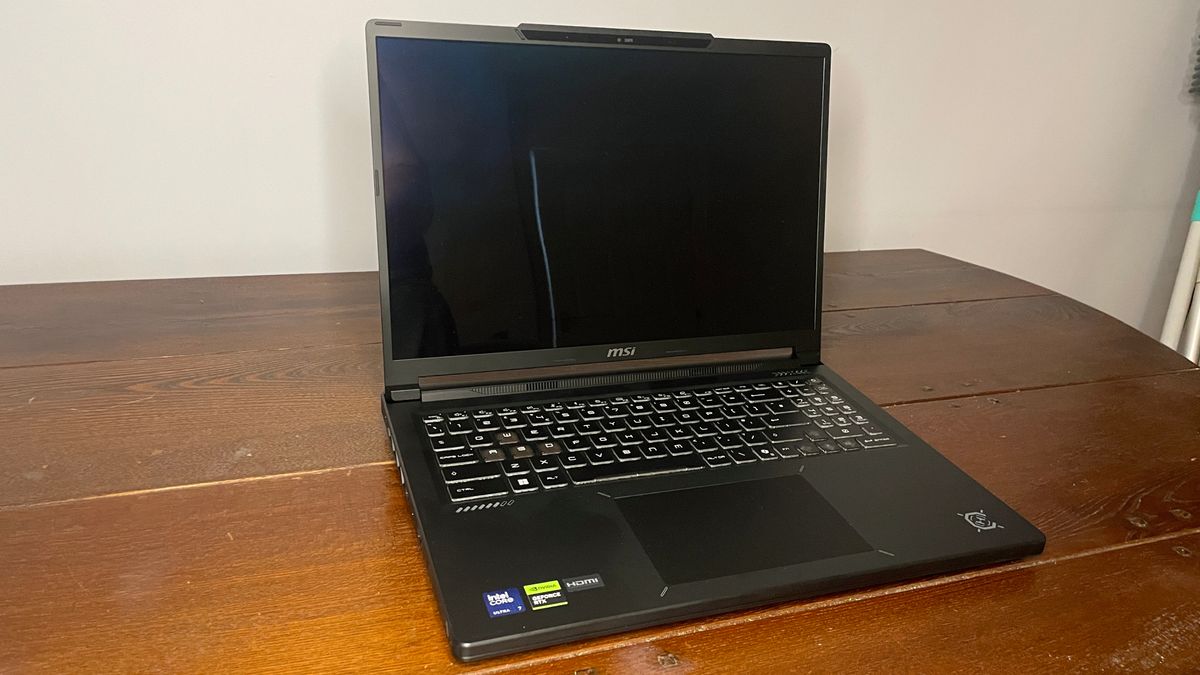
I don't have a ton of praise for the way this laptop looks, unfortunately. It's not awful, just not my particular cup of tea. There's a splash of the old-fashioned, angular, gamer-y look to it, but it only leans kind of half-heartedly in that direction, which ultimately means it looks a little confused about what it wants to be overall.
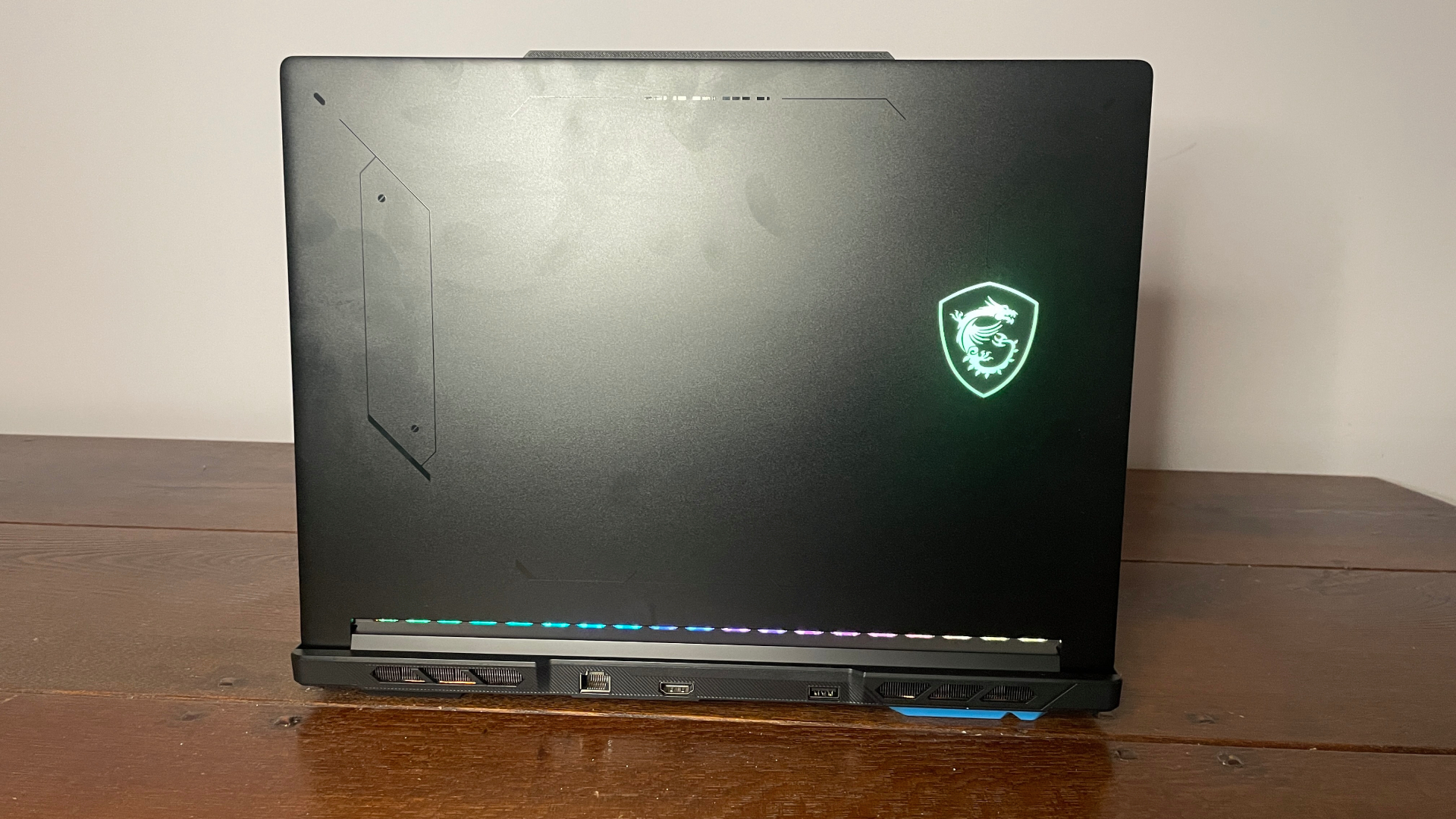
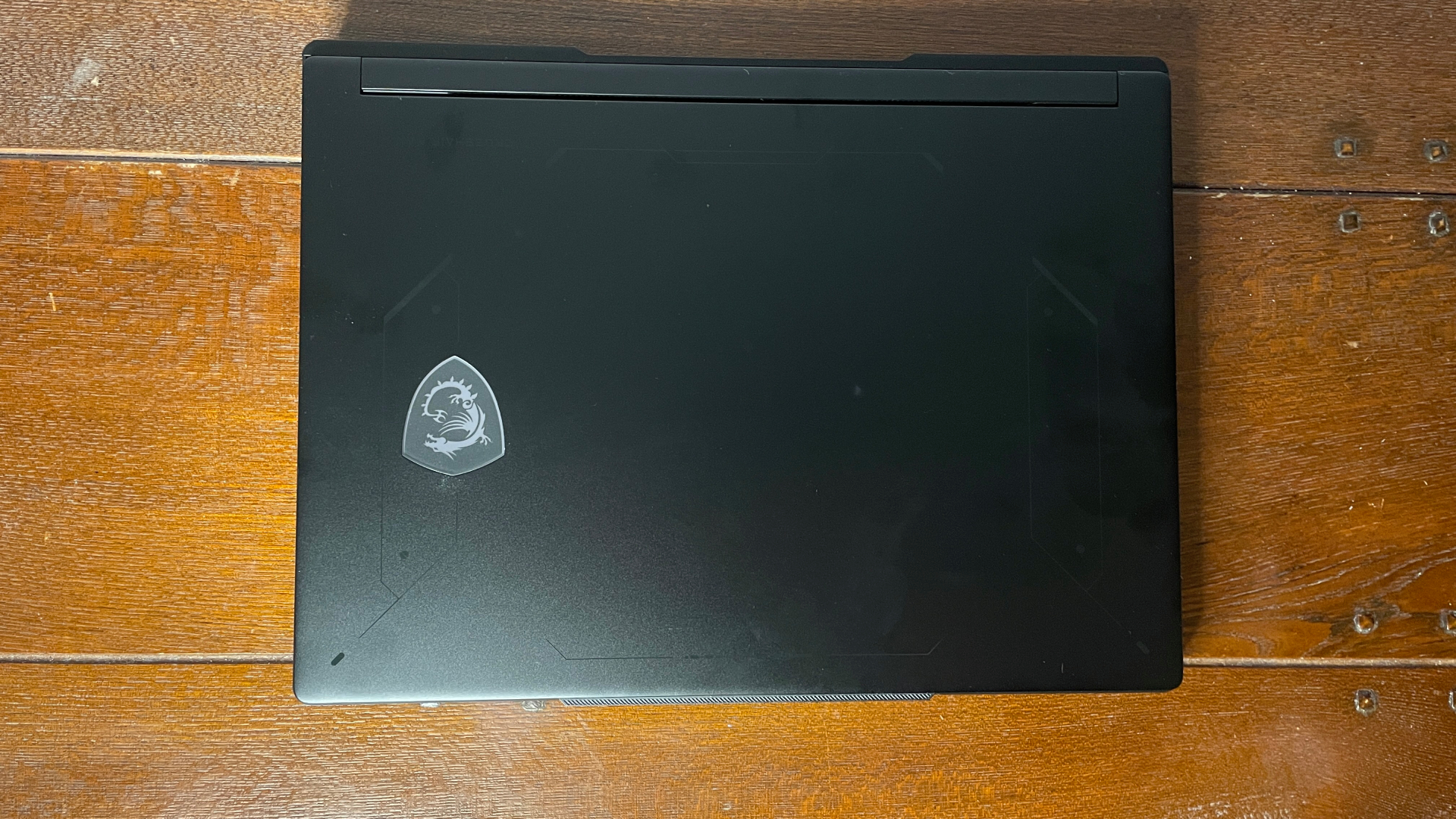
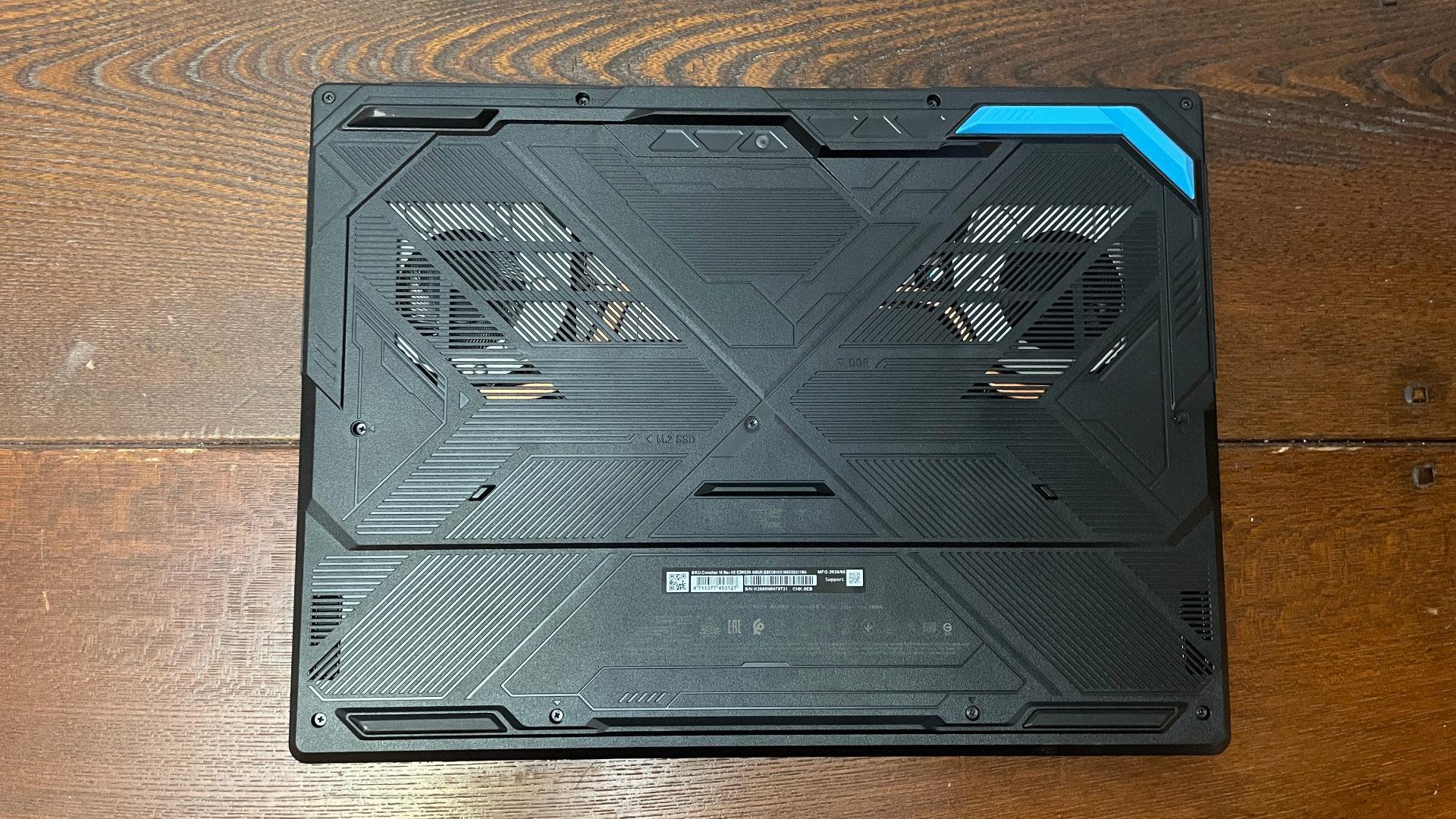
You're getting some funky RGB lighting on the keys, including a translucent WASD if that's your jam, and you're also getting the logo on the lid which lights up and a particularly angular design on the underside, but the rest of the chassis is plain. To be honest, I'd rather it leaned in one direction or the other: gamer-y, or subtle. Still, it's far from an outrageous design and doesn't offend my aesthetic sensibilities too much.
MSI Crosshair 16 Max HX E2W software
The main bloatware on this laptop is Norton antivirus, which I'd personally promptly uninstall just because Microsoft Defender is fine and Norton, in my historical opinion, can be a bit of a pain.
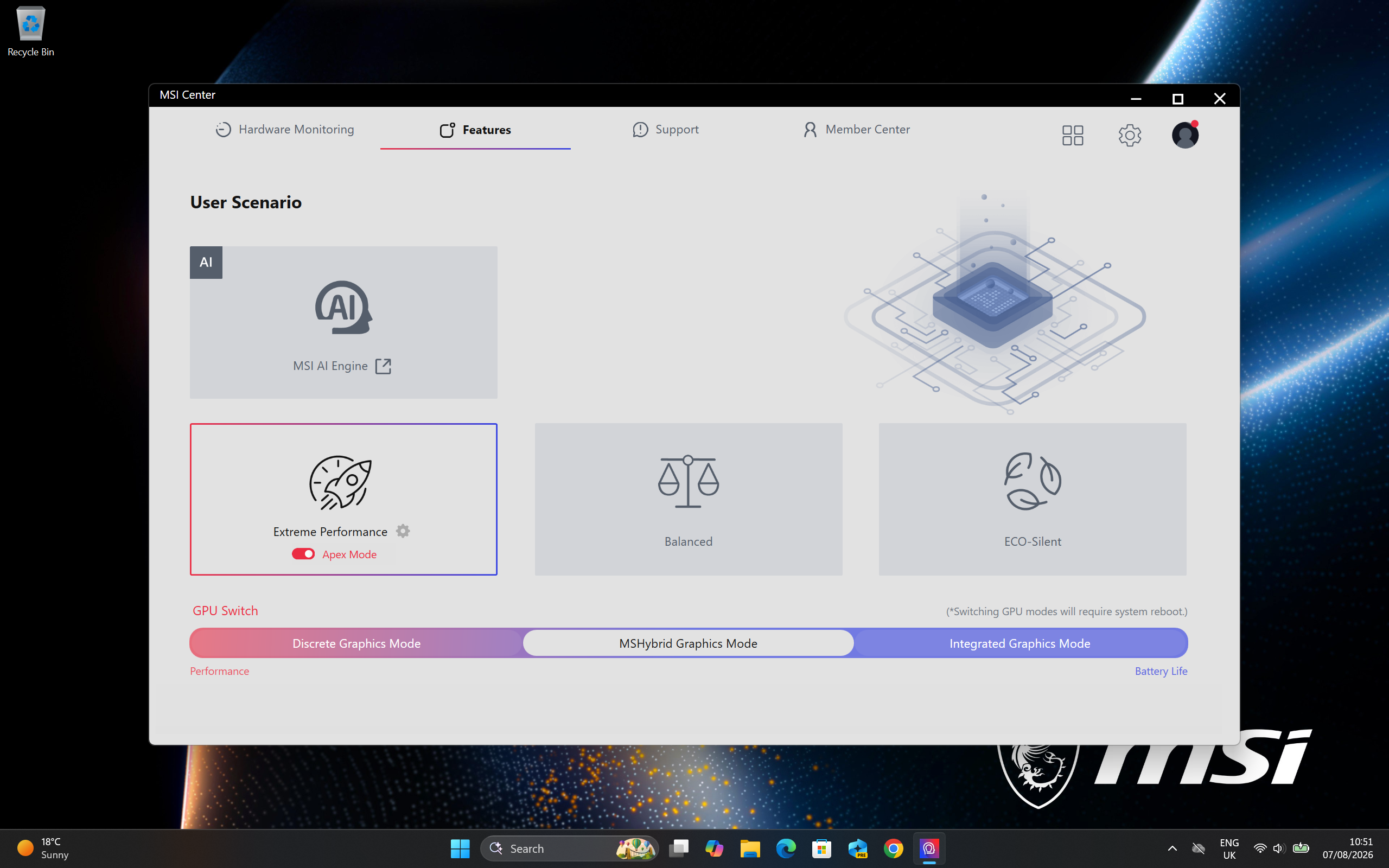
Apart from that, you get MSI Center to control all the settings such as lighting and performance modes. You can install a bunch more modules to fiddle with different settings if you wish, but I just stuck with those and the default system info and options pages. It runs well and isn't too difficult to navigate once you get used to it, but it definitely feels like a 'set it and leave it' kind of software that you don't need to load up very often.
MSI Crosshair 16 Max HX E2W battery life
Battery life
Testing how long the battery lasts in Balanced mode, medium brightness, Wi-Fi disconnected, in the PCMark 10 gaming battery life test.
PCMark 10
MSI Crosshair 16 Max (E2W)
Gigabyte Aero X16 Copilot
| MSI Crosshair 16 Max (E2W) | 72 |
| MSI Crosshair 16 HX (AI) | 101 |
| Gigabyte Aero X16 Copilot | 109 |
| Framework 16 | 131 |
| Lenovo LOQ 15 Gen10 | 89 |
| MSI Stealth 16 AI+ | 104 |
The MSI Crosshair 16 Max perhaps unsurprisingly doesn't do very well when it comes to battery life. It seems oriented around eking out as much performance as possible from its CPU and GPU, without much care for efficiency.
You probably already expected this given the laptop ekes out as much performance as it can from its components, not to mention that it runs mighty hot, but battery life is not great. This isn't a laptop for those of you who primarily want to game while out and about using battery power, but for short sessions or light work it's fine unplugged.
The RTX 5080-boasting MSI Stealth laptop I tested has a 90 Wh battery and lasted for 104 minutes in a gaming battery life benchmark, whereas this one has an 80 Wh battery and lasted for just 72 minutes. That's 31% less time up and running, and less than a bunch of other RTX 5070 laptops we've tested.
MSI Crosshair 16 Max HX E2W Value
You're looking at about $2,600 for the 32 GB version of this—$2,000 on offer—and I can't see the 16 GB version that I tried for sale anywhere. Looking at some of the best deals on gaming laptops right now, that $2,600 is pretty expensive for an RTX 5070 machine.
On the one hand, this isn't a corner-cutting machine, as you're getting a lovely OLED panel and some very convincing performance that pushes the CPU and GPU as far as possible. But on the other hand, even $2,000 on sale is a lot for an RTX 5070 machine, even during a memory shortage. You can often pick similar but non-OLED gaming laptops up for well under $1,500 on sale.
Image 1 of 4
As such, unless and until there are bigger discounts on it, I don't think the price tag fits what's on offer. If the normal retail price were a couple hundred lower and the discount price was a couple hundred lower, too, I would consider it for the OLED panel and great performance.
But as it stands, it's a tough sell, especially if you want any kind of battery or thermal efficiency, or just a laptop that looks a little more dashing. Not to mention one that doesn't suffer from audio latency issues. Considering performance alone it's a great machine, but the price is not quite right.









 English (US) ·