

Microsoft has released the Windows 10 KB5094127 extended security update, which fixes the June 2026 Patch Tuesday vulnerabilities and adds new functionality to monitor the rollout of updated Secure Boot certificates that replace those expiring this month.
If you are running Windows 10 Enterprise LTSC or are enrolled in the ESU program, you can install this update like normal by going into Settings, clicking on Windows Update, and manually performing a 'Check for Updates.'
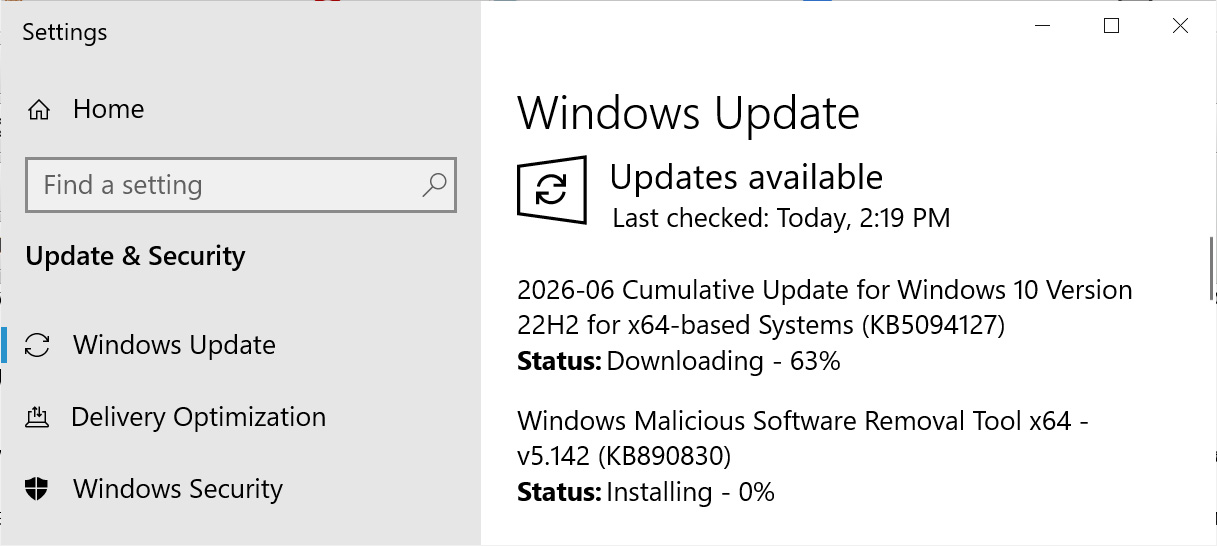 Windows 10 KB5094127 update
Source: BleepingComputer
After installing this update, Windows 10 will be updated to build 19045.7417, and Windows 10 Enterprise LTSC 2021 will be updated to build 19044.7417.

What's new in Windows 10 KB5094127
Microsoft is no longer releasing new features for Windows 10, and the KB5094127 update primarily contains security updates and bug fixes.
The update also includes fixes released as part of today's June 2026 Patch Tuesday, which addressed 200 vulnerabilities, including three publicly disclosed zero-day flaws.
The complete list of fixes in KB5094127 is listed below:
-
[File Explorer] This update improves File Explorer search, including support for Chinese text, and UTF 8–encoded files without a byte order mark (BOM). Text now displays more clearly and consistently across search results, Content view, and tooltips.
-
[Secure Boot]
-
This update enables dynamic status reporting for Secure Boot states in Windows Security App.
-
This update adds a new policy setting, LimitSecureBootRequiredServiceData, under Computer Configuration > Administrative Templates > Windows Components > Secure Boot. When this setting is enabled, Windows limits the Secure Boot service data it sends by suppressing the event normally sent to Microsoft. This policy is also included in the Windows Restricted Traffic Limited Functionality Baseline package. For information about the policy, see Manage connections from Windows 10 and Windows 11 operating system components to Microsoft services.
-
With this update, Windows quality updates include additional high confidence device targeting data, increasing coverage of devices eligible to automatically receive new Secure Boot certificates. Devices receive the new certificates only after demonstrating sufficient successful update signals, maintaining a controlled and phased rollout.
-
Microsoft is also warning of a known issue that can trigger BitLocker recovery prompts on some Windows systems after installing recent updates.
According to Microsoft, the issue primarily affects devices configured with a specific BitLocker Group Policy that explicitly includes PCR7 in the TPM validation profile, and certain Secure Boot and Windows Boot Manager configurations related to the newer Windows UEFI CA 2023 certificate.
As a temporary workaround, Microsoft advises removing the Group Policy setting and then suspending and resuming BitLocker to regenerate the default PCR bindings while the company works on a permanent fix.

Test every layer before attackers do
Security teams log 54% of successful attacks and alert on just 14%. The rest move through your environment unseen.
The Picus whitepaper shows how breach and attack simulation tests your SIEM and EDR rules so threats stop slipping by detection.








 English (US) ·